
OnPay Review 2026: Pros, Cons, Features, and Pricing



OnPay is a payroll software for small to mid-sized businesses that need to run payroll, manage tax filings, and handle core HR tasks without a dedicated payroll team. I'd consider it a strong pick if you want something more affordable and easier to navigate than ADP, but with more HR functionality than entry-level tools like Patriot Payroll. It's especially worth a look if you're a growing business that needs accurate, compliant payroll without the overhead of a complex platform.
OnPay Evaluation Summary
- From $49/month + $6/user/month
- One month free trial
Why Trust Our Software Reviews
We’ve been testing and reviewing HR software systems since 2019. As HR experts ourselves, we know how critical and difficult it is to make the right decision when selecting software.
We invest in deep research to help our audience make better software purchasing decisions. We’ve tested more than 2,000 tools for different HR management use cases and written over 1,000 comprehensive software reviews. Learn how we stay transparent & our software review methodology.
OnPay Overview
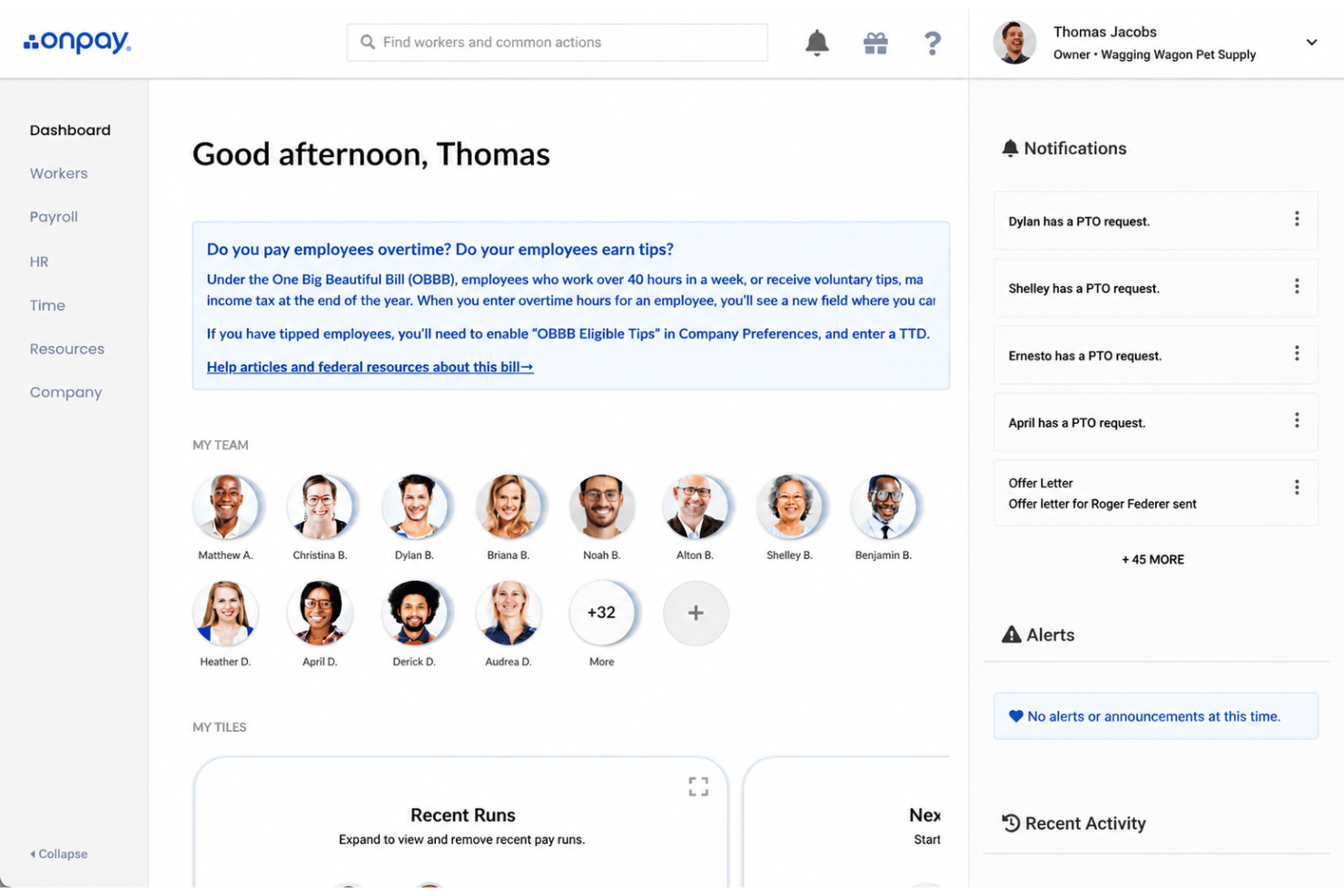
I think OnPay stands out for its simple interface, fast onboarding, and transparent pricing—making it an easy pick for small to midsize teams who want reliable, customizable payroll without a steep learning curve. You’ll appreciate how quickly you can run multi-state payroll, manage benefits, and access responsive support.
While its integrations aren’t as extensive as some alternatives, OnPay’s clean functionality and clear cost structure put it ahead for busy HR pros who want control without clutter. If you’re judging software for growing organizations or distributed teams, I’d suggest OnPay deserves serious consideration.
pros
-
Runs unlimited payroll for no extra fees.
-
Handles payroll tax filings in all 50 states.
-
Offers built-in support for benefits administration.
cons
-
Lacks a native mobile app for employers.
-
Reports are less customizable than larger platforms.
-
Few HR tools beyond core payroll and onboarding.
-

Justworks
Visit WebsiteThis rating combines scores from multiple user review sites to reflect overall customer sentiment about the product.4.6 -
HiBob
Visit WebsiteThis rating combines scores from multiple user review sites to reflect overall customer sentiment about the product.4.5 -
Homebase
Visit WebsiteThis rating combines scores from multiple user review sites to reflect overall customer sentiment about the product.4.2




How We Test & Score Our Tools
We’ve spent years building, refining, and improving our software testing and scoring system. The rubric is designed to capture the nuances of software selection and what makes a tool effective, focusing on critical aspects of the decision-making process.
Below, you can see exactly how our testing and scoring works across seven criteria. It allows us to provide an unbiased evaluation of the software based on core functionality, standout features, ease of use, onboarding, customer support, integrations, customer reviews, and value for money.
Core Functionality (25% of final score)
The starting point of our evaluation is always the core functionality of the tool. Does it have the basic features and functions that a user would expect to see? Are any of those core features locked to higher-tiered pricing plans? At its core, we expect a tool to stand up against the baseline capabilities of its competitors.
Standout Features (25% of final score)
Next, we evaluate uncommon standout features that go above and beyond the core functionality typically found in tools of its kind. A high score reflects specialized or unique features that make the product faster, more efficient, or offer additional value to the user.
We also evaluate how easy it is to integrate with other tools typically found in the tech stack to expand the functionality and utility of the software. Tools offering plentiful native integrations, 3rd party connections, and API access to build custom integrations score best.
Ease of Use (10% of final score)
We consider how quick and easy it is to execute the tasks defined in the core functionality using the tool. High scoring software is well designed, intuitive to use, offers mobile apps, provides templates, and makes relatively complex tasks seem simple.
Onboarding (10% of final score)
We know how important rapid team adoption is for a new platform, so we evaluate how easy it is to learn and use a tool with minimal training. We evaluate how quickly a team member can get set up and start using the tool with no experience. High scoring solutions indicate little or no support is required.
Customer Support (10% of final score)
We review how quick and easy it is to get unstuck and find help by phone, live chat, or knowledge base. Tools and companies that provide real-time support score best, while chatbots score worst.
Customer Reviews (10% of final score)
Beyond our own testing and evaluation, we consider the net promoter score from current and past customers. We review their likelihood, given the option, to choose the tool again for the core functionality. A high scoring software reflects a high net promoter score from current or past customers.
Value for Money (10% of final score)
Lastly, in consideration of all the other criteria, we review the average price of entry level plans against the core features and consider the value of the other evaluation criteria. Software that delivers more, for less, will score higher.
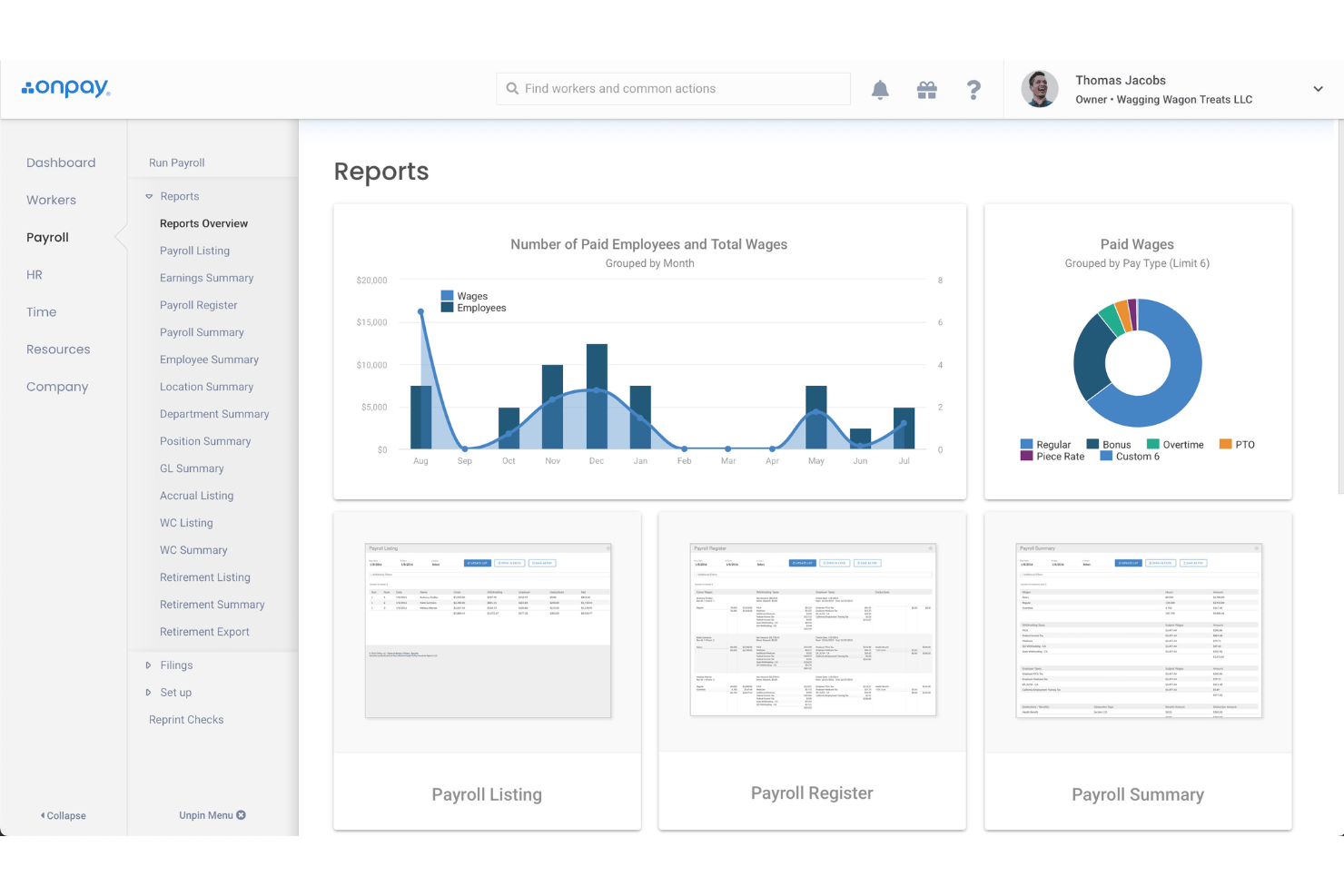
Core Features
Unlimited Payroll Runs
Process payroll as often as needed each month at no extra cost. This makes it easy to pay staff, contractors, or bonuses on your schedule.
Automated Tax Filing
OnPay calculates, withholds, and files all federal, state, and local payroll taxes. Users get peace of mind knowing filings and payments happen automatically.
Streamlined PTO Management
Easily track and manage employee paid time off with customizable accrual policies. Automate requests and approvals to streamline scheduling and ensure compliance.
Advanced Workforce Reporting
Generate detailed reports on payroll, attendance, and PTO usage. Gain insights to optimize workforce management and support strategic decision-making.
Built-In Benefits Administration
Set up and manage health insurance, retirement plans, and more directly in OnPay. Admins can offer and enroll employees in benefits during onboarding.
Custom Pay Types and Deductions
Create custom earning and deduction types for unique pay scenarios. This flexibility is especially useful for businesses with tipped wages, bonuses, or reimbursements.
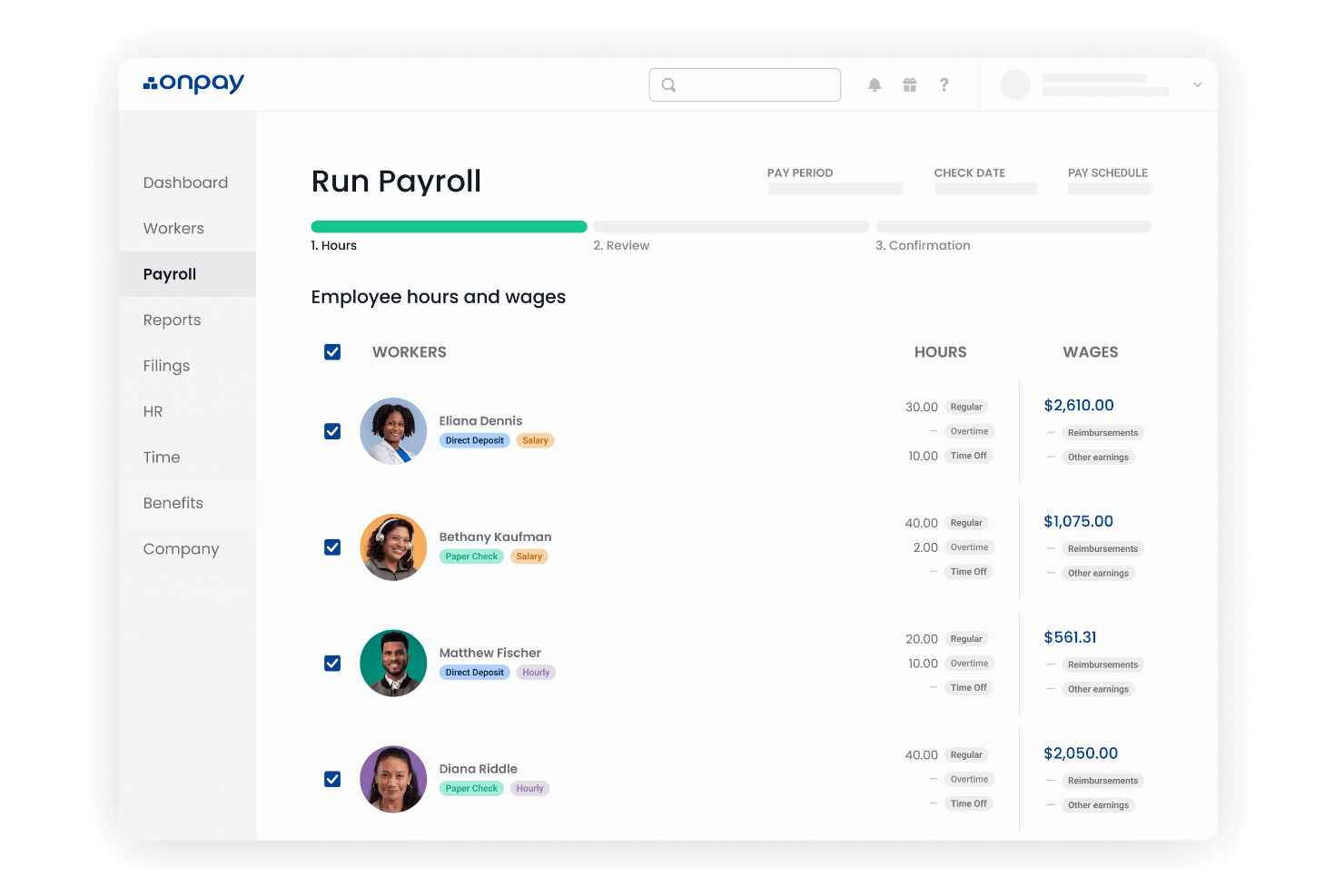
Ease of Use
OnPay’s clean layout keeps payroll tasks straightforward—menus are intuitive and every key payroll action is easy to find, even for first-timers. I’ve seen users point out that onboarding is fast, reporting is simple, and helpful tooltips guide you through setup and adjusting deductions, making the platform approachable for HR teams without payroll expertise.
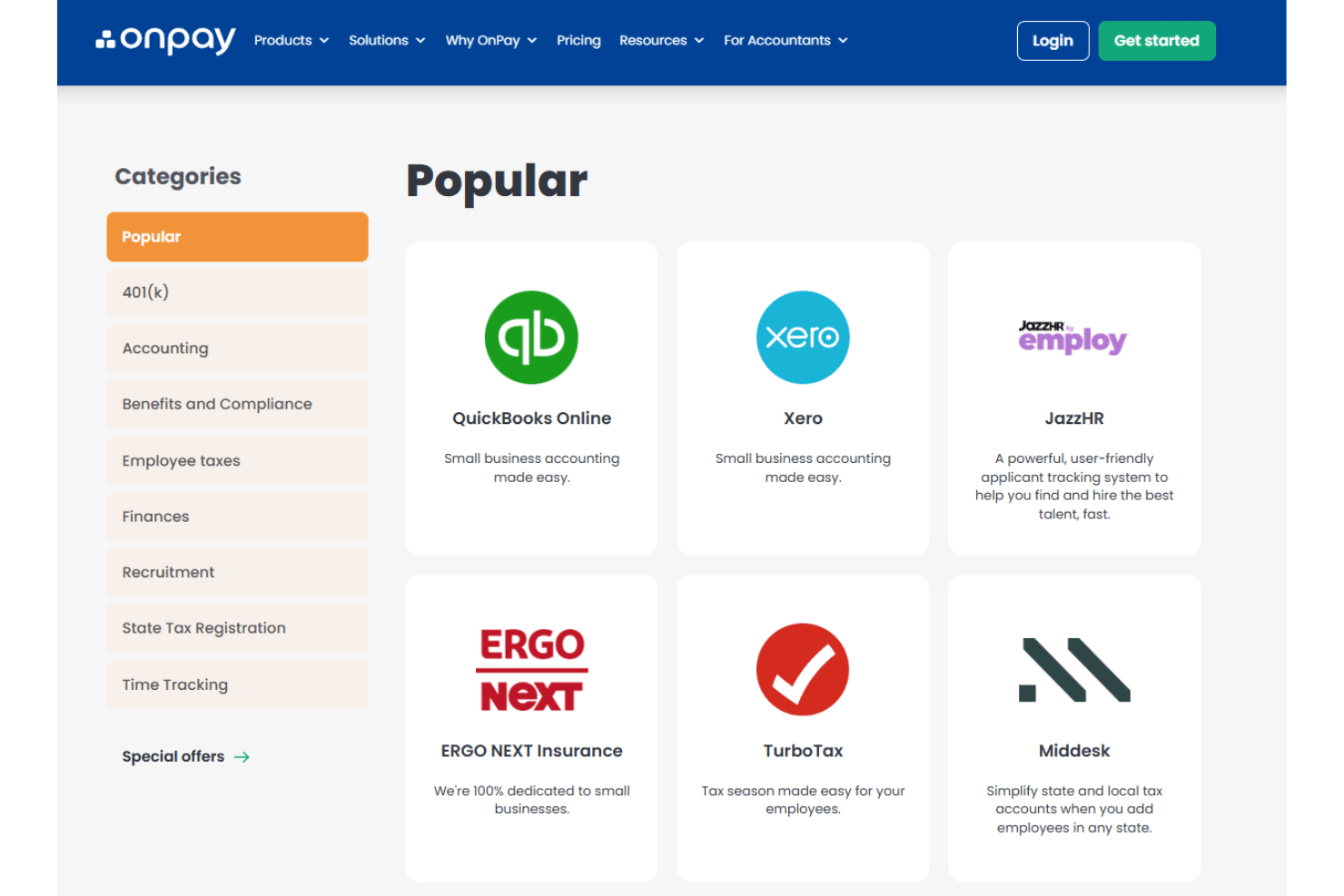
Integrations
OnPay integrates with QuickBooks Online, QuickBooks Desktop, Xero, Vestwell, Guideline, Kabbage, PosterElite, Mineral, FreshBooks, and When I Work, among others.
OnPay also offers an open API and connects with various third-party integration tools.
OnPay Specs
- 2-Factor Authentication
- 360 Degree Feedback
- API
- Application Tracking
- Attendance Tracking
- Batch Permissions & Access
- Compliance Tracking
- Dashboard
- Data Export
- Data Import
- Data Visualization
- Employee Database
- Employee Engagement
- Employee Incentive Management
- Employee Onboarding
- Employee Training
- Expense Tracking
- External Integrations
- Feedback Management
- Multi-User
- Notifications
- Payroll
- Performance Appraisal
- Scheduling
- Time Management
- Timesheets
- Travel Management
- Vacation & Absence Calendar