



Gusto vs. OnPay: Comparison and Expert Reviews for 2026



Choosing between Gusto and OnPay can feel overwhelming when you’re trying to simplify payroll, stay compliant, and avoid costly mistakes. You likely want something that saves time, handles taxes correctly, and fits your budget—without adding unnecessary complexity. While both tools promise all-in-one payroll and HR support, they differ in pricing structure, flexibility, and overall user experience.In this article, I’ll break down how Gusto and OnPay compare so you can decide which HR and payroll software is the better fit for your business. You’ll get a clear look at their pros and cons, ideal use cases, pricing, security, and usability—so you can make a confident, informed choice.
Gusto vs. OnPay: An Overview
Gusto
OnPay
Why Trust Our Software Recommendations
Our team has been testing and reviewing software since 2012. As HR experts ourselves, we know how difficult—and important—it is to choose the right software.
For this guide, we evaluated tools using hands-on testing and independent research, scoring tools using our selection criteria. We also draw on insights from industry thought leaders and practicing HR experts.
Our reviews reflect our human editorial judgment, not a sales pitch.
Expert reviewers:
Gusto vs. OnPay Pricing Comparison
| Gusto | OnPay | |
|---|---|---|
| Free Trial | Free demo available | One month free trial |
| Pricing | From $49/month + $6/month/user | From $49/month + $6/user/month |
Gusto vs. OnPay Pricing & Hidden Costs
Gusto uses a tiered pricing model with multiple plans that scale from basic payroll to full-service HR, each with a base fee plus a per-employee cost. While core payroll features are included, many advanced tools—like performance management, HR resources, or faster payroll options—come as paid add-ons, which can increase your total cost over time.
OnPay, by contrast, keeps pricing straightforward with a single base plan plus a per worker cost, covering full-service payroll, tax filings, benefits administration, and integrations. Most essentials are included with no hidden fees, though optional add-ons like HR tools or compliance support come at an extra monthly cost.
To choose the right vendor, look beyond the headline price and map each tool’s features to your actual payroll and HR needs. Consider how your business might grow, which features you’ll use most, and whether you’ll need add-ons like benefits management or advanced reporting. Running real-world cost scenarios can help you determine which platform delivers better long-term value—not just the lowest starting price.
Gusto vs. OnPay Feature Comparison
Both Gusto and OnPay are full-service payroll and HR platforms designed to automate core workforce management tasks. They overlap heavily on key features like running unlimited payroll, handling federal/state tax filings, supporting W-2 and contractor payments, and offering benefits administration (health insurance, retirement plans, etc.). Both also include reporting, multi-state payroll support, and employee self-service tools, making them comparable all-in-one solutions for small businesses.
Where they diverge is in specialization. Gusto stands out with more advanced capabilities like global payroll and contractor payments in multiple countries, plus a module for solopreneurs and features like autopilot payroll and a large ecosystem of integrations. OnPay, on the other hand, differentiates with its simplicity and value—offering a single flat pricing plan with all features included, along with strong niche support (e.g., nonprofits or agriculture) and customizable HR tools like document templates and PTO policies.
| Gusto | OnPay | |
|---|---|---|
| API | ||
| Application Tracking | ||
| Attendance Tracking | ||
| Compliance Tracking | ||
| Dashboard | ||
| Data Export | ||
| Data Import | ||
| Data Visualization | ||
| Employee Database | ||
| Employee Incentive Management | ||
| Employee Onboarding | ||
| Expense Tracking | ||
| External Integrations | ||
| Feedback Management | ||
| Multi-User | ||
| Notifications | ||
| Payroll | ||
| Scheduling | ||
| Time Management | ||
| Timesheets | ||
| Travel Management | ||
| Vacation & Absence Calendar |
Gusto vs. OnPay Integrations
| Integration | Gusto | OnPay |
| QuickBooks Online | ✅ | ✅ |
| Xero | ✅ | ✅ |
| FreshBooks | ✅ | ❌ |
| Deputy | ✅ | ✅ |
| When I Work | ✅ | ✅ |
| QuickBooks Time | ✅ | ✅ |
| Clover | ✅ | ✅ |
| ThinkHR | ✅ | ❌ |
| Mineral | ✅ | ❌ |
| API | ✅ | ✅ |
| Zapier | ✅ | ✅ |
Gusto offers a broader range of direct integrations, especially with accounting and HR tools, while OnPay covers the essentials. Both support API and Zapier, so you can bridge gaps and customize workflows, but Gusto’s wider integration network may better suit teams with diverse software needs or the preference for more plug-and-play options.
Gusto vs. OnPay Security, Compliance & Reliability
| Factor | Gusto | OnPay |
| Data Encryption | Uses bank-level encryption for all sensitive payroll and employee data. | Uses industry-standard encryption to protect payroll and HR data. |
| Regulatory Compliance | Automatically updates for federal, state, and local payroll laws. | Handles all tax filings and stays current with payroll regulations. |
| Access Controls | Offers customizable user permissions and multi-factor authentication. | Provides role-based access and secure login protocols. |
| Uptime & Reliability | Guarantees high uptime with regular system monitoring and backups. | Maintains reliable service with scheduled backups and monitoring. |
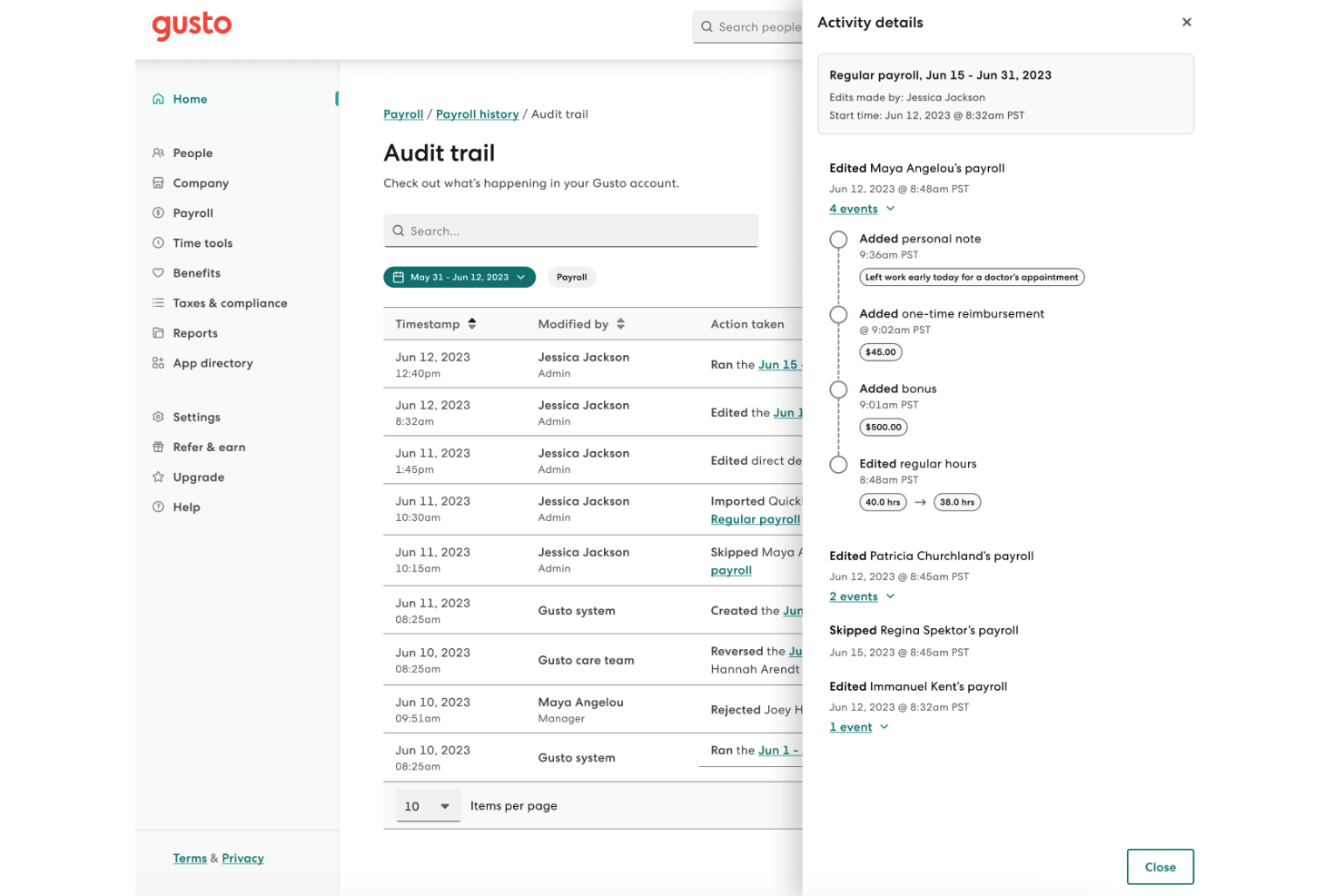
| Audit Trails | Tracks all payroll changes and user actions for transparency. | Logs payroll activities and changes for compliance and review. |
Both Gusto and OnPay deliver strong security and compliance, but Gusto stands out with more granular access controls and proactive regulatory updates. Gusto’s layered security and detailed audit trails inspire confidence for larger teams, while OnPay’s straightforward compliance and reliable uptime make it a solid choice for smaller businesses.
Gusto vs. OnPay Ease of Use
| Factor | Gusto | OnPay |
| User Interface | Features a modern, intuitive dashboard with clear navigation and visuals. | Offers a clean, straightforward layout that’s easy to learn and use. |
| Onboarding | Provides guided setup, helpful checklists, and in-app tips for new users. | Delivers step-by-step onboarding with live support if you need help. |
| Payroll Processing | Automates payroll runs and tax filings with minimal manual input. | Allows unlimited pay runs with simple, repeatable workflows. |
| Customer Support | Includes chat, email, and phone support, plus a detailed help center. | Offers responsive phone and email support with payroll specialists. |
| Mobile Access | Supports mobile-friendly access for admins and employees. | Mobile access is available but more limited in functionality. |
Both Gusto and OnPay are easy to use, but Gusto’s polished interface and guided onboarding make it especially welcoming for beginners. Gusto shines with its visual dashboard and automation, while OnPay’s simplicity and hands-on support appeal to those who want a no-fuss payroll experience.
Gusto vs OnPay: Pros & Cons
Gusto
- You can run payroll using guided steps, even without prior payroll experience.
- Employees can access pay stubs, tax forms, and update personal details without HR help.
- Health insurance premiums and 401(k) contributions are automatically deducted and synced with payroll.
- Support response times can be slower outside standard business hours.
- Costs can rise quickly as you add employees and features.
- May feel limiting if you need enterprise-level scalability and controls.
OnPay
- Runs unlimited payroll for no extra fees.
- Handles payroll tax filings in all 50 states.
- Offers built-in support for benefits administration.
- Lacks a native mobile app for employers.
- Reports are less customizable than larger platforms.
- Few HR tools beyond core payroll and onboarding.
Best Use Cases for Gusto and OnPay
Gusto
- Small Businesses Good fit if you want an easy way to run payroll, file taxes, and manage employee records without needing payroll expertise.
- Mid-Sized Business Works well for growing teams that need automated payroll, benefits management, and support for multiple pay schedules.
- Contractor Business Useful if you pay freelancers or contractors regularly and need simple 1099 generation and payment tracking.
- Accountants Helps accountants manage payroll for multiple clients from one system with automated tax filing and reporting.
- New Businesses Ideal if you want to set up payroll quickly, stay compliant from the start, and avoid manual payroll processing.
- One Employee Teams Suitable for solo employers who need to run compliant payroll and handle taxes without complex HR tools.
OnPay
- Restaurants Tip management tools and support for hourly staff make OnPay a good match for busy food service environments.
- Startups Fast onboarding and affordable, predictable pricing help growing startups stay focused on building their teams, not wrestling with payroll.
- Accountants OnPay’s accountant dashboard lets accounting professionals manage multiple clients’ payrolls from a single login.
- Nonprofits Nonprofits benefit from built-in support for special tax filings and grant employee access to tax documents and pay stubs online.
- Remote Teams Multi-state payroll and all-digital self-service portals make OnPay practical for remote or distributed teams.
- Healthcare Practices Healthcare offices value OnPay’s simple schedules and tracking for salaried, hourly, and contract staff in one system.
Who Should Use Gusto, And Who Should Use OnPay?
Gusto is a strong fit if you’re a solopreneur, small business owner, or mid-sized organization and want a more robust platform with just the right amount of advanced features at any stage of growth. It works well for businesses that expect to expand, need a multi-state or global payroll solution, or want access to deeper tools like performance management and extensive integrations. Overall, its flexibility to support solo business owners and scale as you grow your business makes it worthwhile for future-proofing your tech stack.
OnPay is better suited for small businesses that want reliable payroll and HR tools without complexity or unpredictable costs. It’s ideal if you value transparent pricing, straightforward setup, and solid core features without needing a wide range of add-ons. For teams that prioritize simplicity and affordability over advanced customization, OnPay is often the more practical choice.
Differences Between Gusto and OnPay
| Gusto | OnPay | |
|---|---|---|
| Benefits Administration | Broader benefits ecosystem, including HSAs, FSAs, commuter benefits, broker integrations, and financial tools like Gusto Wallet. | Solid benefits offering (health, 401(k), workers’ comp, broker integration), but fewer specialized or financial wellness tools. |
| Global Support | Supports global contractor payments in 120+ countries and offers Employer of Record (EOR) services for international hiring. | Primarily focused on U.S.-based payroll with no built-in global payroll capabilities. |
| HR Features | Gusto offers a more advanced HR suite, including performance management, applicant tracking, custom onboarding workflows, and access to certified HR experts (often in higher tiers or add-ons). | Strong core HR features like time off management, onboarding workflows, e-signatures, document management, and compliance tools, but lacks advanced features like performance management or ATS. |
| Integrations | Connects with a wide range of accounting, HR, and time-tracking apps. | OnPay offers core integrations, but with a smaller selection overall. |
| Pricing Model | Tiered plans that combine HR and payroll features, with base and per-employee fees, plus optional add-ons (like EOR, priority support, background checks, etc.) | Flat monthly fee plus per-employee cost with essential payroll features included. HR is an add-on. |
| Visit GustoOpens new window | Read OnPay ReviewOpens new window |
Similarities Between Gusto and OnPay
| Direct Deposit | Both offer direct deposit options, ensuring employees and contractors are paid quickly and securely. |
|---|---|
| Employee Self-Service | Both offer employee self-service portals for pay stubs, tax documents, and personal info updates, streamlining access. |
| Payroll Automation | Both let you run payroll and handle tax filings automatically, reducing manual work and helping you stay compliant. They also support multi-state payroll and offer unlimited payroll runs. |
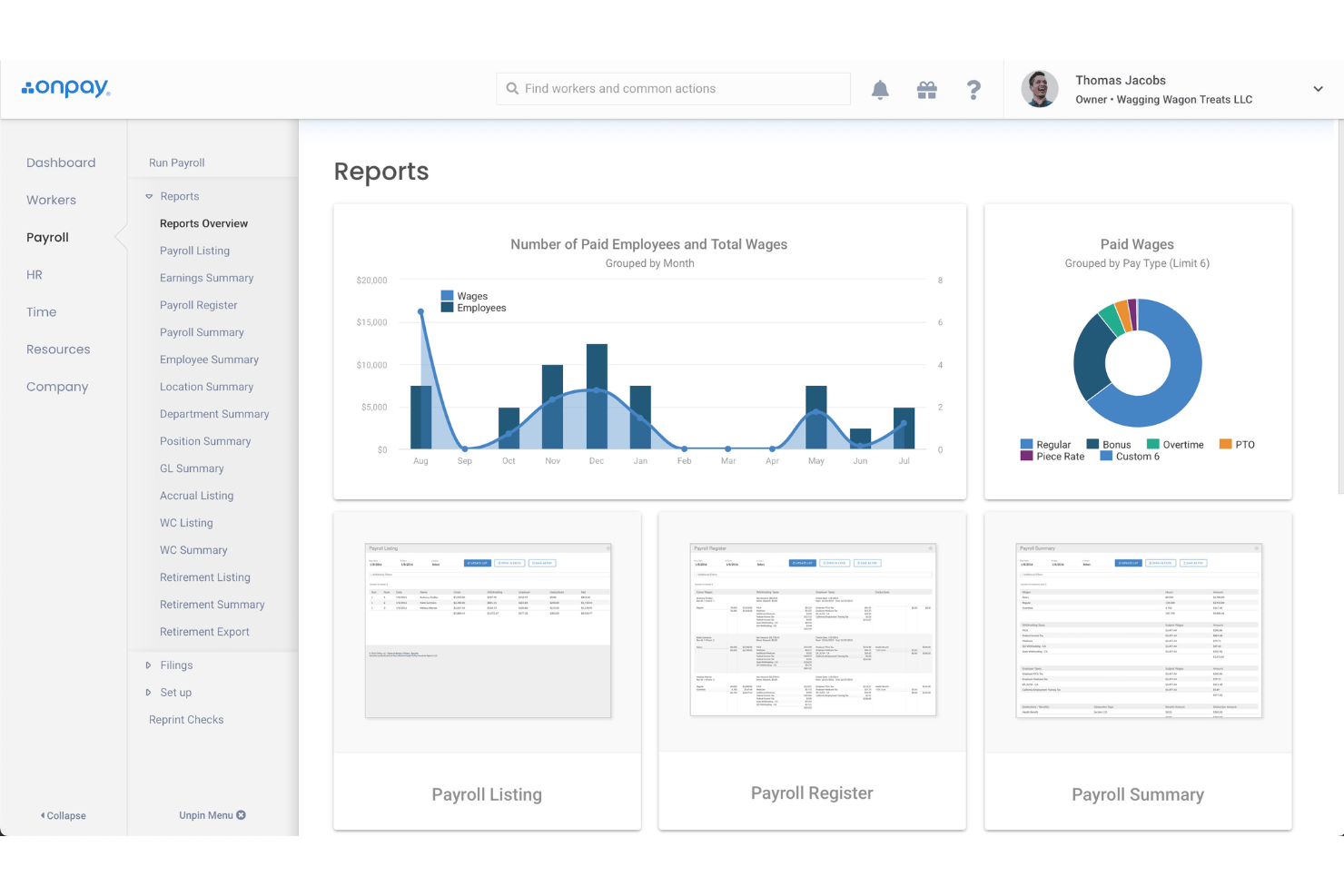
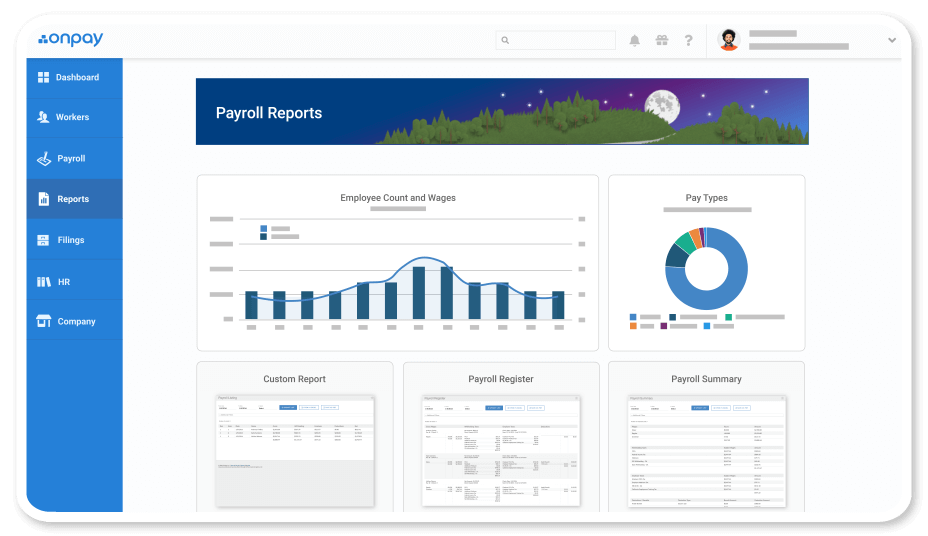
| Reporting | Both provide payroll reports and maintain records for compliance, giving you access to historical data and insights for decision-making. |
| Tax Compliance | Each tool handles federal, state, and local payroll taxes, including filings and year-end forms. |
| Visit GustoOpens new window Read OnPay ReviewOpens new window | |