

Los 10 mejores sistemas de cumplimiento normativo de RR. HH. para pequeñas empresas en 2026

Sistema de cumplimiento normativo de RR. HH. para pequeñas empresas: selección


Un sistema de cumplimiento normativo de RR. HH. para pequeñas empresas es un software de RR. HH. que te ayuda a gestionar las leyes laborales, las normativas y las políticas de la empresa para que tu equipo cumpla la normativa y evite errores costosos.
Si estás buscando la solución adecuada, sabes lo rápido que pueden cambiar las normativas y lo fácil que resulta para los equipos pequeños pasar por alto actualizaciones o documentación importantes.
Esta lista te ayudará a comparar los mejores sistemas de cumplimiento normativo de RR. HH. para pequeñas empresas en 2026, para que puedas encontrar una plataforma que se adapte a tus necesidades, apoye a tu personal y mantenga protegida tu empresa.
Por qué confiar en nuestras reseñas de software
Nuestro equipo lleva probando y evaluando software desde 2012. Como expertos en RR. HH., sabemos lo difícil —y lo importante— que es elegir el software adecuado.
Para esta guía, evaluamos las herramientas mediante pruebas prácticas e investigación independiente, puntuando las herramientas según nuestros criterios de selección. También nos basamos en la experiencia de líderes de opinión del sector y de profesionales de RR. HH. en activo.
Nuestras reseñas reflejan nuestro criterio editorial humano, no un discurso de ventas.
Revisores expertos:
Tabla comparativa de sistemas de cumplimiento normativo de RR. HH. para pequeñas empresas
Esta tabla comparativa resume los detalles de precios de mis principales sistemas de cumplimiento normativo de RR. HH. para pequeñas empresas
| Tool | Best For | Trial Info | Price | ||
|---|---|---|---|---|---|
| 1 | Ideal para apoyo en cumplimiento de RR. HH. en pequeñas empresas | Demostración gratuita disponible | Precios bajo solicitud | Website | |
| 2 | Mejor para registros centralizados de la fuerza laboral global | Demo gratuita disponible | Desde $5/empleado/mes | Website | |
| 3 | Mejor para cumplimiento global de la fuerza laboral | Demo gratuita disponible | Desde $29/empleado/mes | Website | |
| 4 | Mejor para soluciones de cumplimiento escalables | No disponible | Precios a consultar | Website | |
| 5 | Mejor para alertas automáticas de cumplimiento | Demostración gratuita disponible | Precio a consultar | Website | |
| 6 | Ideal para el cumplimiento de la normativa laboral internacional | Demo gratuita disponible | Desde $599/empleado/mes | Website | |
| 7 | Ideal para el cumplimiento unificado entre sistemas | Demostración gratuita disponible | Precio a consultar | Website | |
| 8 | Mejor para orientación en cumplimiento específica por industria | Demo gratuita disponible | Precios bajo solicitud | Website | |
| 9 | Ideal para nómina y beneficios integrados | Demo gratuita disponible | Desde $49/mes + $6/mes por persona | Website | |
| 10 | Ideal para una gestión de políticas intuitiva | Prueba gratuita de 14 días + plan gratuito + demo gratuita disponible | Desde $2/usuario/mes | Website |


Opiniones sobre sistemas de cumplimiento normativo de RR. HH. para pequeñas empresas
A continuación encontrarás mis resúmenes detallados de los sistemas de cumplimiento normativo de RR. HH. para pequeñas empresas que llegaron a mi selección. Mis análisis ofrecen una visión detallada de las funciones, los casos de uso más adecuados y los precios de cada sistema para ayudarte a encontrar el mejor para ti.
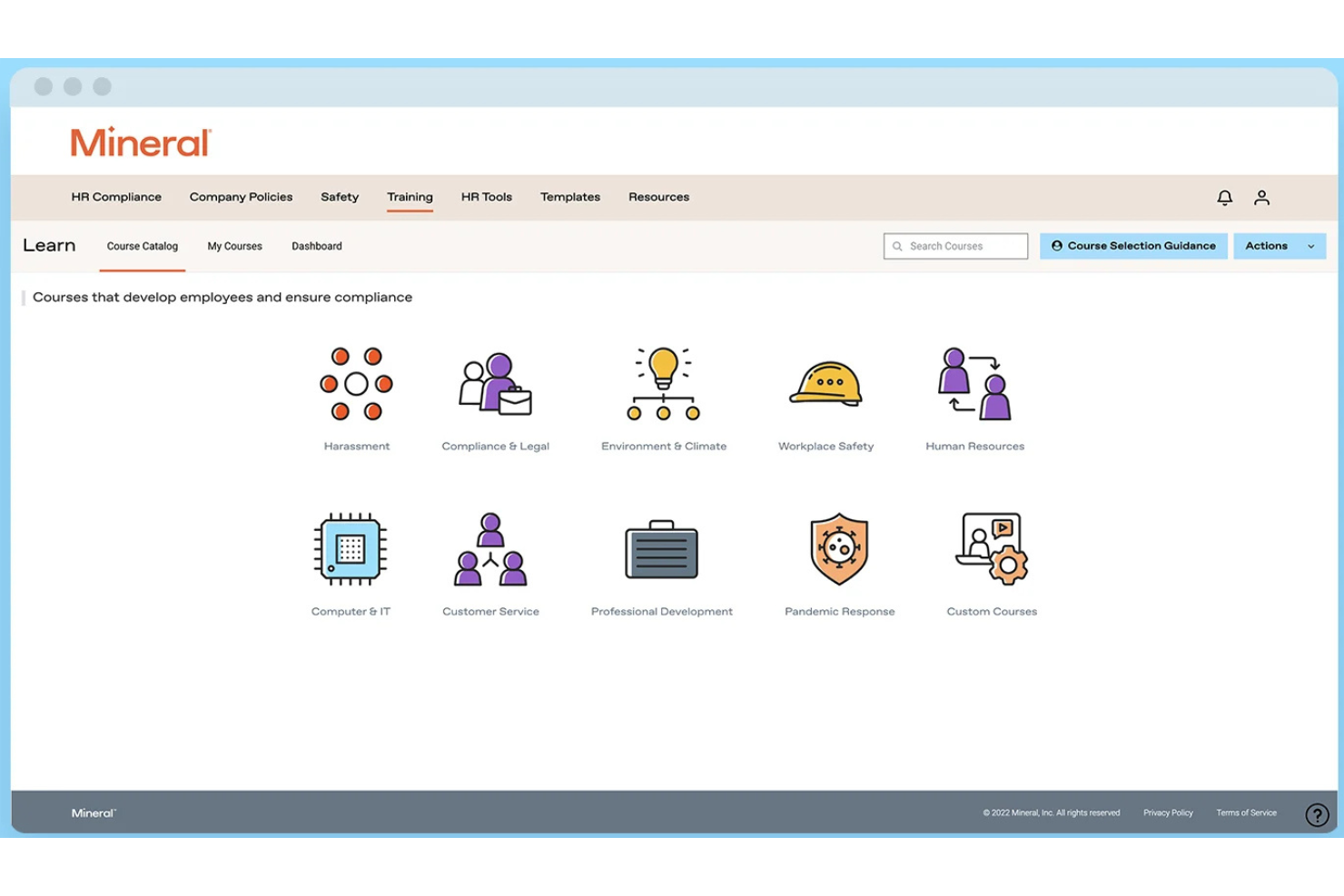
Mitratech Mineral es una plataforma de cumplimiento de RR. HH. que ayuda a pequeñas y medianas empresas a gestionar los requisitos legales laborales mediante el monitoreo de cumplimiento, herramientas para manuales del empleado, orientación en recursos humanos, recursos de políticas y capacitación para empleados.
¿Para quién es mejor Mitratech Mineral?
Mitratech Mineral es ideal para propietarios de pequeñas empresas y generalistas de recursos humanos que necesitan apoyo práctico en cumplimiento sin mantener un equipo legal o de cumplimiento interno.
Por qué elegí Mitratech Mineral
Elegí Mitratech Mineral porque brinda a las pequeñas empresas acceso tanto a herramientas de cumplimiento como a profesionales experimentados de RR. HH. en una sola plataforma. En lugar de investigar leyes laborales por su cuenta o contratar consultores externos, los usuarios reciben alertas personalizadas de cumplimiento, recursos revisados por abogados y orientación experta cuando surgen situaciones complejas en el lugar de trabajo. También me gusta que la plataforma combine la gestión de manuales, la capacitación de empleados y la planificación de cumplimiento, lo que facilita que los equipos de RR. HH. reducidos se mantengan organizados a medida que las regulaciones evolucionan.
Características clave de Mitratech Mineral
- Mineral Intelligence™: Supervisa las leyes laborales cambiantes y recibe recomendaciones de cumplimiento personalizadas según tu negocio.
- Smart Employee Handbook Plus: Crea y mantiene manuales del empleado conformes con actualizaciones automáticas de políticas y soporte multiestatal.
- Biblioteca de capacitación para empleados: Ofrece formación en cumplimiento laboral y desarrollo de empleados a través de cursos en línea integrados.
- Calendario de cumplimiento: Haz un seguimiento de los plazos de cumplimiento federales y estatales importantes desde un panel centralizado.
Integraciones de Mitratech Mineral
Mitratech Mineral opera principalmente a través de alianzas con proveedores de nómina, corredores de seguros, PEO y plataformas HCM. También está disponible a través del Marketplace de PrismHR. La documentación pública sobre integraciones nativas sigue siendo limitada y el soporte para Zapier no está documentado actualmente.
Pros and Cons
Pros:
- Guía de cumplimiento personalizada
- Capacitación en RR. HH. incorporada
- Soporte experto en RR. HH.
Cons:
- Las herramientas para manuales pueden tener costo adicional
- Integraciones nativas limitadas

Deel HR
Mejor para registros centralizados de la fuerza laboral global
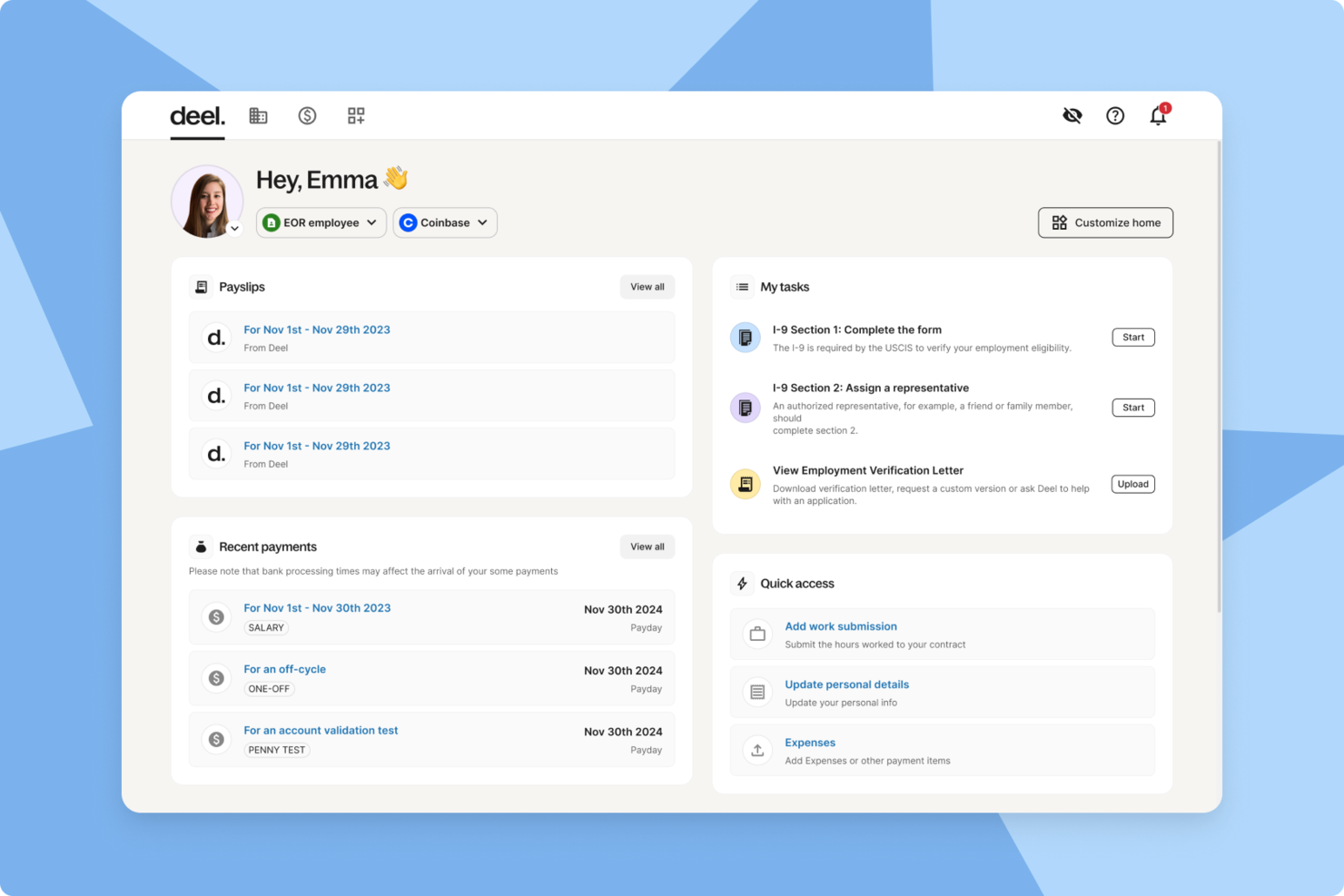
Deel HR es una plataforma de cumplimiento de recursos humanos para pequeñas empresas que reúne los registros de empleados globales, herramientas de cumplimiento automatizadas, flujos de trabajo de incorporación y gestión de documentos en un solo sistema.
¿Para quién es mejor Deel HR?
Deel HR es adecuada para pequeñas empresas y equipos de recursos humanos que gestionan empleados globales, contratistas y el cumplimiento normativo en varios países.
Por qué elegí Deel HR
Elegí Deel HR como una de las mejores porque puedo mantener todos los registros de la fuerza laboral global en un solo lugar, sin importar dónde estén ubicados los miembros de mi equipo. Utilizo Deel HR para almacenar contratos, documentos de cumplimiento y datos personales de empleados y contratistas en varios países. La plataforma me permite acceder y actualizar rápidamente los registros, lo que ayuda a mi equipo a mantenerse organizado y listo para auditorías.
Características clave de Deel HR
- Clasificación automatizada de trabajadores: Determina al instante el estatus de contratista o empleado según las leyes locales.
- Flujos de trabajo de incorporación global: Guía a los nuevos contratados por los pasos de incorporación y recopilación de documentos específicos de cada país.
- Soporte para firma electrónica: Permite enviar, firmar y almacenar contratos y documentos de cumplimiento de forma digital.
- Plantillas de documentos personalizadas: Permite crear y gestionar plantillas para contratos, acuerdos de confidencialidad (NDA) y políticas de recursos humanos.
Integraciones de Deel HR
Deel HR ofrece integraciones nativas con BambooHR, Workday, Greenhouse, HiBob, QuickBooks, Xero, NetSuite, Expensify, Okta y Slack. Hay una API disponible para integraciones personalizadas.
Pros and Cons
Pros:
- Herramientas integradas de gestión de contratos y documentos
- Flujos de trabajo de incorporación específicos para cada país para nuevos empleados
- Integraciones nativas con las principales herramientas de recursos humanos y nómina
Cons:
- Personalización limitada de los flujos de trabajo de incorporación
- Algunas integraciones requieren planes de nivel superior
New Product Updates from Deel HR

Deel Expands Stablecoin Wallet to 80+ Countries
Deel expands its Stablecoin Wallet to 80+ countries with dollar-backed balances and optional rewards. This gives eligible contractors more ways to hold and manage earnings inside Deel. For more information, visit Deel’s official site.
 .
.
Mejor para cumplimiento global de la fuerza laboral
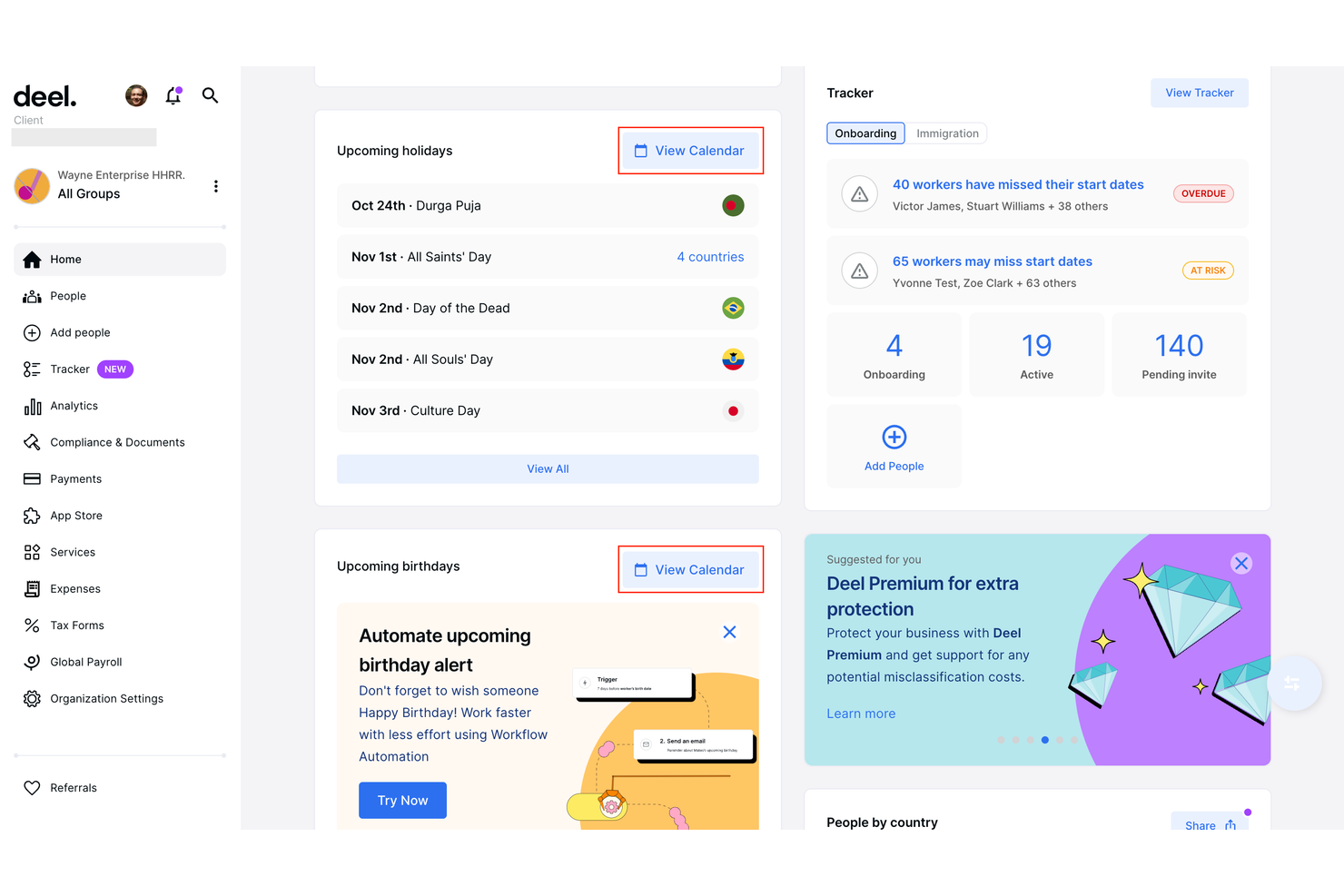
Deel está diseñado para pequeñas empresas que necesitan gestionar el cumplimiento de recursos humanos en varios países. Si contratas empleados o contratistas internacionales, Deel te ayuda a navegar las leyes laborales locales, contratos y requisitos de nómina en más de 150 países. Esta plataforma es especialmente útil para equipos en expansión global que desean reducir los riesgos de cumplimiento y la carga administrativa.
Por qué elegí Deel
Para pequeñas empresas que contratan internacionalmente, Deel destaca por su enfoque en el cumplimiento para fuerzas laborales globales. Deel ofrece plantillas de contratos localizadas y comprobaciones automáticas de cumplimiento, ayudándote a mantenerte alineado con las leyes laborales en cada país donde operas.
Elegí Deel porque también gestiona la nómina internacional y la presentación de impuestos, reduciendo el riesgo de costosos errores de cumplimiento. Estas funciones hacen de Deel una excelente opción para pequeñas empresas que desean expandir sus equipos a nivel internacional con confianza y sin verse atrapados en complejidades legales.
Características clave de Deel
Otras características que hacen útil a Deel para el cumplimiento de RR. HH. en pequeñas empresas incluyen:
- Portal de gestión de documentos: Almacena, organiza y accede a documentos de cumplimiento para todos los empleados y contratistas.
- Flujos de trabajo de incorporación automatizados: Guía a los nuevos empleados a través de los pasos de incorporación específicos de cada país y la documentación requerida.
- Herramientas de gestión de gastos: Envía, aprueba y rastrea los gastos de los miembros del equipo global dentro de la plataforma.
- Permisos personalizables: Establece roles de usuario y niveles de acceso para controlar quién puede ver o editar información confidencial de RR. HH. y cumplimiento.
Integraciones de Deel
Las integraciones incluyen SAP SuccessFactors, NetSuite, Slack, Google Workspace, Rydoo, Humaans, OpenSesame, Ramp, Thatch y más.
Pros and Cons
Pros:
- Almacenamiento integrado de documentos de cumplimiento
- Soporte en tiempo real para preguntas de RR. HH. internacionales
- Herramientas de evaluación de riesgos de clasificación errónea de contratistas
Cons:
- No tiene función de control horario incorporada
- Algunas integraciones requieren plan empresarial
Paychex
Mejor para soluciones de cumplimiento escalables
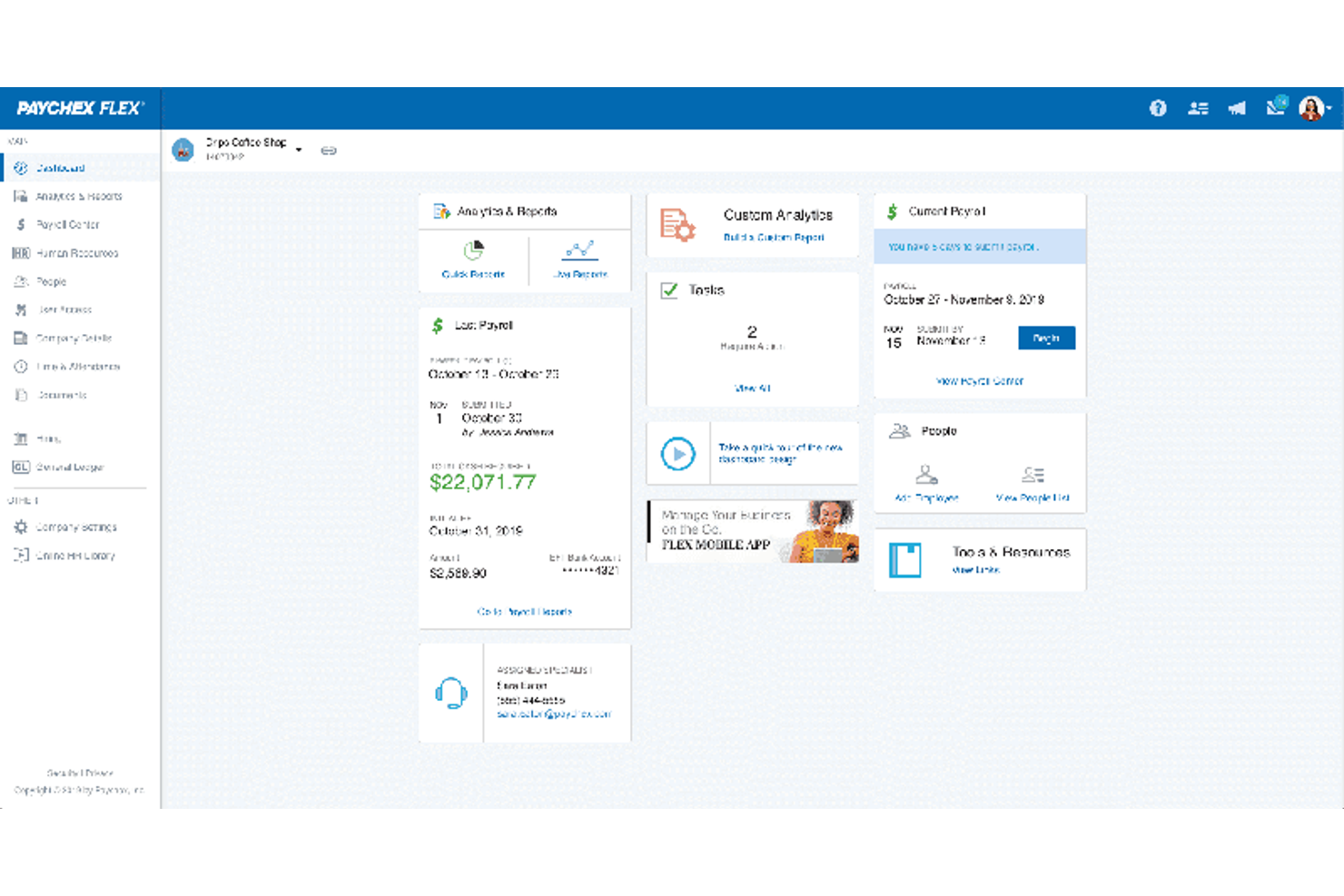
Paychex brinda a las pequeñas empresas acceso a herramientas de cumplimiento normativo que pueden escalar a medida que cambian sus necesidades. Si buscas una solución que combine nómina, recursos humanos y gestión de riesgos con soporte de cumplimiento incorporado, esta plataforma está diseñada para adaptarse conforme tu negocio crece. Paychex se destaca por su capacidad para manejar requisitos regulatorios complejos en varios estados e industrias.
Por Qué Elegí Paychex
Lo que me atrajo de Paychex es su capacidad para escalar el soporte de cumplimiento a medida que tu empresa crece o cambian las regulaciones. Paychex ofrece archivado y reportes fiscales automatizados, lo que ayuda a las pequeñas empresas a mantenerse actualizadas con los requisitos federales, estatales y locales.
También valoro su biblioteca de cumplimiento de recursos humanos incorporada, que proporciona recursos actualizados y plantillas para políticas y documentación. Estas características convierten a Paychex en una excelente opción para pequeñas empresas que requieren un sistema de cumplimiento capaz de adaptarse a nuevas ubicaciones, tamaños de personal o reglas de la industria.
Características Principales de Paychex
Otras funciones que hacen útil a Paychex para el cumplimiento de Recursos Humanos en pequeñas empresas incluyen:
- Constructor de Manual del Empleado: Crea y actualiza manuales personalizados para empleados con directrices de cumplimiento.
- Herramientas de Incorporación: Recopila digitalmente los formularios de nuevos empleados y administra listas de verificación de incorporación.
- Seguimiento de Tiempo y Asistencia: Supervisa las horas y asistencia de los empleados con herramientas automatizadas.
- Gestión de Cumplimiento ACA: Supervisa y reporta los requisitos de la Ley de Cuidado de Salud Asequible (ACA) directamente en la plataforma.
Integraciones de Paychex
Las integraciones incluyen QuickBooks, Sage Intacct, Xero, Jirav, 7shifts, Clover, BambooHR, goHappy y más.
Pros and Cons
Pros:
- Archivado automático de impuestos estatales y federales
- Especialistas dedicados en soporte de cumplimiento disponibles
- Constructor de manual del empleado con actualizaciones legales
Cons:
- Personalización limitada para informes de cumplimiento
- Sin sistema de gestión de aprendizaje integrado

ADP
Mejor para alertas automáticas de cumplimiento
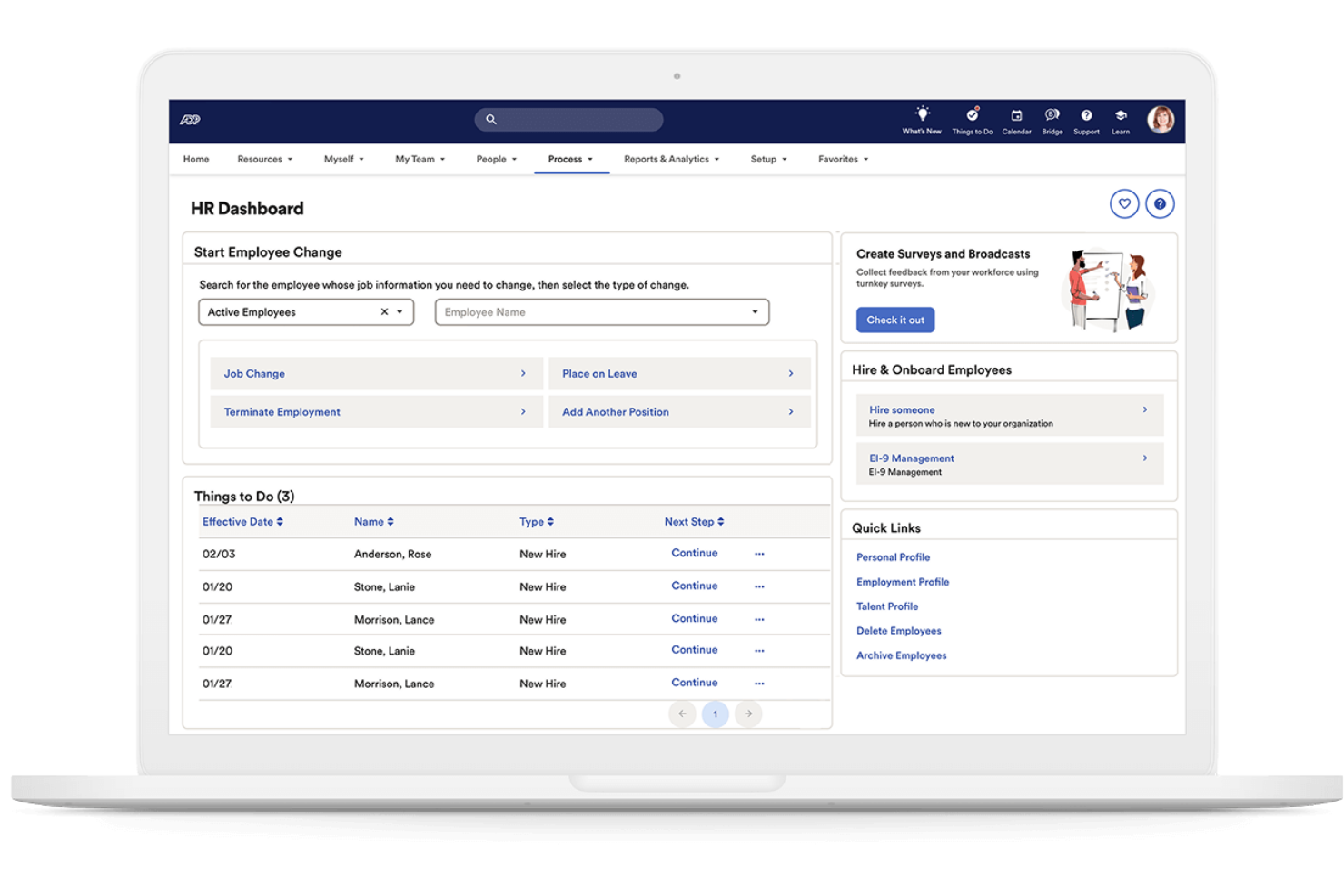
Si necesitas un sistema que mantenga tu empresa actualizada sobre los cambios en las leyes laborales, ADP ofrece alertas automáticas de cumplimiento diseñadas para equipos pequeños. Esta plataforma es ideal para empresas que desean notificaciones proactivas y orientación integrada para evitar errores de cumplimiento. ADP puede ayudarte a gestionar regulaciones complejas sin necesidad de contar con un experto dedicado en cumplimiento en plantilla.
Por qué elegí ADP
Elegí ADP porque sus alertas automáticas de cumplimiento ayudan a las pequeñas empresas a anticipar los cambios regulatorios sin esfuerzo manual adicional. El sistema supervisa las leyes laborales federales, estatales y locales, y después envía notificaciones en tiempo real cuando hay algún cambio que pueda afectar a tu empresa.
También me gusta que ADP incluya listas de verificación de cumplimiento integradas y gestión documental, para que puedas seguir lo que requiere atención y mantener los registros organizados. Estas funcionalidades facilitan a los equipos pequeños evitar brechas de cumplimiento y reducir riesgos.
Funciones clave de ADP
Otras funciones de ADP que las pequeñas empresas pueden encontrar útiles incluyen:
- Asistente para el manual del empleado: Crea y actualiza un manual del empleado conforme a la normativa, adaptado a tu empresa y ubicación.
- Biblioteca de políticas de RR.HH.: Accede a una biblioteca de políticas de recursos humanos preestablecidas que puedes personalizar para tu organización.
- Herramientas de incorporación: Incorpora digitalmente a los nuevos empleados con formularios y listas de verificación enfocadas en cumplimiento.
- Analítica de la fuerza laboral: Genera informes sobre tendencias de la fuerza laboral, rotación y métricas relacionadas con el cumplimiento.
Integraciones de ADP
Las integraciones incluyen QuickBooks, Xero, Sage, Workday, HealthEquity, ZipRecruiter, ClockShark, JazzHR, OrgChart y más.
Pros and Cons
Pros:
- Alertas automáticas para cambios a nivel federal y estatal
- Listas de verificación de cumplimiento integradas para tareas de RR.HH.
- Incluye creación y actualización de manual del empleado
Cons:
- Personalización limitada para flujos de trabajo de cumplimiento
- La configuración de integraciones puede ser lenta

Remote
Ideal para el cumplimiento de la normativa laboral internacional
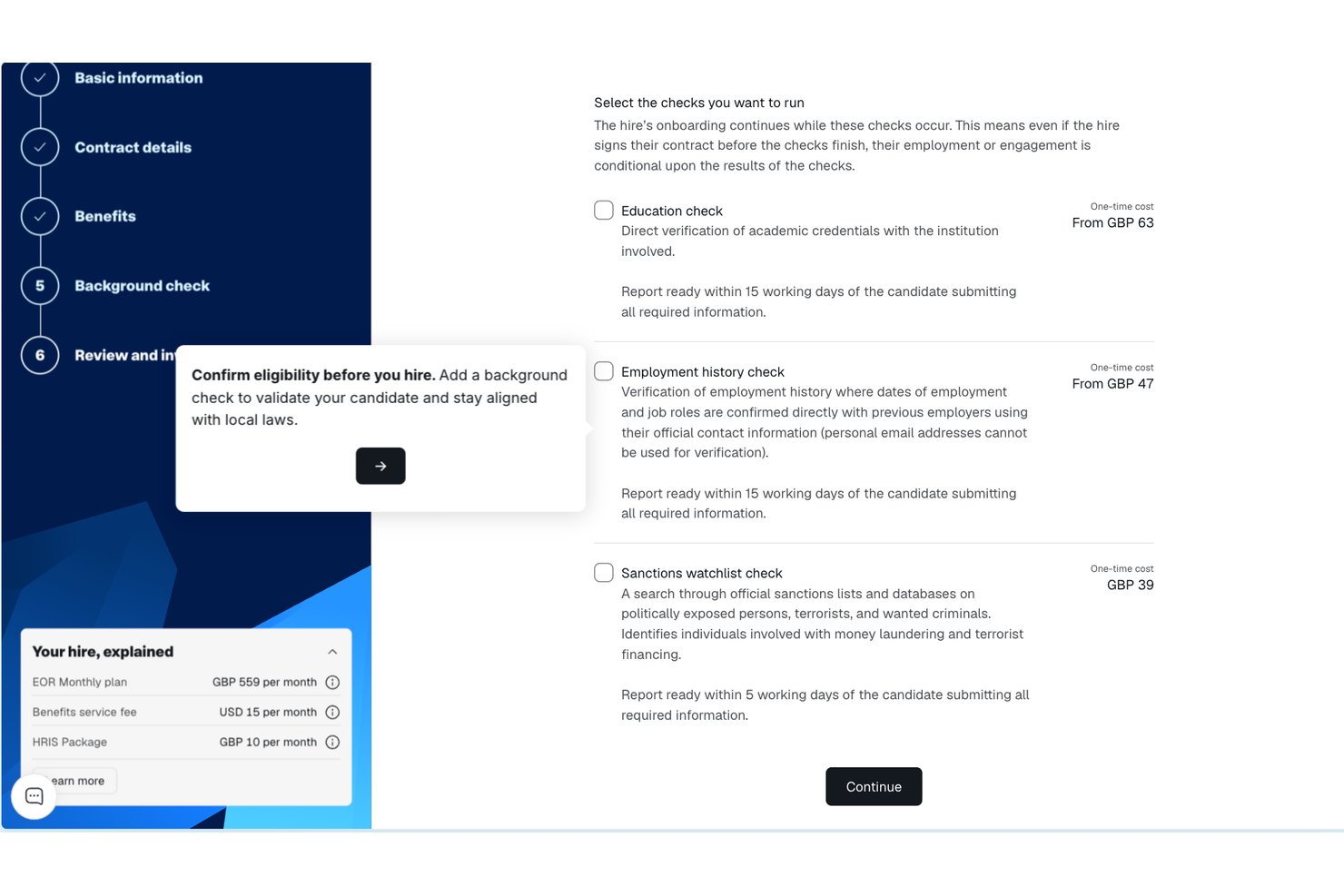
Remote ofrece a las pequeñas empresas una forma de contratar y gestionar empleados en otros países cumpliendo con la normativa, sin tener que establecer entidades locales. Si estás ampliando tu equipo a nivel internacional, Remote se encarga de los contratos laborales, la nómina y los beneficios de acuerdo con las leyes locales. Esta plataforma es especialmente útil para los equipos de RR. HH. que desean reducir los riesgos legales y simplificar la contratación internacional.
Por qué elegí Remote
A diferencia de muchas plataformas de RR. HH., Remote está diseñada específicamente para ayudar a las pequeñas empresas a gestionar el cumplimiento de la normativa laboral internacional sin tener que establecer sus propias entidades legales en el extranjero. Elegí Remote porque actúa como empleador legal registrado, gestionando los contratos laborales, la nómina y los beneficios obligatorios en cada país donde contratas.
La plataforma también gestiona las retenciones fiscales locales y garantiza que tus prácticas laborales cumplan con las leyes laborales locales. Para las pequeñas empresas que desean expandirse globalmente minimizando los riesgos de incumplimiento, Remote ofrece una solución enfocada que aborda las complejidades de la contratación internacional.
Características clave de Remote
Entre las características adicionales que hacen que Remote sea valioso para el cumplimiento normativo de RR. HH. en pequeñas empresas se incluyen:
- Portal de autoservicio para empleados: Los empleados pueden acceder directamente a sus recibos de nómina, contratos y datos personales.
- Seguimiento automatizado de los permisos: Realiza un seguimiento y gestiona las solicitudes y aprobaciones de permisos en un solo lugar.
- Acuerdos de protección de la propiedad intelectual: Genera y gestiona acuerdos de propiedad intelectual para contrataciones internacionales.
- Gestión localizada de beneficios: Ofrece y administra paquetes de beneficios específicos de cada país a través de la plataforma.
Integraciones de Remote
Entre las integraciones se incluyen QuickBooks, Zapier, HiBob, BambooHR, NetSuite, Xero, Zelt, Carta, Workday, Google Workspace y muchas más.
Pros and Cons
Pros:
- Protección integrada de los derechos de propiedad intelectual y de invención
- Incorporación automatizada de empleados internacionales
- Gestión localizada de beneficios para cada país
Cons:
- No incluye herramientas integradas de gestión del rendimiento
- El procesamiento de nóminas está limitado a empleados, no a contratistas
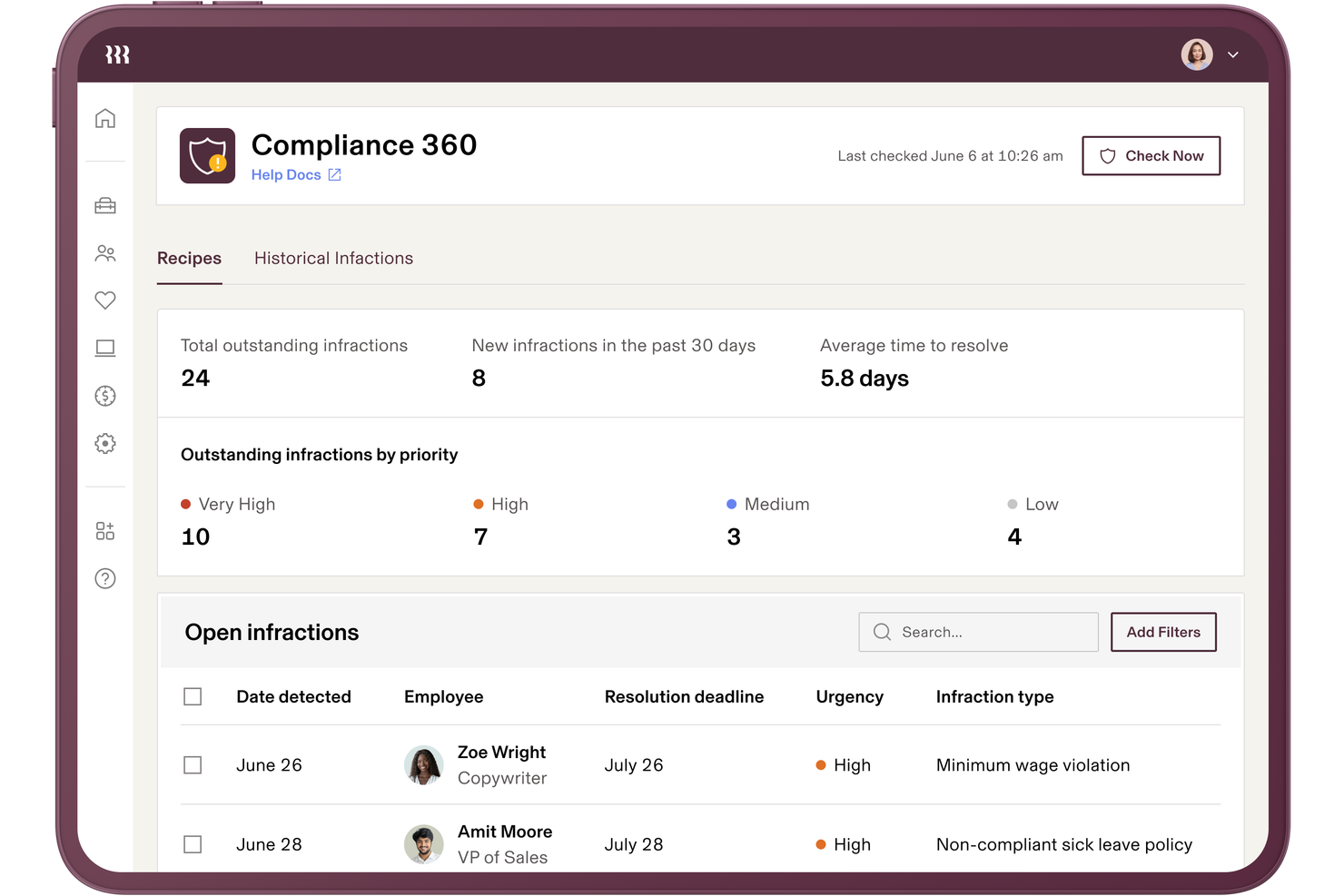
Rippling reúne en una sola plataforma la gestión de RR. HH., nóminas y cumplimiento de TI, facilitando que las pequeñas empresas administren los requisitos en múltiples sistemas. Si tienes que manejar datos de empleados, seguridad de dispositivos y cumplimiento de nóminas, el enfoque unificado de Rippling te ayuda a mantener todo sincronizado. Es una excelente opción para equipos que desean automatizar tareas de cumplimiento, apoyar el mantenimiento preciso de registros e incluso externalizar ciertas funciones administrativas, reduciendo al mismo tiempo el riesgo de brechas entre herramientas desconectadas dentro del departamento de RR. HH.
Por qué elegí Rippling
A diferencia de muchas herramientas de RR. HH. que se centran en un solo aspecto, Rippling conecta RR. HH., nómina y cumplimiento de TI en un solo lugar, lo que es especialmente útil para pequeñas empresas que gestionan varios sistemas. Elegí Rippling porque sincroniza automáticamente los datos de los empleados entre RR. HH. y TI, de modo que las actualizaciones de cumplimiento ocurren en todas partes al mismo tiempo.
La plataforma también te permite configurar flujos de trabajo automatizados para la incorporación, desvinculación y gestión de políticas, reduciendo el riesgo de brechas de cumplimiento. Para equipos que quieren evitar el uso de herramientas separadas y actualizaciones manuales, el enfoque unificado de Rippling en el cumplimiento destaca.
Funciones clave de Rippling
Otras funciones que hacen que Rippling sea útil para el cumplimiento de RR. HH. en pequeñas empresas incluyen:
- Creador de políticas personalizadas: Crea y administra políticas de la empresa adaptadas a las necesidades de tu organización.
- Recopilación automática de documentos: Solicita, recopila y almacena documentos de cumplimiento de los empleados en un solo lugar.
- Seguimiento de ausencias: Supervisa y gestiona los saldos y solicitudes de licencia de los empleados con controles de cumplimiento integrados.
- Recopilación de firmas electrónicas: Recoge firmas legalmente vinculantes en documentos de cumplimiento directamente en la plataforma.
Integraciones de Rippling
Las integraciones incluyen Slack, Google Workspace, Microsoft 365, Salesforce, Asana, Zoom, Jira, QuickBooks Online, Xero, y más.
Pros and Cons
Pros:
- Sincroniza datos de RR. HH., nóminas y TI
- Alertas automáticas de cumplimiento para múltiples jurisdicciones
- Panel centralizado para el seguimiento de tareas de cumplimiento
Cons:
- Orientación limitada en la aplicación para problemas complejos de cumplimiento
- Las exportaciones de informes pueden ser lentas en horas pico

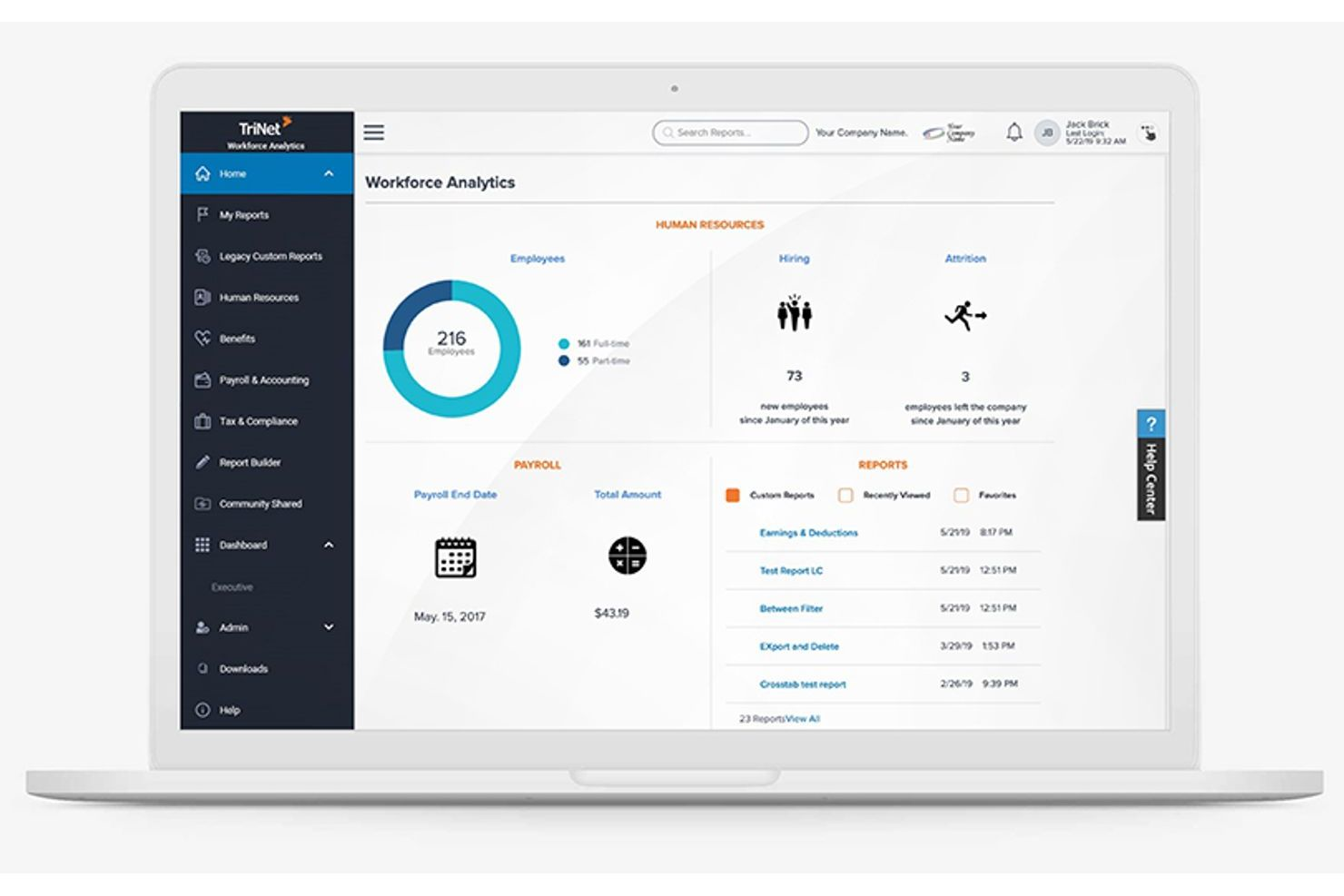
TriNet se especializa en soluciones de cumplimiento de RRHH adaptadas a las necesidades únicas de diferentes industrias, lo que la convierte en una opción sólida para pequeñas empresas con requisitos regulatorios específicos. Si tu equipo opera en salud, tecnología, comercio minorista u otro campo altamente regulado, TriNet ofrece orientación y herramientas diseñadas para tu entorno. Esta plataforma te ayuda a gestionar el riesgo y mantener el cumplimiento con las leyes y estándares específicos del sector que los sistemas genéricos de RRHH pueden pasar por alto.
Por Qué Elegí TriNet
A diferencia de muchas plataformas de RRHH que adoptan un enfoque único para todos, TriNet destaca por su enfoque en la orientación de cumplimiento específica por industria. Esto es especialmente importante para las pequeñas empresas en sectores como salud, finanzas o manufactura, donde las regulaciones pueden ser complejas y cambiar constantemente.
Elegí TriNet porque ofrece recursos de cumplimiento personalizados, incluidos modelos de políticas enfocados en la industria y acceso a expertos en RRHH que comprenden los requisitos de tu sector. Con estas funciones, tu empresa puede abordar riesgos de cumplimiento que los sistemas de RRHH genéricos podrían pasar por alto.
Características Clave de TriNet
Otras funciones que TriNet ofrece para el cumplimiento de RRHH en pequeñas empresas incluyen:
- Procesamiento de Nómina: Gestiona la nómina, declaraciones de impuestos y cálculos de salarios directamente en la plataforma.
- Administración de Beneficios para Empleados: Ofrece y administra planes de salud, dental, visión y retiro para tu equipo.
- Seguimiento de Tiempos y Asistencia: Registra las horas de los empleados, gestiona PTO y supervisa las tendencias de asistencia.
- Panel de Análisis de RRHH: Accede a informes en tiempo real sobre métricas de personal, estado de cumplimiento y actividades de RRHH.
Integraciones de TriNet
Actualmente no se listan integraciones nativas.
Pros and Cons
Pros:
- Recursos de cumplimiento específicos por sectores industriales
- Funcionalidades de presentación y reporte de impuestos automatizadas
- Plantillas de manuales para empleados adaptadas por industria
Cons:
- Las actualizaciones de la plataforma pueden interrumpir los flujos de trabajo en curso
- Algunas funciones requieren contactar soporte para habilitarlas

Gusto
Ideal para nómina y beneficios integrados
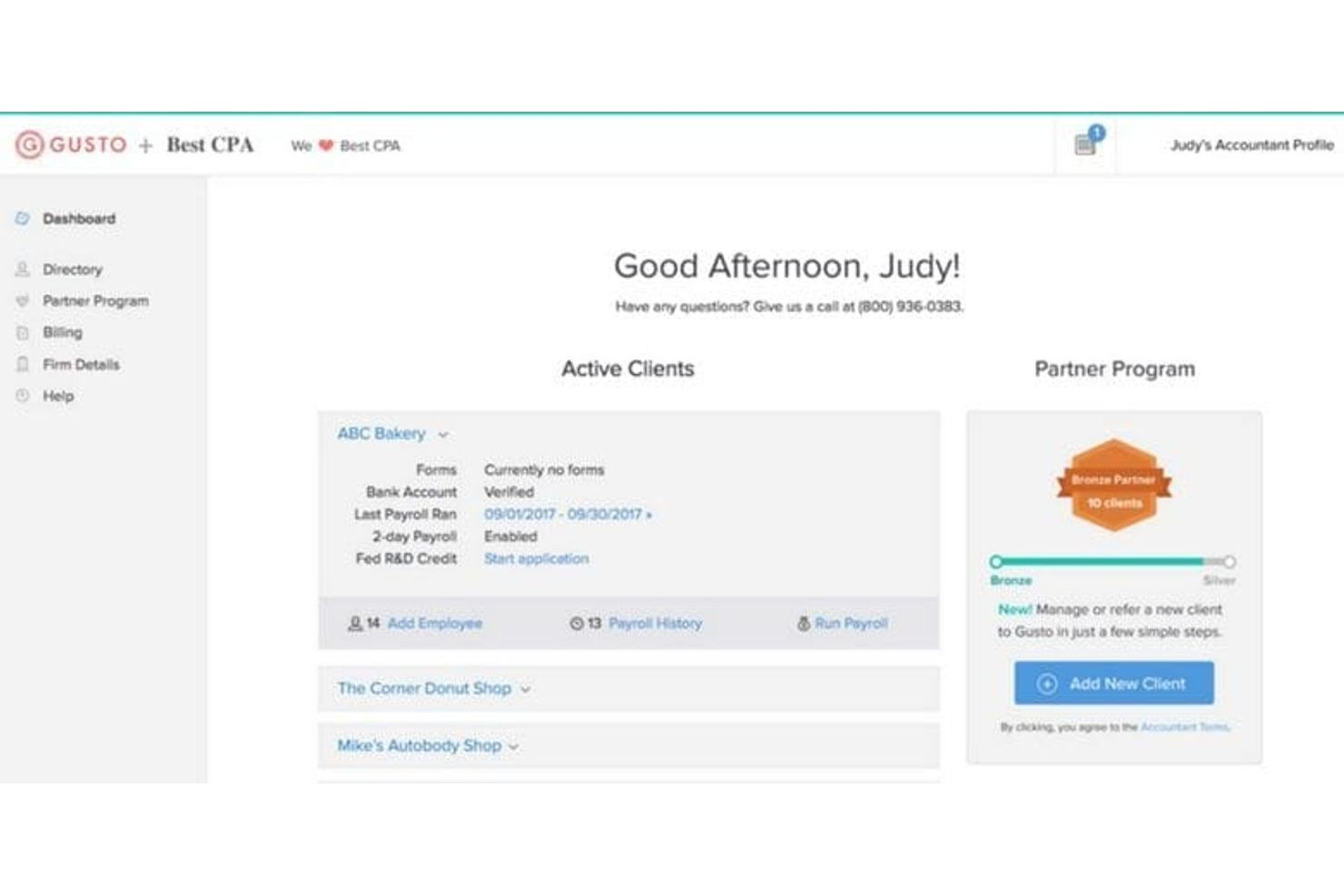
Gusto reúne la nómina, la administración de beneficios y el cumplimiento de recursos humanos en una sola plataforma, lo que lo convierte en una opción sólida para pequeñas empresas que desean gestionar todo en un solo lugar. Si buscas un sistema que automatice la presentación de impuestos, la inscripción de beneficios y las tareas de cumplimiento,
Gusto está diseñado para reducir el trabajo manual y ayudarte a evitar errores. Es especialmente útil para equipos que quieren una nómina y beneficios integrados sin tener que manejar varios proveedores.
Por qué elegí Gusto
Lo que distingue a Gusto es cómo combina el procesamiento de nómina y la gestión de beneficios en una sola plataforma, lo cual es especialmente valioso para las pequeñas empresas que desean simplificar el cumplimiento. El sistema calcula y presenta automáticamente los impuestos sobre la nómina, gestiona la inscripción de beneficios y te mantiene informado sobre los cambios en la normativa.
Me gusta que Gusto también incluya soporte de cumplimiento para cosas como reportes de nuevas contrataciones y formularios fiscales de fin de año. Estas funciones ayudan a que los equipos pequeños se mantengan en regla sin tener que gestionar sistemas distintos o preocuparse por perder fechas importantes.
Funciones clave de Gusto
Otras funciones de Gusto que pueden resultar útiles a pequeñas empresas incluyen:
- Gestión de documentos: Almacena y organiza los documentos de los empleados de forma segura dentro de la plataforma.
- Control de tiempo: Registra las horas de los empleados y sincronízalas directamente con la nómina.
- Cartas de oferta personalizables: Genera y envía cartas de oferta adaptadas a las necesidades de tu empresa.
- Constructor de organigramas: Visualiza la estructura de tu equipo y las líneas de reporte con una herramienta de organigrama integrada.
Integraciones de Gusto
Las integraciones incluyen QuickBooks, Xero, FreshBooks, 15Five, 7Shifts, Asana, Bench, Box, ClickUp, Clover, Connecteam y más.
Pros and Cons
Pros:
- Presentación automática de impuestos estatales y federales
- Informe de nuevas contrataciones integrado para cumplimiento
- Almacenamiento digital de documentos para registros de RRHH
Cons:
- Capacidades limitadas de nómina internacional
- Las políticas de PTO carecen de opciones avanzadas de reglas
New Product Updates from Gusto
Gusto Adds Solo Advisory Tools and Mobile Money Features
Gusto adds Solo S-Corp Advisory Tools and Gusto Money on Mobile for tax guidance, invoicing, and bill payments. These updates help accountants advise solopreneurs and let users manage business finances from their phones. For more information, visit Gusto’s official site.
TalentHR
Ideal para una gestión de políticas intuitiva
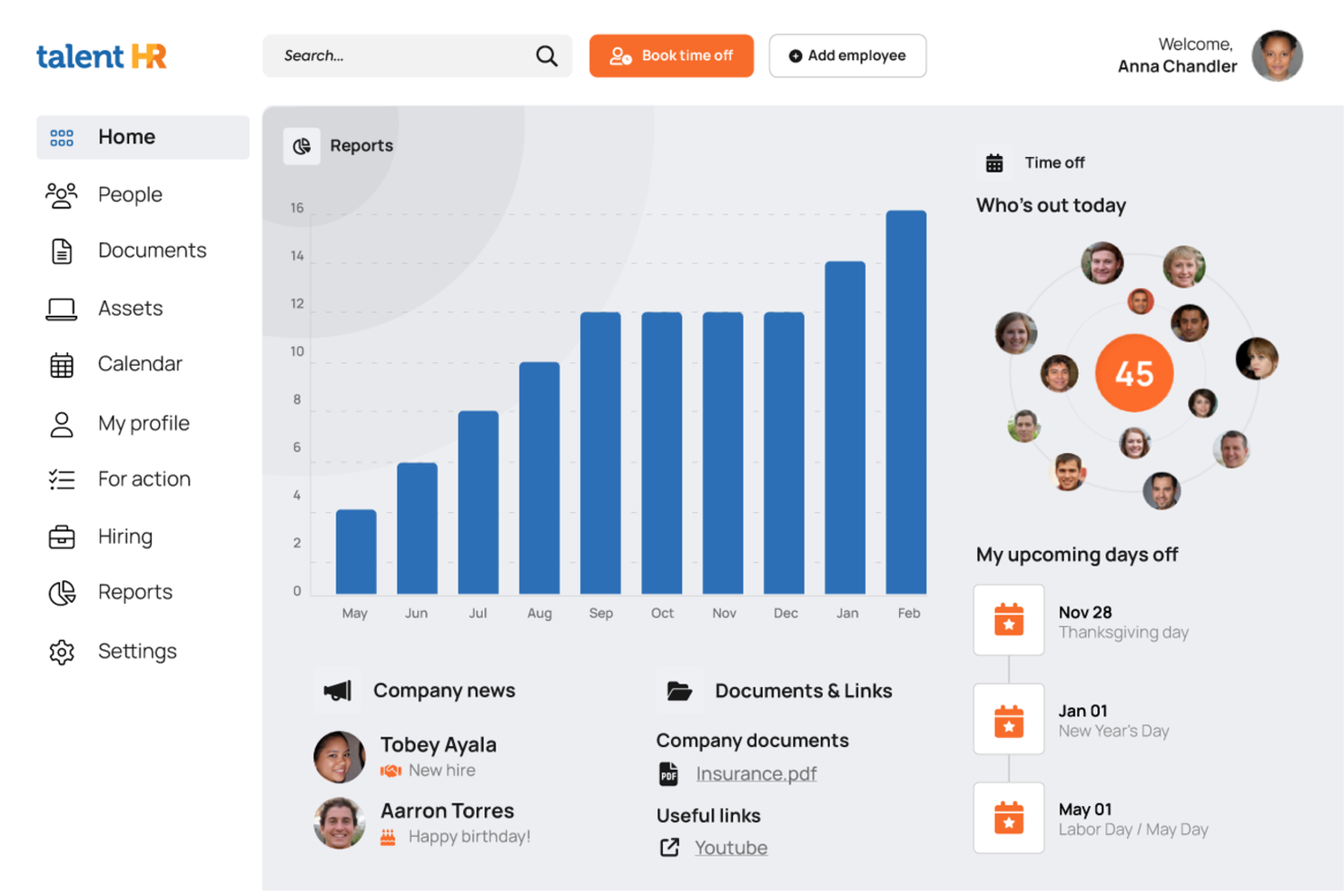
TalentHR ofrece a las pequeñas empresas una forma sencilla de crear, actualizar y compartir políticas de RR. HH. sin la complejidad habitual. Si necesitas un sistema que haga la gestión de políticas accesible para personas sin experiencia y mantenga a tu equipo alineado, esta plataforma está pensada para ti. Su enfoque en flujos de trabajo intuitivos te ayuda a mantener el cumplimiento normativo y la claridad a medida que tu empresa crece.
Por qué elegí TalentHR
Lo que distingue a TalentHR es su enfoque en hacer que la gestión de políticas sea simple y accesible para pequeñas empresas. Elegí TalentHR porque te permite crear, editar y distribuir políticas de RR. HH. directamente en la plataforma, para que todos estén informados sin pasos adicionales.
La función de biblioteca de políticas te ayuda a organizar documentos y actualizaciones, mientras que el seguimiento incorporado de acuses de recibo asegura que los empleados revisen y acepten las nuevas políticas. Estas herramientas facilitan que los equipos pequeños cumplan con la normativa y mantengan una comunicación clara sobre las normas del lugar de trabajo.
Funciones clave de TalentHR
Además de sus herramientas de gestión de políticas, TalentHR ofrece varias otras funciones para el cumplimiento de RR. HH. en pequeñas empresas:
- Gestión de registros de empleados: Almacena y actualiza información, documentos y contratos de empleados en un lugar centralizado.
- Seguimiento de ausencias: Monitorea los saldos de permisos, aprueba solicitudes y genera reportes de ausencias.
- Flujos de trabajo personalizables: Configura procesos de aprobación y notificaciones adaptados a las necesidades de tu organización.
- Controles de acceso basados en roles: Asigna permisos a los usuarios según su rol para proteger los datos sensibles de RR. HH.
Integraciones de TalentHR
Las integraciones incluyen Slack, Google Calendar, Zapier, TalentLMS, WordPress, Google Workspace y más. También hay una API disponible para integraciones personalizadas.
Pros and Cons
Pros:
- Seguimiento de acuses de recibo de políticas para auditorías de cumplimiento
- Plantillas de documentos integradas para políticas de RR. HH.
- Permisos basados en roles para datos confidenciales de RR. HH.
Cons:
- Sin funciones integradas de procesamiento de nómina
- Analíticas limitadas para la elaboración de informes de cumplimiento
Otros sistemas de cumplimiento normativo de RR. HH. para pequeñas empresas
Estas son algunas opciones adicionales de sistemas de cumplimiento normativo de RR. HH. para pequeñas empresas que no llegaron a mi selección, pero que aún merece la pena consultar:
- Keka HR
Ideal para la implementación y el soporte de incorporación
- Homebase
La mejor opción para el cumplimiento de equipos por horas
- Paycom
Lo mejor para listas de verificación de cumplimiento personalizables
- HiBob
Lo mejor para el seguimiento de cumplimiento en tiempo real
- Bambee
Mejor para soporte dedicado de un gerente de RR. HH.
- Paycor
Ideal para recursos de capacitación en cumplimiento


Wie ich HR-Compliance-Systeme für kleine Unternehmen bewerte
Ich unterteile meine Bewertung in Grundvoraussetzungen – wie die Verfolgung von Gesetzen in mehreren Rechtsgebieten und das Management von I-9-Formularen – und Merkmale, die die besten Tools für schlanke HR-Teams von anderen abheben.
Kernfunktionen (Grundvoraussetzungen für diese Liste)
Wenn ich Tools für meine Liste auswähle, bewerte ich jedes auf einer Skala von 0 (Funktionalität wird nicht angeboten) bis 5 (hervorragend in diesem Bereich) für jede der unten aufgeführten Kernfunktionen. Anschließend berechne ich die Gesamtpunktzahl des Tools als Prozentsatz. Jedes Tool muss eine Mindestgesamtpunktzahl von 65 % erreichen, um für die Aufnahme in Frage zu kommen.
- Überwachung der Einhaltung von Arbeitsgesetzen: Ich prüfe, ob die Plattform Änderungen von Bundes-, Landes- und lokalen Gesetzen verfolgt und Benachrichtigungen sendet – zum Beispiel, wenn eine neue Pflicht zur bezahlten Freistellung in einem Bundesland in Kraft tritt, in dem Sie Mitarbeitende haben.
- Verwaltung von Mitarbeiterunterlagen: Sichere, organisierte Personalakten sind wichtig, daher bewerte ich, wie jedes Tool mit der Dokumentenspeicherung, Aufbewahrungsfristen und Zugriffsrechten für sensible Dokumente wie Arbeitsverträge und Disziplinarvermerke umgeht.
- Verwaltung von Richtlinien & Handbüchern: Ich suche nach Tools, mit denen Sie Mitarbeiterhandbücher erstellen und verteilen können, inklusive Nachverfolgung von E-Signatur-Bestätigungen – besonders bei solchen, die vorgefertigte, bundeslandspezifische Richtlinienvorlagen bieten, die Sie anpassen können.
- Pflichtmeldungen & Einreichungen: Jedes Tool sollte wichtige behördliche Formulare und Meldungen wie I-9, W-4, EEO-1-Berichte und ACA-Einreichungen unterstützen und integrierte Fehlerprüfungen bieten, um Ablehnungen oder verspätete Einreichungen zu vermeiden.
- Nachverfolgung verpflichtender Schulungen: Ich bewerte, ob die Plattform erforderliche Schulungen, wie Anti-Harassment- oder Arbeitssicherheitskurse, zuweist, bereitstellt oder nachverfolgt und Erinnerungen vor Ablauf von Zertifikaten sendet.
- Audit-Trails & Berichte: Ich achte auf klare, mit Zeitstempeln versehene Protokolle jeder administrativen oder Mitarbeitenden-Aktion sowie die Möglichkeit, vor einer Prüfung exportfertige Compliance-Berichte zu erstellen.
Sobald ich eine Liste von Tools habe, die die Kriterien erfüllen, betrachte ich die Alleinstellungsmerkmale der jeweiligen Plattform.
Unterscheidungsmerkmale (Was Anbieter besonders macht)
So vergleiche und unterscheide ich verschiedene Anbieter:
Besondere Funktionen
Der Zugang zu zertifizierten HR-Beratern ist ein großes Unterscheidungsmerkmal, vor allem wenn ein kleines Team bei einer kniffligen Kündigung oder Freistellungsanfrage Unterstützung braucht. Ich achte außerdem auf automatisierte Compliance für mehrere Bundesländer, was ab der ersten Einstellung eines Remote-Mitarbeitenden in einem neuen Bundesland wichtig wird. Eingebaute Compliance-Risikoanalysen runden das Ganze ab – Tools, die die aktuelle Situation bewerten und Lücken aufdecken, liefern einen klaren Aktionsplan, bevor Probleme akut werden.
Mehr als Funktionen
Auch Preisgestaltung und Tarifstrukturen sind hier wichtig – ich bewerte, ob der Preis pro Mitarbeitendem auch dann realistisch bleibt, wenn ein kleines Team von 10 auf 50 Personen wächst. Ebenso entscheidend sind Integrationen: Ein Compliance-System, das sich mit bestehenden Lohnabrechnungsanbietern oder Leistungsträgern verbindet, sorgt für konsistente Daten ohne manuelle Neueingaben. Ich berücksichtige auch den Onboarding-Support: Eine Büroleitung, die auch HR-Aufgaben übernimmt, braucht eine geführte Einrichtung und vorgefertigte Compliance-Checklisten – nicht nur eine Self-Service-Wissensdatenbank.
Cómo elegir un sistema de cumplimiento normativo de RR. HH. para pequeñas empresas
Es fácil perderse entre largas listas de funciones y estructuras de precios complejas. Para ayudarte a mantener la concentración mientras avanzas en tu proceso único de selección de software, aquí tienes una lista de factores que debes tener en cuenta:
| Factor | Qué debes tener en cuenta |
|---|---|
| Escalabilidad | ¿El sistema será compatible con tu empresa a medida que crezca, añada ubicaciones o aumente su plantilla? Comprueba los límites de usuarios y las opciones de ampliación. |
| Integraciones | ¿La herramienta se conecta con tus sistemas de nóminas, de gestión de recursos humanos o de gestión documental? Confirma que dispone de integraciones nativas para evitar el trabajo manual. |
| Personalización | ¿Puedes adaptar los flujos de trabajo, las asignaciones de formación y los informes a tus políticas y necesidades normativas? Evita configuraciones rígidas y universales. |
| Facilidad de uso | ¿A tu equipo de RR. HH. y a tus empleados les resultará intuitiva la interfaz? Comprueba que la navegación sea clara y que los requisitos de formación sean mínimos. |
| Implementación e incorporación | ¿Cuánto tiempo tardarás en ponerlo en marcha? Pregunta por la asistencia para la migración, los recursos de incorporación y el tiempo habitual hasta obtener resultados. |
| Coste | ¿Los niveles de precios son transparentes y predecibles? Presta atención a las tarifas ocultas, los cargos por usuario o los costes adicionales de los módulos de cumplimiento normativo. |
| Medidas de seguridad | ¿El sistema ofrece cifrado, controles de acceso y registros de auditoría? Asegúrate de que cumple tus normas de privacidad de datos y de cumplimiento normativo. |
| Disponibilidad del soporte | ¿Qué canales de soporte se ofrecen y durante qué horario? Considera si necesitas asistencia las 24 horas del día, los 7 días de la semana, o acceso a especialistas en cumplimiento normativo. |
¿Qué es un sistema de cumplimiento normativo de RR. HH. para pequeñas empresas?
Un sistema de cumplimiento normativo de RR. HH. para pequeñas empresas es un software de recursos humanos que ayuda a las organizaciones a gestionar, realizar un seguimiento y documentar el cumplimiento en las funciones de recursos humanos. Estas plataformas respaldan las operaciones de RR. HH., los recursos humanos básicos y los procesos más amplios de gestión del capital humano durante todo el ciclo de vida del empleado.
Los profesionales de RR. HH. y los propietarios de pequeñas empresas los utilizan para gestionar tareas como el seguimiento de candidatos, la gestión del talento y el cumplimiento de requisitos como COBRA y las normativas del seguro médico.
Muchas herramientas también se integran con software de nóminas para agilizar los flujos de trabajo y mejorar el compromiso y la retención de los empleados. Gracias a un enfoque fácil de usar, estos sistemas centralizan las actividades de cumplimiento, reducen los riesgos y ayudan a los equipos a mantenerse organizados y preparados para las auditorías.
Características
Al seleccionar un sistema de cumplimiento normativo de RR. HH. para una pequeña empresa, presta atención a las siguientes características clave:
- Gestión de la formación sobre cumplimiento: Asigna, programa y realiza un seguimiento de la finalización de los cursos de formación obligatorios para que los empleados cumplan las normas reglamentarias y de la empresa.
- Almacenamiento y gestión de documentos: Almacena, organiza y recupera de forma segura documentos relacionados con el cumplimiento, como políticas, certificaciones y registros de auditoría.
- Seguimiento de la aceptación de políticas: Distribuye las políticas a los empleados y supervisa las aceptaciones digitales para asegurarte de que todos hayan revisado y aceptado los documentos clave.
- Recordatorios y alertas automatizados: Configura notificaciones sobre próximas fechas límite de formación, actualizaciones de políticas o certificaciones a punto de caducar para mantener al día las tareas de cumplimiento.
- Seguimiento de incidentes e investigaciones: Registra los incidentes laborales, documenta las acciones de seguimiento y conserva registros para auditorías o revisiones legales.
- Informes de cumplimiento personalizables: Genera y exporta informes sobre la finalización de la formación, la aceptación de políticas y otras métricas de cumplimiento para auditorías o revisiones internas.
- Controles de acceso basados en roles: Limita el acceso a los datos confidenciales de cumplimiento según los roles de los usuarios, garantizando que solo el personal autorizado pueda consultar o editar determinada información.
- Notificaciones de actualizaciones normativas: Recibe alertas sobre cambios en las leyes o normativas laborales pertinentes que puedan afectar a tus requisitos de cumplimiento.
- Automatización de flujos de trabajo: Automatiza procesos de cumplimiento repetitivos, como las listas de comprobación de incorporación o las asignaciones de formación recurrentes, para reducir el trabajo manual.
- Registro de la pista de auditoría: Mantén un registro detallado de todas las acciones y cambios relacionados con el cumplimiento dentro del sistema para respaldar la transparencia y la responsabilidad.
Ventajas
La implementación de un sistema de cumplimiento normativo de RR. HH. para una pequeña empresa ofrece varias ventajas para tu equipo y tu negocio. Estas son algunas de las que puedes esperar:
- Reducción del riesgo de incumplimiento: El seguimiento centralizado y los recordatorios automatizados ayudan a garantizar que tu empresa cumpla los requisitos normativos y evite sanciones costosas.
- Preparación más rápida para las auditorías: El almacenamiento organizado de documentos y el registro de la pista de auditoría facilitan la recopilación y presentación de los registros de cumplimiento durante las auditorías.
- Mayor responsabilidad de los empleados: El seguimiento de la aceptación de políticas y la gestión de la formación garantizan que los empleados comprendan y completen las tareas de cumplimiento obligatorias.
- Ahorro de tiempo para RR. HH.: La automatización de flujos de trabajo y los informes personalizables reducen el trabajo manual y liberan al personal de RR. HH. para actividades de mayor valor.
- Mejor visibilidad del estado de cumplimiento: Los paneles y los informes en tiempo real ofrecen una visión clara de la finalización de la formación, la aceptación de políticas y las tareas pendientes.
- Mayor seguridad de los datos: Los controles de acceso basados en roles y la gestión segura de documentos protegen la información confidencial de cumplimiento frente al acceso no autorizado.
- Adaptabilidad a los cambios normativos: Las notificaciones de actualizaciones normativas y los flujos de trabajo personalizables ayudan a tu empresa a mantenerse al día a medida que evolucionan las leyes y los requisitos.
Costes y Precios
La selección de un sistema de cumplimiento normativo de RR. HH. para una pequeña empresa requiere comprender los distintos modelos de precios y planes disponibles. Los costes varían en función de las características, el tamaño del equipo, los complementos y otros factores. La tabla siguiente resume los planes habituales, sus precios medios y las características que suelen incluir las soluciones de sistemas de cumplimiento normativo de RR. HH. para pequeñas empresas:
Tabla comparativa de planes para sistemas de cumplimiento normativo de RR. HH. para pequeñas empresas
| Tipo de plan | Precio medio | Funciones habituales |
|---|---|---|
| Plan gratuito | $0 | Almacenamiento básico de documentos de cumplimiento, asignaciones de formación limitadas e informes sencillos. |
| Plan personal | $5-$15/user/month | Gestión de la formación en materia de cumplimiento, almacenamiento de documentos, recordatorios automatizados y seguimiento básico de políticas. |
| Plan empresarial | $15-$30/user/month | Flujos de trabajo de cumplimiento personalizables, informes avanzados, seguimiento de incidentes y controles de acceso basados en roles. |
| Plan corporativo | $30-$50/user/month | Notificaciones de actualizaciones normativas, registro de pistas de auditoría, asistencia específica y medidas de seguridad avanzadas. |
Preguntas frecuentes sobre los sistemas de cumplimiento de RR. HH. para pequeñas empresas
Estas son algunas respuestas a preguntas habituales sobre los sistemas de cumplimiento de RR. HH. para pequeñas empresas:
¿Cómo sé si mi pequeña empresa necesita un sistema de cumplimiento de RR. HH.?
Si gestionas manualmente la formación de los empleados, las confirmaciones de lectura de políticas o la documentación normativa, probablemente necesitas un sistema de cumplimiento de RR. HH. Estas herramientas ayudan a reducir errores, ahorrar tiempo y garantizar que cumples los requisitos legales a medida que crece tu empresa.
¿Pueden los sistemas de cumplimiento de RR. HH. ayudar con equipos distribuidos en varios estados o equipos remotos?
Sí, la mayoría de los sistemas de cumplimiento de RR. HH. admiten equipos distribuidos en varios estados y equipos remotos mediante el seguimiento de los requisitos específicos de cada ubicación y la distribución digital de políticas y formación. Esto te ayuda a cumplir la normativa en distintas jurisdicciones y modalidades de trabajo.
¿Qué debo buscar en un sistema de cumplimiento si mi empresa está creciendo?
Busca escalabilidad, una gestión flexible de usuarios y flujos de trabajo personalizables. A medida que crezca tu empresa, necesitarás un sistema capaz de gestionar más usuarios, adaptarse a nuevas normativas e integrarse con otras herramientas de RR. HH.
¿Cuánto se tarda en implementar un sistema de cumplimiento de RR. HH.?
El tiempo de implementación varía, pero la mayoría de las pequeñas empresas puede empezar a utilizarlo en un plazo de varios días a varias semanas. Entre los factores se incluyen la migración de datos, la formación de los usuarios y la complejidad de tus necesidades de cumplimiento.
¿Son los sistemas de cumplimiento de RR. HH. lo bastante seguros para los datos confidenciales de los empleados?
Sí, los sistemas de cumplimiento de RR. HH. de proveedores fiables utilizan cifrado, controles de acceso y registros de auditoría para proteger los datos confidenciales. Antes de comprar, verifica siempre que el sistema cumple las normas de privacidad y seguridad de datos de tu sector.