

Los 10 mejores programas de capacitación en línea de 2026

10 Lista de los mejores programas de formación en línea


Gestionar el mundo de los recursos humanos puede ser un desafío, especialmente cuando tienes la responsabilidad de formar a tu equipo de manera eficiente. Es posible que tengas que compaginar múltiples responsabilidades, desde incorporar a nuevos empleados hasta garantizar el cumplimiento de los estándares del sector. Ahí es donde los programas de formación en línea resultan útiles.
Según mi experiencia, estas herramientas pueden aliviar tu carga de trabajo al ofrecer una plataforma centralizada para todas tus necesidades de formación. Ayudan a mejorar la eficiencia y la participación en el aprendizaje, lo que facilita tu trabajo y hace que tu equipo esté mejor capacitado.
En este artículo, compartiré mis principales selecciones de programas de formación en línea. He probado y analizado estas herramientas de forma independiente, centrándome en lo que realmente importa a profesionales de recursos humanos como tú. Veamos las opciones que mejor pueden respaldar tus objetivos de formación.
Por qué confiar en nuestras reseñas de software
Nuestro equipo lleva probando y evaluando software desde 2012. Como expertos en RR. HH., sabemos lo difícil —y lo importante— que es elegir el software adecuado.
Para esta guía, evaluamos las herramientas mediante pruebas prácticas e investigación independiente, puntuando las herramientas según nuestros criterios de selección. También nos basamos en la experiencia de líderes de opinión del sector y de profesionales de RR. HH. en activo.
Nuestras reseñas reflejan nuestro criterio editorial humano, no un discurso de ventas.
Resumen de los mejores programas de formación en línea
Esta tabla comparativa resume los detalles básicos de cada una de mis principales selecciones de programas de formación en línea. Puedes consultar los detalles de precios y la disponibilidad de pruebas gratuitas o demostraciones uno al lado del otro para encontrar el mejor programa para tu presupuesto y las necesidades de tu empresa.
| Tool | Best For | Trial Info | Price | ||
|---|---|---|---|---|---|
| 1 | Ideal para formación completa en ética y cumplimiento | Demostración gratuita disponible | Precio a consultar | Website | |
| 2 | Ideal para la capacitación de equipos distribuidos a nivel global | Demostración gratuita disponible | Desde $5/empleado/mes | Website | |
| 3 | Mejor para formación en cumplimiento corporativo | Demo gratuita + prueba gratuita disponible | Precios a consultar | Website | |
| 4 | Ideal para una rápida configuración de formación online | Plan gratuito + demo gratuita disponible | Desde $119/mes (facturado anualmente) | Website | |
| 5 | Ideal para programas personalizados de desarrollo de habilidades | Prueba gratuita de 30 días + demo gratis disponible | Desde $3.97/usuario/mes | Website | |
| 6 | El mejor software de capacitación en línea con un complemento para PowerPoint | Prueba gratuita de 14 días disponible | Desde $970/autor (facturación anual) | Website | |
| 7 | Ideal para una experiencia de usuario intuitiva y soporte al cliente de calidad | Demo gratuita disponible | Precios bajo solicitud | Website | |
| 8 | Ideal para crear cursos de formación móvil | Prueba gratuita de 14 días + demo gratuita disponible | Desde $29/mes (facturado anualmente) | Website | |
| 9 | Ideal para rutas de aprendizaje automatizadas | Prueba gratuita disponible | Desde $239/mes (80 usuarios) | Website | |
| 10 | Ideal para seguridad de datos de nivel empresarial | Demostración gratuita disponible | Precio a consultar | Website |


Análisis de los mejores programas de formación en línea
Es posible que te sientas abrumado por todas las opciones disponibles. No te preocupes; aquí tienes una evaluación de los mejores programas de formación en línea, con un resumen de sus funciones principales, capturas de pantalla e información sobre pruebas y precios.

Ideal para formación completa en ética y cumplimiento

Mitratech se especializa en ofrecer soluciones integrales en formación sobre cumplimiento y reportes de ética. En el ámbito de la capacitación para empleados, ofrece una variedad de cursos eLearning en temas que incluyen diversidad e inclusión, derecho laboral, ética y cumplimiento, y habilidades empresariales.
Por qué elegí Mitratech: Me gusta que el sistema de gestión de aprendizaje de Mitratech respalda una amplia variedad de estilos de aprendizaje al integrar diferentes formatos, como audio, documentos digitales y lecciones dirigidas por instructores para que los empleados puedan aprender de manera efectiva. Dado que Mitratech ya dispone de una serie de cursos centrados en cumplimiento y ética, estos pueden cargarse fácilmente en la plataforma.
De manera alternativa, la plataforma también admite cursos adquiridos de otros proveedores, lo que proporciona a los empleadores la flexibilidad de personalizar sus materiales de formación. Las opciones para rutas de aprendizaje también son accesibles, cumpliendo tanto con los estándares 508 como con los de la WCAG.
Características y integraciones destacadas de Mitratech:
Las características destacadas incluyen una interfaz de usuario flexible, material de referencia, seguimiento del progreso de la capacitación y opciones de comunicación. Los módulos de capacitación en línea incluyen cursos fundamentales, microcursos y panoramas éticos.
Las integraciones incluyen cursos adquiridos a otros proveedores. También puedes integrar los cursos de Mitratech con tu LMS existente.
Pros and Cons
Pros:
- Se adapta a estilos de aprendizaje específicos
- Gestión de datos robusta
- Cursos de formación en profundidad
Cons:
- Se centra mayormente en formación para cumplimiento
- La flexibilidad de la interfaz del LMS puede suponer una curva de aprendizaje

Deel HR
Ideal para la capacitación de equipos distribuidos a nivel global

Deel Engage es una plataforma integral de desarrollo de talento que integra de manera única la capacitación en línea con evaluaciones de desempeño y marcos de progresión profesional.
Por qué elegí Deel: En primer lugar, me gusta que Deel lleva la formación en línea un paso más allá de las plataformas tradicionales. Su suite Engage permite a los gerentes evaluar el desempeño de los empleados con análisis sólidos y retroalimentación de 360 grados, la cual puede ser utilizada para construir marcos de progresión profesional y los recursos de formación necesarios para apoyar el crecimiento de los empleados.
En cuanto al software de capacitación en línea en sí, el sistema de gestión de aprendizaje ofrece una interfaz intuitiva de arrastrar y soltar para desarrollar cursos rápidamente, con opciones para integrar cuestionarios interactivos y otros elementos multimedia.
Funciones destacadas e integraciones de Deel:
Funciones destacadas incluyen la creación de cursos impulsados por IA, asignaciones automáticas de cursos según criterios específicos, y una amplia biblioteca de recursos internos y externos que ayudan a reducir el esfuerzo manual necesario para coordinar y distribuir materiales de formación.
Las integraciones incluyen Workday, BambooHR, Slack y Personio. También hay integraciones personalizadas disponibles a través de su Open API.
Pros and Cons
Pros:
- Interfaz LMS de arrastrar y soltar
- Monitoreo de progreso en tiempo real
- Flujos de trabajo de formación automatizados
Cons:
- Potencial curva de aprendizaje para nuevos usuarios
- Podría tener más opciones de personalización
New Product Updates from Deel HR

Deel Expands Stablecoin Wallet to 80+ Countries
Deel expands its Stablecoin Wallet to 80+ countries with dollar-backed balances and optional rewards. This gives eligible contractors more ways to hold and manage earnings inside Deel. For more information, visit Deel’s official site.
 .
.
Absorb
Mejor para formación en cumplimiento corporativo

Absorb es una solución de formación en línea basada en la nube para impartir un aprendizaje corporativo efectivo. El software está especializado en la formación en cumplimiento corporativo para ayudar a tus empleados a comprender legalidades, ética y otras cuestiones críticas de cumplimiento.
Por qué elegí Absorb: Siempre he odiado en secreto la formación en cumplimiento corporativo. Simplemente marcaba casillas al azar y pasaba por bloques interminables de texto. Absorb añade un giro único a la formación en cumplimiento corporativo con programación y matriculación automatizadas. Además, Absorb te permite crear listas de tareas personalizadas para los aprendices y así mejorar su participación.
Si eres un gerente de Recursos Humanos (L&D), probablemente estés de acuerdo en que gestionar las certificaciones que están por caducar es una pesadilla. Absorb ayuda a automatizar todo tu reciclaje y renovaciones, y mejora tu productividad.
Características y conexiones destacadas de Absorb:
Las características que distinguen a Absorb incluyen aprendizaje social, que permite que los empleados más experimentados sean mentores de los más jóvenes. Una función de multi-idiomas y rutas de aprendizaje únicas ayudan a los responsables de RRHH a formar empleados en varias regiones geográficas.
Las integraciones incluyen más de 15 herramientas como BambooHR, Degreed, Google Suite, Microsoft Azure, Namely, Okta, Salesforce, WebEx, Workday, Zoom, entre otras.
Pros and Cons
Pros:
- Excelente atención al cliente
- Sólidas plantillas predefinidas
- Opciones de personalización extensas
Cons:
- Los recursos no cuentan con miniaturas
- Funciones de evaluación limitadas
New Product Updates from Absorb

Absorb Adds Department-Level Message Branding
Absorb adds Department Message Branding for custom email branding, contact details, and sender identity by department. This gives multi-tenant portals more control over brand-specific communications. For more information, visit Absorb’s official site.
 .
.
Ideal para una rápida configuración de formación online
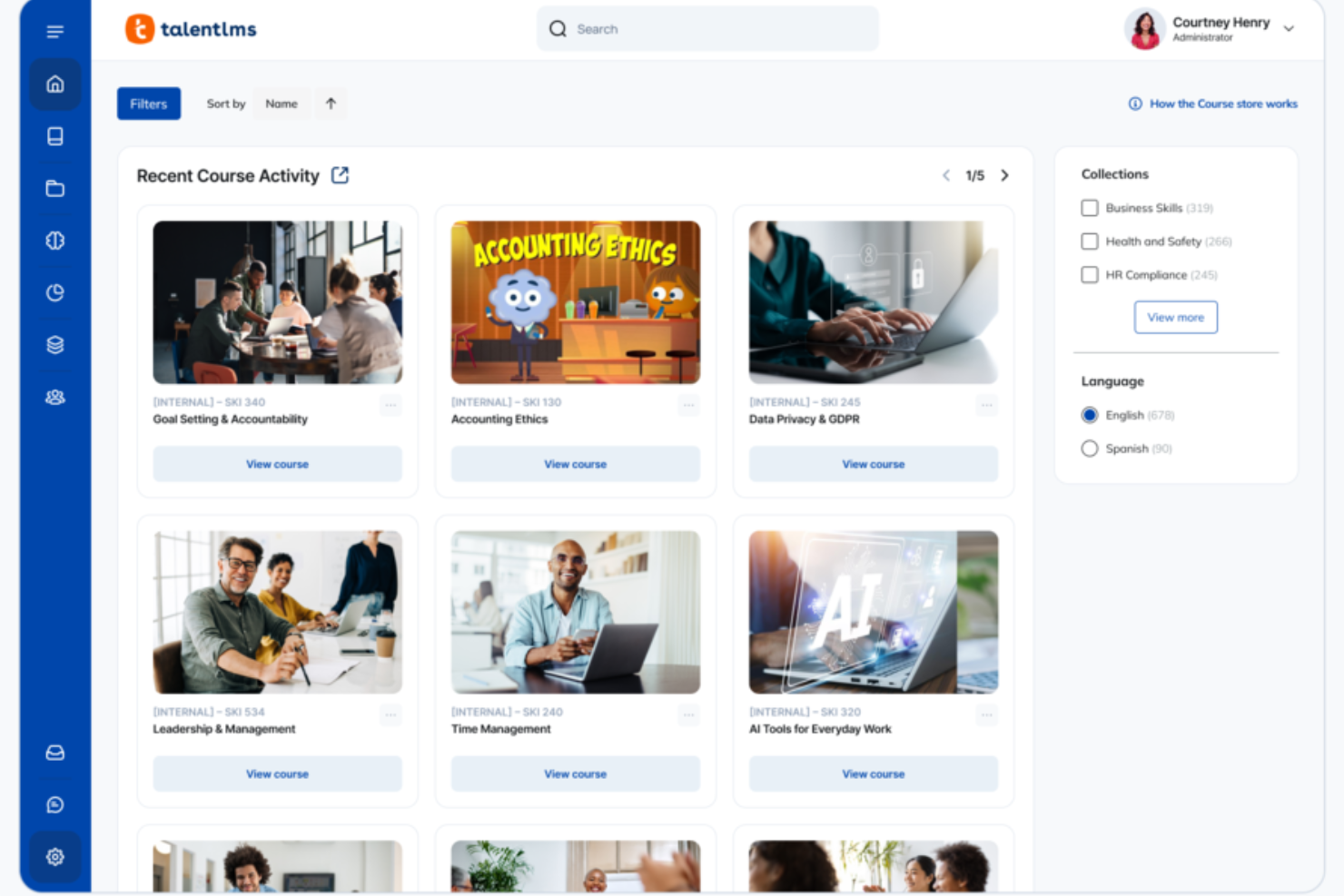
Si buscas un software de formación online que ayude a tu equipo a aprender sin ralentizar tu ritmo, TalentLMS se adapta a tus necesidades—ya sea que estés creando cursos desde cero o implementando formación para varios grupos. Obtienes una plataforma que mantiene la configuración sencilla, te da control sobre los contenidos y se adapta a diferentes estilos de formación, desde módulos a tu propio ritmo hasta sesiones combinadas. Está diseñada para aligerar tu carga y permitir que tu equipo crezca sin generar más fricción operativa.
Por qué elegí TalentLMS
Elegí TalentLMS porque te permite lanzar programas de formación online rápidamente, a la vez que apoya la complejidad a la que se enfrentan los equipos en crecimiento. Puedes subir tus propios materiales, crear contenido nuevo con IA o seleccionar cursos de una amplia biblioteca de cursos ya preparados, lo que facilita cubrir necesidades de formación cambiantes sin demoras. Sus automatizaciones—como inscripciones, recordatorios y reasignaciones—eliminan gran parte del trabajo administrativo repetitivo, para que puedas mantener la formación de forma constante a lo largo del tiempo. Y funciones como la asignación de habilidades y los informes detallados te ayudan a entender qué sabe tu plantilla, dónde existen brechas y cómo la formación contribuye realmente al desarrollo.
Funciones clave de TalentLMS
Además de sus flexibles herramientas de creación de contenido y automatización, TalentLMS incluye varias funciones para una experiencia completa de formación en línea:
- Gamificación: Añade puntos, insignias y tablas de clasificación para mantener a los estudiantes motivados e implicados.
- Rutas de aprendizaje: Te permite guiar a los alumnos paso a paso a través de secuencias estructuradas de desarrollo de habilidades.
- Sucursales: Crea portales separados para diferentes equipos o regiones, gestionando todo desde una sola plataforma.
- Aprendizaje combinado: Combina formación a tu propio ritmo y sesiones dirigidas por instructor.
Integraciones de TalentLMS
Las integraciones incluyen Salesforce, Shopify, WordPress, BambooHR, ADP Workforce Now, Zoom, Microsoft Teams, GoTo, BigBlueButton y Stripe.
Pros and Cons
Pros:
- Las funciones claras de agrupación de estudiantes facilitan estructuras complejas de formación.
- Las herramientas de IA aceleran la creación de cursos, ideal para necesidades de formación que cambian rápidamente.
- Las evaluaciones integradas permiten medir habilidades y certificar competencias.
Cons:
- Las herramientas de colaboración incorporadas son básicas en comparación con comunidades de aprendizaje especializadas.
- Los archivos multimedia grandes pueden requerir soluciones externas de alojamiento.
New Product Updates from TalentLMS
TalentLMS Adds Learning Paths, AI Video, and Learner Experience Updates
TalentLMS introduced updates across learning management, content creation, and learner experience, including Learning Paths for Groups, AI video generation in TalentCraft, video bookmarking, and expanded administration tools. For more information, visit TalentLMS’s official site.

Ideal para programas personalizados de desarrollo de habilidades

iSpring LMS es una solución de gestión de aprendizaje basada en la web que ayuda a las organizaciones a gestionar de manera eficiente todo el ciclo de desarrollo de los empleados, desde la incorporación hasta el crecimiento continuo de habilidades.
Por qué elegí iSpring LMS: Decidí incluir este software en mi lista por su flexibilidad y el potencial de personalización en la formación. Sus capacidades de autoría son especialmente sólidas. Por ejemplo, la herramienta integrada de creación de cursos asistida por IA permite desarrollar cursos interactivos con cuestionarios, videos, audio y otros elementos atractivos. También puede cargar contenido ya existente, como presentaciones de PowerPoint, y convertirlas en cursos en línea.
La plataforma también dispone de planes de desarrollo, una funcionalidad que permite trazar recorridos personalizados de desarrollo de habilidades para cada empleado. Puede combinar cursos, tareas en el puesto de trabajo, evaluaciones y plazos en una ruta clara y estructurada que se adapta a diferentes roles y niveles de experiencia, haciendo que la formación sea significativa en lugar de genérica.
Gracias a su capacidad de personalización, el software puede utilizarse para la incorporación de empleados, la formación en productos y ventas, la formación en cumplimiento normativo y las evaluaciones de desempeño. También puede aumentar la participación con gamificación integrada: los puntos, las tablas de clasificación y las insignias motivan a los usuarios a completar la formación y mantenerse activos con el tiempo.
Características destacadas e integraciones de iSpring LMS:
Entre las características destacadas se incluye la capacidad de diseñar rutas de aprendizaje individualizadas para cada empleado. Considero que esta es una herramienta muy útil para fomentar el desarrollo profesional y alinear los objetivos de crecimiento con la trayectoria profesional única de cada persona. El software también es compatible con dispositivos móviles, por lo que puede acceder a los datos de los empleados, rastrear el rendimiento e incluso generar informes desde cualquier lugar, aunque no tenga una oficina central.
Las integraciones incluyen ADP, BambooHR, Salesforce, Workday y Zoom. Se pueden configurar integraciones adicionales mediante la API REST/SOAP.
Pros and Cons
Pros:
- Feedback de 360 grados
- Planes de desarrollo personalizados
- Muy adecuado para procesos que requieren formación extensiva
Cons:
- Integraciones nativas de software limitadas
- Estructura de precios complicada (muchos módulos y opciones adicionales)
New Product Updates from iSpring LMS

iSpring LMS Adds Multiple Observations to OJT Sessions
iSpring LMS now lets managers log multiple observations within one OJT session, grouping visits and auto-generating summary stats like averages, criterion results, and comparisons. For more information, visit iSpring LMS's official site.

El mejor software de capacitación en línea con un complemento para PowerPoint

iSpring se ha especializado en la creación de software de eLearning durante más de dos décadas. iSpring Suite cuenta con un increíble complemento para PowerPoint que te permite crear cursos a partir de presentaciones de PPT.
Por qué elegí iSpring Suite: Estoy cautivado por la idea de crear cursos de capacitación para empleados directamente desde Microsoft PowerPoint. iSpring Suite ofrece un extenso kit de herramientas para la creación de contenidos eLearning con funciones como cursos de diapositivas, cuestionarios inteligentes y páginas interactivas.
Además, iSpring Suite también te ayuda a crear evaluaciones interactivas con preguntas de arrastrar y soltar, puntuaciones flexibles y otras lógicas de evaluación personalizables.
Funciones destacadas e integraciones de iSpring Suite:
Funciones destacadas incluyen una útil función de conversión de PPT a SCORM que te permite exportar presentaciones de PowerPoint como cursos en línea. Además, las interacciones de eLearning ayudan a aumentar la participación gracias a las plantillas altamente interactivas.
Detalles de integración actualmente no disponibles.
Pros and Cons
Pros:
- Excelente servicio al cliente
- Simulaciones de juegos de rol
- Publicación versátil en HTML5
Cons:
- Curva de aprendizaje algo pronunciada
- Funcionalidades de colaboración limitadas

SkyPrep
Ideal para una experiencia de usuario intuitiva y soporte al cliente de calidad
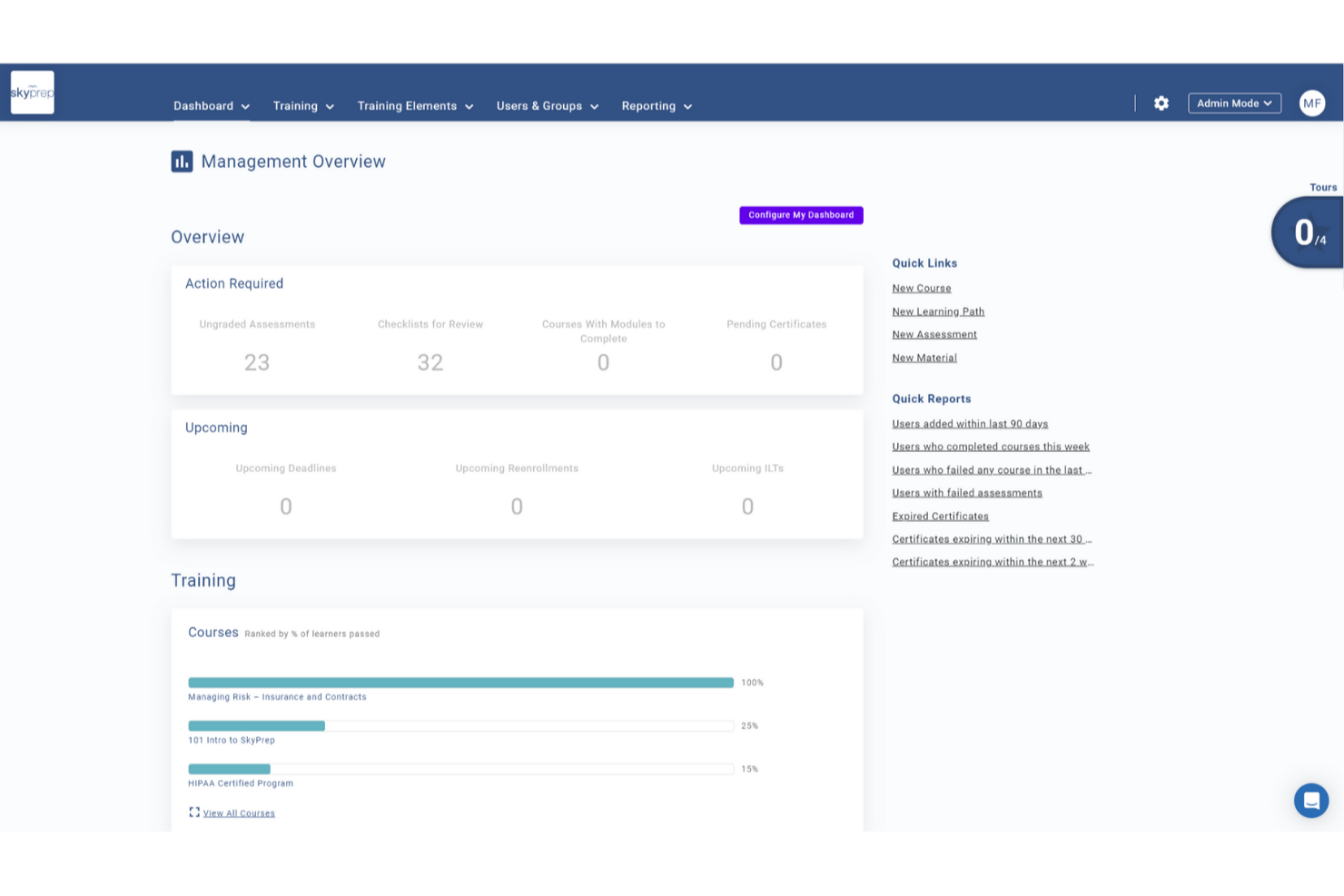
SkyPrep es una plataforma de formación en línea intuitiva y fácil de usar que simplifica el proceso de crear, gestionar y ofrecer programas de capacitación. Con su interfaz amigable y funciones robustas, SkyPrep permite a las organizaciones capacitar eficientemente a sus empleados y realizar un seguimiento de su progreso.
Por qué elegí SkyPrep: la plataforma destaca como herramienta de formación en línea gracias a su capacidad excepcional para automatizar diversos procesos de capacitación. Al agilizar tareas administrativas como la creación de cursos, la gestión de inscripciones y el seguimiento del progreso, los usuarios pueden liberar tiempo y recursos valiosos para sus organizaciones. Sus funciones automatizadas, incluyendo opciones de autoinscripción, notificaciones automáticas y flujos de trabajo personalizables, garantizan una experiencia de formación fluida. Además, la generación de informes y análisis automáticos proporciona datos valiosos sobre el desempeño de los alumnos, lo que permite a las organizaciones tomar decisiones basadas en datos y mejorar continuamente sus programas de capacitación.
Funciones y Conexiones Destacadas de SkyPrep
Funciones incluyen un creador de cursos intuitivo que permite a los usuarios generar contenidos de formación atractivos sin necesidad de conocimientos técnicos. La interfaz de arrastrar y soltar, el soporte multimedia y las evaluaciones personalizables permiten a las organizaciones diseñar cursos interactivos adaptados a sus necesidades específicas.
Los usuarios también pueden aprovechar la colaboración de SkyPrep con OpenSesame para acceder a miles de cursos ya preparados de diferentes sectores y temas.
Integraciones incluyen Okta, SAML, onelogin, Stripe, PayPal, Shopify, ADP, Workday, Salesforce, HubSpot, Zoom, GoTo, Webex, G Suite, Office 365, Twilio, iorad, UKG y más.
Pros and Cons
Pros:
- Interfaz fácil de usar
- Automatizaciones de flujos de trabajo personalizables
- Personalización de marca
Cons:
- Funcionalidad de informes avanzados mínima
- La estructura de precios no se ajusta a todos los tamaños de organización

Ideal para crear cursos de formación móvil
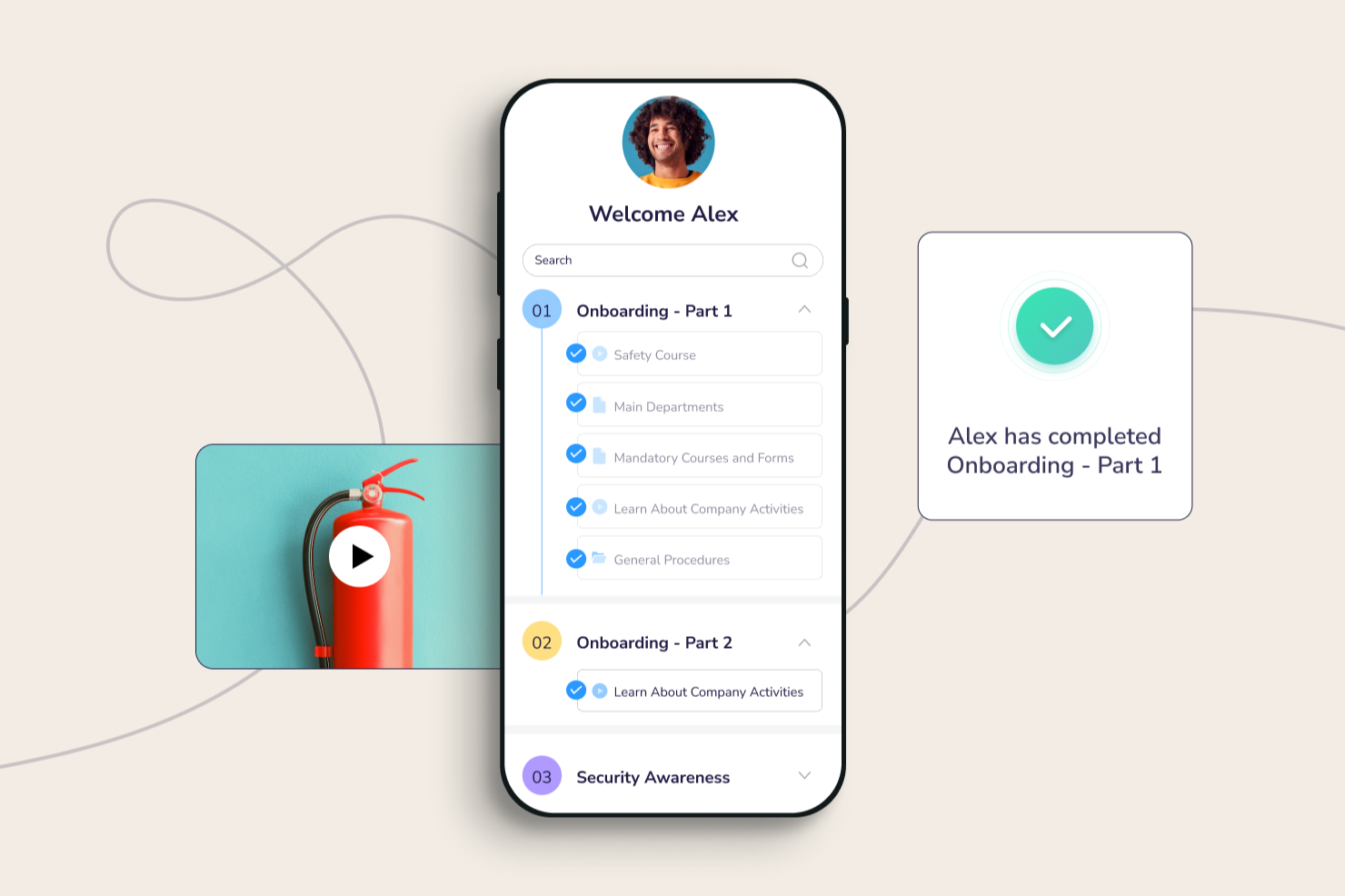
Connecteam está dirigido a empresas con equipos sin escritorio. Tienen más de 500.000 usuarios activos diarios repartidos en más de 79 países en todo el mundo. Además, Connecteam cuenta con una excelente aplicación móvil que ayuda a los empleados a mejorar sus habilidades en cualquier lugar.
Por qué elegí Connecteam: Me encanta tomar cursos en mi móvil, ya sea en el tranvía o durante una carrera. La aplicación móvil de Connecteam permite a los empleados adquirir habilidades críticas mientras están fuera de sus escritorios. Además, la aplicación móvil también funciona como un repositorio de conocimiento para que tus empleados accedan a documentos corporativos.
Puedes crear rápidamente varios cursos y diseñar flujos de cursos personalizados. Además, Connecteam también te permite supervisar el progreso de aprendizaje de cada empleado y contactarlos proactivamente si encuentran algún obstáculo.
Funciones y Integraciones Destacadas de Connecteam:
Funciones destacadas incluyen unidades de microaprendizaje que dividen los grandes módulos de formación en partes pequeñas para mejorar la eficiencia del aprendizaje en línea. El módulo de cumplimiento es muy completo, con revisiones de contenido sencillas y un registro obligatorio de formación.
Las integraciones incluyen Paychex, Xero, Gusto, QuickBooks Payroll (online + escritorio), Zapier, Google Calendar, acceso por API, y otros.
Pros and Cons
Pros:
- Funciones robustas de control de tiempo
- Gestión integral de empleados
- Seguimiento de certificaciones
Cons:
- Retrasos ocasionales en la aplicación
- Funciones limitadas de personalización para administradores
New Product Updates from Connecteam

Connecteam Onboarding Notifications and Default Rules Control
Connecteam updates onboarding pack notifications and customizable default rules with more targeted controls. This helps admins reduce unnecessary alerts and apply policies more precisely. For more information, visit Connecteam’s official site.
 .
.
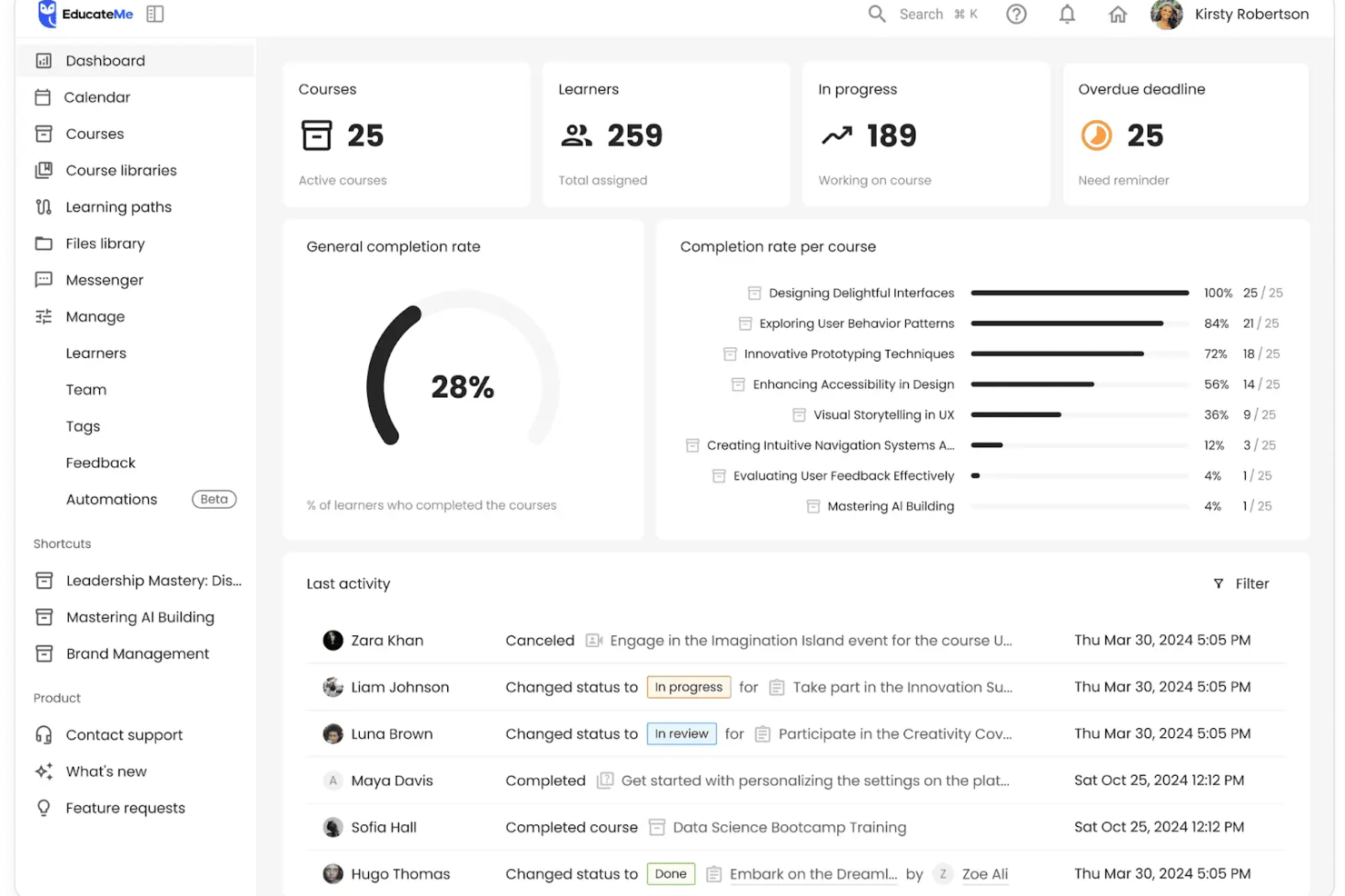
EducateMe LMS es una innovadora plataforma de formación en línea que atiende a organizaciones que buscan escalar el intercambio interno de conocimiento. Esta solución potenciada por IA atrae a corporaciones, academias y agencias de formación al ofrecer herramientas para una creación y gestión de contenidos eficiente. Aborda los retos de la formación proporcionando soluciones escalables para incorporación de empleados, formación en cumplimiento, y más.
Por qué elegí EducateMe LMS
Elegí EducateMe LMS por su enfoque único impulsado por IA en la formación en línea. Permite incorporar lógica automatizada en las rutas de formación, asegurando que a medida que tu equipo crezca, la calidad de la educación permanezca constante sin necesidad de intervención manual. Es especialmente efectivo para equipos técnicos que necesitan mantenerse actualizados sobre características de productos que cambian rápidamente o procedimientos internos. Además, su función de analítica ofrece información en tiempo real sobre la participación de los alumnos, permitiéndote mejorar continuamente tus programas de formación.
Características clave de EducateMe LMS
Además de sus capacidades de IA, EducateMe LMS ofrece una gama de funciones que potencian su utilidad como software de formación en línea.
- Herramientas de creación de contenido: Estas herramientas permiten a tu equipo diseñar materiales de aprendizaje interactivos y atractivos adaptados a las necesidades de tu organización.
- Opciones de marca blanca: Puedes personalizar la plataforma para alinearla con la identidad de tu marca, ofreciendo una experiencia fluida a tus alumnos.
- Informes en tiempo real: Esta función proporciona información sobre la participación de los usuarios y la efectividad de los cursos, ayudándote a tomar decisiones basadas en datos.
- Integraciones con CRM: Estas integraciones agilizan las tareas administrativas, permitiéndote gestionar tus programas de formación de manera más eficiente.
Integraciones de EducateMe LMS
Las integraciones incluyen Google Workspace, Slack, Zoom, Salesforce, Figma, Calendly y más. Hay una API disponible para integraciones personalizadas.
Pros and Cons
Pros:
- Admite formatos de aprendizaje diversos
- Se integra bien con las herramientas CRM más populares
- Funciones de automatización altamente escalables
Cons:
- Sin herramienta de grabación de vídeo incorporada
- Funcionalidad limitada sin conexión

Continu
Ideal para seguridad de datos de nivel empresarial
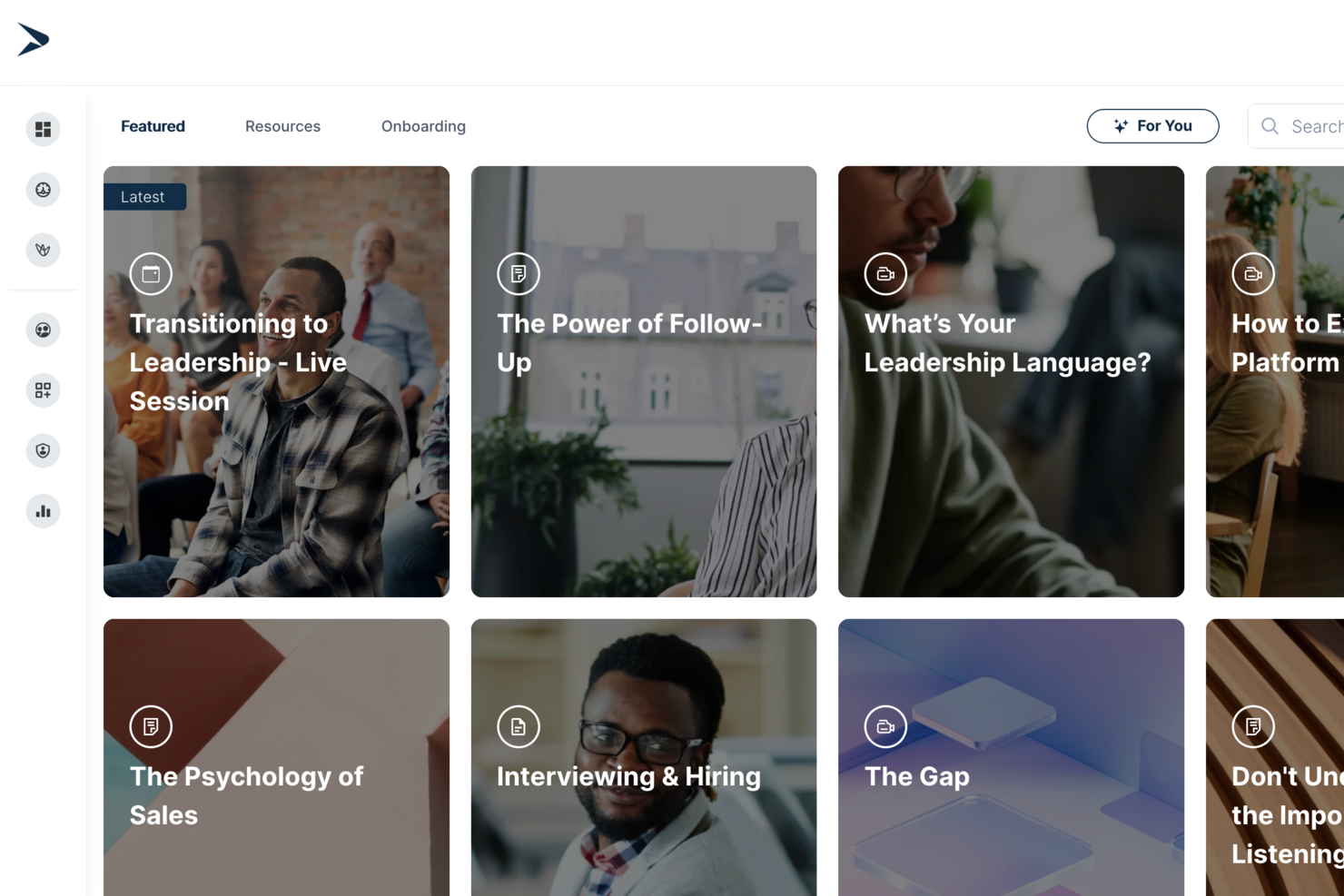
Continu es una plataforma de formación en línea que te permite crear, impartir y hacer seguimiento de programas de aprendizaje personalizados con herramientas para contenido interactivo, compatibilidad SCORM, seguridad de datos e integraciones nativas.
¿Para quién es mejor Continu?
Continu es ideal para empresas medianas y grandes que necesitan una plataforma centralizada para gestionar la formación de empleados, la incorporación y el aprendizaje continuo a gran escala.
Por qué elegí Continu
Incluí a Continu en mis principales selecciones porque su infraestructura de seguridad está realmente diseñada para uso empresarial y no añadida como un complemento. Todos los datos en reposo se cifran con AES-256 y todo lo que está en tránsito se ejecuta sobre TLS 1.2 o 1.3—los mismos estándares usados en banca y gobierno. Continu también cuenta con la certificación SOC 2 Tipo II y está alineado con ISO 27001, lo cual es muy importante cuando gestionas datos de capacitación en grandes fuerzas laborales distribuidas. También me gusta el aprovisionamiento automático SCIM, que sincroniza el acceso de los usuarios directamente desde tu proveedor de identidad para que los nuevos empleados tengan acceso desde el primer día y los que se van sean revocados automáticamente.
Características clave de Continu
- Rutas de aprendizaje: Crea programas de formación estructurados y secuenciales que guían a los alumnos a través del contenido en un orden definido.
- Herramientas de creación de contenido: Crea cursos interactivos, cuestionarios y evaluaciones directamente en la plataforma sin necesidad de software de terceros.
- Informes y analítica: Haz seguimiento del progreso de los alumnos, tasas de finalización de cursos y datos de participación en toda tu fuerza laboral.
- Soporte para aprendizaje combinado: Combina módulos en línea a ritmo propio con sesiones de capacitación dirigidas por instructores, todo en un solo programa de aprendizaje.
Integraciones de Continu
Continu ofrece integraciones nativas con Workday, BambooHR, Namely, Rippling, Okta, Slack, Microsoft Teams, Google Workspace, Zoom y Salesforce, y proporciona una API para integraciones personalizadas.
Pros and Cons
Pros:
- Notificaciones nativas de Slack y Teams
- Controles robustos de cumplimiento y acceso
- Marca personalizable para portales del alumno
Cons:
- La creación de cursos no incluye escenarios ramificados
- No dispone de un marketplace integrado para cursos preconfeccionados
New Product Updates from Continu
Continu Adds Smarter Content Management
Continu adds Intelligent Tagging and Descriptions and richer content details to improve how learning content is organized and maintained. These updates reduce manual work and give teams more consistent, detailed content records. For more information, visit Continu’s official site.
 .
.Otros programas de formación en línea
Aquí tienes algunas herramientas más de formación en línea que no llegaron a mi lista, pero que sin duda merece la pena consultar:
- TeachFloor
Mejor para la formación basada en cohortes y el aprendizaje entre pares
- LearnUpon
Ideal para crear portales de aprendizaje personalizados
- Guidde
La mejor opción para formación en video con IA
- Coassemble
Ideal para crear campañas de formación impactantes
- WeSchool
Ideal para simplificar la formación corporativa
- eloomi
El mejor software de formación online con un creador de cursos intuitivo
- MedTrainer
Ideal para formación en cumplimiento sanitario
- Bridge
Ideal para análisis de formación incorporados
- Guru
Mejor para conocimiento empresarial impulsado por IA
- Whale
Mejor para la formación en incorporación de empleados
- Compass
Ideal para recorridos interactivos de capacitación
- Traineaze
Mejor para motivar a los empleados a través de mejoras de habilidades
- SafetyAmp
La mejor opción para impartir cursos de formación en seguridad
- Exec
Ideal para roleplays de conversación impulsados por IA
- Synergy Learning
Ideal para el desarrollo personalizado de LMS
- PitchMonster
Ideal para acelerar la incorporación de nuevos representantes de ventas


Cómo evalúo el software de formación online
Evalúo el software de formación online en dos niveles: el básico—cosas como entrega SCORM, gestión de inscripciones y seguimiento de finalización—y los diferenciadores como la autoría con IA o integraciones con sistemas HRIS.
Funcionalidad principal (requisitos indispensables para esta lista)
Cuando selecciono herramientas para mi lista, califico cada una en una escala de 0 (no ofrece la funcionalidad) a 5 (sobresale en esta área) por cada funcionalidad principal indicada a continuación. Después, calculo la puntuación total de la herramienta como un porcentaje. Cada herramienta debe alcanzar una puntuación mínima total del 65% para ser considerada para su inclusión.
- Herramientas de autoría de cursos: Busco capacidades integradas de creación de contenido que apoyen múltiples formatos, incluyendo video, paquetes SCORM y cuestionarios interactivos, para que tu equipo pueda crear cursos sin herramientas de terceros.
- Entrega de contenido y portal LMS: Cada herramienta debe ofrecer un portal de aprendizaje centralizado y organizado donde los empleados puedan explorar, inscribirse y completar cursos desde cualquier dispositivo.
- Gestión de alumnos e inscripciones: Evalúo cómo la plataforma gestiona la agrupación de usuarios, la asignación de roles y las rutas de aprendizaje—for ejemplo, la inscripción automática de nuevos empleados en una ruta de incorporación por departamento.
- Evaluaciones y emisión de certificados: Las plataformas sólidas te permiten crear exámenes de conocimientos con varios tipos de preguntas y emitir certificados automáticamente, lo cual es especialmente útil para la formación recurrente de cumplimiento normativo.
- Seguimiento del progreso e informes: Verifico si los paneles de control muestran claramente las tasas de finalización, calificaciones y tareas atrasadas para que un responsable de formación pueda detectar brechas de un vistazo.
- Integraciones con sistemas de RR.HH.: La plataforma debe conectarse con su HRIS o HCM existente para que los datos de los empleados se sincronicen automáticamente, eliminando la entrada duplicada de datos cuando alguien se incorpora, cambia de equipo o sale.
Una vez tengo una lista de herramientas que cumplen los criterios, considero qué hace única a cada plataforma.
Factores diferenciales (qué distingue a los proveedores)
Así es como comparo y contrasto diferentes proveedores:
Características destacadas
La creación de cursos impulsada por IA es un gran diferenciador. Las plataformas que generan lecciones borrador a partir de documentos subidos ahorran horas de trabajo manual al equipo de formación. Las bibliotecas de contenidos predefinidos también son relevantes—los cursos listos sobre cumplimiento normativo o habilidades blandas permiten desplegar la formación desde el primer día en lugar de construirla desde cero. También valoro el mapeo de competencias y habilidades, que vincula finalizaciones de cursos a trayectorias profesionales y proporciona a los líderes de talento una visión clara de las brechas en el desarrollo de la plantilla.
Más allá de las funcionalidades
La estructura de precios es muy importante. El precio por usuario puede crecer rápidamente en organizaciones con empleados temporales o de primera línea, por lo que verifico si las plataformas ofrecen facturación por usuario activo o tarifas planas. La accesibilidad para el alumno es otra prioridad—busco soporte multilingüe y cumplimiento con WCAG, especialmente para equipos globales que hacen onboarding en distintas regiones. También evalúo la preparación para el cumplimiento, incluidas la certificación SOC 2 y la capacidad de generar trazabilidad de auditoría, ya que muchos equipos de RR.HH. deben demostrar la finalización de la formación durante revisiones regulatorias.
Cómo elegir un programa de formación en línea
Es fácil perderse entre largas listas de funciones y estructuras de precios complejas. Para ayudarte a mantener la atención mientras avanzas en tu proceso particular de selección de programas, aquí tienes una lista de factores que debes tener en cuenta:
| Factor | Qué considerar |
|---|---|
| Escalabilidad | ¿Puede el software crecer junto con tu equipo? Comprueba si admite usuarios, cursos y contenido adicionales sin costes ni complejidad extra. |
| Integraciones | ¿Se conecta con tus herramientas actuales? Asegúrate de que se integre sin problemas con los sistemas de RR. HH., las herramientas de comunicación y otras plataformas que utiliza tu equipo. |
| Personalización | ¿Puedes adaptarlo a tus necesidades? Busca opciones para personalizar la identidad de marca, las rutas de aprendizaje y los roles de usuario de acuerdo con la estructura de tu organización. |
| Facilidad de uso | ¿Es intuitivo para tu equipo? Prueba la interfaz para asegurarte de que sea sencilla y reduzca la necesidad de una formación extensa. |
| Implementación e incorporación | ¿Cuánto se tarda en empezar? Evalúa el proceso de configuración, incluida cualquier formación o migración de datos necesaria, para evitar retrasos prolongados. |
| Coste | ¿Se ajusta a tu presupuesto? Compara los planes de precios, las tarifas ocultas y el valor ofrecido. Busca pruebas gratuitas para probarlo antes de comprometerte. |
| Medidas de seguridad | ¿Están protegidos tus datos? Verifica el cifrado de datos, el cumplimiento de las normativas y los controles de acceso para proteger la información confidencial. |
| Disponibilidad del soporte | ¿Recibirás ayuda cuando la necesites? Comprueba si ofrece soporte las 24 horas, los 7 días de la semana, los tiempos de respuesta y recursos disponibles, como bases de conocimiento y foros de la comunidad. |
¿Qué es el software de formación en línea?
El software de formación en línea es una plataforma digital que se utiliza para ofrecer contenido educativo y programas de formación a través de internet. Profesionales como responsables de RR. HH., formadores corporativos y educadores utilizan estas herramientas para mejorar la eficiencia y la participación en el aprendizaje. Funciones como la impartición de cursos, el seguimiento del progreso y la compatibilidad con contenido multimedia ayudan a proporcionar experiencias de aprendizaje estructuradas e interactivas. En general, estas herramientas hacen que la formación sea más accesible y flexible tanto para las organizaciones como para los alumnos.
Características
Al seleccionar un software de formación en línea, presta atención a las siguientes características clave:
- Impartición de cursos: Proporciona una plataforma para distribuir contenido educativo a los alumnos, haciendo que la formación sea accesible desde cualquier lugar.
- Seguimiento del progreso: Supervisa el avance de los alumnos en los cursos y ayuda a los instructores a identificar quién necesita apoyo adicional.
- Compatibilidad con contenido multimedia: Permite integrar vídeos, audio y elementos interactivos para mejorar la experiencia de aprendizaje.
- Rutas de aprendizaje personalizables: Permite adaptar los programas de formación a las necesidades individuales u organizativas, garantizando contenido relevante.
- Capacidades de integración: Se conecta con las herramientas de RR. HH. y comunicación existentes para optimizar los flujos de trabajo y el intercambio de datos.
- Certificación y cumplimiento: Ofrece herramientas para emitir certificados y realizar un seguimiento del cumplimiento de los estándares del sector.
- Accesibilidad móvil: Garantiza que los alumnos puedan acceder a los materiales de formación desde varios dispositivos, lo que aporta flexibilidad al aprendizaje.
- Análisis e informes: Proporciona información sobre el rendimiento de los alumnos y la eficacia de los cursos, lo que facilita la toma de decisiones.
- Interfaz fácil de usar: Facilita la navegación tanto a administradores como a alumnos, reduciendo la necesidad de una formación extensa.
- Medidas de seguridad: Protege los datos confidenciales mediante cifrado y controles de acceso, garantizando el cumplimiento de las normativas.
Beneficios
Implementar un software de formación en línea ofrece varios beneficios para tu equipo y tu empresa. Estos son algunos de los que puedes esperar:
- Mayor accesibilidad: Permite que los alumnos accedan a los materiales de formación desde cualquier lugar, lo que facilita integrar el aprendizaje en agendas ocupadas.
- Mayor participación: El contenido multimedia interactivo mantiene el interés y la motivación de los alumnos durante todo el proceso de formación.
- Ahorro de costes: Reduce la necesidad de espacios y materiales físicos de formación, lo que disminuye los costes generales.
- Escalabilidad: Admite equipos en crecimiento al permitir incorporar más usuarios y contenido sin costes adicionales significativos.
- Aprendizaje personalizado: Las rutas de aprendizaje personalizables garantizan que la formación sea relevante para el puesto y las necesidades de cada alumno.
- Seguimiento eficiente: El seguimiento del progreso y los análisis proporcionan información sobre el rendimiento de los alumnos y ayudan a identificar áreas de mejora.
- Mayor cumplimiento: Las funciones de certificación y cumplimiento garantizan que tu equipo cumpla los estándares y las normativas del sector.
Costes y precios
Seleccionar un software de formación en línea requiere comprender los diversos modelos de precios y planes disponibles. Los costos varían según las funciones, el tamaño del equipo, los complementos y otros factores. La tabla a continuación resume los planes comunes, sus precios promedio y las funciones típicas incluidas en las soluciones de software de formación en línea:
Tabla comparativa de planes de software de formación en línea
| Tipo de plan | Precio promedio | Funciones comunes |
|---|---|---|
| Plan gratuito | $0 | Impartición básica de cursos, acceso limitado de usuarios y análisis esenciales. |
| Plan personal | $5-$25/usuario/mes | Impartición de cursos, compatibilidad con contenido multimedia y seguimiento del progreso. |
| Plan empresarial | $25-$50/usuario/mes | Rutas de aprendizaje personalizables, integraciones y accesibilidad móvil. |
| Plan corporativo | $50-$100+/usuario/mes | Análisis avanzados, asistencia dedicada y herramientas integrales de cumplimiento normativo. |
Preguntas frecuentes sobre el software de formación en línea
¿Tienes alguna pregunta sobre el software de formación en línea? Consulta estas preguntas frecuentes para obtener más información:
¿Cuál es la diferencia entre un software de formación y un sistema de gestión del aprendizaje?
El software de formación se centra en impartir programas de formación específicos, principalmente en la creación, impartición y seguimiento de contenidos.
Un LMS (sistema de gestión del aprendizaje) es una plataforma integral que ayuda a gestionar, inscribir, evaluar y examinar a los empleados. Una analogía interesante para un LMS es una terminal aeroportuaria concurrida, mientras que un software de formación en línea es una aerolínea.
¿Puedo personalizar los cursos en un software de formación en línea?
Sí, la mayoría de los programas de formación en línea permiten personalizar los cursos para adaptarlos a tus necesidades. Normalmente puedes ajustar las rutas de aprendizaje, añadir elementos multimedia y aplicar a la interfaz los colores y logotipos de tu organización. Esta flexibilidad te ayuda a crear una experiencia de aprendizaje que conecte con tu equipo y cumpla tus objetivos específicos de formación.
¿Es seguro el software de formación en línea?
Sí, los proveedores reputados de software de formación en línea implementan medidas de seguridad para proteger tus datos. Busca funciones como el cifrado de datos, los controles de acceso y el cumplimiento de las normativas del sector. Comprueba siempre los protocolos de seguridad del proveedor y considera solicitar una demostración de sus funciones de seguridad para garantizar que tu información permanezca protegida.
¿Necesito conocimientos técnicos para utilizar un software de formación en línea?
No, no necesitas conocimientos técnicos avanzados para utilizar la mayoría de los programas de formación en línea. Estas plataformas están diseñadas para ser fáciles de usar, con interfaces intuitivas y una navegación sencilla. Sin embargo, tener conocimientos informáticos básicos te ayudará a empezar más rápidamente. Muchos proveedores ofrecen tutoriales y asistencia para ayudarte a configurar y gestionar tus cursos de forma eficaz.
Qué sigue:
Si estás investigando software de formación en línea, ponte en contacto con un asesor de SoftwareSelect para obtener recomendaciones gratuitas.
Rellenas un formulario y mantienes una breve conversación en la que se profundiza en los detalles de tus necesidades. Después recibirás una lista breve de programas para revisar. También te ayudarán durante todo el proceso de compra, incluidas las negociaciones de precios.