

Los 10 mejores programas de optimización de la fuerza laboral para 2026

Lista de software de optimización de la fuerza laboral


El software de optimización de la fuerza laboral te ayuda a gestionar la programación, la productividad y el rendimiento de tus equipos al combinar herramientas de previsión, seguimiento y análisis. Si buscas el mejor software de optimización de la fuerza laboral, probablemente quieras resolver problemas relacionados con los costos laborales, el cumplimiento normativo y el compromiso de los empleados, además de respaldar los objetivos empresariales y adaptarte a las cambiantes necesidades del entorno laboral. Esta lista te ayudará a comparar las principales opciones para 2026, para que puedas elegir la plataforma adecuada para mejorar la planificación de la fuerza laboral, simplificar las operaciones y apoyar a tu personal.
Por qué confiar en nuestras reseñas de software
Nuestro equipo lleva probando y evaluando software desde 2012. Como expertos en RR. HH., sabemos lo difícil —y lo importante— que es elegir el software adecuado.
Para esta guía, evaluamos las herramientas mediante pruebas prácticas e investigación independiente, puntuando las herramientas según nuestros criterios de selección. También nos basamos en la experiencia de líderes de opinión del sector y de profesionales de RR. HH. en activo.
Nuestras reseñas reflejan nuestro criterio editorial humano, no un discurso de ventas.
Resumen del mejor software de optimización de la fuerza laboral
Esta tabla comparativa resume los detalles de precios de mis principales selecciones de software de optimización de la fuerza laboral para ayudarte a encontrar la mejor opción según tu presupuesto y las necesidades de tu empresa.
| Tool | Best For | Trial Info | Price | ||
|---|---|---|---|---|---|
| 1 | Ideal para registros globales de RR. HH. centralizados | Demo gratuita disponible | Desde $5/empleado/mes | Website | |
| 2 | Mejor para flujos de trabajo unificados de RRHH y nóminas | Demo gratuita disponible | Precio a consultar | Website | |
| 3 | Ideal para el cálculo continuo de nómina | Demo gratuita disponible | Precio a consultar | Website | |
| 4 | Mejor para la optimización automática de turnos | Demo gratuita disponible | Precios bajo solicitud | Website | |
| 5 | Mejor para la planificación de la fuerza laboral de grandes empresas | Demostración gratuita disponible | Precio a consultar | Website | |
| 6 | Mejor con integración de tickets y soporte | Prueba gratuita + demo gratuita disponible | Desde $19/agente/mes (facturado anualmente) | Website | |
| 7 | Ideal para precisión en pronósticos de personal en retail | Demo gratuita disponible | Precios a consultar | Website | |
| 8 | Ideal para funciones de coaching en tiempo real para agentes | Demo gratuita disponible | Desde $75/usuario/mes (facturación anual) | Website | |
| 9 | Ideal para análisis omnicanal del centro de contacto | Demo gratuita disponible | Precio a consultar | Website | |
| 10 | Mejor para conocimientos de rendimiento impulsados por IA | Demostración gratuita disponible | Desde $110/agente/mes | Website |
Reseñas del software de optimización de la fuerza laboral
A continuación se presentan mis resúmenes detallados del software de optimización de la fuerza laboral que llegó a mi lista. Mis reseñas ofrecen una visión detallada de las funciones, los mejores casos de uso y las integraciones de cada plataforma para ayudarte a encontrar la mejor opción para ti.

Deel HR
Ideal para registros globales de RR. HH. centralizados

Deel HR es una plataforma global de optimización de la fuerza laboral que reúne la gestión de registros de RR. HH., la incorporación internacional, el cumplimiento con contratistas y la nómina para equipos distribuidos en un solo sistema.
¿Para Quién Es Mejor Deel HR?
Deel HR es adecuado para equipos de RR. HH. en empresas globales que necesitan gestionar empleados y contratistas en varios países desde una sola plataforma.
Por Qué Elegí Deel HR
Elegí Deel HR como uno de los mejores porque puedo centralizar todos los registros globales de RR. HH. en un solo lugar, sin importar en cuántos países opere mi equipo. Me gusta que puedo almacenar contratos, documentos de cumplimiento y datos de empleados tanto para empleados como para contratistas. Mi equipo utiliza Deel HR para acceder y actualizar rápidamente registros para auditorías o revisiones internas sin tener que manejar múltiples sistemas.
Características Clave de Deel HR
- Procesamiento automático de nómina: Ejecuta la nómina para empleados y contratistas en más de 100 países desde un panel de control.
- Gestión de ausencias: Haz seguimiento y aprueba las solicitudes de vacaciones con políticas personalizables por cada ubicación.
- Gestión de gastos: Presenta, revisa y reembolsa gastos directamente dentro de la plataforma.
- Portal de autoservicio para empleados: Permite que los miembros del equipo accedan a sus documentos, recibos de sueldo e información personal.
Integraciones de Deel HR
Deel HR ofrece integraciones nativas con Workday, BambooHR, Greenhouse, HiBob, Lever y Xero. Hay una API disponible para integraciones personalizadas.
Pros and Cons
Pros:
- Flujos de incorporación integrados para contrataciones internacionales
- Plantillas de contratos locales para más de 150 países
- Gestión de nómina y beneficios nativos en todo el mundo
Cons:
- Algunas integraciones requieren planes de nivel superior
- Retrasos ocasionales en el procesamiento de pagos globales
New Product Updates from Deel HR

Deel Expands Stablecoin Wallet to 80+ Countries
Deel expands its Stablecoin Wallet to 80+ countries with dollar-backed balances and optional rewards. This gives eligible contractors more ways to hold and manage earnings inside Deel. For more information, visit Deel’s official site.
 .
.
Workday
Mejor para flujos de trabajo unificados de RRHH y nóminas

Workday reúne herramientas de gestión de RRHH, nóminas y gestión de personal en una sola plataforma, lo que la convierte en una opción sólida para organizaciones que buscan flujos de trabajo unificados. Es especialmente útil para equipos de RRHH y líderes financieros que necesitan visibilidad en tiempo real de los costes laborales y los datos de los empleados. Workday ayuda a las empresas a coordinar la planificación de personal, automatizar las nóminas y gestionar el cumplimiento normativo sin tener que cambiar entre varios sistemas.
Por qué elegí Workday
Lo que distingue a Workday es su capacidad para unificar los flujos de trabajo de RRHH y nóminas en un solo sistema. Este enfoque permite a los equipos de RRHH y finanzas gestionar los registros de los empleados, el control horario y el procesamiento de nóminas sin tener que alternar entre múltiples plataformas. Elegí Workday porque conecta la programación de la plantilla y los datos de compensación, de modo que puedes tomar decisiones en tiempo real basadas en información precisa y actualizada. Este flujo de trabajo unificado ayuda a las organizaciones a reducir errores manuales y mantener el cumplimiento normativo en funciones tanto de RRHH como de nóminas.
Características clave de Workday
Otras características que hacen atractivo a Workday para la gestión de personal incluyen:
- Aplicación móvil para gestión de personal: Empleados y gerentes pueden acceder a horarios, aprobar horas y gestionar solicitudes desde sus teléfonos.
- Gestión automatizada de ausencias: Haciendo seguimiento, aprobación y reporte de ausencias de empleados con cumplimiento de políticas integrado.
- Pronóstico de costes laborales: Analiza y predice los gastos laborales usando datos en tiempo real y modelos configurables.
- Paneles basados en roles: Ofrece a los usuarios vistas personalizadas de métricas y tareas según su función.
Integraciones de Workday
Las integraciones incluyen Salesforce, Microsoft Azure, Slack, Adobe Sign, Okta, ServiceNow, LinkedIn, SAP, Oracle y Google Workspace.
Pros and Cons
Pros:
- Sincronización en tiempo real de los datos de nómina y RRHH
- La aplicación móvil permite aprobaciones desde cualquier lugar
- Paneles basados en roles para análisis de personal
Cons:
- Alta dependencia de consultores certificados
- Conectividad limitada con aplicaciones que no son de Workday

Dayforce
Ideal para el cálculo continuo de nómina
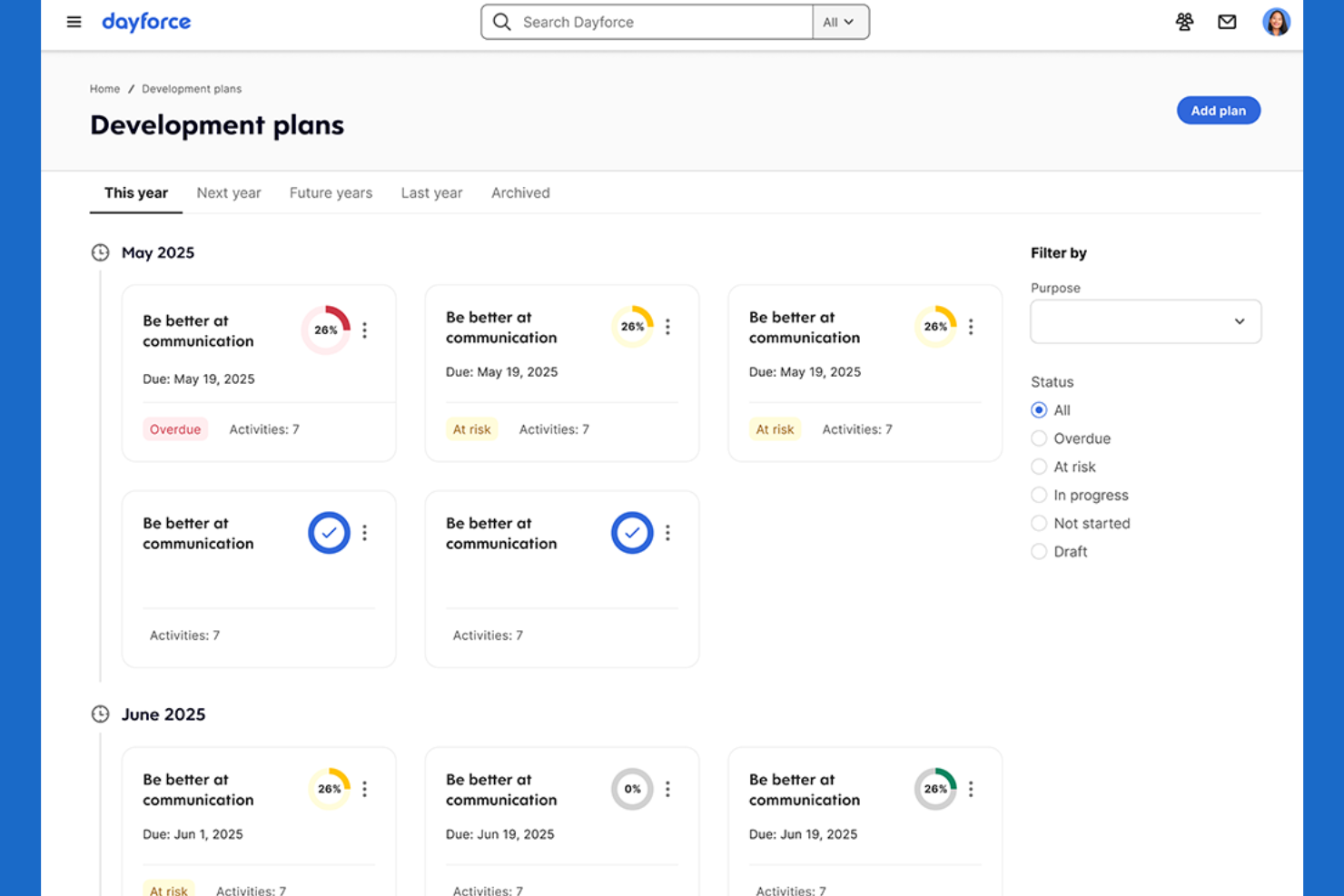
Dayforce ofrece una plataforma única para nómina, RR.HH. y gestión de la fuerza laboral, con un enfoque en el cálculo continuo de la nómina. Es una opción sólida para organizaciones que necesitan precisión salarial al minuto, como aquellas con empleados por hora o con turnos. Dayforce ayuda a los equipos de RR.HH. y nómina a reducir errores de pago y riesgos de incumplimiento actualizando los datos salariales en tiempo real.
Por qué elegí Dayforce
A diferencia de muchas herramientas de optimización de la fuerza laboral, Dayforce calcula el pago de manera continua en vez de en lotes, lo que resulta especialmente valioso para empresas con horarios complejos o variables. Este cálculo de nómina en tiempo real significa que los datos de pago están siempre actualizados, lo que ayuda a los equipos de RR.HH. y nómina a detectar errores y abordar cuestiones de cumplimiento antes de que se conviertan en problemas. Elegí Dayforce porque conecta registro de tiempo, programación y nómina en un solo flujo de trabajo, así puedes ver el impacto de los cambios de horario en la nómina de inmediato. Este enfoque es ideal para organizaciones que necesitan información salarial precisa y actualizada en todo momento.
Principales características de Dayforce
Otras características que hacen que Dayforce sea útil para la optimización de la fuerza laboral incluyen:
- Monitoreo automático de cumplimiento: El sistema verifica horarios y reglas salariales con la normativa laboral a medida que los construyes.
- Portal de autoservicio para empleados: El personal puede ver horarios, solicitar días libres y actualizar su información personal directamente.
- Paneles de análisis avanzados: Visualiza tendencias de la fuerza laboral y métricas clave con informes configurables.
- Aplicación móvil para gerentes: Aprueba hojas de tiempo, gestiona cambios de turno y comunícate con empleados desde cualquier lugar.
Integraciones de Dayforce
Las integraciones incluyen Salesforce, Microsoft Dynamics, Workday, SAP, Oracle, ADP, Kronos, QuickBooks, Ceridian e Infor.
Pros and Cons
Pros:
- Actualiza la nómina en tiempo real
- Verificación automática de cumplimiento en horarios y pagos
- Autoservicio integrado para empleados
Cons:
- El rendimiento del sistema disminuye en periodos de alta demanda
- Transparencia limitada sobre precios sin una cotización

Legion
Mejor para la optimización automática de turnos

Legion utiliza automatización impulsada por IA para crear horarios de turnos optimizados que se adaptan a la demanda del negocio y a las preferencias de los empleados. Es especialmente útil para minoristas, restaurantes y otros negocios con trabajadores por horas que necesitan equilibrar los costes laborales con la cobertura. Legion ayuda a los gerentes a reducir el trabajo manual de programación y a minimizar los riesgos de incumplimiento al generar automáticamente horarios justos basados en la demanda.
Por qué elegí Legion
Lo que diferencia a Legion es su enfoque en la optimización automática de turnos impulsada por IA. La plataforma analiza la demanda del negocio, la disponibilidad de los empleados y las normativas laborales para generar automáticamente horarios que satisfacen tanto las necesidades operativas como las preferencias de los trabajadores. Elegí Legion porque reduce el esfuerzo manual que los gerentes dedican a la programación y ayuda a garantizar el cumplimiento de las leyes laborales. Esto lo convierte en una excelente opción para organizaciones que necesitan adaptar rápidamente su personal a una demanda fluctuante sin sacrificar la equidad ni la precisión.
Características clave de Legion
Otras características que hacen que Legion sea valioso para la optimización de la fuerza laboral incluyen:
- Motor de pronóstico de demanda: Predice las necesidades laborales en función de los datos históricos de ventas y tráfico.
- Aplicación móvil para empleados: Mejora la experiencia de los empleados con una aplicación móvil para que el personal pueda ver horarios, intercambiar turnos y solicitar días libres.
- Supervisión automatizada del cumplimiento: Señala posibles violaciones de las leyes laborales y políticas de la empresa.
- Actualizaciones de horarios en tiempo real: Notifica instantáneamente a los empleados sobre cualquier cambio en sus turnos.
Integraciones de Legion
Las integraciones incluyen Accu-Time Systems, GT Clocks, HR Path, Phenom, Rebus by Longbow Advantage, RELEX Solutions, RetailNext, SAP SuccessFactors, Synel y YOOBIC.
Pros and Cons
Pros:
- Intercambio automático de turnos mediante la aplicación para empleados
- Restricciones de programación ajustadas al presupuesto y demanda laboral
- Pool integrado de trabajadores eventuales para cubrir turnos con faltante de personal
Cons:
- Límite en la exportación de datos de campos personalizados
- No cuenta con modo nativo de accesibilidad móvil sin conexión

UKG
Mejor para la planificación de la fuerza laboral de grandes empresas
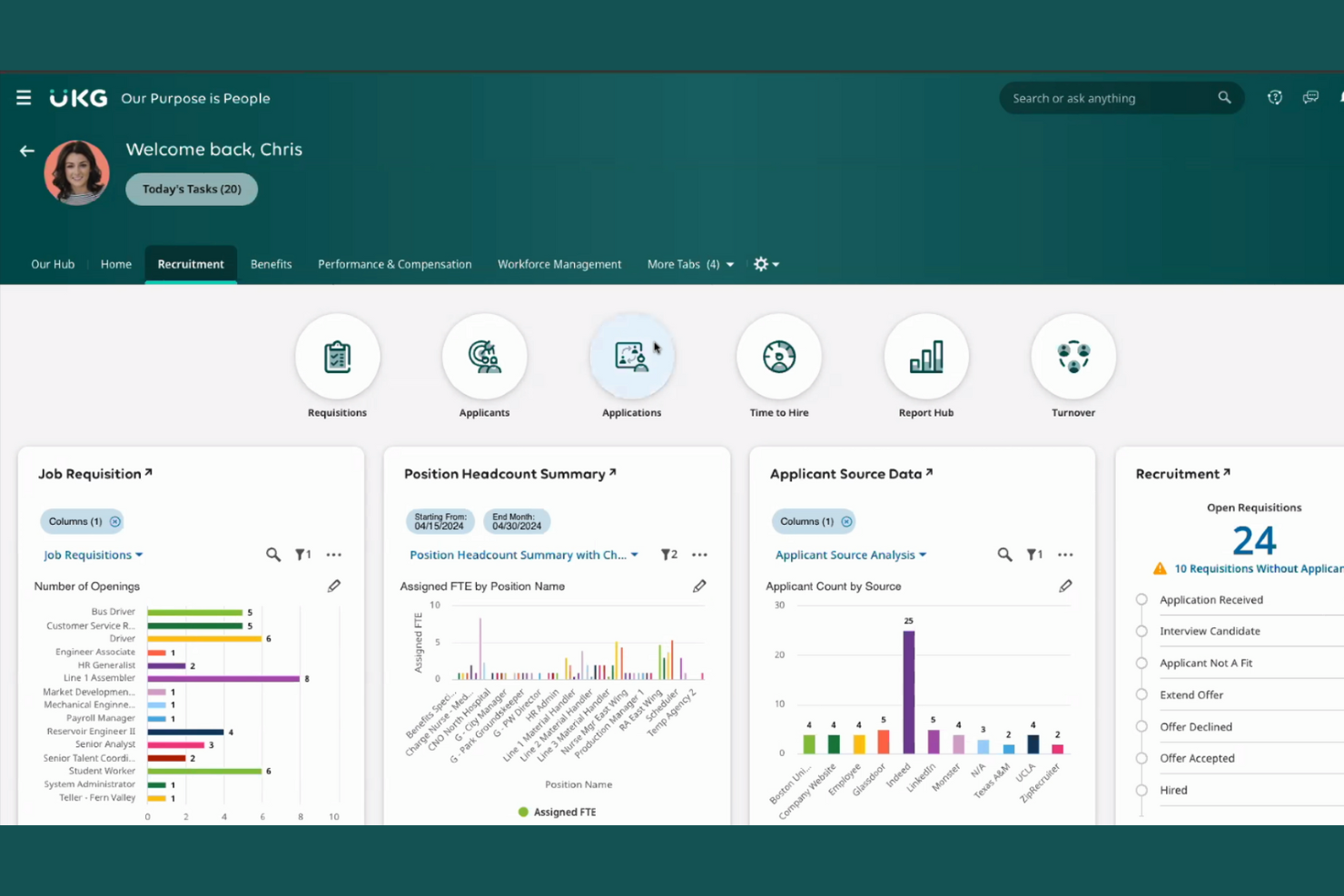
UKG está diseñado para grandes empresas que necesitan capacidades avanzadas de planificación y gestión de la fuerza laboral. Es una excelente opción para líderes de RR. HH. y equipos de operaciones que manejan programación compleja, cumplimiento normativo y previsión de mano de obra en múltiples ubicaciones. UKG ayuda a las organizaciones a coordinar el personal a gran escala, gestionar costos laborales y mantener el cumplimiento regulatorio en entornos dinámicos.
Por qué elegí UKG
Para las organizaciones que gestionan grandes fuerzas de trabajo distribuidas, UKG ofrece herramientas especializadas para la planificación de la fuerza laboral a nivel empresarial. La plataforma soporta programación avanzada, previsión de mano de obra y gestión del cumplimiento, aspectos esenciales para negocios con necesidades complejas de personal. Elegí UKG porque permite a los equipos de RR. HH. automatizar asignaciones de turnos y realizar seguimiento de los costos laborales en varias ubicaciones. Estas capacidades lo hacen una elección fuerte para empresas que buscan optimizar la rotación de personal y mantener el cumplimiento normativo a gran escala.
Funciones clave de UKG
Además de sus fortalezas en planificación de la fuerza laboral, UKG ofrece varias otras funciones que apoyan a grandes organizaciones:
- Portal móvil de autoservicio: Los empleados pueden ver horarios, solicitar días libres e intercambiar turnos desde sus dispositivos móviles.
- Seguimiento automatizado de tiempo y asistencia: Recopile horas trabajadas y datos de asistencia con controles de cumplimiento integrados.
- Suite de análisis e informes: Genere informes detallados de la fuerza laboral y paneles para tomar decisiones basadas en datos.
- Herramientas de gestión del talento: Realice evaluaciones de desempeño, establezca objetivos y desarrolle empleados en la misma plataforma.
Integraciones de UKG
Las integraciones incluyen SAP, Oracle, Workday, ADP, Microsoft Dynamics, Salesforce, Ceridian, Infor, Kronos y QuickBooks.
Pros and Cons
Pros:
- Gestiona escenarios complejos de programación en múltiples ubicaciones
- Herramientas de cumplimiento integradas para regulaciones laborales
- Soporta nómina y operaciones de RR. HH. a gran escala
Cons:
- El proceso de implementación puede ser prolongado
- Se requiere alta experiencia técnica para informes personalizados
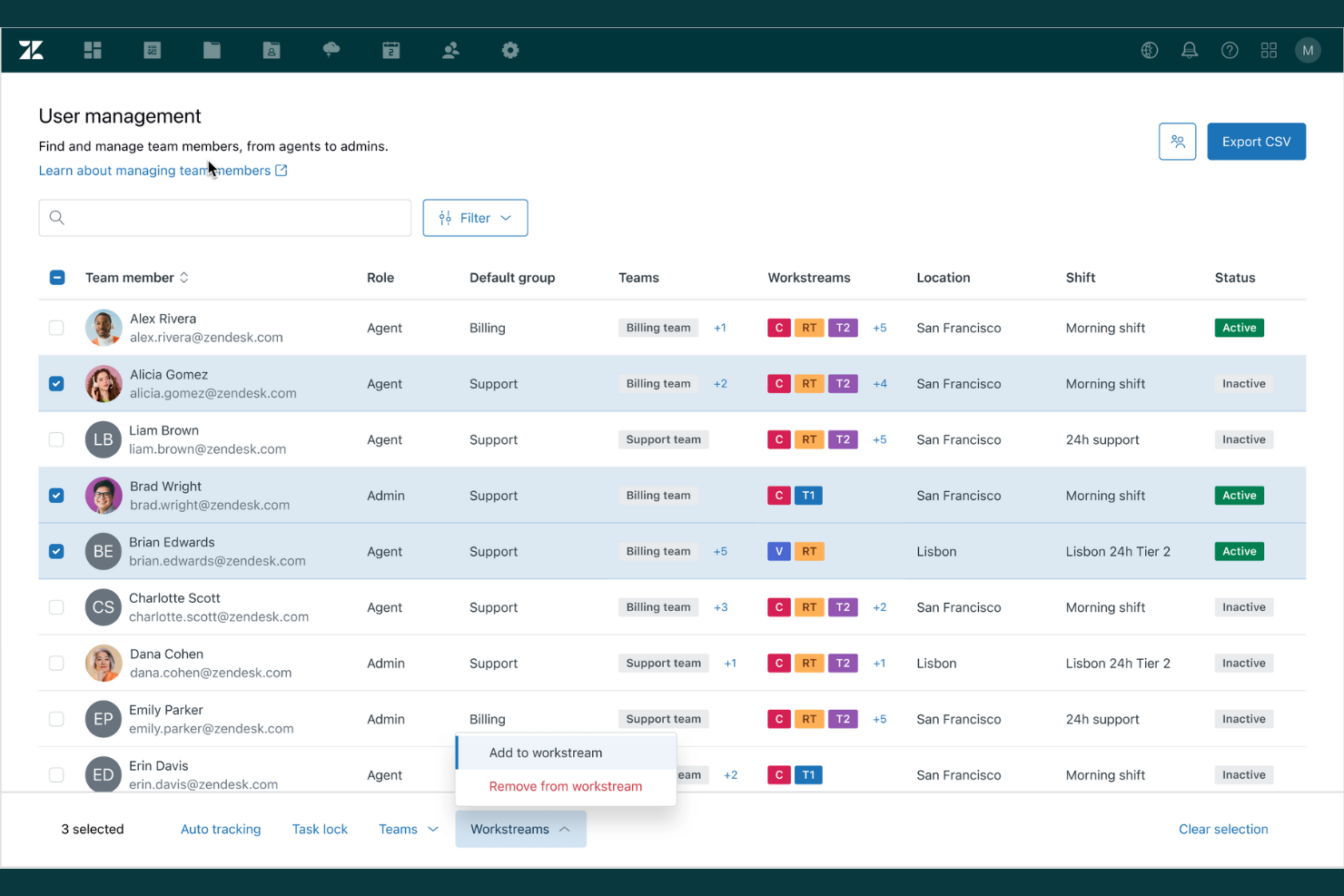
Si tu equipo depende de la gestión de tickets y flujos de trabajo de soporte integrados, Zendesk ofrece una solución de optimización de fuerza laboral diseñada para estas necesidades. Es especialmente útil para equipos de atención al cliente que desean unificar la gestión de tickets, el seguimiento del desempeño de los agentes y la analítica de soporte en un solo lugar. Zendesk te ayuda a coordinar la carga de trabajo de los agentes y a monitorear la calidad del servicio en múltiples canales.
Por qué elegí Zendesk
Zendesk destaca por su profunda integración de gestión de tickets y soporte, lo cual es esencial para la optimización de la fuerza laboral en entornos de atención al cliente. La plataforma conecta la gestión de tickets con métricas de desempeño de los agentes, permitiendo rastrear cuán eficientemente se resuelven los problemas y dónde surgen los cuellos de botella. Me gusta que Zendesk también ofrezca enrutamiento y escalamiento automatizado de tickets, ayudando a los equipos a priorizar solicitudes urgentes y equilibrar las cargas de trabajo. Estas características lo convierten en una excelente opción para organizaciones que necesitan optimizar las operaciones de soporte y mantener altos estándares de servicio.
Funciones clave de Zendesk
Otras funciones que hacen de Zendesk una excelente elección para la optimización de la fuerza laboral incluyen:
- Paneles personalizables para agentes: Ofrece a agentes y gerentes visibilidad en tiempo real sobre la carga de trabajo y las métricas de desempeño.
- Base de conocimientos integrada: Permite a los agentes acceder y compartir artículos de soporte actualizados durante las interacciones con clientes.
- Herramientas de gestión SLA: Configura, monitorea y aplica acuerdos de nivel de servicio para diferentes tipos de tickets.
- Capacidades de soporte multicanal: Gestiona las conversaciones con clientes por correo electrónico, chat, teléfono y redes sociales desde una sola plataforma.
Integraciones de Zendesk
Las integraciones incluyen Salesforce, Slack, Shopify, HubSpot, Mailchimp, Trello, Asana, Google Analytics y Microsoft Teams.
Pros and Cons
Pros:
- Seguimiento en tiempo real de actividades fuera de Zendesk
- El seguimiento de SLA respalda los objetivos de calidad de servicio
- Asignación automática de permisos por día completo
Cons:
- El borrado manual de caché es necesario para la sincronización de interfaz
- Sin ingestión automática desde sistemas de RR.HH.

La Workcloud Workforce Optimization Suite de Zebra está diseñada para minoristas que requieren pronósticos y programación de personal precisos. Esta plataforma ayuda a gerentes de tienda y responsables de operaciones a alinear al personal con la demanda en tiempo real y las tendencias de ventas. Si buscas reducir los costos laborales y mejorar la precisión en la cobertura de turnos en un entorno minorista, Zebra ofrece herramientas especializadas para satisfacer esas necesidades.
Por qué elegí Zebra
Para la optimización de la fuerza laboral en el sector minorista, elegí Zebra porque su suite se enfoca en la precisión de los pronósticos laborales, una preocupación clave para los gerentes de tienda y equipos de operaciones minoristas. Zebra utiliza herramientas de programación basadas en la demanda que analizan datos de ventas y flujo de clientes para prever necesidades de personal hasta por hora. También me gusta que ofrezca asignaciones de turnos automatizadas, lo que ayuda a reducir el exceso o déficit de personal durante los periodos altos y bajos. Estas funciones hacen de Zebra una opción sólida para minoristas que quieren ajustar los recursos humanos a la demanda en tiempo real.
Características clave de Zebra
Otras funciones destacadas en la Workcloud Workforce Optimization Suite de Zebra incluyen:
- Aplicación móvil para programación: Empleados y gerentes pueden ver horarios, intercambiar turnos y solicitar tiempo libre directamente desde sus dispositivos móviles.
- Herramientas de gestión de tareas: Asignar, rastrear y monitorear la realización de tareas en tienda para mantener a los equipos alineados con las prioridades diarias.
- Monitoreo de cumplimiento: Las verificaciones de cumplimiento integradas ayudan a garantizar que los horarios cumplan con las leyes laborales y políticas de la empresa.
- Panel de análisis: Acceso en tiempo real a información sobre costos laborales, asistencia y tendencias de productividad en todas las ubicaciones.
Integraciones de Zebra
Las integraciones incluyen SAP, Oracle, Microsoft Dynamics, Kronos, ADP, Salesforce, Workday, Ceridian e Infor.
Pros and Cons
Pros:
- Verificaciones automáticas de cumplimiento de leyes laborales
- Aplicación móvil para gestión y cambio de turnos
- Gestión de tareas integrada
Cons:
- Requiere hardware de Zebra para funcionalidad completa
- Enfoque limitado fuera del sector minorista
Genesys
Ideal para funciones de coaching en tiempo real para agentes

Genesys destaca por sus funciones de coaching en tiempo real para agentes, lo que lo convierte en una opción sólida para centros de contacto y equipos de atención al cliente enfocados en mejorar el rendimiento en vivo. Si necesitas apoyar a los agentes con retroalimentación y orientación instantáneas durante las interacciones con los clientes, esta plataforma ofrece herramientas diseñadas para el coaching y desarrollo de habilidades en el momento. Su enfoque en el soporte en vivo ayuda a los gerentes a garantizar que las personas adecuadas aborden los problemas en el momento oportuno.
Por qué elegí Genesys
Lo que me atrajo de Genesys es su fuerte enfoque en el coaching en tiempo real para agentes, que es un diferenciador clave en el software de optimización de fuerza laboral. La plataforma ofrece monitoreo en vivo y coaching 'whisper', lo que permite a los supervisores brindar retroalimentación y orientación instantáneas a los agentes durante las interacciones con los clientes. Me resulta interesante que Genesys también incluya paneles de rendimiento que se actualizan en tiempo real, de modo que los gerentes puedan detectar oportunidades de coaching a medida que surgen. Estas características lo convierten en una opción práctica para equipos que desean mejorar el rendimiento de los agentes en el momento, y no solo a posteriori.
Características clave de Genesys
Otras características que hacen de Genesys una opción sólida para la optimización de la fuerza laboral incluyen:
- Enrutamiento omnicanal: Dirige las consultas de los clientes al agente adecuado a través de voz, chat, correo electrónico y canales sociales.
- Pronóstico de fuerza laboral automatizado: Predice las necesidades de personal utilizando datos históricos y modelos impulsados por IA.
- Herramientas de gestión de calidad: Evalúa y revisa las interacciones de los agentes para el cumplimiento y los estándares de servicio.
- Módulos de gamificación para empleados: Motiva a los agentes con reconocimiento integrado y seguimiento de logros.
Integraciones de Genesys
Las integraciones incluyen Salesforce, Microsoft Dynamics, Zendesk, ServiceNow, Oracle, SAP, AWS, Google Cloud, Twilio y Cisco.
Pros and Cons
Pros:
- Coaching en tiempo real con monitoreo en vivo
- Enrutamiento omnicanal para interacciones con clientes
- Gamificación integrada para motivar a los agentes
Cons:
- Límite de 100 actividades simultáneas
- Gestión separada para WFM independiente

Verint está diseñado para líderes de centros de contacto que necesitan análisis profundos en canales de voz, chat, correo electrónico y redes sociales. Esta plataforma todo en uno te ayuda a unificar la gestión de la fuerza laboral y el seguimiento del rendimiento en entornos complejos y omnicanal. Si tu equipo tiene dificultades para conectar la actividad de los agentes con los conocimientos sobre la experiencia del cliente, Verint ofrece herramientas especializadas para cerrar esa brecha.
Por qué elegí Verint
Lo que distingue a Verint en la optimización de la fuerza laboral es su enfoque en los análisis omnicanal de los centros de contacto. Elegí Verint porque reúne datos de voz, chat, correo electrónico y redes sociales, brindando a los gestores una visión unificada del desempeño de los agentes y las interacciones con los clientes. El motor de analítica de la plataforma te ayuda a identificar tendencias y brechas en la calidad del servicio a través de todos los canales. Para los equipos que gestionan operaciones complejas y multicanal, la capacidad de Verint para conectar métricas de la fuerza laboral con información sobre la experiencia del cliente es especialmente valiosa.
Características clave de Verint
Otras funciones de Verint que vale la pena destacar incluyen:
- Monitoreo de calidad automatizado: El sistema revisa y califica automáticamente las interacciones con los clientes para el aseguramiento de la calidad.
- Motor de previsión y programación: Genera previsiones de personal y crea horarios optimizados en función de datos históricos y en tiempo real.
- Tarjetas de evaluación de rendimiento: Haz seguimiento de los KPIs de los agentes y su progreso con paneles e informes personalizables.
- Módulos de formación y coaching: Ofrece capacitación y coaching específico directamente en la plataforma para apoyar el desarrollo de los agentes.
Integraciones de Verint
Las integraciones incluyen Salesforce, Microsoft Dynamics y HubSpot. Hay una API disponible para integraciones personalizadas.
Pros and Cons
Pros:
- Seguimiento en tiempo real del cumplimiento de horarios
- Módulos integrados de formación y coaching
- Tarjetas de evaluación de desempeño personalizables
Cons:
- El proceso de configuración es complejo para nuevos usuarios
- Las funciones avanzadas requieren licencias adicionales
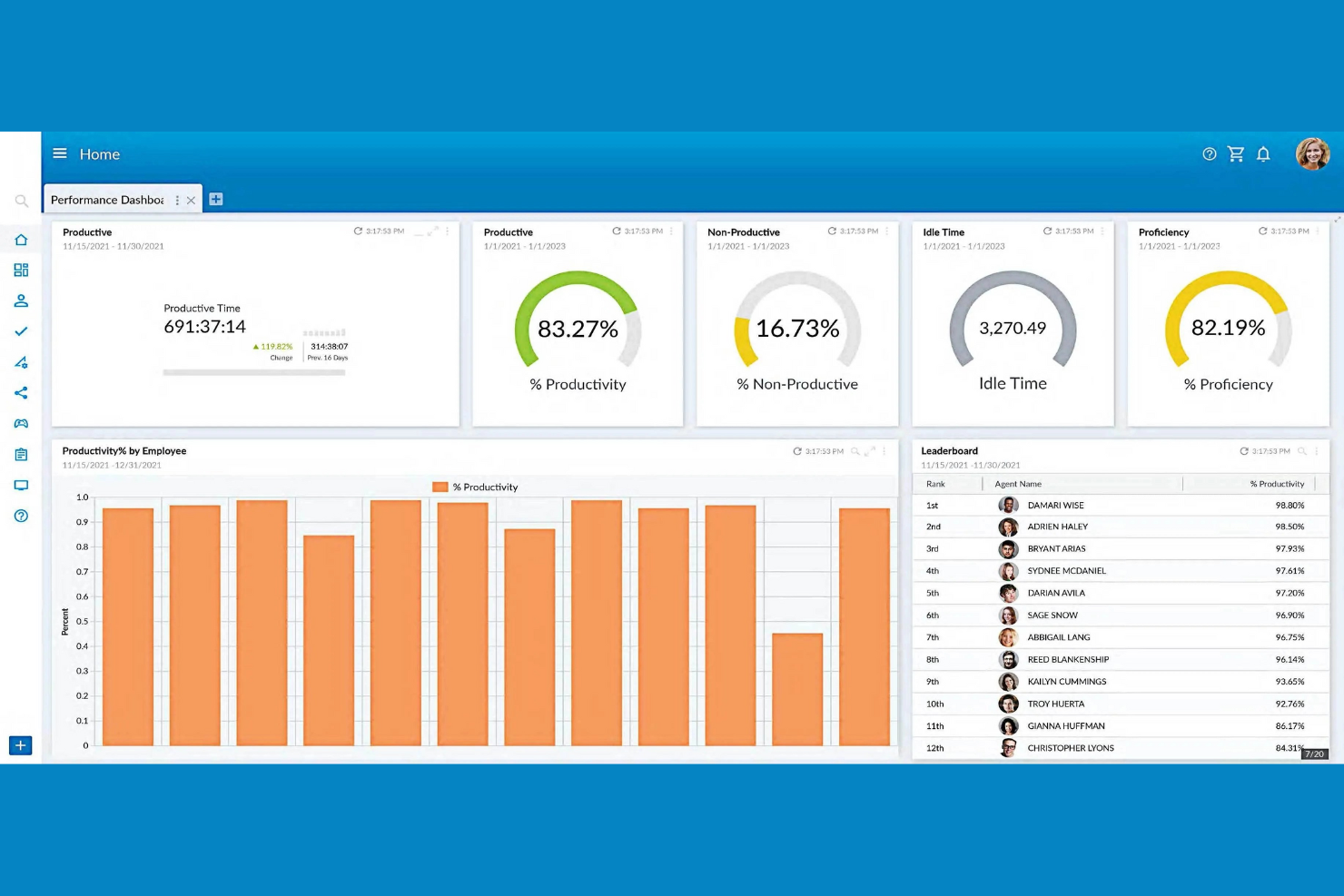
NiCE aporta análisis impulsados por IA a la optimización de la fuerza laboral, lo que lo convierte en una excelente opción para equipos enfocados en mejorar el rendimiento. Si gestionas un centro de contacto o una gran operación de servicio, esta plataforma te ayuda a descubrir información accionable de las interacciones entre empleados y clientes. Sus avanzadas herramientas de automatización y retroalimentación en tiempo real están diseñadas para respaldar la capacitación basada en datos, la retención y la mejora continua de procesos.
Por qué elegí NiCE
Lo que distingue a NiCE como solución de gestión de la fuerza laboral es su enfoque en los conocimientos de rendimiento impulsados por IA. La plataforma utiliza IA para analizar grandes volúmenes de interacciones entre clientes y empleados, identificando tendencias y oportunidades de capacitación que podrían pasar desapercibidas. Elegí NiCE porque sus análisis en tiempo real y la gestión de calidad automatizada ayudan a los gerentes a identificar rápidamente brechas de rendimiento y proporcionar retroalimentación específica. Estas capacidades lo hacen especialmente valioso para organizaciones que desean utilizar datos para impulsar la mejora continua en el servicio y la productividad.
Características clave de NiCE
Otras características que hacen de NiCE una excelente opción para la optimización de la fuerza laboral incluyen:
- Grabación de interacciones omnicanal: Captura y revisa las interacciones con clientes a través de voz, chat, correo electrónico y canales sociales.
- Motor de programación automatizado: Genera horarios optimizados para empleados según la demanda prevista y las reglas del negocio.
- Encuestas de compromiso de empleados: Recopila retroalimentación en tiempo real del personal para monitorear el sentimiento y el compromiso.
- Herramientas de gestión de cumplimiento: Supervisa y documenta el cumplimiento de los requisitos regulatorios dentro de las operaciones de tu fuerza laboral.
Integraciones de NiCE
Las integraciones incluyen Salesforce, Microsoft Dynamics, SAP, Oracle, Zendesk, Genesys, Avaya, Cisco, Amazon Connect y Twilio.
Pros and Cons
Pros:
- Ciclos de postulación automática para turnos múltiples semanas
- Pronóstico de demanda de personal a largo plazo impulsado por IA
- Encuestas de compromiso de empleados integradas
Cons:
- Requisitos específicos del navegador para módulos heredados
- Límite concurrente en trabajos de procesamiento en segundo plano
Otro software de optimización de la fuerza laboral
Estas son algunas opciones adicionales de software de optimización de la fuerza laboral que no llegaron a mi lista, pero que vale la pena consultar:
- ADP WorkForce Suite
Ideal para la gestión del cumplimiento global
- Eleveo
Ideal para la programación de centros de contacto medianos
- Oracle Cloud HCM
Mejor con integración de análisis avanzado


Cómo evalúo el software de optimización de la fuerza laboral
Divido mi evaluación en dos capas: capacidades principales como la previsión de la demanda y la programación de turnos que una herramienta debe tener, y diferenciadores que hacen que una plataforma sea mejor opción que otra.
Funcionalidad principal (Elementos imprescindibles para esta lista)
Cuando selecciono herramientas para mi lista, califico cada una en una escala del 0 (no ofrece la funcionalidad) al 5 (sobresale en esta área) para cada funcionalidad principal que se detalla a continuación. Luego, calculo la puntuación total de la herramienta en un porcentaje. Cada herramienta necesita alcanzar una puntuación total mínima del 75% para ser considerada para su inclusión.
- Previsión y planificación de la fuerza laboral: Evalúo si la herramienta puede predecir la demanda de personal utilizando datos históricos y elementos clave del negocio, como modelar picos estacionales en el comercio minorista o aumentos en el volumen de pacientes en la salud.
- Gestión de horarios y turnos: La generación automática de horarios es fundamental aquí, especialmente en cómo la herramienta tiene en cuenta las habilidades de los empleados, la disponibilidad y las normas laborales al crear los cuadros de turnos.
- Control de tiempo y asistencia: Analizo cómo la plataforma captura las horas trabajadas, desde registros móviles de equipos en campo hasta chequeo geolocalizado en operaciones multisede, y cómo esos datos fluyen hacia la nómina.
- Análisis de rendimiento y productividad: Tableros que rastrean KPIs como adherencia, utilización y producción por equipo brindan verdadera visibilidad a los gerentes, por lo que verifico la existencia de reportes configurables y métricas comparativas.
- Gestión de competencias y habilidades: Evalúo la capacidad para mapear certificaciones y habilidades de los empleados a roles abiertos o necesidades de proyectos, incluyendo si la herramienta señala credenciales próximas a caducar.
- Gestión del cumplimiento laboral y costos: Reviso cómo la plataforma aplica límites de horas extra, reglas obligatorias de pausas y regulaciones de programación, al tiempo que proporciona a los equipos financieros un seguimiento de costos laborales en tiempo real frente al presupuesto.
Una vez que tengo una lista de herramientas que cumplen con los criterios, considero qué diferencia a cada plataforma.
Factores diferenciadores (Lo que distingue a los proveedores)
Así es como comparo y contrasto a diferentes proveedores:
Funcionalidades destacadas
La simulación de escenarios es fundamental para mí. Quiero ver herramientas que permitan a los planificadores de recursos humanos probar "¿qué pasa si reducimos los turnos de fin de semana en un 20%?" antes de realizar cambios reales. Las recomendaciones basadas en IA aportan otra capa, resaltando patrones como el riesgo de agotamiento o la probabilidad de rotación que el análisis manual pasaría por alto. También reviso los portales de autoservicio para empleados, ya que plataformas que permiten a los trabajadores de primera línea intercambiar turnos, reclamar vacantes y gestionar su disponibilidad desde sus teléfonos eliminan una gran presión sobre los gestores de horarios.
Más allá de las funcionalidades
Las integraciones son cruciales en este ámbito. Verifico si una plataforma se conecta nativamente con los sistemas de HRIS y nómina que ya utiliza el equipo, ya que una herramienta de horarios que no sincroniza con la nómina existente causa una doble entrada de datos. El ajuste por sector es igual de importante: un centro de contacto con 500 agentes tiene necesidades muy distintas a un hospital que gestiona turnos rotativos de enfermería. También evalúo los plazos de implementación y el soporte de incorporación, porque los despliegues de soluciones de optimización de la fuerza laboral que se prolongan durante meses corren el riesgo de perder la aceptación de los gerentes que más necesitan la herramienta.
Cómo elegir un software de optimización de la fuerza laboral
Es fácil perderse entre largas listas de funciones y estructuras de precios complejas. Para ayudarte a mantenerte enfocado mientras avanzas en tu proceso único de selección de software, aquí tienes una lista de factores que debes tener en cuenta:
| Factor | Qué debes considerar |
|---|---|
| Escalabilidad | ¿El software podrá gestionar tu número actual y futuro de empleados, tus ubicaciones y la complejidad de la programación? Comprueba si existen límites de usuarios o ubicaciones. |
| Integraciones | ¿Se conecta de forma nativa con tus sistemas de nómina, de información de recursos humanos (HRIS) y de control horario? Confirma la compatibilidad para evitar la introducción manual de datos. |
| Personalización | ¿Puedes adaptar las reglas de programación, la configuración de cumplimiento y los informes a las políticas y los flujos de trabajo de tu organización? |
| Facilidad de uso | ¿Los responsables y empleados lo adoptarán rápidamente? Busca una navegación clara, acceso móvil y requisitos mínimos de capacitación. |
| Implementación e incorporación | ¿Cuánto tiempo lleva la configuración y qué recursos se necesitan? Pregunta por el soporte para la migración, la capacitación y los plazos habituales para la puesta en marcha. |
| Costo | ¿Los niveles de precios son transparentes y predecibles? Considera el costo total de propiedad, incluidos los complementos, el soporte y las futuras actualizaciones. |
| Medidas de seguridad | ¿El proveedor ofrece cifrado de datos, acceso basado en roles y cumplimiento de las normas pertinentes (como el RGPD o SOC 2)? |
| Requisitos de cumplimiento | ¿La herramienta puede adaptarse a los cambios en las leyes laborales y las normativas regionales? Busca alertas automatizadas y actualizaciones periódicas sobre el cumplimiento. |
¿Qué es el software de optimización de la fuerza laboral?
El software de optimización de la fuerza laboral es una categoría de herramientas digitales que ayudan a las organizaciones a planificar, gestionar y analizar la programación, la asistencia y la productividad de los empleados. Estos sistemas automatizan la asignación de turnos, realizan un seguimiento de los costos laborales y ayudan a garantizar el cumplimiento de las normativas laborales. Al centralizar los datos de la fuerza laboral y los procesos de RR. HH., el software de optimización de la fuerza laboral permite a los equipos de RR. HH. y a los gerentes adaptar la dotación de personal a las necesidades empresariales y mejorar la eficiencia operativa.
Características del software de optimización de la fuerza laboral
Al seleccionar un software de optimización de la fuerza laboral, presta atención a las siguientes características clave:
- Programación de turnos: Permite a los gerentes crear, asignar y ajustar los turnos de los empleados según las necesidades empresariales y la disponibilidad del personal.
- Seguimiento del tiempo y la asistencia: Registra cuándo los empleados fichan su entrada y salida, supervisa las ausencias y ayuda a garantizar un procesamiento preciso de la nómina.
- Previsión de la mano de obra: Utiliza datos históricos y tendencias para predecir las necesidades futuras de personal, lo que ayuda a evitar una dotación excesiva o insuficiente.
- Gestión del cumplimiento: Supervisa los horarios y los registros de tiempo para señalar posibles infracciones de las leyes laborales, las normas sindicales o las políticas de la empresa.
- Portal de autoservicio para empleados: Permite a los empleados consultar sus horarios, solicitar tiempo libre e intercambiar turnos, reduciendo la carga administrativa de los gerentes.
- Gestión de permisos: Realiza un seguimiento de las vacaciones, las bajas por enfermedad y otras ausencias, garantizando una acumulación precisa y visibilidad tanto para los empleados como para RR. HH.
- Informes y análisis: Proporciona paneles e informes personalizables sobre los costos laborales, los patrones de asistencia y la eficiencia de la programación.
- Integración con la nómina: Se conecta directamente con los sistemas de nómina para transferir los datos de tiempo y asistencia, reduciendo la introducción manual de datos y los errores.
- Acceso móvil: Ofrece aplicaciones móviles o interfaces web adaptables para que los gerentes y empleados puedan gestionar horarios y solicitudes desde cualquier lugar.
Beneficios del software de optimización de la fuerza laboral
Implementar un software de optimización de la fuerza laboral ofrece varios beneficios para tu equipo y tu empresa. Estos son algunos de los que puedes esperar:
- Mayor precisión en la programación: La asignación automatizada de turnos y la previsión de la mano de obra ayudan a garantizar la cobertura adecuada para cada turno.
- Menor riesgo de incumplimiento: La gestión integrada del cumplimiento señala posibles infracciones de las leyes laborales y las políticas de la empresa antes de que se conviertan en problemas.
- Menor carga administrativa: Los portales de autoservicio para empleados y el seguimiento automatizado del tiempo minimizan las tareas manuales de programación y entrada de datos.
- Mejor control de los costos laborales: Los informes y análisis en tiempo real ofrecen a los gerentes visibilidad sobre el gasto laboral y las tendencias de horas extra.
- Mayor compromiso de los empleados: El acceso móvil y la programación transparente permiten a los empleados gestionar su propia disponibilidad y sus solicitudes.
- Incorporación y adopción más rápidas: Las interfaces intuitivas y las herramientas guiadas de incorporación ayudan a los equipos a comenzar a trabajar con una interrupción mínima.
- Procesamiento preciso de la nómina: La integración directa con los sistemas de nómina garantiza que los datos de tiempo y asistencia se transfieran sin errores ni retrasos.
Costos y precios del software de optimización de la fuerza laboral
Seleccionar un software de optimización de la fuerza laboral requiere comprender los diversos modelos de precios y planes disponibles. Los costos varían según las características, el tamaño del equipo, los complementos y otros factores. La siguiente tabla resume los planes habituales, sus precios promedio y las características que suelen incluir las soluciones de software WFM:
Tabla comparativa de planes de software de optimización de la fuerza laboral
| Tipo de plan | Precio promedio | Características habituales |
|---|---|---|
| Plan gratuito | $0 | Programación básica de turnos, seguimiento limitado del tiempo y acceso para un número reducido de usuarios. |
| Plan personal | $5-$15/user/month | Programación individual, seguimiento del tiempo y la asistencia, acceso móvil e informes básicos. |
| Plan empresarial | $15-$30/user/month | Programación de equipos, gestión de permisos, supervisión del cumplimiento, integraciones y análisis avanzados. |
| Plan corporativo | $30-$60/user/month | Flujos de trabajo personalizados, acceso a la API, seguridad avanzada, asistencia dedicada y gestión de múltiples ubicaciones. |
Preguntas frecuentes sobre el software de optimización de la fuerza laboral
Estas son algunas respuestas a preguntas frecuentes sobre el software de optimización de la fuerza laboral:
¿Cómo ayuda el software de optimización de la fuerza laboral con el cumplimiento normativo?
El software de optimización de la fuerza laboral ayuda con el cumplimiento normativo al supervisar los horarios y los registros de tiempo para detectar posibles infracciones de las leyes laborales, los convenios colectivos y las políticas de la empresa. Muchas herramientas proporcionan alertas e informes automatizados para ayudar a los equipos de recursos humanos a anticiparse a los cambios normativos y evitar sanciones costosas.
¿Puede el software de optimización de la fuerza laboral integrarse con los sistemas de nómina y recursos humanos?
Sí, la mayoría de las soluciones de software de optimización de la fuerza laboral pueden integrarse con los sistemas de nómina y recursos humanos. Estas integraciones permiten transferir automáticamente los datos de tiempo, asistencia y horarios, lo que reduce la introducción manual de datos y minimiza los errores durante el procesamiento de la nómina.
¿Qué debo tener en cuenta al elegir un software de optimización de la fuerza laboral para un equipo remoto o híbrido?
Al elegir un software para equipos remotos o híbridos, busca acceso móvil, implementación basada en la nube y funciones de autoservicio. Estas capacidades garantizan que los empleados puedan consultar sus horarios, solicitar cambios y registrar el tiempo desde cualquier ubicación, lo que facilita las modalidades de trabajo flexibles.
¿Cuánto tiempo se tarda en implementar un software de optimización de la fuerza laboral?
Los plazos de implementación varían, pero la mayoría de las organizaciones pueden esperar que la configuración tarde desde unos días hasta varias semanas. Entre los factores se incluyen las necesidades de migración de datos, la complejidad de las integraciones y la disponibilidad de recursos de incorporación, como vídeos de capacitación y recorridos por el producto.
¿Es adecuado el software de optimización de la fuerza laboral para pequeñas empresas?
Sí, muchas soluciones de software de optimización de la fuerza laboral ofrecen planes y funciones adaptados a las pequeñas empresas. Busca opciones con una configuración sencilla, precios transparentes y funciones esenciales de programación y registro del tiempo, sin complejidad innecesaria.