

10 apper for skanning av kvitteringer i 2026

Kortliste over apper for kvitteringsskanning


En app for kvitteringsskanning lar deg ta bilde av, digitalisere og organisere kvitteringer ved hjelp av telefonen eller datamaskinen – slik at du slipper manuell dataregistrering og tapte papirdokumenter. Hvis du leter etter den beste appen for kvitteringsskanning, ønsker du sannsynligvis å forenkle utgiftssporingen, forbedre nøyaktigheten og holde dokumentasjonen klar for revisjon. Med så mange tilgjengelige alternativer kan det være vanskelig å vite hvilket verktøy som passer arbeidsflyten din, integreres med regnskapsprogramvaren din eller støtter behovene til teamet ditt. Denne veiledningen går gjennom de beste appene for 2026, slik at du kan sammenligne funksjoner og trygt velge den riktige løsningen for virksomheten din.
Hvorfor du kan stole på våre programvareanbefalinger
Teamet vårt har testet og anmeldt programvare siden 2012. Vi er selv HR-eksperter, så vi vet hvor vanskelig og hvor viktig det er å velge riktig programvare.
I denne guiden har vi vurdert verktøyene gjennom praktisk testing og uavhengig research og gitt dem poeng ut fra våre utvelgelseskriterier. Vi bygger også på innsikt fra ledende eksperter i bransjen og erfarne HR-eksperter.
Anmeldelsene våre bygger på vår egen redaksjonelle vurdering. De er ikke et salgsargument.
Ekspertanmeldere:
Sammenligningstabell for apper for kvitteringsskanning
Denne sammenligningstabellen oppsummerer prisdetaljene for mine beste utvalgte apper for kvitteringsskanning:
| Tool | Best For | Trial Info | Price | ||
|---|---|---|---|---|---|
| 1 | Best for receipt capture across distributed teams | Free demo available | From $11.99/user/month (billed annually) | Website | |
| 2 | Best for freelancers managing expenses | Free demo + 30-day free trial available | From $12/month (billed annually) | Website | |
| 3 | Best for direct integration with accounting software | 30-day free trial available | From $2.50/month | Website | |
| 4 | Best for physical receipt mail-in service | 30-day free trial + free demo available | From $97/year (billed annually) | Website | |
| 5 | Best for multi-currency expense tracking | 14-day free trial | From $3/user/month (billed annually) | Website | |
| 6 | Best for global compliance support | Free demo available | From $8/user/month (billed annually) | Website | |
| 7 | Best for corporate card transaction matching | Not available | From $5/user/month | Website | |
| 8 | Best for free receipt capture with accounting | Free plan available | From $19/month | Website | |
| 9 | Best for automated bookkeeping integration | 14-day free trial + free demo available | From $20.80/client/month (billed annually) | Website | |
| 10 | Best for real-time data extraction from receipts | 14-day free trial + free plan + free demo available | From $500+/month | Website |
Anmeldelser av apper for kvitteringsskanning
Nedenfor finner du mine detaljerte sammendrag av appene for kvitteringsskanning som kom med på kortlisten min. Anmeldelsene mine gir et detaljert innblikk i funksjonene, integrasjonene og de beste bruksområdene for hvert verktøy, slik at du kan finne det som passer best for deg.

Best for receipt capture across distributed teams
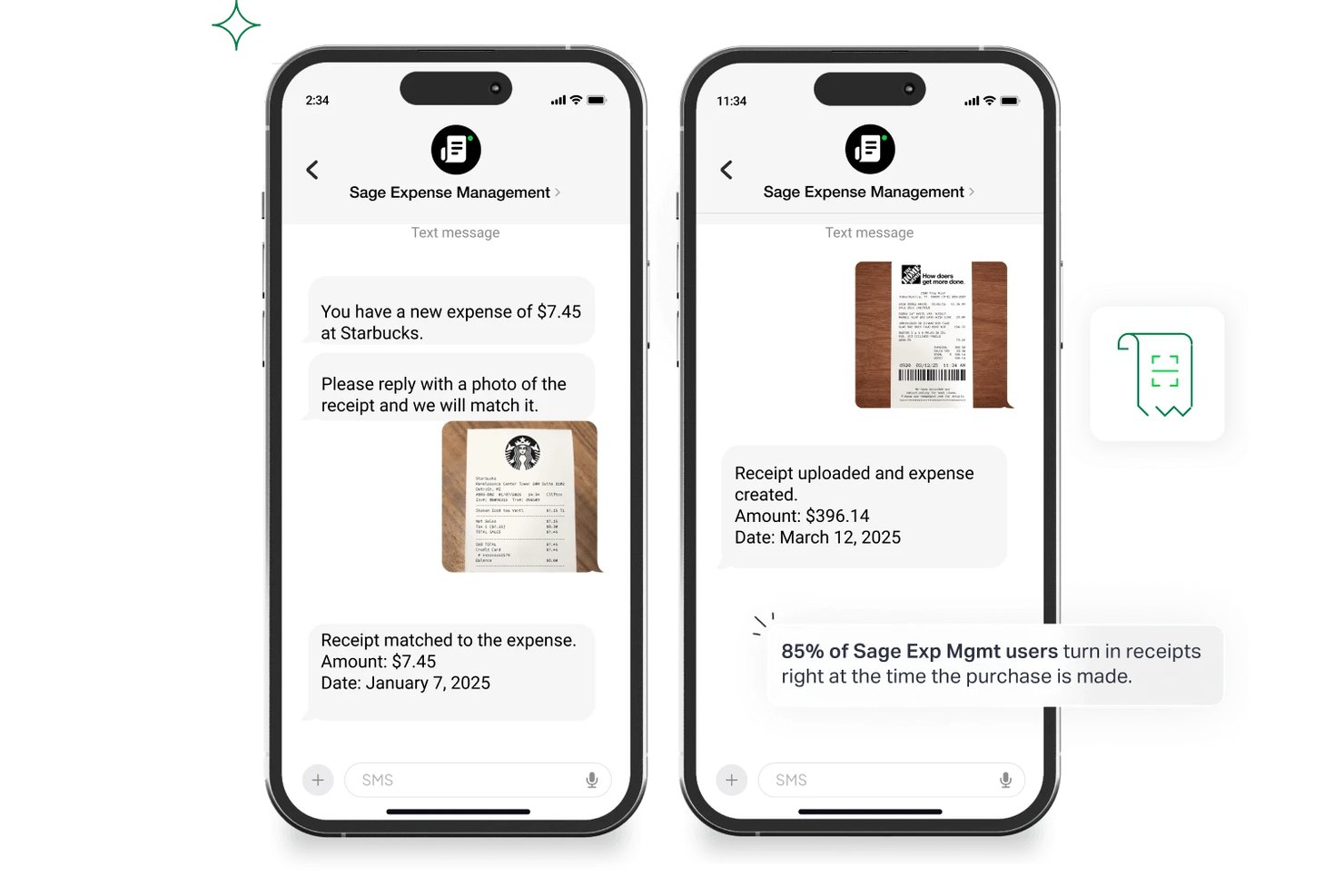
Sage Expense Management is an expense management platform that combines multi-channel receipt capture, OCR extraction, automated card reconciliation, and configurable approval workflows.
Who Is Sage Expense Management Best For?
Sage Expense Management fits finance and operations teams managing expense submissions across remote or distributed employees who need flexible, multi-channel receipt capture.
Why I Picked Sage Expense Management
I've included Sage Expense Management in my top picks because no other tool on this list matches its range of receipt submission channels for distributed teams. Employees can submit receipts by text message right after a card swipe, through Slack, Gmail, Outlook, or by bulk-scanning up to 20 paper receipts at once in the mobile app. I also like that text-based submission works without the app entirely, which removes a real barrier for field-based or non-desk employees who aren't going to download yet another tool.
Sage Expense Management Key Features
- GPS-based mileage tracking: Employees log trips with start, stopover, and end points via Google Maps, with IRS-compliant commute deductions and per diem support built in.
- Real-time policy violation alerts: The platform flags non-compliant expenses the moment they're submitted, and sends text alerts for out-of-policy card spending.
- Automated card reconciliation: Incoming Visa and Mastercard transaction feeds are matched to submitted receipts automatically, with a reconciliation dashboard to manage unmatched items.
- Multi-step approval workflows: Business plan users can configure sequential, rule-based approval chains across multiple entities, with approvals actionable directly from Gmail, Slack, or the mobile app.
Sage Expense Management Integrations
Sage Expense Management has documented integrations with QuickBooks Online, Xero, NetSuite, Sage Intacct, Sage 300 CRE, and Sage 50 (Beta). It also offers an API for custom connections, but current pages don’t name Workday, BambooHR, ADP, or other HR/payroll connectors.
Pros and Cons
Pros:
- Automatically matches receipts to card transactions
- Bulk scans up to 20 paper receipts
- Text-message receipt submission skips app downloads
Cons:
- Duplicate emailed receipts frustrate reviewers
- OCR errors require frequent manual corrections
New Product Updates from Sage Expense Management (formerly Fyle)

Sage Expense Management Adds Reconciliation and Expense Review Updates
Sage Expense Management introduced a new Reconciliation module, faster expense review tools, expanded admin controls, and new AI and security features. These help finance teams reconcile transactions, review expenses, manage permissions, and access corporate card data more efficiently. For more information, visit Sage Expense Management’s official site.
 .
.
Best for freelancers managing expenses
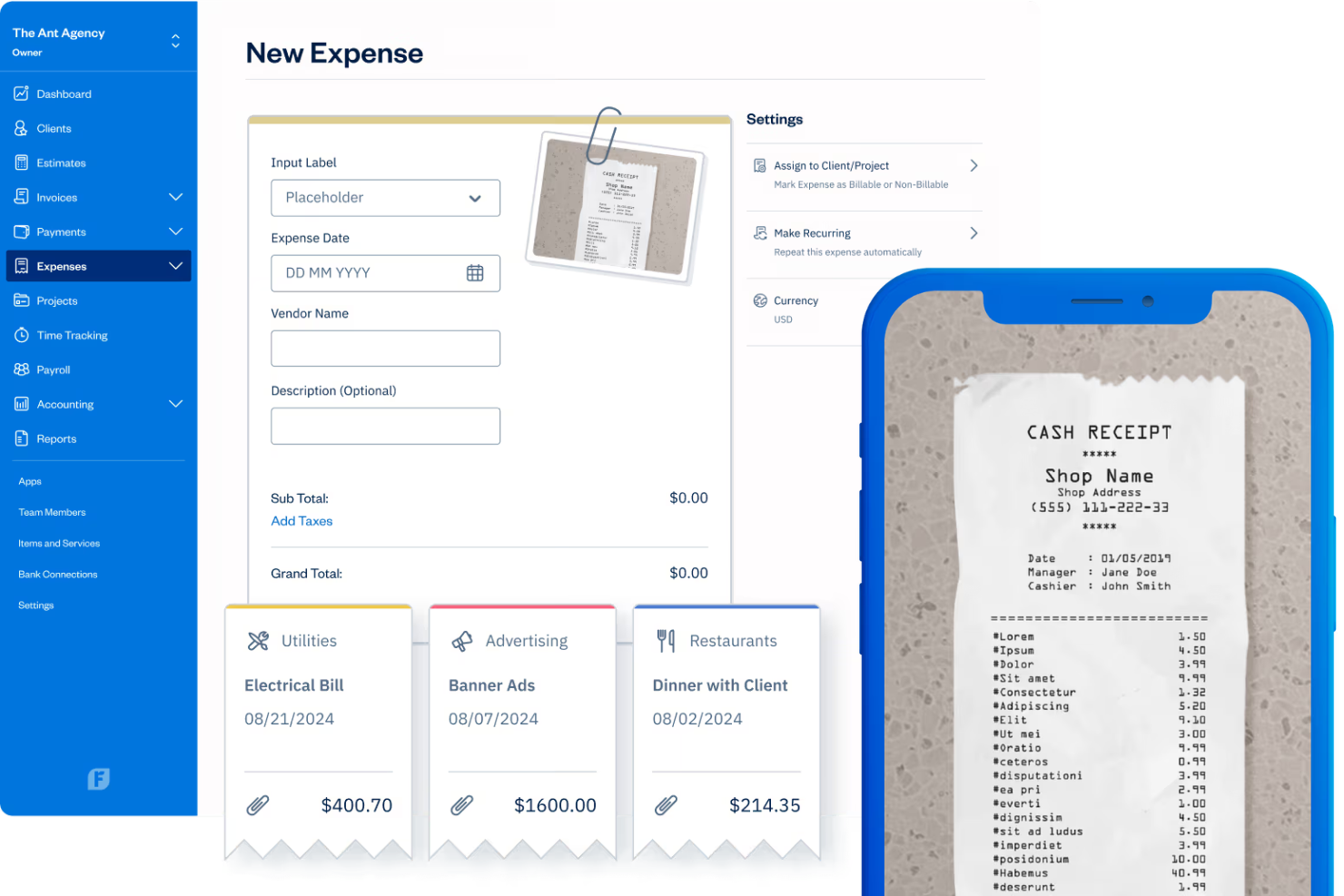
If you’re a freelancer or solo professional looking for a simple way to track expenses, FreshBooks offers a built-in receipt scanner within its accounting platform. The tool lets you snap, upload, and organize business receipts alongside your invoices and expenses. It’s designed to help you keep business finances organized without juggling multiple apps.
Who Is FreshBooks Best For?
FreshBooks is a good fit for freelancers and solo business owners who want to manage receipts and expenses within their accounting software.
Why I Picked FreshBooks
What makes FreshBooks stand out for me is how it’s built with freelancers in mind, especially those who want to keep expense tracking simple and connected to their invoicing. I picked FreshBooks because its receipt scanner is fully integrated with its accounting platform, so you can snap photos of receipts and automatically match them to expenses or invoices. This setup means you don’t have to switch between different apps to manage your business finances. For freelancers who want everything in one place, FreshBooks offers a straightforward way to keep receipts organized and ready for tax time.
FreshBooks Key Features
Some other features in FreshBooks help freelancers and small business owners manage receipts and expenses more efficiently:
- Automatic expense categorization: The app automatically assigns scanned receipts to the correct expense categories for easier tracking.
- Multi-currency support: You can scan and store receipts in different currencies for international transactions.
- Cloud storage for receipts: All scanned receipts are securely stored in the cloud and accessible from any device.
- Receipt attachment to invoices: Attach scanned receipts directly to client invoices for transparent billing.
FreshBooks Integrations
Integrations include Gusto, HubSpot, Stripe, Shopify, Bench, Fundbox, and Trello.
Pros and Cons
Pros:
- Ties nicely to invoices
- Built-in mileage tracker
- Rebill expenses easily
Cons:
- Limited custom reporting
- Weak approval workflows

Xero
Best for direct integration with accounting software
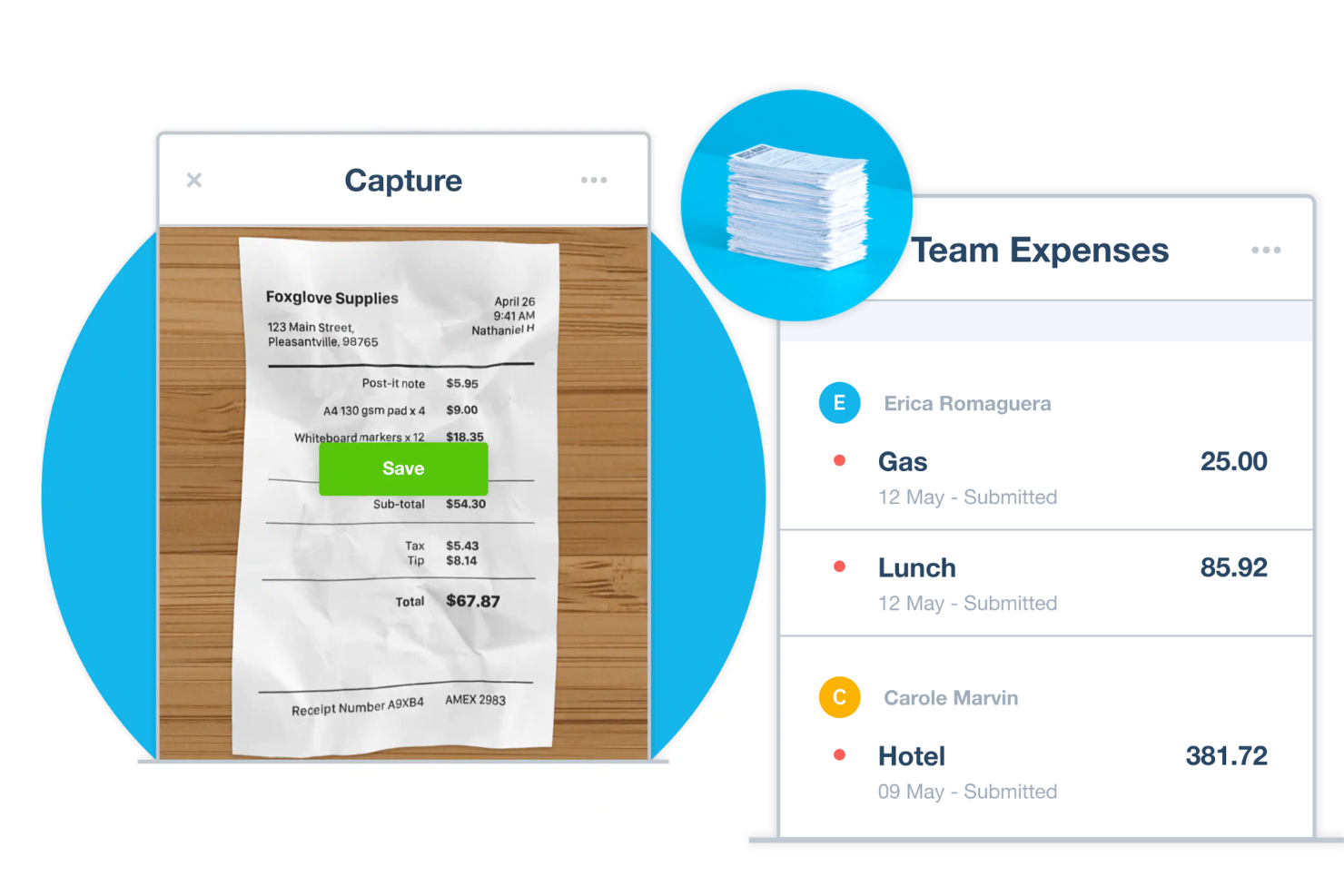
If you’re looking for a receipt scanner that connects directly to your accounting workflow, Xero offers a solution built for small businesses and finance teams. The platform lets you capture, store, and manage receipts alongside your business expenses. Xero appeals to those who want to keep expense records organized and accessible within their accounting system.
Who Is Xero Best For?
Xero is a good fit for small businesses and finance teams that want to manage receipts and expenses directly within their accounting software.
Why I Picked Xero
What sets Xero apart for me is how tightly its receipt scanning is woven into its accounting platform. I picked Xero because you can capture receipts and have them automatically matched to expenses, which keeps your financial records accurate and up to date without extra steps. The tool also lets you review, approve, and reimburse expenses from the same dashboard where you manage your books. For businesses that want to keep everything in one place, Xero’s direct integration between receipt scanning and accounting makes expense management much more straightforward.
Xero Key Features
Some other features in Xero help businesses manage receipts and expenses more efficiently:
- Mobile receipt capture: Snap photos of receipts using the Xero mobile app for quick upload and storage.
- Multi-currency support: Scan and store receipts in multiple currencies for international transactions.
- Digital receipt storage: Keep all scanned receipts securely stored in the cloud and accessible from any device.
- Expense policy controls: Set rules and limits for expense submissions to help maintain compliance.
Xero Integrations
Integrations include Stripe, PayPal, Square, Gusto, Shopify, Dext, ApprovalMax, Deputy, Airwallex, and A2X.
Pros and Cons
Pros:
- High data security
- Strong reconciliation
- Auto-fetches from emails
Cons:
- Weak on handwritten txns
- Hubdoc UI is very clunky

Best for physical receipt mail-in service
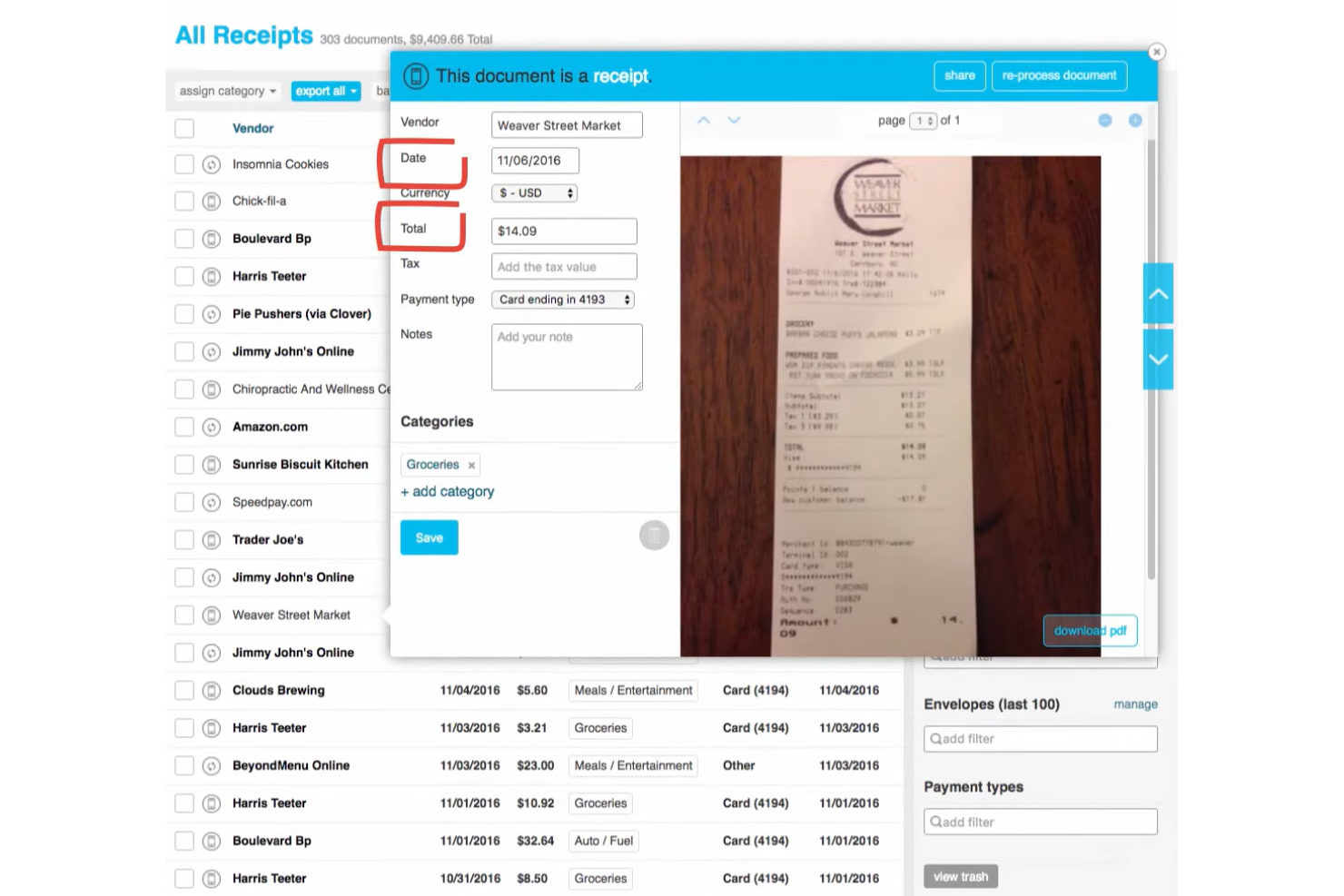
Shoeboxed offers a unique approach for businesses and professionals who deal with large volumes of paper receipts. Instead of scanning receipts yourself, you can mail them in and have Shoeboxed digitize and organize them for you. This service is especially useful for accountants, bookkeepers, and anyone who prefers a hands-off solution for receipt management.
Who Is Shoeboxed Best For?
Shoeboxed is a good fit for small businesses, accountants, and consultants who need to digitize and organize large quantities of physical receipts without manual scanning.
Why I Picked Shoeboxed
What sets Shoeboxed apart is its physical receipt mail-in service, which is rare among receipt scanner apps. I picked Shoeboxed because it lets you send in envelopes of paper receipts, which their team then scans, digitizes, and organizes for you. This is especially helpful for businesses or professionals who accumulate stacks of receipts and don’t have the time or resources to scan each one individually. The service also includes human verification for data accuracy, which adds an extra layer of reliability for expense tracking and audit preparation.
Shoeboxed Key Features
Some other features that make Shoeboxed useful for receipt management include:
- Mobile receipt capture: Snap photos of receipts using the mobile app for instant digitization.
- Business card scanning: Scan and organize business cards alongside receipts for easy contact management.
- Expense report generation: Create and export detailed expense reports in multiple formats, including pdf and csv.
- Mileage tracking: Log and track mileage for reimbursement directly within the app.
Shoeboxed Integrations
Integrations include QuickBooks, Xero, Evernote, WorkingPoint, RightSignature, and HP.
Pros and Cons
Pros:
- Export to tax software
- Great for paper hoarders
- Human data verification
Cons:
- Outdated user interface
- Mail processing is slow

Best for multi-currency expense tracking
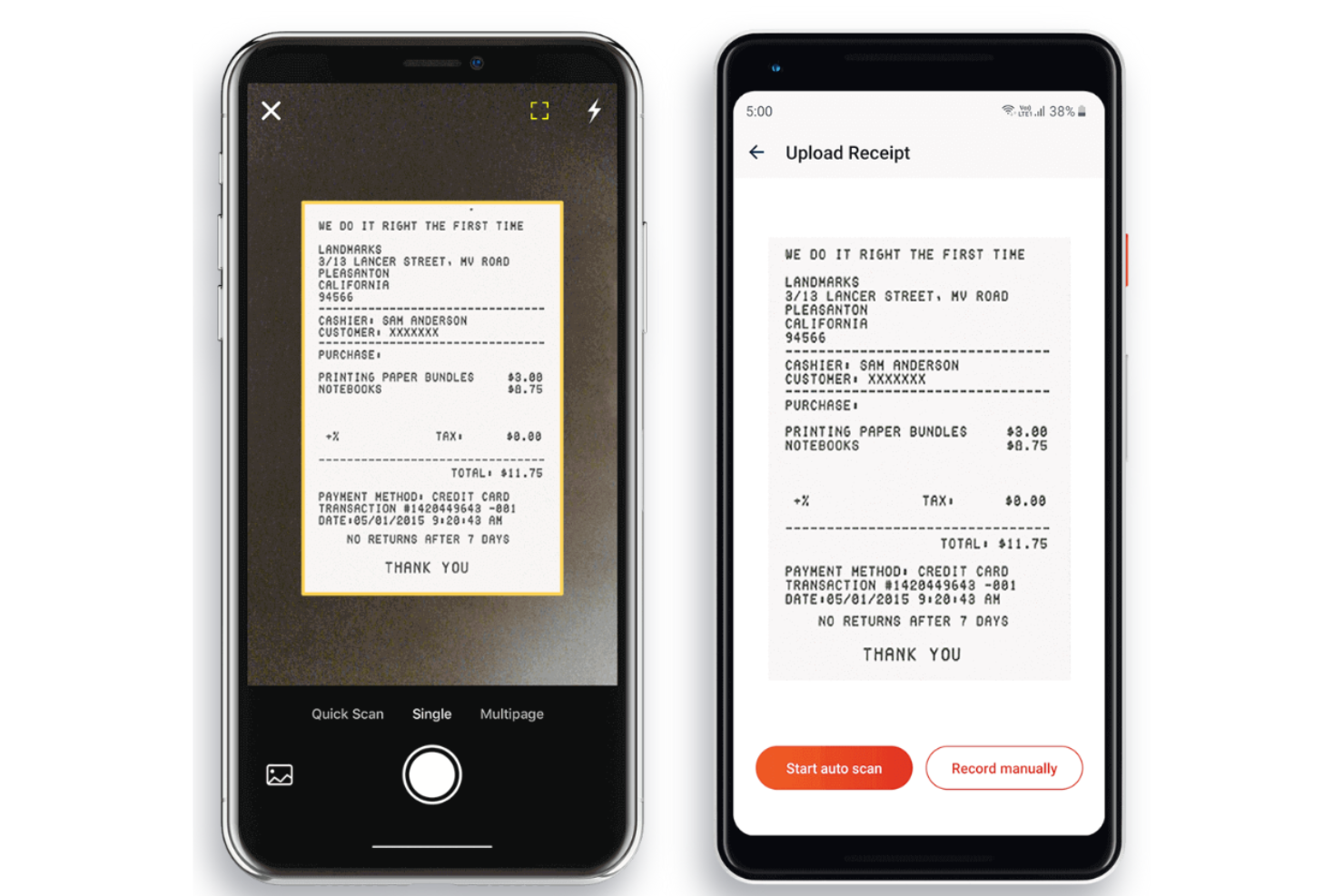
Zoho Expense offers a digital solution for businesses that need to manage receipts and expenses in one place. The platform is designed for finance teams, accountants, and business travelers who want to automate expense reporting and keep spending organized. If you’re looking for a tool that can handle complex expense policies and streamline reimbursement, Zoho Expense is worth considering.
Who Is Zoho Expense Best For?
Zoho Expense is a strong fit for finance teams and businesses that manage expenses across multiple countries or currencies.
Why I Picked Zoho Expense
I picked Zoho Expense because it’s one of the few receipt scanner apps that truly supports multi-currency expense tracking from capture to reimbursement. The platform automatically detects and converts currencies on scanned receipts, which is essential for teams with international travel or global operations. I also appreciate that Zoho Expense lets you set up custom policies for different countries, so you can stay compliant and organized no matter where your team is spending. For businesses that need to manage receipts and expenses across borders, these features make Zoho Expense a practical choice.
Zoho Expense Key Features
Some other features that make Zoho Expense useful for receipt management include:
- Automatic receipt scanning: The app uses OCR to extract data from uploaded receipts and auto-fills expense fields.
- Mileage tracking: Users can log mileage expenses using GPS or odometer readings directly in the app.
- Corporate card reconciliation: Syncs with company credit cards to match receipts and transactions automatically.
- Mobile approvals: Managers can review and approve expense reports from their mobile devices.
Zoho Expense Integrations
Integrations include QuickBooks Online, Xero, Sage Accounting, and Zoho Analytics.
Pros and Cons
Pros:
- Multi-currency support
- Great mileage tracking
- High OCR accuracy
Cons:
- Overkill for solopreneurs
- Support can be slow

Rydoo
Best for global compliance support
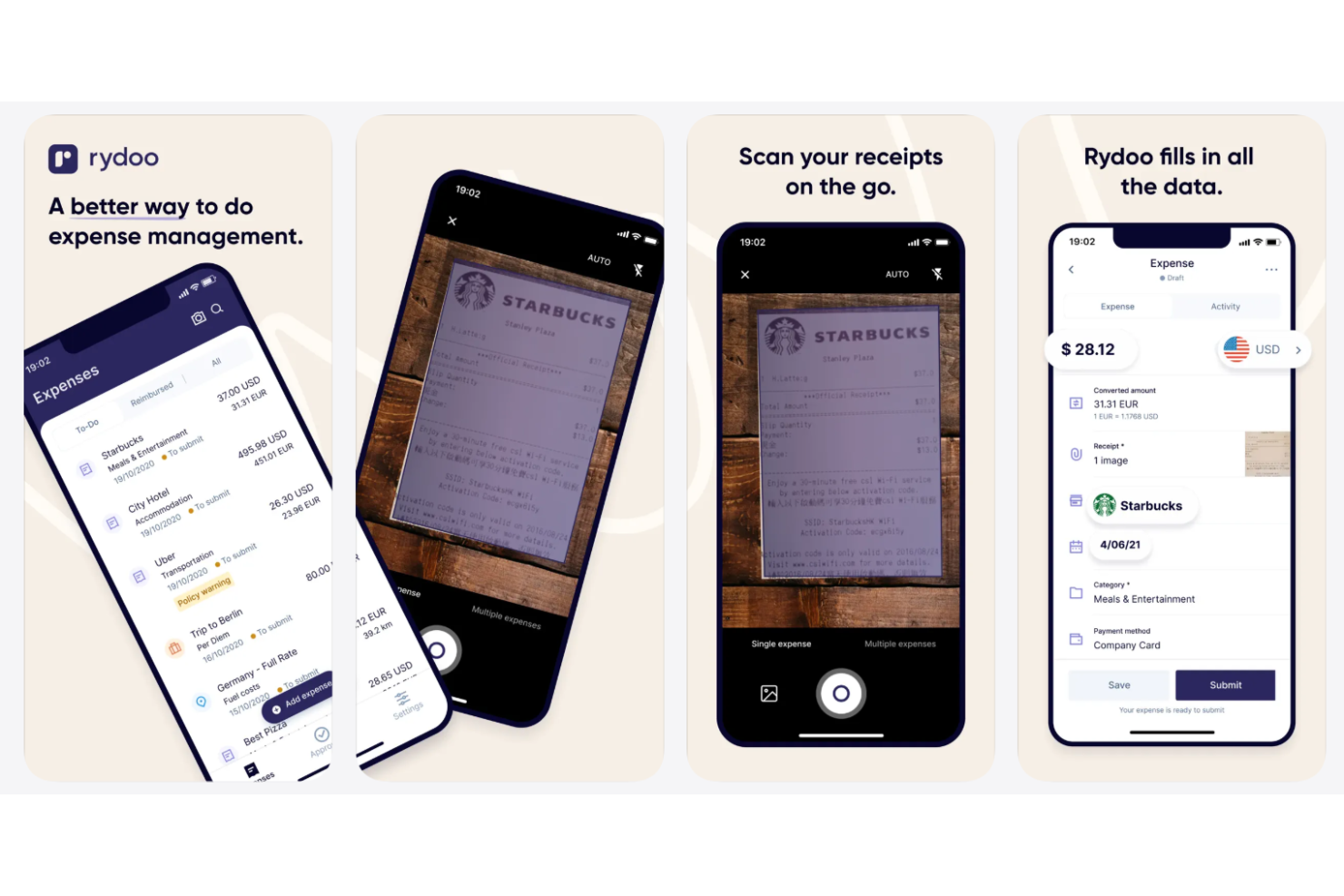
Rydoo offers a receipt scanning and expense management platform designed for organizations with international operations or complex compliance needs. It appeals to finance teams and professionals who need to manage expenses across multiple countries and currencies. Rydoo helps simplify capturing, submitting, and tracking receipts while supporting global policy requirements.
Who Is Rydoo Best For?
Rydoo is a good fit for multinational companies and finance teams that need to manage expenses while meeting diverse global compliance requirements.
Why I Picked Rydoo
What drew me to Rydoo is how it addresses the challenges of global compliance for businesses managing receipts and expenses across multiple countries. Rydoo automatically applies local tax rules and per diem rates based on the user’s location, which helps ensure every scanned receipt meets regional requirements. I also appreciate that the platform supports multi-currency expense tracking and VAT/GST reclaim, making it easier for finance teams to stay compliant worldwide. For organizations with international operations, these features make Rydoo a strong choice for receipt scanning and expense management.
Rydoo Key Features
Some other features in Rydoo help teams manage receipts and expenses more efficiently:
- Mobile receipt capture: Snap photos of receipts using the mobile app for instant upload and processing.
- Real-time expense approvals: Managers can review and approve expenses as soon as they are submitted.
- Credit card transaction matching: Automatically matches scanned receipts to imported card transactions for easier reconciliation.
- Custom expense categories: Set up and manage custom categories to align with your organization’s expense policies.
Rydoo Integrations
Integrations include SAP S/4HANA, NetSuite, Microsoft Dynamics 365, and Slack.
Pros and Cons
Pros:
- Great per diem management
- Strong global compliance
- Fast real-time OCR
Cons:
- Admin side is complex
- Expensive for small teams

Best for corporate card transaction matching
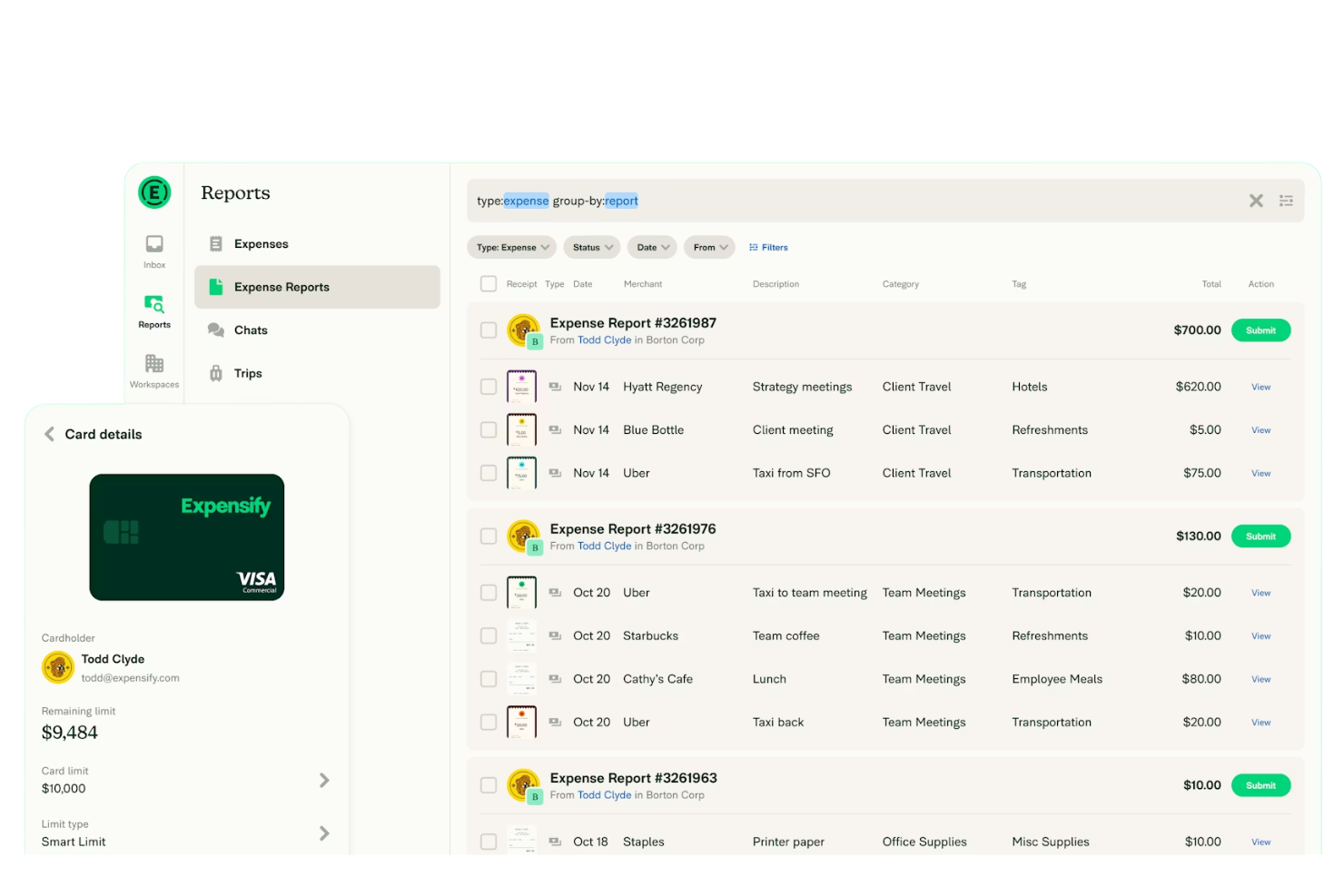
Expensify is a receipt scanning and expense management platform designed for businesses that need to track spending and automate expense reporting. It’s a strong fit for finance teams, accountants, and organizations managing employee reimbursements or corporate card transactions. With features like automated receipt capture and policy enforcement, Expensify helps reduce manual entry and streamline expense workflows.
Who Is Expensify Best For?
Expensify is a good fit for finance teams and businesses that need to manage and reconcile corporate card expenses at scale.
Why I Picked Expensify
What sets Expensify apart for me is how it automatically matches scanned receipts to corporate card transactions, which is a major advantage for businesses managing high volumes of card spend. I like that the platform uses SmartScan technology to extract receipt details and then links them directly to the correct card transaction, reducing manual reconciliation work. Expensify also enforces company expense policies during the matching process, helping teams stay compliant. For organizations that need to keep corporate card expenses accurate and audit-ready, these features make Expensify a strong choice.
Expensify Key Features
Some other features in Expensify help teams manage receipts and expenses more efficiently:
- Mobile receipt capture: Snap photos of receipts using the mobile app for instant upload and processing.
- Mileage and time tracking: Log mileage and billable hours directly within expense reports.
- Automatic currency conversion: Convert international receipts to your home currency using real-time rates.
- Audit and compliance controls: Set up approval workflows and flag policy violations for review.
Expensify Integrations
Integrations include QuickBooks, Xero, NetSuite, Lyft, ADP, Gusto, and Workday.
Pros and Cons
Pros:
- Deep accounting syncs
- Good mileage trackin
- Built-in corporate cards
Cons:
- Complex for micro-teams
- Customer support varies

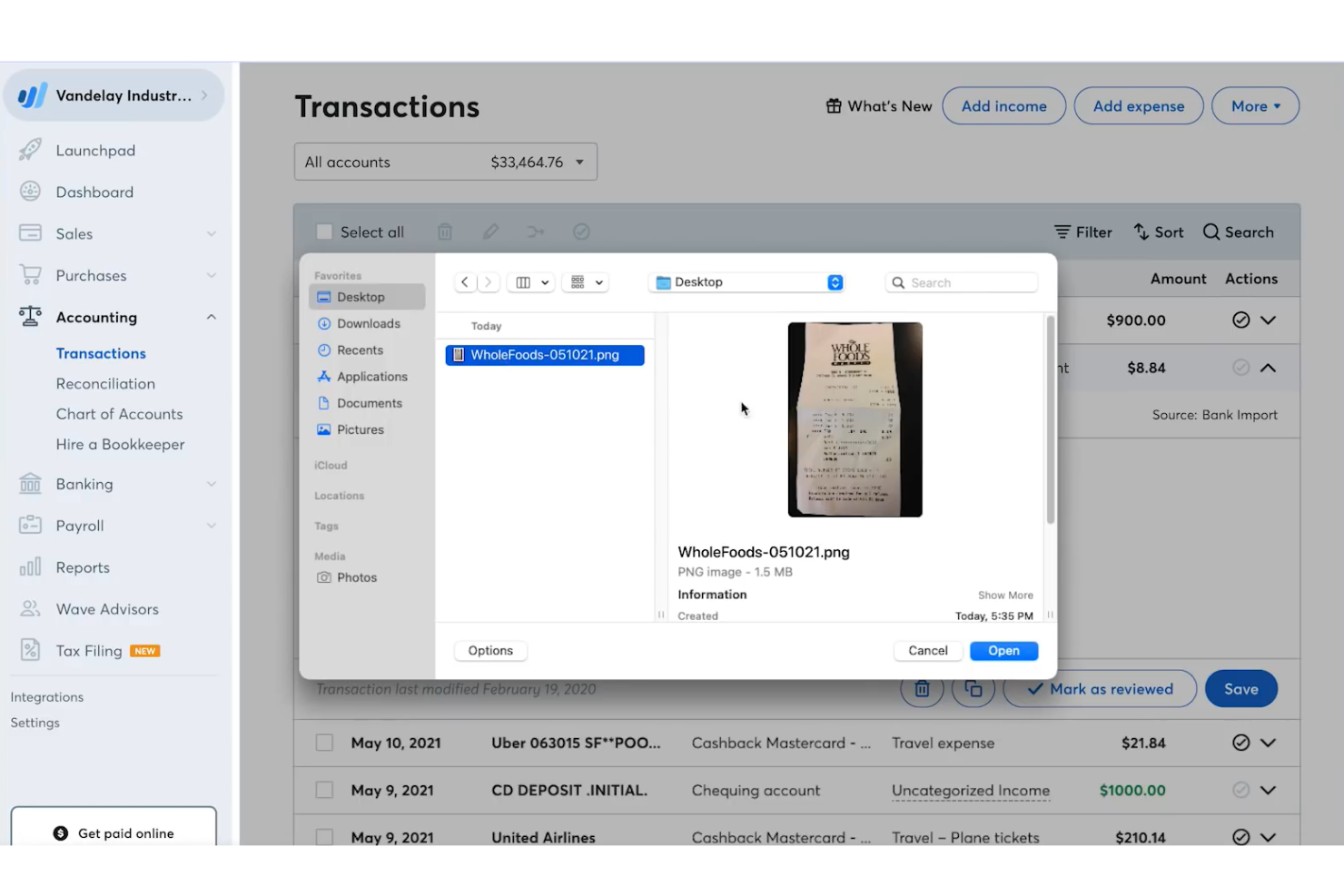
Wave offers a digital receipt capture solution that connects directly with its accounting platform. It’s a practical choice for freelancers, small business owners, and sole proprietors who want to keep expenses organized without juggling multiple tools. With Wave, you can scan, upload, and manage receipts while automatically syncing them to your accounting records.
Who Is Wave Best For?
Wave is a good fit for freelancers and small business owners who want integrated receipt capture and accounting in one platform.
Why I Picked Wave
I picked Wave because it’s one of the only receipt scanner apps that offers free receipt capture fully integrated with accounting features. This means you can scan receipts from your phone and have them automatically matched to transactions in your Wave accounting dashboard. I appreciate that you can upload receipts by email or photo, and the tool extracts key details like vendor, date, and amount for you. For anyone who wants to manage expenses and bookkeeping in one place without extra costs, Wave stands out as a practical solution.
Wave Key Features
Some other features in Wave help you manage receipts and expenses more efficiently:
- Multi-currency support: Track and scan receipts in multiple currencies for international transactions.
- Automatic receipt categorization: The app assigns receipts to expense categories based on transaction details.
- Cloud-based document storage: Store digital copies of all scanned receipts securely in the cloud.
- Mobile app access: Capture and upload receipts directly from your smartphone using the Wave mobile app.
Wave Integrations
Native integrations are not currently listed by Wave.
Pros and Cons
Pros:
- Unlimited receipt uploads
- Syncs direct to ledger
- Free core accounting app
Cons:
- Misses some line items
- No multi-level approvals

Dext offers a receipt scanner app designed for businesses and accounting professionals who want to automate document collection and expense management. The platform helps users capture, organize, and extract data from receipts and invoices with minimal manual effort. It’s especially useful for teams looking to reduce paperwork and keep financial records accurate and up to date.
Who Is Dext Best For?
Dext is a good fit for accountants and finance teams in small to midsize businesses that want to automate receipt capture and bookkeeping workflows.
Why I Picked Dext
I chose Dext because it’s built to connect receipt scanning directly with bookkeeping systems, which is a priority for many finance teams. The platform automatically extracts data from receipts and pushes it into accounting software, reducing manual entry and the risk of errors. I also appreciate that Dext can handle both receipts and invoices, so you can centralize all your expense documentation in one place. This focus on automated bookkeeping integration makes it a strong option for businesses that want to keep their financial records current without extra effort.
Dext Key Features
Some other features that make Dext useful for receipt management include:
- Multi-currency support: Dext can process receipts in various currencies, making it suitable for international transactions.
- Mobile capture app: The mobile app lets users snap and upload receipts on the go for immediate processing.
- Supplier rules automation: You can set up rules to automatically categorize expenses from specific vendors.
- Document storage and search: All scanned receipts are stored securely and can be quickly retrieved using search and filter tools.
Dext Integrations
Integrations include Xero, QuickBooks, Sage, PayPal, KashFlow, Twinfield, and FreshBooks.
Pros and Cons
Pros:
- Secure, bank-level cloud storage
- Ideal for managing multiple clients
- Auto-fetches receipts from emails
Cons:
- Customer support can be slow
- Duplicate detection can misfire

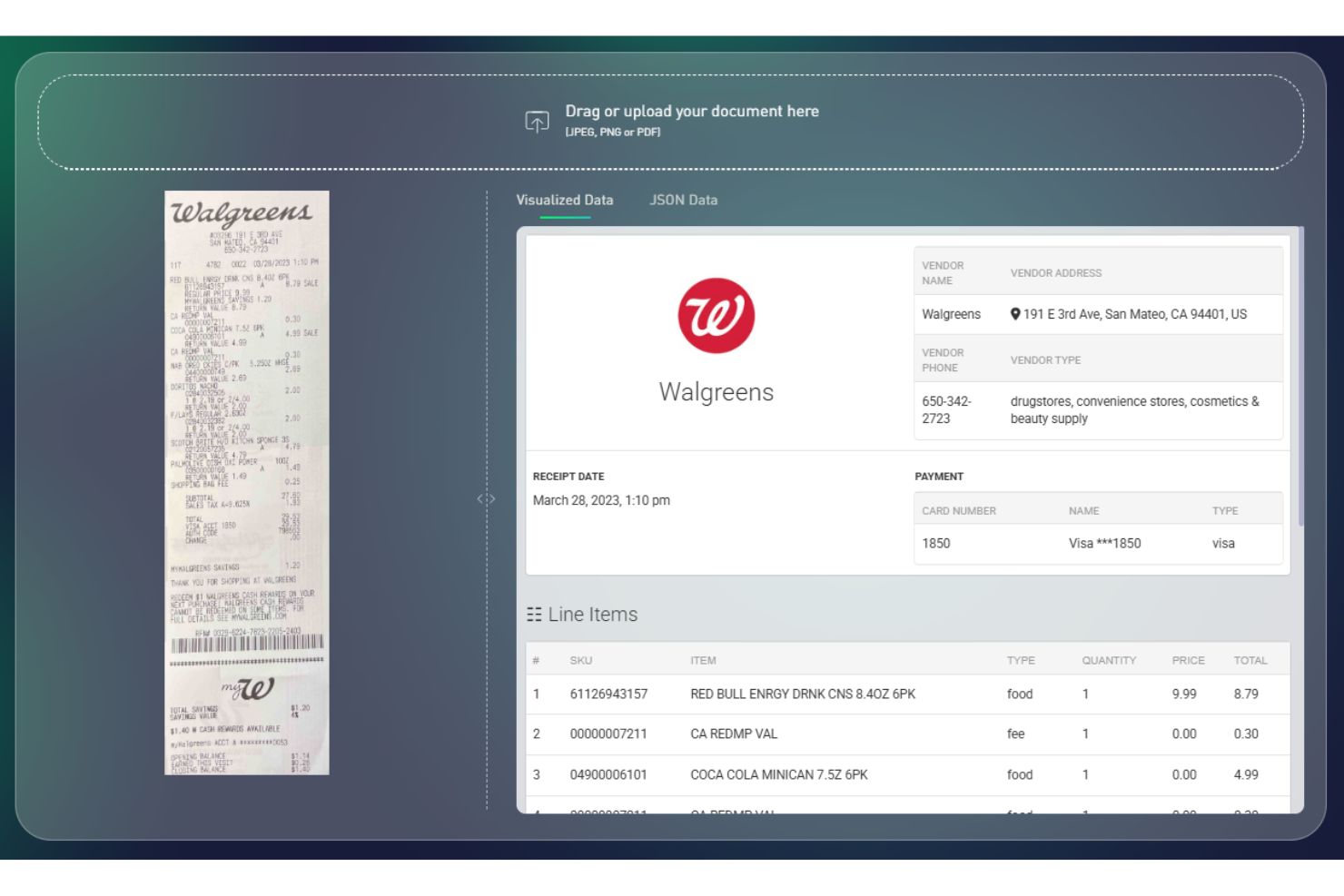
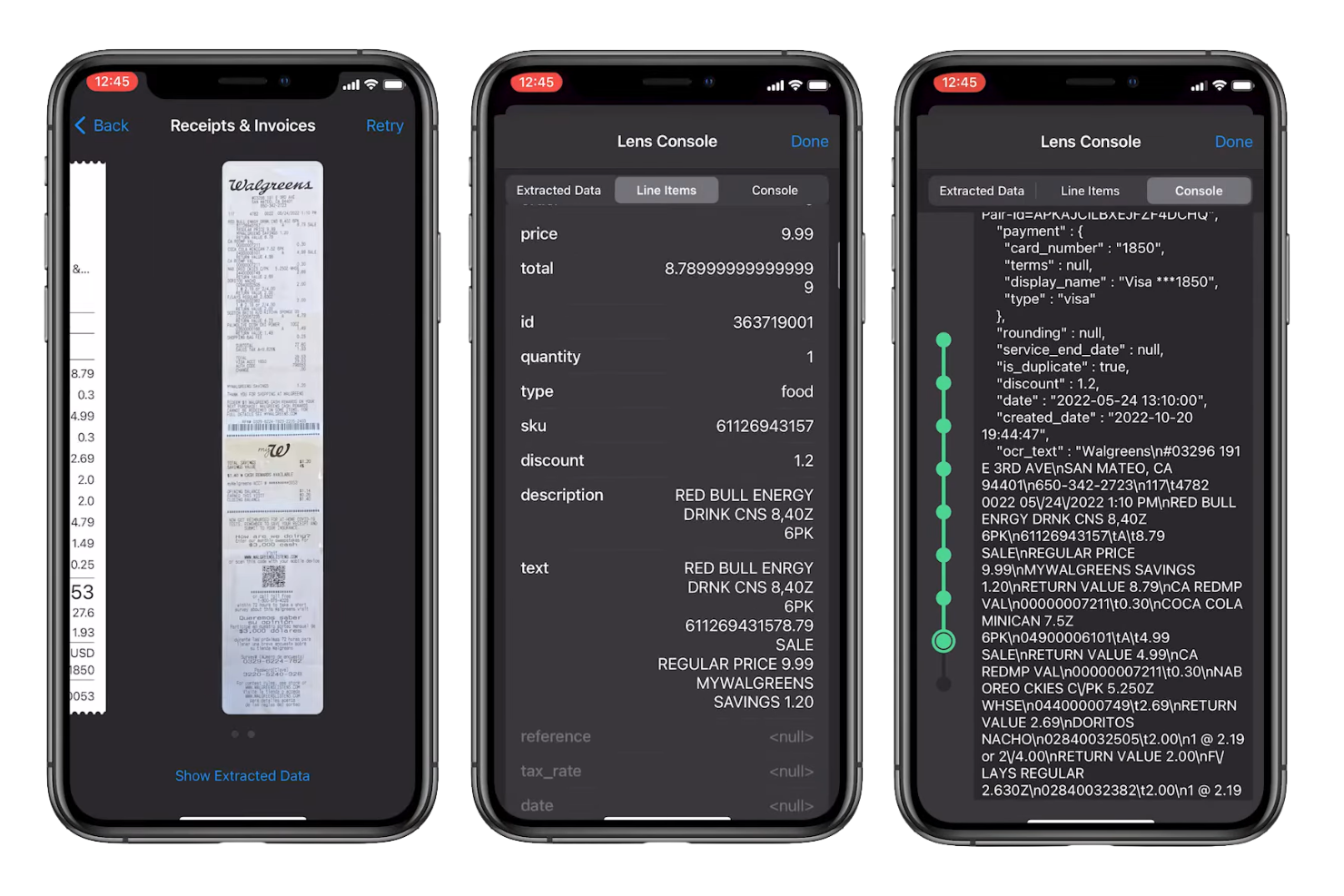
Veryfi offers a specialized receipt scanner app designed for businesses that need fast, accurate data capture from receipts and invoices. It’s a strong fit for finance teams, accountants, and expense managers who want to automate manual entry and reduce errors. The platform uses advanced OCR and AI to help users quickly digitize and organize financial documents.
Who Is Veryfi Best For?
Veryfi is a good fit for finance teams and accountants in small to midsize businesses that need fast, automated receipt data capture.
Why I Picked Veryfi
I picked Veryfi because its real-time data extraction stands out for businesses that need immediate, accurate receipt processing. The app uses advanced OCR and AI to instantly capture and categorize data from receipts, which helps eliminate manual entry delays. I also like that Veryfi processes information directly on your device, so you get results in seconds without waiting for cloud-based processing. This makes it especially useful for teams that handle high volumes of receipts and need up-to-date expense records at all times.
Veryfi Key Features
Some other features that make Veryfi a strong choice for receipt scanning include:
- Multi-language support: The app can extract data from receipts in multiple languages, making it suitable for international teams.
- Line item extraction: Veryfi captures individual line items from receipts, not just totals, for more detailed expense tracking.
- Automatic categorization: The tool automatically assigns expenses to categories based on receipt content, reducing manual sorting.
- Audit trail: Every document processed is logged with a full audit trail, supporting compliance and transparency needs.
Veryfi Integrations
Integrations include QuickBooks Online, QuickBooks Desktop, Xero, Saasu, and Slack.
Pros and Cons
Pros:
- Offers detailed audit trails for compliance
- Captures line items, not just totals
- Supports multi-language receipt scanning
Cons:
- Mobile app interface can feel cluttered
- Occasional issues with handwritten receipts
Andre apper for kvitteringsskanning
Her er noen flere alternativer for apper for kvitteringsskanning som ikke kom med på kortlisten min, men som likevel er verdt å sjekke ut:
- Smart Receipts
For customizable report templates
- Slip-Scan
For unlimited document storage
- Mercury
For integrated business banking expenses
- Navan
For managing travel and expense in one platform
- SparkReceipt
With multi-currency support for global teams
- Neat
For organizing financial documents for small businesses


How I Evaluate Receipt Scanner Apps
When HR teams are chasing down travel receipts or tracking wellness stipend spending, I evaluate tools on two layers: core must-haves and the differentiators that set the best apart.
Core Functionality (Table Stakes For This List)
When I'm selecting tools for my list, I rank each one on a scale from 0 (does not offer the functionality) to 5 (excels in this area) for each core functionality listed below. Then, I calculate the tool's total score into a percentage. Each tool needs to achieve a minimum total score of 65% to be considered for inclusion.
- Receipt OCR Accuracy: I evaluate how reliably OCR extracts vendor names, dates, amounts, and tax from real-world receipts like crumpled taxi slips or faded lunch receipts.
- Multi-Format Receipt Ingestion: Tools should accept receipts through mobile photo capture, email forwarding, PDF upload, and digital imports rather than limiting input to one channel.
- Expense Categorization: I check whether the app auto-sorts scanned receipts into HR-relevant buckets like travel, meals, training, or wellness stipends with minimal manual tagging.
- Reimbursement Workflow Support: I look for configurable approval routing that mirrors real org structures, so a field employee's receipt reaches the right manager before hitting payroll.
- Payroll and HRIS Integration: The app should connect with platforms like QuickBooks, Gusto, ADP, or BambooHR to sync approved reimbursements without manual re-entry.
- Compliance & Audit Storage: I evaluate whether scanned receipts are stored in searchable, retention-compliant archives that HR teams can pull up quickly during audits or tax reviews.
Once I have a list of tools that meet the criteria, I consider what sets each platform apart.
Differentiating Factors (What Sets Vendors Apart)
Here's how I compare and contrast different vendors:
Standout Features
Policy violation alerts are a big deal for HR teams managing expense policies across departments. I look for apps that flag out-of-policy receipts at the point of submission, before they clog up approvals. Corporate card reconciliation also matters because matching scanned receipts to card transactions eliminates duplicate entries during reimbursement cycles. For teams with international employees, multi-currency support keeps receipt processing smooth without manual conversions.
Beyond Features
Data security matters when receipt scans contain employee financial details. I check for end-to-end encryption, role-based access controls, and certifications like SOC 2 or ISO 27001. Pricing structure is equally important—I evaluate whether per-employee pricing makes sense for growing HR teams or if flat-rate plans offer better value at scale. For organizations with distributed workforces, I also consider whether the app handles localized receipt formats and multi-language interfaces across regions.
Slik velger du en app for kvitteringsskanning
Det er lett å gå seg vill i lange funksjonslister og kompliserte prisstrukturer. For å hjelpe deg med å holde fokus mens du arbeider deg gjennom den unike prosessen din for valg av programvare, har vi laget en sjekkliste over faktorer du bør ha i tankene:
| Skalerbarhet | Hva bør du vurdere? |
|---|---|
| Skalerbarhet | Vil appen håndtere dagens og fremtidens kvitteringsmengde etter hvert som virksomheten vokser eller endres? |
| Integrasjoner | Kobler appen seg direkte til regnskaps-, lønns- eller utgiftshåndteringssystemene dine? |
| Tilpasningsmuligheter | Kan du tilpasse kategorier, godkjenningsflyter eller datafelter slik at de samsvarer med virksomhetens retningslinjer for utgifter? |
| Brukervennlighet | Vil teamet ditt ta i bruk appen raskt, eller vil det være behov for opplæring og støtte i den daglige bruken? |
| Implementering og innføring | Hvor lang tid vil det ta å komme i gang, og hvilke ressurser eller hvilken støtte vil du trenge? |
| Kostnad | Er prisnivåene tydelige, og samsvarer de med budsjettet og den forventede bruken din? |
| Sikkerhetstiltak | Tilbyr appen kryptering, tilgangskontroller og samsvar med standarder for personvern og datasikkerhet? |
| Tilgjengelig kundestøtte | Kan du få rask hjelp via chat, telefon eller e-post hvis det oppstår problemer under rapporteringen av utgifter? |
Hva er apper for kvitteringsskanning?
En app for kvitteringsskanning er en type programvare som lar deg ta bilde av, digitalisere og organisere papirkvitteringer ved hjelp av en mobil enhet eller datamaskin. Disse appene bruker optisk tegngjenkjenning (OCR) til å hente ut viktige detaljer som dato, beløp og leverandør fra skannede bilder. Økonomiteam og privatpersoner bruker apper for kvitteringsskanning til å forenkle utgiftssporingen, redusere manuell dataregistrering og holde digitale dokumenter organisert for skatteperioden, regnskapsføring eller refusjonsformål.
Funksjoner
Her er de viktigste funksjonene enhver god app for skanning av kvitteringer bør ha:
- Mobil registrering av kvitteringer: Gjør det mulig for brukere å ta bilder av papirkvitteringer med en smarttelefon eller et nettbrett, slik at det blir enkelt å registrere utgifter underveis.
- Optisk tegngjenkjenning (OCR): Henter ut viktige detaljer som dato, beløp og leverandør fra skannede bilder, noe som reduserer behovet for manuell dataregistrering.
- Skylagring: Lagrer digitale kopier av kvitteringer sikkert på nettet, slik at brukerne kan få tilgang til og organisere dem fra hvilken som helst enhet.
- Kategorisering av utgifter: Tildeler automatisk eller manuelt kvitteringer til bestemte utgiftskategorier, noe som bidrar til nøyaktig bokføring og rapportering.
- Støtte for flere valutaer: Lar brukerne skanne og registrere kvitteringer i ulike valutaer, noe som er nyttig ved internasjonale transaksjoner eller reiser.
- Eksport til regnskapsprogramvare: Gjør det mulig å overføre kvitteringsdata direkte til regnskaps- eller utgiftsstyringsplattformer for enklere avstemming.
- Søke- og filtreringsverktøy: Gir mulighet til raskt å finne kvitteringer etter dato, beløp, leverandør eller kategori, noe som sparer tid under revisjoner eller gjennomganger.
- Kontroll av retningslinjeoverholdelse: Markerer kvitteringer eller utgifter som faller utenfor selskapets retningslinjer, og støtter internkontroll og tiltak for regelverksetterlevelse.
- Digital lagring av kvitteringer: Holder alle skannede kvitteringer organisert i et digitalt arkiv, noe som reduserer papirrot og risikoen for tapte dokumenter.
Vanlige AI-funksjoner i apper for skanning av kvitteringer
I tillegg til standardfunksjonene i apper for skanning av kvitteringer som er nevnt ovenfor, tar mange av disse løsningene i bruk AI med funksjoner som:
- Smart klassifisering av kvitteringer: Bruker AI til automatisk å gjenkjenne og tilordne kvitteringer til riktige utgiftskategorier basert på innhold og forbruksmønstre, noe som reduserer behovet for manuell sortering.
- Avviksdeteksjon: Identifiserer uvanlige eller potensielt uredelige utgifter ved å analysere kvitteringsdata og markere avvik for gjennomgang.
- Automatisk valutaomregning: Bruker AI til å oppdage utenlandsk valuta på kvitteringer og konvertere beløp til brukerens basisvaluta ved hjelp av valutakurser i sanntid.
- Oppdagelse av duplikater: Bruker AI til å oppdage og varsle brukere om dupliserte kvitteringsinnsendinger, noe som bidrar til å forhindre dobbeltregistreringer og feil ved refusjon.
- Berikelse av kontekstuelle data: Bruker AI til å hente inn tilleggsinformasjon – for eksempel opplysninger om forhandler eller sted – fra bilder av kvitteringer, noe som forbedrer nøyaktigheten og fullstendigheten til utgiftsregistreringene.
Fordeler
Implementering av en app for skanning av kvitteringer gir flere fordeler for teamet og virksomheten din. Her er noen av fordelene du kan se frem til:
- Raskere utgiftssporing: Mobil registrering og automatisk datauthenting lar brukerne registrere utgifter i sanntid, noe som reduserer forsinkelser og tapte kvitteringer.
- Mindre manuell registrering: OCR- og AI-drevne funksjoner reduserer behovet for manuell datainntasting, sparer tid og minimerer risikoen for feil.
- Bedre regelverksetterlevelse: Innebygde kontroller av retningslinjer og digitale revisjonsspor bidrar til å sikre at utgiftene følger selskapets retningslinjer og oppfyller regulatoriske krav.
- Enklere organisering av dokumenter: Skylagring og søkeverktøy holder kvitteringene organiserte og tilgjengelige, noe som gjør revisjoner og rapportering langt enklere.
- Bedre integrasjon med regnskap: Direkte eksport til regnskapsprogramvare forenkler avstemmingen og holder økonomiske poster oppdatert.
- Forbedret forebygging av svindel: AI-drevne funksjoner for avviksdeteksjon og oppdagelse av duplikater bidrar til å identifisere mistenkelige eller dupliserte krav før refusjon.
- Støtte for globale team: Støtte for flere valutaer og automatisk valutaomregning gjør det enklere å håndtere utgifter på tvers av ulike land.
Kostnader og priser
Valg av en app for skanning av kvitteringer krever en forståelse av de ulike prismodellene og abonnementene som er tilgjengelige. Kostnadene varierer basert på funksjoner, teamstørrelse, tillegg og mer. Tabellen nedenfor oppsummerer vanlige abonnementer, gjennomsnittsprisene deres og typiske funksjoner som er inkludert i løsninger for apper for skanning av kvitteringer:
Sammenligningstabell for abonnementer for apper for skanning av kvitteringer
| Plantype | Gjennomsnittspris | Vanlige funksjoner |
|---|---|---|
| Gratisabonnement | $0 | Grunnleggende mobilregistrering av kvitteringer, begrenset skylagring, manuell dataregistrering og grunnleggende eksportalternativer. |
| Personlig abonnement | $5-$20/måned | Ubegrensede kvitteringsskanninger, OCR-datauttrekking, skylagring, eksport til regnskapsprogramvare og søkeverktøy. |
| Bedriftsabonnement | $15-$45/måned | Tilgang for flere brukere, godkjenningsarbeidsflyter, kontroller av retningslinjeoverholdelse, integrasjoner med regnskapsverktøy og støtte for flere valutaer. |
| Foretaksabonnement | $50-$80/måned | Avansert sikkerhet, tilpassede integrasjoner, dedikert kundestøtte, massebehandling og avanserte rapporteringsfunksjoner. |
Vanlige spørsmål
Her er noen svar på vanlige spørsmål om kvitteringsskannerapper:
Kan kvitteringsskannerapper håndtere håndskrevne kvitteringer?
Ja, de fleste kvitteringsskannerapper kan behandle håndskrevne kvitteringer, men nøyaktigheten avhenger av hvor tydelig håndskriften er, og appens OCR-teknologi. For best resultat bør du oppfordre til tydelig og leselig skrift og kontrollere de uttrekne dataene før du sender inn utgiftene.
Er kvitteringsskannerapper sikre for lagring av sensitive økonomiske data?
Ja, anerkjente kvitteringsskannerapper bruker kryptering, tilgangskontroller og sikker skylagring for å beskytte sensitive økonomiske data. Gå alltid gjennom leverandørens sikkerhetssertifiseringer og personvernerklæringer før du laster opp kvitteringer.
Hvordan integreres kvitteringsskannerapper med regnskapsprogramvare?
De fleste kvitteringsskannerapper tilbyr direkte integrasjoner eller eksportalternativer for populære regnskapsplattformer. Dette lar deg overføre kvitteringsdata automatisk eller via CSV-filer, reduserer manuell registrering og bidrar til nøyaktig bokføring.
Hva skjer hvis en kvittering blir borte eller skadet før skanning?
Hvis en kvittering blir borte eller skadet før skanning, kan det hende du må be leverandøren om en kopi eller legge ved alternativ dokumentasjon. Noen apper tillater manuell registrering av utgiftsdetaljer, men sjekk alltid bedriftens utgiftspolicy for veiledning.
Kan flere brukere dele tilgang til den samme kvitteringsskannerkontoen?
Ja, mange kvitteringsskannerapper tilbyr tilgang for flere brukere eller teamkontoer. Dette lar flere ansatte sende inn kvitteringer, mens ledere eller økonomiteam kan gjennomgå, godkjenne og organisere utgifter i ett sentralisert system.