

10 Best Freshbooks Alternative Tools for Accounting in 2026

Best FreshBooks Alternatives Shortlist


FreshBooks is a well-known accounting software that helps businesses manage their invoicing, payments, expenses, projects, time-tracking, and basic payroll tasks. While it is a worthwhile solution, you may be interested in considering other FreshBooks alternatives due to specific feature needs, customization options, or pricing concerns. In this article, I’ll walk you through my recommendations for the best FreshBooks alternatives to help you manage your accounting tasks with ease.
What is FreshBooks?
FreshBooks is an accounting software designed to help small business owners and freelancers manage their finances. Users typically include entrepreneurs, freelancers, and self-employed proprietors who need to track expenses, send invoices, and manage their financial records.
Why Trust Our Software Reviews
Our team has been testing and reviewing software since 2012. As HR experts ourselves, we know how difficult—and important—it is to choose the right software.
For this guide, we evaluated tools using hands-on testing and independent research, scoring tools using our selection criteria. We also draw on insights from industry thought leaders and practicing HR experts.
Our reviews reflect our human editorial judgment, not a sales pitch.
Expert reviewers:
Best FreshBooks Alternatives: Pricing Comparison Chart
This comparison chart summarizes pricing details for my top FreshBooks alternative selections to help you find the best software for your budget and business needs.
| Tool | Best For | Trial Info | Price | ||
|---|---|---|---|---|---|
| 1 | Best for accurate time-to-payroll integration | 30-day free trial | From $50/month | Website | |
| 2 | Best for integrated payroll and accounting tools | 30-day free trial | From $17/month + $4/employee/month | Website | |
| 3 | Best for online payment processing | Not available | From $620/month | Website | |
| 4 | Best for small business accounting | 30-day free trial available | From $2.50/month | Website | |
| 5 | Best for user-friendly bookkeeping | Free plan + 30-day free trial available | From $15/month | Website | |
| 6 | Best for automated accounting | 14-day free trial available | From $30/month | Website | |
| 7 | Best for inventory management | 30-day free trial + free demo available | From $20/month | Website | |
| 8 | Best for project-based firms | Free demo available | Pricing upon request | Website | |
| 9 | Best for online invoicing | Free plan + 14-day free trial available | From $16/month (billed annually) | Website | |
| 10 | Best for free invoicing and accounting tools | Free plan available | From $16/user/month | Website |
Best FreshBooks Alternative Reviews
Below are in-depth summaries of my recommendations for the best FreshBooks alternatives. I’ll walk you through the pros and cons of each tool, their features, and their best use cases to help you find the best fit for your needs.

TimeTrex
Best for accurate time-to-payroll integration
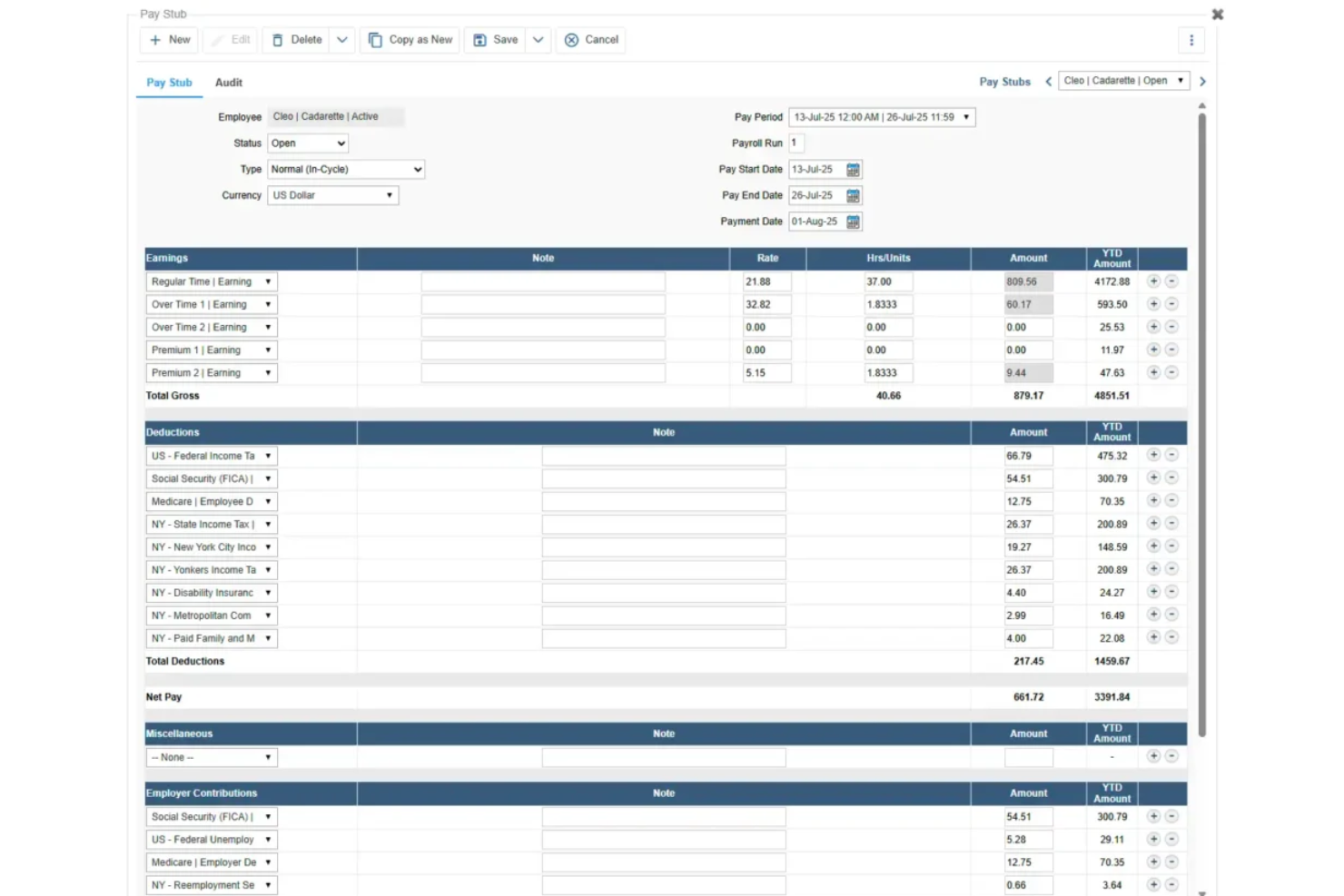
TimeTrex offers a unified workforce-management platform that mixes time-and-attendance, scheduling, payroll, and HR tools — a setup especially useful if you run a business with hourly staff, shift work, or variable scheduling. If your team juggles shifts, remote clock-ins, or multiple work sites, TimeTrex helps you track hours, manage payroll, and ensure compliance without juggling separate systems.
Why I Picked TimeTrex
I picked TimeTrex because it tightly connects real-time time-and-attendance tracking with payroll and scheduling in a way that suits teams with shifting hours or distributed staff. Its rule-based time tracking — including biometric clock-ins, mobile/time-clock punch-ins, and geolocation/geofencing — ties directly into payroll calculations, so you don’t have to manually transfer hours to payroll. And its scheduling module handles shift assignments, leave requests, and calendar-based staffing, which helps ensure you always have coverage without overstaffing.
TimeTrex Key Features
In addition to those core capabilities, you’ll find the following features especially relevant if you’re seeking a full FreshBooks alternative with strong workforce management:
- Mobile time tracking and clock-ins: Employees can log hours via web browser, mobile app, or biometric terminals, allowing remote or field-based staff to clock in/out from anywhere.
- Geolocation and geofencing: You can require clock-ins to occur within specified geographic boundaries, which helps ensure remote or mobile workers record time only when onsite.
- Job costing and invoicing: Assign labor hours and costs to specific projects or jobs — then generate invoices automatically for clients based on actual hours worked.
- Comprehensive reporting and analytics: Generate detailed reports on attendance, labor costs, schedules, and payroll data to help you monitor workforce metrics and make data-driven decisions.
TimeTrex Integrations
TimeTrex offers custom API integrations for seamless software connections.
Pros and Cons
Pros:
- Mobile app access lets employees clock in/out or request time off from anywhere.
- Built-in payroll engine links hours worked to payroll, handling deductions, garnishments, and direct deposit.
- Biometric clock-ins and geofencing reduce the risk of time fraud or “buddy punching.”
Cons:
- Less polished user experience compared with niche tools focused solely on accounting or invoicing.
- The free/open-source edition lacks official support (e.g., mobile app, direct support).
New Product Updates from TimeTrex
TimeTrex Adds Quick Punch App With Offline and QR Support
TimeTrex adds a new Quick Punch app, offline punching, QR code scanning, punch images, configurable messages, and punch warnings or lockouts to improve employee clock-ins across browsers and local computers. For more information, visit TimeTrex’s official site.
 .
.
Best for integrated payroll and accounting tools

Patriot Software offers affordable and easy-to-use payroll and accounting software that's modular and purpose-built for small to medium-sized US-based businesses.
Why it's a good FreshBooks alternative: Patriot and FreshBooks both offer modular software for payroll and accounting purposes. However, when comparing the two, Patriot stands out due to its low pricing and USA-based customer support. It is affordable and easy to use because of its flexibility and intuitive user interface, making it ideal for small businesses without dedicated accountants.
Standout features and integrations:
Features include free payroll setup, US-based customer support, unlimited payroll runs, flexible pay rates, free 2-day direct deposit, and a simple three-step process for running payroll, free setup, and U.S.-based support.
Additionally, Patriot's Payroll software integrates with Patriot Accounting to offer a full suite of software that is easily comparable to FreshBooks.
Integrations include Patriot Accounting, QuickBooks Online, QuickBooks Time, Plaid, and Workforce Time & Attendance.
Pros and Cons
Pros:
- Responsive customer support
- You can pay employees or contractors
- Integrated accounting tools
Cons:
- Patriot's Payroll and Accounting modules are sold seperately
- Only available for US-based businesses

Stripe
Best for online payment processing

Stripe is a comprehensive payment processing platform designed to handle online transactions. It offers robust features that support a wide range of payment methods and currencies, making it ideal for businesses operating in the global market.
Why it's a good FreshBooks alternative: I chose Stripe for this list because it offers extensive payment processing capabilities that can complement FreshBooks' invoicing and accounting features. Stripe stands out as a good FreshBooks alternative because it handles various payment methods, including credit cards, ACH transfers, and international payments, which can be integrated into a business's financial workflow.
Standout features and integrations:
Features include customizable checkout forms, fraud prevention tools, and support for processing payments in over 135 currencies. Plus, Stripe offers automated tax calculation and reporting, making it easier for businesses to manage their tax obligations.
Integrations include QuickBooks Online, NetSuite, Xero, FreshBooks, Shopify, WooCommerce, Magento, BigCommerce, Salesforce, and Zapier.
Pros and Cons
Pros:
- Automated tax calculation and reporting
- Robust fraud prevention tools
- Supports a wide range of payment methods and currencies
Cons:
- Complex setup for non-technical users
- Fees can add up for high-volume transactions
Xero
Best for small business accounting
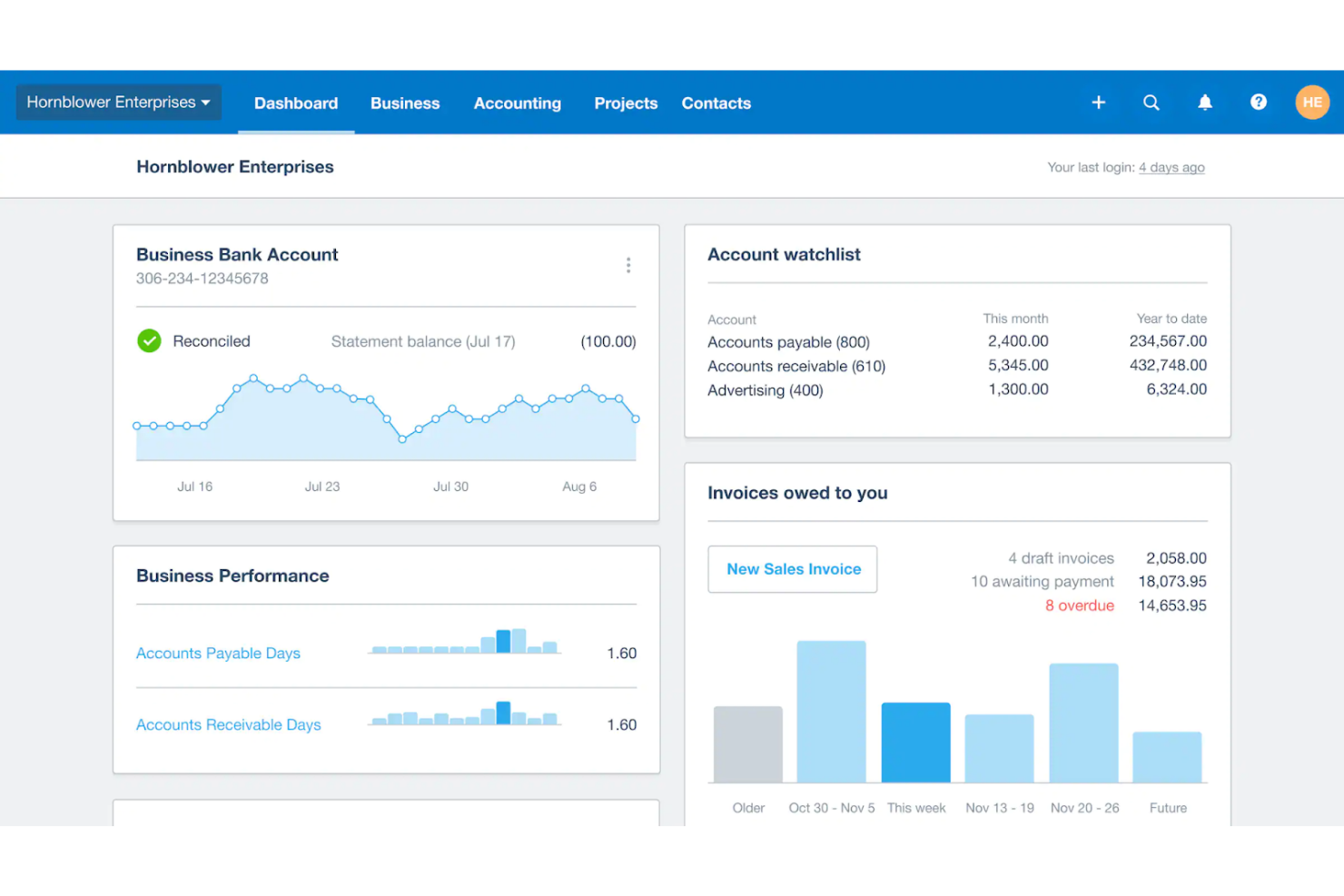
Xero is an online accounting software designed to help small businesses manage their finances efficiently. It offers comprehensive tools tailored to meet the unique needs of small businesses, ensuring easy financial management and compliance.
Why it's a good FreshBooks alternative: I chose Xero for its extensive accounting capabilities that small businesses require. Its comprehensive feature set and user-friendly interface make it a standout option for those seeking a robust FreshBooks alternative.
Standout features and integrations:
Features include invoicing, expense tracking, and bank reconciliation. It also offers payroll management and financial reporting tools that simplify complex accounting tasks for small business owners.
Integrations include Stripe, PayPal, Gusto, HubSpot, Shopify, Square, GoCardless, Expensify, Bill.com, and Salesforce.
Pros and Cons
Pros:
- Strong integrations with popular tools
- Supports unlimited users
- Comprehensive accounting features
Cons:
- Limited customer support options
- Can be expensive for very small businesses

ZipBooks
Best for user-friendly bookkeeping

ZipBooks is a user-friendly accounting and bookkeeping tool designed to simplify financial management for small businesses. It is best for user-friendly bookkeeping due to its intuitive interface and automated features that reduce the time spent on day-to-day tasks.
Why it's a good FreshBooks alternative: I chose ZipBooks for this list because it offers a straightforward and intuitive user experience, making it easy for users to manage their bookkeeping without extensive accounting knowledge. Its automated features and intelligent insights make it a strong contender against FreshBooks.
Standout features and integrations:
Features include invoicing, payment tracking, automated billing, intelligent insights, time tracking, team management, and mobile accounting capabilities. Users can also connect their bank accounts and credit cards for smarter transaction management.
Integrations include PayPal, Stripe, Square, Gusto, Slack, Google Drive, Google Sheets, Trello, Asana, and QuickBooks.
Pros and Cons
Pros:
- Intelligent insights and reporting
- Automated billing and payment tracking
- Intuitive and user-friendly interface
Cons:
- Customer support response times can vary
- Limited advanced features for larger businesses

Kashoo
Best for automated accounting
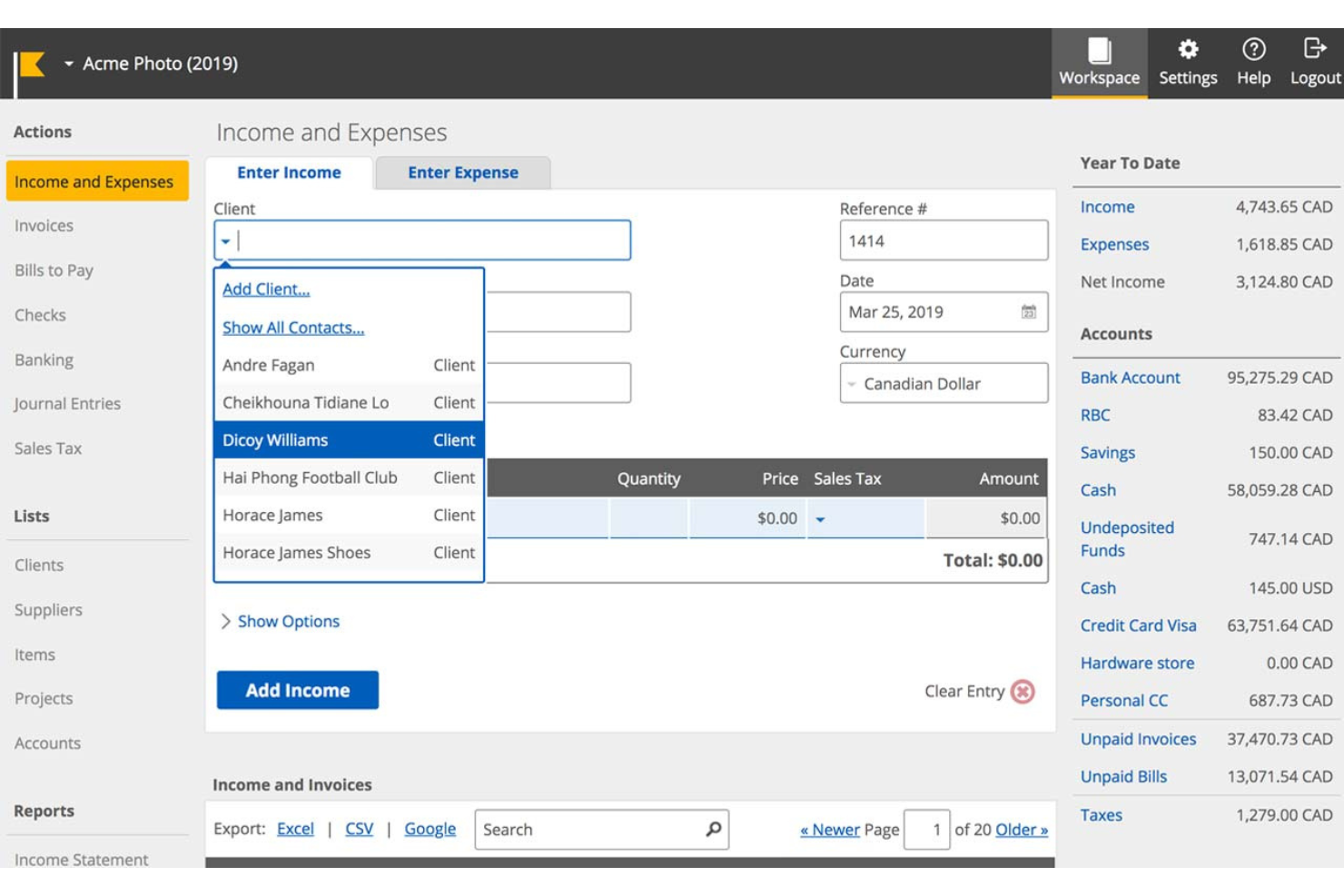
Kashoo is an accounting software designed to automate income and expense tracking for small businesses. It is best for automated accounting because it eliminates redundant tasks and manual entries, allowing users to connect their bank accounts and let the software handle the rest.
Why it's a good FreshBooks alternative: I chose Kashoo for this list because it offers a high level of automation that can save small business owners significant time. Its ability to automatically categorize expenses and reconcile accounts makes it a strong competitor for those looking to streamline their accounting processes.
Standout features and integrations:
Features include automated bookkeeping, income and expense tracking, and customizable reporting for income statements, balance sheets, accounts receivable and payables, and more. The software also supports multi-currency transactions and offers a visual dashboard for easy financial oversight.
Integrations include Stripe, PayPal, Square, FreshBooks, QuickBooks, Xero, Gusto, Hubdoc, Expensify, and Zapier.
Pros and Cons
Pros:
- Customizable reporting
- Multi-currency support
- Automated expense
Cons:
- Limited third-party integrations compared to larger platforms
- Limited advanced features compared to some competitors

ZarMoney
Best for inventory management

ZarMoney is a comprehensive accounting, invoicing, and inventory management solution. It provides complete visibility into global inventory, making it ideal for businesses needing robust inventory management.
Why it's a good FreshBooks alternative: I chose ZarMoney for its strong inventory management capabilities, which stand out compared to FreshBooks. Its advanced inventory features, including support for multiple locations and predictive analysis, make it a compelling choice for businesses with complex inventory needs.
Standout features and integrations:
Features include advanced inventory management, online payments, bank connections, quotes and estimates, purchase orders, sales tax automation, and detailed reporting. These features help streamline financial processes and improve cash flow.
Integrations include Stripe, PayPal, QuickBooks Online, Xero, Shopify, WooCommerce, Amazon, eBay, Square, and Google Drive.
Pros and Cons
Pros:
- Advanced reporting capabilities
- Supports multiple locations and warehouses
- Comprehensive inventory management
Cons:
- Limited customization options for some features
- May be too complex for very small businesses
BQE Core
Best for project-based firms
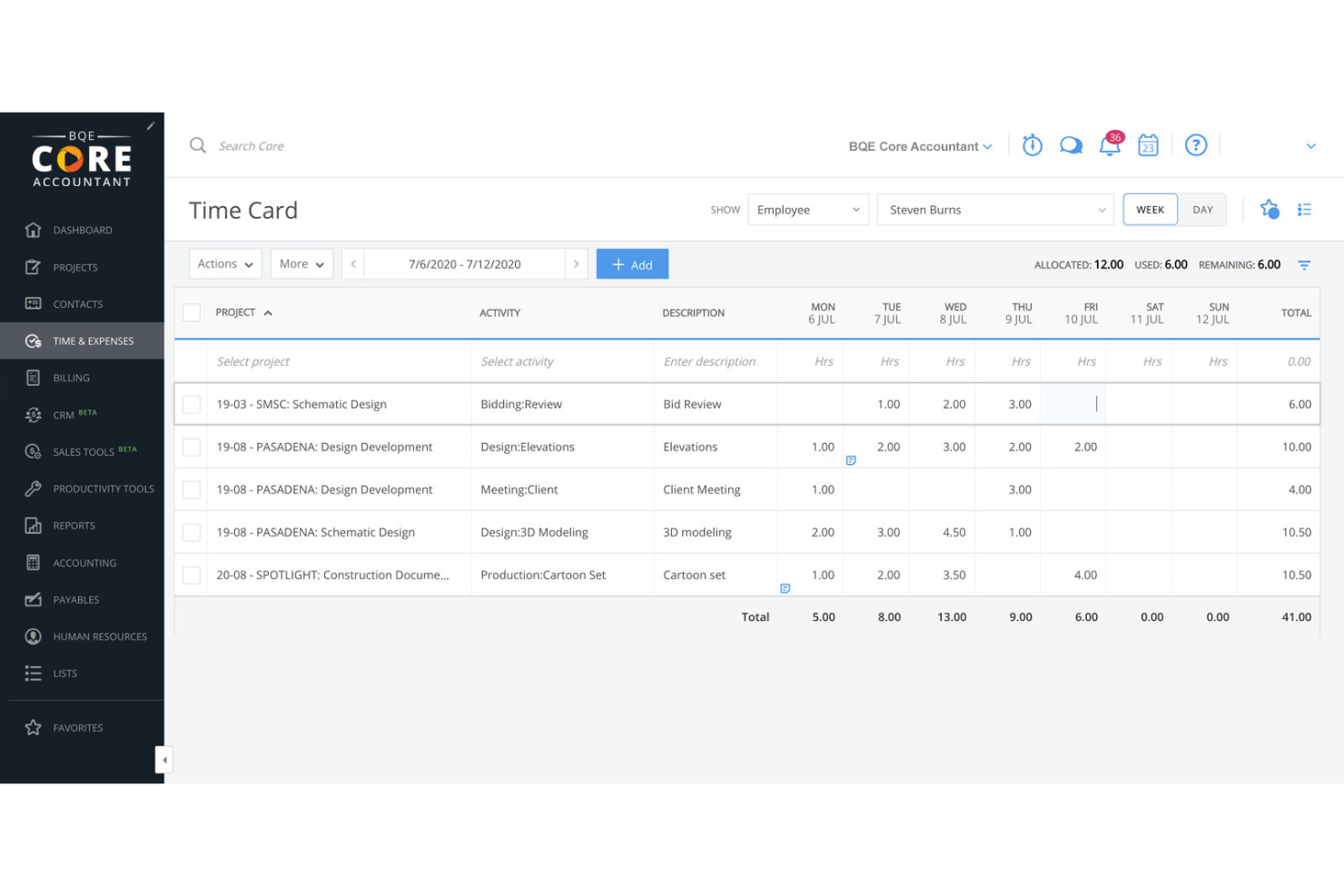
BQE Core is an all-in-one accounting and invoicing software for project-based firms such as architecture, engineering, and professional services. It stands out due to its comprehensive project management and accounting features that streamline operations and improve project outcomes.
Why it's a good FreshBooks alternative: I chose BQE Core for this list due to its suite of tools tailored for project-based firms, making it a competitor to FreshBooks. Its project management and accounting capabilities provide detailed insights and automation that can enhance efficiency and profitability.
Standout features and integrations:
Features include project management, accounting, reporting and analytics, time and expense tracking, payment processing, and professional services automation. These features provide real-time insights and streamline complex processes, making firm management more agile and data-driven.
Integrations include QuickBooks, MYOB, Dropbox, Google Drive, OneDrive, Box, Microsoft Outlook, Slack, Salesforce, and HubSpot.
Pros and Cons
Pros:
- Customizable dashboards and detailed insights
- Real-time KPI visibility and automated reporting
- Comprehensive project management tools
Cons:
- Can be time-consuming to learn
- Invoice editing is not user friendly
Hiveage
Best for online invoicing
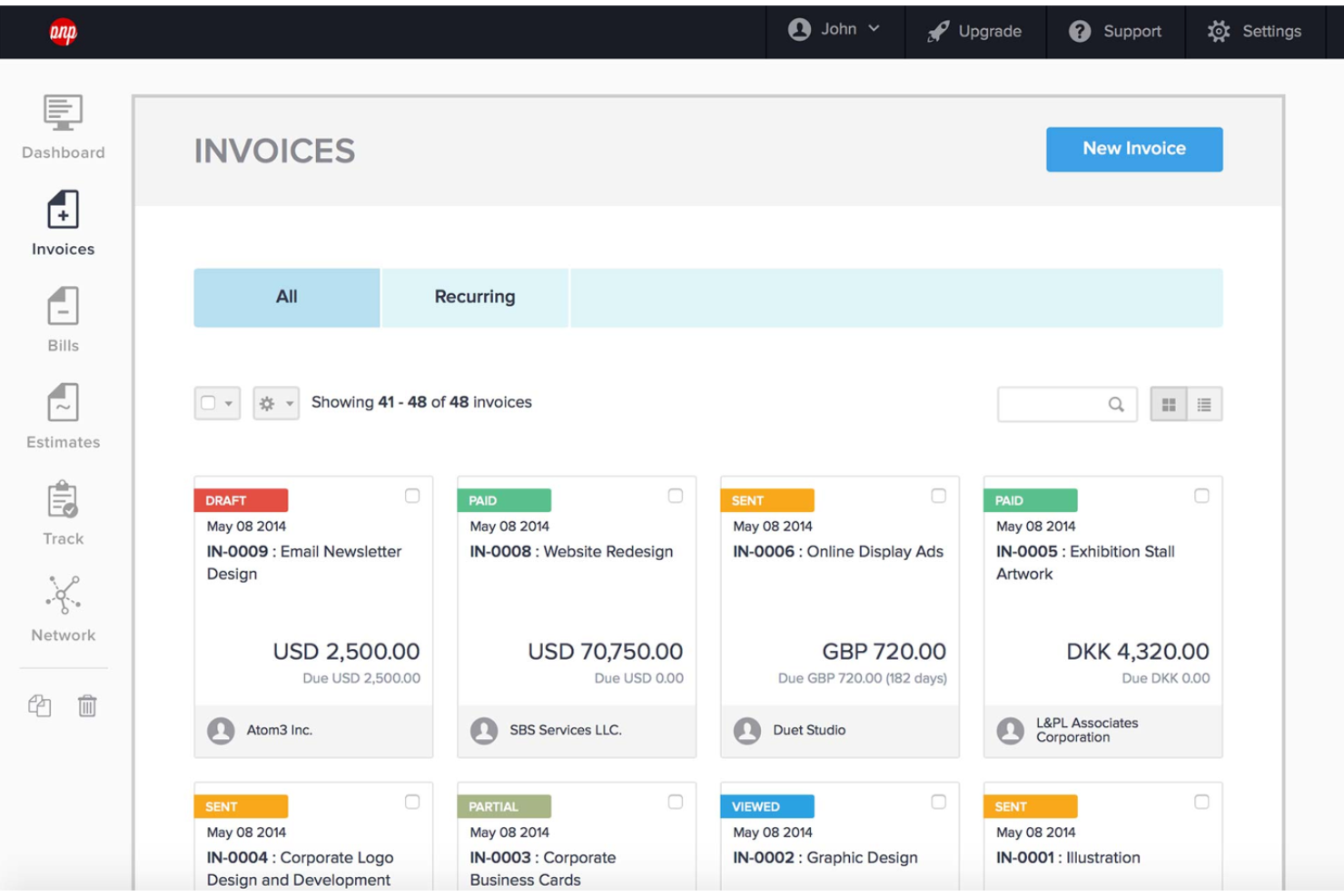
Hiveage is an online invoicing platform that simplifies billing for small businesses and freelancers. It offers a user-friendly interface and comprehensive invoicing features tailored to meet the needs of online businesses.
Why it's a good FreshBooks alternative: I chose Hiveage for this list because it offers a straightforward and intuitive invoicing solution, which is ideal for small businesses. Its cloud-based platform ensures accessibility from any device, making it a versatile option for entrepreneurs on the go.
Standout features and integrations:
Features include invoice creation, estimates, payment gateways, financial reports, recurring billing, time tracking, expense tracking, and mileage tracking. These features make it a comprehensive tool for managing small business finances.
Integrations include PayPal, Stripe, Braintree, Authorize.Net, WePay, Mollie, 2Checkout, Razorpay, BitPay, and Coinbase.
Pros and Cons
Pros:
- Cloud-based accessibility
- Comprehensive invoicing features
- User-friendly interface
Cons:
- Limited customer support options
- Limited to invoicing and related features

Wave is a small business accounting software that offers invoicing, online payments, accounting, banking, payroll, and access to advisors. It is best due to its comprehensive suite of financial tools that are available at no cost.
Why it's a good FreshBooks alternative: I chose Wave for this list because it provides a robust set of features for free, making it an excellent option for small businesses and freelancers who need to manage their finances without incurring additional costs. It stands out due to its intuitive design and robust functionality, which I found to be more user-friendly compared to FreshBooks.
Standout features and integrations:
Features include invoicing, accounting, and receipt scanning, which help small business owners manage their finances without incurring costs. It also provides payroll services and personal finance management tools.
Integrations include PayPal, Etsy, Shoeboxed, Zapier, Google Sheets, Slack, HubSpot, Mailchimp, Stripe, and Square.
Pros and Cons
Pros:
- Automated accounting features
- User-friendly interface
- Free invoicing and accounting tools
Cons:
- Some advanced features require a paid plan
- Additional fees for payment processing
Other FreshBooks Alternatives
If you’d like a few more options to consider, here are several other worthwhile FreshBooks alternatives that are also worth checking out:
- ABBYY
For intelligent document processing
- Patriot
For affordable payroll and accounting software
- AccountEdge
For advanced data management
- Deel Payroll
For global compliance management
- RemotePeople
For global payroll solutions
- BigTime
For professional services automation
- Zoho Books
For automation and workflow management
- Clio
For legal practice management
- HoneyBook
For creative professionals and freelancers
- Dext
For receipt and expense management


Related HR Software Reviews
If you still haven't found what you're looking for here, check out these other related tools that we've tested and evaluated:
- HR Software
- Payroll Software
- Recruiting Software
- Employer of Record Services
- Applicant Tracking Systems
- Workforce Management Software
How I Evaluate FreshBooks Alternatives
I evaluate FreshBooks alternatives in two layers: core billing and time-tracking capabilities every tool must have, then the differentiators that matter for HR consultants managing client retainers.
Core Functionality (Table Stakes For This List)
When I'm selecting tools for my list, I rank each one on a scale from 0 (does not offer the functionality) to 5 (excels in this area) for each core functionality listed below. Then, I calculate the tool's total score into a percentage. Each tool needs to achieve a minimum total score of 65% to be considered for inclusion.
- Invoicing & Billing: I check whether the tool supports recurring invoices, automated reminders, and multi-currency billing, especially for consultants juggling monthly retainers across multiple clients.
- Time Tracking: Each tool should let you log billable hours and convert them into invoices, the way platforms like Harvest and Zoho Invoice handle project-based billing.
- Expense Management: I look for receipt capture, category tagging, and the ability to attach expenses to specific client engagements for clean rebilling at the end of a project.
- Online Payment Processing: Accepting credit cards and ACH directly from an invoice matters, so I evaluate the range of payment gateways each platform supports out of the box.
- Project & Client Management: Tools that maintain a client database with project-level budgets and profitability tracking stand out over those offering only a basic contact list.
- Financial Reporting: I look for core reports like profit and loss, accounts receivable aging, and tax summaries that give freelancers and small firms a clear picture of cash flow.
Once I have a list of tools that meet this criteria, I consider what sets each platform apart.
Differentiating Factors (What Sets Vendors Apart)
Here's how I compare and contrast different vendors:
Standout Features
Proposals and estimates matter when you're pitching HR consulting retainers. I look for tools that let you build a scoped proposal and convert it into an invoice once the client signs off. A client self-service portal also makes a difference—clients who can log in, review open invoices, and pay on their own schedule save you hours of follow-up. I evaluate automation capabilities like late-fee triggers and recurring invoice schedules too, which keep cash flow predictable when you're managing a dozen active engagements.
Beyond Features
Integration support is a big one—I check whether a tool connects to popular HRIS and payroll platforms, or at least offers Zapier or API access so you can sync invoice data with the rest of your HR tech stack. Compliance also matters here, especially when you're handling sensitive client data. I look for SOC 2 compliance, role-based permissions, and encrypted document sharing. Finally, I evaluate whether the platform is built for service businesses, since tools designed around hourly and retainer billing tend to fit HR consultants better than those geared toward product-based sellers.
Why Look for a FreshBooks Alternative?
While FreshBooks is certainly a popular and well-known accounting system, there are several reasons why you might want to look for an alternative option, including:
- Cost: FreshBooks can be expensive for small businesses.
- Features: You need more advanced features that FreshBooks lacks.
- Customization: FreshBooks does not offer enough customization options.
- User Interface: You find FreshBooks' interface difficult to navigate.
- Integration: FreshBooks does not integrate well with other tools you use.
Alternatives to FreshBooks can provide more affordable pricing, advanced features, better customization, a more user-friendly interface, and improved integration with other tools. These options can better meet the specific needs of your business.
Key Features to Look for in FreshBooks Alternatives
Here are some key features of FreshBooks that your alternative software should be able to replicate or improve upon to be a good fit:
- Invoicing: Create professional invoices quickly and easily.
- Payments: Accept online, recurring, and invoice-free payments.
- Time Tracking: Automatically track time and log billable hours.
- Accounting: Use reports and tools to track money in and out.
- Expenses & Receipts: Log expenses and receipts to keep your books tax-ready.
- Reports: Generate tax time and business health reports.
- Projects: Track project status and collaborate with clients and team members.
- Proposals: Create organized and professional proposals to win new clients.
- Estimates: Set clear expectations with clients and organize project plans.
- Client Management: Manage client information all in one place.
Are There Any Free FreshBooks Alternatives?
If you're looking for free alternatives to FreshBooks, there are several options that may work if you have limited accounting needs. These tools offer a range of features from invoicing to expense tracking, and some even provide advanced functionalities like inventory management and integrations with other business applications. Here are the best free alternatives to FreshBooks worth considering:
- Zoho Books: Zoho Books provides a free plan for businesses with less than $50,000 in annual revenue. It includes features like invoicing, expense tracking, and bank reconciliation.
- GnuCash: GnuCash is an open-source accounting software that supports double-entry accounting, expense tracking, and financial reporting. It's compatible with multiple operating systems, including Linux.
- Brightbook: Brightbook is designed for freelancers and small businesses. It offers features like invoicing, expense tracking, and basic financial reporting.
- ProfitBooks: ProfitBooks provides free accounting software with inventory management capabilities, making it ideal for retail businesses. It also includes invoicing and expense tracking.
- Manager: Manager is a free desktop-based accounting software that supports multiple operating systems. It offers features like invoicing, expense tracking, and financial reporting.
- Odoo: Odoo offers a free plan for its accounting app, which can be integrated with other Odoo business applications. It's suitable for businesses looking for a customizable and scalable solution.
These payroll and invoicing tools provide a variety of features that can help you manage your business finances effectively without the need for a paid subscription.
What’s Next?
To remain up to date on all the latest in people management, subscribe to our newsletter for leaders and managers. You'll receive insights and offerings tailored to leaders and HR professionals straight to your inbox.