

10 beste læringsplattformer for produksjon, vurdert i 2026

Beste LMS for produksjonsindustrien


Produksjonsteam gjennomfører ikke opplæring i konferanserom. De lærer på produksjonsgulvet, på tvers av skift og i regulerte miljøer der sikkerhet, kvalitet og samsvar ikke er valgfritt. Hvis du har ansvar for kompetanseutvikling i produksjonsindustrien, handler jobben ikke bare om å ta imot nyansatte; du må også følge opp sertifiseringer, dokumentere sikkerhetsopplæring, forberede deg på revisjoner og sørge for at hver operatør er kvalifisert til å betjene utstyret på sin produksjonslinje.
Regneark og signering på papir fungerer dårlig i slike miljøer. Et læringsstyringssystem (LMS) utviklet for produksjonsindustrien hjelper deg med å sentralisere opplæringen, automatisere oppfølgingen av sertifiseringer, tildele rollebasert læring og opprettholde revisjonsklare dokumenter på tvers av lokasjoner. Det riktige systemet leverer ikke bare kurs, men støtter også samsvar, reduserer risiko og styrker kompetansen i arbeidsstyrken på produksjonsgulvet.
Jeg har gjennomgått og evaluert ledende LMS-plattformer med brukstilfeller fra produksjonsindustrien i tankene, med fokus på oppfølging av samsvar, tilgjengelighet for ansatte i førstelinjen, kompetansestyring og skalerbarhet på tvers av anlegg. Nedenfor finner du de beste alternativene for å gi effektiv opplæring, overholde krav og holde produksjonen i gang.
Why Trust Our Software Recommendations
Our team has been testing and reviewing software since 2012. As HR experts ourselves, we know how difficult—and important—it is to choose the right software.
For this guide, we evaluated tools using hands-on testing and independent research, scoring tools using our selection criteria. We also draw on insights from industry thought leaders and practicing HR experts.
Our reviews reflect our human editorial judgment, not a sales pitch.
Expert reviewers:
Sammenligningstabell for LMS for produksjonsindustrien
Denne sammenligningstabellen oppsummerer prisopplysningene for mine beste valg av LMS for produksjonsindustrien:
| Tool | Best For | Trial Info | Price | ||
|---|---|---|---|---|---|
| 1 | Best for custom-branded LMS solutions & workflows | Free demo available | Pricing upon request | Website | |
| 2 | Best for safety and compliance training | 14-day free trial | Pricing upon request | Website | |
| 3 | Best for structured manufacturing training | Free demo + 30-day free trial available | From $3.97/user/month (billed annually) | Website | |
| 4 | Best for modular training content creation | Free demo available | Pricing upon request | Website | |
| 5 | Best for small teams | Free plan + free demo available | From $119/month (billed annually) | Website | |
| 6 | Best with analytics for workforce training | Free demo available | Pricing upon request | Website | |
| 7 | Best with mobile access to courses | Free demo available | Pricing upon request | Website | |
| 8 | Best for quick safety training deployment | Free demo available | From $1/user/month + $50/month | Website | |
| 9 | Best for AI integration | Free demo available | Pricing upon request | Website | |
| 10 | Best with automated learning workflow tools | Free demo available | From $15,000 (billed annually) | Website |


Anmeldelser av de beste LMS-ene for produksjonsindustrien
Nedenfor finner du mine detaljerte sammendrag av de beste LMS-ene for produksjonsindustrien som kom med på listen min. Anmeldelsene mine gir en grundig gjennomgang av de viktigste funksjonene, fordelene og ulempene, integrasjonene og de ideelle brukstilfellene for hvert verktøy, slik at du kan finne det som passer best for deg.

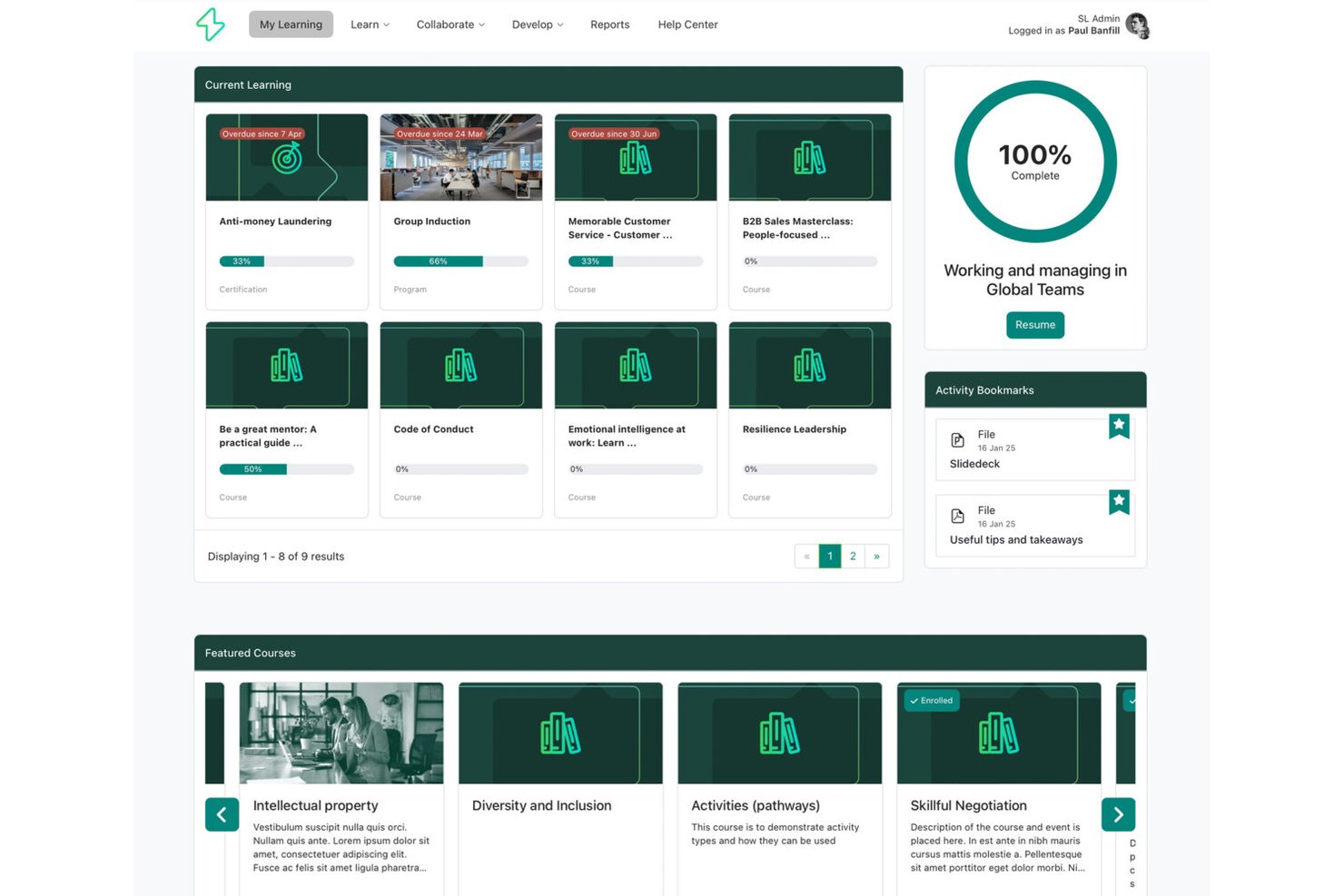
Synergy Learning is a Moodle and Totara implementation partner that builds custom-branded LMS platforms with tailored compliance tracking, skills management, and multi-site training deployment for organisations with complex, regulated learning needs.
Who Is Synergy Learning Best For?
Mid-to-large manufacturers with complex training requirements that need a fully tailored LMS rather than an off-the-shelf product.
Why I Picked Synergy Learning
I picked Synergy Learning because its custom-branded approach genuinely sets it apart from off-the-shelf LMS options. Their exclusive Spark theme lets manufacturing teams deploy a fully branded platform, while Totara Perform supports role-based competency tracking and skills gap analysis tied to specific job functions on the production floor. Their bespoke development model means compliance workflows and automated enrolments can be built to match a plant's exact training structure.
Synergy Learning Key Features
- Multi-site role-based deployment: Assign, track, and report on training across multiple plants, shifts, and departments with granular user group controls.
- Course version control: Track updates and manage different iterations of training courses and SOPs for audit readiness.
- Offline-ready mobile app: Deliver training to frontline and non-desk workers with offline access in the Moodle and Totara mobile apps.
- Custom API and platform integrations: Connect with HRIS, ERP, and data visualization tools using available APIs and integration services.
Synergy Learning Integrations
Synergy Learning offers integrations with Tableau, Intelliboard, PayPal, LinkedIn Learning, and Workato. An API is available for custom integrations.
Pros and Cons
Pros:
- Deep Moodle and Totara platform expertise
- Custom branding across multi-site plant deployments
- Tailored compliance workflows for regulated industries
Cons:
- Longer implementation timelines than pre-built platforms
- No off-the-shelf manufacturing content library
SkyPrep
Best for safety and compliance training
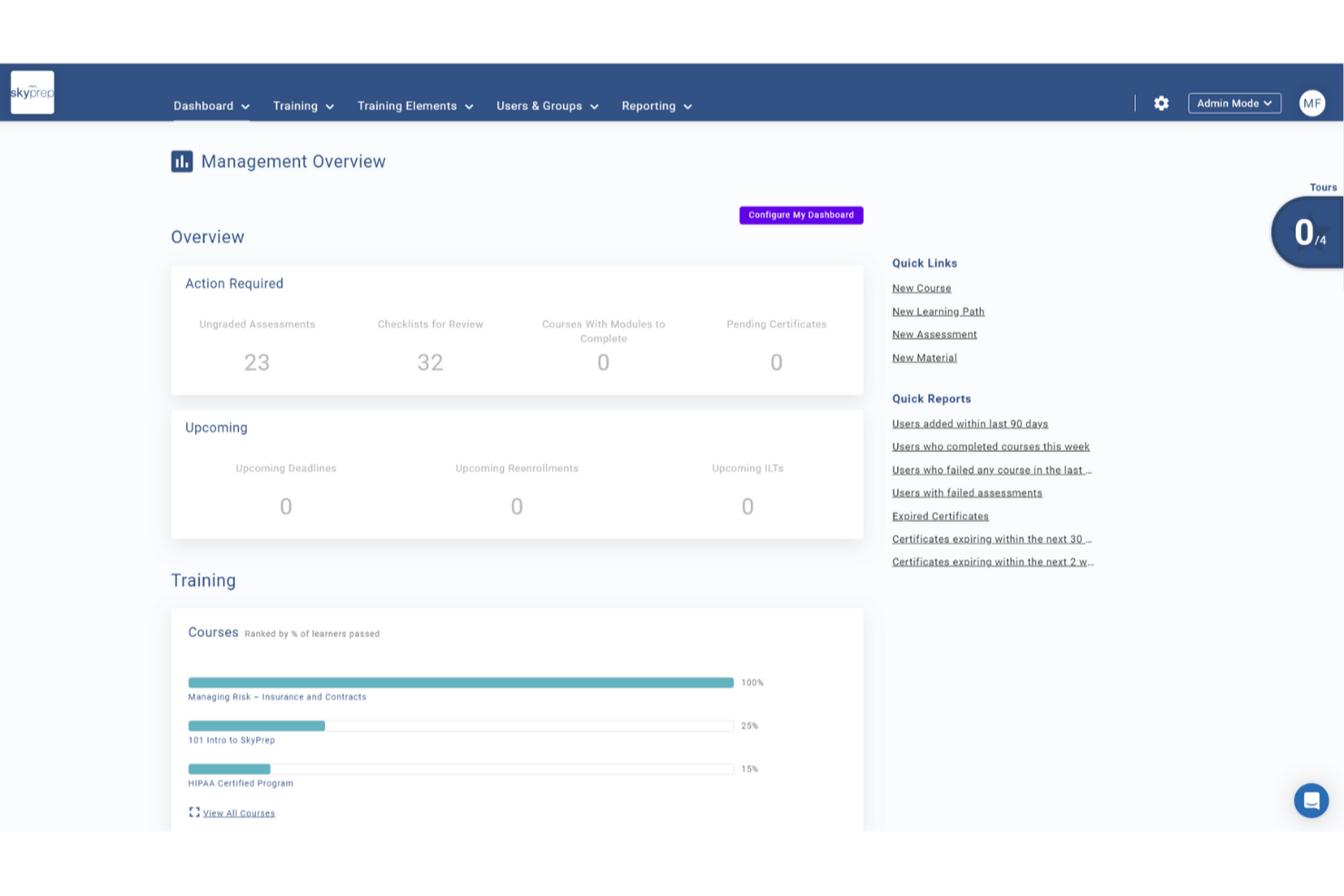
SkyPrep LMS is crafted to address the specific training challenges in manufacturing by offering a platform that improves learner engagement and training efficiency. Its intuitive interface and emphasis on user management support the development of detailed training programs, reducing training time and boosting knowledge retention. By tackling issues like compliance and skill development, SkyPrep provides a solution for organizations aiming to improve workforce training.
Why I Picked SkyPrep
I picked SkyPrep for its focus on improving learner engagement and training efficiency, important for the manufacturing sector. The platform's integration with HR and HCM systems like ADP and Workday ensures smooth user management and consistent employee data, vital for compliance and efficiency in manufacturing. Additionally, SkyPrep's compatibility with webinar tools such as Zoom and Microsoft Teams supports effective remote training sessions, making it ideal for organizations with distributed teams.
SkyPrep Key Features
In addition to its integration capabilities, SkyPrep offers several features improving its suitability for the manufacturing industry:
- Course Creation: Design and deploy custom training modules suited to your specific manufacturing processes and standards.
- Reporting and Analytics: Gain detailed insights into learner progress and training effectiveness, enabling data-driven decisions to improve training programs.
- Customization: Provides flexibility in branding and course delivery to match your organization's unique requirements and training objectives.
- Compliance & Certification Tracking: Track certifications, expirations, and mandatory training with automated reminders to help your teams stay compliant and audit-ready.
SkyPrep Integrations
Integrations include ADP, Workday, BambooHR, Salesforce, HubSpot, Zoom, Microsoft Teams, Slack, Stripe, PayPal, and more.
Pros and Cons
Pros:
- SCORM 1.2 support ensures content compatibility
- Custom email notifications improve communication
- Reporting provides detailed learning insights
Cons:
- Pricing not publicly available
- Security features are relatively basic

Best for structured manufacturing training
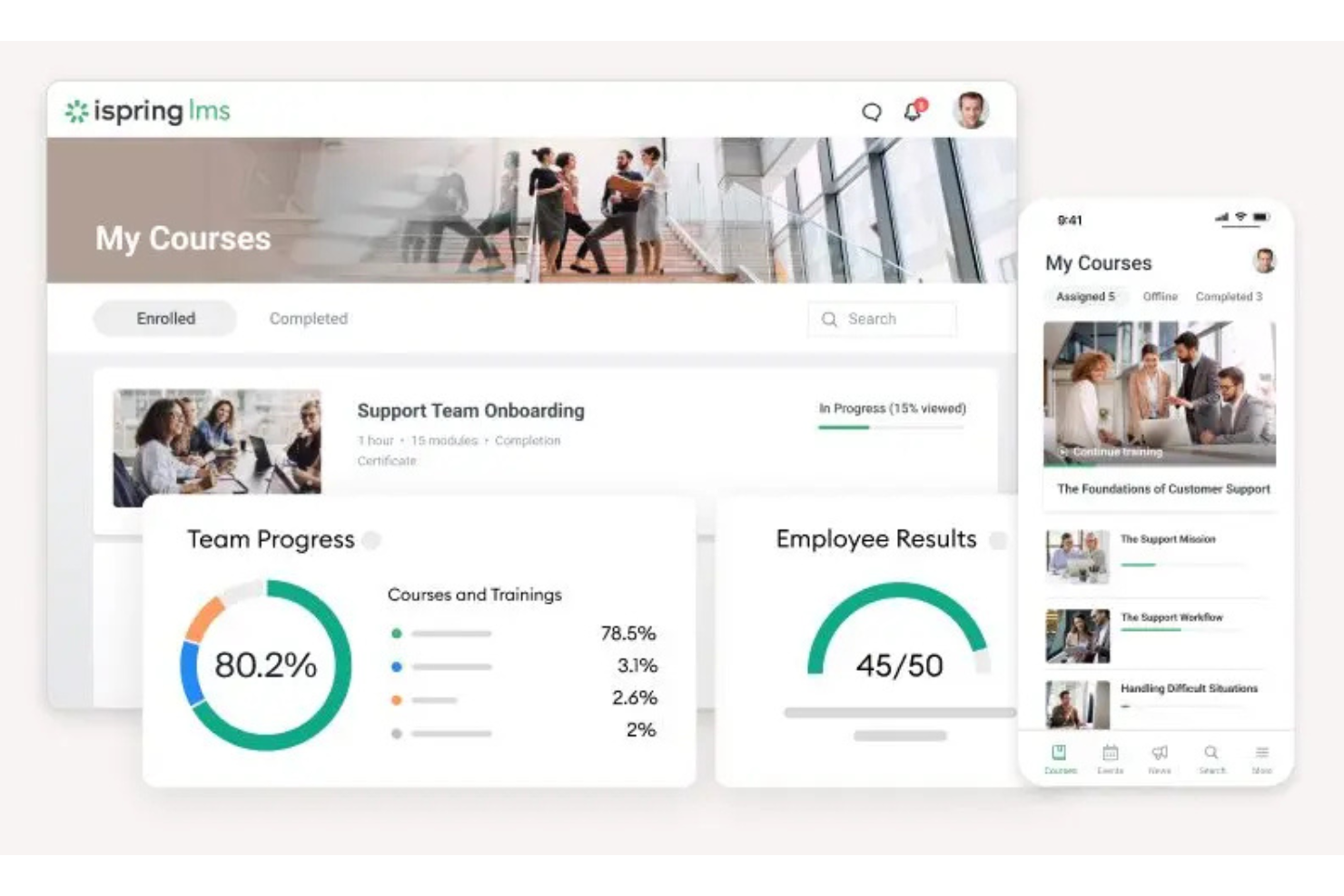
iSpring LMS is a cloud-based learning management system designed to support the delivery and management of corporate training programs. It enables organizations to assign courses, track learner progress, and manage training activities across distributed teams.
Who Is iSpring LMS Best For?
iSpring LMS is suitable for organizations that require structured training programs, including onboarding, compliance, and ongoing employee development.
Why I Picked iSpring LMS
I selected this platform for its structured approach to training management and ease of deployment. It provides tools for organizing courses, assigning training paths, monitoring completion through a centralized system, and creating learning content with built-in authoring tools. This makes it suitable for teams that need to manage and track learning activities without complex setup requirements.
iSpring LMS Key Features
- Automated learning tracks: Create structured training programs with sequential modules and automated enrollment based on user roles or groups.
- Reporting tools: Monitor learner progress, completion rates, and assessment results through built-in dashboards.
- Mobile learning: Access training content via mobile devices, including offline support.
- Built-in authoring: Create training content directly within the platform using built-in content creation tools.
iSpring LMS Integrations
iSpring LMS integrates with tools such as Zoom, Microsoft Teams, Salesforce, HRIS platforms, eLearning content libraries, and other third-party software. It also provides API access and supports integration via connectors like Zapier.
Pros and Cons
Pros:
- Structured course and training management tools
- Built-in reporting for tracking learner progress
- Supports mobile access, including offline learning
Cons:
- Limited customization for complex training environments
- Reporting depth may not meet advanced analytics needs
New Product Updates from iSpring LMS

iSpring LMS Adds Multiple Observations to OJT Sessions
iSpring LMS now lets managers log multiple observations within one OJT session, grouping visits and auto-generating summary stats like averages, criterion results, and comparisons. For more information, visit iSpring LMS's official site.

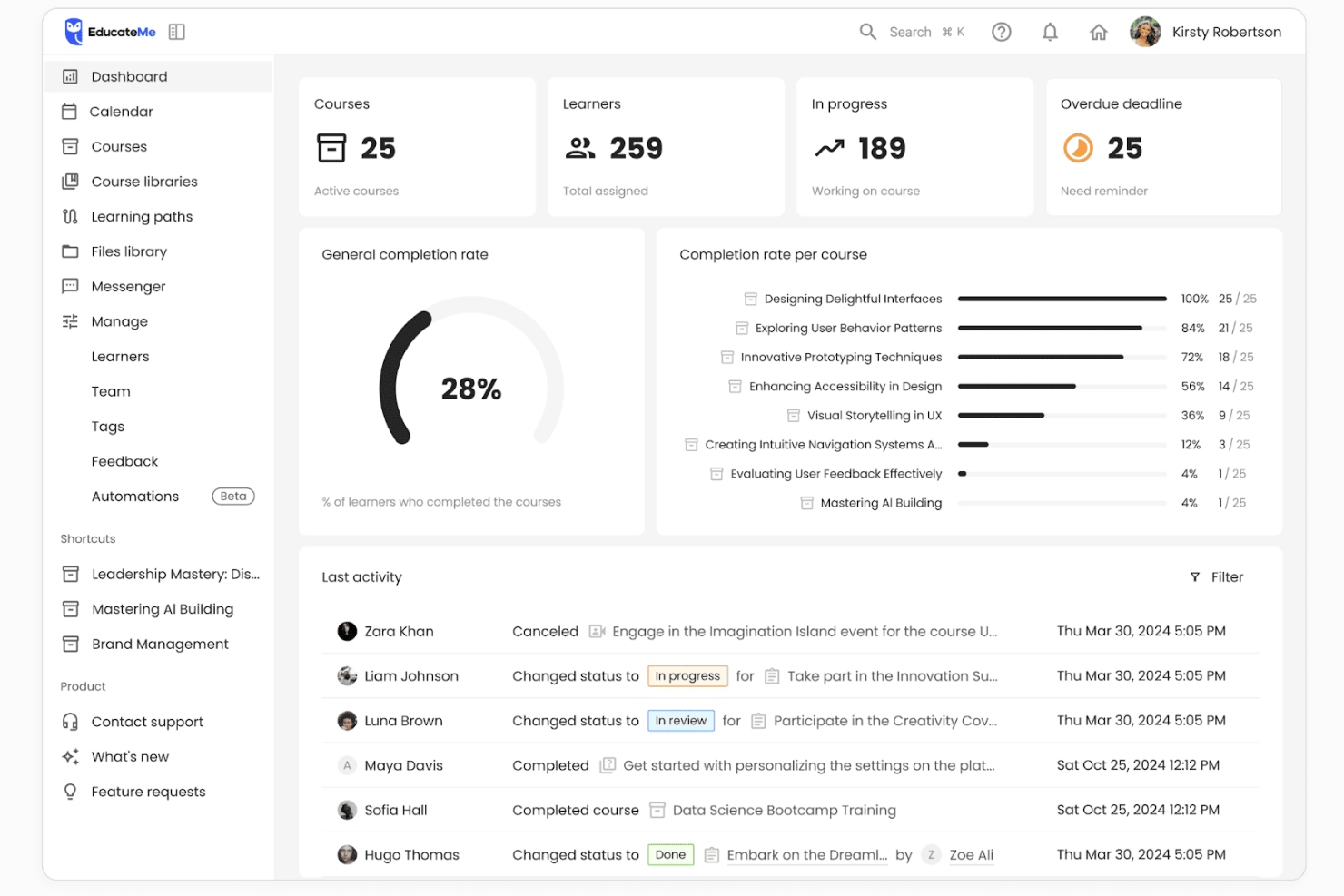
EducateMe LMS is a cloud-based learning management system that supports structured training programs, cohort-based learning, and collaborative course delivery. While not built exclusively for manufacturing, it can support frontline and operational training through customizable course structures and progress tracking tools.
Who Is EducateMe LMS Best For?
EducateMe LMS works well for manufacturing companies that need to deliver structured training to frontline workers, technical teams, or multi-site operations without relying on disconnected systems.
Why I Picked EducateMe LMS
I picked EducateMe LMS because of its modular course structure. You can build training programs using reusable content blocks and organize them into role-based learning paths. That flexibility is helpful when creating separate programs for machine operators, maintenance teams, or safety training groups. The platform also supports live sessions and progress tracking, which makes it easier to manage compliance-focused learning initiatives.
EducateMe LMS Key Features
- Modular course builder: Create structured training programs using reusable content blocks and flexible course organization.
- Cohort-based learning management: Organize learners into scheduled groups that move through training together.
- Live session support: Integrate live training sessions through Zoom and manage attendance within the platform.
- Progress analytics: Track learner completion, engagement, and performance metrics.
- Role-based permissions: Control access for instructors, administrators, and learners.
EducateMe LMS Integrations
Integrations include Zoom, Google Calendar, Outlook Calendar, Slack, Telegram, Stripe, Zapier, Google Forms, Google Docs, Google Sheets, Google Slides, Notion, Figma, and SSO providers such as Okta and Auth0. An API is available for custom integrations.
Pros and Cons
Pros:
- Zoom integration supports live instructor-led sessions
- Cohort-based delivery works for multi-site teams
- Modular course builder supports structured training programs
Cons:
- Limited enterprise-grade automation compared to large LMS platforms
- Not built specifically for manufacturing compliance workflows

Best for small teams
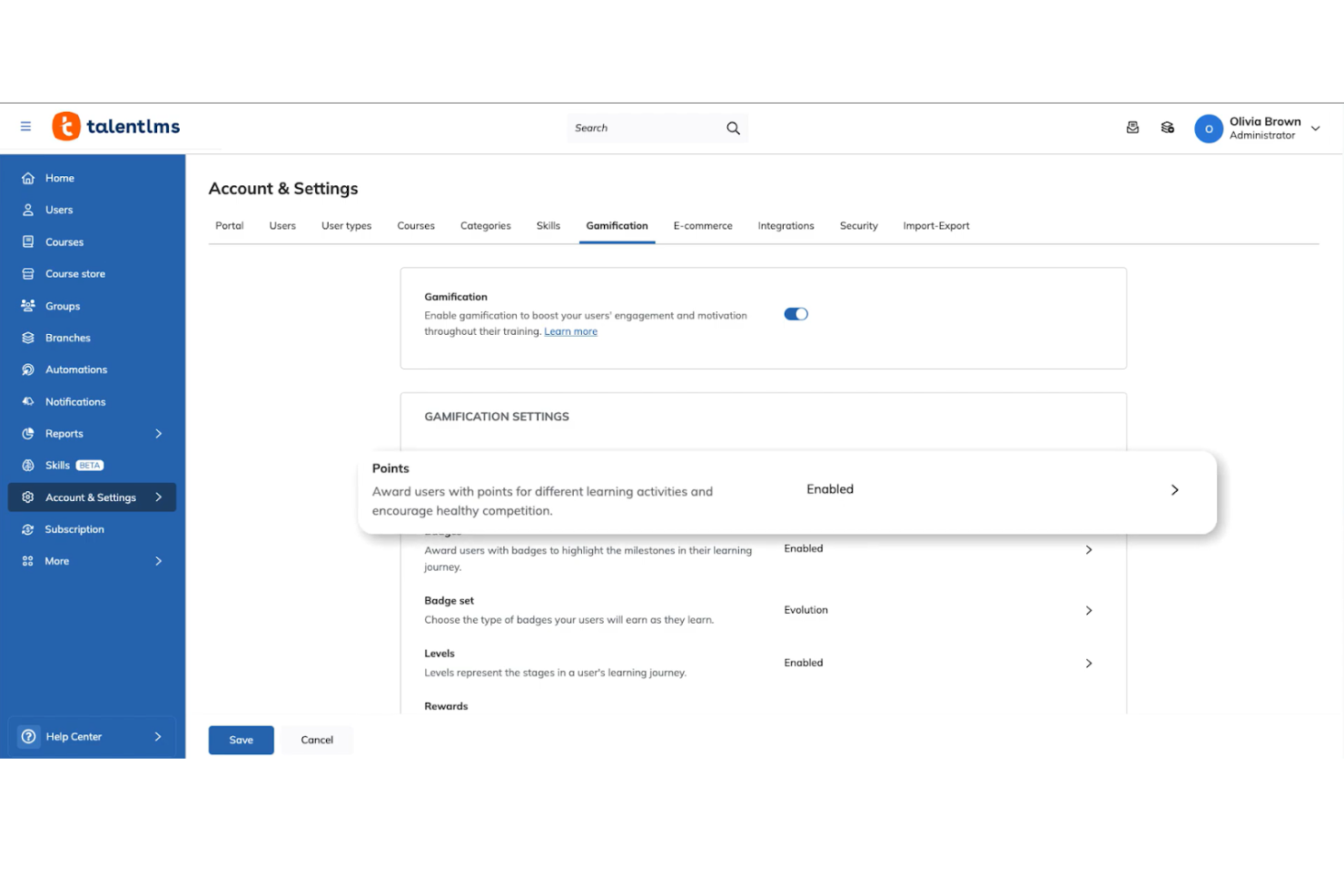
TalentLMS is a cloud-based learning management system tailored for small to medium-sized businesses. It helps teams manage training programs and employee development.
Why I picked TalentLMS: I picked TalentLMS because it works well for manufacturing companies that need to standardize training across multiple plants without building a large internal L&D function. The platform makes it easy to assign safety modules, equipment training, and certification requirements by role or location. Its simple admin controls allow HR or operations managers to roll out compliance training quickly across shifts and sites. For manufacturers that need reliable tracking without heavy system complexity, TalentLMS provides a practical balance of structure and usability.
Standout features and integrations:
Features include customizable learning paths to guide users through courses, gamification elements to boost engagement, and mobile learning options for on-the-go access. Your team can enjoy a personalized learning experience, making training more effective. The platform also supports video conferencing for live sessions.
Integrations include Zoom, Microsoft Teams, Slack, Google Workspace, Shopify, Salesforce, LinkedIn Learning, BambooHR, Mailchimp, Zapier, and more.
Pros and Cons
Pros:
- Includes gamification features
- Customizable learning paths
- Easy course creation
Cons:
- Compliance reporting may require manual configuration for strict regulatory audits
- Limited built-in skills matrix for machine-level competency tracking
New Product Updates from TalentLMS
TalentLMS Adds Learning Paths, AI Video, and Learner Experience Updates
TalentLMS introduced updates across learning management, content creation, and learner experience, including Learning Paths for Groups, AI video generation in TalentCraft, video bookmarking, and expanded administration tools. For more information, visit TalentLMS’s official site.

Continu
Best with analytics for workforce training
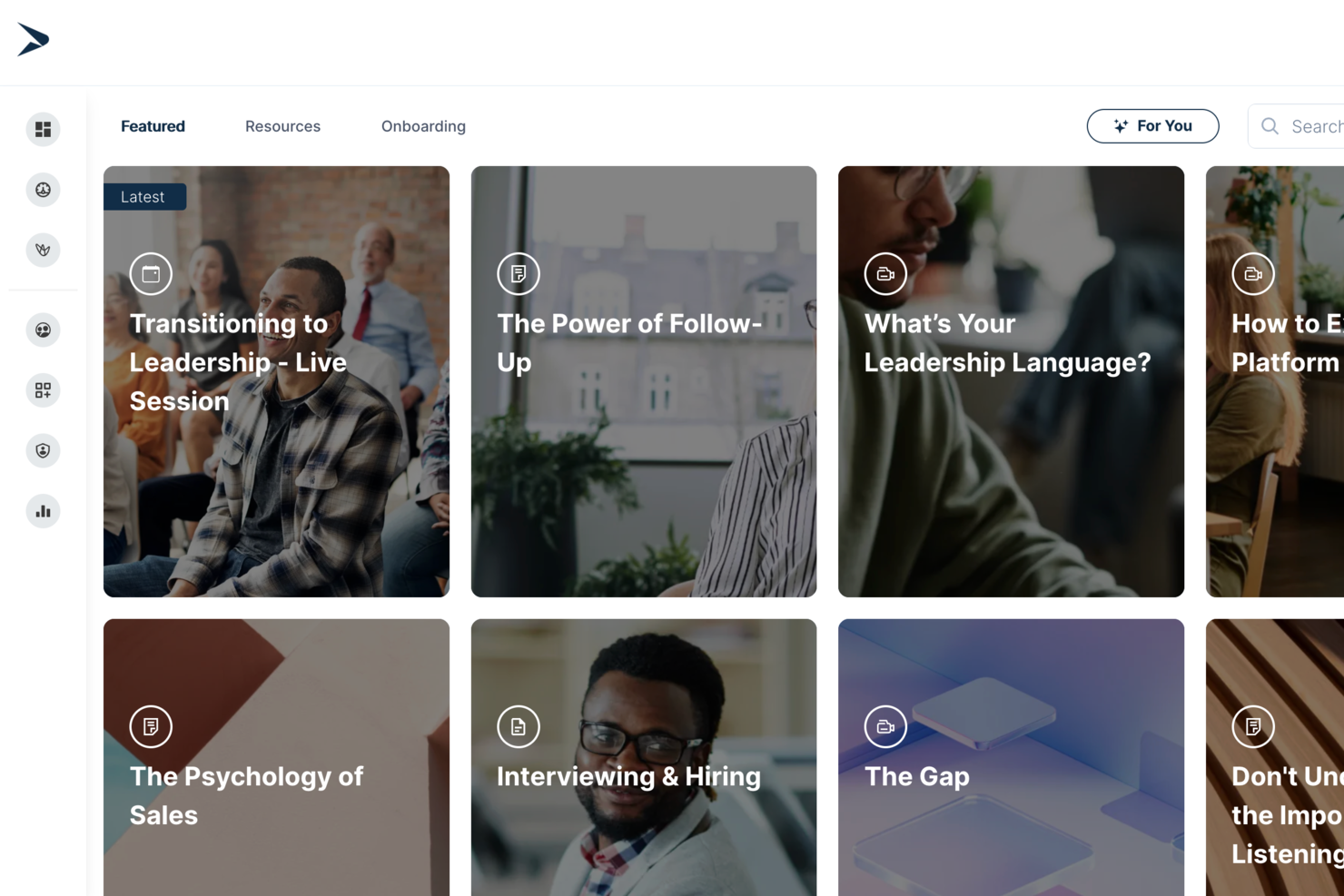
Continu is a corporate learning management system designed for manufacturing teams that need custom course creation, adaptive learning paths, content management, analytics, and system integrations.
Who Is Continu Best For?
Continu is a good fit for mid-to-large manufacturing organizations that need to train frontline workers, technical staff, and distributed teams at scale.
Why I Picked Continu
Continu is one of my top picks because I love how its analytics dashboard gives you a real-time view of training completion rates, assessment scores, and content engagement across your workforce. In a manufacturing context, I can track which teams or shifts are falling behind on compliance training and act on that data immediately. The reporting tools also let me break down performance by department or location, which is useful when managing training across multiple plant sites.
Continu Key Features
- Badges and certifications: Issue digital badges and certificates automatically when learners complete courses or meet competency requirements.
- Compliance auditing: Identify which users haven't completed mandatory training, giving you a clear view of compliance gaps across teams or facilities.
- Smart Segmentation: Set rules-based filters to automatically deliver the right training content to the right learner groups based on role, region, or department.
- SCORM/xAPI support: Import externally created eLearning files so you can incorporate existing training content into Continu without rebuilding it from scratch.
Continu Integrations
Continu offers native integrations with Zoom, Slack, Okta, Google Workspace, and Microsoft Teams, and provides an API for custom integrations.
Pros and Cons
Pros:
- Flexible rules for automated enrollments
- Mobile training access for production floor teams
- Direct integrations with Okta and Microsoft Teams
Cons:
- Admin navigation can be non-intuitive for new users
- Limited native integrations for manufacturing ERPs
New Product Updates from Continu
Continu Adds Smarter Content Management
Continu adds Intelligent Tagging and Descriptions and richer content details to improve how learning content is organized and maintained. These updates reduce manual work and give teams more consistent, detailed content records. For more information, visit Continu’s official site.
 .
.
Absorb
Best with mobile access to courses
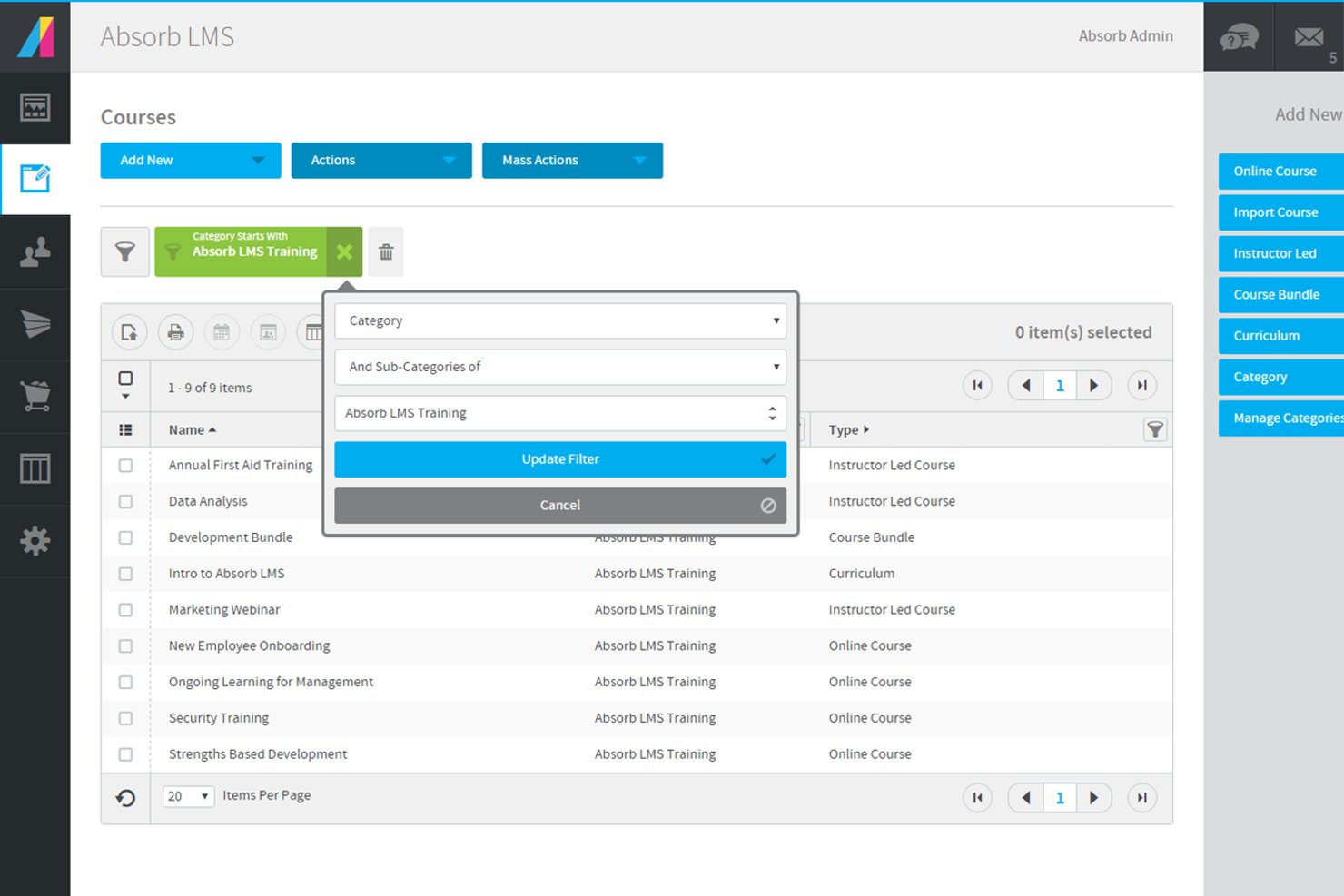
Absorb is a learning management system designed to help manufacturers deliver training across diverse teams and locations. It supports complex compliance needs and skills development for both frontline and office-based employees. Manufacturing organizations looking to centralize training, automate certification tracking, and adapt learning to different roles may find Absorb especially useful.
Who Is Absorb Best For?
Absorb is a good fit for manufacturing organizations that need to deliver and track training for both deskless and office-based employees across multiple locations.
Why I Picked Absorb
For manufacturing teams with a large deskless workforce, mobile access is essential for delivering training where and when it’s needed. I picked Absorb because it offers a dedicated mobile app that allows employees to complete courses, access resources, and track progress directly from their smartphones or tablets. The platform also supports offline learning, so workers can download training materials and complete them even without an internet connection. This flexibility helps manufacturing organizations reach frontline staff who may not have regular access to computers.
Absorb Key Features
Some other features in Absorb that support manufacturing training needs include:
- Automated training assignments: Assign courses automatically based on job role, location, or department to ensure the right employees receive the right training.
- Customizable learning paths: Build structured learning journeys that guide employees through required courses and certifications.
- Compliance tracking dashboard: Monitor training completion and certification status in real time to help meet regulatory requirements.
- SCORM and xAPI support: Upload and deliver industry-standard e-learning content for consistent training experiences across your organization.
Absorb Integrations
Integrations include ADP, Workday, UKG, SAP SuccessFactors, NetSuite ERP, Salesforce, Microsoft Teams, Zoom, LinkedIn Learning, and Skillsoft.
Pros and Cons
Pros:
- Enables multilingual content for global manufacturing teams
- Provides automated recertification and reminder workflows
- Integrates with major ERP and HRIS systems
Cons:
- Course authoring tools are less advanced than peers
- Limited offline access for remote factory locations
New Product Updates from Absorb
Absorb Expands Instructor-Led Course Session Management
Absorb adds multi-class sessions, recurring classes, conflict indicators, and learner enrollment during setup for instructor-led courses. These updates give admins more control over scheduling and session management. For more information, visit Absorb’s official site.
 .
.
Best for quick safety training deployment
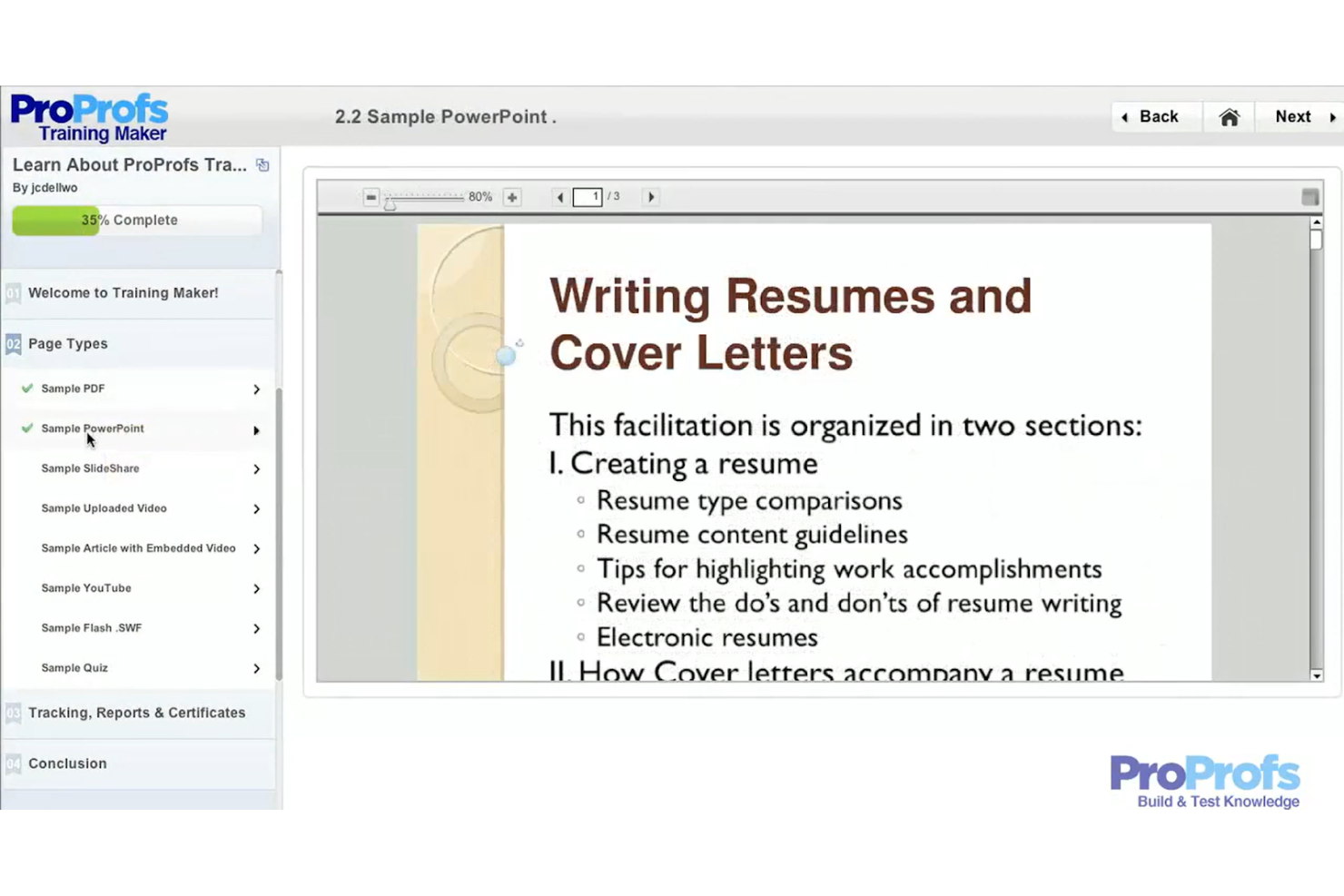
ProProfs Training Maker is an intuitive learning management system designed for businesses seeking straightforward training solutions. It caters to small to medium-sized companies looking to deliver effective courses without technical hassles.
Why I picked ProProfs Training Maker: I picked ProProfs Training Maker because it’s a straightforward way to deploy safety and SOP training without heavy configuration. Manufacturing teams can quickly create quizzes, compliance modules, and short-form assessments to reinforce policies and procedures. It works well for organizations that need to digitize toolbox talks, policy acknowledgments, or basic compliance tracking. For smaller manufacturing operations that want to move away from paper-based training records, it offers a fast and accessible solution.
Standout features and integrations:
Features include a built-in quiz maker to test knowledge, course templates for quick setup, and the ability to create certification programs. The program features customizable branding, which allows you to align training with your company's identity. The platform also supports mobile learning, enabling access to courses on-the-go.
Integrations include Salesforce, Mailchimp, Zendesk, Dropbox, Google Analytics, Freshdesk, SugarCRM, WordPress, Shopify, Google Workspace, and more.
Pros and Cons
Pros:
- Mobile learning access
- Supports multimedia content
- Simple drag-and-drop editor
Cons:
- Basic analytics may not satisfy audit-heavy environments
- Not ideal for large, multi-site manufacturing deployments
Docebo
Best for AI integration
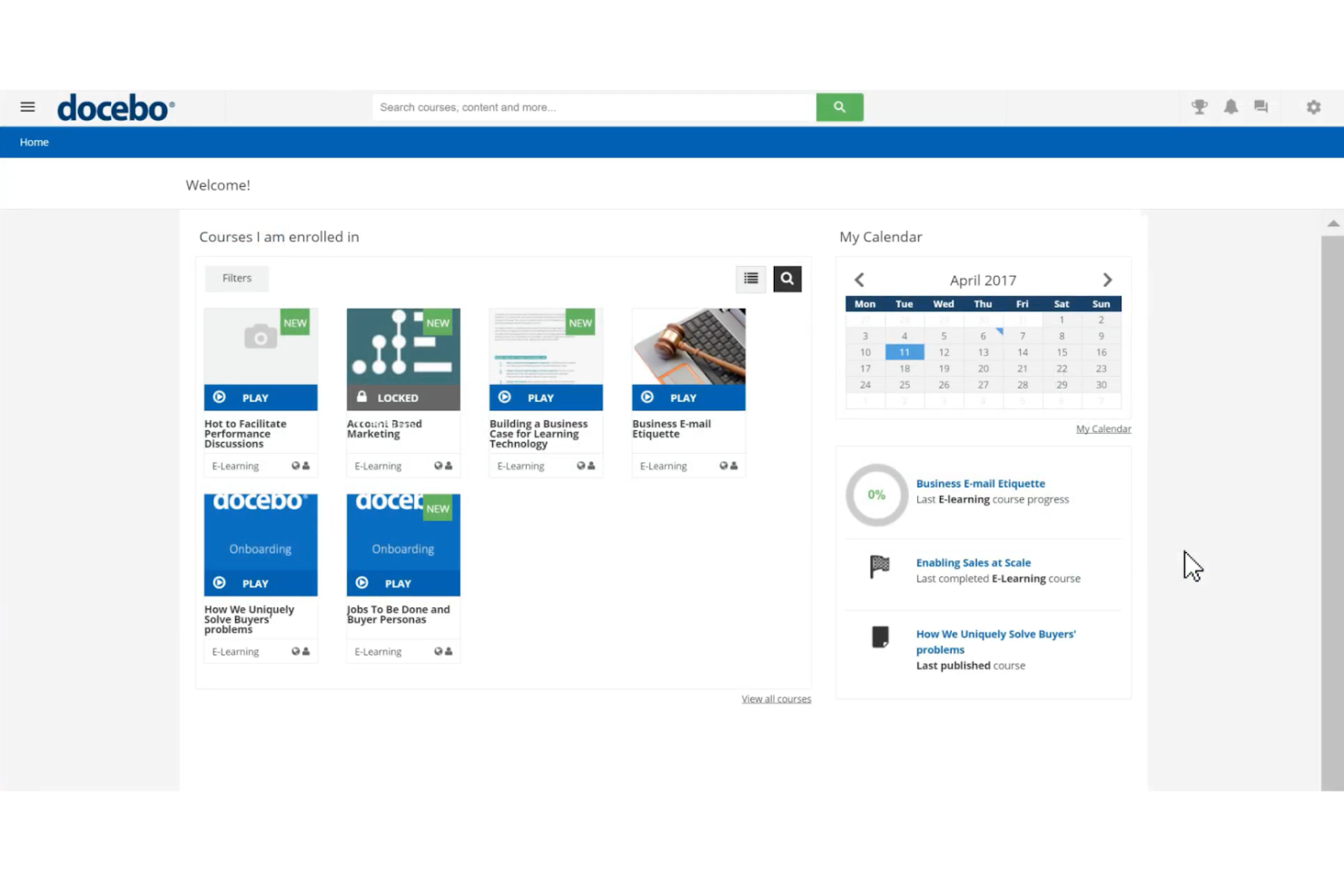
Docebo is an LMS platform designed for the manufacturing industry, catering to businesses seeking innovative training solutions. It serves companies looking to enhance learning cultures, improve compliance, and optimize onboarding processes.
Why I picked Docebo: Docebo integrates generative AI capabilities, offering a unique approach to learning management for manufacturing teams. You can automate compliance training and certification renewals, simplifying administrative tasks. The platform supports various training formats, including webinars and SCORM, making it versatile for different learning needs. Its advanced reporting tools provide insights into program effectiveness, aligning with its AI integration focus.
Standout features and integrations:
Features include support for over 50 languages, mobile learning capabilities, and access to over 20,000 courses. This program includes automated compliance training, reducing manual workload. The AI-powered platform also offers e-signature functionality for secure compliance processes.
Integrations include Salesforce, Slack, Zoom, Microsoft Teams, Shopify, Okta, Google Workspace, LinkedIn Learning, BambooHR, Adobe Connect, and more.
Pros and Cons
Pros:
- Automates compliance tasks
- Supports multiple training formats
- AI-driven learning solutions
Cons:
- Initial setup may be complex
- Lack of pricing transparency
Bridge
Best with automated learning workflow tools
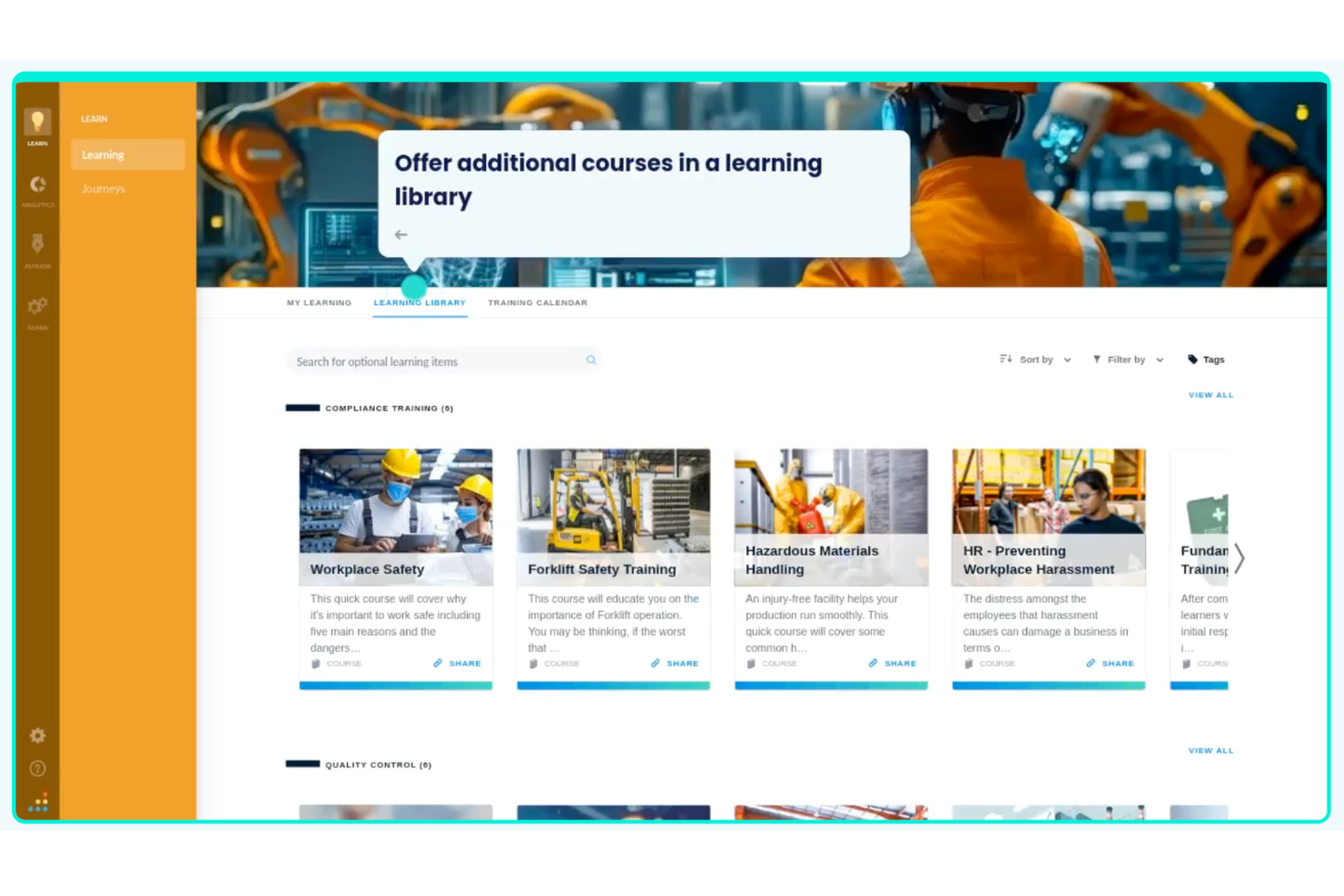
Bridge is an LMS and skills platform that combines AI-driven course recommendations, automated compliance training delivery, configurable learning paths, and performance management in one system built for mid-market teams.
Who Is Bridge Best For?
Bridge is a good fit for mid-market manufacturing companies that need to manage compliance training, skills development, and performance conversations in one place.
Why I Picked Bridge
Bridge is one of my top picks because I love how it automates the learning workflow from start to finish. Its AI-driven skills taxonomy automatically maps skills to every job title and tags courses accordingly, so manufacturing L&D teams aren't manually building course assignments from scratch. From there, Bridge fires off personalized course recommendations based on each worker's identified skill gaps, and built-in compliance reminders and notifications keep training completion on track without manual follow-up.
Bridge Key Features
- Mobile-first course delivery: Access and complete training from any mobile device, making it usable for manufacturing workers on the shop floor without a desktop.
- Pre-built manufacturing content library: Includes 75+ ready-to-use courses covering OSHA safety orientation, LEAN, Six Sigma, Kaizen, and other process improvement topics.
- One-click course translation: Automatically translate course content into multiple languages to support multilingual manufacturing teams.
- Configurable learning paths: Build structured, role-based training sequences that guide workers through onboarding, compliance, or upskilling in a set order.
Bridge Integrations
Bridge integrates with HRIS platforms, content providers, SSO authenticators, and asset management tools. Verified native integrations include LinkedIn Learning, OpenSesame, Beekeeper, Slack, Dropbox, YouTube, Vimeo, Kaltura, Panopto, and Credly, along with BambooHR, Salesforce, and Tableau. Bridge can connect to 1,000+ external applications through pre-built connectors, and its open API lets you build custom integrations. Webhooks and LTI support are also available for event-based integrations and launching third-party content inside Bridge. It's also available on Zapier.
Pros and Cons
Pros:
- Manager 1:1 agendas are built into LMS
- AI-powered skills mapping per role
- Links learning data to performance reviews
Cons:
- Native content authoring has limited formatting
- Reporting needs manual workarounds for detail
Andre læringsstyringssystemer for produksjonsindustrien
Her er noen flere LMS-alternativer for produksjonsindustrien som ikke kom med på listen min, men som likevel er verdt å undersøke:
- Paradiso LMS
For multilingual support
- Infor
For scalability
- LearnUpon LMS
For rapid plant-wide LMS rollout
- WorkRamp
For structured production onboarding
- Tovuti LMS
For simulation-based and scenario training
- Litmos
For global reach
- Webanywhere
For custom branding
- Tooling U-SME
For industry-specific courses
- ComplianceQuest
For QMS platform with built-in LMS capabilities
- Moodle
For open-source flexibility
- 360Learning
For collaborative learning
- EdApp
For microlearning modules


How I Evaluate LMS for Manufacturing
I split my evaluation into two layers: the baseline capabilities a platform must have—like compliance tracking and shopfloor-friendly delivery—and the differentiators that set the best options apart.
Core Functionality (Table Stakes For This List)
When I'm selecting tools for my list, I rank each one on a scale from 0 (does not offer the functionality) to 5 (excels in this area) for each core functionality listed below. Then, I calculate the tool's total score into a percentage. Each tool needs to achieve a minimum total score of 55% to be considered for inclusion.
- Compliance & Certification Tracking: I check whether the platform automates recertification alerts and generates audit-ready reports for frameworks like OSHA, ISO, and FDA GMP.
- Skills & Competency Management: Role-based skills matrices matter here—I look for gap analysis tools that map operator competencies across production lines and job functions.
- SOP & On-the-Job Training: I evaluate how each platform handles version-controlled SOPs and whether supervisors can sign off on practical assessments at the workstation.
- Shopfloor-Friendly Delivery: Frontline workers rarely sit at desks, so I look for kiosk login, offline access, and multilingual support designed for shared devices on the floor.
- Manufacturing Content Library: I consider whether the platform includes prebuilt courses on topics like lockout/tagout, lean manufacturing, or machine safety—not just generic compliance.
- ERP/MES/HRIS Integrations: Connecting training records to systems like SAP, Oracle, or UKG is a real operational need, so I evaluate prebuilt connectors and API flexibility.
Once I have a list of tools that meet the criteria, I consider what sets each platform apart.
Differentiating Factors (What Sets Vendors Apart)
Here's how I compare and contrast different vendors:
Standout Features
AI-powered content authoring stands out when a platform can convert existing SOPs and machine manuals into microlearning modules without building courses from scratch. I also look for connected worker workflows that embed training directly into live production tasks, so operators learn in context at the workstation. Advanced analytics matter here too—I evaluate whether dashboards correlate training completion with plant KPIs like scrap rate, downtime, and incident frequency.
Beyond Features
Regulatory validation support is a major differentiator. I check whether vendors provide documented IQ/OQ/PQ validation packages for FDA-regulated environments like pharma or food manufacturing. Pricing structure also matters, especially how licensing handles high-turnover frontline workers like seasonal hires and temps who cycle through plants. Deployment flexibility is worth evaluating too, since some facilities need on-premise or hybrid hosting due to IT constraints or limited bandwidth on the production floor.
Slik velger du et LMS for produksjonsindustrien
Det er lett å gå seg vill i lange funksjonslister og kompliserte prisstrukturer. For å holde fokus mens du går gjennom din unike prosess for valg av programvare, får du her en sjekkliste over faktorer du bør ha i mente:
| Faktor | Hva du bør vurdere |
|---|---|
| Skalerbarhet | Vil LMS-et vokse sammen med virksomheten din? Sjekk om det kan håndtere flere brukere og mer innhold uten ytelsesproblemer. |
| Integrasjoner | Kan det kobles til de eksisterende verktøyene dine? Sørg for at det kan integreres med HR-programvaren, CRM-systemet eller andre viktige systemer. |
| Tilpasningsmuligheter | Kan du tilpasse LMS-et etter behovene dine? Se etter muligheter for å endre dashbord, rapporter og brukergrensesnitt slik at de passer arbeidsflyten din. |
| Brukervennlighet | Er det brukervennlig for alle teammedlemmer? Ta hensyn til læringskurven og om teamet enkelt kan navigere i og bruke systemet. |
| Implementering og innføring | Hvor raskt kan du komme i gang? Vurder ressursene som tilbys for innføring, for eksempel opplæringsvideoer eller supportteam, slik at oppsettet blir så smidig som mulig. |
| Kostnad | Passer prisen inn i budsjettet ditt? Sammenlign kostnaden for LMS-et med funksjonene og budsjettbegrensningene dine. Se etter skjulte gebyrer eller langsiktige kontrakter. |
| Sikkerhetstiltak | Er dataene og brukeropplysningene dine sikre? Sjekk om løsningen følger personvernregler, og om den tilbyr kryptering og regelmessige sikkerhetsoppdateringer. |
Hva er et LMS for produksjonsindustrien?
LMS for produksjonsindustrien er et spesialisert læringsstyringssystem utviklet for å lære opp og videreutvikle ansatte. Disse verktøyene brukes vanligvis av HR-medarbeidere, opplæringsansvarlige og teamledere for å styrke arbeidsstyrkens ferdigheter og sikre samsvar med bransjestandarder. Ikke alle LMS-løsninger fungerer for produksjonsindustrien. Produksjonsmiljøer krever sporing av sertifiseringer, dokumentasjon av sikkerhetssamsvar, skiftbasert tilgang, flerspråklig opplæring og rapportering som er klar for revisjon.
Verktøyene nedenfor varierer i hvor grundig de støtter disse behovene. Opplæringsmoduler, samsvarssporing og rapporteringsfunksjoner bidrar til å administrere de ansattes utvikling og opprettholde sikkerhetsprotokoller. Samlet sett tilbyr disse verktøyene strukturerte forbedringer og retningslinjer for produktivitet og vedlikeholdskvalitet på tvers av produksjonsvirksomheten.
Funksjoner
Når du velger et LMS for produksjonsindustrien, bør du se etter følgende viktige funksjoner:
- Opplæringsmoduler: Leverer strukturert læringsinnhold for å forbedre de ansattes ferdigheter og kunnskap.
- Samsvarssporing: Overvåker overholdelsen av bransjeregler og sikkerhetsstandarder.
- Rapporteringsfunksjoner: Gir innsikt i deltakernes fremgang og opplæringens effektivitet.
- Tilpasset merkevarebygging: Tilpasser plattformens utseende til virksomhetens identitet for et helhetlig uttrykk.
- Mobil læring: Gjør opplæringsmateriell tilgjengelig på farten og gir større fleksibilitet for fjernarbeidere.
- Interaktivt innhold: Engasjerer deltakerne gjennom quizer, videoer, simuleringer og spillbaserte elementer for å styrke læringsbevaringen.
- Støtte for integrasjoner: Kobler seg til eksisterende systemer som HR-programvare og CRM-verktøy for effektiv drift.
- Sertifikatadministrasjon: Sporer og administrerer de ansattes sertifiseringer for å sikre kontinuerlig samsvar.
- Kompetansebasert læring: Tilpasser opplæringsløp for å dekke spesifikke kompetansemangler i arbeidsstyrken.
- Analyseverktøy: Tilbyr detaljerte data om brukerinteraksjoner og læringsresultater for kontinuerlig forbedring.
Fordeler
Implementering av et LMS for produksjonsindustrien gir flere fordeler for teamet og virksomheten din. Her er noen av fordelene du kan se frem til:
- Bedre samsvar: Funksjoner for samsvarssporing holder teamet oppdatert på bransjeregler.
- Økt produktivitet: Strukturerte opplæringsmoduler styrker teamets kompetanse og fører til økt effektivitet.
- Kostnadsbesparelser: Levering av innhold på nett reduserer opplæringskostnadene ved å minimere behovet for fysiske samlinger.
- Økt engasjement: Interaktivt innhold gjør læringen mer engasjerende og effektiv for de ansatte.
- Ensartet opplæring: Sentralisert innholdslevering sikrer enhetlig opplæring på tvers av ulike lokasjoner.
- Bedre beslutningstaking: Analyseverktøy gir innsikt i opplæringens effektivitet og hjelper deg med å gjøre velinformerte forbedringer i virksomheten.
- Skalerbarhet: Skalerbare LMS-funksjoner gjør det enkelt å utvide opplæringsprogrammene etter hvert som virksomheten vokser.
Kostnader og priser
For å velge det beste LMS-et for produksjonsindustrien må du forstå de ulike prismodellene og abonnementene som er tilgjengelige. Kostnadene varierer basert på funksjoner, teamstørrelse, tillegg og mer. Tabellen nedenfor oppsummerer vanlige abonnementer, gjennomsnittsprisene deres og typiske funksjoner som er inkludert i LMS-løsninger utviklet for produksjonsindustrien:
Sammenligningstabell for abonnementer for LMS for produksjonsindustrien
| Abonnementstype | Gjennomsnittspris | Vanlige funksjoner |
|---|---|---|
| Gratisabonnement | $0 | Begrenset tilgang til kurs, grunnleggende analyser og støtte fra fellesskapet. |
| Personlig abonnement | $5-$25/bruker/måned | Tilpasset merkevarebygging, mobil tilgang og interaktivt innhold. |
| Bedriftsabonnement | $30-$50/bruker/måned | Avansert rapportering, samsvarssporing og støtte for integrasjoner. |
| Virksomhetsabonnement | $60-$100/bruker/måned | Full tilpasningsmulighet, egen kundeansvarlig og omfattende API-tilgang. |
Vanlige spørsmål om LMS for produksjon
Her er noen svar på vanlige spørsmål om LMS for produksjon:
Hva er forskjellen mellom et generelt LMS og et LMS for produksjon?
Et generelt LMS kan levere opplæringsinnhold, men et LMS for produksjon er bygget rundt realitetene på produksjonsgulvet – ting som sikkerhets- og samsvarsmoduler, ferdighetskartlegging for spesifikke roller, blandet læring for praktisk arbeid og detaljert sporbarhet for revisjoner. Det er utformet for å støtte produksjonslinjer, skiftarbeid og regulatoriske krav, ikke bare kontorbasert læring.
Hvordan vet jeg om produksjonsbedriften min er klar for et LMS?
Dere er vanligvis klare når opplæringen er spredt på tvers av regneark, delte stasjoner eller papirressurser. Et annet tegn på at et LMS kan være nyttig for virksomheten, er hvis dere har problemer med å dokumentere samsvar eller holde oversikt over hvem som er sertifisert for hva. Hvis revisjoner føles stressende, arbeidsledere må forklare de samme tingene på nytt, eller kvalitetsproblemer kan spores tilbake til uensartet opplæring, kan et LMS sentralisere alt og gi dere tydelige oversikter.
Kan et LMS hjelpe med sikkerhet og regulatorisk samsvar?
Ja – dette er en av hovedgrunnene til at produsenter tar i bruk et LMS. Dere kan tildele obligatoriske sikkerhetskurs, følge med på fullføringer etter rolle eller sted, angi utløpsdatoer for sertifiseringer og hente ut rapporter som er klare for revisjon, med noen få klikk. Enkelte systemer støtter også elektroniske signaturer og vurderingspoeng, noe som bidrar til å dokumentere opplæringens effektivitet overfor tilsynsmyndigheter og kunder.
Hvor vanskelig er det å innføre et LMS på produksjonsgulvet?
Det avhenger av utgangspunktet deres, men dere kan gjøre innføringen enklere ved å starte i det små: gjennomfør et pilotprosjekt ved ett anlegg eller i én avdeling, standardiser et kjerneutvalg av sikkerhets- og introduksjonskurs, og tilby korte, målrettede moduler i stedet for lange kurs. Se etter støtte for mobil tilgang eller kioskmodus, slik at ansatte i førstelinjen kan fullføre opplæringen uten å trenge en egen datamaskin.