

10 beste lønnsprogrammer for ideelle organisasjoner i 2026

10 Kortliste over de beste lønnssystemene for ideelle organisasjoner


Lønnssystemer for ideelle organisasjoner hjelper organisasjonen din med å håndtere lønn for stillinger finansiert av tilskudd, følge arbeidsinnsats på tvers av programmer og overholde regler som er viktige for 501(c)(3)-organisasjoner, trosbaserte grupper og sekulære ideelle organisasjoner. Hvis du har ansvar for lønn i en ideell organisasjon, kjenner du allerede utfordringen med å balansere kostnadsfordeling, rapportering som er klar for revisjon og særskilte skatteutfordringer – samtidig som du støtter menneskene og formålet ditt.
Jeg har satt sammen en oversikt over de beste lønnssystemene for ideelle organisasjoner for 2026, med fokus på funksjoner som gjør lønnskjøring mindre stressende, holder deg klar for revisjon og hjelper deg med å håndtere tilskudds- og fondssporing slik tilskuddsgiverne dine forventer. Her er det du trenger å vite før du velger.
Why Trust Our Software Recommendations
Our team has been testing and reviewing software since 2012. As HR experts ourselves, we know how difficult—and important—it is to choose the right software.
For this guide, we evaluated tools using hands-on testing and independent research, scoring tools using our selection criteria. We also draw on insights from industry thought leaders and practicing HR experts.
Our reviews reflect our human editorial judgment, not a sales pitch.
Expert reviewers:
Sammenligningstabell for lønnssystemer for ideelle organisasjoner
Sammenlign priser og spesifikasjoner side om side for lønnssystemene for ideelle organisasjoner som kom med på kortlisten min.
| Tool | Best For | Trial Info | Price | ||
|---|---|---|---|---|---|
| 1 | Best for global and contractor payroll in one place | Free demo available | From $29/user/month | Website | |
| 2 | Best for mid-market grant and program labor tracking | Free demo available | Pricing upon request | Website | |
| 3 | Best for time-to-payroll tracking in one place | 30-day free trial | From $50/month (billed annually) | Website | |
| 4 | Best for grant-funded labor allocation across funds | Free demo available | Pricing upon request | Website | |
| 5 | Best for all-in-one payroll with grant tracking | Free demo available | From $8/user/month | Website | |
| 6 | Best for clergy and grant-funded payroll | Free demo available | Pricing upon request | Website | |
| 7 | Best for grant labor allocation at payroll | Free demo available | Pricing upon request | Website | |
| 8 | Best for grant and fund labor cost allocation | Free demo available | From $6/user/month | Website | |
| 9 | Best for clergy and grant-level payroll compliance | Free demo available | Pricing upon request | Website | |
| 10 | Best for church and clergy payroll compliance | Not available | Pricing upon request | Website |

Anmeldelser av lønnssystemer for ideelle organisasjoner
Nedenfor finner du mine detaljerte sammendrag av de beste lønnssystemene for ideelle organisasjoner som kom med på kortlisten min. Anmeldelsene mine gir en detaljert gjennomgang av funksjonene, de beste bruksområdene og mulighetene i hvert system, slik at du kan finne det beste alternativet for deg.

Best for global and contractor payroll in one place
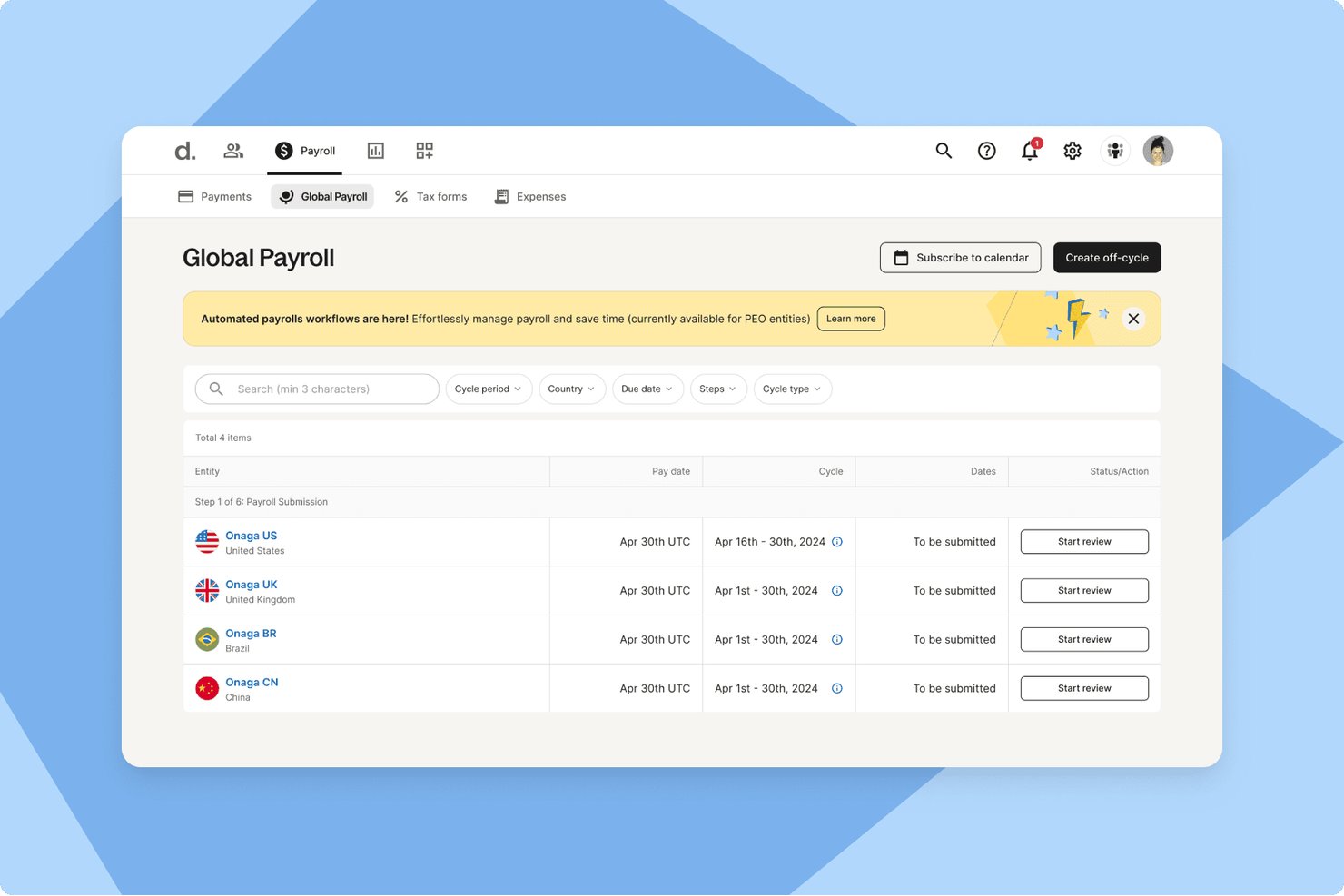
Deel Payroll is a global payroll and contractor management platform that handles multi-country employee payroll, contractor payments, tax filing, and built-in time tracking across 150+ countries.
Who Is Deel Payroll Best For?
Deel Payroll is a strong fit for nonprofits that employ a mix of international staff and independent contractors and need both payroll and contractor payments managed in one place.
Why I Picked Deel Payroll
I've included Deel Payroll in my top picks because it's the only platform I've found that handles both international employee payroll and contractor payments in one place, which matters for nonprofits running programs across borders with a mix of staff and freelancers. I like that it files 1099-NECs directly from the platform and covers federal, state, and local tax filing across all 50 states automatically. Its percentage-based cost center splits also let you divide wages across programs without manual spreadsheet work.
Deel Payroll Key Features
- Built-in time tracking: Workers clock in and out via app, browser, or Slack, with approved hours flowing directly into payroll calculations.
- Multi-country payroll: Deel processes payroll across 150+ countries in 120+ currencies, covering international staff alongside US employees.
- Employee self-service portal: Employees can access pay history, year-to-date tax summaries, W-2s, and update direct deposit and withholding details independently.
- Cost center wage splitting: Wages can be divided across multiple cost centers by percentage with effective dates, supporting labor cost allocation across programs.
Deel Payroll Integrations
Deel Payroll offers native GL Sync integrations with QuickBooks Online, Xero, NetSuite, Sage Intacct, SAP, and Microsoft Dynamics. Syncs are manual, and there are no documented integrations with nonprofit platforms such as Aplos or Blackbaud.
Pros and Cons
Pros:
- Supports percentage-based program wage allocation
- Handles multi-state tax filings automatically
- Combines employee and contractor payroll
Cons:
- Grant reporting remains limited to cost centers
- No clergy or housing allowance workflows

Best for mid-market grant and program labor tracking
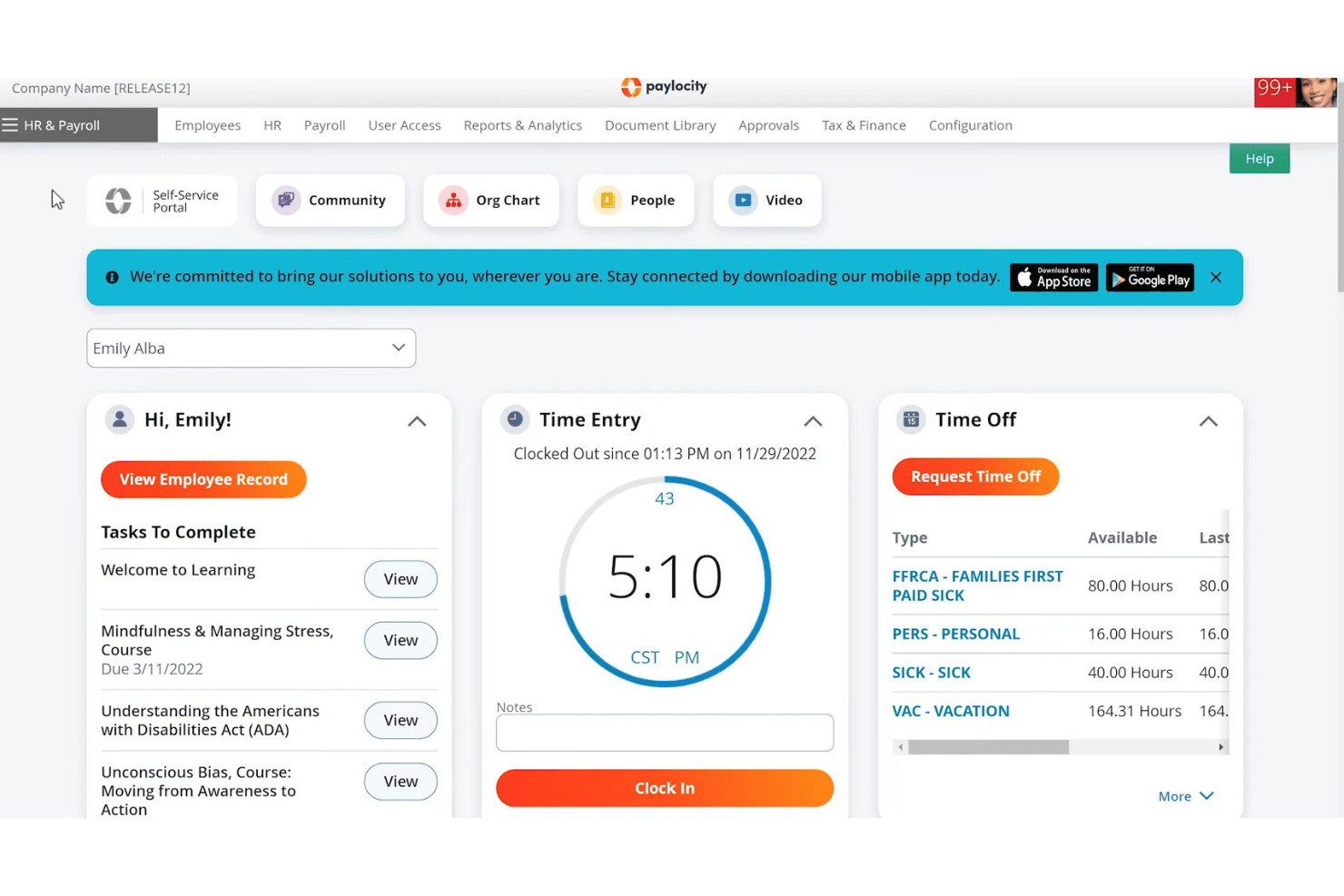
Paylocity is a unified HR and payroll platform that handles payroll processing, time tracking, tax filing, benefits administration, and labor cost allocation across grants, programs, and funding sources for nonprofit organizations.
Who Is Paylocity Best For?
Paylocity is a strong fit for mid-market nonprofits with 100–500 employees that need to track and allocate labor costs across multiple grants, programs, or funding sources.
Why I Picked Paylocity
I picked Paylocity as one of the best because of how well it handles labor cost allocation across multiple grants and programs at the timesheet level. Employees can assign hours directly to specific jobs, cost centers, or funding sources, and those hours flow straight into payroll with no duplicate entry. The GL mapping at the payroll code level means finance teams can split a single payroll run across several grant budgets without manual workarounds.
Paylocity Key Features
- 403(b) plan administration: Paylocity's built-in retirement module, powered by Vestwell, supports 403(b) plans with automatic payroll-connected contribution syncing.
- Multi-state payroll processing: Run payroll across all 50 states in a single pay run, with automated state-specific tax calculation, filing, and compliance alerts.
- Automated tax filing: Paylocity files federal, state, and local taxes—including W-2s, 941s, and 1099s—and assumes liability for any filing errors.
- Employee self-service mobile app: Employees can access pay stubs, request time off, enroll in benefits, and clock in via the mobile app with biometric and geofencing support.
Paylocity Integrations
Paylocity offers native integrations with QuickBooks Online, Sage Intacct, and NetSuite, plus embedded Vestwell retirement administration. Its marketplace includes TrakPay, E-COMP NOW!, SmartPay, Accident Fund, and InsurePay, while APIs support custom integrations.
Pros and Cons
Pros:
- Multi-state tax compliance with real-time alerts
- Automated housing and clergy payroll settings
- Handles grant and program labor tracking
Cons:
- Limited fund accounting integrations available
- No nonprofit-specific pricing or discounts
New Product Updates from Paylocity

Paylocity Expands Expense and Purchase Request Tools
Paylocity adds connected personal cards, smarter expense categorization, and a streamlined purchase request experience. This reduces manual entry and helps finance teams manage expenses and approvals more efficiently. For more information, visit Paylocity’s official site.
 .
.
TimeTrex
Best for time-to-payroll tracking in one place
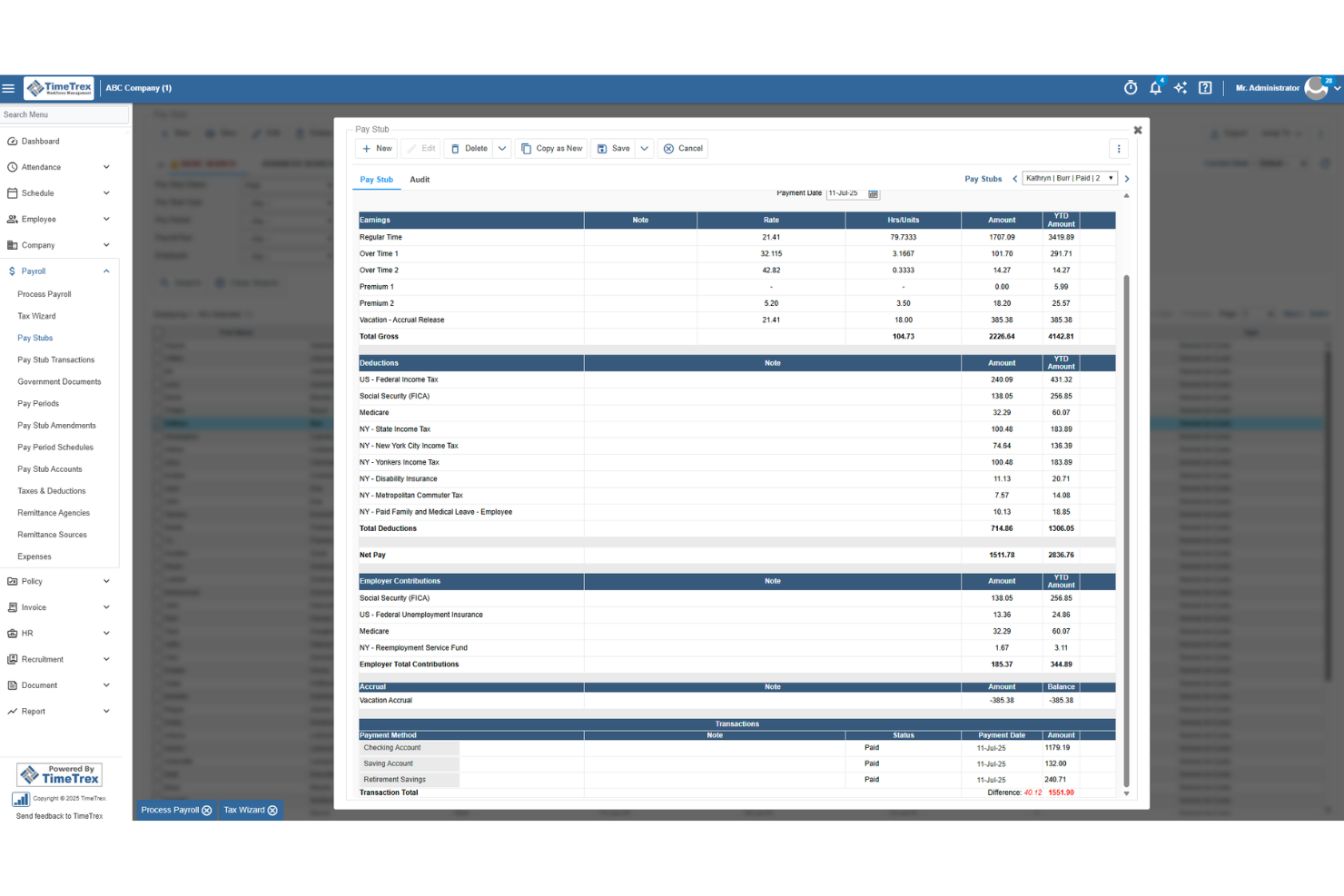
TimeTrex is a workforce management platform that combines time and attendance tracking, employee scheduling, leave management, and payroll processing in a single system.
Who Is TimeTrex Best For?
TimeTrex suits small nonprofits that want time tracking and payroll in one place, particularly those with hourly staff where hours-to-paycheck accuracy matters most.
Why I Picked TimeTrex
I picked TimeTrex as one of the best because of how tightly it connects time tracking to payroll, which matters when you're running hourly staff at a nonprofit and need every hour accounted for before a pay run. Clock-in data flows directly into payroll calculations, so there's no manual hour-entry step where numbers can drift. I also like that cost centers can be allocated across up to four levels, letting you tag hours to specific departments or programs before payroll runs.
TimeTrex Key Features
- Biometric facial recognition: Employees clock in and out using facial recognition to verify their identity at the point of punch.
- Leave and absence management: Tracks leave requests, balances, and accruals for paid time off and sick leave in a centralized system.
- Customizable workforce reports: Generates reports on attendance, labor trends, and payroll data that can be tailored to your organization's needs.
- QuickBooks and Sage integration: Transfers financial data between TimeTrex and your accounting system via two-way or flat-file data sharing.
TimeTrex Integrations
TimeTrex integrations include Intuit QuickBooks, Sage, ADP, Paychex, and Ceridian. It offers a REST API and custom integrations, though nonprofit fund-accounting workflows aren’t specified.
Pros and Cons
Pros:
- Grant-hour summaries support audit preparation
- Users praise patient, clear support responses
- Reviewers say time data simplifies payroll runs
Cons:
- Customers remain responsible for filing payroll taxes
- Fund-level payroll allocation isn’t documented
New Product Updates from TimeTrex
TimeTrex Adds Quick Punch App With Offline and QR Support
TimeTrex adds a new Quick Punch app, offline punching, QR code scanning, punch images, configurable messages, and punch warnings or lockouts to improve employee clock-ins across browsers and local computers. For more information, visit TimeTrex’s official site.
 .
.
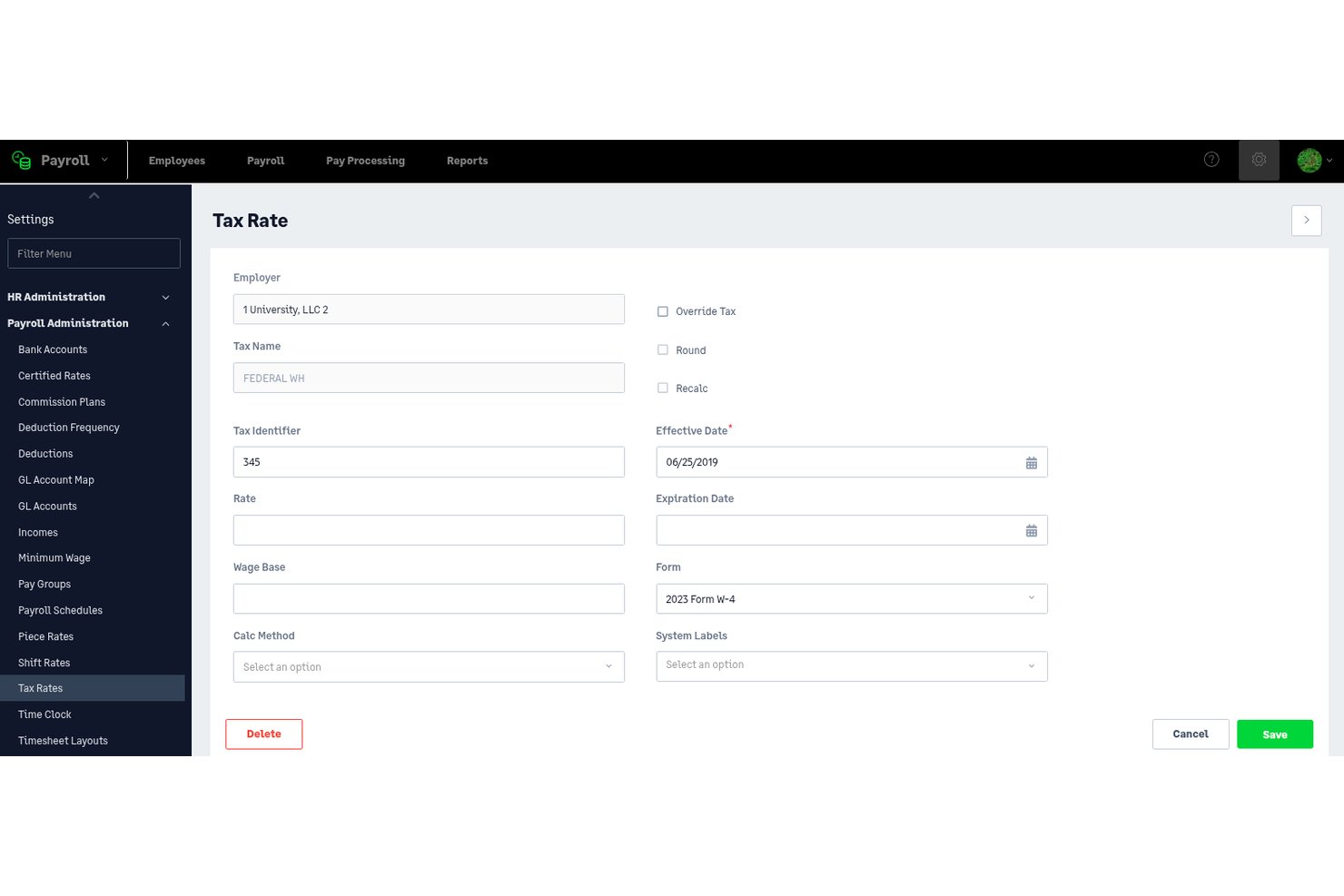
Sage Intacct Payroll is a payroll and HR platform that combines multi-schedule payroll processing, tax filing, employee self-service, and real-time labor allocation across grants and funds—natively integrated with the Sage Intacct general ledger.
Who Is Sage Intacct Payroll Best For?
Sage Intacct Payroll is built for mid-to-large nonprofits with 100+ employees that manage complex, multi-fund grant portfolios and need payroll tightly integrated with fund accounting.
Why I Picked Sage Intacct Payroll
Sage Intacct Payroll earns its spot on my shortlist because of how it handles grant-funded labor allocation at the timecard level. When an employee clocks time against a specific federal grant, that cost flows directly into the Sage Intacct general ledger in real time, mapped to the correct dimension and GL account automatically. I also like that you can run percentage-based allocation across multiple grants simultaneously, which matters when staff split time across several funding sources with different reporting requirements.
Sage Intacct Payroll Key Features
- Multi-schedule payroll processing: Run payroll across multiple pay schedules simultaneously for salaried, hourly, and part-time employees within a single environment.
- Automated tax filing: Federal, state, and local tax calculations, withholding, and form generation—including W-2s, Form 941, and 1099s—are handled automatically across all 50 U.S. states.
- Employee self-service portal: Employees can access pay stubs, W-2s, update direct deposit details, enroll in benefits, and manage PTO without HR involvement.
- Multi-entity consolidation: Manage payroll across multiple affiliated chapters or entities with separate EINs under one environment, with consolidated reporting across all.
Sage Intacct Payroll Integrations
Sage Intacct Payroll has native integrations with Sage Intacct financials and Sage Intacct Time, plus Marketplace integrations for Salesforce, Blackbaud Raiser's Edge NXT, ADP Workforce Now, and Avalara. An open API supports custom integrations.
Pros and Cons
Pros:
- Automated compliance updates for nonprofit reporting
- Multi-entity payroll management in one system
- Real-time grant labor allocation to fund accounting
Cons:
- Significant implementation and onboarding commitment required
- No pre-configured clergy exemption workflows

Rippling
Best for all-in-one payroll with grant tracking
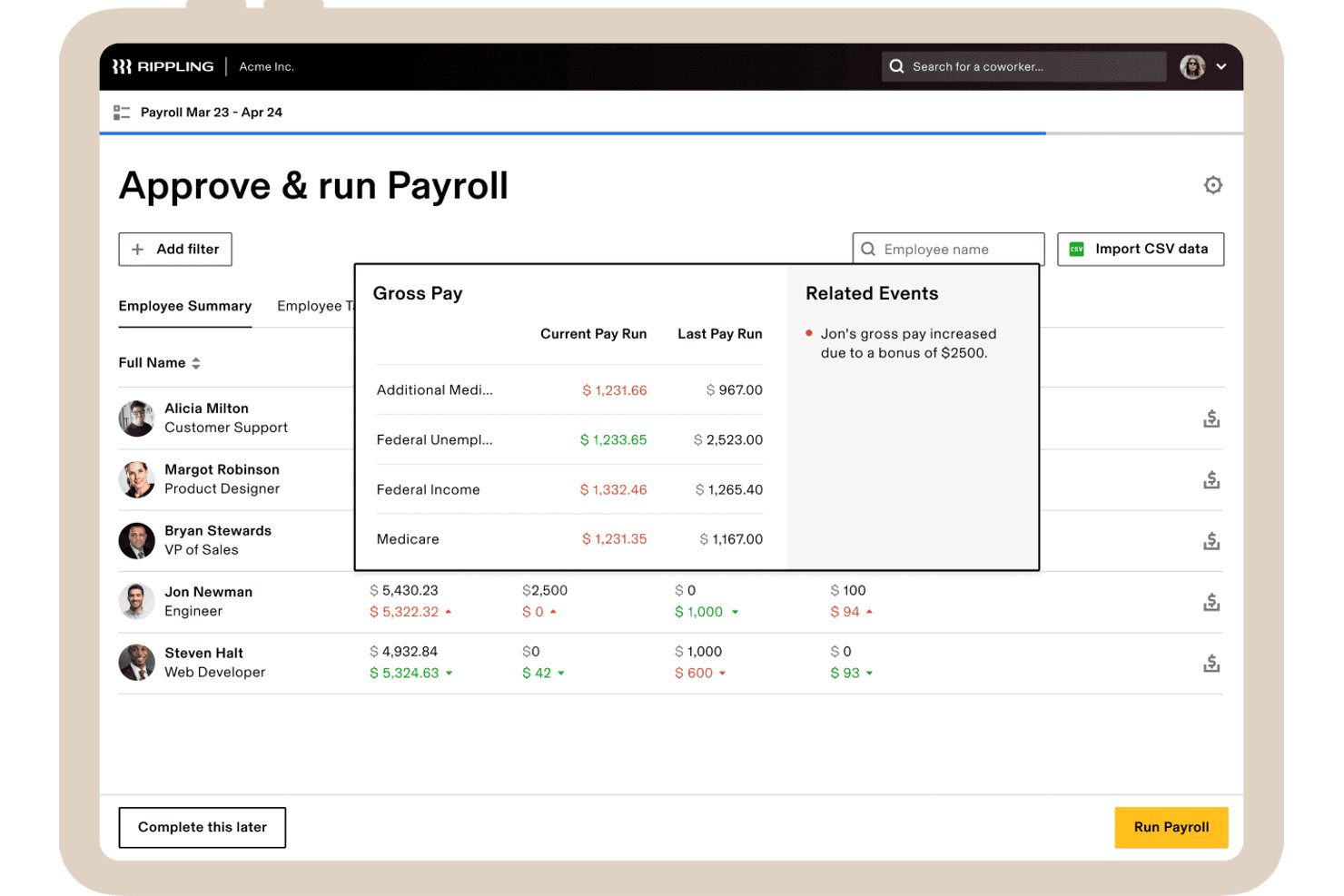
Rippling is an all-in-one HR and payroll platform that combines payroll processing, time tracking, benefits administration, and grant-level labor cost allocation in a single system.
Who Is Rippling Best For?
Rippling is a strong fit for mid-sized secular nonprofits (roughly 50–500 employees) that need payroll, HR, and time tracking in one place—especially those running on Sage Intacct, NetSuite, or QuickBooks.
Why I Picked Rippling
I picked Rippling as one of the best because it handles payroll and grant-level labor tracking in one place, which is a real advantage for nonprofits juggling multiple funding sources. I love that employees can tag hours directly to specific grants at the timecard level, and those hours flow automatically into payroll—no duplicate entry, no manual reconciliation. The Sage Intacct integration posts payroll journal entries with full dimensional detail, so your fund accounting stays clean across departments and entities.
Rippling Key Features
- Full-service tax filing: Rippling automatically calculates, withholds, files, and remits federal, state, and local payroll taxes, and generates W-2s, W-3s, 941s, and 1099s at year-end.
- Multi-state payroll processing: Run payroll across all 50 U.S. states with automatic tax proration for employees who relocate mid-year.
- No-code custom report builder: Build grant-level labor cost reports using natural language prompts, with export options in CSV or PDF format.
- Automated benefits deduction sync: Mid-year benefits changes—health, dental, FSA, HSA, and 401(k)—automatically update payroll deductions without manual re-entry.
Rippling Integrations
Rippling has native integrations with QuickBooks Online, NetSuite, and Xero, plus a Sage Intacct Marketplace integration. It also connects with Fidelity, Vanguard, and Guideline, and offers an API for custom integrations.
Pros and Cons
Pros:
- Strong Sage Intacct fund accounting sync
- Direct time tracking to grant allocations
- Payroll and HRIS unified in one platform
Cons:
- No 403(b) or Aplos integration
- No pre-built workflows for clergy pay
New Product Updates from Rippling

Rippling Expands Automated Compliance With AI Workflows
Rippling expands Automated Compliance with multi-framework support, AI workflows, an audit portal, and trust centers. These updates help GRC teams manage compliance work and audits. For more information, visit Rippling’s official site.

Netchex
Best for clergy and grant-funded payroll
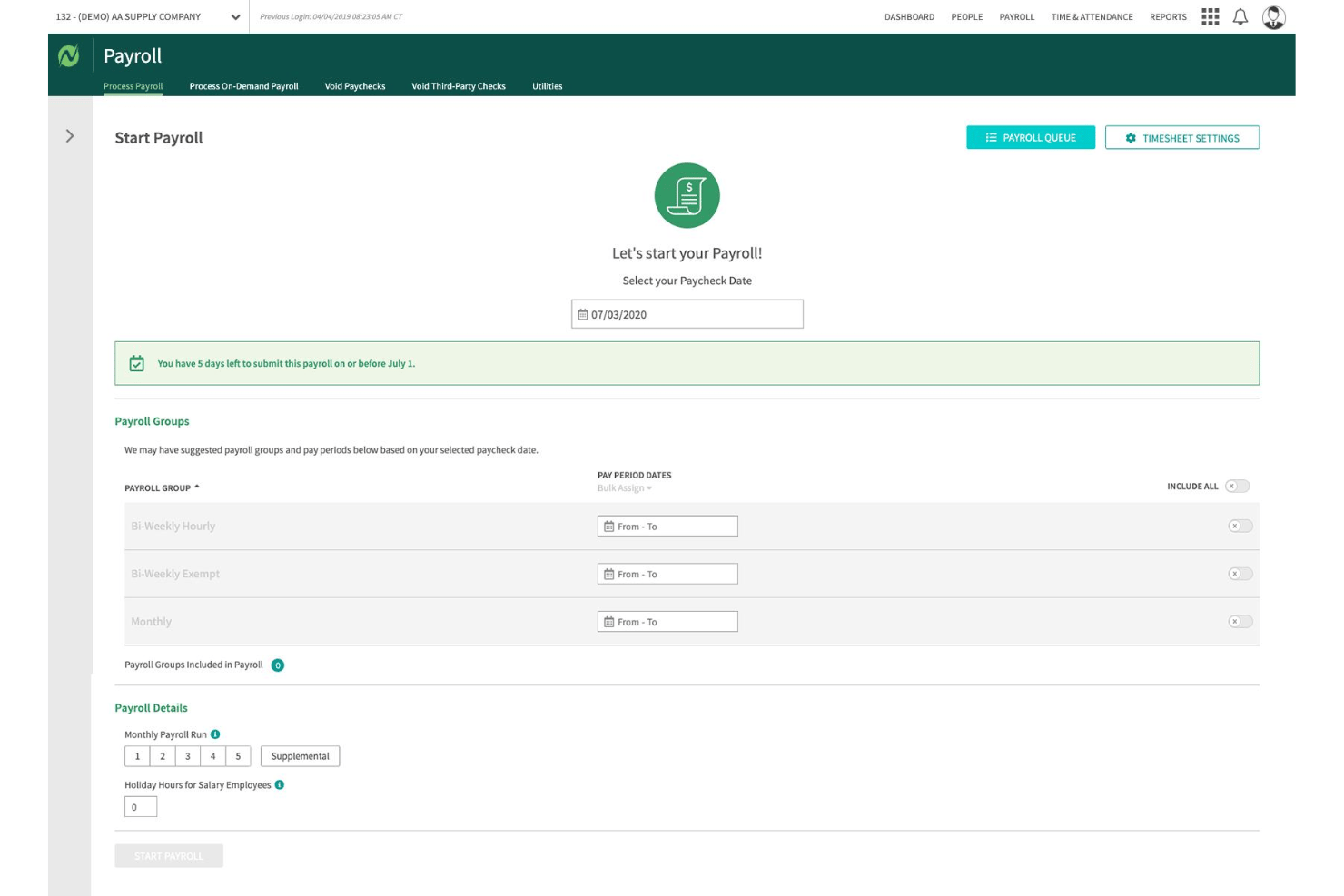
Netchex is a full-service payroll and HR platform built for nonprofits, handling payroll processing, tax filing, time tracking, fund and grant allocation, and benefits administration in one system.
Who Is Netchex Best For?
Netchex is a strong fit for mid-sized nonprofits and faith-based organizations that need clergy payroll, housing allowance tracking, and multi-grant labor cost allocation handled natively in one platform.
Why I Picked Netchex
Netchex earns its spot on my shortlist because it handles clergy payroll and grant-funded labor allocation as native platform features, not manual workarounds. I particularly like how it supports minister dual-status payroll, IRC §107 housing allowance tracking with W-2 annotation, and Form 4361 Social Security opt-outs configured directly in the system. On the grant side, you can split a single employee's labor costs across multiple funds and programs at the timecard level, which flows automatically into audit-ready reporting.
Netchex Key Features
- OneScreen Payroll™ dashboard: Aggregates payroll readiness data across multiple locations or entities so you can review and run payroll in a single view.
- ACT Verification tool: Automatically checks that each employee is taxed correctly based on their work location, covering all 50 states.
- Timecard-level job code tracking: Links time entries to specific departments, cost centers, and programs directly on the timecard before payroll processes.
- AI anomaly monitoring via Sentinel: Continuously scans payroll data for compliance issues, approval errors, and compensation changes between pay periods.
Netchex Integrations
Netchex documents 23+ accounting and GL integrations, including QuickBooks Online, Blackbaud Financial Edge, MIP, Sage 50, Sage 300, Oracle NetSuite, and Microsoft Dynamics 365 Business Central. It also lists 44+ 401(k) provider integrations and supports custom GL file formats.
Pros and Cons
Pros:
- ACA, SUI, WOTC, and 501(c)(3) compliance
- Audit-ready fund and grant allocation built-in
- Clergy payroll and housing allowance automated
Cons:
- Interface slow and cumbersome for small teams
- No clear support for 403(b) plans

Best for grant labor allocation at payroll
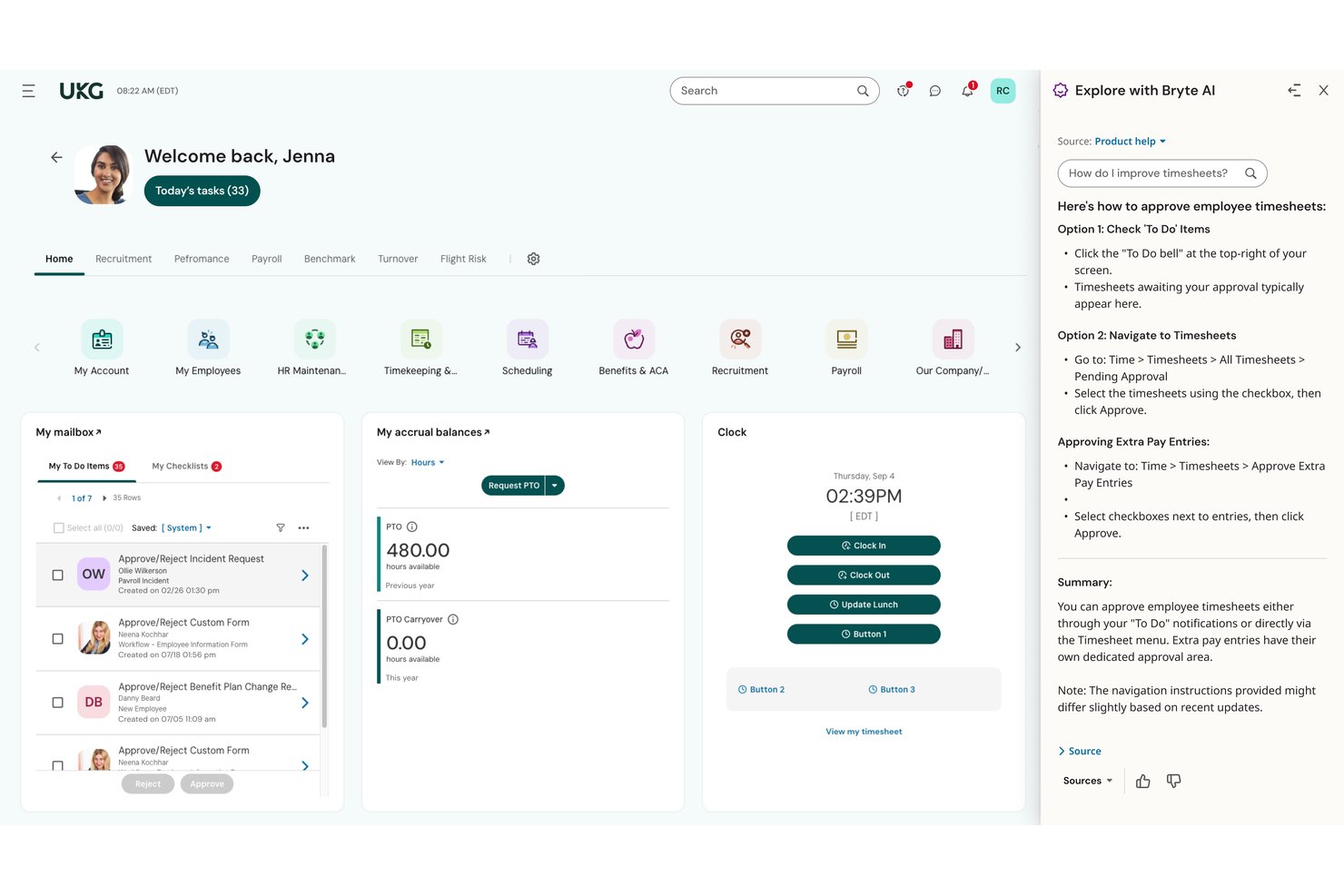
UKG Ready is an HR and payroll platform with built-in time tracking, benefits administration, tax filing, and grant labor allocation tools designed for mid-to-large nonprofit organizations.
Who Is UKG Ready Best For?
UKG Ready is a strong fit for mid-to-large nonprofits that manage grant-funded programs and need payroll to reflect real-time labor allocations across multiple funding sources.
Why I Picked UKG Ready
I picked UKG Ready as one of the best because its dedicated "Time and Effort Reporting for Grants" module does something most payroll platforms don't: it lets you assign labor costs to specific grants in real time, with dashboards showing live spend versus budget. You can set employee rates by grant, track hours against milestones, and run role-based timesheet approvals that distinguish between, say, a principal investigator and a program assistant. Native 403(b) administration with 15-year rule support rounds out the nonprofit fit.
UKG Ready Key Features
- SmartCheck™ payroll error flagging: An AI-powered review scans each payroll run and surfaces potential errors before you finalize it.
- Multi-EIN payroll support: Run payroll across separate chapters, campuses, or affiliated entities under a single platform login.
- 403(b) catch-up contribution administration: Native setup supports 15-year rule provisions and USERRA make-up contributions for nonprofit retirement plans.
- Automated multi-jurisdiction tax filing: Federal, state, and local tax submissions—including W-2s, 1099s, and 941s—are filed end-to-end on your behalf.
UKG Ready Integrations
UKG Ready has documented integrations with QuickBooks and NetSuite, plus a Sage Intacct Marketplace connection. These accounting integrations support payroll-to-ledger workflows for nonprofit finance teams.
Pros and Cons
Pros:
- Multi-entity payroll under one login
- Native 403(b) 15-year rule support
- Real-time grant labor allocation during payroll
Cons:
- Reporting tools require administrative expertise
- No pre-built clergy tax workflows

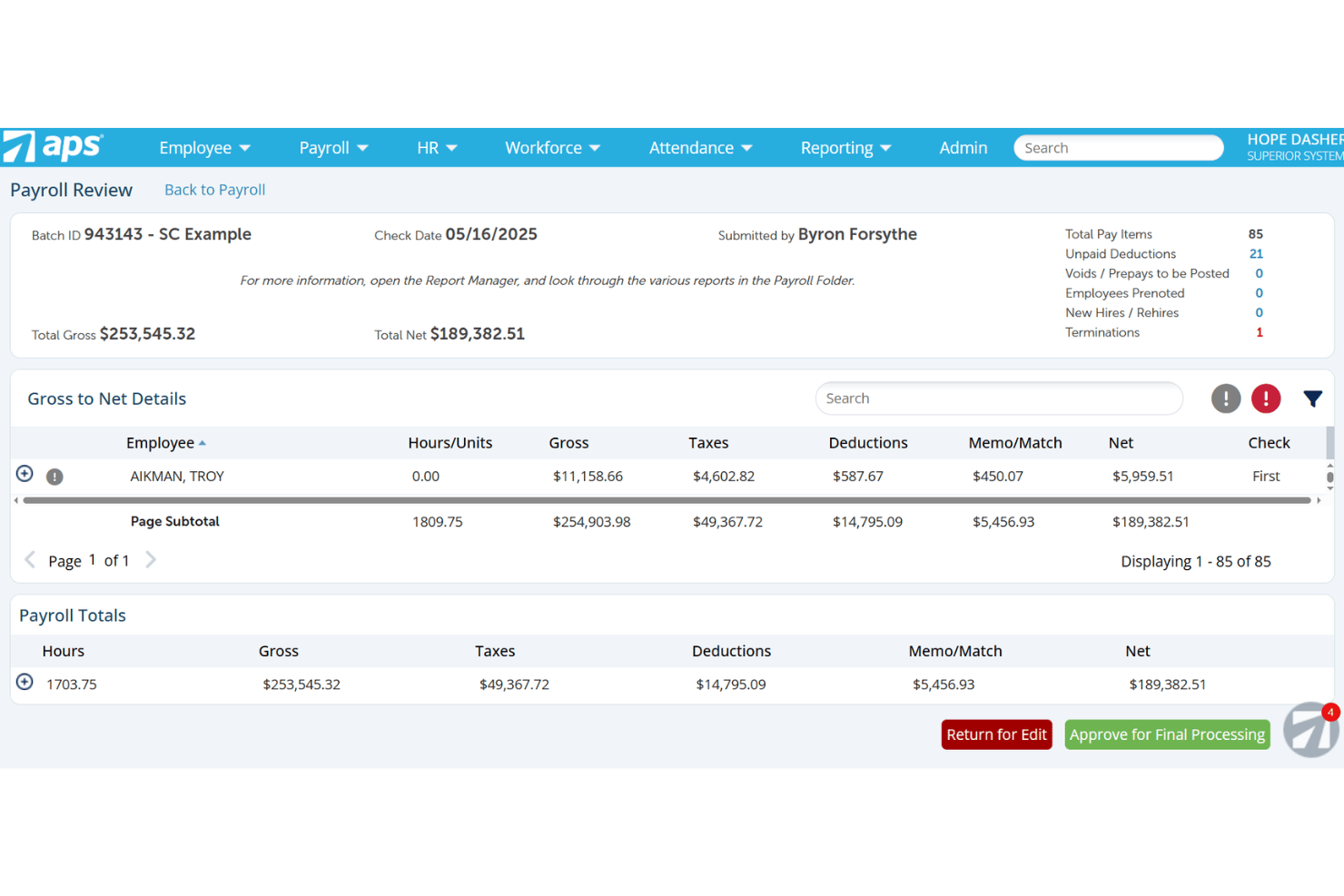
APS Payroll is a payroll and HR platform built with dedicated support for nonprofits and faith-based organizations, covering payroll processing, tax compliance, time tracking, benefits administration, and grant-level labor cost allocation.
Who Is APS Payroll Best For?
APS Payroll is a strong fit for nonprofits and faith-based organizations that need to allocate labor costs across multiple grants or programs and want a dedicated support team.
Why I Picked APS Payroll
APS Payroll earns its spot on my shortlist because of its Dimensions module, which lets you tag employee time directly to specific grants, programs, or departments at the timecard level. I love that those allocations flow straight into payroll processing and GL exports, so there's no manual rework when you're reconciling labor costs across multiple funding sources. The platform also handles 501(c)(3) FUTA exemptions and clergy dual-status taxation natively, which matters if your organization runs a mixed workforce of lay staff and ordained ministers.
APS Payroll Key Features
- Clergy housing allowance tracking: Set up, document, and track ministerial housing allowances to support correct federal income tax exclusion treatment.
- Employee self-service portal: Staff can view pay stubs, update direct deposit details, adjust W-4 withholding, and request time off through a web or mobile app.
- Sage Intacct bidirectional integration: Syncs employee records and dimensions between APS and Sage Intacct, then automatically posts payroll GL data by dimension into your fund accounting system.
- Custom report builder: Build ad hoc payroll and labor expense reports using configurable filters and columns to support board presentations and Form 990 preparation.
APS Payroll Integrations
APS Payroll lists 238 total connections, including a native bidirectional Sage Intacct integration plus integrations with QuickBooks, AccountMate, Acumatica, ACS Technologies, and Employee Navigator. An open API supports custom integrations.
Pros and Cons
Pros:
- Handles clergy housing allowance and dual-status
- Dedicated nonprofit and faith-based support teams
- Grant-level labor cost allocation with audit trails
Cons:
- No Aplos or Blackbaud Financial Edge NXT integration
- High monthly minimum excludes small nonprofits

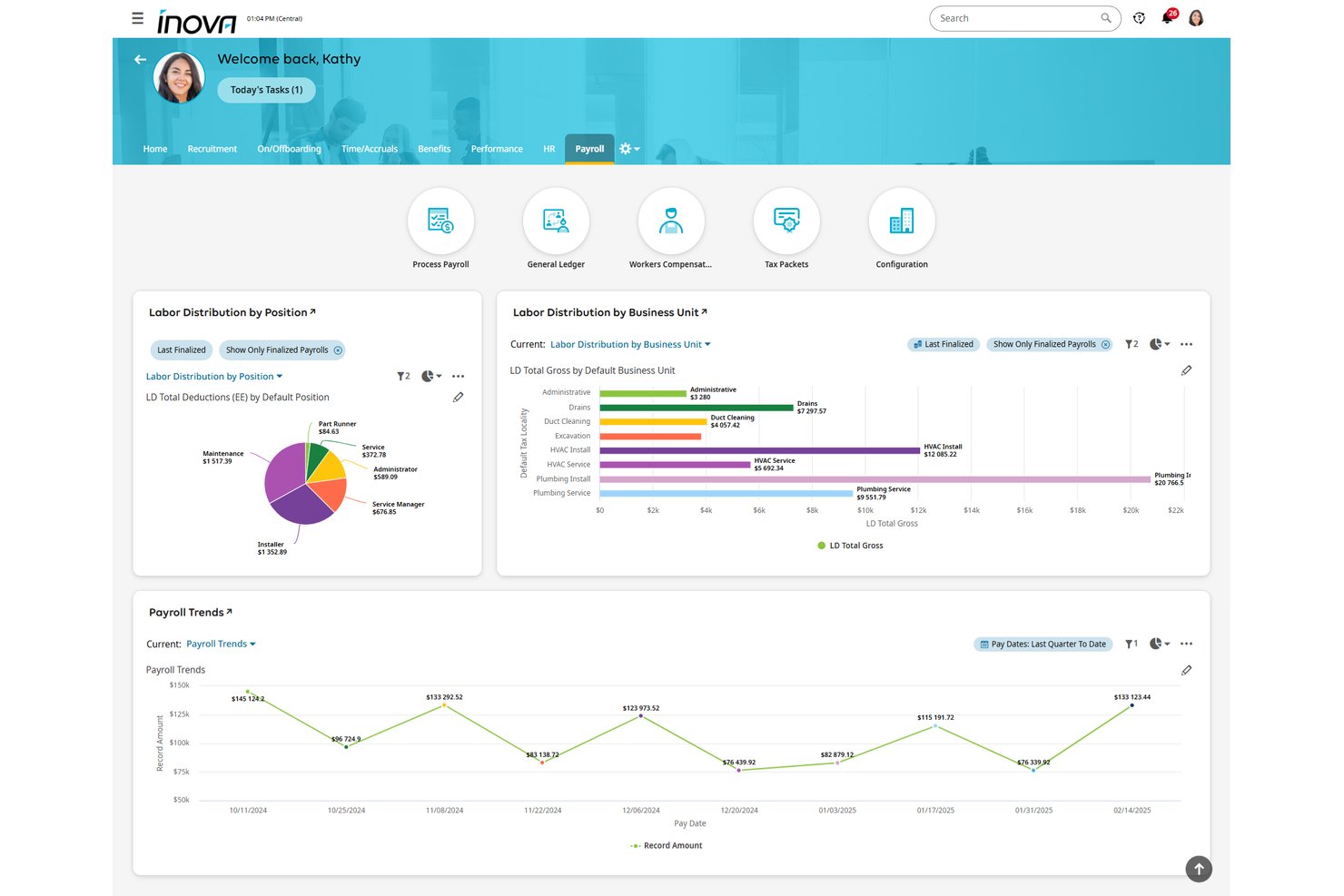
UKG Inova Payroll is a full-service payroll platform built for nonprofits, handling automated payroll processing, multi-state tax filing, clergy housing allowances, grant-level labor cost allocation, and fund accounting integrations across organizations of all sizes.
Who Is UKG Inova Payroll Best For?
UKG Inova Payroll is a strong fit for faith-based organizations and nonprofits managing federally funded programs that need clergy housing allowance support and grant-level labor cost tracking in one payroll system.
Why I Picked UKG Inova Payroll
I've included UKG Inova Payroll in my top picks because it handles two of the most technically demanding nonprofit payroll scenarios out of the box: clergy compensation and grant-level labor tracking. I specifically like that it supports housing allowances, Form 4361, and minister dual-status configuration, which most generalist platforms simply don't address. On the grant side, you can code timecards directly to funding sources, set primary and secondary funding splits per employee, and pull grant-level labor reports that hold up to OMB Uniform Guidance requirements.
UKG Inova Payroll Key Features
- Full-service tax filing: Files Forms 940, 941, 944, W-2, W-3, and 1099 across all 50 states and Washington, D.C., with automated reciprocity withholding and geospatial local tax ID matching.
- Multi-EIN payroll management: Manages payroll across multiple affiliated entities, chapters, or campuses under one login with separate EIN handling and consolidated reporting.
- Pay-as-you-go workers' comp: Calculates workers' compensation premiums per payroll run with no down payment, avoiding large year-end true-ups.
- Sage Intacct integration: Syncs payroll data bidirectionally with Sage Intacct, auto-posting GL journal entries by department, location, and dimension after each payroll run.
UKG Inova Payroll Integrations
UKG Inova Payroll integrates with Sage Intacct, QuickBooks Online, Acumatica, and Xero. It also provides an open REST API for custom connections, while Sage Intacct supports bidirectional GL and dimension syncing.
Pros and Cons
Pros:
- Manages multi-EIN nonprofit payroll compliance
- Supports grant-level labor cost tracking
- Handles clergy housing and parsonage allowances
Cons:
- No free trial or instant sandbox access
- No explicit support for 403(b) retirement plans

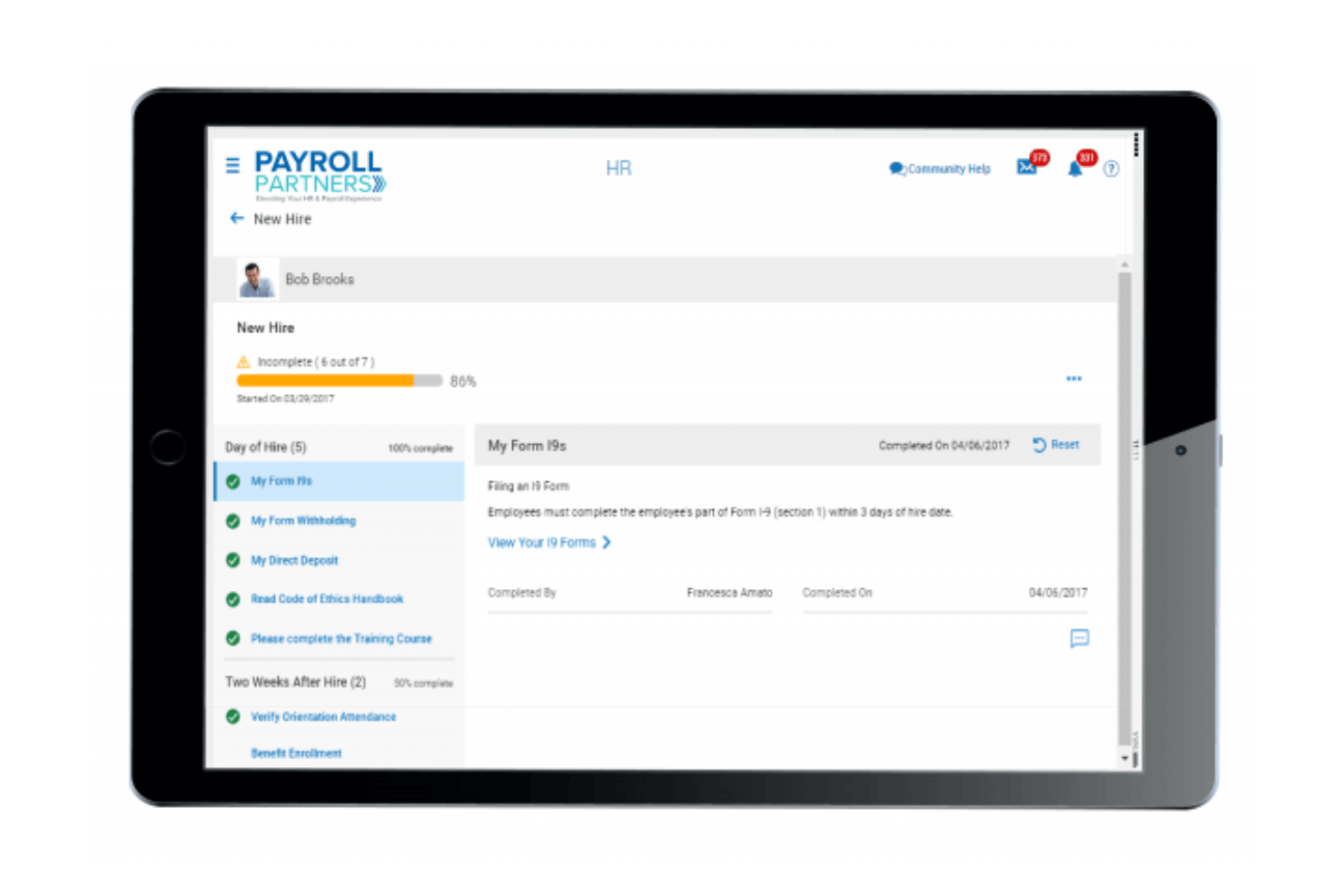
Payroll Partners is a payroll and HR platform built specifically for churches and faith-based nonprofits, covering clergy tax handling, multi-campus labor allocation, time and attendance, benefits enrollment, and ATS-integrated recruiting.
Who Is Payroll Partners Best For?
Payroll Partners is built for churches and faith-based nonprofits that need clergy housing allowance management, dual-status minister tax handling, and multi-campus payroll support in one place.
Why I Picked Payroll Partners
Payroll Partners earns its spot on my shortlist because no other platform handles clergy payroll complexity with this level of specificity. I'm particularly impressed by its dual-status minister tax handling, which correctly separates FICA from SECA obligations, and its dedicated clergy housing allowance workflows, which even support mid-year reviews when a pastor's expenses change. It also manages pay confidentiality for pastoral staff, something most general payroll platforms simply don't offer.
Payroll Partners Key Features
- ATS-integrated recruiting: Post open roles directly to Indeed, Glassdoor, and ZipRecruiter, then manage candidate prescreening, scoring, and committee review workflows within the same platform.
- Paperless onboarding: New hires complete offer letter signing, federal and state forms, and I-9 verification online, with manager and employee task checklists tracking each step.
- ACA compliance dashboard: Tracks Applicable Large Employer status, generates 1094-C and 1095-C forms, and handles electronic filing with built-in compliance alerts.
- Multi-method time tracking: Employees can clock in via physical time clocks (badge, biometric, or proximity fob), web portal timesheets, or mobile app, with hours feeding directly into payroll.
Payroll Partners Integrations
Payroll Partners integrates with QuickBooks, Sage, Shelby Systems, Blackbaud, and ACS for accounting workflows. It also connects with Indeed, Glassdoor, and ZipRecruiter through its ATS, with custom integrations available on request.
Pros and Cons
Pros:
- Dedicated multi-campus labor allocation features
- Dual-status minister tax workflows included
- Handles clergy housing and parsonage allowances
Cons:
- Employee portal interface feels dated
- No public pricing or trial available
Andre lønnssystemer for ideelle organisasjoner
Her er noen flere lønnssystemer for ideelle organisasjoner som ikke kom med på kortlisten min, men som likevel er verdt å undersøke:
- Gusto
For clergy and 501(c)(3) payroll tax setup
- Paychex Flex
For scaling secular nonprofits' payroll compliance
- Paycor
For pay-as-you-go workers' comp
- ADP Workforce Now
For grant and clergy payroll compliance
- OnPay
For clergy and 501(c)(3) tax exemptions
- Paycom
For mid-to-large nonprofits needing full HCM
- Justworks
For secular nonprofits wanting PEO-backed benefits
- MIP Fund Accounting
For grant-funded labor cost allocation
- isolved
For mid-size secular nonprofits needing full HCM


How I Evaluate Nonprofit Payroll Software
My evaluation splits into baseline criteria every tool must meet—like clergy tax handling and fund allocation—and differentiators that separate a solid pick from the right one for your org.
Core Functionality (Table Stakes For This List)
When I'm selecting tools for my list, I rank each one on a scale from 0 (does not offer the functionality) to 5 (excels in this area) for each core functionality listed below. I then calculate the tool's total score into a percentage, using 65% as a benchmark to help assess its overall fit for the list.
- Payroll processing: I check whether the tool handles automated pay runs across multiple schedules, direct deposit, and contractor payments without manual workarounds.
- Tax filing and compliance: Each tool needs to calculate, withhold, and file federal and state payroll taxes and generate year-end forms like W-2s and 1099s.
- Employee self-service: I look for a portal where staff can pull up pay stubs, download tax forms, and update their own direct deposit or withholding details.
- Nonprofit tax exemptions: Tools should support 501(c)(3) FUTA exemptions and clergy housing allowances—both come up constantly in nonprofit payroll setups.
- Fund and grant allocation: I evaluate how each platform splits labor costs across grants, programs, or restricted funds, since funders expect audit-ready reporting at the line-item level.
- Fund accounting integration: Syncing payroll data to systems like QuickBooks, Sage Intacct, or Aplos matters, so I check for native or bidirectional integrations with nonprofit accounting platforms.
Once I have a list of tools that meet the criteria, I consider what sets each platform apart.
Differentiating Factors (What Sets Vendors Apart)
Here's how I compare and contrast different vendors:
Standout Features
I check whether time tracking syncs directly into payroll with grant or job codes at the timecard level, since duplicate entry across systems is where allocation errors start. Board-ready reporting matters too—I look for pre-built labor cost reports broken out by fund, grant, and program that are formatted for board packets or grantor audits without manual spreadsheet work. For nonprofits running multiple chapters or campuses, I evaluate multi-entity support under a single login with separate EIN handling and consolidated reporting.
Beyond Features
I check whether each vendor offers onboarding support from specialists who understand nonprofit fund structures and clergy tax setup—not just generic payroll reps. A bad mid-year migration can mean duplicate tax filings or misallocated grant wages. I also look for bidirectional integrations with fund accounting platforms like Sage Intacct, Aplos, or QuickBooks, with class and dimension mapping that keeps your chart of accounts intact. Nonprofit-specific pricing matters too, especially flexible per-employee rates without long-term contracts for orgs with fluctuating grant-funded headcount.
Hvordan velge et lønnssystem for en ideell organisasjon
Hva bør du se etter når du velger et lønnssystem som dekker behovene dine for tilskuddssporing, regeloverholdelse og fordeling av programkostnader i den ideelle organisasjonen din:
| Hvis prioriteten din er … | Se etter … |
|---|---|
| Å følge arbeidsinnsats på tvers av tilskudd eller programmer | Innebygd fordeling av tilskudds- og fondskostnader ved hver lønnskjøring |
| Overholdelse av lønnsskatt for prester eller trosbaserte organisasjoner | Egne moduler for prestebolig og skatt |
| Revisjonsklar rapportering for tilskuddsgivere eller styrer | Ferdig utarbeidet rapportering av arbeidskostnader basert på fond |
| Enkel integrasjon med regnskapsverktøy for ideelle organisasjoner | Innebygd, toveis synkronisering med QuickBooks eller Sage |
| Skalering med varierende antall ansatte eller midlertidig personale | Fleksibel brukerbasert prising uten lange kontrakter |
Slik vurderer du kortlisten din
- Test fordeling av tilskudd i systemet: Fordel og godkjenn lønn for et eksempeltilskudd, og kontroller at den eksporterte rapporten er nøyaktig.
- Be om en skattedemonstrasjon for prester: Be leverandøren vise deg hvordan boligtillegg for prester og oppsett av skattefritak for 501(c)(3) håndteres.
- Be om et eksempel på en revisjonsrapport: Be om en formatert rapport over arbeidskostnader per fond, slik den leveres ved revisjon for tilskuddsgivere eller i styrepapirer.
- Prøv en regnskapsintegrasjon: Kjør lønn og synkroniser resultatene med regnskapssystemet for den ideelle organisasjonen innenfor et 7-dagers testmiljø.
- Avveining – bransjeekspertise kontra generell lønnsskala: Bestem om du ønsker en spesialist på ideelle organisasjoner med innebygd regeloverholdelse, eller en større leverandør som tilbyr tilpasning, men har mindre fokus på sektoren.
Hva er lønnssystemer for ideelle organisasjoner?
Lønnsprogramvare for ideelle organisasjoner er digitale verktøy utviklet for å håndtere lønnsutbetalinger, overholdelse av skatteregler og fordeling av midler eller tilskudd, spesielt for ideelle organisasjoner. Disse plattformene hjelper deg med å håndtere unike behov i ideelle organisasjoner, som å spore lønnskostnader per program eller fond, støtte lønnsbehov for geistlige eller trosbaserte organisasjoner og generere revisjonsklare rapporter for tilskuddsgivere og styrer. De spiller en viktig rolle i å holde organisasjonen regelrett og organisert.
Funksjoner i lønnsprogramvare for ideelle organisasjoner
Når du velger lønnsprogramvare for en ideell organisasjon, bør du se etter følgende viktige funksjoner:
- Lønnsbehandling: Håndterer regelmessige og enkeltstående lønnskjøringer for ansatte og oppdragstakere, støtter flere lønnsplaner og automatiserer beregninger av inntekt, fradrag og overtid, slik at du kan kjøre lønn uten manuelt arbeid.
- Skatteinnrapportering og regelverksetterlevelse: Beregner, trekker og rapporterer føderale, statlige og lokale lønnsskatter – inkludert særregler for 501(c)(3)-organisasjoner – og genererer skattedokumenter ved årets slutt, som W-2s og 1099s, slik at du kan overholde regelverket.
- Fordeling av fond og tilskudd: Lar deg fordele lønns- og arbeidskostnader på bestemte tilskudd, fond eller programmer i hver lønnskjøring, og støtter revisjonsklare rapporter og krav fra tilskuddsgivere om detaljert kostnadssporing.
- Skattefritak for ideelle organisasjoner: Støtter oppsett av FUTA-fritak for ideelle organisasjoner og gjør det mulig å behandle boligtillegg for geistlige, slik at du kan håndtere sektorspesifikke skatteregler uten omveier.
- Selvbetjeningsportal for ansatte: Gir ansatte tilgang til digitale lønnsslipper og skattedokumenter, samt mulighet til å oppdatere personlig informasjon og bankopplysninger. Dette reduserer arbeidsbelastningen for HR og støtter de ansattes selvstendighet.
- Integrasjon med fondsregnskap: Synkroniserer lønnsdata med regnskapsplattformer for ideelle organisasjoner, som QuickBooks, Sage Intacct eller Aplos, og kobler lønnskostnader til kontoplanen for nøyaktig økonomirapportering.
- Tidsregistrering med jobb- eller tilskuddskoder: Kobler de ansattes tidsregistrering direkte til finansieringskilder eller programmer, reduserer feil ved dataregistrering og sikrer at arbeidskostnadene fordeles riktig i hver lønnskjøring.
- Ferdiglagde revisjons- og styrerapporter: Tilbyr standardrapporter som fordeler arbeidskostnader per tilskudd, fond eller program – formatert for revisjoner utført av tilskuddsgivere eller gjennomganger i styret – slik at du kan oppfylle interessentenes krav uten manuell databehandling.
- Administrasjon av flere enheter: Støtter separate EIN-er og økonomi for organisasjoner som driver flere avdelinger eller lokasjoner, samtidig som du får samlet oversikt med én enkelt pålogging.
- Innføring og brukerstøtte med fokus på ideelle organisasjoner: Gir deg tilgang til spesialister som forstår lønn for ideelle organisasjoner, fondsstrukturer og skattesituasjoner for geistlige, slik at du kan unngå feil ved regelverksetterlevelse under oppsett og migrering.
Fordeler med lønnsprogramvare for ideelle organisasjoner
Implementering av lønnsprogramvare for ideelle organisasjoner gir flere fordeler for teamet og virksomheten din. Her er noen av fordelene du kan se frem til:
- Nøyaktig fordeling av tilskudd og fond: Fordel lønnskostnader på bestemte tilskudd, programmer eller fond i hver lønnskjøring, slik at rapporteringen er klar for revisjoner og krav fra tilskuddsgivere.
- Spesialisert skattehåndtering for ideelle organisasjoner: Håndter FUTA-fritak for 501(c)(3)-organisasjoner og boligtillegg for geistlige gjennom dedikerte moduler som sikrer at du overholder regelverket uten manuelle beregninger.
- Integrerte regnskapsprosesser: Synkroniser lønnsdata direkte med regnskapssystemer for ideelle organisasjoner, som QuickBooks, Sage Intacct eller Aplos, slik at postene dine forblir nøyaktige og klare for revisjon.
- Revisjonsklare rapporter: Generer ferdiglagde rapporter som fordeler arbeidskostnader per fond, program eller tilskudd, og støtter styrepresentasjoner og revisjoner utført av tilskuddsgivere uten ekstra arbeid i regneark.
- Selvbetjeningsverktøy for ansatte: La ansatte laste ned lønnsslipper, få tilgang til skatteskjemaer og oppdatere opplysningene sine gjennom sikre nettportaler, noe som reduserer arbeidsbelastningen for HR.
- Innføringsstøtte med fokus på ideelle organisasjoner: Samarbeid med spesialister som forstår fondsstrukturer i ideelle organisasjoner og skatteregler for geistlige, slik at feil ved oppsett og risiko for manglende regelverksetterlevelse reduseres.
- Tilpasningsdyktige priser og skalerbarhet: Bruk fleksible prismodeller basert på antall brukere som støtter varierende bemanning finansiert av tilskudd, og unngå langsiktige kontrakter.
Kostnader og priser for lønnsprogramvare for ideelle organisasjoner
Valg av lønnsprogramvare for en ideell organisasjon krever en forståelse av de ulike prismodellene og abonnementene som er tilgjengelige. Kostnadene varierer basert på funksjoner, teamstørrelse, tillegg og mer. Tabellen nedenfor oppsummerer vanlige abonnementer, gjennomsnittsprisene deres og typiske funksjoner som er inkludert i løsninger for lønnsprogramvare for ideelle organisasjoner:
Sammenligningstabell for abonnementer på lønnsprogramvare for ideelle organisasjoner
| Plantype | Gjennomsnittspris | Vanlige funksjoner |
|---|---|---|
| Gratisplan | $0 | Grunnleggende lønnskjøring, enkle skatteberegninger og begrenset selvbetjening for ansatte. |
| Personlig plan | $8–$15/bruker/måned | Standard lønnskjøringer, automatiserte føderale og statlige skatteinnrapporteringer, portal for ansattes selvbetjening og e-poststøtte. |
| Bedriftsplan | $16–$35/bruker/måned | Lønn for ansatte og oppdragstakere, kostnadsfordeling på tilskudd og fond, regnskapsintegrasjoner og revisjonsrapportering. |
| Foretaksplan | $36–$60/bruker/måned | Tilpassede arbeidsflyter, støtte for flere juridiske enheter, dedikert hjelp med oppstart, prioritert støtte og avansert etterlevelse. |
Vanlige spørsmål om lønnssystemer for ideelle organisasjoner
Her er noen svar på vanlige spørsmål om lønnssystemer for ideelle organisasjoner:
Hvordan håndterer lønnssystemer for ideelle organisasjoner tilskudd og bundne midler?
De fleste lønnssystemer for ideelle organisasjoner lar deg fordele lønn og lønnskostnader direkte til bestemte tilskudd, fond eller programmer ved hver lønnskjøring. Dette hjelper deg med å oppfylle tilskuddsgivernes krav til rapportering av arbeidskostnader på postnivå og holder revisjonene ryddige. Noen verktøy kobler til og med tidsregistrering eller stillingskoder til finansieringskilder, slik at kostnadsfordelingen skjer automatisk.
Kan lønnssystemer for ideelle organisasjoner håndtere skattefordeler for prester og 501(c)(3)-unntak?
Ja, mange lønnssystemer for ideelle organisasjoner tilbyr innebygde moduler for boligtillegg til prester og 501(c)(3)-unntak fra FUTA. Du bør alltid teste dette under demonstrasjonen. Noen systemer veileder deg gjennom skatteoppsettet for prester, mens andre tillater manuell konfigurering for mer komplekse lønnsordninger i trossamfunn.
Hvilke regnskapsplattformer kan integreres med lønnssystemer for ideelle organisasjoner?
I løsninger for ideelle organisasjoner finner du vanligvis integrasjoner med QuickBooks, Sage Intacct og Aplos. Noen plattformer tilbyr direkte synkronisering av lønnsdata med kontoplanen, mens andre bruker verktøy for eksport og import eller tredjepartsapper. Det er lurt å undersøke om løsningen støtter toveis synkronisering og mapping av klasser eller dimensjoner, slik at du unngår dobbeltarbeid.
Hvordan vet jeg om en lønnsleverandør virkelig forstår behovene til ideelle organisasjoner?
Se etter leverandører som tilbyr onboarding med spesialister på ideelle organisasjoner, ikke bare standardrepresentanter for lønn. Be om eksempler på rapporter – for eksempel arbeidskostnader per tilskudd – og be om en demonstrasjon av arbeidsflytene for fordeling på tilskudd og fond. Ekte ekspertise viser seg i hvor enkelt verktøyet håndterer skatteregler, rapportering og etterlevelse som er spesifikke for ideelle organisasjoner.
Hva er den beste måten å vurdere lønnssystemer for flere avdelinger eller lokasjoner på?
Kontroller at programvaren støtter håndtering av flere juridiske enheter eller EIN-numre under én innlogging. Det betyr at du kan kjøre separate lønnskjøringer, fordele kostnader og generere konsoliderte rapporter for organisasjoner med flere lokasjoner eller programmer – uten å måtte administrere flere kontoer.
Finnes det fleksible prisalternativer for ideelle organisasjoner med tilskuddsbasert eller varierende bemanning?
Ja, mange leverandører av lønnssystemer for ideelle organisasjoner tilbyr månedlige avtaler og priser per ansatt uten langsiktige bindinger. Denne fleksibiliteten hjelper ideelle organisasjoner med å skalere opp eller ned når tilskuddsfinansiering eller prosjektarbeid endrer seg i løpet av året. Avklar alltid avtalevilkårene, og spør om alternativer for sesongarbeidere eller midlertidig ansatte.