

10 beste lønnssystemer for 2026

10 Kortliste over beste lønnssystemer


Få øyeblikk i HR er like stressende som en mislykket lønnskjøring – enten det skyldes en manglende direkteinnbetaling, en feilaktig skatteberegning eller en regnearkfeil som skaper problemer i de månedlige avstemmingsoppgavene dine. Å velge riktig lønnssystem er den raskeste måten å beskytte deg mot kostbare bøter for manglende etterlevelse og gi teamet ditt flere timer med administrativ tid tilbake hver uke.
Med utgangspunkt i mine over 9 års erfaring med HR-administrasjon analyserte jeg årets ledende plattformer med et strengt, prosessorientert perspektiv for å se hvilke som faktisk gjør lønningsdagen enklere. Enten du kjører lønn for et lite lokalt team eller administrerer en kompleks hybridarbeidsstyrke, er dette de beste lønnssystemene for 2026.
Hvorfor du kan stole på våre programvareanbefalinger
Teamet vårt har testet og anmeldt programvare siden 2012. Vi er selv HR-eksperter, så vi vet hvor vanskelig og hvor viktig det er å velge riktig programvare.
I denne guiden har vi vurdert verktøyene gjennom praktisk testing og uavhengig research og gitt dem poeng ut fra våre utvelgelseskriterier. Vi bygger også på innsikt fra ledende eksperter i bransjen og erfarne HR-eksperter.
Anmeldelsene våre bygger på vår egen redaksjonelle vurdering. De er ikke et salgsargument.
Ekspertanmeldere:
Sammenligningstabell for lønnssystemer
Denne sammenligningstabellen oppsummerer priser, prøveperioder og demodetaljer for mine utvalgte lønnssystemer.
| Tool | Best For | Trial Info | Price | ||
|---|---|---|---|---|---|
| 1 | Best for employee‑driven error prevention | Not available | Pricing upon request | Website | |
| 2 | Best for 24/5 dedicated support | Not available | Pricing upon request | Website | |
| 3 | Best for employee self-service | Free trial available | From $10/employee/month | Website | |
| 4 | Best for compliant payroll in 150+ countries | Free demo available | From $29/user/month | Website | |
| 5 | Best for global teams in 170+ countries | Free demo available | From $199/employee/month | Website | |
| 6 | Best for automating payroll tasks | Free demo available | Pricing upon request | Website | |
| 7 | Best for global payroll management | Free demo available | From $199/user/month | Website | |
| 8 | Best for hands-off tax filing | Free demo available | From $49/month + $6/month/user | Website | |
| 9 | Best for managing hourly teams | Free plan + 14-day free trial available; | From $24/month (billed annually) | Website | |
| 10 | Best for Canadian SMBs | Free demo available | Pricing upon request | Website |


Anmeldelser av de beste lønnssystemene
Her finner du mine detaljerte oversikter over de 20 beste lønnsløsningene jeg har omtalt. Hver oversikt inneholder informasjon om plattformens beste bruksområde, fremtredende funksjoner og integrasjoner. I tillegg finner du flere alternativer nedenfor hvis du ønsker enda flere valgmuligheter å vurdere.

Paycom
Best for employee‑driven error prevention
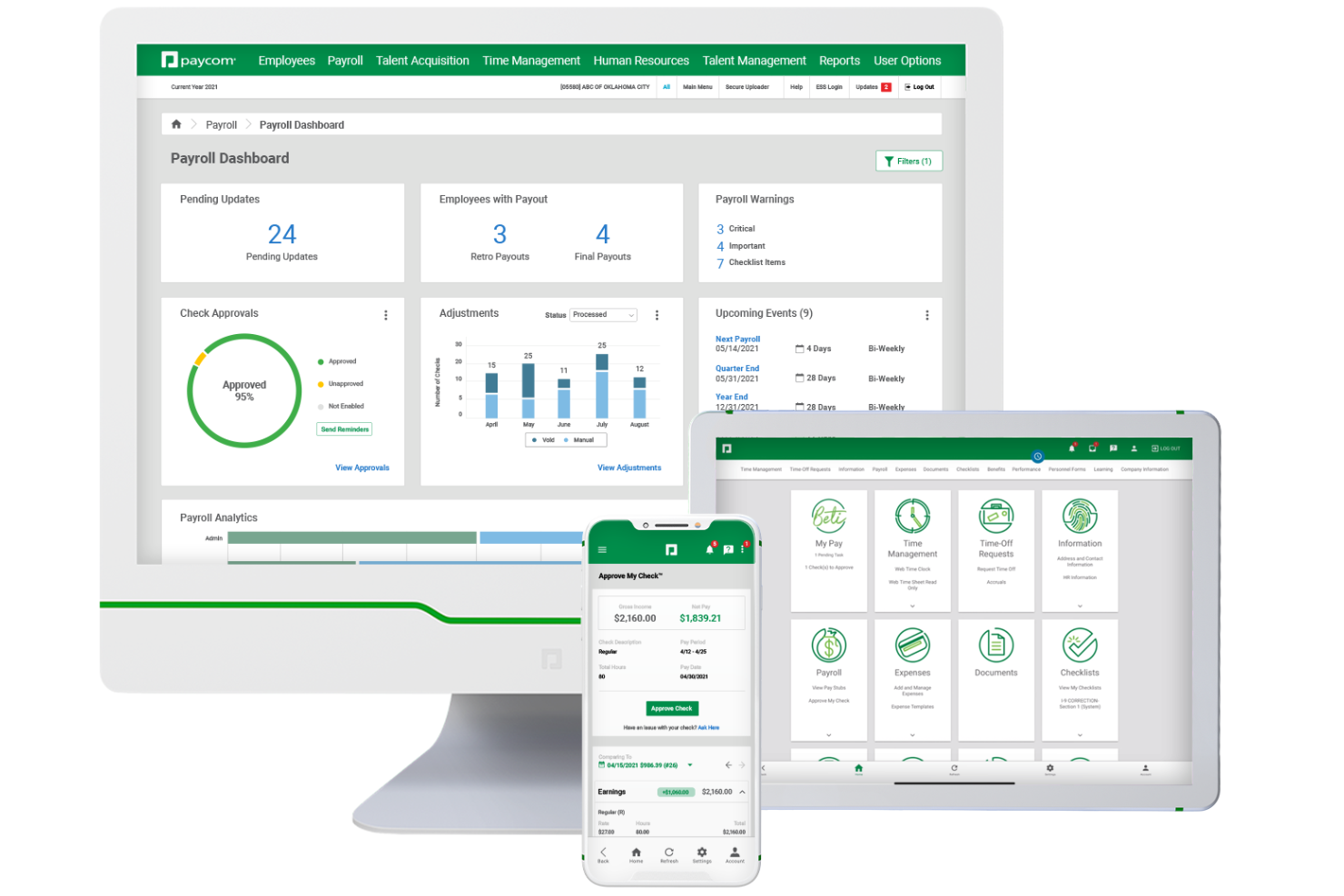
If you’re looking for payroll software that puts employees in control of their own data, Paycom is worth considering. The platform’s employee-driven payroll model helps reduce errors and manual work for HR teams. Paycom is a strong choice for organizations that want to improve payroll accuracy and empower staff to manage their own information.
Who is Paycom Best For?
HR leaders, payroll administrators, and finance teams at mid-sized to enterprise organizations that want employees to participate directly in payroll data accuracy and updates. It suits companies managing complex payroll environments that require centralized oversight while reducing administrative correction workflows.
Why I Picked Paycom
Paycom stands out for its employee-driven payroll, which shifts payroll data entry and verification to the people who know it best—your employees. I picked Paycom because this model helps reduce payroll errors and gives staff more ownership over their pay information. Employees can review and approve their own paychecks before payroll runs, which helps catch mistakes early. This approach is especially useful for organizations that want to improve payroll accuracy and accountability without adding extra steps for HR.
Paycom Key Features
In addition to employee-driven payroll, Paycom offers several other features for payroll management:
- Tax Management: Automates payroll tax calculations, filings, and payments for federal, state, and local jurisdictions.
- Garnishment Administration: Manages wage garnishments and deductions directly within the payroll process.
- Expense Management: Lets employees submit expenses for approval and reimbursement through the same platform.
- Custom Reporting: Provides configurable payroll and HR reports to support audits, compliance, and business analysis.
Paycom Integrations
Integrations are not available.
Pros and Cons
Pros:
- Strong payroll compliance support
- Customizable payroll and HR reporting options
- Single system means time cards, benefits, payroll share same data
Cons:
- Occasional issues in regions outside the U.S.
- Some features are locked behind expensive add‑ons

Best for 24/5 dedicated support

TopSource is a payroll platform designed for businesses managing employees in India or globally, offering automated payroll processing, compliance support, and local expertise to simplify complex payroll and statutory requirements.
Who Is TopSource Best For?
TopSource is a strong fit for multinational companies and growing businesses that need reliable payroll and compliance support for teams based in India.
Why I Picked TopSource
I picked TopSource as one of the best because the 24/5 phone support model differs from what most payroll providers offer. When I have a payroll query at 3pm on a Thursday—say, a TDS discrepancy flagged by a disgruntled employee—I can call a named India-based specialist who already knows my account, not a shared inbox or a ticket queue. That direct access matters when India's statutory deadlines are unforgiving. TopSource pairs this support with proactive Labour Code monitoring, briefing clients quarterly on state-by-state enforcement updates so payroll configurations are adjusted before changes take effect. The 24-hour query response SLA, combined with 99.98% payroll accuracy, keeps issues rare; when they do occur, they're resolved within the 24-hour SLA.
TopSource Key Features
- Statutory compliance management: TopSource handles all six mandatory India statutory obligations—PF, ESI, TDS, Professional Tax, Gratuity, and Statutory Bonus—including filings, calculations, and annual returns.
- Employee self-service portal: Employees access payslips, Form 16, and reimbursement claims directly through the Portico platform without routing requests through HR.
- Expat and shadow payroll processing: TopSource manages payroll for internationally mobile employees and expats in India, a scope that most India-focused providers exclude from standard service.
- Data localisation on India-based infrastructure: All India payroll data is processed and stored within India, keeping companies aligned with DPDP Act obligations.
TopSource Integrations
Integrations include Portico HR and leading HRIS and ATS platforms; specific native integrations are not currently listed.
Pros and Cons
Pros:
- Legal employer of record in each location
- Includes global payroll and tax management
- Salary estimator tool helps plan ahead
Cons:
- No public list of software integrations
- Pricing not publicly listed

Best for employee self-service
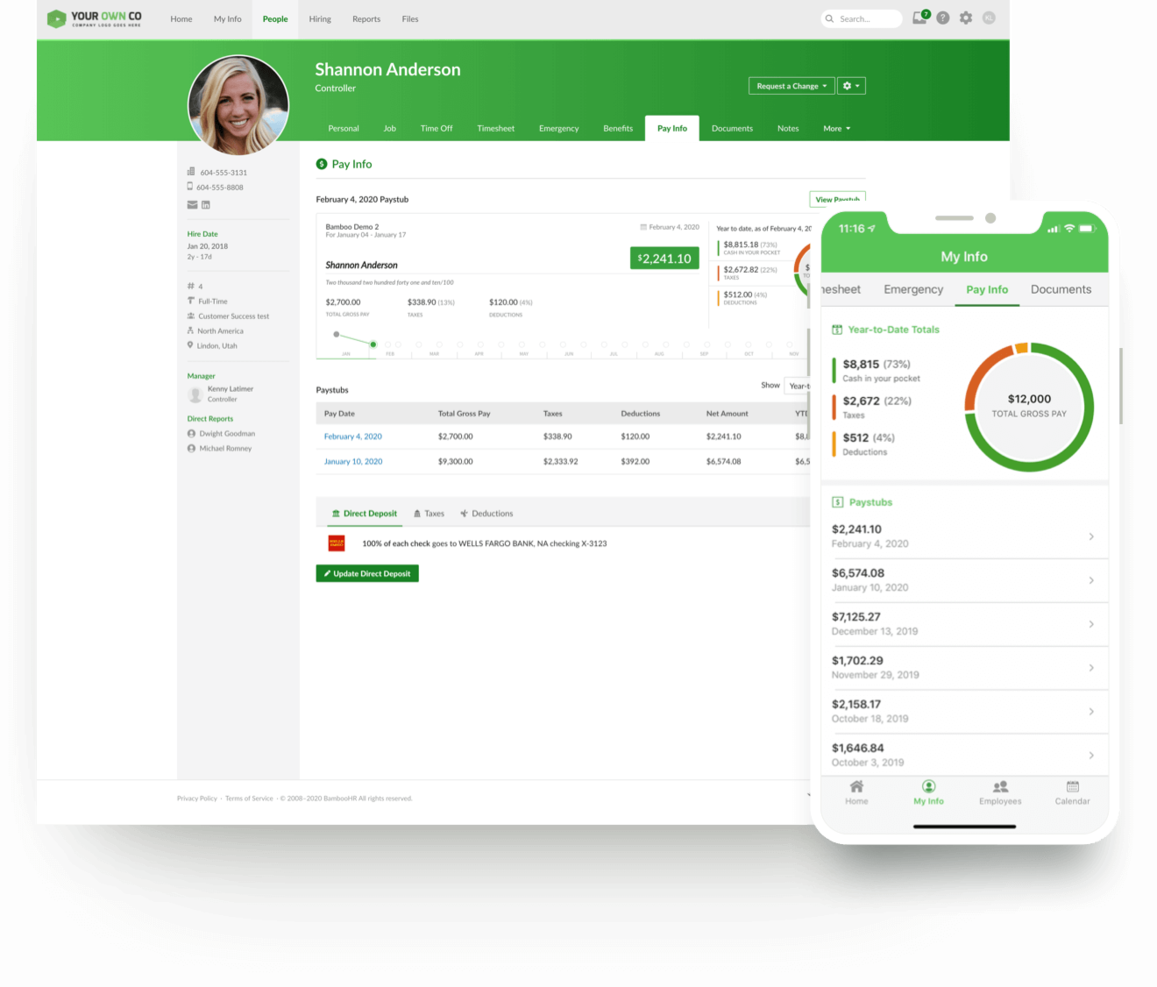
BambooHR now offers payroll as an add-on to its HR software, alongside features like benefits tracking, document storage, time-off management, an employee directory and organizational chart, applicant tracking, onboarding, electronic signatures, and training tracking. It is designed specifically for U.S.-based organizations and includes both federal and state tax filing. The platform also includes BambooHR On-Demand Pay, an embedded earned wage access feature powered by Clair, which allows employees to access a portion of their earned wages before payday.
The platform has a clean, modern interface that prioritizes ease of use. Employees can manage their own profiles, track PTO, update direct deposit information, sign tax forms or other documents, and request earned wage advances directly from their dashboard or mobile app. Eligible employees can access a portion of earned wages per pay period, with limits that may increase over time based on repayment history. Standard transfers (1–3 business days) are free, while instant transfers incur a small fee. Because advances are based on earned wages, there are no interest charges, credit checks, or late fees.
BambooHR integrates with more than 60 commonly used programs, including Slack, Greenhouse, HireRight, Indeed, 15Five, PayScale, Pingboard, NetSuite, Spark Hire, and Zapier. It also offers an open API to support custom integrations. On-Demand Pay is included at no additional cost for employers, does not require manual approvals or advance funding, and is currently unavailable for employees residing in Nevada, Connecticut, New Mexico, South Dakota, Minnesota, and Massachusetts. Employers may choose to opt out of the feature.
New Product Updates from BambooHR®

BambooHR Expands Compensation Benchmarking Data
BambooHR adds monthly-refreshed compensation benchmarks, additional data sources, and clearer job match indicators. This gives teams more context when comparing pay data and selecting relevant benchmarks. For more information, visit BambooHR’s official site.
 .
.
Best for compliant payroll in 150+ countries

Deel Payroll serves businesses and HR teams managing international workforces, offering a platform that simplifies global payroll, compliance, and payments for employees and contractors across multiple countries.
Who Is Deel Payroll Best For?
Deel Payroll is a strong fit for mid-size to enterprise companies hiring across borders who need localized payroll compliance without building in-house expertise in every country.
Why I Picked Deel Payroll
I picked Deel Payroll as one of the best because it handles something most payroll tools can't: running compliant payroll across 150+ countries without requiring your team to become local tax experts in every market. The built-in compliance engine automatically applies local tax rules, statutory requirements, and filings before each payroll run. AI flags anomalies and missing data before approval, catching issues early. I also like the Payroll Connect feature, which lets you view Deel-managed payroll and third-party payrolls side by side in one dashboard—useful when you're mid-transition and still running payroll through multiple vendors.
Deel Payroll Key Features
- Employer of record (EOR) services: Deel acts as the legal employer in countries where you don't have an entity, so you can hire and pay workers without setting up a local subsidiary.
- Contractor payments: Pay independent contractors in their local currency across 150+ countries, with built-in contract generation and localized payment methods.
- Payroll reporting and analytics: Access detailed payroll reports broken down by country, department, or employee to support audits, budgeting, and workforce planning.
- HRIS integration: Sync employee data between Deel and your existing HR systems to keep headcount, compensation, and role changes consistent across platforms.
Deel Payroll Integrations
Integrations include FaceUp, Snowflake, DefensX, Microsoft Finance, Kintsugi, ReFresh OS, Revo.ai, Keeper, Human Interest, and Everyminute.
Pros and Cons
Pros:
- Allows off-cycle payments and flexibility for global payroll scenarios
- Built-in compliance monitoring
- Supports payroll in 130 + countries
Cons:
- Limited invoice customization
- Contract templates could be simplified

Best for global teams in 170+ countries

RemoFirst is a payroll platform built for companies managing employees and contractors across multiple countries, helping HR teams handle global payroll, compliance, and onboarding from a single dashboard.
Who Is RemoFirst Best For?
RemoFirst is a strong fit for HR teams at small to mid-sized companies that are hiring or scaling internationally and need a single platform to manage payroll and compliance across borders.
Why I Picked RemoFirst
RemoFirst earns its spot on my shortlist because it covers global payroll and compliance in 185+ countries at a flat, predictable rate with no hidden fees. It handles multi-country payroll in a single aggregated payment—instead of managing dozens of individual transactions, my team can consolidate the entire global payroll into one. The localized employment contracts feature automatically generates contracts that align with each country's labor laws, removing a significant legal burden when onboarding someone in a new market.
RemoFirst Key Features
- Contractor management: Pay and manage international contractors across 150+ countries, including identity checks, contract generation, and expense reimbursements.
- Compliant offboarding: Manage employee terminations in line with each country's notice periods, severance rules, and legal documentation requirements.
- Visa and immigration support: Handle work permit and visa applications in 85+ countries directly through the platform.
- Background checks: Run global background screening on international hires to verify identity and support compliant hiring decisions.
RemoFirst Integrations
Integrations include BambooHR, GoCardless, and ADP Workforce Now.
Pros and Cons
Pros:
- Dedicated account managers
- Customizable dashboards
- Multi-currency abilities within a single payroll run
Cons:
- Lacks extensive integrations
- No mobile app available
Paycor
Best for automating payroll tasks

Paycor is a payroll software platform built for HR teams and business leaders who want to simplify payroll processing, manage compliance, and give employees easy access to pay and tax information.
Who Is Paycor Best For?
Paycor is a good fit for small to mid-sized businesses that need a unified platform to handle payroll, HR, and compliance without relying on multiple disconnected tools.
Why I Picked Paycor
Paycor earns its spot on my shortlist because of how far it takes payroll automation. The AutoRun feature is what I keep coming back to—it lets you schedule payroll to process on a specific day and time without anyone needing to log in, which is a real difference-maker for teams running lean. I also like the real-time calculations, which means any last-minute changes to hours or deductions update instantly instead of waiting on batch processing. The compliance dashboard also surfaces proactive alerts for things like missing tax IDs and invalid direct deposit info right on the homepage, so issues get caught before they become problems.
Paycor Key Features
- Paystub preview: Employees can view their paystub up to three days before payday to catch errors before they become issues.
- OnDemand Pay (EWA): Gives employees access to wages they've already earned before their scheduled payday.
- Wage garnishment management: Paycor automatically deducts employee garnishments from paychecks on your behalf.
- Payroll reporting: Run reports covering tax liability, cash requirements, labor distribution, deduction registers, and more.
Paycor Integrations
Integrations include QuickBooks, NetSuite, JazzHR, DailyPay, 15Five, Timeero, Spark Hire, Procurify, HR Geckos, and OrgChart.
Pros and Cons
Pros:
- Direct deposit setup for multiple employee accounts
- Payroll analytics with customizable reporting options
- Automated new hire reporting for compliance
Cons:
- Time cards are a bit simplistic
- UX can be a little clunky at times

Best for global payroll management
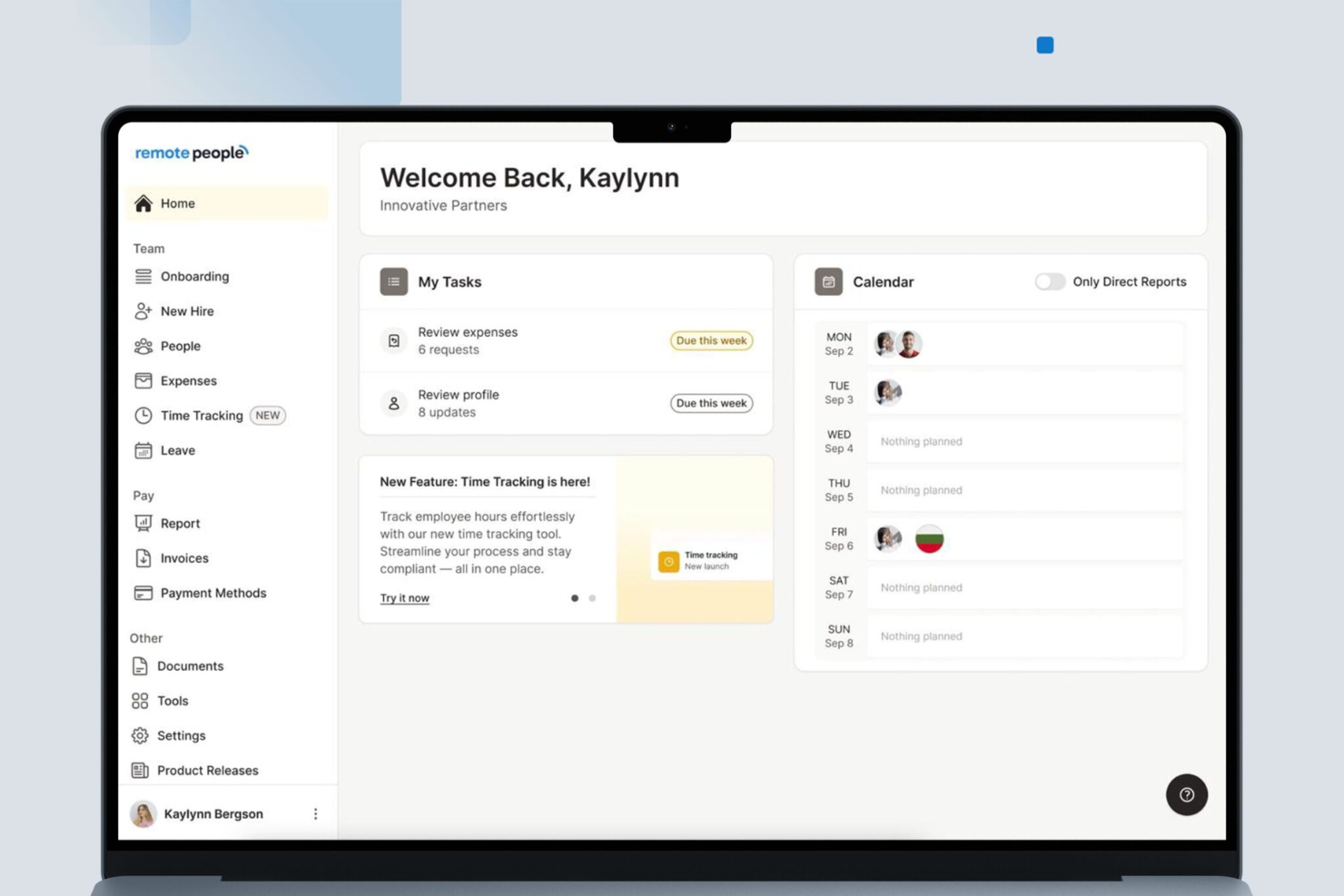
RemotePeople is a payroll platform built for businesses with distributed teams, helping HR professionals and finance leads manage payroll, compliance, and payments across multiple countries and currencies.
Who Is RemotePeople Best For?
RemotePeople is a strong fit for companies hiring internationally who need a single platform to handle payroll across multiple countries without setting up local entities.
Why I Picked RemotePeople
RemotePeople earns its spot on my shortlist because of how well it handles the complexity of paying employees and contractors across different countries. I like that it manages local tax compliance, in-country payroll calculations, and multi-currency payments without requiring your business to set up legal entities abroad. In practice, that means my team can onboard international hires and run payroll in countries like Brazil, India, or Germany without needing a local HR or legal team on the ground. Built-in compliance coverage provides a clear advantage for global payroll management.
RemotePeople Key Features
- Contractor of record: RemotePeople takes on the legal and compliance risk for contractor engagements, covering misclassification liability across 150+ countries.
- Expense approval workflow: Team members submit expenses directly in the platform, you approve them in one click, and RemotePeople processes the payment.
- Leave management tracking: Annual leave, sick days, and local public holidays are tracked and approved in a single dashboard, with rules applied per country.
- Locally drafted employment contracts: Each contract is written by in-country legal experts rather than generated from templates, reflecting local labor law requirements.
RemotePeople Integrations
Integrations include Workday, SAP SuccessFactors, BambooHR, HiBob, NetSuite, QuickBooks, and more.
Pros and Cons
Pros:
- Dedicated client support contact
- Provides global payroll, contractor, and relocation support
- Includes Employer of Record and PEO services
Cons:
- Some services available only in certain regions
- No publicly listed integrations

Gusto
Best for hands-off tax filing

Gusto is a cloud-based payroll platform built for small and midsize businesses that want to automate payroll, manage benefits, and stay compliant with tax regulations.
Who Is Gusto Best For?
Gusto is a great fit for small business owners and HR teams who need a straightforward way to run payroll, handle taxes, and manage employee benefits without dedicated payroll expertise.
Why I Picked Gusto
Gusto earns its spot on my shortlist because of how thoroughly it handles tax filing with minimal effort on your part. Every time payroll runs, Gusto automatically calculates, files, and pays federal, state, and local taxes directly with the right government agencies—something other providers charge extra for. I also like that it tracks changing tax laws and handles auto-calculations to reduce errors, so my team isn't scrambling to stay current. W-2s, 1099s, and I-9s are stored and organized online, making year-end filing far less painful.
Gusto Key Features
- AutoPilot™ payroll: Set payroll to run on a schedule so your team is paid without manual intervention.
- Employee self-onboarding: New hires enter their own personal and banking details directly in Gusto, reducing manual data entry for HR.
- Multi-state pay schedules: Run payroll across multiple states and pay schedules simultaneously, with state tax registration support in all 50 states.
- Contractor payments: Pay contractors in more than 120 countries directly through the platform, with 1099s handled automatically at year-end.
Gusto Integrations
Integrations include QuickBooks Online, Xero, FreshBooks, 7shifts, Asana, Bench, Aplos, Accelo, ApplicantPro, and Box.
Pros and Cons
Pros:
- Automatic federal, state, and local tax filing
- Direct deposit with multiple pay schedule options
- Built-in benefits administration for multiple states
Cons:
- Health benefits limited to certain states
- No native support for tip reporting
New Product Updates from Gusto
Gusto Adds Solo Advisory Tools and Mobile Money Features
Gusto adds Solo S-Corp Advisory Tools and Gusto Money on Mobile for tax guidance, invoicing, and bill payments. These updates help accountants advise solopreneurs and let users manage business finances from their phones. For more information, visit Gusto’s official site.

Homebase
Best for managing hourly teams

If you manage hourly teams in retail, hospitality, or service industries, Homebase brings payroll and team management together in one platform. The tool is designed for businesses that need to track hours, handle shift scheduling, and pay employees accurately without juggling multiple systems. Homebase stands out by connecting time tracking, scheduling, and payroll, so you can run payroll directly from timesheets and reduce manual entry errors.
Who is Homebase Best For?
Operations managers, store managers, and HR administrators at small to mid-sized businesses that manage hourly or shift-based employees. It suits companies in retail, hospitality, and service industries that require centralized scheduling, time tracking, and team communication across locations.
Why I Picked Homebase
Homebase is built specifically for businesses with hourly workforces, which makes it a strong fit for payroll needs in industries like retail, restaurants, and hospitality. The platform connects time tracking, scheduling, and payroll, so you can run payroll directly from employee timesheets without manual calculations. I appreciate that Homebase automatically calculates wages, overtime, and taxes based on real-time clock-ins and outs. For teams that rely on shift work and need accurate payroll tied to hours worked, Homebase offers a focused solution that addresses those challenges head-on.
Homebase Key Features
Some other features in Homebase help round out its payroll capabilities:
- Direct Deposit and Paper Check Options: Pay employees through direct deposit or print paper checks as needed.
- Automated Tax Filings: Homebase automatically files federal, state, and local payroll taxes for you.
- Employee Self-Service Portal: Employees can access pay stubs, tax forms, and update personal information online.
- Wage Garnishment Processing: Manage and process wage garnishments directly within the payroll system.
Homebase Integrations
Integrations include Square, Restaurant365, Wells Fargo, Paychex, Clover, Rippling, Toast, Shopify, ADP RUN, and QuickBooks Online.
Pros and Cons
Pros:
- Automated payroll and tax processes
- Offers direct deposit into bank accounts or printable checks
- Time tracking for accurate payroll
Cons:
- Payroll functions are only available as an add-on
- No details on customization for specific business needs

Best for Canadian SMBs

Employment Hero brings together HR, payroll, and employee benefits in a single platform designed for growing businesses. It’s especially useful for organizations that want to automate payroll while also managing onboarding, contracts, and compliance from one place. If you’re looking to reduce manual admin and keep HR and payroll tightly connected, this tool offers a unified approach.
Who is Employment Hero Best For?
HR leaders, payroll administrators, and business owners at small to mid-sized organizations that want an integrated platform for managing people operations. It suits Canadian SMBs that need localized HR, payroll, and compliance workflows aligned to regional employment requirements.
Why I Picked Employment Hero
What sets Employment Hero apart is its all-in-one approach to HR and payroll, which is especially valuable for growing businesses that want to keep everything connected. The platform lets you automate payroll runs, manage employee records, and handle leave requests without switching between different systems. I appreciate how Employment Hero links payroll directly to onboarding and contract management, so you can keep employee data consistent from day one. This unified setup helps reduce errors and saves time for teams managing both HR and payroll tasks.
Employment Hero Key Features
Some other features that make Employment Hero useful for payroll management include:
- Automated Tax Filing: The platform automatically calculates and files payroll taxes based on current regulations.
- Employee Self-Service App: Employees can view payslips, submit leave requests, and update personal details from their mobile devices.
- Timesheet Management: Track employee hours and approve timesheets directly within the system.
- Customizable Pay Run Schedules: Set up pay runs to match your business’s preferred payroll frequency and timing.
Employment Hero Integrations
Integrations include QuickBooks, Ameego, Go1, Slack, Google Workspace, and Microsoft 365.
Pros and Cons
Pros:
- Supports single touch payroll submissions
- Integrated timesheets sync with payroll runs
- Automated award interpretation for compliance
Cons:
- Some payroll reports lack export options
- Limited global payroll coverage outside Australia
Andre lønnssystemer
Her er noen flere alternativer som ikke kom med på kortlisten over de beste nettbaserte lønnssystemene. Hvis du trenger flere forslag til programvare som kan hjelpe deg med å kjøre lønn, bør du ta en titt på disse:
- Paylocity
For HR, payroll, and integrations in one
- Justworks
For mixed workforce payroll
- HiBob
For real-time payroll data access
- RUN Powered by ADP®
For small businesses
- OnPay
For niche industries
- Paychex Flex
For accurate payroll processing
- Bambee
For expert guidance
- Patriot Payroll
For US companies
- GoCo
For flexible payroll systems
- QuickBooks
For syncing with the QuickBooks ecosystem
- UZIO
For integrated benefits
- Dayforce
For continuous pay calculation
- Namely
For SMBs
- PrimePay
For early wage access through paycards
- Trinet
For integrated compensation benchmarking
- Insperity
For combined software and services
- Wagepoint
For Canadian-based small businesses
- FinancePal
For payroll outsourcing
- Knit People
For startups
- Rippling
For global payroll with tons of integrations


Relaterte anmeldelser av HR-programvare
Hvis du fortsatt ikke har funnet det du leter etter her, kan du se på disse andre relaterte verktøyene som vi har testet og evaluert:
- HR-programvare
- Rekrutteringsprogramvare
- Arbeidsgiver-av-rekord-tjenester
- Systemer for sporing av jobbsøkere
- Programvare for arbeidsstyrkestyring
- Læringsstyringssystemer
How I Evaluate Payroll Software
I split my evaluation into two layers: the baseline a tool must clear—think automated tax remittance and direct deposit—and the differentiators that separate good platforms from great ones.
Core Functionality (Table Stakes For This List)
When I'm selecting tools for my list, I rank each one on a scale from 0 (does not offer the functionality) to 5 (excels in this area) for each core functionality listed below. Then, I calculate the tool's total score into a percentage. Each tool needs to achieve a minimum total score of 75% to be considered for inclusion.
- Automated Payroll Processing: I look for platforms that handle gross-to-net calculations, scheduled pay runs, and direct deposit without manual intervention across multiple pay schedules.
- Tax Filing & Compliance: Each tool should calculate, withhold, and remit payroll taxes, then generate year-end forms like W-2s and 1099s with minimal manual input.
- Multi-Worker Type Support: I evaluate how well a platform handles salaried employees, hourly workers, and independent contractors—all within the same system.
- Employee Self-Service Portal: Workers should be able to pull up pay stubs, download tax documents, and update their own banking details without submitting a request to HR.
- Time & Benefits Integration: I check whether the platform connects to or natively includes time tracking and benefits deductions, since disconnected data leads to payroll errors.
- Accounting System Integration: Syncing payroll entries to tools like QuickBooks, Xero, or NetSuite matters, so I evaluate the depth of GL mapping and journal entry customization.
Once I have a list of tools that meet the criteria, I consider what sets each platform apart.
Differentiating Factors (What Sets Vendors Apart)
Here's how I compare and contrast different vendors:
Standout Features
Global payroll capabilities matter if your team spans multiple countries—I evaluate whether a platform handles local tax rules and multi-currency payments natively or through third-party partners. On-demand pay is another feature I look for, since it gives employees access to earned wages before payday and can meaningfully improve retention. I also consider whether a vendor bundles payroll into a full HRIS suite with onboarding, PTO, and performance tools, which reduces the number of systems your team juggles daily.
Beyond Features
Pricing transparency is one of the first things I check—some vendors charge per payroll run or tack on fees for multi-state filing, so I look at total cost beyond the base rate. Implementation support also weighs heavily, especially for teams migrating mid-year with historical data that needs to transfer cleanly. I evaluate compliance and security certifications like SOC 1 and SOC 2 Type II, along with whether the vendor offers a tax accuracy guarantee that covers penalty costs if a filing error is on their end.
Slik velger du lønnssystem
For å velge riktig lønnssystem må du kartlegge de nøyaktige driftskravene dine, luke ut leverandører som ikke passer under salgsdemoer, beregne de totale eierkostnadene og teste de spesifikke lønnsreglene dine i en konseptutprøving.
Her er prosessen trinn for trinn som jeg anbefaler for å evaluere alternativene dine og finne det som passer best:
- Gå gjennom den nåværende arbeidsflyten og integrasjonene: Kartlegg alle verktøyene lønnsdataene dine berører – HRIS-systemet, apper for tidsregistrering, regnskapsprogramvare og PEO-programvare (hvis aktuelt). Bestem om du ønsker et alt-i-ett-system eller et frittstående lønnsverktøy som synkroniseres via API.
- Identifiser arbeidstakertypene og lokasjonene dine: Beskriv det nøyaktige oppsettet ditt, inkludert arbeidstakerkategorier (heltidsansatte vs. kontraktører), delstatene dere opererer i, og internasjonale skattejurisdiksjoner. Et verktøy som utelukkende er utviklet for heltidsansatte i én delstat, vil raskt komme til kort hvis du trenger skattetrekk i flere delstater eller støtte for globale kontraktører.
- Demonstrer de faktiske lønnsscenarioene dine: Ta med en liste over de mest komplekse lønnsscenarioene dine, for eksempel behandling av forfremmelser midt i en lønnssyklus eller beregning av overtid med flere satser, og be representanten gå gjennom de nøyaktige skjermbildene trinn for trinn.
- Gå gjennom brukertillatelser og godkjenningsflyter: Vurder hvordan systemet håndterer rollebasert tilgang for ulike brukere. Sørg for at programvaren lar deg tilpasse godkjenningsrekkefølger, slik at sensitive lønnsopplysninger forblir begrenset til de rette personene.
- Beregn de totale eierkostnadene: Be om en spesifisert oversikt som inkluderer grunnavgifter for plattformen, kostnader per ansatt per måned (PEPM), tjenester for innsending av skatt, skatteskjemaer ved årets slutt, oppstartsgebyrer og kostnader for lønnskjøringer utenom den ordinære planen. Dette sikrer at du vurderer verktøyene ut fra de faktiske driftskostnadene, i stedet for en ufullstendig oppgitt pris.
- Gjennomfør en parallell lønnskjøring før du bestemmer deg: Før du bytter plattform fullstendig eller signerer en langsiktig avtale, bør du gjennomføre en parallell testkjøring sammen med det nåværende systemet ditt.
Husk: Når du deltar på en produktdemonstrasjon, er leverandørene opplært til å vise frem de mest iøynefallende og prangende funksjonene i lønnsprogramvaren – som elegante AI-dashbord, alternativer for forskuddsbetaling eller komplekse organisasjonskart. Hvis du ikke har fastsatt konkrete kriterier på forhånd, er det bemerkelsesverdig lett å la seg påvirke av en god salgspresentasjon og kjøpe et verktøy som ser imponerende ut, men som faktisk ikke løser de daglige utfordringene dine.
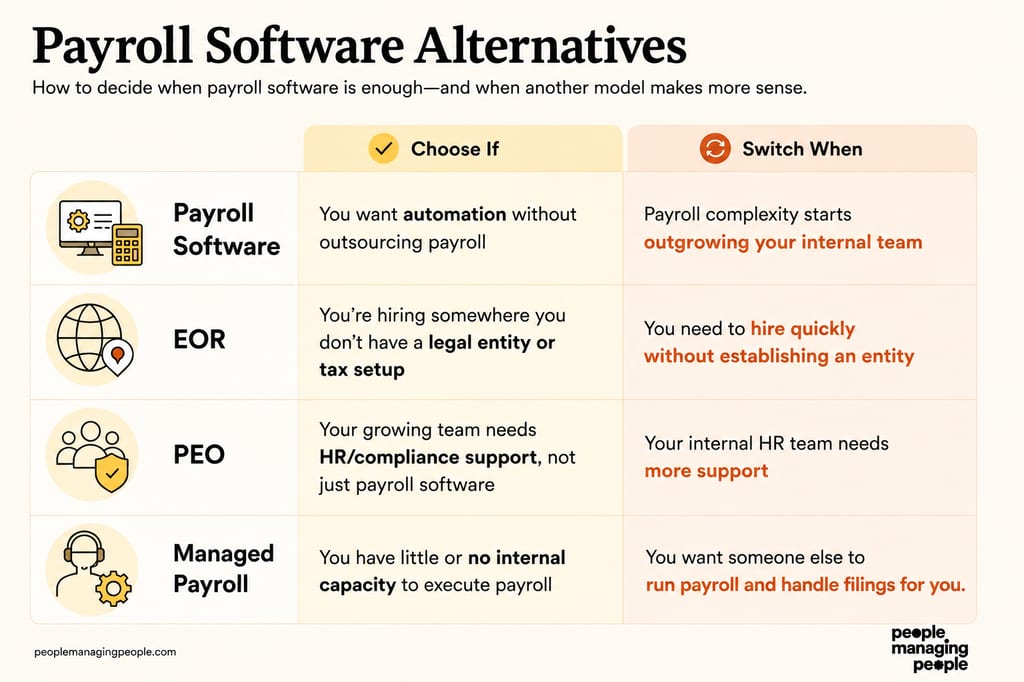
Alternativer til lønnsprogramvare
Avhengig av ansettelsesmodellen din og den interne HR-kapasiteten din er det ikke sikkert at frittstående lønnsprogramvare passer. Slik sammenlignes de viktigste alternativene:
| Alternativ til lønnsprogramvare | Best egnet for | Viktig avveining |
|---|---|---|
| Administrerte lønnstjenester | Team uten intern lønnskapasitet som ønsker at en tredjepart skal håndtere beregninger og skatteinnsendinger for dem | Mindre direkte kontroll over den daglige lønnsadministrasjonen |
| Alt-i-ett-HRIS med lønn | Team som ønsker én enkelt database for ansattopplysninger, onboarding, fordeler og lønnskjøringer | Logikken for lønnsberegning og tilpasset rapportering kan være mindre spesialisert enn i dedikerte lønnsmotorer |
| Arbeidsgiver på vegne av virksomheten (EOR) | Bedrifter som ansetter internasjonale heltidsansatte i land der de ikke har lokale juridiske enheter | Høyere kostnad enn lønnsprogramvare hvis du allerede har lokale juridiske enheter |
| Profesjonell arbeidsgiverorganisasjon (PEO) | Små og mellomstore bedrifter som ønsker å sette ut lønn, HR, fordeler og etterlevelse gjennom en modell med felles arbeidsgiveransvar | Høyere månedlige kostnader per ansatt og delt administrativ kontroll på grunn av strukturen med felles arbeidsgiveransvar |
| Manuell lønnskjøring | Svært små bedrifter med bare noen få ansatte og enkle lønnsbehov. | Tidkrevende, vanskelig å skalere og mer utsatt for feil i lønn og etterlevelse |
| Regnskapsførere | Små bedrifter som behandler lønn sjelden, eller som ønsker personlig lønnsstøtte uten å investere i lønnsprogramvare | Kan bli mindre effektivt og dyrere etter hvert som arbeidsstyrken vokser |
Bruk følgende beslutningspunkter for å avgjøre når frittstående lønnsprogramvare er tilstrekkelig – og når det kan være på tide å vurdere en EOR, PEO eller administrert lønnstjeneste.
Trender innen lønnsprogramvare for 2026
De nyeste trendene endrer hvordan HR-team håndterer lønn, komplekse juridiske forhold og en bedre medarbeideropplevelse. Her er fem viktige utviklingstrekk du bør følge med på:
- AI-drevet automatisering: Moderne lønnssystemer bruker kunstig intelligens (AI) til å automatisere repetitive oppgaver, oppdage avvik, varsle om samsvarsproblemer og minimere kostbare feil. Disse smarte systemene effektiviserer arbeidsflyter og håndterer stadig mer komplekse lønnsregler med større nøyaktighet.
- Funksjoner for global lønnshåndtering: Etter hvert som selskaper ekspanderer internasjonalt, tilbyr verktøy som Deel og Papaya Global sømløs lønnshåndtering i flere land, valutakonvertering og samsvarshåndtering i én plattform.
- Bedre datasikkerhet: Med økende cybersikkerhetstrusler styrker lønnssystemene beskyttelsen med funksjoner som tofaktorautentisering, kryptering og biometriske innloggingsalternativer for å beskytte sensitive data.
- Mobil tilgang: Når fjernarbeid og hybridarbeid har kommet for å bli, sørger mobiloptimalisert lønnsprogramvare for at både ansatte og HR-team kan få tilgang til viktige lønnsfunksjoner når som helst og hvor som helst.
- Integrasjoner for økonomisk velvære: Mange plattformer tilbyr nå funksjoner som hjelper ansatte med å følge inntekten, planlegge økonomien og få tilgang til lønnsinnsikt i sanntid, noe som støtter både medarbeiderbevaring og økonomisk velvære.
Hva er lønnsprogramvare?
Lønnsprogramvare er et digitalt verktøy som automatiserer beregning av ansattes lønn, skattetrekk og direkte innbetalinger. Det hjelper HR- og økonomiteam med å betale ansatte korrekt og til rett tid, samtidig som de overholder skattelovgivningen.
Lønnsprogramvare brukes av virksomheter i alle størrelser og reduserer manuelt arbeid, forebygger kostbare feil og forenkler komplekse lønnsprosesser. Dette sparer tid og gir trygghet.
Slik fungerer lønnsprogramvare
Lønnsprogramvare fungerer ved å samle inn data om ansattes lønn, beregne lønn og trekk automatisk, behandle betalinger, generere lønnsrapporter og lagre lønnsopplysninger på en sikker måte. De fleste plattformer bruker følgende grunnleggende arbeidsflyt, der teamet ditt gjennomgår og godkjenner lønnen før den ferdigstilles.
Trinn 1: Importer ansattdata. Programvaren henter ansattinformasjon, arbeidede timer, fravær, bonuser, provisjoner og trekk fra HR-, tidsregistrerings- og regnskapssystemene dine, noe som reduserer manuell dataregistrering.
Trinn 2: Beregn lønn. Bruttolønn, skatt, trekk for ytelser, pensjonsinnskudd, overtid og andre lønnsberegninger fullføres automatisk basert på gjeldende lønnsregler.
Trinn 3: Gå gjennom lønnen. Før lønnen ferdigstilles, markerer systemet problemer som manglende timelister, uvanlige lønnsendringer, duplikate registreringer eller potensielle samsvarsrisikoer for gjennomgang av teamet ditt.
Trinn 4: Godkjenn og betal ansatte. Når du har gått gjennom lønnen, godkjenner du lønnskjøringen, og programvaren behandler betalingene via direkte innbetaling, papirsjekk eller andre støttede betalingsmetoder.
Trinn 5: Fullfør lønnsrapporteringen. Plattformen genererer lønnsrapporter, skatteskjemaer og regnskapsopplysninger. Mange leverandører beregner, sender inn og betaler også arbeidsgiveravgift og andre lønnsskatter på dine vegne.
Trinn 6: Vedlikehold lønnsopplysninger. Lønnsslipper, skattedokumenter og lønnshistorikk lagres sikkert, noe som gjør det enklere å svare på forespørsler fra ansatte, støtte revisjoner og forberede årsrapportering.
Funksjoner i lønnsprogramvare
Den riktige lønnsprogramvaren håndterer skattene dine, beregner lønn, administrerer regler på tvers av delstater og sender lønnsdata direkte til regnskaps- og tidsregistreringsverktøyene dine. Når du vurderer plattformer, bør du se etter følgende kjernefunksjoner:
- Automatiske lønnsberegninger: Beregner ordinær lønn, overtid, skattetrekk og lønnstrekk automatisk uten manuelle regneark.
- Komplett skatteinnberetning: Beregner, betaler og rapporterer lokale, regionale og føderale lønnsskatter direkte til offentlige myndigheter i alle delstater der du driver virksomhet.
- Direkte innbetaling og digitale utbetalinger: Sender planlagte direkte innbetalinger til bankkontoene til ansatte og oppdragstakere, inkludert delte innbetalinger.
- Selvbetjeningsportaler for ansatte: Lar ansatte logge inn døgnet rundt for å hente lønnsslipper, laste ned skatteskjemaer og oppdatere egne bankopplysninger.
- Tilkoblinger til tidsregistrering og regnskap: Henter godkjente timer direkte inn i lønnskjøringer og sender lønnsopplysninger direkte til regnskapsprogramvaren din (for eksempel QuickBooks eller NetSuite).
- Integrasjonsmuligheter: Kobler seg til regnskaps-, HR- eller ytelsessystemene dine.
Vanlige AI-funksjoner i lønnsprogramvare
I tillegg til standardfunksjonene i lønnsprogramvaren som er nevnt ovenfor, tar mange av disse løsningene i bruk AI med funksjoner som:
- Automatiske feilvarsler: Fanger opp uvanlige lønnsendringer, manglende timer eller duplikate oppføringer, slik at du kan rette dem før lønnen utbetales.
- Smart dokumentskanning: Skanner opplastede skatteskjemaer og bankbilag og fyller automatisk ut ansattprofiler.
- Lønnsprognoser: Bruker tidligere lønnstrender til å hjelpe deg med å forutsi fremtidige arbeidskostnader og overtidsutgifter.
- Overvåking av regelverksetterlevelse: Bruker AI til å varsle deg når det oppdages risiko for manglende etterlevelse, for eksempel endringer i lønnslovgivningen eller rapporteringskrav.
Fordeler med lønnssystemer
Lønnssystemer reduserer manuell registrering, sørger for at skatterapporteringen er i samsvar med regelverket på tvers av jurisdiksjoner, og gir økonomiavdelingen sanntidsrapportering om arbeidskostnader. Basert på min erfaring med å administrere lønnskjøringer og HR-systemer gir det organisasjonen din disse viktige fordelene:
- Sparer administrativ tid: Automatiserer rutinemessige lønnsberegninger, skattetrekk og direkte innbetalinger, slik at teamet ditt bruker mindre tid på manuell dataregistrering hver lønningsperiode.
- Sikrer ansattopplysninger: Beskytter lønnsdata, bankopplysninger og personnumre ved hjelp av rollebaserte tillatelser og kryptert lagring i stedet for ubeskyttede regneark.

- Forebygger bøter for manglende etterlevelse: Holder seg automatisk oppdatert på endringer i lokale og nasjonale skatteregler, noe som reduserer risikoen for kostbare feil i skatterapporteringen.
- Gir bedre oversikt over arbeidskostnader: Kobler lønnsdata direkte til regnskapssystemet, slik at økonomiledere kan følge faktiske arbeidskostnader, overtidsutgifter og bemanningsbudsjetter.
- Reduserer rutinemessige HR-forespørsler: Lar ansatte få tilgang til lønnsslipper, hente skatteskjemaer ved årets slutt og oppdatere bankopplysningene sine direkte gjennom selvbetjeningsportaler.
Kostnader og priser for lønnssystemer
Prisen på lønnssystemer følger vanligvis en modell med pris per ansatt per måned (PEPM), der en fast månedlig grunnpris kombineres med et tillegg for hver aktive ansatt eller oppdragstaker.
Når du budsjetterer for en plattform, kan du forvente at nivåene fordeler seg slik:
Sammenligningstabell for lønnssystemer
| Abonnementstype | Gjennomsnittlig månedspris | Gjennomsnittlig pris per ansatt | Vanlige funksjoner |
| Grunnleggende | $10 - $25 per måned | $2 - 4 per ansatt per måned | Lønnskjøring for et begrenset antall ansatte, grunnleggende skatterapportering, standardrapporter, selvbetjeningsportal for ansatte |
| Profesjonell | $25 - $40 per måned | $4 - $6 per ansatt per måned | Lønnskjøring i flere delstater eller provinser, flere rapporter, HR-funksjoner, rapport om regelverksetterlevelse + alle funksjonene i Grunnleggende. |
| Avansert | $40 - $60 per måned | $5 - $8 per ansatt per måned | Tilpassbare rapporter, avanserte HR-verktøy, integrasjoner, forbedret sikkerhet + alle funksjonene i Profesjonell. |
| Bedrift | Tilpasset pris | Tilpasset pris | Skalerbart for et stort antall ansatte, dedikert kundestøtte, avansert analyse, tilpassede integrasjoner + alle funksjonene i Avansert. |
| Global lønn | Vanligvis priset per ansatt | $199 - $500 per ansatt per måned | Utbetalinger i flere valutaer og lokal skatteetterlevelse i land der du har juridiske enheter. |
I tillegg til prisene ovenfor kan enkelte lønnsleverandører også kreve et engangsgebyr for oppsett ved komplekse programvareimplementeringer.