

10 Best Payroll Services Reviewed in 2026

10 Best Payroll Services Providers Shortlist


The best payroll services take the stress out of paying your team by automating calculations, ensuring compliance, and minimizing costly errors.
Handling payroll manually can eat up valuable time and increase the risk of mistakes that lead to penalties or unhappy employees. The right payroll service optimizes the process from start to finish, managing taxes, filings, and direct deposits with precision and reliability.
After testing and comparing the leading providers firsthand, I’ve curated a list of the most dependable, easy-to-use payroll services available today. In this guide, you’ll find trusted solutions that save time, improve accuracy, and help you stay compliant—no matter the size of your team.
Why Trust Our Software Recommendations
Our team has been testing and reviewing software since 2012. As HR experts ourselves, we know how difficult—and important—it is to choose the right software.
For this guide, we evaluated tools using hands-on testing and independent research, scoring tools using our selection criteria. We also draw on insights from industry thought leaders and practicing HR experts.
Our reviews reflect our human editorial judgment, not a sales pitch.
Expert reviewers:
Best Payroll Services Providers Summary
I’ve put together this handy comparison chart with pricing info for my favorite payroll service providers—so you can easily find the one that fits your budget and suits your business best.
| Service | Best For | Trial Info | Price | ||
|---|---|---|---|---|---|
| 1 | Best for payroll and compliance in one platform | Free demo available | From $29/user/month | Website | |
| 2 | Best for salaried and hourly employees | Not available | From $599/employee/month | Website | |
| 3 | Best for on-demand wage access | Free demo available | Pricing upon request | Website | |
| 4 | Best for multi-country EOR and contractor pay | Free demo available | From $199/employee/month | Website | |
| 5 | Best for managing international payments | Free plan available | From $199/user/month | Website | |
| 6 | Best for automated payroll and tax filing | Free demo available | From $49/month + $6/month/user | Website | |
| 7 | Best for 24/5 dedicated support | Not available | Pricing upon request | Website | |
| 8 | Best for adjusting to latest tax laws | 3-month free trial | Pricing upon request | Website | |
| 9 | Best for customizable payroll workflows | 30-day free trial + free demo available | From $50/month | Website | |
| 10 | Best for industry-specific payroll | One month free trial | From $49/month + $6/user/month | Website |


Best Payroll Service Providers Reviews
Below is a detailed breakdown of the top payroll service providers that stood out to me. In each review, you’ll find the key features, pros and cons, integration options, and who each tool is best suited for to help you find your next solution.

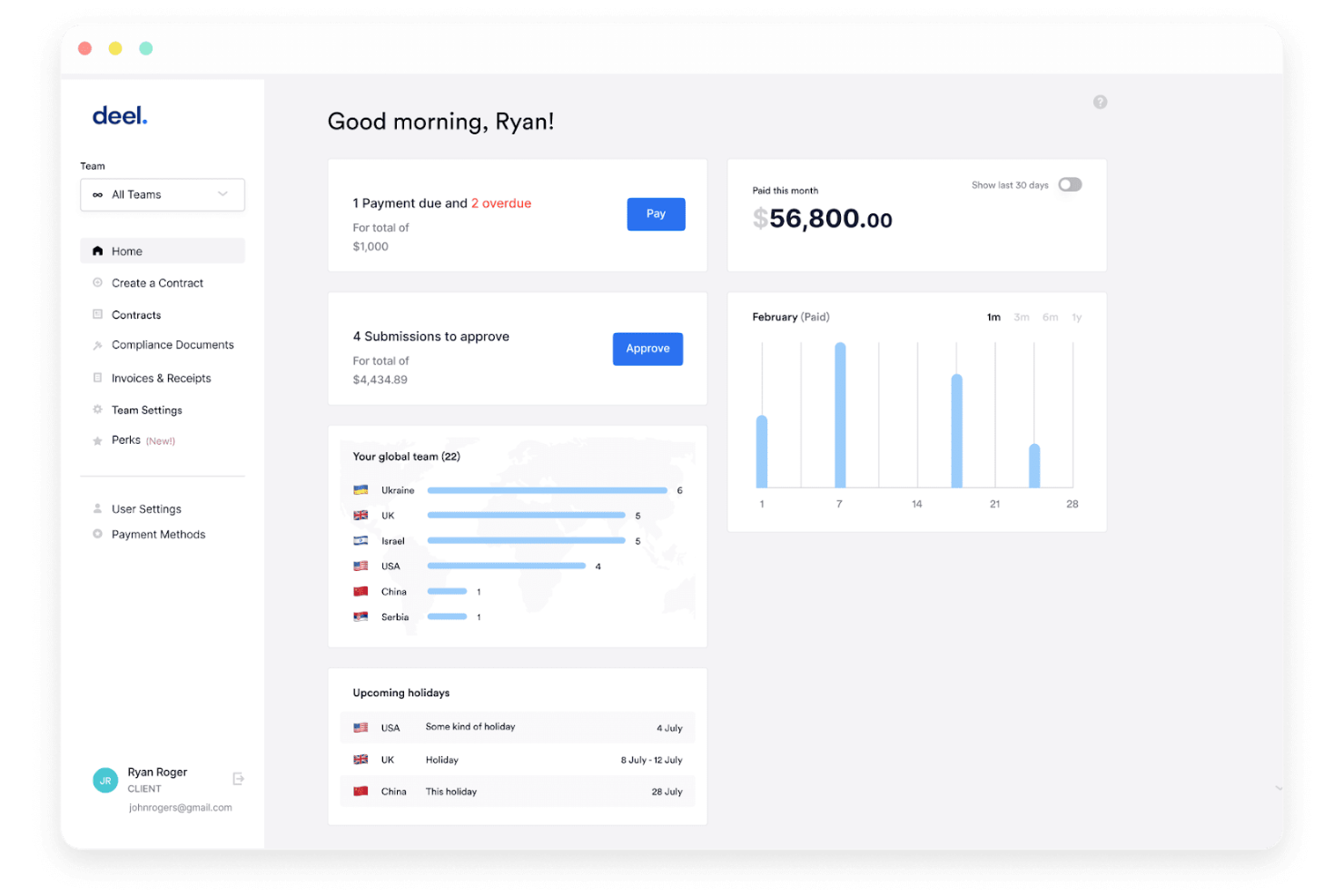
Deel is a global payroll and workforce management platform that handles contractor payments, employer of record (EOR) services, PEO co-employment, tax filings, and compliance across 150+ countries from a single system.
Who Is Deel Payroll Best For?
Deel works well for companies hiring across multiple countries who need to manage contractors, EOR employees, and local payroll in one place.
Why I Picked Deel Payroll
Deel is built for organizations running payroll across multiple countries and worker types at the same time. What I find genuinely useful is how it handles employer of record, contractor of record, and PEO co-employment in one place, so you're not juggling separate vendors when your team spans 10 countries. The AI-powered contractor misclassification assessment is a practical compliance tool, not just a checkbox feature. I also appreciate the localized contract generation, which adapts automatically to local labor law rather than requiring manual legal review every time you hire in a new country.
Standout Services
- Deel API access: Connect payroll data directly to your existing HR, finance, and ERP systems for custom workflow automation.
- Workflow builder for onboarding and offboarding: Create custom onboarding, offboarding, and communication flows tailored to each region and role.
- Localized compliance alerts: Receive automatic notifications when local employment or tax laws change in any supported country.
- 24/7 global support with rapid resolution: Access on-demand support with documented first-contact resolution rates and fast average response times, including for EOR and contractors.
Pros and Cons
Pros:
- Localized contracts adapt to local labor law
- AI flags contractor misclassification risks automatically
- Handles EOR, PEO, and contractor payroll globally
Cons:
- Benefits admin feels disconnected from core payroll
- US and Canada payroll errors reported repeatedly

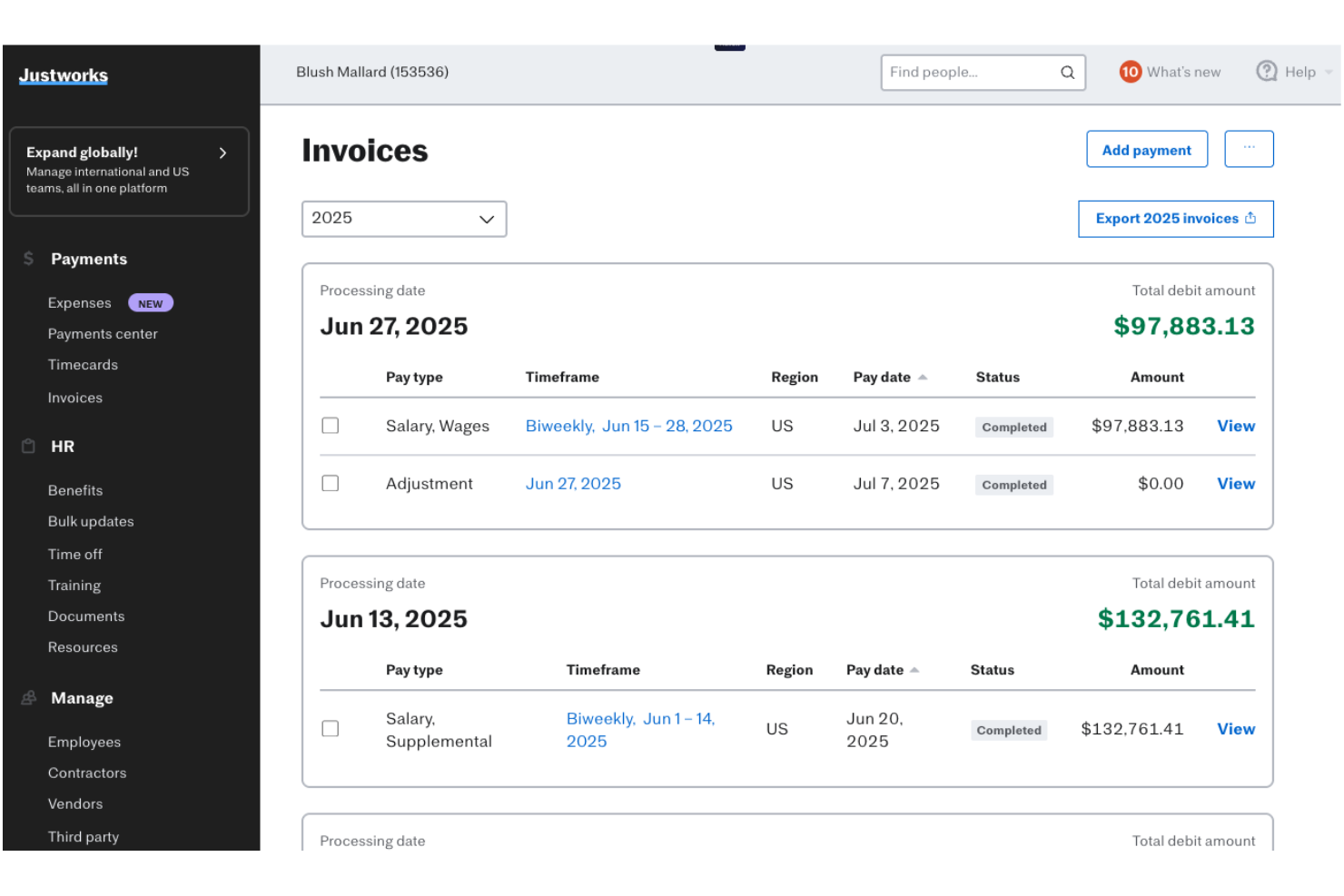
Justworks is a PEO and payroll platform that combines payroll processing, tax filings, benefits administration, and HR compliance tools into a single system for small and mid-sized businesses.
Who Is Justworks Best For?
Justworks works well for small and mid-sized businesses that need to manage both salaried and hourly workers under one payroll and HR system.
Why I Picked Justworks
Justworks handles salaried and hourly workers in one payroll system without requiring you to patch together separate tools. I appreciate how it supports multiple pay rates, custom payroll periods, tips processing, and off-cycle payments, which matters when your team includes both fixed-salary staff and shift-based hourly workers. The built-in time tracking add-on connects directly to payroll runs, so what employees clock gets calculated and paid without manual entry in between.
Standout Services
- Global employer of record (EOR) service: Hire and pay international employees with full compliance support in over 60 countries.
- Benefits marketplace administration: Manage medical, dental, vision, 401(k), commuter, HSA/FSA, and mental health benefits from one platform.
- 24/7 expert human support: Access to HR and compliance specialists by phone, chat, or email, any time your team needs answers.
- Accounting software integrations: Connect payroll and HR data directly to QuickBooks, Xero, Brex, Ramp, and other business platforms.
Pros and Cons
Pros:
- 24/7 access to HR and compliance specialists
- Built-in time tracking connects directly to payroll
- Handles salaried and hourly workers in one system
Cons:
- Onboarding takes up to six weeks to complete
- Reporting features lack depth for payroll analysis

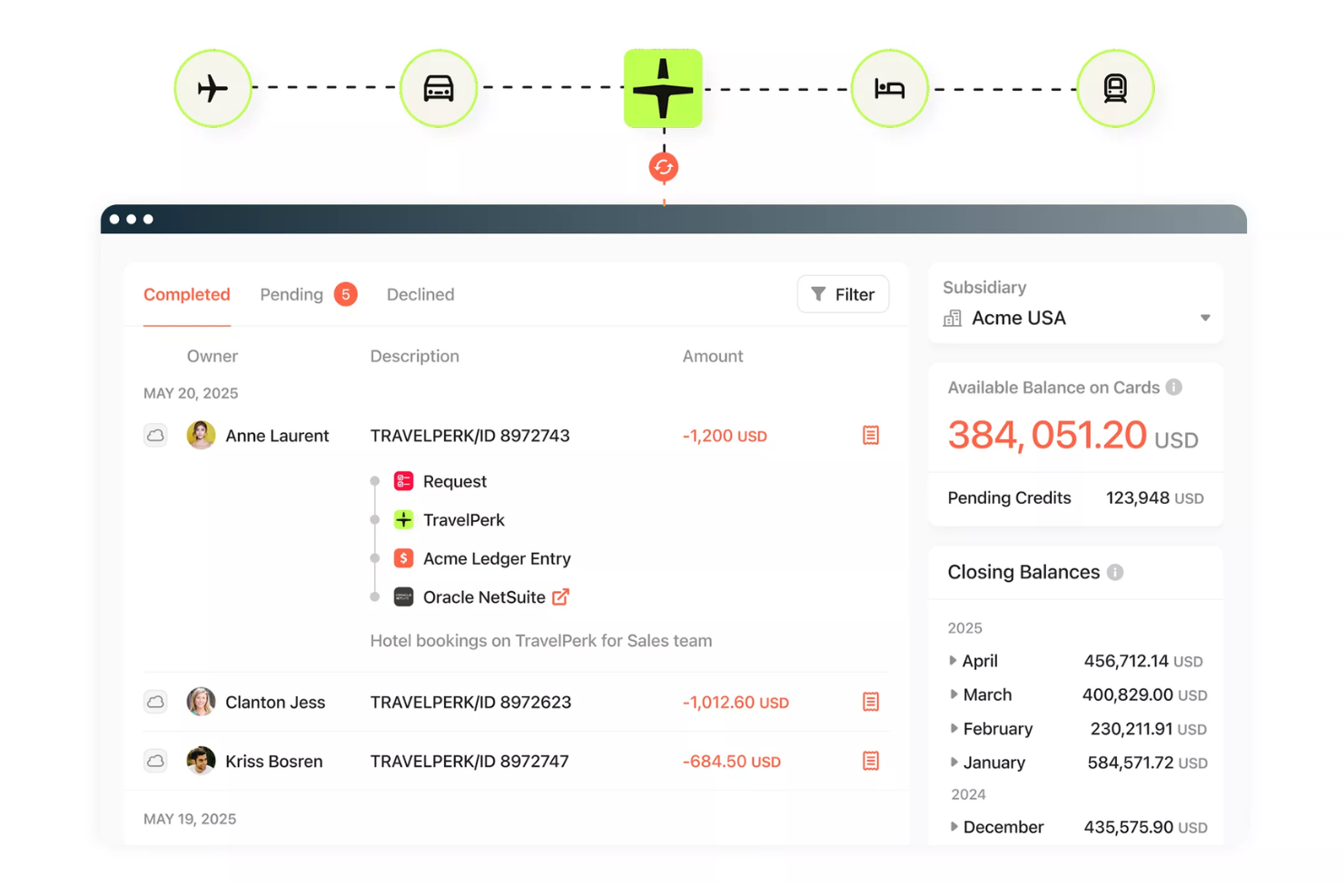
Paylocity is a unified HCM platform that combines payroll processing, tax filing, benefits administration, workforce management, and HR tools in a single system built for businesses from small teams to large enterprises.
Who Is Paylocity Best For?
Paylocity suits HR and payroll teams at small to midsize companies who want on-demand wage access built directly into their payroll system, without managing a separate third-party tool.
Why I Picked Paylocity
What sets Paylocity apart is its native on-demand pay, built directly into payroll rather than bolted on as a third-party add-on. Employees can request earned wages by 2 PM CT and receive funds the same day, with Paylocity pre-funding transfers so your cash flow stays intact. I like that the calculation shows real-time net pay, factoring in taxes and deductions, so employees can't accidentally overdraw what they've actually earned.
Standout Services
- Payroll Readiness Dashboard: Gives you 40+ automated payroll error audits and flags before submission.
- Global payroll management: Lets you process payroll for employees in over 100 countries from a single platform.
- Integrated benefits administration: Offers self-service enrollment with electronic carrier feeds and ACA compliance tools.
- Garnishment managed services: Handles wage garnishments and ensures compliance with deduction rules automatically.
Pros and Cons
Pros:
- Payroll audits catch errors before submission
- Real-time net pay shown before withdrawal
- Native same-day earned wage access included
Cons:
- PTO tracking feels clunky and outdated
- Customer support response times can be slow
New Product Updates from Paylocity

Paylocity Expands Expense and Purchase Request Tools
Paylocity adds connected personal cards, smarter expense categorization, and a streamlined purchase request experience. This reduces manual entry and helps finance teams manage expenses and approvals more efficiently. For more information, visit Paylocity’s official site.
 .
.
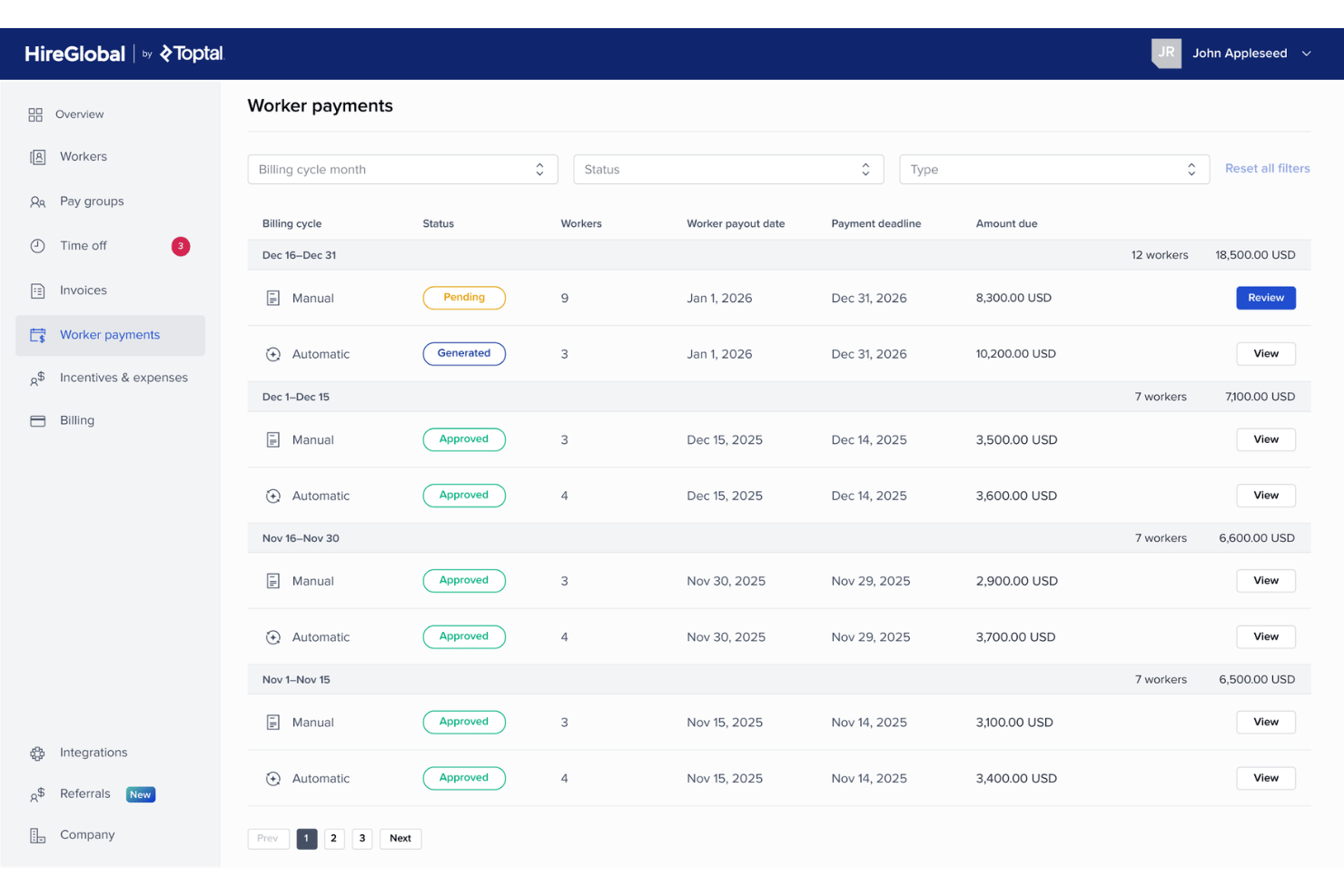
HireGlobal by Toptal is a global workforce platform that handles employer of record, contractor management, agent of record, and local payroll across 180+ countries—covering employment contracts, tax compliance, and worker payments in a single system.
Who Is HireGlobal Best For?
HireGlobal is a strong fit for companies hiring across multiple countries who need to manage a mix of employees and contractors without setting up local entities.
Why I Picked HireGlobal
What sets HireGlobal apart is how it handles the messiest part of global hiring: managing employees and contractors under different legal frameworks, across dozens of countries, without making you choose a single rigid model. I picked it because its Virtual EOR tier is genuinely unlike what most payroll platforms offer, covering worker classification, compliant contracts, local payments, and $1M indemnification per worker. When you're paying a mix of full-time staff in Germany and contractors in the Philippines, that kind of coverage matters.
Standout Services
- Consolidated multi-currency payroll platform: Run payroll and manage payments in 50+ currencies across 180+ countries from one interface.
- $1M per-worker compliance indemnification: Automatically included on select plans, covering major legal and classification risks for each worker.
- Guided onboarding and contract management: Access a centralized workflow with compliance-reviewed contracts and onboarding for both employees and contractors.
- Integrated global background checks: Run compliant background screening as part of the hiring and onboarding workflow.
Pros and Cons
Pros:
- Pays workers across 180+ countries and 50+ currencies
- $1M indemnification per worker on select plans
- Covers EOR, AOR, and contractors in one platform
Cons:
- Less suited for domestic-only payroll needs
- Small review base due to recent launch

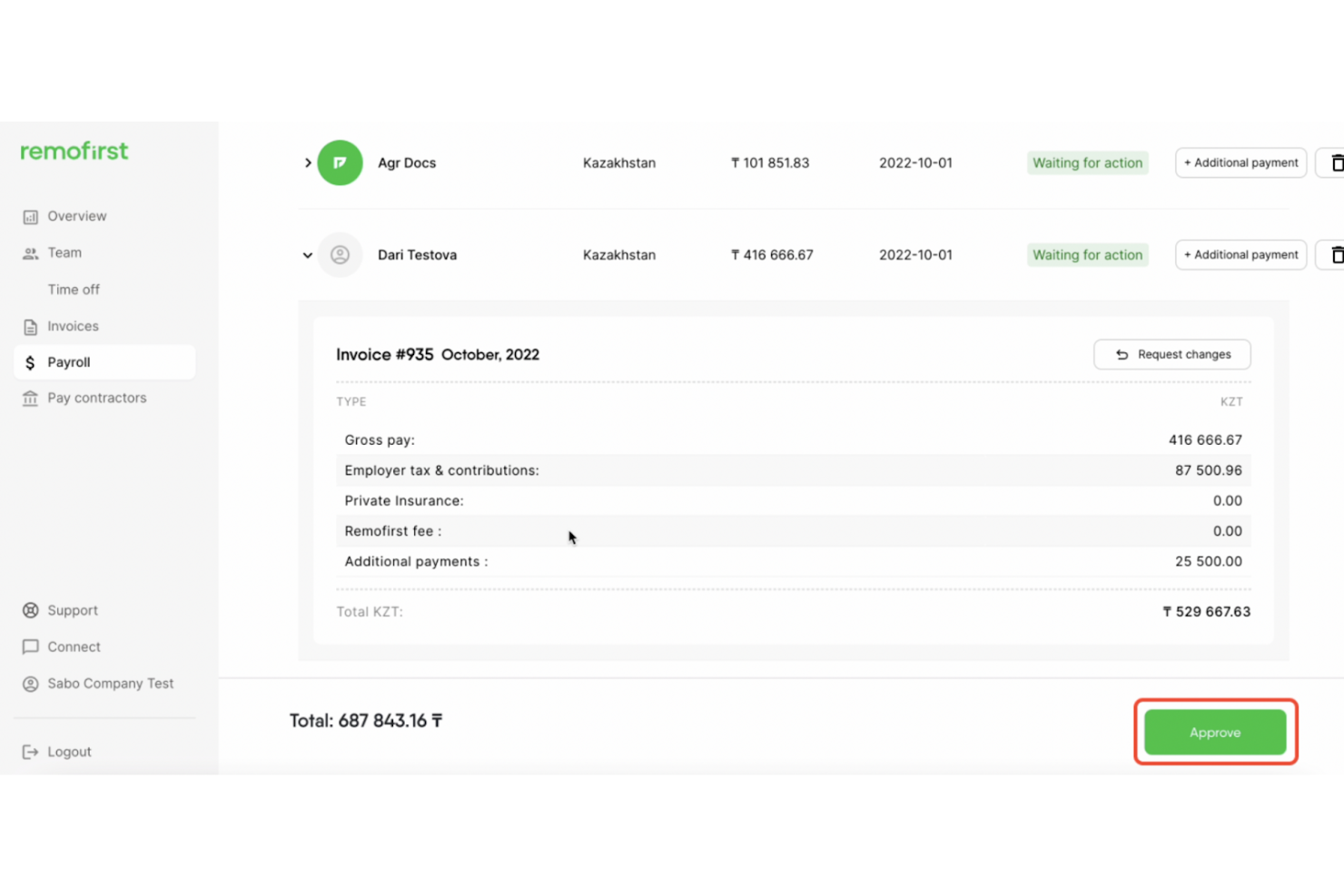
RemoFirst is a global employer of record platform that handles international payroll, contractor payments, tax filings, and compliance across 185+ countries for companies hiring across borders.
Who Is RemoFirst Best For?
RemoFirst is a strong fit for startups and SMBs hiring their first international employees or contractors across multiple countries without a local entity.
Why I Picked RemoFirst
RemoFirst stood out to me because it's built specifically for the complexity of paying people across borders. When I evaluated it, the multi-currency payroll support across 100+ currencies was the clearest differentiator, covering situations where you're paying contractors in Singapore, full-time employees in Germany, and freelancers in Brazil all in a single pay cycle. I also like that contractor management is free at the base tier, so you can onboard and manage contracts without committing to payment processing fees upfront.
Standout Services
- Dedicated account manager: Each client receives a single point of contact for payroll setup, ongoing questions, and support.
- 24/7 embedded HR chat support: Hiring managers and employees can access HR help at any time through the in-platform chat feature.
- Native integrations with HR tools: Connect to BambooHR, ADP Workforce Now, and GoCardless for automated data syncing and payments.
- RemoHealth add-on: Offer global medical, dental, and vision insurance to employees as an upgrade to your payroll package.
Pros and Cons
Pros:
- Dedicated account manager included by default
- Free contractor management at base tier
- Covers payroll in 185+ countries
Cons:
- Compliance depth varies by country
- Payroll delays reported at some employees

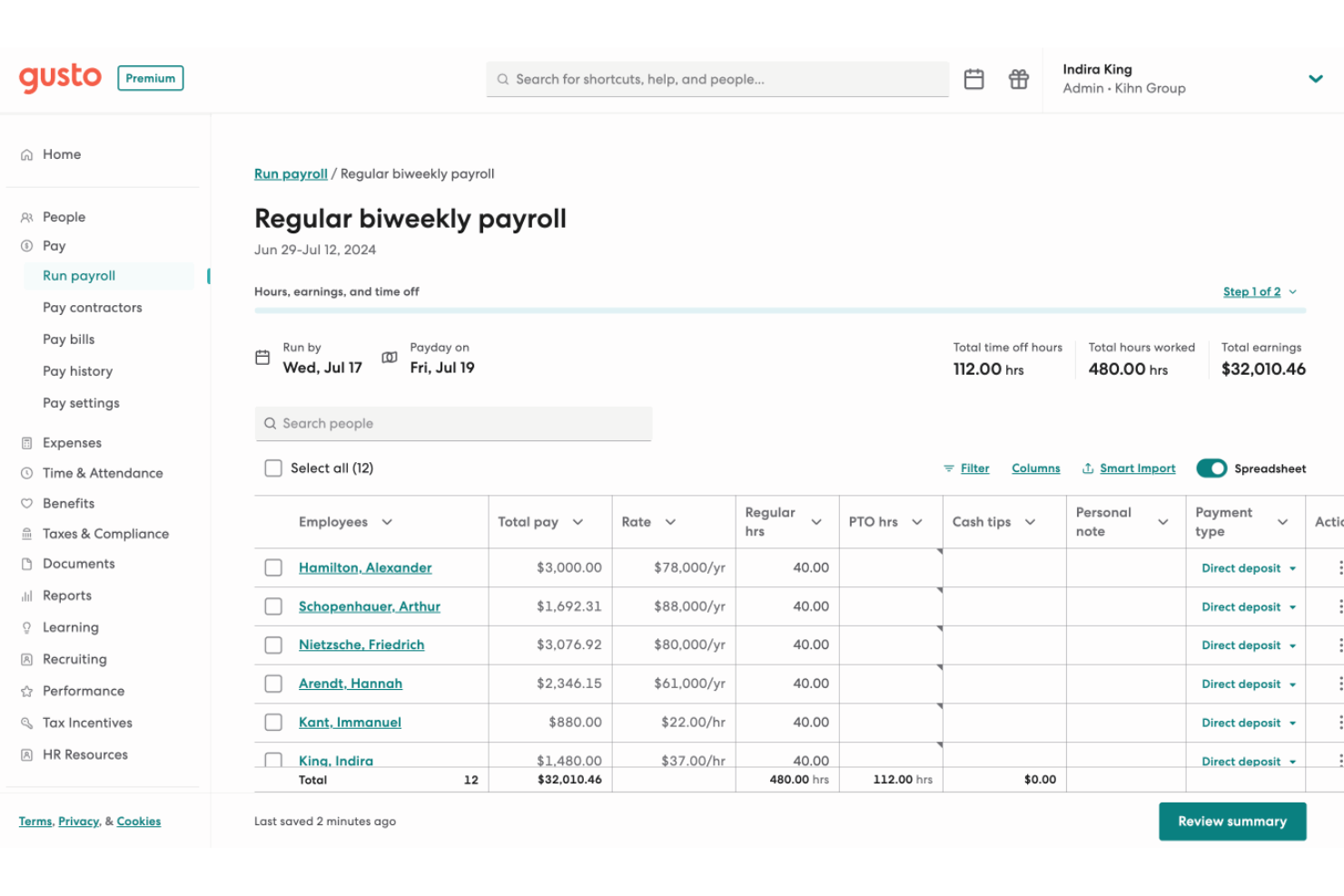
Gusto is a payroll and HR platform that handles payroll processing, automated tax filing, benefits administration, and employee onboarding for small and mid-sized businesses.
Who Is Gusto Best For?
Gusto is a strong fit for small and mid-sized businesses that want payroll, tax filing, and HR tools in one place without a dedicated payroll team.
Why I Picked Gusto
Gusto's AutoPilot feature is what sets it apart: it runs recurring payroll automatically without you touching a thing. When I evaluated it, I liked that federal, state, and local tax forms (W-2s, 1099s, 940s, 941s) are filed automatically each pay cycle, not just at year-end. If your team runs payroll on a set schedule, Gusto handles the entire cycle, including calculations, filings, and direct deposit, without manual input.
Standout Services
- Employee self-service portal: Lets employees view pay stubs, download tax forms, and update personal information online or with the mobile app.
- Benefits administration marketplace: Offers integrated medical, dental, vision, 401(k), and college savings plans managed directly through Gusto.
- Pre-built accounting integrations: Syncs payroll data with accounting platforms like QuickBooks, Xero, FreshBooks, and more for accurate financial records.
- Guided payroll migration: Includes support to import historical pay data and set up prior wages so you can switch providers with less hassle.
Pros and Cons
Pros:
- Handles payroll, benefits, and HR in one place
- Tax forms filed automatically every pay cycle
- AutoPilot runs payroll without manual input
Cons:
- Scaling past 50 employees gets difficult
- Support quality drops when errors occur
New Product Updates from Gusto
Gusto Adds Solo Advisory Tools and Mobile Money Features
Gusto adds Solo S-Corp Advisory Tools and Gusto Money on Mobile for tax guidance, invoicing, and bill payments. These updates help accountants advise solopreneurs and let users manage business finances from their phones. For more information, visit Gusto’s official site.

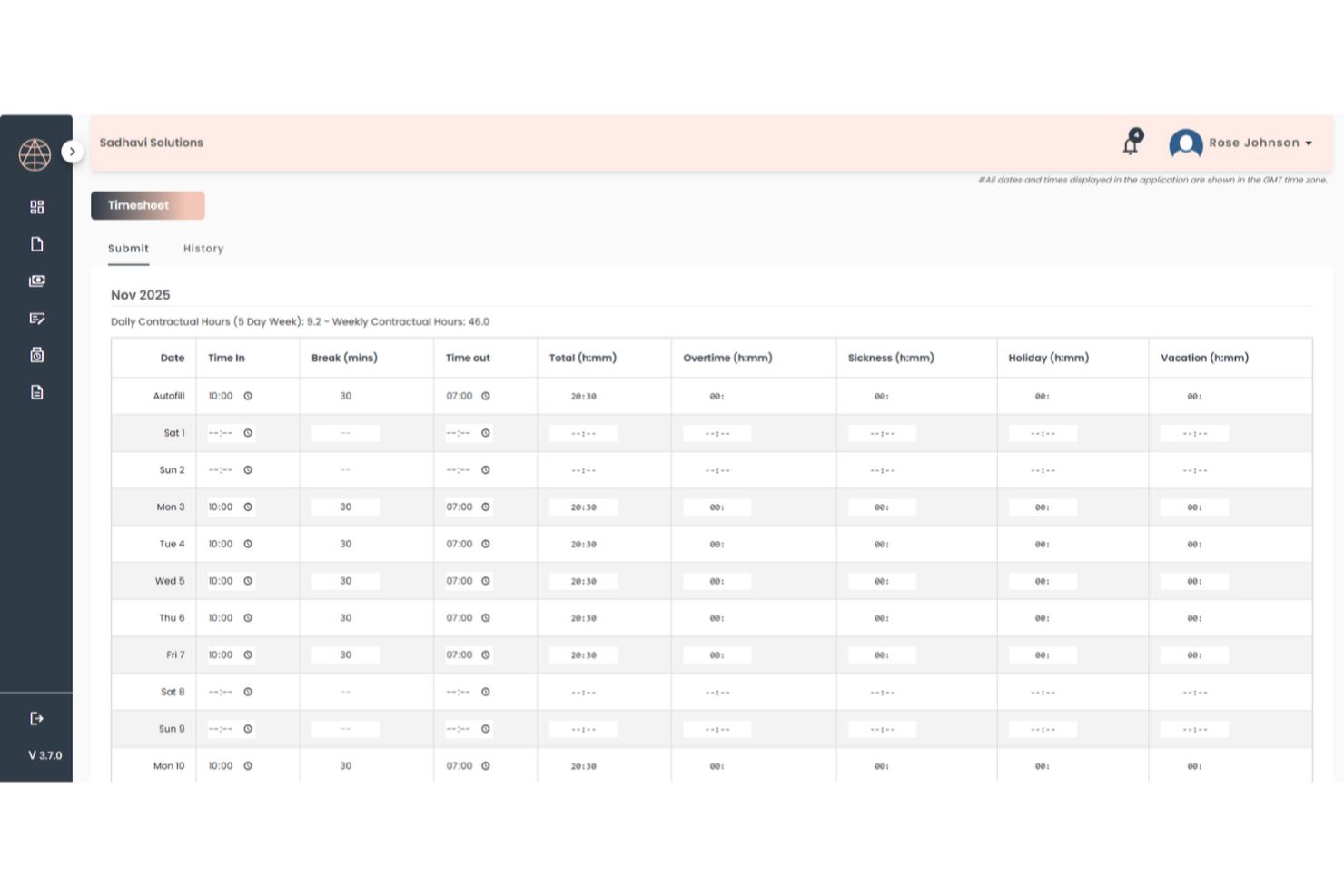
TopSource Worldwide is a global employer of record and payroll provider that handles employment contracts, tax withholding, statutory benefits, and HR administration for companies hiring full-time employees across 180+ countries without a local legal entity.
Who Is TopSource Best For?
Mid-market and enterprise teams hiring across borders who want a dedicated account manager and human-first support rather than a self-serve platform.
Why I Picked TopSource
What stood out to me about TopSource is its 24/5 phone support backed by a named account manager who actually knows your payroll setup. When something goes wrong mid-cycle in, say, Belgium or India, you're not filing a ticket and waiting. I appreciate that TopSource pairs this with quarterly compliance reviews, so issues tend to get caught before they escalate rather than after.
Standout Services
- Global payroll coverage: Run compliant payroll for employees in 180+ countries without local entity setup or separate vendors.
- Portico platform integrations: Connect payroll with HRIS, ATS, and finance systems like Workday, SAP SuccessFactors, and QuickBooks through a flexible API.
- Customizable benefits administration: Tailor benefit packages to each country, with statutory requirements and regional customization managed for you.
- Proactive compliance reviews: Receive scheduled quarterly checks on payroll processes, tax filings, and local rule changes from in-country specialists.
Pros and Cons
Pros:
- Quarterly compliance reviews catch issues early
- Compliant payroll runs across 180+ countries
- Named account manager knows your payroll setup
Cons:
- Self-service portal feels dated and limited
- Reporting lacks detail for finance teams
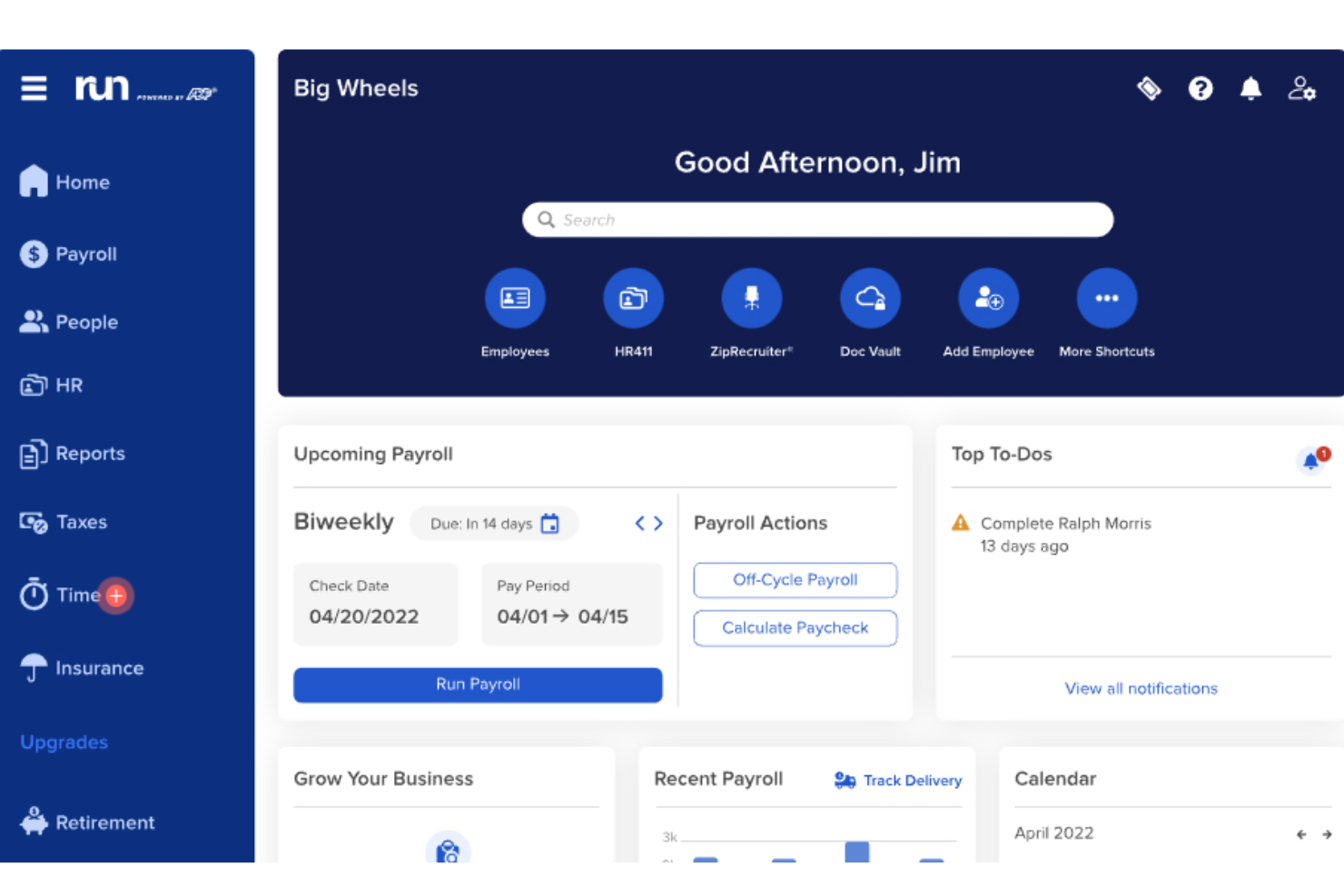
RUN Powered by ADP is a payroll and HR platform built for small businesses that combines automated tax filing, multi-jurisdiction payroll processing, and employee management tools in a single, AI-assisted system.
Who Is RUN Powered by ADP Best For?
Small businesses with up to 49 employees that want payroll, tax filing, and HR tools managed in one place.
Why I Picked RUN Powered by ADP
ADP Assist, the platform's built-in AI assistant, flags payroll errors before you run payroll, which I find genuinely useful when there are mid-cycle changes to hours or deductions. What I appreciate most is the penalty coverage: if ADP makes a tax filing error, they cover the cost, which matters when you're managing multi-state employees and local tax rules. The 24/7 real-person support is also a real differentiator, especially during year-end W-2 and 1099 processing when questions can't wait.
Standout Services
- General ledger integration: Sync payroll data directly with accounting platforms like QuickBooks, Xero, and Wave for simple journal entry transfers.
- Automated multi-state tax filing: Calculate, file, and remit federal, state, and local payroll taxes—including multi-jurisdiction support—on your behalf.
- Employee self-service mobile app: Give employees secure access to pay stubs, tax forms, and personal details from their smartphones.
- Flexible payment options: Handle direct deposits, contractor payments, and payroll debit cards within a single solution.
Pros and Cons
Pros:
- 24/7 support from real payroll specialists
- Tax penalties covered if ADP files incorrectly
- AI flags payroll errors before each run
Cons:
- Opaque pricing requires a sales call
- Add-on fees stack up quickly

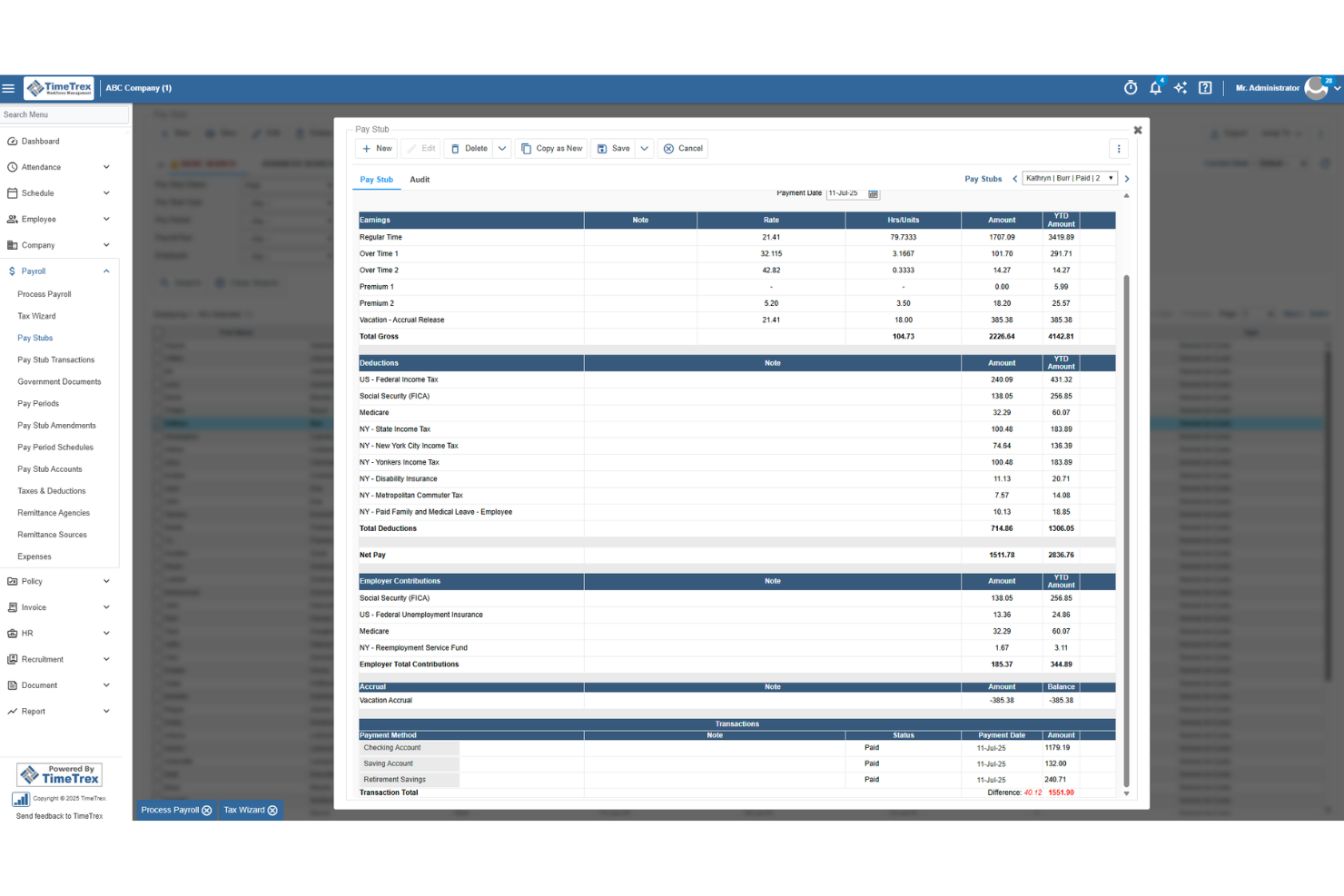
TimeTrex is a workforce management platform that combines payroll processing, time and attendance tracking, employee scheduling, and HR management in a single cloud-hosted or self-hosted open-source system.
Who Is TimeTrex Best For?
TimeTrex suits HR and payroll teams at small to mid-sized businesses that need time tracking, scheduling, and payroll managed in one place.
Why I Picked TimeTrex
TimeTrex gives payroll teams real control over how their workflows are built. I like that you can configure deduction rules, pay calculations, and approval chains to match how your organization actually runs, rather than bending your processes to fit the software. The drag-and-drop scheduling and real-time timesheet tracking feed directly into payroll, which cuts down on manual data entry before each pay run. If you're managing hourly workers across multiple locations, that connection between time data and wage calculations is where TimeTrex earns its place.
Standout Services
- Biometric facial recognition time clocks: Use touchless time tracking hardware to help ensure accurate employee attendance data.
- On-site open source deployment: Choose self-hosted, open source software when your business requires full control over data and hosting.
- Job costing and wage allocation tools: Track labor costs against departments, locations, or projects for detailed payroll reporting.
- Payroll report generation suite: Export custom wage, deduction, and benefits reports to track payroll expenses and support compliance needs.
Pros and Cons
Pros:
- Free open-source edition available for self-hosted teams
- Supports multi-state and multi-country payroll compliance
- Real-time timesheets feed directly into payroll
Cons:
- Dashboard can feel cluttered and hard to navigate
- Tax forms are generated but not filed for you
New Product Updates from TimeTrex
TimeTrex Adds Quick Punch App With Offline and QR Support
TimeTrex adds a new Quick Punch app, offline punching, QR code scanning, punch images, configurable messages, and punch warnings or lockouts to improve employee clock-ins across browsers and local computers. For more information, visit TimeTrex’s official site.
 .
.
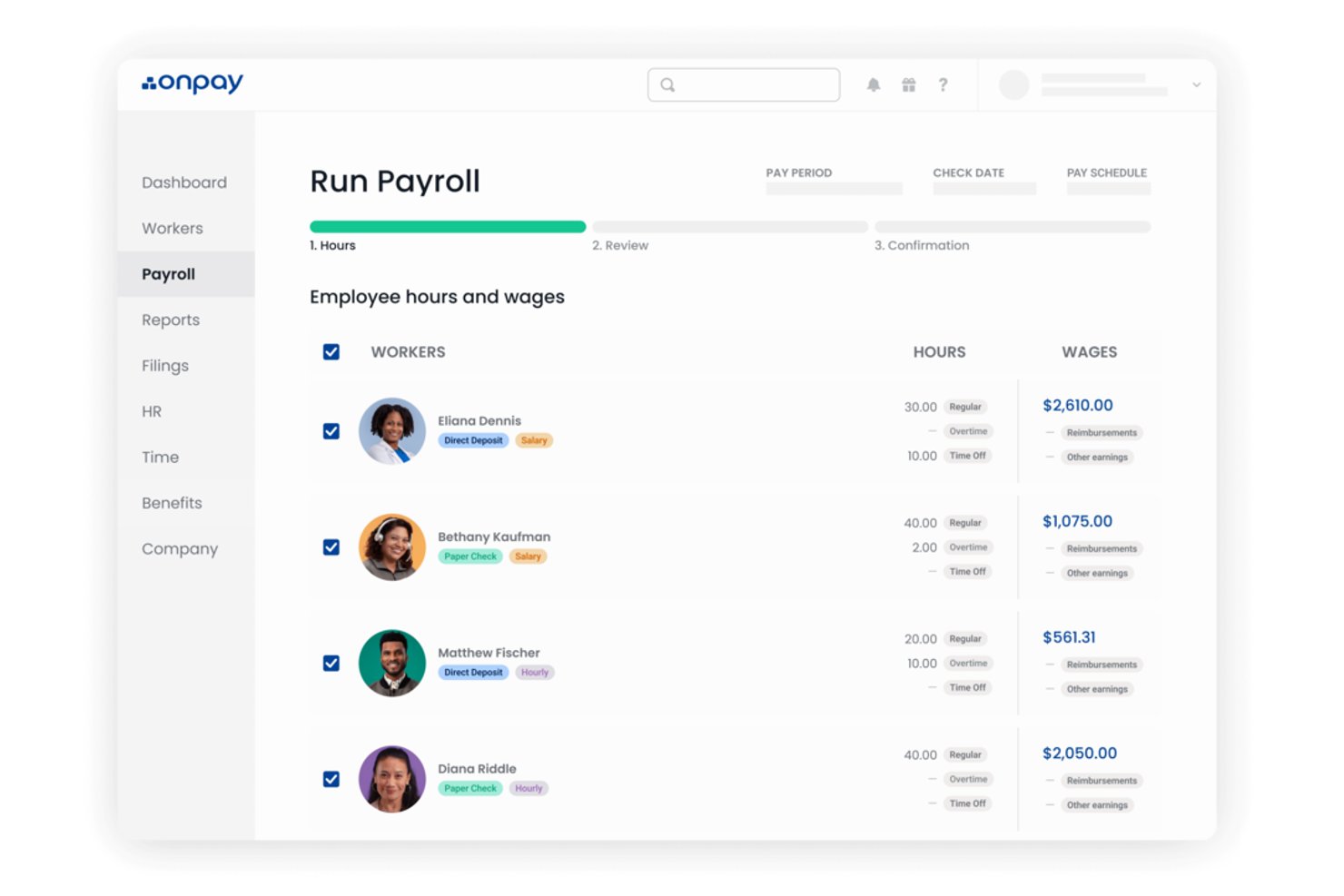
OnPay is a payroll and HR software platform that handles tax filings, benefits administration, worker onboarding, and multi-state payroll processing for small to mid-sized businesses across industries like restaurants, nonprofits, healthcare, and agriculture.
Who Is OnPay Best For?
OnPay is a strong fit for small businesses in industries like restaurants, healthcare, nonprofits, and agriculture that need payroll built around their specific compliance and workforce needs.
Why I Picked OnPay
OnPay is one of the few payroll tools I've seen built around industry-specific compliance from the ground up. For a restaurant running tipped wages or a farm managing seasonal agricultural workers, the payroll rules are genuinely different, and OnPay handles those nuances natively. I also appreciate that clergy payroll and nonprofit-specific tax treatment are supported out of the box, not bolted on. Those are the scenarios where generic payroll tools tend to break down.
Standout Services
- Accuracy guarantee for tax filings: OnPay covers penalties or interest resulting from payroll tax filing errors.
- White-glove setup and onboarding: Get hands-on migration and payroll setup support from payroll specialists.
- Integrated benefits administration: Manage health, dental, vision, HSA/FSA, and more with licensed advisors at no extra cost.
- No-fee accounting and time tracking integrations: Connect QuickBooks, Xero, and common time tools without extra integration fees.
Pros and Cons
Pros:
- Free guided setup with payroll migration support
- Tax penalty coverage included with every plan
- Handles tipped wages and agricultural payroll natively
Cons:
- No international payroll support
- No native mobile app for employers
Other Payroll Service Providers
Here are a few more options that didn’t make my shortlist, but could still be worth considering:
- Patriot Payroll
For US-based businesses
- ADP
For union payroll and garnishments
- Lano
For linking pay and invoices
- CloudPay
For treasury and payroll in one
- Paychex
For payroll during mergers
- Justworks Payroll
For payroll and benefits renewals
- Neeyamo
For remote global onboarding
- Payroll4Free
For free payroll service
- HSP Group
For scaling internationally
- Reliable Payroll Services
For personalized support
- Rippling
For paying employees & contractors worldwide
- RemotePeople
For global payroll compliance
- Buddy Punch
For employee time-tracking
- Multiplier
For cross-border cost previews
- Paycom
For real-time pay previews
- Worksuite
For global contractors and freelancers
- Paycor
For local tax setups
- Paychex Flex
Reporting features
- QuickBooks Payroll
For Quickbooks Accounting users


Related Software Reviews
If you still haven't found what you're looking for, check out these related tools we tested and evaluated:
- Accounting Software
- ERP Software
- POS Systems
- Billing Software
- Forecasting Software
- Merchant Account Services
- Expense Report Software
What are Payroll Services?
Payroll services are solutions that automate how you pay employees, calculate taxes, and handle key compliance requirements. These tools take care of wage calculations, deductions, tax filings, and year-end forms while supporting different types of workers and payment setups. Using payroll services helps your team reduce manual work, avoid costly errors, and stay compliant as rules change—whether your business operates locally or across multiple regions.
How I Evaluate Payroll Services
I split my evaluation into what a payroll service must do—like automated tax filing and direct deposit—and what sets the best ones apart for distributed teams or contractor-heavy workforces.
Core Functionality (Table Stakes For This List)
When I'm selecting tools for my list, I rank each one on a scale from 0 (does not offer the functionality) to 5 (excels in this area) for each core functionality listed below. Then, I calculate the tool's total score into a percentage. Each tool needs to achieve a minimum total score of 75% to be considered for inclusion.
- Automated Payroll Processing: I check whether the platform can handle scheduled pay runs with direct deposit, including off-cycle payments for things like bonuses or termination payouts.
- Tax Filing & Compliance: Each tool should calculate, file, and remit payroll taxes at every applicable level, and I look for automatic updates when tax rates or regulations change.
- Employee Self-Service Portal: I evaluate whether employees can independently access pay stubs, download tax documents, and update their banking or address details without HR intervention.
- Multi-Classification Payments: The platform should support paying a mix of salaried, hourly, and contract workers—similar to how Gusto and Rippling handle W-2 and 1099 payees in one system.
- Year-End Tax Forms: I look for automated generation and distribution of W-2s and 1099s, including electronic delivery and the ability to handle corrections after filing.
- Benefits & Deductions Management: The tool should process pre- and post-tax deductions like retirement contributions, health insurance premiums, and court-ordered garnishments within each pay run.
Once I have a list of tools that meet the criteria, I consider what sets each platform apart.
Differentiating Factors (What Sets Vendors Apart)
Here's how I compare and contrast different vendors:
Standout Features
Global payroll coverage matters when your team spans multiple countries—I look for platforms like Deel and Remote that handle local compliance and multi-currency payments without needing a separate provider. An embedded HR suite is equally valuable because onboarding, time tracking, and PTO management live alongside payroll data. I also evaluate on-demand pay access, which lets employees draw earned wages before payday and can be a real differentiator for retention.
Beyond Features
I check how well each platform connects with your existing stack—syncing payroll data to QuickBooks or Xero for journal entries, for example, saves hours of manual reconciliation. Pricing transparency also weighs heavily; some vendors bundle tax filing and year-end forms into base pricing while others charge extra for each. I also evaluate implementation support, especially how a provider handles mid-year migrations, including importing prior wage and tax history from your previous payroll system.
How to Choose a Payroll Service
The right payroll service depends on what's actually breaking in your current process—so start by naming your biggest failure point before evaluating any vendor.
| If your priority is… | Look for… |
|---|---|
| Reducing tax filing errors | Automated multi-jurisdiction filing with a penalty guarantee in writing |
| Paying a mixed workforce | A single platform that handles W-2, 1099, and international contractor payments |
| Supporting employee financial wellness | Built-in on-demand pay access, not a third-party add-on |
| Managing payroll across multiple countries | Local compliance engines and multi-currency direct deposit, not just currency conversion |
| Keeping HR admin lean | Native integrations with your HRIS and accounting platform |
How to Vet Your Shortlist
- Run a parallel payroll: Process one real pay period in the trial environment and compare output against your current provider's figures to catch calculation gaps.
- Request the tax filing SLA: Ask vendors to provide, in writing, their exact turnaround for state and local remittances and how they handle late-filing penalties.
- Test off-cycle pay: Initiate one off-cycle run during your trial and confirm whether it carries an additional fee—get the fee schedule as a named document.
- Check integration depth: Connect the platform to your accounting system and verify that general ledger mapping works without manual exports.
- Full-service vs. self-service tradeoff: Managed payroll gives you error coverage but less control; self-service gives you flexibility but shifts compliance risk to your team—choose based on your internal capacity, not cost alone.
When to Use Payroll Services
Payroll services are the right move when manual processes, compliance gaps, or workforce complexity are costing your team time and exposing your organization to risk.
Here are the situations where they make the most sense:
- Your pay runs keep producing errors: A single miscalculated withholding or missed garnishment can trigger penalties and erode employee trust. Payroll services automate the calculations that trip up manual workflows, so your team stops firefighting after every pay cycle.
- You're paying across multiple worker types: Managing W-2 employees, 1099 contractors, and international hires in separate systems creates gaps. One platform handling all classifications cuts reconciliation time and keeps your records clean.
- Tax deadlines are slipping through: If your team is manually tracking state and local remittance schedules, something will eventually get missed. Automated filing with jurisdiction-level compliance removes that deadline pressure from your HR calendar.
- You're expanding into a new country: Adding even one international hire means navigating unfamiliar tax regimes and labor rules. A payroll service with local compliance engines protects you from missteps that would otherwise require outside legal counsel to untangle.
Key Services and Features of Payroll
The best payroll services automate payroll while reducing tax, compliance, and administrative work. When comparing providers, prioritize these features:
- Automated Payroll Processing: Calculates wages, deductions, overtime, and net pay while supporting recurring and off-cycle payroll runs.
- Payroll Tax Filing: Calculates, withholds, files, and pays federal, state, and local payroll taxes on your behalf.
- Multi-State and Global Payroll: Supports employees working across different tax jurisdictions, states, or countries as your workforce expands.
- Employee and Contractor Payments: Handles different worker types, pay schedules, direct deposits, and contractor payments from one system.
- Compliance Support: Helps manage tax deadlines, wage requirements, payroll records, and regulatory changes that could affect payroll.
- HR and Accounting Integrations: Syncs payroll data with HRIS, time tracking, benefits, and accounting systems to reduce duplicate data entry.
- Employee Self-Service: Gives employees access to pay stubs, tax documents, payment details, and personal information without relying on HR.
The right payroll service should ultimately reduce manual payroll work, keep employee data accurate, and make tax filing and compliance easier to manage.
Common AI Features of Payroll Services
AI is increasingly used to support payroll accuracy and reduce manual review. The most useful capabilities to look for include:
- Payroll Error Detection: Flags unusual payments, deductions, or payroll data before processing.
- Automated Data Validation: Checks payroll information for missing or inconsistent data.
- Payroll Insights: Helps teams identify trends and analyze payroll and workforce data more quickly.
AI can make payroll easier to review, but accurate processing, tax compliance, and reliable support should remain the priority when choosing a payroll service.
Benefits of Payroll Services
Payroll services can reduce the administrative and compliance burden of paying employees while improving payroll accuracy. Key benefits include:
- Less Payroll Administration: Automating calculations, payments, deductions, and filings reduces the time HR and finance teams spend processing payroll.
- Lower Compliance Risk: Payroll providers can calculate and file payroll taxes, track deadlines, and help businesses meet federal, state, and local requirements.
- Fewer Payroll Errors: Automated calculations and payroll checks can reduce mistakes in wages, deductions, taxes, and employee payments.
- Easier Multi-State and Global Payroll: Providers with multi-jurisdiction support can help manage different tax, payroll, and compliance requirements as your workforce expands.
- Better Payroll Data Visibility: Integrated reporting gives HR and finance teams clearer access to payroll costs, employee compensation, taxes, and workforce data.
- Easier Scaling: A payroll service can support additional employees, contractors, locations, and jurisdictions without requiring the same increase in internal payroll administration.
Ultimately, a payroll service can help businesses pay employees accurately and on time while reducing the manual work and compliance complexity involved in running payroll.
Trends in Payroll Services
Payroll services are evolving beyond basic payroll processing as providers add more automation, compliance support, and workforce data capabilities. Key trends to watch include:
- AI and Payroll Automation: Providers are increasingly using AI to identify payroll errors, automate manual tasks, validate data, and support compliance monitoring.
- Stronger Compliance Tools: Changing tax, wage, pay transparency, and employment requirements are increasing demand for payroll services that can monitor and manage compliance across jurisdictions.
- Integrated HR and Payroll Data: Businesses are moving toward connected payroll, HR, time tracking, and workforce systems to reduce data entry and improve payroll accuracy.
- Global and Multi-Jurisdiction Payroll: Distributed workforces are increasing the need for providers that can manage different tax, payment, and compliance requirements across states and countries.
- Earned Wage Access: Some payroll providers are expanding payment options to let employees access a portion of their earned wages before the traditional payday.
- Payroll Analytics: Payroll data is increasingly being used for workforce planning, labor cost analysis, forecasting, and other HR and finance decisions.
For buyers, these trends make automation, compliance capabilities, integrations, and workforce coverage increasingly important factors when comparing payroll services.
Pricing of Payroll Services
Payroll services typically cost between $25 and $200 per month plus $2 to $15 per employee, depending on the size of your workforce and required compliance coverage. Providers generally work within one of the following pricing structures:
| Pricing Model | Average Price | Service Inclusions | Best For |
|---|---|---|---|
| Per payroll run | $25–$60 per run | One-off payroll processing | Small or seasonal employers |
| Monthly subscription | $30–$80 per month + $5/ee | Automated payroll, direct deposit | Businesses running regular payroll |
| Per-employee/month | $5–$15 per employee/month | Tax filings, employee self-service | Growing teams or multi-state setups |
| Annual contract | $300–$2,000+ per year | Year-round payroll and compliance | Larger organizations seeking stability |
| Custom enterprise | Negotiable, $2,000+/year | Multi-country, complex integrations | Multi-national or high-complexity teams |
Choosing the right plan can help you match cost with specific features and needs.
Key Factors That Influence Pricing
Beyond the specific pricing model, here are some additional factors that can influence the cost of payroll services:
- Number of employees: Higher headcounts increase total monthly or per-run costs.
- Payroll frequency: Weekly or bi-weekly payroll runs cost more than monthly cycles.
- Multi-jurisdiction compliance: Adding state, local, or international tax filings raises pricing tiers.
- Feature add-ons: Benefits integration, garnishment processing, and advanced workflow automations typically add to the base price.
- Support and service level: White-glove support or managed payroll increases costs compared to self-service options.
Knowing these structures and factors will make it easier to compare providers and get quotes that fit your business needs.
Payroll Services: FAQs
Here are the answers to a couple popular questions many people have about payroll services.
Payroll Service vs. Payroll Software vs. PEO: What's the Difference?
Payroll services, payroll software, and PEOs can all manage payroll, but they differ mainly in who manages the work and how much HR responsibility is outsourced. PEOs are distinct because they typically operate under a co-employment arrangement.
| Payroll Service | Payroll Software | PEO | |
|---|---|---|---|
| What it is | Outsourced payroll provider | Software your team operates | Payroll + broader HR outsourcing |
| Who runs payroll? | Provider | Your internal team | PEO |
| Tax filing | Usually handled by provider | Automated or managed internally, depending on plan | Typically handled by PEO |
| HR support | Limited or optional | Limited or add-on | Extensive |
| Benefits administration | Sometimes available | Sometimes available | Typically included |
| Co-employment | No | No | Typically yes |
| Best for | Businesses wanting to outsource payroll | Businesses wanting control over payroll | Businesses wanting payroll plus HR, benefits, and compliance support |
How do payroll services handle employee benefits and deductions?
Payroll services automate benefit deductions—like health insurance, retirement contributions, and garnishments—each pay period. Many services include benefits administration tools that sync enrollment changes and let you track eligibility or handle open enrollment. Check if the provider can manage your specific plans and generate detailed deduction reports for auditing and transparency.
How secure are payroll services in handling sensitive employee data?
Top payroll providers use encryption, secure data centers, and routine security audits to keep employee data safe. Look for multi-factor authentication, detailed access controls, and third-party certifications (like SOC 2). Ask vendors about breach response plans so you’re confident only authorized staff see payroll details.
How can payroll services integrate with existing HR or accounting software?
Most leading payroll services offer integrations or open APIs for popular HRIS and accounting systems. This lets you sync employee data, reduce double entry, and automate reporting. Before buying, check if the payroll service supports direct integrations with your core software for a smoother workflow.
Who has the best payroll service?
The best payroll service depends on your needs, but Gusto is a strong overall choice for small and midsize businesses, while providers like Paycom, Justworks, and Deel suit more specialized payroll requirements.
Can I do my own payroll for free?
Yes, you can process payroll manually for free, but you’ll be responsible for calculating wages and taxes, maintaining records, filing required forms, and making tax payments on time.
How often can I run payroll with these services?
Most payroll providers let you run payroll as often as needed—weekly, bi-weekly, semi-monthly, or on-demand. Some services even support unlimited runs each month for no extra fee. Ask about run limits or extra charges, especially if you have hourly workers or complex pay cycles.
How do payroll services handle tax compliance for remote workers across multiple states?
Modern payroll platforms utilize address-matching geolocation engines to automatically trigger multi-state tax compliance whenever an employee is onboarded. Once an employee’s home address is entered, the platform:
-
Calculates Correct Withholdings: Automatically applies state and local income tax rules based on where the work is physically performed rather than where company headquarters is located.
-
Automates SUI & Paid Leave Filings: Adjusts State Unemployment Insurance (SUI) calculations and manages contributions for state-mandated paid family medical leave programs.
-
Manages Tax Registrations: Many full-service providers assist with registering your business with new state departments of revenue when you hire your first employee in a new state.

