

10 beste lønnssystemer for én ansatt i 2026

Beste lønnssystem for én ansatt – kortliste


Det beste lønnssystemet for én ansatt hjelper deg med å betale deg selv eller ett enkelt teammedlem korrekt, overholde lover og regler og levere inn skatter i tide – uten kompleksiteten eller kostnadene ved verktøy for større virksomheter.
Hvis du er selvstendig næringsdrivende, konsulent eller småbedriftseier, bør lønn være enkelt – ikke en kilde til stress. Den rette løsningen håndterer lønnskjøringer, skatteberegninger, innsendinger og lønnsslipper automatisk, slik at du ikke trenger et fullt HR-team eller timevis med manuelt arbeid.
Fordi mange lønnssystemer er utviklet for større organisasjoner, kan det være utfordrende å finne noe som er rimelig og enkelt å bruke for et team på én person. Etter å ha undersøkt dusinvis av lønnsplattformer har jeg satt sammen en liste over de beste alternativene som er utviklet spesielt for selvstendig næringsdrivende og mikrobedrifter. I denne veiledningen finner du lønnssystemer som sparer tid, reduserer risiko og gjør det enkelt å betale deg selv (eller én ansatt).
Why Trust Our Software Recommendations
Our team has been testing and reviewing software since 2012. As HR experts ourselves, we know how difficult—and important—it is to choose the right software.
For this guide, we evaluated tools using hands-on testing and independent research, scoring tools using our selection criteria. We also draw on insights from industry thought leaders and practicing HR experts.
Our reviews reflect our human editorial judgment, not a sales pitch.
Expert reviewers:
Sammenligningstabell for lønnssystemer for én ansatt
Denne sammenligningstabellen oppsummerer priser, prøveperioder og demodetaljer for mine utvalgte lønnssystemer
| Tool | Best For | Trial Info | Price | ||
|---|---|---|---|---|---|
| 1 | Best for self-service paycheck access | 30-day free trial | From $88/month | Website | |
| 2 | Best for tax filing assistance | Not available | From $599/employee/month | Website | |
| 3 | Best for employee self-service | Free demo available | From $49/month + $6/month/user | Website | |
| 4 | Best for automated payroll calculations and tax filings | 3-month free trial | Pricing upon request | Website | |
| 5 | Best for affordable and flexible payroll options | 30-day free trial | From $17/month + $4/employee/month | Website | |
| 6 | Best for integrated accounting and payroll features | 30-day free trial | From $40/month | Website | |
| 7 | Best for integrations with POS systems | Not available | From $35/month + $6/person/month | Website | |
| 8 | Best for compliance and support for small businesses | Free demo available | Pricing upon request | Website | |
| 9 | Best user-friendly payroll for small businesses | Free trial available | From $4/employee/month + $20/month | Website | |
| 10 | Best for responsive customer support | Free demo available | Pricing upon request | Website |


Anmeldelser av de beste lønnssystemene for én ansatt
Her er mine detaljerte oppsummeringer av de beste lønnssystemene og -tjenestene som egner seg for å betale én ansatt. For hvert system har jeg tatt med fordeler og ulemper, funksjoner og merknader om hvorfor jeg inkluderte det på denne listen.
Best for self-service paycheck access
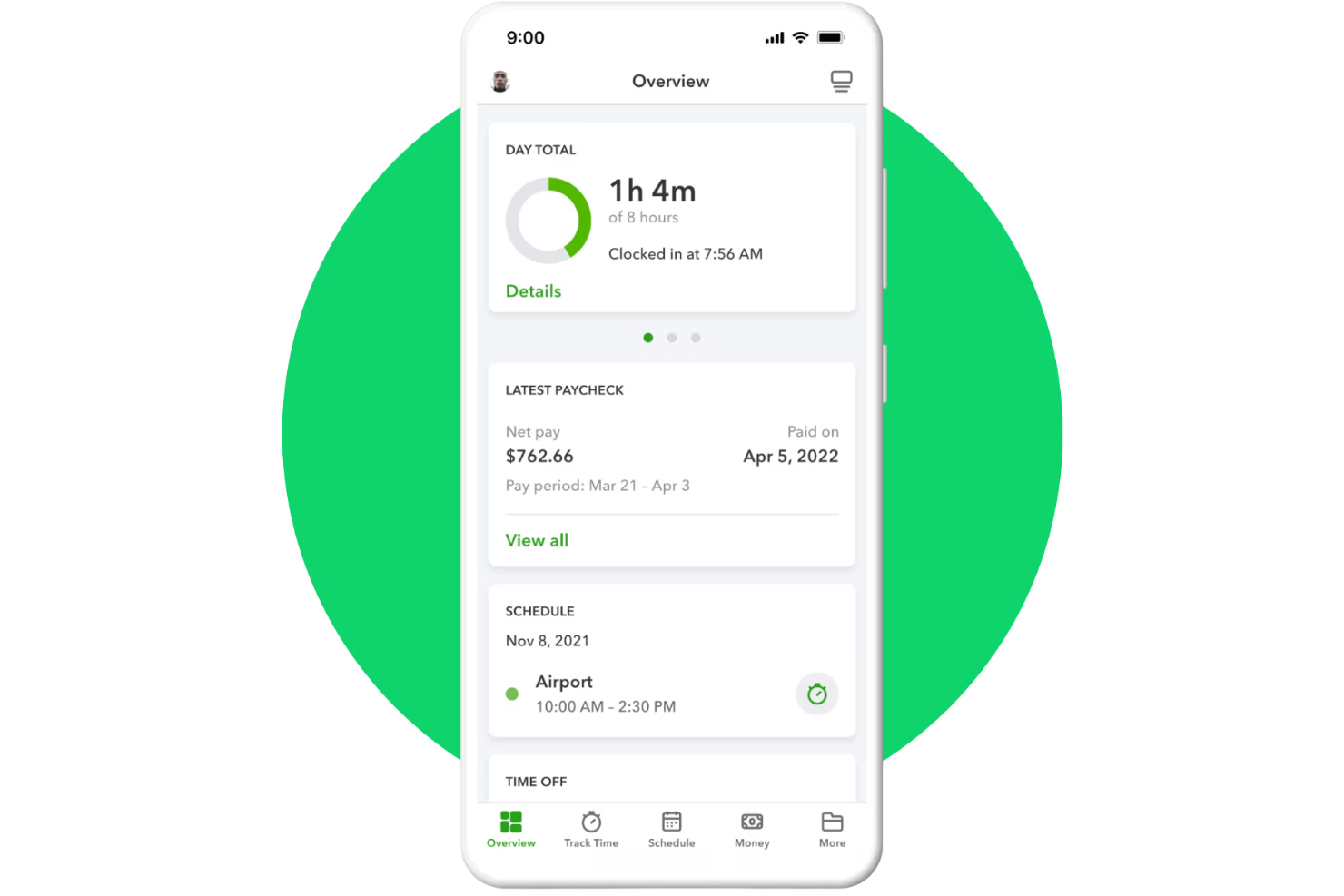
QuickBooks Workforce is Intuit's full-service payroll platform that handles automated tax calculations, direct deposit, paystub delivery, and year-end tax forms, with an employee-facing portal for pay and document access.
Who Is QuickBooks Workforce Best For?
QuickBooks Workforce is a strong fit for small business owners and solopreneurs who already use QuickBooks Online and need to add a single employee to their payroll.
Why I Picked QuickBooks Workforce
I picked QuickBooks Workforce because it makes payroll management easier for small teams with only one employee. Employees can access their pay stubs and payroll details through the QuickBooks Workforce app without needing paper records. I also like that Auto Payroll supports recurring pay runs for eligible salaried employees, reducing manual payroll work each cycle.
QuickBooks Workforce Key Features
- Automated tax filing: Calculate, file, and pay federal and state payroll taxes on your behalf.
- Direct deposit: Support next-day and same-day direct deposit options, depending on the selected plan.
- Payroll tax forms: Generate W-2s and 1099 forms that employees and contractors can access digitally.
- Time tracking integration: Sync employee hours from QuickBooks Time into payroll calculations.
QuickBooks Workforce Integrations
Integrations include QuickBooks Online, QuickBooks Time, QuickBooks Payroll, QuickBooks Online Accountant, Guideline 401(k), Allstate Health Solutions, Checkr, and SimplyInsured. Custom integrations are available through Intuit’s developer APIs.
Pros and Cons
Pros:
- Employees self-serve paystubs and W-2s
- Automated federal and state tax filing
- Payroll syncs directly with QuickBooks accounting
Cons:
- Requires QuickBooks ecosystem for best use
- Extra fees for multi-state payroll filing

Best for tax filing assistance
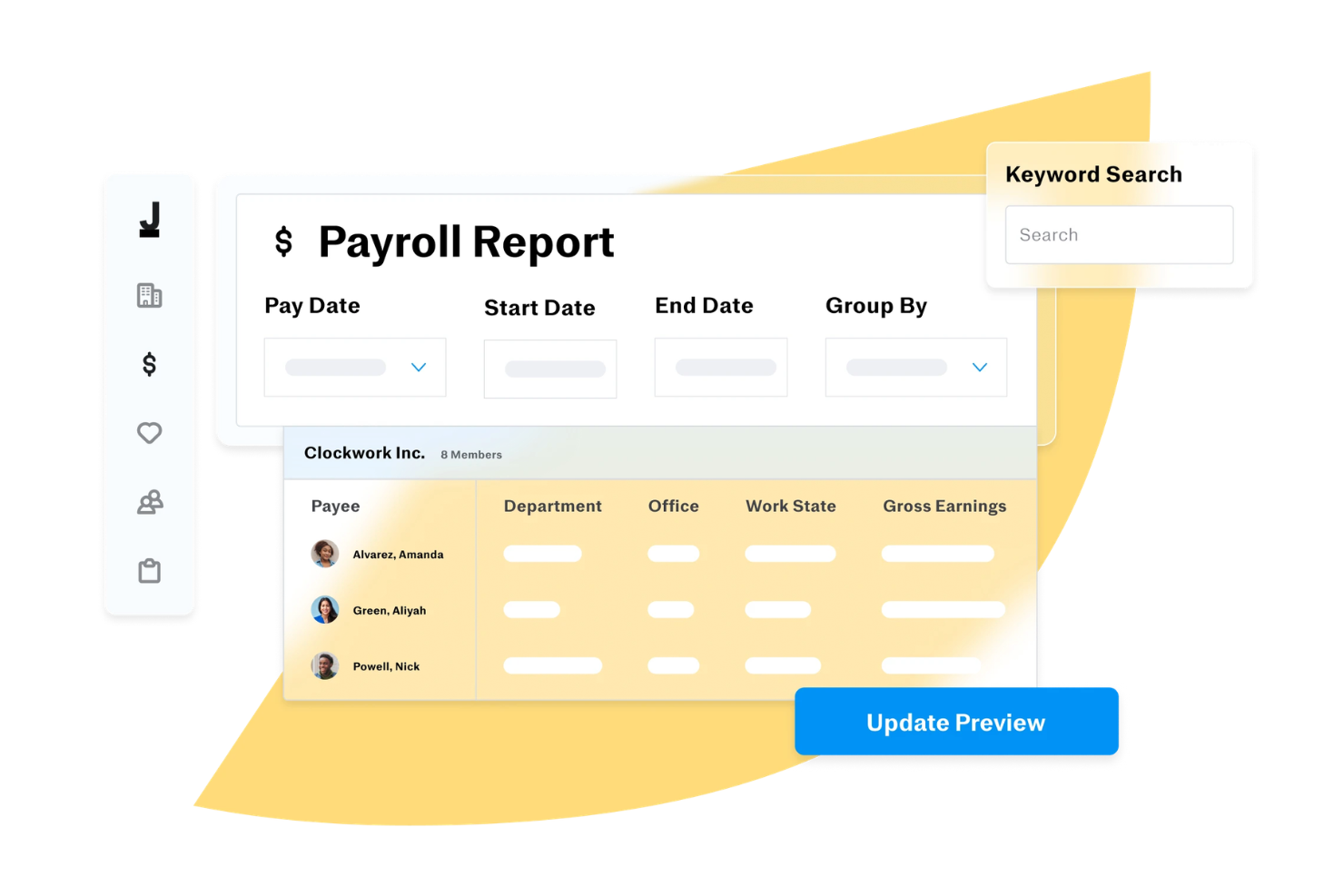
Justworks is a payroll and HR platform designed for small businesses and solo operators, offering automated payroll, tax filing, compliance support, and benefits administration in one system.
Who Is Justworks Best For?
Justworks is a strong fit for small business owners and solo operators who want a single platform to handle payroll, HR, and compliance without needing a dedicated HR team.
Why I Picked Justworks
Tax filing is one of those areas where a single mistake can mean IRS notices, penalties, and hours of back-and-forth—so I picked Justworks because it handles W-2s, 1099s, and payroll taxes (940s and 941s) automatically, at no additional charge. I really like that this isn't a bolt-on service you pay extra for; it's built into the platform. For a solo business owner paying one employee or a contractor, that means federal and state payroll tax filings happen without you having to track deadlines or manually submit forms. Justworks also gives you access to a support team for compliance questions, so if something does come up around tax season, you're not left figuring it out alone.
Justworks Key Features
- Direct deposit and multi-account payments: Employees can split pay across multiple bank accounts and receive push notifications when payments land.
- PTO management: Set up vacation and sick leave policies, track accruals, approve requests, and manage a holiday calendar from one place.
- Employee onboarding: Onboard new hires and contractors online, including direct deposit setup, document storage, and e-signatures.
- Expense reimbursement: Review, approve, and pay out employee expenses with automated workflows built directly into the payroll platform.
Justworks Integrations
Native integrations include 15Five, Accurate, Brex, Carta, Checkr, Lattice, JazzHR, Leapsome, and more.
Pros and Cons
Pros:
- Combines payroll, HR, benefits
- Automated tax filings and compliance
- QuickBooks integration for syncing
Cons:
- Limited customization for payroll workflows
- Some features require higher-tier plans

Gusto
Best for employee self-service

Gusto is a payroll software platform for small teams and solo employers, offering automated payroll runs, tax filings, direct deposit, and employee onboarding tools.
Who Is Gusto Best For?
Gusto is a great fit for small business owners and solo employers in the US who need a straightforward way to manage payroll and HR admin in one place.
Why I Picked Gusto
I've included Gusto in my top picks because I love how much it puts in the hands of the employee. Once you hire someone, they enter their own personal details directly into Gusto, which means you're not manually keying in bank account numbers or tax withholding info. Employees get lifetime access to their own Gusto account, where they can view pay stubs and W-2s anytime, submit vacation requests, and update their personal information without needing to contact you. Gusto Wallet gives employees direct access to their pay through a debit card, savings goals, and even on-demand pay advances between paydays.
Gusto Key Features
- Automated tax filing: Gusto calculates, files, and pays your federal, state, and local payroll taxes automatically every time you run payroll.
- AutoPilot payroll: Set up recurring payroll to run automatically on your schedule.
- Workers' compensation insurance: Set up and manage a pay-as-you-go workers' comp policy directly within Gusto, with no lump-sum payments required.
- Mobile payroll app: Run payroll, add new hires, and manage your team from the Gusto mobile app on iOS or Android.
Gusto Integrations
Gusto offers native integrations with QuickBooks, Xero, FreshBooks, Clover, Trainual, and Expensify. An API is available for custom integrations.
Pros and Cons
Pros:
- Automatic tax filings and direct deposit simplify payroll compliance.
- Payroll, benefits, and HR in one unified platform.
- Employee self-service portal empowers staff to access pay and forms.
Cons:
- Great for simple pay and HR management but not customizable enough to handle large, complex orgs.
- SMBs that need advanced compliance or niche industry-specific HR modules may find Gusto limiting.
New Product Updates from Gusto
Gusto Adds Solo Advisory Tools and Mobile Money Features
Gusto adds Solo S-Corp Advisory Tools and Gusto Money on Mobile for tax guidance, invoicing, and bill payments. These updates help accountants advise solopreneurs and let users manage business finances from their phones. For more information, visit Gusto’s official site.
Best for automated payroll calculations and tax filings

RUN by ADP is a payroll software platform designed for small businesses that need automated payroll processing, tax filing, and compliance management for a single employee.
Who Is RUN Best For?
RUN suits small business owners and sole proprietors who need a trusted, established platform to handle payroll for one employee.
Why I Picked RUN
I picked RUN as one of the best because of how much it takes off your plate when it comes to tax compliance. The tax filing feature handles everything from calculating and depositing payroll taxes to responding to agency inquiries on your behalf. The error accountability is notable: if ADP makes a tax filing mistake, they cover the resulting fines and penalties. The RUN & DONE feature lets you automate recurring payroll, so you don't have to run the same payroll cycle manually every pay period.
RUN Key Features
- Direct deposit and flexible pay options: Pay your employee via direct deposit, ADPCheck, or the Wisely Direct debit card, all from within the platform.
- AI-enabled error flagging: RUN scans your payroll for common mistakes before you submit, catching issues like incorrect hours or duplicate entries.
- Employee self-service mobile app: Your employee can access pay history, personal information, and HR details through the ADP mobile app without needing to contact you.
- W-2 and 1099 creation and e-filing: RUN generates and delivers year-end tax forms and e-files them directly with the IRS on your behalf.
RUN Integrations
RUN offers native integrations with Quickbooks, Xero, Wave, Clover, 7Shifts, Microsoft Teams, Slack, and more. The tool supports integrations via API for custom connections.
Pros and Cons
Pros:
- Robust mobile app
- Most HR functions are only available on higher-tier plans
- Setup can be complex
Cons:
- Good reporting capabilities
- Employee self-service feature

Best for affordable and flexible payroll options
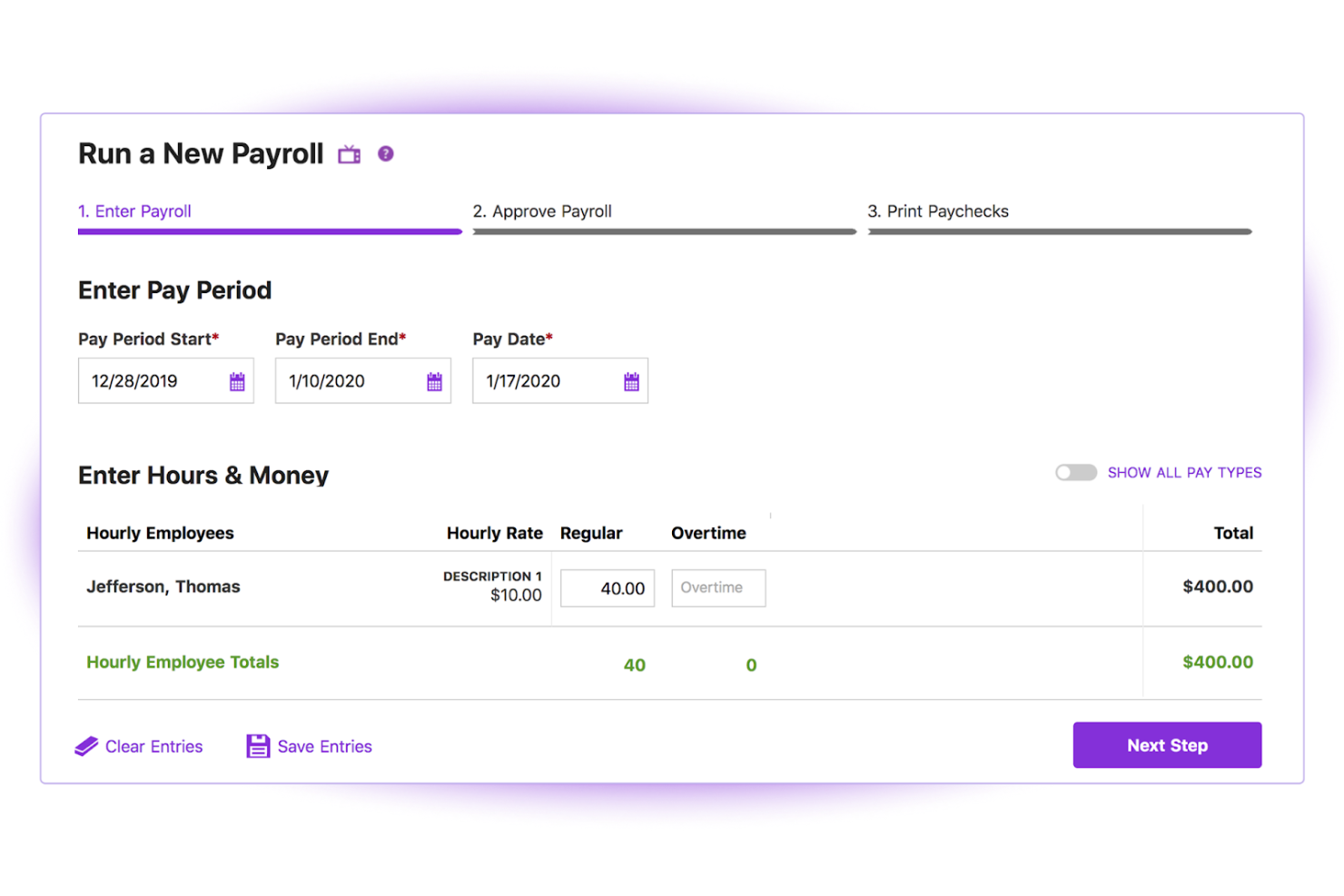
Patriot Payroll is a payroll software platform for small businesses that lets you run payroll, handle tax filings, and manage payments for a single employee or small team.
Who Is Patriot Payroll Best For?
Patriot Payroll is a good fit for small business owners and sole proprietors in the US who need a straightforward, low-cost way to pay one or a few employees.
Why I Picked Patriot Payroll
Patriot Payroll earns its spot on my shortlist because of how well its two-tier pricing model works for a business with just one employee. I like that you can start with Basic Payroll to handle tax calculations and direct deposit yourself, then upgrade to Full Service Payroll when you want Patriot to handle federal, state, and local tax filings and deposits on your behalf. That flexibility means you're not locked into paying for services you don't need yet. The auto payroll feature is also a nice touch—once you set up a recurring pay run for your one employee, Patriot handles it automatically so payday never slips through the cracks.
Patriot Payroll Key Features
- Employee self-service portal: Employees can access pay stubs, W-2s, and tax forms, update personal info, and manage direct deposit settings through a dedicated portal or mobile app.
- Unlimited payroll runs: Run payroll as often as needed across any pay frequency, including off-cycle payrolls, with no per-run fees.
- Payroll reporting: Generate and export reports including payroll details, tax liabilities, and tax deposit summaries directly from the platform.
- Free payroll setup assistance: Patriot's US-based onboarding team can enter your employee data and year-to-date payroll information at no extra cost.
Patriot Payroll Integrations
Patriot Payroll offers native integrations with QuickBooks Online, Stripe, Vestwell, Stride, and more. An API is available for custom integrations.
Pros and Cons
Pros:
- Free setup assistance
- Unlimited payroll runs
- Affordable pricing
Cons:
- No mobile app
- Limited to US-based companies
Wave
Best for integrated accounting and payroll features
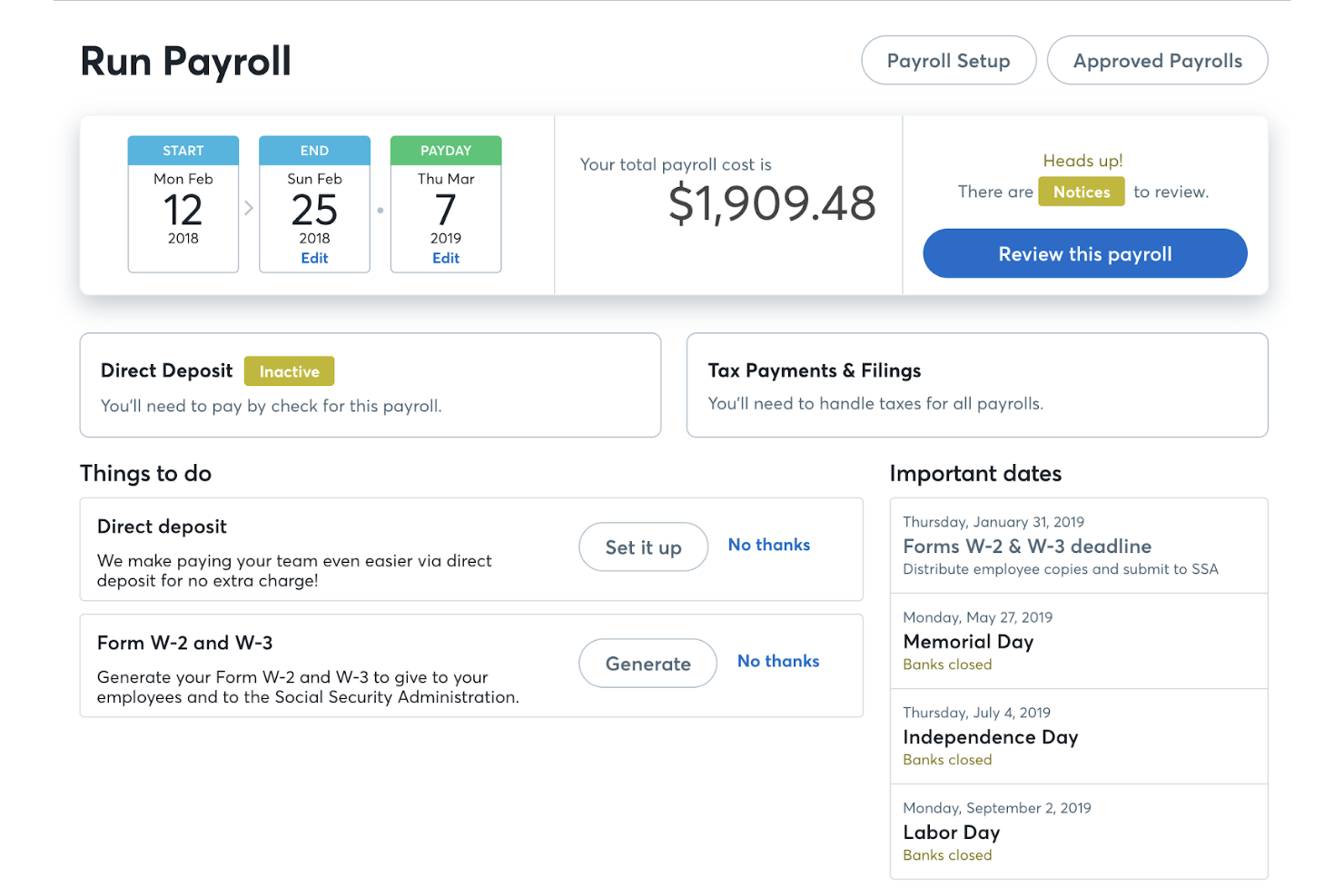
Wave is a cloud-based payroll and accounting platform that lets you manage payroll runs, tax forms, direct deposit, and bookkeeping from a single dashboard.
Who Is Wave Best For?
Wave is a strong fit for freelancers and self-employed business owners who need to handle both payroll and accounting without managing multiple tools.
Why I Picked Wave
Wave earns its spot on my shortlist because payroll and accounting are genuinely connected inside the platform, not just loosely linked. When I run payroll, Wave automatically creates the corresponding journal entries in the accounting ledger, so my books stay current without any manual input. I also like that W-2 and 1099 forms are generated directly from the same system where I track income and expenses, which cuts out a lot of back-and-forth at tax time. For a one-person operation, having payroll tax filings, direct deposit, and cash flow reporting all feeding into one dashboard is a real advantage.
Wave Key Features
- Employee self-service portal: Employees can log in to access pay stubs, W-2s, and manage their own banking and contact information.
- Contractor payments and 1099 generation: Pay independent contractors and automatically generate 1099-NEC forms for tax season.
- Leave time tracking: Track employee leave time and accruals directly within payroll to keep records accurate at pay time.
- Payroll expense reporting: View a breakdown of payroll expenses by employee and expense type to monitor labor costs.
Wave Integrations
Native integrations are not currently listed.
Pros and Cons
Pros:
- Employee self-service
- Automatic tax filings
- Integrated accounting
Cons:
- No mobile app
- Limited to certain states
Best for integrations with POS systems
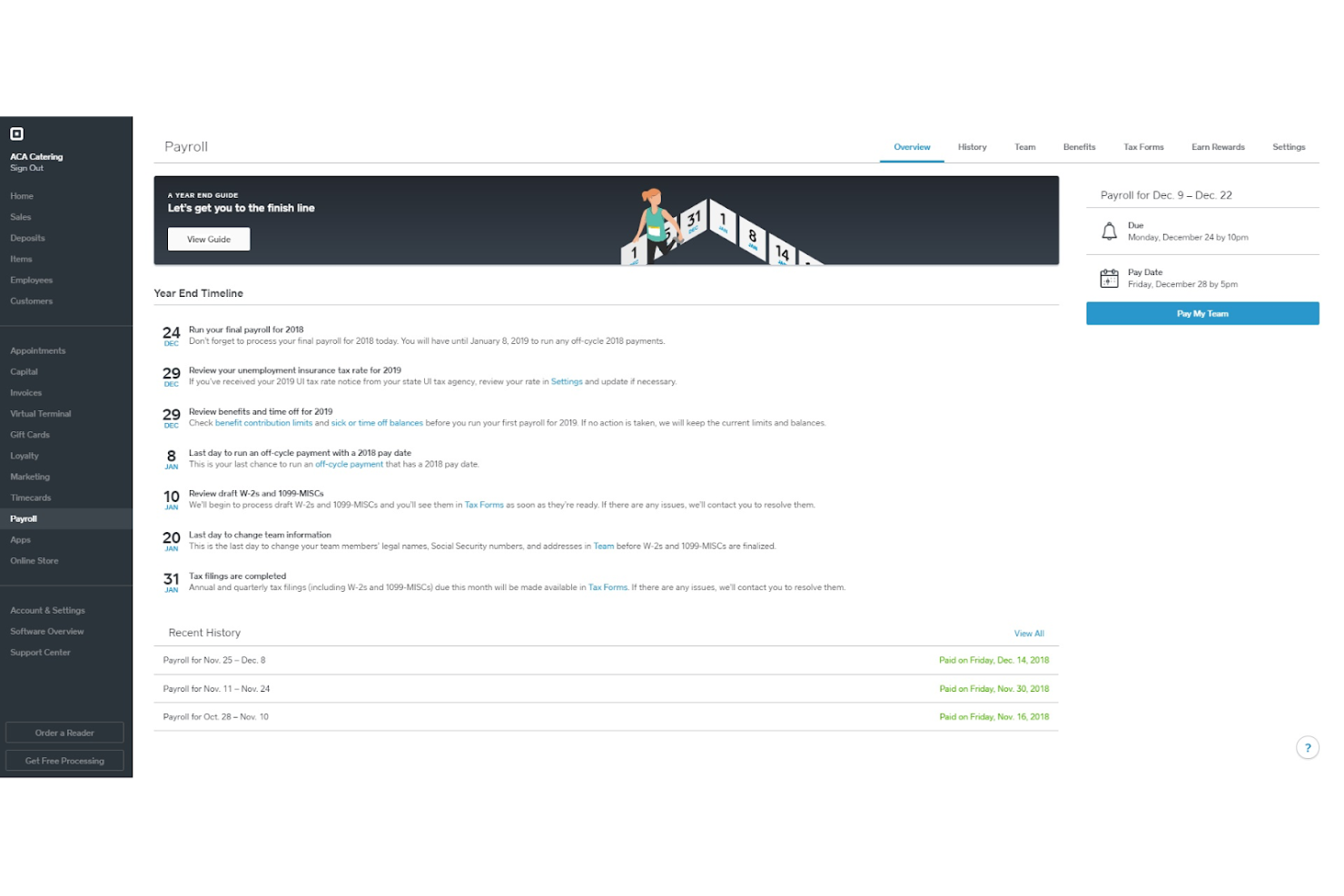
Square Payroll is a payroll software platform designed for small businesses and solo operators, offering payroll processing, tax filings, direct deposit, and integration with timecards and point-of-sale systems.
Who Is Square Payroll Best For?
Square Payroll is a strong fit for small business owners in retail, food service, or hospitality who already use Square's POS ecosystem.
Why I Picked Square Payroll
Square Payroll is notable for how tightly it connects with Square's POS ecosystem. You can import timecards and tips directly from Square POS into payroll—so if you're running a café or a boutique with a single employee, there's no manual data entry between systems. For retail, it even pulls commission rates automatically from the POS. You can run payroll from the Square Dashboard or the Square Team App, so you don't have to switch platforms to pay a single employee on time.
Square Payroll Key Features
- Automatic tax filing: Square Payroll calculates, files, and pays federal and state payroll taxes on your behalf at no extra charge.
- Multiple pay rate support: Pay a single employee at different rates depending on their role or shift type within the same pay run.
- Instant Payments: Use your Square balance to run payroll as little as one day before your employee's pay date.
- 1099-NEC filing: Square Payroll generates, prepares, and files Form 1099-NEC for contractor payments automatically.
Square Payroll Integrations
Square Payroll offers native integrations with Square POS, Square Timecards, and QuickBooks Online. An API is available for custom integrations.
Pros and Cons
Pros:
- Next business day payroll
- Automated tax filings
- Easy POS integration
Cons:
- No free plan available
- Base fee required
ADP
Best for compliance and support for small businesses
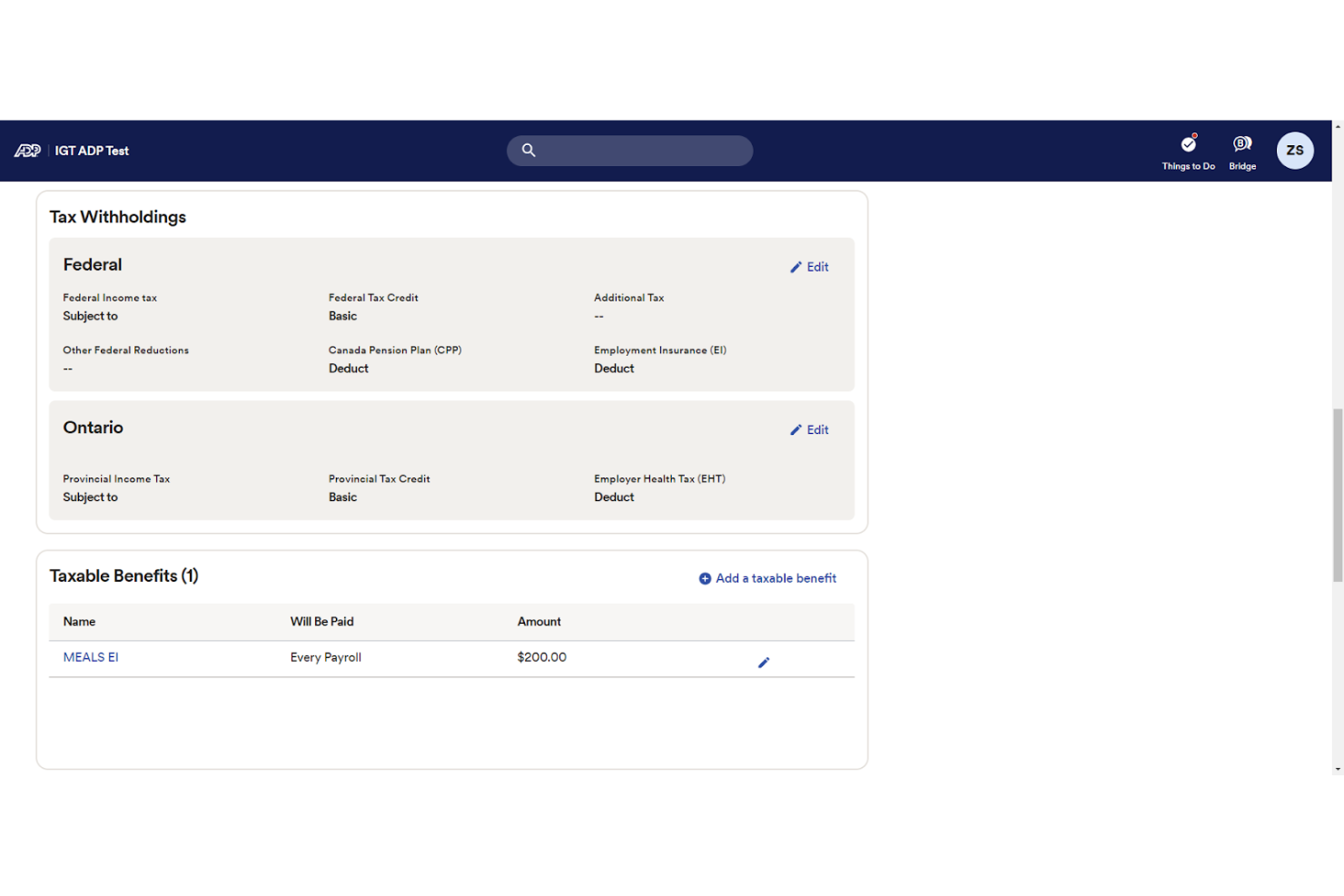
ADP offers comprehensive payroll services tailored for small businesses, ensuring compliance and providing robust support. It automates payroll tasks, including tax calculations and filings, to save time and reduce errors.
Why I picked ADP: I chose ADP for its strong focus on compliance and support, which are critical for small businesses. ADP stands out due to its extensive experience and resources dedicated to helping businesses navigate complex payroll regulations.
Standout features and integrations:
Features include automated tax calculations, direct deposit, and compliance tools.
Integrations are available with various HR and accounting systems, including QuickBooks, Xero, and more.
Pros and Cons
Pros:
- Scalable solutions
- Strong customer support
- Comprehensive compliance tools
Cons:
- Limited customization options
- Higher cost for additional features
Best user-friendly payroll for small businesses
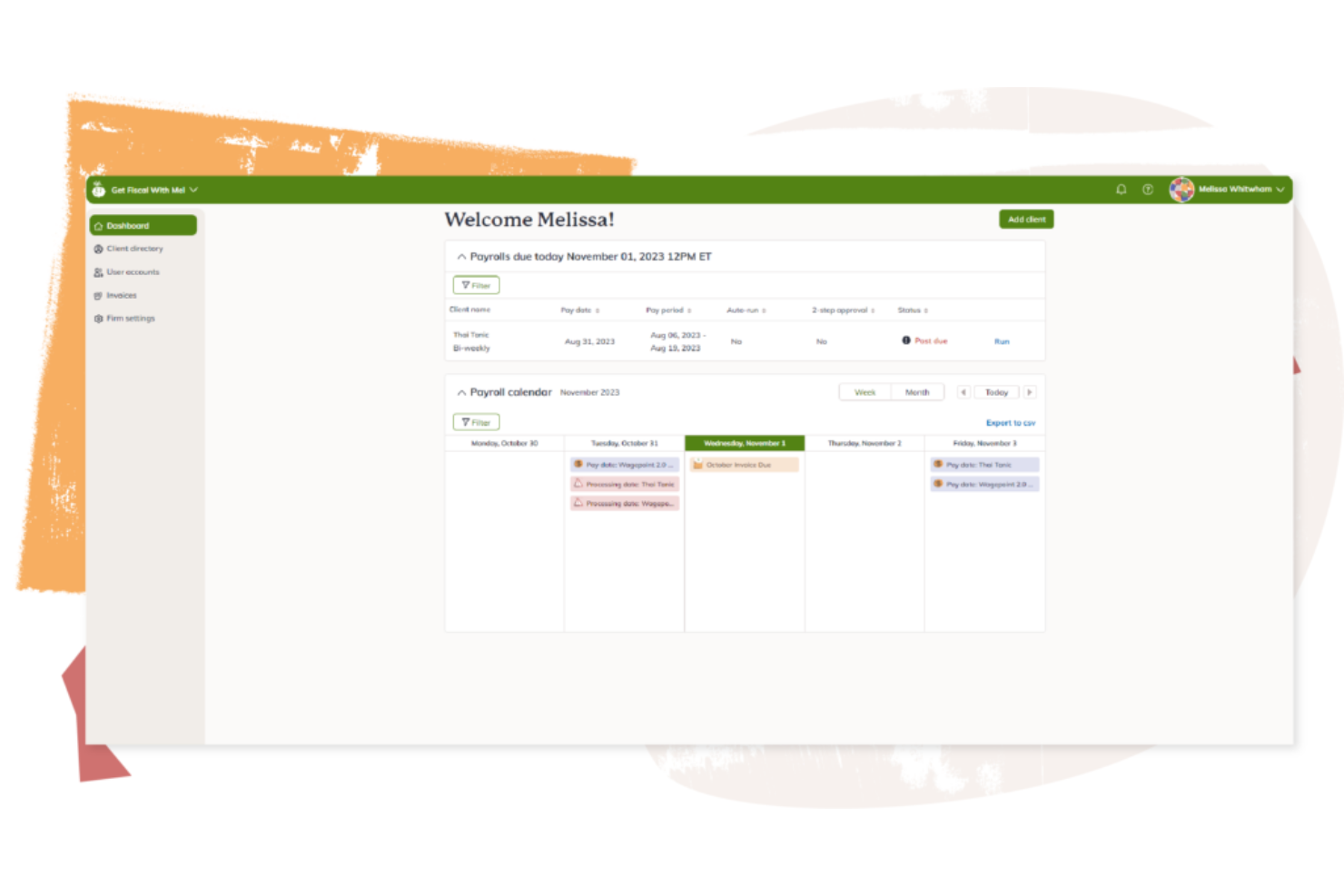
Wagepoint is a payroll software platform for small businesses that handles payroll processing, tax calculations, direct deposit, and year-end reporting for single-employee setups.
Who Is Wagepoint Best For?
Wagepoint is a good fit for small business owners, freelancers, and solo operators in Canada and the US who need a simple way to run payroll without a dedicated HR team.
Why I Picked Wagepoint
Wagepoint earns its spot on my shortlist because it's purpose-built for small Canadian businesses that need payroll to just work—without a learning curve. I particularly like the Auto-run feature, which keeps payroll running on schedule even when you're heads-down in other work. The payroll preview is another thing I rely on—you can review everything before submitting, catch any unexpected amounts, and make adjustments without stress. For a single-employee setup, the self-serve employee portal also means your one hire can access their own paystubs, T4s, and TD1 forms without you having to track anything down manually.
Wagepoint Key Features
- Direct deposit: Pay employees and contractors directly to their bank accounts as part of every payroll run.
- Automatic tax calculations and remittances: Wagepoint calculates and remits federal, provincial, and territorial taxes, CPP, and EI automatically.
- Custom pay codes: Set up codes for bonuses, expense reimbursements, or recurring benefits so every pay type is handled accurately.
- In-app reminders and alerts: Get real-time flags for stat holidays, year-end deadlines, and unexpected payroll amounts before you submit.
Wagepoint Integrations
Wagepoint offers native integrations with QuickBooks Online, Xero, and FreshBooks.
Pros and Cons
Pros:
- Comprehensive support
- Automated tax handling
- Easy to use
Cons:
- Occasional errors when you run payroll
- Limited advanced features
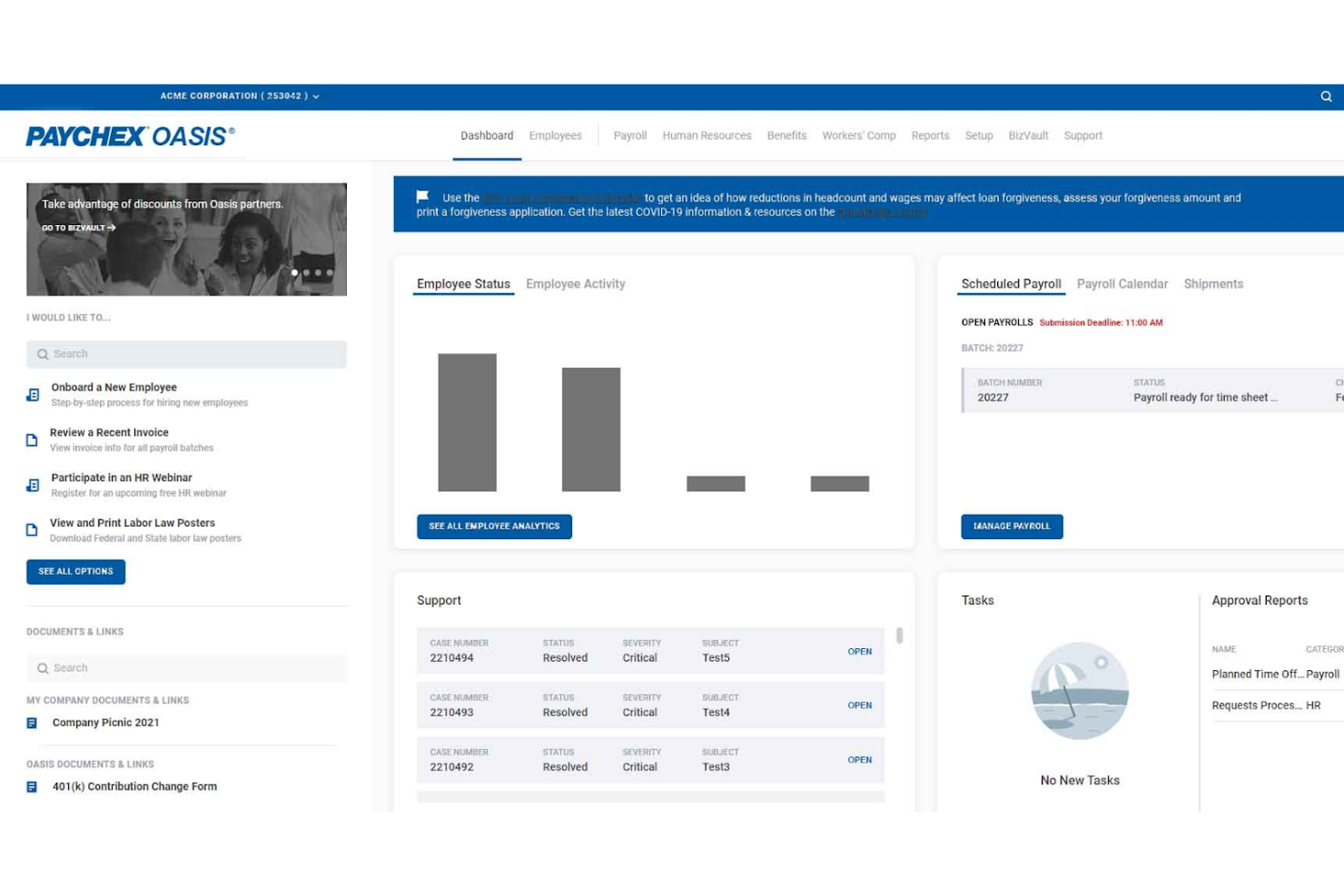
Paychex is a payroll and HR software platform designed for small businesses that need payroll processing, tax filing, and employee self-service tools for managing a single employee.
Who Is Paychex Best For?
Paychex is a strong fit for small business owners and solo employers who want guided payroll support backed by accessible, responsive customer service.
Why I Picked Paychex
I've included Paychex in my top picks because the level of support access it offers is genuinely hard to find in payroll software aimed at small employers. Paychex gives you three distinct support tiers: self-service access, on-demand support with an available representative, and an assigned payroll specialist who proactively guides you through compliance and processing. That last option is particularly valuable when you're running payroll for one employee and don't have an HR team to catch mistakes. I also like the Paychex Pre-check feature, which lets your employee review their own paycheck before it's processed, so errors get flagged before payday rather than after.
Paychex Key Features
- Automated tax administration: Paychex automatically calculates, files, and pays federal, state, and local payroll taxes on your behalf.
- Compliance monitoring: The platform tracks employment law changes and sends automated email alerts when federal or state regulations are updated.
- Paychex Flex® mobile app: Employees can view pay stubs, request time off, and update personal information directly from their smartphones.
- Direct deposit: Paychex processes direct deposit payments as part of payroll, so your employee gets paid on time without manual bank transfers.
Paychex Integrations
Paychex offers native integrations with QuickBooks, Xero, Clover, and more. An API is available for custom integrations.
Pros and Cons
Pros:
- 24/7 support
- Automated tax payments
- Offers comprehensive HR services
Cons:
- Limited to US-based businesses
- Additional HR features are only available as add-ons
Andre lønnssystemer for én ansatt
- Payworks
For Canadian businesses needing compliance support
- Agile HRO
For remote payroll processing
- Knit
For Canadian small businesses and solo entrepreneurs
- Rippling
For global and US-based payroll
- Deel Payroll
For compliant single-hire global payroll
- Paylocity
For comprehensive payroll and HR management
- OnPay
For flexible payroll and tax automation


Relaterte anmeldelser av HR-programvare
Hvis du fortsatt ikke har funnet det du leter etter her, kan du se nærmere på disse andre relaterte verktøyene som vi har testet og vurdert:
- HR-programvare
- Lønnssystemer
- Rekrutteringsprogramvare
- Tjenester for registrert arbeidsgiver
- Systemer for søkersporing
- Programvare for arbeidsstyring
How I Evaluate Payroll Software for One Employee
I split my evaluation into baseline criteria—like automated tax filing and year-end W-2 generation—and differentiators that separate tools worth recommending for solo operators paying themselves.
Core Functionality (Table Stakes For This List)
When I'm selecting tools for my list, I rank each one on a scale from 0 (does not offer the functionality) to 5 (excels in this area) for each core functionality listed below. Then, I calculate the tool's total score into a percentage. Each tool needs to achieve a minimum total score of 65% to be considered for inclusion.
- Single-Employee Payroll Processing: I check whether the tool handles gross-to-net calculations, deductions, and withholdings smoothly for a solo W-2 employee on flexible pay schedules.
- Automated Tax Filing: Each vendor gets evaluated on how well it calculates, withholds, and remits federal, state, and local payroll taxes without manual intervention.
- Year-End Tax Form Generation: I look for tools that generate and file W-2s and 1099s automatically, so a solo operator isn't scrambling during tax season.
- Direct Deposit & Pay Stubs: Processing speed matters here. I evaluate whether direct deposit turnaround is competitive and whether digital pay stubs are accessible to employees.
- Compliance Management: Tools should keep pace with changing wage, tax, and labor laws, including new-hire reporting and multi-state support for remote business owners.
- Affordable Single-Employee Pricing: I evaluate whether the vendor offers a pricing tier that makes financial sense when you're only running payroll for one person.
Once I have a list of tools that meet the criteria, I consider what sets each platform apart.
Differentiating Factors (What Sets Vendors Apart)
Here's how I compare and contrast different vendors:
Standout Features
Auto-payroll is a big deal for solo operators who don't want to manually trigger each run. I look for tools that let you set a schedule and walk away. Accounting integrations matter just as much—if payroll entries sync directly to QuickBooks or Xero, that's one less thing to reconcile at month-end. I also evaluate whether a platform offers S-Corp-specific features like reasonable compensation tracking and owner distribution management, since many one-employee businesses operate under this structure.
Beyond Features
Tax accuracy guarantees carry real weight here—I check whether a vendor backs its filings and covers penalties if something goes wrong. For first-time employers, setup speed also matters. I evaluate how quickly someone can go from signup to running their first payroll without needing to call a specialist. Scalability is worth considering too. A solo owner today might hire a second employee next quarter, so I look at whether the platform grows with you or forces a painful migration down the road.
Slik velger du lønnssystem for én ansatt
Når du går gjennom din egen unike prosess for valg av lønnssystem, bør du ha følgende punkter i bakhodet:
- Brukervennlighet: Programvaren bør være brukervennlig og intuitiv, spesielt hvis du håndterer lønn selv internt.
- Kostnadseffektivitet: Sørg for at programvaren passer innenfor budsjettet ditt, samtidig som den tilbyr de nødvendige funksjonene. Enkelte lønnsleverandører tilbyr også planer kun for oppdragstakere, noe som er et rimelig alternativ for små bedrifter.
- Overholdelse av skatteregler: Programvaren bør automatisk beregne og rapportere arbeidsgiveravgifter og skatter for å sikre samsvar med føderale, delstatlige og lokale bestemmelser.
- Integrasjonsmuligheter: Muligheten til å integrere med andre forretningsverktøy, som regnskapsprogramvare, kan effektivisere driften og redusere behovet for dataeksport eller manuell datainføring.
- Skalerbarhet: Velg programvare som enkelt kan vokse sammen med virksomheten din. Du bør holde mulighetene åpne i tilfelle du trenger å ta imot flere nyansatte i nær fremtid.
Trender innen lønnsprogramvare
Landskapet for lønnsprogramvare for små bedrifter og enkeltpersonforetak er i rask utvikling. Nedenfor har jeg oppsummert flere viktige trender som er i ferd med å vokse frem og forme fremtiden for lønnshåndtering i virksomheter med én ansatt og større arbeidsstyrker:
- KI og automatisering innen lønnsbehandling: KI og automatisering revolusjonerer lønnsbehandlingen ved å effektivisere rutineoppgaver og forbedre nøyaktigheten. Automatisert dataregistrering, skatteberegning og håndtering av regelverk reduserer feil og frigjør verdifull tid til strategiske aktiviteter. Denne trenden er avgjørende fordi den gjør lønnsfunksjoner raskere, mer kostnadseffektive og mindre utsatt for menneskelige feil.
- Lønnsanalyse og innsikt i sanntid: Etterspørselen etter innsikt i lønnsdata i sanntid øker. Moderne lønnsprogramvare inneholder nå analyseverktøy som gir umiddelbar tilgang til viktige lønnsrelaterte nøkkeltall. Dette gjør det mulig for virksomheter å ta datadrevne beslutninger, følge med på arbeidskraftskostnader og raskt tilpasse lønnsstrategier, noe som forbedrer den overordnede økonomiske planleggingen og ressursallokeringen.
- Integrasjon med regnskapsprogramvare: Integrasjon av lønnsprogramvare med regnskapssystemer blir en funksjon man må ha. Denne integrasjonen muliggjør sømløs dataoverføring mellom systemene, eliminerer manuell datainføring og reduserer feil. Den gir en helhetlig oversikt over økonomien, noe som gjør det enklere å følge med på utgifter og ha kontroll på budsjetteringen.
- Mobile lønnsløsninger: Etter hvert som fjernarbeid blir mer utbredt, øker etterspørselen etter nettbaserte lønnsløsninger som gir mobil tilgang. Ansatte kan nå se lønnsslippene sine, endre personopplysninger og sende inn forespørsler om fri gjennom mobilapper. Denne fleksibiliteten er avgjørende for å opprettholde effektiviteten i utradisjonelle arbeidssituasjoner.
- Programmer for økonomisk velvære integrert med lønn: Med forståelse for hvor viktig de ansattes trivsel er, blir programmer for økonomisk velvære integrert med lønnssystemer. Disse programmene tilbyr verktøy for budsjettering, sparing og investeringsplanlegging, slik at ansatte kan håndtere økonomiske ressurser bedre. Denne integrasjonen fremmer økonomisk kunnskap og stabilitet, noe som bidrar til økt medarbeidertilfredshet og bedre beholdelse av ansatte.
Samlet sett legger disse trendene vekt på automatisering, sanntidsanalyse, integrasjon, mobilitet og medarbeidernes velvære, noe som gjør lønnshåndteringen mer effektiv og virkningsfull totalt sett.
Hva er lønnsprogramvare for én ansatt?
Lønnsprogramvare for én ansatt er et digitalt verktøy som automatiserer lønnsbehandlingen for virksomheter med bare én arbeidstaker. Det beregner lønn, trekker skatt, rapporterer arbeidsgiveravgifter og skatter og bidrar til å sikre at lovkravene overholdes – uten behov for et komplett HR-team.
Frilansere, soloprenører og småbedriftseiere bruker denne programvaren for å spare tid, redusere feil og overholde arbeidslovgivningen – særlig når manuell lønnsbehandling føles overveldende.
Funksjoner i lønnsprogramvare for én ansatt
Når du håndterer lønn for én ansatt, er det viktig å velge programvare som forenkler prosessen og sikrer nøyaktighet. Her er de viktigste funksjonene du bør se etter i lønnsprogramvare som er utviklet for én ansatt:
- Brukervennlig grensesnitt: Et enkelt og intuitivt grensesnitt gjør det enkelt å navigere og administrere lønnsoppgaver uten omfattende opplæring.
- Automatiserte beregninger: Programvaren bør automatisk beregne skatter, fradrag og nettolønn for å redusere feil og spare tid.
- Direkte innskudd: Denne funksjonen lar deg betale den ansatte direkte til bankkontoen, noe som sikrer rettidige og sikre utbetalinger.
- Hjelp med skatterapportering: Programvaren bør hjelpe deg med å klargjøre og rapportere arbeidsgiveravgifter og andre lønnsskatter, slik at føderale og delstatlige regler overholdes.
- Tilpassbare lønnsplaner: Fleksibilitet når det gjelder fastsettelse av lønnsplaner gjør det mulig å tilpasse lønnskjøringen til virksomhetens behov og de ansattes preferanser.
- Rapporteringsfunksjoner: Tilgang til detaljerte lønnsrapporter hjelper deg med å holde oversikt over utgifter og opprettholde nøyaktige registre for revisjoner og økonomisk planlegging.
- Selvbetjening for ansatte: Denne funksjonen lar den ansatte få tilgang til lønnsslipper og skatteskjemaer på nettet, noe som reduserer den administrative arbeidsmengden.
- Etterlevelsesstyring: Programvaren bør holdes oppdatert med de nyeste arbeidslovene og skattereglene for å sikre at lønnsrutinene dine er i samsvar med regelverket.
- Kundestøtte: Pålitelig kundestøtte er avgjørende for å løse eventuelle problemer eller spørsmål som oppstår under lønnskjøringen.
- Integrasjon med regnskapsprogramvare: Sømløs integrasjon med den eksisterende regnskapsprogramvaren bidrar til å opprettholde nøyaktige økonomiske registre og forenkler bokføringen.
Ved å velge lønnsprogramvare med disse funksjonene blir det effektivt, nøyaktig og regelverksetterlevende å administrere lønn for én ansatt. Dette lar deg fokusere på andre viktige aspekter ved virksomheten.
Fordeler med lønnsprogramvare for én ansatt
Lønnsprogramvare kan være et verdifullt verktøy selv for virksomheter med bare én ansatt. Den forenkler lønnsprosessene, sikrer at regelverket overholdes og sparer tid, noe som gjør den til en viktig investering for små virksomheter. Her er flere fordeler du kan forvente ved å bruke lønnsprogramvare for én ansatt:
- Bedre nøyaktighet: Lønnsprogramvare reduserer risikoen for menneskelige feil og sikrer at beregningene av lønn, skatter og fradrag blir nøyaktige.
- Større tidsbesparelse: Automatisering av lønnsoppgaver frigjør tid som kan brukes bedre på andre virksomhetsaktiviteter, og øker den samlede produktiviteten.
- Bedre etterlevelse: Programvaren bidrar til å sikre at alle lønnsprosesser er i samsvar med gjeldende skattelover og -regler, noe som reduserer risikoen for juridiske problemer.
- Pålitelig arkivering: Den gir en pålitelig måte å lagre og administrere lønnsopplysninger på, slik at det er enkelt å få tilgang til historiske data ved behov.
- Mer kostnadseffektivt: Investering i lønnsprogramvare kan være mer økonomisk enn å leie inn en lønnstjeneste eller bruke betydelig tid på manuell lønnskjøring.
Bruk av lønnsprogramvare for én ansatt kan gi betydelige fordeler, fra bedre nøyaktighet til kostnadsbesparelser. Det lar eiere av små virksomheter fokusere på å utvikle virksomheten, samtidig som lønnen håndteres effektivt og korrekt.
Hvis du driver alene og ser etter mer programvare for å forbedre driften og legge til rette for langsiktig vekst, finner du også andre nyttige alternativer i listen min over den beste HR-programvaren for oppstartsbedrifter.
Kostnader og priser for lønnsprogramvare
Når du vurderer lønnsprogramvare for én ansatt, er det viktig å forstå de ulike prismodellene og abonnementene som er tilgjengelige. Nedenfor har jeg oppsummert de vanligste abonnementsalternativene for lønnsprogramvare generelt. Vær imidlertid oppmerksom på at hvis du bare betaler én ansatt, kan du mest sannsynlig klare deg med et basisabonnement til å begynne med.
Sammenligningstabell for abonnementer på lønnsprogramvare
| Abonnementstype | Gjennomsnittlig pris | Vanlige funksjoner |
| Gratisabonnement | $0 | Grunnleggende lønnskjøring, direkte innskudd, selvbetjening for ansatte og skatteberegninger |
| Basisabonnement | $17/month + $4/employee | Lønnsslipper, direkte innskudd, utskrivbare W-2-skjemaer, oppsett og eksperthjelp |
| Standardabonnement | $39/month + $6/employee | Full lønnstjeneste, skatterapportering, selvbetjening for ansatte og direkte innskudd |
| Premiumabonnement | $80/month + $12/employee | Avanserte HR-verktøy, direkte innskudd neste dag, administrasjon av betalt fritid og resultatoppfølging |
| Alt-inkludert-abonnement | $40/month + $6/employee | Full lønnstjeneste, introduksjon av nyansatte, kundestøtte og ubegrensede lønnskjøringer |
Når du velger en programvareplan for lønn, bør du ta hensyn til virksomhetens spesifikke behov og funksjonene som vil gi størst verdi. Gratisplaner passer for minimale behov, mens virksomheter i vekst kan ønske å sammenligne alternativer for lønnsprogramvare med mer omfattende funksjoner. Vurder funksjonene og prisene i hver plan for å finne den løsningen som passer best til lønnsbehovene dine.
Vanlige spørsmål om lønnsprogramvare for én ansatt
Her er noen svar på vanlige spørsmål du kanskje har om lønnsprogramvare og hvordan den fungerer:
Hvor mye koster lønnsprogramvare vanligvis for én ansatt?
Kostnaden for lønnsprogramvare for én ansatt kan variere mye. Grunnleggende planer kan koste så lite som $10 per måned, mens mer omfattende løsninger kan koste over $40 per måned. Noen leverandører tilbyr også modeller med betaling per bruk, noe som kan være kostnadseffektivt for svært små virksomheter.
Kan lønnsprogramvare håndtere skatteinnrapportering for én ansatt?
Ja, det meste av lønnsprogramvaren kan håndtere skatteinnrapportering for én ansatt. Programvare som Gusto og QuickBooks Payroll beregner, sender inn og betaler automatisk føderal, delstats- og lokal lønnsskatt, slik at skattereglene overholdes.
Er det enkelt å sette opp lønnsprogramvare for bare én ansatt?
Det er vanligvis enkelt å sette opp lønnsprogramvare for én ansatt. De fleste plattformer tilbyr trinnvise veiledninger og kundestøtte som hjelper deg gjennom prosessen. Du må oppgi grunnleggende informasjon som opplysninger om den ansatte, lønnssatser og skatteinformasjon.
Kan jeg enkelt bytte lønnsprogramvare hvis jeg bare har én ansatt?
Det er vanligvis enkelt å bytte lønnsprogramvare når du bare har én ansatt. De fleste leverandører av lønnsprogramvare tilbyr hjelp med datamigrering og oppsett. Sørg for at du har alle nødvendige opplysninger om den ansatte og lønnsdata klare for en smidig overgang.
Trenger jeg kundestøtte for lønnsprogramvare hvis jeg bare har én ansatt?
Selv om du bare har én ansatt, kan tilgang til kundestøtte være avgjørende. Det kan oppstå problemer med skatteinnrapportering, spørsmål om etterlevelse eller programvarefeil, og pålitelig kundestøtte kan bidra til å løse disse problemene raskt.