

10 Best Payroll Software for Contractors in 2026

Payroll Software for Contractors Shortlist


Payroll software for contractors lets you pay freelancers, consultants, and gig workers accurately and on time while handling compliance and tax forms. If you’re searching for payroll software for contractors, you probably need tools that handle non-employee payments, automate 1099s, and simplify recordkeeping.
Choosing the right option can save time, minimize errors, and help you stay compliant as your team of contractors grows. In this list, you’ll find the top payroll platforms for contractor payments, plus key details to help you make an informed choice for your business in 2026.
Why Trust Our Software Recommendations
Our team has been testing and reviewing software since 2012. As HR experts ourselves, we know how difficult—and important—it is to choose the right software.
For this guide, we evaluated tools using hands-on testing and independent research, scoring tools using our selection criteria. We also draw on insights from industry thought leaders and practicing HR experts.
Our reviews reflect our human editorial judgment, not a sales pitch.
Expert reviewers:
Best Payroll Software for Contractors Comparison Table
This comparison table summarizes pricing, trial, and demo details for my top payroll software selections:
| Tool | Best For | Trial Info | Price | ||
|---|---|---|---|---|---|
| 1 | Best with automated direct deposit | Free demo available | From $79/user/month | Website | |
| 2 | Best for compliant payments in 150+ countries | Free demo available | Pricing upon request | Website | |
| 3 | Best for automating 1099 filings | Free demo available | From $49/month | Website | |
| 4 | Best for contractor payment flexibility | Free plan + demo available | From $199/user/month | Website | |
| 5 | Best for organizing contractor documents | Free demo available | Pricing upon request | Website | |
| 6 | Best for paying contractors in 200+ countries | Free plan available | Pricing upon request | Website | |
| 7 | Best for mass payments to global contractors | Free demo available | From $249/month | Website | |
| 8 | Best for automated contractor onboarding | Free demo available | Pricing upon request | Website | |
| 9 | Best for paying contractors across 210+ countries | 30-day free trial | From $2,399/year (billed annually) | Website | |
| 10 | Best for same-day contractor pay runs | Free demo available | From $0.50/payment | Website |


Best Payroll Software for Contractors Reviews
Here are of the best payroll software for managing contractor-only payments, including their key features, pros & cons, and notes on why I included them in this list. I’ve also noted additional use cases for each software system in the list to help you find the best option for your business needs.

Best with automated direct deposit
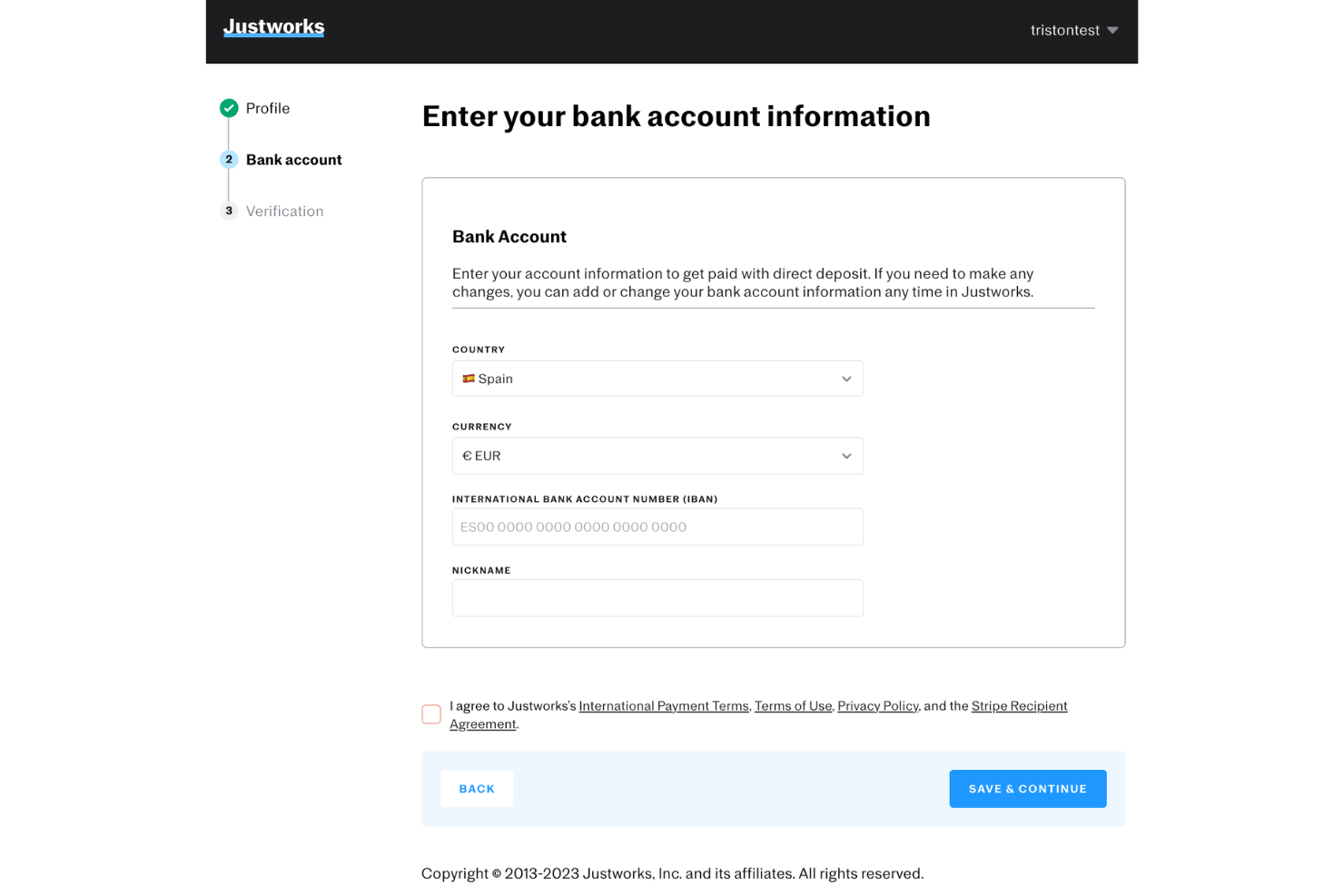
Justworks is a PEO and payroll platform that handles payroll for both W-2 employees and 1099 contractors, covering tax filings, direct deposits, and multi-state compliance across all 50 states.
Who Is Justworks Best For?
Justworks suits small to mid-size US-based businesses that pay a mix of full-time employees and contractors and want payroll, compliance, and benefits in one place.
Why I Picked Justworks
Justworks is one of my top picks because I love how it automates the actual deposit of contractor payments, routing funds directly to bank accounts once a pay run is approved, with no manual transfer steps involved. My team can also schedule regular payment cycles, and 1099 generation happens automatically at year-end. With coverage across more than 2,000 tax localities, multi-state contractor tax calculations don't require any manual work on our end.
Justworks Key Features
- PEO-level benefits administration: Manage access to health, dental, and vision for eligible workers through a single platform.
- HR document storage: Upload and organize contracts, tax forms, and onboarding materials for both employees and contractors.
- Automated 1099 filing: Generate and file 1099 forms for contractors directly from the payroll system.
- Multi-state payroll support: Run payroll compliantly for contractors and employees across all 50 US states.
Justworks Integrations
Justworks offers native integrations with QuickBooks and Xero, and provides an API for custom integrations.
Pros and Cons
Pros:
- Flexible scheduling for contractor payment cycles
- Handles payroll tax compliance across all states
- Automatically generates contractor 1099 forms
Cons:
- Requires multiple steps to offboard contractors
- Benefits access limited for contractors

Best for compliant payments in 150+ countries
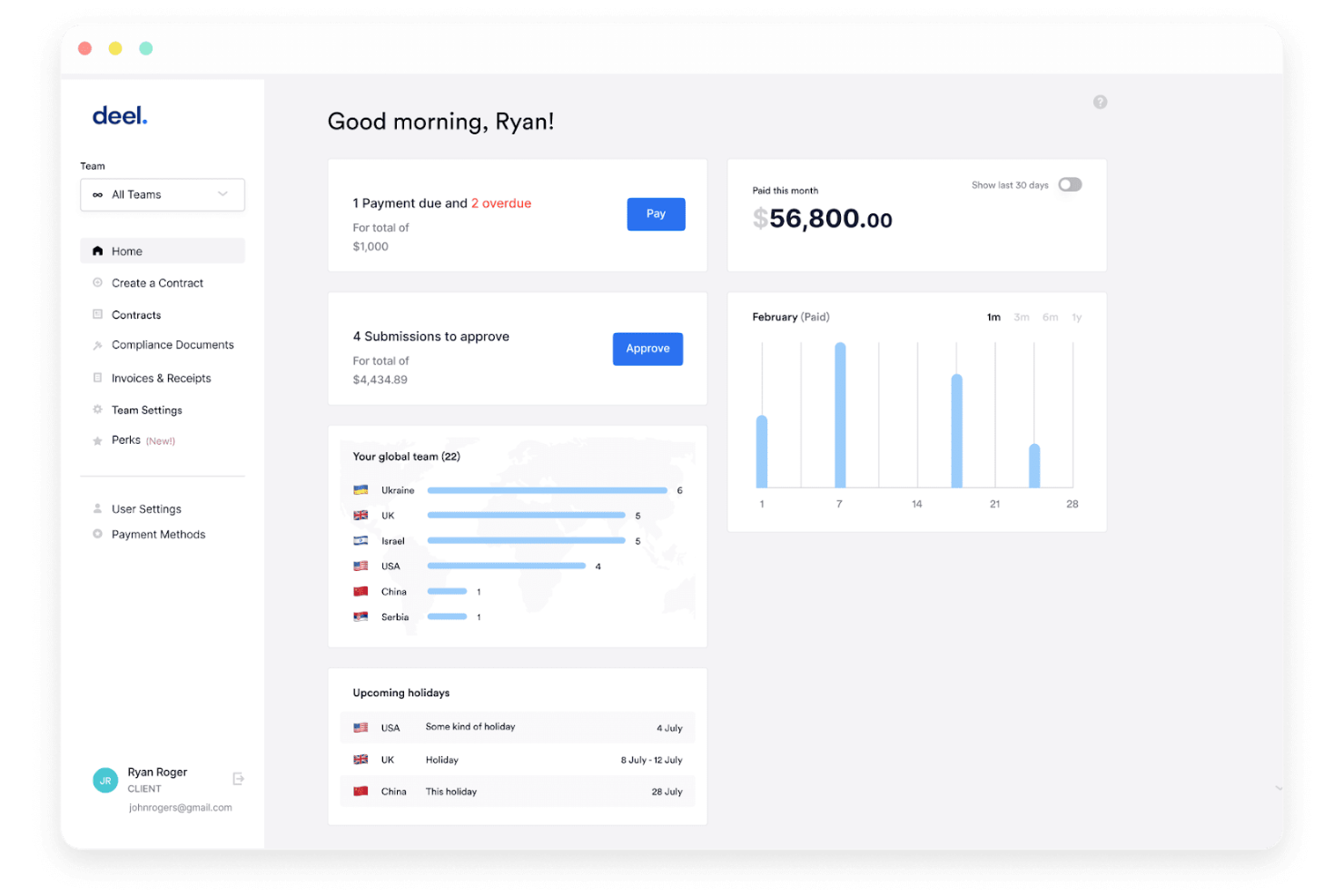
Deel Payroll is a global contractor payroll platform that handles contract creation, multi-currency payments, automated invoicing, tax form collection, and worker classification compliance across 150+ countries.
Who Is Deel Payroll Best For?
Deel Payroll is a strong fit for companies that regularly pay international contractors across multiple countries and need built-in compliance without setting up foreign entities.
Why I Picked Deel Payroll
Deel Payroll earns its spot on my shortlist because no other contractor payroll tool covers compliance at this scale. I especially like Deel Shield, which assesses worker classification and indemnifies against misclassification liability, a real risk when paying contractors across dozens of countries. The platform also generates locally compliant contracts and supports payouts in 120+ currencies, so paying a designer in Brazil and a developer in Nigeria happens from one place.
Deel Payroll Key Features
- Automated invoicing: Easily create, send, and manage invoices for contractor payments in multiple currencies.
- Tax form management: Collect, generate, and store required contractor tax documents, like W-8 and W-9 forms, directly on the platform.
- Payment scheduling: Schedule one-time or recurring payments to contractors worldwide with flexible frequency options.
- Multi-method withdrawals: Contractors can withdraw funds through local bank transfers, PayPal, Wise, Payoneer, or even crypto.
Deel Payroll Integrations
Deel Payroll offers over 130 native integrations, including Workday, QuickBooks, Xero, BambooHR, NetSuite, Slack, Personio, Mesh Payments, 15Five, and JIRA. An API is available for custom integrations.
Pros and Cons
Pros:
- Supports multiple payment withdrawal methods
- Offers local tax document automation
- Handles contractor payments in 150+ countries
Cons:
- Limited built-in reporting customizations
- Global support response times can vary

Gusto
Best for automating 1099 filings
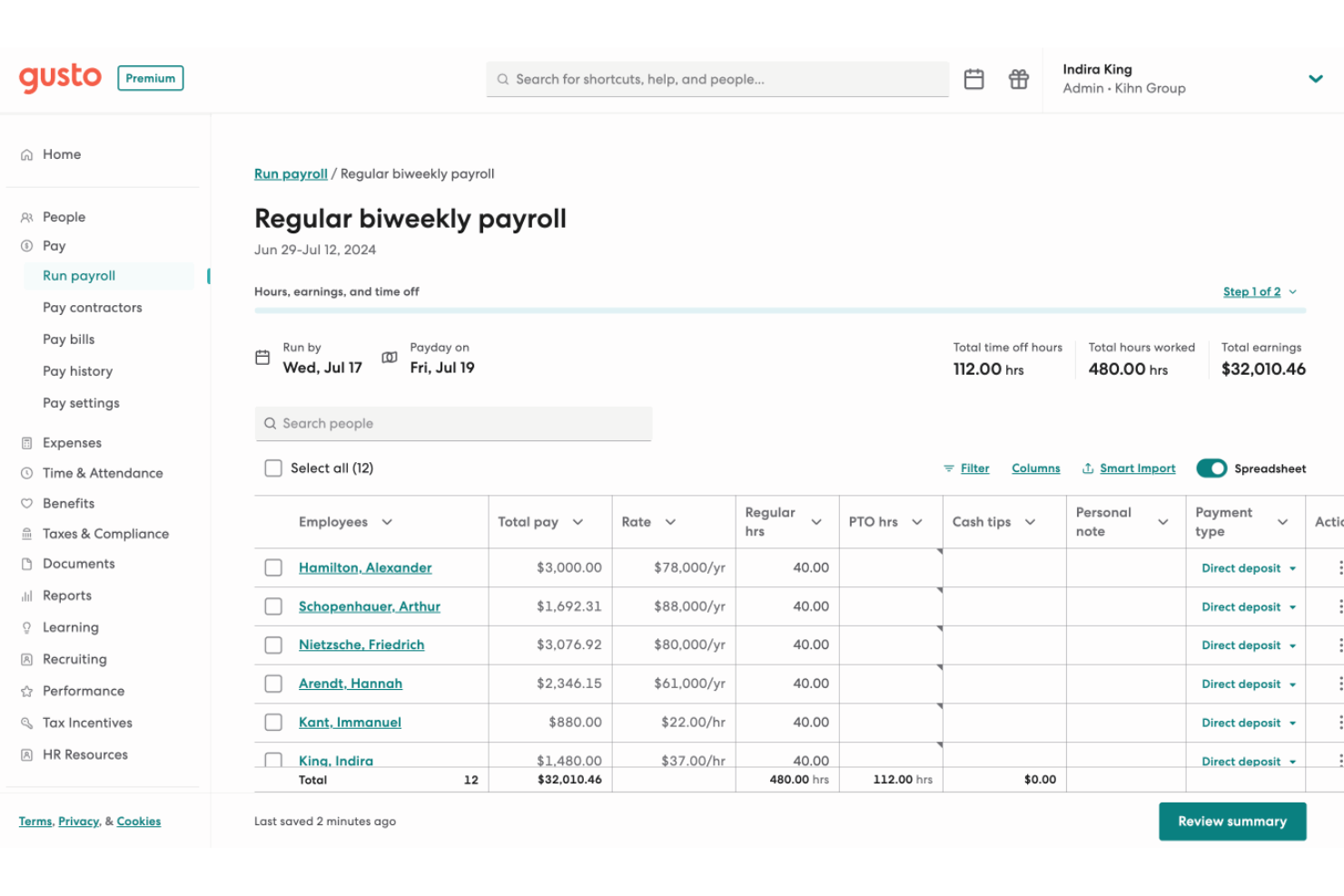
Gusto is a payroll and HR platform that handles contractor and employee payments, tax filings, benefits administration, and compliance in one place.
Who Is Gusto Best For?
Gusto is a strong fit for small businesses in the US that pay a mix of W-2 employees and 1099 contractors and want to manage both from a single platform.
Why I Picked Gusto
Gusto earns its spot as one of the best on my shortlist because of how thoroughly it handles 1099 filings without any extra effort on my part. When December rolls around, Gusto automatically generates, files, and delivers 1099-NEC forms to every contractor I've paid that year, at no added cost. I also like that contractors self-onboard and submit their own tax info upfront, which means I'm not chasing down W-9s at year-end.
Gusto Key Features
- Unlimited payroll runs: You can submit as many payrolls as needed each month without extra charges.
- Integrated time tracking: Capture contractor hours directly within Gusto for more accurate payroll processing.
- Multi-state payroll support: Pay contractors working in different states and manage compliance requirements in one platform.
- Accounting software integrations: Connect with platforms like QuickBooks or Xero to sync payroll data automatically.
Gusto Integrations
Gusto offers 150+ native integrations, including QuickBooks, Xero, Homebase, 7Shifts, 15Five, Expensify, Clover, Checkr, Ashby, BambooHR, and Hubstaff. An API is available for custom integrations.
Pros and Cons
Pros:
- Onboards contractors with self-service tax forms
- Automatically files and distributes 1099-NEC forms
- Handles unlimited contractor payments monthly
Cons:
- Some state tax forms require manual input
- International contractor payments not supported
New Product Updates from Gusto
Gusto Adds Solo Advisory Tools and Mobile Money Features
Gusto adds Solo S-Corp Advisory Tools and Gusto Money on Mobile for tax guidance, invoicing, and bill payments. These updates help accountants advise solopreneurs and let users manage business finances from their phones. For more information, visit Gusto’s official site.

Best for contractor payment flexibility
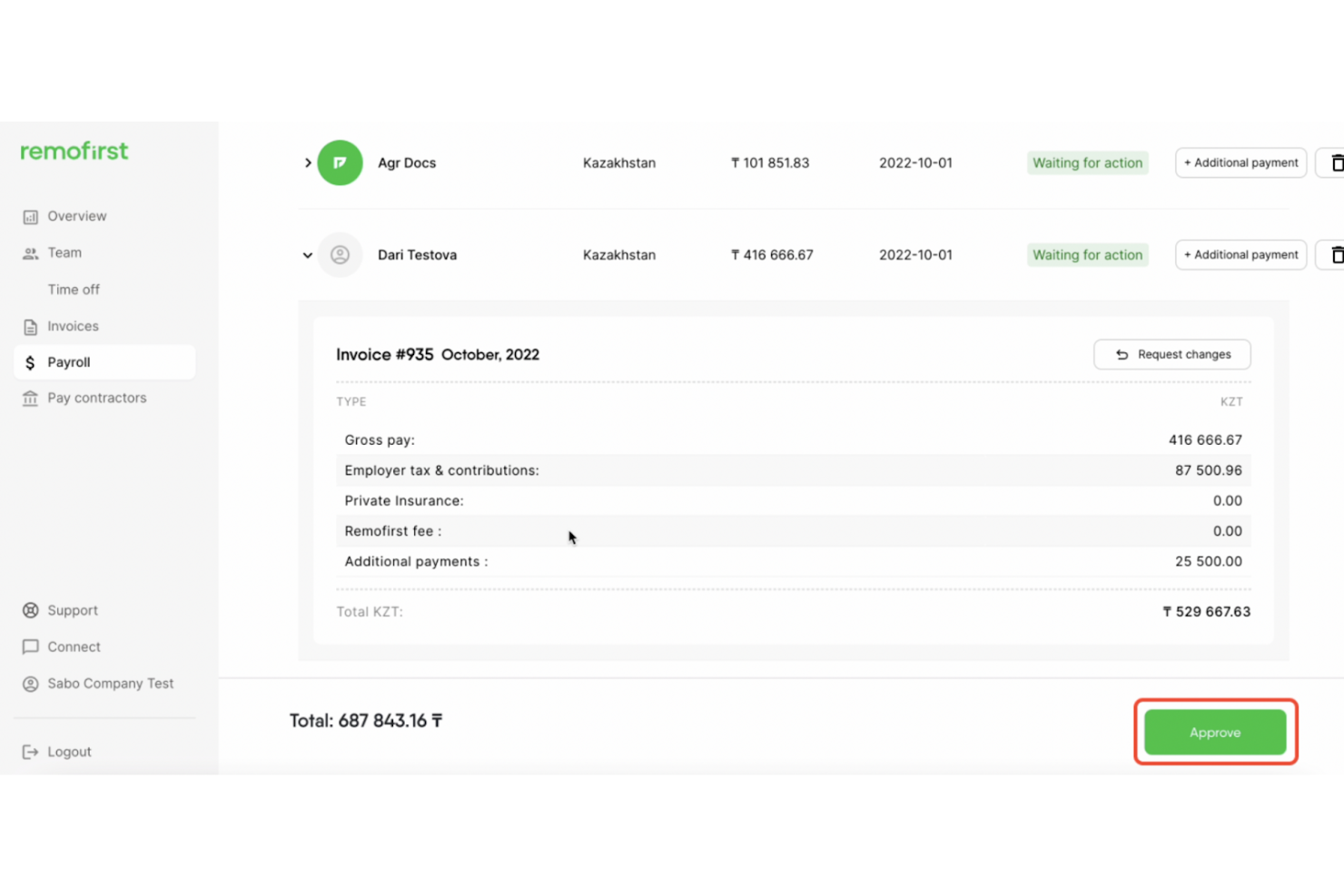
RemoFirst is an EOR and contractor management platform that handles cross-border payroll, compliant contract generation, multi-currency payments, and time tracking for international contractors and employees across 185+ countries.
Who Is RemoFirst Best For?
RemoFirst is a strong fit for startups and growth-stage companies hiring international contractors for the first time.
Why I Picked RemoFirst
RemoFirst earns its spot on my shortlist because of how it handles contractor payments across borders. I love that you can invoice contractors in seven currencies (USD, EUR, GBP, CAD, AUD, NZD, SGD) while they still receive payment in their own local currency. I also like the one-click invoice generation on the Premium tier, which removes the manual back-and-forth when paying contractors across 150+ countries.
RemoFirst Key Features
- Compliant contract generation: Automatically create localized contracts for contractors in over 150 countries.
- Time tracking and timesheet management: Track contractor hours and manage digital timesheets within the platform.
- Integrated background checks: Run contractor background screenings globally with no added cost at the free tier.
- Expense reimbursement management: Enable contractors to submit expenses directly for approval and payment through the platform.
RemoFirst Integrations
RemoFirst offers native integrations with BambooHR, ADP Workforce Now, and GoCardless. An API is available for custom integrations.
Pros and Cons
Pros:
- Integrated background checks at no extra cost
- Automated compliant contracts in 150+ countries
- Fast onboarding for international contractors
Cons:
- Lacks in-depth local tax guidance
- VAT support is limited for some countries

Best for organizing contractor documents
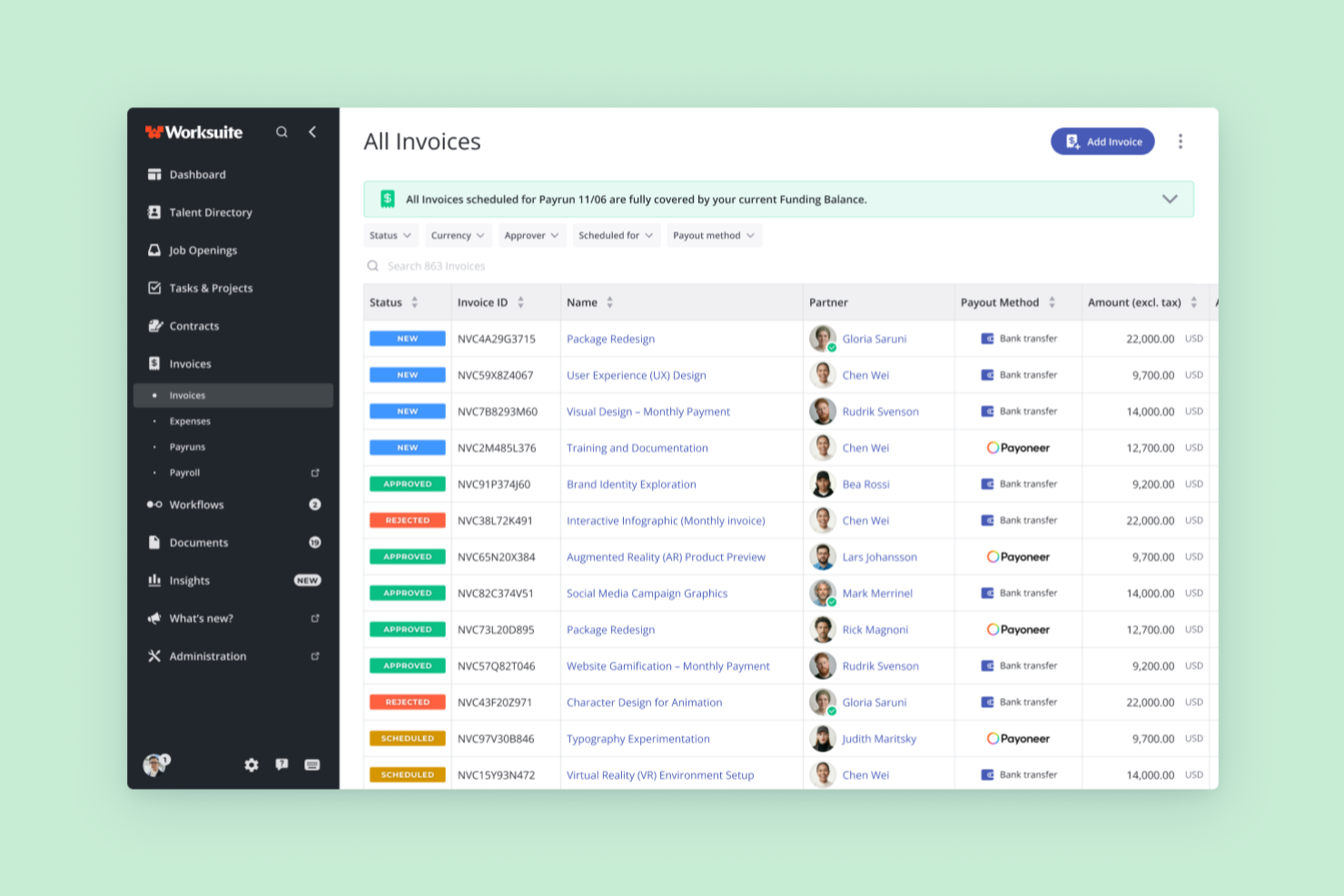
Worksuite is a freelancer management system that combines contractor onboarding, document collection, compliance management, contract lifecycle tracking, and multi-currency global payments in one platform.
Who Is Worksuite Best For?
Worksuite is a strong fit for mid-size to enterprise teams in media, publishing, and production that manage large, distributed contractor networks across multiple countries.
Why I Picked Worksuite
I've included Worksuite in my top picks because of how it handles contractor document organization at scale. When you're managing hundreds of contractors, documents like W-9s, signed contracts, and compliance certifications tend to scatter. Worksuite centralizes all of this with configurable onboarding workflows that automatically collect and store documents per entity or region. Compliance gates are built directly into those workflows, so a contractor can't advance to payment until their documentation is verified.
Worksuite Key Features
- Global payments: Send payments to contractors in 190+ countries with 120+ currencies supported.
- Contract lifecycle management: Create, negotiate, e-sign, and renew contracts all within the platform.
- Integrated compliance checks: Automatically verify classification, background, and KYC before issuing payments.
- Business intelligence dashboards: Track contractor headcount, spend, and onboarding metrics in real time.
Worksuite Integrations
Worksuite offers native integrations with NetSuite, QuickBooks, Xero, Salesforce, HubSpot, monday.com, Slack, Asana, Veriff, and Checkr. It connects with Zapier and has an API for custom integrations.
Pros and Cons
Pros:
- Real-time contractor workforce analytics
- Centralized contractor document storage
- Automated onboarding and compliance workflows
Cons:
- Global tax calculation setup can be complex
- Contractor portal branding options are limited

Plane
Best for paying contractors in 200+ countries

Plane is a contractor payroll platform that handles cross-border payments, automated 1099-NEC filing, embedded invoicing, and unified workforce management for contractors, US employees, vendors, and EOR hires in one system.
Who Is Plane Best For?
Plane works well for small businesses and HR teams that pay contractors across multiple countries and want to manage contractors, employees, and EOR hires in one place.
Why I Picked Plane
Plane earns its spot as one of the best on my shortlist because no other tool in this category matches its reach for paying contractors across 200+ countries with direct-to-bank deposits in 130+ currencies, no e-wallet required. I also love that it automatically collects W-9 and W-8 forms during onboarding and files 1099-NEC forms directly with the IRS on your behalf. On top of that, contractors, US employees, vendors, and EOR hires all live in one system.
Plane Key Features
- Recurring pay schedules: Set up weekly, biweekly, twice-monthly, or monthly pay schedules with auto-approval rules that process payments when no blockers exist.
- Embedded invoicing: Contractors submit payment requests directly in Plane, which flow into a structured approval and payment workflow before being added to payroll.
- Unified workforce dashboard: Manage US W2 employees, contractors, vendors, and EOR hires in a single system with grouped payroll runs and custom reports.
- Localized contract templates: Access lawyer-reviewed, country-specific contractor contracts with built-in e-signature and automatic update suggestions when local laws change.
Plane Integrations
Plane offers a native QuickBooks Online integration and a Slack marketplace integration. Its REST API, MCP server, CLI, webhooks, and sandbox support custom payroll workflows.
Pros and Cons
Pros:
- Contractors access documents and submit invoices
- Automated 1099-NEC filing with IRS
- Global contractor payments to 240+ countries
Cons:
- Only QuickBooks Online supported for accounting
- No mobile app for on-the-go access

Tipalti
Best for mass payments to global contractors
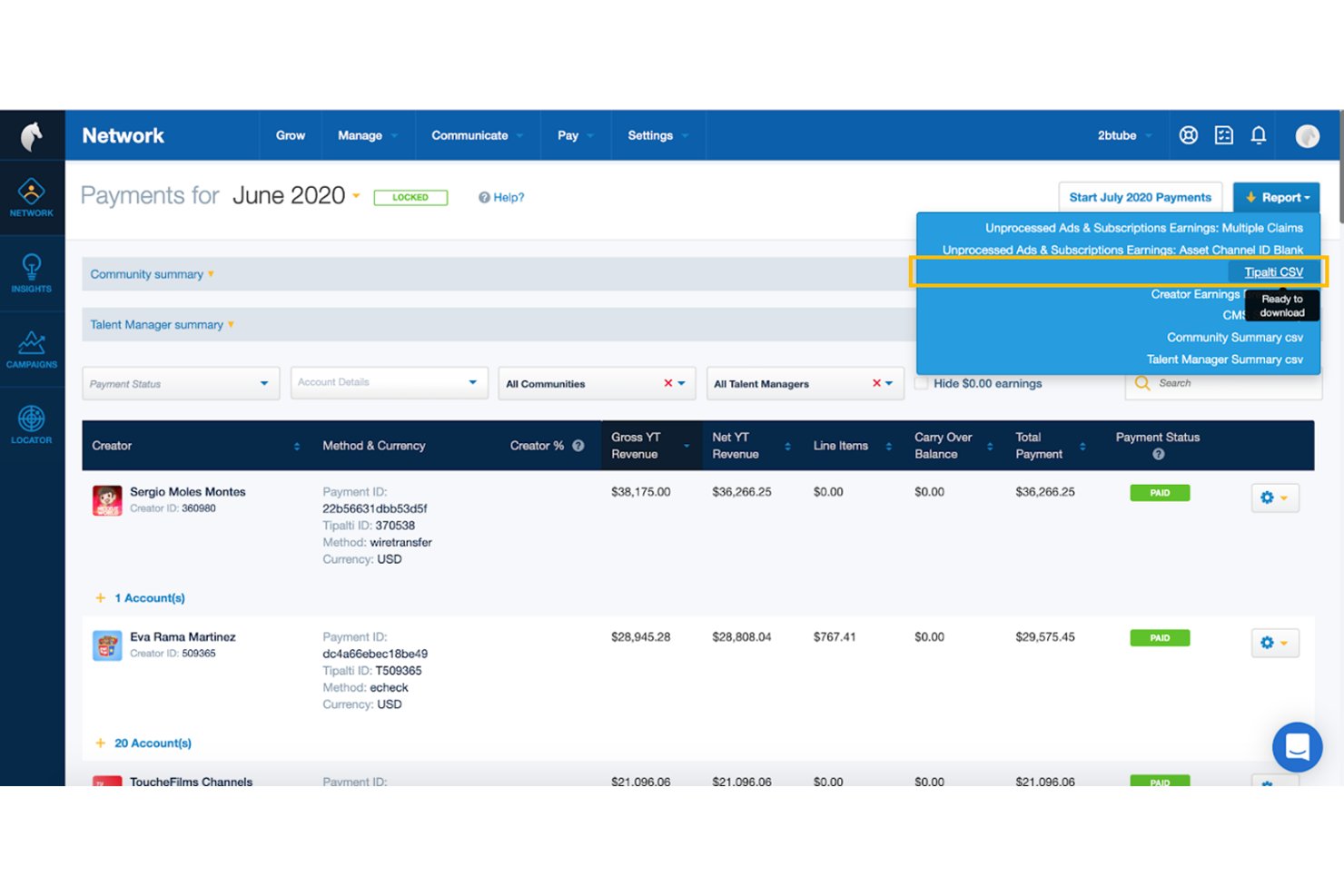
Tipalti is a global mass payments and accounts payable automation platform that handles contractor payouts across 200+ countries, tax form collection and compliance, multi-payee management, and self-service contractor onboarding.
Who Is Tipalti Best For?
Tipalti is built for finance and accounting teams managing high-volume payouts to contractors across multiple countries.
Why I Picked Tipalti
Tipalti earns its spot on my shortlist because no other tool I've reviewed matches its depth for paying contractors across borders at scale. I'm particularly impressed by its KPMG-reviewed tax engine, which automates W-9/W-8 collection, TIN matching, and 1099/1042-S filing without manual chasing. Its self-billing feature is a standout for high-volume payout workflows, generating invoices on behalf of contractors so your team never waits on paperwork to release payments.
Tipalti Key Features
- Multi-entity support: Manage separate payment workflows, approval rules, and branding for multiple business entities from a single centralized dashboard.
- Payee portal in 27+ languages: Contractors onboard themselves, select payment preferences, and track payment status through a white-labeled self-service portal.
- AI invoice capture agent: Automatically extracts and codes invoice data from PDFs, emails, and scanned documents across 146 languages.
- OFAC and sanctions screening: Every payment is checked against global sanctions lists and monitored for suspicious activity before funds are released.
Tipalti Integrations
Tipalti offers integrations with QuickBooks Online, Xero, Oracle NetSuite, Sage Intacct, Workday, BambooHR, and Zenwork. It also supports RESTful APIs for custom integrations.
Pros and Cons
Pros:
- Self-service onboarding with 27+ language portal
- Automated W-9/W-8 collection and tax filing
- Global mass payments to 200+ countries
Cons:
- Onboarding and ERP integration can be complex
- No employee payroll or W-2 support

Rippling is an HR, payroll, and workforce management platform that handles contractor onboarding, global payments in 185+ countries, automated invoicing, tax form generation, and unified employee and contractor management in one system.
Who Is Rippling Best For?
Rippling is a strong fit for HR and operations teams that need to onboard and pay both employees and contractors across multiple countries from a single platform.
Why I Picked Rippling
I picked Rippling as one of the best because its contractor onboarding automation is genuinely impressive: a new contractor signs their agreement, completes KYC verification, and enters their payment details in a single guided flow, without any back-and-forth emails. I also like that Rippling auto-generates and auto-approves invoices for fixed-rate contractors, which means payroll runs practically trigger themselves once the timecard is approved. Add in 185+ countries and 50+ currencies supported, and it's a strong fit if your contractor roster spans borders.
Rippling Key Features
- Unified workforce dashboard: View and manage employees, EOR workers, and contractors across all locations from a single real-time dashboard.
- Workflow Studio: Build no-code automation triggers for approvals, onboarding steps, and compliance tasks without engineering support.
- 1099 and W-2 generation: Rippling automatically generates, delivers, and stores tax forms for contractors and employees, including print-and-mail options.
- Native accounting integrations: Sync payroll data directly to QuickBooks, Xero, NetSuite, or Sage Intacct with automatic journal-entry pushes and custom GL mapping.
Rippling Integrations
Rippling offers 650+ out-of-the-box integrations, including QuickBooks Online, Xero, NetSuite, Sage Intacct, Slack, and Microsoft 365. It also provides an API and developer platform for custom integrations.
Pros and Cons
Pros:
- Manages employees and contractors in one system
- Auto-generates and approves contractor invoices
- Onboards global contractors with one automated flow
Cons:
- FX and vendor payment fees not transparent
- Contractor payroll requires buying core HRIS



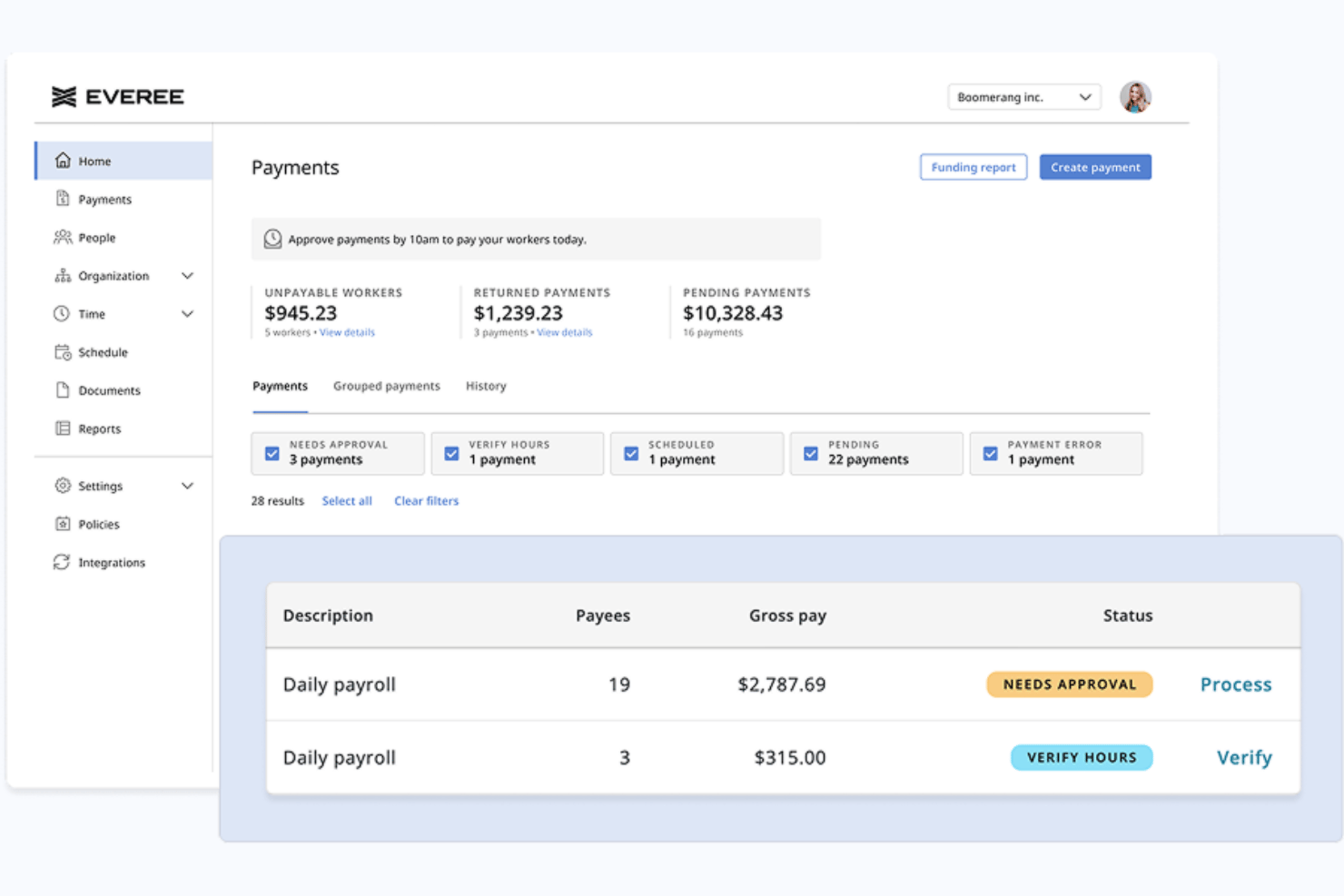
Everee is a payroll platform built for businesses with flexible, non-traditional workforces that combines W-2 and 1099 contractor payroll, automated tax filings, and same-day payment processing in a single system.
Who Is Everee Best For?
Everee is a strong fit for small businesses, staffing agencies, and gig-work platforms that pay high volumes of US-based 1099 contractors on flexible or daily schedules.
Why I Picked Everee
Everee earns its spot on my shortlist because it's the only platform I've found that lets you process a contractor pay run in the morning and have funds in workers' bank accounts that same afternoon. I like that you can run 1099 and W-2 payroll together in a single pay run, so mixed workforces don't need two separate systems. The Everee Visa Pay Card adds instant access on top of same-day ACH, giving contractors a real choice in how they receive their money.
Everee Key Features
- Mobile onboarding and pay access: Contractors can onboard and manage payouts through Everee’s mobile app.
- Automated tax paperwork handling: W-2 and 1099 tax forms are generated and filed automatically for all payees.
- Multi-state payroll compliance: Supports tax filings and payments across all 50 US states for both W-2 and 1099 workers.
- Payroll API and white-label options: Offers APIs for custom integrations and the option to embed payroll into other platforms.
Everee Integrations
Native integrations are not clearly documented. Everee offers an API for custom integrations.
Pros and Cons
Pros:
- Everee Pay Card enables instant contractor access
- Runs W-2 and 1099 payroll together
- Same-day ACH payments for contractors
Cons:
- Limited reporting compared to larger payroll platforms
- US-only contractor payments, no global payouts
Other Payroll Software for Contractors
Below is a list of additional payroll software for contractors that didn’t make it into my top 10 list, but are still worth checking out:
- RUN Powered by ADP®
For automatic tax calculations
- TopSource
For 24/5 dedicated support
- TimeTrex
For accurate time-to-payroll integration
- Patriot Payroll
For paying US-based contractors
- Papaya Global
For managing global contractor payments
- QuickBooks Payroll
For quick payroll processing
- Wingspan
For end-to-end contractor management
- Remote
For international compliance


Related HR Software Reviews
If you still haven't found what you're looking for here, check out these other related tools that we've tested and evaluated:
- HR Software
- Payroll Software
- Recruiting Software
- Employer of Record Services
- Applicant Tracking Systems
- Workforce Management Software
How I Evaluate Payroll Software for Contractors
I split my evaluation into two layers: the baseline capabilities a tool needs to qualify—like contractor payments and tax document automation—and the differentiators that set the best options apart.
Core Functionality (Table Stakes For This List)
When I'm selecting tools for my list, I rank each one on a scale from 0 (does not offer the functionality) to 5 (excels in this area) for each core functionality listed below. Then, I calculate the tool's total score into a percentage. Each tool needs to achieve a minimum total score of 65% to be considered for inclusion.
- Contractor Payment Processing: I check how many payout methods each platform supports and whether it can handle bulk pay runs, recurring schedules, and one-off payments to dozens of contractors at once.
- Multi-Currency & Global Payouts: Paying a designer in Europe and a developer in Southeast Asia from one dashboard matters, so I evaluate country coverage, supported currencies, and local payment rails.
- Tax Form Management: Each tool should collect W-9s and W-8BENs digitally, generate 1099-NECs at year-end, and ideally handle e-filing—platforms like Deel and Gusto approach this differently, but automation is what I look for.
- Contractor Onboarding: I evaluate whether the platform lets contractors self-serve through contract signing, identity verification, and banking setup without back-and-forth emails or manual document chasing.
- Compliance & Classification: Worker misclassification is a real risk, so I look for built-in classification questionnaires, jurisdiction-specific guidance, and risk flagging before you finalize a contractor agreement.
- Invoicing & Approval Workflows: I consider whether contractors can submit invoices directly in the platform and whether your team can route those through multi-step approvals before payments are triggered.
Once I have a list of tools that meet the criteria, I consider what sets each platform apart.
Differentiating Factors (What Sets Vendors Apart)
Here's how I compare and contrast different vendors:
Standout Features
EOR capabilities matter if you're planning to convert top-performing contractors into full-time employees abroad without setting up a local entity. I also look at whether platforms offer optional benefits like health coverage or stipends that contractors can opt into—this helps attract and retain skilled independents. For teams managing contractors across multiple subsidiaries, multi-entity support lets you handle everything from one dashboard rather than toggling between separate accounts.
Beyond Features
Pricing transparency is something I evaluate closely because FX markups and wire fees can quietly inflate your per-contractor costs. I also check how each platform integrates with accounting tools like QuickBooks, Xero, or NetSuite—without a clean sync, your finance team ends up reconciling contractor payments manually every month. Payout speed is another differentiator worth comparing; some vendors offer same-day transfers while others take several business days, which directly affects how contractors experience working with you.
What is Payroll Software for Contractors?
Payroll software for contractors is a tool that automates how you pay freelancers, gig workers, and 1099 independent contractors. Unlike standard employee payroll, which handles predictable monthly salaries and benefit withholdings, contractor payroll handles variable, invoice-based payments. These platforms automate direct deposits, collect tax forms (like W-9s and 1099-NECs), calculate multi-currency payouts for international workers, and keep your business compliant with local tax laws.
How to Choose Payroll Software for Contractors
It's easy to get bogged down in long feature lists and complex pricing structures. To help you stay focused as you work through the process of choosing payroll software, here's a breakdown of the key factors to consider:
| Factor | What to Consider |
|---|---|
| Worker Classification Support | Does the software separate 1099 independent contractors (Form 1099-NEC) from W-2 employees to lower misclassification risks during audits? |
| Automated 1099 Tax & Payment Tools | Look for systems with flexible pay schedules, direct deposit, and automated 1099-NEC form generation and filing with the IRS. |
| Certified Payroll Reporting | If you bid on public or prevailing wage projects, does the tool automate government forms like WH-347 for Davis-Bacon Act compliance? |
| Job Costing & Time Tracking | Can the software sync with field apps to log hours against specific job sites and track exact labour expenses per project? |
| Accounting System Integrations | Does the platform connect with systems like QuickBooks or Xero to eliminate manual double-entry for contractor invoices and payouts? |
Choosing Payroll Software for Construction & Trade Contractors
Field crews and specialty trade subcontractors require dedicated construction payroll architecture to handle job sites and strict compliance rules:
- Certified Payroll Reporting: Automatically generates federal Form WH-347 and state-level certified payroll documents for prevailing wage projects under the Davis-Bacon Act.
- Job Costing & Timecard Sync: Integrates with mobile field apps to map hours directly to specific job sites, phases, and cost codes.
- Union & Multi-State Rules: Automatically factors in varying union benefit tiers, fringe benefits, and localized craft pay rates.
- Top Platform Fits: Foundation Software, Sage 100 Contractor, Payroll4Construction.
Choosing Payroll Software for Independent 1099 Contractors
Corporate teams hiring project-based freelancers or 1099 subcontractors need administrative payout engines focused on speed and tax automation:
- 1099 Tax Automation: Automatically collects Form W-9 (or W-8BEN for foreign workers) during onboarding and e-files Form 1099-NEC with the IRS at year-end.
- Flexible & Global Payouts: Delivers batch direct deposits, same-day ACH transfers, and multi-currency international transfers.
- Misclassification Safeguards: Built-in risk assessments to prevent treating 1099 contractors like W-2 employees under tax law.
- Pay-Per-Active-Contractor Models: Ensure the system allows invoice-based payouts without forcing you into monthly W-2 employee base fees or complex W-2 workflows.
- Top Platform Fits: Gusto, Deel, Rippling, Wise.
Trends in Payroll Software for Contractors
Contractor payroll tools are evolving fast to keep up with remote teams and changing tax laws. Here are several key trends reshaping the space:
- Instant Payouts and Flexible Payment Options: Contractors increasingly expect fast access to earned wages. Software vendors now integrate direct card deposits and same-day payment transfers to help your team retain top talent.
- Automated Worker Classification Guardrails: Misclassifying 1099 contractors as W-2 employees causes heavy tax audit penalties. Platforms now build automated risk-assessment questionnaires and tax checks directly into onboarding workflows.
- Cross-Border Compliance and Multi-Currency Payouts: Managing global freelancers requires localized contracts and foreign tax reporting. Top platforms now include built-in localized agreements and automatic tax form collection for over 150 countries.
Features of Payroll Software for Contractors
When selecting a contractor-focused platform, look for these key payroll software features:
- Worker classification support: Separate 1099 independent contractors (Form 1099-NEC) from W-2 employees to lower misclassification risks during tax audits.
- Job costing and time tracking: Sync with field applications like QuickBooks Time or BusyBusy to log hours against specific projects and calculate labour expenses per site.
- Certified payroll reporting: Generate government and union reporting documents, including Form WH-347, if your company bids on public or prevailing wage projects.
- Automated contractor payments: Schedule, send, and track payments to contractors using direct deposit, checks, or local payment rails.
- 1099 tax form generation: Automatically generate, file with the IRS, and distribute year-end Form 1099-NEC tax documents to non-employees.
- Contractor onboarding tools: Digitally collect Form W-9 or W-8BEN, contracts, and bank details to accelerate setup for new workers.
- International payment support: Pay global contractors in multiple local currencies while maintaining accurate records for cross-border tax compliance.
- Self-service contractor portals: Provide workers direct access to update personal banking details, upload invoices, and download annual tax forms.
- Accounting platform integrations: Transfer payout data directly into systems like QuickBooks or Xero to eliminate double-entry and manual reconciliation.
- Multi-user access controls: Assign specific user permissions based on roles so only authorized HR and finance team members view sensitive compensation data.
Benefits of Payroll Software for Contractors
Implementing payroll software for contractors provides several benefits for your team and your business. Here are a few you can look forward to:
- Time savings: Automating contractor payments, onboarding, and tax form generation lets you focus less on paperwork and more on value-added tasks.
- Greater accuracy: Built-in tax calculations, reporting, and compliance checks help reduce the risk of manual entry errors and avoid costly mistakes.
- Easier compliance: Automatic 1099 filings and document tracking keep you aligned with changing tax regulations and reduce risks during audits.
- Improved contractor experience: Self-service portals and faster payments give contractors the transparency and efficiency they expect.
- Scalability: Easily manage payments and documentation for growing contractor teams without dramatically increasing your administrative load.
- Data security: Centralized, encrypted systems protect contractor information and limit access based on user permissions.
- Simplified reporting: Detailed payment histories and exportable reports simplify expense tracking and support your broader accounting processes.
Costs and Pricing of Payroll Software for Contractors
Selecting payroll software for contractors requires an understanding of the various pricing models and plans available. Costs vary based on features, team size, add-ons, and more. The table below summarizes common plans, their average prices, and typical features included in payroll software for contractors solutions:
Plan Comparison Table for Payroll Software for Contractors
| Plan Type | Average Price | Common Features |
|---|---|---|
| Free Plan | $0 | Basic contractor payment tools, limited 1099 filing, and minimal reporting. |
| Personal Plan | $5-$15/user/month | Automated payments, basic reporting, simple contractor onboarding, and limited integrations. |
| Business Plan | $20-$40/user/month | Advanced onboarding, compliance tracking, multi-currency support, integrations with accounting, and reporting. |
| Enterprise Plan | $50+/user/month | Custom integrations, enhanced security controls, white-glove onboarding, dedicated support, and full audit trails. |
Payroll Software for Contractors FAQs
Here are some answers to common questions about payroll software for contractors:
How do contractor payroll software systems handle taxes?
Contractor payroll software platforms handle tax filings and multi-state taxes by automating onboarding and document collection. Systems collect tax forms like Form W-9 and log contractor payments across tax jurisdictions. At tax time, software runs tax calculations for 1099 filings with the IRS. Unlike W-2 employees, you do not withhold payroll taxes from freelancers.
Can I integrate contractor payroll with my existing accounting software?
Yes, top systems integrate with accounting software like QuickBooks, Xero, and NetSuite. Beyond payroll, platforms with comprehensive employee benefits, PTO tracking, and accounting sync eliminate double entry, updating your ledger as soon as payments are approved.
What Is the Difference Between Contractor Payroll Software and an Employer of Record (EOR)?
Contractor payroll software helps your team pay independent 1099 workers who manage their own taxes. An employer of record (EOR) acts as the legal employer for your W-2 or global workers, handling tax withholdings, local labor compliance, and statutory benefits. In my experience, you only need an EOR when hiring W-2 equivalents or managing complex co-employment risks. For standard non-employee payouts, contractor payroll software is sufficient and costs less.
Can I use Accounts Payable (A/P) software instead of contractor payroll?
Yes, if contractors only submit manual invoices. However, contractor payroll software is better if you need automated W-9 onboarding, 1099-NEC IRS e-filing, and direct compliance guardrails.
Which payroll software platforms are most commonly used for 1099 contractors?
For general 1099 freelancers and project-based contractors, Gusto and Rippling are the most widely used platforms for domestic US teams, while Deel and Wise lead for international contractor payouts. In the trade and heavy construction space, Foundation Software and Sage 100 Contractor are industry standards due to built-in certified payroll reporting.
How do you run payroll for an independent 1099 contractor?
Unlike W-2 employees, you do not withhold income, Social Security, or Medicare taxes from contractor payments. To run contractor payroll:
- Collect a signed Form W-9 (or W-8BEN for global workers) during onboarding.Approve submitted project invoices or logged hours..
- Pay the gross invoice amount via direct deposit or ACH transfer.
- Issue Form 1099-NEC at year-end for any domestic contractor paid $600 or more in the calendar year.