

10 beste programvarer for tilgang til opptjent lønn i 2026

Beste programvare for tilgang til opptjent lønn


Programvare for tilgang til opptjent lønn lar de ansatte få tilgang til en del av den opptjente lønnen før den planlagte lønningsdagen, slik at de får bedre kontroll over økonomien sin. Hvis du ser etter løsninger som bidrar til å beholde talenter, forbedre den økonomiske tryggheten eller tilpasse seg endrede forventninger fra de ansatte, er det avgjørende å velge riktig plattform.
I denne listen finner du detaljene som er viktigst for HR-team – funksjoner, integrasjoner og hva som gjør hvert verktøy unikt – slik at du trygt kan velge programvaren for tilgang til opptjent lønn som passer organisasjonens behov.
Hvorfor du kan stole på våre programvareanbefalinger
Teamet vårt har testet og anmeldt programvare siden 2012. Vi er selv HR-eksperter, så vi vet hvor vanskelig og hvor viktig det er å velge riktig programvare.
I denne guiden har vi vurdert verktøyene gjennom praktisk testing og uavhengig research og gitt dem poeng ut fra våre utvelgelseskriterier. Vi bygger også på innsikt fra ledende eksperter i bransjen og erfarne HR-eksperter.
Anmeldelsene våre bygger på vår egen redaksjonelle vurdering. De er ikke et salgsargument.
Ekspertanmeldere:
Sammenligningstabell for programvare for tilgang til opptjent lønn
Denne sammenligningstabellen oppsummerer prisopplysningene for mine beste utvalgte programmer for tilgang til opptjent lønn:
| Tool | Best For | Trial Info | Price | ||
|---|---|---|---|---|---|
| 1 | Best for simple earned wage access | Free demo available | Pricing upon request | Website | |
| 2 | Best for payroll-integrated wage access | Free demo available | Pricing upon request | Website | |
| 3 | Best for financial wellness and pay access | Free demo available | Pricing upon request | Website | |
| 4 | Best for real-time wage access | Free demo available | Pricing upon request | Website | |
| 5 | Best for mobile early wage access | Not available | Pricing upon request | Website | |
| 6 | Best for pay access with financial education | Free demo available | Pricing upon request | Website | |
| 7 | Best for pay cards and money management | Not available | Pricing upon request | Website | |
| 8 | Best for HR-connected wage access | Not available | Pricing upon request | Website | |
| 9 | Best for instant pay and savings benefits | Free demo available | Pricing upon request | Website | |
| 10 | Best for trusted early wage access | Free demo available | Pricing upon request | Website |
Anmeldelser av den beste programvaren for tilgang til opptjent lønn
Nedenfor finner du mine detaljerte sammendrag av programvaren for tilgang til opptjent lønn som kom med på kortlisten min. Anmeldelsene mine gir en detaljert gjennomgang av funksjonene, integrasjonene og de beste bruksområdene for hver plattform, slik at du kan finne den som passer best for deg.
Rain
Best for simple earned wage access
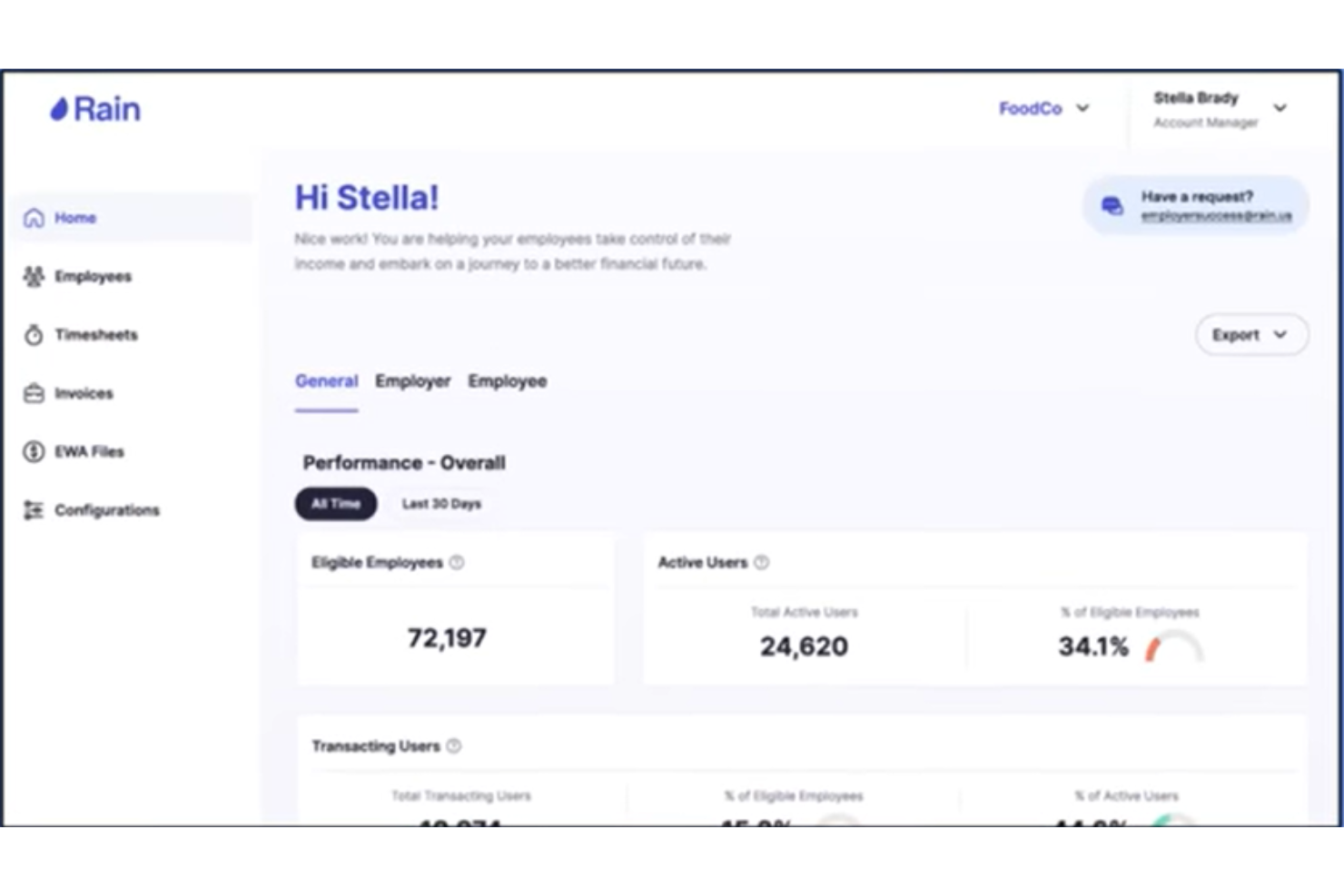
Rain is an EWA and financial wellness platform that gives hourly employees on-demand access to earned wages alongside budgeting tools, spending analysis, automated savings, free tax filing, and an AI financial health agent.
Who Is Rain Best For?
Rain is a strong fit for mid-size to enterprise employers in retail, healthcare, and food service that manage large hourly workforces across multiple locations.
Why I Picked Rain
I picked Rain as one of the best because it goes further than most EWA tools by pairing on-demand wage access with a genuinely broad financial wellness layer. I'm talking about budgeting tools, spending analysis, automated savings, and free tax filing, all inside one app for hourly workers. What I also find compelling is the AI financial health agent, which works around the clock to guide employees through their financial decisions, something I haven't seen from other EWA providers. Rain also collects only six required data fields with no SSN or DOB, which makes employee onboarding noticeably lighter than most platforms I've worked with.
Rain Key Features
- Balance protection: Rain monitors linked bank accounts daily and automatically transfers earned wages to prevent overdraft fees when balances drop below $100.
- Rain Visa Debit Card: Employees can direct earned wage transfers to a Rain Bank Account and spend anywhere Visa is accepted, including ATM cash withdrawals.
- 24/7 U.S.-based user care: Rain's support team responds in under 30 seconds and serves employees in both English and Spanish.
- SOC 1 & SOC 2 Type 2 compliance: Rain is certified to SOC 1 Type 2, SOC 2 Type 2, and ISO/IEC 27001 standards, which matters for enterprise HR and IT teams.
Rain Integrations
Rain offers pre-built connectors to 100+ payroll, HCM, and timekeeping platforms, including Workday, ADP, UKG, Paylocity, SAP SuccessFactors, Microsoft Teams, and TimeForge. An API is available for custom integrations.
Pros and Cons
Pros:
- Payroll adjustment model keeps employers in full payroll control
- Financial wellness suite includes budgeting, tax filing, and savings
- Employer onboarding requires only six data fields
Cons:
- Instant transfer carries a $3 fee per transaction
- EWA access capped at 50% of earned wages per pay period

Tapcheck
Best for payroll-integrated wage access
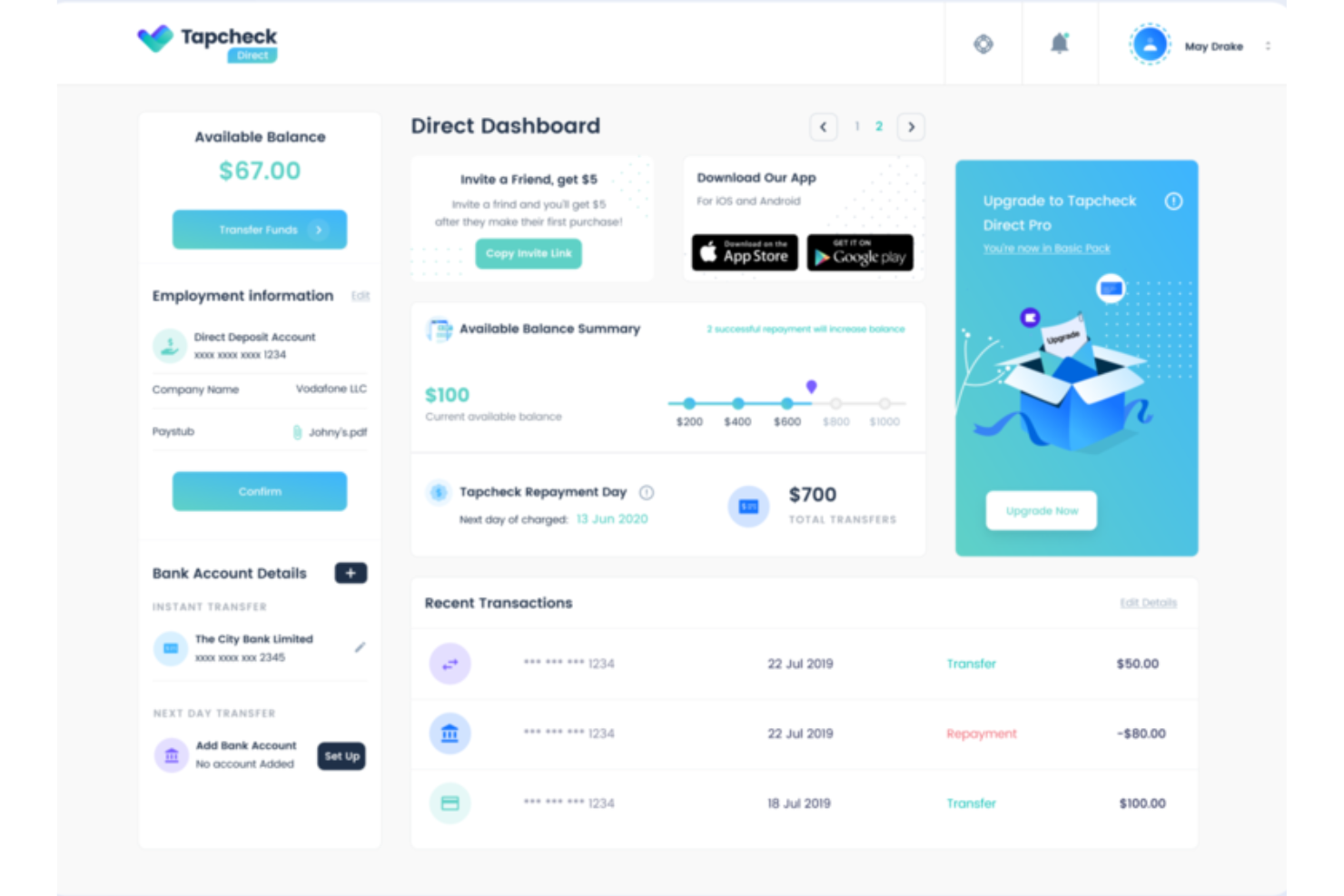
Tapcheck is an employer-facing EWA platform that connects to your existing payroll and timekeeping systems so employees can access up to 70% of their net earned wages before payday, with funds deposited to a bank account or a Tapcheck Mastercard.
Who Is Tapcheck Best For?
Tapcheck is a strong fit for mid-size to large employers in hourly-heavy industries like healthcare, hospitality, and retail who need EWA to run through their existing payroll and timekeeping setup.
Why I Picked Tapcheck
I picked Tapcheck as one of the best because it's purpose-built for employers who want EWA to live inside their existing payroll setup, not alongside it. The no-code integration syncs directly with your payroll and timekeeping systems, so hours worked push to Tapcheck automatically after each shift. I also like that all transfers are logged back to your payroll system, meaning employee paychecks stay accurate without any manual reconciliation on your end. On top of EWA, the Tapcheck Disbursements feature lets employers send off-cycle payments for things like tips, bonuses, or final paychecks without reverting to paper checks.
Tapcheck Key Features
- Prizeout gift card transfers: Employees can transfer earned wages as discounted gift cards from hundreds of brands, with the transfer fee waived entirely.
- Tapcheck Mastercard: Employees can load earned wages onto a prepaid Mastercard for in-store purchases, online payments, and ATM withdrawals.
- Configurable daily transfer limits: Employers can set daily transfer caps per employee, giving you control over how much of their earned wages employees can access each day.
- Financial wellness tools: Employees get access to personalized financial education resources, including blogs, videos, and financial wellness checks, directly in the app.
Tapcheck Integrations
Tapcheck offers 300+ integrations across HCM, payroll, and timekeeping systems, including ADP Vantage HCM, ADP Workforce Now, UKG, Workday, Viventium, and AllianceHCM. Tapcheck also integrates via API to your company's payroll software.
Pros and Cons
Pros:
- Employees access wages within 24 hours of completing a shift
- Net pay calculation covers taxes and deductions automatically
- Zero cost to employers; employees pay only per transfer
Cons:
- Switching payroll systems mid-use requires a manual CSV re-import
- Employee support is chat-only with no phone line available
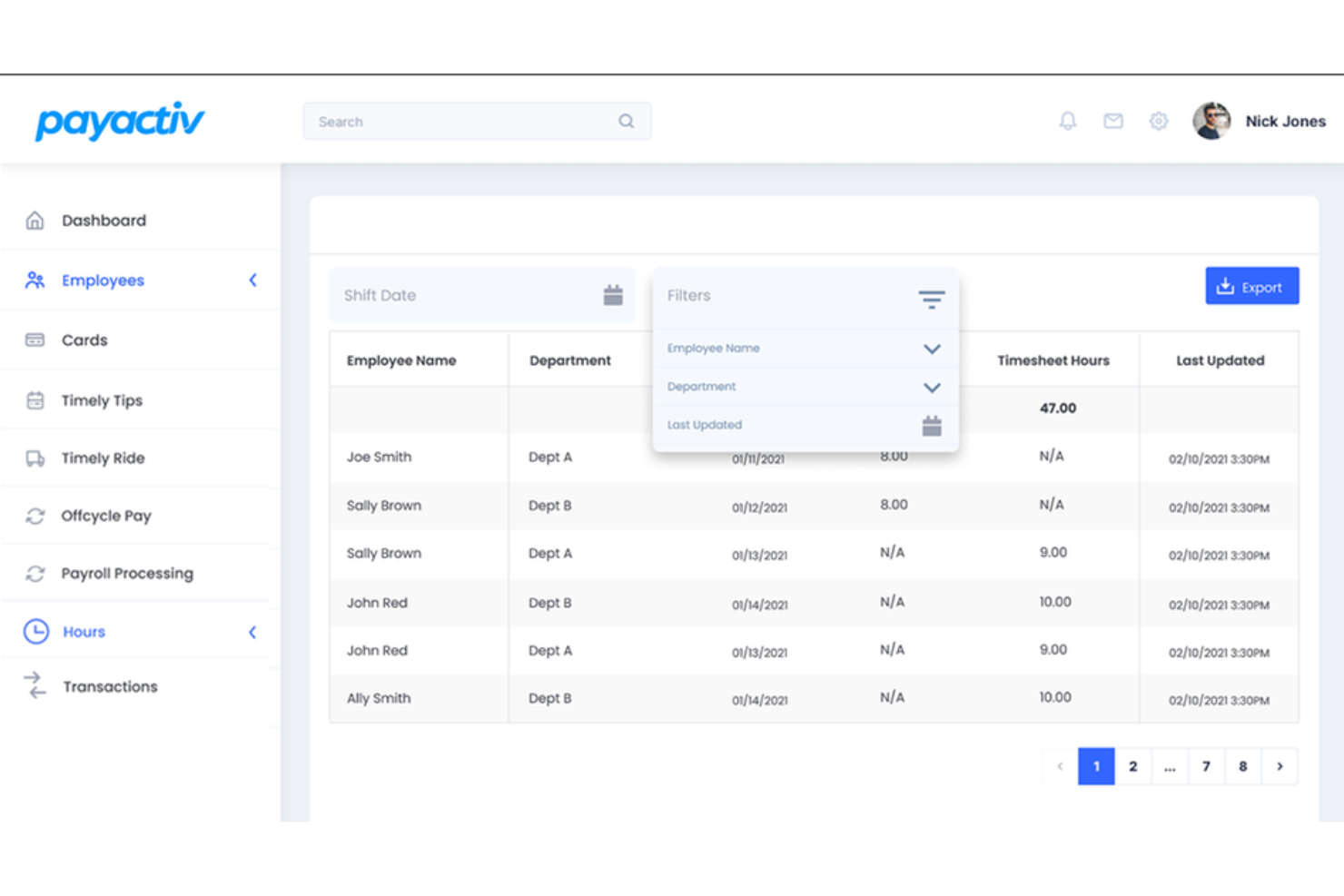
Payactiv is an earned wage access platform that bundles on-demand pay with financial wellness tools like savings goal tracking, a discount marketplace, and 1:1 financial coaching sessions.
Who Is Payactiv Best For?
Payactiv suits mid-to-large employers who want to offer on-demand pay and structured financial wellness tools as a single, unified employee benefit.
Why I Picked Payactiv
Payactiv earns its spot on my shortlist because it's one of the only earned wage access platforms that bundles on-demand pay with a genuinely structured financial wellness program, not just a few links to resources. I particularly like the 1:1 certified financial counselor sessions built into the app, where employees can book real planning appointments to work through budgets, debt, and long-term goals. I also find the shift-end tips and mileage reimbursement feature compelling: Payactiv fronts the money so employees receive tips and mileage automatically after each shift, which is a meaningful differentiator for hospitality, delivery, and logistics employers. The 450+ configurable rules for customizing how the platform operates give HR teams real control over how the benefit is structured across different workforce segments.
Payactiv Key Features
- Payroll card: Employees access earned wages, paychecks, tips, and reimbursements through a single Payactiv Visa Prepaid or Payroll Card.
- Shift scheduling: Employees can view open shifts and request to cover them directly inside the Payactiv app.
- Employee recognition and bonuses: Managers can issue spot bonuses and recognition awards to employees from within the platform.
- Discount marketplace: Employees browse deals on prescription medications and everyday items directly from the app.
Payactiv Integrations
Payactiv integrates with all major HCM and payroll providers via API, including ADP Workforce Now, UKG, Paychex, and more. An API is also available for enterprise partners and HCM providers to embed Payactiv's earned wage access features directly into their own platforms.
Pros and Cons
Pros:
- Financial counseling sessions are staffed by certified financial counselors.
- Employees access wages via bank transfer, payroll card, or Walmart cash pickup
- Payactiv is a certified B Corp and Public Benefit Corporation
Cons:
- Earned balance visibility depends on real-time payroll data syncing correctly
- Instant transfer fees apply when employees don't use the Payactiv card

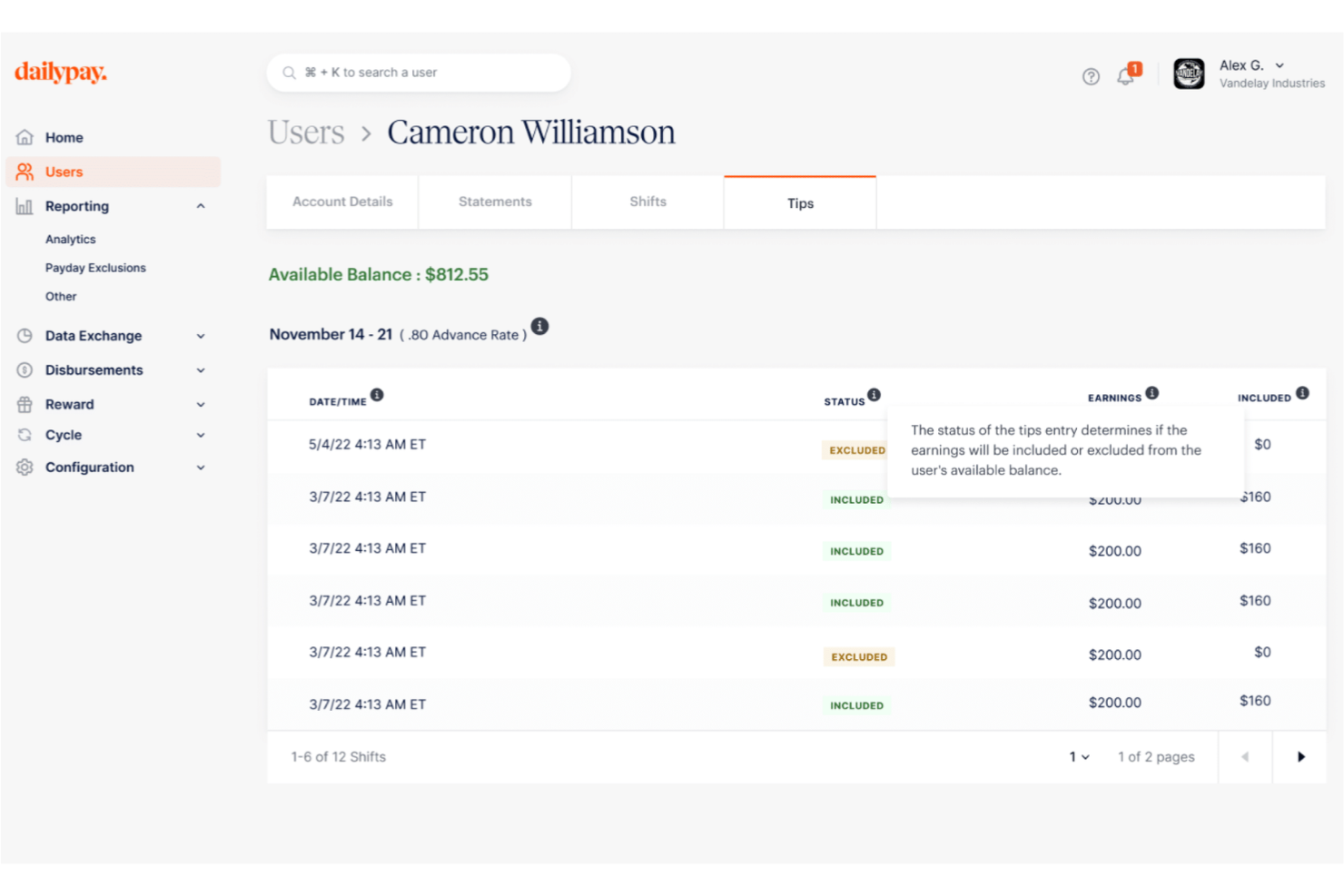
DailyPay is an on-demand pay platform that gives employees real-time access to their earned wages, with transfers available to any debit card, pay card, or bank account, plus integrations with 180+ HCM, payroll, and time management systems.
Who Is DailyPay Best For?
DailyPay is a strong fit for large enterprise employers in high-turnover industries like healthcare, retail, and hospitality.
Why I Picked DailyPay
I picked DailyPay as one of the best because it's one of the few earned wage access platforms that delivers truly real-time pay across every major industry without requiring employers to change their payroll process or reconciliation workflows. What I find genuinely useful is the Cycle feature, which lets employers disburse off-cycle pay instantly—think bonus payments or final pay for terminated employees—without waiting for the next payroll run. I also like that DailyPay covers employees who don't have a traditional bank account through its Visa® Prepaid Card, so the real-time access benefit reaches your full workforce, not just the banked portion of it.
DailyPay Key Features
- Real-time digital tips access: Employees can view and transfer tip earnings daily within the DailyPay app, separate from or combined with their shift pay balance.
- DailyPay Perks: Employees enrolled in DailyPay get access to curated discounts on insurance, recurring bills, entertainment, and other everyday expenses directly in the app.
- Small Business plan: A dedicated on-demand pay plan for employers with fewer than 500 employees, making earned wage access available beyond enterprise-only use cases.
- Full-funding model: DailyPay pre-funds all employee pay requests and settles through your normal payroll process, so your payroll team doesn't need to set aside funds or change existing workflows.
DailyPay Integrations
DailyPay offers 180+ native integrations with leading HCM, payroll, and timekeeping systems, including ADP, Workday, UKG, Paychex, Paylocity, Paycor, Paycom, SAP, Oracle, and isolved. DailyPay also works with employers on bespoke system connections through its implementation team.
Pros and Cons
Pros:
- PCI DSS Level 1 and ISO 27001 certifications cover data security compliance
- Per-transaction fee model means no cost to the employer
- Employees can access up to 100% of their earned balance per pay period
Cons:
- Employees sometimes confuse DailyPay's direct deposit redirect with a payroll error
- Per-transfer fees charged to employees can add up with frequent small withdrawals

EarnIn is a direct-to-employee earned wage access app that lets workers cash out earned wages before payday, track earnings, and access tools like balance protection and credit monitoring without requiring employer setup.
Who Is EarnIn Best For?
EarnIn is a strong fit for individual employees who want on-demand wage access without waiting for their employer to adopt a formal EWA program.
Why I Picked EarnIn
I've included EarnIn in my top picks because it's the only EWA platform I know that requires zero employer integration. EarnIn operates completely outside your payroll, HRIS, and time and attendance systems, which means employees can sign up and start cashing out earned wages on their own, without any IT involvement on your side. The Cash Out feature lets workers access up to $150/day with no mandatory fees — employees can receive funds in 1–3 business days at no cost, or pay a small Lightning Speed fee to get funds in minutes. I also like that the no-fee standard transfer option is genuinely built into the product, not just a marketing footnote.
EarnIn Key Features
- Early Pay: Eligible employees receive their direct deposit in their bank account up to two days before their scheduled payday.
- Balance Shield: Employees set a custom low-balance alert threshold, and EarnIn can automatically transfer funds to prevent an overdraft.
- Tip Yourself: A no-cost, FDIC-insured savings account built into the app that lets employees set aside money with each paycheck.
- Credit monitoring: Employees can view their VantageScore 3.0 by Experian directly inside the EarnIn app.
EarnIn Integrations
EarnIn's earned wage access product is built to be integration-free, meaning it operates outside your payroll, HRIS, and time and attendance systems entirely.
Pros and Cons
Pros:
- Balance Shield automatically transfers funds to prevent overdrafts
- Standard cash-outs carry no mandatory fees
- No employer sign-up or payroll integration required
Cons:
- Initial access limits are low until the app establishes account history
- GPS location tracking is required to verify hours for many users

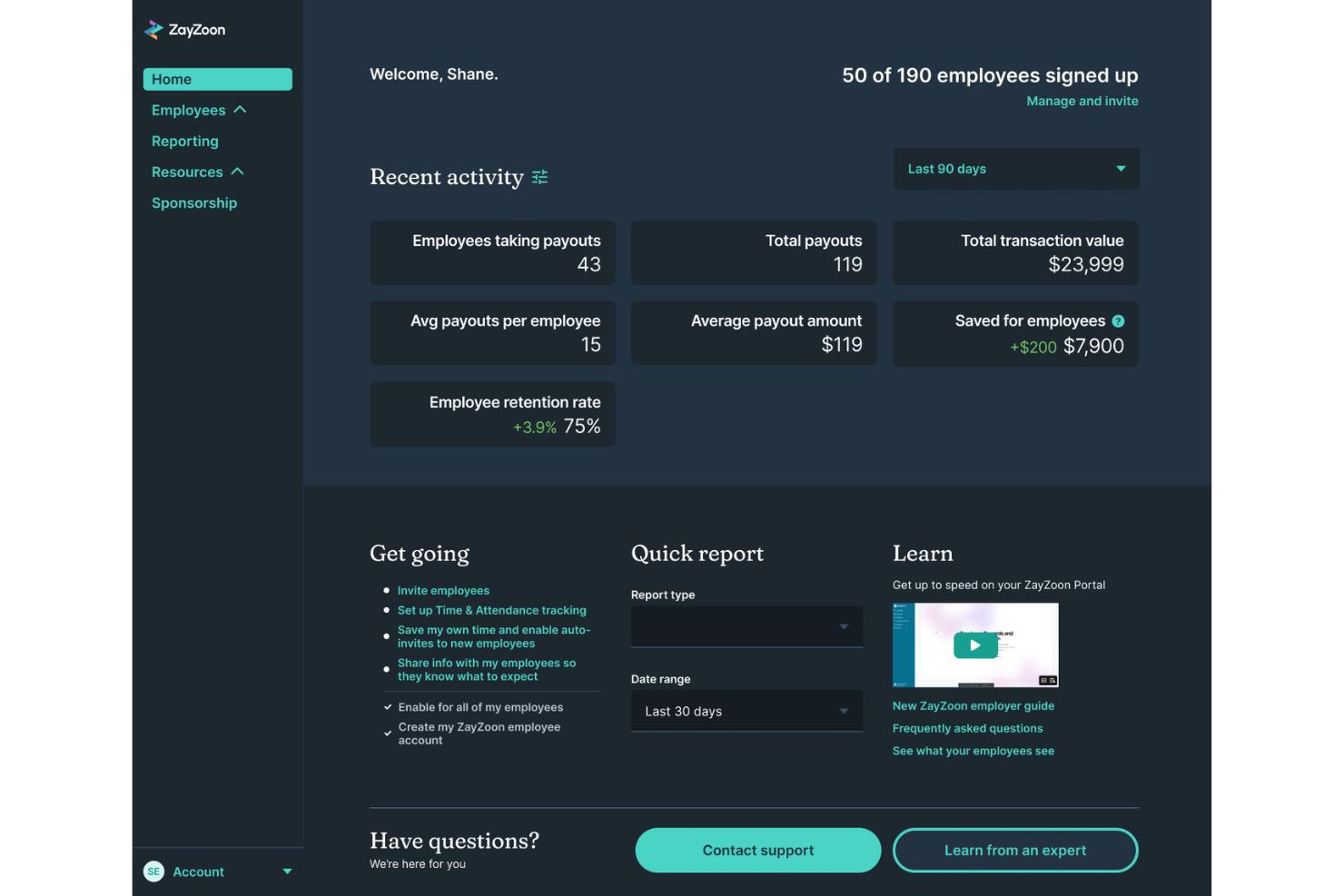
ZayZoon is an EWA and employee engagement platform for deskless workers that combines on-demand pay access with perks, rewards and recognition, team communications, and financial education tools.
Who Is ZayZoon Best For?
ZayZoon is a strong fit for small to mid-size businesses in restaurants, retail, and hospitality that need a fast-to-deploy EWA solution with minimal IT overhead.
Why I Picked ZayZoon
ZayZoon earns its spot as one of the best on my shortlist because setup genuinely takes as little as 10 minutes, which matters a lot if you're running a small business without a dedicated IT team. ZayZoon funds all payouts itself and reconciles automatically through your payroll provider, so you don't need a float account or a new funding arrangement. I also like that it doesn't reroute employee wages or require workers to change their direct deposit to use it, which removes the two most common friction points during rollout. With 300+ payroll partner integrations already in place, there's a strong chance your current payroll system is already supported.
ZayZoon Key Features
- Perks marketplace: Employees get access to a curated hub of discounts on essentials, insurance, wellness apps, tax filing, and credit-building tools, available to all staff regardless of whether they use EWA.
- Rewards and recognition: Managers can send recognition and rewards to employees directly through the app to acknowledge performance or team milestones.
- Team communications: Send in-app announcements and polls to keep deskless workers informed and connected without needing a separate messaging tool.
- Employer Connect dashboard: Monitor EWA usage, manage employee access, and send invitations to staff directly from a dedicated employer portal.
ZayZoon Integrations
ZayZoon offers 300+ payroll and HCM integrations, including ADP Workforce Now, isolved, PrismHR, Execupay, and Paylocity.
Pros and Cons
Pros:
- Employer Connect dashboard tracks employee EWA usage in real time
- Financial wellness courses cover budgeting, credit, and retirement
- Zero cost to employers across all plan tiers
Cons:
- Admin visibility into payroll deductions is limited
- Per-transfer fees for employees can accumulate over time

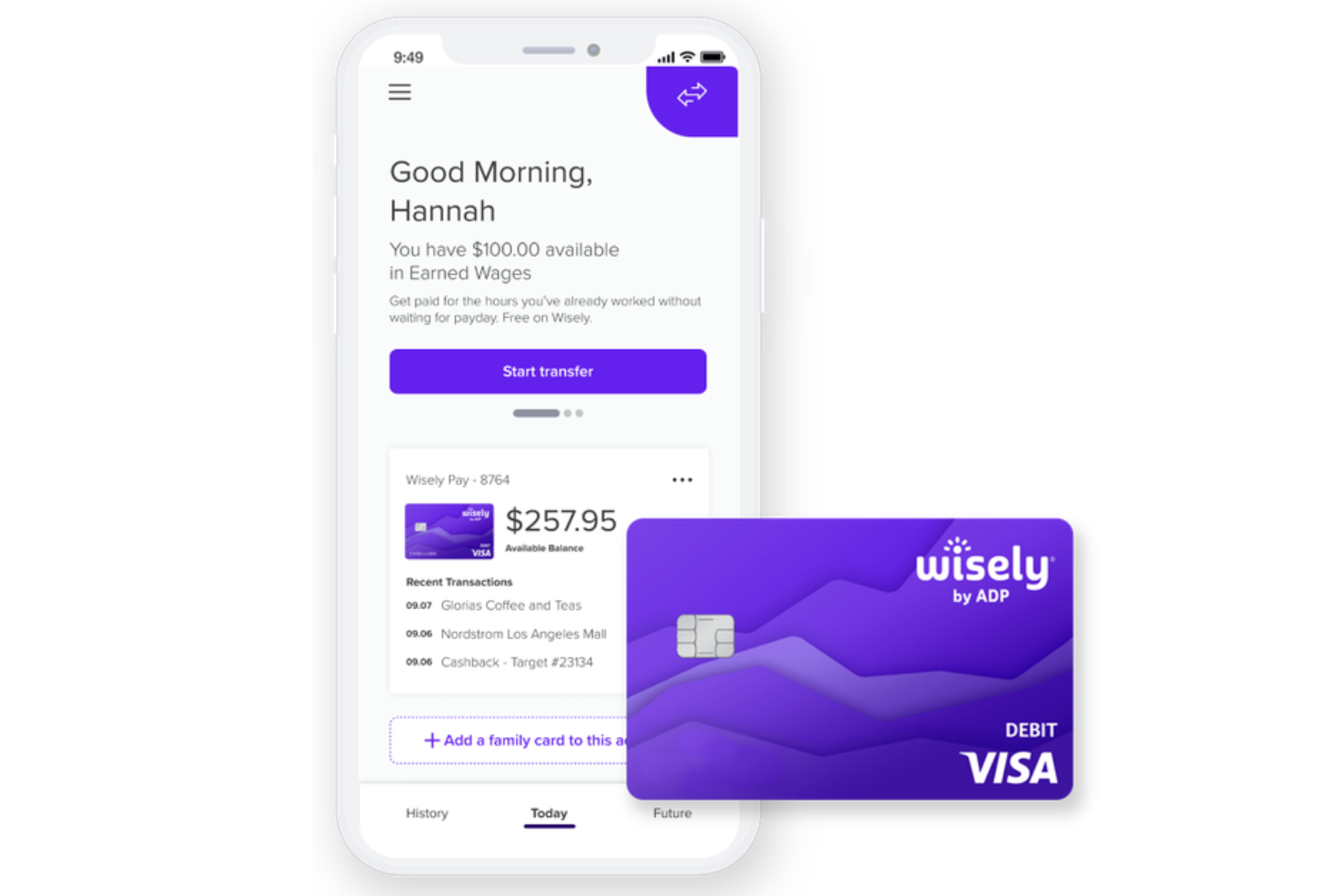
Wisely by ADP is an EWA and paycard platform that combines on-demand access to earned wages with a Visa or Mastercard paycard, a mobile app for spending and savings tracking, and a rewards program for hourly employees.
Who Is Wisely Best For?
Wisely is a strong fit for employers who want to eliminate paper checks and give hourly workers a single digital tool for pay, spending, and savings.
Why I Picked Wisely
I've included Wisely in my top picks because it's one of the few EWA tools that's fully built around the paycard model. Unlike standalone EWA apps, Wisely issues employees a Visa or Mastercard prepaid debit card that becomes their primary payment tool, which means you're not just giving workers early access to wages—you're replacing the paper check entirely. I also like the savings envelope feature inside the myWisely app, which lets hourly employees automatically set aside money into named categories directly from their pay. And because the card travels with employees when they change jobs, it holds value beyond a single employer relationship.
Wisely Key Features
- Early direct deposit: Employees can opt in to receive their direct deposit up to 2 days early, or up to 4 days early for government benefit payments, at no extra cost.
- Instant card lock: Through the myWisely app, employees can instantly lock their card to block all transactions if the card is lost or suspected stolen.
- Cash back rewards program: The myWisely app surfaces curated offers from retail, dining, and travel brands, with cash back deposited directly into a Wisely Rewards Savings Envelope.
- Multi-source direct deposit support: Employees can direct deposit from multiple income sources, including a second job, tax refunds, and government benefits, all to the same Wisely card.
Wisely Integrations
Wisely is built to pair with ADP's own payroll and HCM products, including ADP Workforce Now, ADP Vantage HCM, ADP Enterprise HR, RUN Powered by ADP, and ADP Lyric.
Pros and Cons
Pros:
- Surcharge-free ATM access at tens of thousands of locations nationwide
- EWA is sourced via DailyPay partnership at no employee cost
- Paycard works everywhere Visa and Mastercard debit are accepted
Cons:
- Tip payout requires employers to pre-fund a dedicated account
- Fraud dispute resolution is frequently slow and unresolved
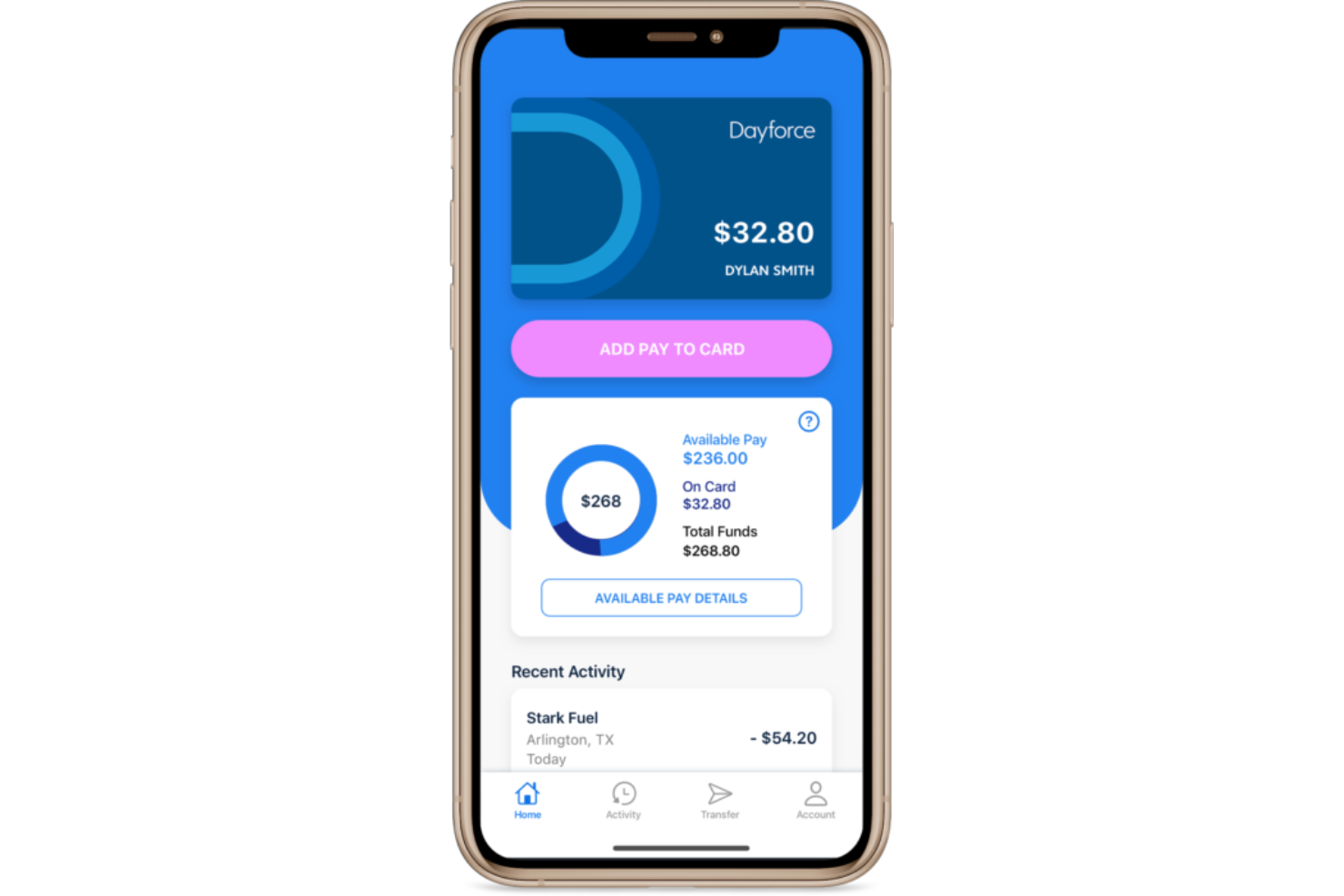
Dayforce Wallet is an EWA and digital wallet solution, built into the Dayforce HCM platform, that gives employees on-demand access to earned pay via a Mastercard prepaid card, early direct deposit, and in-app savings goal tracking.
Who Is Dayforce Wallet Best For?
Mid-to-large enterprises already running Dayforce HCM, particularly in industries like retail, healthcare, and hospitality with high volumes of hourly workers.
Why I Picked Dayforce Wallet
I've included Dayforce Wallet in my top picks because it's one of the few EWA solutions where earned pay flows directly into a proprietary digital wallet and Mastercard prepaid card without routing through a third-party app. What I like most is that the on-demand pay calculation pulls from live Dayforce payroll data, so the available earned pay balance updates in real time as hours are worked. I also find the fee-free ATM network of over 55,000 locations genuinely useful for hourly workers who rely on cash, especially compared to EWA tools that charge per withdrawal. The early direct deposit option, which gets paychecks deposited up to two days early, means employees have two distinct ways to access pay ahead of the standard cycle.
Dayforce Wallet Key Features
- Available earned pay tracking: View your running net earned pay balance in real time as you complete shifts, directly inside the Dayforce platform or app.
- Automatic tax and deduction withholding: Each on-demand pay withdrawal automatically withholds the correct taxes, garnishments, and source deductions before funds are released.
- Instant transfer option: Move funds to an eligible linked debit card in minutes for a flat fee, or use standard ACH transfers to other bank accounts at no cost.
- Multi-region support: Dayforce Wallet is available to employees in the United States, Canada, and the United Kingdom, for employers running Dayforce for HCM and payroll.
Dayforce Wallet Integrations
Dayforce Wallet functions as a native extension of Dayforce Payroll within the broader Dayforce HCM platform, meaning it connects directly to Dayforce's continuous calculation engine for real-time pay data rather than integrating with external tools.
Pros and Cons
Pros:
- Minor employee registration supported for ages 14 to 17
- Real-time earned pay balance updates as shifts are completed
- No fees on on-demand pay requests or monthly maintenance
Cons:
- Employer must opt in before employees can access EWA features
- Only available to employers already running Dayforce for payroll

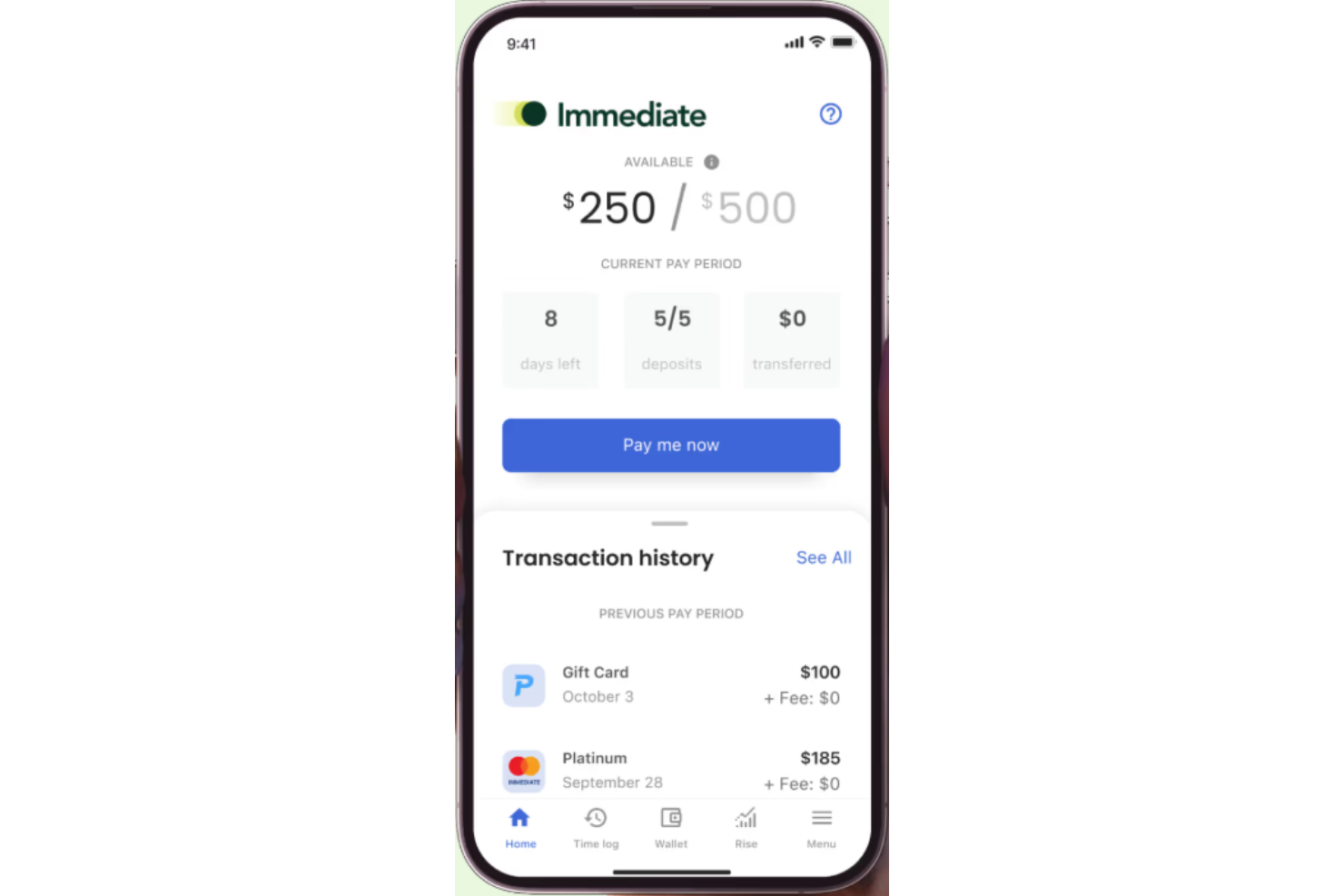
Immediate is an earned wage access platform that gives employees on-demand access to earned pay, cashless tip distribution, and off-cycle payments without requiring changes to an employer's existing payroll process.
Who Is Immediate Best For?
Immediate is a good fit for employers in hospitality, senior care, and manufacturing who need on-demand pay and cashless tip distribution for hourly workforces.
Why I Picked Immediate
Immediate earns its spot on my shortlist because it's one of the few EWA platforms that genuinely doesn't touch your payroll setup. When an employee clocks out, their hours auto-verify in the ImmediatePay app and the transfer goes straight to their bank account or debit card. Immediate recoups funds through the next regular payroll cycle, so there's no manual reconciliation or repayment tracking on your end. I also think the cashless tip disbursement is worth calling out specifically for hospitality teams who'd otherwise be splitting physical cash at the end of every shift.
Immediate Key Features
- Employer pay access controls: Set limits on how much of their earned wages employees can access before their scheduled payday.
- Rewards and incentive disbursements: Send one-time bonus or incentive payments to employees outside of the regular payroll cycle.
- White-label EWA API: Payroll providers can embed Immediate's EWA functionality under their own brand using a configurable API.
- Multiple delivery options: Employees choose between paycard, merchant card, or next-day ACH for receiving their pay.
Immediate Integrations
Immediate partners with leading payroll, time tracking, and point-of-sale systems through its integrations marketplace. Payroll integrations include ADP Workforce Now, APS, Asure, BambooHR, iSolved, while time and attendance integrations include QuickBooks, Toast, 7shifts, SAP, and more. An API is also available for embedded EWA integrations.
Pros and Cons
Pros:
- In-house US-based support with a documented NPS score of 91
- Cashless tip disbursement built in for hospitality and service teams
- No cost to employers and no payroll process changes required
Cons:
- Focused primarily on hourly workforces, limiting fit for salaried teams
- No pay stub access within the ImmediatePay app itsels
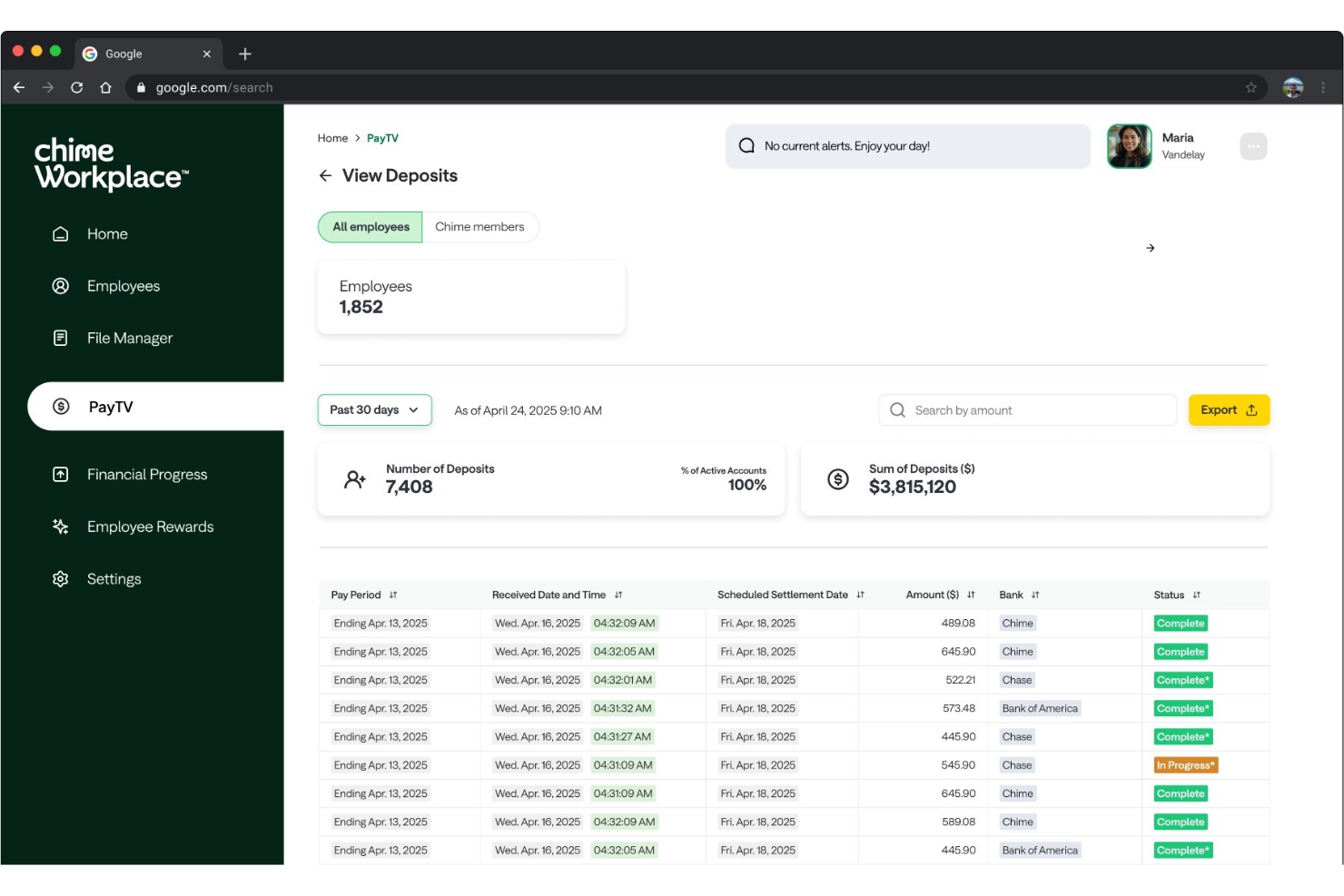
Chime Workplace is a financial wellness platform that bundles earned wage access, no-fee banking, overdraft protection, savings tools, credit building, and AI-driven financial insights into a single employer-sponsored benefit.
Who Is Chime Workplace Best For?
Chime Workplace is a strong fit for employers in retail, hospitality, and healthcare with large hourly or gig workforces who lack traditional banking benefits.
Why I Picked Chime Workplace
I picked Chime Workplace as one of the best because it handles earned wage access in a way that most EWA tools simply can't: it works even for workers at companies that don't run traditional payroll. That's a real gap in the market, and Chime fills it by routing access through the employee's Chime Checking Account rather than through the employer's pay cycle. I also like that the MyPay at Work feature gives eligible employees access to up to $2,000 in earned wages, which puts it well above the withdrawal caps you'll find on most competing tools. And unlike standalone EWA providers, Chime pairs that access with fee-free overdraft coverage via SpotMe and a no-fee checking account, so employees aren't paying out of pocket just to access their own money.
Chime Workplace Key Features
- Credit Builder card: A secured Visa card that lets employees build credit history with no annual fee, no interest, and no credit check required.
- High-yield savings account: An FDIC-backed savings account with an APY well above the national average, accessible directly in the Chime app.
- AI-powered financial coaching: The in-app Jade tool provides personalized credit and spending insights alongside sessions with certified financial coaches.
- Employer reporting dashboard: HR teams can track EWA usage, savings activity, and employee financial wellness metrics in real time.
Chime Workplace Integrations
Chime Workplace integrates with leading payroll and HRIS platforms including ADP, Workday, UKG, Paychex, Gusto, and SAP. Integrations use secure API and file-based connections to sync wage accruals, eligibility, and employee status data with your existing HR systems.
Pros and Cons
Pros:
- Works for unbanked employees without prior direct deposit history
- Settlement model avoids payroll deductions and wage holds
- Zero fees for employers and employees on EWA advances
Cons:
- EWA is limited to short-term cash relief, not long-term wealth building
- Advance eligibility varies based on employer configuration settings
Annen programvare for tilgang til opptjent lønn
Her er noen flere alternativer for programvare for tilgang til opptjent lønn som ikke kom med på kortlisten min, men som likevel er verdt å se nærmere på:
- Instant Financial
For zero-cost instant payments
- Branch
For fee-free wage access and banking
- Homebase
For zero-cost-to-employer EWA model
- Paylocity
For on-demand pay within payroll
- Fingercheck
For built-in on-demand payroll
- Clair
For instant wage deposits
- FlexWage
For paycard-based wage access
- Wagestream
For flexible pay and wellbeing tools
- Hastee
For customizable global wage access
- Paymenow
For wage access in Africa
- OrbisPay
For payroll-integrated wage access


How I Evaluate Earned Wage Access Software
I split my evaluation into two layers: baseline must-haves every EWA platform needs, like real-time earned wage access and payroll sync, and the differentiators that separate one tool from the next.
Core Functionality (Table Stakes For This List)
When I'm selecting tools for my list, I rank each one on a scale from 0 (does not offer the functionality) to 5 (excels in this area) for each core functionality listed below. Then, I calculate the tool's total score into a percentage. Each tool needs to achieve a minimum total score of 65% to be considered for inclusion.
- On-Demand Wage Access: I check whether employees can pull earned pay on their own schedule—say, after a double shift—without waiting for HR to manually approve each request.
- Payroll & HRIS Integration: The platform should connect with existing payroll and time-tracking systems so earned balances stay accurate without duplicate data entry.
- Earned Wage Calculation Engine: I evaluate how the tool calculates available balances—whether it pulls real-time clock data or relies on static salary estimates that ignore overtime or shift swaps.
- Employee-Facing Mobile App: A native iOS/Android app matters here because most EWA users are hourly workers requesting funds from a phone between shifts, not from a desktop.
- Multiple Disbursement Options: I look at payout flexibility—instant transfer, ACH, payroll card—so employees can choose the method that fits their banking situation.
- Financial Wellness Tools: Budgeting features, savings nudges, or financial literacy resources round out the offering and help employees build habits beyond just accessing wages early.
Once I have a list of tools that meet the criteria, I consider what sets each platform apart.
Differentiating Factors (What Sets Vendors Apart)
Here's how I compare and contrast different vendors:
Standout Features
I pay close attention to how a vendor handles fees—platforms that offer a no-cost model for employees remove a major adoption barrier, especially for hourly workforces. Automated payroll reconciliation is another big one because it determines how much manual cleanup your payroll team faces each cycle. I also evaluate employer analytics dashboards that track program adoption and retention impact, since HR leaders need clear data to justify the benefit internally.
Beyond Features
Compliance posture matters a lot here—EWA regulations differ by jurisdiction, so I check whether a vendor clearly classifies its product as a non-loan and stays aligned with evolving consumer finance guidance. Industry fit is equally important because a platform built for healthcare shift workers handles scheduling data very differently than one designed for retail or staffing agencies. I also evaluate fee transparency, looking at whether employees and employers both have a clear understanding of costs before enrollment.
Slik velger du programvare for tilgang til opptjent lønn
Det er lett å gå seg vill i lange funksjonslister og komplekse prisstrukturer. For å hjelpe deg med å holde fokus mens du går gjennom den unike prosessen med å velge programvare, får du her en sjekkliste over faktorer du bør ha i bakhodet:
| Faktor | Hva du bør vurdere |
|---|---|
| Skalerbarhet | Vil programvaren støtte organisasjonen din når den vokser, får flere lokasjoner eller opplever sesongmessige endringer i arbeidsstyrken? Vær oppmerksom på kostnader per bruker eller begrensninger som kanskje ikke skalerer. |
| Integrasjoner | Kan løsningen kobles til lønns-, HCM- og tidsregistreringssystemene dine uten manuell filutveksling eller spesialutvikling? Avklar integrasjonskravene på forhånd. |
| Tilpasningsmuligheter | Kan du tilpasse tilgangsgrenser, tidspunkt for utbetaling og kvalifikasjonskrav slik at de samsvarer med lønnspolicyer, skift og krav til etterlevelse? Unngå rigide regler som skaper administrativ kompleksitet. |
| Brukervennlighet | Vil administratorene og de ansatte oppleve løsningen som tydelig, med minimalt behov for opplæring eller støtte? Vurder språkvalg og mobiltilgang for ansatte i førstelinjen. |
| Implementering og oppstart | Hvor mye støtte får du til lansering, kontooppsett og opplæring av brukere? Vurder tidsplaner, nødvendig involvering fra IT og tilgang til trinnvise ressurser. |
| Kostnad | Hva blir de samlede og transparente kostnadene over tid – inkludert oppsett, månedlige kostnader og gebyrer per transaksjon? Sammenlign prisene med tanke på konsekvensene for både arbeidsgiver og ansatte. |
| Sikkerhetstiltak | Har plattformen solid databeskyttelse, overvåking av svindel og sertifiseringer for etterlevelse? Be om dokumentasjon og avklar rutinene for varsling ved datainnbrudd. |
| Krav til etterlevelse | Støtter programvaren regelverk i delstatene eller regionene der du opererer, for eksempel regler om lønn, skatt, utleggstrekk eller økonomisk rapportering? Vær oppmerksom på uklare løfter om etterlevelse. |
Hva er programvare for tilgang til opptjent lønn?
Programvare for tilgang til opptjent lønn gir ansatte umiddelbar tilgang til lønn de allerede har opptjent, før lønningsdagen. Disse plattformene integreres med systemer for lønn og arbeidsstyring for å tilby en fleksibel lønnsløsning som hjelper ansatte med å håndtere uforutsette utgifter uten å være avhengige av kortsiktige lån med høy rente.
HR- og personalteam bruker disse verktøyene til å forbedre den økonomiske fleksibiliteten, redusere økonomisk stress og støtte langsiktig økonomisk stabilitet. Mange plattformer presenterer også tilgang til opptjent lønn som et verdifullt velferdsgode og som en del av bredere programmer for økonomiske personalgoder. Funksjoner som enkel registrering, opplæringsressurser som et nettseminar og automatisert lønnsintegrasjon hjelper virksomheter med å effektivisere tilgangen til lønn, samtidig som de reduserer risikoer som overtrekk og purregebyrer.
Funksjoner i programvare for tilgang til opptjent lønn
Når du velger programvare for tilgang til opptjent lønn, bør du se etter følgende viktige funksjoner:
- Lønnsuttak på forespørsel: Lar ansatte få tilgang til en del av den opptjente lønnen når som helst før lønningsdagen, noe som gir fleksibilitet når økonomiske behov oppstår.
- Integrasjon med lønn og HRIS: Synkroniseres direkte med lønns- og tidsregistreringssystemer for å beregne tilgjengelig opptjening nøyaktig, slik at HR- og lønnsteamene får minimalt med manuelt arbeid.
- Tilpassbare uttaksgrenser: Lar deg fastsette regler for hvor mye og hvor ofte ansatte kan få tilgang til opptjent lønn, og støtter etterlevelse og ansvarlig bruk.
- Sporing av opptjening i sanntid: Gir ansatte oppdatert informasjon om tilgjengelige saldoer, noe som fremmer åpenhet og økonomisk bevissthet.
- Flere utbetalingsalternativer: Tilbyr fleksible metoder for at ansatte skal kunne motta penger, for eksempel direkte innbetaling, lønnskort eller andre digitale lommebøker.
- Mobil tilgang: Gjør det mulig for ansatte å sjekke saldoer, be om uttak og administrere kontoene sine gjennom en sikker mobilapp eller nettportal.
- Sikkerhetstiltak og tiltak for etterlevelse: Beskytter sensitive data med kryptering og følger regler for lønn, bankvirksomhet og personvern for å holde informasjon om både arbeidsgiver og ansatte sikker.
- Automatisert rapportering og analyse: Gir arbeidsgivere tydelig innsikt i bruk, uttakstrender og økonomisk påvirkning, noe som bidrar til å utforme regler og overvåke programmets effektivitet.
- Flerspråklig støtte: Tilrettelegger for en mangfoldig arbeidsstyrke ved å tilby tilgang til kontoadministrasjon og brukerstøtte på flere språk.
- Dedikert kundestøtte: Sikrer rask hjelp for både ansatte og administratorer gjennom flere kanaler, som chat, telefon og e-post.
Programvareløsninger for tilgang til opptjent lønn inkluderer vanligvis ikke AI som en del av funksjonstilbudet.
Fordeler med programvare for tilgang til opptjent lønn
Implementering av programvare for tilgang til opptjent lønn gir flere fordeler for teamet og virksomheten din. Her er noen av fordelene du kan se frem til:
- Økt medarbeidertilfredshet: Tilgang til opptjent lønn på forespørsel gir ansatte større kontroll over økonomien sin, reduserer stress og forbedrer arbeidsmoralen.
- Høyere andel ansatte som blir værende: Fleksibiliteten ved å få tilgang til opptjent lønn kan skille virksomheten din fra konkurrentene og bidra til å tiltrekke og beholde de beste talentene i et konkurransepreget arbeidsmarked.
- Forenklet lønnsadministrasjon: Direkte integrasjon med lønns- og HR-systemer reduserer manuelt arbeid, sparer tid og minsker risikoen for feil.
- Bedre etterlevelse og sikkerhet: Innebygde kontroller for etterlevelse og kryptering hjelper deg med å oppfylle regulatoriske krav, samtidig som sensitive lønnsdata holdes sikre.
- Bedre tilgjengelighet for arbeidsstyrken: Tilbud om flere utbetalingsmetoder og tilgang via mobilapp sikrer at alle ansatte, uavhengig av banktilknytning, kan bruke tjenesten.
- Tydelig innsikt i bruk: Automatisert rapportering og analyse gir handlingsrettede data om bruksmønstre og økonomisk påvirkning, slik at du kan forbedre lønnspolitikken.
- Redusert fravær og lavere kostnader ved utskifting av ansatte: Støtte for økonomisk velvære kan redusere stressrelatert fravær og få færre ansatte til å slutte, noe som til syvende og sist sparer virksomheten din for penger.
Kostnader og priser for programvare for tilgang til opptjent lønn
Valg av programvare for tilgang til opptjent lønn krever en forståelse av de ulike prismodellene og abonnementene som er tilgjengelige. Kostnadene varierer basert på funksjoner, teamstørrelse, tillegg og mer. Tabellen nedenfor oppsummerer vanlige abonnementer, gjennomsnittsprisene deres og typiske funksjoner som er inkludert i programvareløsninger for tilgang til opptjent lønn:
Sammenligningstabell for abonnementer for programvare for tilgang til opptjent lønn
| Plantype | Gjennomsnittspris | Vanlige funksjoner |
|---|---|---|
| Gratisplan | $0 | Tilgang for et begrenset antall ansatte, tilgang til mobilapp, grunnleggende funksjoner for lønnsforskudd og grunnleggende brukerstøtte. |
| Personlig plan | $3–$10/bruker/måned | Uttak av lønn etter behov, enkel integrasjon med lønnssystemer, mobiltilgang, tilpassbare regler for uttak og grunnleggende analyser. |
| Bedriftsplan | $5–$25/bruker/måned | Alle funksjonene i den personlige planen, avanserte oversikter, støtte for flere lokasjoner, forbedret rapportering og kontrollfunksjoner for arbeidsgivere. |
| Foretaksplan | $20–$50/bruker/måned | Alle funksjonene i bedriftsplanen, prioritert brukerstøtte, støtte for SSO, tilpassede integrasjoner og avanserte verktøy for regelverksetterlevelse. |
Vanlige spørsmål om programvare for tilgang til opptjent lønn
Her er noen svar på vanlige spørsmål om programvare for tilgang til opptjent lønn:
Hvor raskt kan ansatte få tilgang til opptjent lønn?
Ansatte kan vanligvis få tilgang til opptjent lønn umiddelbart eller innen én virkedag, avhengig av leverandøren og utbetalingsmetoden. De fleste programvareløsninger støtter overføringer etter behov til bankkontoer, lønnskort eller digitale lommebøker.
Er det noen gebyrer for ansatte som bruker tilgang til opptjent lønn?
Ja, mange plattformer for tilgang til opptjent lønn krever et lite transaksjonsgebyr for hvert uttak, selv om noen arbeidsgivere velger å dekke disse gebyrene. Gebyrstrukturen er vanligvis tydelig i arbeidstakerens oversikt.
Påvirker programvare for tilgang til opptjent lønn selskapets kontantstrøm?
Nei, de fleste løsninger forskutterer selv den opptjente lønnen og krever inn beløpet fra arbeidsgiveren ved neste lønnskjøring, slik at kontantstrømmen ikke påvirkes før lønningsdagen.
Er det trygt og i samsvar med regelverket å innføre tilgang til opptjent lønn?
Ja, hvis du velger en anerkjent leverandør med sterke sikkerhetsprotokoller, kryptering og samsvar med regelverk for lønn og personvern. Gå alltid gjennom leverandørens dokumentasjon og juridiske krav før du lanserer et nytt program.
Kan programvare for tilgang til opptjent lønn støtte timelønnede og fastlønnede ansatte?
Ja, de fleste løsninger fungerer for både timelønnede og fastlønnede ansatte ved å synkronisere med systemer for tidsregistrering og lønn for å beregne kvalifisert opptjent lønn nøyaktig.