

De 10 beste intranettprogramvarene for virksomheter i 2026

Beste programvare for bedriftsintranett – kortliste


Programvare for bedriftsintranett gir deg et privat, felles område for hele virksomheten, der du kan knytte sammen arbeidsstyrken, samle kommunikasjonen og dele ressurser i stor skala. HR-ansvarlige som leder spredte, flerspråklige team eller team på førstelinjen, trenger verktøy som går lenger enn grunnleggende fillagring og chat – de trenger måter å formidle oppdateringer på, anerkjenne prestasjoner og sørge for at alle ansatte har tilgang til det som er viktig.
Ved å velge riktig system kan du støtte samarbeid, oppfylle krav til samsvar og få mer ut av plattformene virksomheten allerede bruker. Nedenfor går jeg gjennom de beste alternativene, slik at du kan sammenligne funksjoner, integrasjonsmuligheter og hvor godt de passer til organisasjonens behov.
Why Trust Our Software Recommendations
Our team has been testing and reviewing software since 2012. As HR experts ourselves, we know how difficult—and important—it is to choose the right software.
For this guide, we evaluated tools using hands-on testing and independent research, scoring tools using our selection criteria. We also draw on insights from industry thought leaders and practicing HR experts.
Our reviews reflect our human editorial judgment, not a sales pitch.
Expert reviewers:
Sammenligningstabell for programvare til bedriftsintranett
Sammenlign priser og viktige spesifikasjoner for mine beste utvalgte løsninger for bedriftsintranett i tabellen nedenfor.
| Tool | Best For | Trial Info | Price | ||
|---|---|---|---|---|---|
| 1 | Best for IC teams managing multichannel reach | Free demo available | Pricing upon request | Website | |
| 2 | Best for all-in-one intranet with flat-rate licensing | Free demo available | Pricing upon request | Website | |
| 3 | Best for Workday-connected frontline intranets | Free trial available | From $3.75/user/month (billed annually) | Website | |
| 4 | Best for multilingual frontline workforce comms | Free demo available | Pricing upon request | Website | |
| 5 | Best for on-premise intranet with compliance controls | Free demo available | Pricing upon request | Website | |
| 6 | Best for Zoom-native social intranet at scale | Free demo available | Pricing upon request | Website | |
| 7 | Best for analyst-recognized intranet adoption | Free demo available | Pricing upon request | Website | |
| 8 | Best for global orgs on M365 and Google Workspace | Free demo available | Pricing upon request | Website | |
| 9 | Best for HITRUST and FedRAMP-certified intranet | 14-day free trial | From $9/user/month | Website | |
| 10 | Best for AI-native employee journeys at scale | Free demo available | Pricing upon request | Website |
Anmeldelser av den beste programvaren for bedriftsintranett
Nedenfor finner du mine detaljerte sammendrag av den beste programvaren for bedriftsintranett som kom med på kortlisten. I anmeldelsene mine får du et detaljert innblikk i funksjonene, integrasjonene og de beste bruksområdene for hver plattform, slik at du kan finne den som passer best for deg.

Best for IC teams managing multichannel reach
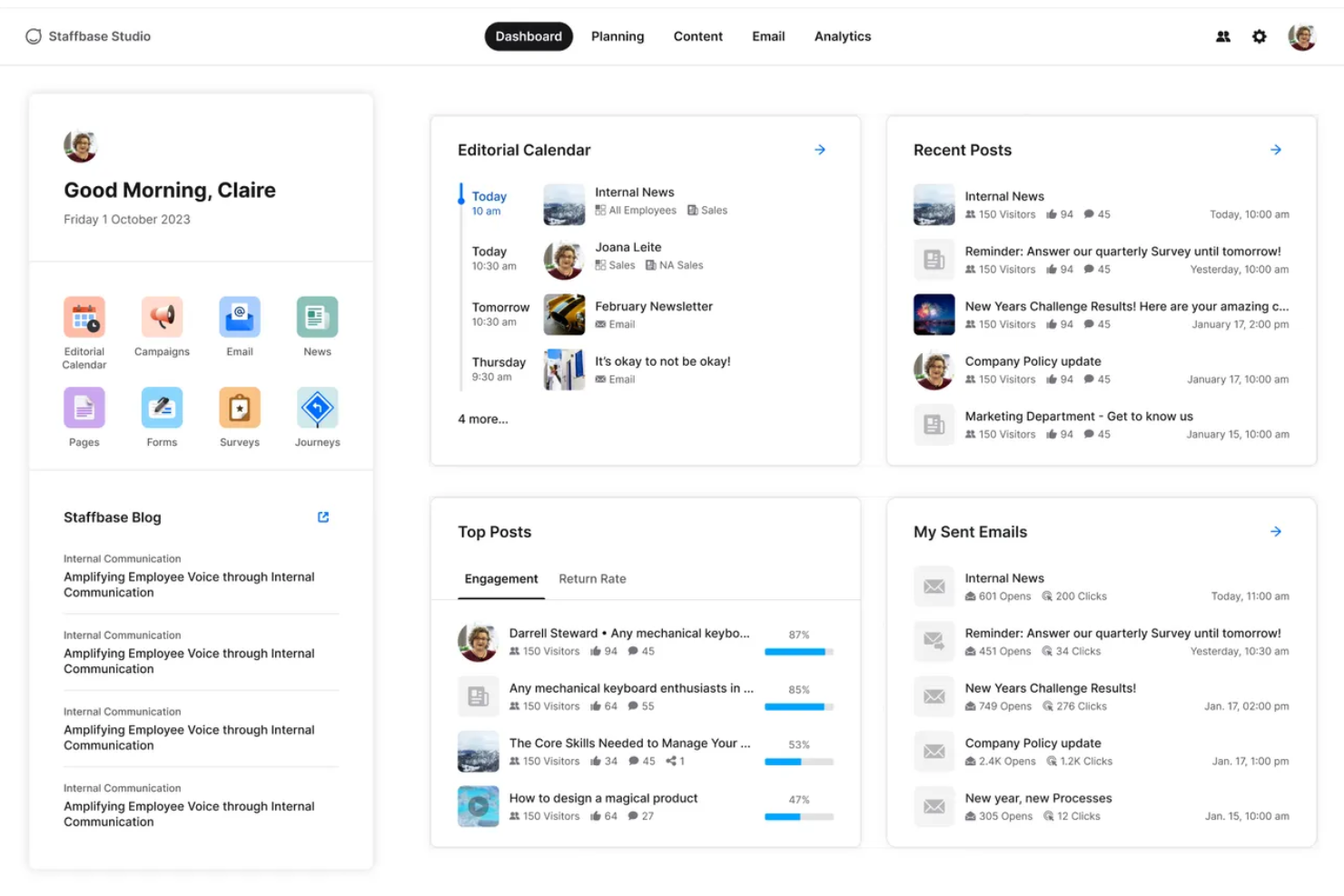
Staffbase is an enterprise intranet platform that brings together a no-code content editor, multichannel publishing, an AI-powered employee assistant, and frontline-ready mobile access across a single editorial workflow.
Who Is Staffbase Best For?
Staffbase is a strong fit for enterprise internal communications teams managing mixed workforces—where desk-based employees and frontline workers need to be reached through a single, unified channel strategy.
Why I Picked Staffbase
I picked Staffbase as one of the best because it's the only platform I've used that lets an IC team publish simultaneously to the intranet, employee app, email, digital signage, and Microsoft Teams from a single editorial workflow. What really sets it apart is the combination of per-channel analytics with read receipts and mandatory-read tracking, so you can see exactly where a message landed and who missed it. Its AI-powered Navigator assistant also surfaces verified answers from connected systems like SharePoint and Workday, cutting down on repetitive HR and IT queries without any manual curation.
Staffbase Key Features
- No-code drag-and-drop editor: Build and publish news posts and pages using a visual WYSIWYG editor with rich media embedding and branded templates—no developer needed.
- Employee journey automation: Trigger personalized onboarding, role-change, and exit communication sequences directly from HRIS data using lifecycle-stage audience rules.
- Federated search: Surface results from SharePoint, Google Drive, Confluence, and Box alongside Staffbase content in a single unified search experience.
- eNPS and pulse surveys: Run sentiment tracking and engagement measurement surveys that can be embedded in posts, emails, or sent as standalone campaigns with non-responder follow-up targeting.
Staffbase Integrations
Staffbase offers native integrations across the Microsoft ecosystem, Google Workspace, Workday, SAP SuccessFactors, ADP, Oracle, ServiceNow, Box, Confluence, and Cornerstone. Its REST API supports custom integrations.
Pros and Cons
Pros:
- Offline mobile app access for frontline employees
- Multichannel publishing from one editorial workflow
- AI-native assistant answers HR and IT questions
Cons:
- Implementation requires IT support and project resourcing
- No transparent public pricing available

Hub
Best for all-in-one intranet with flat-rate licensing
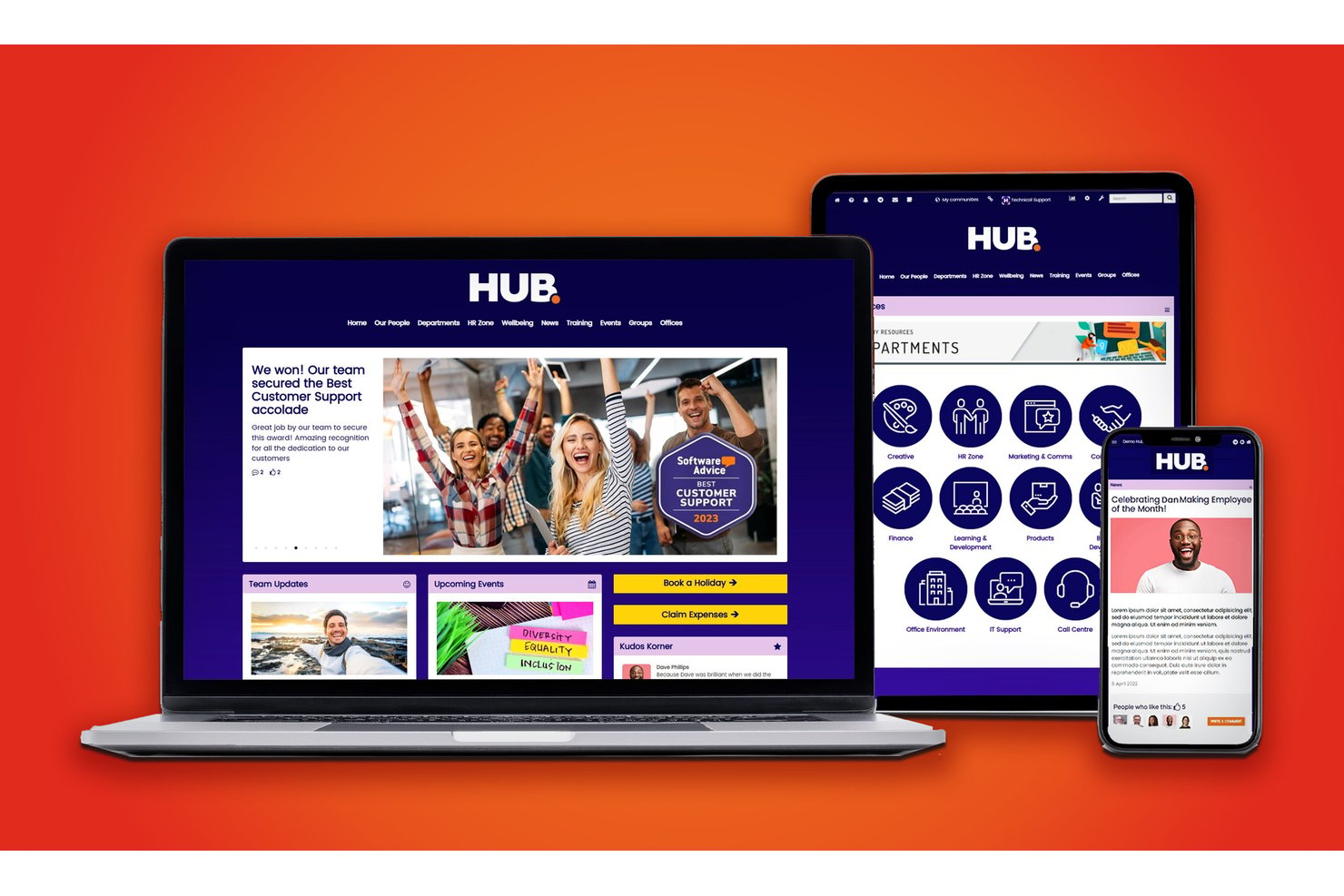
Hub is an intranet platform that brings together content publishing, employee directory, document management, social engagement, HR self-service tools, and an AI-powered knowledge base in a single environment.
Who Is Hub Best For?
Hub is a strong fit for mid-sized organizations whose HR, communications, and IT teams need a full-featured intranet without navigating tiered pricing or paying extra for core modules.
Why I Picked Hub
Hub earns its spot on my shortlist because its flat-rate licensing means every feature, from "Must Reads" compliance tracking to pulse surveys with wellbeing scoring, is included without gating anything behind a higher tier. I particularly like that HR and comms teams can run leave requests, internal job postings, and peer recognition from one environment without piecing together separate tools. The AI chatbot pulling answers directly from your company knowledge base is a genuinely useful touch for reducing repetitive HR queries at scale.
Hub Key Features
- Must Reads compliance tracking: Employees click to confirm they've read required content, with automated reminders sent to those who haven't.
- Pulse surveys with wellbeing scoring: Built-in surveys collect employee feedback and score results against wellbeing benchmarks.
- Federated search: A single search queries Hub and connected cloud drives like SharePoint, Google Drive, and Box simultaneously.
- Form builder with smart workflows: Custom forms route submissions to assigned owners, handling requests like IT tickets and holiday approvals.
Hub Integrations
Hub offers integrations with SharePoint, Google Drive, Box, Confluence, Slack, Microsoft Teams, Zendesk, Jira, Eventbrite, BambooHR, Microsoft 365, and Google Workspace, plus Microsoft Active Directory user sync.
Pros and Cons
Pros:
- Built-in compliance tracking for critical content
- 100+ granular permissions and audit trails
- All features included at one license price
Cons:
- No built-in multilingual publishing or translation
- Lacks native iOS and Android store apps
Blink
Best for Workday-connected frontline intranets
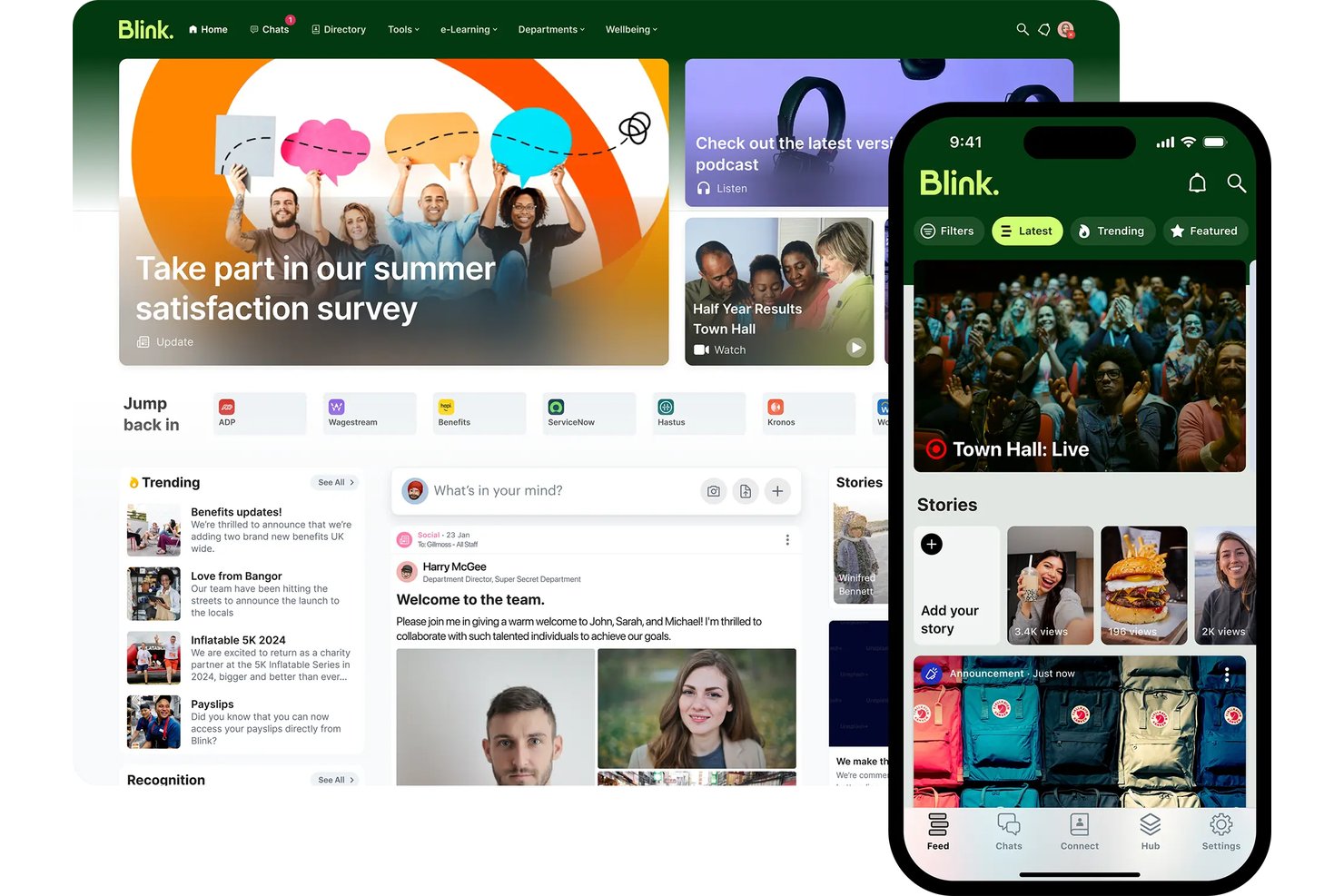
Blink is a mobile-first intranet platform built for frontline and deskless workforces, combining a social news feed, knowledge Hub, employee directory, pulse surveys, and AI-powered search.
Who Is Blink Best For?
Blink is a strong fit for mid-market and enterprise organizations with large frontline or deskless workforces—especially those already running Workday as their HRIS.
Why I Picked Blink
I picked Blink as one of the best because its Workday Platinum-certified, two-way integration goes far beyond basic provisioning. I've seen it surface Workday payslips, time-off requests, and learning reminders directly inside the Blink feed, so frontline workers get self-service HR access without ever logging into Workday separately. Blink's Employee Journeys then tie this together, automating onboarding content paths triggered by Workday start dates across populations that may never touch a desk.
Blink Key Features
- Blink IQ analytics: Real-time dashboards tracking reach, read receipts, engagement, and sentiment across the Feed, Chat, and Hub, with filtering by department, location, and job title.
- Mandatory Read: Pins critical announcements to the top of the Feed until employees acknowledge them, with read receipts tracked in real time.
- Communities: Dedicated virtual spaces organized around teams, ERGs, or initiatives, with flexible visibility and membership controls.
- Blink Lens: An AI analytics assistant within Blink IQ that answers data queries in plain language and flags metric changes without requiring a data analyst.
Blink Integrations
Blink offers native integrations with Workday, Microsoft SharePoint and M365, ServiceNow, Okta, Microsoft Entra ID, Google Workspace, Vimeo, and YouTube. Enterprise customers can use its Open API for custom integrations.
Pros and Cons
Pros:
- Multilingual publishing and AI translation included
- Workday-certified integration surfaces HR workflows natively
- Exceptional mobile access for frontline employees
Cons:
- No built-in task or workflow automation
- Knowledge management depth limited for heavy DMS needs

Haiilo
Best for multilingual frontline workforce comms
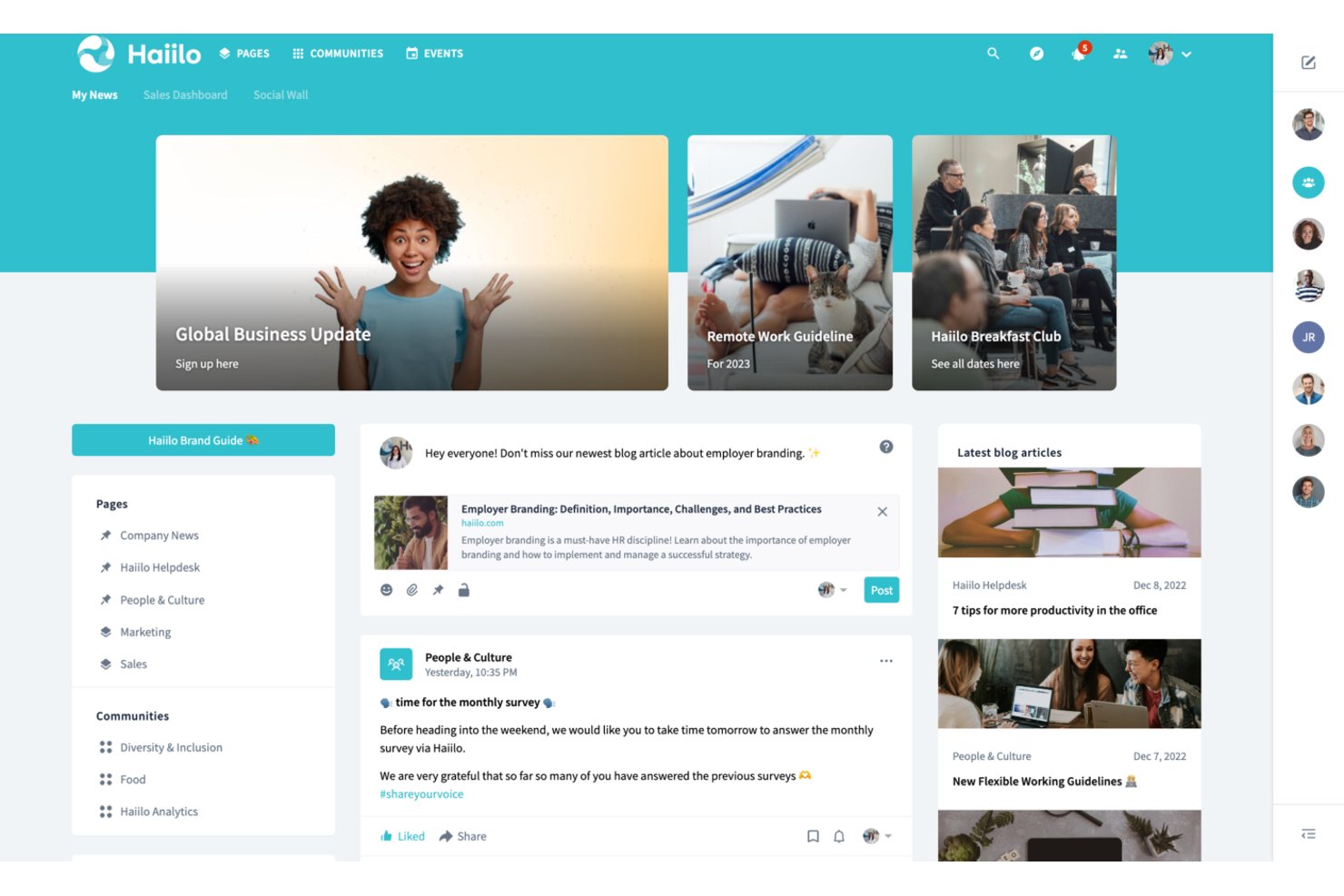
Haiilo is an enterprise intranet platform that brings together AI-powered content publishing, employee communications, knowledge management, social engagement tools, and a branded mobile app for frontline and desk-based workers alike.
Who Is Haiilo Best For?
Haiilo is a strong fit for mid-to-large enterprises with distributed or frontline workforces that need to reach employees across multiple languages and locations.
Why I Picked Haiilo
I picked Haiilo as one of the best because its native auto-translation across 28 languages genuinely sets it apart for companies with distributed, multilingual workforces. I've seen it remove a real barrier: a frontline worker in one country reads the same announcement as a colleague in another, each in their own language, with one-click translation handling the gap. The branded mobile app with push notifications and AI-spoken article summaries means deskless workers in retail, healthcare, or manufacturing stay connected without needing a desktop.
Haiilo Key Features
- Employee advocacy module: Share company content to external social channels with one-tap posting, AI-guided writing, and attribution analytics including LinkedIn impressions and UTM tracking.
- Pulse checks and polls: Collect real-time employee feedback directly within the intranet feed using built-in pulse surveys and poll tools.
- Enterprise Search Connector: Index Haiilo content in third-party search tools like Microsoft Search, and surface external content within Haiilo, with permissions respected throughout.
- Digital signage output: Publish internal communications to physical screens in locations like retail stores, hospitals, and warehouses directly from the content publishing workflow.
Haiilo Integrations
Haiilo offers 130+ pre-built integrations, including Workday, SAP SuccessFactors, Personio, HiBob, Okta, ServiceNow, and Jira. It also connects with Microsoft 365, Google Workspace, and Slack, with an open API for custom integrations.
Pros and Cons
Pros:
- AI assistant drafts, summarizes, and translates content
- Branded mobile app supports frontline workers
- Multilingual auto-translation covers 28 languages
Cons:
- Platform design customization options are limited
- Document search receives mixed user feedback

Best for on-premise intranet with compliance controls
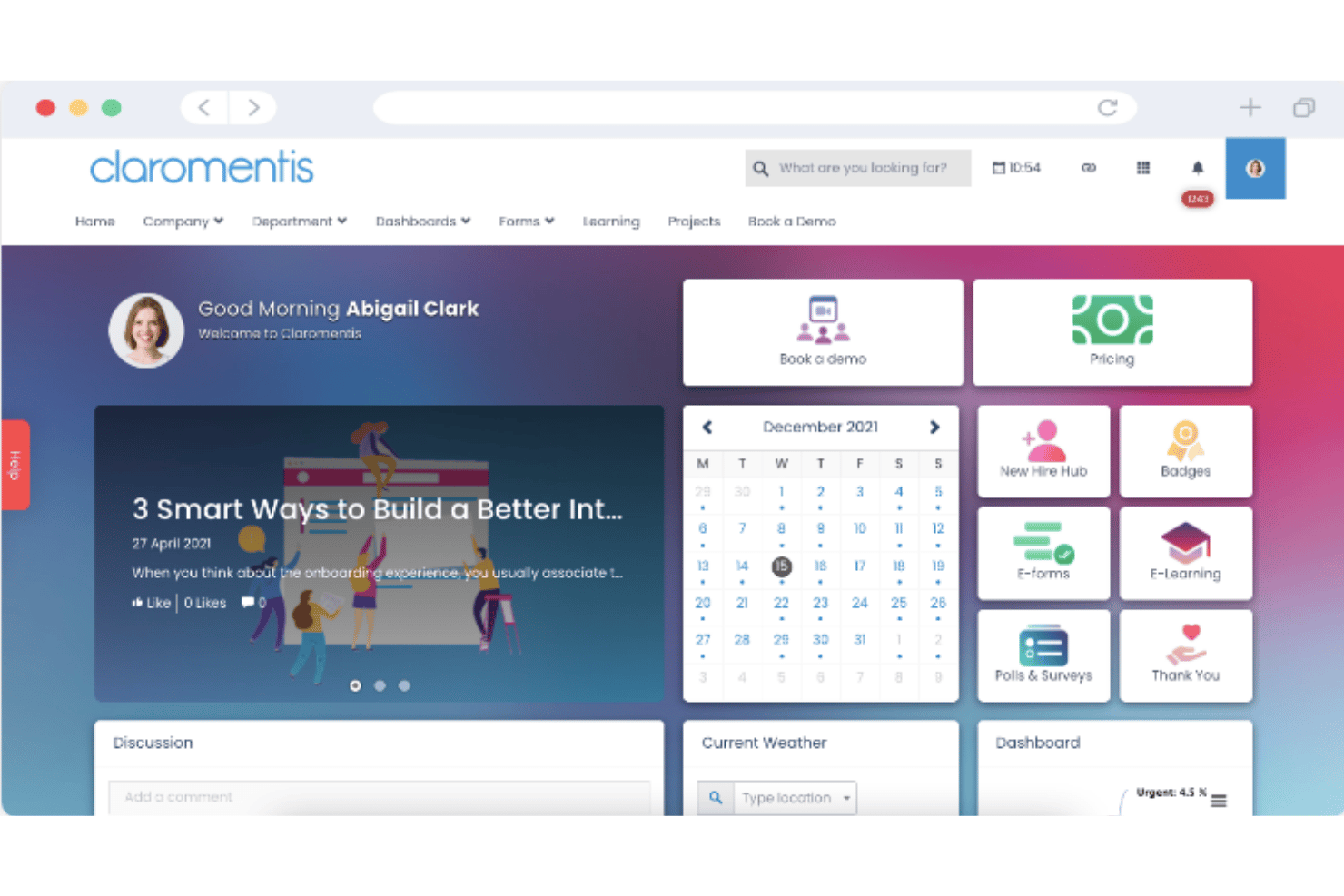
Claromentis is an enterprise intranet platform that brings together content publishing, document management, knowledge base, business process automation, an SCORM-compliant LMS, and social engagement tools in a single, deployable-on-premise or cloud environment.
Who Is Claromentis Best For?
Claromentis is a strong fit for mid-market organizations in regulated industries—healthcare, finance, or legal—that need on-premise deployment options alongside strict access controls and compliance tracking.
Why I Picked Claromentis
I've included Claromentis in my top picks because it's one of the few intranet platforms that genuinely supports on-premise deployment alongside cloud, which matters enormously if your organization operates in healthcare, finance, or legal. I particularly like the mandatory "read and accept" Announcements feature, which blocks intranet access until employees acknowledge a message, and the AI Policy Manager, which tracks policy acknowledgment and answers employee questions via chatbot. Pair those with ISO 27001:2022 certification, HIPAA compliance, and granular audit logs, and you have a compliance posture that most intranet vendors simply don't match.
Claromentis Key Features
- No-code drag-and-drop page builder: Build and edit intranet pages using 40+ widgets without writing any code, giving non-technical admins full control over layout and design.
- SCORM-compliant LMS: Create and deliver onboarding pathways, compliance training courses, and certifications directly within the platform, with training analytics and completion tracking.
- Business process automation (InfoCapture): Design e-forms and automated workflows with conditional logic, SLA timers, and status tracking to manage HR processes like expense submissions and time-off requests.
- Employee recognition and badges: Send peer-to-peer thank-you messages, shout-outs, and award badges to colleagues directly within the intranet's social engagement layer.
Claromentis Integrations
Claromentis integrates with Microsoft Active Directory, Okta, Microsoft Teams, Google Drive, OneDrive, Box, Jira, Trello, and Slack. An open API and custom development services support additional integrations.
Pros and Cons
Pros:
- AI-driven policy manager with acknowledgment tracking
- Mandatory read-and-accept for critical messages
- On-premise deployment option for compliance needs
Cons:
- Admin interface complexity requires setup expertise
- Limited built-in HRIS integrations available
Workvivo
Best for Zoom-native social intranet at scale
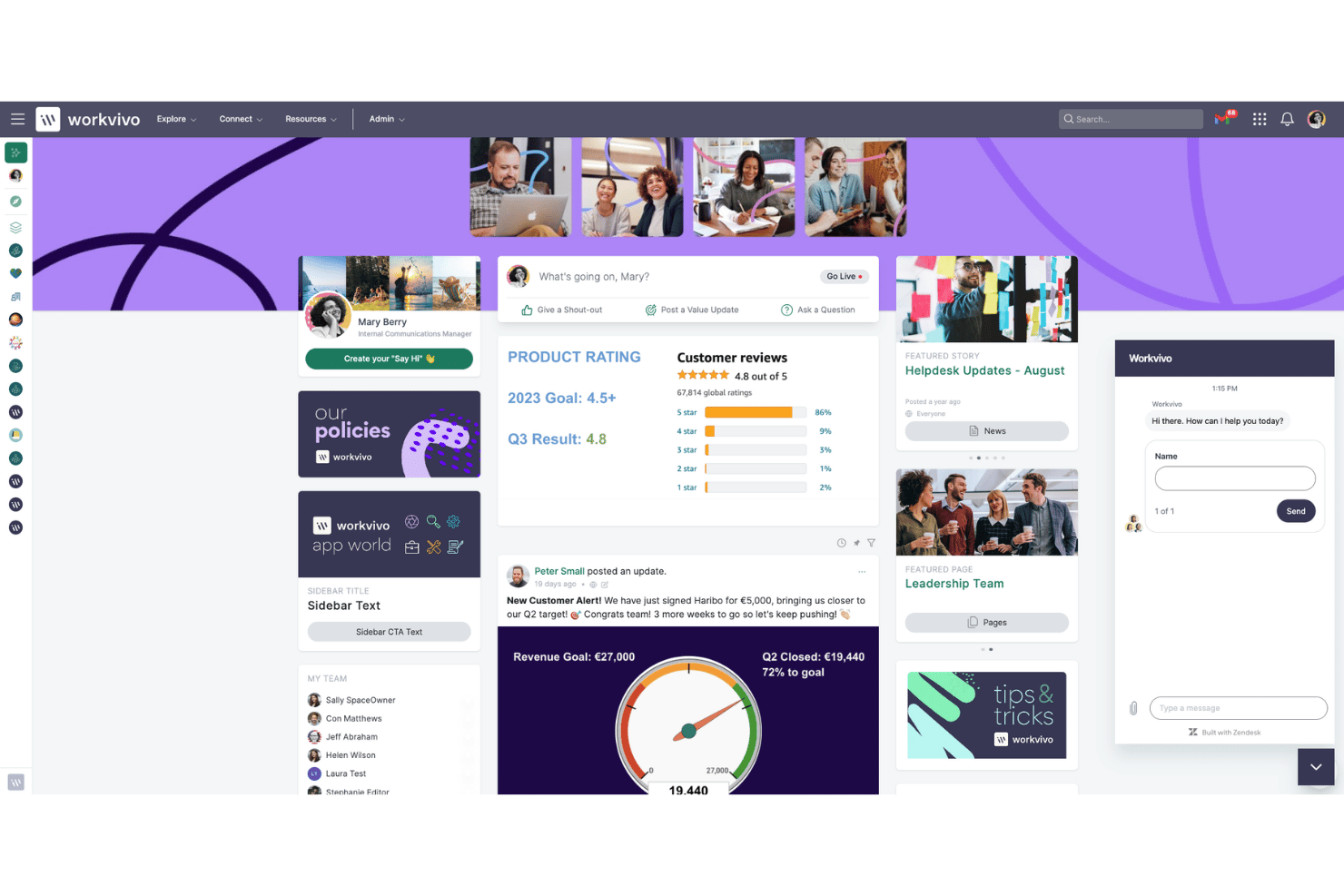
Workvivo is an enterprise intranet platform that brings together internal communications, employee engagement, knowledge management, and lifecycle automation in a social-media-style interface built for both desk-based and frontline workers.
Who Is Workvivo Best For?
Workvivo is a strong fit for large enterprises with significant frontline or deskless workforces that need a single platform to connect desk-based and field employees at scale.
Why I Picked Workvivo
I picked Workvivo as one of the best because it's the only enterprise intranet built natively inside the Zoom ecosystem, which means video, voice, and AI Companion aren't bolted on as afterthoughts. I love how Workvivo Journeys automates lifecycle moments like 30/60/90-day check-ins and onboarding without manual HR intervention, and Ask HQ lets employees search across SharePoint, Google Drive, and Workday in plain language from a single bar.
Workvivo Key Features
- Smart Activity Feed: A dynamic, personalized content feed that surfaces company news, posts, and updates based on each employee's role, team, and location.
- Workvivo Journeys: An automated workflow engine that triggers personalized content, tasks, and surveys for employees based on lifecycle stage, department, or start date.
- Seer engagement surveys: A people intelligence add-on with a 12-factor engagement model, pulse surveys, AI comment analysis, and manager dashboards with recommended next steps.
- Workvivo TV: A digital signage add-on that displays company communications on shared workplace screens, reaching frontline workers without requiring individual device logins.
Workvivo Integrations
Workvivo offers 40+ integrations, including Microsoft 365 and Entra ID, Google Workspace, Zoom, Slack, Salesforce, Workday, UKG, and ServiceNow. It also provides an open API, SDK, and webhooks for custom integrations.
Pros and Cons
Pros:
- Automates onboarding, check-ins, and policy rollouts
- AI-powered search spans all connected repositories
- Social-media-style engagement surpasses typical intranets
Cons:
- Search performance can lag in large organizations
- Some features require separate paid add-ons

Simpplr
Best for analyst-recognized intranet adoption
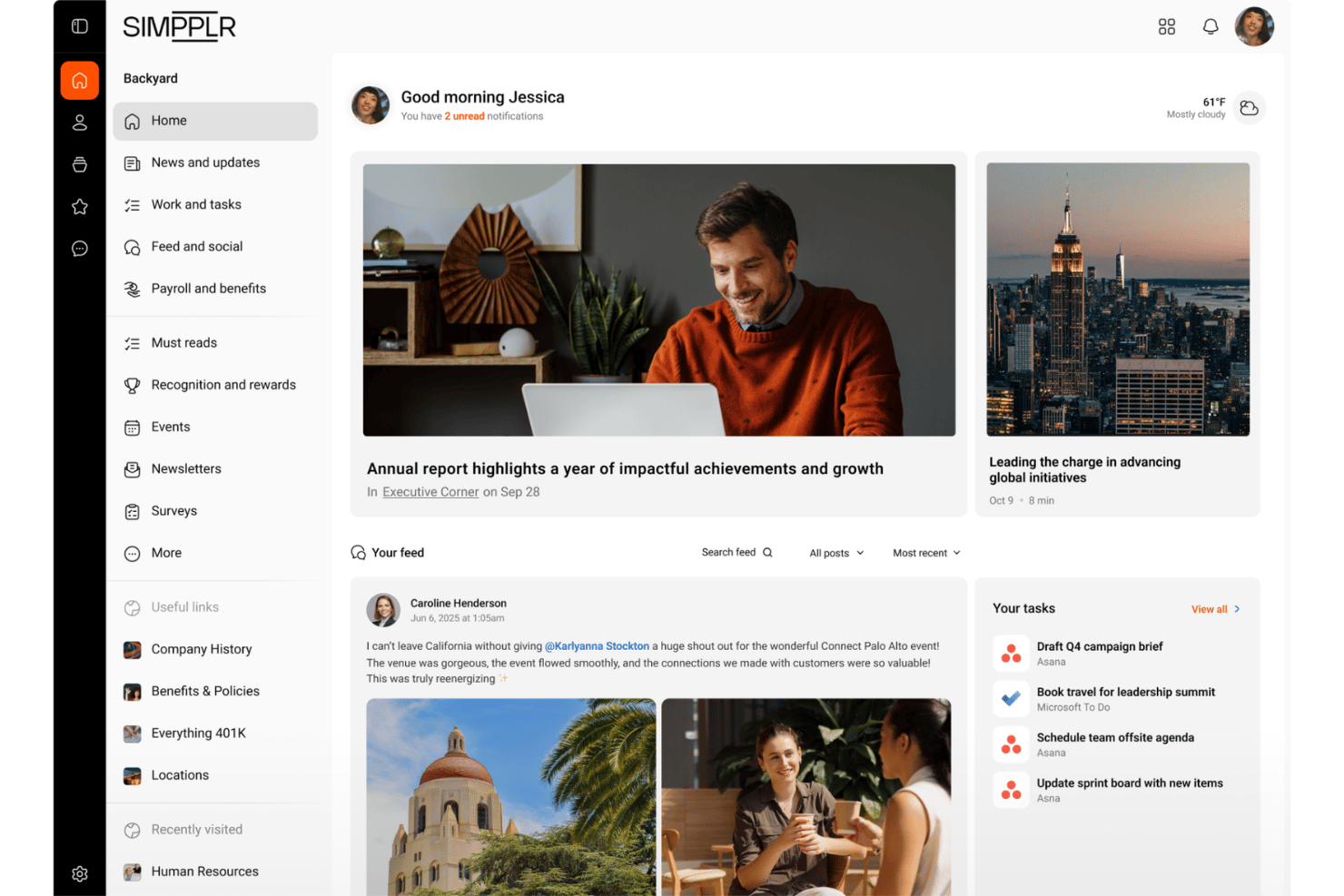
Simpplr is an AI-powered enterprise intranet platform that combines multichannel content publishing, federated knowledge search, employee directory management, pulse surveys, and sentiment analytics in a single Digital Work Hub.
Who Is Simpplr Best For?
Simpplr is a strong fit for enterprise HR and internal communications teams that need analyst-validated proof points to drive leadership buy-in for a new intranet investment.
Why I Picked Simpplr
Simpplr earns its spot on my shortlist because it's the only intranet vendor recognized as a leader across Gartner Magic Quadrant, Forrester Wave, G2, and IDC MarketScape simultaneously. I find that kind of cross-analyst validation genuinely useful when you're building a business case internally, since skeptical stakeholders are harder to push back against verified third-party recognition. The Auto-Governance Engine™ keeps content fresh automatically, and the EX Knowledge Graph personalizes homepages by role, tenure, and behavior without manual configuration.
Simpplr Key Features
- Comms AI workspace: A dedicated AI environment for internal communications teams that drafts channel-specific content matched to individual sender voice profiles and manages cross-channel publishing from a single interface.
- Recognition and rewards module: Employees can give peer-to-peer recognition tied to company values, with redeemable points, automated milestone awards, and nomination-based recognition options.
- AI-powered sentiment analysis: Captures emotional signals from both active and passive employee interactions over time, surfacing aggregated insights for HR and leadership via role-specific dashboards.
- ABAC-driven audience targeting: Attribute-based access control lets you segment and target content delivery by role, department, location, tenure, and lifecycle stage with granular precision.
Simpplr Integrations
Simpplr offers 200+ pre-built integrations, including Microsoft 365, Google Workspace, Workday, UKG, Oracle HCM, SAP SuccessFactors, Slack, Zoom, SharePoint, and Confluence. Its Extensibility Center provides open APIs for custom integrations.
Pros and Cons
Pros:
- Analyst leader in four major industry reports
- Auto-Governance Engine flags stale intranet content
- Industry-first AI-powered enterprise search
Cons:
- Surveys and analytics require premium add-ons
- Design flexibility limited by predefined templates

LumApps
Best for global orgs on M365 and Google Workspace
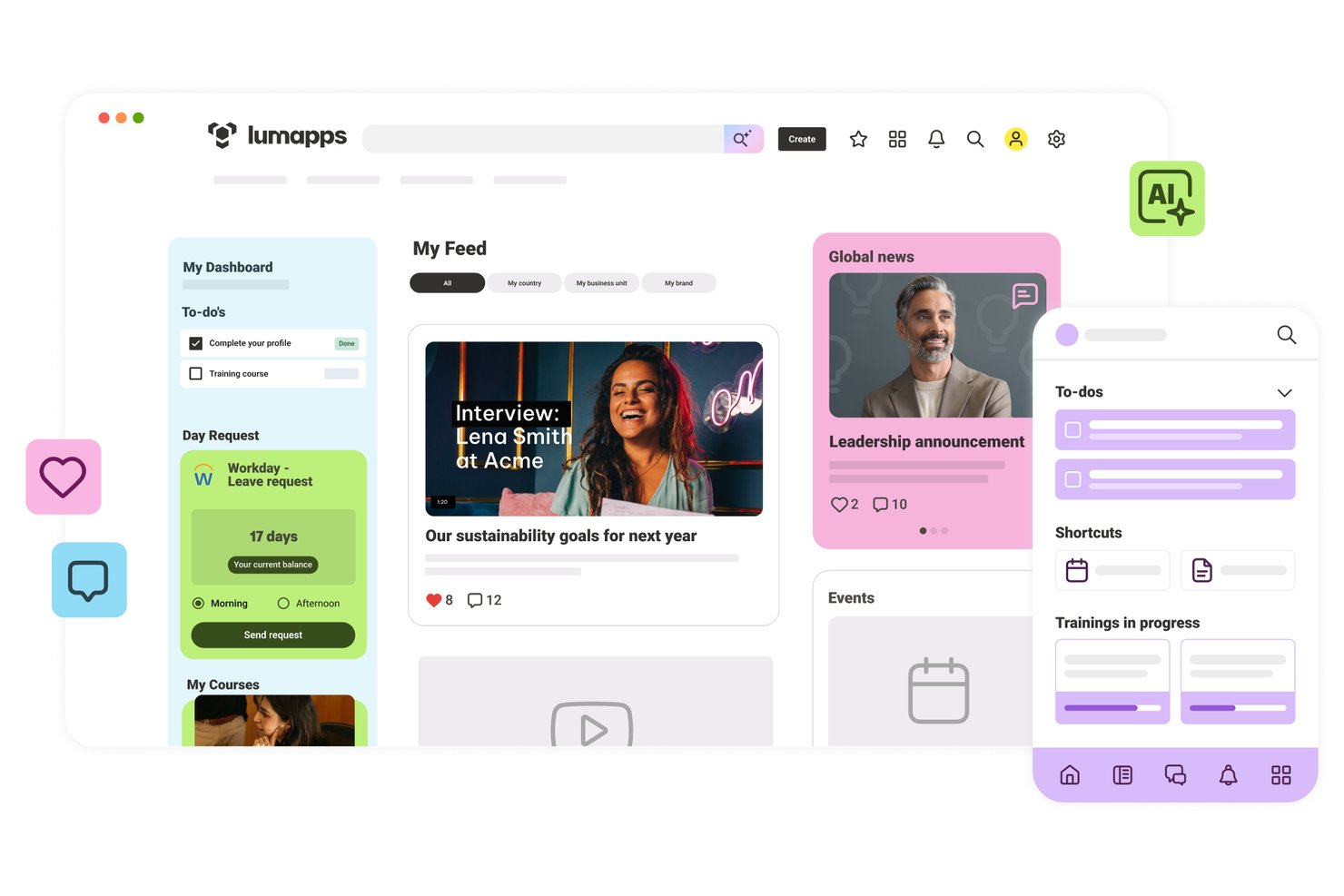
LumApps is an enterprise intranet platform built for global organizations, offering AI-powered content publishing, employee directories, knowledge management, pulse surveys, and deep integrations with Microsoft 365 and Google Workspace.
Who Is LumApps Best For?
LumApps is a strong fit for large, globally distributed organizations that run Microsoft 365 or Google Workspace and need a single intranet to connect desk-based and frontline employees across multiple languages and regions.
Why I Picked LumApps
LumApps earns its spot on my shortlist because it's one of the few intranet platforms built to run natively inside both Microsoft 365 and Google Workspace, not alongside them. I especially like its AI auto-translation across 200+ languages, which means a global communications team can publish once and reach frontline workers in dozens of regions without manual localization. The Agent Hub is also genuinely useful: employees can query HR policies or IT procedures in plain language and get answers sourced from governed company documents.
LumApps Key Features
- Mandatory-read tracking: Flag specific content as required reading and track which employees have confirmed they've seen it, with read-receipt data available to admins.
- Pulse surveys and sentiment analysis: Run built-in pulse surveys and collect anonymous feedback, with AI-driven sentiment analysis on comments and reactions to monitor workforce morale.
- Role-based homepage personalization: Deliver dynamically tailored homepages and content feeds based on each employee's department, location, role, and lifecycle stage.
- No-code Micro-App builder: Use the LumApps SDK and no-code builder to create custom widgets and mini-apps that surface data from third-party tools directly inside the intranet.
LumApps Integrations
LumApps offers 100+ integrations, including Microsoft 365, Google Workspace, Workday, SAP SuccessFactors, ServiceNow, Slack, and Microsoft Teams. It also supports custom connections through its open API and LumApps SDK.
Pros and Cons
Pros:
- Real-time employee sentiment analytics built in
- Auto-translates content to 200+ languages
- Strong AI tools for content and search
Cons:
- Frequent updates can confuse administrators
- Some analytics require premium add-ons

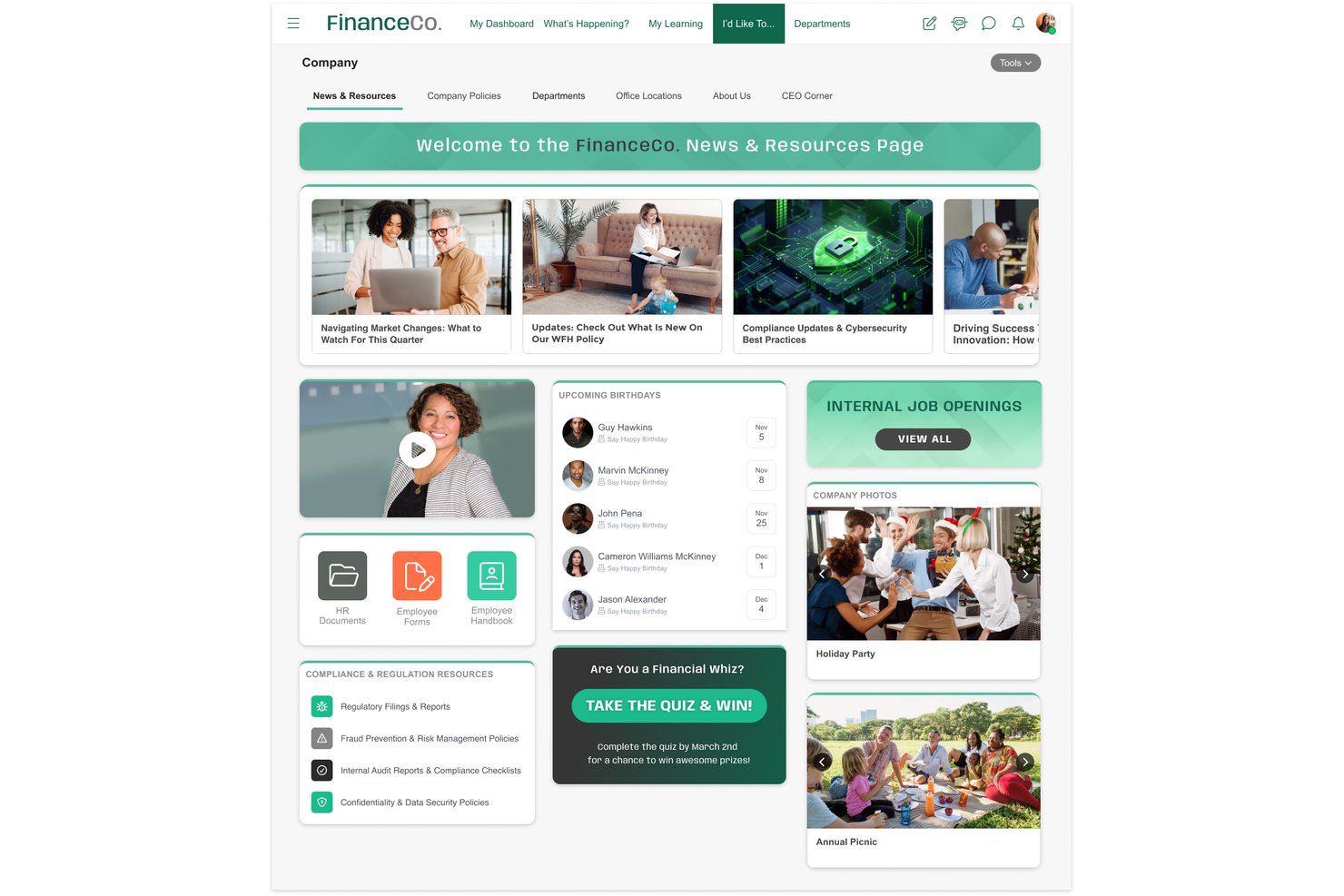
MangoApps is an enterprise intranet platform that combines a branded employee portal, AI-powered knowledge management, multi-channel content publishing, social engagement tools, and frontline workforce support across desk and deskless teams.
Who Is MangoApps Best For?
MangoApps is a strong fit for regulated industries like healthcare and government that need a certified, compliance-ready intranet for both desk and deskless employees.
Why I Picked MangoApps
MangoApps earns its spot on my shortlist because it's one of the only enterprise intranet platforms holding both HITRUST CSF and FedRAMP ATO certifications, which matters enormously if your organization operates in healthcare or the public sector. I particularly like that these aren't just checkboxes: the platform runs on single-tenant architecture with full data isolation, real-time audit logs, and DLP controls baked in at the platform level. Its AI assistants also inherit role-based permissions and never pull from the open internet, so governed knowledge delivery is built into the experience.
MangoApps Key Features
- Multi-channel content publishing: Publish a single piece of content simultaneously to the in-app feed, email, SMS, push notifications, and digital signage from one interface.
- Campaign and journey builder: Design multi-touch communication campaigns and employee lifecycle journeys with sequenced content delivery and scheduling.
- Pulse surveys and eNPS tracking: Run anonymous pulse surveys and eNPS polls with built-in analytics dashboards showing participation and sentiment by audience segment.
- Federated semantic search: Search across MangoApps and connected repositories like SharePoint, Google Drive, and ServiceNow in a single AI-powered query.
MangoApps Integrations
MangoApps offers 200+ native integrations, including Workday, UKG, ADP, BambooHR, SAP SuccessFactors, Microsoft 365, Google Workspace, Okta, ServiceNow, and Box. REST API and webhooks support custom integrations.
Pros and Cons
Pros:
- Supports frontline workers without corporate email
- Native AI tools with full governance
- Certified for HITRUST and FedRAMP compliance
Cons:
- Some users report mobile app inconsistencies
- Extensive features can feel overwhelming
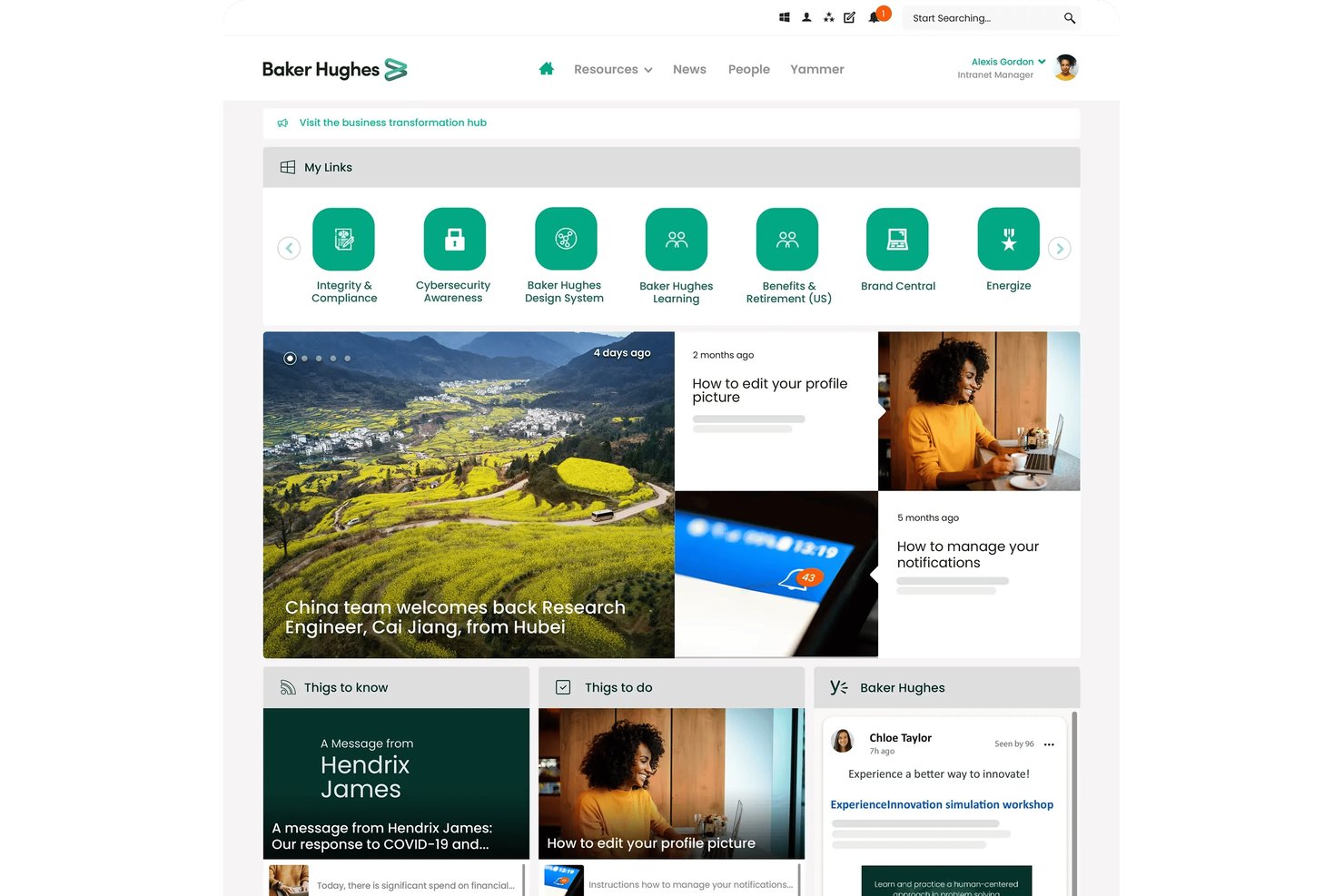
Unily is an AI-native enterprise intranet platform that combines multichannel content publishing, employee journey automation, unified enterprise search, social engagement tools, and conversational AI task execution across connected business systems.
Who Is Unily Best For?
Unily is built for large enterprises—typically 1,000+ employees—that need a centralized digital workplace with AI-driven personalization, lifecycle journey automation, and deep integrations across HR, IT, and productivity systems.
Why I Picked Unily
I picked Unily as one of the best because it's built from the ground up around AI, not retrofitted with it. What impresses me most is the Employee Journeys module, which automatically enrolls employees into sequenced, multichannel experiences (onboarding, parental leave, role transitions) based on live HRIS data synced from Workday or SAP. Pair that with Unily Glass, a conversational AI layer that lets employees complete HR requests or IT tickets without leaving the intranet, and you have a platform that genuinely operationalizes AI across the employee lifecycle.
Unily Key Features
- Unified enterprise search: Search across intranet content, people profiles, and connected external systems like SharePoint, Confluence, and ServiceNow from a single query interface.
- AI-powered content translation: Automatically publish content in multiple languages simultaneously, with protected-terms functionality that preserves brand names and acronyms across translations.
- Gamification tools: Award points, badges, and leaderboard rankings to employees, and let teams submit and upvote ideas through the built-in ideation hub.
- Broadcast email with analytics: Send targeted, scheduled email communications to segmented audiences and track delivery rates, open rates, and click-throughs from a single dashboard.
Unily Integrations
Unily supports 50+ integrations, including Microsoft 365, Google Workspace, Workday, SAP HR, HiBob, ServiceNow, Salesforce, Confluence, Slack, and Zoom. Platform Extensibility provides REST APIs and SDKs for custom integrations.
Pros and Cons
Pros:
- Conversational AI executes tasks across systems
- Advanced multi-language auto-translation support
- AI-native employee journey automation built-in
Cons:
- Key functions require add-on purchases
- Opaque enterprise pricing with no trial
Annen programvare for bedriftsintranett
Her er noen flere alternativer for programvare til bedriftsintranett som ikke kom med på kortlisten min, men som likevel er verdt å se nærmere på:
- ThoughtFarmer
For knowledge-worker intranet with AI search
- Interact Software
For recognition-driven employee engagement
- Axero
For all-in-one intranet with on-prem option
- Jostle
For mid-market intranet with AI Q&A included
- Happeo
For Google Workspace-native intranet
- Microsoft SharePoint
For M365 document governance at enterprise scale
- Appspace
For omnichannel signage and intranet in one
- Firstup
For lifecycle-triggered intranet journeys
- Powell Intranet
For M365 intranet with grounded AI copilots
- Viva Connections
For M365 intranet across frontline and office


How I Evaluate Enterprise Intranet Software
I split my evaluation into baseline capabilities every tool must cover and the differentiators that separate a solid intranet from the right one for your workforce.
Core Functionality (Table Stakes For This List)
When I'm selecting tools for my list, I rank each one on a scale from 0 (does not offer the functionality) to 5 (excels in this area) for each core functionality listed below. I then calculate the tool's total score into a percentage, using 75% as a benchmark to help assess its overall fit for the list.
- Content & publishing: I check whether the platform supports drag-and-drop page building, scheduling, templates, and approval workflows—things IC teams need to keep company news timely and on-brand.
- Employee directory & profiles: A searchable directory with org chart navigation, skills tagging, and HRIS sync matters here, especially for orgs where new hires need to find the right person fast.
- Document & knowledge management: I evaluate how each tool handles versioning, permissions, and search across policies and knowledge base articles, since outdated or buried documents are a constant pain point for HR teams.
- Social engagement tools: Features like comments, reactions, polls, communities, and activity feeds show me whether employees can actually interact with content rather than just consume it.
- Permissions & access control: I look for granular role-based access, audience targeting, SSO, and SCIM provisioning so IT teams can manage who sees what without manual upkeep.
- Integrations & mobile access: The tool should connect with platforms like Microsoft 365, Google Workspace, Slack, and major HRIS systems, and offer a native mobile app with push notifications for frontline workers.
Once I have a list of tools that meet the criteria, I consider what sets each platform apart.
Differentiating Factors (What Sets Vendors Apart)
Here's how I compare and contrast different vendors:
Standout Features
I look for AI-powered search that goes beyond keyword matching—tools like Unily and Simpplr use generative AI to surface direct answers from policies and past posts, which cuts down repetitive questions hitting HR and IT. Multilingual auto-translation is essential for global workforces; I check whether platforms translate not just pages but also comments and push notifications. I also evaluate campaign analytics dashboards, since IC teams need read-receipt tracking and audience reach data to prove mandatory comms actually landed.
Beyond Features
I evaluate how well each platform supports deskless and frontline workers—things like shared-device login, QR-code onboarding, and offline mobile access matter when your workforce doesn't sit at a desk. HRIS integration depth is equally important; I check for pre-built connectors to systems like Workday, SAP SuccessFactors, or BambooHR that auto-sync org charts and trigger onboarding checklists from lifecycle events. I also consider total cost of ownership, since some vendors bundle AI and analytics into base pricing while others charge extra for each module as you scale.
Slik velger du programvare for bedriftsintranett
Hva bør du fokusere på når du skal begrense utvalget av programvare for bedriftsintranett ut fra teamets reelle behov for kommunikasjon, sikkerhet og integrasjon?
| Hvis prioriteten din er … | Se etter … |
|---|---|
| Å nå ansatte uten fast arbeidsplass eller førstelinjeansatte | Innlogging på delte enheter, mobiltilgang uten nett og QR-kodebasert onboarding |
| Flerspråklig kommunikasjon | Automatisk oversettelse av sider, varsler og kommentarer |
| Omfattende integrasjon med HR-systemer | Ferdigbygde koblinger til Workday, SAP eller BambooHR |
| Å sikre samsvar med krav eller revisjonskrav | Revisjonslogger, detaljerte tilgangskontroller og lokal hosting |
| Å måle effekten av kommunikasjonen | Kampanjeanalyse og verktøy for sporing av lest-kvitteringer |
Slik vurderer du kortlisten
- Test tilgjengelighet for førstelinjeansatte: Simuler en mobilinnlogging på en delt enhet eller en enhet uten nett, og dokumenter eventuelle hindringer på under 30 minutter.
- Kontroller støtte for flere språk: Opprett et nyhetsinnlegg på ett språk, og kontroller automatisk oversettelse av kommentarer og varsler i løpet av én praktisk test.
- Valider HRIS-integrasjonen: Be om en demonstrasjon som viser sanntidssynkronisering fra HRIS-systemet ditt (f.eks. Workday) til organisasjonskartet i intranettet innen to arbeidsdager.
- Be om dokumentasjon på samsvar: Be om en nylig eksport av revisjonsloggen og en kopi av deres SOC 2- eller HITRUST-sertifisering før kontraktsforhandlingene.
- Avveining: Avgjør om dyp integrasjon med HR-teknologistakken din eller brukervennlighet for førstelinjeansatte er viktigst for den langsiktige bruken av intranettet.
Hva er intranettprogramvare for virksomheter?
Intranettprogramvare for virksomheter er en digital plattform som kobler sammen ansatte på tvers av en organisasjon og samler bedriftskommunikasjon, ressurser og samarbeidsverktøy på ett sikkert sted. Du bruker den til å publisere oppdateringer, lagre dokumenter, administrere intern kunnskap og fremme medarbeiderengasjement. Denne programvaren spiller en viktig rolle for HR- og kommunikasjonsteam som trenger å nå ansatte som arbeider på ulike steder, snakker ulike språk eller jobber i førstelinjen, samtidig som de støtter etterlevelse av regelverk og samordning med eksisterende arbeidsplassplattformer.
Funksjoner
Når du velger intranettprogramvare for virksomheter, bør du se etter følgende viktige funksjoner:
- Innhold og publisering: Opprett, administrer og planlegg interne nyheter, kunngjøringer og oppdateringer ved hjelp av dra-og-slipp-baserte sideverktøy, tilpassbare maler og arbeidsflyter for godkjenning. Dette holder bedriftsinformasjonen aktuell, konsekvent og tilgjengelig for alle ansatte.
- Ansattkatalog og profiler: Gi teamet ditt en søkbar katalog med detaljerte profiler, inkludert ferdigheter, kontaktinformasjon og navigering i organisasjonskartet. Dette gjør det enklere for ansatte å komme i kontakt med hverandre, finne ekspertise og forstå rapporteringslinjer.
- Dokument- og kunnskapsstyring: Organiser retningslinjer, håndbøker og intern kunnskap på ett sted med innebygd versjonskontroll, tilgangsinnstillinger og avansert søk. Du sikrer at alle får tilgang til nøyaktig og oppdatert informasjon uten problemer.
- Verktøy for sosialt engasjement: Legg til rette for kommentarer, reaksjoner, avstemninger og gruppefellesskap som lar ansatte samhandle med innhold og kolleger. Dette øker deltakelsen, synliggjør tilbakemeldinger og fremmer bedriftskulturen.
- Tillatelser og tilgangskontroll: Administrer hvem som kan se og redigere innhold gjennom detaljerte rollebaserte tillatelser, målretting mot målgrupper, SSO og klargjøring av brukere. Dette hjelper deg med å beskytte sensitive data og sikre at bare de rette personene ser den rette informasjonen.
- Integrasjoner og mobiltilgang: Koble til verktøy som Microsoft 365, Google Workspace, Slack og større HRIS-systemer. En innebygd mobilapp med push-varsler hjelper deg med å nå ansatte uten fast skrivebord eller ansatte i førstelinjen like enkelt som kontoransatte.
- Flerspråklig støtte: Oversett oppdateringer, dokumenter, kommentarer og varsler for globale team. Denne funksjonen sikrer at alle – uavhengig av språk – holder seg informert og inkludert.
- Kampanjeanalyse: Følg med på engasjementet ved hjelp av lesebekreftelser, klikkfrekvenser og oversikter over målgrupperekkevidde. Denne innsikten hjelper HR- og kommunikasjonsteam med å måle effekten av viktige oppdateringer og kommunikasjon knyttet til etterlevelse av regelverk.
- HRIS-integrasjon: Synkroniser ansattdata, organisasjonskart og hendelser i de ansattes livssyklus med systemer som Workday, SAP SuccessFactors eller BambooHR. Dette automatiserer oppdateringer og reduserer manuelt arbeid for HR-teamet.
- Støtte for førstelinjeansatte: Tilby innlogging fra delte enheter, onboarding med QR-koder og mobiltilgang uten nett for å gjøre intranettet praktisk for ansatte uten regelmessig tilgang til datamaskin. Dette inkluderer alle teammedlemmer i bedriftskommunikasjonen, uansett hvor de arbeider.
Fordeler
Implementering av intranettprogramvare for virksomheter gir flere fordeler for teamet og virksomheten din. Her er noen av fordelene du kan se frem til:
- Sentralisert bedriftskommunikasjon: Samle nyheter, oppdateringer og endringer i retningslinjer på ett sikkert og søkbart sted ved hjelp av publiseringsverktøy og automatiserte varsler.
- Bedre kontakt mellom ansatte: Hjelp alle med raskt å finne kolleger, ferdigheter og team ved hjelp av kataloger, organisasjonskart og funksjoner for profilsøk.
- Enklere tilgang til dokumenter og kunnskap: Gjør håndbøker, retningslinjer og intern kunnskap enkle å finne, og hold dem oppdatert med avansert søk og versjonskontroll.
- Økt engasjement og bedre tilbakemeldinger: Oppmuntre til deltakelse i hele virksomheten gjennom sosiale funksjoner som kommentarer, reaksjoner og avstemninger i interne innlegg.
- Bedre sikkerhet og etterlevelse: Kontroller sensitiv informasjon med detaljerte tillatelser, revisjonslogger og tilgangskontroller som er tilpasset kravene til etterlevelse.
- Sømløse integrasjoner og mobilbruk: Koble til Microsoft 365, Google Workspace, HRIS-plattformer og mer, og nå i tillegg team uten fast skrivebord med mobilapper og push-varsler.
- Inkludering av en global arbeidsstyrke: Sørg for at alle ansatte holder seg informert med flerspråklig støtte som inkluderer automatisk oversettelse av oppdateringer, kommentarer og varsler.
Kostnader og priser
Valg av intranettprogramvare for virksomheter krever en forståelse av de ulike prismodellene og planene som er tilgjengelige. Kostnadene varierer basert på funksjoner, teamstørrelse, tillegg og annet. Tabellen nedenfor oppsummerer vanlige planer, gjennomsnittsprisene deres og typiske funksjoner som er inkludert i løsninger for intranettprogramvare for virksomheter:
Sammenligningstabell for planer for intranettprogramvare for virksomheter
| Plantype | Gjennomsnittspris | Vanlige funksjoner |
|---|---|---|
| Gratisabonnement | $0 | Grunnleggende publisering av innhold, begrenset ansattkatalog, dokumentlagring og viktige verktøy for sosialt engasjement. |
| Personlig abonnement | $5–$10/bruker/måned | Tilgang for én bruker, tilpassede profiler, enkel kunnskapsforvaltning og begrensede integrasjoner. |
| Bedriftsabonnement | $8–$20/bruker/måned | Tilgang for flere brukere, avansert dokumentstyring, teamchat, analyse, SSO, integrasjoner og mobiltilgang. |
| Virksomhetsabonnement | $15–$40/bruker/måned | Avanserte tillatelser, HRIS-synkronisering, flerspråklig støtte, kampanjeanalyse, verktøy for etterlevelse og prioritert brukerstøtte. |
Vanlige spørsmål om programvare for bedriftsintranett
Her er noen svar på vanlige spørsmål om programvare for bedriftsintranett:
Hvordan kan jeg sikre at intranettet vårt støtter ansatte uten fast arbeidsplass eller førstelinjeansatte?
Begynn med å se etter funksjoner som pålogging på delte enheter, introduksjon av nyansatte med QR-kode og frakoblet mobiltilgang. Disse funksjonene gjør det mulig for førstelinjeansatte å få tilgang til ressurser og oppdateringer selv uten en dedikert arbeidsdatamaskin. Be leverandørene demonstrere pålogging på en delt enhet eller uten nett under evalueringen, og test realistiske situasjoner, for eksempel tilgang til oppdateringer fra en mobilapp på et butikkområde eller lager.
Hvilke HRIS-integrasjoner bør jeg prioritere i en intranettplattform?
Fokuser på ferdigbygde koblinger til det sentrale HR-systemet ditt, for eksempel Workday, SAP SuccessFactors eller BambooHR. Prioriter plattformer som tilbyr synkronisering av organisasjonskart i sanntid, og som kan utløse arbeidsflyter basert på hendelser i ansattes livssyklus, for eksempel introduksjon av nyansatte eller overføringer. Dette reduserer behovet for manuelle oppdateringer og holder dataene nøyaktige for HR- og IT-teamene.
Hvordan hjelper kampanjeanalyse HR- og kommunikasjonsteam?
Kampanjeanalyse viser hvem som har åpnet, lest eller ignorert viktige meldinger og oppdateringer. Se etter funksjoner som lesebekreftelser, klikksporing og oppdeling etter målgruppe. Disse dataene hjelper deg med å måle effekten av viktige oppdateringer, dokumentere etterlevelse av obligatorisk kommunikasjon og oppdage team eller lokasjoner som kan trenge oppfølging.
Hva er forskjellen mellom tillatelser og tilgangskontroll i intranettprogramvare?
Tillatelser avgjør hva brukerne kan gjøre (redigere, publisere, vise) i intranettet. Tilgangskontroll handler om hvem som kan se bestemt innhold, ofte basert på målgruppe, avdeling eller brukerrolle. Du trenger begge deler for å beskytte sensitiv informasjon og sikre at alle ser det som er relevant for jobben deres.
Kan programvare for bedriftsintranett håndtere flerspråklig kommunikasjon automatisk?
Ja, mange plattformer tilbyr automatisk oversettelse av innlegg, kommentarer og varsler. Dette hjelper globale team med å holde seg informert og inkludert, uansett hvilket språk de bruker til daglig. Test dette ved å opprette oppdateringer og bytte språkinnstillinger i løpet av prøveperioden.
Tar de fleste intranettplattformer betalt for hver funksjon, eller er noen inkludert?
Det varierer. Noen leverandører inkluderer kunstig intelligens, analyse og flerspråklig støtte i standardprisen, mens andre tar ekstra betalt for disse modulene etter hvert som bruken øker. Gå nøye gjennom kontraktene, og be om en fullstendig liste over inkluderte funksjoner og premiumfunksjoner før du tar en beslutning.