

10 Best OKR Software for Startups Picked for 2026

Best OKR Software for Startups Shortlist


OKR software for startups helps your team set, track, and manage objectives and key results so you can align goals and measure progress as you grow. If you’re searching for the right OKR tool, you’re likely balancing rapid change, limited resources, and the need for clear direction.
The right software can make it easier to keep everyone focused and accountable, even as priorities shift. In this guide, you’ll find expert-vetted OKR platforms designed for startups, with details to help you compare features and choose the best fit for your team’s needs.
Why Trust Our Software Recommendations
Our team has been testing and reviewing software since 2012. As HR experts ourselves, we know how difficult—and important—it is to choose the right software.
For this guide, we evaluated tools using hands-on testing and independent research, scoring tools using our selection criteria. We also draw on insights from industry thought leaders and practicing HR experts.
Our reviews reflect our human editorial judgment, not a sales pitch.
Expert reviewers:
Comparison Table: OKR Software for Startups
This comparison table summarizes pricing details for my top OKR software for startups selections.
| Tool | Best For | Trial Info | Price | ||
|---|---|---|---|---|---|
| 1 | Best for global payroll automation | Free demo available | From $5/user/month | Website | |
| 2 | Best for linking OKRs to performance reviews | 30-day free trial + free demo available | From $3/user/month (billed annually) | Website | |
| 3 | Best for customizable templates | Free demo available | Pricing upon request | Website | |
| 4 | Best for modular workspace design | 14-day free trial available | From $7/user/month (billed annually) | Website | |
| 5 | Best for strategy execution tracking | Free trial + free demo available | Pricing upon request | Website | |
| 6 | Best for goal alignment mapping | Free plan available + free demo available | From $7.20/user/month (billed annually) | Website | |
| 7 | Best for guided onboarding workflows | Free demo available | From $6/user/month | Website | |
| 8 | Best for flexible review cycles | 14-day free trial | From $4/user/month (billed annually) | Website | |
| 9 | Best for continuous feedback options | 7-day free trial | From $2/user/month (billed annually) | Website | |
| 10 | Best for visual progress dashboards | 14-day free trial + free plan available | From $90/month (billed annually) | Website |
Best OKR Software for Startups Reviews
Below are my detailed summaries of the OKR software for startups that made it onto my shortlist. My reviews offer a detailed look at the features, best use cases, and integrations of each platform to help you find the best one for you.

Deel HR
Best for global payroll automation
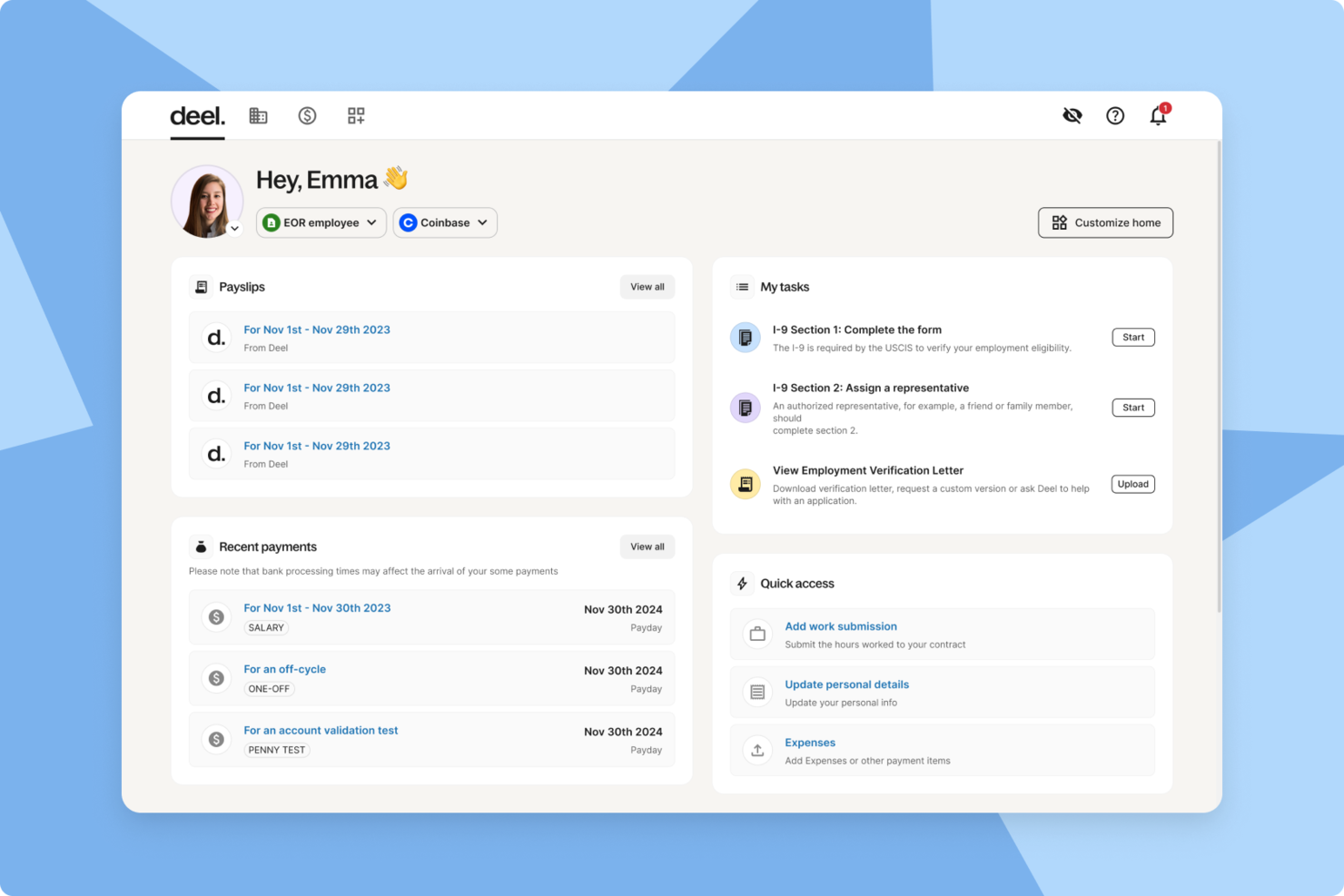
Deel HR is a global HR and payroll platform designed for startups that need to manage international hiring, onboarding, payroll, and compliance from a single system.
Who Is Deel HR Best For?
Startups and small businesses hiring and managing employees or contractors across multiple countries.
Why I Picked Deel HR
I picked Deel HR as one of the best because I can automate payroll for employees and contractors in over 100 countries from a single dashboard. My team uses Deel HR to handle multi-currency payments, local tax calculations, and country-specific payslips. I like that I can manage payroll compliance and reporting without juggling multiple vendors or manual processes.
Deel HR Key Features
- Employee onboarding workflows: Automate document collection, contract generation, and onboarding tasks for new hires.
- Time off management: Track and approve employee leave requests directly within the platform.
- HR document storage: Store and organize contracts, policies, and compliance documents in a secure digital vault.
- Org chart visualization: View and manage your team structure with a dynamic organizational chart.
Deel HR Integrations
Native integrations are not clearly documented. Deel HR offers an API for custom integrations.
Pros and Cons
Pros:
- Bulk contractor payments in multiple currencies
- Centralized document management for HR and legal
- Customizable onboarding workflows for remote teams
Cons:
- Reporting features lack advanced analytics options
- No built-in OKR tracking or alignment tools
New Product Updates from Deel HR

Deel Expands Stablecoin Wallet to 80+ Countries
Deel expands its Stablecoin Wallet to 80+ countries with dollar-backed balances and optional rewards. This gives eligible contractors more ways to hold and manage earnings inside Deel. For more information, visit Deel’s official site.
 .
.
Best for linking OKRs to performance reviews
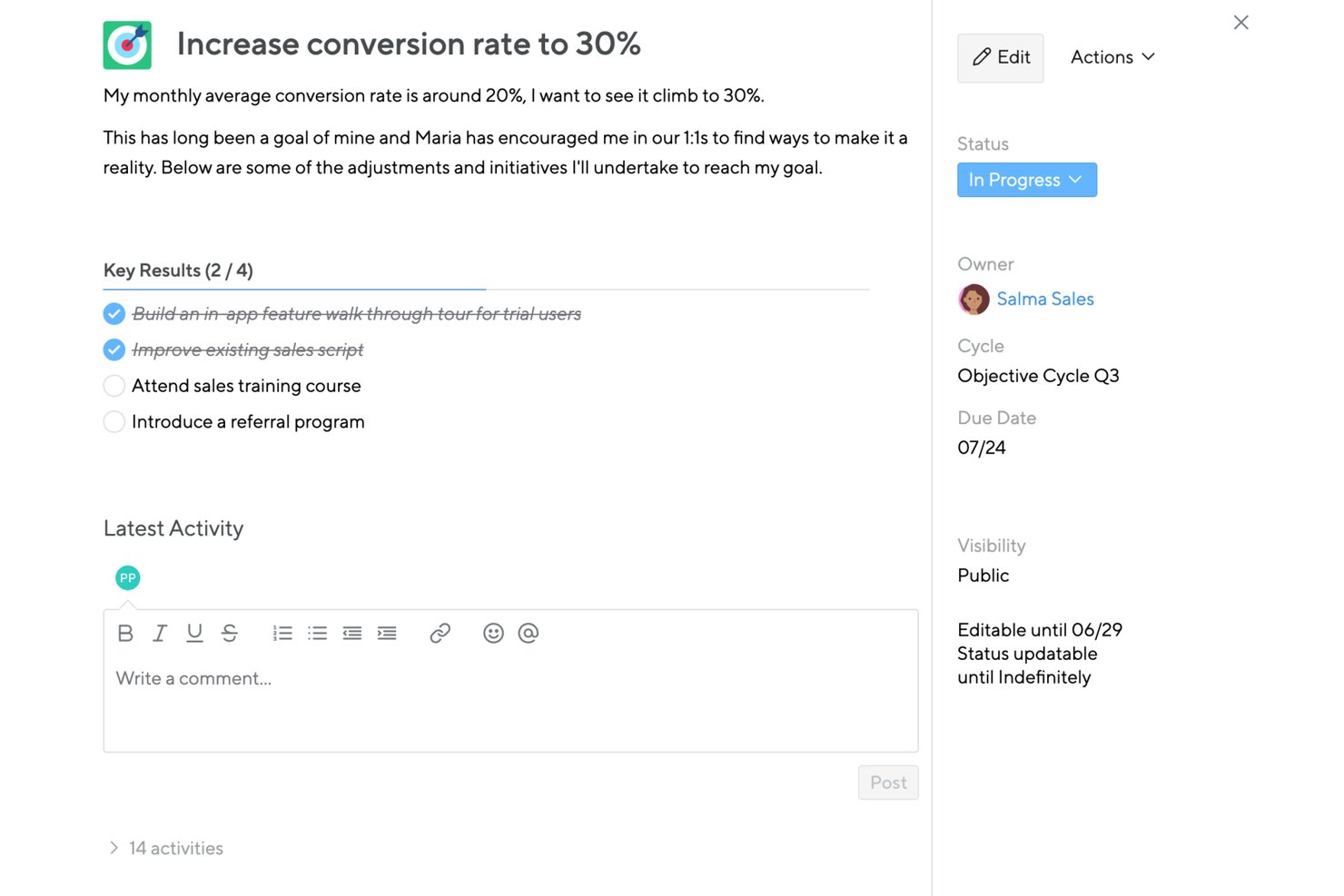
Small Improvements is a performance management platform that bundles OKR goal setting, cascading objectives, 360° feedback, performance reviews, 1:1 meetings, and pulse surveys into one system.
Who Is Small Improvements Best For?
Small Improvements suits HR teams at growing startups that want OKR tracking and performance reviews in a single system, without juggling multiple tools.
Why I Picked Small Improvements
Small Improvements earns its spot on my shortlist because it's the only tool here where OKRs live inside the same system as performance reviews, 360-degree feedback, and 1:1 meetings. I especially like the Feedback-into-Action feature, which reads peer feedback and suggests objectives directly from it. The Objectives Coach then helps refine those goals before they're finalized, so your review cycle and goal-setting cycle actually inform each other.
Small Improvements Key Features
- Cascading objectives: Link individual goals to team, department, or company-wide objectives so everyone can see how their work connects to the bigger picture.
- Pulse surveys with eNPS: Run lightweight employee sentiment surveys, including eNPS, directly within the platform alongside your goal and review cycles.
- Talent Boxes (9-box grid): Assess and visualize employee performance and potential across a calibrated grid to support promotion and development decisions.
- CSV export for objectives: Export company objectives data to CSV, filtered by department, status, or location, for offline analysis or reporting.
Small Improvements Integrations
Small Improvements has documented integrations with Slack, BambooHR, Rippling, Personio, Workday, Google Calendar, and Office 365 calendar. It also supports SSO through Google Workspace, Okta, OneLogin, and Microsoft Entra ID.
Pros and Cons
Pros:
- Team dashboards expose individual priorities
- Feedback suggests actionable employee objectives
- Links objectives with reviews and 1:1s
Cons:
- Missing confidence scores and scheduled check-ins
- Lightweight cascading limits strategic alignment
Best for customizable templates
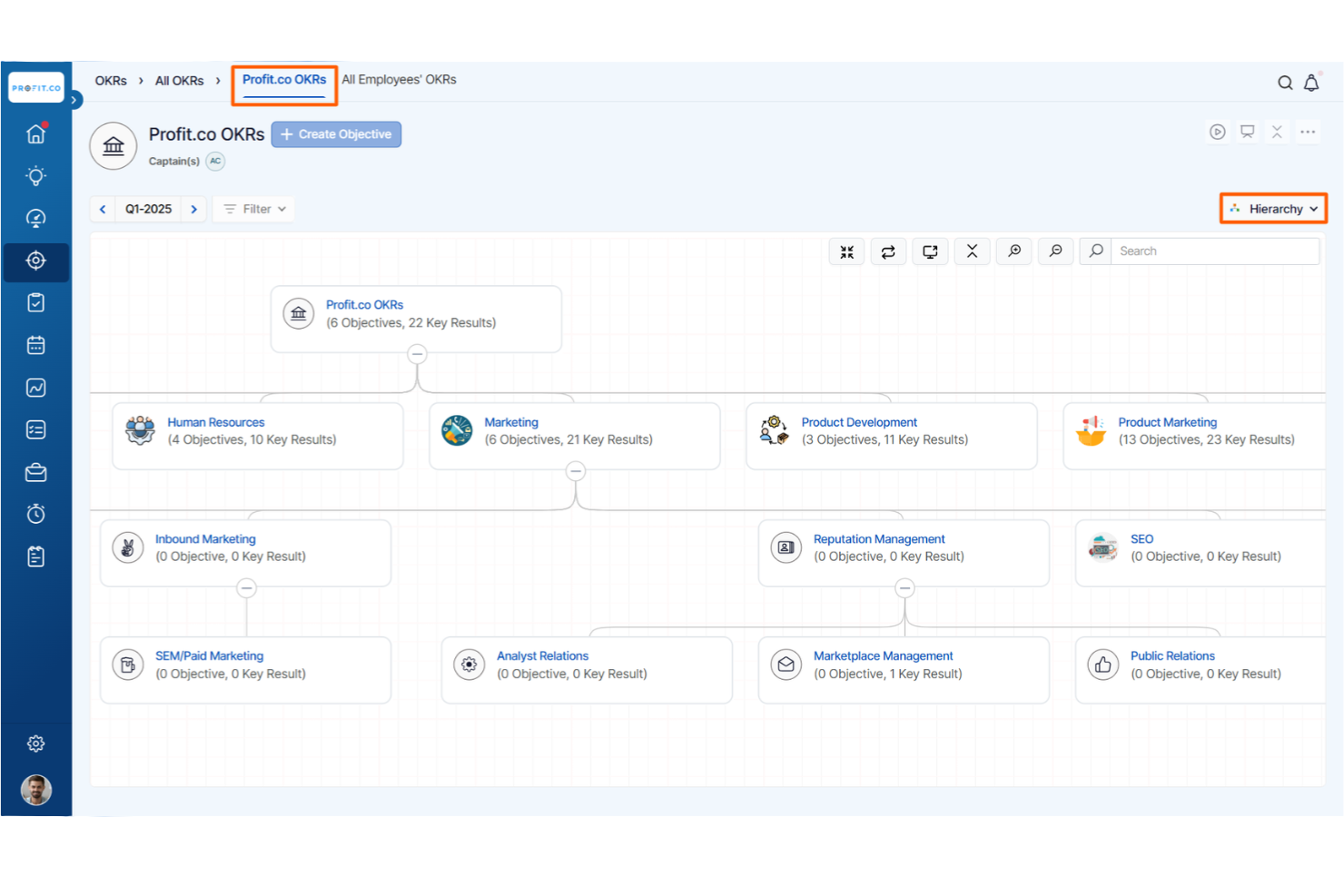
Profit.co stands out for startups that want to tailor their OKR process with customizable templates. This platform is a fit for founders, HR leads, and team managers who need flexibility in designing goal-setting frameworks that match their unique workflows. With Profit.co, you can adapt OKR templates to fit your company’s structure and evolving priorities.
Why I Picked Profit.co
For startups that want to shape their own OKR process, Profit.co’s customizable templates make it a strong choice. I picked Profit.co because it lets you build, modify, and reuse OKR templates to match your team’s structure and goals.
The platform also supports industry-specific templates, so you can start with a framework that fits your business and then adjust as needed. This flexibility helps startups create a goal-setting system that grows with them.
Profit.co Key Features
In addition to its flexible template options, Profit.co offers several other features that support startup teams:
- OKR Progress Dashboards: Track real-time progress on objectives and key results at individual, team, and company levels.
- Task Management Integration: Connect tasks directly to OKRs for better alignment and accountability.
- Automated Weekly Check-Ins: Schedule and automate regular check-ins to keep teams focused on their goals.
- Performance Review Tools: Link OKRs to performance reviews for a more structured evaluation process.
Profit.co Integrations
Integrations include Slack, Microsoft Teams, Jira, Salesforce, HubSpot, BambooHR, Google Sheets, Asana, Trello, and GitHub.
Pros and Cons
Pros:
- Performance reviews integrate with OKRs
- Built-in task management links to OKRs
- Customizable OKR templates for different teams
Cons:
- Some integrations require higher-tier plans
- Reporting exports limited to certain formats

Mooncamp
Best for modular workspace design
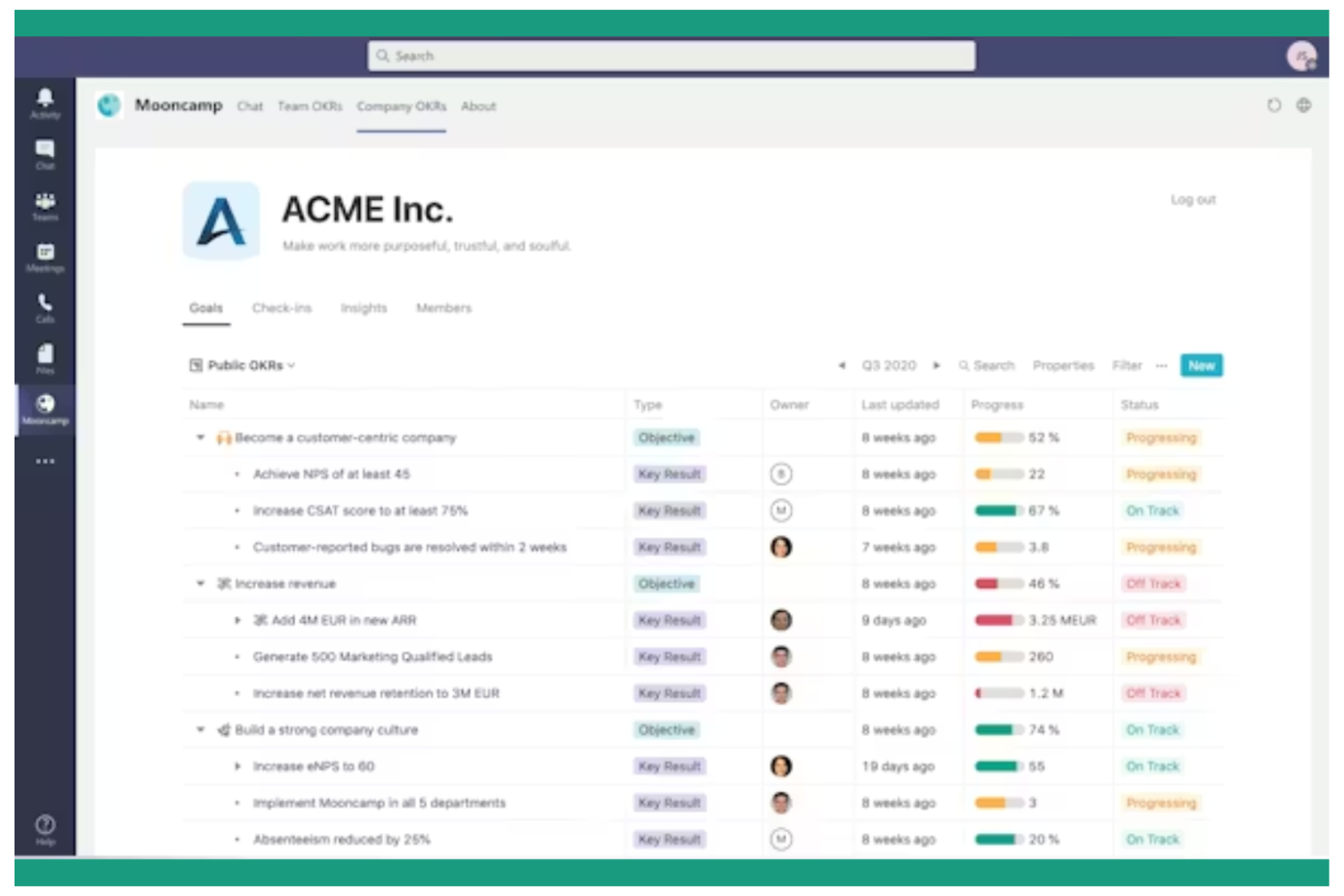
Mooncamp stands out for startups that want to design their own OKR workspace with flexible, modular building blocks. The platform lets you customize dashboards, goal structures, and workflows to fit your team’s unique way of working. If your startup values adaptability and wants to shape its own performance management environment, Mooncamp gives you the tools to do just that.
Why I Picked Mooncamp
What makes Mooncamp a strong choice for startups is its modular workspace design, which lets you build a goal-setting system that matches your team’s workflow. You can create custom dashboards, set up unique goal hierarchies, and design tracking views that fit your processes. I like that Mooncamp gives you the flexibility to adapt as your startup grows or pivots, without being locked into a rigid structure.
For teams that want to experiment and iterate on their OKR approach, Mooncamp offers a toolkit that supports that kind of agility.
Mooncamp Key Features
Some other features that caught my attention include:
- Automated Check-Ins: Schedule recurring check-ins to keep teams accountable and progress visible.
- OKR Templates: Use pre-built templates to quickly launch new OKR cycles.
- Slack Integration: Connect Mooncamp with Slack to update goals and receive notifications directly in your team’s chat.
- Custom Permissions: Set granular access controls for different roles and teams within your workspace.
Mooncamp Integrations
Integrations include Microsoft Teams, Slack, Asana, Azure DevOps, Google Sheets, HubSpot, Jira, Microsoft Planner, and Salesforce.
Pros and Cons
Pros:
- OKR templates speed up new cycle launches
- Slack and Teams integrations for daily workflows
- Let's you build custom OKR flows
Cons:
- Limited performance review features
- Pricing requires annual commitment for best rate

Cascade
Best for strategy execution tracking
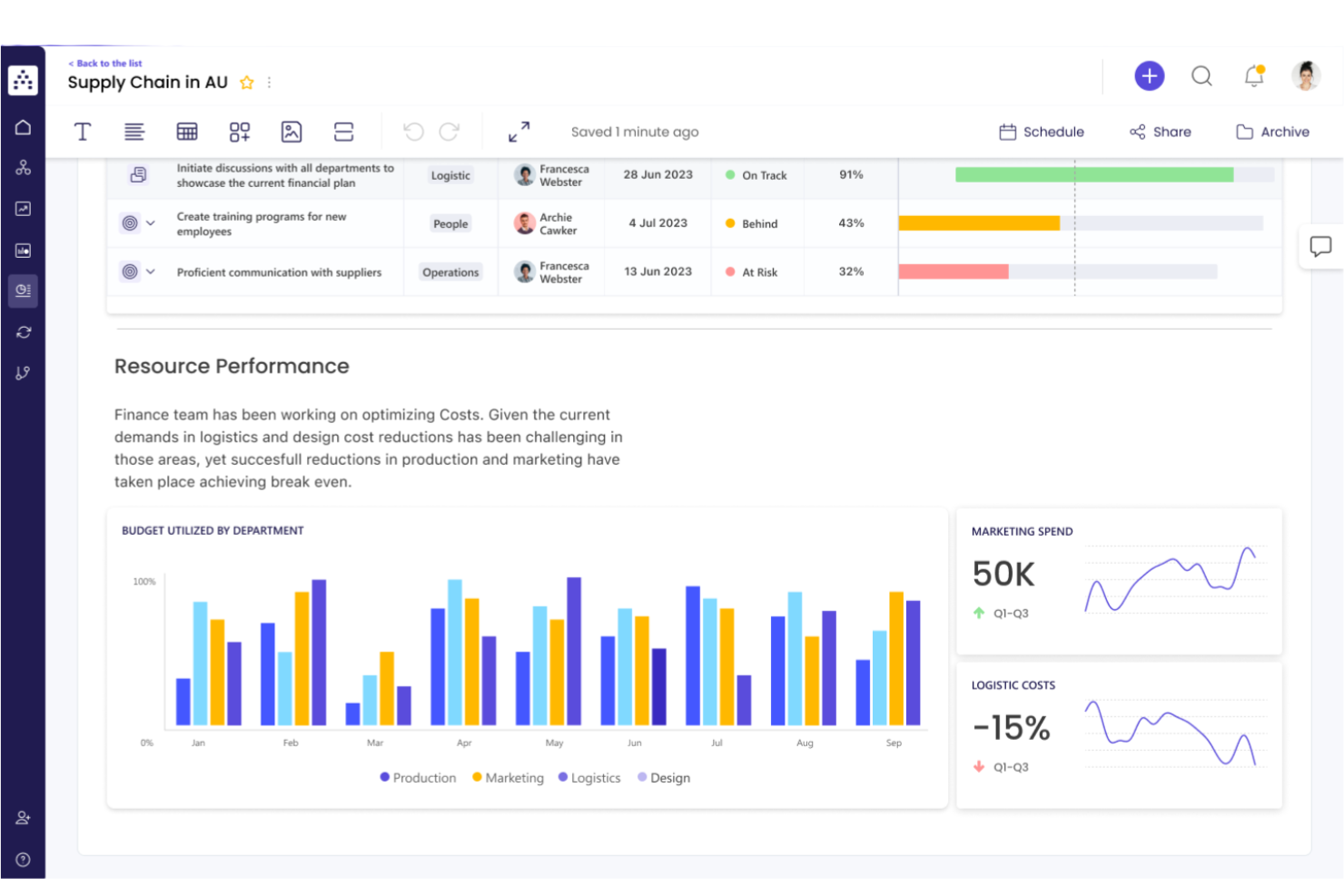
Cascade is built for startups that want to connect high-level strategy with day-to-day execution. The platform helps founders and teams track OKRs, projects, and KPIs in one place, making it easier to see how every initiative supports company goals. If you need a clear line of sight from strategy to results, Cascade offers tools to keep everyone aligned and accountable.
Why I Picked Cascade
What sets Cascade apart for startups is its focus on connecting strategy with execution, which is essential when you need to move quickly and keep everyone aligned. I picked Cascade because it lets you map out your strategic objectives and then break them down into actionable OKRs, projects, and tasks—all in one platform.
The tool’s live dashboards and progress tracking features help you see how every initiative contributes to your overall strategy. For startups looking to ensure that daily work drives long-term goals, Cascade’s approach to strategy execution tracking stands out.
Cascade Key Features
Some other features that make Cascade appealing for startups include:
- Goal Alignment Mapping: Visualize how individual, team, and company goals connect across the organization.
- Automated Progress Updates: Set up automated reminders and notifications for regular status check-ins.
- Customizable Reporting: Build and share custom reports to track performance metrics and OKR progress.
- Collaboration Workspaces: Create dedicated spaces for teams to discuss, plan, and update their goals and projects.
Cascade Integrations
Integrations include Jira, Salesforce, Microsoft Teams, Microsoft Excel, Google Sheets, Xero, Microsoft Outlook, Slack, Google Analytics, and Tableau.
Pros and Cons
Pros:
- Integrates with Jira and Salesforce
- Automated reminders for OKR check-ins
- Visual goal alignment mapping for teams
Cons:
- Occasional delays in dashboard data refresh
- Limited mobile app functionality for updates
Perdoo
Best for goal alignment mapping
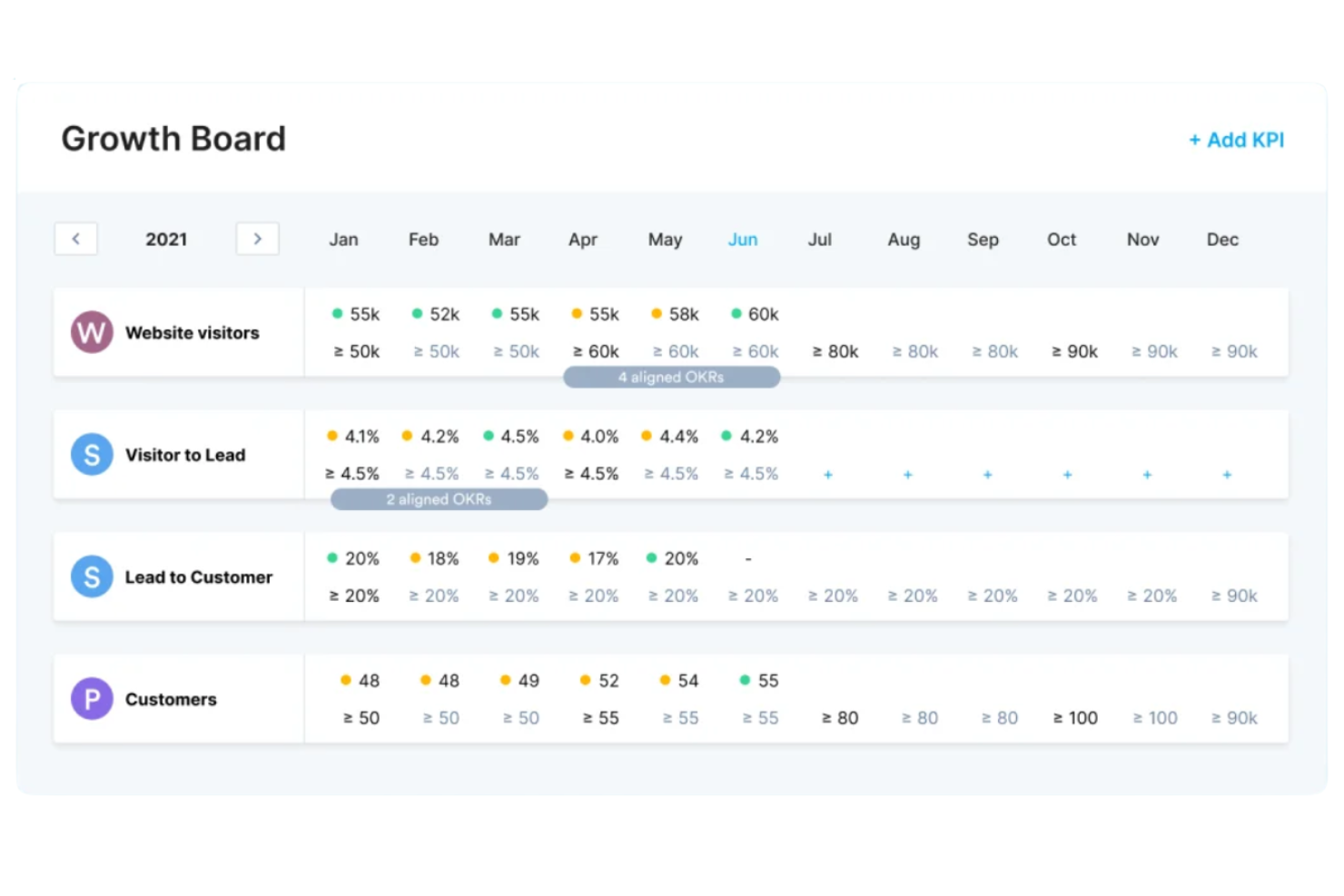
Startups looking to connect company goals with team and individual objectives may find Perdoo especially useful. This platform is designed for founders and HR leads who want to visualize how every goal fits into the bigger picture. Perdoo’s alignment mapping helps you spot gaps, overlaps, and dependencies so your team can stay focused and coordinated.
Why I Picked Perdoo
Perdoo offers a unique approach for startups that want to see exactly how goals connect across the organization. I picked it because its goal alignment mapping lets you visualize the relationships between company, team, and individual OKRs in a single view.
The roadmap feature helps you track dependencies and spot misalignments before they become issues. For founders and HR leads, this makes it easier to keep everyone moving in the same direction and quickly adjust priorities as your business evolves.
Perdoo Key Features
Some other features in Perdoo can help your startup manage OKRs more effectively:
- KPI Tracking: Monitor key performance indicators alongside your OKRs for a complete view of progress.
- Initiatives Management: Break down objectives into actionable initiatives and track their completion.
- Progress Visualization: Use charts and graphs to see real-time updates on goal achievement.
- Automated Reminders: Set up notifications to prompt regular check-ins and updates from your team.
Perdoo Integrations
Integrations include Slack, Microsoft Teams, Jira, Salesforce, Google Analytics, Asana, Power BI, Google Sheets, BambooHR, and Factorial.
Pros and Cons
Pros:
- Initiative tracking links tasks to objectives
- KPI dashboard tracks metrics alongside OKRs
- Alignment map shows real-time goal dependencies
Cons:
- Reporting exports lack advanced formatting options
- Limited offline access for remote teams
JOP
Best for guided onboarding workflows
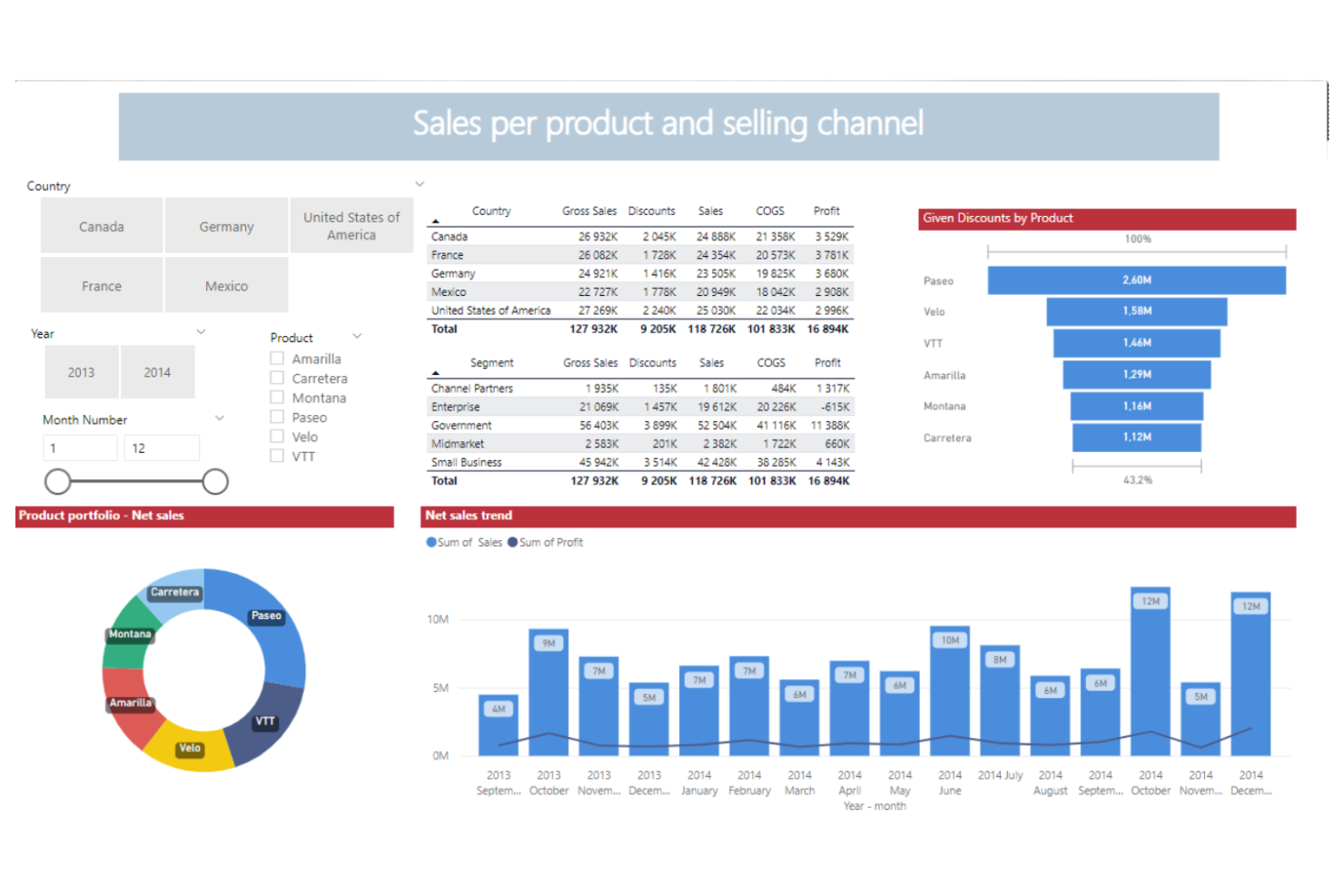
Startups looking for step-by-step OKR adoption often turn to JOP for its guided onboarding workflows. This platform is designed for founders, HR teams, and people managers who want to help teams quickly understand and implement OKRs. JOP’s structured approach helps new users build confidence and consistency as they roll out goal-setting across the company.
Why I Picked JOP
What sets JOP apart for startups is its focus on guided onboarding workflows that help teams adopt OKRs with confidence. I picked JOP because it offers interactive onboarding checklists and in-app tutorials that walk users through each step of the OKR process.
The platform also provides built-in templates and prompts to help teams set meaningful objectives and key results from day one. For startups new to structured goal-setting, JOP’s hands-on approach reduces confusion and accelerates adoption.
JOP Key Features
Some other features in JOP can help your team manage OKRs more smoothly:
- Progress Tracking Dashboard: View real-time updates on OKR progress across teams and individuals.
- Automated Reminders: Set up recurring notifications to prompt regular check-ins and updates.
- Performance Review Module: Link OKRs directly to performance reviews for a more connected evaluation process.
- Role-Based Access Controls: Assign permissions and visibility based on user roles within your organization.
JOP Integrations
Integrations include Slack, Google Sheets, Jira, Microsoft Excel, and Microsoft Teams.
Pros and Cons
Pros:
- Automated reminders for regular check-ins
- Built-in templates simplify initial OKR setup
- Step-by-step onboarding guides new OKR users
Cons:
- Limited analytics compared to advanced platforms
- Few native integrations with HRIS tools

Best for flexible review cycles
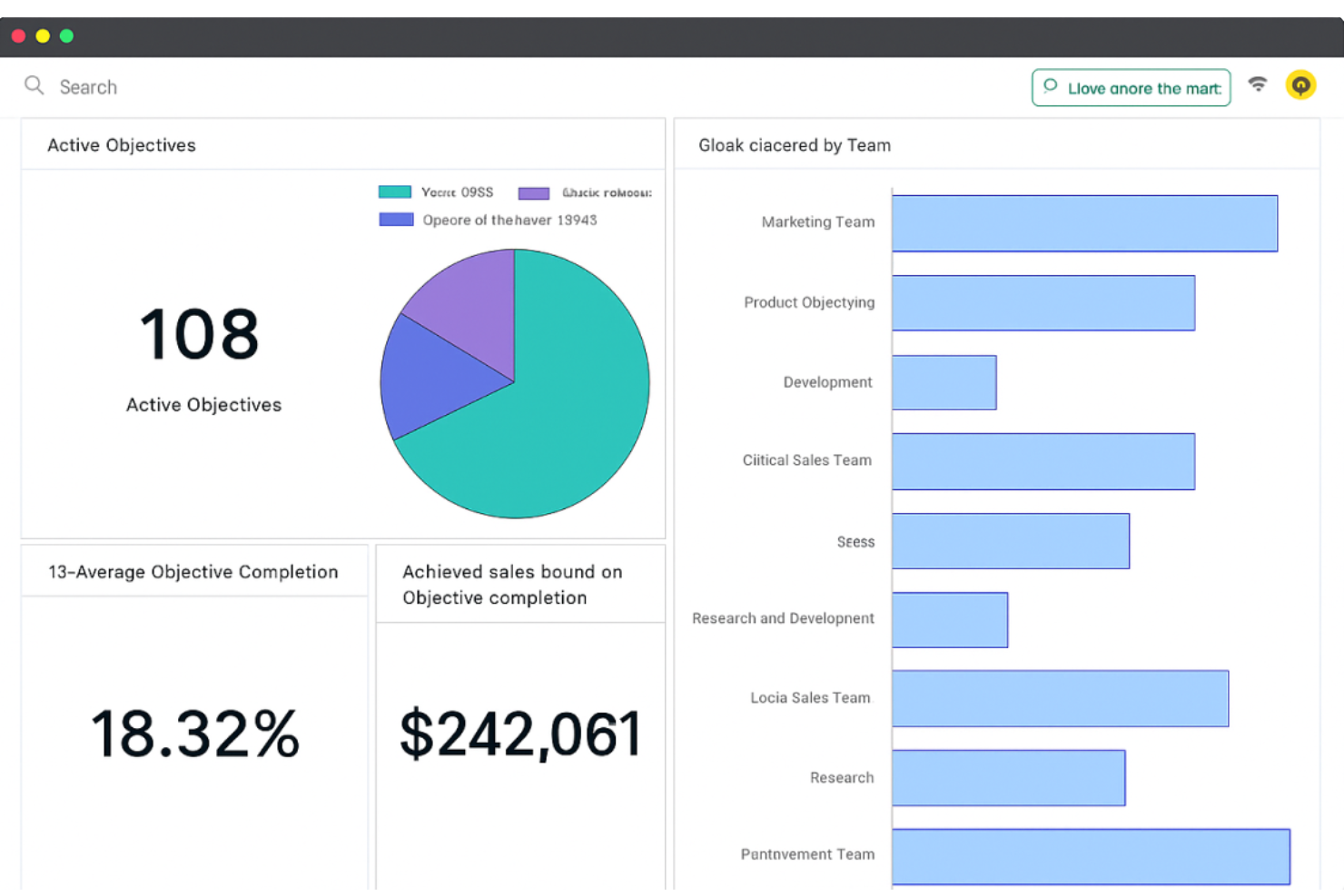
If your startup needs to run performance reviews on your own schedule, PeopleGoal by ProProfs gives you that flexibility. The platform is designed for teams that want to customize review cycles, feedback forms, and OKR tracking to fit their unique workflows. It’s a strong fit for founders and HR leads who want to adapt performance management as their company grows and changes.
Why I Picked PeopleGoal
Startups often need to adjust their review processes as teams grow and priorities shift, which is why I picked PeopleGoal for flexible review cycles. The platform lets you set up custom review schedules, so you’re not locked into rigid annual or quarterly cycles.
You can also tailor feedback forms and OKR templates to match your company’s evolving needs. For founders and HR leads who want to experiment with different performance management rhythms, PeopleGoal’s flexibility stands out.
PeopleGoal Key Features
Some other features that make PeopleGoal useful for startups include:
- 360-Degree Feedback: Collect feedback from peers, managers, and direct reports in one place.
- Goal Progress Tracking: Monitor individual and team OKR progress with visual dashboards.
- Template Library: Access a range of pre-built templates for reviews, surveys, and goal-setting.
- Custom Permissions: Set granular access controls for different roles and teams.
PeopleGoal Integrations
Integrations include ADP Workforce, BambooHR, Slack, Microsoft Azure, Workday, OneLogin, Okta, Amazon Web Services, Workable, and Namely.
Pros and Cons
Pros:
- 360-degree feedback built into workflows
- Customizable OKR templates for startups
- Flexible review cycles for dynamic team needs
Cons:
- Mobile experience lacks full feature parity
- No public API for custom integrations
Best for continuous feedback options
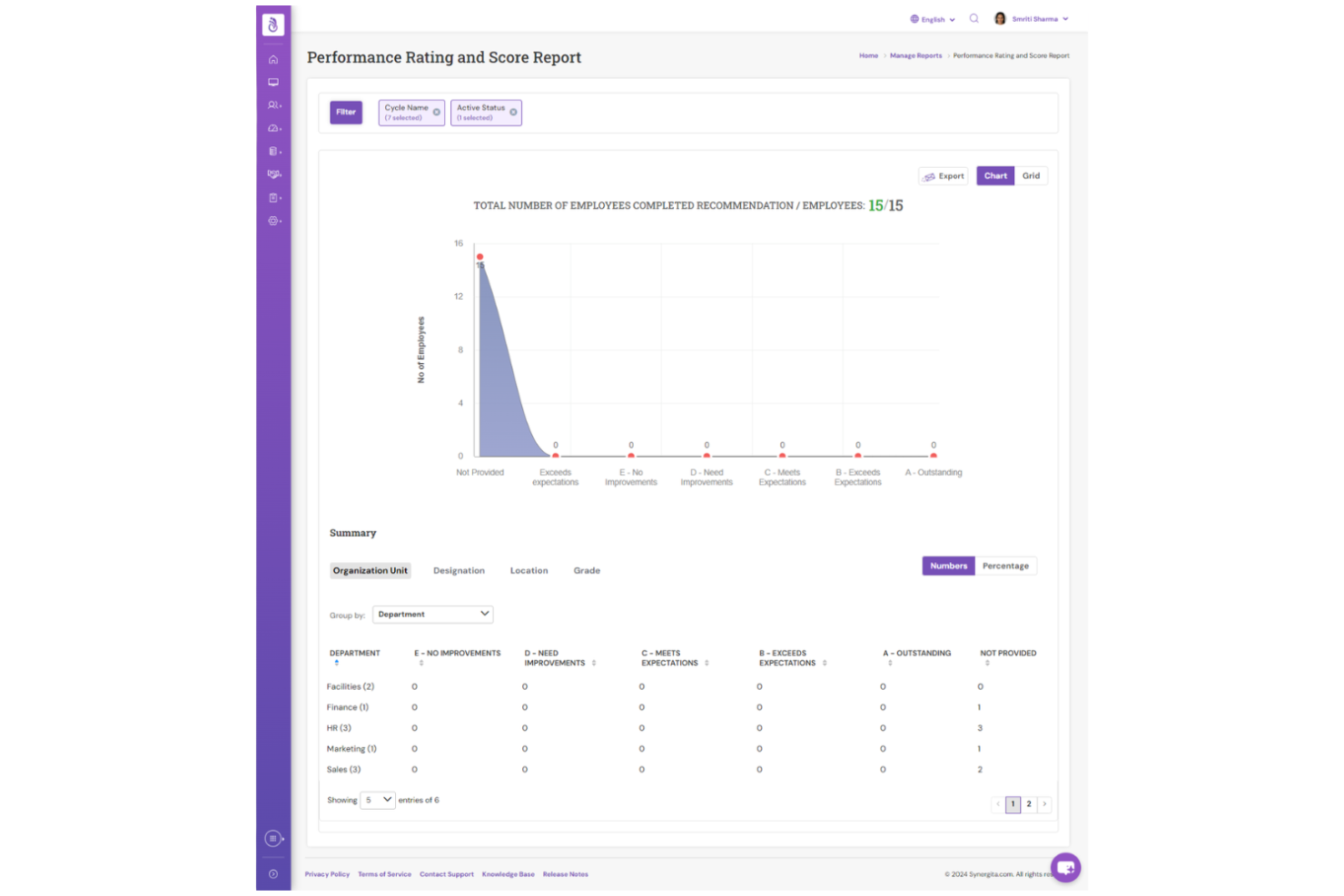
If your startup wants to build a culture of ongoing feedback, Synergita puts continuous conversations at the center of its OKR platform. The tool is especially useful for teams that value regular check-ins, peer recognition, and real-time progress updates. With Synergita, you can connect goals to feedback and development, making it easier to keep everyone engaged and aligned as your business grows.
Why I Picked Synergita
What drew me to Synergita is its strong focus on continuous feedback, which is especially valuable for startups looking to foster a culture of growth and transparency. The platform lets you set up ongoing feedback loops, so team members can share recognition and suggestions in real time—not just during formal reviews.
I appreciate how Synergita connects feedback directly to OKRs, making it easier to track progress and address challenges as they arise. For startups that want to keep conversations flowing and development front and center, Synergita offers a practical approach.
Synergita Key Features
In addition to its feedback-driven approach, Synergita offers several other features worth noting:
- Automated Review Cycles: Schedule and manage recurring performance and OKR review periods.
- Goal Cascading: Align individual, team, and organizational goals through structured goal-setting flows.
- Customizable Analytics Reports: Generate detailed reports on goal progress, engagement, and performance trends.
- Employee Recognition Badges: Enable peer-to-peer recognition with digital badges for achievements and milestones.
Synergita Integrations
Integrations include Jira, ADP Workforce Now, BambooHR, SAP SuccessFactors, Workday, Microsoft Teams, Slack, and API support for custom integrations.
Pros and Cons
Pros:
- Goal cascading supports startup team alignment
- Automated review cycles reduce manual follow-up
- Peer recognition badges for team engagement
Cons:
- Interface design feels dated to some users
- Limited integrations compared to larger platforms

Weekdone
Best for visual progress dashboards
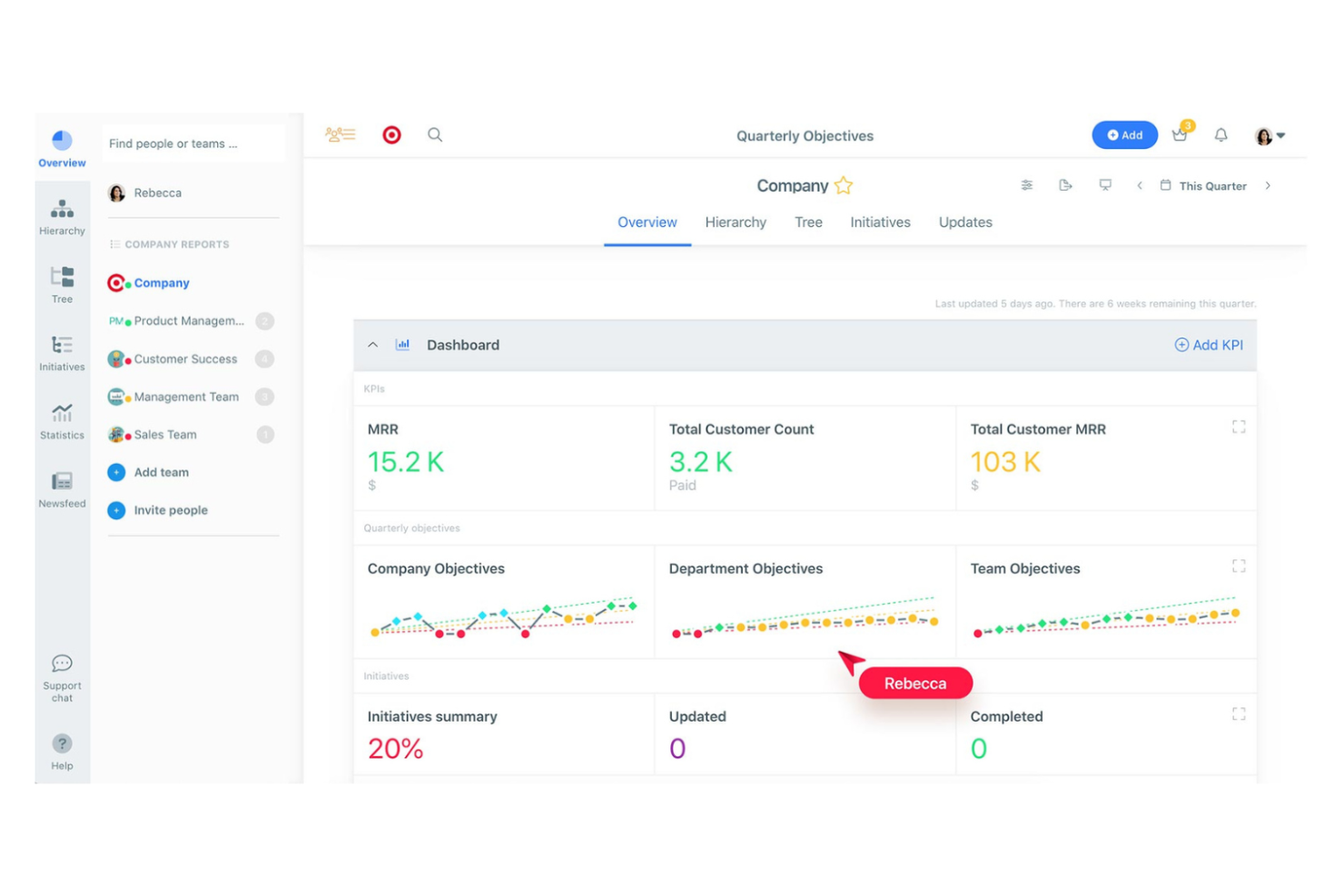
Startups looking to connect company goals with weekly execution may find Weekdone especially useful. This platform is designed for founders, managers, and people leads who want clearer visibility into how team and individual work support broader objectives. Weekdone’s OKR structure and weekly progress reporting make it easier to track priorities, spot blockers, and keep everyone aligned around what matters most.
Why I Picked Weekdone
Weekdone stands out for startups that want to make progress visible and actionable through visual dashboards. I picked it because its dashboard-centric approach lets you quickly spot trends, blockers, and achievements without digging through reports.
The platform’s progress bars and color-coded indicators make it easy to see how objectives and key results are tracking in real time. For early-stage teams that need to keep everyone focused and motivated, these visual cues help drive alignment and accountability.
Weekdone Key Features
Some other features in Weekdone can help your startup manage OKRs more effectively:
- Weekly Check-ins: Team members can submit short weekly updates to keep everyone informed about progress and challenges.
- OKR Hierarchy: Organize objectives and key results by team, department, or company level for better alignment.
- Automated Progress Reports: Generate regular reports that summarize OKR status and recent activity.
- Feedback and Recognition Tools: Give and receive feedback directly within the platform to encourage engagement and celebrate wins.
Weekdone Integrations
Integrations include Microsoft Teams, Slack, Jira, Asana, Basecamp, Google Tasks, Google Sheets, and Zapier.
Pros and Cons
Pros:
- OKR hierarchy supports company-wide alignment
- Built-in feedback tools support team engagement
- Visual dashboards make progress easy to track
Cons:
- No built-in performance review module
- Limited advanced analytics for OKR trends
Other OKR Software for Startups
Here are some additional OKR software for startups options that didn’t make it onto my shortlist, but are still worth checking out:
- Quantive
With advanced analytics tools
- Elate
For executive reporting features
- Keka HR
With AI-powered OKR recommendations
- Betterworks
For enterprise scalability
- Wrike
With project management integration
- Peoplebox.ai
For performance review linkage
- Lattice
For employee engagement insights
- Teamflect
For Microsoft Teams users
- Tability
For automated progress check-ins
- ClickUp
For workflow customization
- OKRs Tool
For multilingual goal tracking
- Workpath
For enterprise compliance support
- Simple OKR
For quick setup and onboarding
- monday work management
With visual timeline planning
- SugarOKR
For startup-focused templates


How I Evaluate OKR Software for Startups
I look at OKR tools across two layers—baseline capabilities like goal cascading, and differentiators like startup pricing and Slack integration.
Core Functionality (Table Stakes For This List)
When I'm selecting tools for my list, I rank each one on a scale from 0 (does not offer the functionality) to 5 (excels in this area) for each core functionality listed below. Then, I calculate the tool's total score into a percentage. Each tool needs to achieve a minimum total score of 65% to be considered for inclusion.
- OKR Goal Creation & Structure: I look for a dedicated OKR framework where you can write objectives, attach measurable key results, and organize them at company, team, and individual levels.
- Progress Tracking & Check-Ins: Regular check-in workflows matter here—things like weekly confidence scoring, automated reminders, and the ability for managers to comment on key result updates mid-cycle.
- Goal Alignment & Cascading: I evaluate how each tool visualizes connections between OKRs, such as showing how a sales hire's ramp-up goal ladders into a department revenue objective.
- Performance & People Integration: Tools like Lattice and 15Five tie OKRs directly into review cycles—I check whether the platform links goals to 1:1s, feedback, or performance reviews for HR-led workflows.
- Reporting & Dashboards: Founders and people ops leads need a quick read on OKR health, so I look for real-time dashboards that filter by team, status, or cycle without requiring manual exports.
- Startup-Friendly Scalability: Pricing and setup should fit a 10-person team today and a 200-person org next year—I evaluate whether free tiers, startup plans, or self-serve onboarding are available.
Once I have a list of tools that meet the criteria, I consider what sets each platform apart.
Differentiating Factors (What Sets Vendors Apart)
Here's how I compare and contrast different vendors:
Standout Features
AI-powered OKR drafting is a real differentiator for lean HR teams coaching first-time managers through goal-setting. I also evaluate how well a tool integrates with Slack or Microsoft Teams—startups live in chat, so getting check-in reminders and progress updates there keeps adoption high without adding another tab. Flexible cadence options matter too. Some startups run monthly sprints, not quarterly cycles, so I check whether the platform lets you customize OKR periods to match your team's rhythm.
Beyond Features
Pricing transparency is one of the first things I check. Startups need to know exactly what they're paying per seat and whether they can start on a free or discounted plan without committing to an annual contract. Time-to-value matters just as much—if a tool requires a dedicated implementation team or weeks of configuration, most startups will abandon it. I look for self-serve onboarding with prebuilt OKR templates. I also evaluate whether a platform scales gracefully, supporting a 15-person team today and a 200-person org after a Series B without forcing a migration.
How to Choose OKR Software for Startups
It’s easy to get bogged down in long feature lists and complex pricing structures. To help you stay focused as you work through your unique software selection process, here’s a checklist of factors to keep in mind:
| Factor | What to Consider |
|---|---|
| Scalability | Will the software support your team as you grow from 10 to 100+ employees? Check user limits, pricing jumps, and how well the tool adapts to new teams or departments. |
| Integrations | Does the tool connect natively with your existing stack (Slack, Jira, Google Workspace, HRIS)? Consider how much manual work is required to sync data or automate updates. |
| Customizability | Can you tailor goal structures, dashboards, and permissions to fit your startup’s unique workflows? Avoid tools that force rigid processes or limit flexibility as you evolve. |
| Ease of use | Will your team actually use it? Look for clear navigation, minimal training needs, and a layout that matches how your teams already work. Test with a small group before rollout. |
| Implementation and onboarding | How quickly can you get up and running? Assess the availability of templates, guided tours, and migration support. Ask about typical time-to-launch for startups of your size. |
| Cost | Are pricing tiers transparent and predictable as you scale? Watch for hidden fees, minimum seat requirements, or features locked behind higher plans. Compare annual vs. monthly costs. |
| Security safeguards | Does the vendor offer SSO, data encryption, and regular security audits? Make sure the tool meets your data privacy standards, especially if you handle sensitive employee or business data. |
| Support availability | What support channels are available (chat, email, phone) and during what hours? Consider if you’ll need help outside standard business times or during critical OKR cycles. |
What is OKR Software for Startups?
OKR software for startups is a digital tool that helps early-stage companies set, track, and manage objectives and key results across teams. These platforms provide structured goal-setting frameworks, progress tracking, and reporting features designed to support alignment and accountability as startups grow.
By centralizing OKR processes, startups can adapt quickly, maintain focus, and ensure everyone is working toward shared business goals.
Features
When selecting OKR software for startups, keep an eye out for the following key features:
- Objective and key result tracking: Lets you set, assign, and monitor progress on specific objectives and measurable key results for individuals, teams, or the entire company.
- Progress visualization: Provides dashboards, charts, or timelines that make it easy to see how goals are advancing over time and where attention is needed.
- Automated check-ins: Enables scheduled reminders and prompts for team members to update their OKR status, keeping everyone accountable and engaged.
- Goal alignment mapping: Shows how individual and team OKRs connect to company-wide objectives, helping everyone understand their impact on broader business goals.
- Customizable templates: Offers pre-built OKR templates that can be tailored to your startup’s needs, making it faster to launch new goal cycles.
- Role-based permissions: Allows you to control who can view, edit, or manage OKRs, ensuring sensitive information is only accessible to the right people.
- Native integrations: Connects directly with tools your team already uses, such as Slack, project management platforms, or HR systems, to manage updates and communication.
- Reporting and analytics: Generates reports on OKR progress, completion rates, and trends, giving leaders actionable insights for decision-making.
- Mobile accessibility: Lets users access and update OKRs from mobile devices, supporting remote and distributed teams.
- Commenting and collaboration: Provides in-app spaces for team members to discuss progress, share feedback, and collaborate on goals in real time.
Common OKR Software for Startups AI Features
Beyond the standard OKR software for startups features listed above, many of these solutions are incorporating AI with features like:
- Automated goal suggestions: Uses AI to analyze past performance data and recommend relevant objectives and key results tailored to your team or company’s priorities.
- Predictive progress forecasting: Applies machine learning to current and historical OKR data to forecast the likelihood of achieving specific goals, helping leaders identify risks early.
- Natural language processing for updates: Allows users to enter progress updates in plain language, which AI then interprets and translates into structured OKR data.
- AI-driven insights and recommendations: Surfaces actionable suggestions for improving goal achievement, such as identifying stalled objectives or recommending focus areas based on team activity.
- Sentiment analysis on check-ins: Analyzes the tone and content of team check-ins to flag potential engagement or morale issues, supporting proactive HR interventions.
Benefits
Implementing OKR software for startups provides several benefits for your team and your business. Here are a few you can look forward to:
- Clear goal alignment: Ensures everyone understands how their work connects to company objectives through visual mapping and structured OKR frameworks.
- Faster decision-making: Provides real-time dashboards and analytics that help leaders quickly identify progress, bottlenecks, and areas needing attention.
- Improved accountability: Uses automated check-ins and role-based permissions to keep teams engaged and responsible for their objectives.
- Scalable goal management: Adapts easily as your startup grows, supporting new teams, changing priorities, and evolving workflows without losing focus.
- Enhanced collaboration: Offers in-app commenting and integrations with communication tools, making it easier for teams to discuss progress and share feedback.
- Data-driven insights: Delivers actionable reports and, in some cases, AI-powered recommendations to help you optimize goal-setting and achievement.
- Simplified onboarding: Provides templates, guided tours, and training resources that help new users get started and realize value quickly.
Costs and Pricing
Selecting OKR software for startups requires an understanding of the various pricing models and plans available. Costs vary based on features, team size, add-ons, and more. The table below summarizes common plans, their average prices, and typical features included in OKR software for startup solutions:
Plan Comparison Table for OKR software for startups
| Plan Type | Average Price | Common Features |
|---|---|---|
| Free Plan | $0 | Basic OKR tracking, limited users, simple dashboards, and email support. |
| Personal Plan | $5-$10/user/month | Individual OKR management, progress visualization, basic reporting, and limited integrations. |
| Business Plan | $10-$25/user/month | Team OKR alignment, automated check-ins, advanced analytics, role-based permissions, and integrations. |
| Enterprise Plan | $25-$50/user/month | Custom workflows, enhanced security, dedicated support, advanced reporting, and compliance features. |
OKR Software for Startups FAQs
Here are some answers to common questions about OKR software for startups:
How do I know if my startup is ready for OKR software?
If your team is struggling to align on goals, track progress, or maintain accountability as you grow, you’re likely ready for a dedicated software solution. Startups often benefit from these tools once they reach 10 or more employees or begin scaling across multiple teams. While many founders start by tracking goals in spreadsheets, moving to a platform designed for the OKR methodology ensures your high-performing team stays focused on the most impactful work.
Can OKR software integrate with our existing tools?
Yes, most SaaS platforms for startups offer integrations with popular tools like Slack, project management platforms, and HR systems. Some even allow you to visualize goals alongside a Kanban board or workboard to see how daily tasks connect to the big picture. Check each vendor’s integration list to ensure compatibility with your current tech stack for a great user experience.
What should I look for in onboarding and support?
Look for user-friendly platforms that offer guided product tours, training resources, and responsive customer support. These resources help your team get up to speed quickly and resolve issues as they arise, which is especially important during the initial OKR implementation phase for fast-moving startups. A tool that provides OKR examples can also be incredibly helpful for teams new to the framework.
Is OKR software secure enough for sensitive business data?
Yes, reputable OKR software providers use encryption, SSO, and regular security audits to protect your data. Always review each vendor’s security documentation and ask about compliance with relevant standards before making a decision. Choosing the right OKR software means finding a balance between accessibility for your team and professional-grade security for your proprietary strategy.
How much customization do these tools allow?
Most OKR software for startups lets you customize goal structures, dashboards, and permissions. As you scale up, you may find that you need advanced features like nested sub-objectives or weighted progress tracking. Some tools offer more flexibility than others, so consider how using OKRs will evolve within your specific workflow when evaluating options.