

FreshBooks, işletmelerin faturalandırma, ödemeler, giderler, projeler, zaman takibi ve temel bordro işlemlerini yönetmesine yardımcı olan, iyi bilinen bir muhasebe yazılımıdır. Kullanışlı bir çözüm olsa da belirli özellik ihtiyaçları, özelleştirme seçenekleri veya fiyatlandırma endişeleri nedeniyle diğer FreshBooks alternatiflerini değerlendirmek isteyebilirsiniz. Bu makalede, muhasebe görevlerinizi kolayca yönetmenize yardımcı olmak için en iyi FreshBooks alternatiflerine ilişkin önerilerimi aktaracağım.
FreshBooks nedir?
FreshBooks, küçük işletme sahiplerinin ve serbest çalışanların mali durumlarını yönetmesine yardımcı olmak için tasarlanmış bir muhasebe yazılımıdır. Kullanıcıları genellikle giderlerini takip etmesi, fatura göndermesi ve mali kayıtlarını yönetmesi gereken girişimciler, serbest çalışanlar ve kendi hesabına çalışan işletme sahiplerinden oluşur.
Why Trust Our Software Recommendations
6,700+
Reviews
20
Industry experts
16+
Evaluation factors
14
Years
Our team has been testing and reviewing software since 2012. As HR experts ourselves, we know how difficult—and important—it is to choose the right software.
For this guide, we evaluated tools using hands-on testing and independent research, scoring tools using our selection criteria. We also draw on insights from industry thought leaders and practicing HR experts.
Our reviews reflect our human editorial judgment, not a sales pitch.
Expert reviewers:
- Phil GrayCOO
 Kim BehnkeHR Tech Editor & Analyst
 Josh BarkerPeople Ops Manager

FreshBooks Alternatifleri Karşılaştırma Tablosu
Bu karşılaştırma tablosu, en iyi FreshBooks alternatifleri seçimlerime ilişkin fiyatlandırma ayrıntılarını özetlemektedir:
Score legend (out of 5)
- Excellent4.5–5
- Good4–4.4
- Average3–3.9
- Below average2–2.9
- Poor1–1.9
Sorted by: Default
| Tool | Starting Price | Website | |||||||
|---|---|---|---|---|---|---|---|---|---|
Best for accurate time-to-payroll integration | 2.5 out of 5 | 3 | 3 | 2 | 2 | 3 | 2 | $50/user/month 30-day free trial + free demo available | Website |
Best for integrated payroll and accounting tools | Not rated | 2 | Not rated | 4 | 2 | Not rated | Not rated | $17/month 30-day free trial + demo available | Website |
Best for online payment processing | Not rated | 2 | 5 | 3 | Not rated | 2 | 4 | $0/month Free plan + Free demo available | Website |
Best for small business accounting | 3.7 out of 5 | 4 | 4 | 5 | 3 | 3 | 3 | $27/month 1-month free trial available | Website |
Best for user-friendly bookkeeping | 3.3 out of 5 | 3 | 4 | 4 | 3 | 3 | 3 | $15/month Free plan + free trial available | Website |
Best for automated accounting | 3.0 out of 5 | 4 | 3 | 4 | 2 | 3 | 2 | $30/month 14-day free trial | Website |
Best for inventory management | 3.2 out of 5 | 4 | 4 | 4 | 2 | 2 | 3 | $20/month 15-day free trial available | Website |
Best for project-based firms | 3.8 out of 5 | 4 | 4 | 4 | 4 | 4 | 3 | Pricing upon request Free demo available | Website |
Best for online invoicing | 2.8 out of 5 | 3 | 4 | 1 | 3 | 2 | 4 | $19/month Free plan + 14-day free trial available | Website |
Best for free invoicing and accounting tools | 3.5 out of 5 | 4 | 5 | 4 | 2 | 2 | 4 | $19/month Free plan + 30-day free trial available | Website |


En İyi FreshBooks Alternatifleri İncelemeleri
Aşağıda, en iyi FreshBooks alternatiflerine ilişkin önerilerimin ayrıntılı özetlerini bulabilirsiniz. İhtiyaçlarınıza en uygun seçeneği bulmanıza yardımcı olmak için her aracın artılarını ve eksilerini, özelliklerini ve en uygun kullanım alanlarını açıklayacağım.
 Best for accurate time-to-payroll integration
- 30-day free trial + free demo available
- From $50/user/month
Visit WebsiteCustomer Rating:4.5/5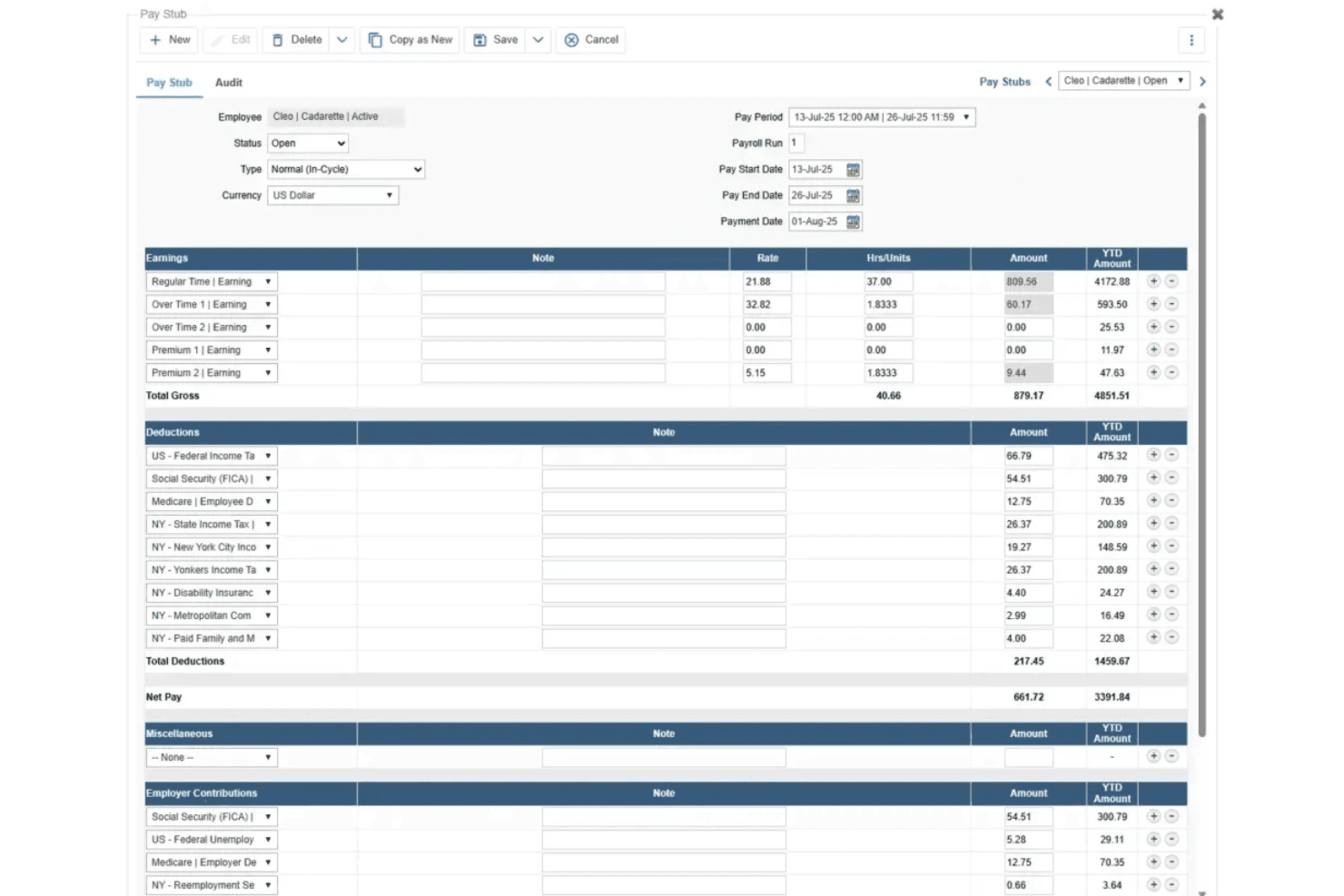
TimeTrex displays detailed pay stubs with earnings, deductions, and net pay. TimeTrex is a workforce management platform that combines time and attendance, payroll processing, employee scheduling, job costing, and invoicing with accounts receivable.
Who Is TimeTrex Best For?
TimeTrex is a strong fit for small and mid-sized businesses that need time tracking and payroll to work together without manual data transfer between systems.
Why I Picked TimeTrex
TimeTrex earns its spot on my shortlist because of how tightly it connects time tracking to payroll, with approved timesheets flowing directly into paycheck calculations without any manual data transfer. I particularly like the Invoice Wizard, which pulls billable hours from employee timesheets and generates client invoices automatically, so there's no double-entry between your time records and your billing. Job costing adds another layer, letting you break down labor costs by employee, department, or task across up to four cost-center levels.
TimeTrex Key Features
- Timesheet-to-invoice wizard: Pulls billable hours directly from employee timesheets to generate client invoices for one or multiple jobs in a selected date range.
- Recurring invoices and payments: Supports recurring invoice schedules and pre-authorized client payment methods, including credit card and bank transfer.
- Customizable report templates: Built-in reports can be filtered, grouped, sorted, and configured with custom columns or formulas, then saved as PDFs or emailed.
- Multi-level permission controls: Assigns granular view, edit, and delete permissions to employees via permission groups with over 800 configurable access settings.
TimeTrex Integrations
TimeTrex lists integrations with Intuit QuickBooks, Sage, ADP, Paychex, Surepay, Ceridian, CompuPay, Vensure Employer Services, Accero, and Chris21 for accounting, payroll, and HR data exchange. It also offers a RESTful API for custom integrations.
Pros and Cons
Pros:
- Detailed job costing tracks labor
- Billable hours generate client invoices
- Timesheets feed payroll calculations
Cons:
- Interface can feel dated and cluttered
- Corporate Edition excludes expense tracking
Learn more about TimeTrex: Best for integrated payroll and accounting tools
- 30-day free trial + demo available
- From $17/month
Visit WebsiteCustomer Rating:5/5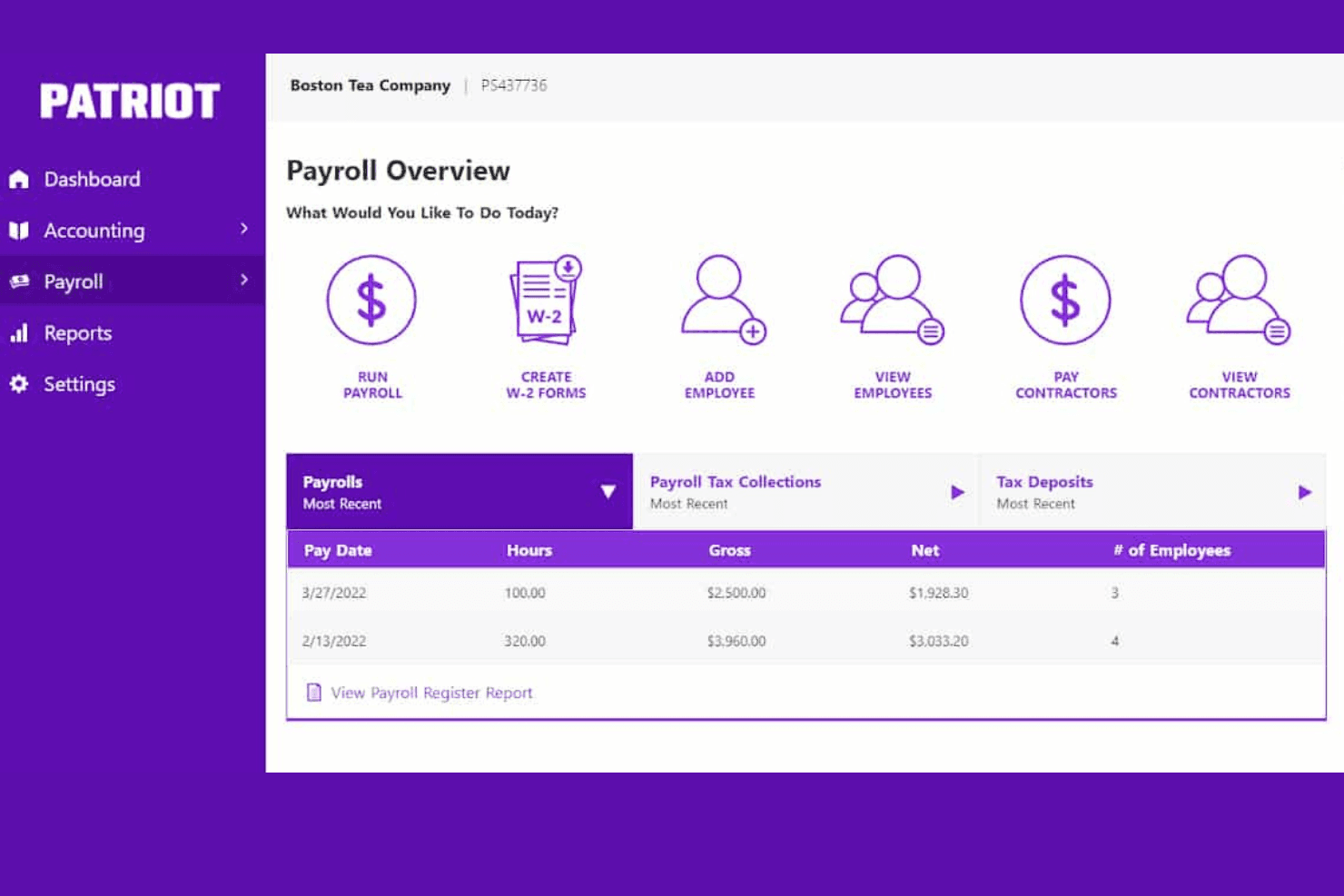
Patriot Payroll gives users a clear overview of recent payroll runs and tax data. Patriot Payroll is a small business payroll software that handles payroll processing, tax calculations, and employee time tracking, with native integrations to accounting tools like QuickBooks and Patriot Accounting.
Who Is Patriot Payroll Best For?
Patriot Payroll is a strong fit for small business owners who want to run payroll and keep their books in sync without juggling separate systems.
Why I Picked Patriot Payroll
I've included Patriot Payroll in my top picks because it's one of the few tools that ties payroll processing directly to your books without requiring a separate middleware connection. I particularly like how each payroll run automatically creates a journal entry in Patriot Accounting or syncs to QuickBooks, so your records stay current without manual data entry. The Full Service plan also handles federal, state, and local tax filings and deposits, including year-end W-2s, which removes a significant administrative burden from small business owners.
Patriot Payroll Key Features
- Auto Payroll: Configure payroll to run automatically on a recurring schedule, with notifications sent each time a run completes.
- Employee self-service portal: Employees can view pay history, print pay stubs, access year-to-date data, and download W-2 forms without contacting HR.
- Multi-state tax filing: Full Service Payroll handles tax filings and deposits across federal, state, and local jurisdictions, with additional states supported for $12/month each.
- Payroll reporting: Filter and export reports covering payroll details, tax liabilities, deductions, contributions, and department breakdowns.
Patriot Payroll Integrations
Patriot Payroll offers six documented native integrations, including Patriot Accounting, QuickBooks Online, QuickBooks Desktop, SimplyInsured, Vestwell, and ERGO NEXT. The accounting integrations sync payroll data, while others connect benefits, retirement plans, or workers’ compensation workflows.
Pros and Cons
Pros:
- Employee time cards feed payroll processing
- Reviewers praise quick payroll runs
- Payroll tax filings reduce admin work
Cons:
- Payroll hours aren’t billable to clients
- No customer invoicing or payment collection
Learn more about Patriot Payroll: Best for online payment processing
- Free plan + Free demo available
- From $0/month
Visit WebsiteCustomer Rating:4.6/5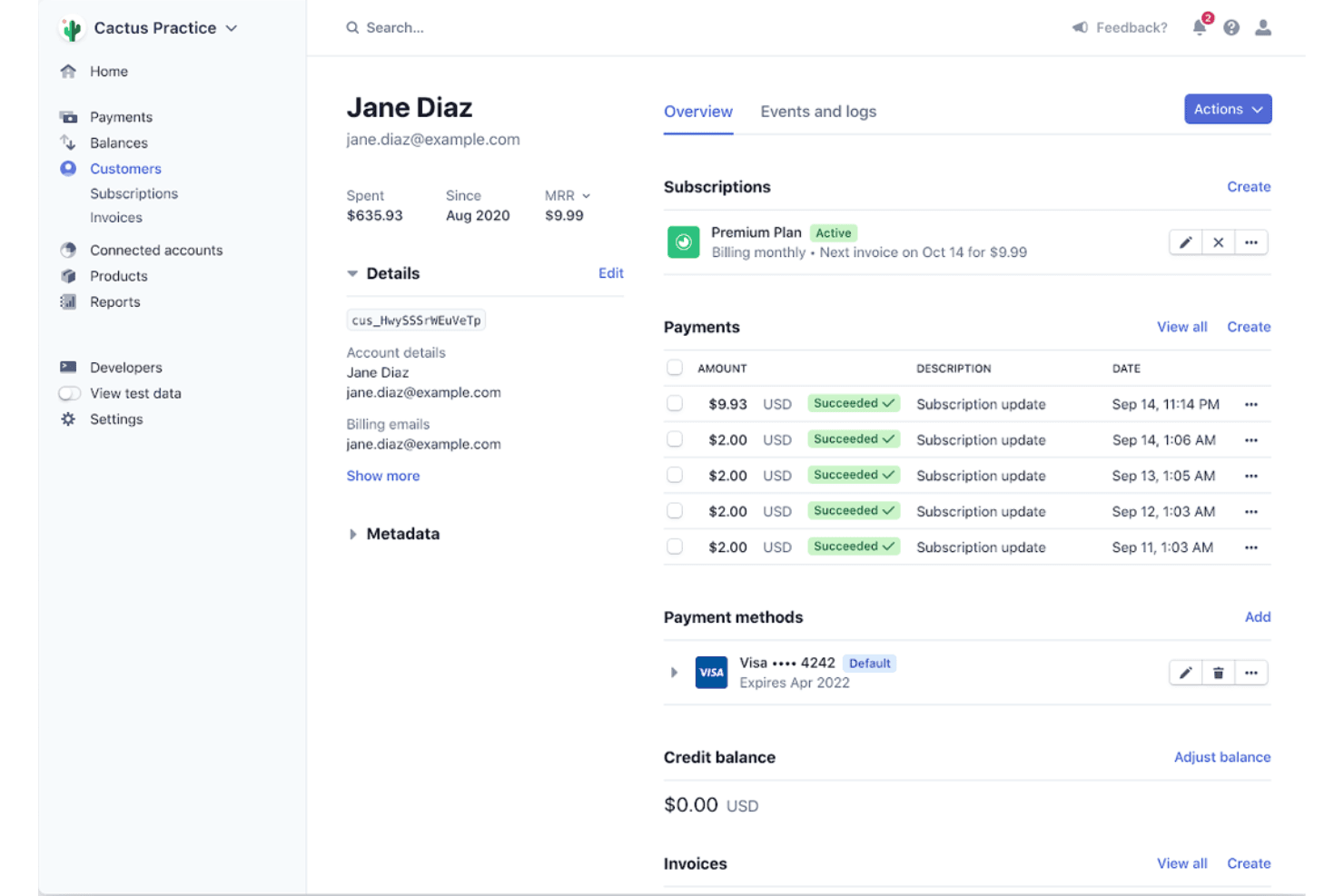
Stripe lets users manage customer subscriptions, payments, and billing details. Stripe is a payment infrastructure platform that handles online invoice creation, multi-currency payment collection, automated reminders, and accounts receivable reconciliation.
Who Is Stripe Best For?
Stripe Invoicing is a strong fit for small business owners who prioritize fast, multi-currency online payment collection over full-service bookkeeping.
Why I Picked Stripe
I've included Stripe in my top picks because its hosted invoice pages let clients pay in 135+ currencies using 100+ payment methods, with options displayed dynamically based on their location—something few invoicing tools match. I also like that Smart Retries uses AI to retry failed card payments at optimized times, so you're recovering revenue without manual follow-up. Automatic reconciliation for ACH Credit and wire transfers ties it all together, matching incoming payments to open invoices without extra legwork.
Stripe Key Features
- Hosted invoice page: Clients receive a unique link to a branded, mobile-responsive payment page where they can view, pay, and download their invoice.
- Customer self-service portal: Customers can log in to view, pay, and download current and past invoices without contacting your team.
- Configurable payment terms: Set custom due dates and payment terms directly on each invoice before sending.
- Accounts receivable aging reports: View outstanding invoice balances by age in the Dashboard to monitor overdue payments at a glance.
Stripe Integrations
Stripe documents integrations with NetSuite, plus marketplace integrations for QuickBooks and Xero through embedded Stripe Apps. These integrations are in private preview, and Stripe’s API supports custom connections.
Pros and Cons
Pros:
- Reviewers praise recurring invoices and receipts
- Branded hosted pages simplify customer payment
- Accepts payments across 135+ currencies
Cons:
- Limited financial reporting and bookkeeping capabilities
- No billable-time or expense tracking
Learn more about Stripe: 4Best for small business accounting
Xero
- 1-month free trial available
- From $27/month
Visit WebsiteCustomer Rating:4.4/5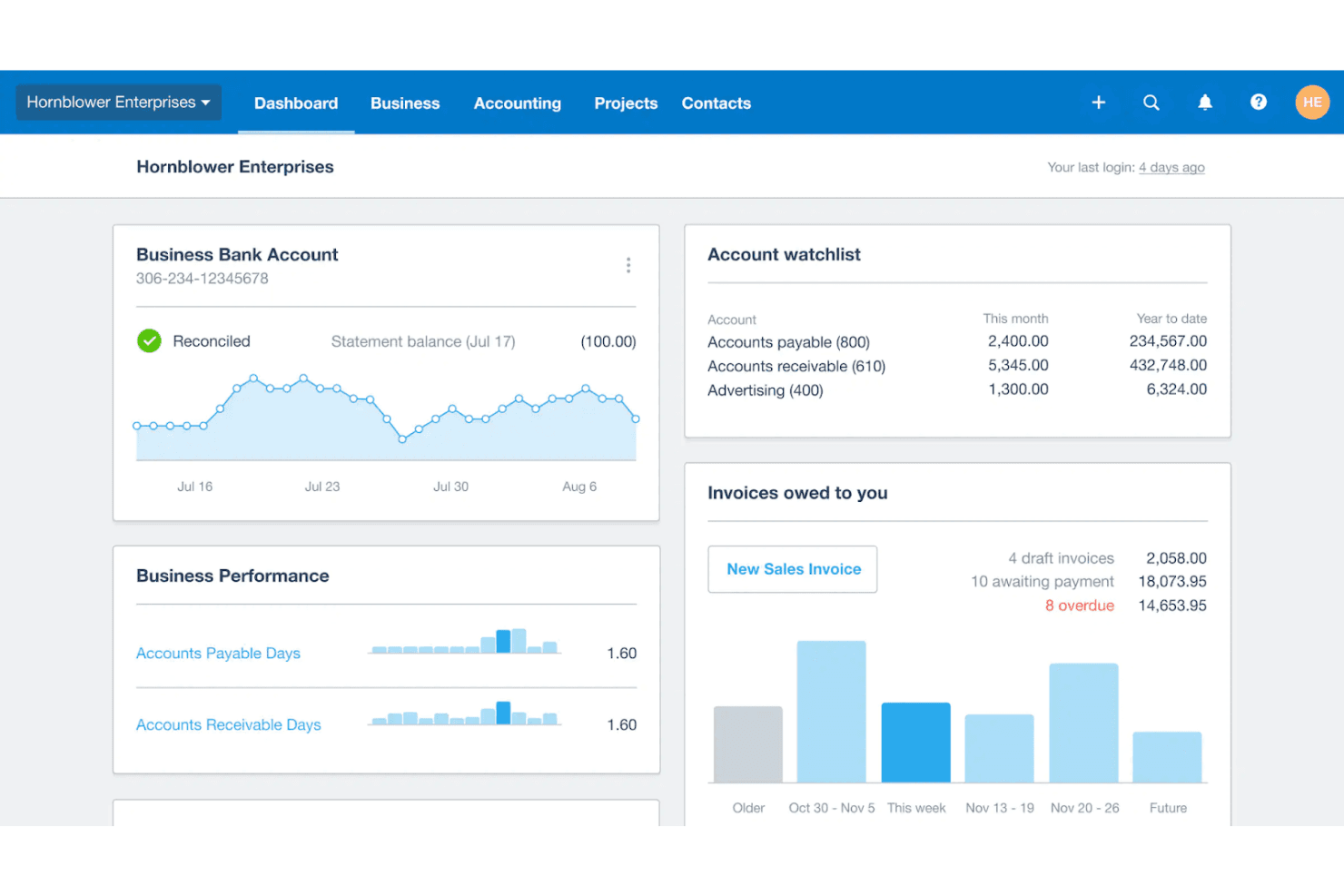
Xero's dashboard gives users a real-time financial overview. Xero is a cloud-based accounting platform that covers invoicing, bank reconciliation, expense tracking, financial reporting, and bill management for small businesses.
Who Is Xero Best For?
Xero is a strong fit for small business owners and bookkeeping staff who need a full accounting backbone—not just invoicing—with bank reconciliation, real-time reporting, and a wide app ecosystem built in.
Why I Picked Xero
Xero earns its spot on my shortlist because it goes well beyond basic invoicing to give small businesses a real accounting backbone. I particularly like how bank reconciliation works in practice: Xero pulls in transactions from over 21,000 financial institutions and lets you set rules for repeat transactions, so matching entries becomes almost automatic over time. Smart Document Capture also stands out to me, extracting key data from bills and receipts and creating transactions directly in Xero without manual entry.
Xero Key Features
- Repeating invoice templates: Create automated recurring invoices from existing invoices or accepted quotes, with configurable scheduling and automatic email delivery.
- Multi-currency accounting: Send and receive payments in more than 160 currencies, available on the Established plan.
- JAX AI assistant: Ask questions about your business finances, request invoice creation, and get visualized insights drawn from your Xero data.
- Xero App Store: Browse and connect from more than 1,000 third-party apps spanning payroll, HR, ecommerce, and job management.
Xero Integrations
Xero offers 1,000+ marketplace integrations, including Stripe, Shopify, Expensify, Dext, Gusto, Deputy, Tradify, and ServiceM8. It also provides APIs, SDKs, OAuth 2.0, and webhooks for custom integrations.
Pros and Cons
Pros:
- Repeating invoices automate routine billing
- Real-time reports clarify business finances
- Bank reconciliation reduces manual bookkeeping
Cons:
- Redesigned invoicing draws reliability complaints
- Project time tracking requires Established
Learn more about Xero: Best for user-friendly bookkeeping
- Free plan + free trial available
- From $15/month
Visit WebsiteCustomer Rating:4.6/5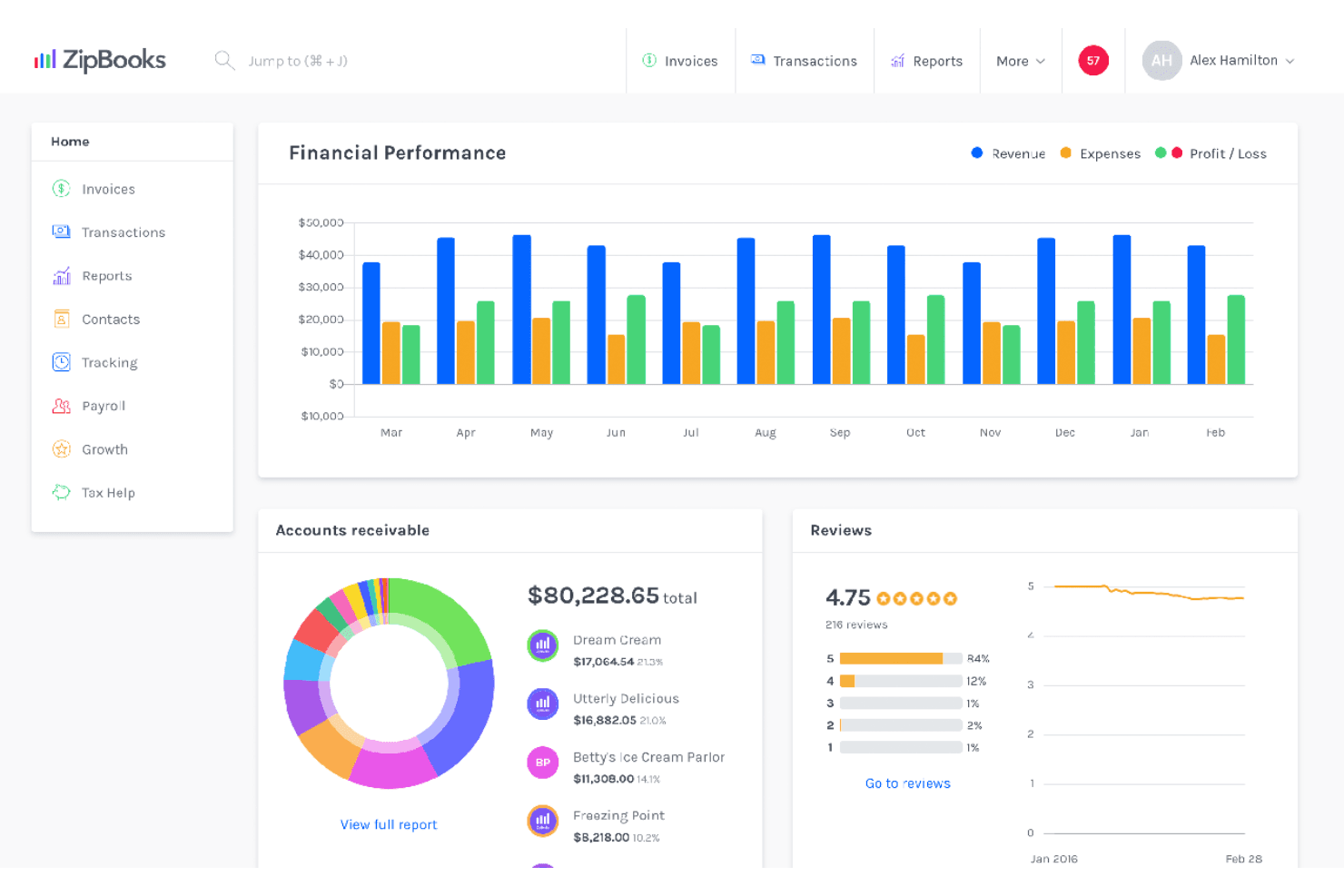
ZipBooks displays revenue, expenses, and receivables on one dashboard. ZipBooks is accounting and bookkeeping software for small businesses that covers invoicing, expense tracking, time tracking, bank reconciliation, and financial reporting.
Who Is ZipBooks Best For?
ZipBooks is a strong fit for freelancers and small business owners who want clean, approachable bookkeeping without a steep learning curve.
Why I Picked ZipBooks
ZipBooks earns its spot on my shortlist because its bookkeeping experience is genuinely approachable without sacrificing the core accounting functions you'd expect from a FreshBooks alternative. I particularly like the Invoice Quality Score, which gives you real feedback on your invoices rather than just sending them into the void. Time entries tie directly to projects and flow straight into client invoices, so billable hours never get lost between your notes and your billing cycle.
ZipBooks Key Features
- Bank Connect: Link bank accounts from thousands of financial institutions to automatically import transactions for reconciliation.
- Automated payment reminders: Schedule multiple email reminders per customer, triggered a set number of days after an invoice's due date.
- Tag-based reporting: Tag transactions by location, project, or custom category, then generate filtered reports based on those tags.
- Estimates and quote conversion: Create customizable estimates and convert accepted ones directly into invoices without re-entering any details.
ZipBooks Integrations
ZipBooks lists integrations with Square, PayPal, Stripe, Gusto, Google, Yelp, and Facebook. It also provides a JSON API with HTTP endpoints and JWT authentication for custom integrations.
Pros and Cons
Pros:
- Unlimited invoices suit solo consultants
- Reviewers praise clear income and expense reports
- Tracked project hours transfer to invoices
Cons:
- One reviewer reported recurring billing failures
- Reviewers find reporting customization limited
Learn more about ZipBooks:
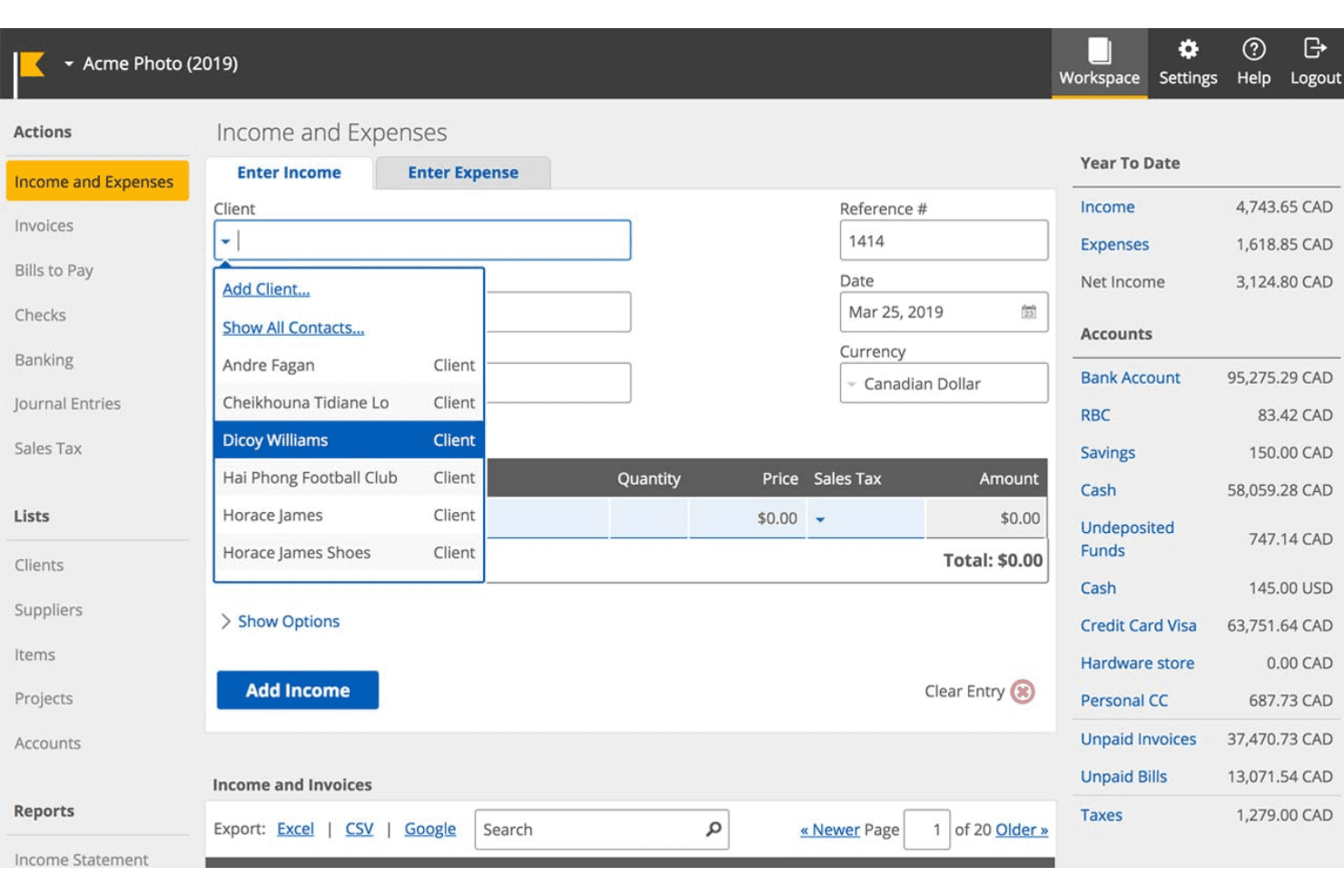
Kashoo lets users log income and select clients from a dropdown. Kashoo is accounting software for small businesses that covers double-entry bookkeeping, invoicing, expense and bill tracking, bank feeds, and financial reporting.
Who Is Kashoo Best For?
Kashoo suits small business owners and freelancers who want straightforward double-entry bookkeeping without a steep learning curve.
Why I Picked Kashoo
Kashoo earns its spot on my shortlist because it automates the bookkeeping tasks that eat up the most time, specifically bank feeds that sync transactions from more than 5,000 institutions and a double-entry ledger that keeps everything balanced without manual effort. I also like that it generates core financial reports like Profit and Loss, Balance Sheet, and Trial Balance, all exportable to Excel, CSV, or PDF, which makes handing off records to an accountant genuinely straightforward.
Kashoo Key Features
- Sales tax tracking: Record and monitor sales tax across transactions to keep your books tax-ready throughout the year.
- Multi-currency support: Record income and expenses in multiple currencies, with the setting enabled directly in your business details.
- Project accounting: Assign invoices, income, expenses, and bills to individual projects and export project records to Excel or CSV.
- Multiple user roles: Add unlimited users and assign role-based access levels, including a View Only role for accountants or bookkeepers.
Kashoo Integrations
Kashoo offers eight documented native integrations, including FreshBooks, Stripe, Square, Plaid, PaymentEvolution, SurePayroll, Paychex, and 1Password. Its REST and OAuth2 API supports custom connections for contacts, projects, invoices, payments, reports, and bank reconciliations.
Pros and Cons
Pros:
- Professional invoices are quick to send
- Exportable reports help prepare accountant handoffs
- Double-entry bookkeeping supports accurate records
Cons:
- Recurring invoices need manual send reminders
- No billable-hour tracking for client work
Learn more about Kashoo: Best for inventory management
- 15-day free trial available
- From $20/month
Visit WebsiteCustomer Rating:4.7/5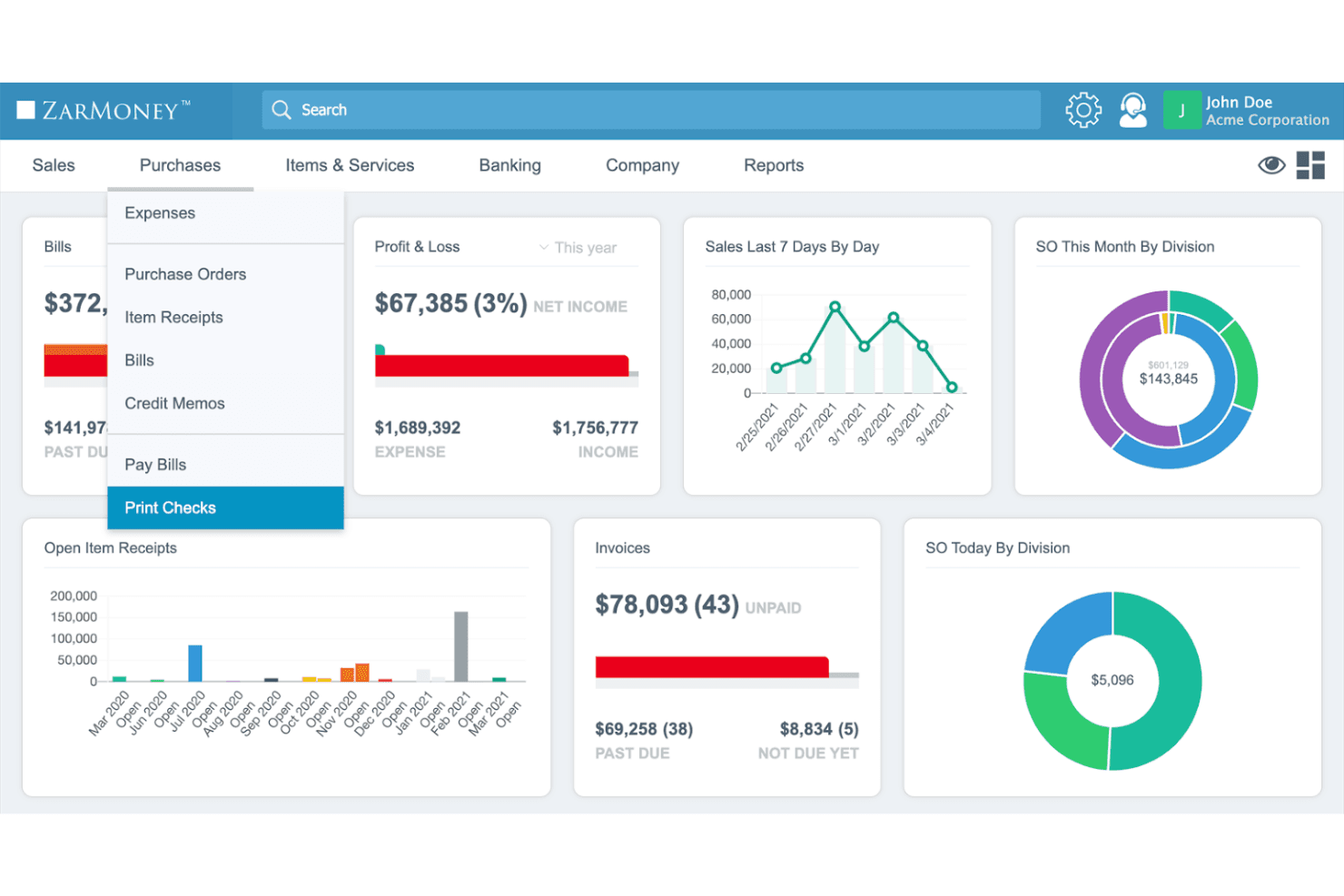
ZarMoney centralizes purchasing workflows from expenses to check printing. ZarMoney is a cloud-based accounting platform that combines invoicing, expense tracking, inventory management, and financial reporting into a single suite.
Who Is ZarMoney Best For?
ZarMoney is a strong fit for small businesses that need real inventory management built into their accounting software, not bolted on as an afterthought.
Why I Picked ZarMoney
I picked ZarMoney as one of the best because its inventory management goes deeper than what most accounting tools offer at this price point. Features like real-time stock tracking across multiple warehouses, FIFO costing, and the ability to buy by the box and sell by the piece make it genuinely useful for product-based businesses that FreshBooks simply can't serve well. I also like that purchase orders automatically split into bills when inventory arrives partially, which keeps your books accurate without manual cleanup.
ZarMoney Key Features
- Recurring invoices: Set invoices to automatically charge customers for goods or services at regular intervals.
- Bank transaction matching: Automatically match imported bank transactions with recorded transactions for faster reconciliation.
- Sales tax management: Calculate sales tax, assign tax zones to customers or store locations, and generate tax-filing reports.
- Custom user permissions: Restrict user access by role, computer location, or IP address to control what each team member can see and do.
ZarMoney Integrations
ZarMoney connects with Stripe and PayPal for online card payments and Plaid for bank downloads. It also offers a REST API with OAuth 2.0 and webhooks for custom integrations; no native integration count is documented.
Pros and Cons
Pros:
- Bank reconciliation connects bookkeeping and sales
- Quotes convert directly into customer invoices
- Advanced stock controls suit product sellers
Cons:
- Mobile receipt capture is limited
- Billable-hour links to projects remain unclear
Learn more about ZarMoney: Best for project-based firms
- Free demo available
- Pricing upon request
Visit WebsiteCustomer Rating:4.5/5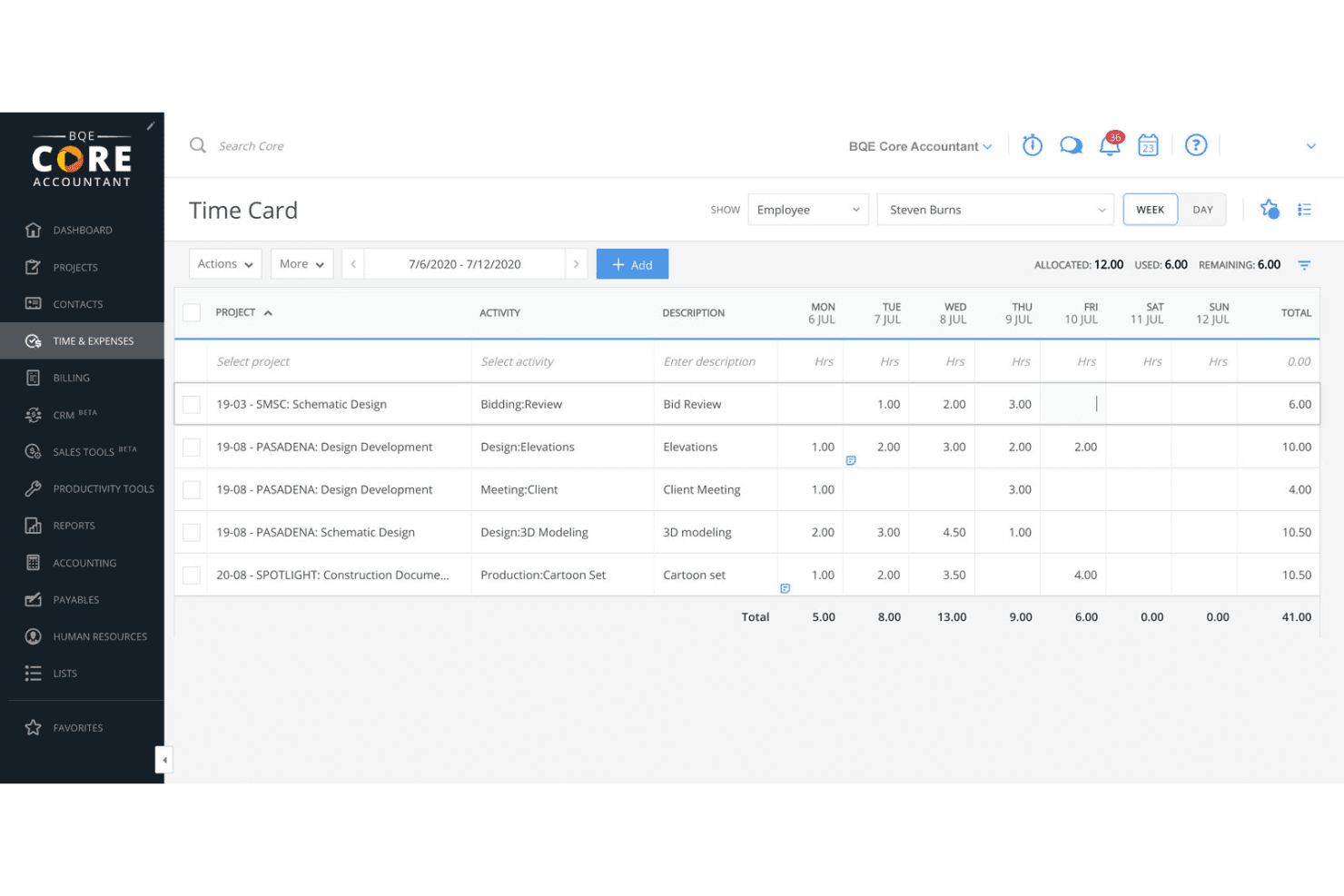
BQE Core lets users log and track weekly hours across projects. BQE Core is a firm management platform built for architecture and engineering practices, combining project management, time and expense tracking, invoicing, and a full accounting suite in one system.
Who Is BQE Core Best For?
BQE Core is a strong fit for architecture and engineering firms that need project management, billing, and accounting in one place.
Why I Picked BQE Core
BQE Core earns its spot on my shortlist because it's built specifically for architecture and engineering firms that have outgrown what FreshBooks can handle. I particularly like how project accounting and billing are fully connected: approved time and expense entries flow directly into WIP, ready to invoice against hourly, fixed-fee, or cost-plus contracts without manual reconciliation. On top of that, retainer management distinguishes client-level from project-level balances and handles the accounting entries automatically.
BQE Core Key Features
- ePayments: Accept online payments via credit cards, debit cards, and bank account transfers directly through invoices.
- Proposal builder: Create and send client proposals using a web-based builder or Microsoft Word templates with Smart Fields, with DocuSign e-signature support.
- Customizable user permissions: Set screen-level read and write access and report permissions for each user through predefined or custom security profiles.
- Zapier integration: Connect BQE Core to external tools via a Zapier connector powered by CORE Public APIs, with triggers and actions across clients, projects, time entries, and payments.
BQE CORE Integrations
BQE CORE lists hundreds of pre-built integrations, including QuickBooks, Xero, DocuSign, Power BI, Google, and Microsoft. It also offers CORE Public APIs for custom integrations and a Zapier connector.
Pros and Cons
Pros:
- Receipt OCR reduces manual expense entry
- Gives managers live project-profit visibility
- Connects project time directly to billable work
Cons:
- Slow reports and navigation frustrate users
- Custom financial reports take time to build
Learn more about BQE Core: Best for online invoicing
- Free plan + 14-day free trial available
- From $19/month
Visit WebsiteCustomer Rating:4.5/5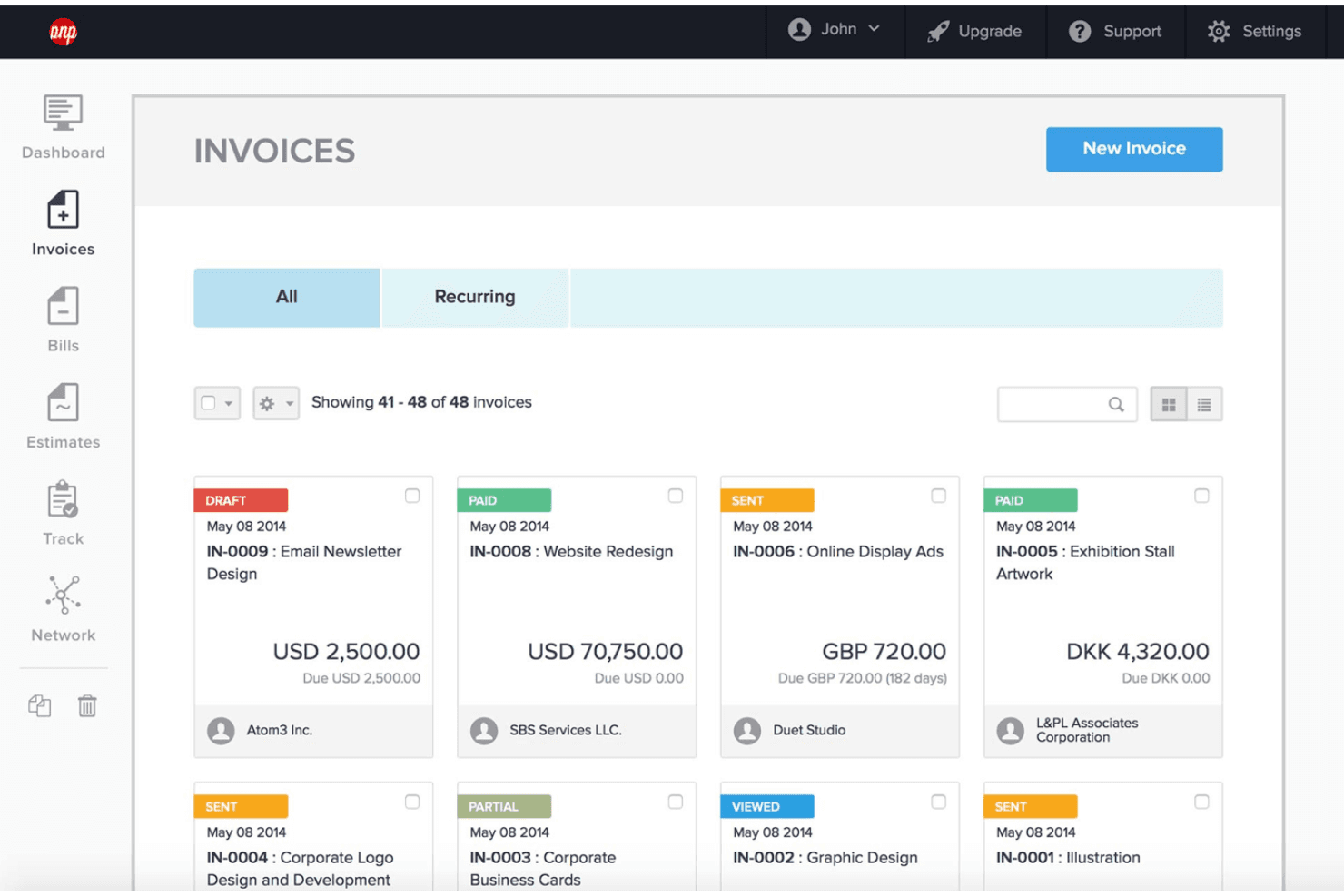
Hiveage lets users manage and track all invoices in one dashboard. Hiveage is an online invoicing platform for freelancers and small businesses that covers invoice creation, estimates, recurring billing, payment collection, and time and expense tracking.
Who Is Hiveage Best For?
Hiveage is a strong fit for freelancers and small business owners who need straightforward online invoicing, recurring billing, and time and expense tracking without the complexity of full accounting software.
Why I Picked Hiveage
I picked Hiveage as one of the best because its recurring billing setup is genuinely one of the cleanest I've seen for freelancers moving away from FreshBooks. You can schedule invoices at custom intervals, choose between automatic charging, automatic emailing, or draft review, and Hiveage will even pull billable expenses logged during that cycle onto the next invoice automatically. I also like that it includes a built-in FreshBooks data import tool, where you connect via API token and select exactly which data types to bring over.
Hiveage Key Features
- Multi-currency invoicing: Create and send invoices in multiple currencies, with currency preferences set per client.
- Estimate-to-invoice conversion: Build detailed estimates with line items, taxes, and discounts, then convert accepted estimates directly into invoices.
- CSV data export: Export invoices, bills, payments, time entries, expenses, mileage, and recurring profiles as a downloadable CSV archive.
- Multiple business management: Manage more than one business from a single Hiveage account, with team roles including admin, manager, staff, and contractor.
Hiveage Integrations
Hiveage offers 12+ native payment-gateway integrations, including PayPal, Stripe, Square, Braintree, and Pin Payments. It has a JSON REST API for custom integrations, but named accounting, HR, and productivity integrations aren’t documented.
Pros and Cons
Pros:
- Recurring billing supports draft, email, or charge
- Billable time and expenses feed invoices
- FreshBooks import supports a direct switch
Cons:
- No project budgets or profitability tracking
- Reports omit profit-and-loss statements
Learn more about Hiveage: 10Best for free invoicing and accounting tools
WAVE
- Free plan + 30-day free trial available
- From $19/month
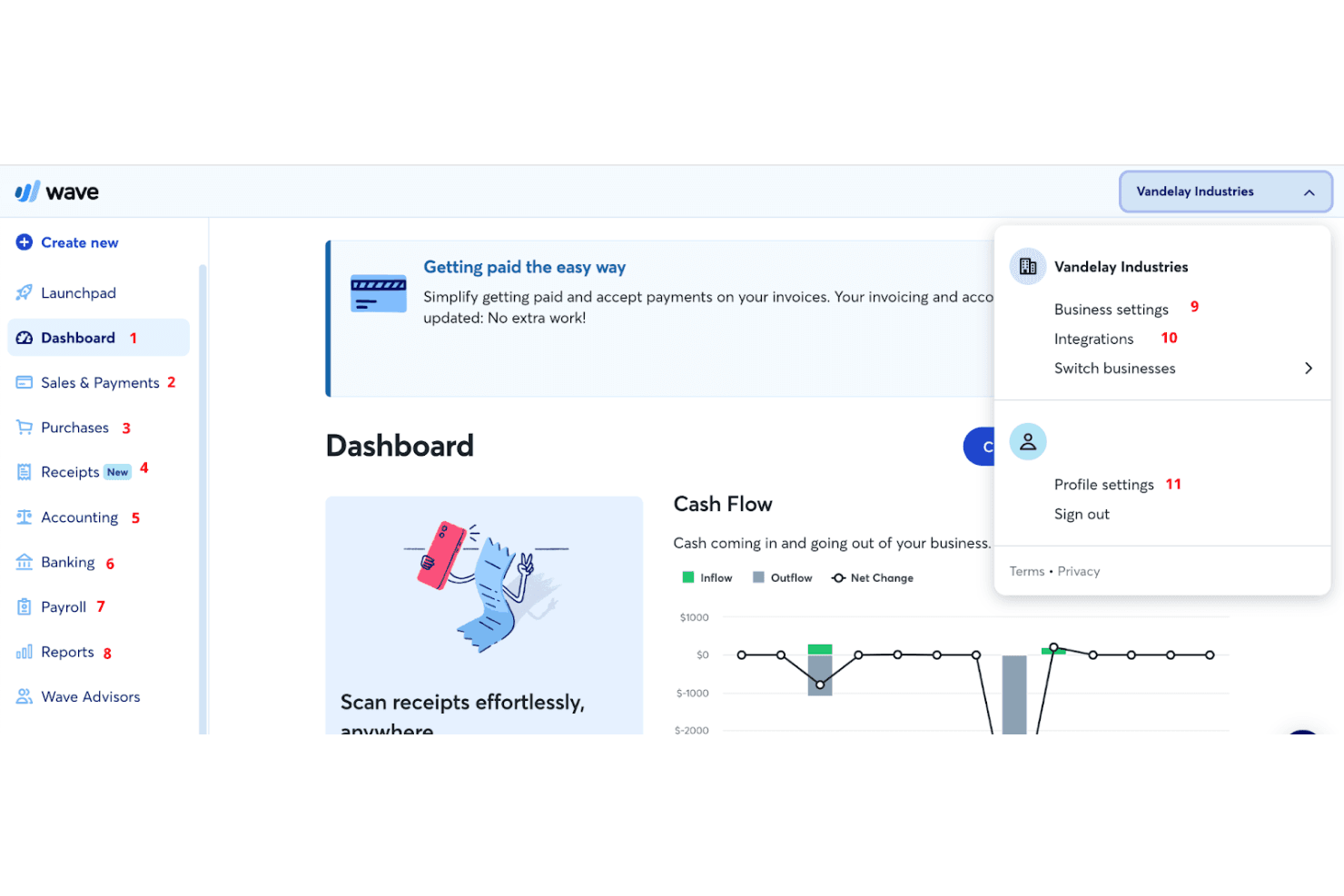
Wave lets users manage business settings and switch accounts easily. Wave is a small business accounting and invoicing platform that covers double-entry bookkeeping, expense tracking, financial reporting, and online payment collection.
Who Is Wave Best For?
Wave is a strong fit for freelancers and small business owners who want solid invoicing and double-entry bookkeeping without paying a monthly fee to get started.
Why I Picked Wave
I've included Wave in my top picks because it's one of the few FreshBooks alternatives that gives you a genuinely usable free tier, covering unlimited invoicing, double-entry bookkeeping, and expense tracking without a time limit. I particularly like that recurring invoices and automated overdue reminders are built in, so chasing late payments doesn't have to be a manual task. The receipt scanning feature also automatically creates and merges expense transactions, which keeps your books tidy without extra data entry.
Wave Key Features
- Double-entry bookkeeping: Wave records all business transactions using double-entry accounting, keeping your books accurate and audit-ready.
- Account reconciliation: Reconcile your bank and credit card accounts directly in Wave to keep your financial records organized and up to date.
- Deposit requests on estimates: Add a deposit request as a dollar amount or percentage to any estimate, letting clients pay a portion upfront before work begins.
- Collaborator roles: Invite accountants, bookkeepers, or team members to your Wave account with fixed role-based access across Admin, Editor, Payroll Manager, and Viewer permissions.
Wave Integrations
Wave lists 13+ marketplace integrations on Pro, including Google Sheets, MinuteDock, and Swell Time Tracking. It also offers a GraphQL API with webhooks, plus integrations through Make.com and Zapier.
Pros and Cons
Pros:
- Recurring invoices send overdue reminders automatically
- Double-entry bookkeeping pairs with useful financial reports
- Professional invoices include payment status tracking
Cons:
- FreshBooks transaction history requires manual migration
- No built-in billable time tracking
Learn more about WAVE:
Diğer FreshBooks Alternatifleri
Değerlendirmek üzere birkaç seçeneğe daha göz atmak isterseniz, incelemeye değer diğer bazı FreshBooks alternatiflerini burada bulabilirsiniz:
- 11ABBYYBest for intelligent document processing
- 12PatriotBest for affordable payroll and accounting software
- 13AccountEdgeBest for advanced data management
- 14Deel PayrollBest for global compliance management
- 15RemotePeopleBest for global payroll solutions
- 16BigTimeBest for professional services automation
- 17Zoho BooksBest for automation and workflow management
- 18ClioBest for legal practice management
- 19HoneyBookBest for creative professionals and freelancers
- 20DextBest for receipt and expense management
İlgili İK Yazılımı İncelemeleri
Aradığınızı hâlâ burada bulamadıysanız, test edip değerlendirdiğimiz diğer ilgili araçlara göz atın:
- İK Yazılımı
- Bordro Yazılımı
- İşe Alım Yazılımı
- Kayıtlı İşveren Hizmetleri
- Aday Takip Sistemleri
- İşgücü Yönetimi Yazılımı
How I Evaluate FreshBooks Alternatives
I split my evaluation into three parts, giving the most weight to core tasks: create invoices, accept payments, and track billable time and expenses by client. Next, I look for differentiators such as client payment portals or retainer tracking. Finally, I consider migration help, customer support, and pricing for solo operators and small teams.
Core Functionality (Table Stakes For This List)
When I'm selecting tools for my list, I score each one on a scale from 0 (does not offer the functionality) to 5 (excels in this area) for each core functionality listed below. I then convert the total into a percentage to help assess each tool's overall fit, with extra weight on any functionalities I’ve deemed essential.
- Invoicing & Payments (Essential): I look for customizable invoices, online payment options, and clear status tracking so you can manage client billing from issue to payment.
- Time & Expenses (Essential): I check whether billable hours and project expenses can be logged, linked to clients, and transferred to invoices without re-entering details.
- Financial Reporting: I look for core reports, including profit and loss and expense summaries, that help teams review business finances and prepare records.
- Client & Project Tracking: I consider how tools organize client details and connect time, expenses, and invoices to projects for clearer cost tracking.
- Recurring Billing: I check for scheduled invoices and payment reminders that help manage retainers and follow up on overdue client payments.
- Accounting Connections: I evaluate built-in bookkeeping or accounting integrations that keep financial records consistent across billing and accounting workflows.
Once I have a list of tools that meet the criteria, I consider what sets each platform apart.
Differentiating Factors (What Sets Vendors Apart)
Here's how I compare and contrast different vendors:
Standout Features
I look for a client self-service portal where clients can review invoices, approve estimates, and submit payments on their own. This cuts down on email chains and speeds up collections. Retainer management matters too—I check whether a platform can track recurring retainer balances and draw down against them, which is common in ongoing HR advisory engagements. I also evaluate team permissions, since growing firms need granular role controls so junior consultants and admin staff access only the accounts they work on.
Beyond Features
Migration ease matters—I check whether a platform offers import tools for client lists, invoices, and historical records so you're not rebuilding everything from scratch. Pricing transparency is equally important, especially for solo consultants who need a low-cost tier without surprise fees for payment processing. I also evaluate integrations with payroll, scheduling, and project management tools, since HR consultants often need billable hours to flow into both invoices and payroll without manual re-entry.
Neden FreshBooks alternatifi aramalısınız?
FreshBooks kesinlikle popüler ve iyi bilinen bir muhasebe sistemi olsa da aşağıdakiler de dahil olmak üzere alternatif bir seçenek aramanızın çeşitli nedenleri olabilir:
- Maliyet: FreshBooks küçük işletmeler için pahalı olabilir.
- Özellikler: FreshBooks'un sahip olmadığı daha gelişmiş özelliklere ihtiyaç duyabilirsiniz.
- Özelleştirme: FreshBooks yeterli özelleştirme seçeneği sunmuyor olabilir.
- Kullanıcı Arayüzü: FreshBooks'un arayüzünde gezinmeyi zor bulabilirsiniz.
- Entegrasyon: FreshBooks, kullandığınız diğer araçlarla iyi bir şekilde entegre olmayabilir.
FreshBooks alternatifleri daha uygun fiyatlandırma, gelişmiş özellikler, daha iyi özelleştirme, daha kullanıcı dostu bir arayüz ve diğer araçlarla daha iyi entegrasyon sağlayabilir. Bu seçenekler işletmenizin özel ihtiyaçlarını daha iyi karşılayabilir.
FreshBooks alternatiflerinde aranması gereken temel özellikler
İşte FreshBooks'un alternatif yazılımınızın iyi bir seçim olabilmesi için kopyalayabilmesi veya geliştirebilmesi gereken bazı temel özellikler:
- Faturalama: Profesyonel faturaları hızlı ve kolay bir şekilde oluşturun.
- Ödemeler: Çevrim içi, yinelenen ve faturasız ödemeleri kabul edin.
- Zaman Takibi: Zamanı otomatik olarak takip edin ve faturalandırılabilir saatleri kaydedin.
- Muhasebe: Para giriş ve çıkışlarını takip etmek için raporları ve araçları kullanın.
- Giderler & Makbuzlar: Defterlerinizi vergi dönemine hazır tutmak için giderleri ve makbuzları kaydedin.
- Raporlar: Vergi dönemi ve işletme durumu raporları oluşturun.
- Projeler: Proje durumunu takip edin ve müşterilerle ve ekip üyeleriyle iş birliği yapın.
- Teklifler: Yeni müşteriler kazanmak için düzenli ve profesyonel teklifler oluşturun.
- Tahminler: Müşterilerle net beklentiler belirleyin ve proje planlarını düzenleyin.
- Müşteri Yönetimi: Müşteri bilgilerini tek bir yerde yönetin.
Ücretsiz FreshBooks Alternatifleri Var mı?
FreshBooks'a ücretsiz alternatifler arıyorsanız, muhasebe ihtiyaçlarınız sınırlıysa işinize yarayabilecek çeşitli seçenekler vardır. Bu araçlar, faturalamadan gider takibine kadar çeşitli özellikler sunar; hatta bazıları stok yönetimi ve diğer işletme uygulamalarıyla entegrasyonlar gibi gelişmiş işlevler de sağlar. Değerlendirmeye değer en iyi ücretsiz FreshBooks alternatifleri şunlardır:
- Zoho Books: Zoho Books, yıllık geliri $50,000'dan az olan işletmeler için ücretsiz bir plan sunar. Faturalama, gider takibi ve banka mutabakatı gibi özellikleri içerir.
- GnuCash: GnuCash, çift taraflı muhasebeyi, gider takibini ve finansal raporlamayı destekleyen açık kaynaklı bir muhasebe yazılımıdır. Linux da dahil olmak üzere birden fazla işletim sistemiyle uyumludur.
- Brightbook: Brightbook, serbest çalışanlar ve küçük işletmeler için tasarlanmıştır. Faturalama, gider takibi ve temel finansal raporlama gibi özellikler sunar.
- ProfitBooks: ProfitBooks, stok yönetimi özelliklerine sahip ücretsiz muhasebe yazılımı sunar ve bu da onu perakende işletmeleri için ideal kılar. Ayrıca faturalama ve gider takibini de içerir.
- Manager: Manager, birden fazla işletim sistemini destekleyen ücretsiz, masaüstü tabanlı bir muhasebe yazılımıdır. Faturalama, gider takibi ve finansal raporlama gibi özellikler sunar.
- Odoo: Odoo, diğer Odoo işletme uygulamalarıyla entegre edilebilen muhasebe uygulaması için ücretsiz bir plan sunar. Özelleştirilebilir ve ölçeklenebilir bir çözüm arayan işletmeler için uygundur.
Bu bordro ve faturalama araçları, ücretli bir aboneliğe ihtiyaç duymadan işletme finansmanınızı etkili bir şekilde yönetmenize yardımcı olabilecek çeşitli özellikler sunar.