

10 mejores herramientas alternativas a FreshBooks para la contabilidad en 2026

Lista de las mejores alternativas a FreshBooks


FreshBooks es un conocido software de contabilidad que ayuda a las empresas a gestionar sus tareas de facturación, pagos, gastos, proyectos, seguimiento del tiempo y nóminas básicas. Aunque es una solución recomendable, es posible que te interese considerar otras alternativas a FreshBooks debido a necesidades específicas de funciones, opciones de personalización o preocupaciones relacionadas con el precio. En este artículo, te explicaré mis recomendaciones sobre las mejores alternativas a FreshBooks para ayudarte a gestionar tus tareas contables con facilidad.
¿Qué es FreshBooks?
FreshBooks es un software de contabilidad diseñado para ayudar a los propietarios de pequeñas empresas y a los trabajadores autónomos a gestionar sus finanzas. Entre sus usuarios se encuentran normalmente emprendedores, trabajadores autónomos y propietarios que trabajan por cuenta propia y necesitan realizar un seguimiento de los gastos, enviar facturas y gestionar sus registros financieros.
Por qué confiar en nuestras reseñas de software
Nuestro equipo lleva probando y evaluando software desde 2012. Como expertos en RR. HH., sabemos lo difícil —y lo importante— que es elegir el software adecuado.
Para esta guía, evaluamos las herramientas mediante pruebas prácticas e investigación independiente, puntuando las herramientas según nuestros criterios de selección. También nos basamos en la experiencia de líderes de opinión del sector y de profesionales de RR. HH. en activo.
Nuestras reseñas reflejan nuestro criterio editorial humano, no un discurso de ventas.
Revisores expertos:
Mejores alternativas a FreshBooks: tabla comparativa de precios
Esta tabla comparativa resume los detalles de precios de mis principales selecciones de alternativas a FreshBooks para ayudarte a encontrar el mejor software para tu presupuesto y las necesidades de tu empresa.
| Tool | Best For | Trial Info | Price | ||
|---|---|---|---|---|---|
| 1 | Ideal para una integración precisa del control horario con la nómina | Prueba gratuita de 30 días + demo gratis disponible | Desde $50/mes | Website | |
| 2 | Ideal para herramientas integradas de nómina y contabilidad | Prueba gratuita de 30 días disponible | Desde $8.50/mes + $2/empleado | Website | |
| 3 | Ideal para el procesamiento de pagos en línea | No disponible | Desde 2.9% + 30¢/transacción | Website | |
| 4 | Ideal para la contabilidad de pequeñas empresas | Prueba gratuita de 30 días disponible | Desde $2.50/mes | Website | |
| 5 | Ideal para la contabilidad amigable con el usuario | Prueba gratuita de 30 días + plan gratuito disponible | Desde $15/mes | Website | |
| 6 | Ideal para la contabilidad automatizada | Prueba gratuita de 14 días disponible | Desde $30/mes | Website | |
| 7 | Mejor para gestión de inventario | Prueba gratuita de 30 días + demo gratuita disponible | Desde $20/mes | Website | |
| 8 | Mejor para empresas basadas en proyectos | Demostración gratuita disponible | Precio bajo solicitud | Website | |
| 9 | Ideal para facturación en línea | Prueba gratuita de 14 días disponible | Desde $16/mes (facturado anualmente) | Website | |
| 10 | Mejor opción para herramientas gratuitas de facturación y contabilidad | Plan gratuito disponible | Desde $16/usuario/mes | Website |
Reseñas de las mejores alternativas a FreshBooks
A continuación encontrarás resúmenes detallados de mis recomendaciones sobre las mejores alternativas a FreshBooks. Te explicaré las ventajas y desventajas de cada herramienta, sus funciones y sus casos de uso más adecuados para ayudarte a encontrar la opción que mejor se adapte a tus necesidades.

TimeTrex
Ideal para una integración precisa del control horario con la nómina

TimeTrex ofrece una plataforma unificada de gestión de la fuerza laboral que combina control de asistencia, programación de turnos, nómina y herramientas de recursos humanos, lo cual es especialmente útil si diriges un negocio con personal por horas, trabajos por turnos o programación variable. Si tu equipo gestiona turnos, fichajes remotos o múltiples centros de trabajo, TimeTrex te ayuda a rastrear horas, administrar la nómina y garantizar el cumplimiento sin tener que usar sistemas separados.
Por qué elegí TimeTrex
Elegí TimeTrex porque conecta de manera eficiente el seguimiento en tiempo real de la asistencia con la nómina y la programación, en una forma que se adapta a equipos con horarios cambiantes o personal distribuido. Su control horario basado en reglas —incluyendo fichajes biométricos, desde móvil/reloj checador y con geolocalización o geoperimetraje— se traduce directamente en los cálculos de la nómina, por lo que no tienes que transferir manualmente las horas. Además, su módulo de programación gestiona asignaciones de turnos, solicitudes de ausencia y la planificación de personal en calendarios, lo que ayuda a asegurar que siempre tengas cobertura sin sobrecontratar.
Características clave de TimeTrex
Además de esas capacidades principales, encontrarás las siguientes funciones especialmente relevantes si buscas una alternativa completa a FreshBooks con una potente gestión de personal:
- Control de tiempo y fichaje móvil: Los empleados pueden registrar horas a través del navegador web, una aplicación móvil o terminales biométricos, permitiendo que el personal remoto o de campo fiche desde cualquier lugar.
- Geolocalización y geoperimetraje: Puedes exigir que los fichajes se realicen dentro de un área geográfica definida, lo que ayuda a garantizar que los trabajadores remotos o móviles registren tiempo solo cuando estén en el sitio.
- Costeo de trabajos y facturación: Asigna horas y costos de mano de obra a proyectos o trabajos específicos, y luego genera facturas automáticamente para los clientes según las horas reales trabajadas.
- Informes y análisis completos: Genera informes detallados sobre asistencia, costos laborales, horarios y datos de nómina para monitorear los indicadores de personal y tomar decisiones basadas en datos.
Integraciones de TimeTrex
TimeTrex ofrece integraciones personalizadas mediante API para conexiones fluidas con otros programas.
Pros and Cons
Pros:
- Los fichajes biométricos y el geoperimetraje reducen el riesgo de fraude con la asistencia o fichajes de colegas.
- El motor de nómina integrado enlaza las horas trabajadas con la nómina, gestionando deducciones, embargos y depósitos directos.
- El acceso por aplicación móvil permite a los empleados fichar o solicitar tiempo libre desde cualquier lugar.
Cons:
- La edición gratuita/open source carece de soporte oficial (por ejemplo, app móvil, soporte directo).
- Experiencia de usuario menos pulida en comparación con herramientas especializadas únicamente en contabilidad o facturación.
New Product Updates from TimeTrex
TimeTrex Adds Quick Punch App With Offline and QR Support
TimeTrex adds a new Quick Punch app, offline punching, QR code scanning, punch images, configurable messages, and punch warnings or lockouts to improve employee clock-ins across browsers and local computers. For more information, visit TimeTrex’s official site.
 .
.
Ideal para herramientas integradas de nómina y contabilidad
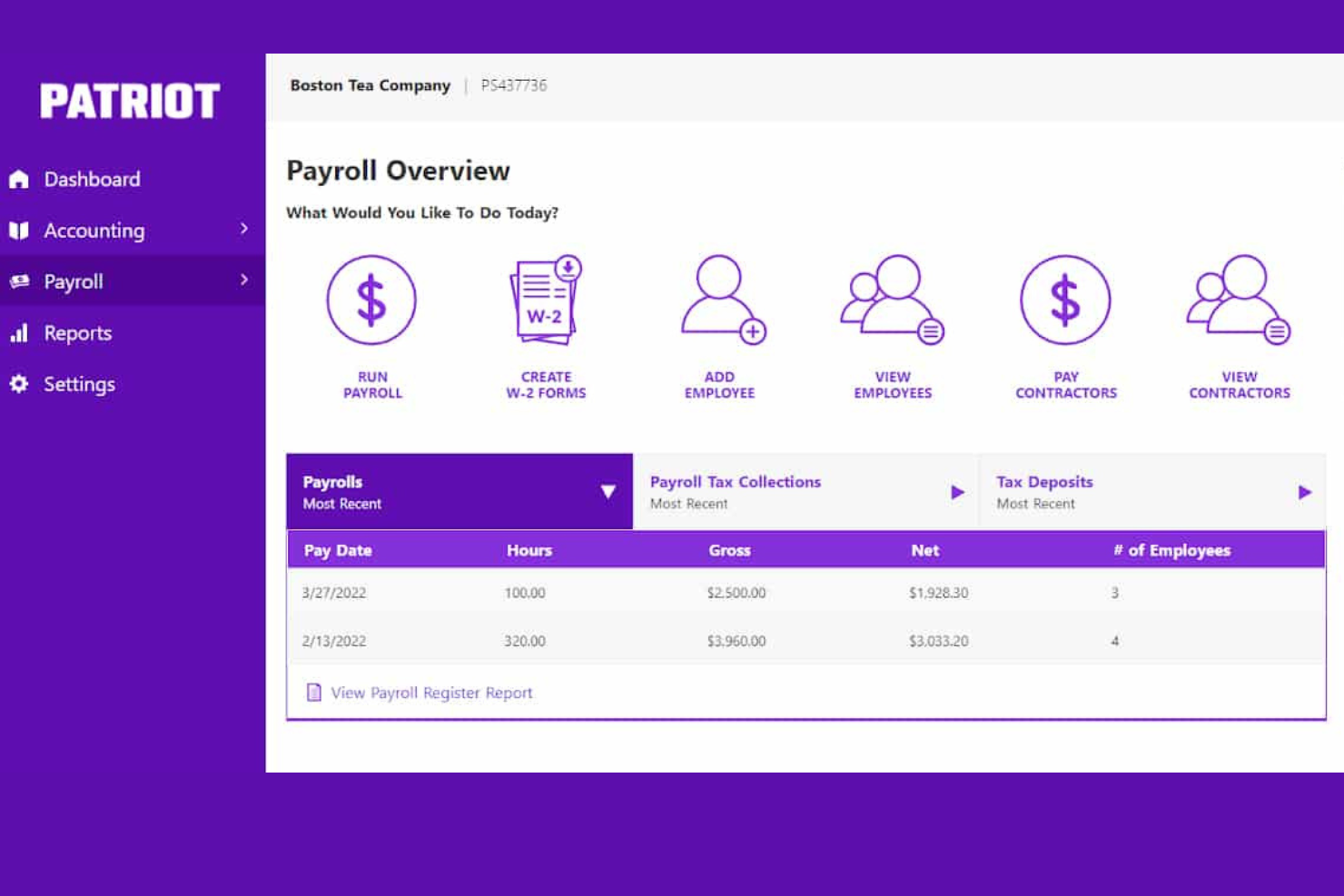
Patriot Software ofrece software de nómina y contabilidad asequible y fácil de usar, que es modular y está diseñado específicamente para empresas pequeñas y medianas con sede en EE. UU.
Por qué es una buena alternativa a FreshBooks: Patriot y FreshBooks ofrecen software modular para fines de nómina y contabilidad. Sin embargo, al comparar ambos, Patriot destaca por sus bajos precios y soporte al cliente localizado en EE. UU. Es asequible y fácil de usar gracias a su flexibilidad e interfaz intuitiva, lo que lo hace ideal para pequeñas empresas sin contadores dedicados.
Características destacadas e integraciones:
Las características incluyen configuración de nómina gratuita, soporte al cliente en EE. UU., ejecuciones de nómina ilimitadas, tarifas de pago flexibles, depósito directo gratuito en 2 días y un sencillo proceso de tres pasos para ejecutar la nómina, configuración gratuita y soporte localizado en EE. UU.
Además, el software de Payroll de Patriot se integra con Patriot Accounting para ofrecer una suite completa de software fácilmente comparable con FreshBooks.
Las integraciones incluyen Patriot Accounting, QuickBooks Online, QuickBooks Time, Plaid y Workforce Time & Attendance.
Pros and Cons
Pros:
- Herramientas de contabilidad integradas
- Puedes pagar a empleados o contratistas
- Soporte al cliente ágil
Cons:
- Disponible solo para empresas con sede en EE. UU.
- Los módulos de Nómina y Contabilidad de Patriot se venden por separado

Stripe
Ideal para el procesamiento de pagos en línea
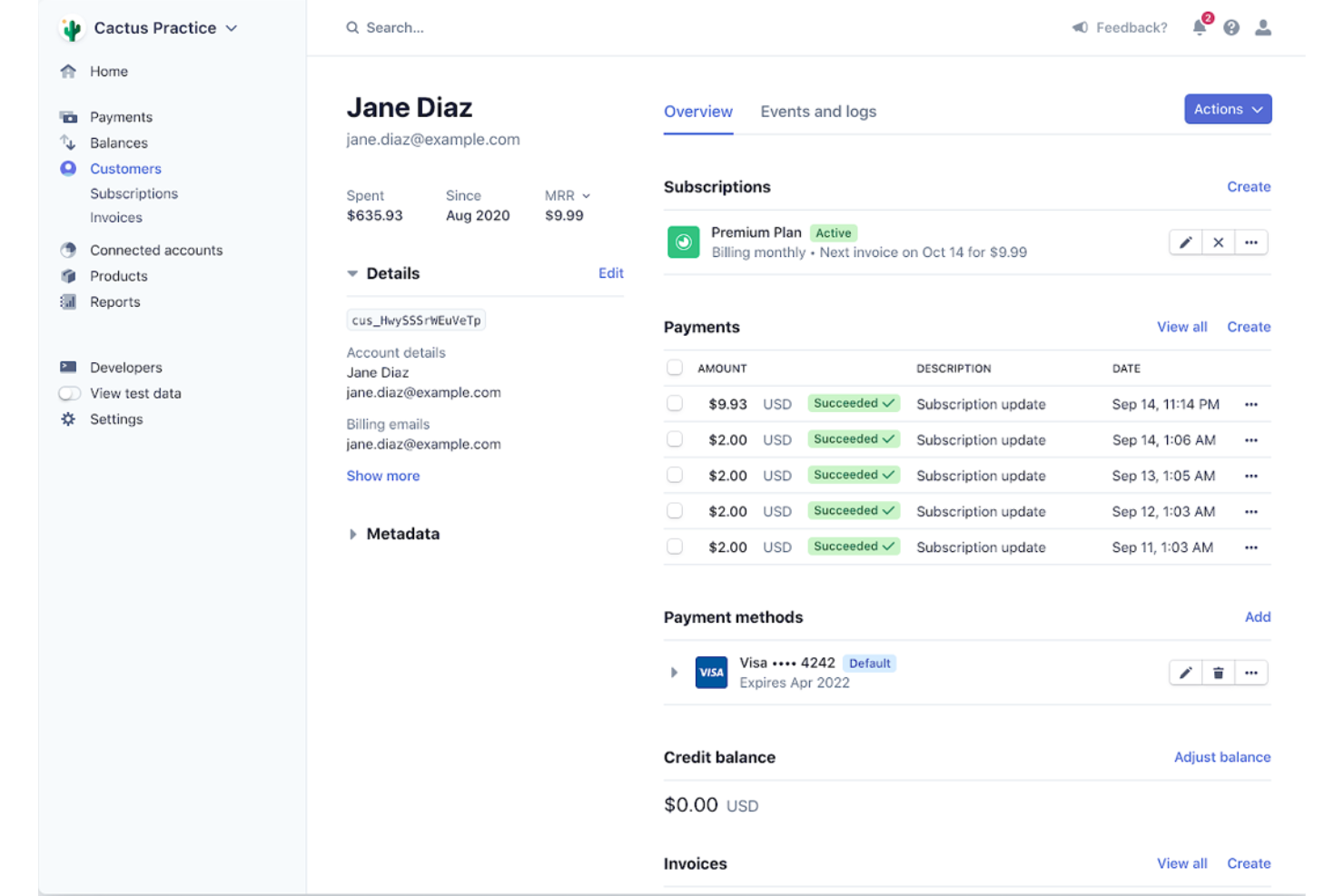
Stripe es una plataforma integral de procesamiento de pagos diseñada para gestionar transacciones en línea. Ofrece funciones sólidas que admiten una amplia variedad de métodos de pago y monedas, lo que la hace ideal para empresas que operan en el mercado global.
Por qué es una buena alternativa a FreshBooks: Elegí Stripe para esta lista porque ofrece amplias capacidades de procesamiento de pagos que pueden complementar las funciones de facturación y contabilidad de FreshBooks. Stripe destaca como una buena alternativa a FreshBooks porque gestiona varios métodos de pago, incluyendo tarjetas de crédito, transferencias ACH y pagos internacionales, que pueden integrarse en el flujo financiero de una empresa.
Funciones y integraciones destacadas:
Las funciones incluyen formularios de pago personalizables, herramientas de prevención de fraude y soporte para procesar pagos en más de 135 monedas. Además, Stripe ofrece cálculo y reporte automatizado de impuestos, lo que facilita a las empresas la gestión de sus obligaciones fiscales.
Las integraciones incluyen QuickBooks Online, NetSuite, Xero, FreshBooks, Shopify, WooCommerce, Magento, BigCommerce, Salesforce y Zapier.
Pros and Cons
Pros:
- Admite una amplia variedad de métodos de pago y monedas
- Herramientas sólidas de prevención de fraude
- Cálculo y reporte automatizado de impuestos
Cons:
- Las comisiones pueden acumularse en transacciones de alto volumen
- Configuración compleja para usuarios sin conocimientos técnicos

Xero
Ideal para la contabilidad de pequeñas empresas

Xero es un software de contabilidad en línea diseñado para ayudar a las pequeñas empresas a gestionar sus finanzas de manera eficiente. Ofrece herramientas completas adaptadas para satisfacer las necesidades únicas de las pequeñas empresas, garantizando una gestión financiera sencilla y cumplimiento normativo.
Por qué es una buena alternativa a FreshBooks: Elegí Xero por sus amplias capacidades contables que las pequeñas empresas requieren. Su conjunto de características completas y su interfaz fácil de usar lo hacen destacar como una excelente opción para quienes buscan una alternativa robusta a FreshBooks.
Características e integraciones destacadas:
Las funciones incluyen facturación, seguimiento de gastos y conciliación bancaria. También ofrece gestión de nómina y herramientas de informes financieros que simplifican tareas contables complejas para los propietarios de pequeñas empresas.
Las integraciones incluyen Stripe, PayPal, Gusto, HubSpot, Shopify, Square, GoCardless, Expensify, Bill.com y Salesforce.
Pros and Cons
Pros:
- Funciones de contabilidad completas
- Admite usuarios ilimitados
- Integraciones sólidas con herramientas populares
Cons:
- Puede ser caro para empresas muy pequeñas
- Opciones de atención al cliente limitadas

ZipBooks
Ideal para la contabilidad amigable con el usuario
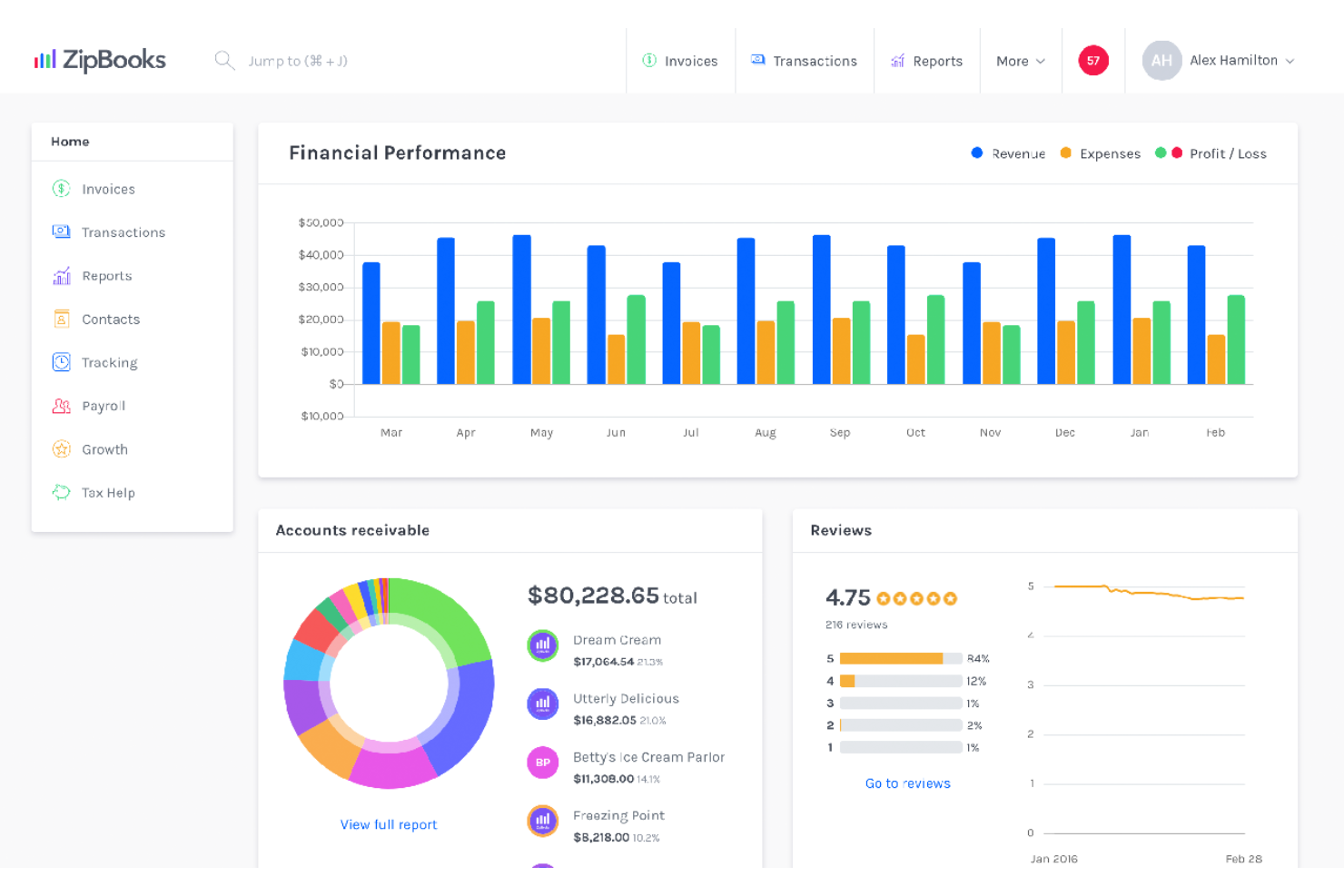
ZipBooks es una herramienta de contabilidad y administración de libros fácil de usar, diseñada para simplificar la gestión financiera de pequeñas empresas. Es ideal para la contabilidad amigable con el usuario gracias a su interfaz intuitiva y funciones automatizadas que reducen el tiempo dedicado a las tareas diarias.
Por qué es una buena alternativa a FreshBooks: Elegí ZipBooks para esta lista porque ofrece una experiencia de usuario sencilla e intuitiva, facilitando que los usuarios gestionen su contabilidad sin necesidad de amplios conocimientos contables. Sus funciones automatizadas e informes inteligentes lo convierten en un fuerte competidor frente a FreshBooks.
Características destacadas e integraciones:
Características incluyen facturación, seguimiento de pagos, facturación automatizada, informes inteligentes, control de tiempo, gestión de equipos y capacidades de contabilidad móvil. Los usuarios también pueden conectar sus cuentas bancarias y tarjetas de crédito para una gestión de transacciones más inteligente.
Integraciones incluyen PayPal, Stripe, Square, Gusto, Slack, Google Drive, Google Sheets, Trello, Asana y QuickBooks.
Pros and Cons
Pros:
- Interfaz intuitiva y fácil de usar
- Facturación y seguimiento de pagos automatizados
- Informes e información inteligente
Cons:
- Funciones avanzadas limitadas para empresas más grandes
- El tiempo de respuesta del soporte al cliente puede variar

Kashoo
Ideal para la contabilidad automatizada

Kashoo es un software de contabilidad diseñado para automatizar el seguimiento de ingresos y gastos para pequeñas empresas. Es ideal para la contabilidad automatizada porque elimina tareas redundantes y entradas manuales, permitiendo a los usuarios conectar sus cuentas bancarias y dejar que el software se encargue del resto.
Por qué es una buena alternativa a FreshBooks: Elegí Kashoo para esta lista porque ofrece un alto nivel de automatización que puede ahorrar mucho tiempo a los propietarios de pequeños negocios. Su capacidad para categorizar automáticamente los gastos y conciliar cuentas lo convierte en un fuerte competidor para quienes buscan agilizar sus procesos contables.
Funciones y integraciones destacadas:
Las funciones incluyen contabilidad automatizada, seguimiento de ingresos y gastos, y reportes personalizables para estados de resultados, balances generales, cuentas por cobrar y pagar, y más. El software también admite transacciones en varias monedas y ofrece un panel visual para una supervisión financiera sencilla.
Las integraciones incluyen Stripe, PayPal, Square, FreshBooks, QuickBooks, Xero, Gusto, Hubdoc, Expensify y Zapier.
Pros and Cons
Pros:
- Gastos automatizados
- Soporte multimoneda
- Reportes personalizables
Cons:
- Funcionalidades avanzadas limitadas en comparación con algunos competidores
- Integraciones limitadas con terceros en comparación con plataformas más grandes

ZarMoney
Mejor para gestión de inventario
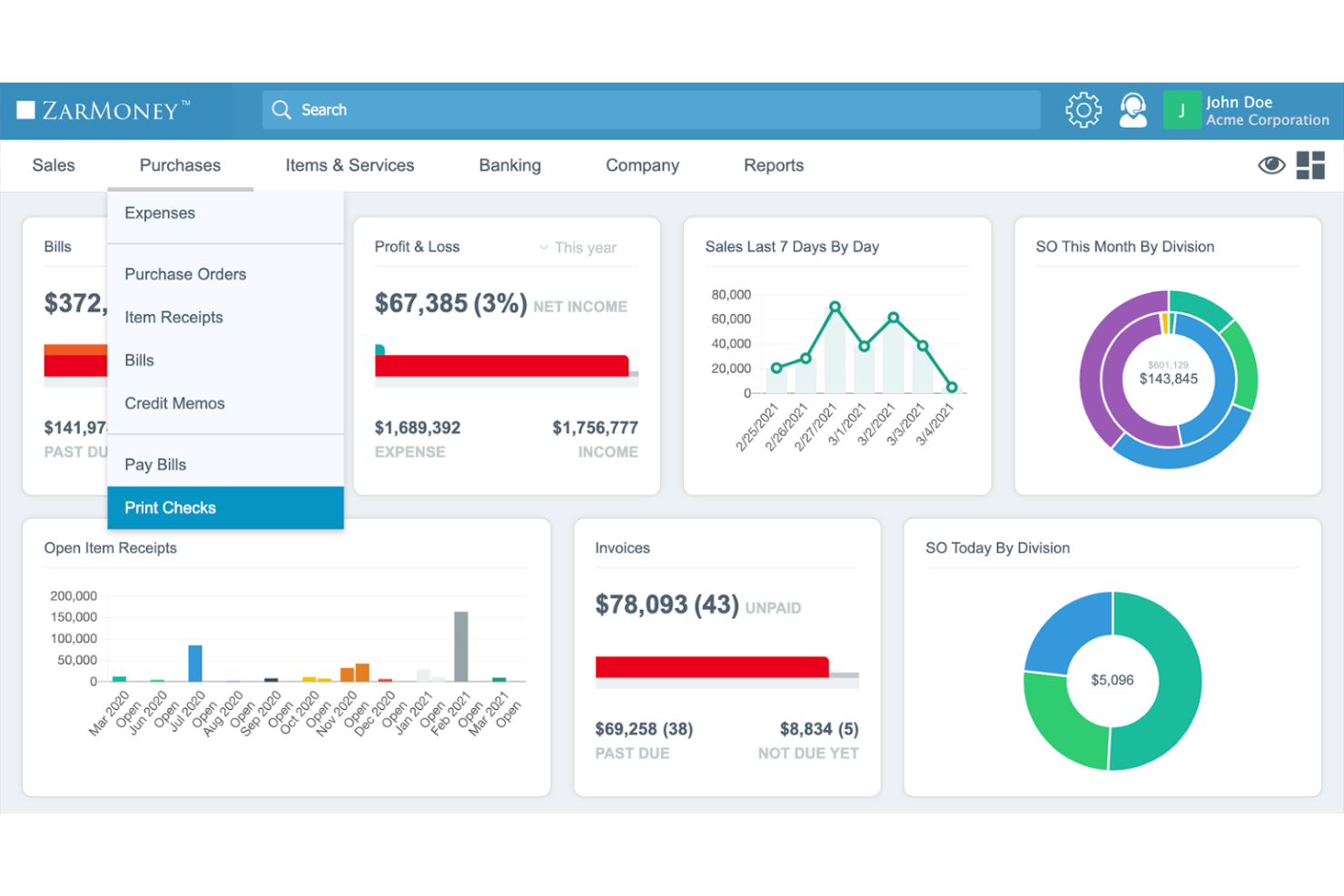
ZarMoney es una solución integral de contabilidad, facturación y gestión de inventario. Ofrece visibilidad completa del inventario global, lo que la hace ideal para empresas que necesitan una gestión de inventarios robusta.
Por qué es una buena alternativa a FreshBooks: Elegí ZarMoney por sus sólidas capacidades de gestión de inventario, que destacan frente a FreshBooks. Sus funciones avanzadas incluyen soporte para múltiples ubicaciones y análisis predictivos, lo que la convierte en una opción atractiva para empresas con necesidades complejas de inventario.
Funciones e integraciones destacadas:
Las funciones incluyen gestión avanzada de inventario, pagos en línea, conexión bancaria, presupuestos y cotizaciones, órdenes de compra, automatización de impuestos sobre ventas y reportes detallados. Estas características ayudan a optimizar los procesos financieros y mejorar el flujo de efectivo.
Integraciones incluyen Stripe, PayPal, QuickBooks Online, Xero, Shopify, WooCommerce, Amazon, eBay, Square y Google Drive.
Pros and Cons
Pros:
- Gestión integral de inventario
- Soporte para múltiples ubicaciones y almacenes
- Capacidades avanzadas de reportes
Cons:
- Puede ser demasiado complejo para empresas muy pequeñas
- Opciones de personalización limitadas para algunas funciones
BQE Core
Mejor para empresas basadas en proyectos
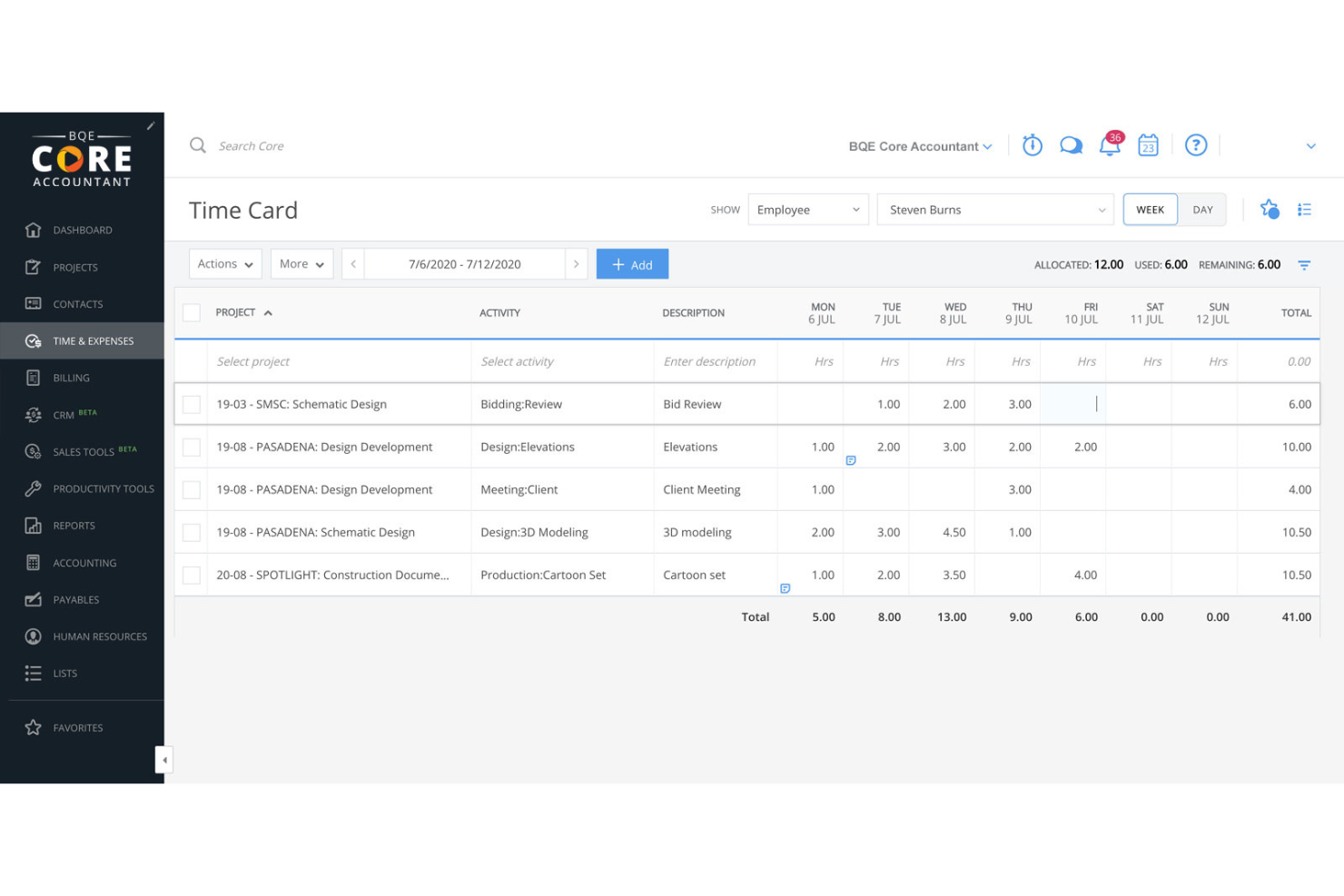
BQE Core es un software todo en uno de contabilidad y facturación para empresas basadas en proyectos como arquitectura, ingeniería y servicios profesionales. Se destaca por sus completas funciones de gestión de proyectos y contabilidad que optimizan las operaciones y mejoran los resultados de los proyectos.
Por qué es una buena alternativa a FreshBooks: Elegí BQE Core para esta lista debido a su conjunto de herramientas diseñadas para empresas basadas en proyectos, lo que lo convierte en un competidor de FreshBooks. Sus capacidades de gestión de proyectos y contabilidad brindan información detallada y automatización que pueden mejorar la eficiencia y la rentabilidad.
Funciones destacadas e integraciones:
Las funciones incluyen gestión de proyectos, contabilidad, reportes y análisis, seguimiento de tiempo y gastos, procesamiento de pagos y automatización de servicios profesionales. Estas funciones ofrecen información en tiempo real y simplifican procesos complejos, lo que hace que la gestión de la empresa sea más ágil y basada en datos.
Las integraciones incluyen QuickBooks, MYOB, Dropbox, Google Drive, OneDrive, Box, Microsoft Outlook, Slack, Salesforce y HubSpot.
Pros and Cons
Pros:
- Herramientas integrales de gestión de proyectos
- Visibilidad en tiempo real de KPIs e informes automáticos
- Paneles personalizables e información detallada
Cons:
- La edición de facturas no es fácil de usar
- Puede llevar tiempo aprender a usarlo
Hiveage
Ideal para facturación en línea
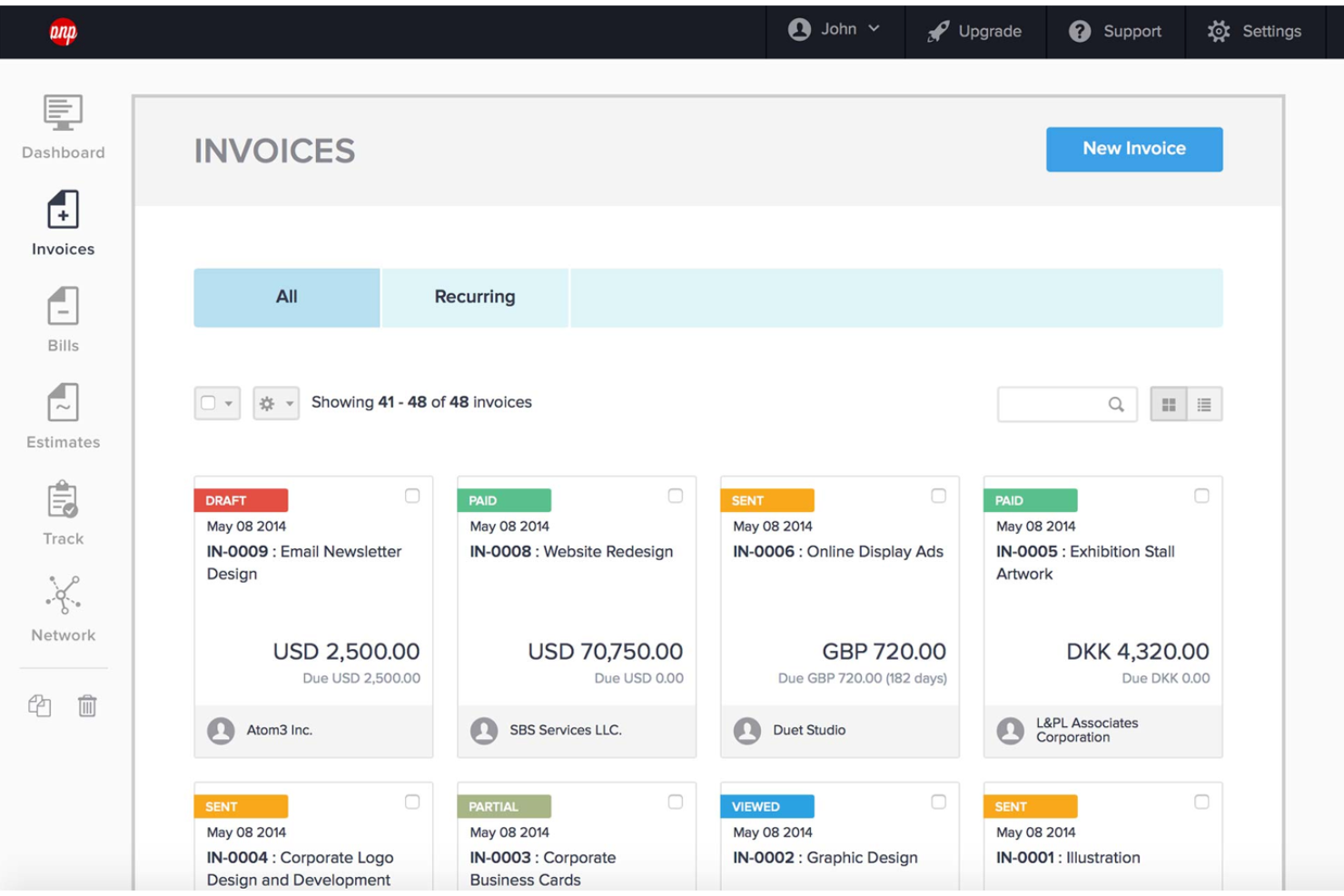
Hiveage es una plataforma de facturación en línea que simplifica la facturación para pequeñas empresas y autónomos. Ofrece una interfaz fácil de usar y funciones de facturación completas adaptadas para satisfacer las necesidades de los negocios en línea.
Por qué es una buena alternativa a FreshBooks: Elegí Hiveage para esta lista porque ofrece una solución de facturación sencilla e intuitiva, ideal para pequeñas empresas. Su plataforma basada en la nube garantiza accesibilidad desde cualquier dispositivo, convirtiéndola en una opción versátil para emprendedores en movimiento.
Características y integraciones destacadas:
Las funciones incluyen creación de facturas, presupuestos, pasarelas de pago, informes financieros, facturación recurrente, control de tiempo, seguimiento de gastos y seguimiento de kilometraje. Estas características lo convierten en una herramienta integral para la gestión financiera de pequeñas empresas.
Las integraciones incluyen PayPal, Stripe, Braintree, Authorize.Net, WePay, Mollie, 2Checkout, Razorpay, BitPay y Coinbase.
Pros and Cons
Pros:
- Interfaz fácil de usar
- Funciones de facturación completas
- Acceso basado en la nube
Cons:
- Limitado a funciones de facturación y relacionadas
- Opciones limitadas de soporte al cliente

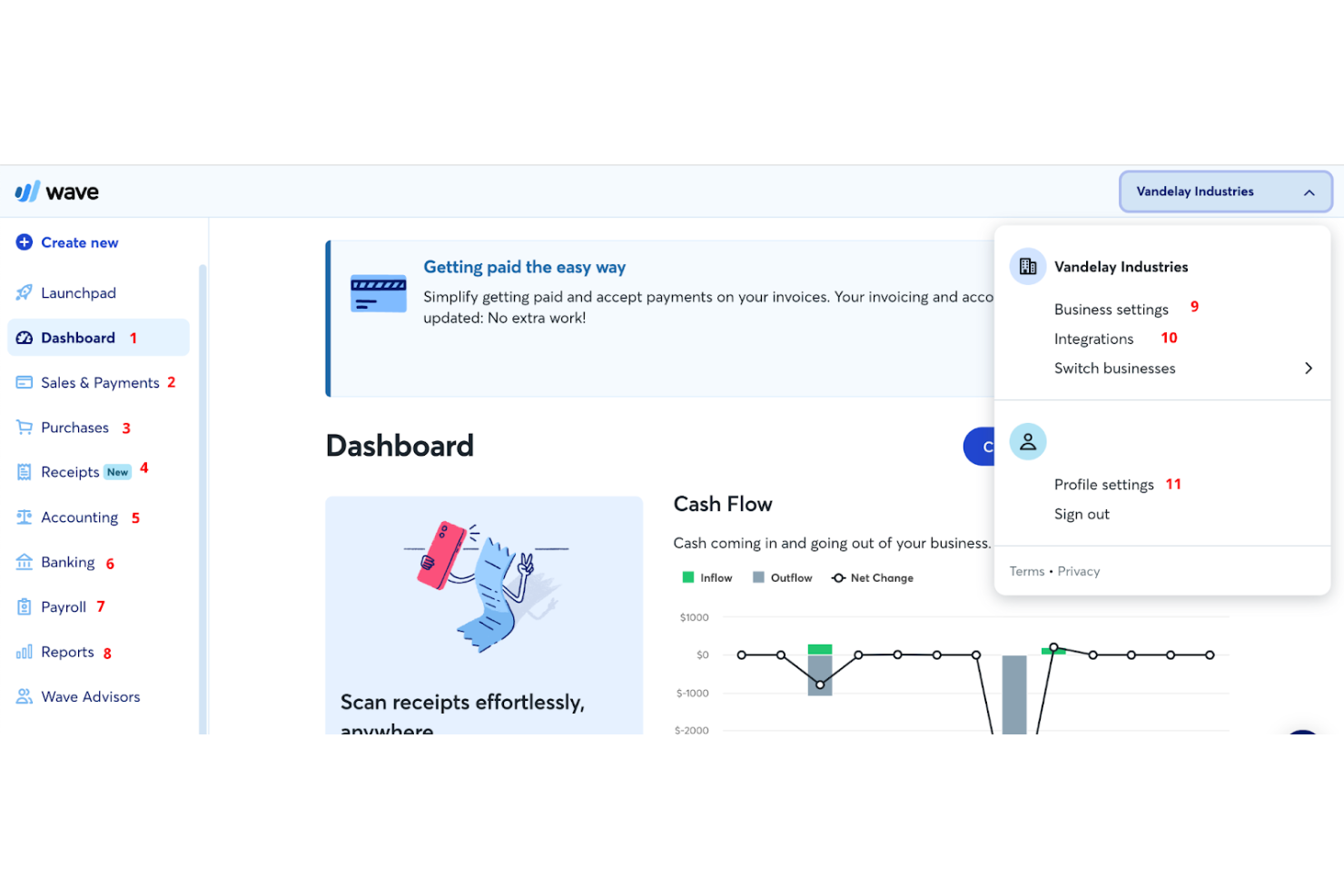
Wave es un software de contabilidad para pequeñas empresas que ofrece facturación, pagos en línea, contabilidad, banca, nómina y acceso a asesores. Es la mejor opción debido a su amplia gama de herramientas financieras disponibles sin coste alguno.
Por qué es una buena alternativa a FreshBooks: Elegí Wave para esta lista porque proporciona un conjunto robusto de funciones de forma gratuita, lo que lo convierte en una excelente opción para pequeñas empresas y autónomos que necesitan gestionar sus finanzas sin incurrir en costes adicionales. Destaca por su diseño intuitivo y su sólida funcionalidad, que encontré más fácil de usar en comparación con FreshBooks.
Características destacadas e integraciones:
Características incluyen facturación, contabilidad y escaneo de recibos, que ayudan a los propietarios de pequeñas empresas a gestionar sus finanzas sin incurrir en costes. También ofrece servicios de nómina y herramientas de gestión de finanzas personales.
Integraciones incluyen PayPal, Etsy, Shoeboxed, Zapier, Google Sheets, Slack, HubSpot, Mailchimp, Stripe y Square.
Pros and Cons
Pros:
- Herramientas gratuitas de facturación y contabilidad
- Interfaz fácil de usar
- Funciones de contabilidad automatizadas
Cons:
- Comisiones adicionales por el procesamiento de pagos
- Algunas funciones avanzadas requieren un plan de pago
Otras alternativas a FreshBooks
Si quieres considerar algunas opciones más, aquí tienes varias alternativas a FreshBooks interesantes que también merece la pena consultar:
- ABBYY
Ideal para el procesamiento inteligente de documentos
- Patriot
Mejor para software asequible de nómina y contabilidad
- AccountEdge
Ideal para la gestión avanzada de datos
- Deel Payroll
Mejor para la gestión global de cumplimiento
- RemotePeople
La mejor opción para soluciones de nómina global
- BigTime
Mejor para la automatización de servicios profesionales


Reseñas relacionadas de software de HR
Si todavía no has encontrado aquí lo que buscas, consulta estas otras herramientas relacionadas que hemos probado y evaluado:
- Software de HR
- Software de nóminas
- Software de contratación
- Servicios de empleador registrado
- Sistemas de seguimiento de candidatos
- Software de gestión de la plantilla
Cómo evalúo las alternativas a FreshBooks
Evalúo las alternativas a FreshBooks en dos niveles: las capacidades esenciales de facturación y seguimiento del tiempo que toda herramienta debe tener, y luego los factores diferenciadores importantes para los consultores de RR. HH. que gestionan contratos de servicios recurrentes con clientes.
Funcionalidad esencial (requisitos básicos para esta lista)
Al seleccionar herramientas para mi lista, califico cada una en una escala de 0 (no ofrece la funcionalidad) a 5 (sobresale en esta área) para cada funcionalidad esencial que se indica a continuación. Después, convierto la puntuación total de la herramienta en un porcentaje. Cada herramienta debe alcanzar una puntuación total mínima del 65 % para ser considerada.
- Facturación y cobros: Compruebo si la herramienta admite facturas recurrentes, recordatorios automatizados y facturación multidivisa, especialmente para consultores que gestionan contratos mensuales con varios clientes.
- Seguimiento del tiempo: Cada herramienta debe permitir registrar horas facturables y convertirlas en facturas, del mismo modo que plataformas como Harvest y Zoho Invoice gestionan la facturación basada en proyectos.
- Gestión de gastos: Busco la captura de recibos, el etiquetado por categorías y la posibilidad de asociar gastos a proyectos específicos de clientes para refacturarlos correctamente al finalizar un proyecto.
- Procesamiento de pagos en línea: Es importante aceptar tarjetas de crédito y pagos ACH directamente desde una factura, por lo que evalúo la variedad de pasarelas de pago que cada plataforma admite de forma nativa.
- Gestión de proyectos y clientes: Las herramientas que mantienen una base de datos de clientes con presupuestos por proyecto y seguimiento de la rentabilidad destacan frente a las que solo ofrecen una lista básica de contactos.
- Informes financieros: Busco informes esenciales, como pérdidas y ganancias, antigüedad de las cuentas por cobrar y resúmenes fiscales, que proporcionen a los autónomos y a las pequeñas empresas una visión clara del flujo de caja.
Una vez que tengo una lista de herramientas que cumplen estos criterios, analizo qué distingue a cada plataforma.
Factores diferenciadores (qué distingue a los proveedores)
Así es como comparo y contrasto los distintos proveedores:
Funciones destacadas
Las propuestas y los presupuestos son importantes cuando presentas contratos de servicios recurrentes de consultoría de RR. HH. Busco herramientas que permitan crear una propuesta con un alcance definido y convertirla en una factura una vez que el cliente la aprueba. Un portal de autoservicio para clientes también marca la diferencia: los clientes que pueden iniciar sesión, revisar las facturas pendientes y pagar según su propio calendario te ahorran horas de seguimiento. También evalúo funciones de automatización, como los activadores de recargos por demora y los calendarios de facturas recurrentes, que mantienen predecible el flujo de caja cuando gestionas una docena de proyectos activos.
Más allá de las funciones
La compatibilidad con integraciones es un aspecto importante: compruebo si una herramienta se conecta con plataformas populares de HRIS y nóminas, o si al menos ofrece acceso a Zapier o a una API para que puedas sincronizar los datos de facturación con el resto de tu conjunto de tecnologías de RR. HH. El cumplimiento normativo también es importante, especialmente cuando gestionas datos confidenciales de clientes. Busco el cumplimiento de SOC 2, permisos basados en roles y el uso compartido de documentos cifrados. Por último, evalúo si la plataforma está diseñada para empresas de servicios, ya que las herramientas centradas en la facturación por horas y mediante contratos recurrentes suelen adaptarse mejor a los consultores de RR. HH. que las orientadas a vendedores de productos.
¿Por qué buscar una alternativa a FreshBooks?
Aunque FreshBooks es sin duda un sistema de contabilidad popular y conocido, hay varias razones por las que podrías querer buscar una alternativa, entre ellas:
- Coste: FreshBooks puede resultar caro para las pequeñas empresas.
- Funciones: Necesitas funciones más avanzadas de las que ofrece FreshBooks.
- Personalización: FreshBooks no ofrece suficientes opciones de personalización.
- Interfaz de usuario: Te resulta difícil navegar por la interfaz de FreshBooks.
- Integración: FreshBooks no se integra bien con otras herramientas que utilizas.
Las alternativas a FreshBooks pueden ofrecer precios más asequibles, funciones avanzadas, una mejor personalización, una interfaz más fácil de usar y una integración mejorada con otras herramientas. Estas opciones pueden satisfacer mejor las necesidades específicas de tu empresa.
Características clave que debes buscar en las alternativas a FreshBooks
Estas son algunas características clave de FreshBooks que tu software alternativo debería poder replicar o mejorar para adaptarse bien a tus necesidades:
- Facturación: Crea facturas profesionales de forma rápida y sencilla.
- Pagos: Acepta pagos en línea, recurrentes y sin factura.
- Seguimiento del tiempo: Registra automáticamente el tiempo y las horas facturables.
- Contabilidad: Utiliza informes y herramientas para hacer un seguimiento del dinero que entra y sale.
- Gastos y recibos: Registra los gastos y recibos para mantener tus libros contables listos para los impuestos.
- Informes: Genera informes para la temporada de impuestos y sobre la salud financiera de la empresa.
- Proyectos: Haz un seguimiento del estado de los proyectos y colabora con clientes y miembros del equipo.
- Propuestas: Crea propuestas organizadas y profesionales para conseguir nuevos clientes.
- Presupuestos: Establece expectativas claras con los clientes y organiza los planes de los proyectos.
- Gestión de clientes: Administra toda la información de los clientes en un solo lugar.
¿Existen alternativas gratuitas a FreshBooks?
Si buscas alternativas gratuitas a FreshBooks, existen varias opciones que pueden funcionar si tus necesidades contables son limitadas. Estas herramientas ofrecen una variedad de funciones, desde la facturación hasta el seguimiento de gastos, y algunas incluso proporcionan funcionalidades avanzadas, como la gestión del inventario y las integraciones con otras aplicaciones empresariales. Estas son las mejores alternativas gratuitas a FreshBooks que vale la pena considerar:
- Zoho Books: Zoho Books ofrece un plan gratuito para empresas con menos de $50,000 de ingresos anuales. Incluye funciones como facturación, seguimiento de gastos y conciliación bancaria.
- GnuCash: GnuCash es un software contable de código abierto compatible con la contabilidad por partida doble, el seguimiento de gastos y los informes financieros. Es compatible con varios sistemas operativos, incluido Linux.
- Brightbook: Brightbook está diseñado para trabajadores independientes y pequeñas empresas. Ofrece funciones como facturación, seguimiento de gastos e informes financieros básicos.
- ProfitBooks: ProfitBooks ofrece un software contable gratuito con funciones de gestión del inventario, lo que lo hace ideal para empresas minoristas. También incluye facturación y seguimiento de gastos.
- Manager: Manager es un software contable gratuito para ordenadores de escritorio compatible con varios sistemas operativos. Ofrece funciones como facturación, seguimiento de gastos e informes financieros.
- Odoo: Odoo ofrece un plan gratuito para su aplicación contable, que puede integrarse con otras aplicaciones empresariales de Odoo. Es adecuado para empresas que buscan una solución personalizable y escalable.
Estas herramientas de nóminas y facturación ofrecen una variedad de funciones que pueden ayudarte a gestionar eficazmente las finanzas de tu empresa sin necesidad de una suscripción de pago.
¿Qué sigue?
Para mantenerte al día de las últimas novedades en gestión de personas, suscríbete a nuestro boletín para líderes y gerentes. Recibirás en tu bandeja de entrada información y ofertas adaptadas a líderes y profesionales de recursos humanos.