

10 meilleures alternatives à Happeo pour les intranets d’entreprise en 2026

Sélection des meilleures alternatives à Happeo


Choisir le bon logiciel d’expérience collaborateur n’est pas toujours simple, surtout lorsque votre outil actuel ne correspond plus à la façon dont votre équipe travaille. Vous utilisez peut-être Happeo et constatez qu’il présente des lacunes dans certains domaines, qu’il s’agisse de flexibilité, d’intégrations ou de la prise en charge de la manière dont vos équipes communiquent et collaborent réellement.
D’après mon expérience dans l’évaluation des plateformes d’expérience collaborateur, le bon logiciel peut avoir un impact notable sur l’alignement, l’engagement et les flux de travail quotidiens. C’est pourquoi j’ai testé et comparé plusieurs alternatives à Happeo, en prêtant une attention particulière à leurs différences et à ce qu’elles font mieux selon les besoins des équipes.
Dans cet article, vous trouverez mes meilleures alternatives à Happeo, ainsi que des informations sur les points forts et les cas d’utilisation idéaux de chaque outil. L’objectif est de vous aider à choisir en toute confiance une solution qui répond mieux aux besoins de votre équipe et à sa façon de travailler aujourd’hui.
Qu’est-ce que Happeo ?
Happeo est un logiciel d’expérience collaborateur conçu pour améliorer la communication et la collaboration internes. Il est généralement utilisé par les professionnels des ressources humaines, les responsables d’équipe et les managers qui souhaitent favoriser une main-d’œuvre connectée et engagée. Des fonctionnalités telles que les capacités d’intranet, les outils de communication intégrés et une interface conviviale contribuent à soutenir la collaboration entre les équipes et à simplifier les processus internes. Dans l’ensemble, Happeo propose une plateforme capable d’améliorer la communication et la productivité de votre équipe.
Tableau comparatif des alternatives à Happeo
Ce tableau comparatif récapitule les informations tarifaires de ma sélection des meilleures alternatives à Happeo.
| Tool | Best For | Trial Info | Price | ||
|---|---|---|---|---|---|
| 1 | Idéal pour regrouper les RH et la communication dans un seul portail | Démo gratuite disponible | Tarifs sur demande | Website | |
| 2 | Idéal pour l’engagement axé sur le mobile | Démonstration gratuite disponible | Tarifs sur demande | Website | |
| 3 | Idéal pour les informations fournies par l'IA | Démo gratuite disponible | Tarifs sur demande | Website | |
| 4 | Idéal pour obtenir des informations en temps réel | Démo gratuite disponible | Tarification sur demande | Website | |
| 5 | Idéal pour les communications multicanales | Essai gratuit de 14 jours + démonstration gratuite disponible | Tarification sur demande | Website | |
| 6 | Idéal pour l'intégration à Google Workspace | Démo gratuite disponible | Tarifs sur demande | Website | |
| 7 | Idéal pour les communications personnalisées | Démo gratuite disponible | Tarifs sur demande | Website | |
| 8 | Idéal pour les espaces de travail numériques unifiés | Démo gratuite disponible | Tarifs sur demande | Website | |
| 9 | Idéal pour les outils d'engagement des employés | Démo gratuite disponible | Tarification sur demande | Website | |
| 10 | Idéal pour l’évolutivité | Démo gratuite disponible | Tarification sur demande | Website |
Pourquoi faire confiance à nos avis sur les logiciels
Notre équipe teste et évalue des logiciels depuis 2012. En tant qu’experts RH nous-mêmes, nous savons à quel point il est difficile — et important — de choisir le bon logiciel.
Pour ce guide, nous avons évalué les outils grâce à des tests pratiques et une recherche indépendante, en notant les outils selon nos critères de sélection. Nous nous appuyons également sur les enseignements de leaders d’opinion du secteur et de professionnels des RH en activité.
Nos avis reflètent notre jugement éditorial humain, et non un argumentaire de vente.
Réviseurs experts:
Avis sur les meilleures alternatives à Happeo
Vous trouverez ci-dessous mes résumés détaillés des meilleures alternatives à Happeo qui ont été retenues dans ma sélection. Mes avis offrent un aperçu détaillé des principales fonctionnalités, des avantages et inconvénients, des intégrations et des cas d’utilisation idéaux de chaque outil afin de vous aider à trouver celui qui vous convient le mieux.

Hub
Idéal pour regrouper les RH et la communication dans un seul portail

Hub est une plateforme intranet centralisée conçue pour les équipes RH et les organisations qui souhaitent disposer d’un espace unique pour gérer le personnel, les ressources internes et la communication à l’échelle de l’entreprise.
À qui Hub convient-il le mieux ?
Aux équipes RH et aux organisations qui souhaitent centraliser la gestion du personnel et la communication interne au sein d’un portail unique.
Pourquoi Hub est l’une des meilleures alternatives à Happeo examinées
J’ai choisi Hub comme l’une des meilleures solutions, car il combine la gestion du personnel, les ressources de l’entreprise et la communication interne au sein d’un portail intranet unique. Mon équipe utilise Hub pour centraliser les tâches RH et les actualités de l’entreprise, ce qui permet à chacun d’accéder facilement aux ressources essentielles et de rester informé des informations internes.
Fonctionnalités clés de Hub
- Tableaux de bord personnalisables : Créez des tableaux de bord personnels ou départementaux pour organiser les actualités et les ressources essentielles.
- Gestion documentaire : Stockez, partagez et gérez les versions des documents internes afin d’en faciliter l’accès et d’assurer la conformité.
- Annuaire des employés : Recherchez vos collègues et échangez avec eux grâce à des profils détaillés et à des organigrammes.
- Gestion des événements : Créez, annoncez et gérez les événements, réunions et sessions de formation à l’échelle de l’entreprise.
Intégrations de Hub
Les intégrations natives ne sont pas clairement documentées. Hub propose une API pour les intégrations personnalisées.
Pros and Cons
Pros:
- Regroupe les RH et la communication dans un seul portail
- Tableaux de bord personnalisables pour les services ou les équipes
- Outils centralisés de gestion des documents et des événements
Cons:
- Les intégrations natives sont limitées ou peu claires
- Les fonctionnalités de l’application mobile ne sont pas clairement documentées

Workvivo
Idéal pour l’engagement axé sur le mobile
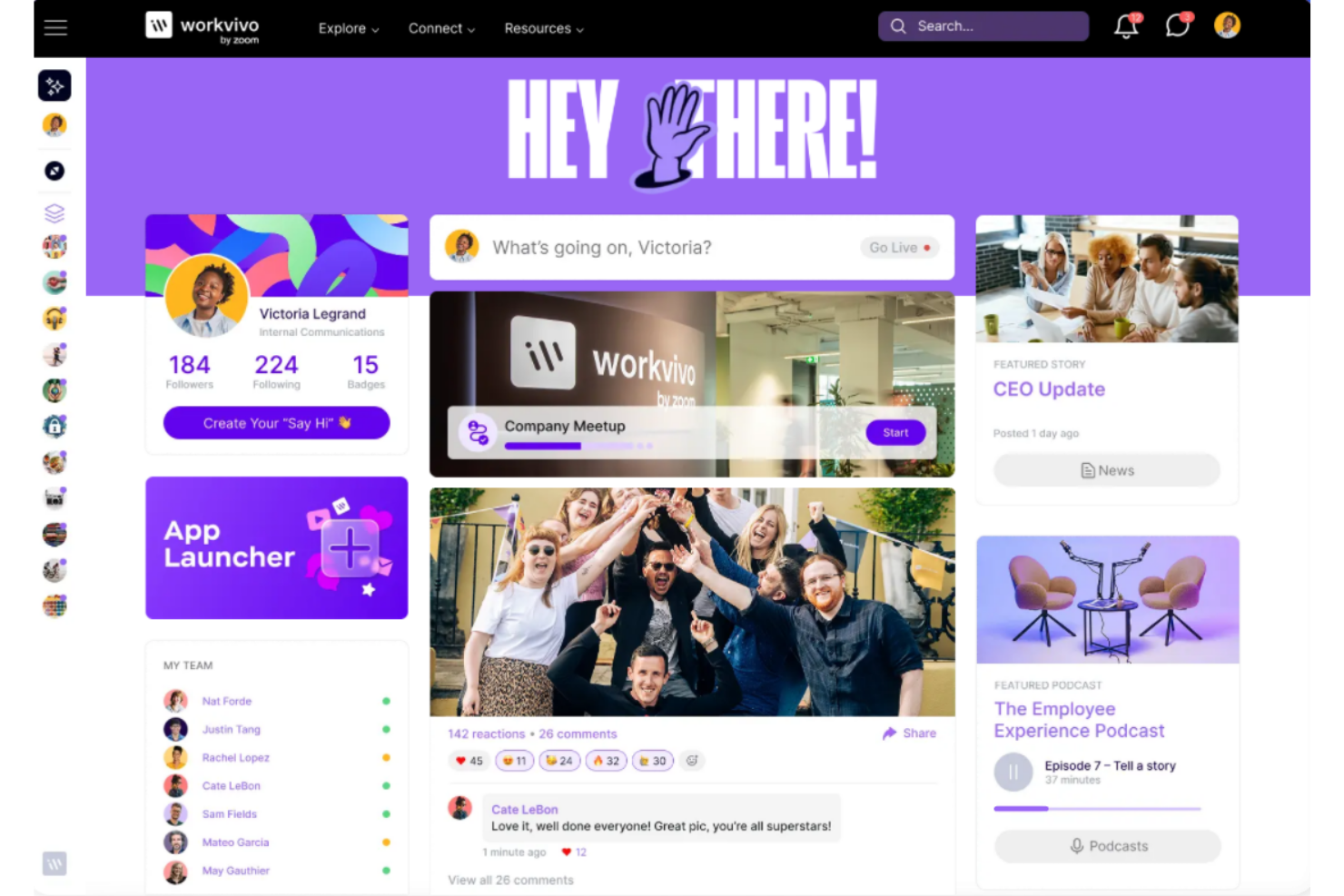
Workvivo est une plateforme dédiée à l’expérience collaborateur, axée sur l’amélioration de la communication interne et de l’engagement. Elle est généralement utilisée par les équipes des ressources humaines et les managers pour rester en contact avec les employés et instaurer une culture d’entreprise forte.
Pourquoi Workvivo est une bonne alternative à Happeo : Workvivo privilégie une approche axée sur le mobile, ce qui permet aux membres de votre équipe de rester facilement connectés lors de leurs déplacements. Son interface inspirée des réseaux sociaux favorise les interactions en temps réel, tandis que ses fonctionnalités de reconnaissance des employés peuvent contribuer à améliorer le moral des équipes. Vous pouvez également tirer parti de ses outils de création de communautés afin de renforcer le sentiment d’appartenance. Ces fonctionnalités en font un choix idéal pour les équipes à la recherche d’une solution de communication flexible.
Fonctionnalités et intégrations remarquables :
Les fonctionnalités comprennent un fil d’activité personnalisé, des outils de reconnaissance des employés et une application mobile. La plateforme permet également de créer des espaces communautaires ciblés qui peuvent vous aider à renforcer le sentiment d’appartenance au sein de votre équipe. Le centre de communication de Workvivo s’intègre aux systèmes existants, ce qui permet de tout regrouper au même endroit pour un accès facile.
Les intégrations comprennent Microsoft 365, Zoom, Google Workspace et bien plus encore.
Pros and Cons
Pros:
- Conçu pour une utilisation mobile
- Interface inspirée des réseaux sociaux
- Excellentes fonctionnalités de création de communautés
Cons:
- Les informations tarifaires ne sont pas transparentes
- Moins adapté aux très petites équipes

Simpplr
Idéal pour les informations fournies par l'IA
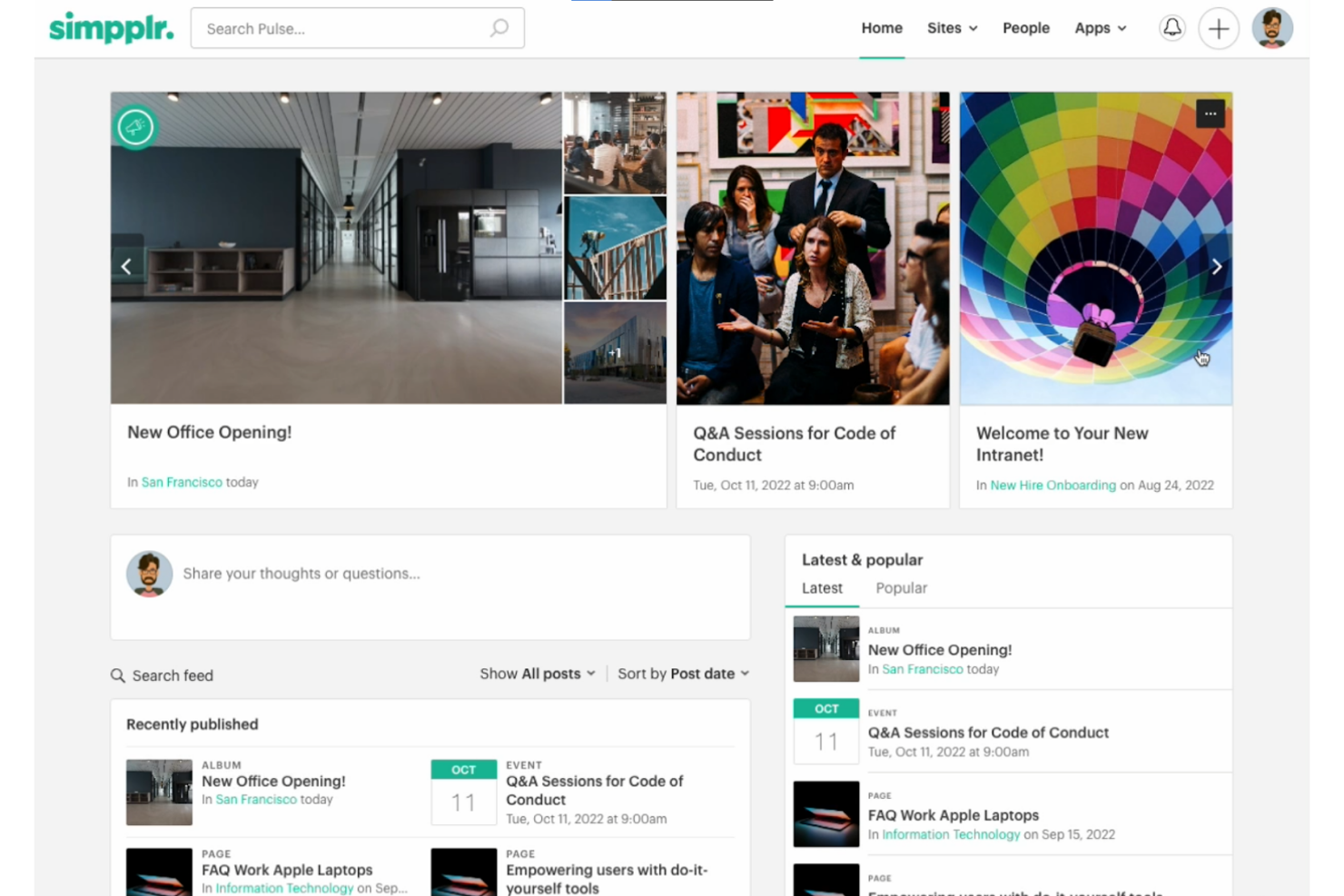
Simpplr est une plateforme intranet axée sur l'amélioration de l'engagement et de la communication des employés. C'est une excellente option pour les équipes RH et les professionnels de la communication interne qui cherchent à connecter les employés et à améliorer leur expérience globale au travail.
Pourquoi Simpplr est une bonne alternative à Happeo : Les informations fournies par l'IA de Simpplr peuvent aider votre équipe à prendre des décisions éclairées en analysant les données d'engagement des employés. L'interface conviviale de la plateforme facilite la navigation, tandis que la diffusion personnalisée de contenu garantit que les informations pertinentes parviennent aux bonnes personnes. Vous pouvez également tirer parti de ses fonctionnalités de personnalisation de marque afin de maintenir une présentation cohérente de l'entreprise dans toute l'organisation.
Fonctionnalités et intégrations remarquables :
Les fonctionnalités comprennent un annuaire des employés pour aider votre équipe à se connecter et à collaborer, ainsi que des outils d'analyse qui fournissent des informations sur l'engagement des employés.
Les intégrations comprennent Microsoft Office 365, Google Drive, Salesforce, Slack, Zoom, Okta, et bien plus encore.
Pros and Cons
Pros:
- Informations fournies par l'IA
- Facilité d'utilisation
- Diffusion personnalisée de contenu
Cons:
- Peut nécessiter une formation initiale
- Peut être déroutant pour les nouveaux utilisateurs

Haiilo
Idéal pour obtenir des informations en temps réel
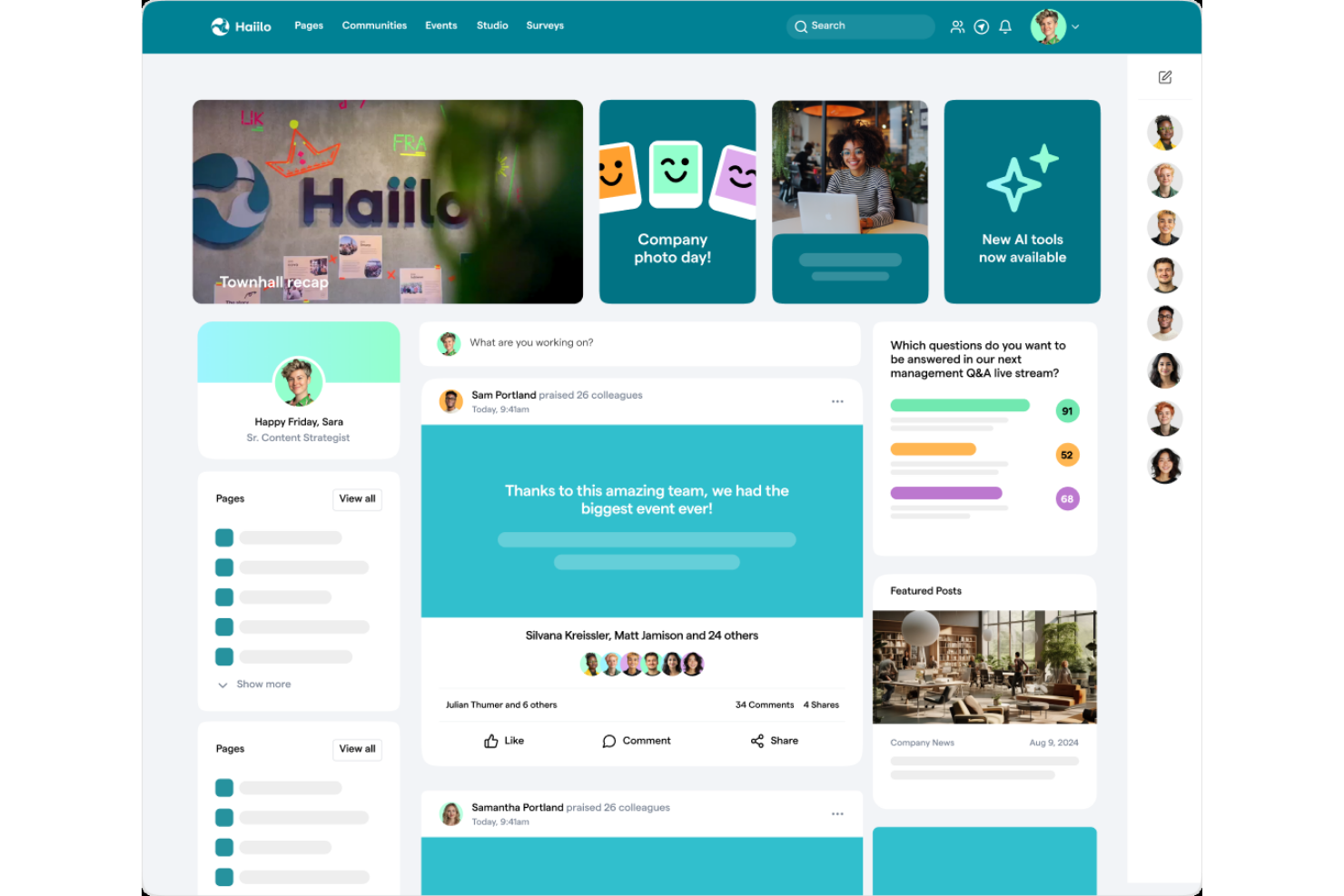
Haiilo est une plateforme de communication avec les employés conçue pour améliorer l’engagement et simplifier la messagerie interne. Elle est principalement utilisée par les grandes organisations qui cherchent à améliorer leur communication et à mesurer efficacement l’engagement.
Pourquoi Haiilo est une bonne alternative à Happeo : Haiilo fournit des informations en temps réel, permettant à votre équipe de suivre et de communiquer les indicateurs d’engagement. Ses outils de gestion de contenu favorisent la collaboration et la personnalisation conforme à l’image de marque. Vous pouvez également utiliser ses fonctionnalités de réseau social pour renforcer les liens entre les employés.
Fonctionnalités et intégrations remarquables :
Les fonctionnalités comprennent des analyses avancées pour suivre l’engagement, du contenu personnalisable pour partager des informations ciblées et une interface sociale pour créer une communauté. Haiilo propose également des modèles qui peuvent être adaptés aux besoins de votre image de marque. Vous pouvez utiliser son application mobile pour veiller à ce que chacun reste connecté, même en déplacement.
Les intégrations comprennent Microsoft 365, Slack, SharePoint, Google Workspace, Workday, Okta et bien plus encore.
Pros and Cons
Pros:
- Favorise la création d’une communauté
- Options de personnalisation de l’image de marque
- Convient aux grandes organisations
Cons:
- Fonctionnalités mobiles basiques
- Peut être déroutant pour les nouveaux utilisateurs

Poppulo
Idéal pour les communications multicanales

Poppulo est une plateforme logicielle axée sur l’amélioration des communications avec les clients et les employés au niveau de l’entreprise. Elle est principalement utilisée par de grandes organisations dans des secteurs tels que les soins de santé, l’hôtellerie et l’éducation afin d’améliorer la communication et l’engagement.
Pourquoi Poppulo est une bonne alternative à Happeo : les communications multicanales de Poppulo alimentées par l’IA vous permettent d’atteindre efficacement votre audience via différentes plateformes. Sa diffusion dynamique de contenu pour l’affichage numérique garantit que les messages sont opportuns et pertinents. Les outils d’analyse peuvent vous aider à mesurer l’engagement et à affiner vos stratégies. Ces fonctionnalités font de Poppulo un excellent choix pour les équipes ayant besoin de capacités de communication avancées.
Fonctionnalités et intégrations remarquables :
Les fonctionnalités comprennent des communications alimentées par l’IA, l’automatisation du contenu et des analyses détaillées. Poppulo propose également des stratégies de communication personnalisables adaptées aux besoins de votre équipe. Vous pouvez accéder à des rapports et à des guides pour soutenir vos efforts de communication.
Les intégrations comprennent Microsoft Teams, SharePoint, Google Calendar, Salesforce, Twilio, Workday, et bien plus encore.
Pros and Cons
Pros:
- Capacités de communication multicanales
- Diffusion de contenu alimentée par l’IA
- Adapté aux grandes organisations
Cons:
- Peut nécessiter une expertise technique
- Peut être difficile à gérer en raison du nombre de fonctionnalités

LumApps
Idéal pour l'intégration à Google Workspace
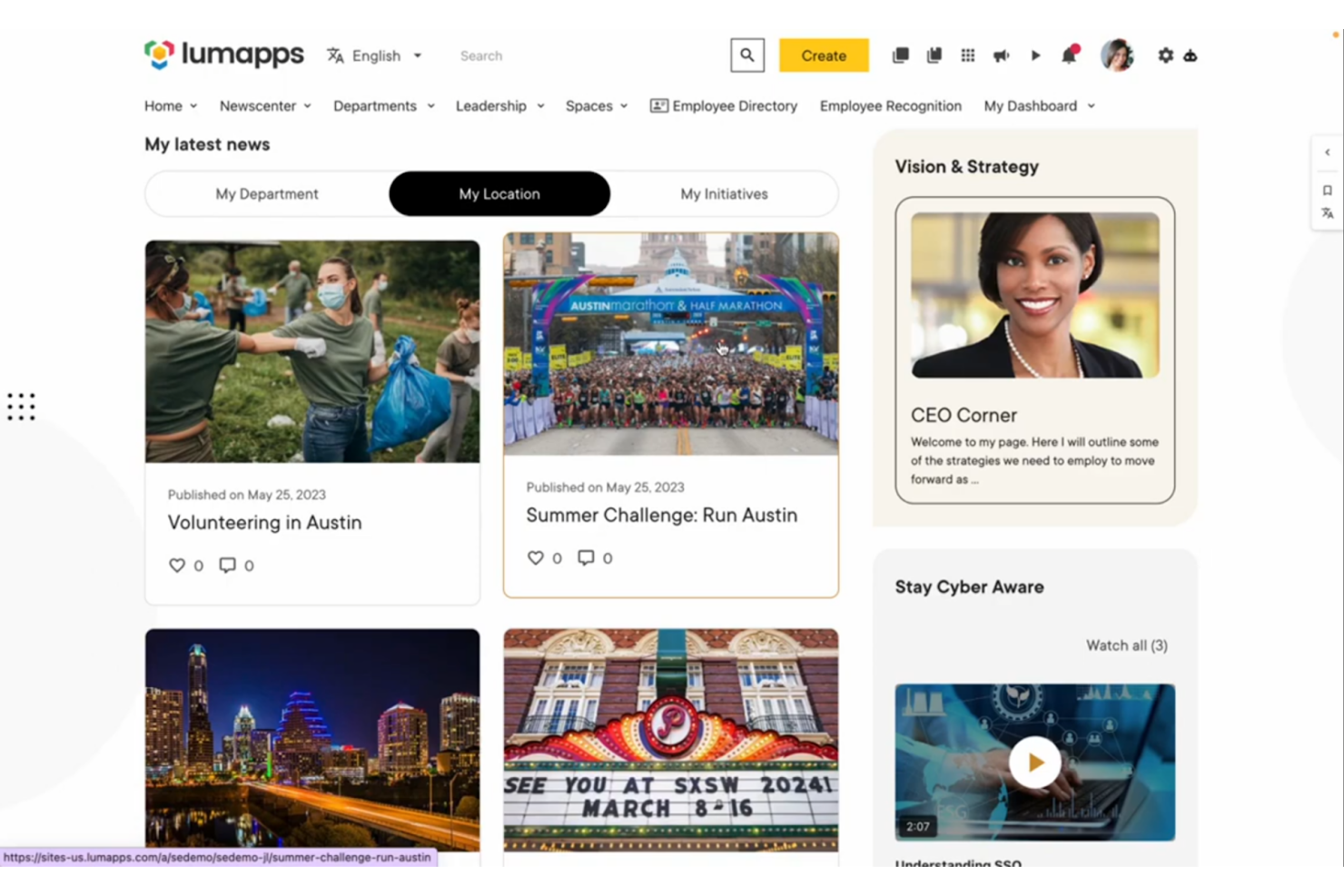
LumApps est une solution intranet tout-en-un conçue pour améliorer la communication interne et la collaboration. Elle est principalement utilisée par les grandes entreprises qui souhaitent intégrer leurs outils de communication à Google Workspace.
Pourquoi LumApps est une bonne alternative à Happeo : LumApps offre une intégration approfondie avec Google Workspace, permettant à votre équipe d'accéder à tous ses outils dans un même écosystème. La conception personnalisable de la plateforme vous permet de mettre en valeur l'identité de votre marque, tandis que ses fonctionnalités sociales encouragent les interactions entre les équipes.
Fonctionnalités et intégrations remarquables :
Les fonctionnalités comprennent des options de personnalisation de la marque et des outils d'interaction sociale. LumApps fournit également un annuaire des employés pour aider votre équipe à se connecter et à collaborer plus efficacement. Vous pouvez utiliser ses outils d'analyse pour mesurer l'engagement et optimiser vos stratégies de communication.
Les intégrations comprennent Google Workspace, Salesforce, Slack, Zoom, Okta, ServiceNow et bien plus encore.
Pros and Cons
Pros:
- Intégration performante à Google Workspace
- Options de personnalisation de la marque
- Gestion efficace du contenu
Cons:
- Processus de configuration complexe
- Peu adapté aux environnements autres que Google


Firstup est une plateforme de communication axée sur l’amélioration de l’engagement des employés grâce à des messages personnalisés. Elle est principalement utilisée par de grandes organisations pour diffuser des messages ciblés et améliorer la communication interne.
Pourquoi Firstup est une bonne alternative à Happeo : Firstup propose des fonctionnalités de communication personnalisée qui permettent à votre équipe d’envoyer des messages adaptés à des groupes ou à des individus spécifiques. Ses outils d’analyse vous aident à suivre l’engagement des employés et à affiner vos stratégies de communication. Vous pouvez également utiliser son application mobile pour atteindre les employés en déplacement, afin que chacun reste informé et connecté.
Fonctionnalités et intégrations remarquables :
Les fonctionnalités comprennent une application mobile intuitive, des informations avancées sur les données et des fonctionnalités de messagerie ciblée. Vous pouvez également utiliser ses fonctionnalités de sondage pour recueillir des commentaires et rester en contact avec les employés.
Les intégrations comprennent Microsoft Azure, Salesforce, Google Workspace, Workday, Okta, OneLogin, et bien plus encore.
Pros and Cons
Pros:
- Fonctionnalités de communication personnalisée
- Outils d’analyse avancés
- Prend en charge la messagerie ciblée
Cons:
- Configuration initiale complexe
- Moins adapté aux petites équipes

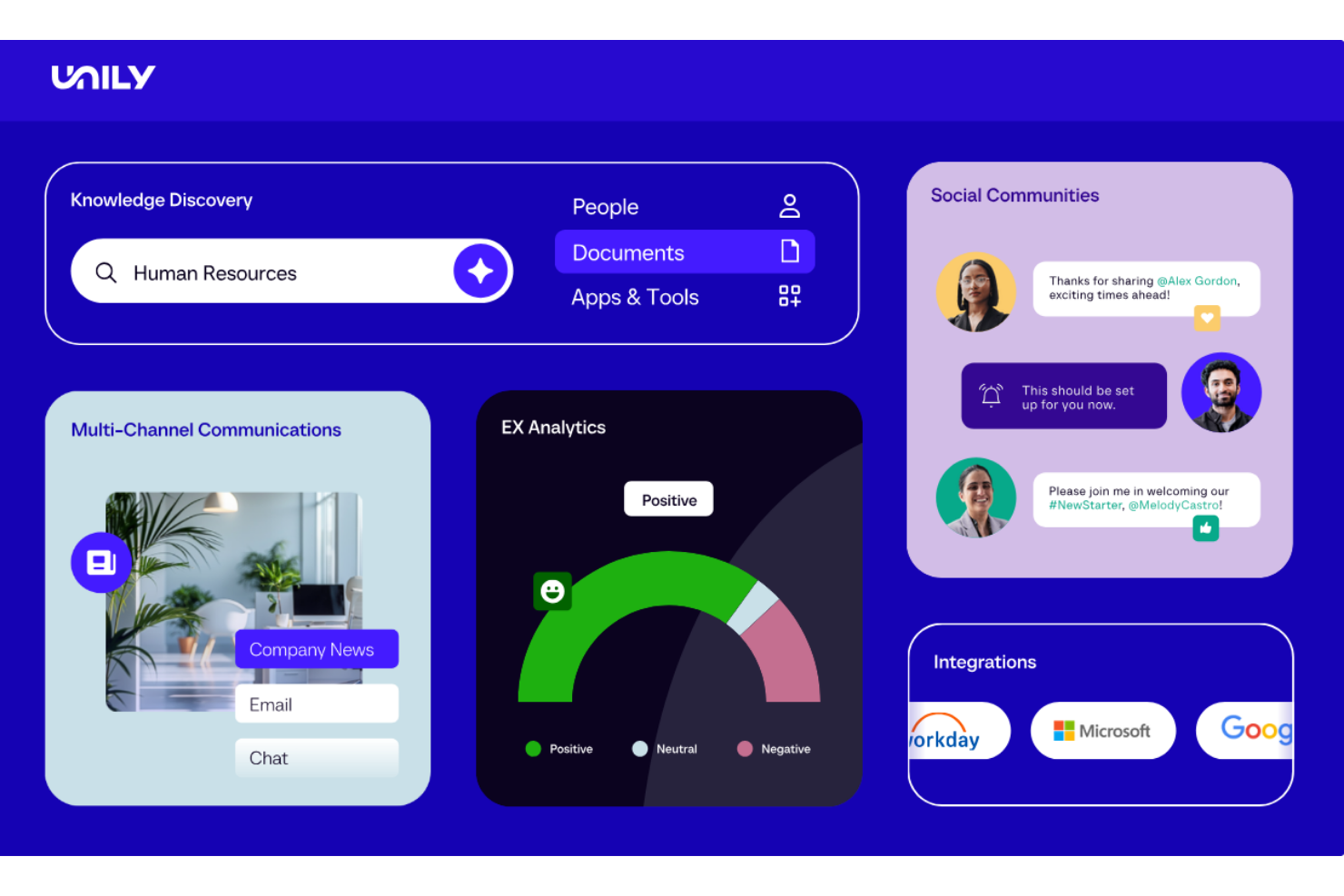
Unily est une plateforme de lieu de travail numérique conçue pour améliorer la communication et la collaboration internes. Elle est utilisée par les entreprises qui cherchent à unifier leurs outils numériques et à offrir une expérience utilisateur cohérente dans toute l'organisation.
Pourquoi Unily est une bonne alternative à Happeo : Unily propose un espace de travail numérique tout-en-un, permettant à votre équipe d'accéder à tous les outils et informations nécessaires depuis un seul endroit. Son tableau de bord permet la personnalisation, tandis que ses fonctionnalités de gestion de contenu offrent un meilleur contrôle sur le partage des documents et les autorisations. Vous pouvez également utiliser ses fonctionnalités sociales pour favoriser la création d'une communauté et l'engagement au sein de votre équipe.
Fonctionnalités et intégrations remarquables :
Les fonctionnalités comprennent un tableau de bord personnalisable, des capacités de gestion de contenu et des canaux de réseautage social. Unily propose également des outils d'analyse pour mesurer l'engagement et optimiser les stratégies. Vous pouvez créer des expériences utilisateur adaptées aux différents rôles et services de votre organisation.
Les intégrations comprennent Microsoft 365, Google Workspace, Salesforce, SharePoint, ServiceNow, et bien plus encore.
Pros and Cons
Pros:
- Espace de travail numérique tout-en-un
- Gestion de contenu efficace
- Adapté aux grandes entreprises
Cons:
- Nécessite une expertise technique
- Pas idéal pour les petites équipes

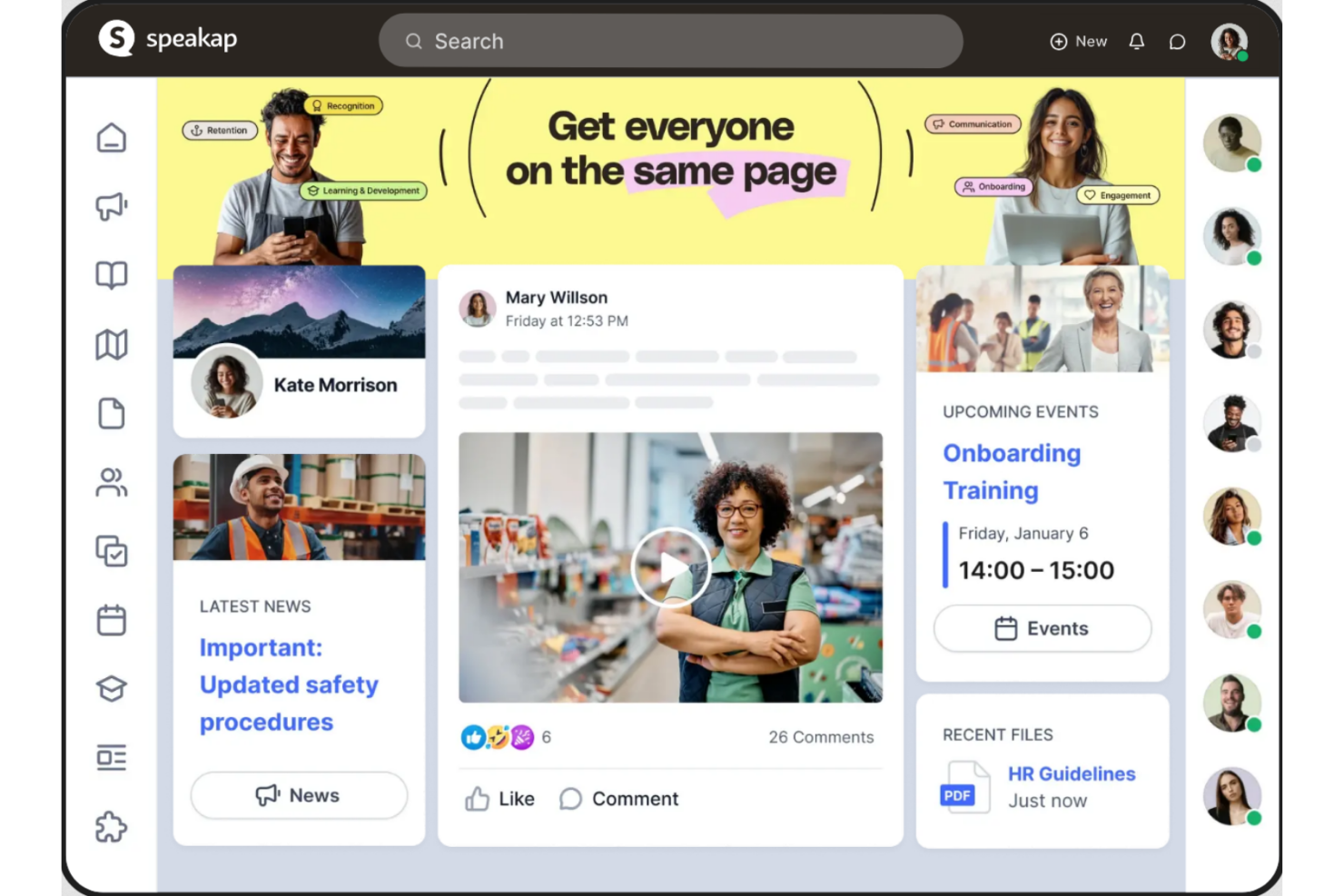
Speakap est une plateforme de communication destinée aux employés, conçue pour renforcer l'engagement et améliorer la communication interne. Elle est couramment utilisée par les organisations qui cherchent à connecter leurs employés de première ligne et à renforcer les échanges entre les équipes.
Pourquoi Speakap est une bonne alternative à Happeo : Speakap propose des outils spécialisés d'engagement des employés qui aident votre équipe à communiquer efficacement. Sa fonctionnalité d'application de discussion interne favorise les réponses rapides, tandis que son fil d'actualités tient tout le monde informé des annonces de l'entreprise. Vous pouvez également tirer parti de ses fonctionnalités de gestion des tâches pour optimiser les opérations et favoriser la collaboration en temps réel.
Fonctionnalités et intégrations remarquables :
Les fonctionnalités comprennent des options de personnalisation de la marque pour l'aligner sur l'identité de votre entreprise. Vous pouvez utiliser les outils d'analyse de Speakap pour recueillir des informations personnalisées qui vous aideront à optimiser les flux de travail et la communication.
Les intégrations comprennent Microsoft Teams, SAP, Google Workspace, Workday, Oracle, et bien plus encore.
Pros and Cons
Pros:
- Fil d'actualités dynamique
- Options de personnalisation de la marque
- Adapté aux employés de première ligne
Cons:
- Peut nécessiter une formation initiale
- Fonctionnalités de gestion des tâches élémentaires

Staffbase
Idéal pour l’évolutivité

Staffbase est une plateforme de communication interne évolutive conçue pour renforcer l’engagement et la connectivité des employés. Elle est principalement utilisée par les grandes organisations pour unifier leurs canaux de communication et améliorer les interactions entre les employés.
Pourquoi Staffbase est une bonne alternative à Happeo : Staffbase propose un large éventail de canaux de communication, permettant à votre équipe de rester connectée grâce aux notifications push et aux actualités en temps réel. Ses modèles personnalisables contribuent à simplifier le processus de création de contenu, tandis que ses outils d’analyse fournissent des informations sur l’engagement des employés. Vous pouvez également tirer parti de son application destinée aux employés pour atteindre plus efficacement les travailleurs de première ligne.
Fonctionnalités et intégrations remarquables :
Les fonctionnalités comprennent un fil d’actualités pour tenir votre équipe informée des mises à jour importantes, ainsi qu’une fonction de sondage pour recueillir des retours et améliorer la communication interne.
Les intégrations comprennent Microsoft 365, Google Workspace, SAP, Workday, ServiceNow, Confluence, et bien plus encore.
Pros and Cons
Pros:
- Divers canaux de communication
- Modèles de contenu personnalisables
- Adapté aux grandes organisations
Cons:
- Configuration initiale complexe
- Fonctionnalités de sondage basiques
Autres alternatives à Happeo
Voici quelques alternatives supplémentaires à Happeo qui ne figurent pas dans ma sélection, mais qui méritent tout de même d’être examinées :


Comment j’évalue les alternatives à Happeo
Je divise mon évaluation entre les fonctionnalités indispensables — comme un centre de connaissances consultable et l’intégration à Google Workspace — et les éléments différenciateurs qui distinguent les outils pour les équipes de communication et de ressources humaines.
Fonctionnalités essentielles (indispensables pour cette liste)
Lorsque je sélectionne les outils de ma liste, j’évalue chacun d’entre eux sur une échelle de 0 (n’offre pas la fonctionnalité) à 5 (excelle dans ce domaine) pour chaque fonctionnalité essentielle indiquée ci-dessous. Je convertis ensuite le score total de l’outil en pourcentage. Chaque outil doit obtenir un score total minimum de 65 % pour être retenu.
- Intranet et hub numérique : Je recherche un portail centralisé où les équipes RH peuvent publier des pages de service, des mises à jour de la direction et des guides d’intégration, avec une navigation personnalisée à la marque.
- Gestion des connaissances : Chaque outil doit permettre aux équipes d’organiser les politiques, les manuels et les FAQ dans une bibliothèque consultable où les employés peuvent réellement trouver des réponses.
- Engagement social des employés : J’évalue si la plateforme prend en charge les fils sociaux, les canaux et les réactions qui donnent la parole aux employés au-delà des annonces descendantes.
- Intégration aux suites bureautiques : Les outils doivent se connecter à Google Workspace ou à Microsoft 365 afin que les employés puissent accéder aux documents, aux calendriers et aux discussions sans quitter l’intranet.
- Communications internes ciblées : Je vérifie si les équipes de communication peuvent segmenter les messages par lieu, service ou rôle et les diffuser sur le Web, les appareils mobiles et par e-mail.
- Annuaire et profils des employés : Un annuaire des employés consultable, avec des organigrammes et des étiquettes de compétences, aide les nouvelles recrues et les équipes à distance à trouver rapidement le bon collègue.
Une fois que j’ai établi une liste d’outils répondant à ces critères, j’examine ce qui distingue chaque plateforme.
Facteurs différenciateurs (ce qui distingue les fournisseurs)
Voici comment je compare les différents fournisseurs :
Fonctionnalités remarquables
Les tableaux de bord analytiques sont importants, car les équipes de communication doivent savoir quelles mises à jour atteignent réellement les employés et stimulent leur engagement. J’évalue également la qualité de l’application mobile — si votre personnel comprend des employés de première ligne ou sans poste fixe, les notifications push et une expérience d’application native les maintiennent connectés. Pour les organisations internationales, la prise en charge de contenus multilingues évite aux équipes RH de gérer des pages en double pour chaque région.
Au-delà des fonctionnalités
L’adéquation à l’écosystème est l’une des premières choses que je vérifie — la capacité d’une plateforme à se connecter à votre SIRH existant (comme Workday ou BambooHR) détermine l’utilité de l’annuaire des employés et du contenu d’intégration dès le premier jour. L’accompagnement à la mise en œuvre est également important, car le déploiement d’un nouvel intranet implique une gestion du changement dans chaque service. Je recherche des fournisseurs qui proposent des guides de lancement, des formations pour les administrateurs et des outils de gouvernance du contenu, comme des flux de validation et des rappels automatisés de révision.
Comment choisir une alternative à Happeo
Commencez par identifier ce qui ne fonctionne pas pour vous dans Happeo et ce que votre solution de remplacement doit mieux faire. Il peut s’agir d’une communication interne plus performante, d’une meilleure gestion des connaissances, d’intégrations plus simples, d’autorisations plus flexibles ou d’une expérience collaborateur plus intuitive. Comparez ensuite les alternatives en fonction de la taille de votre équipe, de votre environnement technologique existant, des fonctionnalités indispensables, des efforts de mise en œuvre et de votre budget.
Si vous souhaitez disposer d’un cadre plus détaillé avant de constituer votre sélection, consultez notre guide sur le choix du logiciel d’intranet adapté pour connaître les principales exigences, les critères d’évaluation et les questions à poser aux fournisseurs.
Pourquoi chercher une alternative à Happeo ?
Bien que Happeo soit un bon choix de logiciel d’expérience employé, plusieurs raisons peuvent pousser certains utilisateurs à rechercher des solutions alternatives. Vous pourriez chercher une alternative à Happeo parce que…
- Vous avez besoin de davantage d’options de personnalisation
- Votre équipe a besoin d’une meilleure prise en charge mobile
- Vous recherchez des tarifs plus abordables
- Vous avez besoin d’une intégration avec des outils spécifiques
- Votre équipe est trop grande pour les limites de Happeo
- Vous recherchez des fonctionnalités d’analyse plus avancées
Si l’un de ces points vous correspond, vous êtes au bon endroit. Ma liste contient plusieurs solutions logicielles d’expérience employé mieux adaptées aux équipes confrontées à ces difficultés avec Happeo et à la recherche de solutions alternatives.
Fonctionnalités clés de Happeo
Voici quelques-unes des principales fonctionnalités de Happeo pour vous aider à les comparer avec celles proposées par les solutions alternatives :
- Pages : Créez des pages structurées pour stocker et organiser les connaissances de votre équipe.
- Canaux : Facilitez la collaboration au sein de l’équipe grâce à des canaux de communication dédiés.
- Recherche : Trouvez rapidement les informations nécessaires grâce à un outil de recherche performant.
- Personnes : Accédez à un annuaire pour communiquer et collaborer avec vos collègues.
- Analyses : Mesurez l’engagement et optimisez vos stratégies de communication.
- Personnalisation : Adaptez la plateforme afin qu’elle reflète votre marque et la culture de votre entreprise.
- Intégration : Connectez facilement des outils tels que Google Workspace pour un travail unifié.
- Accès mobile : Gardez votre équipe connectée grâce à une interface adaptée aux appareils mobiles.