Recensione di Tanda: pro, contro, funzionalità e prezzi spiegati



Tanda is a workforce management software built for businesses managing shift-based teams who need scheduling, time tracking, and labor cost oversight in one place. It's a strong fit for retail, hospitality, and healthcare operations with hourly workforces spread across multiple locations. I'd consider Tanda over Deputy if real-time wage tracking and labor cost visibility are your priorities. Tanda goes deeper on the cost side while keeping the scheduling experience just as accessible.
Tanda Evaluation Summary
- Pricing upon request
- Free demo available
Perché fidarsi delle nostre recensioni sui software
Il nostro team testa e recensisce software dal 2012. In quanto esperti HR noi stessi, sappiamo quanto sia difficile — e importante — scegliere il software giusto.
Per questa guida, abbiamo valutato gli strumenti attraverso test pratici e ricerche indipendenti, assegnando un punteggio agli strumenti in base ai nostri criteri di selezione. Ci basiamo inoltre sulle competenze di leader di pensiero del settore e di professionisti HR attivi.
Le nostre recensioni riflettono il nostro giudizio editoriale umano, non un discorso di vendita.
Revisori esperti:
Tanda Overview
In my opinion, Tanda is strongest when employee retention is closely tied to financial wellness and benefits. Its matched savings, personalized benefits, engagement tools, and retention insights give employers a focused way to address financial stress and improve engagement, though its narrower scope means it won’t replace broader payroll, scheduling, or workforce management tools. I think it’s a good fit for employers with hourly or essential-worker populations that want more targeted retention support without adding a full HR platform.
pros
-
Personalized benefits and matched savings directly support employee financial wellness
-
Retention insights help employers identify engagement and turnover risks
-
Focused feature set is well suited to hourly and essential-worker retention programs
cons
-
No native payroll, scheduling, or time and attendance tools
-
Limited public information about integrations and technical security controls
-
Narrower functionality than full workforce management or HR platforms
-

Justworks
Visit WebsiteThis rating combines scores from multiple user review sites to reflect overall customer sentiment about the product.4.6 -
Prevue Assessments
Visit WebsiteThis rating combines scores from multiple user review sites to reflect overall customer sentiment about the product.4.6 -
Small Improvements
Visit WebsiteThis rating combines scores from multiple user review sites to reflect overall customer sentiment about the product.4.3





Come Testiamo e Valutiamo i Nostri Strumenti
Abbiamo impiegato anni per costruire, perfezionare e migliorare il nostro sistema di test e valutazione dei software. Il modello è progettato per cogliere le sfumature della scelta del software e per evidenziare cosa rende uno strumento efficace, concentrandosi sugli aspetti più critici del processo decisionale. Di seguito puoi vedere esattamente come funziona la nostra valutazione e attribuzione dei punteggi secondo sette criteri. Questo ci consente di fornire una valutazione imparziale del software basandoci su funzionalità principali, caratteristiche distintive, facilità d’uso, onboarding, assistenza clienti, integrazioni, recensioni dei clienti e rapporto qualità/prezzo.
Funzionalità Principali (25% del punteggio finale)
Il punto di partenza della nostra valutazione sono sempre le funzionalità principali dello strumento. Possiede le funzioni di base che l’utente si aspetta? Alcune di queste funzioni sono disponibili solo in piani a prezzi più alti? In sostanza, ci aspettiamo che uno strumento rispecchi almeno le capacità base dei concorrenti.
Caratteristiche Distintive (25% del punteggio finale)
Successivamente valutiamo le funzionalità particolari che superano le funzionalità di base tipiche degli strumenti della sua categoria. Un punteggio alto riflette caratteristiche specializzate o uniche che rendono il prodotto più veloce, efficiente, o che offrono ulteriore valore all’utente. Valutiamo inoltre quanto sia semplice integrare il software con altri strumenti tradizionalmente presenti nel tech stack per espanderne funzionalità e utilizzo. Gli strumenti che offrono numerose integrazioni native, collegamenti di terze parti e accesso API per creare integrazioni personalizzate ricevono i punteggi migliori.
Facilità d’Uso (10% del punteggio finale)
Consideriamo quanto sia veloce e semplice svolgere i compiti definiti dalle funzionalità principali utilizzando lo strumento. I software con punteggi alti sono ben progettati, intuitivi, dispongono di app mobili, offrono modelli preimpostati e rendono semplici anche i compiti più complessi.
Onboarding (10% del punteggio finale)
Sappiamo quanto sia importante una rapida adozione di una nuova piattaforma all’interno di un team, quindi valutiamo quanto sia facile imparare e utilizzare uno strumento con una formazione minima. Valutiamo quanto rapidamente un membro del team possa iniziare a utilizzare lo strumento senza esperienza. Le soluzioni con punteggio alto richiedono poco o nessun supporto.
Assistenza Clienti (10% del punteggio finale)
Esaminiamo quanto sia facile e veloce ricevere supporto o trovare aiuto tramite telefono, chat dal vivo o knowledge base. Gli strumenti e le aziende che forniscono un’assistenza in tempo reale ottengono i punteggi migliori, mentre i chatbot ottengono i risultati peggiori.
Recensioni dei Clienti (10% del punteggio finale)
Oltre ai nostri test e valutazioni, consideriamo il punteggio net promoter dei clienti attuali e passati. Analizziamo la loro propensione, se potessero scegliere, a selezionare di nuovo lo strumento per le sue funzionalità principali. Un software con un punteggio alto riflette un elevato net promoter score da parte dei clienti attuali o passati.
Rapporto Qualità/Prezzo (10% del punteggio finale)
Infine, considerando tutti gli altri criteri, esaminiamo il prezzo medio dei piani base rispetto alle funzionalità principali e teniamo conto del valore degli altri criteri di valutazione. I software che offrono di più, a meno, ottengono un punteggio più alto.
Core Features
Matched Savings Goals
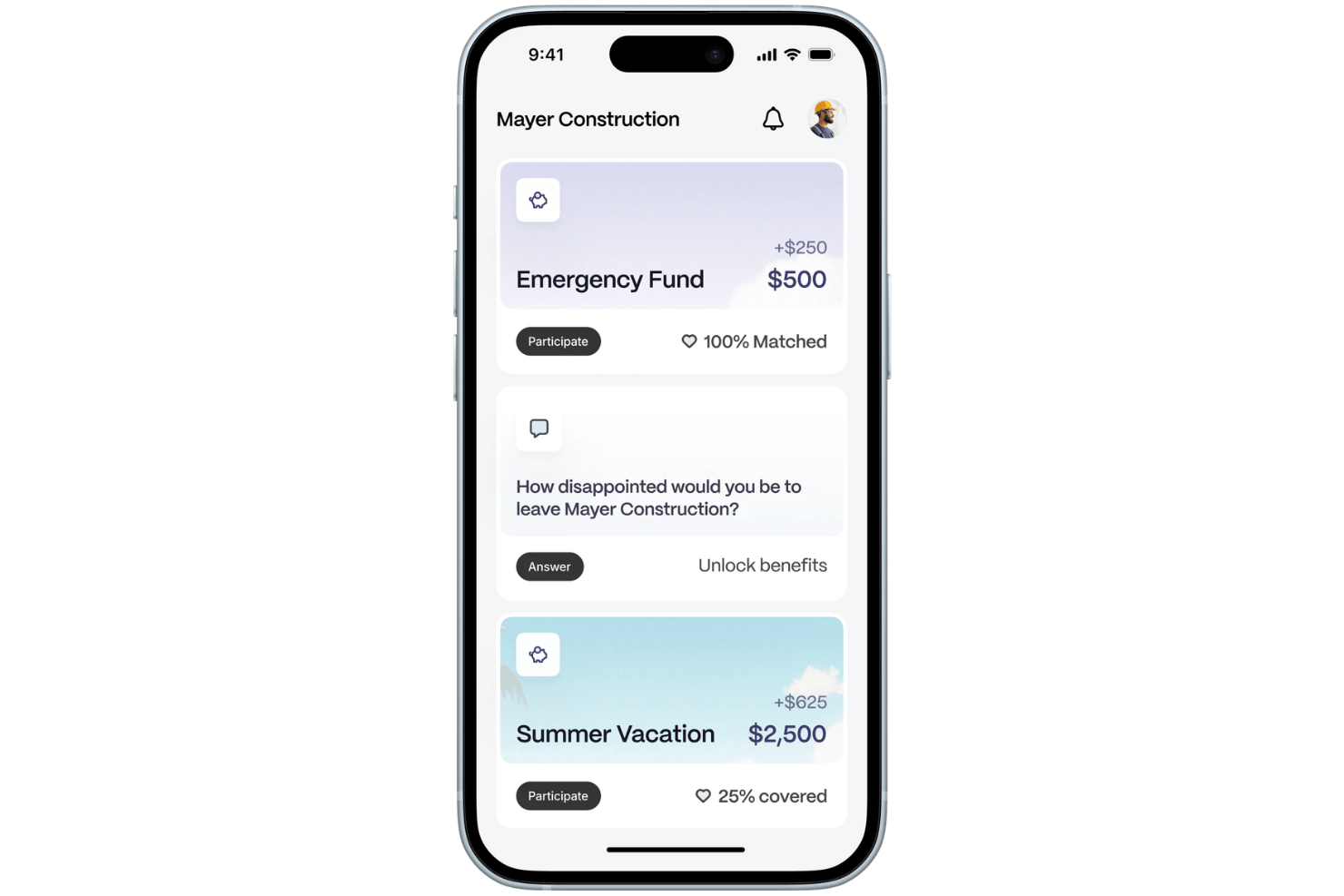
Employees can set savings goals for expenses such as emergency funds, certifications, or major purchases, while employers contribute matching funds. This gives employers a more targeted way to support financial wellness and encourage retention.
Personalized Benefits
Tanda helps employers tailor financial wellness benefits around employee needs instead of relying only on standard one-size-fits-all programs. The goal is to make benefits more relevant and improve engagement and retention.
Retention Tracking and Forecasting
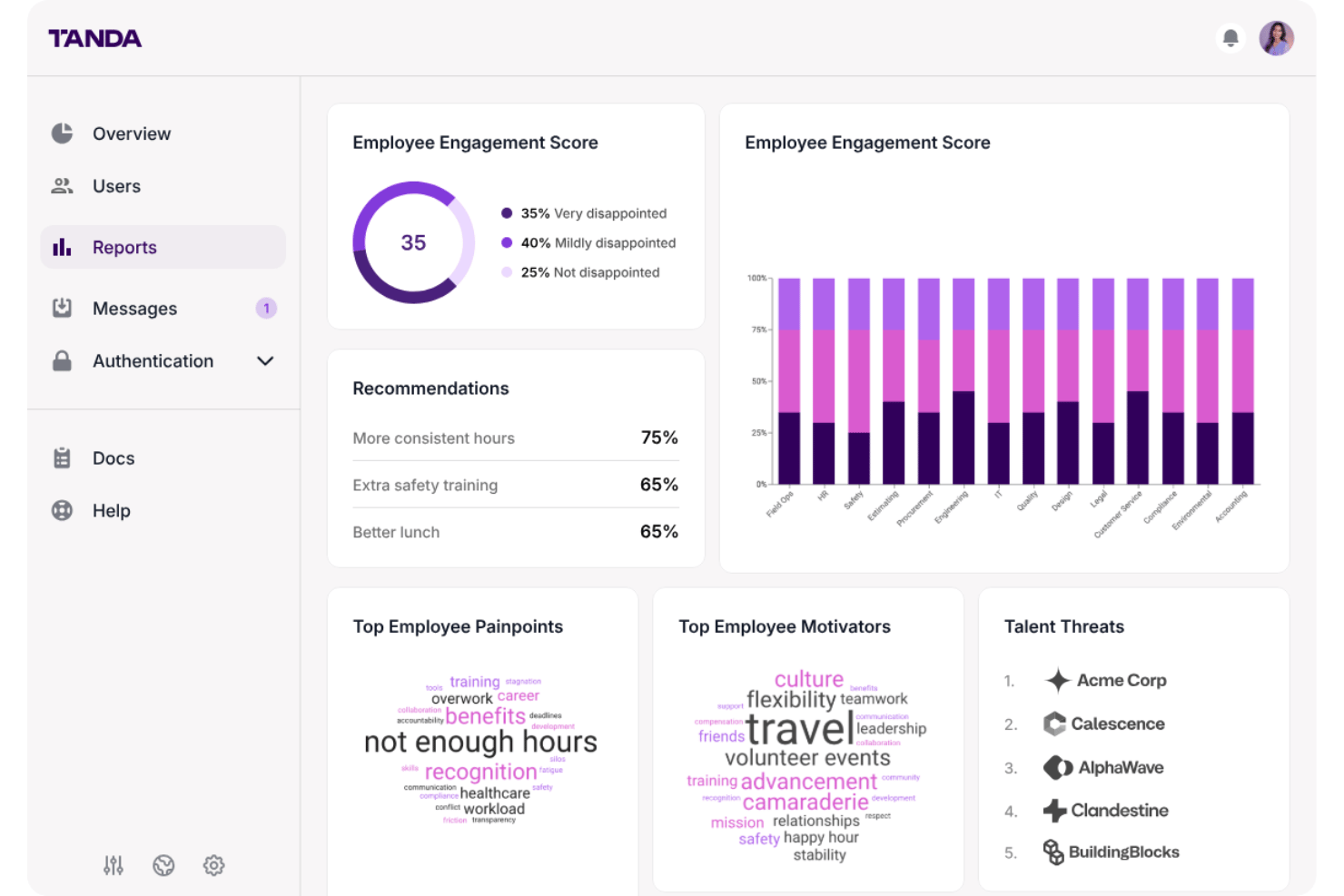
Tanda provides retention insights and forecasting tools to help employers understand workforce trends and identify where turnover risk may be increasing. Enterprise features also include custom ROI and impact reporting.
Employee Engagement Tools
Tanda supports engagement through features such as surveys, peer recognition, and incentives designed to keep employees more connected to their teams and employers.
Compensation Insights
Employers can use Tanda’s data and analytics to assess how compensation and benefits are being deployed and where adjustments may have a greater impact on retention and satisfaction.
Financial Wellness Tools
Tanda gives employees tools to work toward financial goals while helping employers address financial stress, which the company positions as a major contributor to employee turnover.
Ease of Use
Tanda’s ease of use comes from its focused employee experience rather than a broad set of workforce administration tools. Employees can access savings goals, matched benefits, financial wellness features, and engagement tools through a relatively narrow product experience. I think that focused scope should make Tanda easier to approach than a full workforce management suite, although organizations that need payroll, scheduling, time tracking, or compliance tools will still need separate systems.
Integrations
Tanda’s publicly documented integrations are focused on the financial services that support its employee savings and financial wellness features, including Plaid and Dwolla. The company does not publicly document a broader payroll, accounting, or automation integration ecosystem on its current website.
Tanda Specs
- 2-Factor Authentication
- 360 Degree Feedback
- API
- Application Tracking
- Attendance Tracking
- Batch Permissions & Access
- Budgeting
- Calendar Management
- Dashboard
- Data Export
- Data Import
- Data Visualization
- Employee Database
- Employee Engagement
- Employee Incentive Management
- Employee Onboarding
- Expense Tracking
- External Integrations
- Feedback Management
- Forecasting
- Multi-User
- Notifications
- Onboarding
- Payroll
- Project Management
- Scheduling
- Time Management
- Timesheets
- Travel Management
- Vacation & Absence Calendar