

10 Best Payroll Software for Dentists in 2026

Best Payrolls for Dentists Shortlist


Payroll for dentists software is designed to handle payroll processing, compliance, and unique compensation needs in dental practices. If you’re looking for a smarter way to pay your team, manage deductions, and keep up with dental-specific tax rules, you’re not alone. HR teams in dental offices face constant pressure to avoid costly errors and keep staff happy. This list will help you quickly compare the top payroll solutions for dentists so you can find tools that simplify payroll, minimize compliance headaches, and support your practice as it grows.
Why Trust Our Software Recommendations
Our team has been testing and reviewing software since 2012. As HR experts ourselves, we know how difficult—and important—it is to choose the right software.
For this guide, we evaluated tools using hands-on testing and independent research, scoring tools using our selection criteria. We also draw on insights from industry thought leaders and practicing HR experts.
Our reviews reflect our human editorial judgment, not a sales pitch.
Expert reviewers:
Payroll for Dentists Comparison Table
The table below compares pricing details for my top payroll selections for dentists.
| Tool | Best For | Trial Info | Price | ||
|---|---|---|---|---|---|
| 1 | Best for benefits administration for dental teams | Free demo available | From $49/month | Website | |
| 2 | Best for time-tracking-linked dental payroll | 30-day free trial + free demo available | From $80/month | Website | |
| 3 | Best for unified HR and payroll app sync | Free demo available | From $8/user/month | Website | |
| 4 | Best for role-based practice reporting | Free demo available | Pricing upon request | Website | |
| 5 | Best for automated tax and deduction processing | Free demo available | Pricing upon request | Website | |
| 6 | Best for guided tax compliance support | Free demo available | Pricing upon request | Website | |
| 7 | Best for multi-location dental payroll management | Free demo available | Pricing upon request | Website | |
| 8 | Best for small dental office payroll | Not available | From $29/month | Website | |
| 9 | Best for transparent per-employee pricing | 30-day free trial | From $17/month | Website | |
| 10 | Best for flexible wage type configuration | Free trial available | From $99/month | Website |


Payrolls for Dentists Reviews
Below are my detailed summaries of the best payrolls for dentists that made it onto my shortlist. My reviews offer a detailed look at the features, pricing, and best use cases of each software to help you find the best one for you.

Gusto
Best for benefits administration for dental teams
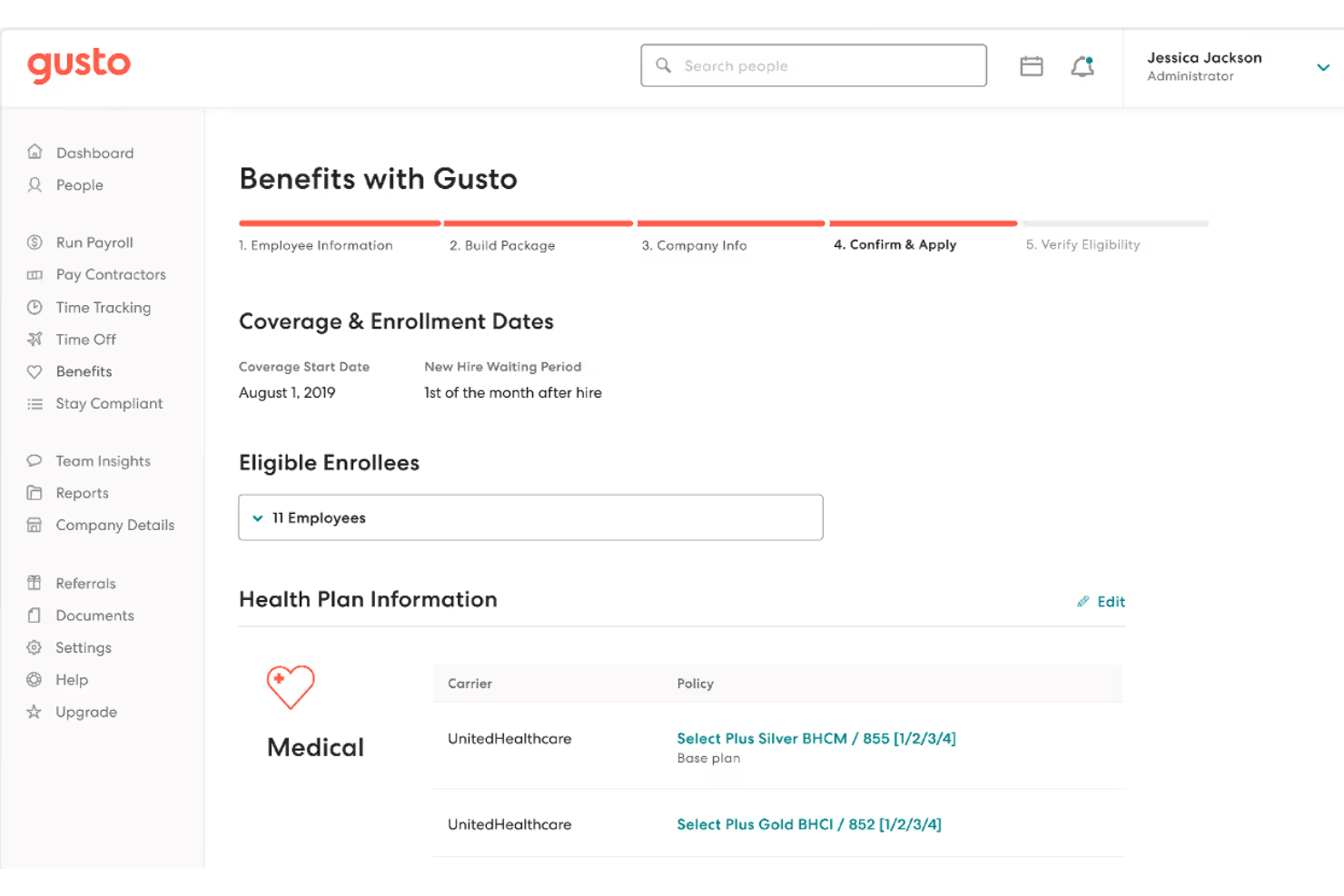
Gusto is a payroll and people platform built for small businesses, offering dental practices full-service payroll, automated tax filing, production-based pay structures, and integrated benefits administration in a single system.
Who Is Gusto Best For?
Gusto is a strong fit for independent dental practices and small DSOs that need to manage W-2 and 1099 staff, variable compensation, and benefits administration without a dedicated HR team.
Why I Picked Gusto
I picked Gusto as one of the best because its benefits administration goes well beyond a basic deductions list. With access to 9,000+ health plans across 30+ carriers, plus HSA, FSA, and 401(k) options, I can enroll new dental team members, set up deductions, and manage plan changes without leaving the payroll platform. It also handles HIPAA compliance training through a built-in LMS, which is a genuinely useful detail for practices that need to document staff training as part of their compliance record.
Gusto Key Features
- Recurring payroll cycles: Run unlimited payrolls each month, including off-cycle, with no additional processing fees.
- Multi-state and location support: Handle payroll across multiple practice locations, each with unique tax rules and reporting needs.
- Production and commission pay structures: Configure pay rates for hygienists, associates, and other roles based on production, commission, or bonuses.
- Employee self-service portal: Give dental staff secure access to pay stubs, W-2s, PTO balances, and personal information updates online.
Gusto Integrations
Gusto offers native integrations with QuickBooks Online, Xero, Archy, FreshBooks, QuickBooks Time, and Deputy. An API is available for custom integrations.
Pros and Cons
Pros:
- Built-in HIPAA compliance training modules
- Automatic new hire reporting to state agencies
- Access to 9,000+ health plans
Cons:
- Reporting lacks per-procedure cost breakdowns
- No native Dentrix or Eaglesoft sync
New Product Updates from Gusto
Gusto Adds Solo Advisory Tools and Mobile Money Features
Gusto adds Solo S-Corp Advisory Tools and Gusto Money on Mobile for tax guidance, invoicing, and bill payments. These updates help accountants advise solopreneurs and let users manage business finances from their phones. For more information, visit Gusto’s official site.

TimeTrex
Best for time-tracking-linked dental payroll
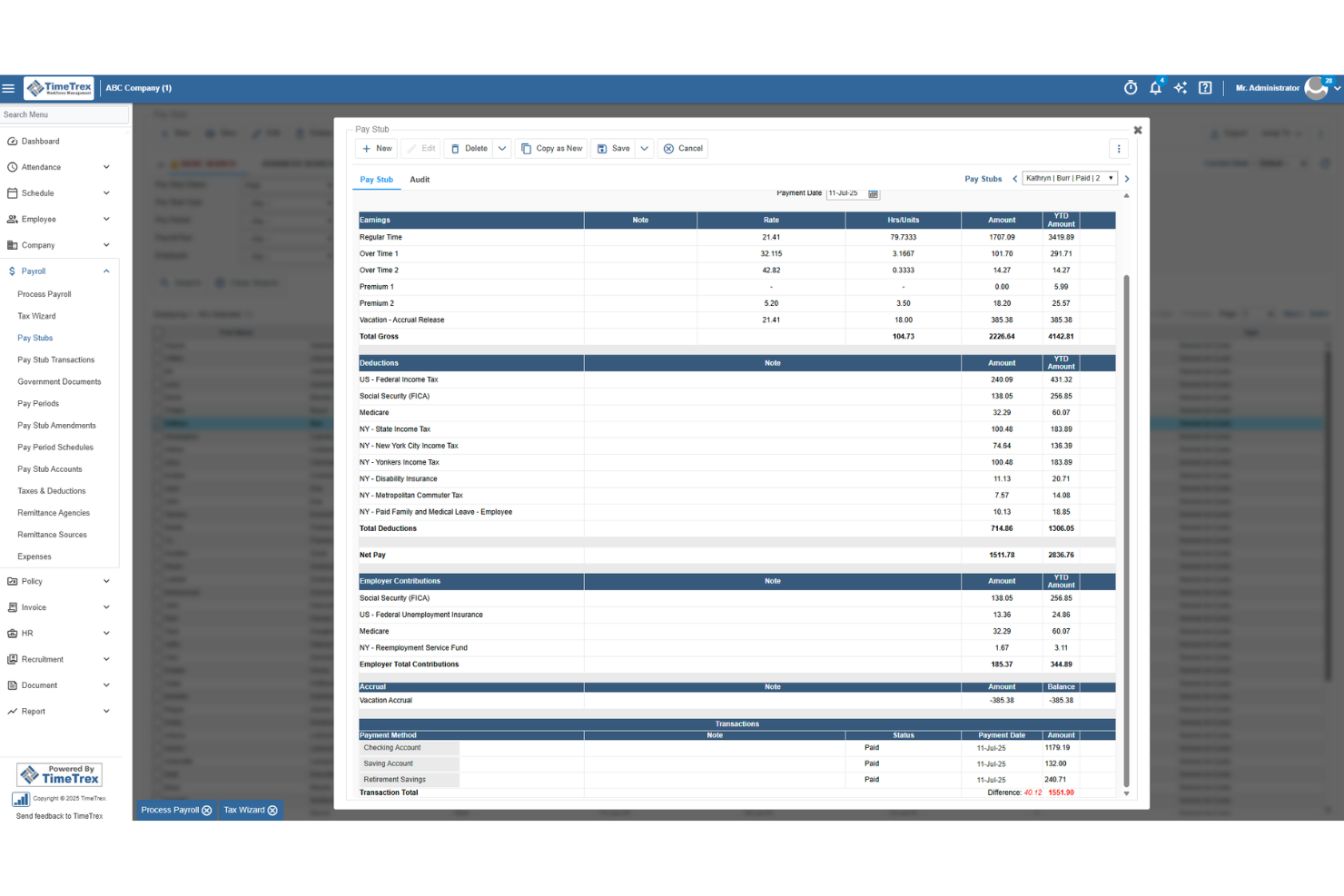
TimeTrex is a workforce management platform that combines time tracking, employee scheduling, leave management, HR tools, and payroll processing with built-in multi-state tax calculations and direct deposit.
Who Is TimeTrex Best For?
TimeTrex suits dental office managers and practice owners who want time tracking and payroll running in one place, without juggling separate systems.
Why I Picked TimeTrex
I've included TimeTrex in my top picks because it's the only tool on this list where time tracking and payroll aren't just connected—they're built as one. When a hygienist clocks out after a shift, that data feeds directly into payroll calculations, including blended overtime and pay-formula policies that account for multiple hourly rates across roles. I also like that managers get real-time attendance visibility, so there's no manual timesheet reconciliation before every pay run.
TimeTrex Key Features
- Multi-state tax calculations: Automatically calculates federal, state, and local payroll taxes based on each employee's work and home locations across thousands of jurisdictions.
- Deduction management: Supports medical, dental, and vision premium deductions, retirement contributions, garnishments, and custom deduction categories with filterable reporting.
- Biometric facial recognition: Verifies employee identity at clock-in and clock-out to prevent buddy punching at the front desk or operatory.
- Branch-level geofencing: Restricts mobile clock-ins to approved locations, giving multi-location practices control over where staff can record their time.
TimeTrex Integrations
TimeTrex supports integrations with Intuit QuickBooks and Sage, plus API-based two-way and flat-file connections for custom data exchange. Native Dentrix, Eaglesoft, and Open Dental integrations aren’t documented.
Pros and Cons
Pros:
- Support helps configure reports and garnishments
- Reviewers value connected payroll and timekeeping
- Clock hours feed directly into payroll
Cons:
- Payroll screens can involve too many dropdowns
- Dental production pay needs manual handling
New Product Updates from TimeTrex
TimeTrex Redesigns Workforce Management With New Payroll, Scheduling, and AI Tools
TimeTrex redesigns its workforce management experience with new dashboards, scheduling and timesheet tools, a rebuilt payroll workflow, and expanded AI assistance. These updates give teams more flexible ways to manage schedules, payroll, reporting, and employee data. For more information, visit TimeTrex’s official site.
 .
.
Rippling
Best for unified HR and payroll app sync
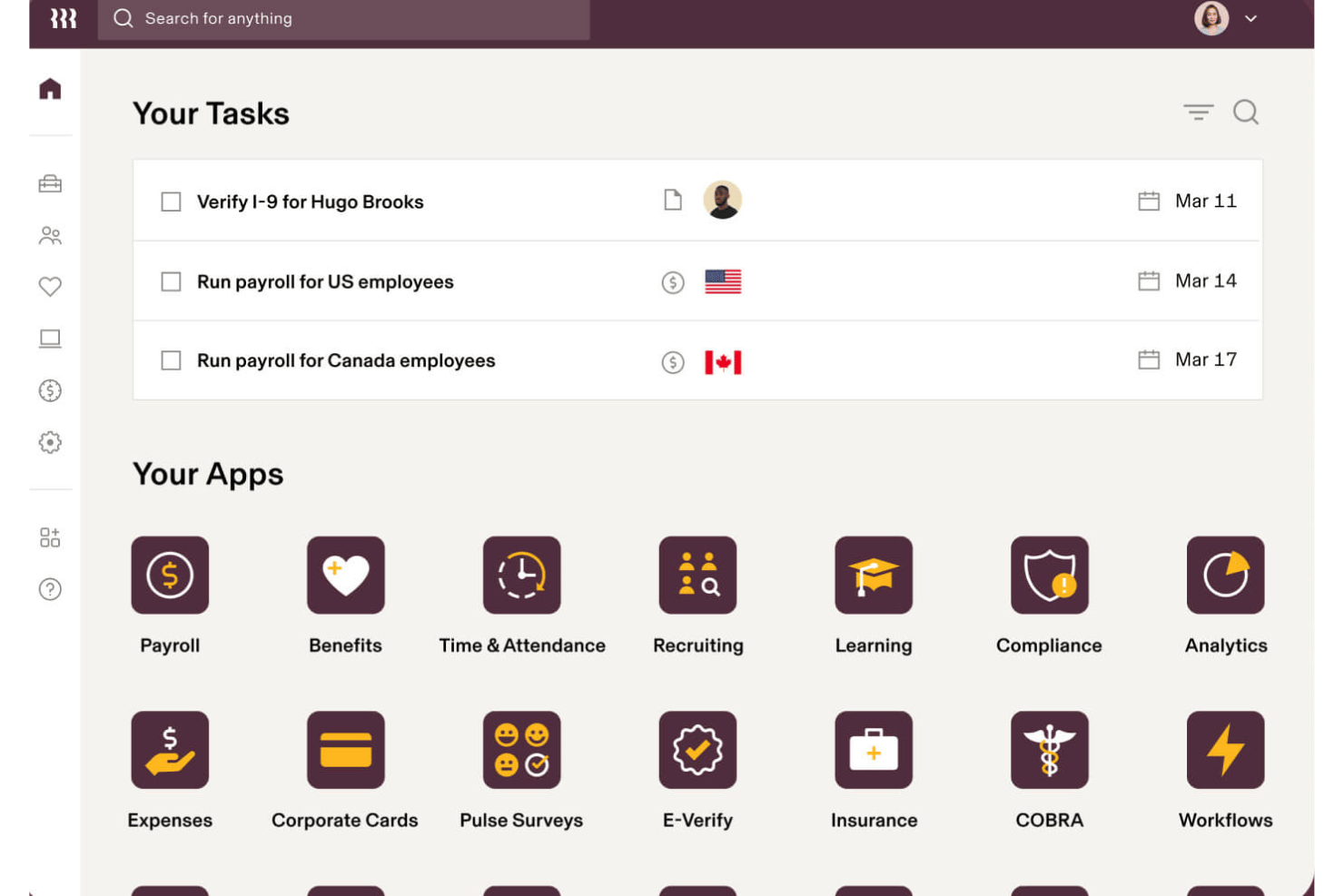
Rippling is an HR and payroll platform that handles automated payroll runs, tax filing, benefits administration, time tracking, and multi-state compliance for both W-2 employees and 1099 contractors.
Who Is Rippling Best For?
Rippling is a strong fit for multi-location dental groups and DSOs managing payroll, HR, and compliance across multiple offices and states.
Why I Picked Rippling
I picked Rippling as one of the best because of how tightly it syncs HR data directly into payroll. When a dental practice hires a new hygienist or updates a salary, that change flows automatically into the next payroll run — no manual re-entry. I also like its pay run comparison tool, which puts current and previous payroll side-by-side so catching discrepancies in gross pay or deductions takes seconds rather than a manual audit.
Rippling Key Features
- Multi-location payroll management: Run payroll across unlimited dental offices with automatic state and local tax handling for each location.
- Commission and bonus pay configuration: Set up custom curative pay types for dental associates, including production bonuses and tiered commissions.
- Benefits administration platform: Manage health, dental, vision, and retirement plans with automated payroll sync for deductions.
- Contractor and W-2 processing: Pay both salaried employees and 1099 dental contractors in a single system with year-end tax form generation.
Rippling Integrations
Rippling offers over 650 native integrations, including QuickBooks, Xero, Slack, Google Workspace, Office 365, Okta, Zoom, Zendesk, Jira, and BambooHR. An API is available for custom integrations.
Pros and Cons
Pros:
- HR and payroll data sync automatically
- Handles W-2 and 1099 workers simultaneously
- Custom workflow automation for employee onboarding
Cons:
- No native dental practice management software integrations
- Setup complexity for small single-location practices
New Product Updates from Rippling

Rippling Expands Automated Compliance With AI Workflows
Rippling expands Automated Compliance with multi-framework support, AI workflows, an audit portal, and trust centers. These updates help GRC teams manage compliance work and audits. For more information, visit Rippling’s official site.

Best for role-based practice reporting
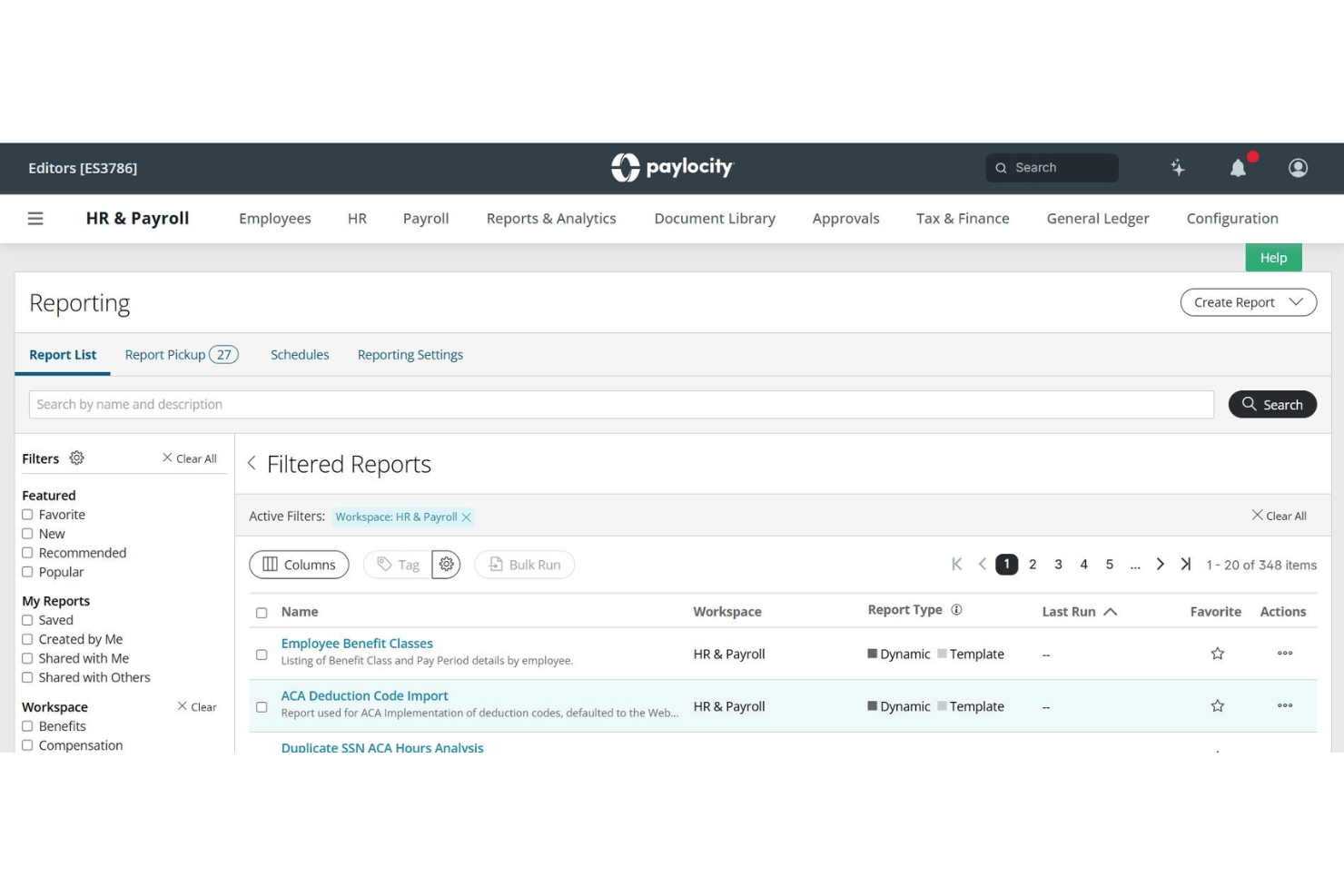
Paylocity is a cloud-based HCM platform that handles payroll processing, tax filing, time and labour tracking, benefits administration, and workforce analytics across multiple roles and locations.
Who Is Paylocity Best For?
Paylocity is a strong fit for multi-location dental groups and DSOs managing mixed payroll across hygienists, associates, and administrative staff.
Why I Picked Paylocity
I picked Paylocity because of how it handles role-based access and reporting across a dental group's org structure. Its Workforce Analytics module lets me build custom dashboards segmented by position, so I can view hygienist production data separately from associate dentist compensation and admin payroll. The Payroll Readiness Dashboard runs 40+ automated audits before each submission, flagging anomalies like unexpected pay spikes by role before they become compliance issues.
Paylocity Key Features
- Certified payroll and compliance reports: Generate workers' comp audits, 401(k) census data, and custom provider job-costing reports.
- Employee self-service portal: Dental staff can update direct deposit info, access pay stubs, and review W-2s online.
- Automatic garnishment and deduction handling: Supports pre- and post-tax deductions including health, dental, and retirement plans tailored for dental teams.
- Multi-location and state payroll management: Single account handles pay, tax rules, and reporting for multiple practices across states.
Paylocity Integrations
Paylocity offers over 400 marketplace integrations, including QuickBooks, ADP, NetSuite, and Paychex. An API is available for custom integrations. Native integrations with dental practice management software are not clearly documented.
Pros and Cons
Pros:
- Production-based and bonus pay fully supported
- Mobile app access for worker time tracking
- Segmented pay reporting by dental role
Cons:
- Setup complexity is high for small practices
- No native dental practice management sync
New Product Updates from Paylocity

Paylocity Adds Candidate Engagement and Talent Rediscovery Agents
Paylocity adds Candidate Engagement and Talent Rediscovery Agents to automate candidate outreach, scheduling, and re-engagement. This helps recruiting teams move candidates through hiring faster. For more information, visit Paylocity’s official site.
 .
.
Best for automated tax and deduction processing
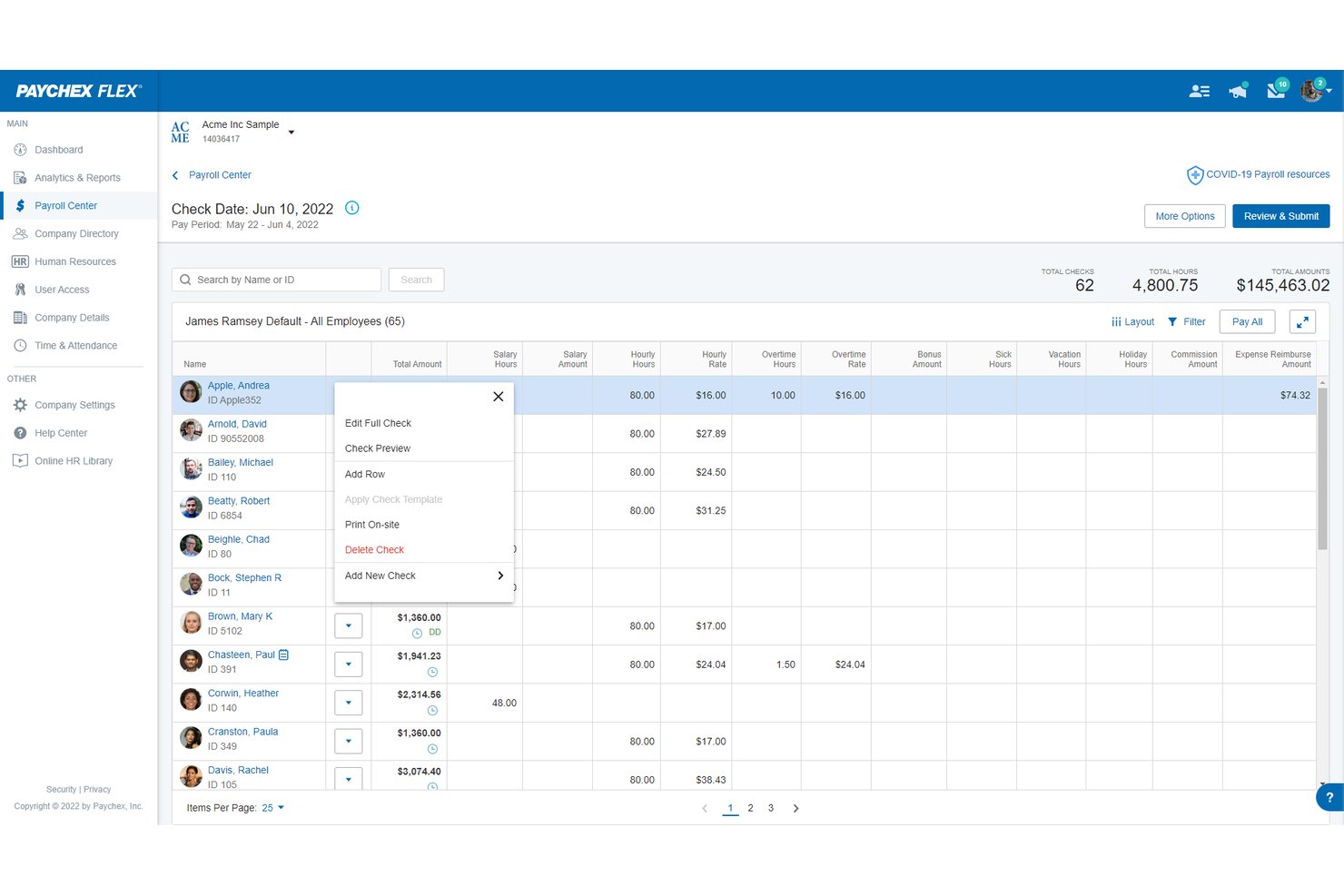
Paychex Flex is a cloud-based payroll and HR platform that handles automated tax filing, W-2 and 1099 processing, benefits deductions, and multi-location payroll for both salaried dental staff and 1099 associate dentists.
Who Is Paychex Flex Best For?
Paychex Flex suits dental practices of any size—from solo practitioners to multi-location DSOs—that need automated tax handling and support for both W-2 staff and 1099 associate dentists.
Why I Picked Paychex Flex
I picked Paychex Flex because its Taxpay® engine automatically calculates, files, and remits federal, state, and local payroll taxes without any manual input from me. I particularly like how it handles both W-2s for dental staff and 1099s for associate dentists within the same payroll run. The automated garnishment and deduction tracking also means benefit withholdings update without requiring me to manually adjust anything each pay cycle.
Paychex Flex Key Features
- Employee self-service portal: Staff can securely view pay stubs, W-2s, PTO balances, and manage direct deposit details online.
- Multi-location payroll management: Run payroll for multiple dental offices with location-specific wage, tax, and reporting configurations.
- Integrated benefits administration: Handle health, dental, vision, and 401(k) plans directly through the Paychex Flex platform.
- Contractor and associate payments: Process 1099 payments for associate dentists and specialists alongside traditional W-2 payroll runs.
Paychex Flex Integrations
Paychex Flex offers native integrations with QuickBooks Online, Xero, and Sage Intacct, and provides an API for custom integrations. Native dental practice management system integrations are not documented.
Pros and Cons
Pros:
- Multi-location payroll with location-specific tax rules
- Built-in compliance rules for employee breaks
- Direct garnishment payments to state agencies
Cons:
- Customer support response times vary significantly
- Setup can be complex for small practices

ADP Run
Best for guided tax compliance support
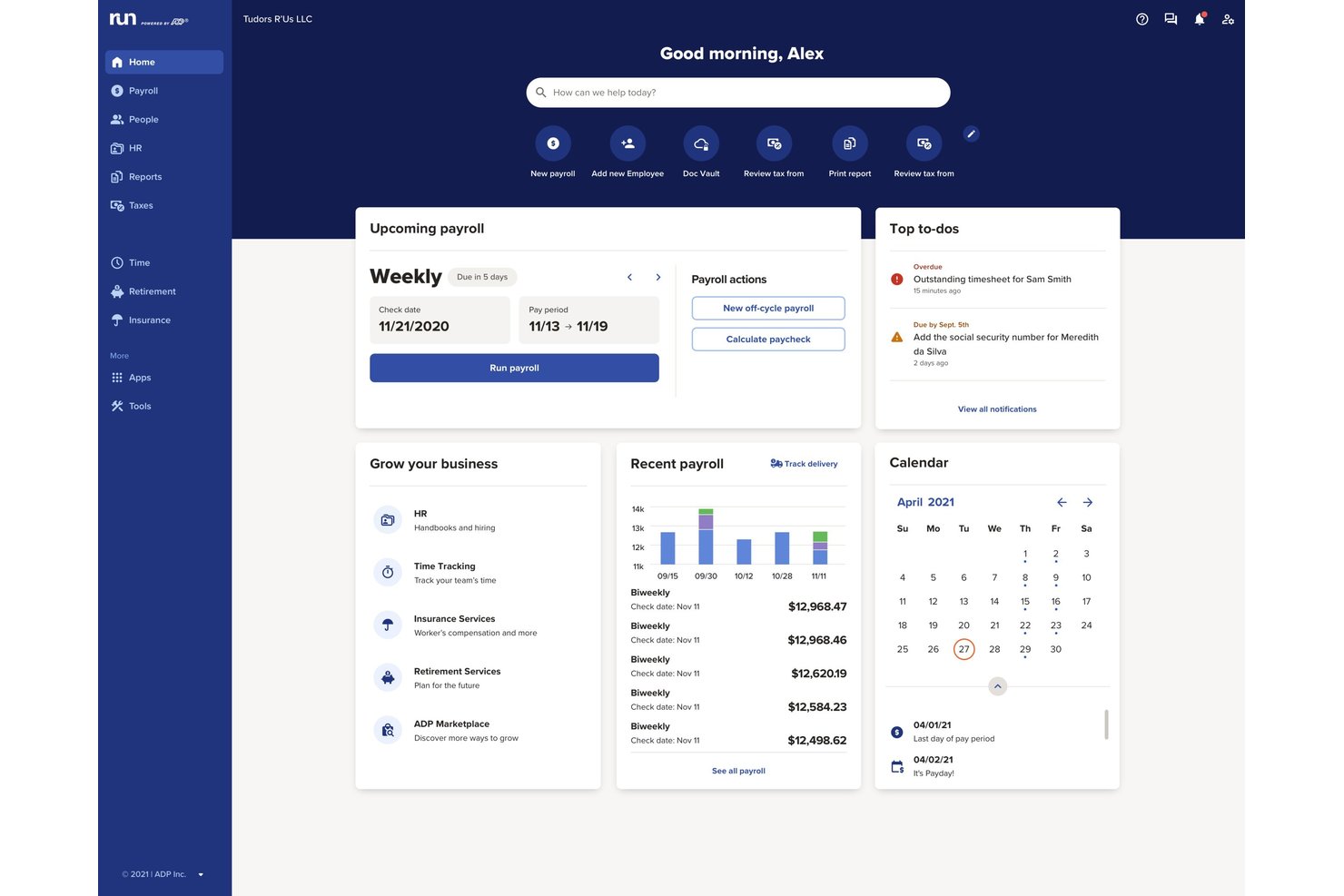
RUN Powered by ADP is a small-business payroll and HR platform that handles automated payroll processing, tax filing, benefits administration, and time tracking for practices with up to 49 employees.
Who Is ADP Run Best For?
ADP Run suits dental practice owners and office managers who need reliable multi-state tax filing and compliance support without a dedicated in-house HR team.
Why I Picked ADP Run
I picked ADP Run because of how it handles tax compliance proactively. ADP Assist, the platform's built-in AI, reviews your payroll data and flags potential errors before you submit a run. ADP also maintains compliance experts in all 50 states who track tax law changes continuously. That kind of coverage is useful when a dental practice expands to a second or third location.
ADP Run Key Features
- RUN & DONE auto-payroll: Automates recurring payroll runs for both salaried and hourly staff with minimal manual steps.
- Multi-location payroll management: Handles payroll, tax calculations, and compliance across multiple dental practice locations and states.
- Integrated time tracking: Syncs time data from built-in time-tracking tools or external systems directly into payroll.
- Employee self-service portal: Allows dental staff to view pay stubs, tax documents, and update personal or banking information online.
ADP Run Integrations
ADP Run offers native integrations with QuickBooks Online, Clover, Xero, and Wave, and provides access to 300+ apps through the ADP Marketplace. An API is available for custom integrations.
Pros and Cons
Pros:
- Workers' comp pay-as-you-go option included
- Handles 1099 contractor and W-2 payroll
- Optional human resources toolkits and templates
Cons:
- Limited access to human resources advisors
- No native dental practice management software sync

Netchex
Best for multi-location dental payroll management
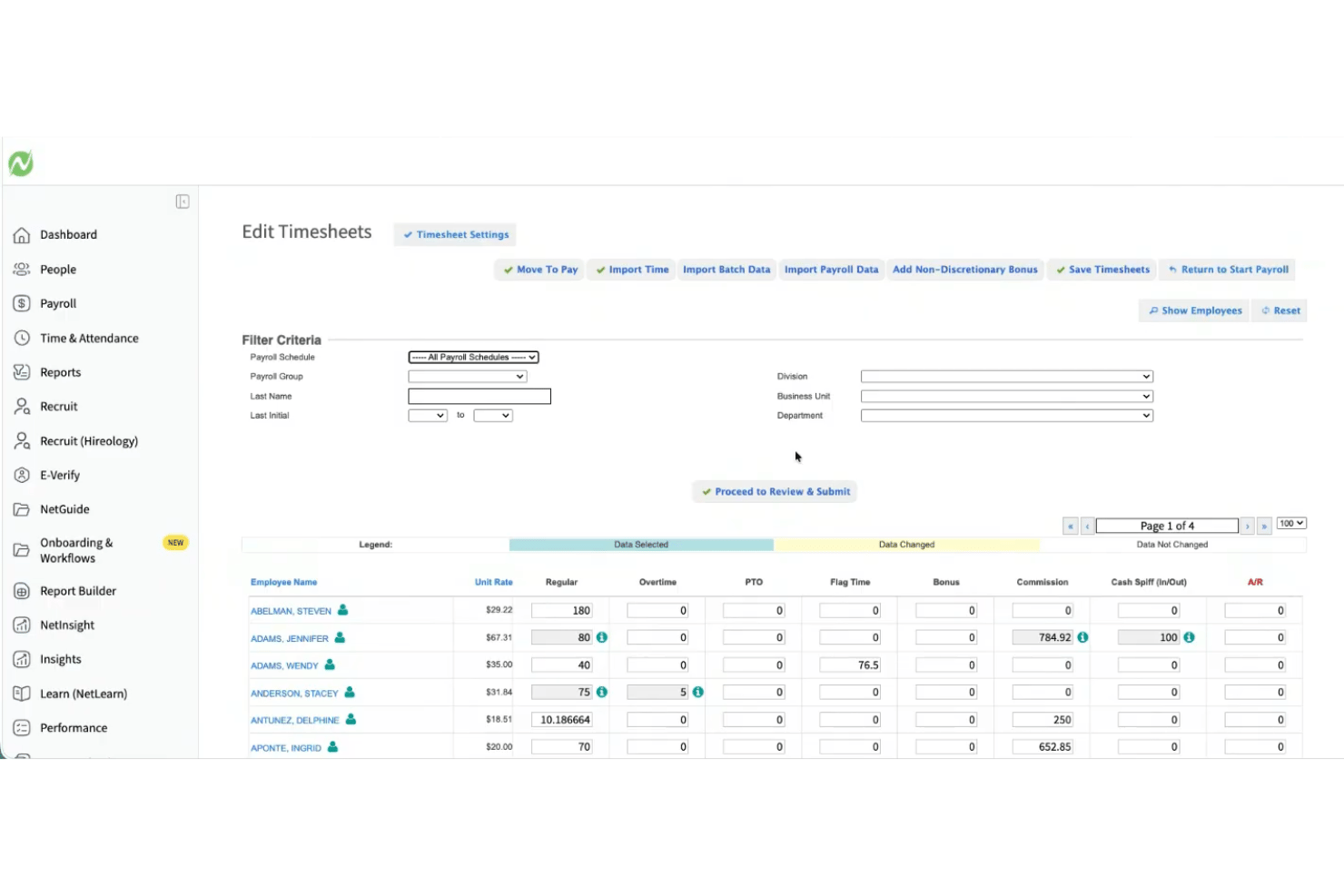
Netchex is a payroll and HR platform built for dental and vision practices, handling production-based provider pay, multi-location payroll, credential tracking, and time & attendance in a single system.
Who Is Netchex Best For?
Netchex is a strong fit for dental service organizations (DSOs) and growing group practices managing payroll across multiple locations or states.
Why I Picked Netchex
I picked Netchex as one of the best because no other platform in this space handles the DSO payroll model as cleanly. Managing multiple EINs from a single account means I can run payroll across every location without switching between systems. OneScreen Payroll™ flags errors before each run, which matters when you're calculating production-based pay for associate dentists alongside hourly rates for hygienists and front-office staff.
Netchex Key Features
- Credential and license tracking: Store and monitor dentist and hygienist certifications with automated expiration alerts.
- Employee Navigator integration: Sync benefits administration data directly between Netchex and benefits broker systems.
- ACA and compliance tracking: Track full-time, part-time, and variable hour eligibility for Affordable Care Act compliance.
- Mobile employee self-service: Allow dental staff to view pay, update direct deposit, and access tax documents from their phones.
Netchex Integrations
Netchex offers native integrations with Employee Navigator for benefits administration and supports 401(k) plan providers. An API is available for custom integrations. Native integrations with dental practice management systems are not documented.
Pros and Cons
Pros:
- OneScreen Payroll flags errors before each run
- Supports production-based pay for dental providers
- Handles multi-location payroll under one account
Cons:
- High setup fees for implementation
- No native dental practice management integrations
Best for small dental office payroll
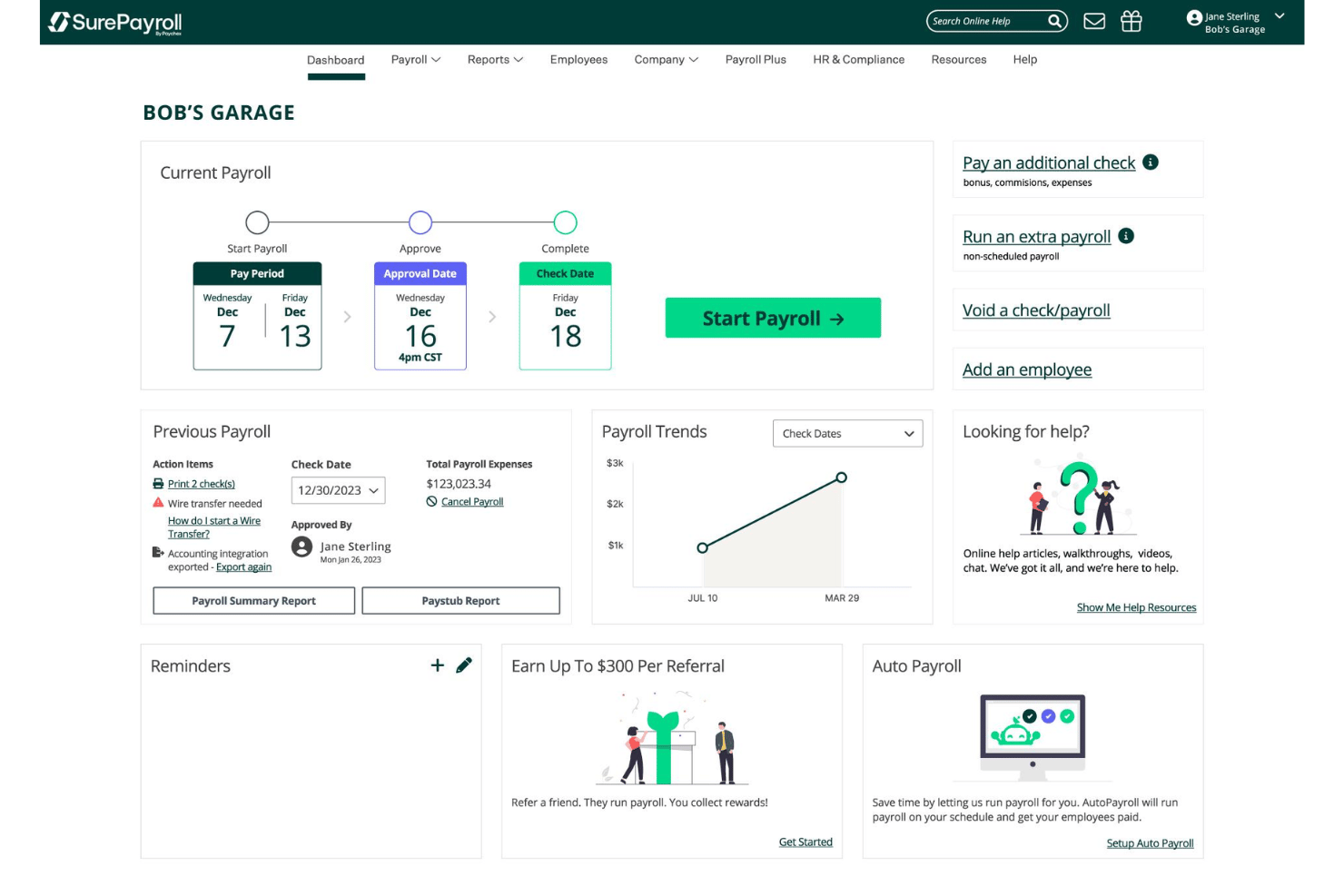
SurePayroll is a cloud-based payroll platform for small businesses that handles automated payroll runs, tax filing, and direct deposit for both W-2 employees and 1099 contractors from a single dashboard.
Who Is SurePayroll Best For?
SurePayroll fits small dental practices with lean teams where the owner or office manager handles payroll without dedicated HR or payroll staff.
Why I Picked SurePayroll
I picked SurePayroll as one of the best because it handles W-2 hygienists and 1099 associate dentists from a single dashboard, which is a combination that trips up a lot of generic payroll tools. I also like the Auto Payroll feature, which lets small practices schedule recurring payroll runs without logging in each cycle. The Full Service plan's tax-penalty guarantee covers federal, state, and local filings automatically, so an office manager running solo isn't left exposed to compliance errors.
SurePayroll Key Features
- In-app employee self-service portal: Allows dental staff to access pay stubs, W-2s, and update direct deposit information from their phones or computers.
- Accounting software integration: Syncs payroll data with popular accounting tools like QuickBooks Online, Xero, and Sage 50 for enhanced reconciliation.
- Multi-state payroll support: Processes payroll and manages taxes for dental offices with employees working in more than one state.
- Customizable deduction management: Enables setup of health insurance, retirement contributions, and garnishments tailored to dental practice needs.
SurePayroll Integrations
SurePayroll offers native integrations with QuickBooks Online, Xero, and Sage 50 for syncing payroll and accounting data. An API is available for custom integrations.
Pros and Cons
Pros:
- Auto Payroll reduces manual processing each cycle
- Tax-penalty guarantee covers all filing jurisdictions
- Includes free direct deposit for employees
Cons:
- Limited reporting options for multi-provider practices
- No native time clock for dental staff

Best for transparent per-employee pricing
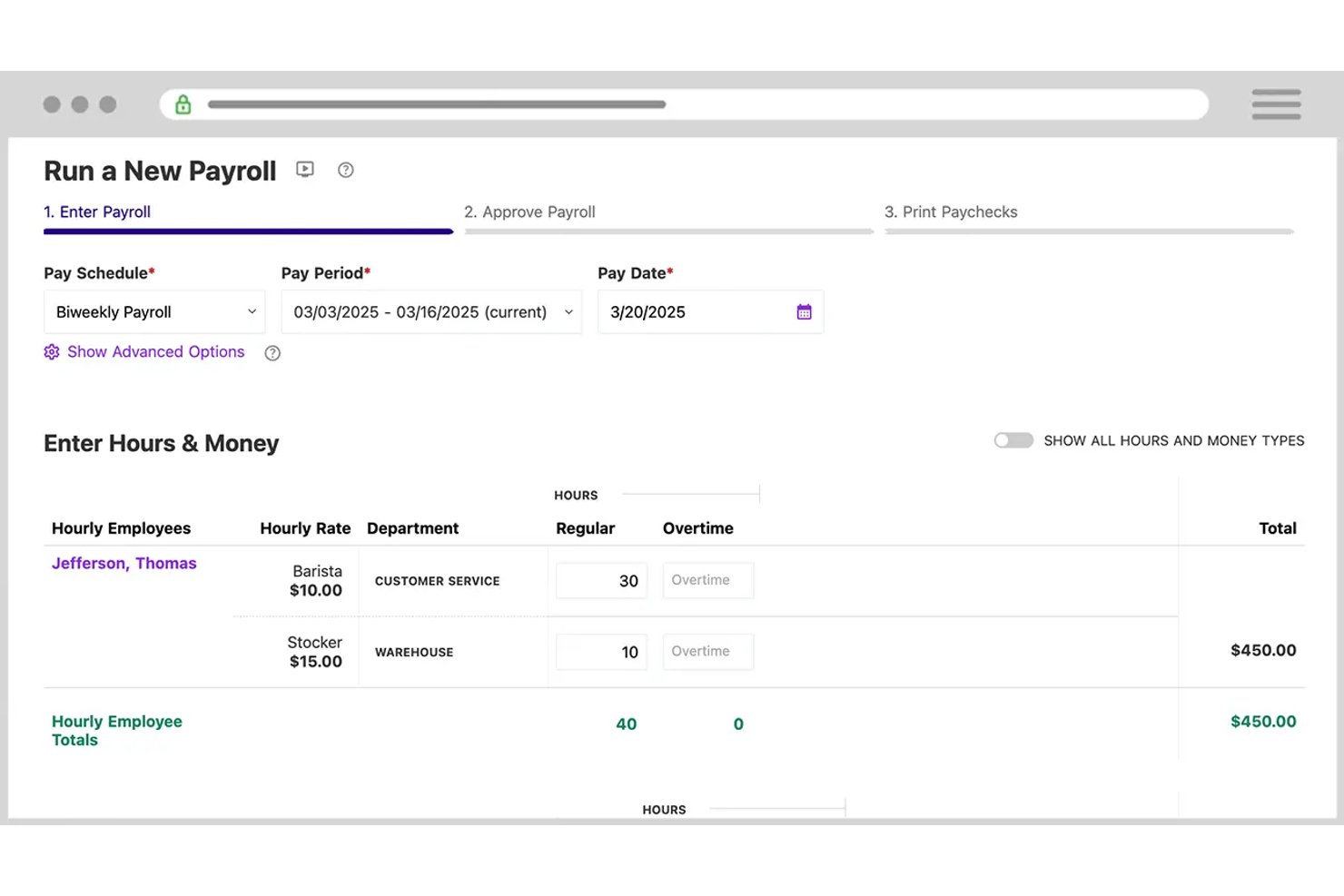
Patriot Software is a U.S.-based payroll platform built for small businesses, including dental practices, that runs payroll for W-2 employees and 1099 contractors with automated tax filing, direct deposit, and benefits deduction management.
Who Is Patriot Software Best For?
Patriot Software suits independent dental practice owners and office managers running payroll for small teams at a single location.
Why I Picked Patriot Software
Patriot Software earns its spot on my shortlist because the per-worker pricing model removes a real frustration: being charged per payroll run. With Patriot, you pay a flat base fee plus a per-worker charge, with unlimited runs at no extra cost. I also like that you can pay W-2 hygienists and 1099 associate dentists in the same payroll run, and assign up to 25 pay rates per employee to handle production bonuses alongside base wages.
Patriot Software Key Features
- Time and attendance add-on: Capture staff hours within Patriot or import hours from compatible time systems for payroll calculations.
- Multi-state payroll support: Manage tax calculations and filings for practices operating across multiple U.S. states with location-specific payroll settings.
- Integrated benefits administration: Connect health, dental, vision insurance, and 401(k) plans directly to payroll for automatic deduction management.
- Employee self-service portal: Allow dental staff to access pay stubs, tax forms, and update direct deposit information online.
Patriot Software Integrations
Patriot Software offers native integrations with Vestwell for 401(k), Next Insurance for workers’ compensation, and SimplyInsured for health, dental, and vision benefits. An API is available for custom integrations.
Pros and Cons
Pros:
- U.S.-based customer support included
- Optional employee portal access for tax documents
- Unlimited payroll runs at no extra cost
Cons:
- Multi-location reporting is limited for DSOs
- No native dental practice management software sync
Paycor
Best for flexible wage type configuration
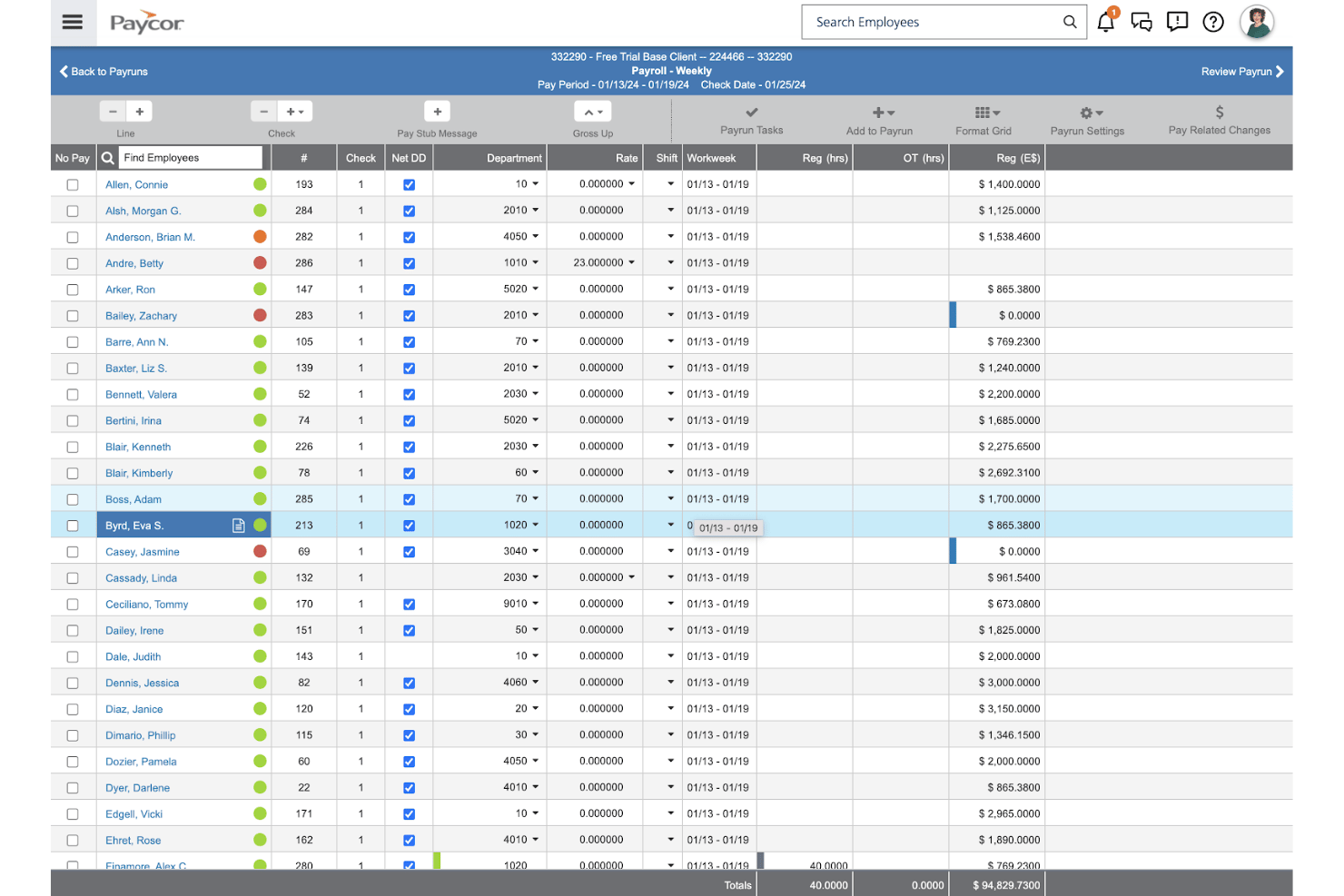
Paycor is a US-based HCM platform with a payroll engine built around configurable earnings codes, custom pay cycles, and automated tax filing for dental practices managing complex, multi-type compensation structures.
Who Is Paycor Best For?
Paycor is a strong fit for multi-location dental groups and DSOs that need to standardize payroll across multiple offices, states, and employee types under one platform.
Why I Picked Paycor
I picked Paycor as one of the best because of how it handles earnings code configuration. Dental practices can build unlimited custom earnings codes to separate associate production splits, hygiene bonuses, and per-diem pay without contacting support. Pair that with custom pay cycles and AutoRun scheduling, and you can run separate payrolls for salaried front-desk staff and commission-based associates on different cadences, all from the same platform.
Paycor Key Features
- Compliance dashboard: Offers proactive alerts for tax IDs, missing records, and address issues.
- Employee self-service portal: Staff can access pay stubs, W-2s, and manage direct deposit details.
- OnDemand Pay: Lets employees access earned wages before payday through a mobile wallet.
- 100% paperless onboarding: Allows new hires to complete all payroll and HR paperwork digitally.
Paycor Integrations
Paycor offers native integrations with QuickBooks, Slack, Indeed, and BambooHR, and provides an API for custom integrations.
Pros and Cons
Pros:
- AutoRun scheduling across multiple pay cycles
- Digital signatures for new hire paperwork
- Handles multi-state payroll for DSO networks
Cons:
- Lacks native time tracking software
- No native dental practice management integrations
Other Payrolls for Dentists
Here are some additional payroll options for dentists that didn’t make it onto my shortlist, but are still worth checking out:
- ADP Workforce Now
For large group compliance and reporting
- OnPay
For dental-specific compensation types
- BambooHR
For PTO and licensure management integration
- QuickBooks Payroll
For practice accounting synchronization
- Square Payroll
For hourly and contractor team configurations
- Justworks
For bundled insurance and payroll services
- Wagepoint
For Canadian dental clinic payroll needs
- Paypro
For custom dental payroll setups
- CoAd Payroll
For HR and payroll compliance


How I Evaluate Payroll Software for Dentists
I evaluate payroll for dentists across two layers: baseline requirements like tax filing and variable pay, and differentiators like dental practice management integrations and multi-location support.
Core Functionality (Table Stakes For This List)
When I'm selecting tools for my list, I rank each one on a scale from 0 (does not offer the functionality) to 5 (excels in this area) for each core functionality listed below. I then calculate the tool's total score as a percentage, using 55% as a benchmark to help assess its overall fit for the list.
- Automated payroll processing: I check whether the tool runs recurring cycles for both W-2 employees and 1099 contractors, including off-cycle runs for bonus payouts.
- Tax filing and compliance: Each tool should calculate, file, and remit taxes across federal, state, and local levels, plus generate year-end W-2s and 1099s.
- Variable pay handling: I evaluate how well each platform handles hygienist production bonuses, associate commissions, and tip tracking alongside standard hourly wages.
- Time and attendance integration: The tool should sync hours from time-tracking or practice management systems so front desk and clinical staff hours flow into payroll.
- Multi-state and multi-location support: I look for the ability to manage payroll across multiple office locations with location-specific tax rules and consolidated reporting.
- Benefits and deductions management: Dental teams need pre- and post-tax deduction handling for health insurance, retirement contributions, garnishments, and workers' comp.
Once I have a list of tools that meet the criteria, I consider what sets each platform apart.
Differentiating Factors (What Sets Vendors Apart)
Here's how I compare and contrast different vendors:
Standout Features
Tip and bonus handling matters because dental compensation often includes hygienist production bonuses and referral incentives that need proper tracking and taxation. I also evaluate how each platform handles contractor and associate payments, since many practices run 1099 processing for associate dentists alongside regular W-2 payroll. An employee self-service portal is another differentiator—it lets clinical staff check pay stubs, download W-2s, and update direct deposit details without pulling the office manager away from other tasks.
Beyond Features
Integration with dental practice management systems like Dentrix, Eaglesoft, or Open Dental is a major differentiator. It determines whether hours and production data flow into payroll automatically or require manual entry. Pricing structure also matters for smaller practices, where per-employee-per-month models with transparent year-end filing fees help avoid budget surprises. I look at onboarding support too, since migrating payroll mid-year with historical data needs guided help from specialists who understand dental workflows.
How to Choose Payroll Software for Dentists
Are you trying to figure out what really matters when selecting payroll software for your dental practice?
| If your priority is... | Prioritize... |
|---|---|
| Syncing hours from Dentrix or Eaglesoft | Direct integrations with dental management tools |
| Handling complex pay like production bonuses | Custom pay code and multi-rate support |
| Avoiding mid-year payroll errors | Specialist-led implementation with data import |
| Supporting remote or multi-state locations | Multi-jurisdiction compliance and reporting |
| Managing associate and contractor pay | Enhanced W-2 and 1099 processing |
How to Vet Your Shortlist
- Integration Verification: Request a list of current practice management software integrations and schedule a demo showing real data syncing.
- Compliance Guarantee: Ask for a sample payroll run with multi-state or local tax calculations for at least two locations.
- Compensation Handling: Set up a trial and process a payroll containing base, commission, and production bonuses for at least three roles.
- Implementation Support: Submit a request for their onboarding workflow, including real migration timelines and specialist involvement.
- Weigh Flexibility vs. Specialization: Decide if you need a dental-specific platform with built-in niche integrations or a general provider with broader capabilities.
What is Payroll Software for Dentists?
Payroll software for dentists is a specialized platform that automate payroll processing, tax filing, and variable compensation management for dental practices. These systems handle hourly, salaried, commission, and production-based pay structures, sync with dental management tools, and manage both W-2 employees and 1099 contractors. Dental offices use them to stay compliant with labour laws, handle complex compensation arrangements, and efficiently manage payroll across multiple locations or jurisdictions.
Features of Payroll Software for Dentists
When selecting payroll for dentists, keep an eye out for the following key features:
- Automated payroll runs: Lets you set up recurring pay cycles for all staff, calculates net pay, and sends direct deposits or issues checks automatically.
- Variable compensation support: Handles hourly wages, salaries, bonuses, production-based pay, and commission structures commonly found in dental offices.
- Integrated tax filing: Calculates, files, and remits federal, state, and local payroll taxes and generates year-end W-2s and 1099s on your behalf.
- Practice management integrations: Syncs with dental systems like Dentrix or Eaglesoft to pull hours, production, and staff information directly into payroll.
- Multi-state and multi-location compliance: Manages payroll rules, taxes, and reporting for staff working across states or at multiple practice sites.
- Benefits and deduction management: Tracks pre- and post-tax deductions such as health benefits, retirement plans, garnishments, and CE reimbursements.
- Employee self-service portal: Allows staff to view pay stubs, update direct deposit details, access tax forms, and track PTO balances online or via mobile.
- Contractor and associate payments: Supports checks and direct deposits for 1099 contractors, associates, and locum tenens dentists, with automated tax documentation.
- Detailed payroll reporting: Offers customizable reports for practice owners, including payroll cost breakdowns, job costing, and audit-ready records.
- Onboarding and support resources: Provides guided implementation, migration help, and access to payroll specialists familiar with dental industry norms.
Benefits of Payroll Software for Dentists
Implementing payroll for dentists provides several benefits for your team and your business. Here are a few you can look forward to:
- Improved accuracy: Automated pay calculations and integrated tax filing minimize errors and help prevent costly compliance mistakes.
- Time savings: Recurring payroll runs, direct deposit, and employee self-service features free up managers and owners to focus on patient care.
- Simplified compliance: Built-in support for multi-state regulations, licensure tracking, and contractor payments helps you navigate dental-specific legal requirements.
- Enhanced reporting: Customizable payroll and compensation reports make it easy to analyze labour costs, bonuses, and productivity across locations.
- Enhanced employee experience: Staff can access pay stubs, PTO, and tax forms online, promoting transparency and reducing front desk interruptions.
- Adaptability for growing practices: Multi-location and multi-role support make it easier to scale payroll processes as your business expands or affiliates.
- Integrated benefits management: Automated deduction tracking for health plans and CE reimbursements supports smooth administration of dental team benefits.
Costs and Pricing of Payroll Software for Dentists
Selecting payrolls for dentists requires an understanding of the various pricing models and plans available. Costs vary based on features, team size, add-ons, and more. The table below summarizes common plans, their average prices, and typical features included in payroll solutions for dentists:
Plan Comparison Table for Payroll Software for Dentists
| Plan Type | Average Price | Common Features |
|---|---|---|
| Free Plan | $0 | Basic payroll calculators, manual check creation, and limited support. |
| Personal Plan | $10-$20/user/month | Automated payroll runs, W-2/1099 support, essential tax filing, and basic reporting. |
| Business Plan | $25-$40/user/month | Multi-location support, integrated time tracking, multi-state compliance, benefits management, and advanced reports. |
| Enterprise Plan | $40-$60/user/month | Practice management integrations, dedicated onboarding, custom workflows, priority support, and specialist guidance. |
Payrolls for Dentists FAQs
Here are some answers to common questions about payrolls for dentists:
How do payrolls for dentists handle production-based bonuses?
Payrolls for dentists calculate and process a production bonus tied to hygienists or associate dentist production automatically. These dental practice payroll systems let you set up formulas or rules for compensation, including overtime pay, so bonuses appear directly in each payroll cycle.
Can payrolls for dentists support payments to both W-2 employees and 1099 contractors?
Yes, most payrolls for dentists support both W-2 employees and 1099 independent contractors. You can run payroll for regular staff, factoring in FICA, health insurance, and benefits deductions, and pay associate dentists or locum tenens as contractors in the same platform.
What integrations should I look for with dental payroll software?
Look for integrations with dental practice management systems like Dentrix or Open Dental, as well as accounting software such as QuickBooks or Xero. This ensures employee hours and practice data import smoothly into payroll.
How does switching payrolls mid-year affect tax filings and reporting?
Switching payrolls mid-year is possible if your new provider offers data migration and historical pay import. This way, all pay and deduction data remain accurate for year-end W-2 or 1099 reporting.
Do payrolls for dentists help with state licensing or CE reimbursement tracking?
Some payrolls for dentists let you set up custom deductions or reimbursements for state licensing fees and continuing education. This helps practices stay compliant and support staff professional development.