

10 Best Custom eLearning Solutions Reviewed in 2026

Best Custom eLearning Solutions Shortlist


In the fast-paced world of HR, keeping your team engaged and up-to-date can be a real challenge. Custom eLearning solutions offer a way to tailor training to your specific learning needs, alleviating the headache of off-the-shelf approaches by providing self-paced and interactive learner experiences, many of which are backed by case studies.
As someone who tests and reviews software independently, I understand the importance of finding tools that truly fit your team. In my experience, the right elearning program can transform how you deliver training, making it more effective and relevant.
In this article, I'll share my unbiased, well-researched picks for the best custom elearning solutions. You'll get insights into what makes each one stand out, helping you choose the right fit for your organization's unique needs.
Why Trust Our Software Reviews
Our team has been testing and reviewing software since 2012. As HR experts ourselves, we know how difficult—and important—it is to choose the right software.
For this guide, we evaluated tools using hands-on testing and independent research, scoring tools using our selection criteria. We also draw on insights from industry thought leaders and and practicing HR experts.
Our reviews reflect our human editorial judgment, not a sales pitch.
Best Custom eLearning Solutions Summary
This comparison chart summarizes pricing details for my top custom elearning course selections to help you find the best one for your budget and business needs.
| Tool | Best For | Trial Info | Price | ||
|---|---|---|---|---|---|
| 1 | Best for multi-language course delivery | Free plan + free demo available | From $119/month (billed annually) | Website | |
| 2 | Best for PowerPoint-based course creation | 14-day free trial available | From $970/author (billed annually) | Website | |
| 3 | Best with AI agents for real-time learner support | Free demo available | Pricing upon request | Website | |
| 4 | Best for AI-assisted eLearning content authoring | 30-day free trial available | From $1,449/user (billed annually) | Website | |
| 5 | Best for LMS-integrated learning platforms | Free demo available | Pricing upon request | Website | |
| 6 | Best for engaging storytelling | Free demo available | Pricing upon request | Website | |
| 7 | Best for measurable corporate training | Free demo available | Pricing upon request | Website | |
| 8 | Best for gamified interactive learning | Free demo available | Pricing upon request | Website | |
| 9 | Best for global workforce transformation programs | Free demo available | Pricing upon request | Website | |
| 10 | Best for custom instructional design services | Free demo available | Pricing upon request | Website |

Best Custom eLearning Solutions Reviews
Below are my detailed summaries of the best custom elearning solutions that made it onto my shortlist. My reviews offer a detailed look at the key features, pros and cons, integrations, and ideal use cases of each tool to help you find the best one for you.

Best for multi-language course delivery
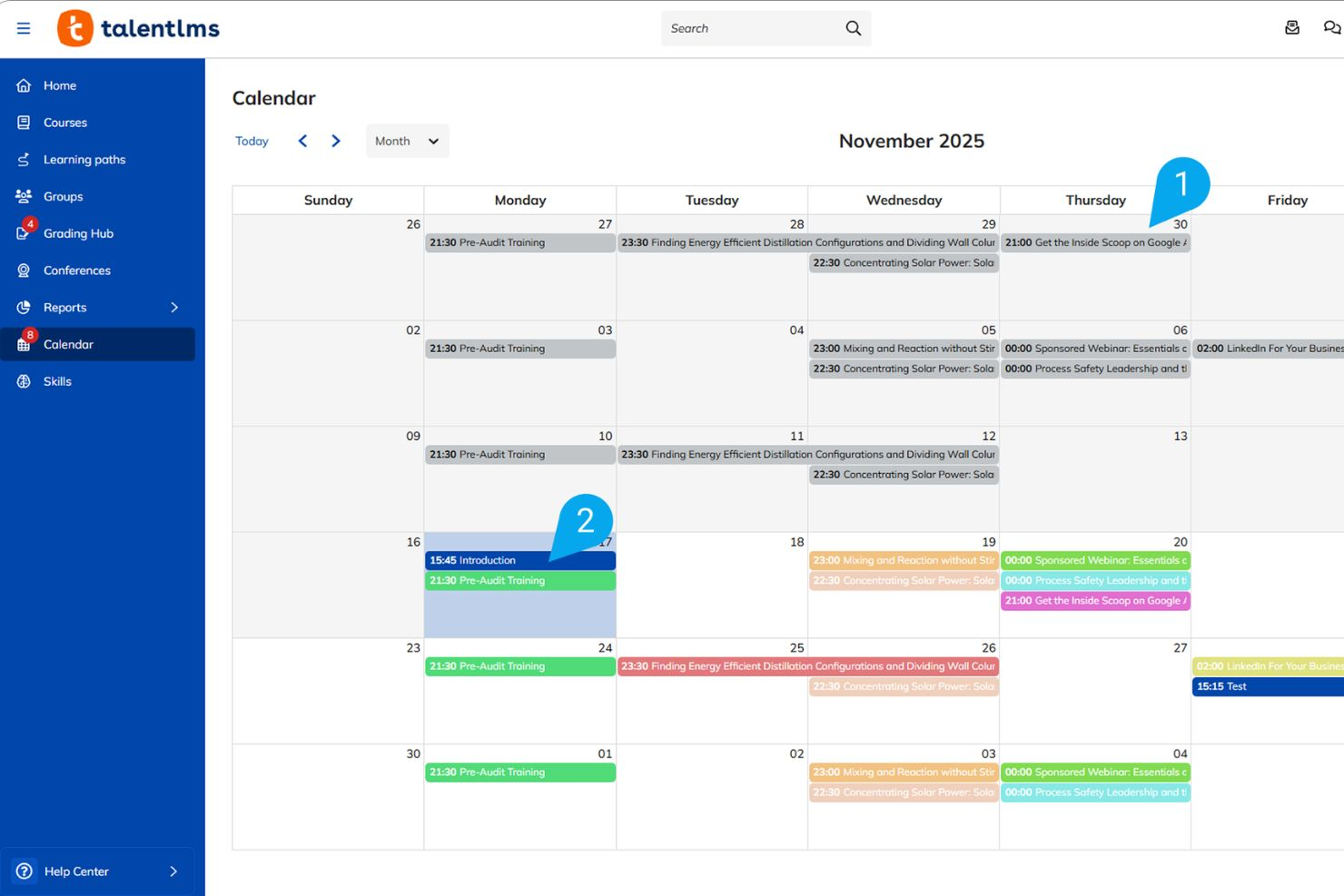
TalentLMS is a cloud-based learning management system with AI-assisted course creation, multi-language support, white-label branding, and SCORM/xAPI content import for building and delivering custom training programs.
Who Is TalentLMS Best For?
TalentLMS is a strong fit for mid-sized to large organizations that need to train employees, partners, or customers across multiple teams or regions.
Why I Picked TalentLMS
I've included TalentLMS in my top picks because its AI Translator feature is genuinely one of the most practical tools I've seen for global training delivery. It translates course content into 40+ languages automatically, so if my team builds a compliance module in English, we can push localized versions to regional offices without rebuilding anything from scratch. On top of that, TalentLMS's Branches feature lets you spin up separate, branded training portals for different regions or departments, each with its own content, users, and language settings, all managed from one admin account.
TalentLMS Key Features
- TalentCraft AI course builder: Build course content using an AI authoring tool that generates text, images, and quizzes from a prompt or uploaded source material.
- SCORM, xAPI, and cmi5 support: Import custom e-learning content built in third-party authoring tools like Articulate or Adobe Captivate directly into TalentLMS.
- Learning paths: Sequence courses into structured paths with prerequisites, so learners progress through content in a defined order.
- Custom certification engine: Set up automatically issued, expiring certificates tied to course or path completion with custom branding.
TalentLMS Integrations
Integrations include BambooHR, Salesforce, Zoom, Microsoft Teams, Okta, Google Calendar, PayPal, Shopify, and Slack.
Pros and Cons
Pros:
- Creates branded learner portals for each branch
- Gamification with badges and leaderboards
- Built-in SCORM, xAPI, and cmi5 support
Cons:
- Mobile app lacks full desktop functionality
- Limited interactive elements in course builder
New Product Updates from TalentLMS
TalentLMS Adds Learning Paths, AI Video, and Learner Experience Updates
TalentLMS introduced updates across learning management, content creation, and learner experience, including Learning Paths for Groups, AI video generation in TalentCraft, video bookmarking, and expanded administration tools. For more information, visit TalentLMS’s official site.

Best for PowerPoint-based course creation
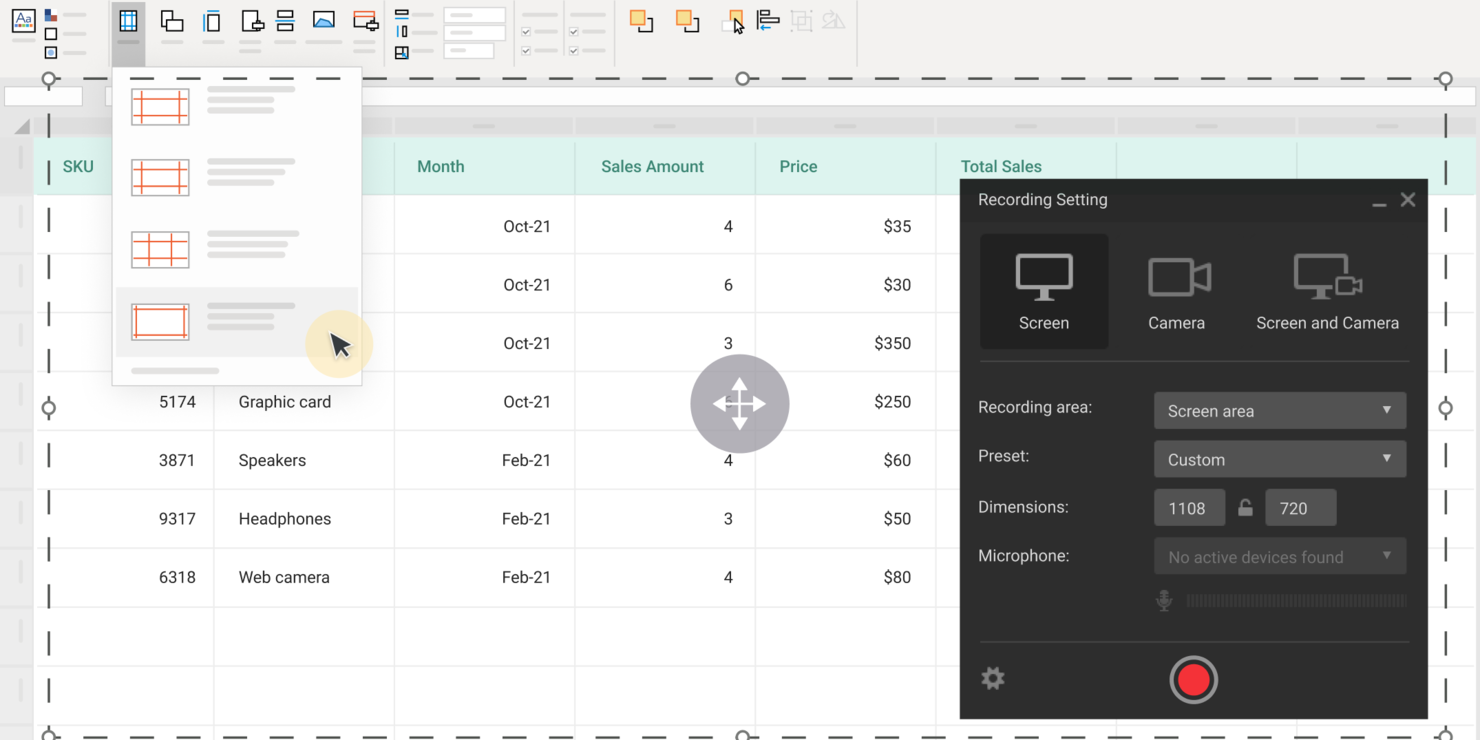
iSpring Suite is an e-learning authoring toolkit for building interactive courses, quizzes, simulations, and multimedia content directly from PowerPoint for custom e-learning solutions. The platform also includes AI-powered tools to help generate course text, images, quiz questions, and translations for faster course development.
Who Is iSpring Suite Best For?
iSpring Suite is a great fit for L&D teams, SMEs, and instructional designers who need to build custom e-learning content without starting from scratch.
Why I Picked iSpring Suite
iSpring Suite earns its spot on my shortlist because it turns PowerPoint into a full course authoring environment. I can take an existing slide deck and layer in narration, branching scenarios, and animations without rebuilding anything from scratch. The iSpring Flip feature also lets me convert presentations into mobile-friendly formats that learners can access on any device. Its built-in AI tools can also help generate first drafts of course content, quiz questions, images, and translations to speed up course development.
iSpring Suite Key Features
- Quiz maker: Build graded and survey-style quizzes with 14 question types, answer branching, and custom feedback.
- Character Builder: Create customizable characters with different poses, emotions, clothing styles, and backgrounds for scenario-based learning.
- Role-play simulator: Create dialogue simulations with branching conversation trees for soft skills and scenario-based training.
- Screen recording and video editor: Capture, edit, and annotate on-screen actions to produce software tutorials and demos directly within the tool.
- SCORM publishing: Export finished courses as SCORM, xAPI, or AICC packages ready to upload to any LMS.
iSpring Suite Integrations
iSpring Suite offers native integrations with iSpring Learn LMS, Salesforce, Zoom, Google Meet, BambooHR, and more, and provides an API for custom integrations.
Pros and Cons
Pros:
- SCORM, xAPI, and AICC publishing supported
- Access to a large content asset library
- Offers role-play simulation builder for scenarios
Cons:
- No built-in video hosting platform
- Limited advanced animation functionality

Absorb
Best with AI agents for real-time learner support
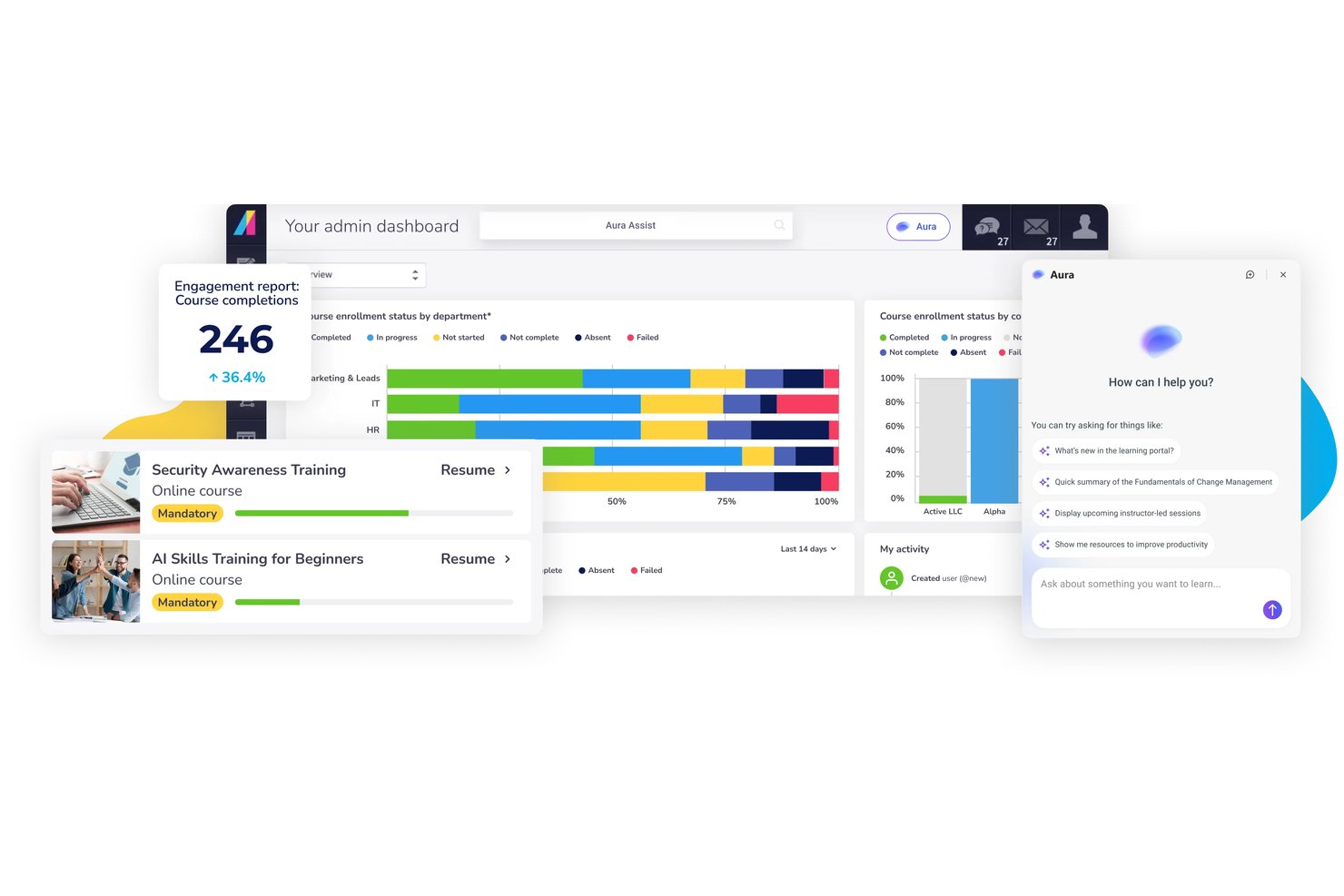
Absorb is a customizable learning management system designed for organizations that need to create, deliver, and manage tailored eLearning and compliance training experiences.
Who Is Absorb Best For?
Learning and development teams in mid-sized to large enterprises that need branded, compliance-focused training programs.
Why I Picked Absorb
I picked Absorb as one of the best because I like how its AI agents deliver real-time learner support, answering questions instantly and helping users navigate courses or resolve issues as they come up. I also find its smart search and automated content recommendations helpful for scaling custom eLearning.
Absorb Key Features
- Custom course authoring tools: Build interactive learning modules using templates, quizzes, and multimedia elements.
- White-label branding: Fully customize portals with your organization’s branding, colors, and logos.
- SCORM and xAPI support: Import and track standardized eLearning content from external authoring tools.
- Learner analytics dashboard: Monitor learner progress, completions, and assessment scores with detailed reporting.
Absorb Integrations
Absorb offers native integrations with Salesforce, Zoom, Zendesk Sell, ADP, Okta, BambooHR, Namely, and HubSpot. An API is available for custom integrations.
Pros and Cons
Pros:
- Detailed compliance tracking and reporting
- Flexible multi-portal branding options
- Real-time AI learner support agents
Cons:
- Advanced interactivity requires external authoring tools
- Collaboration tools are basic for large teams
New Product Updates from Absorb
Absorb Aura Adds Claude and ChatGPT Connections
Absorb Aura now connects to Claude or ChatGPT via MCP, enabling users to ask questions about their learning and the LMS directly inside the AI tool after a simple setup. For more information, visit Absorb's official site.
 .
.
Best for AI-assisted eLearning content authoring
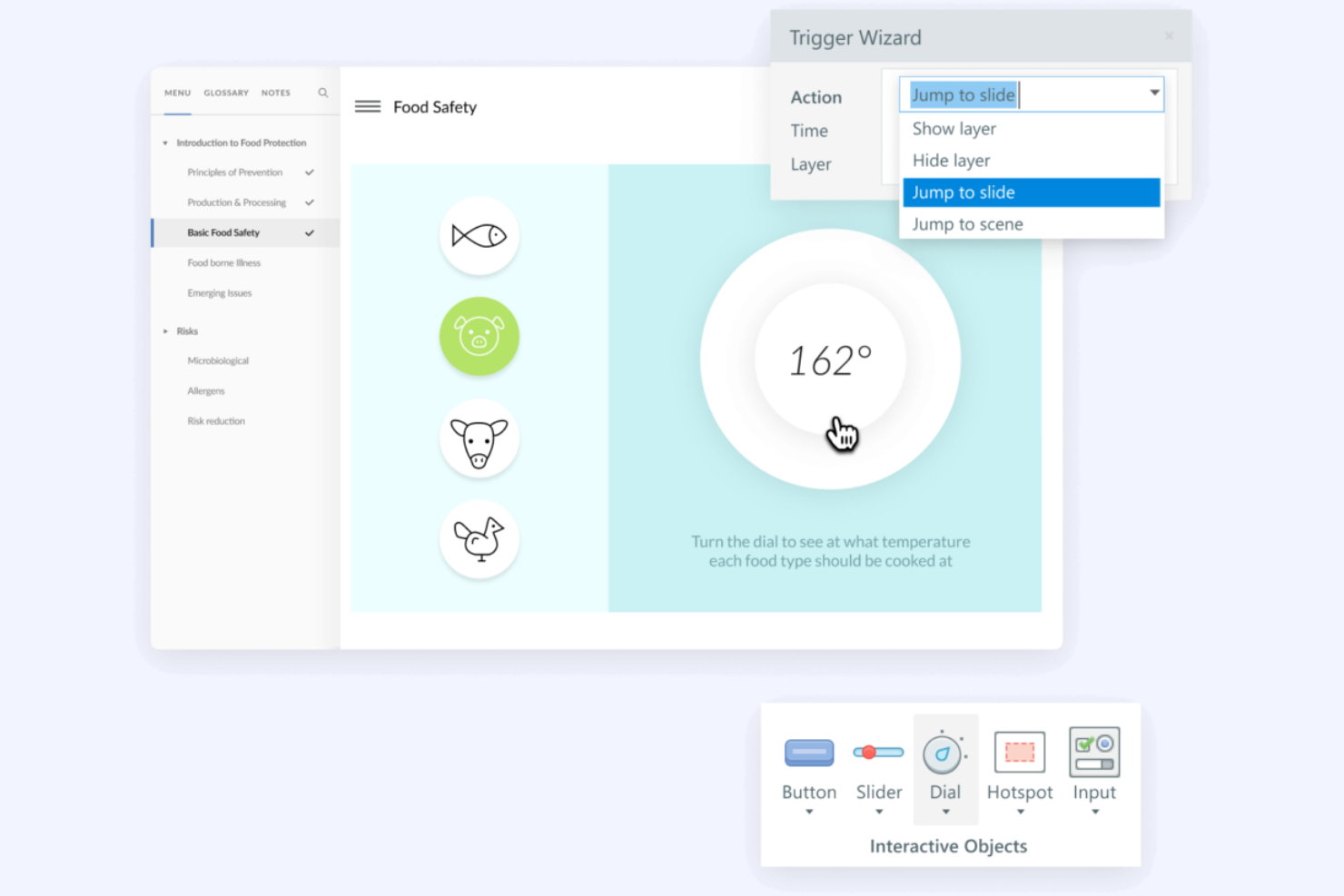
Articulate is an eLearning development tool designed for instructional designers and training developers who need to create interactive courses quickly. It focuses on simplifying the course creation process with a user-friendly interface and a variety of templates.
Why I picked Articulate: It excels in rapid authoring, making it easy to create professional-looking courses without extensive design skills. Its platform is dedicated to simplifying the course creation process and providing a user-friendly interface. Articulate's focus on speed and ease of use makes it ideal for teams needing quick turnaround times.
Standout Features and Integrations:
Features include a content library that provides access to a wide range of assets for course development. The drag-and-drop functionality simplifies the creation process, allowing you to build courses efficiently. Articulate also offers customizable templates that let you tailor courses to specific needs without starting from scratch.
Integrations are not publicly listed.
Pros and Cons
Pros:
- User-friendly interface
- Extensive content library
- Rapid course creation
Cons:
- Weak native analytics
- Limited advanced features
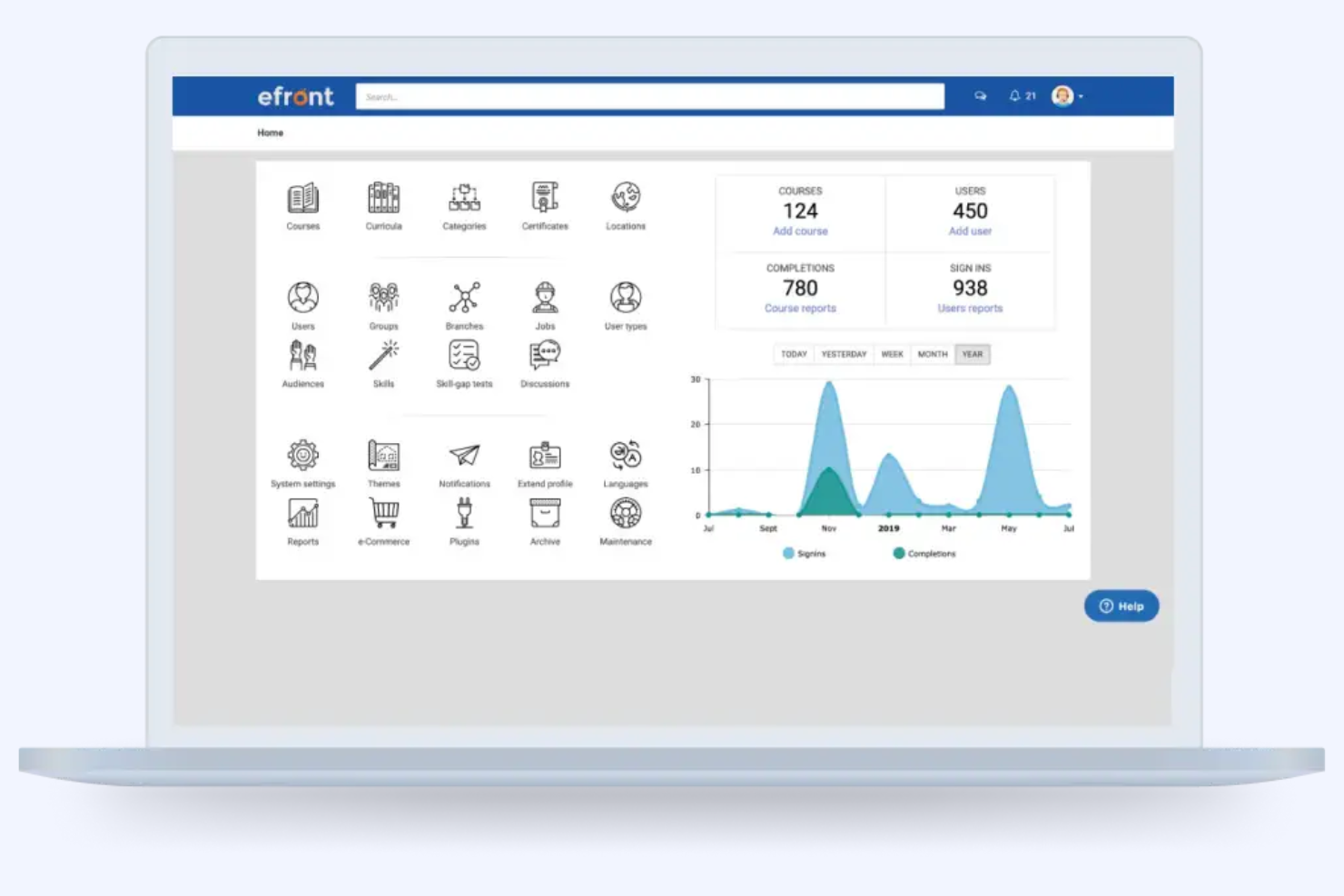
Folio3 offers scalable eLearning solutions designed to meet the needs of various industries, providing tailored learning experiences. It serves businesses looking for custom content development and learning management systems to improve workforce training.
Why I picked Folio3: Their strength lies in providing scalable solutions that can grow with your organization. They offer LMS-integrated learning platforms and provide tailored learning experiences designed to meet the needs of various industries to ensure accessibility and engagement. With a focus on adaptability, you can tailor training programs to fit specific organizational needs. Folio3 supports a wide range of learning formats, making it a versatile choice for diverse training requirements.
Standout Features and Integrations:
Features include mobile learning solutions that allow your team to access training on the go. Custom content development ensures that training materials meet your specific needs. Folio3 also offers learning management systems that support a variety of learning formats, improving the overall training experience.
Integrations are not publicly listed.
Pros and Cons
Pros:
- Adaptable to organizational needs
- Mobile learning capabilities
- Scalable learning solutions
Cons:
- Dependent on custom builds
- Post-delivery support responsiveness can be inconsistent
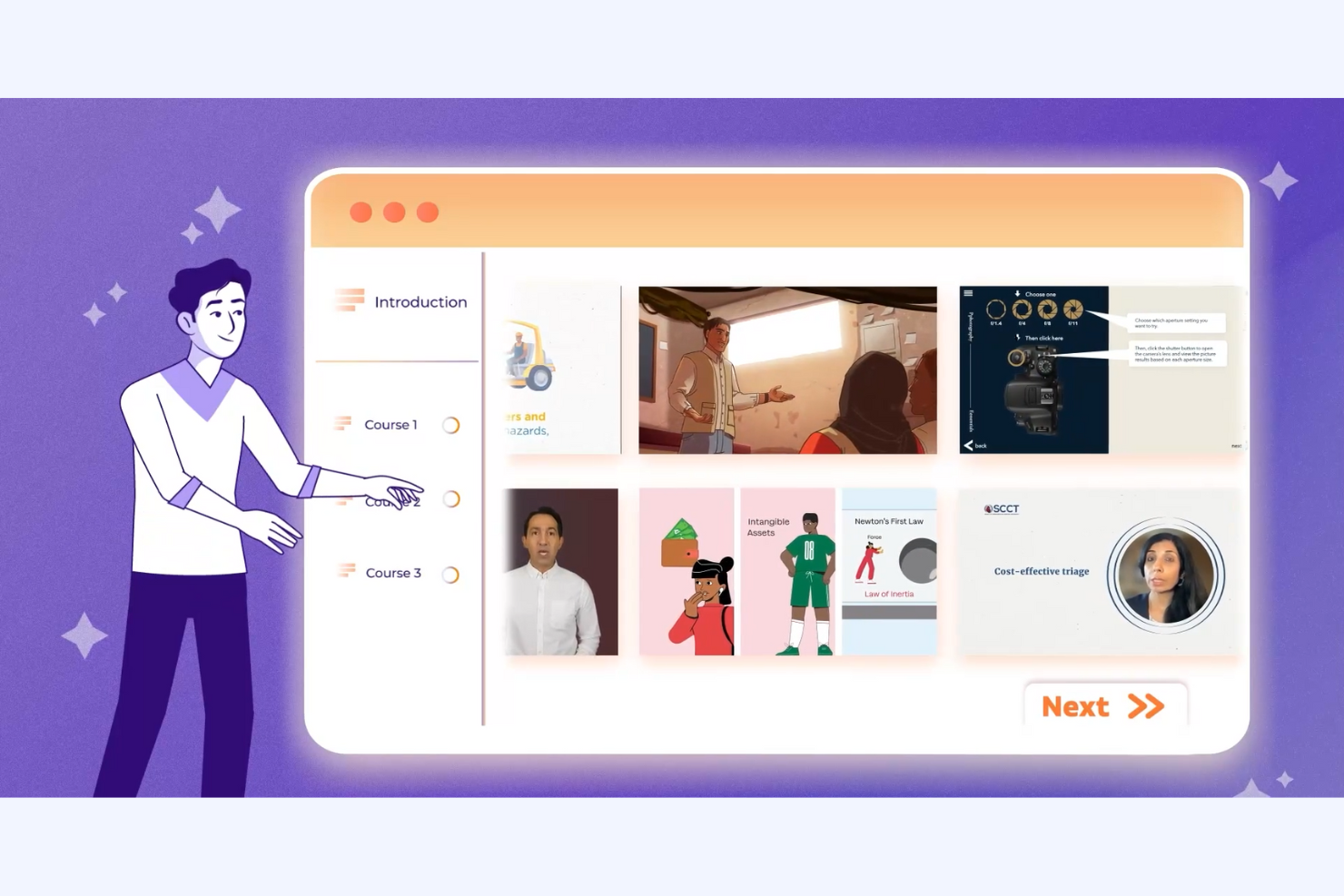
Ninja Tropic is a custom eLearning and interactive video development company targeting businesses seeking engaging training solutions. It offers services such as instructional design, video production, and LMS support, focusing on mobile and blended learning.
Why I picked Ninja Tropic: This tool specializes in creating dynamic storytelling through video content. It offers high-quality content development and bite-sized videos tailored for different corporate training needs. The platform supports LMS integration and provides consulting and administration services. With its strong emphasis on video training, Ninja Tropic offers engaging and effective learning experiences.
Standout Features and Integrations:
Features include mobile learning, video training production, and strategic curriculum development. Your team can also leverage blended learning and microlearning videos to improve training sessions. These features make it a versatile tool for various corporate training programs such as compliance and leadership development.
Integrations are not publicly listed.
Pros and Cons
Pros:
- Expert instructional design support
- Strong storytelling focus
- Engaging video content
Cons:
- Limited enterprise scalability
- Consultation required for setup
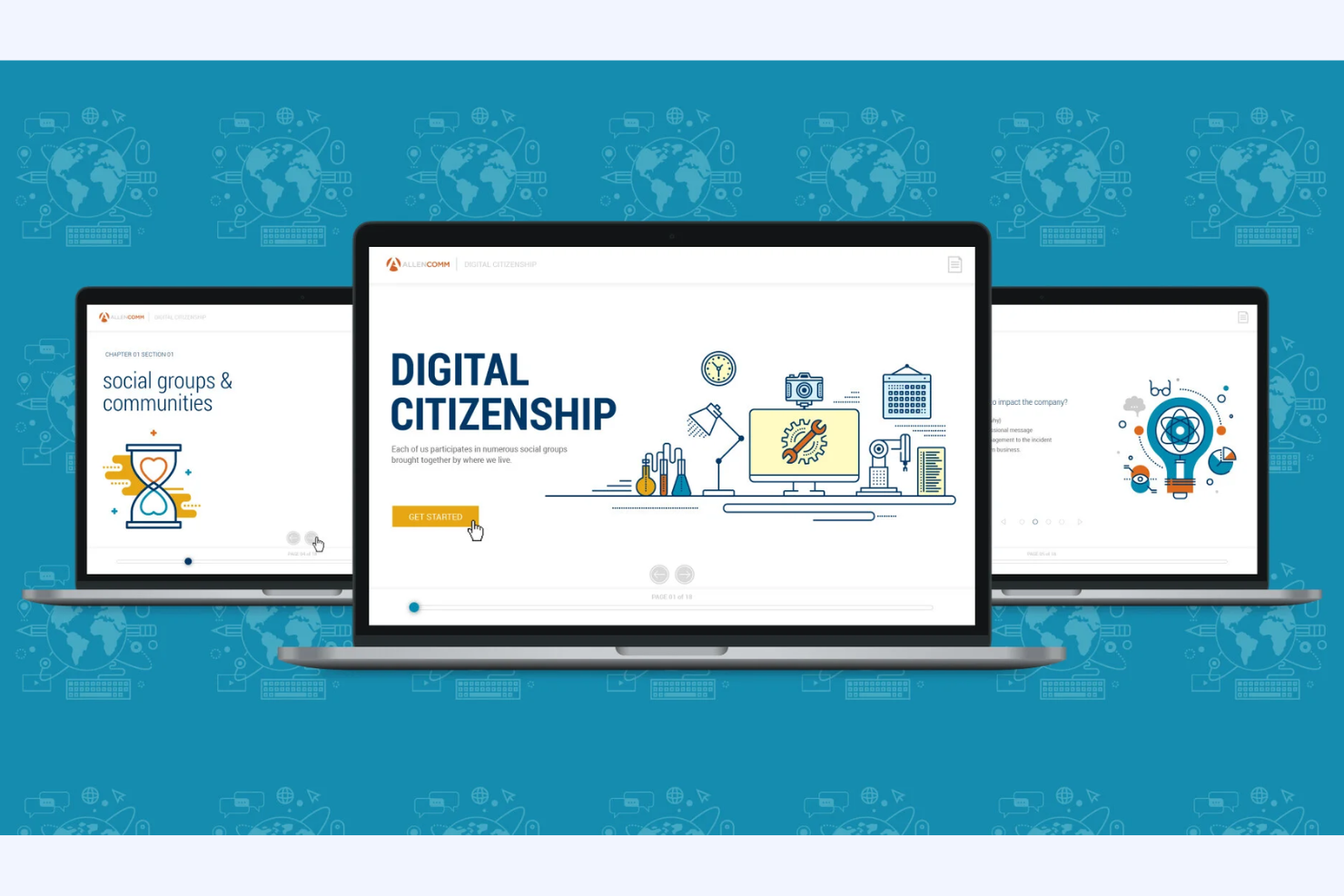
AllenComm is a custom online learning development company that caters to businesses looking to improve performance and engagement through tailored training solutions and measurable results. It focuses on creating immersive learning experiences and supports organizations with performance mapping and content development.
Why I picked AllenComm: This tool utilizes AI-driven technologies to create engaging and effective learning modules for corporate training. It also supports modern learning formats such as microlearning and blended learning to accommodate different employee needs. AllenComm's advisory services are on hand to share their product knowledge and guide you through the development process, ensuring that training is relevant and impactful. Your team can benefit from their expertise in creating data-driven, scalable training solutions tailored to your organizational needs.
Standout Features and Integrations:
Features include performance mapping to identify learning gaps and AI tools for rapid content development. AllenComm's advisory services guide your team in optimizing learning strategies and measuring ROI. Their focus on simulations and practice scenarios ensures that training remains relevant and engaging.
Integrations are not publicly listed.
Pros and Cons
Pros:
- Professional, client-focused delivery
- Strong focus on performance outcomes
- Tailored corporate training solutions
Cons:
- Long sales cycle
- Complex implementation process


Kyteway is a custom eLearning and corporate training service provider, catering to businesses across various industries. It focuses on upskilling and engagement through tailored training solutions such as rapid eLearning and mobile learning.
Why I picked Kyteway: This tool excels in interactive content creation, offering services such as PowerPoint to eLearning conversion and custom course design. Kyteway's interactive video solutions improve engagement through branching scenarios and quizzes, while their gamification features boost retention with rewards and leaderboards. You can rely on their expertise to deliver quality and engaging learning experiences tailored to your needs.
Standout Features and Integrations:
Features include accessibility solutions to ensure inclusivity in training programs. Mobile learning allows your team to access training materials from anywhere. Rapid eLearning development helps in quickly deploying new training modules across your organization.
Integrations are not publicly listed.
Pros and Cons
Pros:
- Accessibility-focused designs
- Quick deployment of training
- Interactive content creation
Cons:
- Lacks self-serve content
- Complex onboarding process
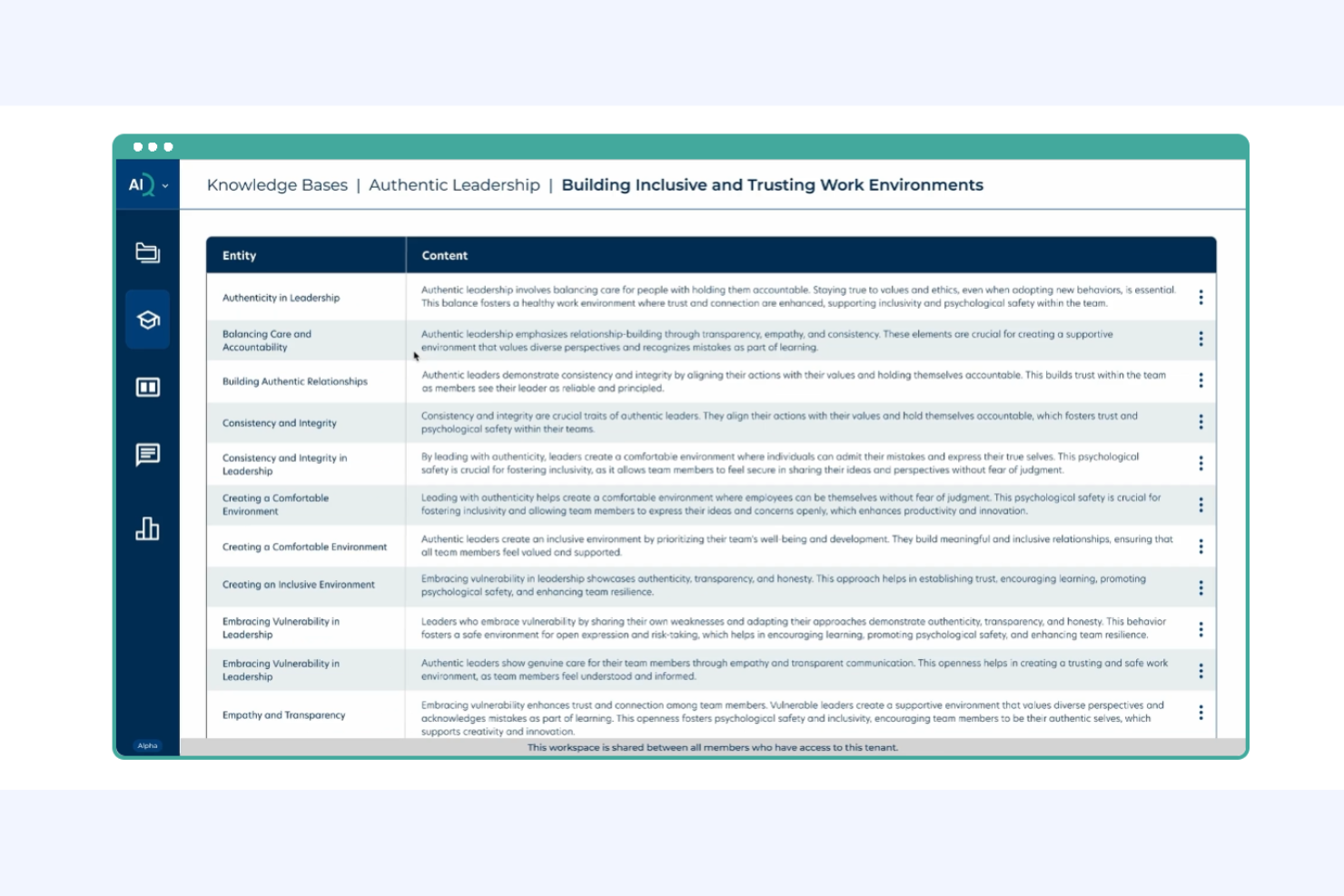
GP Strategies is a global performance improvement company that provides custom eLearning solutions to large enterprises. It focuses on delivering tailored training and development programs to improve organizational performance and employee skills.
Why I picked GP Strategies: This tool is designed for large enterprises seeking in-depth training solutions. It specializes in providing learning strategy consulting to align training with your business goals. The GP Strategies team offers tailored product training and development programs and are known for their work in global workforce transformation programs. Your team can benefit from their global reach and industry-specific expertise to drive impactful learning outcomes.
Standout Features and Integrations:
Features include performance support tools that help your team apply learning in real-world scenarios. Analytics and reporting features allow you to measure the effectiveness of training programs. Custom content development ensures that training aligns with your organization's specific needs.
Integrations are not publicly listed.
Pros and Cons
Pros:
- Strong analytics and reporting capabilities
- Global reach and industry expertise
- Tailored training for large enterprises
Cons:
- Higher cost vs mid-market
- Inconsistent quality


eLearningDOC provides tailored eLearning services for sectors such as government, healthcare, retail, and education. It focuses on custom eLearning, instructor-led training, and learning management to improve organizational capabilities.
Why I picked eLearningDOC: Their strength lies in custom course design, offering features such as a universal course library, animations, and other multimedia integration. They emphasize collaboration to align training with your organizational goals. With services such as needs assessments and content development, you gain a customized learning experience. Their team of experts ensures that your training programs are engaging and effective.
Standout Features and Integrations:
Features include learning strategy development to tailor educational experiences to your organizational needs. Instructor-led training provides a personalized touch to your learning programs. Staff augmentation services help improve organizational capabilities by providing expert support.
Integrations are not publicly listed.
Pros and Cons
Pros:
- In-depth learning management services
- Expert instructional design team
- Strong collaborative approach
Cons:
- Small delivery team
- Inconsistent client communication
Other Custom eLearning Solutions
Here are some additional custom elearning solutions options that didn’t make it onto my shortlist, but are still worth checking out:
- SweetRush
For end-to-end custom learning ecosystems
- ELB Learning
For virtual instructor-led training
- Skillshub
For microlearning
- TrainSMART
For compliance training
- ELM Learning
For experiential learning concept development
- CommLab India
For rapid eLearning development
- Infopro Learning
For corporate leadership training


How I Evaluate Custom eLearning Solutions
I evaluate custom elearning solutions in two layers: core authoring and delivery capabilities that qualify a tool, and differentiators—like AI generation or service models—that set the best apart.
Core Functionality (Table Stakes For This List)
When I'm selecting tools for my list, I rank each one on a scale from 0 (does not offer the functionality) to 5 (excels in this area) for each core functionality listed below. Then, I calculate the tool's total score into a percentage. Each tool needs to achieve a minimum total score of 65% to be considered for inclusion.
- Custom Course Authoring: I look for flexible authoring tools where you can build courses from a blank canvas—not just swap text in a locked template.
- Multimedia & Interactivity: Rich interactions like branching scenarios for manager training or drag-and-drop exercises matter more than basic text-and-image slides.
- SCORM/xAPI Compliance: Each tool should export in standard formats so your custom content works in whatever LMS your organization already runs.
- Brand & White-Label Customization: I evaluate how deeply you can apply your brand—custom colors and logos are a start, but full CSS control and themed templates go further.
- Learner Tracking & Analytics: Reporting should cover more than pass/fail. I check for engagement data like time-on-task and question-level analysis across modules.
- Collaboration & Review Workflows: Building custom courses involves SMEs, legal reviewers, and L&D leads. I look for commenting, version history, and role-based approval cycles.
Once I have a list of tools that meet this criteria, I consider what sets each platform apart.
Differentiating Factors (What Sets Vendors Apart)
Here's how I compare and contrast different vendors:
Standout Features
AI-powered content generation is a major differentiator. Tools that can turn a raw PDF or policy document into a draft course outline save L&D teams hours of upfront work. Localization and translation support also matter when you're rolling out onboarding or compliance training across a global workforce. I evaluate adaptive learning paths too, where the course adjusts based on a learner's role or prior assessment scores so a senior hire isn't sitting through the same modules as a new graduate.
Beyond Features
HRIS and LMS integration depth is one of the first things I check. A tool that connects with your existing Workday or BambooHR instance for automatic user provisioning saves your team from manually enrolling every new hire. The implementation and service model is equally important—some vendors offer full instructional design services while others are purely self-service authoring platforms. I also evaluate accessibility and compliance standards, specifically WCAG 2.1 conformance, since inclusive course design is a baseline expectation for any organization-wide training rollout.
How To Choose Custom eLearning Solutions
It's easy to get bogged down in long feature lists and complex pricing structures. To help you stay focused as you work through your unique software selection process, here's a checklist of factors to keep in mind:
| Factor | What To Consider |
|---|---|
| Scalability | Can the solution grow with your organization? Consider future needs and whether the tool can handle increased users and content without additional costs. |
| Integrations | Does it work with your current systems? Look for compatibility with your LMS, HR software, and other tools to ensure smooth data flow and reduce manual work. |
| Customizability | Can you tailor it to fit your needs? Evaluate the extent to which you can modify the platform to match your branding and training requirements. |
| Ease of use | Is the interface intuitive? Test the user experience to ensure that both administrators and learners can navigate the platform with minimal training. |
| Implementation and onboarding | How long until you're up and running? Assess the time and resources needed for setup, including training materials and support during the transition. |
| Cost | Is it within your budget? Look beyond the sticker price to understand total cost of ownership, including hidden fees or additional charges for extra features. |
| Security safeguards | Are there adequate protections for your data? Verify the platform's compliance with data protection regulations and its security measures to protect sensitive information. |
| Support availability | Will you have help when you need it? Check the support options available, such as 24/7 assistance, dedicated account managers, or community forums. |
What Are Custom eLearning Solutions?
Custom eLearning solutions are tailored educational platforms designed to meet specific training needs within organizations. These tools are often used by HR professionals, instructional designers, and corporate trainers who need to deliver personalized learning experiences. Custom content creation, interactive modules, and analytics capabilities support targeted training, engagement, and performance tracking. Overall, these solutions help organizations deliver effective and relevant training that aligns with their unique goals.
Features
When selecting custom eLearning solutions, keep an eye out for the following key features:
- Custom content creation: Allows you to tailor courses specifically to your organization's needs, improving relevance and engagement.
- Interactive modules: Engage learners with quizzes, simulations, and other interactive elements to reinforce learning.
- Analytics capabilities: Provide insights into learner progress and course effectiveness, helping you measure training impact.
- Mobile learning support: Enables access to training materials on mobile devices, offering flexibility for learners on the go.
- Gamification elements: Incorporate game-like features to motivate and engage users, making learning more enjoyable.
- Adaptive learning paths: Adjust content delivery based on individual performance, ensuring personalized learning experiences.
- Security safeguards: Protect sensitive data with compliance with data protection regulations, ensuring user privacy and trust.
- Integration with an LMS: Quickly connects with learning management systems, allowing for smooth data exchange and management.
- Virtual reality tools: Immerse learners in realistic scenarios, improving experiential learning and retention.
- Multilingual support: Offers content in multiple languages, catering to diverse and global audiences.
Benefits
Implementing custom eLearning solutions provides several benefits for your team and your business. Here are a few you can look forward to:
- Tailored learning experiences: Custom content creation ensures training is relevant to your specific organizational needs, improving learner engagement and outcomes.
- Improved engagement: Interactive modules and gamification elements keep learners motivated and actively participating in their training.
- Flexibility and accessibility: Mobile learning support allows your team to access training materials anytime, anywhere, accommodating different schedules and locations.
- Personalized learning paths: Adaptive learning paths adjust to individual learner progress, providing a customized training experience that meets each person's needs.
- Data-driven insights: Analytics capabilities give you valuable information about learner performance and course effectiveness, helping you make informed decisions.
- Global reach: Multilingual support makes it possible to deliver training to a diverse workforce, ensuring everyone can learn in their preferred language.
- Improved data security: Security safeguards protect sensitive information, ensuring compliance with data protection regulations and building trust with users.
Costs and Pricing
Selecting custom eLearning solutions requires an understanding of the various pricing models and plans available. Costs vary based on features, team size, add-ons, and more. The table below summarizes common plans, their average prices, and typical features included in custom eLearning solutions:
Plan Comparison Table for Custom eLearning Solutions
| Plan Type | Average Price | Common Features |
|---|---|---|
| Free Plan | $0 | Limited course access, basic reporting, and community support. |
| Personal Plan | $10-$30/user/month | Full course access, standard reporting, and email support. |
| Business Plan | $30-$75/user/month | Advanced analytics, custom branding, and priority support. |
| Enterprise Plan | $75-$150/user/month | Custom integrations, dedicated account manager, and personalized training solutions. |
Custom eLearning Solutions FAQs
Here are some answers to common questions about custom eLearning solutions:
What is the typical implementation time for custom eLearning solutions?
Implementation time varies, but it often takes a few weeks to a few months, depending on the complexity of the solution and the readiness of your existing infrastructure. To speed up the process, ensure your team is prepared with necessary resources and clear objectives. Collaborate closely with the vendor for a smooth transition.
Can custom eLearning solutions integrate with existing HR systems?
Yes, most custom eLearning solutions can integrate with existing HR systems. This allows for easy data sharing and improved workflow automation. Always check with the vendor about compatibility with your current systems, and consider any additional setup or customization that might be necessary.
How do I evaluate the effectiveness of a custom eLearning solution?
Evaluate effectiveness by measuring learner engagement, knowledge retention, and performance improvements. Use analytics tools provided by the solution to track these metrics. Regular feedback from learners can also provide insights into areas of improvement and help tailor future training programs.
Are custom eLearning solutions suitable for small businesses?
Yes, custom eLearning solutions can benefit small businesses by providing tailored training that meets specific needs. They offer scalability, allowing you to start small and expand as your business grows. Look for solutions that offer flexible pricing and features that align with your business objectives.
What's Next:
If you're in the process of researching custom elearning solutions, connect with a SoftwareSelect advisor for free recommendations.
You fill out a form and have a quick chat where they get into the specifics of your needs. Then you'll get a shortlist of software to review. They'll even support you through the entire buying process, including price negotiations.