

10 beste programvareløsninger for håndtering av stillingsbeskrivelser i 2026

Kortliste over programvare for håndtering av stillingsbeskrivelser


Programvare for håndtering av stillingsbeskrivelser hjelper deg med å opprette, organisere og oppdatere stillingsbeskrivelser, slik at HR-teamet ditt kan holde ansettelsesprosessene tydelige, regelverksetterlevende og konsekvente. Hvis du leter etter den beste programvaren for håndtering av stillingsbeskrivelser, ønsker du sannsynligvis å spare tid, redusere manuelle feil og sørge for at alle roller i organisasjonen din er nøyaktig beskrevet. I denne veiledningen finner du pålitelige verktøy som hjelper deg med å standardisere stillingsannonser, samarbeide med interessenter og holde deg oppdatert på endrede krav – slik at du kan fokusere på å tiltrekke deg og beholde de riktige talentene.
Why Trust Our Software Recommendations
Our team has been testing and reviewing software since 2012. As HR experts ourselves, we know how difficult—and important—it is to choose the right software.
For this guide, we evaluated tools using hands-on testing and independent research, scoring tools using our selection criteria. We also draw on insights from industry thought leaders and practicing HR experts.
Our reviews reflect our human editorial judgment, not a sales pitch.
Expert reviewers:
Sammenligningstabell for programvare for håndtering av stillingsbeskrivelser
Denne sammenligningstabellen oppsummerer prisopplysningene for mine beste utvalgte programmer for håndtering av stillingsbeskrivelser:
| Tool | Best For | Trial Info | Price | ||
|---|---|---|---|---|---|
| 1 | Best for global job architecture and pay alignment | Free demo available | From $5/user/month | Website | |
| 2 | Best for job descriptions within ATS systems | Free demo available | Pricing upon request | Website | |
| 3 | Best for HR-integrated job descriptions | Free trial + free demo available | Pricing upon request | Website | |
| 4 | Best for compensation-based job descriptions | Free plan + free demo available | Pricing upon request | Website | |
| 5 | Best for inclusive job description guidance | Free demo available | Pricing upon request | Website | |
| 6 | Best for compliant job description management | Not available | Pricing upon request | Website | |
| 7 | Best for AI job description creation | Free demo + free plan available | From $980/month (billed annually) | Website | |
| 8 | Best for centralized job description libraries | Free demo available | Pricing upon request | Website | |
| 9 | Best for inclusive job description analysis | Free demo available | Pricing upon request | Website | |
| 10 | Best for branded job description templates | Free demo available | From $4,900/year | Website |
Anmeldelser av programvare for håndtering av stillingsbeskrivelser
\u003cspan style=\u0022font-weight: 400\u0022\u003eNedenfor finner du mine detaljerte sammendrag av den beste programvaren for håndtering av stillingsbeskrivelser som kom med på kortlisten min. Anmeldelsene mine gir et detaljert innblikk i funksjonene, integrasjonene og de beste bruksområdene for hver plattform, slik at du kan finne den som passer best for deg.\u003c/span\u003e

Deel HR
Best for global job architecture and pay alignment
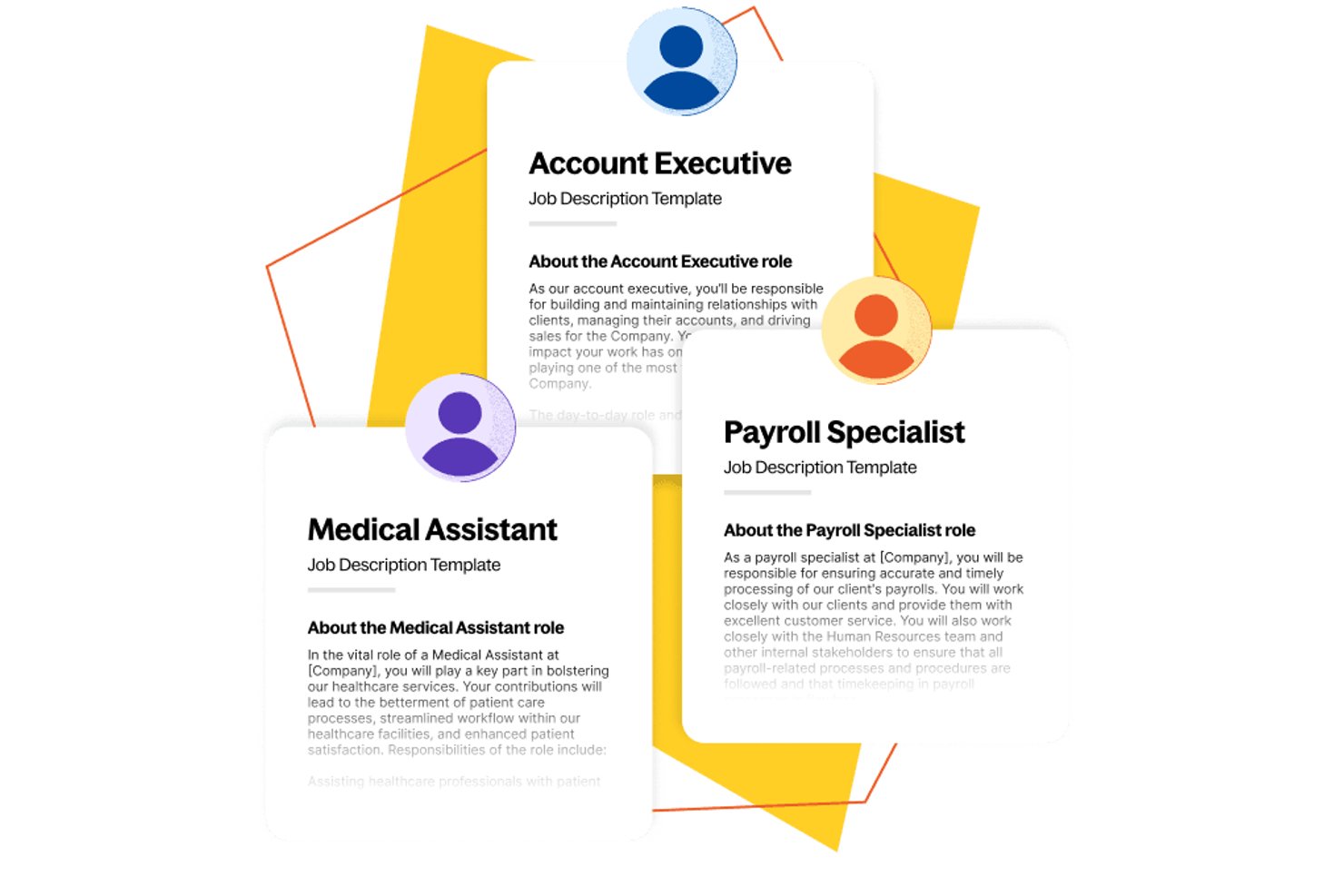
Deel HR is a global HR platform that combines job architecture, AI-assisted job description creation, compensation band management, and an integrated ATS for end-to-end hiring.
Who Is Deel HR Best For?
Deel HR is a strong fit for HR and compensation teams at multinational companies who need job architecture and pay bands aligned across multiple countries.
Why I Picked Deel HR
Deel HR earns its spot on my shortlist because its job architecture engine connects directly to compensation bands across 150+ countries, making it one of the few HR platforms where pay alignment and role structure are genuinely built in, not bolted on. I picked it specifically for teams managing multinational workforces, where job families, levels, and salary bands need to stay consistent across regions. The AI-assisted job description generation within the ATS also lets you go from job title to a posted role fast, with the comp band already attached.
Deel HR Key Features
- AI-assisted job description generation: Create a job description from a job title and basic role criteria in seconds, then post it directly to 1,000+ job boards.
- Workforce planning to requisition flow: Approved headcount roles push automatically into the ATS as live job requisitions, connecting organizational planning to active hiring.
- Configurable approval workflows: Set up multi-step HR approval processes across roles, regions, and hiring stages using Deel's built-in workflow builder.
- Pay transparency reporting: Generate pay gap reports and make salary band data accessible to recruiters and candidates to support EU Pay Transparency Directive compliance.
Deel HR Integrations
Deel HR offers native integrations with Workday, BambooHR, SAP SuccessFactors, Greenhouse, Lever, Workable, 15Five, and Microsoft Entra ID. It also supports custom integrations through an open REST API and Zapier.
Pros and Cons
Pros:
- Includes pay transparency reporting features
- Aligns job architecture with compensation bands
- AI generates job descriptions in seconds
Cons:
- No built-in bias or compliance checks
- No standalone job description management module
New Product Updates from Deel HR

Deel Expands Stablecoin Wallet to 80+ Countries
Deel expands its Stablecoin Wallet to 80+ countries with dollar-backed balances and optional rewards. This gives eligible contractors more ways to hold and manage earnings inside Deel. For more information, visit Deel’s official site.
 .
.
JobAdder
Best for job descriptions within ATS systems
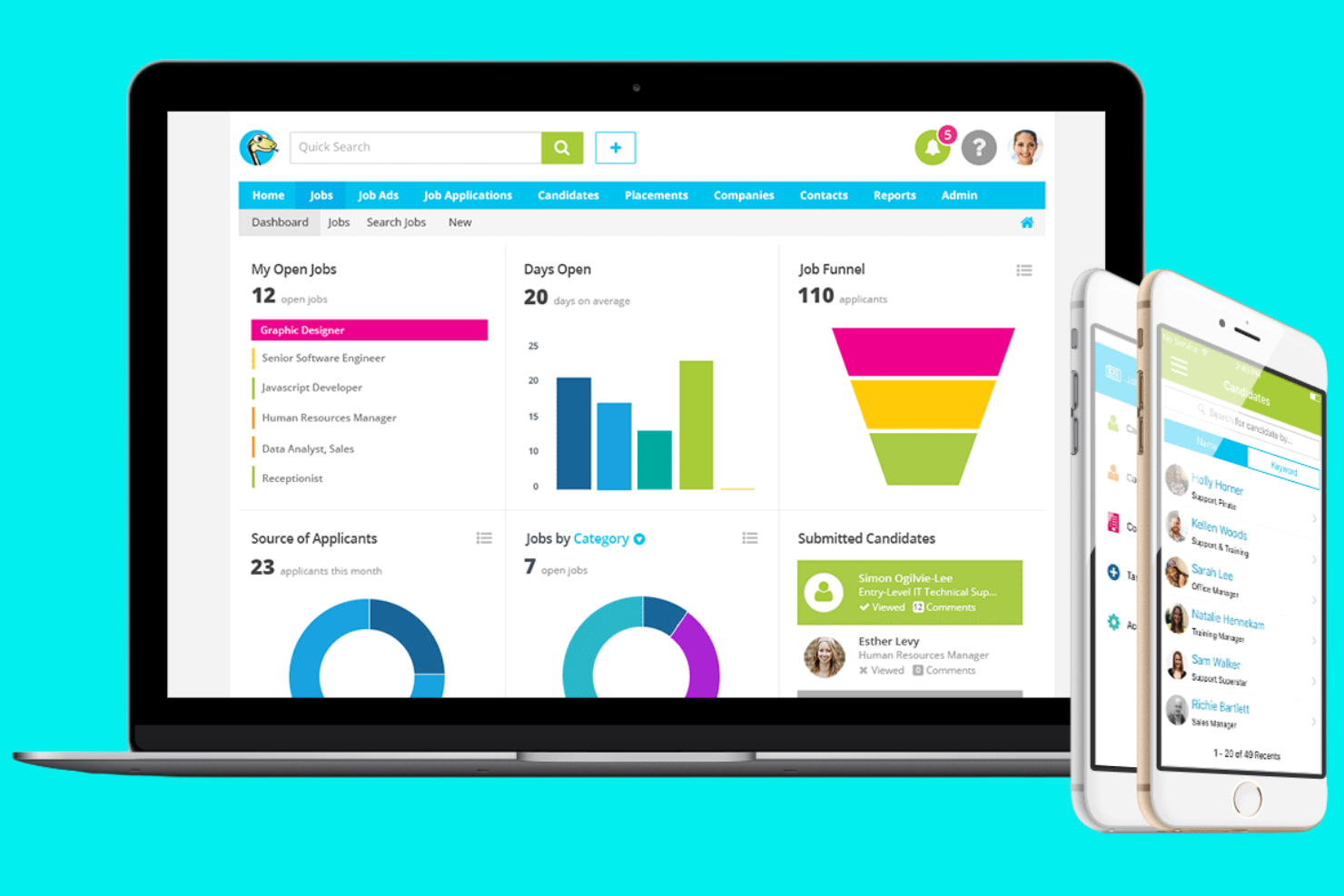
JobAdder is a cloud-based recruitment platform designed for staffing agencies and in-house talent teams who want to centralize job postings, manage candidate pipelines, and simplify job description workflows.
Who Is JobAdder Best For?
Staffing agencies and internal talent acquisition teams in fast-growing companies that need to manage high volumes of job postings and candidates.
Why I Picked JobAdder
I picked JobAdder as one of the best because I can automate repetitive recruitment tasks and keep job descriptions organized alongside candidate pipelines. I like that my team can post jobs to multiple boards from one dashboard and quickly update job details as requirements change. The workflow tools let us move candidates through stages while keeping job documentation accurate and accessible.
JobAdder Key Features
- Custom job templates: Create and reuse standardized job description templates for consistent postings.
- Document storage: Attach and manage job-related documents within each job record.
- User permissions: Set access levels for team members managing job descriptions.
- Audit trail: Track changes and updates made to job descriptions over time.
JobAdder Integrations
Native integrations are not currently listed.
Pros and Cons
Pros:
- Advanced search filters help pinpoint candidates quickly
- Multi-job board posting reduces manual sourcing effort
- Combines ATS + CRM to centralize candidate and client data
Cons:
- Mobile app has limited functionality vs desktop
- Reporting requires manual exports for deeper insights

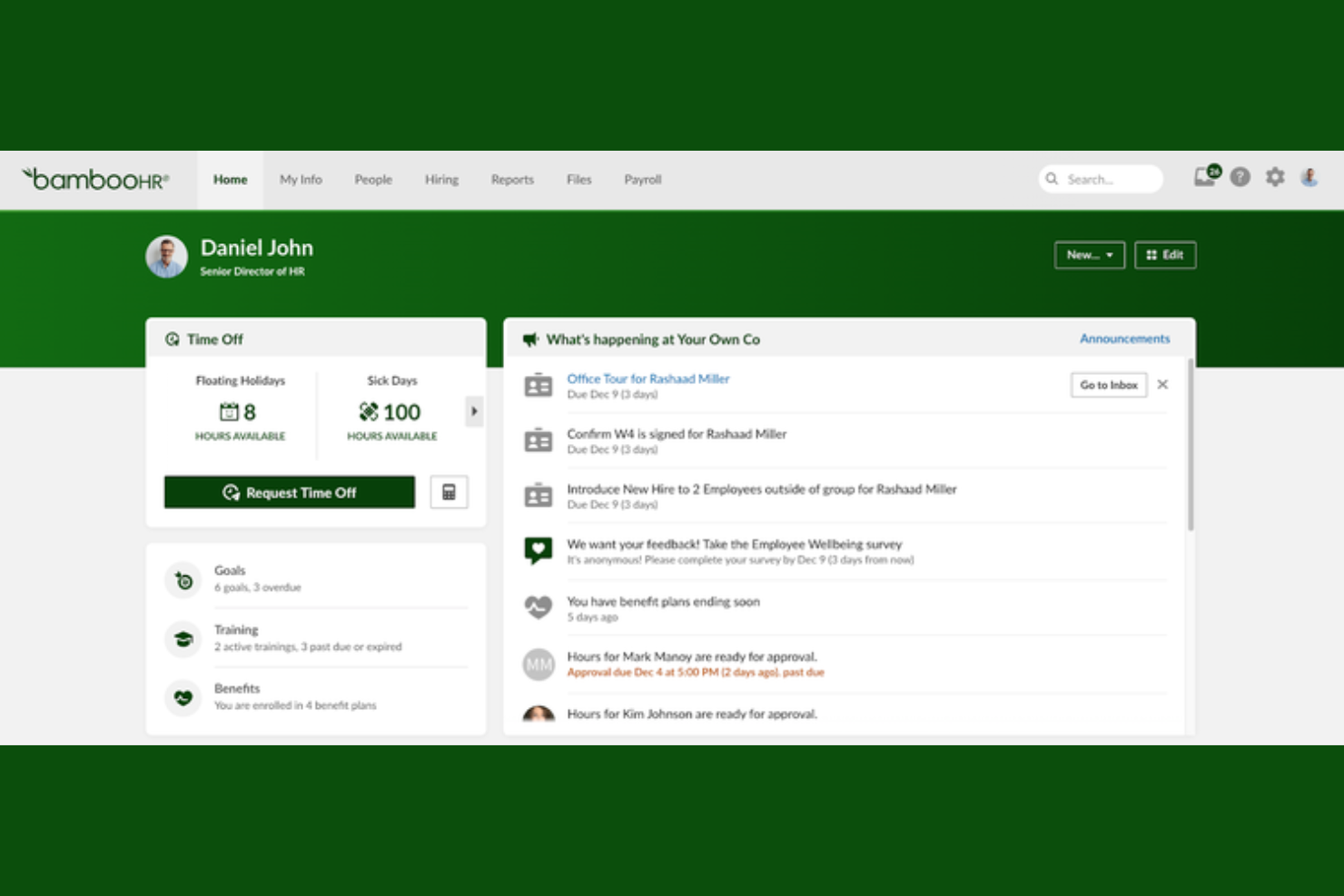
BambooHR is a cloud-based HR platform designed for small and midsize businesses that want to centralize job descriptions, simplify updates, and keep hiring teams aligned throughout the recruitment process.
Who Is BambooHR Best For?
HR teams are growing small to midsize businesses that need centralized job description management and easy integration with existing HR workflows.
Why I Picked BambooHR
I picked BambooHR as one of the best because I can quickly pull from built-in job description templates and push updates directly into our HR workflows. My team uses the platform to keep job descriptions consistent across departments, and we rely on its template library to speed up new role creation.
BambooHR Key Features
- Approval workflows: Route job descriptions for review and approval before publishing.
- Version history: Track changes and access previous versions of job descriptions.
- Role-based permissions: Control who can view, edit, or approve job descriptions.
- Document storage: Store and organize all job descriptions in a centralized, searchable library.
BambooHR Integrations
Integrations include Slack, Checkr, Remote, Evolia, and more. An open API is also available for custom integrations.
Pros and Cons
Pros:
- Approval workflows for job description updates
- Centralized storage for all job descriptions
- Built-in job description template library
Cons:
- Limited customization of template fields
- No bulk editing for multiple descriptions
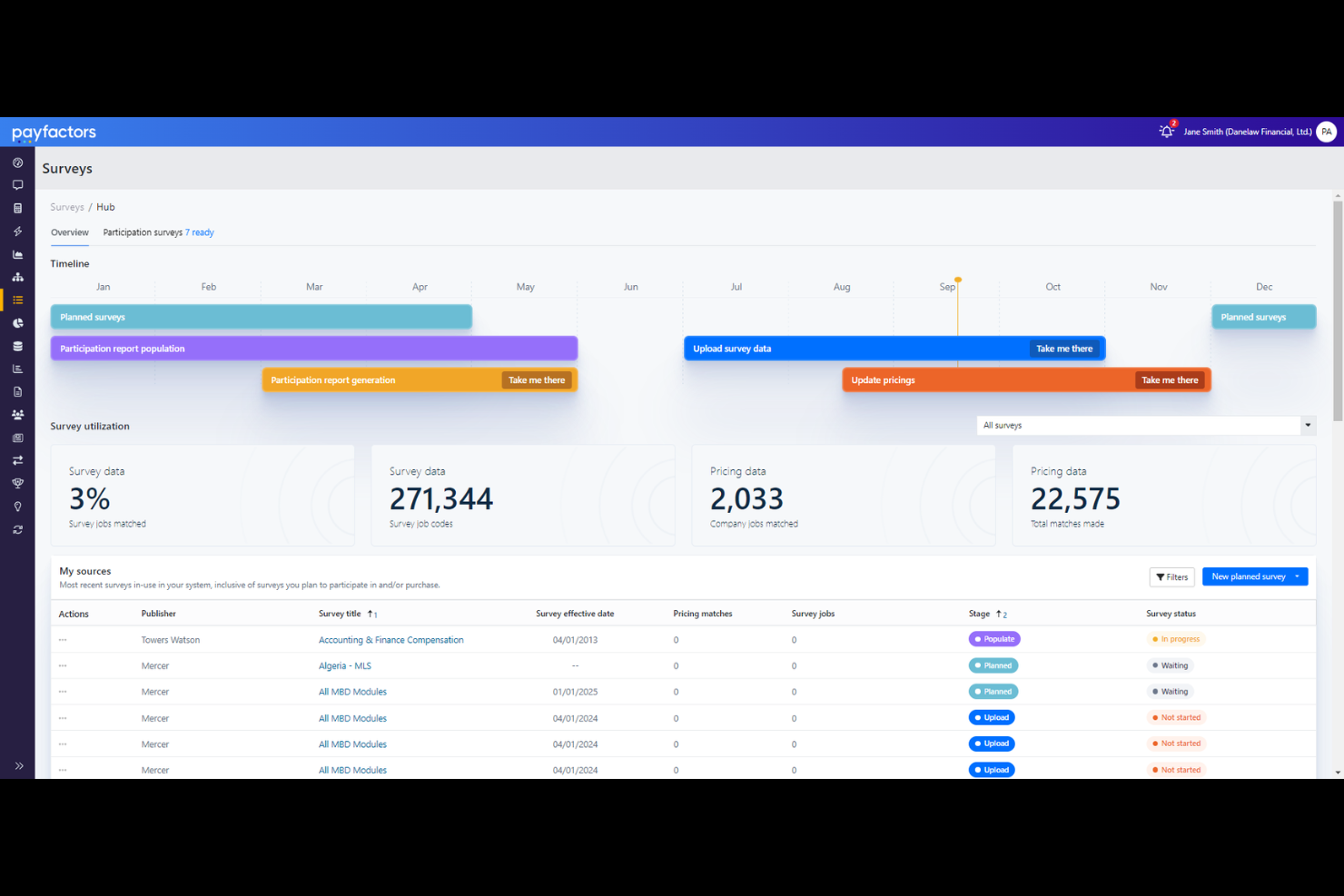
Payscale is a cloud-based platform for HR and compensation professionals who need to manage job descriptions, align roles with market data, and simplify compensation analysis in one centralized system.
Who Is Payscale Best For?
HR and compensation teams at mid-sized to large organizations that need centralized job data and market pricing insights.
Why I Picked Payscale
I picked Payscale as one of the best because I can manage job descriptions and market pricing in one place, which saves my team from juggling multiple systems. I like that I can link job descriptions directly to real-time market data and salary benchmarks. My team uses the platform’s centralized library to keep job data organized and accessible for compensation planning.
Payscale Key Features
- Job description version control: Track changes and maintain a history of job description edits.
- Role-based access permissions: Set user access levels for editing or viewing job data.
- Bulk job import: Upload multiple job descriptions at once from spreadsheets.
- Custom job fields: Add organization-specific fields to job descriptions for tailored data capture.
Payscale Integrations
Integrations include Workday, ADP, Gusto, and more.
Pros and Cons
Pros:
- Enables custom fields for organization-specific data
- Provides audit trails for job description changes
- Supports export to HRIS and ATS systems
Cons:
- Lacks workflow automation for approvals
- Contract terms and pricing lack flexibility

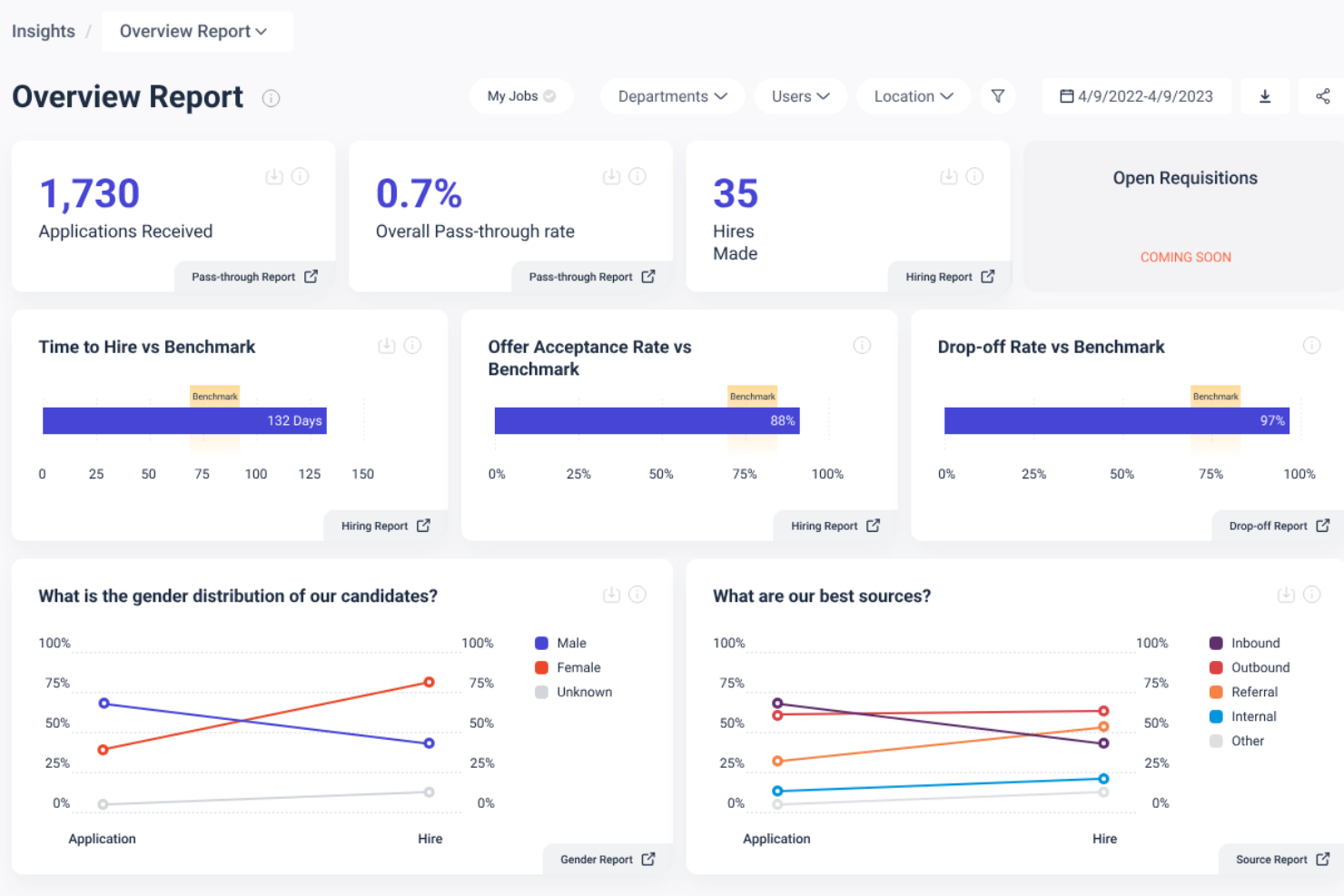
Datapeople is a job description management platform designed for talent acquisition teams who want to write clear, inclusive job postings and gain actionable insights into their hiring content.
Who Is Datapeople Best For?
Datapeople is a strong fit for in-house recruiting teams at mid-sized and large organizations seeking data-driven job description optimization.
Why I Picked Datapeople
I picked Datapeople as one of the best because I can get real-time guidance while writing job descriptions, which helps my team avoid biased or unclear language before publishing. I like that I can access analytics on job post performance and candidate flow, so we can see what’s working and what needs improvement. My team uses Datapeople’s collaborative editing tools to review and refine postings together, making our process more consistent and data-driven.
Datapeople Key Features
- Bulk job import: Upload multiple job descriptions at once for faster onboarding.
- Custom branding: Apply your organization’s logo and colors to all job postings.
- Role-based permissions: Control access and editing rights for different team members.
- Audit trails: Track all changes and edits made to job descriptions.
Datapeople Integrations
Native integrations are not currently listed.
Pros and Cons
Pros:
- Data-driven insights improve job post performance
- Standardizes job content across teams and roles
- Improves inclusivity and bias in job language
Cons:
- Scoring system can be overly strict
- AI suggestions can feel generic for niche roles
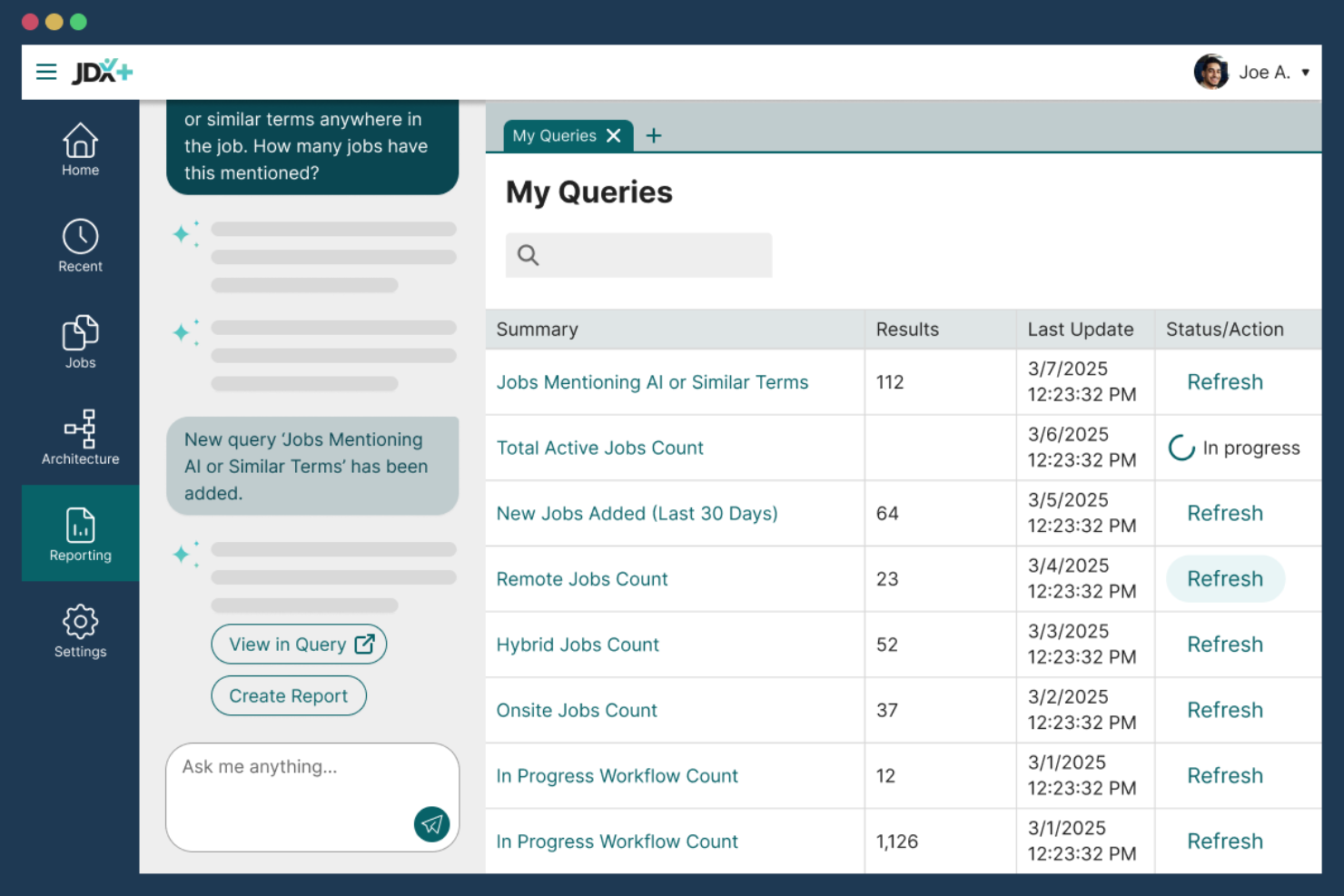
JDXpert is a specialized platform for HR teams and compensation professionals in midsize to large organizations who need to centralize, standardize, and maintain detailed job descriptions while supporting compliance and collaboration.
Who Is JDXpert Best For?
HR and compensation teams at large organizations that need advanced job description management and compliance support.
Why I Picked JDXpert
I picked JDXpert as one of the best because I can configure detailed workflows for job description creation, review, and approval—something my team needs for compliance-heavy environments. I rely on its audit trails and compliance tracking to document every change and meet regulatory requirements. The platform’s granular permission controls let me assign editing and approval rights by role, which keeps our process secure and organized.
JDXpert Key Features
- Job description library: Store and organize all job descriptions in a searchable repository.
- Content modularization: Build job descriptions using reusable content blocks for consistency.
- Bulk editing tools: Update multiple job descriptions at once with batch actions.
- Custom reporting: Generate reports on job description data and activity.
JDXpert Integrations
Native integrations are not currently listed.
Pros and Cons
Pros:
- Strong compliance support (pay equity, DEI, audits)
- Structured approval workflows track changes clearly
- Large content database speeds role creation
Cons:
- Requires upfront training due to feature depth
- Finding specific content can be difficult at scale
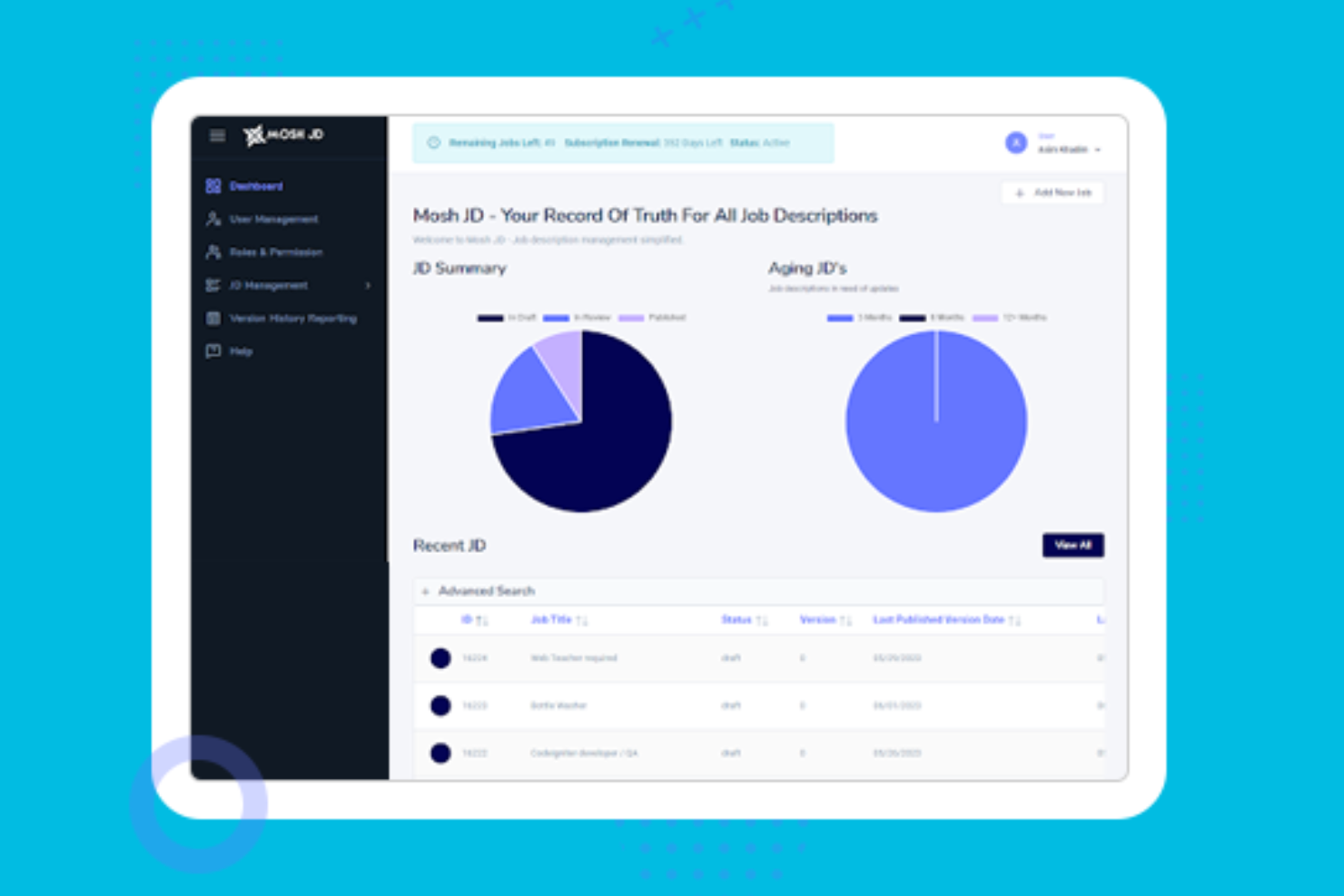
MoshJD is a cloud-based platform designed for HR teams and recruiters who want to quickly generate, edit, and manage job descriptions using AI-driven tools and collaborative workflows.
Who Is MoshJD Best For?
HR teams and recruiters at mid-sized to large organizations who want to automate and standardize job description creation.
Why I Picked MoshJD
I picked MoshJD as one of the best because I can use its AI-powered writing assistant to instantly draft and refine job descriptions based on my requirements. My team is able to collaborate in real time, suggest edits, and track changes directly in the platform. I like that I can pull from a library of pre-built content and tailor it to our organization’s needs.
MoshJD Key Features
- Job description version control: Track and manage changes to job descriptions over time.
- Role-based access permissions: Set user permissions for viewing, editing, or approving content.
- Export to multiple formats: Download job descriptions as PDF, Word, or plain text files.
- Customizable job description templates: Use and modify templates to fit organizational standards.
MoshJD Integrations
Native integrations are not currently listed.
Pros and Cons
Pros:
- Real-time collaboration for editing and approvals
- Built-in library of industry-specific templates
- AI generates job descriptions from minimal input
Cons:
- Bulk editing for multiple jobs is not supported
- No direct integration with major ATS platforms
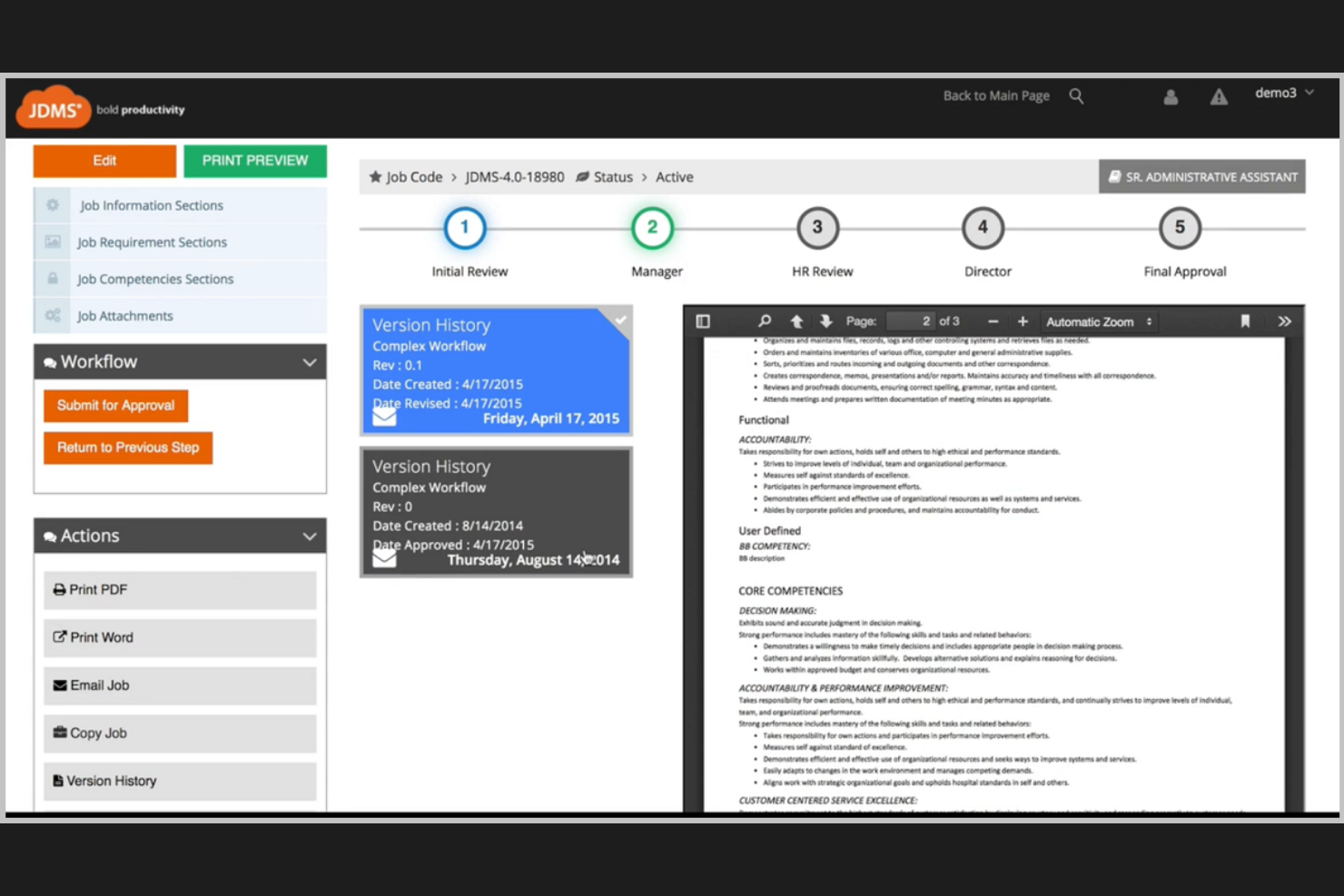
HRIZONS JDMS is a cloud-based job description management platform built for HR teams in large organizations who need to centralize, standardize, and align job content across multiple business units.
Who Is HRIZONS JDMS Best For?
HR leaders and HRIS teams at enterprise organizations who need to manage job descriptions at scale.
Why I Picked HRIZONS JDMS
I picked HRIZONS JDMS as one of the best because I can sync job descriptions directly with SAP SuccessFactors, keeping our HR systems aligned and up to date. My team uses its workflow automation to route approvals and manage version control across departments. I like that we can standardize job content and competencies for compliance and audits.
HRIZONS JDMS Key Features
- Competency library: Access a built-in library of standardized competencies for job descriptions.
- Role-based permissions: Assign user access levels for editing, viewing, or approving job content.
- Audit trail: Track all changes and edits made to job descriptions over time.
- Bulk job import: Upload and manage multiple job descriptions at once using import tools.
HRIZONS JDMS Integrations
Native integrations are not currently listed.
Pros and Cons
Pros:
- Automated workflow for approvals and updates
- Built-in competency and skills frameworks
- Role-based access for HR and managers
Cons:
- Reporting features are basic compared to peers
- Customization options require vendor support
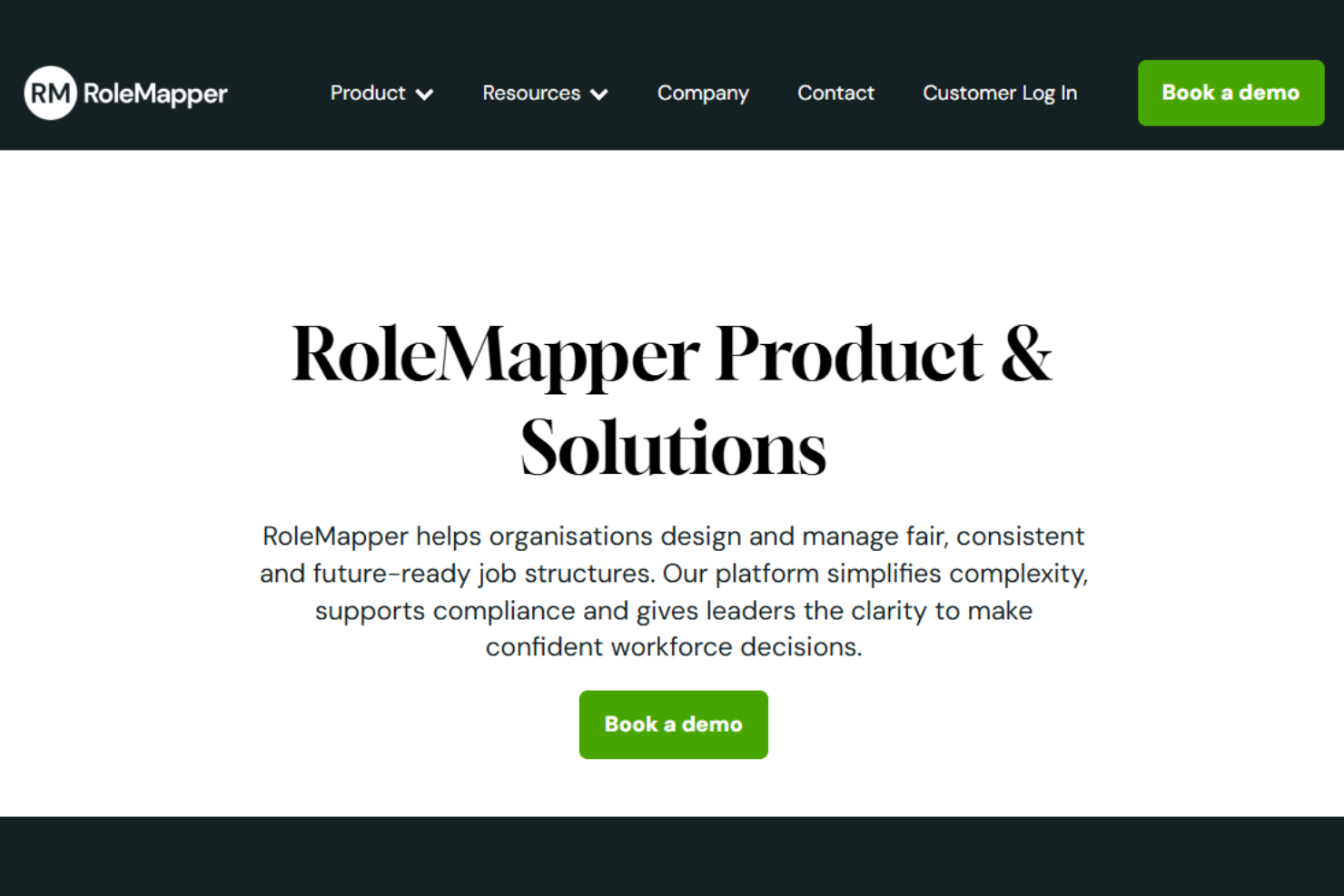
RoleMapper is a cloud-based platform designed for HR teams and talent leaders who need to create, manage, and optimize job descriptions while ensuring consistency and compliance across large, complex organizations.
Who Is RoleMapper Best For?
RoleMapper is a strong fit for HR teams in large enterprises and public sector organizations focused on inclusive, compliant job documentation.
Why I Picked RoleMapper
I picked RoleMapper as one of the best because I can use its AI-powered language analysis to flag and rewrite non-inclusive or biased language in job descriptions. My team relies on its structured templates and content libraries to keep job specs consistent and audit-ready. I like that I can benchmark roles for compliance and equity, which helps us meet organizational and regulatory standards.
RoleMapper Key Features
- Bulk job import: Upload and manage multiple job descriptions at once.
- Version control: Track changes and maintain a full history of job description edits.
- Approval workflows: Route job descriptions for review and sign-off within the platform.
- Role library: Access a structured library of standardized job roles and templates.
RoleMapper Integrations
Native integrations are not currently listed.
Pros and Cons
Pros:
- Multi-hierarchy support manages global job structures
- Connects job data directly to pay and skills frameworks
- Built-in bias detection improves inclusive job design
Cons:
- Advanced job architecture setup requires HR expertise
- Limited user review volume makes evaluation harder
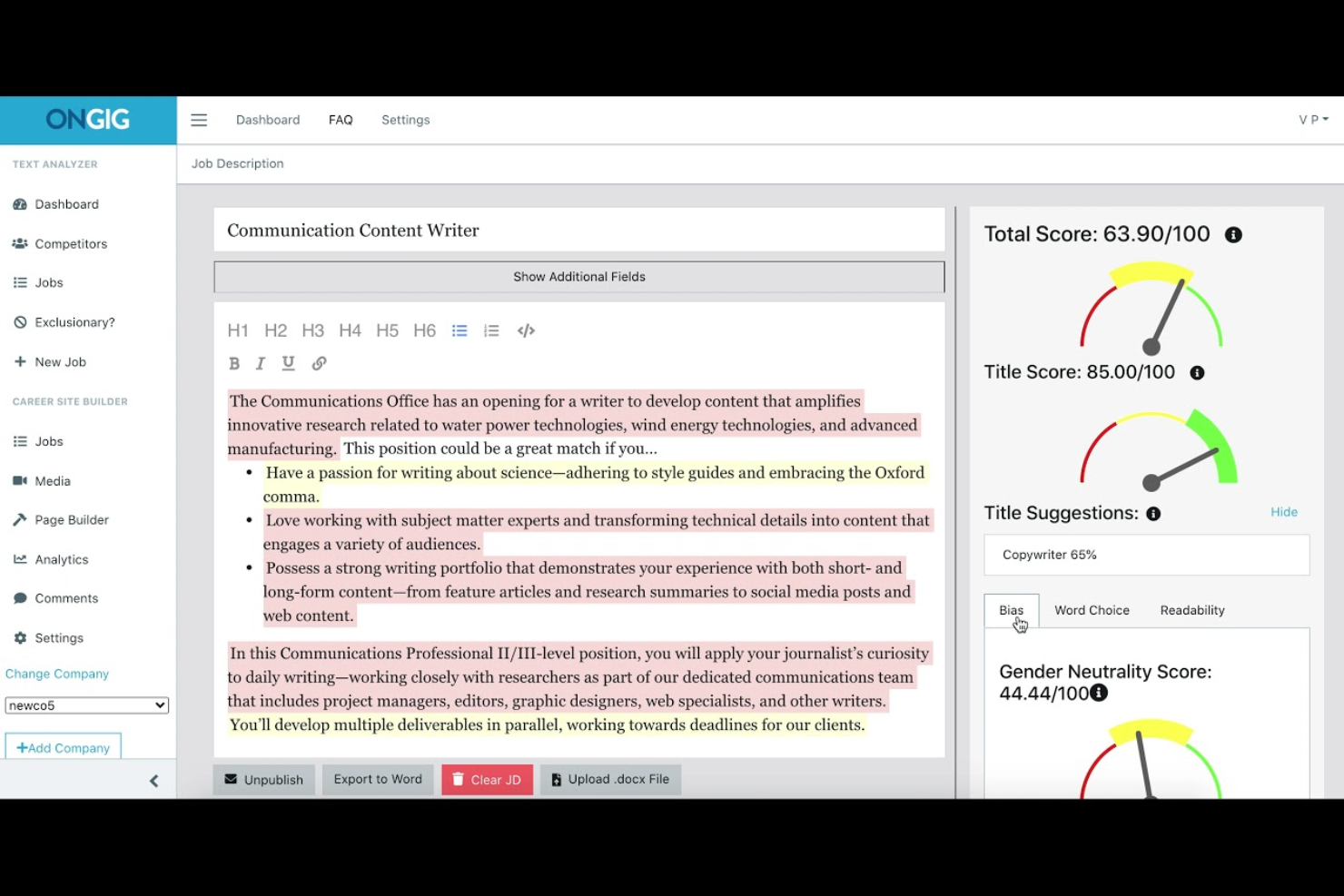
Ongig is a job description management platform built for HR and talent acquisition teams who want to create, optimize, and manage inclusive job postings at scale while reducing bias and improving candidate engagement.
Who Is Ongig Best For?
Ongig is a strong fit for enterprise HR and talent acquisition teams focused on large-scale, inclusive job description management.
Why I Picked Ongig
I picked Ongig as one of the best because I can use its advanced bias detection to flag problematic language in job descriptions before they go live. I like that I can optimize content for readability and engagement using its real-time content scoring. My team relies on its collaborative editing tools to review and update postings together.
Ongig Key Features
- Bulk job import: Upload multiple job descriptions at once for faster onboarding.
- Custom branding: Apply your organization’s logo and colors to all job postings.
- Role-based permissions: Control access and editing rights for different team members.
- Audit trails: Track all changes and edits made to job descriptions.
Ongig Integrations
Native integrations are not currently listed.
Pros and Cons
Pros:
- ATS/HRIS integration automates job posting workflows
- Centralized job library improves consistency across roles
- AI flags biased or exclusionary language in job posts
Cons:
- Limited beyond job description workflows
- Customization options limited in some implementations
Annen programvare for håndtering av stillingsbeskrivelser
\u003cspan style=\u0022font-weight: 400\u0022\u003eHer er noen flere alternativer for programvare for håndtering av stillingsbeskrivelser som ikke kom med på kortlisten min, men som likevel er verdt å sjekke ut:\u003c/span\u003e
- SHRM Job Description Manager
For pre-built job description templates
- Wizehire
For simple job description templates
- Textio
For inclusive job description writing
- JobArchitect
For compensation-aligned job descriptions


How I Evaluate Job Description Management Software
I evaluate these tools on two levels: baseline requirements like a versioned JD library and bias checks, then differentiators for teams managing pay transparency or job architecture.
Core Functionality (Table Stakes For This List)
When I'm selecting tools for my list, I rank each one on a scale from 0 (does not offer the functionality) to 5 (excels in this area) for each core functionality listed below. Then, I calculate the tool's total score into a percentage. Each tool needs to achieve a minimum total score of 65% to be considered for inclusion.
- Centralized JD Library: I check whether JDs live in a searchable, versioned repository with audit trails, not scattered across shared drives and inboxes.
- Templates & Content Library: Pre-built templates with editable competencies and skills matter here, especially for teams building JDs for roles they haven't hired before.
- Approval Workflows: I evaluate how configurable the review process is, looking for multi-step routing, inline commenting, and stakeholder notifications.
- Compliance & Bias Checks: I look for automated flagging of biased language and regulatory risks tied to EEOC, ADA, FLSA, and pay transparency requirements.
- Job Architecture Alignment: Linking JDs to job families, levels, grades, and compensation bands is key for maintaining internal equity across large role libraries.
- HR System Integrations: I check for native connectors to major ATS and HRIS platforms so JD updates flow into requisitions and org charts without manual re-entry.
Once I have a list of tools that meet the criteria, I consider what sets each platform apart.
Differentiating Factors (What Sets Vendors Apart)
Here's how I compare and contrast different vendors:
Standout Features
AI-powered JD generation is a major differentiator. I evaluate whether a tool can draft a usable JD from just a job title and level, saving hours of back-and-forth with hiring managers. Pay transparency automation also matters. Teams hiring across multiple jurisdictions need tools that insert the correct pay ranges and disclosures automatically. I also look for a built-in skills taxonomy that standardizes competencies across JDs, which feeds cleaner data into downstream talent and workforce planning processes.
Beyond Features
Implementation support is a big deal in this space. Most organizations are migrating from Word docs or SharePoint, so I look at whether vendors offer content migration services and JD cleanup assistance. Ongoing compliance coverage also separates vendors. I check whether the platform pushes regulatory updates as employment laws change, rather than leaving your team to track new rules manually. Pricing transparency matters too. Some vendors bundle AI features and content libraries into base pricing, while others charge per add-on, which can shift total cost of ownership considerably.
Slik velger du programvare for håndtering av stillingsbeskrivelser
Det er lett å gå seg vill i lange funksjonslister og komplekse prisstrukturer. For å hjelpe deg med å holde fokus mens du går gjennom den unike prosessen din for valg av programvare, har jeg satt sammen en sjekkliste over faktorer du bør ha i bakhodet:
| Faktor | Hva du bør vurdere |
|---|---|
| Skalerbarhet | Vil programvaren håndtere det nåværende og fremtidige omfanget av stillingsbeskrivelser og brukere etter hvert som dere vokser? |
| Integrasjoner | Kan den kobles direkte til ATS-, HRIS- eller dokumenthåndteringsverktøyene dine uten ekstra mellomvare? |
| Tilpasningsmuligheter | Kan du tilpasse maler, arbeidsflyter og tillatelser slik at de samsvarer med organisasjonens prosesser? |
| Brukervennlighet | Vil HR-teamet og ansettelseslederne dine ta den i bruk raskt, eller vil det være behov for opplæring og støtte? |
| Implementering og introduksjon | Hvor lang tid vil det ta å komme i gang, og hvilke ressurser eller hvilken støtte trenger du internt? |
| Kostnad | Er prisnivåene tydelige, og samsvarer de med bruksmønstrene og budsjettbegrensningene dine? |
| Sikkerhetstiltak | Tilbyr leverandøren rollebasert tilgang, revisjonsspor og samsvar med standarder for personvern? |
| Tilgjengelig kundestøtte | Er direkte kundestøtte tilgjengelig i arbeidstiden din, og hvilke kanaler (chat, telefon, e-post) finnes? |
Hva er programvare for håndtering av stillingsbeskrivelser?
Programvare for håndtering av stillingsbeskrivelser er et digitalt verktøy som hjelper HR-team med å opprette, organisere, oppdatere og lagre stillingsbeskrivelser på ett sentralisert sted. Den støtter talentforvaltning og integreres med systemer for kandidatsporing for å tiltrekke kvalifiserte kandidater gjennom konsekvente og velstrukturerte stillingsannonser. Disse plattformene forenkler samarbeid, håndterer revisjoner og standardiserer HR-prosesser med funksjoner som maler, godkjenningsflyter og versjonskontroll. De hjelper også team med å bruke inkluderende språk og støtter rekrutteringsinitiativer, slik at de sikrer samsvar med regelverket samtidig som livssyklusen for stillingsbeskrivelser forenkles.
Funksjoner
Når du velger programvare for håndtering av stillingsbeskrivelser, bør du se etter følgende viktige funksjoner:
- Sentralisert arkiv: Lagre alle stillingsbeskrivelser på ett sikkert og søkbart sted for enkel tilgang og organisering.
- Versjonskontroll: Spor redigeringer og oppretthold en endringshistorikk for hver stillingsbeskrivelse, slik at du kan gjennomgå eller gå tilbake til tidligere versjoner.
- Malbibliotek: Få tilgang til og tilpass forhåndsdefinerte maler for stillingsbeskrivelser for å sikre konsekvens og spare tid når du oppretter nye roller.
- Godkjenningsflyter: Send stillingsbeskrivelser gjennom tilpassbare godkjenningsprosesser for å sikre nøyaktighet og samsvar med regelverket før publisering.
- Rollebaserte tillatelser: Tildel brukere ulike tilgangsnivåer, slik at bare autoriserte teammedlemmer kan redigere, godkjenne eller se sensitive stillingsbeskrivelser.
- Vedlegg av dokumenter: Legg til støttedokumenter, for eksempel kompetanserammeverk eller intervjuguider, direkte i posten for hver stillingsbeskrivelse.
- Søk og filtrering: Finn raskt stillingsbeskrivelser ved hjelp av nøkkelordsøk, filtre eller tagger basert på avdeling, sted eller stillingsfamilie.
- Eksport og deling: Last ned eller del stillingsbeskrivelser i ulike formater, slik at det blir enkelt å distribuere dem internt eller eksternt.
- Revisjonsspor: Oppretthold en detaljert logg over hvem som gjorde endringer, når de ble gjort og hva som ble oppdatert, av hensyn til ansvarlighet og samsvar med regelverket.
Vanlige AI-funksjoner i programvare for håndtering av stillingsbeskrivelser
I tillegg til standardfunksjonene i programvare for håndtering av stillingsbeskrivelser som er nevnt ovenfor, tar mange av disse løsningene i bruk AI med funksjoner som:
- AI-drevet språkanalyse: Gjennomgår automatisk stillingsbeskrivelser for partisk eller ekskluderende språk og foreslår mer inkluderende alternativer for å tiltrekke et bredere utvalg av talenter.
- Automatiserte innholdsforslag: Anbefaler relevante ferdigheter, kvalifikasjoner og ansvarsområder basert på rollen, bransjen og aktuelle markedstrender for å hjelpe deg med å utforme bedre stillingsbeskrivelser.
- Prediktive samsvarskontroller: Bruker AI til å flagge potensielle juridiske eller regulatoriske risikoer i stillingsbeskrivelser, slik at du kan overholde arbeidsrettslige lover og interne retningslinjer.
- Smart referansemåling: Analyserer stillingsbeskrivelsene dine opp mot bransjedata for å foreslå justeringer som gjør kompensasjon, krav eller ansvarsområder mer konkurransedyktige.
- Lesbarhetsvurdering i sanntid: Evaluerer tydeligheten og kompleksiteten i stillingsbeskrivelsene dine og gir AI-drevne tips for å forbedre lesbarheten og kandidatenes engasjement.
Fordeler
Implementering av programvare for håndtering av stillingsbeskrivelser gir flere fordeler for teamet og virksomheten din. Her er noen av fordelene du kan se frem til:
- Konsekvens på tvers av roller: Sentraliserte maler og godkjenningsflyter bidrar til å sikre at hver stillingsbeskrivelse følger organisasjonens standarder.
- Raskere oppdateringer og samarbeid: Redigering i sanntid, versjonskontroll og revisjonsspor gjør det enkelt for team å oppdatere og gjennomgå stillingsbeskrivelser sammen.
- Bedre samsvar med regelverket: Innebygde godkjenningsprosesser og revisjonslogger støtter overholdelse av juridiske, regulatoriske og interne krav.
- Økt åpenhet: Rollebaserte tillatelser og detaljerte endringshistorikker gir tydelig oversikt over hvem som gjorde oppdateringer og når.
- Enklere tilgang og organisering: Søkbare arkiver og funksjoner for tagging lar deg raskt finne, filtrere og administrere stillingsbeskrivelser etter hvert som organisasjonen vokser.
- Bedre tiltrekking av kandidater: Konsekvente, velskrevne og inkluderende stillingsbeskrivelser hjelper deg med å nå ut til og engasjere et bredere og mer kvalifisert utvalg av talenter.
- Redusert administrativ belastning: Automatiserte arbeidsflyter og funksjoner for dokumenthåndtering sparer tid og reduserer manuelt arbeid for HR-team.
Kostnader & priser
Valg av programvare for håndtering av stillingsbeskrivelser krever en forståelse av de ulike prismodellene og planene som er tilgjengelige. Kostnadene varierer basert på funksjoner, teamstørrelse, tillegg og mer. Tabellen nedenfor oppsummerer vanlige planer, gjennomsnittsprisene deres og typiske funksjoner som er inkludert i programvareløsninger for håndtering av stillingsbeskrivelser:
Sammenligningstabell for planer for programvare for håndtering av stillingsbeskrivelser
| Plantype | Gjennomsnittspris | Vanlige funksjoner |
|---|---|---|
| Gratisplan | $0 | Grunnleggende oppretting av stillingsbeskrivelser, begrenset lagring, tilgang for én bruker og brukerstøtte fra fellesskapet. |
| Personlig plan | $5-$15/bruker/måned | Malsamling, versjonskontroll, grunnleggende søk, begrensede integrasjoner og brukerstøtte via e-post. |
| Forretningsplan | $20-$40/bruker/måned | Samarbeid for flere brukere, arbeidsflyter for godkjenning, avanserte tillatelser, rapporteringsverktøy og brukerstøtte via livechat. |
| Foretaksplan | $50-$100/bruker/måned | Tilpassede integrasjoner, dedikert kundeansvarlig, avansert sikkerhet, revisjonsspor og prioritert brukerstøtte. |
Vanlige spørsmål om programvare for håndtering av stillingsbeskrivelser
Her er noen svar på vanlige spørsmål om programvare for håndtering av stillingsbeskrivelser:
Hvordan bidrar programvare for håndtering av stillingsbeskrivelser til etterlevelse?
Programvare for håndtering av stillingsbeskrivelser bidrar til etterlevelse ved å tilby arbeidsflyter for godkjenning, revisjonsspor og versjonskontroll. Disse funksjonene gjør det enklere å spore endringer, sikre samsvar med lover og retningslinjer og dokumentere hvem som godkjente hver stillingsbeskrivelse.
Kan programvare for håndtering av stillingsbeskrivelser integreres med de eksisterende HR-systemene mine?
Ja, de fleste programvareløsninger for håndtering av stillingsbeskrivelser kan integreres med HRIS-, ATS- og dokumenthåndteringsverktøy. Dette lar deg synkronisere stillingsdata, automatisere oppdateringer og redusere manuell registrering på tvers av HR-teknologistakken.
Hva bør jeg se etter når jeg vurderer programvare for håndtering av stillingsbeskrivelser?
Fokuser på skalerbarhet, brukervennlighet, integrasjonsmuligheter, sikkerhetstiltak og muligheten til å tilpasse maler og arbeidsflyter. Vurder hvor godt programvaren passer til teamets prosesser, og om den støtter behovene deres for etterlevelse og rapportering.
Er det mulig å begrense redigeringstilgangen til bestemte brukere?
Ja, de fleste løsninger tilbyr rollebaserte tillatelser. Du kan tildele bestemte brukere eller grupper rettigheter til å redigere, vise eller godkjenne, slik at du kan kontrollere hvem som kan gjøre endringer i sensitive stillingsbeskrivelser.