

De 10 beste introduksjonsprogrammene for små bedrifter vurdert i 2026

Beste programvare for introduksjon av ansatte i små bedrifter – kortliste


Å introdusere nye medarbeidere kan være en krevende oppgave, særlig for små bedrifter som din. Med begrensede ressurser og lite tid er det utfordrende å sikre en god start for nyansatte. Etter min erfaring kan riktig programvare for introduksjon av ansatte utgjøre en stor forskjell.
Jeg har testet og vurdert ulike løsninger for å hjelpe deg med å finne det beste alternativet for teamet ditt. Disse verktøyene kan forenkle introduksjonsprosessen, spare tid og forbedre den samlede opplevelsen for alle involverte.
I denne artikkelen deler jeg mine beste anbefalinger av programvare for introduksjon av ansatte, tilpasset små bedrifter. Du får en upartisk og grundig gjennomgang av hvert alternativ, slik at du kan ta den beste beslutningen ut fra behovene dine.
Hvorfor du kan stole på våre programvareanbefalinger
Teamet vårt har testet og anmeldt programvare siden 2012. Vi er selv HR-eksperter, så vi vet hvor vanskelig og hvor viktig det er å velge riktig programvare.
I denne guiden har vi vurdert verktøyene gjennom praktisk testing og uavhengig research og gitt dem poeng ut fra våre utvelgelseskriterier. Vi bygger også på innsikt fra ledende eksperter i bransjen og erfarne HR-eksperter.
Anmeldelsene våre bygger på vår egen redaksjonelle vurdering. De er ikke et salgsargument.
Ekspertanmeldere:
Sammenligningstabell: Programvare for introduksjon av ansatte i små bedrifter
Denne sammenligningstabellen oppsummerer prisdetaljene for mine beste anbefalinger av programvare for introduksjon av ansatte i små bedrifter:
| Tool | Best For | Trial Info | Price | ||
|---|---|---|---|---|---|
| 1 | Best as AI for business | Free demo available | From $8/user/month | Website | |
| 2 | Best for built-in benchmark analytics | Free demo available | From $10/user/month | Website | |
| 3 | Best for role-based onboarding programs | Free trial available | From $3.97/user/month (billed annually) | Website | |
| 4 | Best with AI-powered roleplay simulations | Free demo available | Pricing upon request | Website | |
| 5 | Best for small and mid-sized teams | Free trial available | Pricing upon request | Website | |
| 6 | Best with AI-powered course creation | Free plan + free demo available | From $119/month (billed annually) | Website | |
| 7 | Best for documenting repeatable onboarding workflows | Free demo available | Pricing upon request | Website | |
| 8 | Best for document management | Free demo available | From $5/employee/month | Website | |
| 9 | Best for global HR practices | 7-day free trial | From $2/user/month (billed annually) | Website | |
| 10 | Best for integration with the Zoho suite | 30-day free trial + free demo available | From $1.25/user/month (billed annually) | Website |


Anmeldelser av den beste programvaren for introduksjon av ansatte i små bedrifter
Nedenfor finner du mine detaljerte sammendrag av den beste programvaren for introduksjon av ansatte som kom med på kortlisten min for små bedrifter. Anmeldelsene mine gir en detaljert gjennomgang av de viktigste funksjonene, fordelene og ulempene, integrasjonene og ideelle bruksområdene for hvert verktøy, slik at du kan finne det beste alternativet for deg.

Best as AI for business
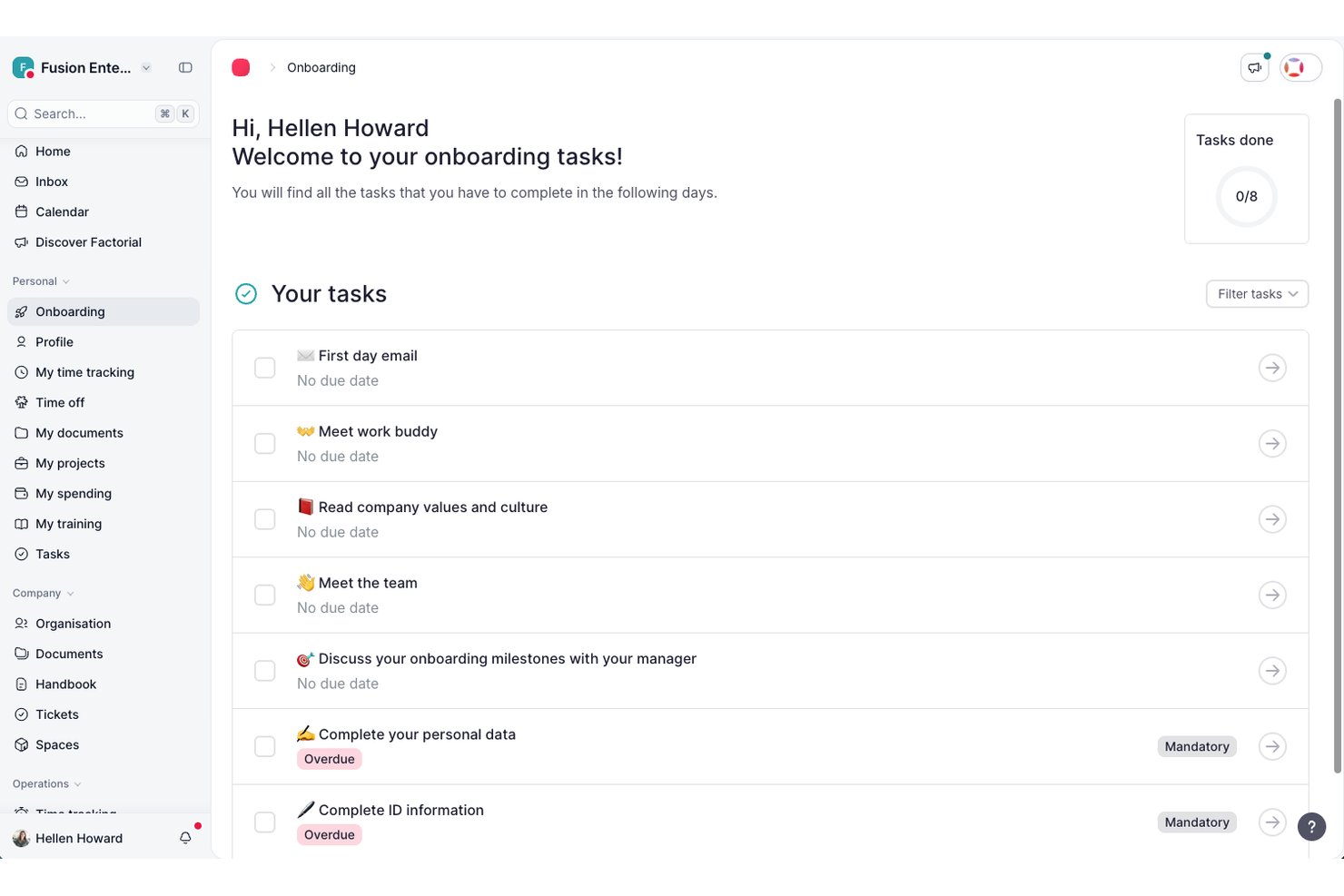
Factorial is an AI-powered HR and business operations platform that connects onboarding workflows, document collection, e-signatures, and employee self-service in one place.
Who Is Factorial Best For?
Factorial is a strong fit for HR managers at small businesses who want one platform to handle onboarding workflows, document collection, and day-to-day people operations with AI assistance built in.
Why I Picked Factorial
I picked Factorial as one of the best because its AI-for-business approach goes well beyond basic onboarding tasks, handling everything from planning timetables to generating reports and answering employee policy questions automatically. I really like how its AI assistant uses company context to field new hire questions directly, so HR teams aren't fielding the same policy queries over and over. The New Hire Onboarding workflow templates and bulk e-signature tools mean I can get a new hire from offer to day-one paperwork without chasing anyone manually.
Factorial Key Features
- Onboarding policy builder: Define and assign multi-step onboarding policies that automatically queue tasks for new employees from day one.
- Bulk document delivery: Send contracts, handbooks, or any HR documents to multiple employees at once directly from the platform.
- Welcome Space (preboarding access): Give new hires limited access to key company information before their official start date.
- Mobile app onboarding: Let new employees view tasks, check documents, and complete onboarding steps from a smartphone.
Factorial Integrations
Factorial offers marketplace integrations with Okta, Slack, Recruitee, a3innuva Nómina, Sage 200, SAP Business One, and Microsoft Power BI. It also provides a Public API, webhooks, SDKs, an MCP server, and Zapier.
Pros and Cons
Pros:
- CSV imports can get small teams running quickly
- New hires handle tasks without repeated emails
- Centralized contracts reduce scattered paperwork
Cons:
- Onboarding progress reports offer limited customization
- Tailored workflows can require workarounds

BambooHR
Best for built-in benchmark analytics
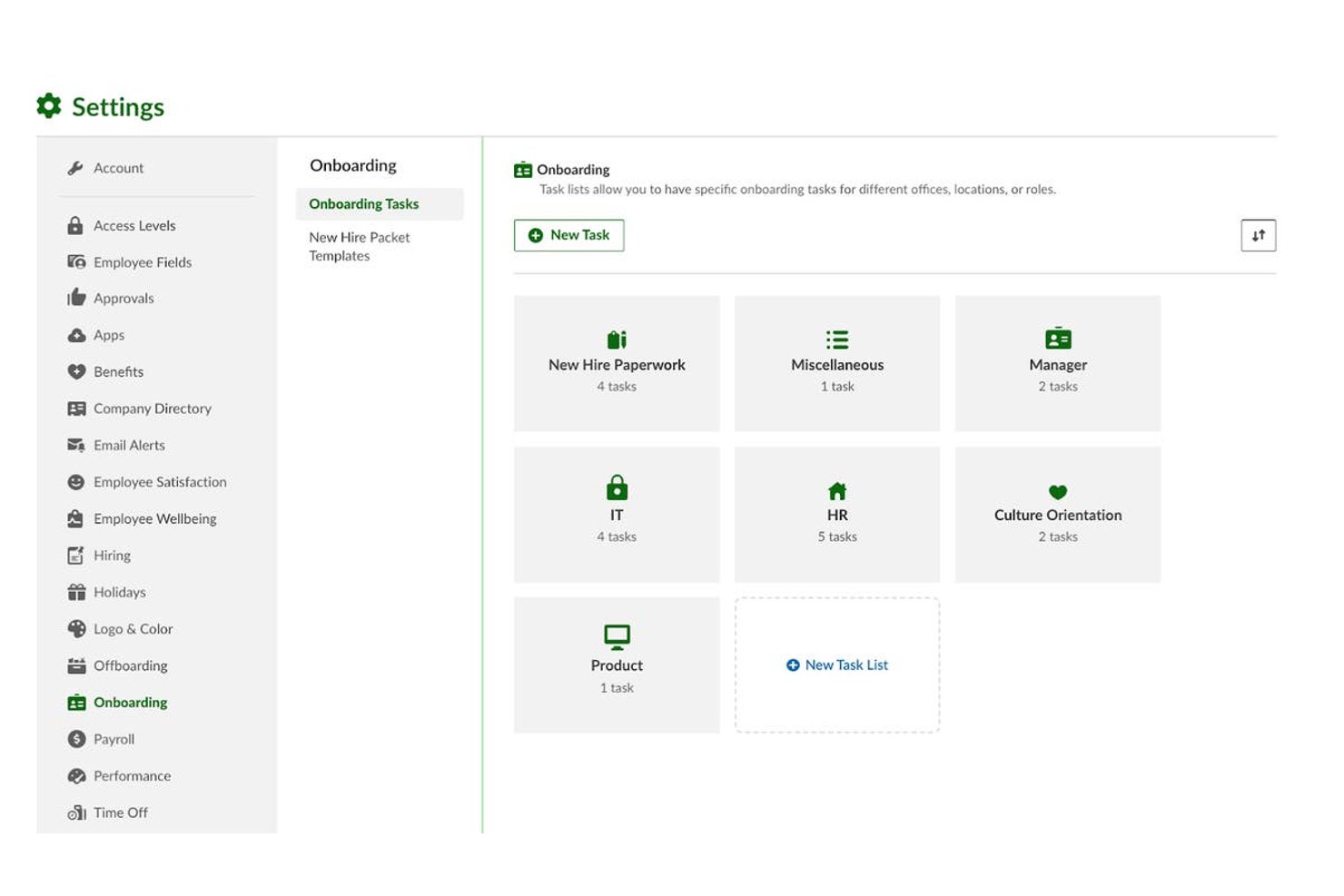
BambooHR is an all-in-one HR platform for small and mid-sized businesses that combines onboarding workflows, e-signatures, compliance forms, employee self-service, payroll, and people analytics in a single system.
Who Is BambooHR Best For?
BambooHR is a strong fit for HR generalists and people ops teams at small to mid-sized businesses managing hiring, onboarding, and employee data without a large HR department.
Why I Picked BambooHR
BambooHR earns its spot on my shortlist because of something I rarely see in SMB onboarding tools: real benchmark data built directly into the platform. On the Elite plan, I can compare my company's turnover rates, eNPS scores, and employee wellbeing data against similar-sized organizations without exporting anything. I also get Mercer-powered salary benchmarking built in, which makes compensation decisions during onboarding far more informed and defensible.
BambooHR Key Features
- Onboarding checklists: Create, assign, and track structured onboarding task lists for each new hire.
- Branded preboarding portal: Give new hires access to a personalized portal to complete paperwork and learn about the team before their first day.
- Compliance form automation: Distribute, collect, and validate federal and state forms including I-9, W-4, and direct deposit authorizations.
- HRIS and payroll integrations: Connect onboarding workflows with leading payroll, benefits, and HRIS platforms for automatic data sync.
BambooHR Integrations
BambooHR offers 150+ native integrations, including Checkr, Remote, Slack, Cronofy, Zendesk, Paychex, QuickBooks, Microsoft 365, Google Workspace, Risotto, and more. An API is available for custom integrations.
Pros and Cons
Pros:
- New hire portal works before day one
- Automated e-signatures on all onboarding documents
- Built-in benchmark analytics for workforce data
Cons:
- Reporting customization limited on base plan
- Payroll is a separate paid add-on
New Product Updates from BambooHR

BambooHR Improves Time Off Importer
BambooHR redesigns its Time Off Importer with automatic column mapping suggestions, full-file previews, and clearer import results. These updates help teams review bulk time off changes before import and resolve errors more easily. For more information, visit BambooHR’s official site.
 .
.
Best for role-based onboarding programs
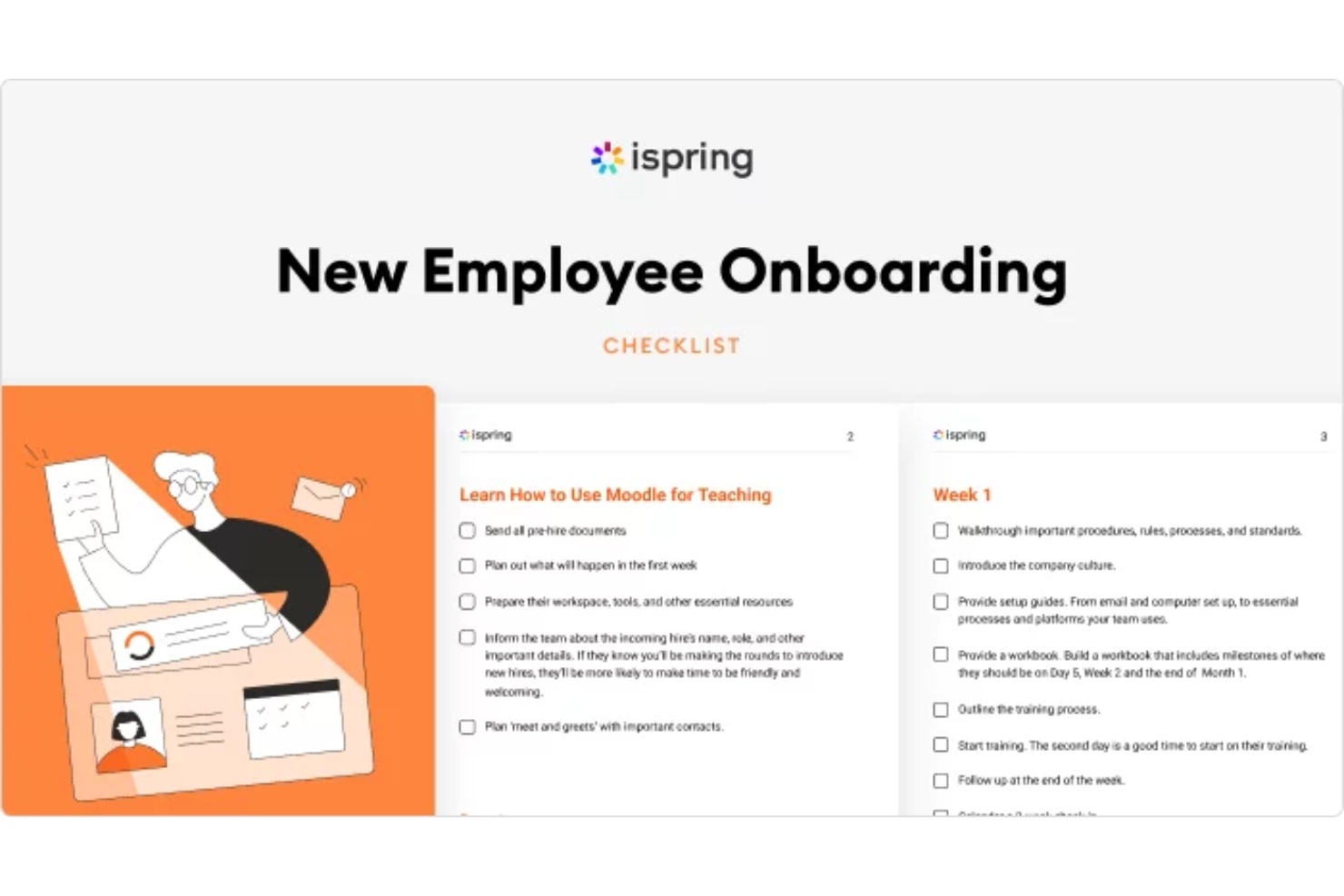
iSpring LMS is a learning management system that supports employee onboarding alongside ongoing training and compliance programs. It allows teams to create, assign, and track training courses, making it suitable for organizations that want onboarding to live within a centralized learning environment rather than as a standalone workflow tool.
Who Is iSpring LMS Best For?
iSpring LMS is a good fit for small businesses and HR teams that need to quickly onboard new employees with structured training content.
Why I Picked iSpring LMS
I picked iSpring LMS as one of the best because I can launch onboarding programs instantly using its library of pre-built courses and templates. My team is able to assign ready-made compliance and onboarding modules to new hires right away. I like that I can customize these courses to fit our processes without starting from scratch.
iSpring LMS Key Features
- Automated enrollment: Assign onboarding courses to new hires automatically based on role or department.
- Progress tracking dashboard: Monitor learner completion rates and course activity in real time.
- Quiz and assessment builder: Create interactive quizzes to test knowledge and reinforce onboarding content.
- Certificate generation: Issue branded certificates to employees who complete onboarding modules.
iSpring LMS Integrations
iSpring LMS offers native integrations with Salesforce, Microsoft Azure, Microsoft Exchange, BambooHR, Udemy, Go1, and LinkedIn Learning. An API is available for custom integrations.
Pros and Cons
Pros:
- SCORM and xAPI content compatibility
- Automated learning paths for new hires
- Dedicated customer success manager for support
Cons:
- Bulk user import process can be cumbersome
- Limited customization for onboarding workflows
New Product Updates from iSpring LMS

iSpring LMS Adds Multiple Observations to OJT Sessions
iSpring LMS now lets managers log multiple observations within one OJT session, grouping visits and auto-generating summary stats like averages, criterion results, and comparisons. For more information, visit iSpring LMS's official site.

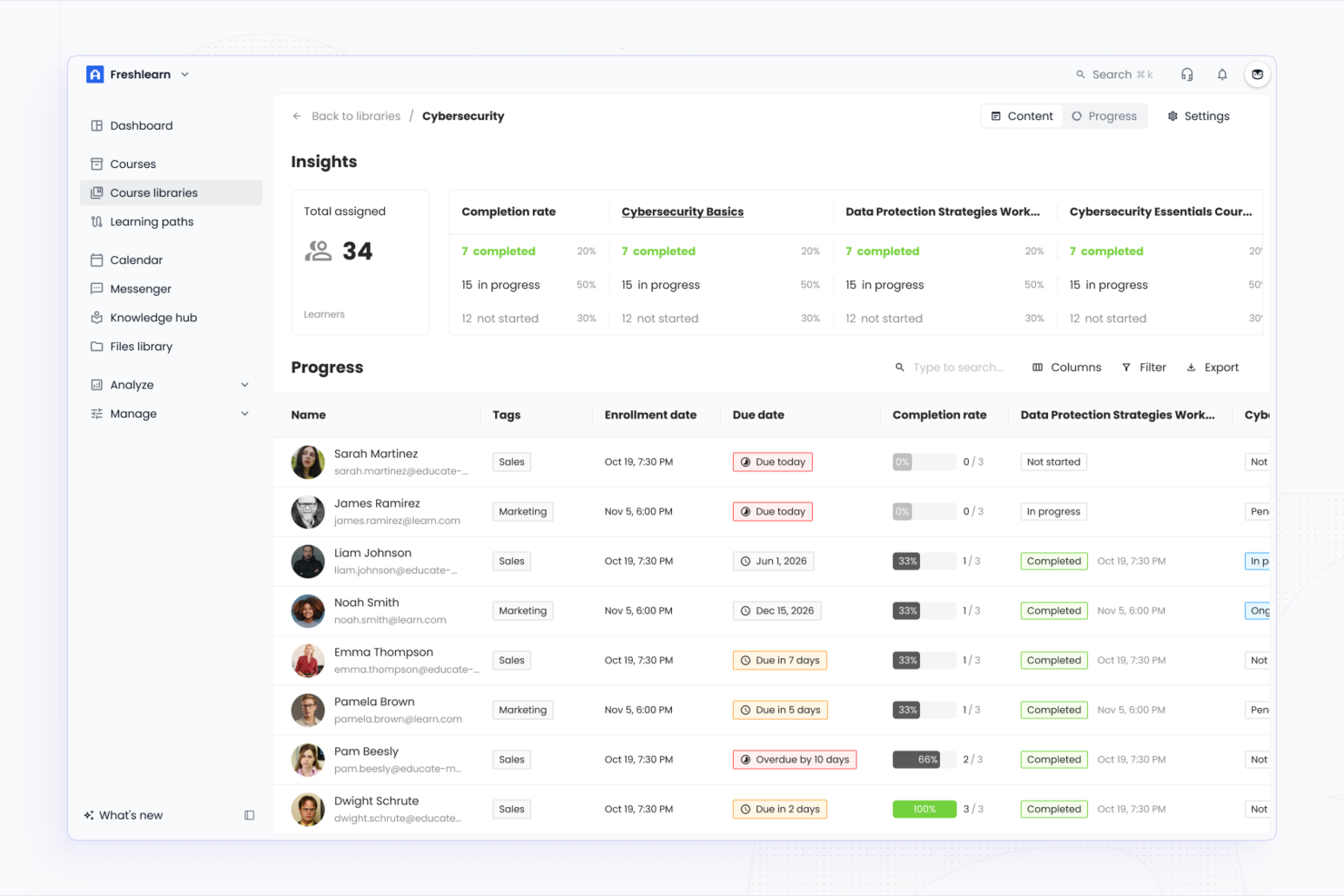
EducateMe LMS offers small businesses a flexible platform to design and manage employee onboarding programs. The tool is well-suited for teams that want to combine interactive learning, progress tracking, and customizable workflows in one place. It helps simplify onboarding tasks and supports a more engaging experience for new hires.
Who Is EducateMe LMS Best For?
EducateMe LMS is a good fit for small businesses and HR teams that want to deliver structured, interactive onboarding experiences with customizable learning paths.
Why I Picked EducateMe LMS
For small businesses that want to make onboarding more interactive, I picked EducateMe LMS because of its AI-powered roleplay simulations. These simulations let new hires practice real-world scenarios in a safe, digital environment, which helps build confidence and skills before they start their roles. The platform also allows you to create custom scenarios tailored to your business needs, making the onboarding process more relevant and engaging. This approach supports faster learning and helps new employees feel prepared from day one.
EducateMe LMS Key Features
Some other features that make EducateMe LMS useful for small business onboarding include:
- Custom course builder: Create and organize onboarding courses with modules, quizzes, and multimedia content tailored to your business.
- Automated reminders: Set up automated notifications to keep new hires on track with their onboarding tasks and deadlines.
- Progress dashboards: Monitor each employee’s onboarding journey in real time with visual dashboards for both managers and new hires.
- Custom branding: Apply your company’s logo, colors, and branding elements to the onboarding portal for a consistent experience.
EducateMe LMS Integrations
Integrations include Zoom, Stripe, Slack, Auth0, Rippling, Salesforce, Notion, Zelt, Figma, and Workday. An API is also available for custom integrations.
Pros and Cons
Pros:
- Automated reminders help keep new hires on track
- SSO options simplify secure employee access
- AI-powered simulations for interactive employee training
Cons:
- Reporting exports may lack advanced customization options
- Fewer prebuilt onboarding templates than some competitors
SkyPrep
Best for small and mid-sized teams
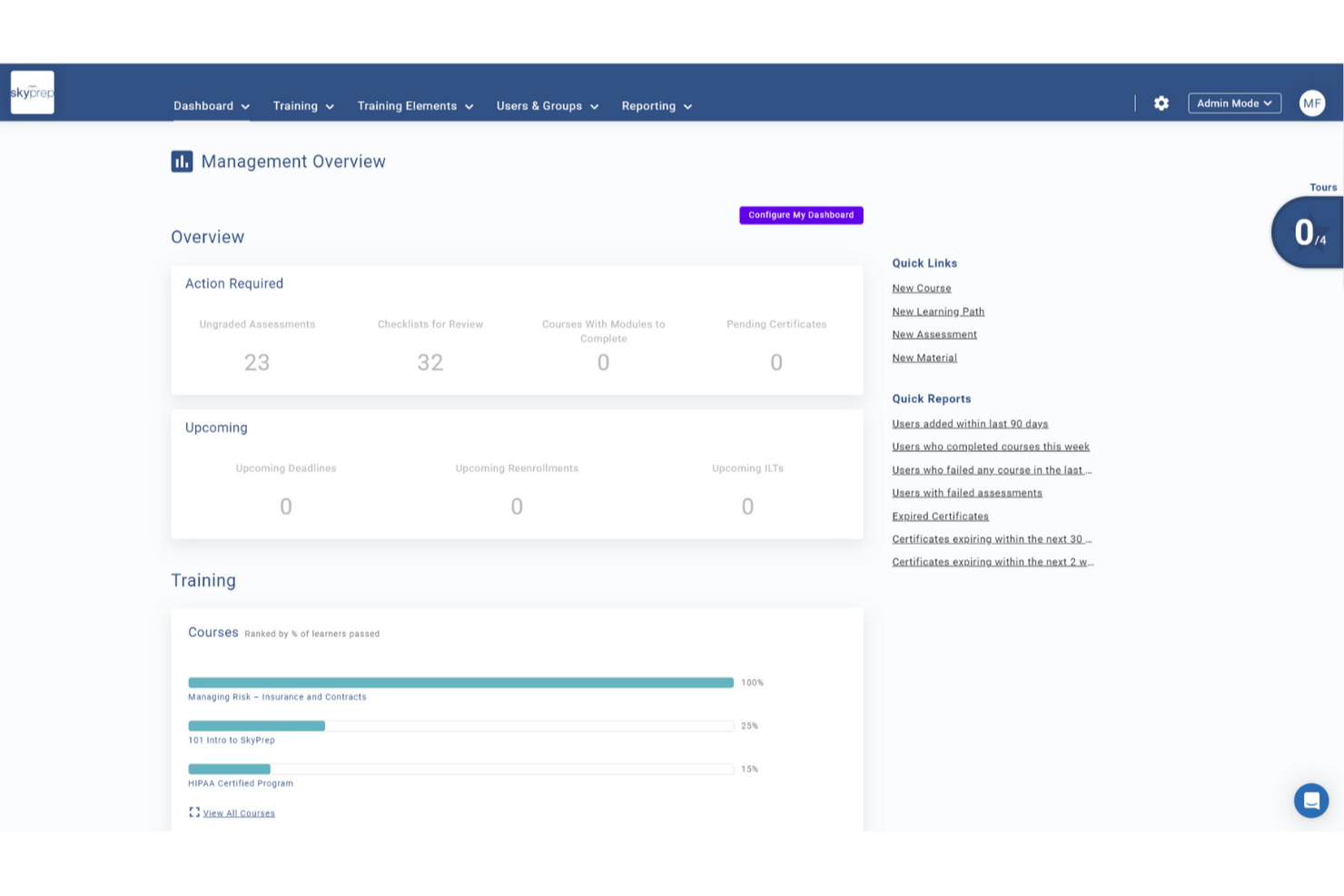
SkyPrep is an online training platform tailored for small businesses, offering a comprehensive suite of tools to enhance your team's onboarding experience. It appeals to businesses across various industries looking to simplify their onboarding process with features designed to engage new hires and streamline training. By addressing challenges like knowledge retention and training consistency, SkyPrep ensures that your team is well-prepared and aligned with company objectives from day one.
Why I Picked SkyPrep
I picked SkyPrep because it offers a user-friendly platform that significantly reduces training time by utilizing advanced learning methods. With features like automated workflow management and detailed reporting, you can efficiently track onboarding progress and ensure compliance with company standards. Additionally, its integration with popular HR systems like ADP and Workday simplifies user record management, making it an ideal choice for small businesses aiming to enhance their onboarding processes.
SkyPrep Key Features
In addition to its core functionalities, SkyPrep offers several features that enhance its value as an onboarding tool:
- Single Sign-On (SSO): Allows your team to log in using existing cloud account credentials, simplifying the access process.
- Content Management: Create courses and content using various formats, including documents, images, and videos, providing a dynamic learning experience.
- Webinar Tools: Supports platforms like Zoom and Microsoft Teams, making it easier to conduct live training sessions.
- Learning Paths: Structured training journeys guide new hires through onboarding, ensuring all required steps are completed.
- Manager Dashboards: Provide visibility into employee progress, enabling managers to identify and address support needs.
SkyPrep Integrations
Integrations include Zoom, GoToMeeting, Cisco Webex, Microsoft Teams, ClickMeeting, BigBlueButton, ADP, Workday, Salesforce, and HubSpot.
Pros and Cons
Pros:
- Built-in e-signatures
- Real-time dashboards
- Automated role-based enrollments
Cons:
- Reporting customization may be limited
- Pricing not publicly available

Best with AI-powered course creation
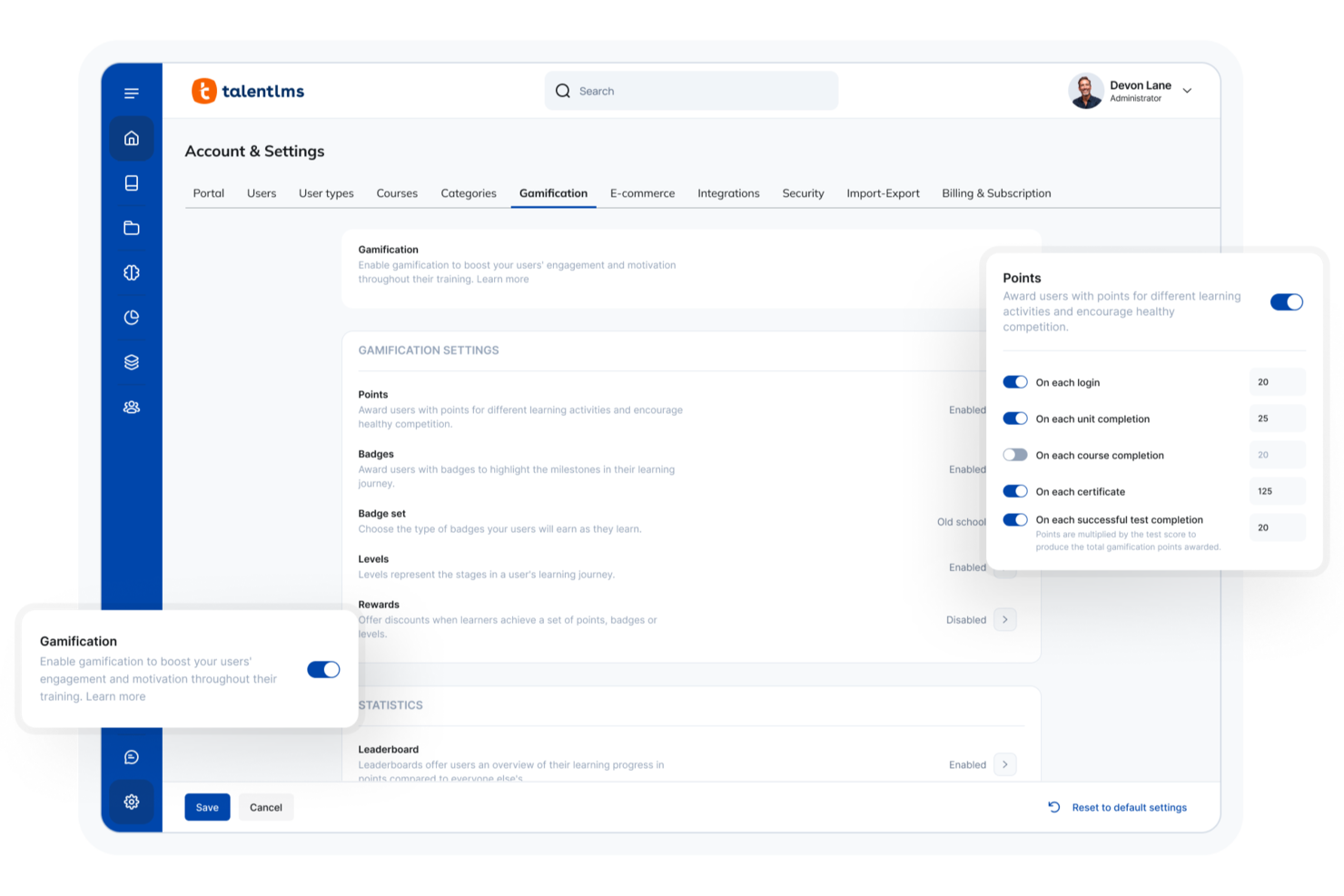
TalentLMS gives small businesses a flexible way to deliver onboarding and training online. The platform is designed for teams that want to create, organize, and track learning without a steep learning curve. If you need to onboard new hires quickly and keep training consistent as your business grows, TalentLMS offers tools to help you do it.
Who Is TalentLMS Best For?
TalentLMS suits small businesses and HR teams that need a straightforward, scalable way to onboard and train employees across different roles or locations.
Why I Picked TalentLMS
I picked TalentLMS for its AI-powered course creation, which makes it much easier for small businesses to build onboarding content quickly. The platform’s AI tools can generate course outlines and suggest relevant materials, so you don’t have to start from scratch every time you onboard a new hire. I also appreciate how the AI can recommend quizzes and assessments based on your training goals, helping you keep onboarding consistent and relevant. These features are especially useful for small teams that need to create quality training without a dedicated instructional designer.
TalentLMS Key Features
Some other features that make TalentLMS useful for onboarding small business teams include:
- Custom branding: Add your company logo, colors, and domain to create a familiar training environment for new hires.
- Automated learning paths: Set up sequences of courses that guide employees through onboarding step by step.
- Mobile learning app: Give new team members access to onboarding materials from any device, including smartphones and tablets.
- Reporting and analytics: Track learner progress, course completion, and quiz results to monitor onboarding effectiveness.
TalentLMS Integrations
Integrations include BambooHR, Salesforce, TalentHR, Sage People, Intercom, ADP Workforce Now, Zendesk Chat, Zoom, Microsoft Teams, and GoTo.
Pros and Cons
Pros:
- Mobile app lets new hires train anywhere
- Automated learning paths for structured onboarding
- AI-powered tools speed up course creation
Cons:
- Limited options for in-depth skills assessments
- Some integrations require higher-tier plans
New Product Updates from TalentLMS
TalentLMS Adds Learning Paths, AI Video, and Learner Experience Updates
TalentLMS introduced updates across learning management, content creation, and learner experience, including Learning Paths for Groups, AI video generation in TalentCraft, video bookmarking, and expanded administration tools. For more information, visit TalentLMS’s official site.

Trainual
Best for documenting repeatable onboarding workflows
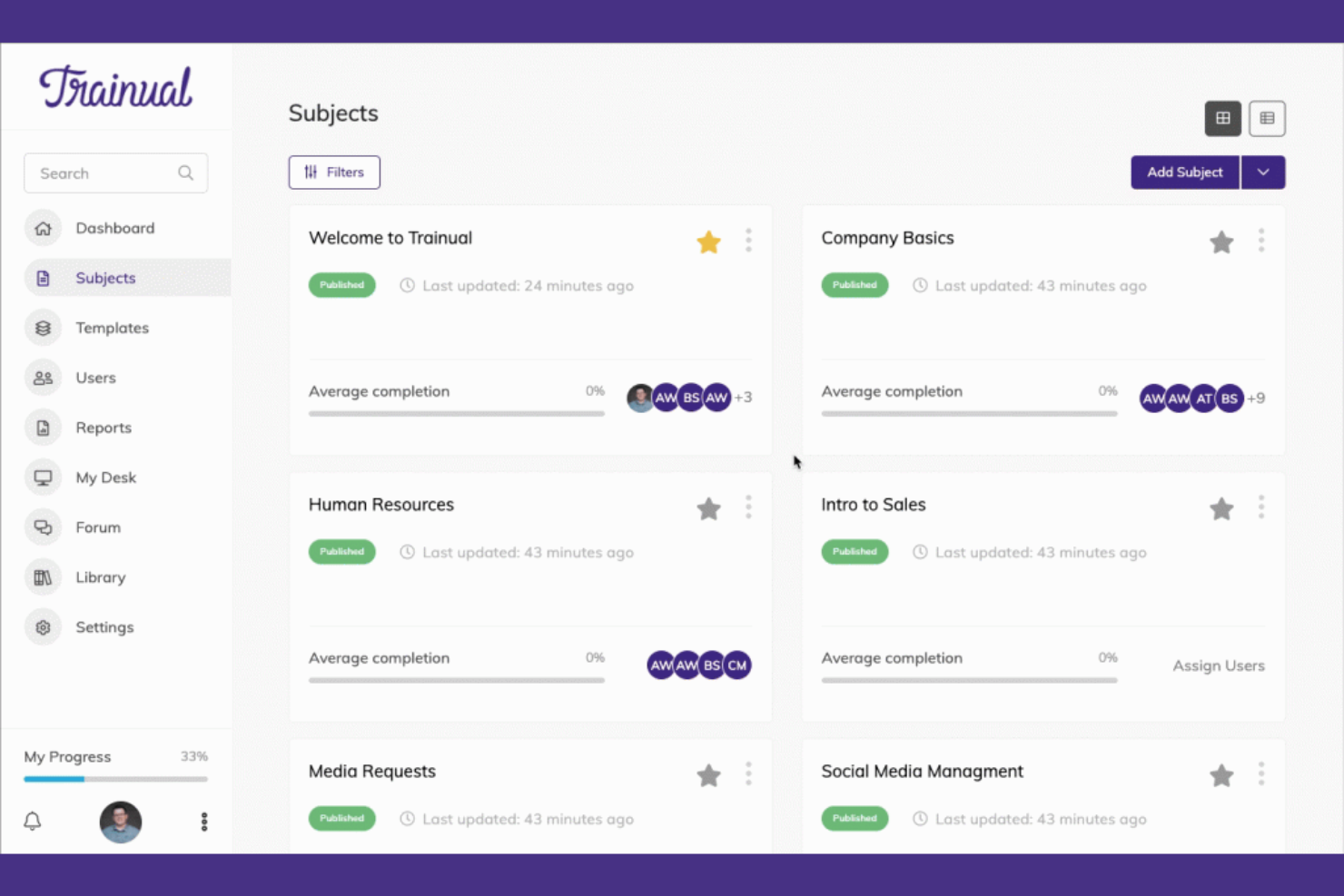
Trainual is a training and onboarding platform aimed at small businesses. It allows users to document processes, policies, and procedures, ensuring consistency and clarity for new hires.
Why I picked Trainual: It excels in training with its easy-to-use templates and customization options. You can quickly set up training modules tailored to your team's needs. The platform offers quizzes and tests to ensure understanding and retention. This focus on structured training helps you maintain high standards as your business grows.
Standout features and integrations:
Features include customizable templates for creating training manuals and onboarding guides. The platform allows you to incorporate multimedia elements such as videos and images into your training materials. Quizzes and tests help ensure that your team understands the content and retains the information.
Integrations include Zapier, Slack, Google Data Studio, Microsoft Entra, QuickBooks, BambooHR, and more.
Pros and Cons
Pros:
- Quick setup process
- Multimedia support
- Customizable training templates
Cons:
- Manual upkeep required as processes change
- Not a full HRIS — lacks payroll and compliance automation
GoCo
Best for document management
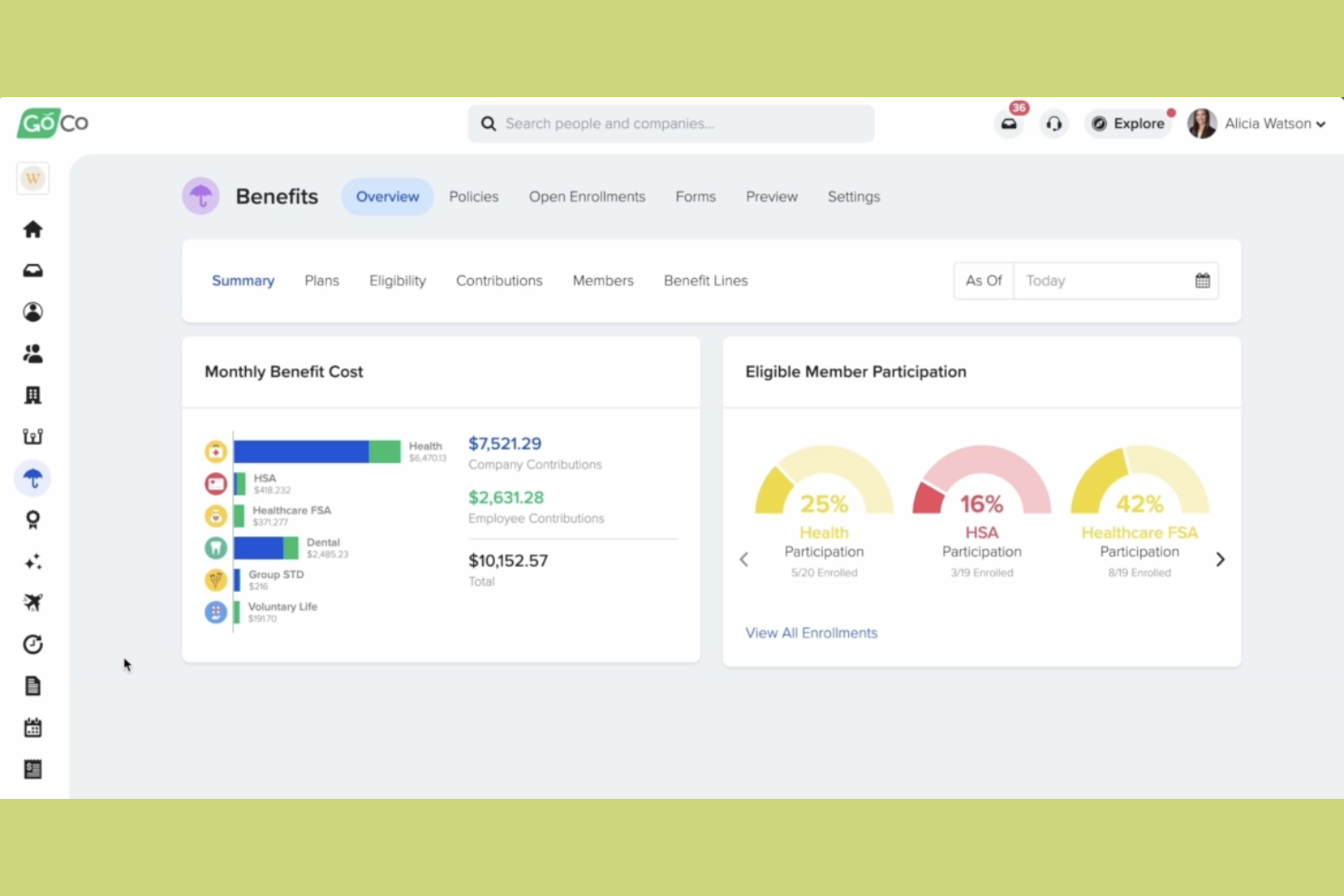
GoCo is an HR and benefits management platform that caters to small businesses looking to simplify their HR processes. It offers tools for onboarding, benefits administration, and document management, making it easier for you to manage your workforce.
Why I picked GoCo: It excels in document management, providing features like digital signatures and secure document storage. You can easily upload and organize employee files, ensuring everything is accessible and compliant. This focus on document management ensures your HR operations run smoothly and efficiently.
Standout features and integrations:
Features include digital signatures, which make it easy for you to handle contracts and agreements. Secure document storage ensures that all your files are organized and protected. Automated reminders help you keep track of important tasks and deadlines, reducing the risk of oversight.
Integrations include QuickBooks, Slack, JazzHR, Greenhouse, Checkr, Workable, and more.
Pros and Cons
Pros:
- Automated task reminders
- Secure file storage
- Digital signature support
Cons:
- May not be ideal for large enterprises
- Limited advanced features

Best for global HR practices
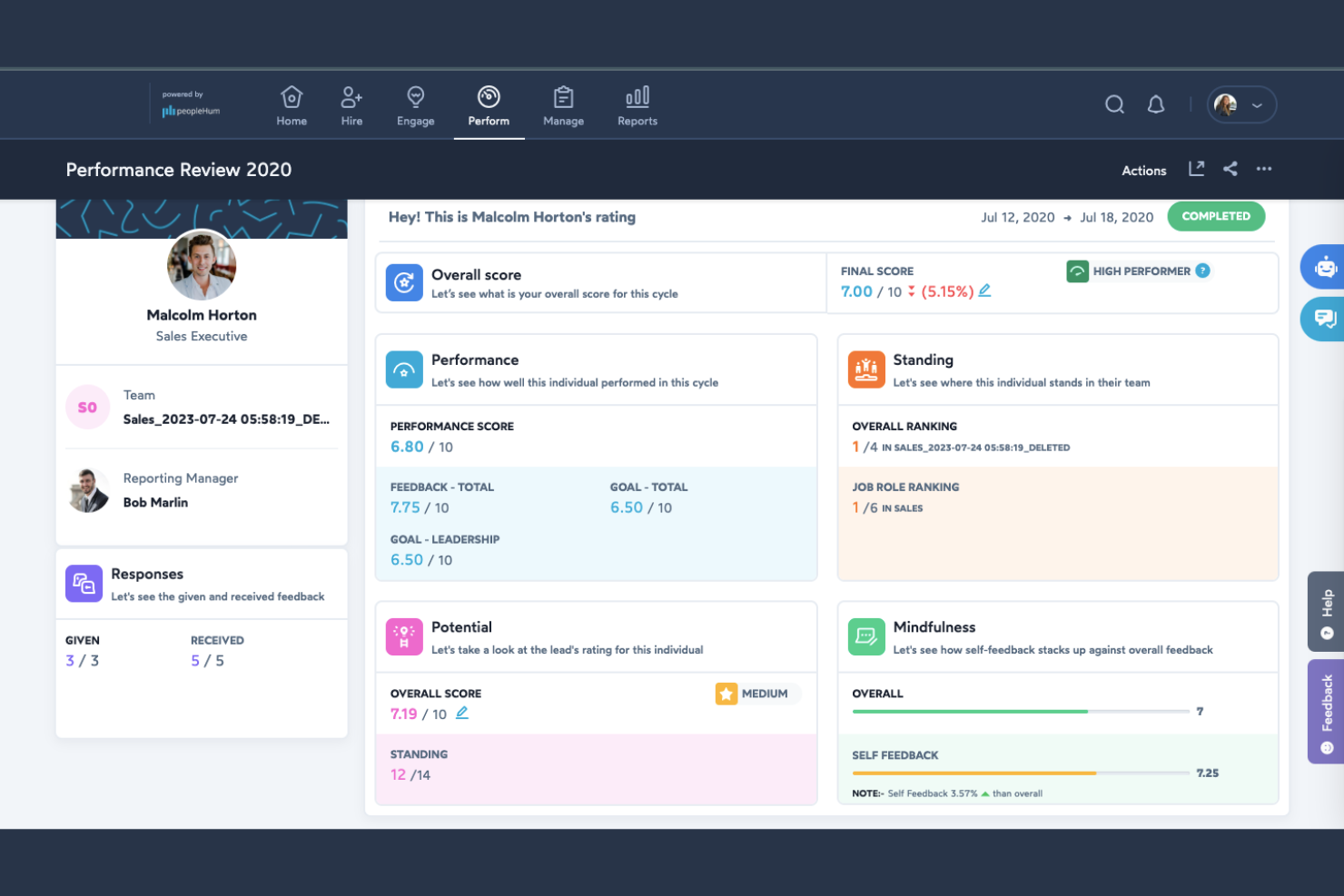
peopleHum is a dedicated HR platform designed for businesses looking to manage their workforce globally. It offers features for recruitment, employee engagement, and performance management, providing a holistic approach to human resources.
Why I picked peopleHum: It’s ideal for global HR practices, offering tools that support multi-country operations and compliance. Features such as automated workflows and detailed analytics help you manage complex HR tasks. The platform’s focus on global reach ensures you can effectively manage a diverse workforce.
Standout features and integrations:
Features include automated workflows to simplify HR processes and reduce manual tasks. The platform provides detailed analytics to help you make informed decisions about your workforce. Employee engagement tools are also available to help you maintain a motivated and productive team.
Integrations include Microsoft Teams, Slack, Google Workspace, and more.
Pros and Cons
Pros:
- Detailed analytics available
- Automated HR workflows
- Supports global operations
Cons:
- Advanced modules often require higher-tier plans
- Broader HR suite may feel oversized for small teams

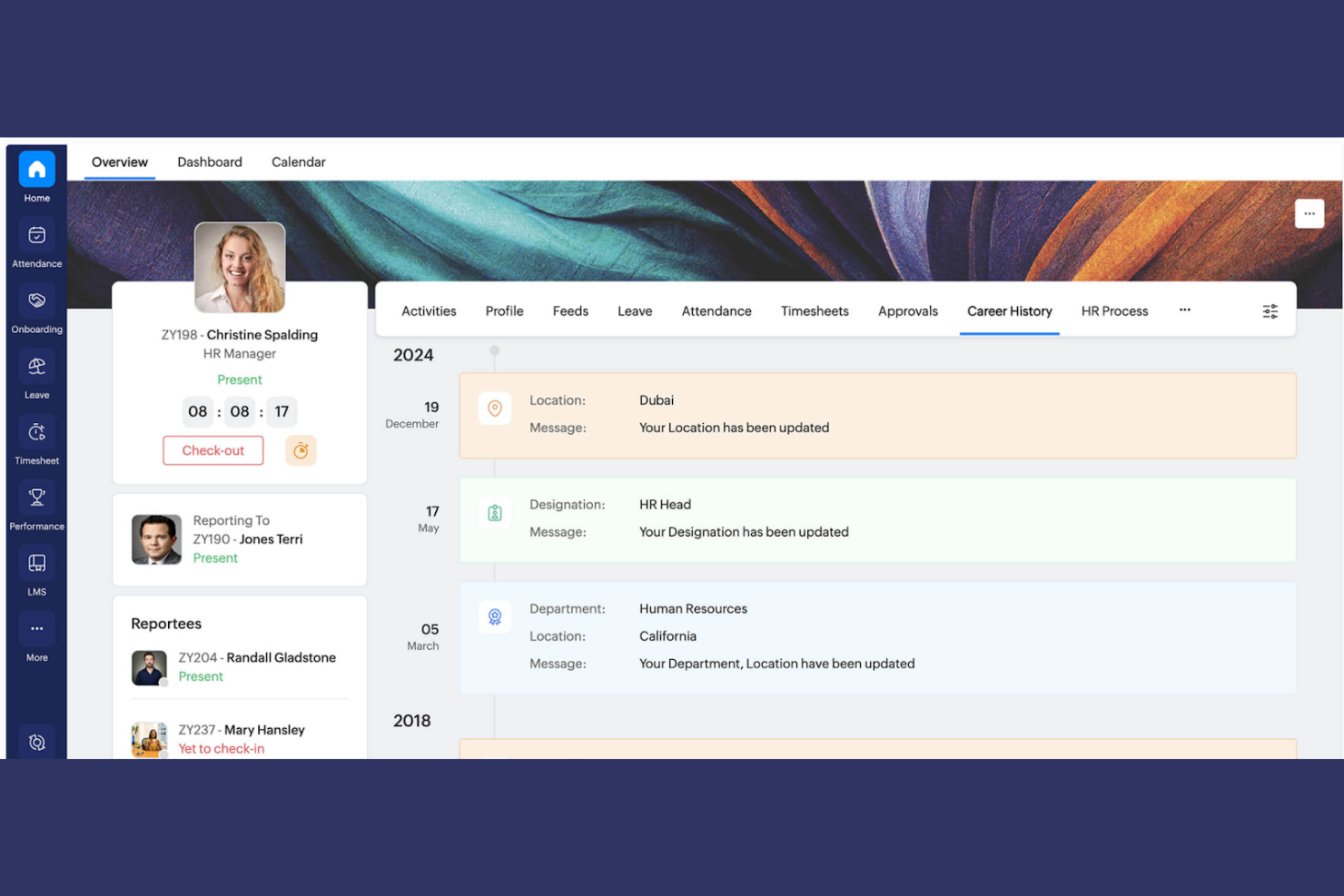
Zoho People is an HR management platform that serves businesses looking to simplify their HR processes and integrate them with other business functions. It provides tools for employee onboarding management, time tracking, and performance evaluation, making it easier for your team to manage HR tasks.
Why I picked Zoho People: Its integration with the Zoho suite is a key differentiator, allowing you to connect HR functions with tools such as CRM and finance. This integration capability enhances overall business productivity.
Standout features and integrations:
Features include time off management, which helps you track employee leave and approvals efficiently. Performance appraisal tools allow you to evaluate and manage employee performance regularly. The platform also offers automation for routine HR tasks, reducing manual effort and errors.
Integrations include Zoho CRM, Zoho Books, Zoho Payroll, QuickBooks, Microsoft Teams, Slack, Zapier, Xero, and more.
Pros and Cons
Pros:
- Supports HR task automation
- Time off management
- Native integration with Zoho products
Cons:
- Strongest value comes when using the full Zoho ecosystem
- The interface can feel dense for first-time HR users
Annen programvare for introduksjon av ansatte i små bedrifter
Her er noen flere alternativer for programvare for introduksjon av ansatte som ikke kom med på kortlisten min, men som likevel er verdt å se nærmere på:


How I Evaluate Onboarding Software for Small Business
I check for baseline must-haves—digital I-9s, e-signed offer letters, and task workflows—then I look at the differentiators that make one tool a better fit for a lean HR team than another.
Core Functionality (Table Stakes For This List)
When I'm selecting tools for my list, I rank each one on a scale from 0 (does not offer the functionality) to 5 (excels in this area) for each core functionality listed below. Then, I calculate the tool's total score into a percentage. Each tool needs to achieve a minimum total score of 65% to be considered for inclusion.
- Digital Document Management: I look at whether new hires can e-sign offer letters, NDAs, and policy acknowledgments directly in the platform instead of printing, scanning, or toggling to a separate tool.
- Compliance Forms Handling: Built-in I-9 and W-4 support with field validation matters here, since a missed signature block or incorrect SSN format can delay payroll and create audit risk.
- Onboarding Workflows & Checklists: I evaluate whether HR can build role-specific task sequences—like assigning IT setup to a manager and benefits enrollment to the new hire—with clear ownership and due dates.
- New Hire Self-Service Portal: A dedicated portal where new employees complete forms, review the employee handbook, and check their task progress before day one keeps HR out of the middle.
- HRIS/Payroll Integration: I check for native connections to payroll providers popular with small businesses, like Gusto, QuickBooks, ADP Run, and Paychex, so employee data flows without re-keying.
- Automated Notifications & Reminders: The tool should send deadline-driven reminders to new hires, managers, and HR—like nudging a manager to complete a welcome checklist two days before a start date.
Once I have a list of tools that meet this criteria, I consider what sets each platform apart.
Differentiating Factors (What Sets Vendors Apart)
Here's how I compare and contrast different vendors:
Standout Features
Preboarding engagement is a big differentiator. I look for tools that let you send welcome videos, team intros, and culture content between offer acceptance and day one—this window is where early attrition starts. Org-wide task automation also matters because onboarding isn't just HR's job. A good tool can assign laptop provisioning to IT and benefits enrollment to finance within the same workflow. Built-in training modules round things out by letting you attach learning paths and policy quizzes directly to the onboarding journey.
Beyond Features
Pricing transparency is one of the first things I check. Small businesses need to know what they're paying per employee without discovering hidden fees for e-signatures or compliance add-ons mid-rollout. Implementation speed is equally important—if an office manager can't get the tool running within a few days using pre-built templates and a setup wizard, it's going to sit unused. I also evaluate integration depth with small business payroll tools like Gusto, QuickBooks, and Paychex, plus Slack or Google Workspace connectivity for task notifications where your team already works.
Slik velger du programvare for introduksjon av ansatte i små bedrifter
Det er lett å sette seg fast i lange funksjonslister og komplekse prismodeller. For å hjelpe deg med å holde fokus mens du går gjennom den unike prosessen med å velge programvare, får du her en sjekkliste over faktorer du bør ha i bakhodet:
| Faktor | Hva bør vurderes |
|---|---|
| Skalerbarhet | Vil programvaren vokse sammen med virksomheten din? Vurder om den kan håndtere flere brukere eller mer data uten problemer. Se etter løsninger som støtter opp- eller nedskalering etter behov. |
| Integrasjoner | Kan den kobles til de eksisterende verktøyene dine? Sjekk kompatibilitet med HR-plattformer eller kommunikasjonsverktøy du allerede bruker, for eksempel Slack eller Google Workspace. |
| Tilpasningsmuligheter | Kan du tilpasse den til prosessene dine? Se etter programvare som lar deg tilpasse arbeidsflyter og skjemaer slik at de samsvarer med virksomhetens behov. |
| Brukervennlighet | Er den brukervennlig for alle i teamet ditt? Sørg for at grensesnittet er intuitivt og ikke krever omfattende opplæring for å kunne brukes. |
| Implementering og onboarding | Hvor raskt kan den settes opp? Vurder tiden og ressursene som kreves for å implementere programvaren og få teamet ditt i gang. Se etter verktøy med en smidig onboardingprosess. |
| Kostnad | Passer den inn i budsjettet ditt? Sammenlign prisplaner og vurder om kostnaden står i forhold til verdien som tilbys, inkludert eventuelle skjulte gebyrer. |
| Sikkerhetstiltak | Hvor sikre er dataene dine? Sørg for at programvaren tilbyr sterk kryptering, regelmessige sikkerhetsoppdateringer og overholdelse av kravene til databeskyttelse. |
| Tilgjengelig kundestøtte | Hvilke støttealternativer tilbys? Se etter tilgjengelige støttekanaler som chat eller telefon, og vurder om det er behov for hjelp døgnet rundt. |
Hva er onboardingprogramvare for små bedrifter?
Onboardingprogramvare for små bedrifter er en digital løsning som bidrar til å administrere og organisere prosessen med å integrere nyansatte i en virksomhet. Disse verktøyene brukes vanligvis av HR-medarbeidere og ledere, og sparer tid samtidig som de forbedrer onboardingopplevelsen ved å automatisere oppgaver og organisere informasjon. Automatisering av oppgaver, dokumenthåndtering og opplæringsmoduler bidrar til effektiv onboarding, overholdelse av regler og fornøyde medarbeidere. Samlet sett forbedrer disse verktøyene onboardingprosessen og gjør den mer organisert og effektiv for både arbeidsgivere og ansatte.
Funksjoner
Her er de viktigste funksjonene all god onboardingprogramvare for en liten bedrift bør ha:
- Automatisering av oppgaver: Automatiserer repetitive oppgaver, sparer tid og reduserer manuelle feil for HR-team.
- Dokumenthåndtering: Organiserer og lagrer medarbeiderdokumenter på en sikker måte, slik at de er lett tilgjengelige og kravene overholdes.
- Opplæringsmoduler: Tilbyr strukturerte læringsløp som hjelper nyansatte med å forstå virksomhetens retningslinjer og prosedyrer.
- Tilpassbare arbeidsflyter: Gjør det mulig for bedrifter å tilpasse onboardingprosessene etter egne behov og krav.
- Digitale signaturer: Gjør det mulig å signere kontrakter og avtaler på en sikker og papirløs måte, noe som fremskynder onboardingprosessen.
- Verktøy for medarbeidervurdering: Bidrar til å følge opp og evaluere nyansattes fremgang og integrering i teamet.
- Håndtering av fravær: Administrerer forespørsler om og godkjenning av medarbeideres permisjoner på en effektiv måte, slik at oversikten holdes organisert.
- Integrasjonsmuligheter: Kobler seg til eksisterende HR- og kommunikasjonsverktøy og sikrer en smidig informasjonsflyt.
- Mobil tilgang: Gir HR-team og nyansatte fleksibilitet til å få tilgang til onboardingmateriell mens de er på farten.
- Oppfølging av regelverk: Sikrer at juridiske krav og regler overholdes, og minimerer risikoen for virksomheten.
Fordeler
Implementering av onboardingprogramvare for små bedrifter gir flere fordeler for teamet og virksomheten din. Her er noen av fordelene du kan se frem til:
- Tidsbesparelser: Automatiserer repetitive oppgaver, slik at HR-teamene kan konsentrere seg om mer strategiske aktiviteter.
- Bedre organisering: Holder medarbeiderdokumenter og onboardingmateriell organisert og lett tilgjengelig.
- Forbedret regelverksetterlevelse: Følger opp juridiske krav og regler og reduserer risikoen for manglende etterlevelse.
- Bedre medarbeideropplevelse: Tilbyr strukturert opplæring og tydelig veiledning, slik at nyansatte føler seg ivaretatt og inkludert.
- Økt effektivitet: Tilbyr digitale løsninger som elektroniske signaturer og mobil tilgang, noe som fremskynder onboardingprosessen.
- Tilpasning: Gjør det mulig å tilpasse onboardingarbeidsflyter slik at de samsvarer med virksomhetens spesifikke behov og kultur.
- Datadrevet innsikt: Gir analyser av fremdrift og resultater i onboardingprosessen, slik at prosessene kan forbedres for fremtidige nyansatte.
Kostnader og priser
Valg av programvare for introduksjon av ansatte i en liten bedrift krever en forståelse av de ulike prismodellene og tilgjengelige abonnementene. Kostnadene varierer basert på funksjoner, teamstørrelse, tillegg og mer. Tabellen nedenfor oppsummerer vanlige abonnementer, gjennomsnittspriser og typiske funksjoner som er inkludert i programvareløsninger for introduksjon av ansatte i små bedrifter:
Sammenligningstabell for programvare for introduksjon av ansatte i små bedrifter
| Abonnementstype | Gjennomsnittspris | Vanlige funksjoner |
|---|---|---|
| Gratisabonnement | $0 | Grunnleggende funksjoner for introduksjon av ansatte, begrenset dokumentlagring og minimal brukerstøtte. |
| Personlig abonnement | $5-$25/bruker/måned | Automatisering av oppgaver, dokumenthåndtering og grunnleggende analyser. |
| Bedriftsabonnement | $30-$60/bruker/måned | Tilpassbare arbeidsflyter, digitale signaturer, integrasjonsmuligheter og forbedrede verktøy for regelverksetterlevelse. |
| Storbedriftsabonnement | $70+/bruker/måned | Avanserte analyser, dedikert brukerstøtte, ubegrenset dokumentlagring og fullstendige tilpasningsmuligheter. |
Vanlige spørsmål
Her er noen svar på vanlige spørsmål om programvare for introduksjon av ansatte i små bedrifter:
Hvilke typer bedrifter har størst nytte av programvare for introduksjon av ansatte?
Små og mellomstore bedrifter har størst nytte av programvare for introduksjon av ansatte. Disse verktøyene bidrar til å effektivisere prosessen med å integrere nyansatte, noe som er viktig når ressursene er begrensede. Hvis du driver en oppstartsbedrift eller et selskap i vekst, kan programvare for introduksjon av ansatte spare tid og sikre ensartethet. Den bidrar også til å håndtere regelverksetterlevelse og dokumentasjon, noe som reduserer den administrative belastningen på HR-teamet. Bedrifter med eksterne eller distribuerte team vil ha særlig nytte av disse verktøyene, siden de muliggjør en ensartet introduksjonsopplevelse uavhengig av hvor de ansatte befinner seg.
Hvordan kan programvare for introduksjon av ansatte hjelpe teamet mitt med å spare tid under introduksjonen av nyansatte?
Programvare for introduksjon av ansatte organiserer oppgaver som dokumenthåndtering, oppfølging av opplæring og innhenting av elektroniske signaturer. Dette sparer teamet ditt for mange timer sammenlignet med manuell introduksjon. Du kan automatisere påminnelser, tildele oppgaver og dele ressurser på ett og samme sted.
Kan programvare for introduksjon av ansatte integreres med eksisterende HR-systemer?
Ja, de fleste løsninger for introduksjon av ansatte kan integreres med eksisterende HR-systemer. Denne muligheten lar deg koble introduksjonsprosessen til verktøyene du allerede bruker, for eksempel systemer for lønn eller resultatstyring. Før du kjøper, bør du kontrollere om programvaren støtter integrasjon med de nåværende verktøyene dine. Dette bidrar til å sikre en sømløs informasjonsflyt og redusere feil ved dataregistrering. Se etter plattformer som tilbyr API-tilgang eller ferdigbygde integrasjoner med populære HR-systemer for å gjøre overgangen enklere.
Hvor sikker er programvare for introduksjon av ansatte når det gjelder lagring av medarbeiderdata?
Programvare for introduksjon av ansatte er generelt sikker for lagring av medarbeiderdata. De fleste leverandører tilbyr kryptering og følger bransjestandarder for å beskytte sensitiv informasjon. Når du vurderer alternativer, bør du spørre om sikkerhetstiltakene deres, for eksempel datakryptering, tilgangskontroller og samsvar med regelverk som GDPR. Det er viktig å sikre at programvareleverandøren oppdaterer sikkerhetsprotokollene sine regelmessig og tilbyr støtte i tilfelle datainnbrudd. Hvis du velger en anerkjent leverandør med gode sikkerhetsmeritter, kan du føle deg tryggere.
Hvor vanskelig er det å implementere programvare for introduksjon av ansatte i et lite team?
De fleste alternativene for små bedrifter er utviklet for raskt oppsett og krever ofte liten eller ingen IT-støtte. Mange løsninger tilbyr maler og trinnvise veiledninger, slik at du kan ta i bruk introduksjonsprosessen i løpet av noen dager.
Er det mulig å tilpasse arbeidsflyter for introduksjon av ansatte?
Ja, mange løsninger for introduksjon av ansatte tilbyr tilpassbare arbeidsflyter. Denne funksjonen lar deg tilpasse introduksjonsprosessen til virksomhetens spesifikke behov og kultur. Du kan opprette ulike arbeidsflyter for forskjellige roller eller avdelinger og dermed sikre en personlig opplevelse for hver nyansatt. Tilpasningsmulighetene omfatter ofte oppsett av automatiserte oppgaver, utforming av unike opplæringsmoduler og justering av kommunikasjonsmaler. Før du bestemmer deg, bør du undersøke hvor omfattende tilpasningsmulighetene er, og om de er brukervennlige for HR-teamet ditt.