

De 10 beste programvarene for håndtering av ekstern arbeidsstyrke – vurdert i 2026

10 Beste programvare for administrasjon av innleid arbeidskraft


Det kan være en stor hodepine å administrere innleid arbeidskraft. Du må holde styr på frilansere, kontraktører og midlertidig ansatte, som alle har sine egne unike behov. Programvare for administrasjon av innleid arbeidskraft hjelper deg med å holde alt organisert og effektivt.
Etter min erfaring kan det spare deg for tid og redusere feil å finne riktig programvare. Du ønsker et verktøy som passer teamets størrelse og bransje, og det er her jeg kommer inn. Jeg har testet og vurdert en rekke løsninger uavhengig for å gi deg de beste tilgjengelige alternativene.
I denne artikkelen går jeg gjennom de beste alternativene, med fokus på det som betyr mest for deg og teamet ditt. La oss gjøre administrasjonen av den innleide arbeidskraften din litt mindre stressende.
Why Trust Our Software Recommendations
Our team has been testing and reviewing software since 2012. As HR experts ourselves, we know how difficult—and important—it is to choose the right software.
For this guide, we evaluated tools using hands-on testing and independent research, scoring tools using our selection criteria. We also draw on insights from industry thought leaders and practicing HR experts.
Our reviews reflect our human editorial judgment, not a sales pitch.
Expert reviewers:
Sammenligningstabell for programvare for administrasjon av innleid arbeidskraft
Bruk denne sammenligningstabellen til å se gjennom prisdetaljene for mine beste utvalgte programmer for administrasjon av innleid arbeidskraft.
| Tool | Best For | Trial Info | Price | ||
|---|---|---|---|---|---|
| 1 | Best for contractor classification accuracy | Free demo available | From $5/user/month | Website | |
| 2 | Best with custom workflow configuration | Free demo available | Pricing upon request | Website | |
| 3 | Best for automated compliance workflows | Free demo available | Pricing upon request | Website | |
| 4 | Best for global contractor management at scale | Not available | Pricing upon request | Website | |
| 5 | Best for freelancer and contractor compliance ops | Free demo available | Pricing upon request | Website | |
| 6 | Best for AI-native procurement workflows | Free demo available | Pricing upon request | Website | |
| 7 | Best for AI-powered, large-scale recruitment | Not available | Pricing upon request | Website | |
| 8 | Best for HR and IT integration | Free demo available | Pricing upon request | Website | |
| 9 | Best for vendor management | Free demo available | Pricing upon request | Website | |
| 10 | Best for enterprise solutions | Free plan + free demo available | Pricing upon request | Website |

Anmeldelser av den beste programvaren for administrasjon av innleid arbeidskraft
Nedenfor finner du mine detaljerte sammendrag av den beste programvaren for administrasjon av innleid arbeidskraft som kom med på kortlisten min. Anmeldelsene mine gir en detaljert gjennomgang av de viktigste funksjonene, fordelene og ulempene, integrasjonene og ideelle bruksområdene for hvert verktøy, slik at du kan finne det beste alternativet for deg.

Deel HR
Best for contractor classification accuracy
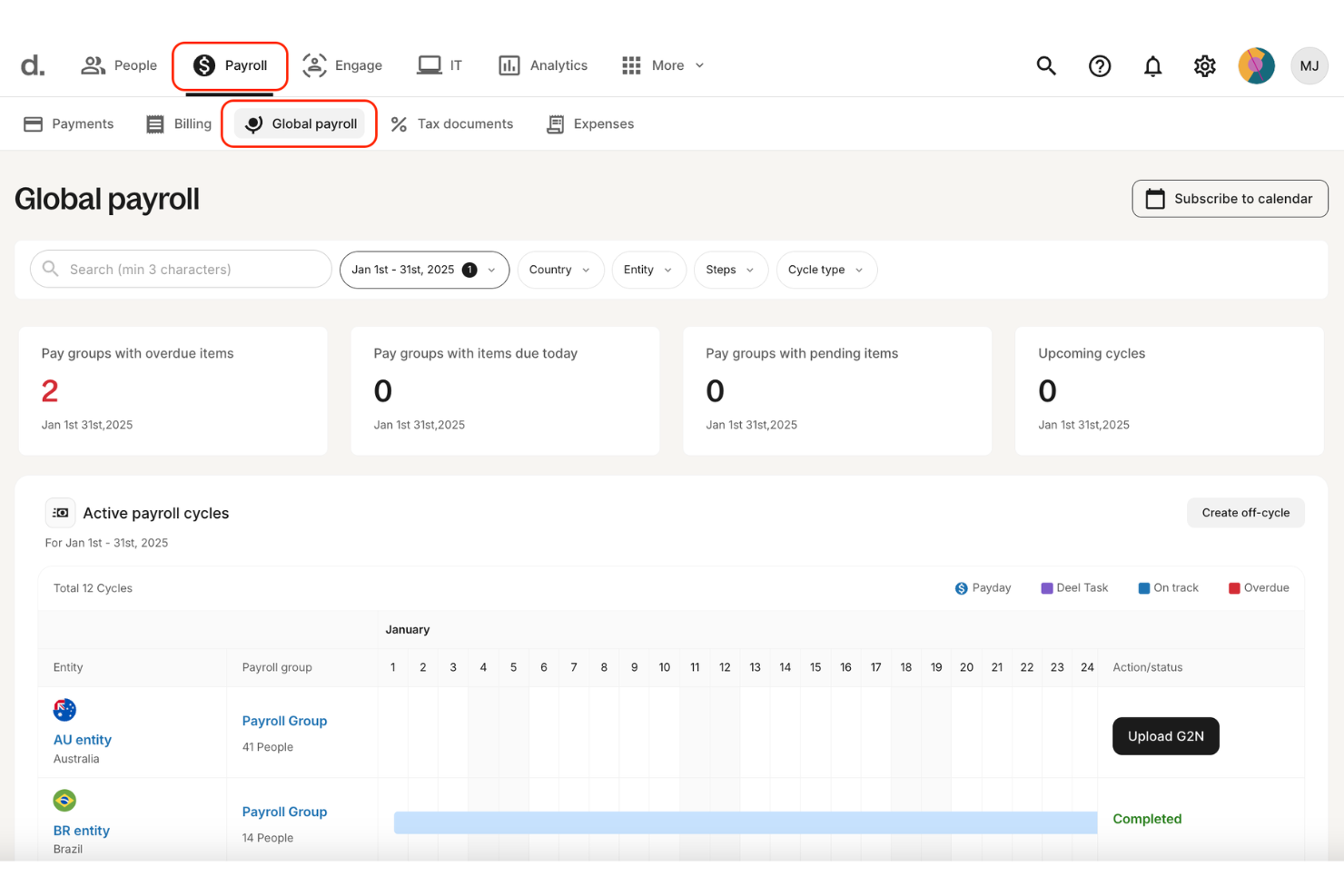
Deel HR is a global contingent workforce management platform that centralizes contractor management, Contractor of Record (CoR), EOR hiring, compliant contract generation, and multi-currency payments across 150+ countries.
Who Is Deel HR Best For?
Deel HR is a strong fit for HR and legal teams managing international contractors who need built-in classification safeguards, localized contracts, and compliant global payments.
Why I Picked Deel HR
I picked Deel HR because contractor classification is where most global teams get exposed to legal risk. Deel actively monitors contractor relationships and flags potential misclassification issues based on local labor law. That’s not just contract templates — it’s ongoing oversight. Combined with localized agreements and Contractor of Record services, it gives companies real protection when engaging contingent workers internationally.
Deel HR Key Features
- Contractor self-service portal: Contractors can submit invoices, manage documents, and track payment status independently.
- Multi-currency payments: Pay contractors in 120+ currencies through multiple payout methods, including bank transfer and digital wallets.
- Misclassification monitoring: Built-in safeguards flag contractor classification risks based on country-specific regulations.
- Background checks: Run screening during onboarding directly inside the platform.
Deel HR Integrations
Deel HR integrates with tools like Workday, BambooHR, NetSuite, QuickBooks, Greenhouse, Ashby, Slack, Okta, and Rippling. It also provides a public API, webhooks, and Zapier connectivity for custom workflows.
Pros and Cons
Pros:
- Multiple payout options across global currencies
- Contractor of Record option shifts classification liability
- Covers 150+ countries with localized contracts and compliance
Cons:
- Reporting tools are less advanced than dedicated analytics platforms
- Costs increase as contractor volume scales
New Product Updates from Deel HR

Deel Expands Stablecoin Wallet to 80+ Countries
Deel expands its Stablecoin Wallet to 80+ countries with dollar-backed balances and optional rewards. This gives eligible contractors more ways to hold and manage earnings inside Deel. For more information, visit Deel’s official site.
 .
.
Best with custom workflow configuration
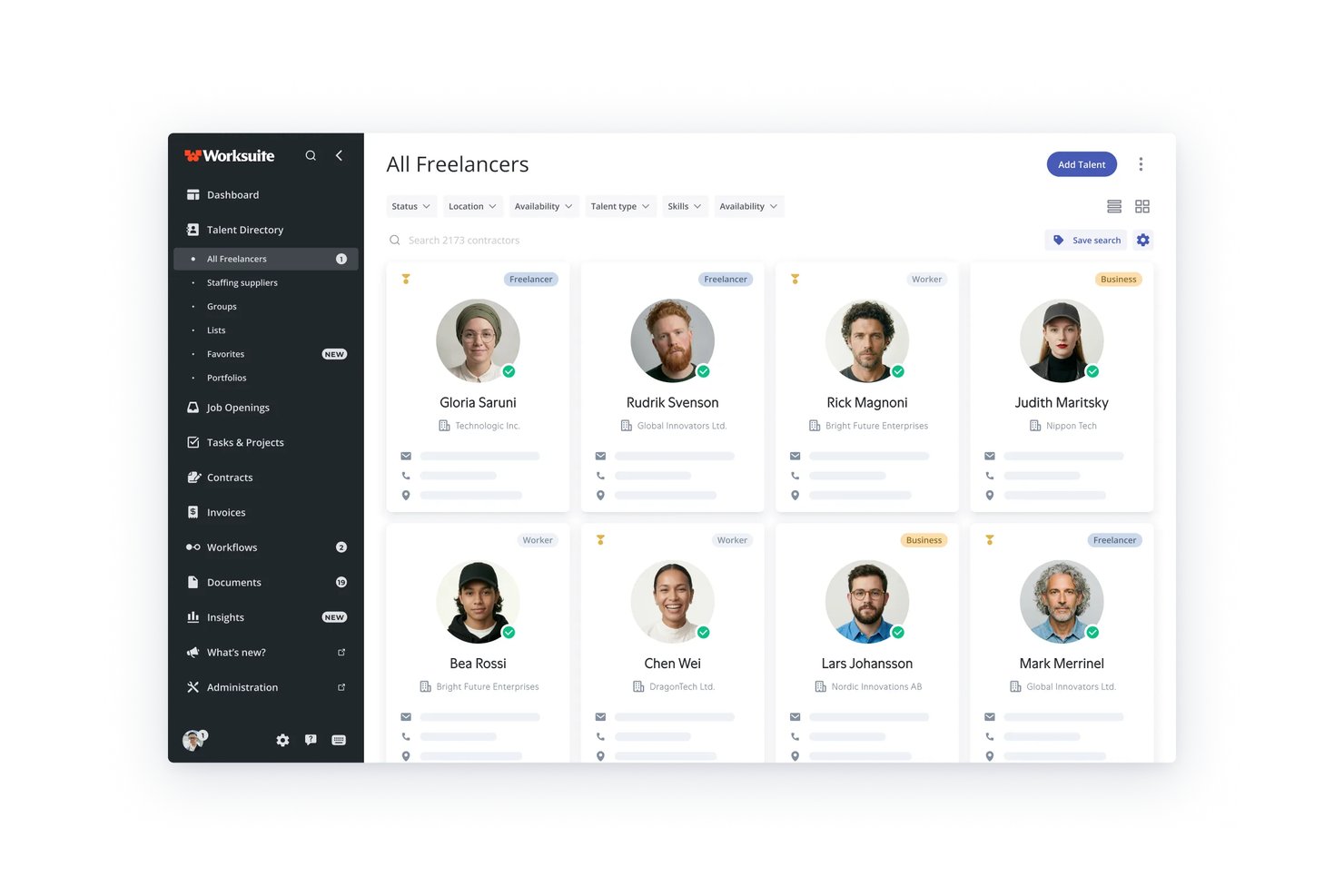
Worksuite is a contractor management platform built for enterprises that need to onboard, manage, and pay large volumes of freelancers and independent contractors across multiple countries, entities, and currencies.
Who Is Worksuite Best For?
Worksuite is a strong fit for mid-size to large enterprises in media, publishing, and creative industries managing high volumes of contractors across multiple business units.
Why I Picked Worksuite
Worksuite earns its spot on my shortlist because its workflow builder is one of the most configurable I've seen in this space. I love that you can set up distinct onboarding sequences for each business unit or contractor type, layering in compliance gates, document collection, and approval checkpoints tailored to each entity. The built-in classification engine and AOR coverage sit directly inside those workflows, not as separate tools you have to manage elsewhere.
Worksuite Key Features
- Multi-currency payments: Pay contractors in over 120 currencies with consolidated invoicing and payment tracking.
- Direct sourcing and talent pools: Build private, searchable directories of pre-vetted freelancers and contractors.
- Project and milestone tracking: Assign, monitor, and manage work progress and deliverables for contractors.
- Dashboards and analytics: Access detailed business intelligence on spend, headcount, and compliance status across all entities.
Worksuite Integrations
Worksuite offers native integrations with NetSuite, QuickBooks, Xero, Salesforce, HubSpot, Monday.com, Airtable, Google Workspace, and Slack. It connects with Zapier and provides an API for custom integrations.
Pros and Cons
Pros:
- Built-in global contractor classification engine
- End-to-end freelance onboarding automation
- Workflow allows entity-specific customization
Cons:
- Advanced reporting requires upgraded module
- No supplier management or bidding features

Worksome
Best for automated compliance workflows
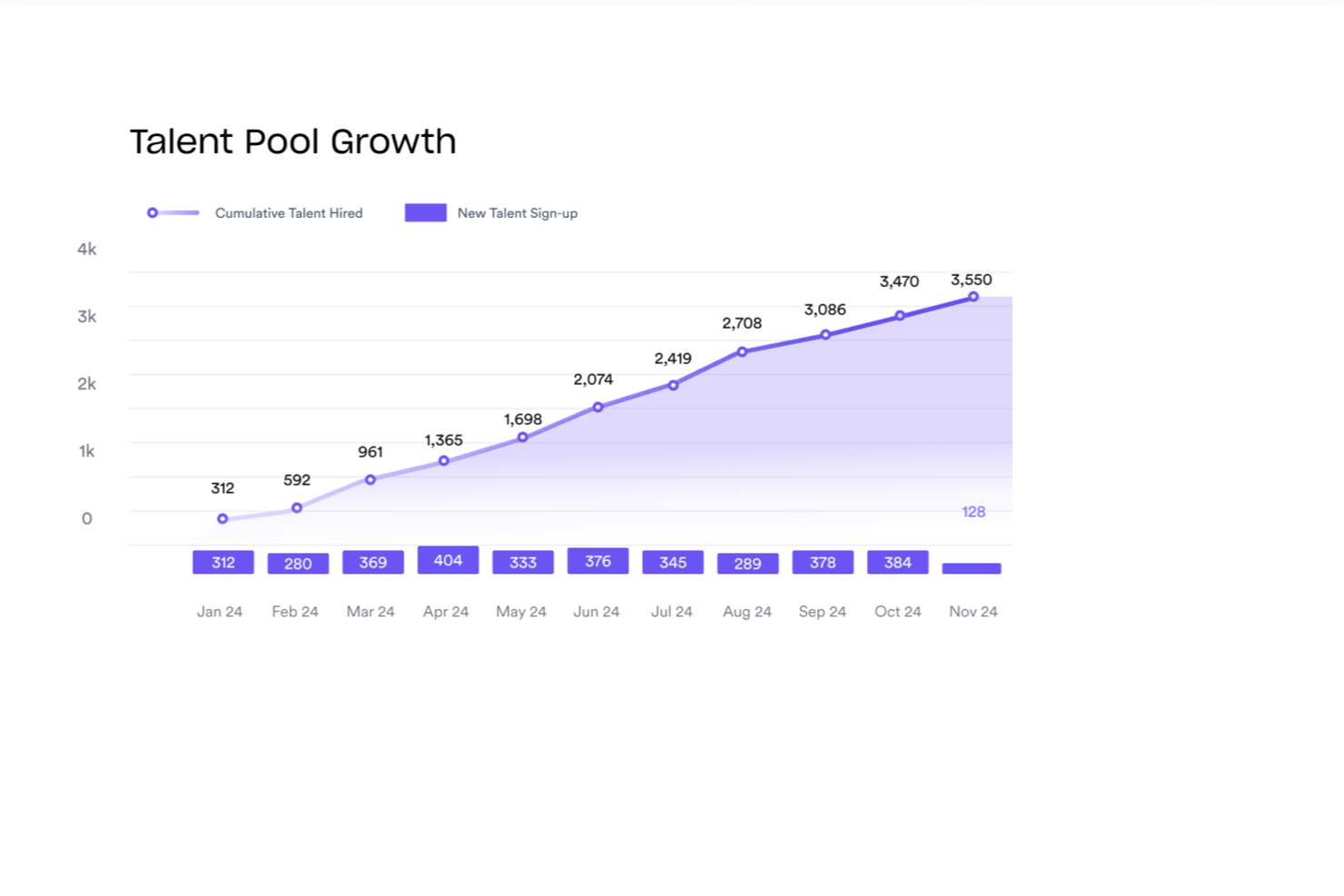
Worksome is an AI-enabled external workforce management platform for sourcing, classifying, onboarding, and paying freelancers and contractors globally, with compliance contracting, worker classification, EOR/AOR services, and payments across 150+ countries.
Who is Worksome Best For?
Worksome is a strong fit for mid-size to enterprise companies that hire freelancers and contractors in multiple countries or regions.
Why I Picked Worksome
I've included Worksome in my top picks because of how much compliance automation it bakes directly into the hiring workflow. I like that worker classification happens instantly in the platform, with a built-in determination tool that flags how each contractor should be engaged across different countries, so my team isn't manually researching local labor laws before every hire. What really sets it apart is the misclassification indemnification: if a classification decision made through the tool is ever challenged, Worksome underwrites the associated costs. That's a level of accountability I haven't seen built into many other platforms.
Worksome Key Features
- Global contractor payments: Pay contractors in 150+ countries with consolidated billing and automated invoicing in local currencies.
- Talent pool management: Build, organize, and re-engage your own curated pool of pre-vetted freelancers and contractors.
- Custom approval workflows: Create multi-step approval flows for contractor engagements, spending limits, and hiring requests.
- EOR and AOR services: Engage contractors through Worksome as the employer or agent of record when direct engagement isn't possible.
Worksome Integrations
Worksome connects with Zapier and offers built-in connections to HRIS, accounting, and project management tools, including SAP SuccessFactors, Sage, Workday, Xero, QuickBooks, Google Sheets, and Google Docs. It also integrates with monday.com, Asana, Trello, and NetSuite. A public API is available for custom integrations.
Pros and Cons
Pros:
- Generates contracts automatically with digital signatures
- Supports contractor payments in more than 150 countries
- Built-in worker classification reduces misclassification risk
Cons:
- Must contact sales for pricing
- No dedicated mobile app

Best for global contractor management at scale
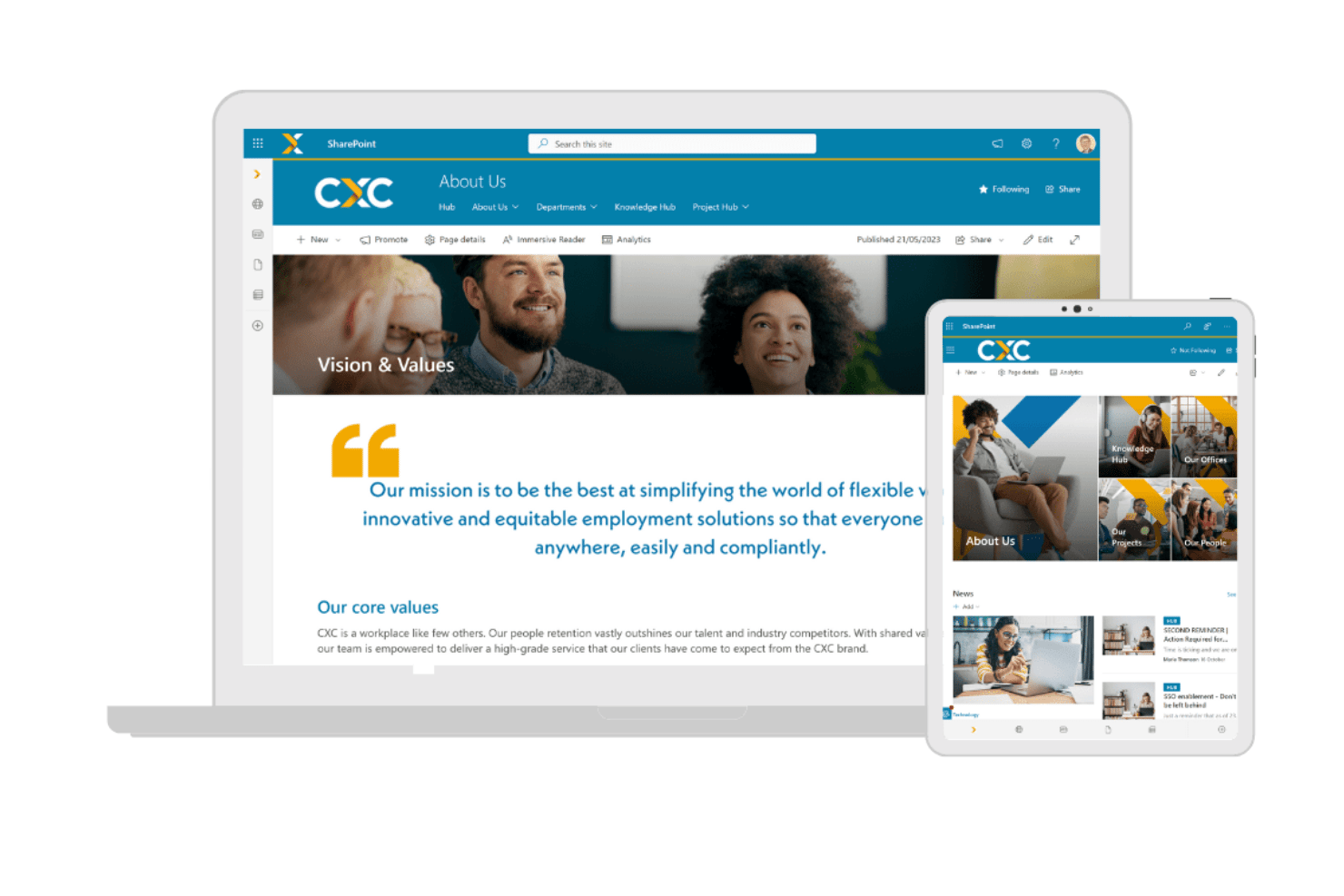
CXC Global is a managed contingent workforce solution that combines employer of record, agent of record, vendor-neutral MSP, and global contractor payroll services across more than 100 countries.
Who Is CXC Global Best For?
CXC Global suits enterprise organizations running large-scale contingent programs across multiple countries, particularly those already using SAP Fieldglass or Beeline.
Why I Picked CXC Global
CXC Global earns its spot on my shortlist because no other provider combines vendor-neutral MSP with a purpose-built compliance engine at this geographic scale. I particularly like CXC Comply, which runs pre-engagement classification assessments in complex markets like the UK (IR35) and Germany before a contractor is ever hired. That kind of upfront risk management is what separates CXC from generic payroll providers when you're running programs across dozens of countries at once.
CXC Global Key Features
- Vendor-neutral MSP delivery: Lets you manage multi-country staffing suppliers through a single managed solution.
- Direct SAP Fieldglass and Beeline integration: Connects natively with leading VMS platforms for enterprise-grade procurement.
- Contractor payroll management: Handles global contractor payments, taxes, and invoicing across 100+ countries.
- Dedicated account management: Provides centralized program support from local HR and compliance experts.
CXC Global Integrations
CXC Global offers native integrations with SAP Fieldglass and Beeline, other integrations are not currently listed.
Pros and Cons
Pros:
- Vendor-neutral MSP reduces staffing supplier bias
- Pre-engagement IR35 classification assessments built in
- Operates compliantly across 100+ countries
Cons:
- No self-service SaaS platform available
- Not suited for small-scale contingent programs

Best for freelancer and contractor compliance ops
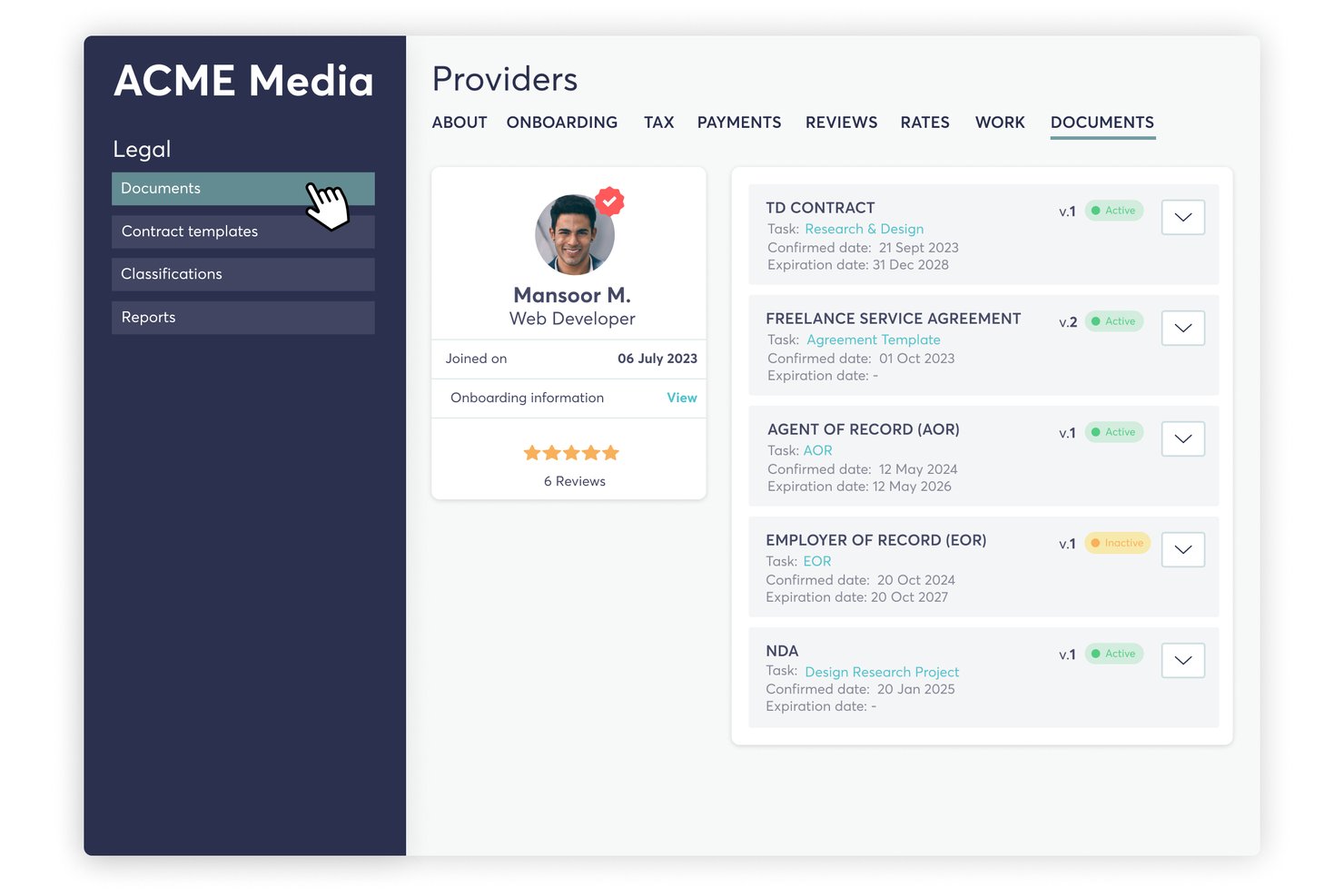
TalentDesk is a freelancer and contractor management platform that covers onboarding, worker classification, compliance checks, SOW-based project management, and global payments across a centralized workforce directory.
Who Is TalentDesk Best For?
TalentDesk is a strong fit for HR ops teams managing large pools of freelancers and independent contractors who need built-in compliance, onboarding, and payment tools in one place.
Why I Picked TalentDesk
I've included TalentDesk in my top picks because it handles freelancer and contractor compliance with a level of specificity I don't often see. It acts as Agent of Record in 30+ countries, meaning it signs contracts on your behalf, runs AML/KYC checks, and covers IR35 and 1099 classification automatically. I also like that W-9 collection and TIN validation can be made mandatory during onboarding, so compliance gaps don't slip through before work begins.
TalentDesk Key Features
- Consolidated vendor invoicing: Replaces multiple contractor invoices with one invoice issued on a weekly, bi-weekly, or monthly schedule across all vendors and projects.
- SOW project creation: Lets you build statements of work with milestones, task assignments, and rate settings directly within the platform.
- Insights Dashboard: Displays freelancer activity, project and task utilization, and platform usage across configurable date ranges.
- Zapier integration: Connects TalentDesk to 8,000+ apps—including Slack, Jira, HubSpot, and Google Sheets—without custom development.
TalentDesk Integrations
TalentDesk supports integrations with Xero and QuickBooks through bill-format exports, plus an Open API, webhooks, and CSV imports and exports. It also connects with Google Sheets, Slack, Jira, and HubSpot through Zapier.
Pros and Cons
Pros:
- Agencies manage their own worker teams
- Task-level budgets support spend control
- Built-in AOR and classification checks
Cons:
- Analytics omit time-to-fill reporting
- No supplier scorecards or SLA tracking

Coupa
Best for AI-native procurement workflows
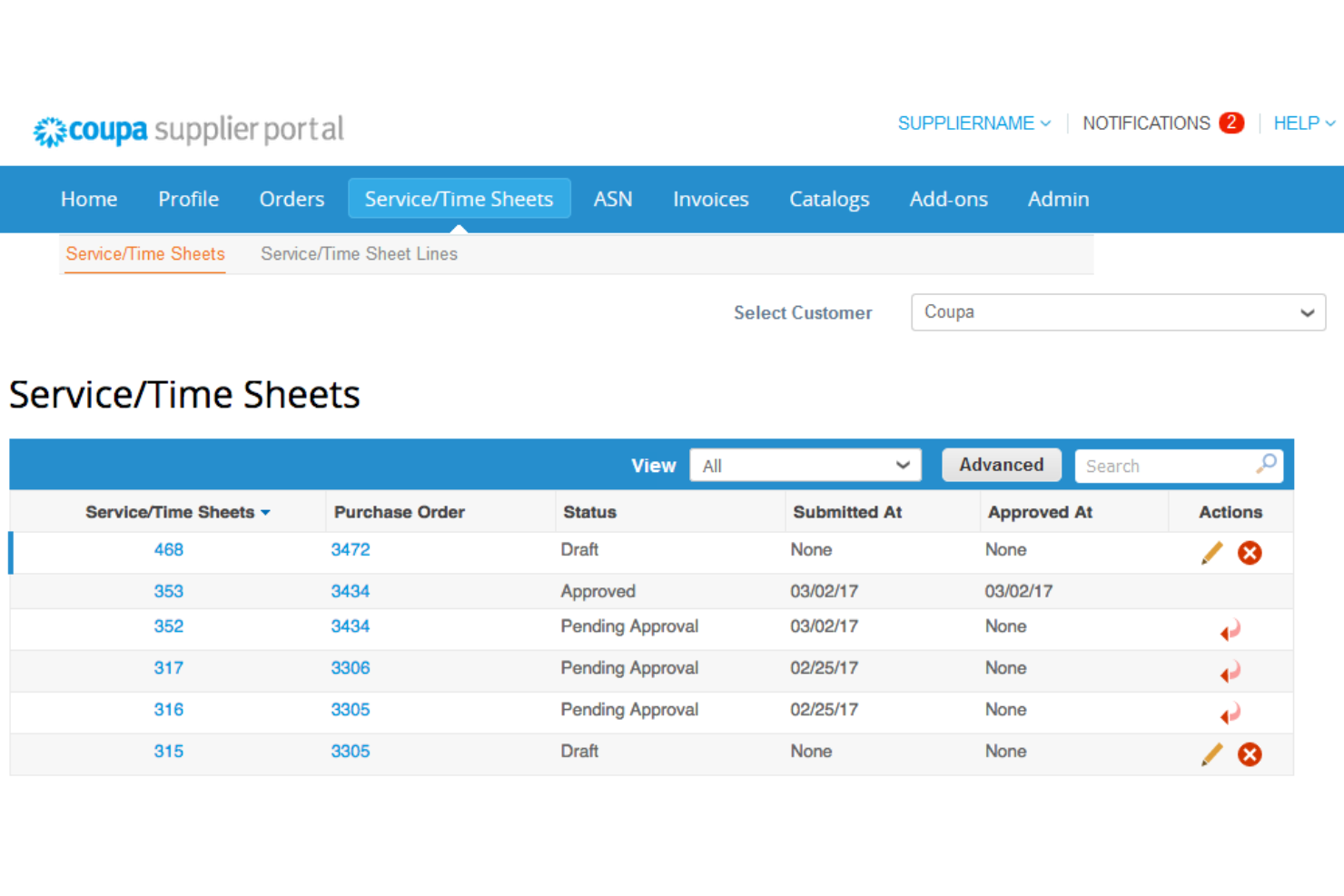
Coupa is a cloud-based spend management platform designed for businesses looking to manage their procurement processes efficiently. Its main user base includes procurement professionals and finance teams who need to control spending and improve supplier relationships.
Why I picked Coupa: It offers procurement solutions that integrate well with existing financial ecosystems, which is important for effective spend management. Coupa's real-time spend visibility helps you make informed purchasing decisions. Its supplier management tools optimize communication and collaboration with vendors. The platform's user-friendly interface allows your team to navigate and manage procurement tasks with ease.
Standout Features and Integrations:
Features include real-time spend visibility, allowing you to track and manage expenses effectively. The platform provides supplier management tools that facilitate communication and collaboration. Additionally, Coupa offers an intuitive user interface, making it more accessible for your team.
Integrations include SAP, Oracle, Microsoft Dynamics 365, QuickBooks, and more.
Pros and Cons
Pros:
- Effective procurement tools
- Optimized supplier management
- Real-time spend visibility
Cons:
- Occasional system lag
- High implementation costs

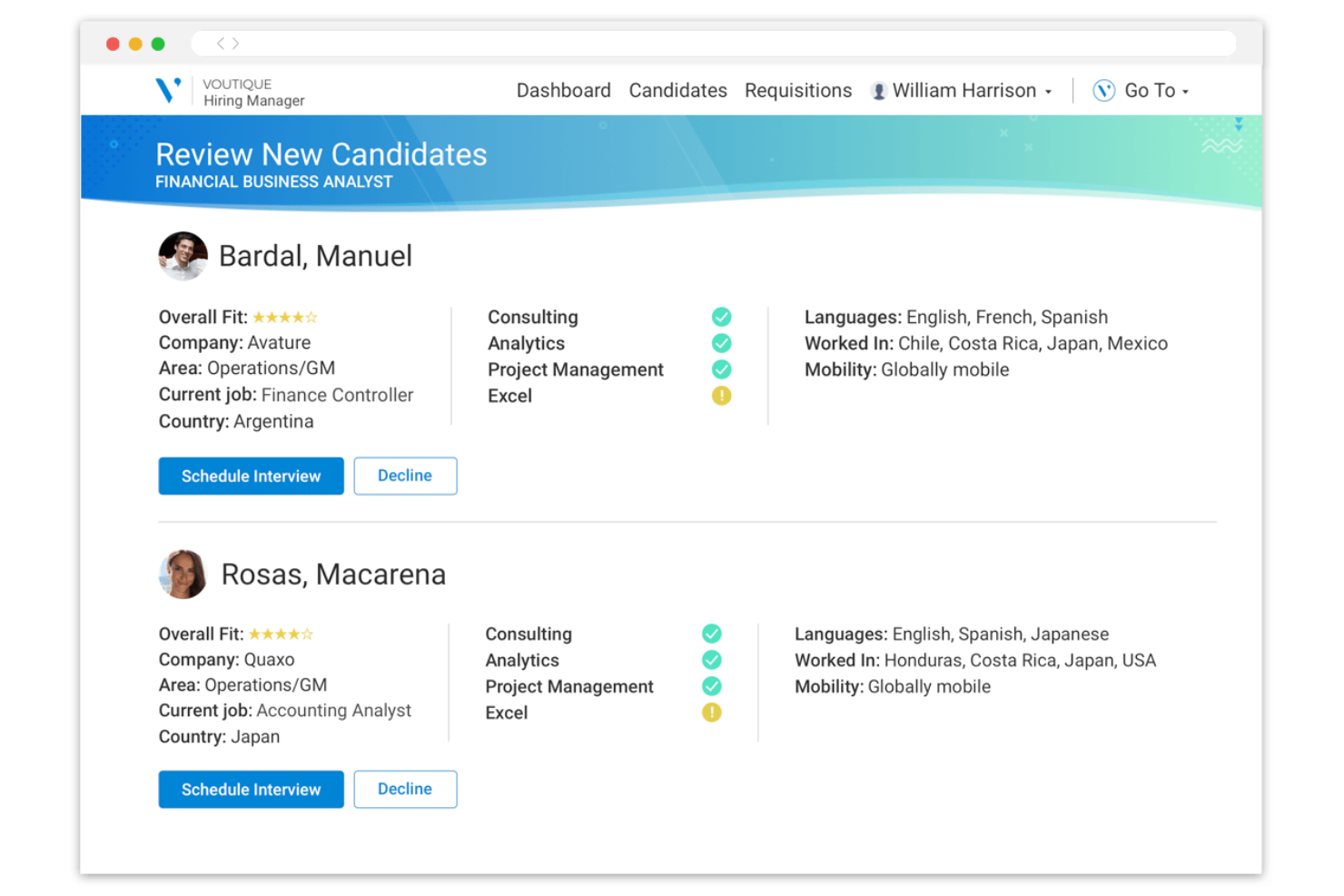
Avature is a talent management platform designed for recruitment professionals and HR teams. It offers solutions for applicant tracking, candidate relationship management, and high-volume recruiting, making it ideal for large organizations.
Why I picked Avature: The platform provides a unique combination of high configurability and AI-driven insights, which align with its strength in large-scale recruitment. Avature's Talent Acquisition Suite supports applicant tracking and candidate management, optimizing the recruitment process.
Additionally, its Talent Management Suite aids in onboarding and performance management, enhancing workforce integration. Its focus on user experience and unification capabilities sets it apart in managing large-scale recruitment needs.
Standout Features and Integrations:
Features include a highly configurable platform that allows you to tailor workflows and processes to fit your organization's needs. Avature's AI-driven insights provide valuable data analytics to improve recruitment strategies. The platform also offers broad support services, including account management and technical assistance.
Integrations include LinkedIn, Microsoft Teams, and more.
Pros and Cons
Pros:
- Extensive talent management tools
- AI-driven insights
- Highly configurable platform
Cons:
- Reporting limitations with complex data sets
- Complex implementation process
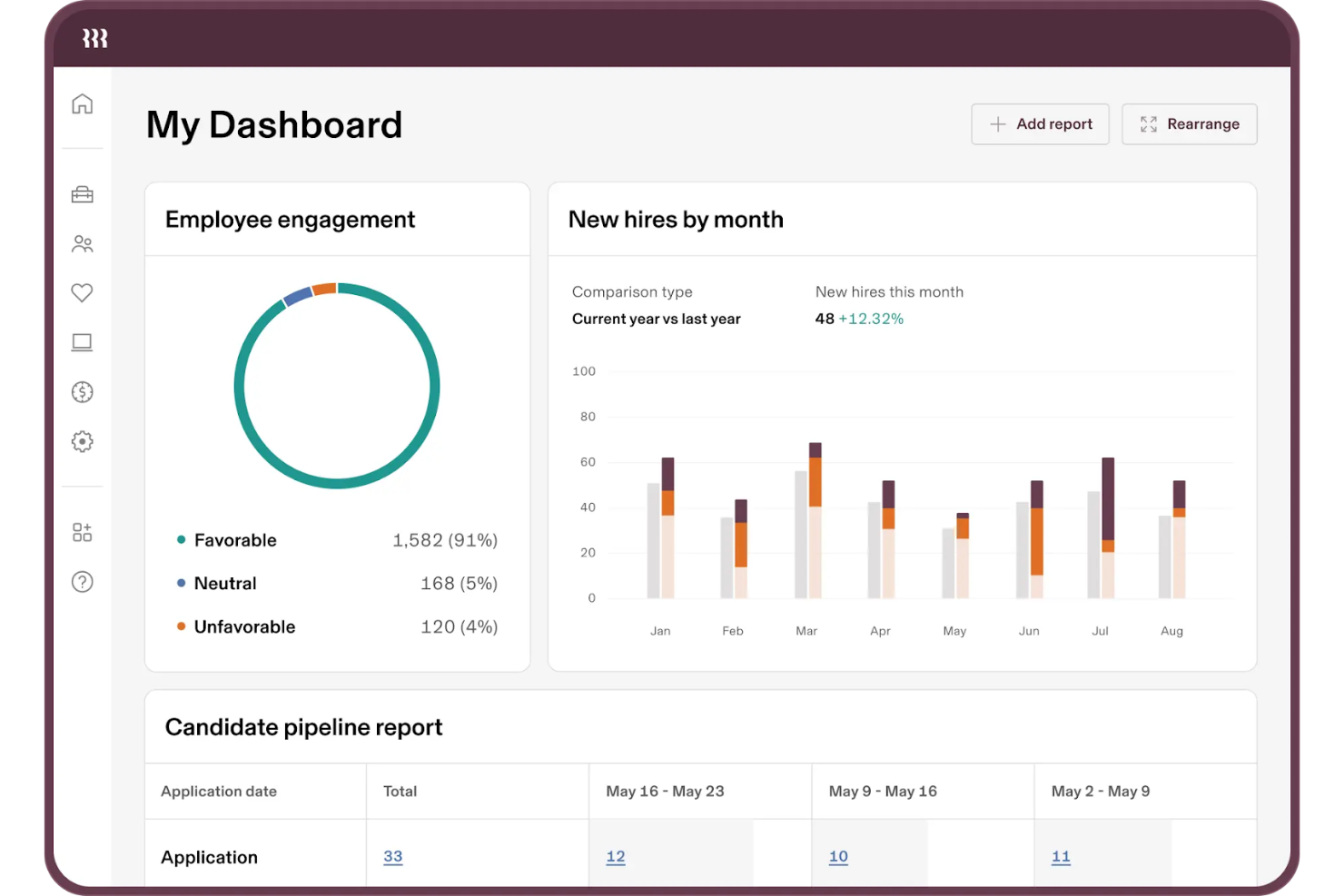
Rippling is a workforce management platform designed for businesses that need to manage both HR and IT tasks in one place. Its primary users are HR professionals and IT managers who require a unified approach to employee management and technology setup.
Why I picked Rippling: It offers a smooth integration of HR and IT functions, which is important for managing employee onboarding and offboarding efficiently. Rippling's platform allows you to automate employee device provisioning and software access, reducing manual tasks. Its centralized dashboard gives you a clear view of employee data across both HR and IT domains. Additionally, Rippling supports compliance management, helping your team adhere to relevant regulations.
Standout Features and Integrations:
Features include automation of device provisioning, which simplifies the process of setting up new employees. The platform provides a centralized dashboard for managing both HR and IT data efficiently. Rippling also offers compliance management tools, ensuring your team meets regulatory requirements.
Integrations include Slack, Microsoft 365, Google Workspace, Zoom, Salesforce, GitHub, and more.
Pros and Cons
Pros:
- Centralized data dashboard
- Automated device provisioning
- Unified HR and IT management
Cons:
- Complex initial implementation
- Add-on modules increase costs

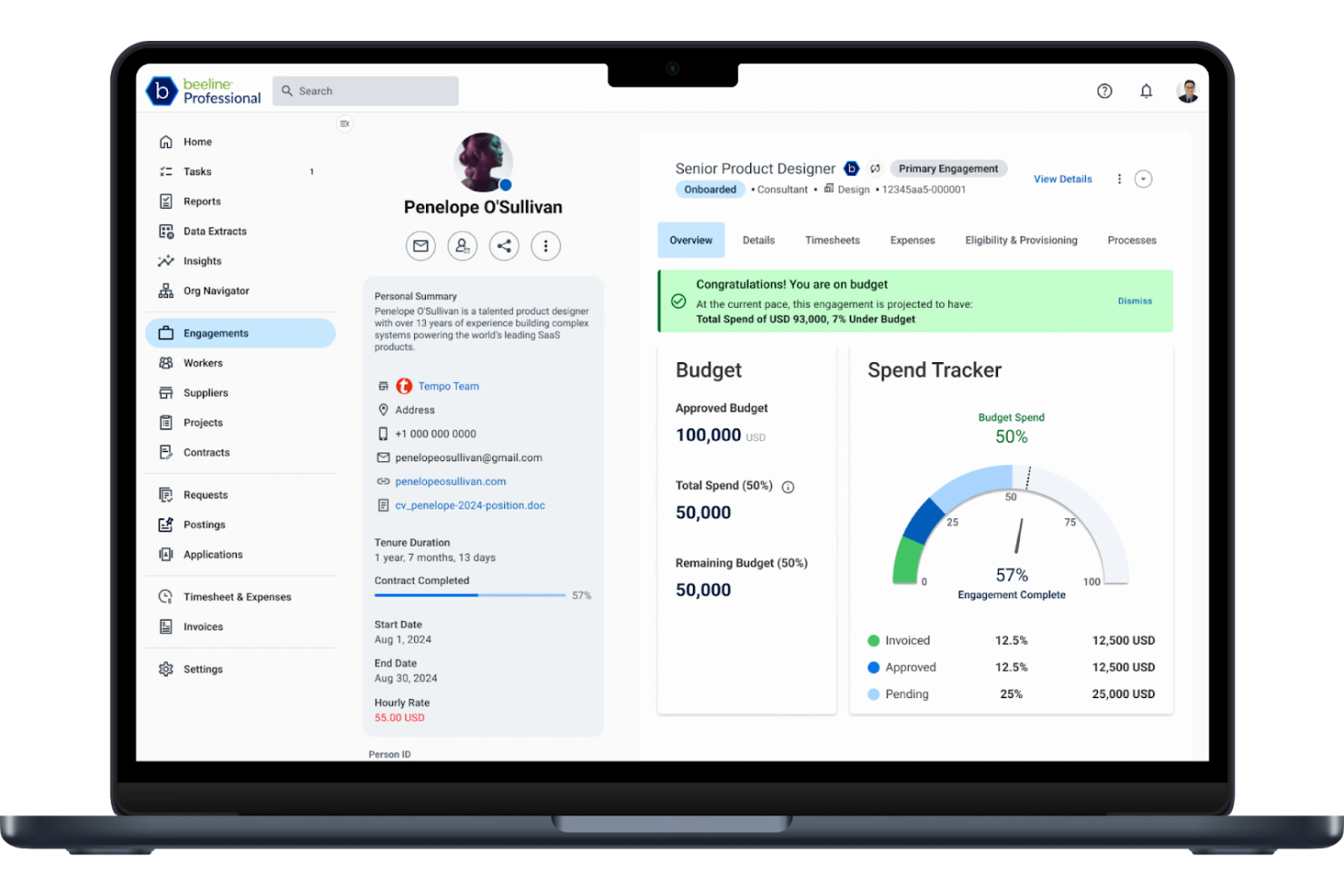
Beeline is a vendor management system designed for organizations and staffing agencies that need to manage their contingent labor workforce efficiently. It primarily serves large enterprises and helps optimize the procurement and management of temporary staff and contingent workers.
Why I picked Beeline: It offers a centralized platform for managing vendor relationships, which is essential for large-scale operations. Beeline's analytics tools provide insights into workforce spending and performance, helping you make informed decisions. Its customizable dashboards allow you to tailor data views to your specific needs. The platform also supports compliance management, helping your organization adhere to relevant regulations.
Standout Features and Integrations:
Features include advanced analytics that help you track workforce performance and spending. The platform's compliance management tools help your team meet regulatory requirements. Additionally, Beeline offers customizable dashboards that let you organize data in ways that suit your business needs.
Integrations include SAP, Oracle, Workday, and more.
Pros and Cons
Pros:
- Advanced analytics
- Strong compliance tools
- Centralized vendor management
Cons:
- Requires ongoing technical support
- Can be resource-intensive

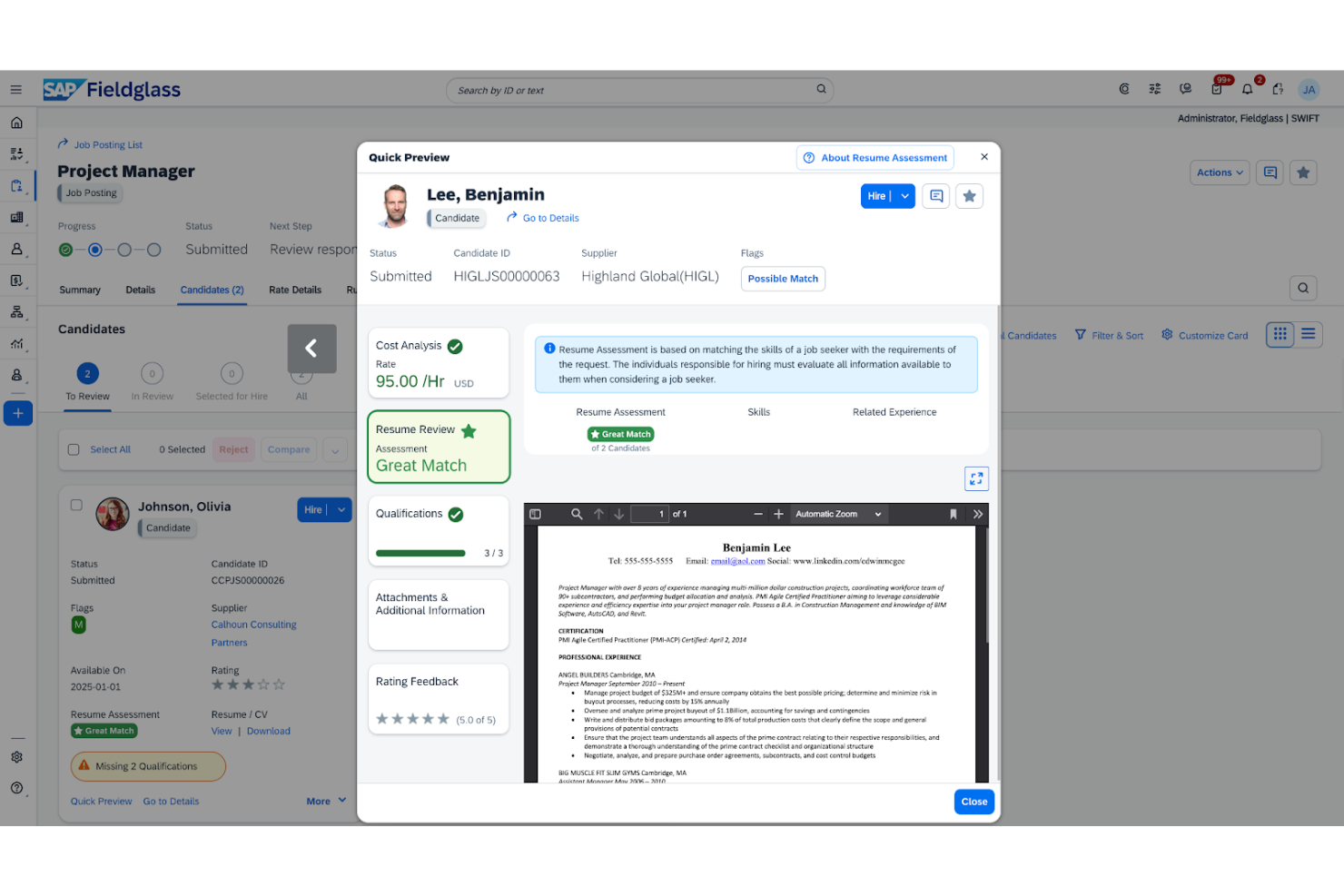
SAP Fieldglass Contingent Workforce Management is a cloud-based vendor management system tailored for large enterprises. It assists organizations in managing their contingent talent and services procurement efficiently.
Why I picked SAP Fieldglass Contingent Workforce Management: It provides solutions for managing the external workforce and services procurement, which are essential for enterprise-level operations. The platform offers advanced reporting features that give you insights into workforce performance and spending. Its global reach and compliance management tools help you operate across borders. Additionally, the system's customization options allow you to tailor workflows to fit your organization's specific needs.
Standout Features and Integrations:
Features include advanced reporting capabilities that help you monitor workforce performance and spending. The platform's compliance management tools help with adherence to local and international regulations. Additionally, SAP Fieldglass Contingent Workforce Management allows you to tailor workflows to your organization's needs.
Integrations include SAP Integration Suite, Oracle, Workday, and more.
Pros and Cons
Pros:
- Suitable for large enterprises
- Advanced reporting features
- Extensive global reach
Cons:
- Complex integration with legacy ERPs
- High licensing and implementation costs
Annen programvare for administrasjon av innleid arbeidskraft
Her er noen flere alternativer for programvare for administrasjon av innleid arbeidskraft som ikke kom med på kortlisten min, men som likevel er verdt å sjekke ut:
- Instawork
For AI-driven worker matching
- VectorVMS
For contingent workforce visibility
- Magnit Global
For resource optimization
- Workforce.com
For shift scheduling
- RemoFirst
For international payroll
- ADP
For payroll and HR integration
- Impact Workforce Optimization
For managing diverse workforces
- WorkMarket
For freelance management


How I Evaluate Contingent Workforce Management Software
I look at two layers: the baseline—vendor management, worker classification, and spend tracking—every platform must cover, and the differentiators that make certain tools right for specific programs.
Core Functionality (Table Stakes For This List)
When I'm selecting tools for my list, I rank each one on a scale from 0 (does not offer the functionality) to 5 (excels in this area) for each core functionality listed below. Then, I calculate the tool's total score into a percentage. Each tool needs to achieve a minimum total score of 65% to be considered for inclusion.
- Contingent Worker Lifecycle Management: I evaluate how each platform handles the full arc from requisition through offboarding—things like automated onboarding checklists, assignment extensions, and self-service portals for contractors.
- Vendor & Staffing Agency Management: Each tool should let you distribute requisitions across tiered suppliers, track SLAs, and score vendor performance so your VMO can manage dozens of agencies from one place.
- Worker Classification & Compliance: I check whether the platform provides structured classification workflows that flag co-employment risks and generate audit-ready documentation across different jurisdictions.
- Rate & Spend Management: Tools should give you control over bill rates, markups, and consolidated invoicing—especially when you're reconciling spend across multiple staffing suppliers and SOW engagements.
- Statement of Work Management: I look at how well each platform tracks SOW-based work, including milestone approvals, deliverable sign-offs, and project-based billing separate from time-and-materials engagements.
- Workforce Analytics & Reporting: Dashboards should surface real metrics like time-to-fill, cost-per-hire by supplier, headcount by engagement type, and tenure tracking—not just static, pre-built summaries.
Once I have a list of tools that meet this criteria, I consider what sets each platform apart.
Differentiating Factors (What Sets Vendors Apart)
Here's how I compare and contrast different vendors:
Standout Features
Direct sourcing is a big one—I look for platforms that let you build private talent pools from alumni, retirees, and past contractors so you're not always going back to staffing agencies. Total talent management matters too, especially when your leadership wants a single view of contingent and permanent headcount for workforce planning. For teams engaging contractors across borders, I also evaluate global payment and EOR support, which can simplify multi-currency invoicing and local tax compliance.
Beyond Features
Integration depth is one of the first things I check—your VMS needs to sync with your HRIS and procurement systems like Workday or SAP Ariba, or you'll end up with fragmented worker data. Implementation support also carries real weight here, since rolling out a contingent workforce program often involves change management across procurement, HR, and hiring managers. I also evaluate whether a vendor offers MSP partnerships or in-house program services, which can make or break adoption for teams standing up their first formal CW program.
Slik velger du programvare for administrasjon av innleid arbeidskraft
Det er lett å sette seg fast i lange lister over funksjoner og kompliserte prismodeller. For å hjelpe deg med å holde fokus mens du går gjennom den unike prosessen med å velge programvare, får du her en sjekkliste over faktorer du bør ha i bakhodet:
| Faktor | Hva du bør vurdere |
| Skalerbarhet | Kan verktøyet vokse med teamet ditt? Tenk på fremtidig vekst og om programvaren kan håndtere flere brukere eller mer data uten problemer. |
| Integrasjoner | Fungerer det med de nåværende systemene dine? Sjekk kompatibiliteten med eksisterende HR-, lønns- og andre viktige verktøy. |
| Tilpasningsmuligheter | Kan du tilpasse det til prosessene dine? Se etter muligheter for å justere arbeidsflyter og felt slik at de passer dine spesifikke behov, uten at du trenger en utvikler. |
| Brukervennlighet | Hvor raskt kan teamet ditt komme i gang? Vurder grensesnittet og hvor enkelt det er å navigere. Be om en demonstrasjon for å se det i praksis. |
| Implementering og oppstart | Hvilken støtte tilbys under oppsettet? Vurder tiden og ressursene som trengs for å implementere verktøyet og lære opp teamet effektivt. |
| Kostnad | Er prisene tydelige og innenfor budsjettet? Se utover grunnprisen for å forstå totalkostnaden, inkludert eventuelle tillegg eller skjulte gebyrer. |
| Sikkerhetstiltak | Hvordan beskytter det dataene dine? Sørg for at det har sterk kryptering og overholder personvernforordninger som GDPR eller CCPA. |
| Etterlevelseskrav | Støtter det regulatoriske behov? Kontroller at det kan håndtere bransjespesifikke etterlevelseskrav, særlig hvis du opererer i sektorer med strenge reguleringer. |
Hva er programvare for håndtering av en fleksibel arbeidsstyrke?
Programvare for håndtering av en fleksibel arbeidsstyrke er et verktøy som er utviklet for å hjelpe virksomheter med å administrere midlertidig ansatte og kontraktsarbeidere. HR-medarbeidere og innkjøpsansvarlige bruker vanligvis disse verktøyene til å spore, administrere og optimalisere den fleksible arbeidsstyrken på en effektiv måte. Funksjoner som leverandørstyring, sporing av etterlevelse og arbeidsstyrkeanalyse bidrar til å organisere data, sikre overholdelse av regelverk og forbedre effektiviteten i arbeidsstyrken. Samlet sett skaper disse verktøyene verdi ved å forenkle håndteringen av en fleksibel arbeidsstyrke og forbedre den operative effektiviteten.
Funksjoner
Når du velger programvare for håndtering av en fleksibel arbeidsstyrke, bør du se etter følgende nøkkelfunksjoner:
- Leverandørstyring: Hjelper deg med å organisere og evaluere samarbeid med bemanningsleverandører, slik at du kan vurdere om du får den beste kompetansen og servicen.
- Sporing av etterlevelse: Kontrollerer at programmet for den fleksible arbeidsstyrken oppfyller bransjeregler og arbeidsrettslige lover, noe som reduserer risikoen.
- Arbeidsstyrkeanalyse: Gir innsikt i arbeidsstyrkens resultater og kostnader, slik at du kan ta informerte beslutninger.
- Innsikt i sanntid: Gir oppdatert informasjon om nøkkeltall for arbeidsstyrken, slik at bemanningsbehov raskt kan justeres.
- Tilpassbare arbeidsflyter: Lar deg tilpasse prosesser og felt slik at de passer organisasjonens spesifikke behov, og forbedrer den operative effektiviteten.
- Integrasjonsmuligheter: Støtter kompatibilitet med eksisterende HR- og lønnssystemer, legger til rette for dataflyt og reduserer manuell registrering.
- Sporing av arbeidstid og oppmøte: Fører nøyaktige oversikter over de ansattes arbeidstimer, noe som bidrar til lønnskjøring og etterlevelse.
- Støtte for oppstart: Tilbyr ressurser som opplæringsvideoer og produktvisninger for å hjelpe nye brukere raskt i gang.
- Risikostyring: Identifiserer og reduserer potensielle risikoer knyttet til driften av en fleksibel arbeidsstyrke, slik at organisasjonen din beskyttes.
- Kostnadsstyring: Hjelper med å spore og kontrollere arbeidskraftkostnader, slik at den fleksible arbeidsstyrken holder seg innenfor budsjettet.
Fordeler
Implementering av programvare for håndtering av en fleksibel arbeidsstyrke gir flere fordeler for teamet og virksomheten din. Her er noen av fordelene du kan se frem til:
- Bedre etterlevelse: Kontrollerer at arbeidsstyrkens aktiviteter oppfyller juridiske standarder, og reduserer risikoen for bøter og sanksjoner.
- Bedre leverandørforhold: Optimaliserer oppfølgingen av leverandørenes resultater, slik at du kan bekrefte at du får den beste tilgjengelige servicen og kompetansen.
- Økt oversikt: Gir innsikt og analyser i sanntid, slik at du kan ta informerte beslutninger om arbeidsstyrken din.
- Effektiv kostnadsstyring: Hjelper med å spore og kontrollere arbeidskraftkostnader, slik at budsjettet holdes under kontroll.
- Forenklet oppstart: Tilbyr HR-verktøy som opplæringsvideoer og produktvisninger for å hjelpe nye brukere raskt og effektivt i gang.
- Bedre risikostyring: Identifiserer potensielle risikoer og hjelper deg med å redusere dem for å beskytte organisasjonen din.
- Tilpassbare prosesser: Lar deg tilpasse arbeidsflyter slik at de passer dine spesifikke behov, og forbedrer den operative effektiviteten.
Kostnader og priser
Å velge programvare for administrasjon av innleid arbeidskraft krever en forståelse av de ulike prismodellene og abonnementene som er tilgjengelige. Kostnadene varierer basert på funksjoner, teamstørrelse, tillegg og mer. Tabellen nedenfor oppsummerer vanlige abonnementer, gjennomsnittsprisene deres og typiske funksjoner som inngår i programvareløsninger for administrasjon av innleid arbeidskraft:
Sammenligningstabell for programvare for administrasjon av innleid arbeidskraft
| Abonnementstype | Gjennomsnittspris | Vanlige funksjoner |
| Gratisabonnement | $0 | Grunnleggende leverandøradministrasjon, begrenset analyse og grunnleggende sporing av regelverksetterlevelse. |
| Personlig abonnement | $300-$3000/ år | Leverandøradministrasjon, sporing av regelverksetterlevelse, analyse og grunnleggende rapporteringsverktøy. |
| Bedriftsabonnement | $2400-$30000/år | Avansert analyse, tilpasset rapportering, komplette verktøy for regelverksetterlevelse og integrasjoner. |
| Enterprise-abonnement | $50000+/år | Alle funksjoner, prioritert kundestøtte, tilpassede integrasjoner og en dedikert kundeansvarlig. |
Vanlige spørsmål om programvare for administrasjon av innleid arbeidskraft
Her er noen svar på vanlige spørsmål om programvare for administrasjon av innleid arbeidskraft:
Hva er hovedformålet med programvare for administrasjon av innleid arbeidskraft?
Hovedformålet er å hjelpe virksomheter med å administrere midlertidig ansatte og kontraktsarbeidere effektivt. Programvaren tilbyr verktøy for å følge opp leverandørforhold, fakturering, regelverksetterlevelse og arbeidsstyrkeanalyse. Ved å bruke denne programvaren kan teamet ditt optimalisere bemanningen, redusere administrative oppgaver og bidra til å sikre at regelverket overholdes.
Hvordan vet jeg om virksomheten min trenger programvare for administrasjon av innleid arbeidskraft?
Hvis virksomheten din er avhengig av et betydelig antall midlertidig ansatte eller kontraktsarbeidere, kan denne programvaren tilby verdifulle verktøy for administrasjon og referanserapportering. Vurder de nåværende utfordringene dine knyttet til leverandøradministrasjon, timelister eller forespørsler om bemanning. Hvis dette er områder som skaper bekymring, kan implementering av programvaren bidra til å forbedre driften.
Kan programvare for administrasjon av innleid arbeidskraft integreres med de eksisterende HR-systemene mine?
Ja, de fleste plattformer er utviklet for å integreres med populære HR-systemer som SAP, Workday og ADP. Kontroller at programvaren er kompatibel med de nåværende verktøyene dine før du kjøper den. Dette legger til rette for smidig dataflyt og reduserer behovet for manuell registrering av data, slik at teamet ditt sparer tid og arbeid.
Finnes det bransjespesifikke versjoner av programvare for administrasjon av innleid arbeidskraft?
Noen leverandører tilbyr bransjespesifikke løsninger som er tilpasset sektorer som helsevesen, IT eller produksjon. Disse versjonene tar hensyn til unike krav til arbeidstakerklassifisering eller bemanningsutfordringer. Hvis bransjen din har spesifikke behov, bør du se etter programvare som dekker disse kravene, slik at du får mest mulig ut av investeringen.