

De 10 beste sertifiserte lønnsprogrammene i 2026

Beste programvare for sertifisert lønnskjøring – kortliste


Programvare for sertifisert lønnskjøring er spesialutviklet for å hjelpe HR-team med å behandle lønn og sende inn offentlige rapporter for bygge- og offentlige arbeidsprosjekter som omfattes av lover om gjeldende lønnssatser. Hvis du trenger å beskytte virksomheten din mot bøter, forenkle kompliserte lønnskjøringer eller håndtere rapportering for offentlige kontrakter, er det avgjørende å velge programvare som faktisk støtter kravene til sertifisert lønnskjøring.
I denne veiledningen viser jeg deg hvilke verktøy som gjør det mindre stressende å overholde offentlige krav – takket være automatisering, tidsregistrering og HCM-integrasjoner – slik at du kan fokusere på å holde prosjekter og team i bevegelse.
Why Trust Our Software Recommendations
Our team has been testing and reviewing software since 2012. As HR experts ourselves, we know how difficult—and important—it is to choose the right software.
For this guide, we evaluated tools using hands-on testing and independent research, scoring tools using our selection criteria. We also draw on insights from industry thought leaders and practicing HR experts.
Our reviews reflect our human editorial judgment, not a sales pitch.
Expert reviewers:
Sammenligningstabell for programvare for sertifisert lønnskjøring
Sammenlign priser og spesifikasjoner side om side for programvaren for sertifisert lønnskjøring som kom med på kortlisten min.
| Tool | Best For | Trial Info | Price | ||
|---|---|---|---|---|---|
| 1 | Best for ERP-native fringe benefit annualization | Free demo available | Pricing upon request | Website | |
| 2 | Best for ENR 400-scale public works payroll | Free demo available | Pricing upon request | Website | |
| 3 | Best for GPS-verified time-to-payroll on public works | Free trial available | Pricing upon request | Website | |
| 4 | Best for construction payroll with 49-state CPR forms | Free demo available | Pricing upon request | Website | |
| 5 | Best for enterprise specialty contractor payroll | Free demo available | Pricing upon request | Website | |
| 6 | Best for construction-native multi-state union payroll | Free demo available | Pricing upon request | Website | |
| 7 | Best for agency-mandated CPR e-filing oversight | Free demo available | Pricing upon request | Website | |
| 8 | Best for fringe trust with weekly cash distributions | Free demo available | Pricing upon request | Website | |
| 9 | Best for full-cycle construction payroll with e-filing | Free demo available | Pricing upon request | Website | |
| 10 | Best for HCM-connected certified payroll filing | Free demo available | Pricing upon request | Website |
Anmeldelser av den beste programvaren for sertifisert lønnskjøring
Nedenfor finner du mine detaljerte sammendrag av den beste programvaren for sertifisert lønnskjøring som kom med på kortlisten min. Anmeldelsene mine gir et detaljert innblikk i funksjonene, de beste bruksområdene og integrasjonene til hver programvare, slik at du kan finne den beste løsningen for deg.
Best for ERP-native fringe benefit annualization
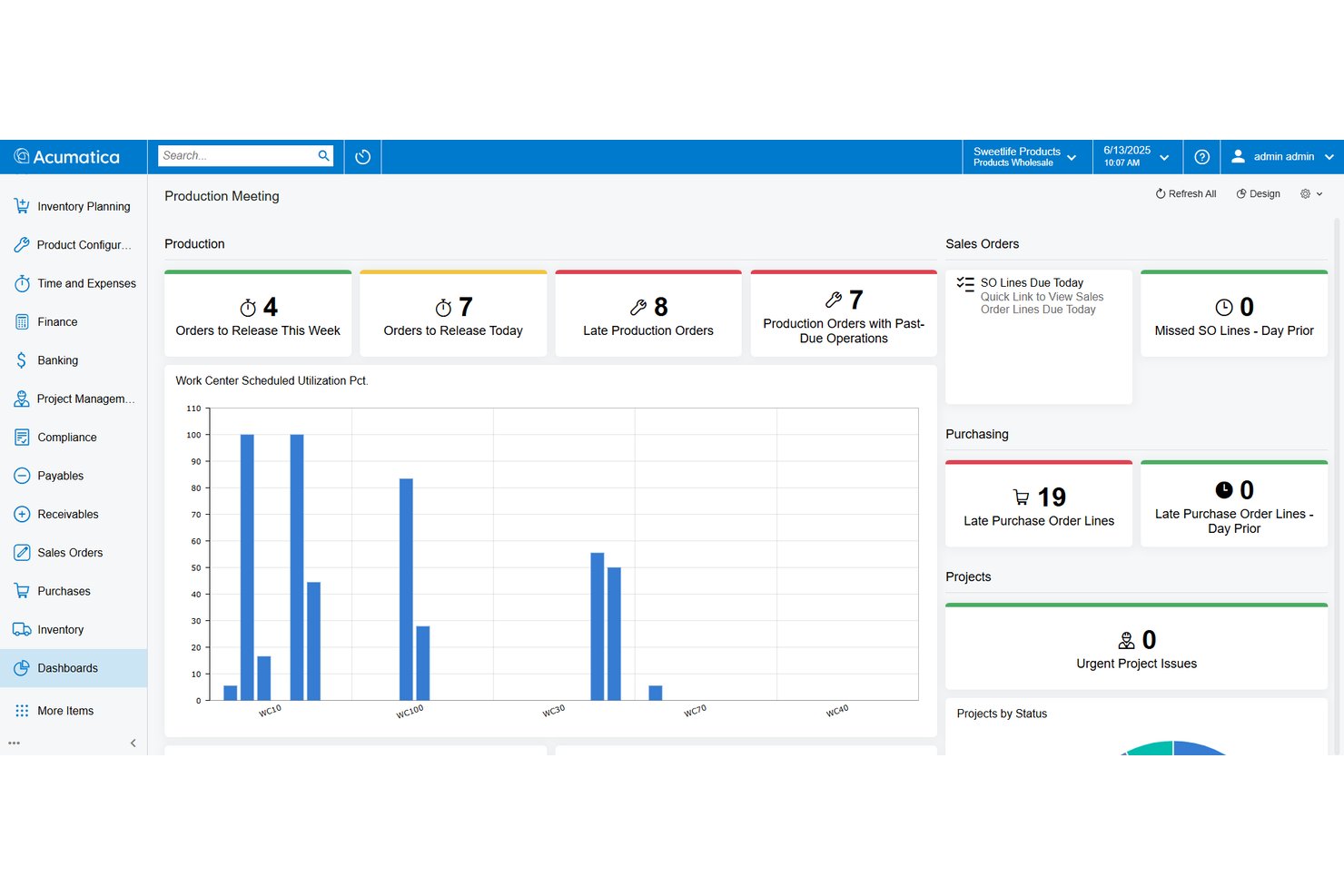
Acumatica is a construction ERP platform with a native payroll module that handles certified payroll reporting, prevailing wage rate configuration, fringe benefit tracking, union payroll, and job costing within a single system.
Who Is Acumatica Best For?
Acumatica is a strong fit for mid-market general contractors and specialty subcontractors who need certified payroll, union payroll, and job costing managed inside a single ERP rather than across disconnected tools.
Why I Picked Acumatica
I picked Acumatica because its fringe benefit annualization is genuinely one of the most developed I've seen in a construction ERP. The Certified Projects screen lets you separate cash fringes from plan contributions, apply a Benefits Reducing the Rate table to avoid double-counting, and toggle annualization on or off per certified project. That per-project annualization exception is the detail that matters during a DOL audit, and Acumatica handles it natively rather than through a workaround.
Acumatica Key Features
- Certified Projects screen: Configure labor classifications, prevailing wage rates, and effective dates per certified project directly within the payroll module.
- Union payroll support: Apply union-specific wage scales, overtime rules, and benefit plan contributions across multiple union locals and agreements.
- Multi-jurisdiction tax handling: Automate federal, state, and local payroll tax calculations with electronic filing support and compliance deadline dashboards.
- Job costing integration: Allocate labor costs by project, task, cost code, classification, and union in real time as payroll is processed.
Acumatica Integrations
Relevant Marketplace integrations include Procore, Lumber, ExakTime, and Workyard. Acumatica has no clearly documented native integrations with LCPtracker, DIR eCPR, eMars, or B2Gnow.
Pros and Cons
Pros:
- Real-time labor costs flow to job costing
- Strong fringe benefit annualization capabilities
- Native ERP-integrated certified payroll features
Cons:
- Manual entry for prevailing wage rates
- No native WH-347 e-filing support

Best for ENR 400-scale public works payroll
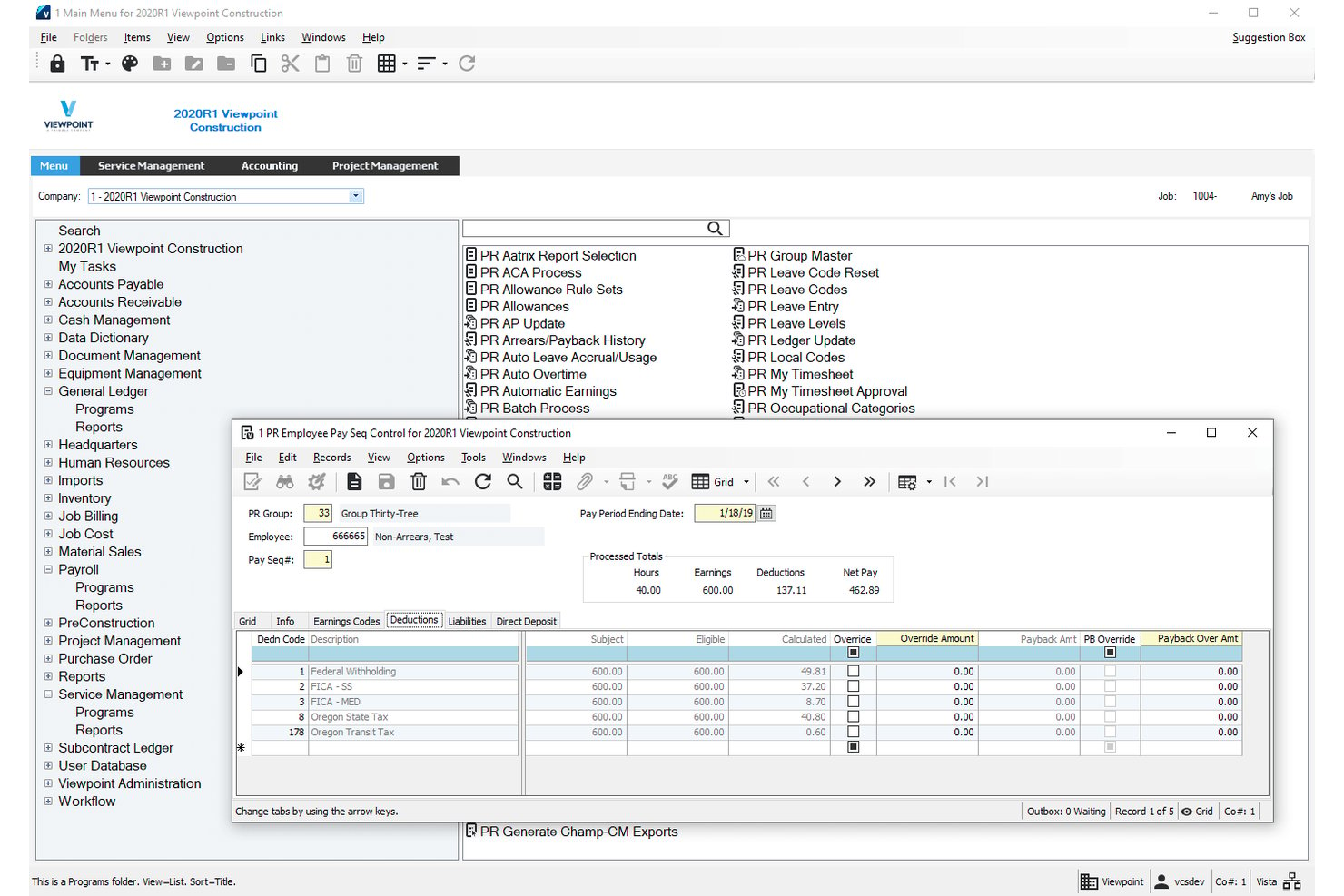
Viewpoint Vista is a construction ERP platform with a native payroll module covering certified payroll reporting, prevailing wage compliance, multi-union and multi-state payroll processing, fringe benefit tracking, and direct job cost integration.
Who Is Viewpoint Vista Best For?
Viewpoint Vista is built for large general contractors and heavy civil firms managing complex public works portfolios with multi-union, multi-state, and prevailing wage payroll requirements.
Why I Picked Viewpoint Vista
Viewpoint Vista earns its spot on my shortlist because it's the payroll engine most ENR 400 contractors already trust for complex public works payroll. I love that craft class templates let you configure separate wage rates and fringe benefit levels by trade, with old and new rate fields built in so prevailing wage transitions don't create re-keying chaos. When timecards process, labor hours and burdens flow directly into job costing, giving project accountants a single source of truth across multi-union, multi-state certified payroll runs.
Viewpoint Vista Key Features
- Multi-company payroll processing: Run payroll across multiple companies and legal entities within a single Vista instance, with each company's data kept separate.
- Employee self-service portal: Employees can submit time entries and access HR actions directly, reducing manual data entry for payroll administrators.
- Apprenticeship and trainee classification: Designate craft classes as apprentice or trainee with wage percentage and level fields that feed into eMars certified payroll exports for ratio documentation.
- LCPtracker and eMars export reports: Generate formatted Excel export files mapped to LCPtracker and eMars data requirements for upload to compliance portals.
Viewpoint Vista Integrations
Viewpoint Vista supports certified payroll exports to LCPtracker and eMars, plus a marketplace integration with ProScore for prevailing wage compliance. It also connects with Arcoro, Rhumbix, busybusy, SmartBarrel, and allGeo for HR and field time data.
Pros and Cons
Pros:
- Allocates labor costs to jobs automatically
- Crafts class templates for prevailing wage scenarios
- Handles multi-union, multi-state certified payroll
Cons:
- Wage rates require manual updates by admins
- No direct e-filing to agencies

Arcoro
Best for GPS-verified time-to-payroll on public works
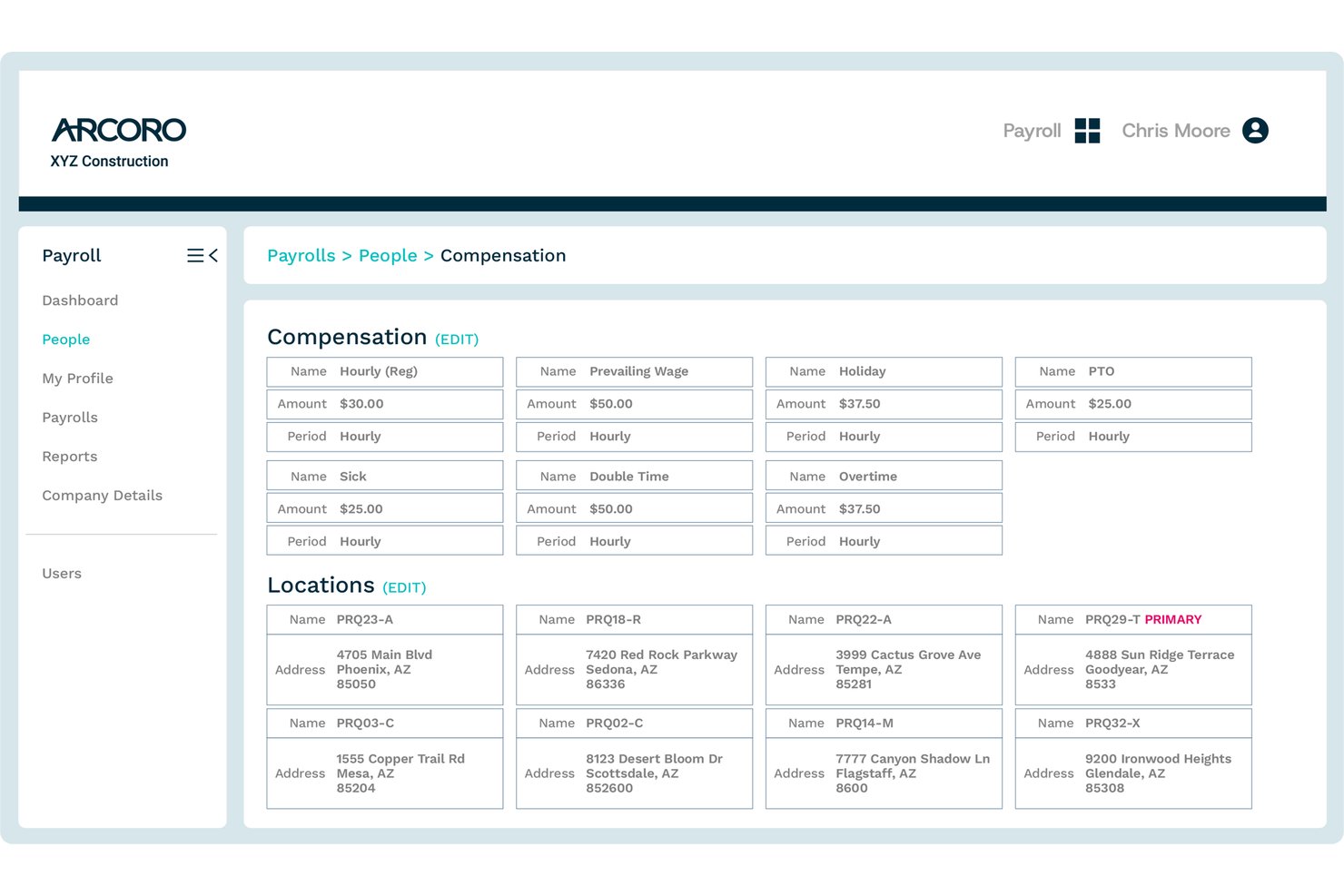
Arcoro is a construction-exclusive payroll platform that handles certified payroll reporting, prevailing wage compliance, GPS-verified time tracking, multi-state tax filing, and job costing.
Who Is Arcoro Best For?
Arcoro is a strong fit for construction contractors running public works jobs who need GPS-verified field time to flow directly into certified payroll and prevailing wage reporting.
Why I Picked Arcoro
Arcoro earns its spot on my shortlist because it's the only tool here that connects GPS-verified field time directly to certified payroll output without any manual re-entry in between. I like that when a worker clocks in on-site via the mobile app, that time, tagged to their labor classification and job code, flows straight into WH-347 generation and prevailing wage rate application automatically. Arcoro also flags exceptions before payroll runs, which catches misclassified workers on public works jobs before they become a compliance problem.
Arcoro Key Features
- WH-347 report generation: Arcoro auto-generates federal Form WH-347 directly from payroll data, pulling employee classifications, hours, wages, and fringe benefits into the report.
- LCPtracker export: The system produces certified payroll data in LCPtracker-compatible format, giving you a ready-to-upload file for multi-agency electronic submissions.
- Multi-state tax filing: Arcoro automatically calculates and files federal and multi-state taxes, handling the tax complexity that comes with crews working across state lines.
- Construction ERP integrations: Arcoro connects bidirectionally with Sage, Viewpoint Vista, Viewpoint Spectrum, CMiC, Foundation, Acumatica, and Procore to sync payroll and labor cost data.
Arcoro Integrations
Arcoro integrates with Sage, Viewpoint Vista and Spectrum, CMiC, Acumatica, Foundation Software, Procore, and LCPtracker. It also supports bidirectional payroll and labor-cost data sync with several construction ERP platforms.
Pros and Cons
Pros:
- Produces both WH-347 and LCPtracker output
- Flags wage classification exceptions before processing
- GPS-verified time flows directly to payroll
Cons:
- Manual wage determination lookup required
- No direct filing to DIR or eMars

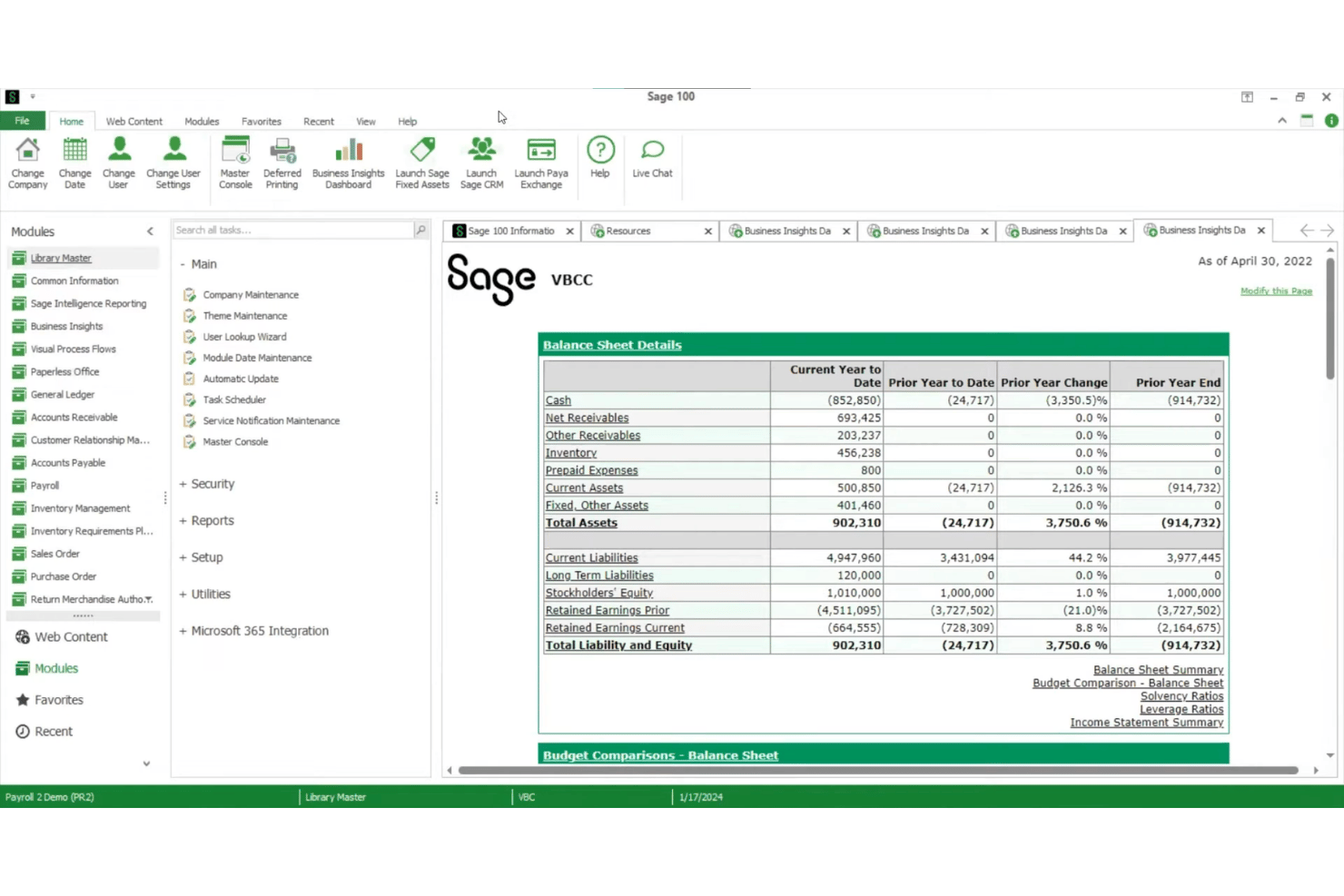
Sage 100 Contractor is a construction-specific accounting and payroll platform that handles certified payroll reporting, prevailing wage management, fringe benefit tracking, multi-jurisdiction tax processing, and integrated job costing.
Who Is Sage 100 Contractor Best For?
Sage 100 Contractor is a strong fit for construction contractors who need payroll, job costing, and certified payroll reporting in one platform.
Why I Picked Sage 100 Contractor
I've included Sage 100 Contractor in my top picks because its Aatrix-powered certified payroll coverage spans the federal WH-347 plus state forms for 49 U.S. states, which is genuinely broad coverage from a single platform. I also like how the paygroup system ties worker classifications directly to prevailing wage rates at the timecard level, so Davis-Bacon fringe splits between cash payments and bona fide plan contributions show up correctly on every certified payroll report. That kind of classification-level precision matters when you're running union and open-shop crews on the same job.
Sage 100 Contractor Key Features
- Multi-state timecard processing: Enter a state abbreviation on individual timecard lines to apply the correct built-in state tax table across all 50 U.S. states.
- Local payroll tax districts: Configure resident and non-resident tax rates by locality, with support for combined city and county district assignments on a single timecard.
- Union payroll processing: Run union payroll with contribution tracking and reporting alongside open-shop crews within the same payroll cycle.
- Integrated job cost allocation: Tag each timecard line to a job, phase, cost code, and cost type so wages, burdens, and taxes flow directly into job cost reports in real time.
Sage 100 Contractor Integrations
Sage 100 Contractor has native integrations with Aatrix, Sage Construction Management, and Sage Estimating. Its partner ecosystem also includes ExakTime, busybusy, Workyard, mJobTime, and Ryvit; no native LCPtracker, DIR eCPR, eMars, or B2Gnow connectors are documented.
Pros and Cons
Pros:
- Tracks cash and plan fringe benefits
- Paygroup system handles multi-classification payroll
- Generates WH-347 and 49-state CPR forms
Cons:
- Wage determination lookups are fully manual
- No native compliance portal integrations

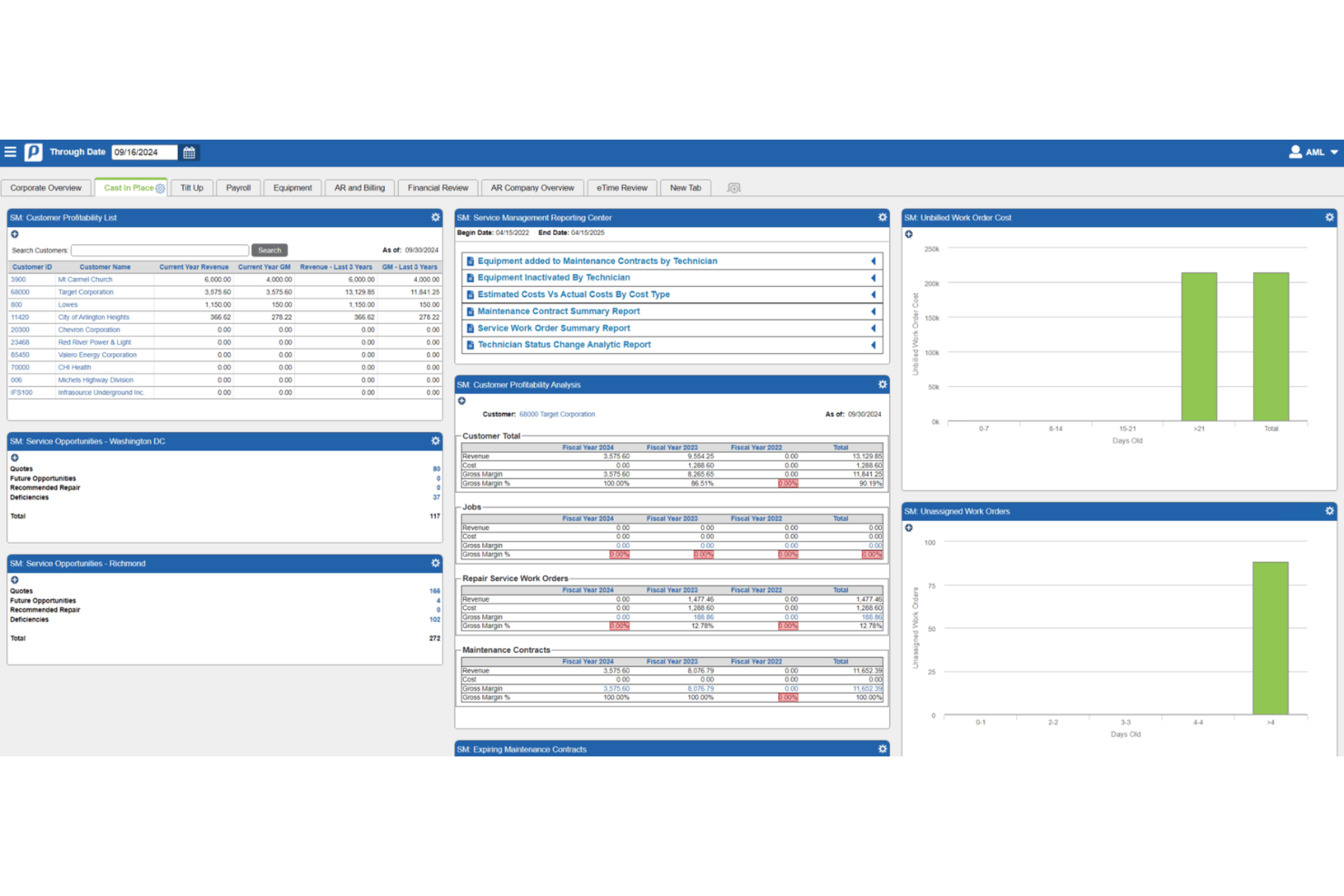
Penta is a construction ERP with a dedicated payroll module built for specialty contractors, covering full-cycle payroll processing, prevailing wage compliance, union fringe benefit tracking, and multi-jurisdiction tax filing.
Who Is Penta Best For?
Penta is a strong fit for large specialty contractors—electrical, mechanical, HVAC, and similar trades—running complex union payroll across multiple jurisdictions on prevailing wage projects.
Why I Picked Penta
Penta earns its spot on my shortlist because no other tool I've seen matches its depth for large specialty contractors running union payroll across prevailing wage projects. I love how its prevailing wage module handles fringe-by-fringe calculations automatically by trade and trade level, eliminating manual overrides once your wage rules are configured. Its real-time job costing also allocates fully burdened labor costs to specific cost codes daily, which is exactly what public works payroll requires.
Penta Key Features
- Full-cycle payroll processing: Handles gross-to-net calculations, direct deposit, check payments, and daily general ledger updates without manual formula writing.
- Multi-jurisdiction tax filing: Calculates and files federal, state, and local payroll taxes electronically, with configurable reciprocity rules across jurisdictions.
- Union reciprocity automation: Defines cross-jurisdiction rules between home and work locals and auto-calculates adjustments for workers on multi-union projects.
- Field time collection tools: Captures labor hours, equipment usage, and productivity data via web (eTime), field (TEP), or iPad (MFS) with offline sync support.
Penta Integrations
Penta documents nine native integration partners, including Procore and Rhumbix. Its PentaConnect APIs support custom project management and timecard integrations, but no certified payroll compliance portal integrations are documented.
Pros and Cons
Pros:
- Automated fringe-by-fringe prevailing wage calculations
- Daily, real-time allocation of labor costs
- Handles complex multi-union payroll automation
Cons:
- No integration with compliance reporting portals
- No built-in WH-347 or state forms
Best for construction-native multi-state union payroll
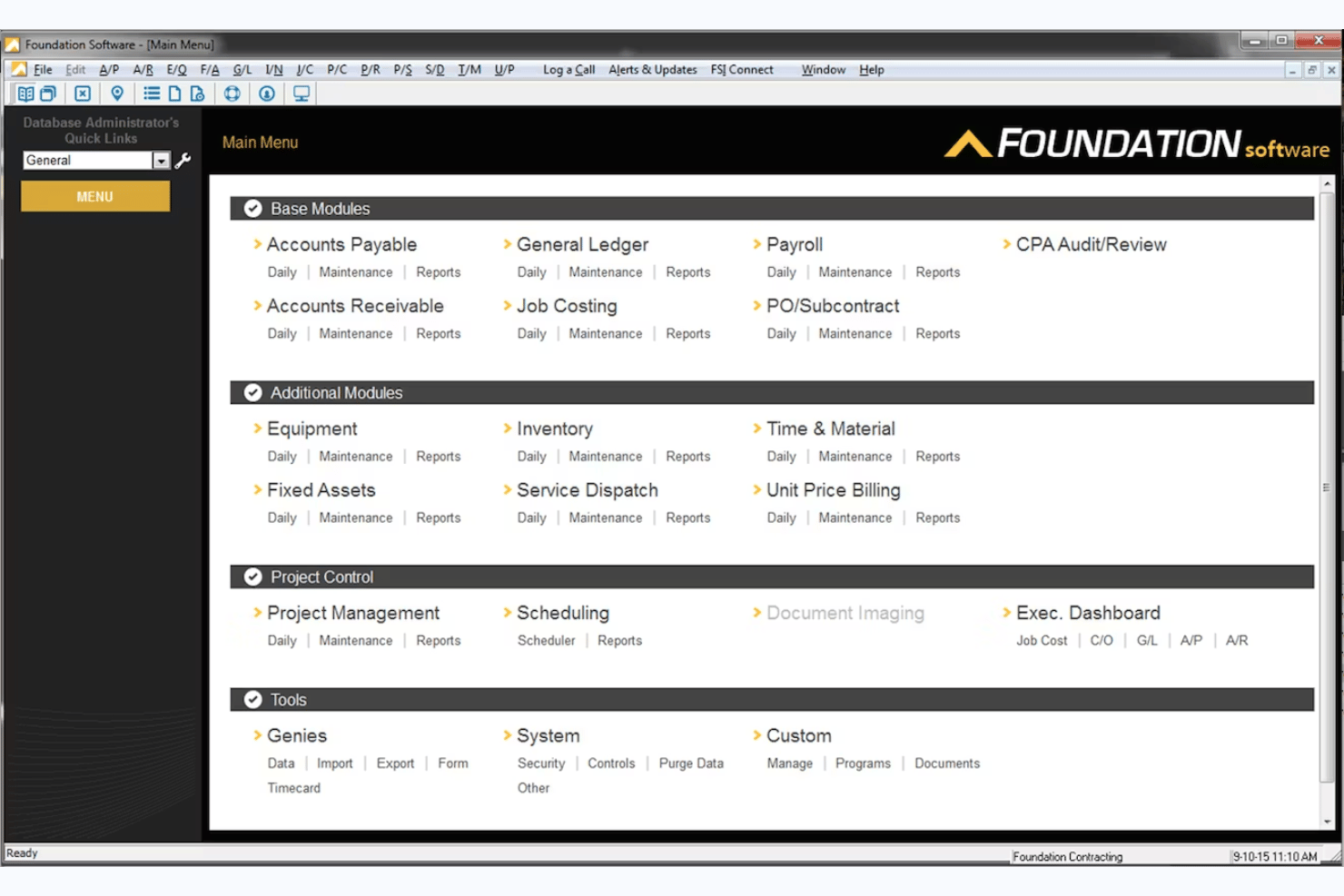
Foundation Software or FOUNDATION is a construction-native payroll and accounting platform that handles certified payroll reporting, prevailing wage compliance, multi-union and multi-trade payroll processing, and job costing in a single integrated system.
Who Is Foundation Software Best For?
Foundation Software is a strong fit for construction contractors running multi-union, multi-trade payroll across several states or jurisdictions on public works projects.
Why I Picked Foundation Software
Foundation Software earns its spot on my shortlist because no other platform handles multi-union, multi-trade certified payroll with this level of construction-native depth. I'm particularly impressed by how it applies multiple prevailing wage rate tables and trade classifications to a single employee timecard, which is exactly what you need when workers split time across trades on a public works job. It also auto-generates the federal WH-347 and dozens of state-specific certified payroll forms, with direct electronic submission to LCPtracker, DIR eCPR, and AASHTOWare CRL built in.
Foundation Software Key Features
- WorkMax mobile time capture: Field workers clock in and out via mobile device with GPS tracking, cost code tagging, and trade classification assignment synced directly to FOUNDATION payroll.
- EEO and minority compliance reporting: Generates reports tracking employee counts, minority worker counts, and minority hours worked to meet federal reporting requirements on publicly funded projects.
- Date-sensitive historical payroll reporting: Pull and re-run certified payroll reports from any prior period without hard-close restrictions, supporting audit responses and corrections.
- ACA reporting module: Tracks and files Affordable Care Act compliance reporting, including employee health coverage data, within the same system as construction payroll.
Foundation Software Integrations
Documented integrations include Payroll4Construction, WorkMax, Procore, QuickBooks, Sage, and The Contractors Plan. Certified payroll connections and submission formats include LCPtracker, DIR eCPR, eMars, and AASHTOWare CRL.
Pros and Cons
Pros:
- Offers mobile time capture with classification tagging
- Handles multi-union, multi-trade payroll deeply
- Automatically generates WH-347 and state reports
Cons:
- No automatic wage determination lookup integration
- Pricing is not published or transparent
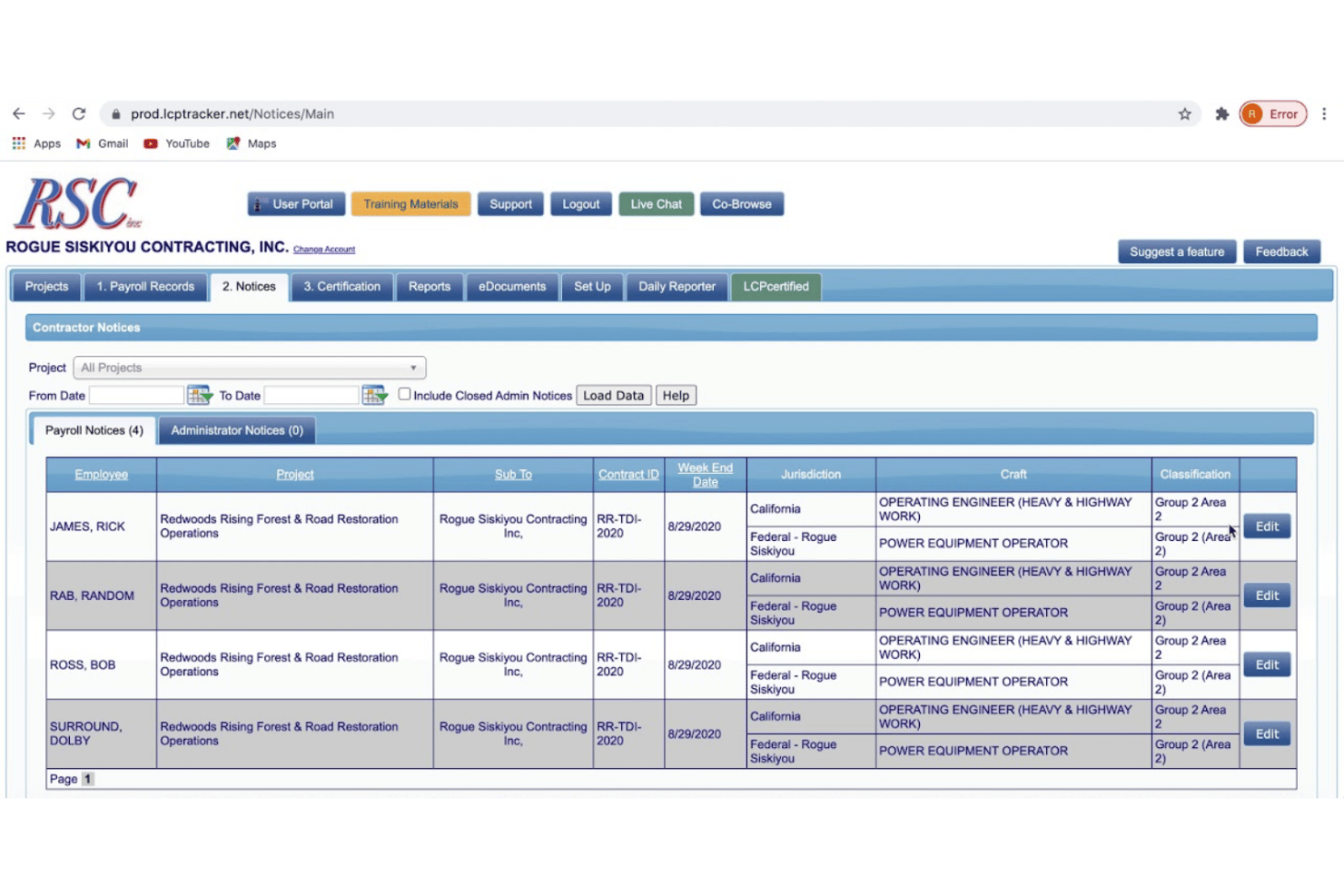
LCPtracker Pro is a certified payroll compliance platform built for public works projects, handling CPR generation, multi-tier subcontractor oversight, prevailing wage validation, and electronic submission across federal and state agency formats.
Who Is LCPtracker Pro Best For?
LCPtracker Pro is a strong fit for public agencies and prime contractors that manage multi-tier subcontractor CPR compliance on federally funded or state-mandated prevailing wage projects.
Why I Picked LCPtracker Pro
LCPtracker Pro earns its spot on my shortlist because it's the platform public agencies and prime contractors actually mandate for CPR e-filing on federally funded projects. I've seen it deployed as the required submission tool for DOE infrastructure work, where its FedRAMP Moderate authorization is a non-negotiable procurement requirement. The 100+ automated validations catch wage classification errors and fringe omissions before a report ever reaches a state portal, and its multi-tier approval workflows let prime contractors collect, review, and reject subcontractor payrolls from a single dashboard.
LCPtracker Pro Key Features
- OnSite field wage interview app: Conduct and record on-site worker wage interviews on iOS or Android, with automatic cross-checks against submitted certified payrolls.
- 120+ built-in workforce reports: Generate pre-built reports covering EEO demographics, apprentice-to-journeyworker ratios, local hire status, Section 3 tracking, and veteran status.
- Active Insights analytics dashboard: A Power BI-based add-on that provides customizable cross-project compliance dashboards with scheduled report sharing.
- Inflation Reduction Act PW&A tracking: Built-in prevailing wage and apprenticeship validation and documentation tools for IRA energy projects and tax credit applications.
LCPtracker Pro Integrations
LCPtracker Pro offers integrations with 16+ payroll and HR providers, including ADP Workforce Now, Paychex, Paycom, Paylocity, FOUNDATION, HH2, Jonas Construction, and Miter. It also supports imports from QuickBooks and Sage, plus XML exports for California DIR, Washington L&I, and Maryland DLLR.
Pros and Cons
Pros:
- Tracks multi-tier subcontractor CPR compliance
- 100+ automated validations for payroll errors
- Mandated by many public agencies and primes
Cons:
- No payroll tax filing or remittance
- Requires separate payroll software integration

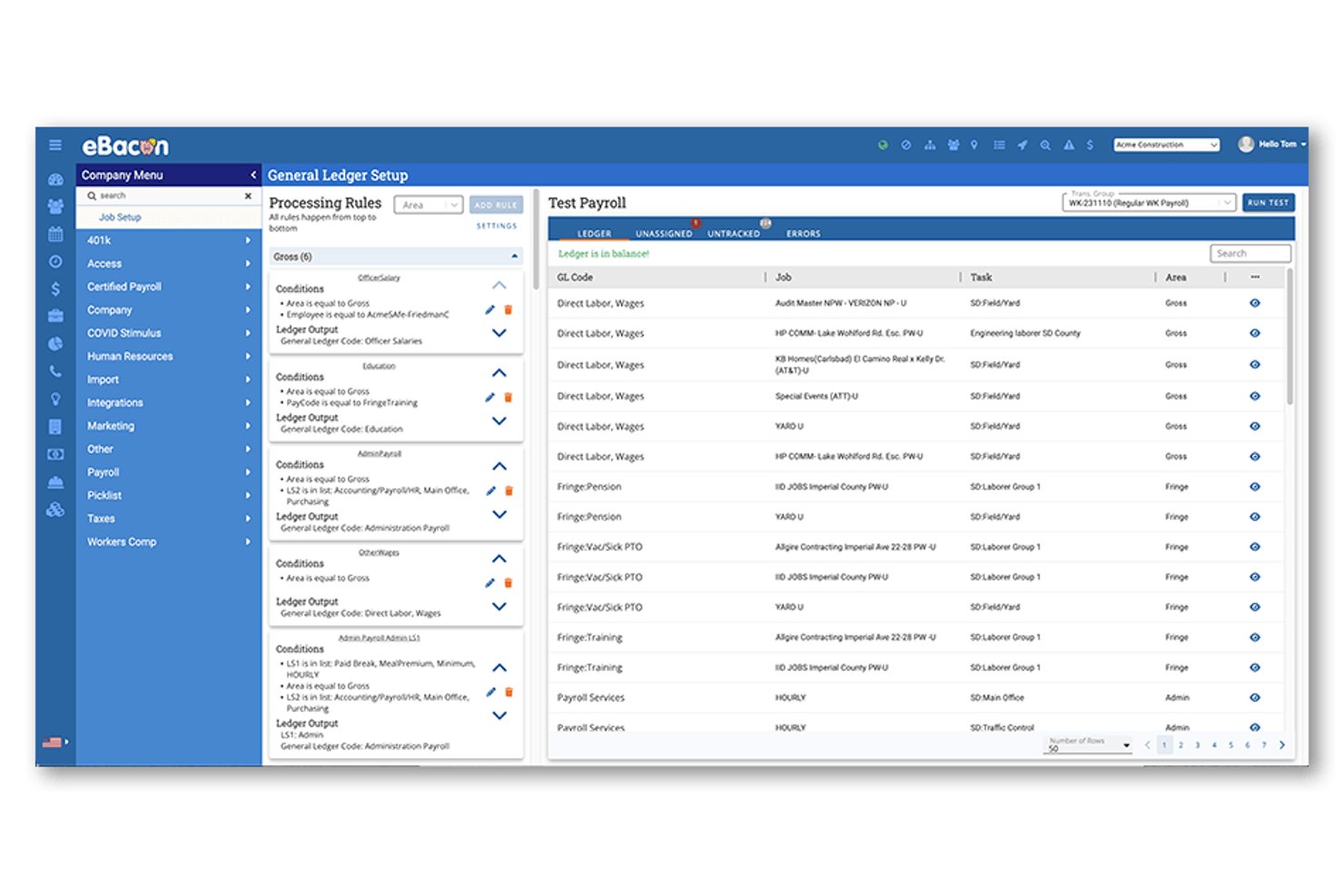
eBacon is a certified payroll platform built specifically for construction contractors, covering prevailing wage compliance, WH-347 and state-specific report generation, fringe benefit administration, and full-cycle payroll processing.
Who Is eBacon Best For?
eBacon is a strong fit for open-shop construction contractors who manage prevailing wage payroll across multiple public works projects and need fringe benefit administration built into the same platform.
Why I Picked eBacon
I picked eBacon as one of the best because its Bona Fide Fringe Trust is something I haven't seen replicated elsewhere: it converts prevailing wage fringe obligations into pre-tax 401(k) contributions and lets employees elect weekly cash distributions via direct deposit or pay card. That weekly distribution option is genuinely unique in this market. Pair that with 187,000+ pre-loaded wage determinations auto-assigned by classification and project, and you've got a platform built to handle the real complexity of public works payroll without constant manual intervention.
eBacon Key Features
- WH-347 and state-specific report generation: Auto-generates federal WH-347 reports alongside state forms including CA DIR eCPR, DAS 140/142, WA LNI, Maryland XML, and Alaska Upload from a single payroll run.
- GPS-geofenced mobile time tracking: Employees clock in via a mobile app that restricts punches to a designated jobsite radius, with mid-shift job and cost code switching tracked minute by minute.
- Apprentice-to-journeyworker ratio tracking: Monitors apprenticeship ratios per job and payroll period, including workers assigned to different apprenticeship councils on the same project.
- Compliance portal export files: Generates formatted upload files for LCPtracker, eMars, eComply, PRISM, and Elation, enabling direct electronic submission without manual data re-entry.
eBacon Integrations
eBacon offers two documented native integrations with QuickBooks Desktop and Sage 100. It also exports files for LCPtracker, eComply, PRISM, eMars, Elation, WA LNI, and CA DIR, with customizable GL imports for other accounting systems.
Pros and Cons
Pros:
- Auto-generates multi-state certified payroll reports
- Pre-loaded 187,000 wage determinations database
- Built-in bona fide fringe benefit trust
Cons:
- Mobile app lacks full pay stub access
- Requires sales consultation before getting access
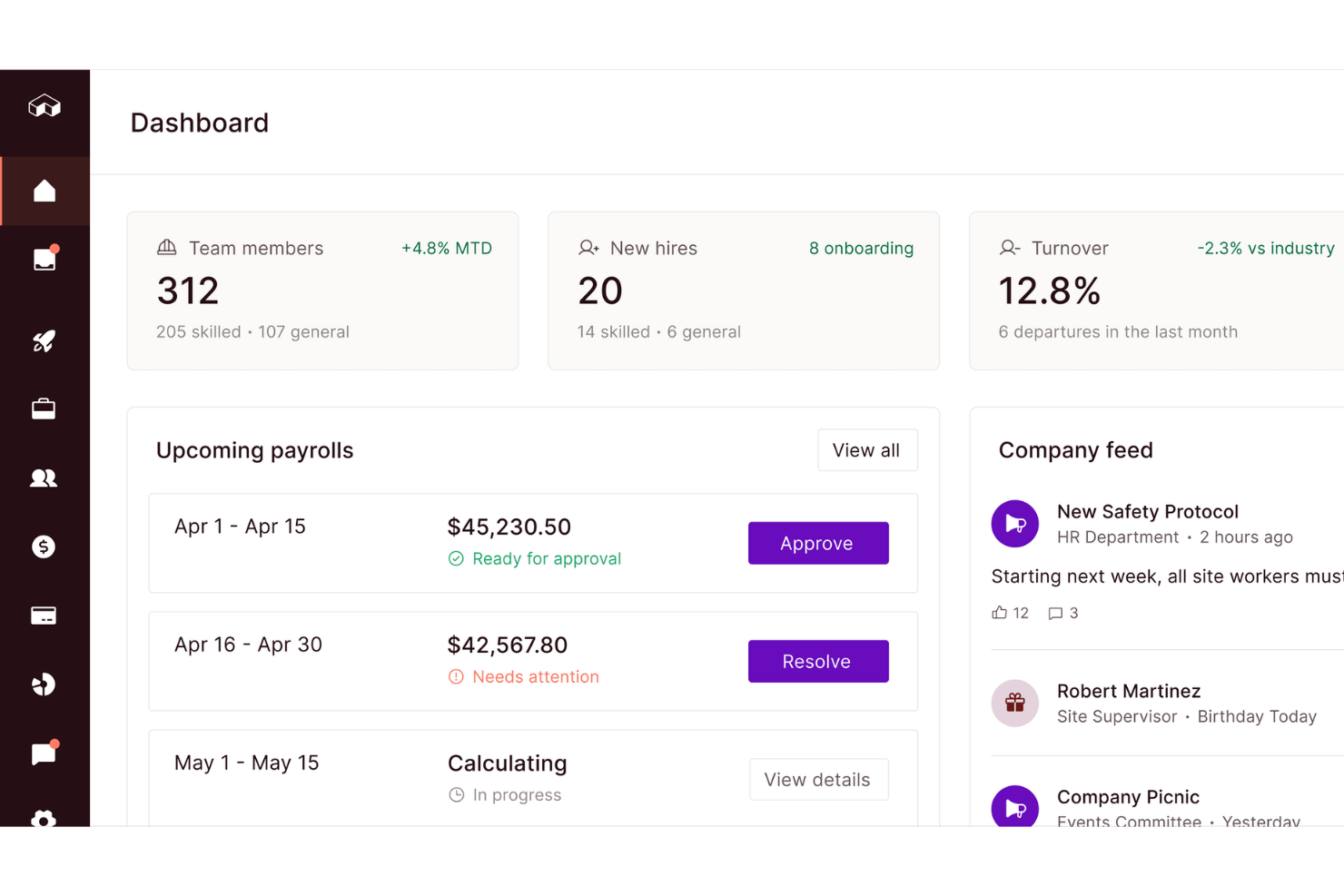
Miter is a construction-specific payroll platform that handles certified payroll reporting, prevailing wage compliance, fringe benefit tracking, and full-cycle payroll processing with direct e-filing to state portals and third-party compliance systems.
Who Is Miter Best For?
Miter is built for U.S. construction contractors who need payroll processing and certified payroll reporting to live in the same system.
Why I Picked Miter
Miter earns its spot on my shortlist because it's the only tool here that runs payroll and certified payroll reporting through a single native engine, with no data re-entry between the two. I particularly like how it handles full-cycle payroll alongside direct e-filing to state portals, covering CA, NY, IL, OR, and more, plus third-party compliance portals like LCPtracker and Elation. When a worker splits time across two classifications on the same pay period, Miter applies the correct wage rates, fringes, and certified form entries automatically.
Miter Key Features
- Multi-classification payroll per pay period: Miter automatically applies the correct wage rates and fringe benefits when a worker splits time across two or more trade classifications within the same pay period.
- GPS-tagged mobile time capture: Workers clock in and out via iOS or Android with hours tagged to specific jobs, cost codes, and trade classifications at the point of entry.
- Weighted average overtime calculation: The platform calculates weighted average overtime per FLSA requirements across multiple pay rates, jobs, and classifications within a single pay period.
- Audit log with version history: Every certified payroll submission is stored with timestamped version history, letting you reconstruct or review any past report for DOL audits or corrections.
Miter Integrations
Miter has documented integrations with LCPtracker, eMars, eComply, Elation Systems, Sage 300 CRE, Viewpoint, Foundation Software, Procore, HCSS, and QuickBooks Online. A REST API supports custom integrations.
Pros and Cons
Pros:
- Full version history for audit readiness
- Mobile GPS-tagged time tracking for job sites
- Certified payroll and payroll processing unified
Cons:
- No automated EEO or apprentice ratio reporting
- No built-in wage determination lookup

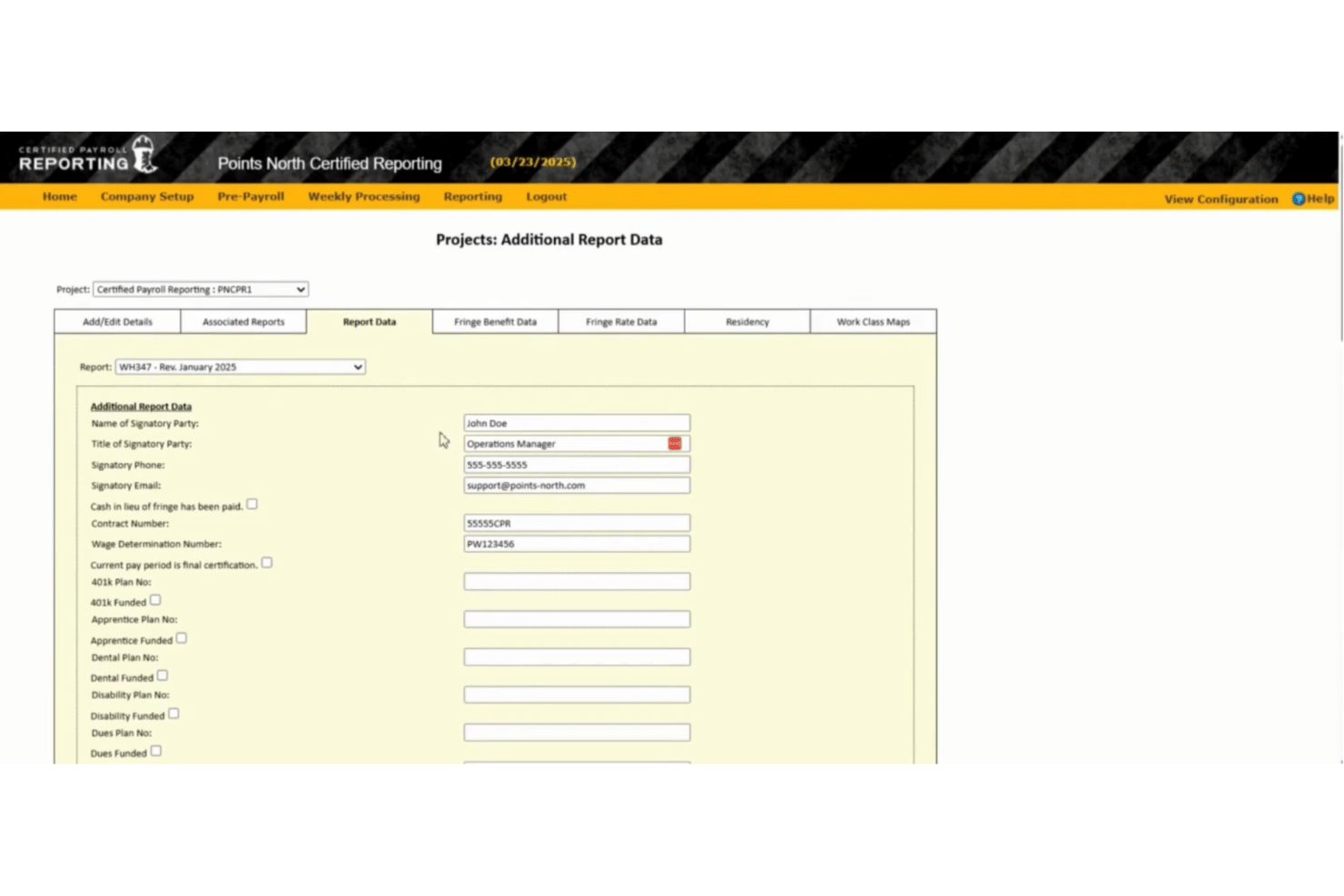
Points North is a cloud-based certified payroll reporting platform that automates the generation and electronic submission of WH-347 and 100+ federal, state, and municipal certified payroll formats, with built-in wage determination lookup and government portal compatibility.
Who Is Points North Best For?
Points North is a strong fit for payroll and compliance teams at construction firms that already use a major HCM platform—like ADP, Workday, or UKG—and need a dedicated layer for certified payroll report generation and e-submission.
Why I Picked Points North
Points North earns its spot on my shortlist because of how cleanly it slots into an existing HCM stack. If your payroll already runs through ADP Workforce Now, Workday, or UKG, Points North pulls that data directly to generate WH-347 reports and 100+ state and municipal certified payroll formats without any manual re-entry. I particularly like the built-in Wage Determination Number lookup and the electronic export compatibility with portals like LCPtracker, California DIR, and eMars, which covers most multi-state project reporting needs in one place.
Points North Key Features
- No-work report generation: Create and submit "No Work" certified payroll reports directly from the platform for weeks with no active labor on a project.
- Per-project email distribution lists: Configure project-specific recipient lists to send multiple certified payroll reports in a single email to agencies, GCs, or internal contacts.
- Apprentice wage ratio tracking: Manage apprentice wage progressions and ratios by classification and local through the WageIQ module.
- Indefinite report retention: Access and regenerate previously submitted certified payroll reports at any time from the cloud-based archive.
Points North Integrations
Points North integrates with ADP Workforce Now, Workday, Paycor, Paychex, UKG, QuickBooks Online, Deltek, Raken, and ClockShark. It also supports electronic export to LCPtracker, eMars, TRS, Elations, MD E-File, eCPR, eComply, AASHTO, and California DIR.
Pros and Cons
Pros:
- Indefinite archive for on-demand report retrieval
- Includes federal, state, and municipal reports
- Handles over 100 certified payroll formats
Cons:
- Requires separate pre-payroll module for full use
- No built-in payroll processing functionality
Annen programvare for sertifisert lønnskjøring
Her er noen flere alternativer for programvare for sertifisert lønnskjøring som ikke kom med på kortlisten min, men som likevel er verdt å se nærmere på:
- Lumber
For AI-driven prevailing wage audit readiness
- ADP Workforce Now
For mid-market contractors
- Netchex
For HCM-led contractor prevailing wage payroll
- hh2
For Sage ERP-connected prevailing wage payroll
- JOBPOWER
For small contractors doing union job costing
- Dapt
For existing ADP or Paychex payroll users


How I Evaluate Certified Payroll Software
My evaluation splits into two layers: the baseline each tool must clear—accurate WH-347 generation, prevailing wage rate application, and full-cycle payroll processing—and the differentiators that separate a capable tool from the right one for public works compliance.
Core Functionality (Table Stakes for This List)
When I'm selecting tools for my list, I rank each one on a scale from 0 (does not offer the functionality) to 5 (excels in this area) for each core functionality listed below. I then calculate the tool's total score into a percentage, and use that to help me assess its overall fit for the list.
- Certified payroll reports: I check whether the tool auto-generates WH-347 forms and state-specific reports, and whether it supports direct e-filing to agencies.
- Prevailing wage compliance: Each tool should apply Davis-Bacon and state wage rates by classification, project, and locality without manual lookups.
- Fringe benefits tracking: I evaluate how the tool splits fringes across health, pension, and training plans, and whether it handles cash vs. bona fide offsets.
- Payroll processing: Full-cycle gross-to-net calculations, tax withholdings, direct deposit, and garnishments all factor into how I score this area.
- Multi-jurisdiction tax handling: Tools that manage federal, state, and local tax filings across multiple worksites score higher than single-state-only options.
- Job costing and time allocation: I look for labor hour allocation to specific jobs, cost codes, and classifications with burden tracking tied back to projects.
Once I have a list of tools that meet the criteria, I consider what sets each platform apart.
Differentiating Factors (What Sets Vendors Apart)
Here's how I compare and contrast different vendors:
Standout Features
I check whether each tool offers built-in wage determination lookups that pull prevailing rates by trade, county, and project type directly from official databases. Manual rate research is a compliance risk, and tools like Miter and eBacon handle this automatically. I also evaluate fringe benefit annualization—specifically how each platform calculates bona fide benefit credits across health, pension, and apprenticeship plans to withstand a DOL audit. Native e-filing integration matters too: I look at whether the tool pushes certified payroll data directly into portals like LCPtracker or DIR eCPR without re-keying.
Beyond Features
I evaluate whether a vendor staffs compliance specialists who understand prevailing wage deadlines and split-classification rules, not just generic payroll support reps. Pricing flexibility matters too—construction workforces fluctuate seasonally, so I check if platforms penalize you for inactive employees or charge transparently for add-ons like e-filing and multi-EIN support. I also look at audit readiness: tools like Foundation Software and eBacon maintain immutable audit trails and flag underpayments before submission, which saves real pain when a DOL investigator requests evidence packets.
Slik velger du programvare for sertifisert lønnskjøring
Dette bør du fokusere på når du velger programvare for sertifisert lønnskjøring:
| Hvis prioriteten din er … | Se etter … |
|---|---|
| Rask og feilfri offentlig rapportering | Automatisk generering og elektronisk innsending av WH-347-/delstatsskjemaer |
| Å unngå bøter for manglende overholdelse av lønns- og frynsegodekrav | Oppslag av gjeldende lønnsfastsettelser og revisjonsspor |
| Å kjøre lønn på tvers av flere delstater eller fagforeninger | Håndtering av skatter og fagforeninger på tvers av flere delstater |
| Å koble lønn med andre HR-systemer | Integrasjoner med HCM-, ERP- eller tidsregistreringsverktøy |
| Å tilpasse seg sesongbaserte endringer i arbeidsstyrken | Fleksible abonnementsplaner basert på brukere eller ansatte |
Slik vurderer du kortlisten din
- Kontroller rapportnøyaktigheten med dokumentasjon: Be om et eksempel på en WH-347-rapport eller en delstatsspesifikk rapport som er generert for et reelt eller anonymisert prosjekt.
- Test manuell overstyring og oppslag: Kjør en prøve for å oppdatere en lønns- eller frynsegoderate midt i perioden, og kontroller at endringene synkroniseres gjennom rapporteringen.
- Vurder begrensninger på tvers av jurisdiksjoner: Send inn en sak eller kjør en simulert lønnskjøring på tvers av tre delstater eller fagforeninger, og undersøk oppdelingene av skatter og jobbkostnader.
- Bekreft at direkte elektronisk innsending er mulig: Be om skriftlig bekreftelse eller en demonstrasjon som viser elektronisk innsending til etaten eller portalen prosjektene dine bruker.
- Avveining – spesialtilpassede kontra generelle plattformer: Bestem om du trenger bransjespesifikke verktøy for overholdelse av krav i byggebransjen, med revisjonsspor, eller bredere HCM-pakker som tilbyr sertifisert lønnskjøring som en ekstra modul.
Hva er programvare for sertifisert lønnskjøring?
Sertifisert lønnsprogramvare er et spesialisert verktøy som automatiserer lønnsberegninger og rapportering til myndighetene for prosjekter som er underlagt lover om gjeldende lønnssatser. Den oppretter lønnsregistre i samsvar med kravene, genererer offisielle skjemaer som WH-347 og holder oversikt over lønnssatser, frynsegoder og klassifiseringer som kreves av myndighetene. Denne programvaren er viktig for HR-team som administrerer offentlige arbeider eller offentlige kontrakter, og som må oppfylle strenge krav til dokumentasjon og rapportering.
Funksjoner i sertifisert lønnsprogramvare
Når du velger sertifisert lønnsprogramvare, bør du se etter følgende viktige funksjoner:
- Sertifisert lønnsrapportering: Generer automatisk WH-347 og delstatsgodkjente lønnsskjemaer for offentlige arbeider og prosjekter med gjeldende lønnssatser. Denne funksjonen hjelper deg med å sende inn nøyaktige dokumenter som er klare for innsending til offentlige myndigheter, uten manuelle beregninger.
- Beregning av gjeldende lønnssatser: Bruk riktige lønnssatser basert på fagklassifisering, prosjekt og sted. Denne funksjonen sikrer at alle timer betales i samsvar med føderale og regionale krav, og forebygger brudd på lønnskravene.
- Administrasjon av frynsegoder: Hold oversikt over helseforsikring, pensjon, opplæring og andre frynsegoder, og håndter både kontantbetalinger og motregning gjennom reelle ordninger. Dette gjør det enklere å utarbeide tydelige oversikter over ytelser og være klar for revisjon.
- Lønnsbehandling: Håndter full lønnsbehandling fra bruttolønn til nettolønn, inkludert beregning av ordinær lønn og overtidsbetaling, skattetrekk, fradrag og direkte innbetaling. Dette støtter lønnsprosesser for både ordinært ansatte og ansatte på offentlige kontrakter.
- Skattehåndtering på tvers av jurisdiksjoner: Administrer skatteinnrapportering og etterlevelse for prosjekter som går på tvers av ulike delstater, fylker eller kommuner. Dette er viktig for entreprenører og underentreprenører med arbeidslag som jobber på flere steder.
- Jobbkostnadsføring og tidsfordeling: Fordel arbeidstimer og lønn til riktige jobbnumre, prosjekter og arbeidstakerklassifiseringer. Bruk denne funksjonen til å utarbeide nøyaktig kostnadsoppfølging, fremdriftsfakturering og lønnsomhetsanalyse.
- Revisjonsspor og varsler om manglende etterlevelse: Oppretthold en uforanderlig oversikt over lønnsendringer og flagg mulige underbetalinger eller feil i klassifiseringer. Dette hjelper deg med å opprettholde åpenhet og korrigere problemer før innsending.
- Direkte integrasjoner for elektronisk innsending: Send sertifiserte lønnsdata direkte til portaler som LCPtracker, DIR eCPR eller andre systemer hos myndighetene, uten å legge inn informasjonen på nytt. Dette sparer tid og reduserer feil.
- Innebygd oppslag av lønnsfastsettelser: Hent gjeldende lønnssatser direkte fra offentlige databaser basert på fagområde, sted og prosjekttype. Dette reduserer risikoen for å bruke utdaterte lønnstabeller.
- Tilpassbare rapporter og eksporter: Opprett tilpassede eksporter av lønns-, frynsegode- og jobbkostnadsdata for interne gjennomganger eller integrasjon med regnskaps-, HCM- eller ERP-systemene dine. Dette kobler den sertifiserte lønnsbehandlingen til annen programvare du allerede bruker.
Fordeler med sertifisert lønnsprogramvare
Implementering av sertifisert lønnsprogramvare gir flere fordeler for teamet og virksomheten din. Her er noen av fordelene du kan se frem til:
- Nøyaktig rapportering til myndighetene: Generer automatisk WH-347 og delstatsgodkjente lønnsskjemaer i samsvar med kravene, slik at du kan sende inn feilfrie dokumenter og unngå bøter.
- Etterlevelse av gjeldende lønnssatser: Bruk riktige lønnssatser basert på fagklassifisering, prosjekt og sted, slik at alle ansatte får lønn i samsvar med føderale og regionale regler.
- Oppfølging av frynsegoder: Fordel og administrer frynsegoder for helse-, pensjons- og opplæringsordninger, og legg til rette for detaljerte oversikter og etterlevelse av revisjonskrav.
- Skattehåndtering på tvers av jurisdiksjoner: Administrer skatteinnrapportering og fradrag for prosjekter i ulike delstater, fylker eller kommuner uten å gjøre manuelle justeringer.
- Direkte integrasjoner for elektronisk innsending: Send lønnsdata direkte til offentlige portaler som LCPtracker eller DIR eCPR, slik at dobbeltregistrering unngås og feil ved avskrift reduseres.
- Jobbkostnadsføring og tidsfordeling: Fordel arbeidstimer og lønn til riktige jobbnumre, og legg til rette for nøyaktig kostnadsoppfølging og analyse av prosjektets lønnsomhet.
- Uforanderlige revisjonsspor: Oppretthold uforanderlige oversikter over lønnsendringer og få varsler om mulige underbetalinger eller feil før hver innsending.
Kostnader og priser for sertifisert lønnsprogramvare
Valg av sertifisert lønnsprogramvare krever en forståelse av de ulike prismodellene og abonnementene som er tilgjengelige. Kostnadene varierer basert på funksjoner, teamstørrelse, tillegg og mer. Tabellen nedenfor oppsummerer vanlige abonnementer, gjennomsnittsprisene deres og typiske funksjoner som er inkludert i løsninger for sertifisert lønnsprogramvare:
Sammenligningstabell for abonnementer
| Plantype | Gjennomsnittspris | Vanlige funksjoner |
|---|---|---|
| Gratisabonnement | $0 | Grunnleggende lønnskjøring, begrensede sertifiserte lønnsrapporter og enkel medarbeiderhåndtering. |
| Personlig abonnement | $30-$60/måned | Sertifisert lønnsrapportering, beregning av gjeldende minstelønn og grunnleggende jobbkostnadsberegning. |
| Bedriftsabonnement | $100-$250/måned | Avanserte sertifiserte lønnsrapporter, håndtering av gjeldende minstelønn og tilleggsgoder, håndtering av flere jurisdiksjoner og integrasjoner. |
| Enterprise-abonnement | $300-$600+/måned | Tilpasset rapportering, revisjonsspor, direkte integrasjoner for elektronisk innlevering, samsvarsvarsler, dedikert brukerstøtte og støtte for flere selskaper. |
Vanlige spørsmål om sertifisert lønnsprogramvare
Her er noen svar på vanlige spørsmål om sertifisert lønnsprogramvare:
Hvordan kan du kontrollere at sertifisert lønnsprogramvare er i samsvar med føderale og delstatlige krav?
Du bør be leverandørene om eksempler på WH-347-rapporter og bekreftelser på innsending til myndighetene. Det er viktig å se et ekte eller anonymisert eksempel for prosjekter som ligner på dine. Se etter automatisk utfylte lønnssatser, spesifikasjoner av tilleggsgoder og dokumentasjon på elektronisk innlevering. Noen plattformer tilbyr skriftlige samsvarsgarantier eller oppbevarer dokumentasjon som er klar for forespørsler i forbindelse med revisjon.
Kan sertifisert lønnsprogramvare integreres med systemer for tidsregistrering eller HR?
Ja, mange plattformer for sertifisert lønnsprogramvare tilbyr integrasjoner med populære HR-, ERP- og tidsregistreringsverktøy. Du kan koble til systemer som Sage, QuickBooks, ADP eller Procore for enklere dataregistrering. Ikke alle leverandører støtter alle integrasjoner, så bekreft alltid at plattformene du er avhengig av, støttes før du kjøper.
Hva er forskjellen mellom generell lønnsprogramvare og sertifisert lønnsprogramvare?
Sertifisert lønnsprogramvare er utviklet for offentlige arbeider og prosjekter med gjeldende minstelønn. Den automatiserer myndighetsrapportering, fastsettelse av lønnssatser og beregning av tilleggsgoder som kreves ved lov. Standard lønnsprogramvare kan håndtere lønnsutbetalinger og skatter, men kan vanligvis ikke administrere lønnssatser per prosjekt eller opprette samsvarsdokumentasjonen du trenger ved revisjoner.
Er sertifisert lønnsprogramvare nødvendig hvis jeg bare arbeider med offentlige prosjekter av og til?
Ja, selv ett prosjekt med gjeldende minstelønn kan utløse strenge rapporterings- og revisjonskrav. Sertifisert lønnsprogramvare bidrar til å forhindre feil som kan føre til bøter eller prosjektforsinkelser. Hvis du driver et mindre firma med sjeldent offentlig arbeid, bør du se etter leverandører som tilbyr fleksible abonnementer eller betaling etter bruk, uten å binde deg til årlige kontrakter.
Hvordan sammenligner du priser mellom leverandører av sertifisert lønnsprogramvare?
Fokuser på de viktigste behovene dine, blant annet antall ansatte, prosjektkompleksitet, rapportering på tvers av delstater og nødvendige integrasjoner. Sjekk om prisen beregnes per bruker, per lønnskjøring eller basert på aktive ansatte. Ikke glem å spørre om ekstra kostnader for samsvarsmoduler, elektronisk innlevering eller hjelp med oppstart. Be alltid om et tilpasset pristilbud basert på de faktiske lønnsdataene og rapporteringsbehovene dine.