

10 Beste EOR’s voor kleine bedrijven in 2026

10 EOR voor kleine bedrijven: selectie


Een formele werkgever (EOR) is een dienst die je team in het buitenland juridisch in dienst neemt en de salarisadministratie, naleving van regelgeving en HR-documentatie afhandelt, zodat je overal personeel kunt aannemen zonder zelf een internationale juridische entiteit nodig te hebben.
Als je internationaal groeit, zoekt naar manieren om het aannemen van wereldwijd talent te vereenvoudigen of moeite hebt om veranderende arbeidswetgeving bij te houden, geeft het vinden van de juiste EOR je duidelijkheid en controle. In deze gids worden de beste EOR-aanbieders voor kleine bedrijven besproken, zodat je kunt bepalen welke het beste aansluit bij je wervingsbehoeften, budget en internationale ambities.
Waarom u onze softwarebeoordelingen kunt vertrouwen
Ons team test en beoordeelt software sinds 2012. Als HR-experts weten we zelf hoe moeilijk — en belangrijk — het is om de juiste software te kiezen.
Voor deze gids hebben we tools geëvalueerd met behulp van praktijktests en onafhankelijk onderzoek, waarbij we tools beoordeelden aan de hand van onze selectiecriteria. We putten ook uit inzichten van vooraanstaande experts uit de branche en van praktiserende HR-professionals.
Onze reviews weerspiegelen ons menselijke redactionele oordeel, geen verkooppraatje.
Deskundige beoordelaars:
EOR voor kleine bedrijven: vergelijkingstabel
In de onderstaande tabel worden de prijsdetails van mijn beste EOR-selecties voor kleine bedrijven vergeleken.
| Tool | Best For | Trial Info | Price | ||
|---|---|---|---|---|---|
| 1 | Het beste voor vaste tarieven in verschillende landen | Gratis demo beschikbaar | Vanaf $399/gebruiker/maand | Website | |
| 2 | Het beste met menselijke ondersteuning boven automatisering | Gratis demo beschikbaar | Vanaf $319/gebruiker/maand | Website | |
| 3 | Beste voor snelle indienstneming met ingebouwde contractprocessen | Gratis demo beschikbaar | Vanaf $199/gebruiker/maand | Website | |
| 4 | Ideaal voor werving met ingebouwde ondersteuning bij het vinden van talent | Gratis demo beschikbaar | Vanaf $199/gebruiker/maand | Website | |
| 5 | Het beste voor onbeperkte vrijwaring bij internationale aanwervingen | Gratis demo beschikbaar | Vanaf $599/gebruiker/maand | Website | |
| 6 | Ideaal voor het modelleren van arbeidskosten vóór indiensttreding | Gratis demo beschikbaar | Vanaf $399/medewerker/maand | Website | |
| 7 | Beste keuze voor wereldwijd nalevingsbereik dat door analisten wordt erkend | Gratis demo beschikbaar | Vanaf $599/werknemer/maand | Website | |
| 8 | Beste keuze voor dekking van aansprakelijkheid bij contractuele beëindiging | Gratis demo beschikbaar | Vanaf $499/gebruiker/maand | Website | |
| 9 | Best voor uitgebreide landenondersteuning | Gratis demo beschikbaar | Vanaf $699/gebruiker/maand | Website | |
| 10 | Ideaal voor oprichters zonder HR-achtergrond die met een beperkt budget personeel in het buitenland aannemen | Gratis demo beschikbaar | Vanaf $199/gebruiker/maand | Website |


EOR voor kleine bedrijven: beoordelingen
Hieronder vind je mijn gedetailleerde samenvattingen van de EOR-diensten voor kleine bedrijven die op mijn selectie staan. Mijn beoordelingen bieden een gedetailleerd overzicht van de functies, beste toepassingsmogelijkheden en prijzen van elk platform, zodat je de beste optie voor jouw situatie kunt vinden.

Playroll
Het beste voor vaste tarieven in verschillende landen
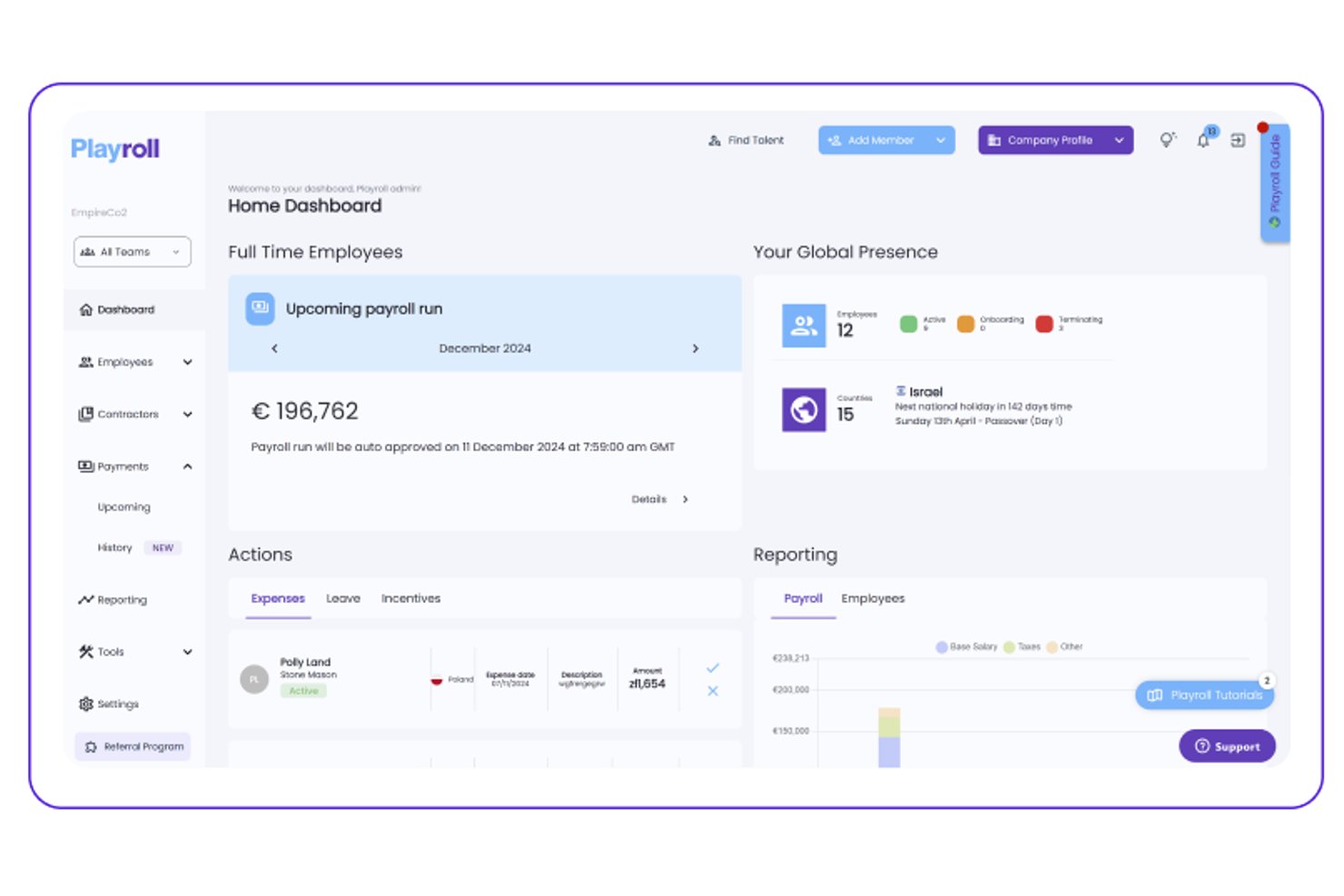
Playroll is een platform voor formeel werkgeverschap dat internationale werving, salarisadministratie, voordelenbeheer en naleving in meerdere landen vanuit één dashboard afhandelt.
Voor wie is Playroll het meest geschikt?
Playroll is zeer geschikt voor kleine bedrijven die in meerdere landen personeel aannemen en voorspelbare tarieven zonder onverwachte kosten willen.
Waarom ik voor Playroll heb gekozen
Playroll staat op mijn shortlist omdat het model met vaste tarieven een van de grootste hoofdpijndossiers bij internationale werving wegneemt: onvoorspelbare kosten. Ik vind het prettig dat je hetzelfde tarief betaalt, ongeacht in welk land je iemand aanneemt, zodat opschalen van één naar vijf landen je budget niet onverwacht opblaast. Playroll brengt salarisadministratie, voordelen en naleving ook samen in één dashboard, precies wat een klein HR-team nodig heeft bij het beheren van werknemers over grenzen heen.
Belangrijkste functies van Playroll
- Salarisverwerking in meerdere valuta: Verwerk salarissen in lokale valuta voor werknemers in verschillende landen vanuit één dashboard.
- Lokaal conforme arbeidsovereenkomsten: Playroll genereert overeenkomsten die voldoen aan de wettelijke vereisten van het betreffende land, waaronder opzegtermijnen en wettelijk verplichte voordelen.
- Zelfbedieningsportaal voor werknemers: Werknemers kunnen loonstroken bekijken, verlof aanvragen en persoonlijke gegevens bijwerken zonder tussenkomst van HR.
- Ingebouwd onkostenbeheer: Teams kunnen onkostendeclaraties rechtstreeks binnen het platform indienen en goedkeuren, waardoor vergoedingen aan salariscycli gekoppeld blijven.
Integraties van Playroll
Playroll documenteert standaard ingebouwde HRIS-integraties met platforms zoals BambooHR en HiBob, naast een openbare API voor aangepaste koppelingen.
Pros and Cons
Pros:
- Lokaal conforme arbeidsovereenkomsten
- Zelfbediening voor werknemers vermindert administratieve verzoeken
- Ondersteuning voor onkostendeclaraties binnen salarisprocessen
Cons:
- Beperkte openbare informatie over landen die worden ondersteund
- Het beheer van voordelen verschilt per locatie

Het beste met menselijke ondersteuning boven automatisering
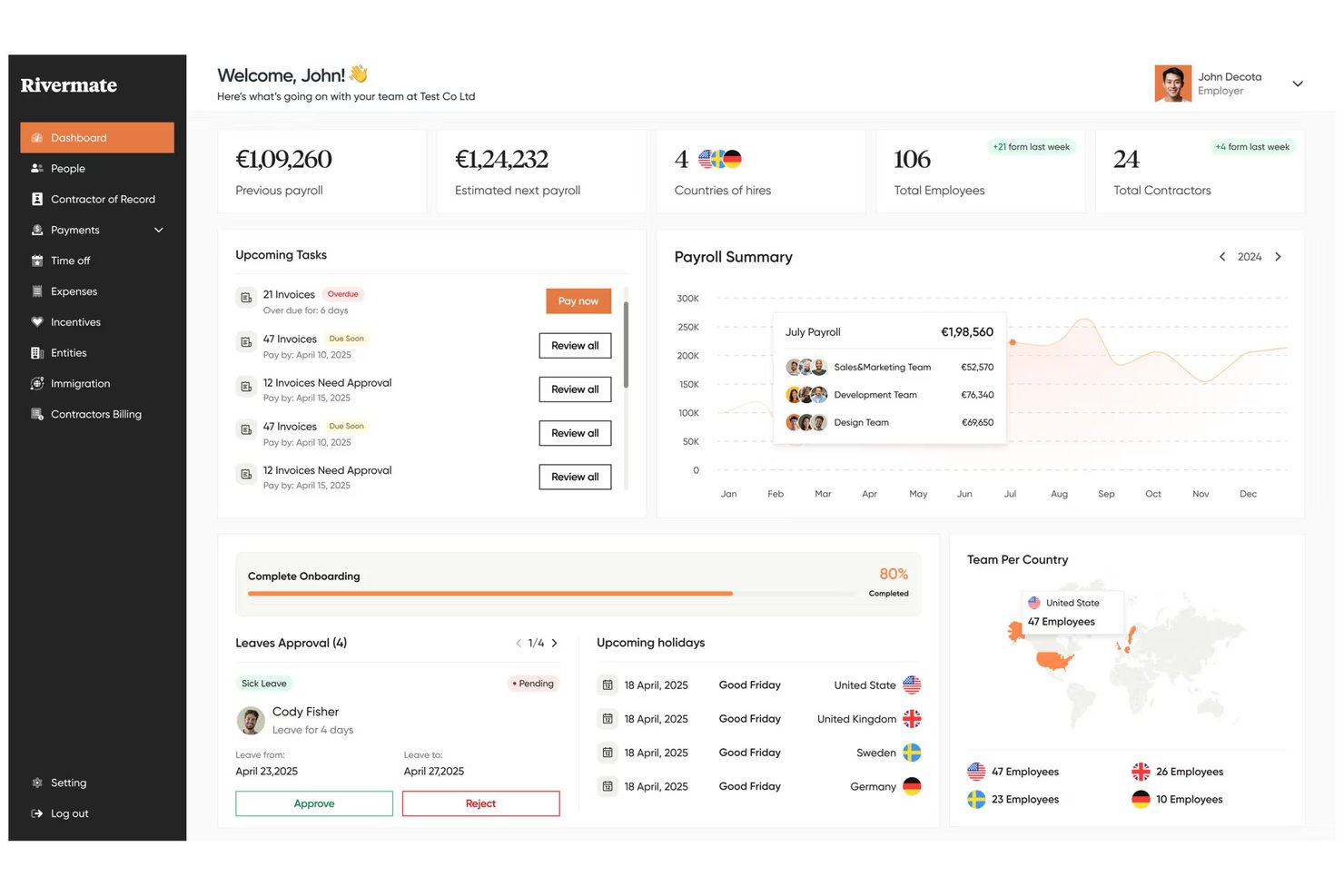
Rivermate is een dienst voor formeel werkgeverschap die internationale werving, salarisadministratie, naleving van regelgeving en het beheer van arbeidsvoorwaarden in meerdere landen verzorgt via een team van lokale HR- en juridische experts.
Voor wie is Rivermate het meest geschikt?
Rivermate is zeer geschikt voor kleine bedrijven die willen dat een echt persoon hun internationale HR-vragen behandelt—geen chatbot of geautomatiseerde workflow.
Waarom ik voor Rivermate heb gekozen
Ik heb Rivermate opgenomen in mijn topkeuzes omdat het de chatbotgerichte ervaring vervangt die de meeste EOR-platforms standaard bieden door echte menselijke experts. Wanneer je je eerste medewerker in bijvoorbeeld Brazilië of de Filipijnen aanneemt, krijg je een vaste accountmanager die de lokale arbeidswetgeving kent, geen artikel uit een kennisbank. Ik vind het vooral prettig dat de interne juridische en HR-specialisten het opstellen van contracten en nalevingscontroles rechtstreeks afhandelen, zodat er niets verloren gaat in een geautomatiseerde workflow.
Belangrijkste functies van Rivermate
- Salarisverwerking in meerdere landen: Rivermate verwerkt salarissen in lokale valuta in meer dan 150 landen en verzorgt berekeningen, belastingaangiften en uitbetalingen tijdens elke salariscyclus.
- Lokaal conforme arbeidsovereenkomsten: Rivermate stelt arbeidsovereenkomsten op die voldoen aan de wettelijke vereisten van het betreffende land, waaronder opzegtermijnen, ontslagvergoedingen en verplichte bepalingen.
- Beheer van arbeidsvoorwaarden: Rivermate beheert wettelijke en aanvullende arbeidsvoorwaarden per land, waaronder ziektekostenverzekering, pensioenbijdragen en aanspraken op betaald verlof.
- Beheer van intellectueel eigendom en apparatuur: Rivermate ondersteunt overeenkomsten voor de overdracht van intellectueel eigendom en coördineert de levering van apparatuur voor nieuwe internationale medewerkers.
Integraties van Rivermate
Standaardintegraties worden momenteel niet vermeld.
Pros and Cons
Pros:
- Menselijke ondersteuning bij complexe HR-vragen
- Lokale juridische experts beoordelen arbeidsovereenkomsten
- Verzorgt salarisadministratie en arbeidsvoorwaarden in meerdere landen
Cons:
- Minder automatisering dan EOR-platforms die primair op chatbots zijn gebaseerd
- Beschikbaarheid van arbeidsvoorwaarden verschilt per bestemmingsland

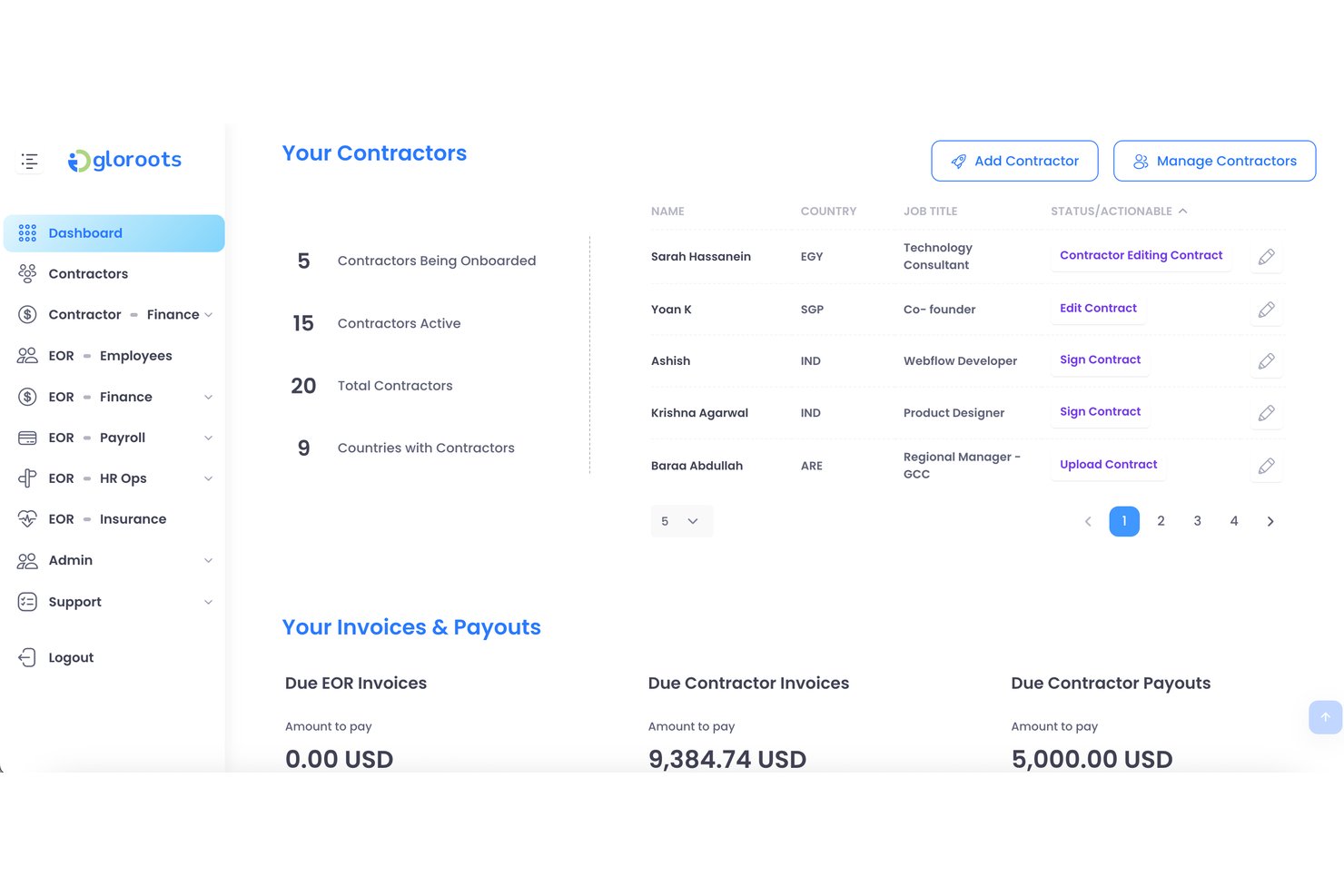
Gloroots is een platform voor formeel werkgeverschap dat wereldwijde werving, gelokaliseerde arbeidsovereenkomsten, salarisverwerking en nalevingsbeheer in meerdere landen ondersteunt.
Voor wie is Gloroots het meest geschikt?
Gloroots is zeer geschikt voor kleine bedrijven die snel internationale werknemers moeten aannemen zonder verstrikt te raken in het opstellen van contracten of onderzoek naar lokale regelgeving.
Waarom ik voor Gloroots heb gekozen
Ik heb Gloroots geselecteerd als een van de beste opties omdat kleine bedrijven hiermee binnen enkele dagen van 'we hebben iemand in Brazilië nodig' naar een ondertekend, lokaal conform contract kunnen gaan. Ik vind het geweldig dat het automatisch gelokaliseerde arbeidsovereenkomsten genereert die zijn afgestemd op de arbeidswetgeving van elk land, zodat je niet door juridische documenten hoeft te zoeken of alleen om te beginnen lokale juridische adviseurs hoeft in te schakelen. De ingebouwde nalevingscontroles signaleren landspecifieke vereisten voordat je iemand aanneemt, precies het soort vangnet dat een klein HR-team nodig heeft.
Belangrijkste functies van Gloroots
- Salarisverwerking in meerdere landen: Verwerk salarissen in meerdere landen vanuit één overzicht, met automatische valutaomrekening en lokale uitbetaling.
- Beheer van werknemersvoordelen: Beheer landspecifieke wettelijke en aanvullende voordelen voor internationale medewerkers rechtstreeks binnen het platform.
- Onkostenbeheer: Werknemers kunnen via het platform onkosten indienen en managers kunnen terugbetalingen in lokale valuta beoordelen en goedkeuren.
- Beheer van contractanten: Neem internationale contractanten aan, betaal hen uit en beheer hen naast voltijdwerknemers binnen één uniform systeem.
Integraties van Gloroots
Oorspronkelijke integraties zijn niet duidelijk gedocumenteerd.
Pros and Cons
Pros:
- Gelokaliseerde contracten versnellen internationale werving
- Salarisverwerking ondersteunt meerdere valuta
- Contractanten en werknemers delen één platform
Cons:
- De prijs kan een uitdaging vormen voor zeer kleine teams
- Landspecifieke dekking vereist zorgvuldige verificatie

Ideaal voor werving met ingebouwde ondersteuning bij het vinden van talent
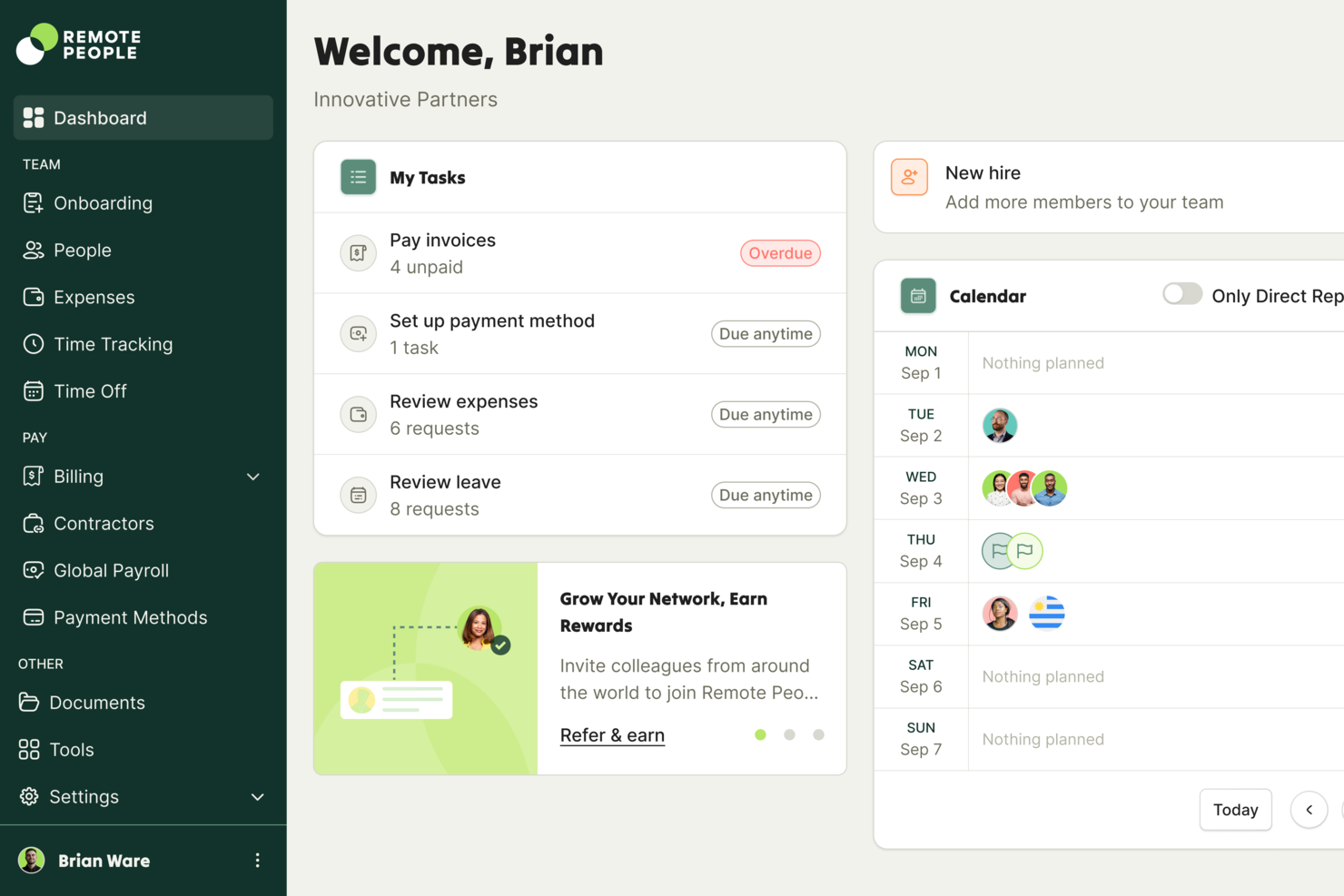
RemotePeople is een platform voor formeel werkgeverschap dat wereldwijde infrastructuur voor werving combineert met interne wervingsdiensten en internationale loonadministratie, naleving, contractantenbeheer en het vinden van talent omvat.
Voor wie is RemotePeople het meest geschikt?
RemotePeople is zeer geschikt voor kleine bedrijven die hulp nodig hebben bij het vinden en aannemen van internationaal talent, en niet alleen bij het beheren ervan achteraf.
Waarom ik voor RemotePeople heb gekozen
Ik heb RemotePeople opgenomen in mijn topkeuzes omdat het een van de weinige EOR-platforms is die het vinden van talent combineert met infrastructuur voor formeel werkgeverschap. Je beheert dus niet alleen medewerkers, maar neemt ze daadwerkelijk aan. Ik vind het geweldig dat hun interne wervingsteam namens jou internationale kandidaten kan identificeren en beoordelen. Dat is een groot voordeel wanneer je kleine bedrijf geen eigen recruiter heeft. Hun tools voor contractantenbeheer en wereldwijde loonadministratie nemen het vervolgens over zodra iemand is ingewerkt, zodat de naleving over de grenzen heen gewaarborgd blijft.
Belangrijkste functies van RemotePeople
- Loonverwerking in meerdere valuta: Werknemers en contractanten worden betaald in hun lokale valuta, waarbij automatische valutaconversie via het platform wordt afgehandeld.
- Beheer van arbeidsvoorwaarden: RemotePeople beheert lokaal conforme arbeidsvoorwaardenpakketten voor internationale werknemers, waaronder ziektekostenverzekeringen en wettelijke aanspraken.
- Begeleide onboarding van werknemers: Nieuwe medewerkers doorlopen een gestructureerde onboardingworkflow waarin documentatie wordt verzameld en per land wordt gecontroleerd of aan de nalevingsvereisten is voldaan.
- Toegewijd accountbeheer: Elke klant krijgt een eigen accountmanager die directe ondersteuning biedt bij HR-vragen en beslissingen over grensoverschrijdende werving.
Integraties van RemotePeople
RemotePeople ondersteunt rechtstreekse integraties met Workday, SAP SuccessFactors, BambooHR, HiBob, NetSuite, QuickBooks, Paylocity, Factorial, Lattice, JumpCloud, TriNet en UKG Pro. Het biedt ook ontwikkelaars-API's met OAuth 2.0-authenticatie voor aangepaste integraties.
Pros and Cons
Pros:
- Interne werving ondersteunt het vinden van internationaal talent
- Toegewijde accountmanagers begeleiden grensoverschrijdende werving
- Ondersteuning bij lokale arbeidsvoorwaarden voor naleving door internationale werknemers
Cons:
- Ondersteuning bij werving is mogelijk niet geschikt voor zelfsturende teams
- De landspecifieke dienstverlening moet worden gecontroleerd

Remote
Het beste voor onbeperkte vrijwaring bij internationale aanwervingen
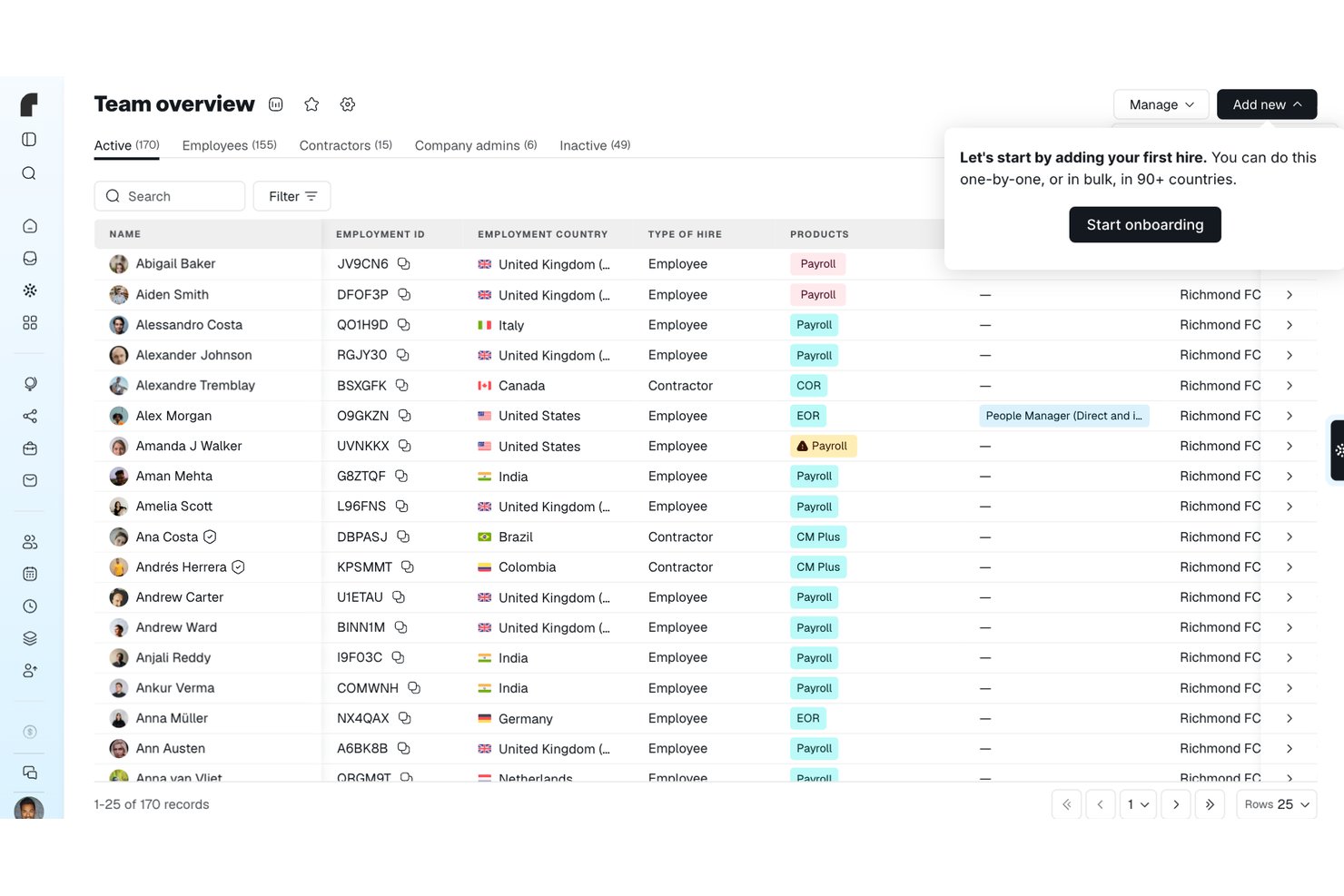
Remote is een EOR- en salarisadministratieprovider waarmee bedrijven werknemers in meer dan 90 landen kunnen aannemen, betalen en beheren. Remote handelt lokale contracten, salarisadministratie, wettelijke arbeidsvoorwaarden en naleving af via eigen entiteiten in de betreffende landen.
Voor wie is Remote het meest geschikt?
Remote is zeer geschikt voor kleine bedrijven en startups die over de grens personeel aannemen en één verantwoordelijke partner nodig hebben voor salarisadministratie en arbeidsrelaties, zonder lokale entiteiten op te zetten.
Waarom ik voor Remote koos
Remote staat op mijn shortlist omdat het onbeperkte vrijwaring biedt voor internationale aanwervingen. Naar mijn mening is dat een echte onderscheidende factor wanneer je kleine bedrijf arbeidsrisico's aangaat in onbekende markten. In de praktijk betekent dit dat je niet zelf voor de rekening opdraait als er een nalevingsprobleem ontstaat in een land waar je via Remote iemand hebt aangenomen. Ik vind het ook sterk dat Remote dit ondersteunt met eigen entiteiten in meer dan 90 landen en een Nalevingsmonitor die aankomende wijzigingen in arbeidswetgeving signaleert voordat ze gevolgen hebben voor je team.
Belangrijkste functies van Remote
- Nalevingsmonitor: Houdt aankomende wijzigingen in de arbeidswetgeving per land bij en toont de ingangsdatum, impactgebieden en voorgestelde vervolgstappen rechtstreeks in het platform.
- IP-bescherming: Draagt intellectuele-eigendomsrechten over van de aangenomen werknemer aan de lokale entiteit van Remote en vervolgens aan jouw bedrijf, met juridische controle in het betreffende land en vrijwaring als de overdracht mislukt.
- Mobiele werknemersapp: Hiermee kunnen EOR-werknemers loonstroken en arbeidsdocumenten bekijken, verlof aanvragen en onkosten indienen vanaf iOS- of Android-apparaten.
- Kostencalculator: Schat de totale arbeidskosten per land op basis van salaris, wettelijke bijdragen en de beheervergoeding van Remote, waarbij rapporten voor meerdere werknemers kunnen worden geëxporteerd als CSV- of PDF-bestand.
Integraties van Remote
Remote biedt ingebouwde integraties met BambooHR, Greenhouse, HiBob, Workday, Personio, QuickBooks en Xero. Het ondersteunt ook Zapier, API's, webhooks, SDK's, CLI en MCP voor aangepaste koppelingen.
Pros and Cons
Pros:
- Onbeperkte vrijwaring beschermt internationale aanwervingen
- Beoordelaars prijzen de gecentraliseerde internationale salarisadministratie
- Werknemers hebben toegang tot loonstroken en kunnen verlof aanvragen
Cons:
- Terugkerende EOR-kosten vormen een belasting voor kleine teams
- Ondersteuning per land kan escalatie vereisen

Pebl
Ideaal voor het modelleren van arbeidskosten vóór indiensttreding
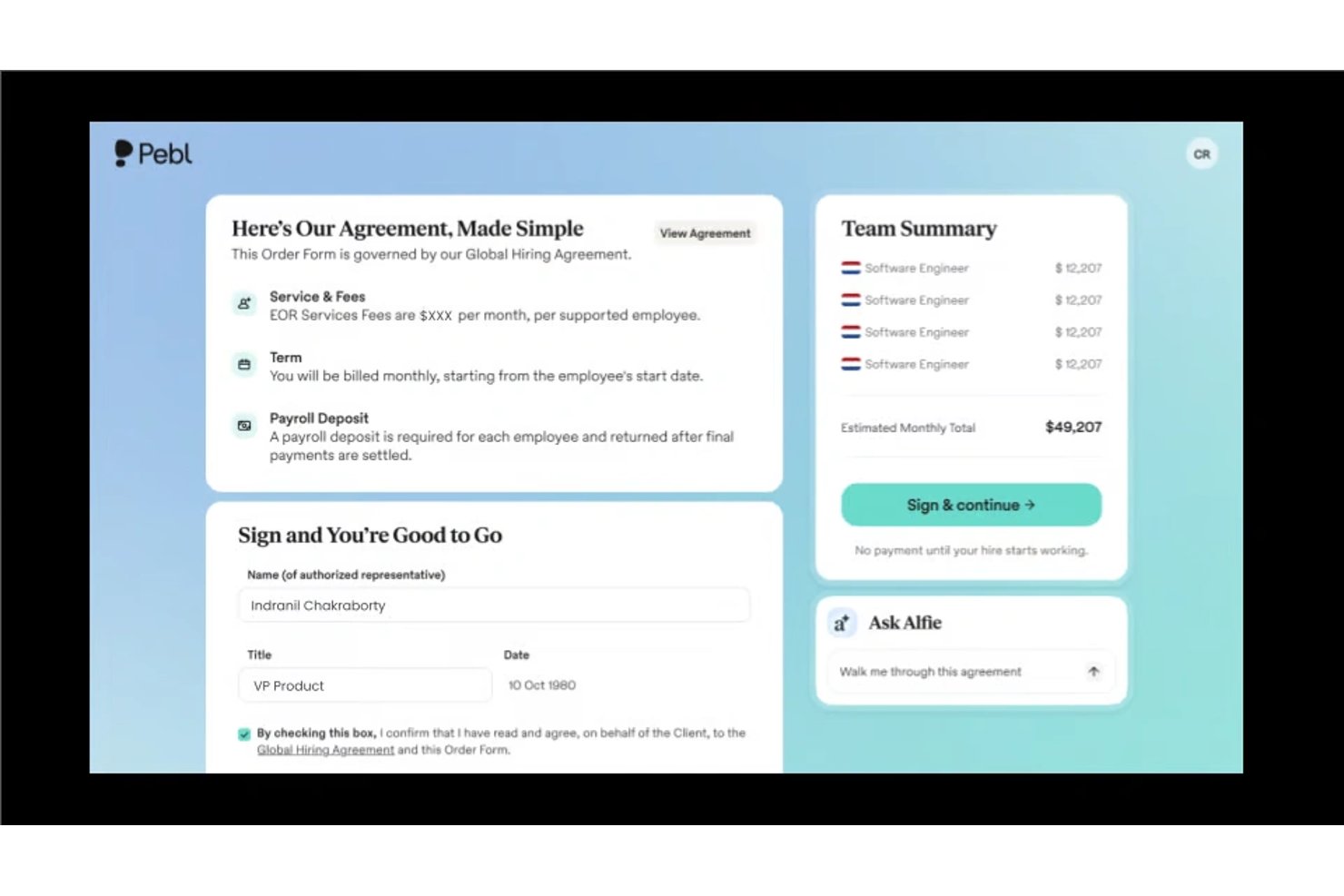
Pebl is een platform voor formeel werkgeverschap dat internationale werving, loonverwerking en modellering van arbeidskosten vóór indiensttreding combineert, zodat kleine bedrijven werknemers over de grens kunnen inschakelen in overeenstemming met de regelgeving.
Voor wie is Pebl het meest geschikt?
Pebl is zeer geschikt voor eigenaren van kleine bedrijven die de volledige kosten van internationaal werven willen modelleren voordat ze een beslissing nemen.
Waarom ik voor Pebl heb gekozen
Pebl staat op mijn shortlist dankzij de modellering van kosten vóór indiensttreding, waarmee je de volledige arbeidskosten van een nieuwe medewerker kunt zien voordat je je vastlegt. Ik vind het prettig dat het de werkgeversbelastingen, arbeidsvoorwaarden en lokale nalevingskosten per land uitsplitst, zodat er na het inwerken geen verrassingen ontstaan. Voor kleine bedrijven die internationaal werven met krappe marges is die voorafgaande transparantie bijzonder nuttig.
Belangrijkste functies van Pebl
- AI-assistent (Alfie): Een ingebouwd AI-hulpmiddel dat rechtstreeks binnen het platform vragen beantwoordt over beloning, inwerken, naleving en inzichten in het personeelsbestand.
- Genereren van lokaal conforme contracten: Maakt automatisch arbeidscontracten in meer dan 25 talen die voldoen aan lokale wettelijke vereisten, zodat je nieuwe medewerkers binnen enkele dagen kunt inwerken.
- Beheer van wereldwijde arbeidsvoorwaarden: Biedt landspecifieke arbeidsvoorwaarden via entiteiten die eigendom zijn van Pebl, waarbij Pebl namens jou de naleving en administratie afhandelt.
- HR- en salarisintegraties: Maakt verbinding met je bestaande tools voor werving, HR en salarisadministratie, zodat je je internationale personeelsbestand kunt beheren zonder tussen systemen te hoeven schakelen.
Integraties van Pebl
Pebl biedt rechtstreekse integraties met Ashby, ADP Workforce Now, Oracle, Namely, Gusto en meer.
Pros and Cons
Pros:
- Modellering vóór indiensttreding maakt de totale arbeidskosten inzichtelijk
- Lokaal conforme contracten ondersteunen een snellere onboarding
- Landspecifiek beheer van arbeidsvoorwaarden vermindert de nalevingslast
Cons:
- De beschikbaarheid van arbeidsvoorwaarden verschilt per locatie van de medewerker
- Voor AI-begeleiding is nog steeds controle door HR nodig

G-P
Beste keuze voor wereldwijd nalevingsbereik dat door analisten wordt erkend
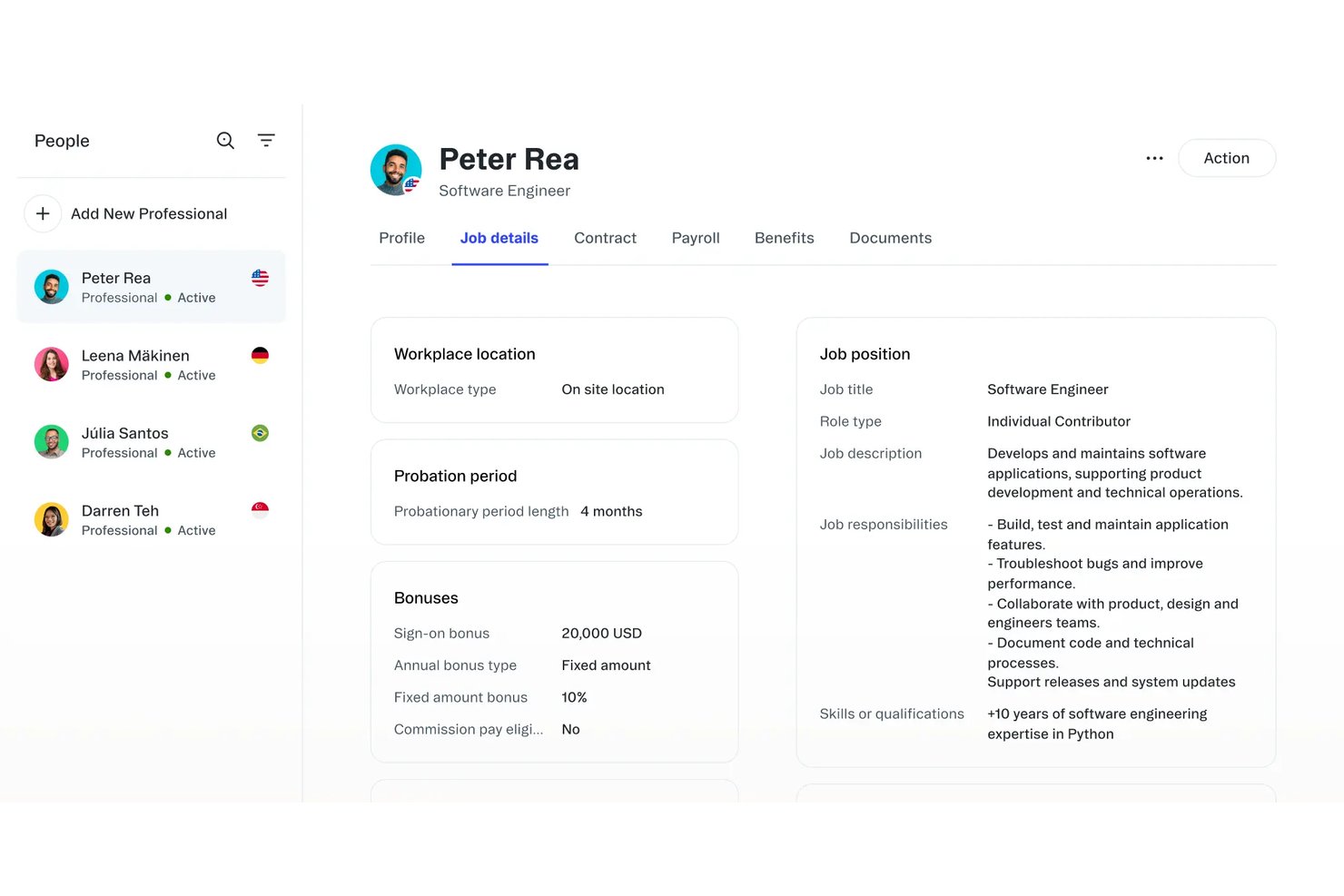
G-P is een platform voor formeel werkgeverschap dat internationale werving, salarisadministratie, arbeidsvoorwaardenbeheer en naleving in meer dan 180 landen verzorgt.
Voor wie is G-P het meest geschikt?
G-P is zeer geschikt voor kleine bedrijven die internationaal personeel willen aannemen en de zekerheid willen van een platform dat onafhankelijk is beoordeeld op strenge nalevingsnormen in wereldwijde markten.
Waarom ik voor G-P koos
G-P staat op mijn shortlist omdat de nalevingsinfrastructuur onafhankelijk is beoordeeld door analisten. Dat is belangrijk wanneer je als klein bedrijf internationaal personeel aanneemt zonder een eigen juridisch team. Ik ben vooral te spreken over de tool voor landinzichten, die per markt lokale arbeidswetgeving, verplichte arbeidsvoorwaarden en regels voor beëindiging van dienstverbanden toont voordat je iemand aanneemt. G-P beschikt bovendien over eigen lokaal opgerichte entiteiten in meer dan 180 landen, zodat je werknemers niet via externe partners worden aangestuurd, waar zich vaak hiaten in de naleving voordoen.
Belangrijkste functies van G-P
- Begeleide onboarding van werknemers: Een ingebouwde onboardingworkflow begeleidt je bij het verzamelen van werknemersdocumenten, het ondertekenen van contracten en het instellen van de salarisadministratie in één proces.
- Wereldwijd beheer van arbeidsvoorwaarden: G-P beheert lokaal conforme arbeidsvoorwaardenpakketten, waaronder zorgverzekeringen en wettelijke bijdragen, voor werknemers in gedekte markten.
- Geïntegreerde salarisverwerking: Het platform verwerkt salarissen in het betreffende land, verzorgt valutaomrekening en levert loonstroken rechtstreeks aan werknemers, zonder dat een aparte salarisadministratietool nodig is.
- HRIS-integraties: G-P maakt verbinding met veelgebruikte HR-systemen, zodat je werknemersgegevens, organisatiegegevens en personeelsomvang gesynchroniseerd blijven binnen je bestaande technologiestack.
Integraties van G-P
G-P vermeldt integraties met ADP Workforce Now, Paylocity, BambooHR, HiBob, Personio, SAP SuccessFactors, UKG Pro, UKG Ready, Workday en Microsoft Entra ID. De API ondersteunt aangepaste integraties.
Pros and Cons
Pros:
- Door analisten erkend wereldwijd nalevingsbereik
- Lokaal opgerichte entiteiten in meer dan 180 landen
- Inzichten per land maken lokale vereisten voor personeelswerving duidelijk
Cons:
- Vooral geschikt voor grotere wervingsbudgetten
- De wereldwijde reikwijdte kan groter zijn dan nodig voor eenvoudige wervingsbehoeften

Beste keuze voor dekking van aansprakelijkheid bij contractuele beëindiging
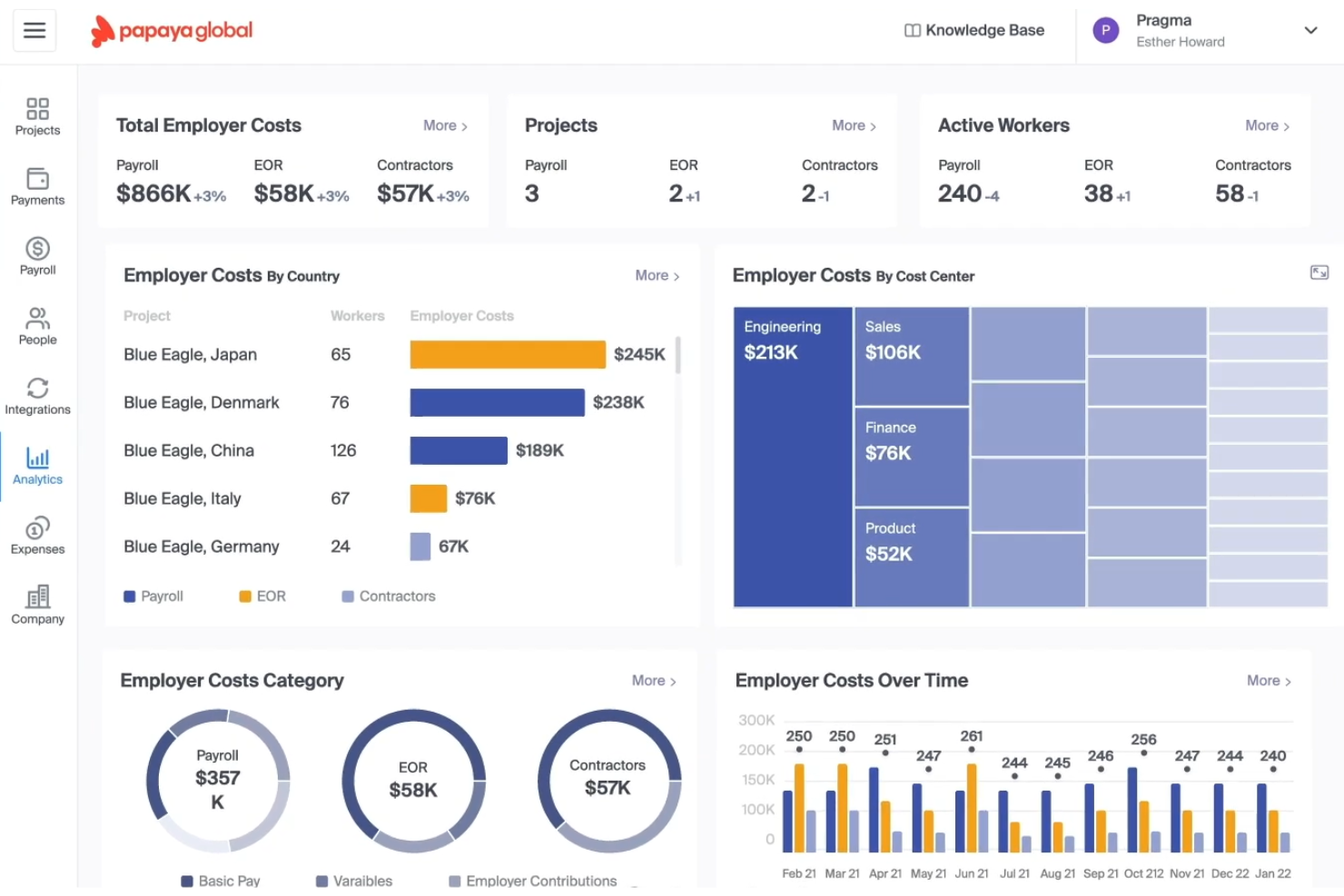
Papaya Global is een platform voor werkgeversregistratie en wereldwijde salarisverwerking dat internationale werving, contractantenbeheer en personeelsbetalingen in meerdere landen afhandelt.
Voor wie is Papaya Global het meest geschikt?
Papaya Global is zeer geschikt voor kleine bedrijven die internationaal personeel aannemen en duidelijke bescherming nodig hebben bij het beëindigen van contractanten- of arbeidsrelaties.
Waarom ik voor Papaya Global heb gekozen
Papaya Global staat op mijn selectie vanwege de serieuze aanpak van contractuele aansprakelijkheid bij beëindiging, een van de lastigste aspecten van internationaal werkgeverschap voor kleine bedrijven. Ik waardeer vooral de ingebouwde verzekering voor naleving van arbeidsregels, die juridische kosten en aansprakelijkheden dekt die ontstaan bij het beëindigen van arbeidsrelaties in complexe rechtsgebieden. De geautomatiseerde werkstromen voor uitdiensttreding genereren bovendien landspecifieke documentatie om beëindigingen vanaf dag één juridisch correct te laten verlopen.
Belangrijkste functies van Papaya Global
- Salarisverwerking in meerdere valuta: Verwerk salarissen in lokale valuta in meer dan 160 landen vanuit één overzicht.
- Hulpmiddel voor werknemersclassificatie: Bepaalt op basis van lokale arbeidswetten of een werknemer als werknemer of contractant moet worden geclassificeerd.
- Geconsolideerde facturering: Combineert alle kosten voor het wereldwijde personeelsbestand in één maandelijkse factuur om financiële gegevens eenvoudiger bij te houden.
- Beheer van secundaire arbeidsvoorwaarden: Beheert lokaal conforme arbeidsvoorwaardenpakketten, waaronder wettelijke en aanvullende opties, voor werknemers in elk land.
Integraties van Papaya Global
Gedocumenteerde integraties zijn onder andere BambooHR, SAP SuccessFactors, Namely, Eqip en OneData. Papaya Global ondersteunt ook SFTP-bestandsimport en aangepaste API-ontwikkeling voor het koppelen van andere HR-systemen.
Pros and Cons
Pros:
- Dekking van aansprakelijkheid bij contractuele beëindiging
- Landspecifieke documenten voor uitdiensttreding ondersteunen conforme beëindigingen
- Salarisverwerking in meerdere valuta ondersteunt internationale werving
Cons:
- Kleinere teams hebben mogelijk ondersteuning bij de implementatie nodig
- Wereldwijde naleving vereist nog steeds lokale controle

Best voor uitgebreide landenondersteuning
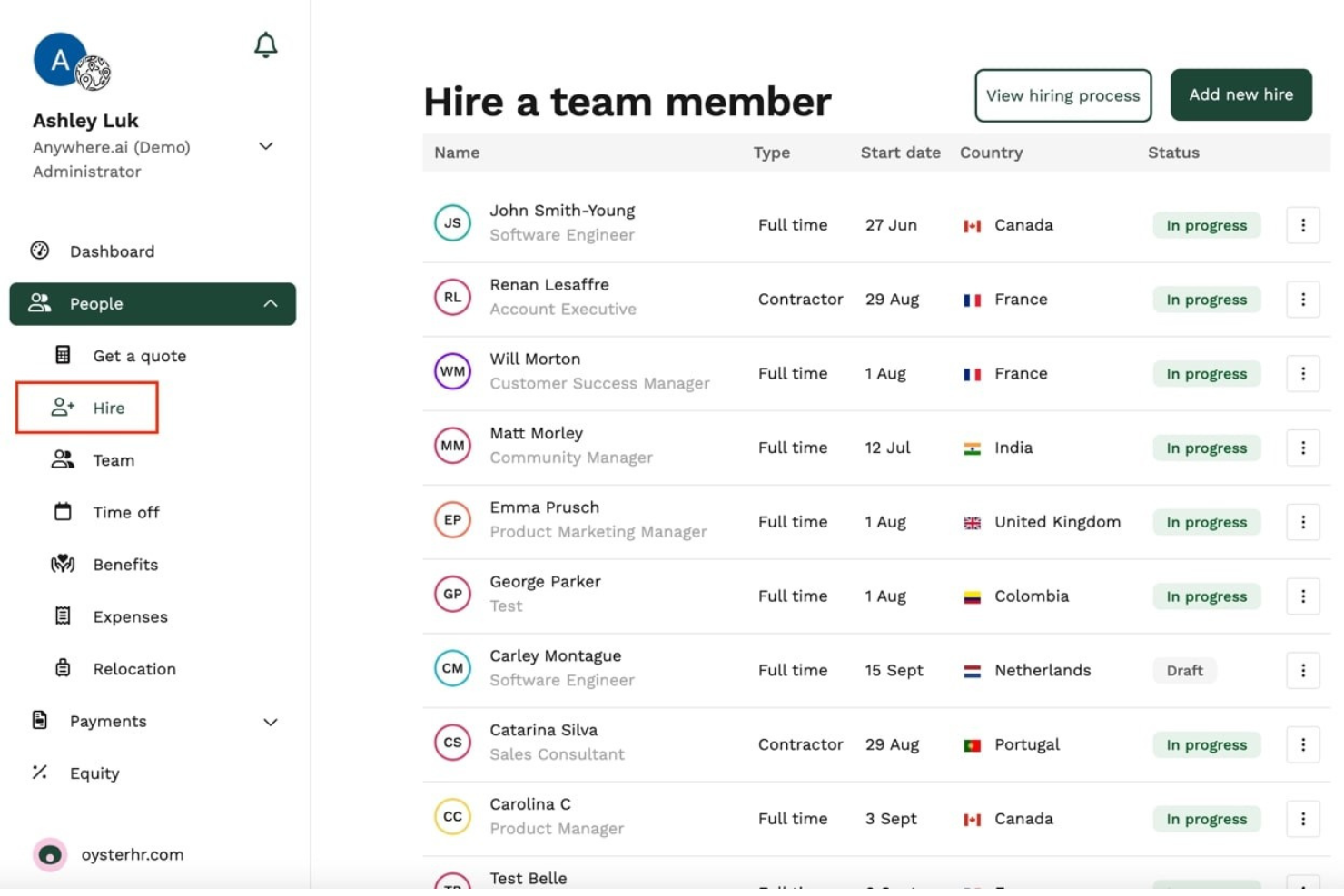
Oyster HR is een platform voor formeel werkgeverschap dat wereldwijde werving, salarisadministratie, secundaire arbeidsvoorwaarden en de omzetting van opdrachtnemers naar werknemers in meerdere landen verzorgt.
Voor wie is Oyster HR het meest geschikt?
Oyster HR is zeer geschikt voor kleine bedrijven die regelmatig met opdrachtnemers werken en een duidelijk traject willen om hen om te zetten in fulltime werknemers.
Waarom ik voor Oyster HR heb gekozen
Oyster HR staat op mijn selectie vanwege de uitstekende manier waarop het de omzetting van opdrachtnemer naar werknemer afhandelt. Dit is een belangrijk knelpunt voor kleine bedrijven die sterk afhankelijk zijn van freelance- of contractmedewerkers. Ik vind het prettig dat ingebouwde nalevingscontroles en het genereren van lokale arbeidsovereenkomsten inbegrepen zijn. Wanneer je klaar bent om een opdrachtnemer in een ander land fulltime in dienst te nemen, hoef je dus niet zelf uit te zoeken wat de lokale arbeidswetgeving voorschrijft. Het begeleide inwerkproces maakt de overstap bovendien gestructureerd in plaats van chaotisch.
Belangrijkste functies van Oyster HR
- Wereldwijde salarisverwerking: Verwerk salarissen in meerdere landen en lokale valuta, waarbij automatische belastingberekeningen en wettelijke inhoudingen voor elke regio worden afgehandeld.
- Beheer van secundaire arbeidsvoorwaarden: Krijg toegang tot en beheer lokaal conforme arbeidsvoorwaardenpakketten voor fulltime werknemers in elk land waar je personeel aanneemt.
- Genereren van arbeidsovereenkomsten: Genereer lokaal conforme arbeidsovereenkomsten op basis van het land en de functie, met behulp van de ingebouwde juridische sjablonen van Oyster HR.
- Beheer van opdrachtnemers: Nodig opdrachtnemers uit, beheer hen en betaal hen via hetzelfde platform dat je voor fulltime werknemers gebruikt, zodat je volledige personeelsbestand op één plek staat.
Integraties van Oyster HR
Oyster HR biedt integraties met TeamTailor, Workable, Factorial, Lucca, Humaans, ADP Workforce Now, Concur, Carta en Slack, plus een API voor aangepaste werkprocessen. Via Zapier kan het verbinding maken met meer dan 5.000 toepassingen.
Pros and Cons
Pros:
- Vereenvoudigt de omzetting van opdrachtnemers naar werknemers
- Genereert lokaal conforme arbeidsovereenkomsten
- Ondersteunt salarisadministratie en secundaire arbeidsvoorwaarden in meerdere landen
Cons:
- Beperkte toegang tijdens de proefperiode voor evaluatie
- Kan overdreven aanvoelen voor eenmalige aanstellingen

RemoFirst
Ideaal voor oprichters zonder HR-achtergrond die met een beperkt budget personeel in het buitenland aannemen
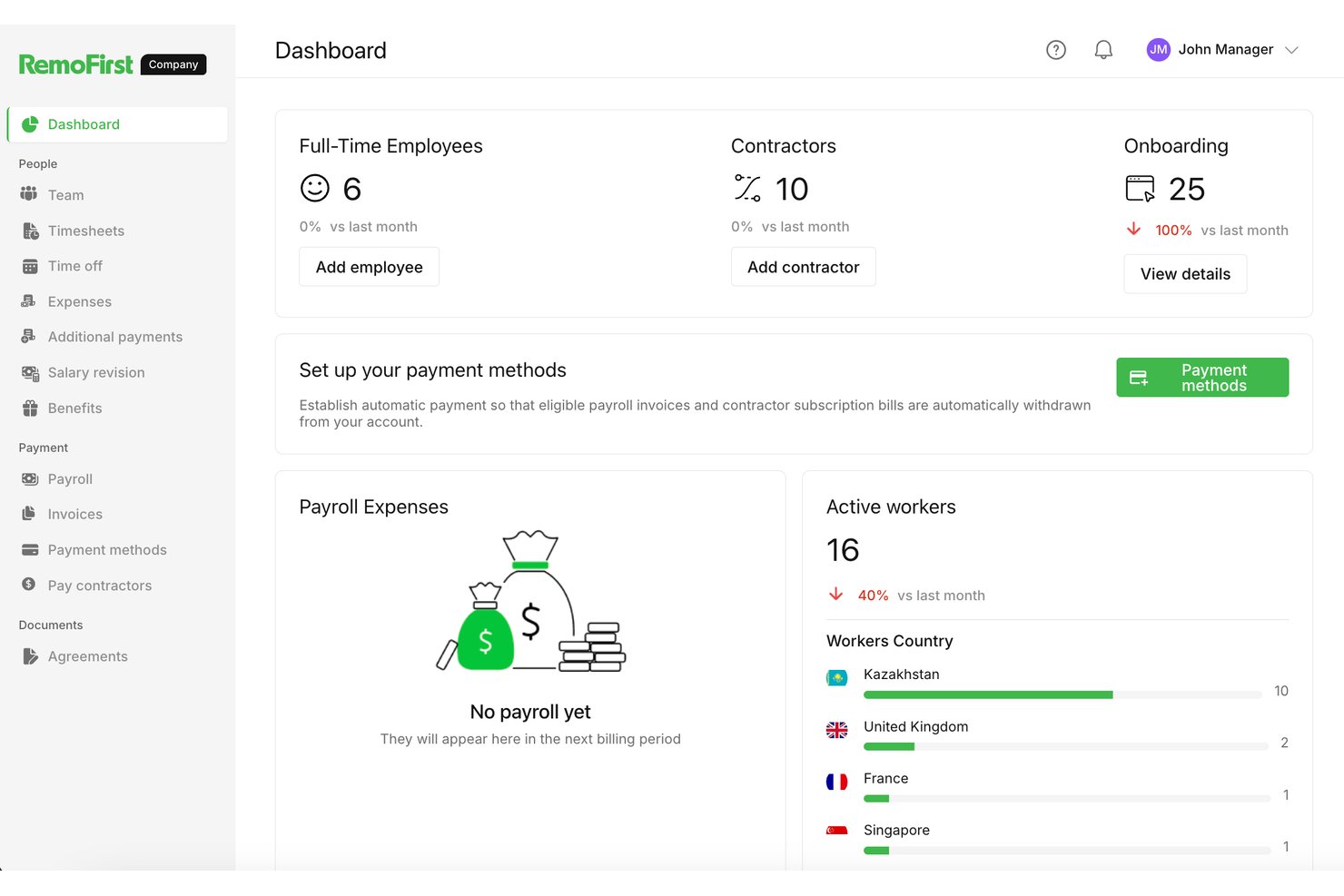
RemoFirst is een platform voor formeel werkgeverschap dat is ontworpen voor slanke teams en dat wereldwijde werving, salarisadministratie en naleving in meer dan 180 landen regelt zonder dat daarvoor een speciale HR-infrastructuur nodig is.
Voor wie is RemoFirst het meest geschikt?
RemoFirst is zeer geschikt voor oprichters van start-ups en kleine teams die internationaal personeel willen aannemen zonder een speciale HR-functie.
Waarom ik voor RemoFirst heb gekozen
RemoFirst staat op mijn shortlist omdat het is ontwikkeld voor oprichters die internationale werving regelen zonder een HR-team achter zich. Ik waardeer vooral het traject van contractant naar werknemer, waarmee je internationale contractanten kunt aannemen en ze binnen hetzelfde platform kunt omzetten naar fulltime werknemers, zonder opnieuw te hoeven beginnen. Dankzij de ingebouwde levering van apparatuur kun je bovendien een laptop naar een nieuwe werknemer in een ander land sturen zonder een afzonderlijke leverancier te hoeven coördineren.
Belangrijkste functies van RemoFirst
- Wereldwijd salarisbeheer: Verwerk salarissen voor werknemers in meer dan 180 landen en in lokale valuta vanuit één dashboard.
- Beheer van nalevingsdocumentatie: RemoFirst stelt voor elk land waarin je personeel aanneemt lokaal conforme arbeidsovereenkomsten op en beheert deze.
- Contractantenbeheer: Neem internationale contractanten aan en betaal hen naast fulltime werknemers binnen hetzelfde platform.
- Voordelenadministratie: Krijg toegang tot en beheer lokaal passende arbeidsvoorwaardenpakketten voor werknemers in elk land zonder deze zelf te hoeven samenstellen.
Integraties van RemoFirst
RemoFirst biedt native integraties met Workday, BambooHR, GoCardless en ADP Workforce Now. Deze koppelen HR-gegevens en de financiering van salarisbetalingen voor teams van kleine bedrijven.
Pros and Cons
Pros:
- Ondersteunt omzetting van contractant naar werknemer
- Regelt werving in meer dan 180 landen
- Inclusief levering van apparatuur voor nieuwe werknemers
Cons:
- Keuzes voor arbeidsvoorwaarden verschillen per land
- Mogelijk beperkte geavanceerde HR-mogelijkheden
Andere EOR-hulpmiddelen voor kleine bedrijven
Hier zijn enkele aanvullende EOR-hulpmiddelen voor kleine bedrijven die mijn selectie niet hebben gehaald, maar toch de moeite waard zijn om te bekijken:
- Payoneer Workforce Management
Het beste voor het op grote schaal omzetten van contractanten in werknemers
- Rippling
Ideaal voor alles-in-één HR en groei op het gebied van internationaal werven
- Deel Hire
Het beste voor wereldwijd werven op schaal vanuit één platform
- Multiplier
E keuze voor wereldwijd werven met een ingebouwd HRIS
- Justworks
Het meest geschikt voor teams in de VS met beperkte internationale wervingsbehoeften
- Tarmack
Ideaal voor het aannemen van personeel door startups zonder een lokale entiteit op te richten


Hoe ik EOR-oplossingen voor kleine bedrijven beoordeel
Ik deel mijn beoordeling op in drie onderdelen. Eerst hecht ik de meeste waarde aan het volgens de regelgeving in dienst nemen van werknemers en het afhandelen van lokale loonadministratie, belastingen en contracten. Daarna kijk ik naar een snel inwerkproces en de omzetting van zelfstandigen naar werknemers, voordat ik transparante prijzen, responsieve ondersteuning en een eenvoudige installatie overweeg.
Basisfunctionaliteit (basisvereisten voor deze lijst)
Bij het selecteren van hulpmiddelen voor mijn lijst beoordeel ik elk hulpmiddel op een schaal van 0 (biedt de functionaliteit niet aan) tot 5 (blink uit op dit gebied) voor elke hieronder vermelde basisfunctionaliteit. Vervolgens zet ik het totaal om in een percentage om de algehele geschiktheid van elk hulpmiddel te beoordelen, waarbij ik extra gewicht toeken aan functionaliteiten die ik als essentieel heb aangemerkt.
- Wereldwijde naleving van arbeidswetgeving (essentieel): Ik let op legale indienstneming via de dienstverlener, updates van lokale wetgeving en een duidelijke verantwoordelijkheid bij het aannemen van personeel zonder lokale entiteit.
- Loonadministratie & belastingbeheer (essentieel): Ik beoordeel lokale loonadministratie, wettelijke inhoudingen, aangiften, valuta en controleklare documentatie in de landen die je gebruikt.
- Beheer van arbeidsvoorwaarden: Ik controleer zowel wettelijke dekking als optionele arbeidsvoorwaarden, met landspecifieke keuzes waartoe werknemers tijdens het inwerkproces toegang hebben.
- Transparante prijzen: Ik vergelijk gepubliceerde prijzen per werknemer, minimumaantallen, extra opties en de duidelijkheid van de facturering voor een klein internationaal team.
- Contracten & documenten: Ik let op gelokaliseerde contracten en documenten voor het inwerkproces die de functie, beloning, verlof en lokale arbeidsregels weerspiegelen.
- Dekking in meerdere landen: Ik beoordeel of de dienst jouw doellanden ondersteunt met consistente dekking voor indienstneming, loonadministratie en ondersteuning.
Zodra ik een lijst heb met hulpmiddelen die aan de criteria voldoen, kijk ik naar wat elk platform onderscheidt.
Onderscheidende factoren (wat dienstverleners onderscheidt)
Zo vergelijk ik verschillende dienstverleners:
Onderscheidende functies
Ik let op hulpmiddelen voor de omzetting van zelfstandigen naar werknemers, omdat kleine bedrijven vaak beginnen met zelfstandigen en een pad naar een volledig dienstverband dat aan de regelgeving voldoet nodig hebben naarmate die relaties groeien. Een dienstverlener die de herkwalificatie afhandelt zonder contracten opnieuw te moeten opstellen, bespaart echt tijd. Ik beoordeel ook de snelheid van het inwerkproces—sommige dienstverleners garanderen dat werknemers binnen 24–48 uur in dienst kunnen worden genomen, wat belangrijk is wanneer je concurreert om talent. Ingebouwde waarschuwingen over naleving maken dit compleet door wijzigingen in arbeidswetgeving te signaleren, zodat kleine teams geen kostbare updates missen.
Meer dan functies
Ik controleer of de prijzen voorspelbaar blijven naarmate je team groeit, omdat sommige dienstverleners kosten in rekening brengen voor het beheer van arbeidsvoorwaarden of het omrekenen van valuta zonder dat dit bij de registratie duidelijk is. Ondersteuning bij beëindiging van het dienstverband is net zo belangrijk—lokale regels voor ontslagvergoedingen en opzegtermijnen verschillen sterk, en een dienstverlener die je begeleidt bij een proces voor uitdiensttreding dat aan de regelgeving voldoet, kan kostbare juridische risico's voorkomen. Ik beoordeel ook hoe goed elk platform verbinding maakt met hulpmiddelen zoals QuickBooks of je bestaande HRIS, omdat dubbele gegevensinvoer kleine teams zwaarder belast dan de meeste andere teams.
Een EOR kiezen voor een klein bedrijf
Je kunt gemakkelijk verdwalen in lange functielijsten en complexe prijsstructuren. Om je te helpen gefocust te blijven tijdens je unieke selectieproces voor software, vind je hier een checklist met factoren om rekening mee te houden:
| Factor | Waar je op moet letten |
| Schaalbaarheid | Kan het platform groei in verschillende landen en teamgroottes aan? Vraag naar ondersteuning voor uitbreiding naar meerdere regio's en het toevoegen van medewerkers naarmate je groeit. |
| Integraties | Kan de EOR verbinding maken met je salarisadministratie-, HRIS- of boekhoudsystemen? Beoordeel hoe eenvoudig het is om gegevens tussen bestaande systemen en de EOR-tool te synchroniseren. |
| Aanpasbaarheid | Kun je met het systeem werkstromen aanpassen aan je unieke beleidsregels en locaties? Controleer of je aangepaste goedkeuringsprocessen kunt maken of contracten kunt aanpassen. |
| Gebruiksgemak | Kunnen je HR- en operationele teams snel met de interface overweg? Zoek naar intuïtieve dashboards en duidelijke gebruikersrollen om de trainingsbehoefte tot een minimum te beperken. |
| Implementatie en onboarding | Wat is er nodig om aan de slag te gaan in je doelmarkten? Vraag welke ondersteuning bij de indiensttreding is inbegrepen, wat de gebruikelijke tijd tot de eerste indiensttreding is en welke stappen nodig zijn voor gegevensmigratie. |
| Kosten | Hoe werkt de prijsstelling voor je geplande wervingsplannen? Let op extra kosten, minimumaantallen of prijsverschillen per land die van invloed kunnen zijn op je budget. |
| Beveiligingsmaatregelen | Welke bescherming is er voor de gevoelige gegevens van je medewerkers? Bevestig de naleving van privacystandaarden zoals de AVG en de voorbereiding op audits. |
| Beschikbaarheid van ondersteuning | Biedt de leverancier wereldwijde ondersteuning en dekking in jouw regio's? Houd rekening met responstijden, ondersteunde talen en toegang tot lokale HR- en juridische expertise. |
Wat zijn diensten voor formeel werkgeverschap?
Diensten voor formeel werkgeverschap zijn externe dienstverleners die werknemers namens je bedrijf juridisch in dienst nemen en de salarisadministratie, HR en personeelszaken in verschillende landen beheren.
Een EOR-partner helpt kleine bedrijven wereldwijd talent aan te trekken en een wereldwijd personeelsbestand op te bouwen zonder interne entiteiten op te zetten, waardoor aansprakelijkheden in verband met lokale arbeidswetgeving worden beperkt. Deze aanpak ondersteunt personeelsbeheer in alle wereldwijde regio's en daarbuiten en helpt tegelijkertijd risico's op misclassificatie bij het inhuren van zelfstandige opdrachtnemers of voltijdse werknemers te voorkomen.
Functies van EOR-tools voor kleine bedrijven
Let bij het kiezen van een EOR voor een klein bedrijf op de volgende belangrijke functies:
- Wereldwijde salarisverwerking: Automatiseert salarisberekeningen, verricht betalingen in lokale valuta en houdt per regio belastingen en sociale bijdragen in.
- Lokaal nalevingsbeheer: Houdt landspecifieke arbeidswetgeving, belastingvereisten en documentvereisten bij en past deze toe om risico's te beperken voor kleine bedrijven die in het buitenland personeel aannemen.
- Opstellen van arbeidsovereenkomsten: Maakt conforme arbeidsovereenkomsten die lokale wettelijke normen, talen en vereiste wettelijke informatie weerspiegelen.
- Beheer van arbeidsvoorwaarden: Biedt en beheert lokaal verplichte arbeidsvoorwaarden, zoals gezondheidszorg, pensioenen en vakantiedagen, afgestemd op de normen van elk land.
- Inwerkprocessen: Digitaliseert en stroomlijnt het verzamelen van documenten, de introductie van werknemers en trainingen voor nieuwe medewerkers in meerdere rechtsgebieden.
- Registratie van vrije dagen en verlof: Houdt wettelijke feestdagen, vakantiedagen en verschillende soorten verlof bij zoals vereist door lokale wetgeving, met automatische berekening van opgebouwde rechten.
- Beheer van onkosten en vergoedingen: Stelt werknemers in staat onkostendeclaraties in te dienen en managers deze goed te keuren of af te wijzen, waarbij betalingen via de salarisadministratie worden verwerkt.
- Gegevensbeveiliging en privacybescherming: Beschermt gevoelige werknemers- en salarisgegevens met behulp van beveiligingsprotocollen en voldoet aan regelgeving zoals de AVG.
- Integratie met HR- en financiële systemen: Maakt rechtstreeks verbinding met HRIS-, boekhoud- en workflowtools voor een soepele gegevensoverdracht en minder handmatige invoer.
- Dashboard voor ondersteuning in meerdere landen: Biedt één dashboard om werknemers, salarisadministratie, naleving en documenten bij te houden in alle landen waar je personeel aanneemt.
Voordelen van EOR's voor kleine bedrijven
Het implementeren van een EOR voor een klein bedrijf biedt verschillende voordelen voor je team en je bedrijf. Hier zijn enkele voordelen waar je naar kunt uitkijken:
- Vereenvoudigd internationaal werven: Je kunt snel werknemers in nieuwe landen aannemen zonder juridische entiteiten op te zetten, dankzij conforme salarisadministratie, contracten en HR-beheerfuncties.
- Vermindering van nalevingsrisico's: Ingebouwde ondersteuning voor juridische en fiscale naleving helpt je boetes en sancties in verband met internationale arbeidsregelgeving te voorkomen.
- Snellere introductie van werknemers: Gestroomlijnde inwerkprocessen en direct bruikbare sjablonen versnellen het proces om nieuwe medewerkers in meerdere regio's aan de slag te laten gaan.
- Gecentraliseerd HR-beheer: Beheer salarisadministratie, arbeidsvoorwaarden, vrije dagen en arbeidsgegevens voor wereldwijde teams in één uniform dashboard.
- Nauwkeurige en tijdige salarisbetaling: Geautomatiseerde salarisverwerking zorgt ervoor dat je werknemers correct en op tijd in hun lokale valuta worden betaald.
- Kostenefficiëntie: EOR-platforms verlagen de administratieve overhead en kosten van wereldwijde uitbreiding door HR- en nalevingstools in één platform te bundelen.
- Toegang tot lokale arbeidsvoorwaarden: Je werknemers krijgen toegang tot concurrerende, landconforme arbeidsvoorwaarden die door de EOR-aanbieder worden beheerd en uitgevoerd.
Kosten en prijzen van EOR's voor kleine bedrijven
Bij het kiezen van een EOR voor een klein bedrijf is inzicht in de verschillende beschikbare prijsmodellen en abonnementen vereist. De kosten variëren op basis van functies, teamgrootte, uitbreidingen en meer. De onderstaande tabel geeft een overzicht van veelvoorkomende abonnementen, hun gemiddelde prijzen en de gebruikelijke functies die zijn inbegrepen in EOR-oplossingen voor kleine bedrijven:
Vergelijkingstabel van abonnementen van EOR's voor kleine bedrijven
| Plantype | Gemiddelde prijs | Veelvoorkomende functies |
| Gratis abonnement | $0 | Basisbegeleiding bij naleving, beperkte ondersteuning voor salarisadministratie, zelfbedieningsbronnen voor onboarding en uitsluitend klantenondersteuning via e-mail. |
| Persoonlijk abonnement | $150–$250/werknemer/maand | Salarisverwerking, contractgeneratie, onboardingworkflows, beperkte integraties en basisbeheer van naleving. |
| Zakelijk abonnement | $250–$400/werknemer/maand | Volledige salarisdiensten, gelokaliseerde arbeidsvoorwaarden, naleving van beleid, integraties, beheerdersdashboard en ondersteuning in meerdere landen. |
| Bedrijfsabonnement | $400+/werknemer/maand | Toegewijde accountmanager, geavanceerde HR-analyses, aangepaste integraties, wereldwijd beheer van arbeidsvoorwaarden en 24/7 ondersteuning. |
Veelgestelde vragen over EOR's voor kleine bedrijven
Hier vindt u antwoorden op veelgestelde vragen over EOR’s voor kleine bedrijven:
Hoe helpt een EOR kleine bedrijven internationaal uit te breiden?
Een u005cu003ca href=u005cu0022https://peoplemanagingpeople.com/global-hr/what-is-an-employer-of-record/u005cu0022u005cu003eEOR treedt opu005cu003c/au005cu003e als de juridische werkgever in elk land waar u personeel wilt aannemen en regelt de salarisadministratie, naleving en HR-documentatie. Hierdoor kan uw kleine bedrijf veel sneller talent op nieuwe locaties aannemen, zonder een lokale rechtspersoon op te richten.
Kan ik een EOR gebruiken om zowel fulltimewerknemers als contractanten in dienst te nemen?
Ja, de meeste dienstverleners ondersteunen zowel fulltimewerknemers als contractanten. Ze bieden personeelsbeheer op het gebied van contracten, salarisadministratie en inhouding van belastingen, en zorgen voor lokale naleving voor elke constructie die uw bedrijf nodig heeft.
Wat zijn de gebruikelijke contractduurtermijnen bij EOR-aanbieders?
De meeste EOR-overeenkomsten werken op maandbasis, met de flexibiliteit om werknemers toe te voegen of te verwijderen wanneer dat nodig is. Controleer altijd de opzegvoorwaarden van de aanbieder, omdat sommige aanbieders minimumvereisten of opzegtermijnen kunnen hanteren.
Wat zijn de belangrijkste aandachtspunten voor naleving bij het wereldwijd aannemen van personeel met een EOR?
Bij internationale werving moet u voldoen aan lokale arbeidswetgeving, belastingverplichtingen en normen voor arbeidsvoorwaarden. Een EOR regelt deze nalevingsdetails, zodat u kostbare boetes kunt voorkomen, maar u moet de belangrijkste vereisten voor elke doelmarkt nog steeds controleren.
Hoe snel kan ik een nieuwe werknemer in dienst nemen en inwerken met behulp van een EOR?
U kunt een nieuwe werknemer doorgaans binnen enkele dagen inwerken, afhankelijk van het land en de benodigde documentatie. Een snelle afhandeling is een belangrijk voordeel, maar in sommige regio’s kan nog extra verwerkingstijd nodig zijn — vraag uw aanbieder naar de lokale termijnen voor indiensttreding en inwerken.
Zijn er verborgen kosten of extra kosten waar ik rekening mee moet houden?
Ja, sommige diensten voor werkgeversregistratie u005cu003ca href=u005cu0022https://peoplemanagingpeople.com/global-hr/eor-hidden-costs/u005cu0022u005cu003ekunnen extra kosten in rekening brengenu005cu003c/au005cu003e voor diensten zoals contractwijzigingen, uitdiensttreding of aanvullende rapportage. Controleer altijd de prijsdocumenten en vraag uw EOR-accountmanager om een overzicht van de standaard- en optionele kosten.
Hoe regelt een EOR de overdracht van intellectueel eigendom bij beëindiging?
Voor kleine bedrijven legt een externe formele werkgever (EOR) doorgaans aan het begin van het dienstverband het eigendom van intellectueel eigendom (IP) vast om latere problemen te voorkomen. Arbeidsovereenkomsten vermelden duidelijk dat al het werk dat binnen de functie van de werknemer wordt gemaakt, eigendom is van het bedrijf of aan het bedrijf wordt overgedragen. Bij beëindiging helpt de EOR deze rechten te formaliseren en te bekrachtigen, onder meer door de benodigde documentatie af te handelen en ervoor te zorgen dat alle werkgerelateerde materialen worden teruggegeven.