

10 Best Coaching Software In 2026

10 Best Coaching Software Shortlist


Coaching software helps HR teams match employees with coaches or mentors, manage development programs, and measure outcomes. The right platform can connect coaching to HRIS data, leadership development, employee performance, and retention goals.
I evaluated 20 tools to help you compare matching, governance, confidentiality, integrations, and ROI measurement before choosing a platform for your organization.
Why Trust Our Software Recommendations
Our team has been testing and reviewing software since 2012. As HR experts ourselves, we know how difficult—and important—it is to choose the right software.
For this guide, we evaluated tools using hands-on testing and independent research, scoring tools using our selection criteria. We also draw on insights from industry thought leaders and practicing HR experts.
Our reviews reflect our human editorial judgment, not a sales pitch.
Expert reviewers:
Coaching Software Comparison Table
Compare pricing and specs side by side for the top platforms that made it onto my shortlist.
| Tool | Best For | Trial Info | Price | ||
|---|---|---|---|---|---|
| 1 | Best for enterprise-wide expert-to-employee matching | Free demo available | Pricing upon request | Website | |
| 2 | Best for bulk coaching program deployment | Free demo + 14-day free trial available | From $12/year | Website | |
| 3 | Best for mentoring program matching | Free demo available | Pricing upon request | Website | |
| 4 | Best for coaching tied to real outcomes | Free demo available | Pricing upon request | Website | |
| 5 | Best for white-label coaching program delivery | Free demo available | Pricing upon request | Website | |
| 6 | Best for org-wide coaching with 4,000+ coaches | Free demo available | Pricing upon request | Website | |
| 7 | Best for coaching programs tied to HRIS data | Free demo available | Pricing upon request | Website | |
| 8 | Best for human and AI-led coaching with 360 feedback | Free demo available | Pricing upon request | Website | |
| 9 | Best for AI-backed 1:1 coaching | Free demo available | Pricing upon request | Website | |
| 10 | Best for AI-matched coaching via Teams or Slack | Free demo available | Pricing upon request | Website |
Coaching Software Reviews
Below is the detailed breakdown of each tool, covering key features, use cases, and pricing to help you choose the right one for your team.

Best for enterprise-wide expert-to-employee matching
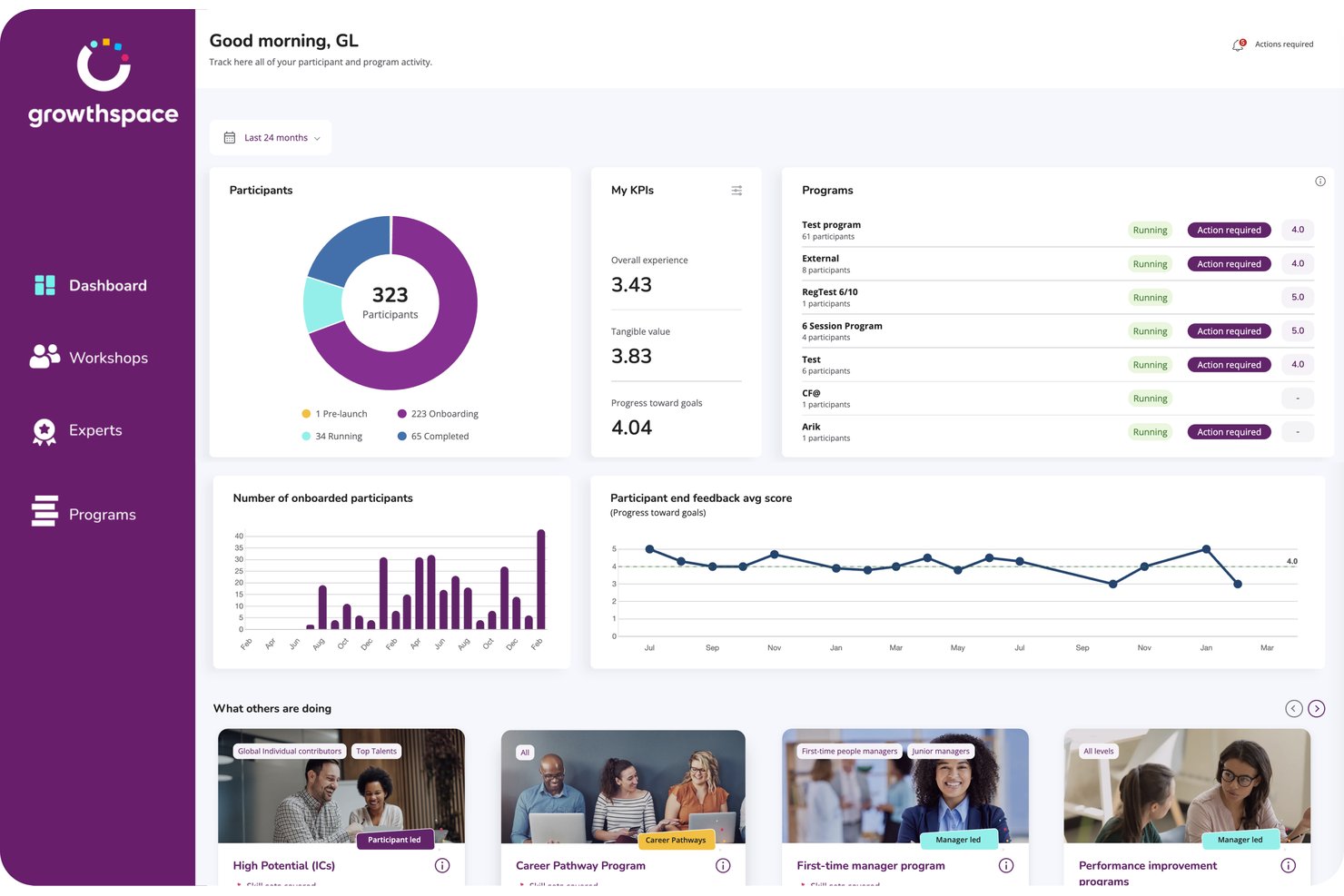
GrowthSpace is an enterprise coaching platform that matches employees with external domain experts for skill development.
Who Is GrowthSpace Best For?
L&D teams at global enterprises that run skill-by-skill development programs across several languages and time zones.
Why I Picked GrowthSpace
GrowthSpace earns its spot on my shortlist because of how it matches employees with domain experts: functional expertise, seniority, language, time zone, and skill goals all feed the pairing. I'm talking about a network of 2,800+ vetted experts across 65+ countries. The sprint format, five sessions over 6–8 weeks on one named skill, gives each development goal a defined scope and end date.
GrowthSpace Key Features
- Multiple program formats: Choose from 1:1 sprints, group cohorts, workshops, or internal mentoring programs.
- 360° manager feedback: Manager input feeds into impact assessments, connecting program outcomes to performance reviews and engagement data.
- White-label branding: Apply your organization's branding, custom metrics, and communication templates across the platform.
- ExpertX AI agent suite: Turn internal knowledge into on-demand training using agents for role-play practice, presentations, coaching feedback, and knowledge Q&A.
GrowthSpace Integrations
GrowthSpace offers integrations with Microsoft Viva Learning, Slack, Zoom, Microsoft Teams, and HRIS systems. It also offers an API for custom connections
Pros and Cons
Pros:
- Enterprise cohorts support large-scale delivery
- Structured sprints make goals measurable
- AI matching spans multiple experts
Cons:
- Scheduling might cause friction among some participants
- Five-session sprints can feel limiting

Best for bulk coaching program deployment
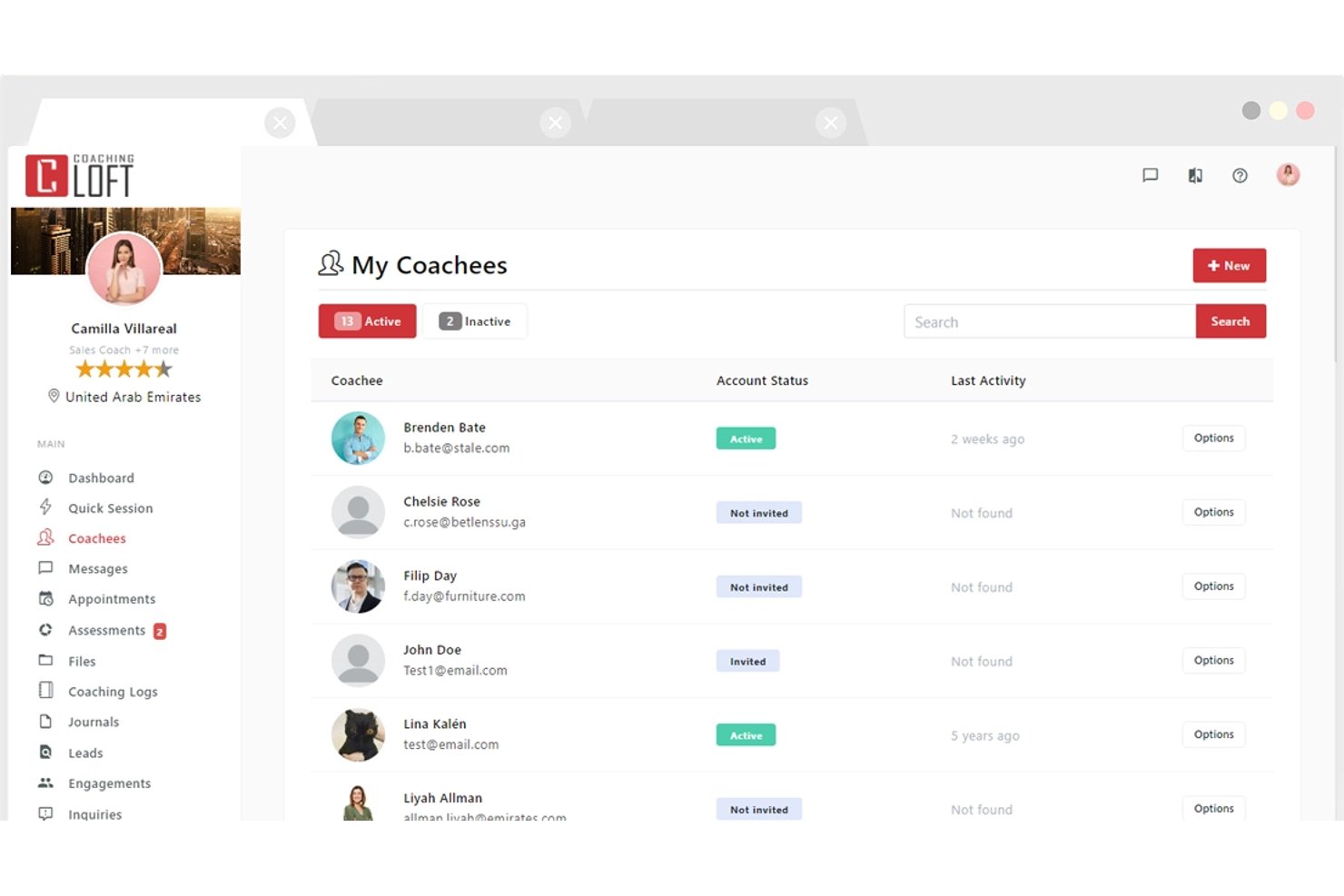
Coaching Loft is a coaching management platform that handles scheduling, client portals, and progress tracking for coaches and program administrators.
Who Is Coaching Loft Best For?
Coaching Loft is a strong fit for HR leaders and program administrators rolling coaching out to a large employee base.
Why I Picked Coaching Loft
Coaching Loft earns its spot on my shortlist for how it handles bulk rollouts. I've used its bulk engagement assignment tool to push up to 1,000 engagements in a single upload, which makes rolling out a company-wide coaching initiative far less painful than doing it coach by coach. Pair that with reusable engagement templates and AI-powered coach matching, and you've got a setup that scales without sacrificing structure.
Coaching Loft Key Features
- 360° multi-rater feedback: Collect structured feedback on coachees from peers, managers, and direct reports using built-in or custom assessment templates.
- Native video conferencing: Run coaching sessions directly in the platform without switching tools.
- Client portal: Every coachee gets a free portal to manage scheduling, goals, session history, tasks, and shared files.
- Enterprise Panel dashboards: Admins get visibility into coach and coachee activity, session volume, feedback, and ROI reporting across the organization.
Coaching Loft Integrations
Coaching Loft offers integrations with Leadfeeder, Mailchimp, HubSpot, PayPal, Microsoft Teams, Zoom, and Zapier. It also supports an open API for custom integrations.
Pros and Cons
Pros:
- Supports multi-rater assessments
- Free client portals support
- Bulk program deployment supports 1,000 engagements
Cons:
- No native session recording
- Limited storage restricts video-heavy coaching practices

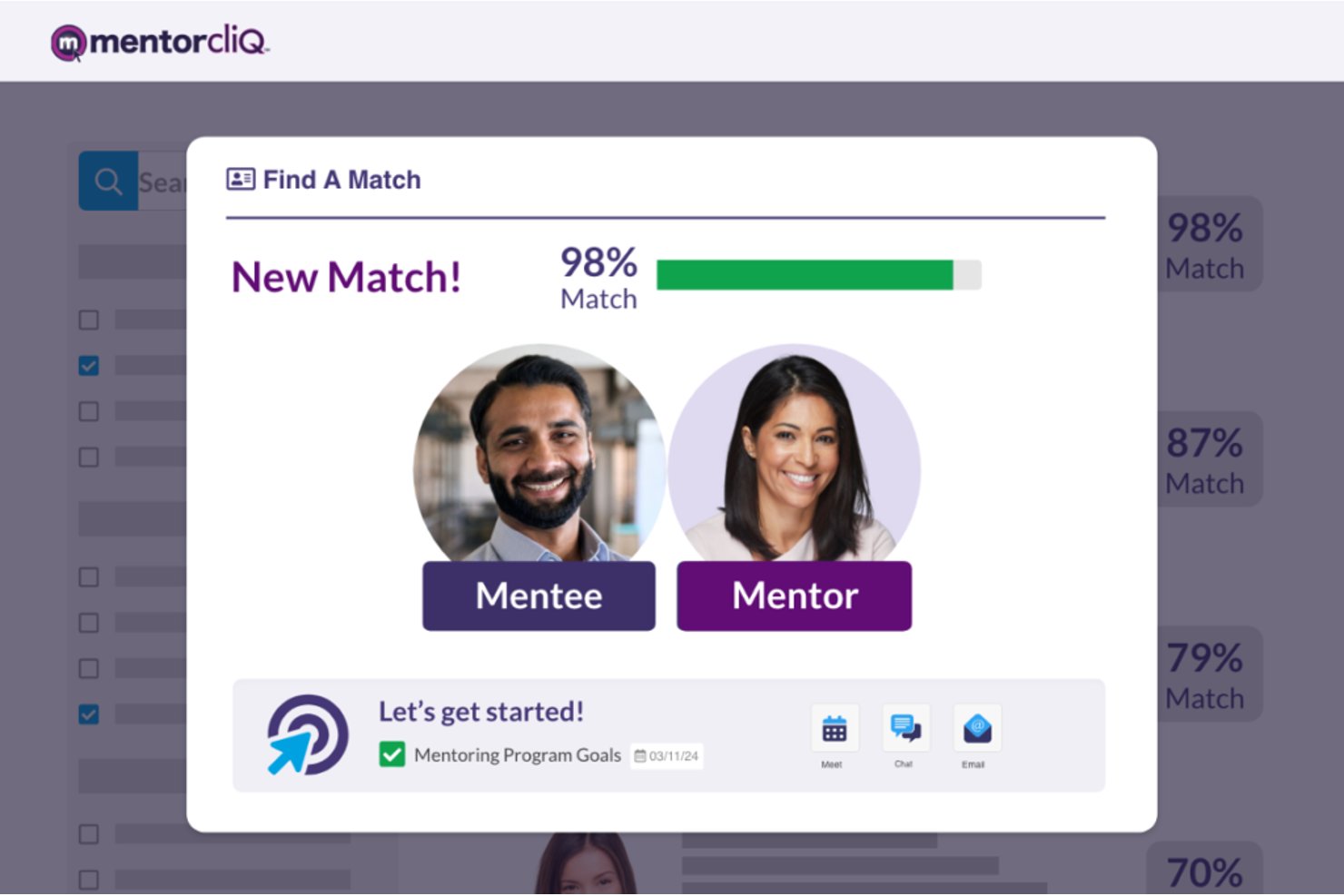
MentorcliQ is an enterprise online coaching platform that supports structured mentoring programs through AI-powered participant matching, goal tracking, program curriculum management, and reporting analytics.
Who Is MentorcliQ Best For?
MentorcliQ is a strong fit for L&D teams at mid-to-large enterprises running several mentoring tracks at once.
Why I Picked MentorcliQ
MentorcliQ is on my list for the control it gives admins over matching. Its Smart Matching engine analyzes skills, goals, and engagement potential, and admins can override or approve matches before they're confirmed. It also supports peer, reverse, and cross-functional relationships, so matching logic follows the program design.
MentorcliQ Key Features
- Micro-surveys: Short monthly check-ins emailed to participants capture progress data and mentoring hours to feed program analytics.
- Program curriculum templates: Pre-built program templates support mentoring types like onboarding, peer, and leadership development.
- Real-time analytics dashboard: Tracks participation, engagement, satisfaction, retention, and internal mobility across all active programs.
MentorcliQ Integrations
MentorcliQ integrates with Microsoft 365, Google Calendar, Outlook, Slack, and Zoom. It also supports HRIS and employee database connections, SSO, and an open API for custom integrations.
Pros and Cons
Pros:
- Structured curricula support multi-track coaching
- Goal and milestone tracking spans programs
- AI matching supports organizational coaching cohorts
Cons:
- No independent coach practice management
- No native video session recording
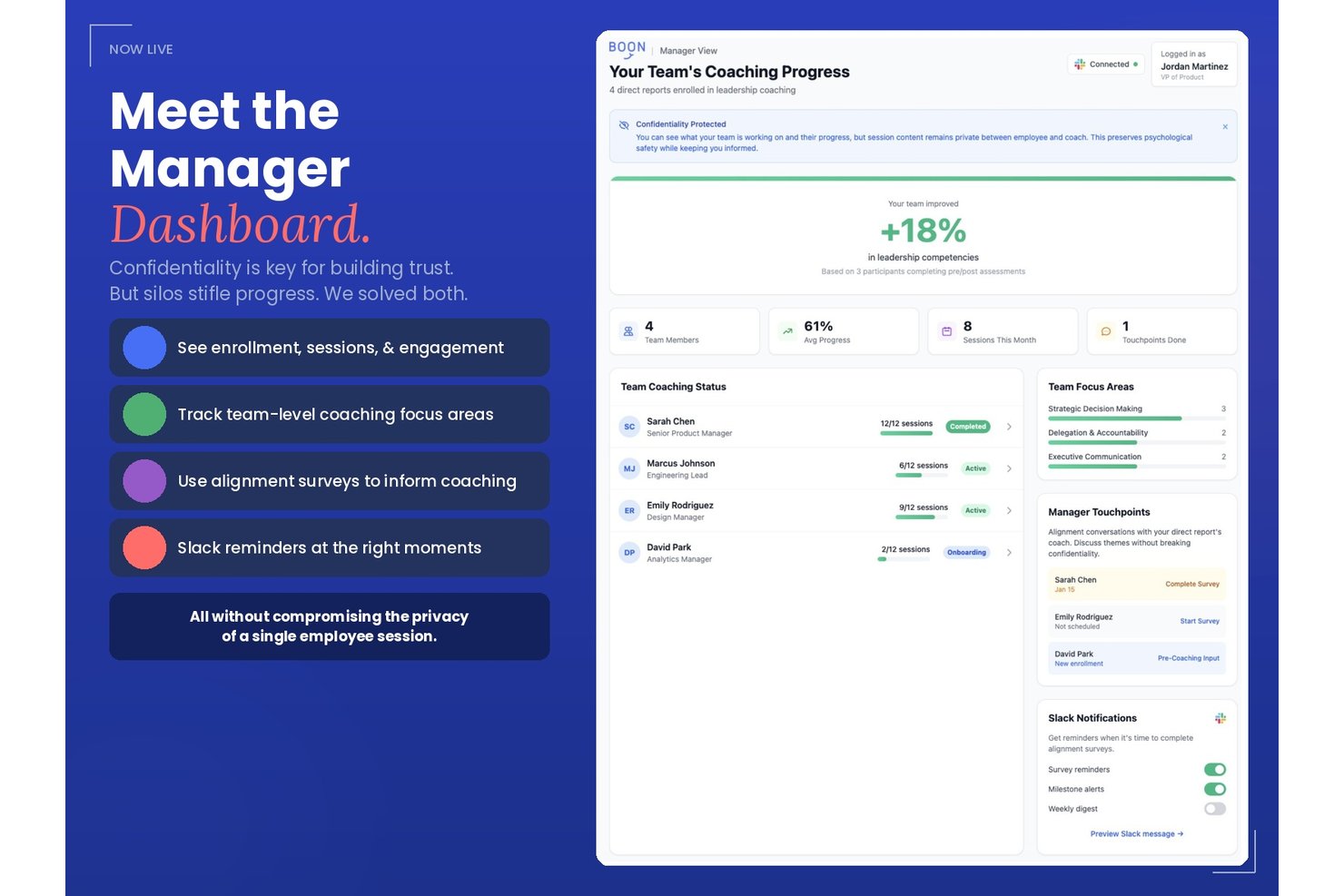
Boon is a managed leadership coaching platform that pairs employees with ICF-certified coaches across five structured programs.
Who Is Boon Best For?
Boon is a strong fit for HR and L&D teams at mid-market to enterprise organizations building leadership development, from manager cohorts to executive coaching.
Why I Picked Boon
I picked Boon as one of the best because it's one of the few coaching platforms I've seen that ties every program to measurable outcomes. Pre- and post-program competency assessments, its Resilience Index, and cohort impact reports give HR teams competency data alongside session counts. I also like that its AI-powered Practice Space lets employees rehearse conversations like performance reviews or conflict discussions and receive scored feedback.
Boon Key Features
- Manager alignment check-ins: Manager check-ins at kickoff, midpoint, and close of GROW cohorts keep coaching progress visible to relevant stakeholders without sharing confidential session content.
- Hogan assessment and 360 review: Participants complete a Hogan assessment and 360 context review at intake to shape their 6-month engagement.
- AI session insights: Clients receive an AI-generated summary of key themes and takeaways from their coaching conversation.
- Confidence tracking: Both coaches and clients can view a visual record of the client's confidence levels tracked across the full engagement.
Boon Integrations
Boon integrates with Slack and Microsoft Teams. No broader connector catalog or public API is documented.
Pros and Cons
Pros:
- Hogan assessment at executive intake
- In-depth competency growth and engagement tracking
- Penalty-free coach rematching
Cons:
- Not designed for independent coaches
- Scheduling issues often complicate session coordination

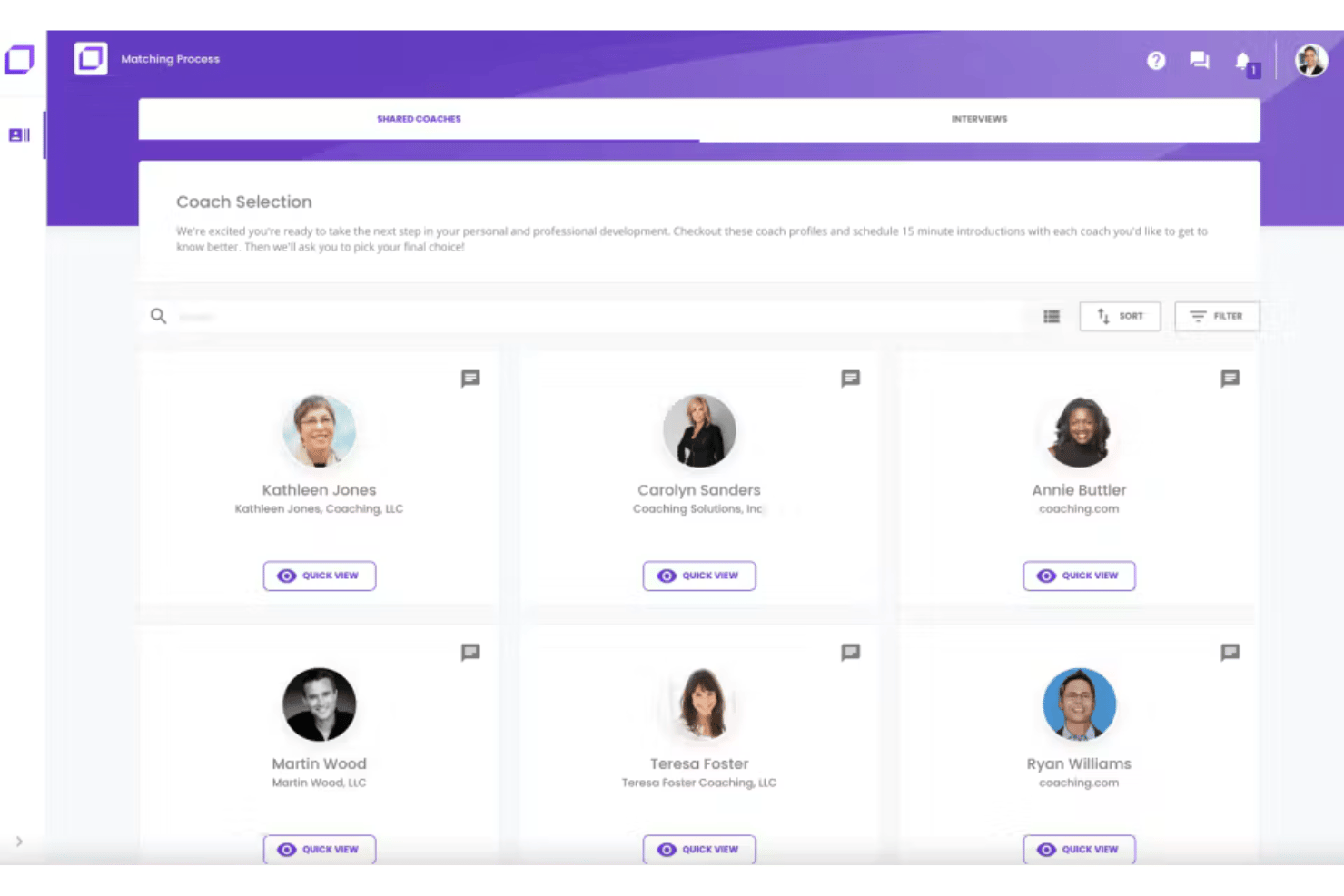
Coaching.com is a coaching management platform that combines session scheduling, goal tracking, program templates, and group coaching in an all-in-one system.
Who Is Coaching.com Best For?
Coaching.com is a good fit for coaching business firms and program administrators that deliver coaching under their own brand, including HR and L&D teams running multi-coach programs.
Why I Picked Coaching.com
I chose Coaching.com for its white-label tooling. The branded client portal supports custom colors, logos, and branded email notifications, so coaching clients never see the brand name. A white-label marketplace lets coaching firms list their own coaches, packages, and pricing, with automated commission handling.
Coaching.com Key Features
- Goal planning and milestone tracking: Set personalized client goals, build out action plans with milestones, and collect stakeholder feedback tied to each engagement.
- Hogan Assessments integration: Assign and manage Hogan personality assessments, schedule debriefs, and translate results into tracked action plans.
- Group coaching module: Build and run multiple group engagements that blend group and 1:1 sessions, with group-level analytics and integrated video conferencing.
- AI-supported reporting dashboards: View visual dashboards covering engagement themes, completion rates, coach capacity, financials, and client satisfaction across your entire program.
Coaching.com Integrations
Coaching.com documents integrations with Google Calendar, Slack, Google Meet, Stripe, Hogan, TruSource, Okta, and Zoom. It also supports API integrations for custom connections.
Pros and Cons
Pros:
- Program templates support sequenced cohort delivery
- Goal tracking connects milestones with stakeholder feedback
- White-label portals support a polished client experience
Cons:
- Basic session notes only
- Setup can feel cumbersome for solo business coaches

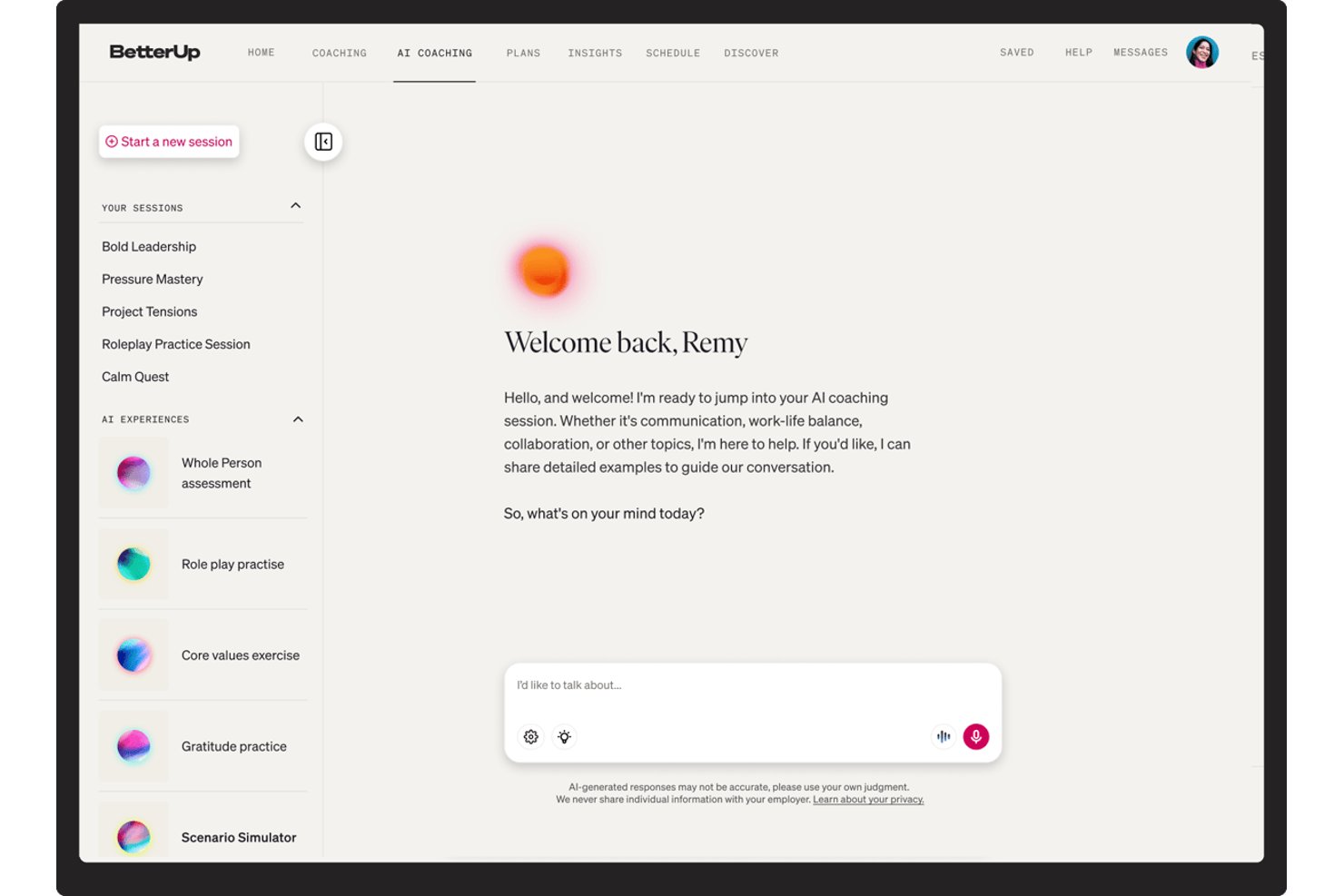
BetterUp is an enterprise coaching platform that delivers 1:1 coaching, group coaching, and AI-powered coaching across your workforce through a network of ICF-certified coaches.
Who Is BetterUp Best For?
BetterUp is a strong fit for enterprise teams that roll coaching out to hundreds of employees at once, including companies with EU or US data-residency requirements.
Why I Picked BetterUp
BetterUp is my pick for rolling coaching out at scale. A network of 4,000+ ICF-certified coaches and AI-assisted matching let HR teams assign coaches to hundreds of employees without pairing people by hand. BetterUp reports 98% first-match accuracy. I also like the Whole Person assessment tracks dimensions such as emotional regulation and cognitive agility, giving coaches and admins a record of progress across sessions.
BetterUp Key Features
- Multi-modal coaching delivery: BetterUp supports 1:1 video sessions, group coaching circles, AI roleplay, and always-on AI chat coaching embedded in Slack and Microsoft Teams.
- Milestone Moments triggers: Coaching starts automatically at career transitions such as a first-time manager appointment, return from leave, or a reorg..
- Performance intelligence dashboards: Admins get aggregated, de-identified reporting across activation, utilization, skill adoption, retention risk, and goal achievement, all tied to business metrics in Quarterly Business Reviews.
- Enterprise-grade security controls: BetterUp holds SOC 2 Type II and ISO 27001 certifications, supports US or EU data residency, and maintains a strict confidentiality boundary.
BetterUp Integrations
BetterUp integrates with Workday, Salesforce, Slack, Microsoft Teams, SAP SuccessFactors, and Degreed. It also offers an API for custom connections.
Pros and Cons
Pros:
- Programs span one-to-one, group, and AI coaching
- Keeps coaching data secure and private
- Coaching triggered at career transitions
Cons:
- Coach quality can vary across the network
- No tools for independent coach practices

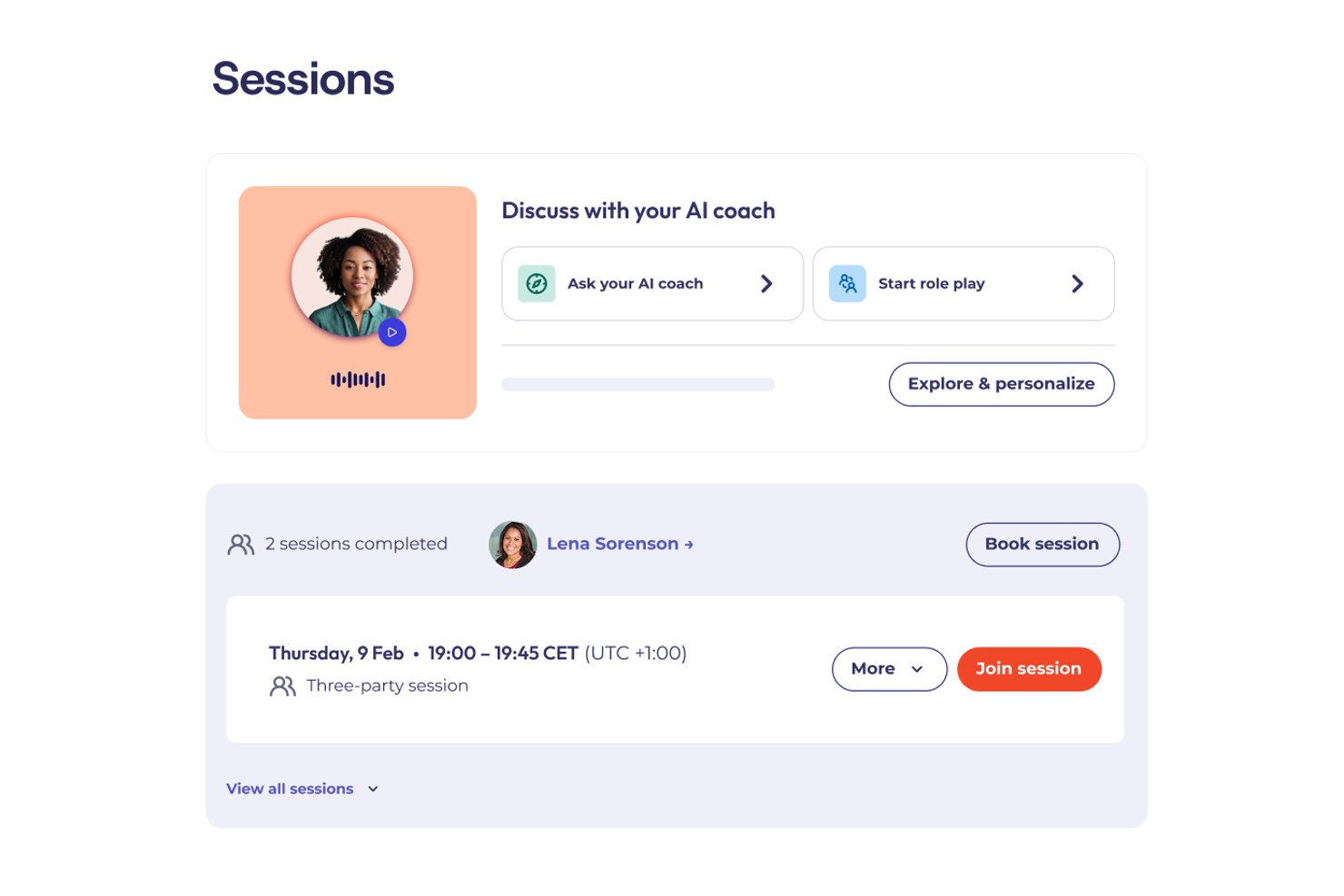
CoachHub is an enterprise digital coaching platform that connects employees with ICF-certified coaches through a global network.
Who Is CoachHub Best For?
CoachHub is a strong fit for enterprise HR teams that want coaching programs connected to their HRIS records.
Why I Picked CoachHub
I picked CoachHub for its HRIS connection. Native Workday and SAP integrations let HR teams pull employee data into the platform to nominate, activate, and track coachees without manual entry. The Insights dashboard links session engagement, goal attainment, and behavioral progress to business outcomes tracked in the HRIS, and the (im)PACT measurement model connects coaching activity to retention and OKR data.
CoachHub Key Features
- AI coach-coachee matching: Pairs employees with coaches based on goals, personality, learning style, language, and leadership level.
- CoachHub Academy content library: Access 8,000+ micro-learning activities—videos, articles, and exercises—organized into curated learning paths.
- 360° feedback and self-assessments: Collect structured input from peers, managers, and direct reports, with re-assessments built into the program timeline.
- AIMY: A standalone conversational AI coaching tool available 24/7 to all employees, with goal-oriented prompts, video role-plays, and self-assessments.
CoachHub Integrations
CoachHub offers native integrations with Microsoft Teams and Workday. Its open API supports custom HRIS integration.
Pros and Cons
Pros:
- Re-assessments built into programs
- 24/7 AI coach for all employees
- High-quality ICF-accredited coach access
Cons:
- Human sessions cannot be recorded or transcribed
- Built for employers, not independent coaches
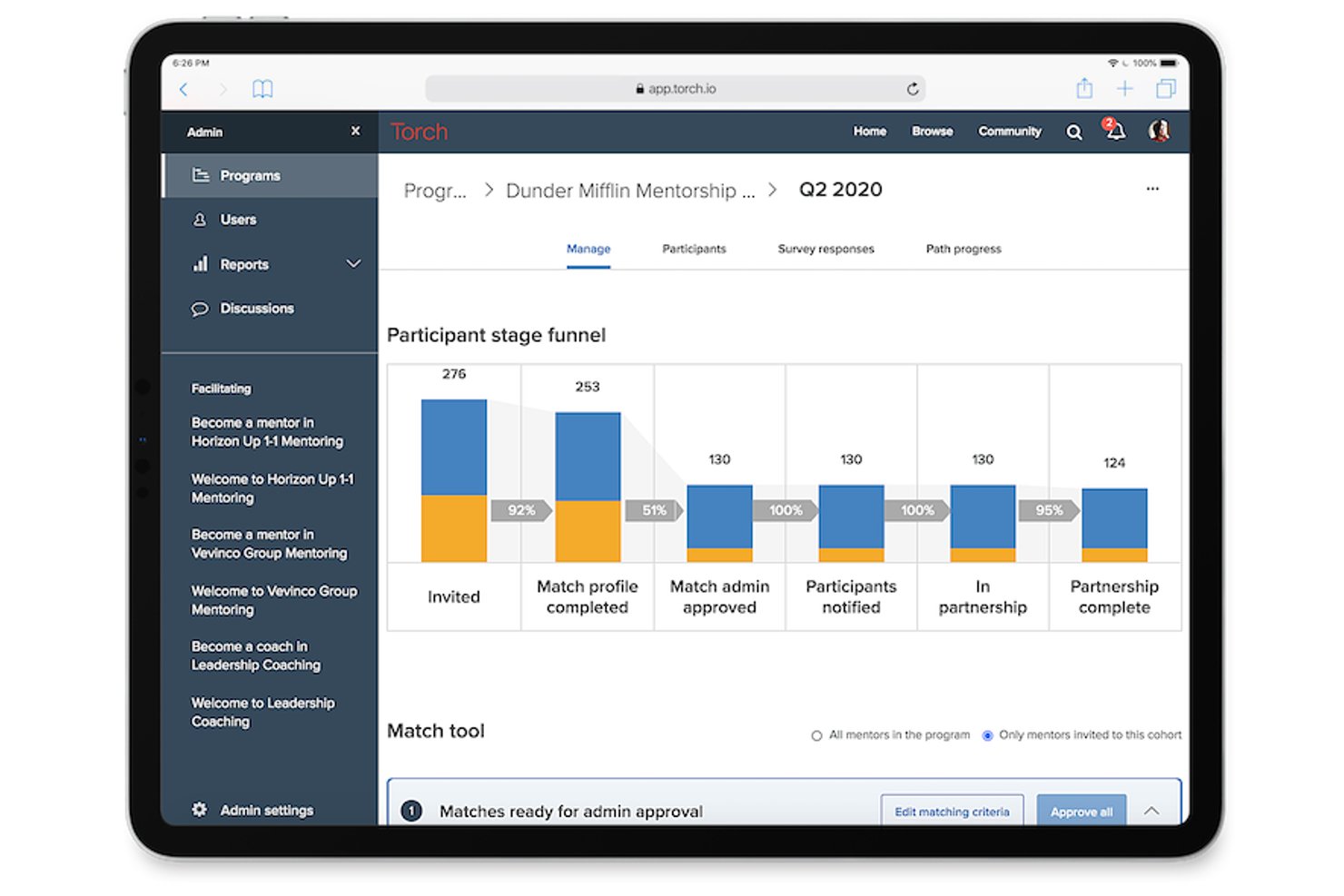
Torch is a leadership coaching platform that connects employees with a curated network of human coaches.
Who Is Torch Best For?
Torch works best for mid-market and enterprise HR teams that want an external, vetted coach network for leadership programs.
Why I Picked Torch
Torch earns its spot on my shortlist because it genuinely combines human coaching with AI in a way that goes beyond a chatbot add-on. I'm particularly impressed by Spark, Torch's AI agent, which runs adaptive role-play simulations for real scenarios like delivering difficult feedback or managing change resistance. Paired with Torch 360, which captures multi-stakeholder feedback at program start and close, you get a measurable arc of leadership behavior change that most standalone coaching tools can't match.
Torch Key Features
- Coach shortlisting: Sends each participant a curated list of three vetted coaches to review and select from, with the option to rematch if the fit isn't right.
- Group coaching cohorts: Run structured group programs for 6–9 participants over 3–6 months using pre-built or co-created curricula.
- Org Intelligence dashboards: Aggregate anonymized coaching signals across the organization to surface leadership capability gaps, burnout indicators, and talent risk at a program level.
Torch Integrations
Torch offers native integrations with Zoom and Slack, plus SAML SSO for identity-provider access.
Pros and Cons
Pros:
- Anonymized talent-risk signals by program
- Pre-built or co-created group curricula
- Curated coach matching with rematching
Cons:
- Engagement prompts between sessions can feel sparse
- User interface is not intuitive

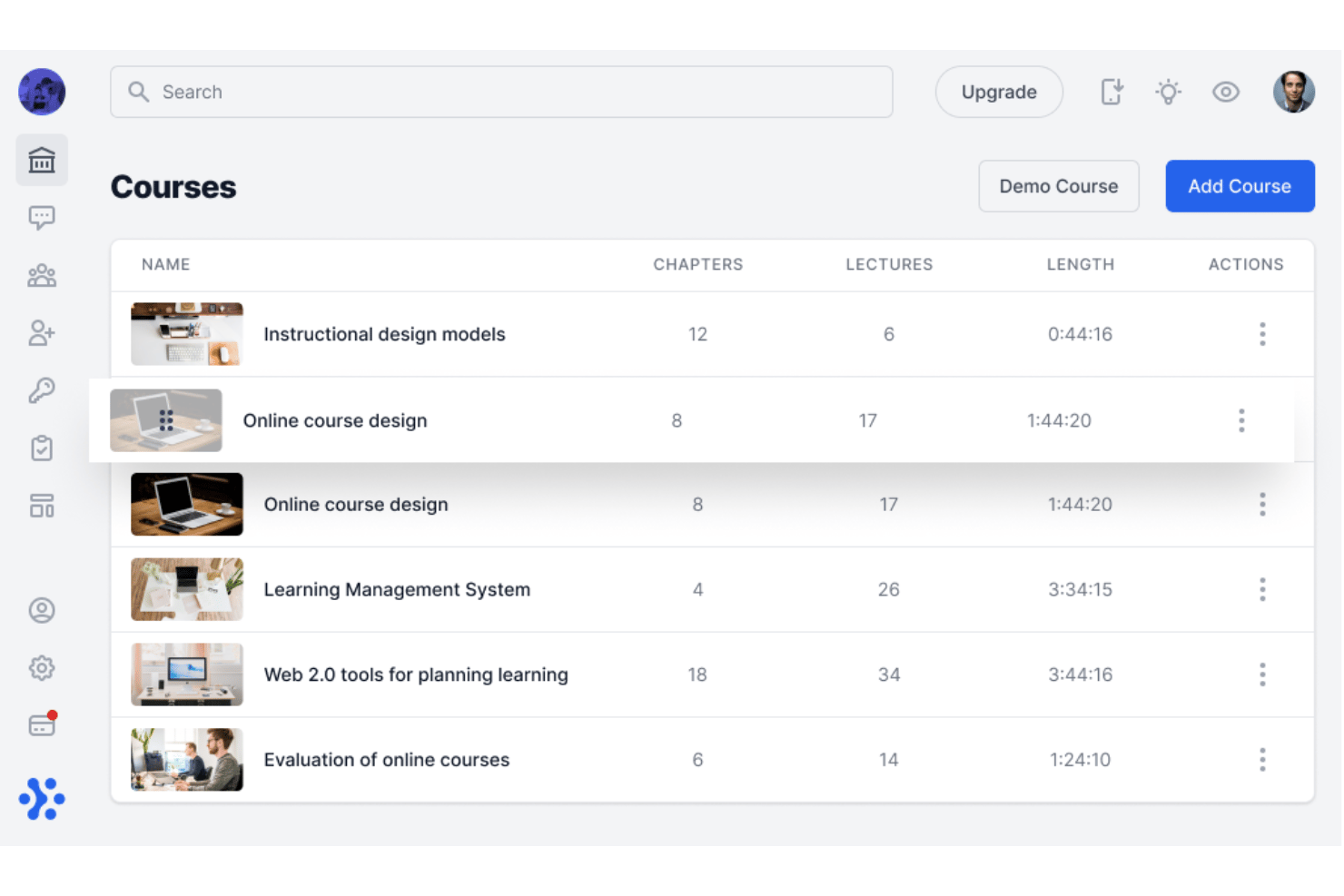
Sharpist is an enterprise digital coaching platform that pairs employees with human coaches and an AI Coach.
Who Is Sharpist Best For?
Sharpist is well suited to European enterprises and multinational organizations that need to run structured leadership coaching programs at scale while maintaining strict data privacy standards.
Why I Picked Sharpist
I chose Sharpist for how its AI Coach picks up where each human session ends. After a 1:1 session, it reads the human coach's summary and keeps working with the employee through chat or voice. Pair that with a matching engine backed by both a proprietary algorithm and a team of psychologists, which claims a 97% match success rate, and you get a platform where AI and human coaching reinforce each other in a way I haven't seen elsewhere.
Sharpist Key Features
- Flexible credit pool: HR allocates a shared credit budget that learners can spend across 1:1 sessions, group coaching, and different session lengths.
- 2,000+ micro-task library: Coaches assign curated tasks, including articles, self-reflection exercises, and journals, from a library mapped to 32 leadership focus areas to reinforce learning between sessions.
- Real-time L&D dashboard: Get a live view of registration, credit usage, engagement, goal progress, and benchmarking data across the coaching program.
- Group coaching sessions: Live cohort sessions run for 60–90 minutes with 4–8 participants, letting you extend coaching access across teams.
Sharpist Integrations
Sharpist has no public API, and no named HRIS, LMS, or calendar integrations are documented.
Pros and Cons
Pros:
- Transferable credits support mixed coaching formats
- Large library of micro-tasks between sessions
- Live dashboard with CSV export
Cons:
- No standalone tools for independent coach practices
- Limited platform languages

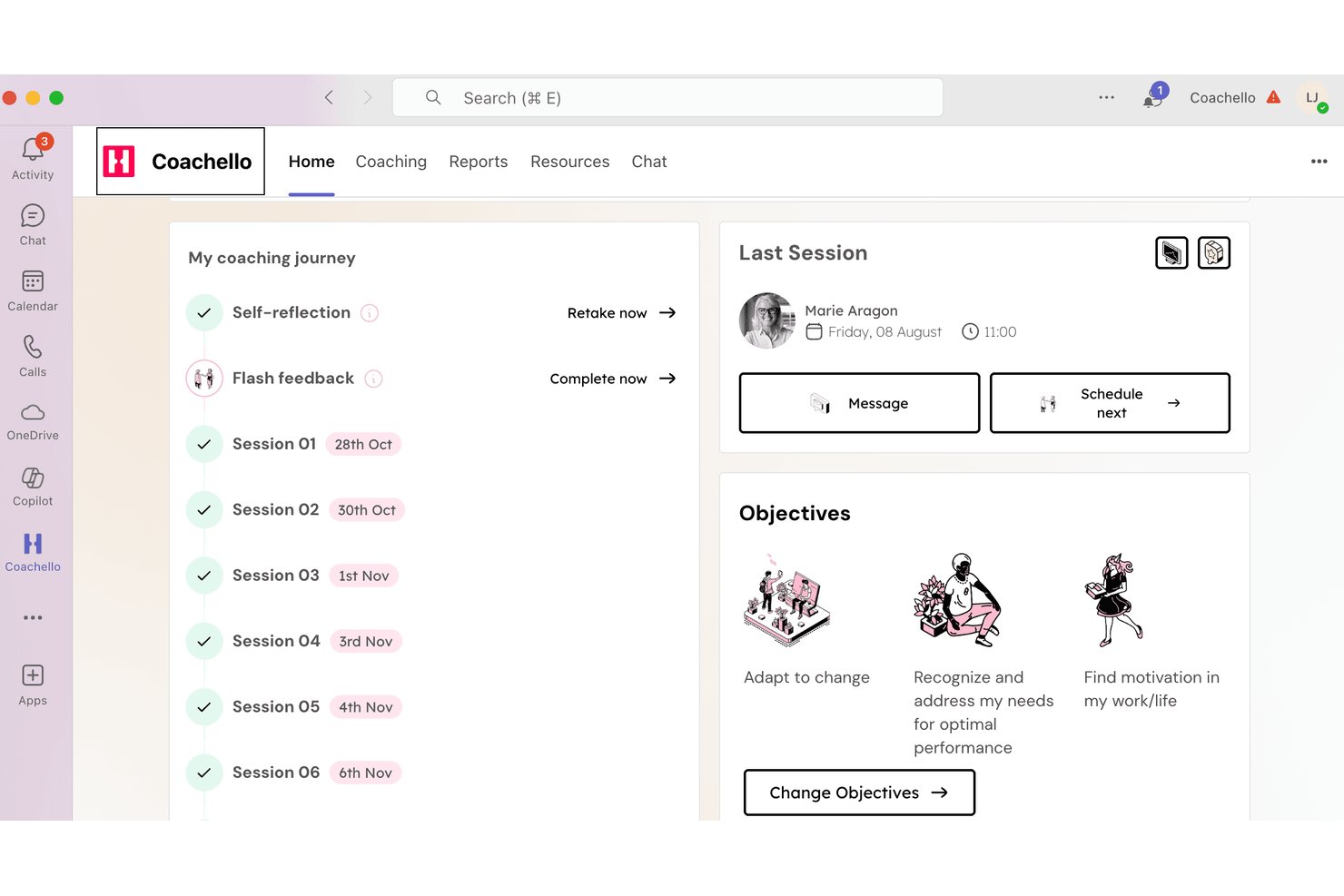
Coachello is an enterprise coaching platform that brings together human 1:1 coaching, AI coaching, AI roleplays, group workshops, and an internal coach hub, delivered natively inside Microsoft Teams or Slack.
Who Is Coachello Best For?
Coachello is a strong fit for teams that rely on Microsoft Teams or Slack to deliver coaching programs.
Why I Picked Coachello
I picked Coachello as one of the best because its AI matching engine lives natively inside Microsoft Teams and Slack, so coachees get coach recommendations, book sessions, and complete their entire coaching journey. The matching itself weighs expertise, language, time zone, and goals, then surfaces three vetted ICF PCC/MCC coaches with intro videos for review before a chemistry call. I also like that AI role-plays let employees practice real conversations, like giving feedback or navigating conflict, scored against custom rubrics directly in the platform.
Coachello Key Features
- AI assessment debriefs: Walks coachees through any psychometric assessment—personality, 360, or competency—and co-creates an exportable individual development plan.
- Drag-and-drop program builder: Assemble 1:1 sessions, group coaching, and workshops into cohorts, set enrollment rules, and attach custom KPIs in one interface.
- Multi-stakeholder 360 flash feedback: Coachees request pulse feedback from peers and managers directly inside Teams, feeding results into the coaching journey.
- Power BI and Tableau export: HR dashboards with utilization, NPS, and skill-gap heat maps can be pushed to your existing BI tools for broader workforce reporting.
Coachello Integrations
Coachello integrates with Microsoft Teams and Slack. No public API has been clearly documented.
Pros and Cons
Pros:
- Skill-gap heat maps in HR dashboards
- Program Builder supports cohort-based coaching
- AI helps match coachees with the right coach
Cons:
- Mobile access remains limited for users
- Roleplay avatars can lag or repeat questions
Other Coaching Software
Here are some additional platforms that didn’t make it onto my shortlist, but are still worth checking out:
- Ezra
For enterprise coaching ROI measurement
- Sounding Board
For multi-stakeholder coaching program governance
- Skillsoft
For coaching tied to a global skills platform
- Together
For criteria-based employee coaching
- Simply.Coach
For solo coaches managing multiple clients
- Qooper
For scaling internal coaching programs
- Chronus
For multi-program mentoring and coaching
- CoachAccountable
For client progress tracking between sessions
- AceUp
For coaching scaled across teams and org levels
- Delenta
For coaching ops with ICF-aligned logs


How I Evaluate Coaching Software
I split my evaluation into three parts: core functionality (booking sessions and tracking goals over time) carries the most weight; standout features like AI-powered session insights set vendors apart; and beyond features, I consider privacy controls, HRIS integrations, and pricing flexibility.
Core Functionality (Table Stakes For This List)
When I'm selecting tools for my list, I score each one on a scale from 0 (does not offer the functionality) to 5 (excels in this area) for each core functionality listed below. I then convert the total into a percentage to help assess each tool's overall fit, with extra weight on any functionalities I've deemed essential.
- Session Scheduling (Essential): I check for calendar sync, automated reminders, rescheduling flows, and whether the platform handles bulk session booking across multiple coaches.
- Client Progress Tracking (Essential): I look for structured goal frameworks with session-by-session history, not just free-text notes, plus dashboards that give both coach and coachee visibility into milestones.
- Secure Communication Tools: I evaluate whether messaging and video are built in with encryption and access controls, or if the platform just links out to a third-party tool with no security layer.
- Coach-Coachee Matching: Matching criteria matter here. I look at whether the platform supports skills, goals, and availability filters, and whether admins can override automated suggestions.
- Program & Curriculum Management: I check how flexibly admins can build multi-session tracks, reuse templates across cohorts, and adapt sequencing for different development paths.
- Reporting on Coaching Outcomes: I look for dashboards that go beyond session counts to show engagement trends, completion rates, and progress metrics aggregated across the organization.
Once I have a list of tools that meet the criteria, I consider what sets each platform apart.
Differentiating Factors (What Sets Vendors Apart)
Here's how I compare and contrast different vendors:
Standout Features
AI-powered session insights are a big differentiator. I look for platforms that auto-transcribe and summarize coaching conversations, surfacing recurring themes so coaches spend less time on notes and more time on development. Multi-stakeholder feedback tools also matter—when managers and peers can contribute 360-degree input, the coachee's development picture gets richer and coaching stays aligned with team goals. I also evaluate white-label branding options, especially for internal L&D teams that need a consistent, organization-specific experience across global offices.
Beyond Features
Data privacy tops my list. Coaching surfaces sensitive personal and performance information, so I check whether vendors offer configurable visibility controls—for example, keeping coach session notes visible only to the coachee while giving HR aggregated, anonymized outcome data. I also evaluate HRIS and talent system integrations, since pulling employee skills and role data into coach-coachee matching cuts manual work for program administrators and keeps development aligned with performance cycles. Flexible pricing matters too, especially for organizations piloting a coaching program in one department before scaling organization-wide.
How to Choose Coaching Software
Choose the right software by testing whether it protects sensitive conversations, supports your program design, and produces evidence you can use in workforce decisions.
| If your priority is... | Look for... |
|---|---|
| Confidential coaching | Written rules separating private notes from aggregated HR reporting |
| Better coach matching | Documented matching criteria and an administrator override process |
| HRIS-connected programs | A current integration guide showing employee-data fields and sync timing |
| Measurable development | Sample outcome reports showing engagement, completion, and goal progress |
| Flexible rollout | Pricing and contract terms that support a pilot before wider deployment |
How to Vet Your Shortlist
- Test confidentiality: Request the vendor’s data-visibility matrix and confirm, in writing, who can access notes, goals, messages, and reports.
- Test data handling: Ask for a current data-flow diagram, retention schedule, and deletion process before sharing employee information.
- Run a defined trial: During a 14-day evaluation, create one coaching track, complete a sample session, and export the resulting participant record.
- Verify support claims: File one pre-sales ticket containing a matching or reporting question, then record the response time and escalation path.
- Choose your tradeoff: Decide whether your priority is a broad external coaching network or tighter internal program control, because platforms rarely maximize both.
What Is Coaching Software?
Coaching software is a platform that helps organizations match employees with coaches, manage development programs, schedule sessions, and track progress. It supports private communication, goal setting, feedback, reporting, and integrations with HR systems. HR teams use it to coordinate coaching at scale while protecting confidential session information and measuring participation, completion, and development outcomes.
Features of Coaching Software
When selecting the right software to coach your team, keep an eye out for the following key features:
- Coach matching: Pairs employees with the right coaches using goals, skills, time, and preferences. HR can adjust matches anytime.
- Session scheduling: Lets coaches and staff book, reschedule, or repeat meetings using shared calendars and automatic reminders.
- Goal tracking: Helps users set targets and track progress. Coaches can link session notes directly to these main goals.
- Secure communication: Keeps messages, files, and video links private. Clear permissions keep sensitive chats separate from admin views.
- Program management: Helps HR set up coaching tracks, manage groups, and use ready-made templates for consistent learning paths.
- Feedback and assessments: Collects simple surveys and reviews from peers and managers to show strengths and growth areas.
- Reporting and analytics: Shows session completion, progress, and overall activity in easy dashboards so HR can measure success.
- System integrations: Connects coaching software to your HR tools and work calendars to keep info updated automatically.
- Privacy and controls: Protects private notes and results by controlling who can see specific details versus big-picture team data.
Common Coaching Software AI Features
Beyond the standard features listed above, many platforms now incorporate AI through features like:
- Personalized action plan generation: Turns a coachee’s goals, reflections, and assessment results into suggested development activities. Coaches can review, edit, and assign these recommendations between sessions.
- Coaching question suggestions: Recommends follow-up questions based on a coachee’s stated challenges, goals, or previous responses. This gives coaches additional prompts when they need to explore an issue more deeply.
- Practice scenario simulations: Creates interactive role-play exercises for situations such as difficult conversations, delegation, or interview preparation. Coachees can practice different responses and receive feedback before applying them at work.
- Engagement risk detection: Analyzes participation patterns, missed sessions, response timing, and activity levels to identify possible disengagement. Program administrators can use these signals to decide when a participant may need outreach.
- Resource recommendations: Matches coaching topics with relevant exercises, articles, videos, or learning materials from the platform’s content library. Recommendations can change as the coachee’s goals and development needs evolve.
- Natural-language coaching search: Lets users search coaching records, resources, or program data using everyday language. For example, an administrator might ask which development themes appear most often across a cohort.
Benefits of Coaching Software
An employee coaching platform provides several benefits. Here are a few you can look forward to:
- Coordinated program administration: Program templates, enrollment rules, cohort management, and scheduling tools help HR teams organize coaching initiatives.
- Measurable development: Goal frameworks, session histories, milestone dashboards, and outcome reports show participation and progress over time.
- Better coach matching: Matching criteria based on goals, skills, experience, preferences, and availability help participants connect with suitable coaches.
- Protected conversations: Permission settings, private messaging, controlled notes, and visibility rules help separate confidential coaching information from aggregated HR reporting.
- More useful session insights: AI transcription, summaries, recurring themes, action plans, and suggested questions give coaches structured information for follow-up.
- Stronger workforce decisions: Feedback tools, engagement data, completion rates, and anonymized reports help HR teams evaluate coaching programs.
Costs and Pricing of Coaching Software
Selecting the right platform requires understanding the various pricing models and plans available. Costs vary based on features, team size, add-ons, and more. The table below summarizes common plans, average prices, and typical features included.
Plan Comparison Table for Coaching Software
| Plan Type | Average Price | Common Features |
|---|---|---|
| Free Plan | $0/user/month | Basic coach matching, limited scheduling, goal tracking, and participant profiles. |
| Personal Plan | $5-$25/user/month | Session scheduling, progress tracking, messaging, calendar integration, and basic reporting. |
| Business Plan | $25-$75/user/month | Advanced matching, program management, feedback tools, analytics, and HRIS integrations. |
| Enterprise Plan | $75-$200/user/month | Custom workflows, advanced privacy controls, dedicated support, white-label branding, and organization-wide reporting. |
Coaching Software FAQs
Here are some answers to common questions:
How does coaching software protect confidential session information?
Coaching and learning platforms protect confidential information through role-based permissions and separate visibility settings. Before rollout, ask who can view notes, goals, messages, assessments, and reports. Your policy should keep private session notes between the coach and coachee. HR might receive anonymized participation or outcome data instead. Request a data-flow diagram, retention schedule, and deletion process. Test these controls during a trial. Export a sample participant record and confirm that restricted content stays hidden from administrators.
Can coaching software connect with an HRIS?
Yes, some platforms connect with HRIS and talent systems. Confirm the available integration before signing a contract. Check which employee fields transfer, such as department, role, location, and manager. Ask how often the systems sync and what happens after an employee changes roles. You should also verify whether the connection supports one-way or two-way updates. If no native integration exists, ask about supported APIs, file imports, and administrator review steps.
How should HR test coaching software before buying it?
HR should run a defined trial with a realistic coaching workflow. Create one program, enroll sample participants, schedule a session, record a goal, and export the participant record. Test matching rules, reminders, rescheduling, permissions, reporting, and data deletion. Ask the vendor to explain any unclear results. Submit a support question before the trial ends. Record the response time, answer quality, and escalation path. This process reveals gaps that product demonstrations often hide.
Does coaching software replace a human coach?
No, these platforms support program administration and coaching work rather than replacing human judgment. A platform can suggest questions, summarize sessions, recommend resources, or flag participation changes. Coaches still need to interpret context, handle sensitive disclosures, and choose appropriate interventions. Review how the vendor handles AI-generated content and whether coaches can edit or reject suggestions. Also confirm whether participants receive notice when AI processes session information. Keep human review in every decision involving employee development.