

10 Best Government Performance Management Software in 2026

10 Best Government Performance Management Software Shortlist


Government performance management software gives agencies tools to track goals, measure results, and keep teams accountable. If you’re exploring new ways to manage complex workflows, meet compliance requirements, or boost transparency, the right software can make a real difference.
I’ll show you which government-focused solutions actually help you align strategy, monitor progress, and respond to shifting public sector priorities—so you can choose the best system for your agency’s needs this 2026.
Why Trust Our Software Recommendations
Our team has been testing and reviewing software since 2012. As HR experts ourselves, we know how difficult—and important—it is to choose the right software.
For this guide, we evaluated tools using hands-on testing and independent research, scoring tools using our selection criteria. We also draw on insights from industry thought leaders and practicing HR experts.
Our reviews reflect our human editorial judgment, not a sales pitch.
Expert reviewers:
Government Performance Management Software Comparison Table
The table below compares pricing details for my top government performance management software selections.
| Tool | Best For | Trial Info | Price | ||
|---|---|---|---|---|---|
| 1 | Best for configurable audit controls | Free demo available | Pricing upon request | Website | |
| 2 | Best for transparent public-facing dashboards | Free demo available | Pricing upon request | Website | |
| 3 | Best for strategic plan and KPI alignment | Free demo available | Pricing upon request | Website | |
| 4 | Best for higher education government roles | Free demo available | Pricing upon request | Website | |
| 5 | Best for multi-rater review flexibility | Free demo available | From $5/user/month (billed annually) | Website | |
| 6 | Best for FedRAMP-authorized HR workflows | 30-day free trial + free demo available | Pricing upon request | Website | |
| 7 | Best for large-scale public sector integrations | 30-day free trial | Pricing upon request | Website | |
| 8 | Best for agency-wide competency frameworks | Free demo available | Pricing upon request | Website | |
| 9 | Best for budget-to-performance alignment | Free demo available | Pricing upon request | Website | |
| 10 | Best for civil service compliance tracking | Free demo available | Pricing upon request | Website |
Best Government Performance Management Software Reviews
Below are my detailed summaries of the best government performance management software that made it onto my shortlist. My reviews offer a detailed look at the features, best use cases, and integrations of each platform to help you find the best one for you.

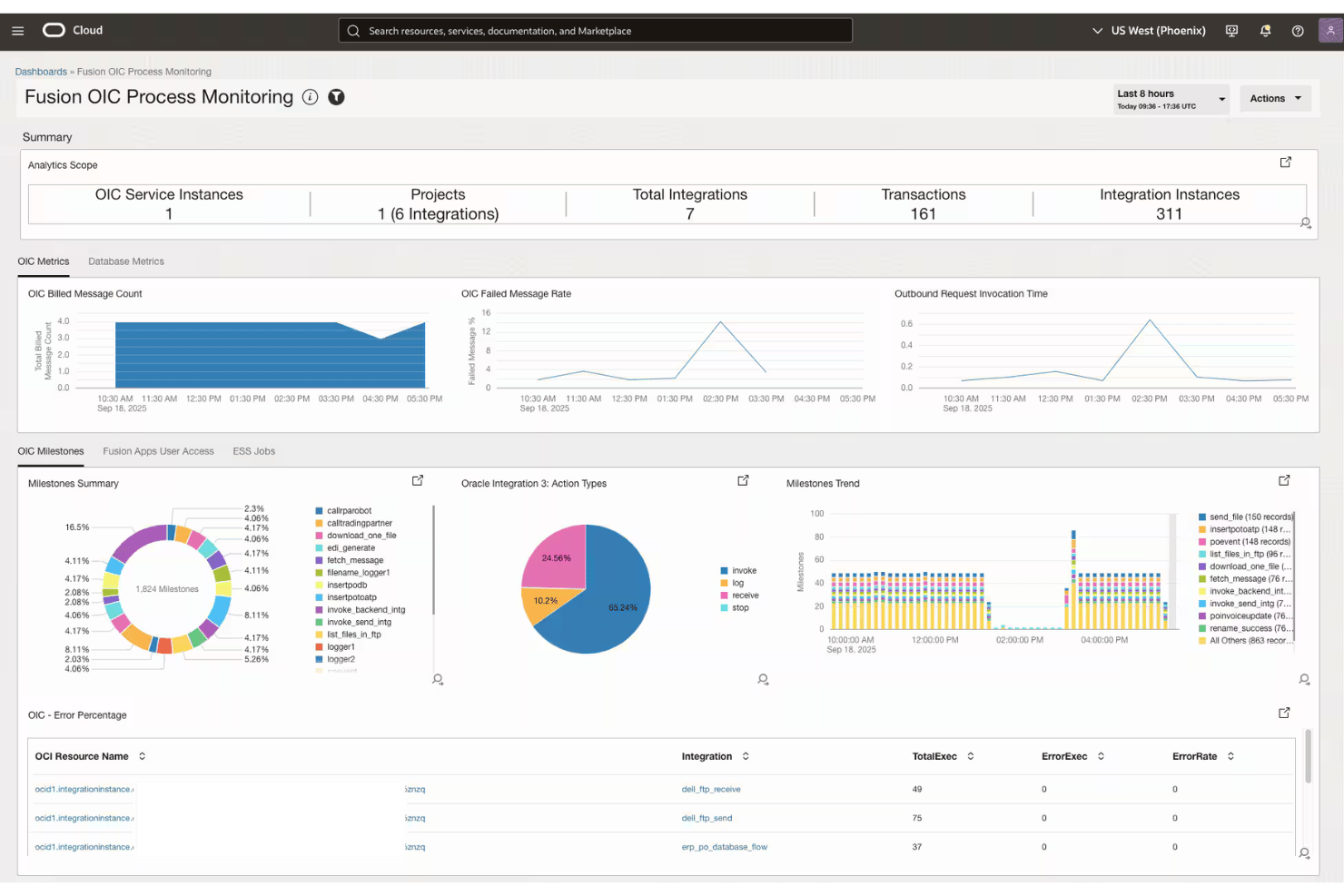
Oracle Fusion Cloud HCM is an enterprise cloud HCM suite that covers performance management, goal alignment, competency tracking, compliance controls, and workforce modeling across large, multi-agency government organizations.
Who Is Oracle Fusion Cloud HCM Best For?
It's a strong fit for large federal and enterprise government agencies that need a unified HCM platform to manage workforce performance across multiple departments or jurisdictions.
Why I Picked Oracle Fusion Cloud HCM
Oracle Fusion Cloud HCM earns its spot on my shortlist because of its Advanced HCM Controls module, which monitors payroll runs, compensation changes, and timecard transactions in real time. I particularly like the Access Certification Advisor, which explains security risks in plain language rather than raw logs. That granularity, backed by FedRAMP authorization, means my team can trace every access event and approval without relying on a separate compliance tool.
Oracle Fusion Cloud HCM Key Features
- Skills module: Uses AI to update and map skills across job roles, positions, and career pathways.
- Configurable review cycles: Lets agencies set up custom performance appraisal schedules and tailored evaluation forms.
- Workforce modeling: Enables scenario planning and organizational change modeling for large, multi-unit organizations.
- Opportunity marketplace: Matches employees to internal projects, gigs, or roles that align with their competencies and goals.
Oracle Fusion Cloud HCM Integrations
Oracle Fusion Cloud HCM offers native integrations with Oracle Fusion Cloud ERP, Oracle Health, and Oracle Supply Chain & Manufacturing, and provides APIs and Oracle Integration Cloud for connecting with third-party systems.
Pros and Cons
Pros:
- AI-updated skills mapped to government job classifications
- Real-time monitoring of payroll and compensation changes
- FedRAMP-authorized for federal agency deployments
Cons:
- No dedicated PIP or progressive discipline module
- Heavy configuration required before deployment

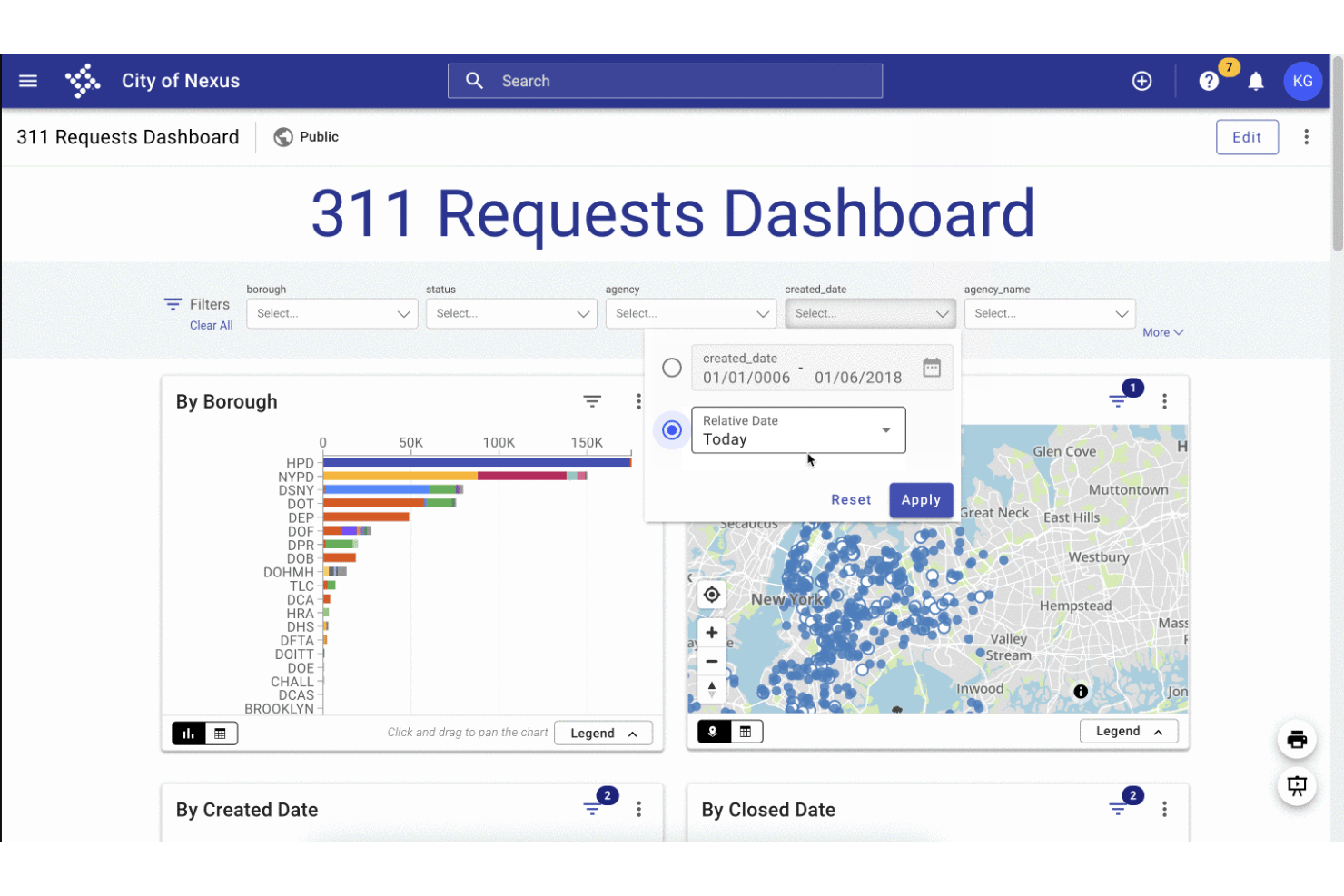
Tyler Technologies Performance Insights is a government analytics platform that tracks KPIs, configures performance targets, and publishes operational data through internal and public-facing dashboards.
Who Is Tyler Technologies Best For?
It's a strong fit for city, county, and state government agencies that need to track departmental KPIs and share performance data with the public.
Why I Picked Tyler Technologies
I've included Tyler Technologies on my list because its public-facing dashboard capability is genuinely built for government transparency, not bolted on as an afterthought. I particularly like how agencies can combine KPI measures, geo dashboards, and narrative stories (mixing text, images, and video) into a single published web page. That means a city can show residents exactly how departments are tracking against stated goals, all in one place.
Tyler Technologies Key Features
- Geo dashboards: Visualize performance metrics and outcomes using location-based maps and heatmaps.
- Threshold alerts: Set specific KPI thresholds to trigger automatic notifications for early issue detection.
- API data ingestion: Connect to external systems and automate the import of government datasets with the built-in API manager.
- Role-based user permissions: Grant different access and editing rights for internal staff and stakeholders across departments.
Tyler Technologies Integrations
Tyler Technologies Performance Insights offers native integrations across the Tyler ecosystem, including Enterprise Data Platform, Open Data Platform, and Finance Insights. An API is available for custom integrations and on-premises data ingestion.
Pros and Cons
Pros:
- Supports multi-department goal tracking at scale
- Embeds narrative context alongside KPI data
- Citizen-facing dashboards built specifically for government
Cons:
- Limited to agencies already in the Tyler ecosystem
- No employee-level appraisal or review workflows

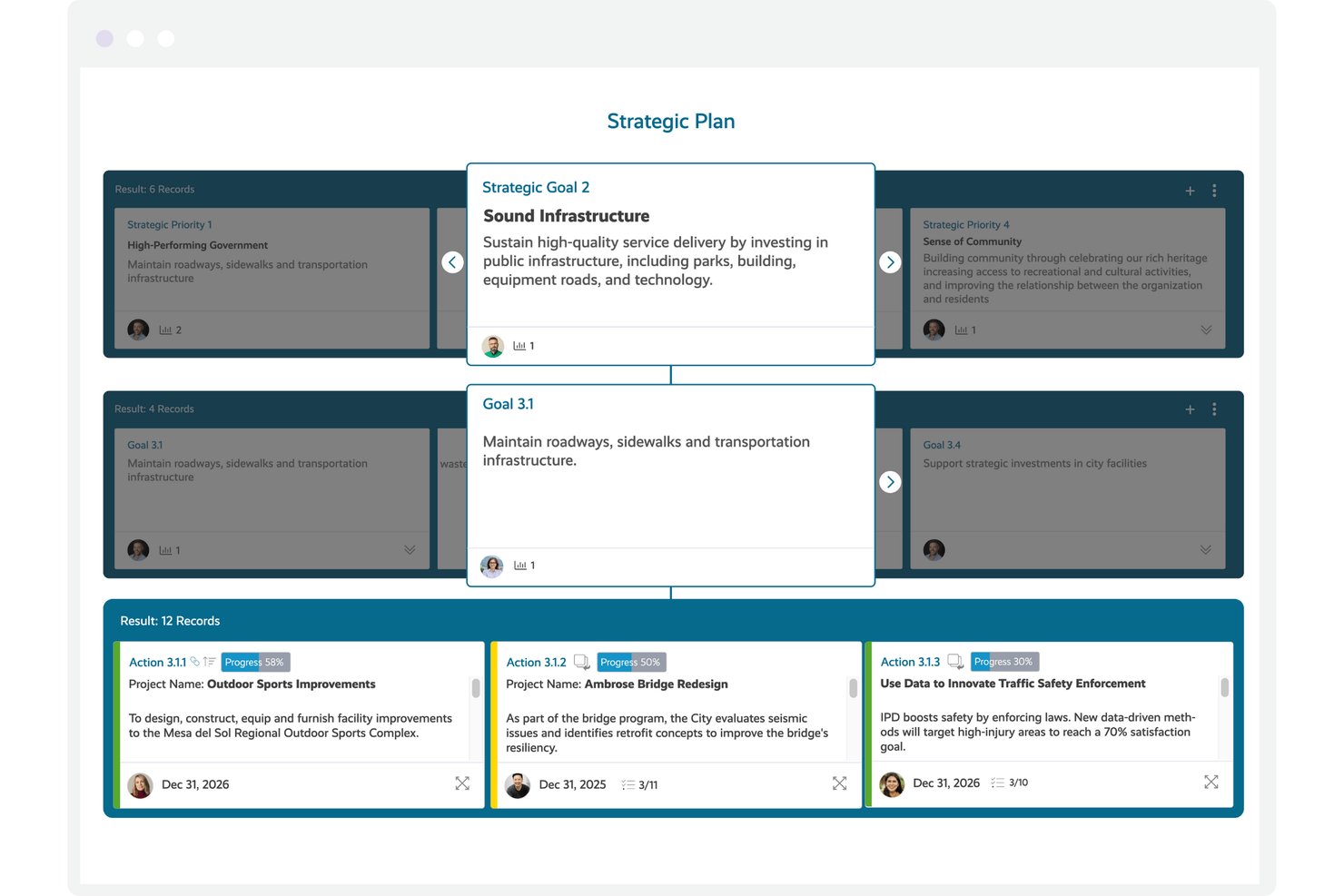
Envisio is a government-focused strategic planning and performance management platform that lets public sector organizations manage multiple plans, track KPIs, and report progress to elected officials and the public through configurable dashboards.
Who Is Envisio Best For?
Envisio is a strong fit for municipal and county governments that run multiple concurrent strategic plans across departments and need a single place to track and report on all of them.
Why I Picked Envisio
Envisio earns its spot on my shortlist because of how it handles plan-to-KPI linkage at scale. I can connect dozens of performance measures directly to strategic priorities across multiple concurrent plans, which is rare in this space. The multi-plan management feature means a single city can track its strategic plan, climate action plan, and public safety plan simultaneously, each with its own KPIs and reporting cadence.
Envisio Key Features
- Public-facing dashboards: Let you publish plan progress and KPIs to citizens through accessible, ADA-compliant online dashboards.
- Automated data ingestion: Pull KPI and metrics data automatically from systems like ERP, GIS, HR, and financial software.
- Multi-audience reporting: Generate presentation-ready reports for councils, department heads, or citizens with permission-based data visibility.
- Budget-to-performance linking: Tie performance measures directly to budget line items to support performance-based and priority-driven budgeting.
Envisio Integrations
Envisio offers native integrations with Microsoft Teams, Questica, and Polco Track, supports calendar sync with Google Calendar, Outlook, and Apple Mail, and provides an OpenAPI for custom integrations and automated data collection.
Pros and Cons
Pros:
- Budget-to-performance linking is natively supported
- Public-facing dashboards built for citizen transparency
- Cascades goals across multiple concurrent strategic plans
Cons:
- Reporting setup can require significant admin configuration
- No employee-level performance appraisal functionality
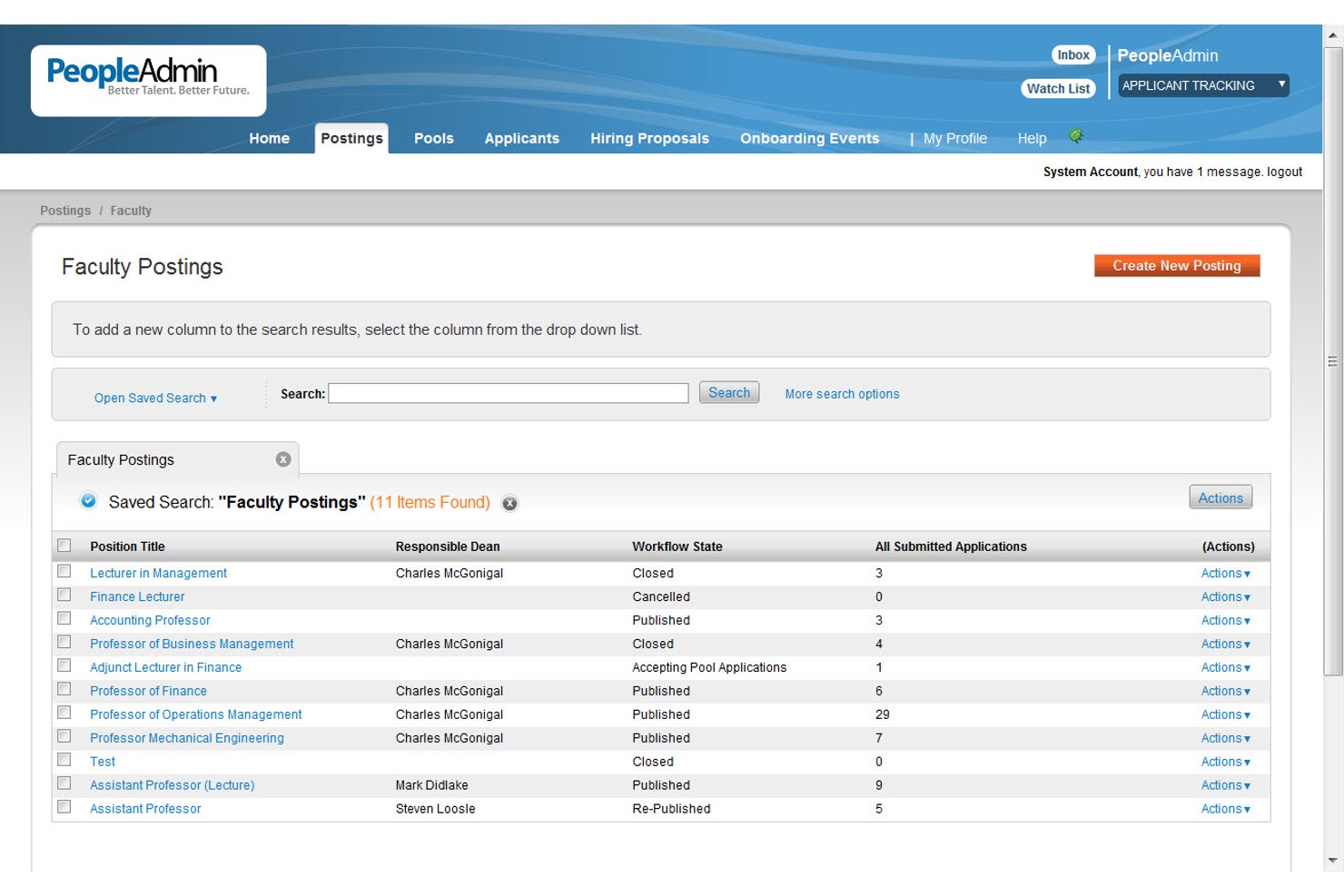
PeopleAdmin is a talent management platform built for higher education and government organizations, covering performance reviews, goal tracking, competency evaluation, succession planning, and compliance documentation.
Who Is PeopleAdmin Best For?
PeopleAdmin suits HR teams and workforce administrators at higher education institutions and government agencies managing structured, compliance-driven performance processes.
Why I Picked PeopleAdmin
I picked PeopleAdmin as one of the best because its performance module is built around the workflows higher education and government HR teams actually use. The 9-box talent model surfaces performance and potential data in a format that supports succession planning conversations, which is genuinely useful in structured, hierarchy-driven agencies. I also like the DE&I bias detection built into review scoring, which flags discrepancies like gender bias before they become a compliance issue.
PeopleAdmin Key Features
- Customizable review cycles: Configure appraisal timelines and workflows to match government agency requirements.
- Role-based access controls: Set permissions for HR, managers, and staff to ensure secure and compliant process oversight.
- Integrated audit trails: Maintain a record of approvals, actions, and edits for compliance and public accountability.
- Document attachment and storage: Attach supporting documents to reviews for accurate, centralized personnel records.
PeopleAdmin Integrations
PeopleAdmin offers native integrations with Banner, ORCiD, JobTarget, SchoolSpring, and I-9 verification systems. It also provides native connections to HRIS and ERP platforms, and an API is available for custom integrations.
Pros and Cons
Pros:
- Configurable audit trails support EEO and compliance documentation
- Civil service recruiting and search committee management included
- Built for higher education and government HR workflows
Cons:
- Reporting tools lack depth for applicant flow analysis
- Admin customizations often require vendor support involvement

Best for multi-rater review flexibility
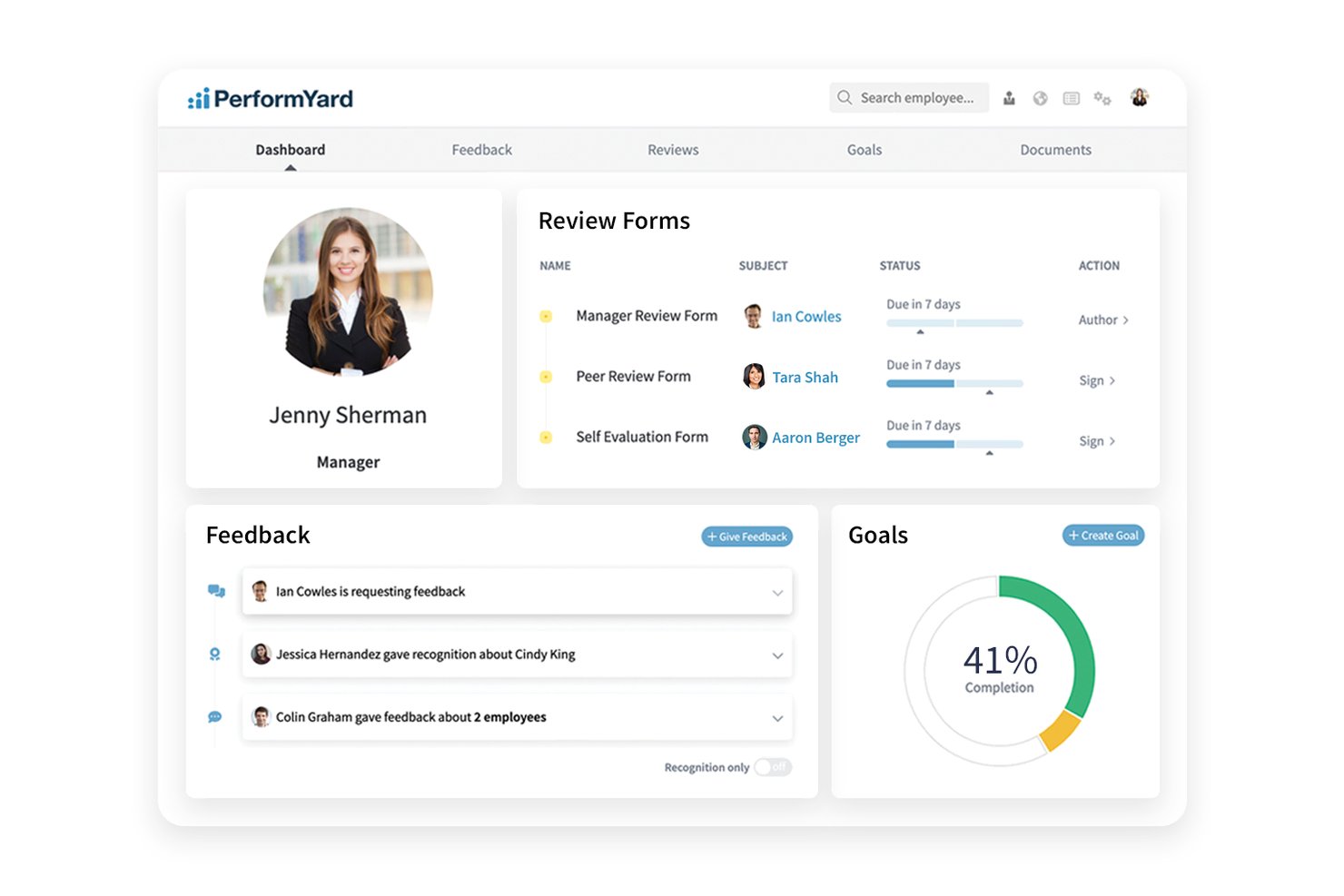
PerformYard is a performance management platform built for public sector agencies that covers configurable review cycles, cascading goal management, 360-degree multi-rater feedback, continuous feedback, and employee engagement surveys.
Who Is PerformYard Best For?
It's a strong fit for mid-sized public sector agencies whose HR teams need to run structured, multi-stakeholder review processes across complex departmental hierarchies.
Why I Picked PerformYard
PerformYard earns its spot on my shortlist because of how much control it gives HR over reviewer relationships in a 360 cycle. I can configure peer nominations, let employees request feedback directly, or have managers define the reviewer pool, all within the same review cycle. That level of configurability matters in government agencies where org charts are layered and multi-stakeholder input is often mandated, not optional.
PerformYard Key Features
- Configurable review forms: Build custom appraisal templates to match government evaluation requirements.
- Goal cascading: Align individual, team, and agency objectives through linked goal-setting workflows.
- Automated sign-off workflows: Route and track approvals, sign-offs, and completion status with clear audit trails.
- HRIS and SSO integrations: Sync employee data and manage secure access using integrations with major HRIS and SAML-based SSO platforms.
PerformYard Integrations
PerformYard offers native integrations with ADP, BambooHR, Gusto, Rippling, UKG, Workday, Paylocity, Slack, and Microsoft Teams, supports SAML-based SSO including Google Workspace, Office 365, Okta, and OneLogin, and provides an API for custom integrations.
Pros and Cons
Pros:
- Supports anonymous peer feedback collection
- Dedicated customer success manager included
- Highly configurable multi-rater review cycle setup
Cons:
- No structured PIP or discipline module
- No FedRAMP or StateRAMP certification available

Workday
Best for FedRAMP-authorized HR workflows
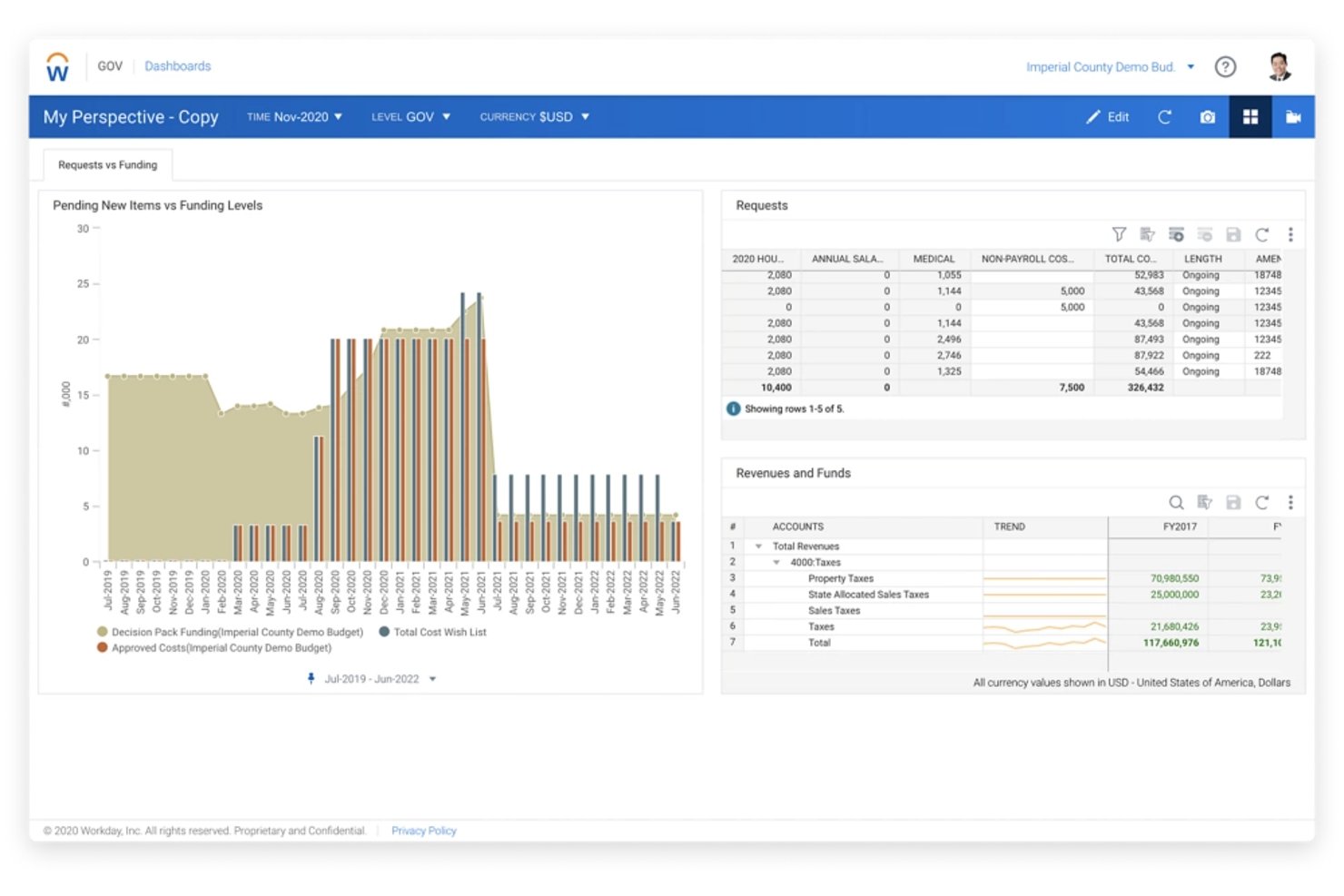
Workday is a cloud-based HCM and performance management platform built for U.S. federal agencies, combining skills-based talent management, PAR processing, competency tracking, and workforce analytics in a FedRAMP-authorized environment.
Who Is Workday Best For?
Workday is a strong fit for U.S. federal agencies and large government organizations that need FedRAMP-authorized HR and performance management at an enterprise scale.
Why I Picked Workday
I picked Workday as one of the best because its FedRAMP Moderate authorization is woven into the platform itself, with always-on audit controls and FIPS 140-3 compliant security. The built-in PAR processing keeps personnel actions and payroll aligned without workarounds, which matters a lot when agencies are managing large-scale review cycles. I also appreciate how the AI-powered Skills Cloud maps competencies against government job classifications, giving talent reviews a structured foundation.
Workday Key Features
- Configurable talent dashboards: Give HR teams a unified view of workforce data, turnover, and skill gaps by role or department.
- Multi-rater feedback collection: Enable structured peer, manager, and self-assessments for a rounded performance review process.
- Competency tracking by job classification: Allow agencies to map required competencies to specific federal job profiles and monitor development.
- Audit-ready documentation workflows: Maintain records, approvals, and audit logs that align with civil service and public records requirements.
Workday Integrations
Workday offers native integrations with Slack, Salesforce, Microsoft 365, Outlook, ADP, Udemy Business, Achievers, Workhuman, BetterUp, and HireRight, and provides an API for custom integrations.
Pros and Cons
Pros:
- PAR processing supports federal personnel actions natively
- AI-powered Skills Cloud maps federal competencies
- FedRAMP Moderate authorization built into the platform
Cons:
- Implementation timelines can extend for large agencies
- No transparent pricing for government buyers

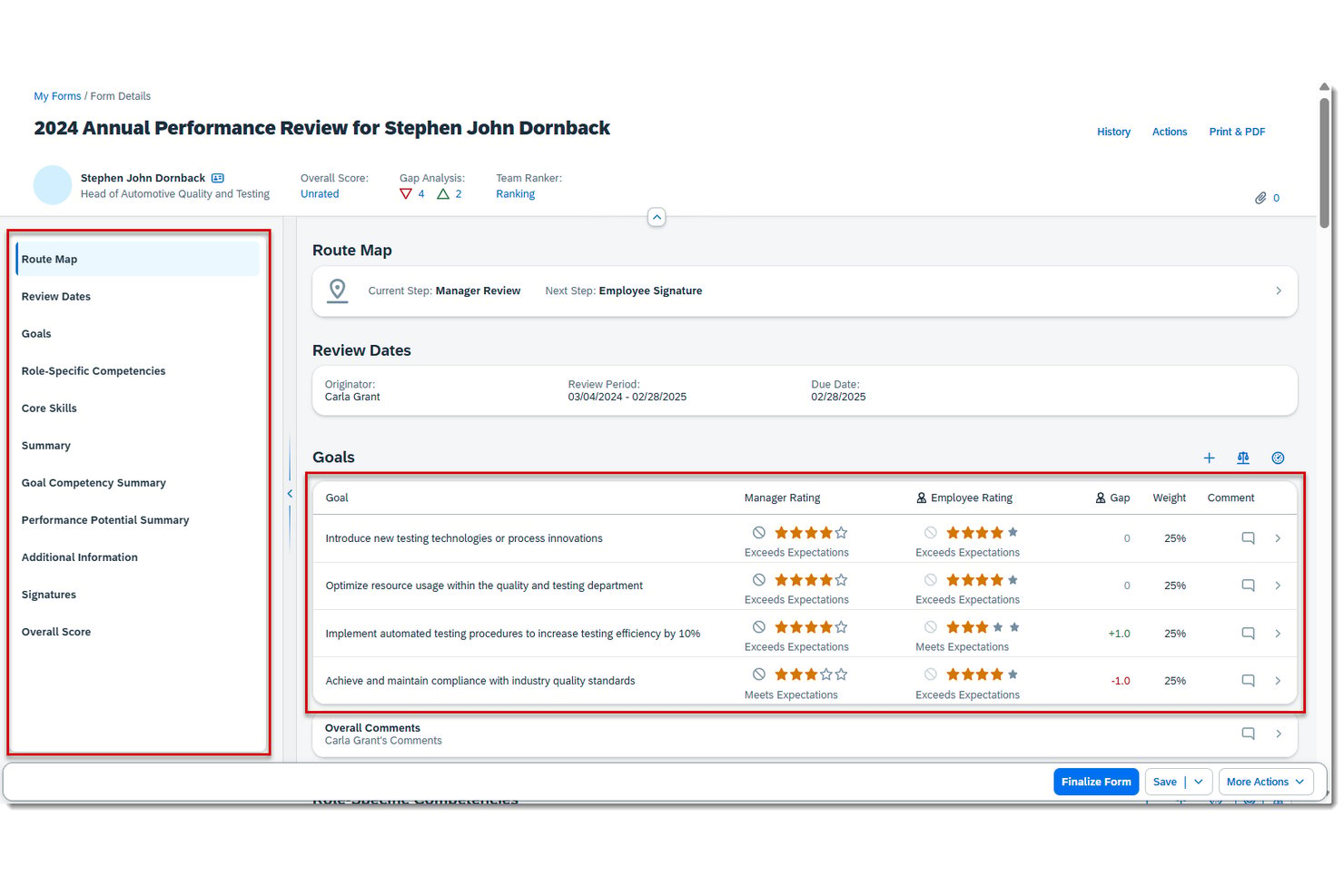
SAP SuccessFactors HCM is a cloud-based human capital management suite with modules for performance reviews, cascading goal management, competency tracking, and compliance-grade audit workflows built for large, complex workforce structures.
Who Is SAP HCM Best For?
It's a strong fit for large federal and national government agencies that already operate within the SAP ecosystem and need enterprise-scale HR compliance.
Why I Picked SAP HCM
SAP HCM earns its spot on my shortlist because of how deeply it connects with SAP S/4HANA, letting agencies sync workforce cost allocations and performance data across HR and Finance in real time. I particularly like the cascading goal module, which maps directly from agency mission down to individual employee objectives. The FedRAMP and DoD IL4 compliance via SAP NS2 makes it one of the few platforms I'd trust with sensitive federal workforce data.
SAP HCM Key Features
- Configurable 360-degree feedback: Collect and manage multi-rater input including peer, manager, and self-assessments across hierarchical government structures.
- Competency framework management: Define, assign, and track job-specific competencies linked to public sector roles and position descriptions.
- Audit-ready approval workflows: Maintain documentation trails with customizable approvals to satisfy union, civil service, and public records mandates.
- Role-based access controls: Restrict sensitive HR and performance data by user role to support compliance with FOIA and open records laws.
SAP HCM Integrations
SAP HCM offers native integrations with SAP S/4HANA and SmartRecruiters, and provides access to pre-built APIs through the SAP API Business Hub for custom integrations.
Pros and Cons
Pros:
- Mission-to-employee cascading goals built in natively
- Highly configurable civil service appraisal cycles
- FedRAMP and DoD IL4 compliance supported
Cons:
- No dedicated progressive discipline workflow module
- Long implementation timelines

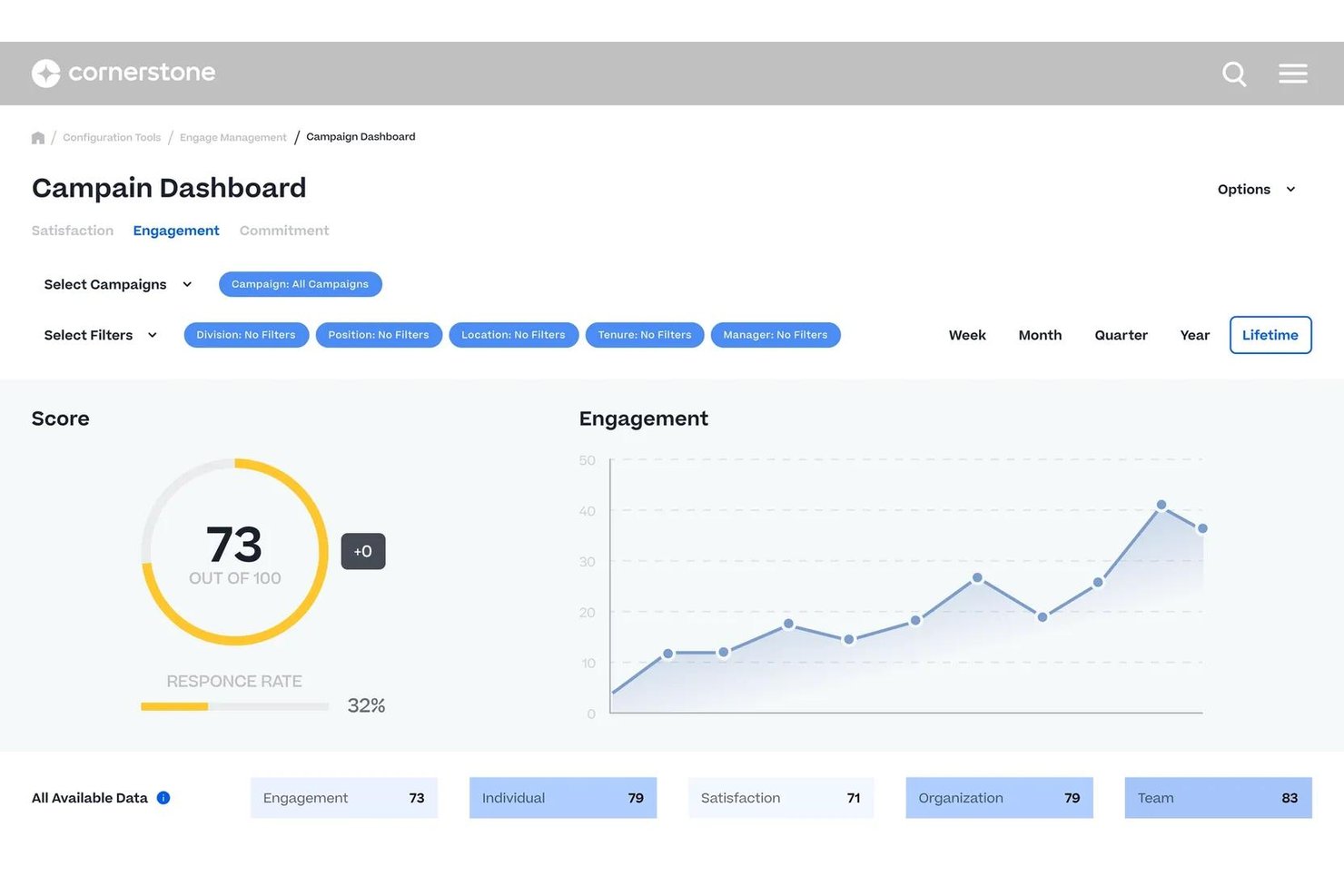
Cornerstone Performance is a performance management platform for enterprise and public sector organizations, with configurable appraisal cycles, competency frameworks, cascading goal management, continuous feedback, and succession planning.
Who Is Cornerstone Performance Best For?
It's a strong fit for federal and state government agencies that need a FedRAMP-authorized platform to manage structured talent processes across large, distributed workforces.
Why I Picked Cornerstone Performance
I picked Cornerstone Performance because its Skills Graph ties directly into government job classifications, letting agencies map competencies to position descriptions at scale. I particularly like how AI-powered skills evaluation identifies gaps across an entire workforce, not just individual employees. The platform's competency frameworks cascade from agency level down to individual roles, so every development plan connects to a defined organizational structure.
Cornerstone Performance Key Features
- Configurable appraisal workflows: Set up agency-specific review cycles, rating scales, and evaluation forms tailored for public sector needs.
- FedRAMP Moderate and IL4 security: Meets strict government security standards with advanced encryption and data protection.
- Multi-rater feedback: Collects supervisor, peer, and self-assessment input for performance evaluations.
- Audit-ready documentation: Maintains approval workflows, e-signatures, and audit trails to support compliance and personnel actions.
Cornerstone Performance Integrations
Cornerstone Performance offers native integrations with Workday, Salesforce, Microsoft Teams, and Talepsin, and is available on the ADP Marketplace. An API is available for custom integrations.
Pros and Cons
Pros:
- Agency-to-employee goal cascading
- Competency frameworks map to job classifications
- FedRAMP and DISA IL4 authorized
Cons:
- Configuration requires lengthy implementation
- No discipline workflow module
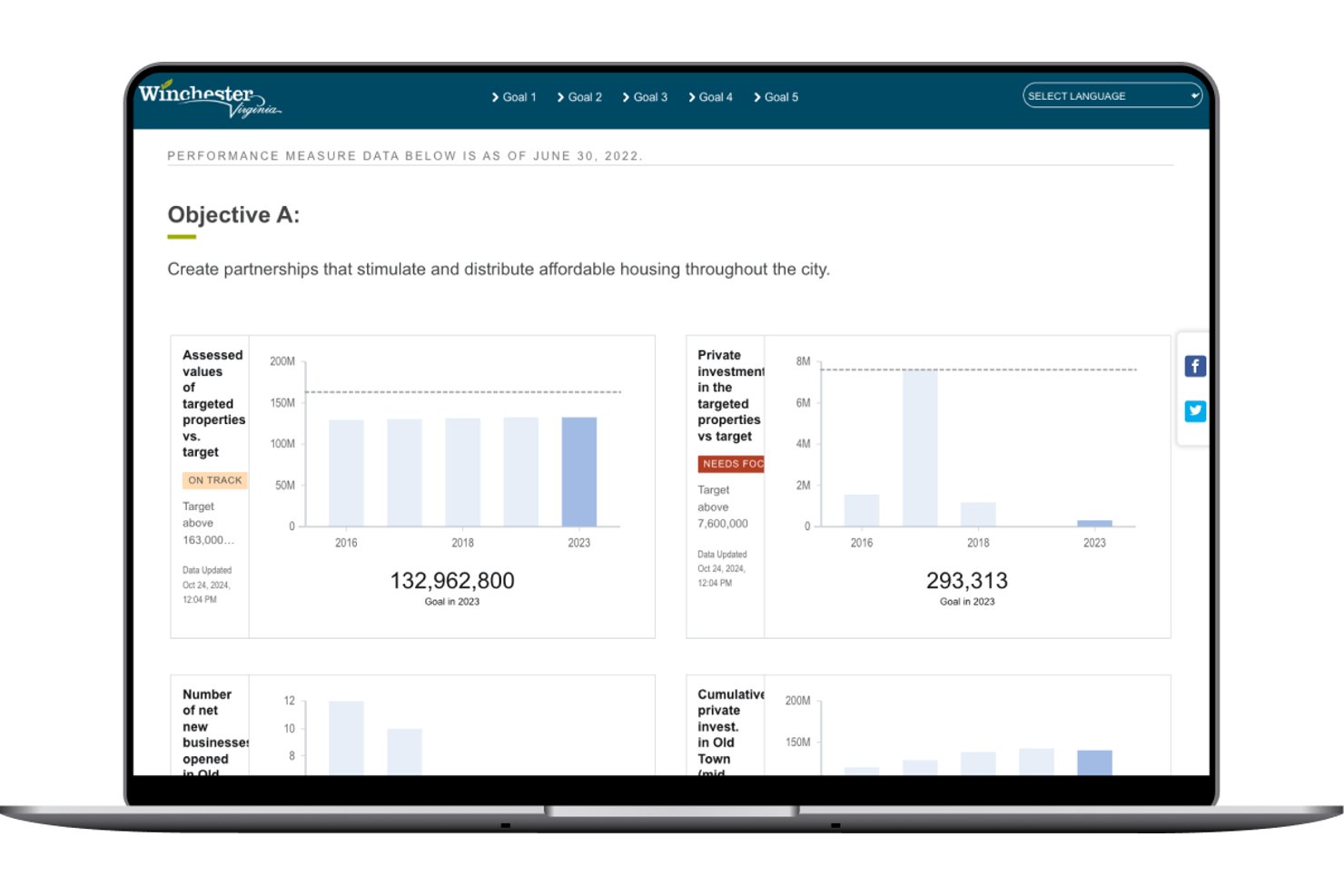
OpenGov Performance Management is a cloud-based platform for state and local governments that connects strategic goals and KPIs to budget data through configurable dashboards, data visualizations, and digital publications.
Who Is OpenGov Best For?
OpenGov is a strong fit for finance directors and budget managers in U.S. cities, counties, and special districts managing complex, multi-department budgets.
Why I Picked OpenGov
OpenGov earns its spot on my shortlist because it's the only tool I've seen that directly ties department-level KPIs to budget line items in a single view. I like how goal scoring lets teams rank and prioritize objectives before budgets are finalized. The AI-enabled storytelling feature also helps translate raw financial and performance data into clear narratives for council members and the public.
OpenGov Key Features
- Digital publication builder: Create interactive budget books and public-facing reports with drag-and-drop tools.
- Configurable dashboards: Build live dashboards visualizing strategic goals, KPIs, and real-time performance data.
- Tailored forms: Collect input and survey responses from internal teams and stakeholders with customizable online forms.
- Approval workflows: Set up multi-step approval processes for reviews, updates, and data submissions.
OpenGov Integrations
OpenGov offers native integrations with ERP systems including Tyler Munis, Oracle, Workday, and SAP, and supports connections with its own OpenGov Financial Management and Asset Management platforms. An API is available for custom integrations.
Pros and Cons
Pros:
- Built specifically for government jurisdictions
- Public-facing dashboards for citizen transparency
- Links KPIs directly to budget line items
Cons:
- Reporting setup requires significant admin time
- No employee-level HR appraisal tools

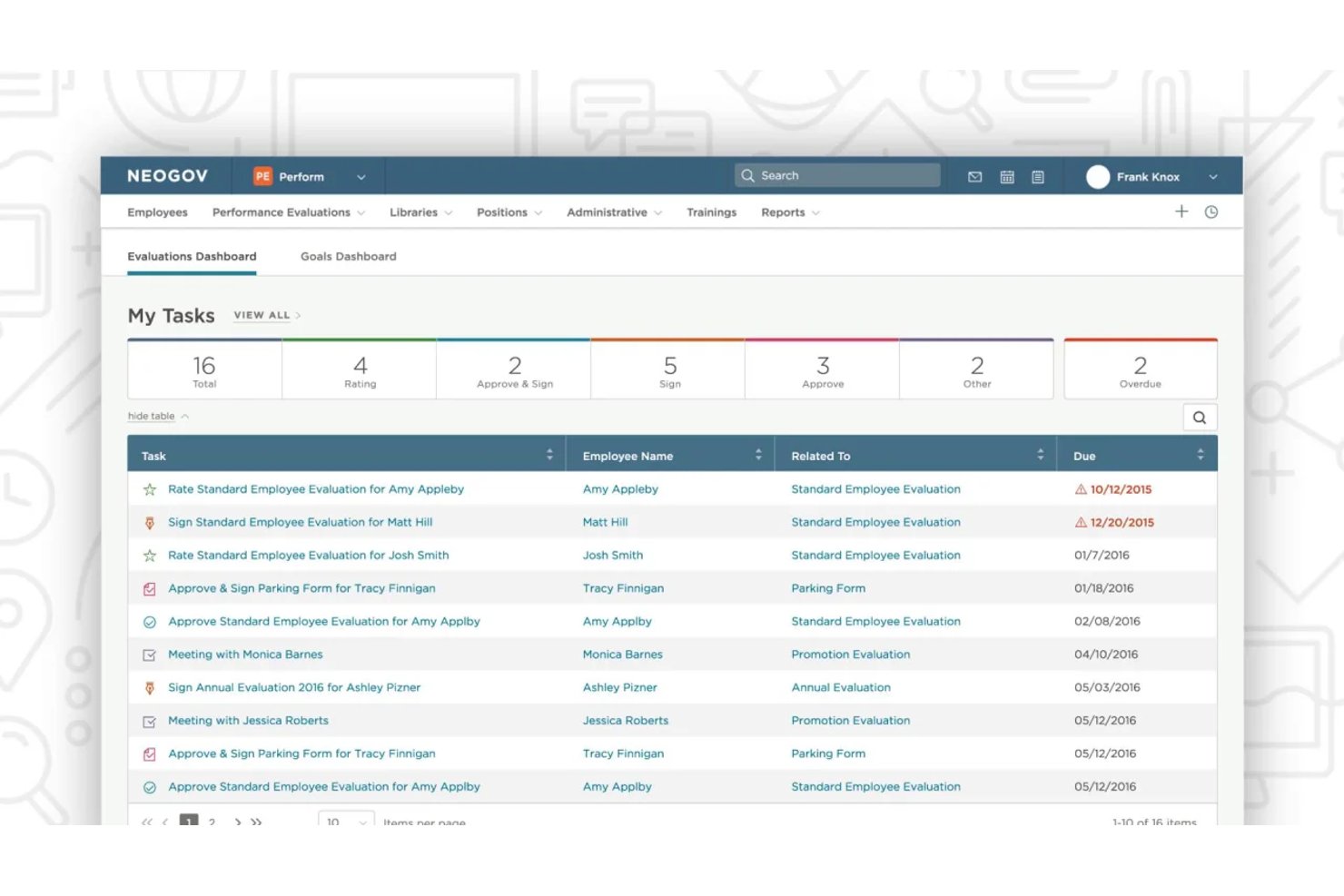
NEOGOV Perform is a government-specific performance management system that handles configurable appraisal cycles, automated evaluation workflows, goal tracking, continuous feedback, and performance improvement plans for public sector agencies.
Who Is NEOGOV Perform Best For?
NEOGOV Perform is a strong fit for HR teams in city, county, and state government agencies that operate under civil service rules, union agreements, or multi-layer approval structures.
Why I Picked NEOGOV Perform
NEOGOV Perform earns its spot on my shortlist because it handles civil service compliance in ways that generic performance tools simply don't. I like that every evaluation and approval generates an unalterable audit trail, so personnel decisions hold up against grievances, appeals, or public records requests. It also routes evaluations through multi-layer approval chains natively, which matters when union contracts or civil service rules dictate who signs off and in what order.
NEOGOV Perform Key Features
- Automated evaluation scheduling: Auto-schedules annual, probationary, and custom review cycles based on employee type and status.
- Goal tracking and alignment: Lets you set, track, and update individual and team goals within the platform for ongoing alignment.
- Audit-ready reporting: Generates compliance-ready reports and logs for all review activity, accessible on demand for audits or public records.
- Integration with NEOGOV Learn: Connects completed evaluations to targeted training assignments to support ongoing development.
NEOGOV Perform Integrations
NEOGOV Perform integrates natively with NEOGOV’s internal module suite, including Insight, Onboard, Learn, and eForms.
Pros and Cons
Pros:
- Auto-schedules probationary and annual review cycles
- Unalterable audit trail for every evaluation
- Built exclusively for public sector agencies
Cons:
- Goal cascading lacks agency-wide mission tagging
- Competency framework depth is relatively limited
Other Government Performance Management Software
Here are some additional government performance management software options that didn’t make it onto my shortlist, but are still worth checking out:
- UKG
For union rules and records automation
- AchieveIt
For cross-department performance visibility
- ClearCo
For automated workflow-driven appraisals
- Cegid
For multilingual appraisal process support
- Access PeopleHR
For rapid self-service review setup
- TalentGuard
For skills gap and career path analysis
- ClayHR
For customizable performance feedback cycles


How I Evaluate Government Performance Management Software
I evaluate tools in two layers: core civil service compliance every platform must meet, and differentiators—like FedRAMP posture or strategic plan linking—that set one apart for agencies.
Core Functionality (Table Stakes For This List)
When I'm selecting tools for my list, I rank each one on a scale from 0 (does not offer the functionality) to 5 (excels in this area) for each core functionality listed below. Then, I calculate the tool's total score into a percentage. Each tool needs to achieve a minimum total score of 65% to be considered for inclusion.
- Structured Performance Reviews: I look for configurable appraisal forms and cycles that fit civil service rating scales, not just generic corporate review templates.
- Goal & Mission Alignment: Cascading goals should link employee objectives to department and agency-level missions, like tying a clerk's targets to a city's strategic plan.
- Competency Management: I check whether competency frameworks map to government job classifications and position descriptions used in merit-based hiring systems.
- Compliance & Audit Trails: Approval workflows and audit logs need to hold up to public records requests, union grievance reviews, and civil service oversight.
- Multi-Rater Feedback: I evaluate whether 360 reviews support hierarchical routing across agency layers, like collecting peer, supervisor, and direct report input.
- Performance Improvement Plans: PIP workflows should include milestone tracking, corrective action documentation, and outputs that are ready for disciplinary proceedings.
Once I have a list of tools that meet the criteria, I consider what sets each platform apart.
Differentiating Factors (What Sets Vendors Apart)
Here's how I compare and contrast different vendors:
Standout Features
Budget-to-performance linking is a major differentiator—I look for platforms that tie KPIs directly to budget line items so agencies can justify spending during appropriation cycles. Public-facing dashboards matter too, especially when a council or board wants constituents to track strategic plan progress in real time. I also check for automated data ingestion from ERP, 311, and financial systems, since manual KPI entry breaks down fast across large agencies.
Beyond Features
Security certifications like FedRAMP and StateRAMP matter a lot—I check whether a vendor's hosting environment actually meets the data residency and access control standards your agency requires. Procurement fit is another big factor, since availability on cooperative purchasing vehicles like GSA or NASPO ValuePoint can cut months off your buying timeline. I also evaluate reporting flexibility, specifically whether the platform can produce council-ready reports and community scorecards without custom development work.
How to Choose Government Performance Management Software
It’s easy to get bogged down in long feature lists and complex pricing structures. To help you stay focused as you work through your unique software selection process, here’s a checklist of factors to keep in mind:
| Factor | What to Consider |
|---|---|
| Scalability | Will the tool handle agency growth, new departments, or regional expansion without requiring a total reimplementation or major change to your workflows? |
| Integrations | Does the vendor support connections to your HRIS, payroll, ERP, and financial systems for consistent data flow—avoiding manual entry and data silos? |
| Customizability | Can you modify appraisal templates, workflow rules, and reporting views to match union rules or local civil service needs without vendor intervention? |
| Ease of use | Will managers and staff actually use the tool without extensive training? Beware interfaces that overwhelm with jargon or hide basic actions three clicks in. |
| Implementation and onboarding | How much support does the vendor provide during setup? Ask for clear project timelines and agency-specific onboarding guidance—not just generic tutorials. |
| Cost | Are there hidden fees for integrations, user seats, or reporting add-ons? Confirm what’s included in your contract and whether pricing fits your annual budget cycle. |
| Security safeguards | Does the system meet your agency’s security standards, like FedRAMP or StateRAMP, and provide clear documentation of access controls and audit trails? |
| Compliance requirements | Can the tool support documentation and workflow rules required for public records, union contracts, and audit readiness? Check for guaranteed retention and export options. |
What Are Government Performance Management Software?
Government performance management software are specialized platforms that help public sector agencies manage employee appraisals, track competencies, document performance issues, and align individual goals with agency missions. These systems support compliance with civil service regulations, enable structured review processes, and offer tools for goal setting and record-keeping needed for accountability and transparency in government operations.
Features of Government Performance Management Software
When selecting government performance management software, keep an eye out for the following key features:
- Structured performance reviews: Create and schedule configurable appraisal cycles, forms, and workflows tailored to public sector evaluation standards and timelines.
- Goal and mission alignment: Cascade agency, department, and individual goals to connect employee objectives to the broader mission and strategic plan of your organization.
- Competency management: Track required skills, certifications, and qualifications linked to government job classifications and position descriptions.
- Multi-rater feedback: Facilitate 360-degree feedback across agency hierarchies, including supervisors, peers, and self-assessments, to gain a complete view of performance.
- Compliance and audit trails: Maintain documentation, approval workflows, and easily exportable audit logs crucial for civil service, union, and public records compliance.
- Performance improvement plans: Build and track structured PIP workflows with milestone tracking, corrective action documentation, and progress monitoring for underperforming employees.
- Automated data integration: Connect with HRIS, payroll, ERP, and other agency systems to sync employee data and simplify performance management processes.
- Public-facing dashboards: Display select performance metrics or progress toward strategic goals to stakeholders or citizens, supporting transparency and accountability.
- Customizable reporting: Generate a variety of standard or ad hoc reports for council presentations, audit purposes, or internal use without extensive manual setup.
- Role-based access controls: Set and manage permissions to ensure sensitive performance data is viewable only to authorized roles, supporting security and compliance.
Benefits of Government Performance Management Software
Implementing government performance management software provides several benefits for your team and your business. Here are a few you can look forward to:
- Standardized appraisals: Simplify employee reviews with civil service–aligned templates and workflows so every agency operates under clear, consistent metrics.
- Improved goal alignment: Connect employee, department, and agency objectives to broader missions and public service outcomes through cascading goal-setting features.
- Better compliance: Automate documentation, audit trails, and record-keeping needed for union, civil service, and open records requirements.
- Deeper performance insights: Access 360-degree feedback and customizable reports for an understanding of employee strengths and gaps across your workforce.
- Faster disciplinary action: Document and manage performance improvement plans and progressive discipline processes with structured, traceable workflows.
- Seamless data integration: Reduce manual data entry and errors by syncing performance management with HRIS, payroll, ERP, and other government systems.
- Transparent stakeholder communication: Share progress and KPIs via public-facing dashboards to keep council members, executives, and citizens informed.
Costs and Pricing of Government Performance Management Software
Selecting government performance management software requires an understanding of the various pricing models and plans available. Costs vary based on features, team size, add-ons, and more. The table below summarizes common plans, their average prices, and typical features included in government performance management software solutions:
Plan Comparison Table for Government Performance Management Software
| Plan Type | Average Price | Common Features |
|---|---|---|
| Free Plan | $0 | Basic performance review tools, limited user seats, and simple goal-setting. |
| Personal Plan | $10-$20/user/month | Individual user access, custom goal tracking, personal dashboards, and basic reporting. |
| Business Plan | $25-$50/user/month | Team-level reviews, multi-rater feedback, compliance tracking, advanced integrations, and custom appraisal workflows. |
| Enterprise Plan | $60-$120/user/month | Agency-wide deployment, full compliance support, advanced audit trails, data integrations, public dashboards, and priority onboarding. |
Government Performance Management Software FAQs
Here are some answers to common questions about government performance management software:
How does government performance management software support compliance requirements?
Government performance management software supports compliance by tracking documentation, managing approval workflows, and maintaining detailed audit trails. For public agencies, this level of project tracking is essential for meeting civil service, union, and public records requirements, as well as maintaining standards for data retention and public transparency. Built-in cybersecurity controls also ensure sensitive agency records remain fully protected while undergoing audit checks.
Can these platforms integrate with existing government HR or ERP systems?
Yes, many platforms offer pre-built connectors or APIs to sync data with HRIS, payroll, ERP, and financial reporting systems. Integrating these tools gives leadership real-time insights across operations and eliminates manual data entry. This seamless connectivity empowers decision-makers to rely on reporting and analytics to make data-driven decisions across departments.
What should agencies prioritize when evaluating these tools?
Prioritize scalability, security certifications, the ability to simplify workflow processes like permitting, and vendor experience with agencies of similar size. It is also critical to evaluate risk management capabilities, procurement options, and how well the tool supports performance-based budgeting to align financial resources directly with high-priority strategic initiatives.
Are there options for public-facing performance dashboards?
Yes, some solutions provide configurable, public-facing dashboards that share agency progress, performance data, and KPIs with the community. Presenting clear measurable outcomes directly to constituents helps improve core citizen services, fosters transparency, and meets increasing demands for open government.
How do performance improvement plans work within these systems?
Performance improvement plans can be created, tracked, and documented step-by-step with automated milestones and reminders that ensure compliance with due process requirements. Incorporating structured performance measurement into these workflows ensures individual progress directly aligns with larger organizational goals and strategic objectives.
Government Performance Management Software FAQs
Here are some answers to common questions about government performance management software:
How does government performance management software support compliance requirements?
Government performance management software supports compliance by tracking documentation, managing approval workflows, and maintaining detailed audit trails. For public agencies, this level of project tracking is essential for meeting civil service, union, and public records requirements, as well as maintaining standards for data retention and public transparency. Built-in cybersecurity controls also ensure sensitive agency records remain fully protected while undergoing audit checks.
Can these platforms integrate with existing government HR or ERP systems?
Yes, many platforms offer pre-built connectors or APIs to sync data with HRIS, payroll, ERP, and financial reporting systems. Integrating these tools gives leadership real-time insights across operations and eliminates manual data entry. This seamless connectivity empowers decision-makers to rely on reporting and analytics to make data-driven decisions across departments.
What should agencies prioritize when evaluating these tools?
Prioritize scalability, security certifications, ability to simplify workflow processes like permitting, and vendor experience with agencies of similar size. It is also critical to evaluate risk management capabilities, procurement options, and how well the tool supports performance-based budgeting to align financial resources directly with high-priority strategic initiatives.
Are there options for public-facing performance dashboards?
Yes, some solutions provide configurable, public-facing dashboards that share agency progress, performance data, and KPIs with the community. Presenting clear measurable outcomes directly to constituents helps improve core citizen services, fosters transparency, and meets increasing demands for open government.
How do performance improvement plans work within these systems?
Performance improvement plans can be created, tracked, and documented step-by-step with automated milestones and reminders that ensure compliance with due process requirements. Incorporating structured performance measurement into these workflows ensures individual progress directly aligns with larger organizational goals and strategic objectives.