

10 Best Skills Management Software for Enterprises in 2026

Best Skills Management Software for Enterprises Shortlist


Skills management software for enterprises helps you track, analyze, and develop the capabilities your workforce needs to stay competitive at scale. If you’re looking for a clear way to understand gaps, match talent to business needs, or support reskilling, the right platform can make all the difference. HR leaders juggling high growth, talent shortages, or complex workforce planning can use these tools to deliver better decisions and a stronger employee experience. In this guide, you’ll find the top options to help your organization map skills, close gaps, and future-proof your talent strategy.
Why Trust Our Software Recommendations
Our team has been testing and reviewing software since 2012. As HR experts ourselves, we know how difficult—and important—it is to choose the right software.
For this guide, we evaluated tools using hands-on testing and independent research, scoring tools using our selection criteria. We also draw on insights from industry thought leaders and practicing HR experts.
Our reviews reflect our human editorial judgment, not a sales pitch.
Expert reviewers:
Skills Management Software for Enterprises Comparison Table
This comparison table summarizes pricing details for my top skills management software for enterprises selections:
| Tool | Best For | Trial Info | Price | ||
|---|---|---|---|---|---|
| 1 | Best for personalized learning pathways | Free demo available | Pricing upon request | Website | |
| 2 | Best for agile workforce planning | Free demo available | Pricing upon request | Website | |
| 3 | Best for targeted skills gap closure | Free demo available | Pricing upon request | Website | |
| 4 | Best for predictive workforce insights | Free demo available | Pricing upon request | Website | |
| 5 | Best for automated skills mapping | Free demo available | Pricing upon request | Website | |
| 6 | Best for role-based skills assessments | 7-day free trial + free demo available | Pricing upon request | Website | |
| 7 | Best for AI-powered workforce matching | Free demo available | Pricing upon request | Website | |
| 8 | Best for enterprise-grade compliance tools | 30-day free trial | Pricing upon request | Website | |
| 9 | Best for internal talent mobility insights | Free demo available | Pricing upon request | Website | |
| 10 | Best for dynamic skills taxonomies | Free demo available | Pricing upon request | Website |
Best Skills Management Software for Enterprises Reviews
Below are my detailed summaries of the best skills management software for enterprises that made it onto my shortlist. My reviews offer a detailed look at the capabilities, use cases, and integrations of each platform to help you find the best one for you.
Best for personalized learning pathways
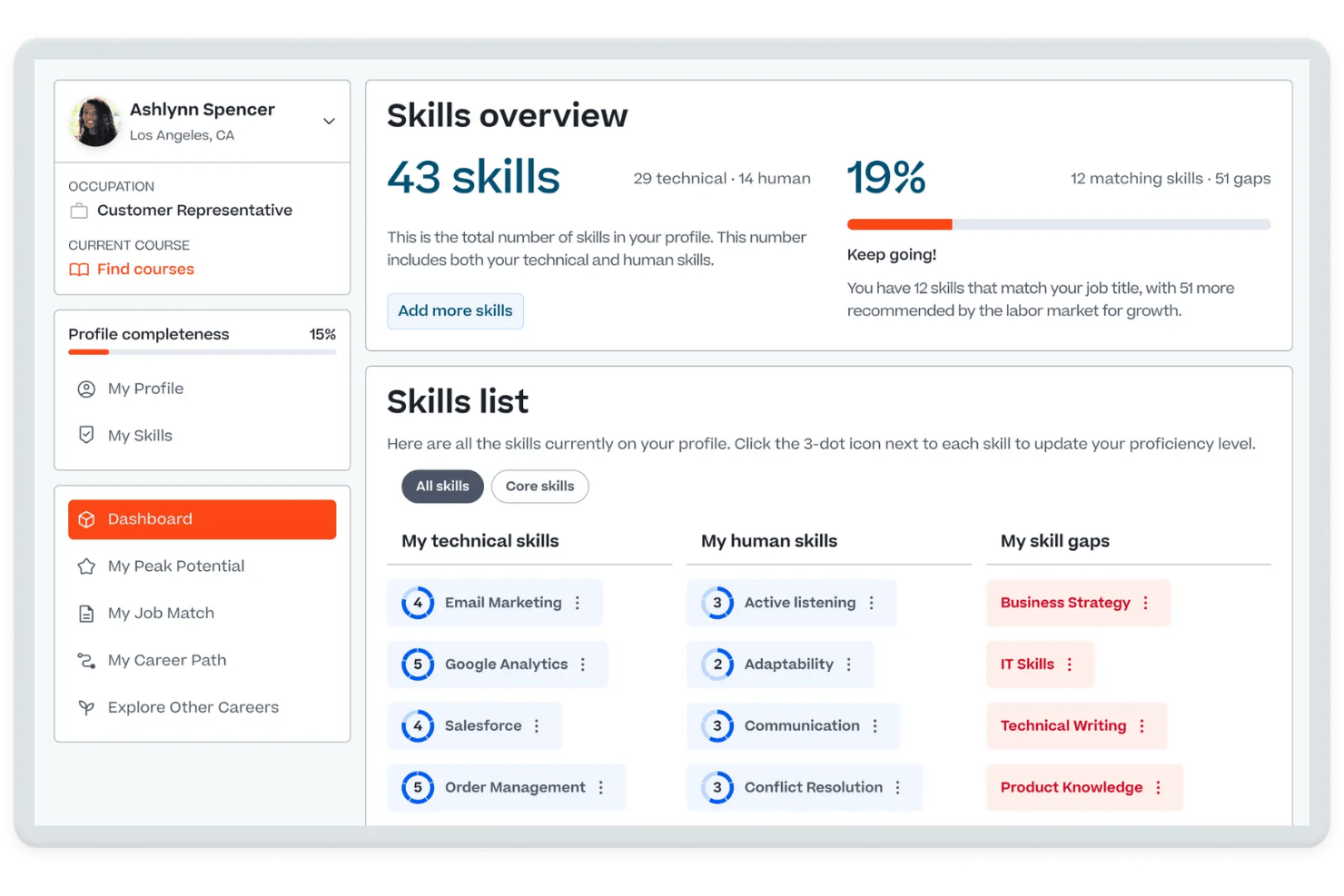
Cornerstone OnDemand is an AI-powered talent experience platform that combines a skills ontology engine, skills gap analysis, learning management, performance management, and workforce planning in a single enterprise system.
Who Is Cornerstone OnDemand Best For?
It's a strong fit for large, globally distributed organizations that need to manage skills development, compliance training, and workforce planning at scale.
Why I Picked Cornerstone OnDemand
I picked Cornerstone OnDemand as one of the best because of how tightly its Skills Engine connects to individual learning paths. When a skills gap surfaces at the employee level, the Embark Navigator automatically builds a personalized development guide that blends formal learning, mentoring, and hands-on practice. I like that these paths aren't static checklists — they update continuously as the AI infers new skills signals from across connected enterprise systems.
Cornerstone OnDemand Key Features
- Skills Architect: Lets you build and maintain detailed job architectures and skill profiles at multiple organizational levels.
- People Graph: Aggregates skills and workforce data from HRIS, ATS, LMS, and other enterprise systems for real-time insights.
- Succession planning tools: Supports talent pools, 9-box grids, and scenario modeling for organizational bench strength.
- Extend integration marketplace: Offers prebuilt connectors, APIs, and webhooks to integrate with HR, productivity, and learning platforms.
Cornerstone OnDemand Integrations
Cornerstone OnDemand offers native integrations with Workday, Salesforce, Slack, Microsoft Copilot, LinkedIn, and AWS. An API and webhooks are available for custom integrations, and its Extend marketplace provides additional prebuilt connectors.
Pros and Cons
Pros:
- End-to-end succession and talent pool tools
- Dynamic skills gap analytics at scale
- AI-powered skills ontology and mapping
Cons:
- Skills inference can be inconsistent across regions
- Reporting and analytics customization is limited

Fuel50
Best for agile workforce planning
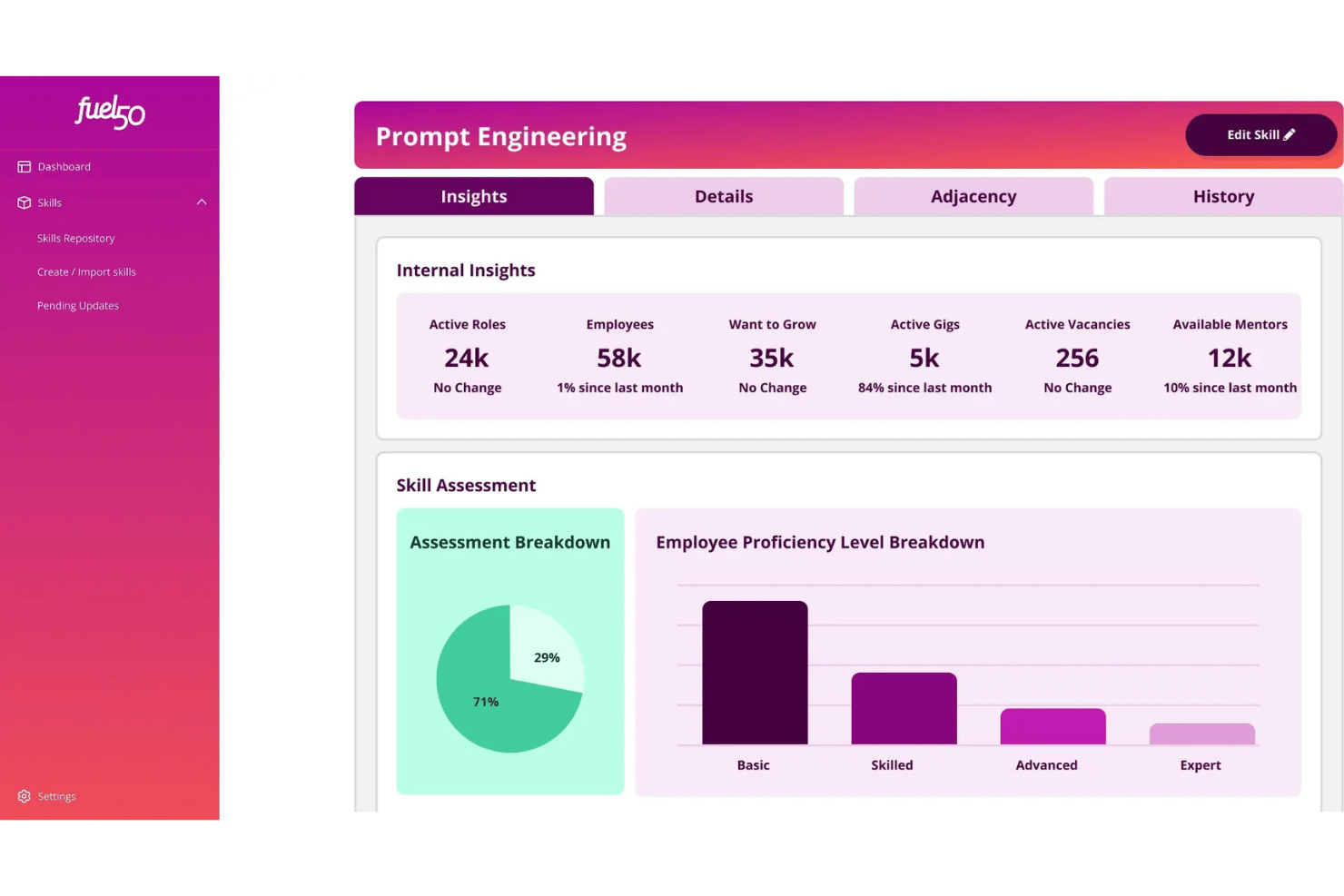
Fuel50 is an AI-powered talent intelligence platform that combines a 5,500+ skill ontology, skills inventory, gap analysis, and a built-in talent marketplace for internal mobility and career development.
Who Is Fuel50 Best For?
Fuel50 is a strong fit for large enterprises with an established job architecture that need a dedicated skills intelligence layer across their existing HR tech stack.
Why I Picked Fuel50
I picked Fuel50 as one of the best because its Strategic Insights module surfaces external labor market signals, including job posting trends, projected skill growth, and salary benchmarks. That means I can spot which skills are gaining or losing market value before a gap becomes a problem. I also like how the live Skills Inventory updates in real time, giving workforce planners a current picture of skills supply and demand rather than a quarterly snapshot.
Fuel50 Key Features
- Skills ontology: Gain access to a constantly updated library of over 5,500 expert-curated and customizable skills for enterprise workforce management.
- Skills architecture: Map skills to roles, job families, and functions at scale using AI-assisted skill-to-role mapping.
- Talent marketplace modules: Power internal job mobility, short-term gigs, mentoring connections, and development journeys—all in one platform.
- Enterprise HR integrations: Connect with Workday, SAP SuccessFactors, Oracle HCM, and leading LMS/LXP platforms for unified skills data across systems.
Fuel50 Integrations
Fuel50 offers native integrations with Workday, SAP SuccessFactors, and Oracle HCM, and more, and provides an API for custom integrations.
Pros and Cons
Pros:
- Live org-wide skills inventory and analytics
- Deep skills ontology curated by psychologists
- AI-driven gig and internal mobility marketplace
Cons:
- Implementation time is longer than average
- Self-assessment process can feel burdensome
Beamery
Best for targeted skills gap closure
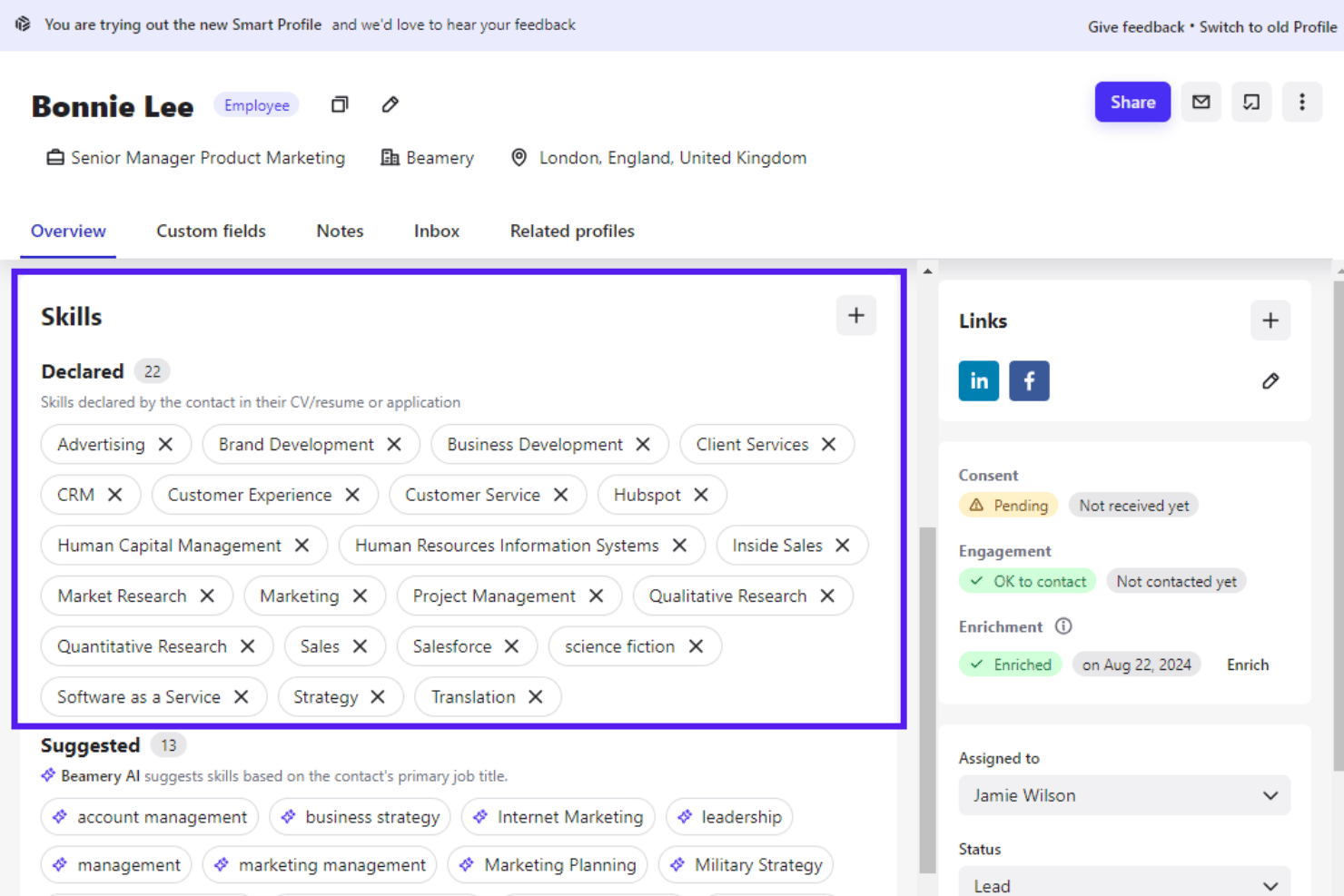
Beamery is an AI-powered workforce intelligence platform that combines skills taxonomy management, skills gap analysis, scenario-based workforce planning, and talent matching for large enterprises.
Who Is Beamery Best For?
Beamery suits CHROs and workforce planning leaders at large global enterprises navigating complex workforce transformations like M&A, rapid growth, or GenAI adoption.
Why I Picked Beamery
I picked Beamery as one of the best because of how precisely it targets skills gaps at an enterprise scale. Its Workforce Intelligence Suite lets you model change scenarios and anticipate skill shortfalls before they become critical workforce risks. I also like how Ray, the AI Talent Advisor, converts unstructured employee data into a structured, customized skills framework, which is exactly what Flex needed when standardizing skills across 140,000 employees globally.
Beamery Key Features
- Talent CRM: Create and manage segmented talent pools for strategic sourcing and pipeline nurturing.
- Job design and calibration: Build, edit, and maintain tailored job profiles linked to role frameworks.
- Candidate relationship campaigns: Automate outreach and engagement workflows with personalized content for every segment.
- Bidirectional HRIS integrations: Sync skills and workforce data automatically with SAP SuccessFactors, Workday, and major ATS platforms.
Beamery Integrations
Beamery offers native integrations with Workday, SAP SuccessFactors, Greenhouse, Jobvite, Oracle Taleo, SmartRecruiters, ADP, Infinite BrassRing, LinkedIn CRM Connect, and HireEZ. An API is available for custom integrations.
Pros and Cons
Pros:
- Automated skills extraction from multiple data sources
- Advanced workforce intelligence and scenario modeling
- Customizable skills ontology for large organizations
Cons:
- Limited talent marketplace functionality
- No native skills proficiency assessments

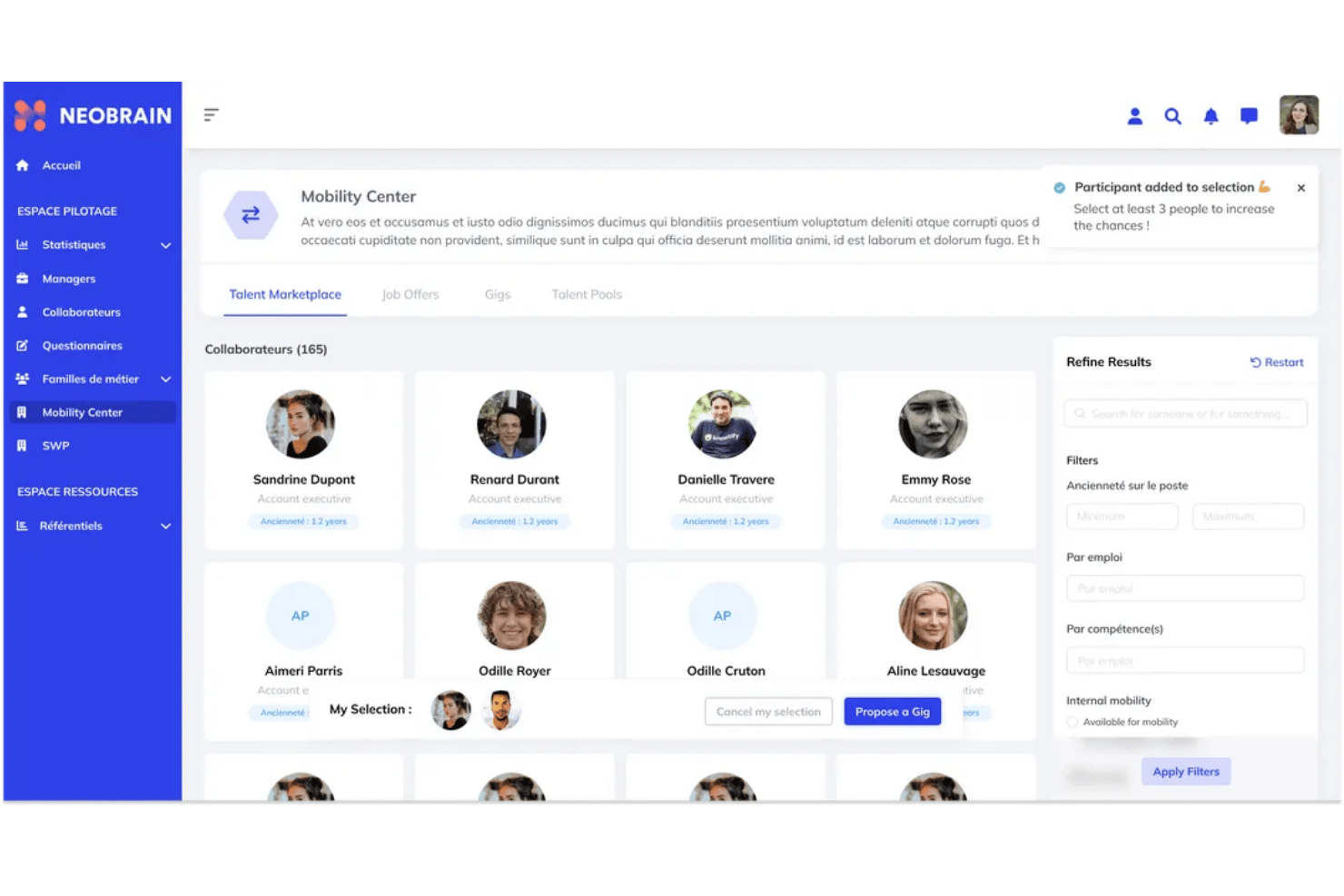
Neobrain is an AI-powered skills management platform built for large enterprises, combining dynamic skills mapping, 360° assessments, an internal talent marketplace, and strategic workforce planning tools in one suite.
Who Is Neobrain Best For?
Neobrain is purpose-built for HR and workforce planning teams at large enterprises with more than 5,000 employees managing complex, distributed talent populations.
Why I Picked Neobrain
Neobrain earns its spot on my shortlist because of how well its Strategic Workforce Planning module handles predictive analytics. I like that it goes beyond static dashboards, letting my team model what-if scenarios to forecast skills shortages before they become hiring problems. The Lexi AI engine is particularly impressive, surfacing up to 40% of employee skills that would otherwise go undetected across a workforce that size.
Neobrain Key Features
- Dynamic skills mapping: Visualize workforce skills in real time with a continuously updating platform.
- Internal talent marketplace: Match employees to jobs, gigs, projects, and mentoring opportunities across your organization.
- 360° skills assessment: Run self, peer, and manager evaluations with robust methods and proficiency ratings.
- Extensive HR integrations: Connect with leading HRIS, LMS, ATS, and assessment systems using pre-built connectors and API access.
Neobrain Integrations
Neobrain offers native integrations with Workday, SAP SuccessFactors, Oracle Cloud HCM, Personio, Cornerstone OnDemand, 360Learning, LinkedIn Learning, SmartRecruiters, and Teamtailor. An open API is available for custom integrations.
Pros and Cons
Pros:
- Skills mapping updates in real time
- Uncovers employee skills automatically
- Predictive workforce insights driven by AI
Cons:
- Skills taxonomy flexibility can be limited
- Interface is sometimes overwhelming for users

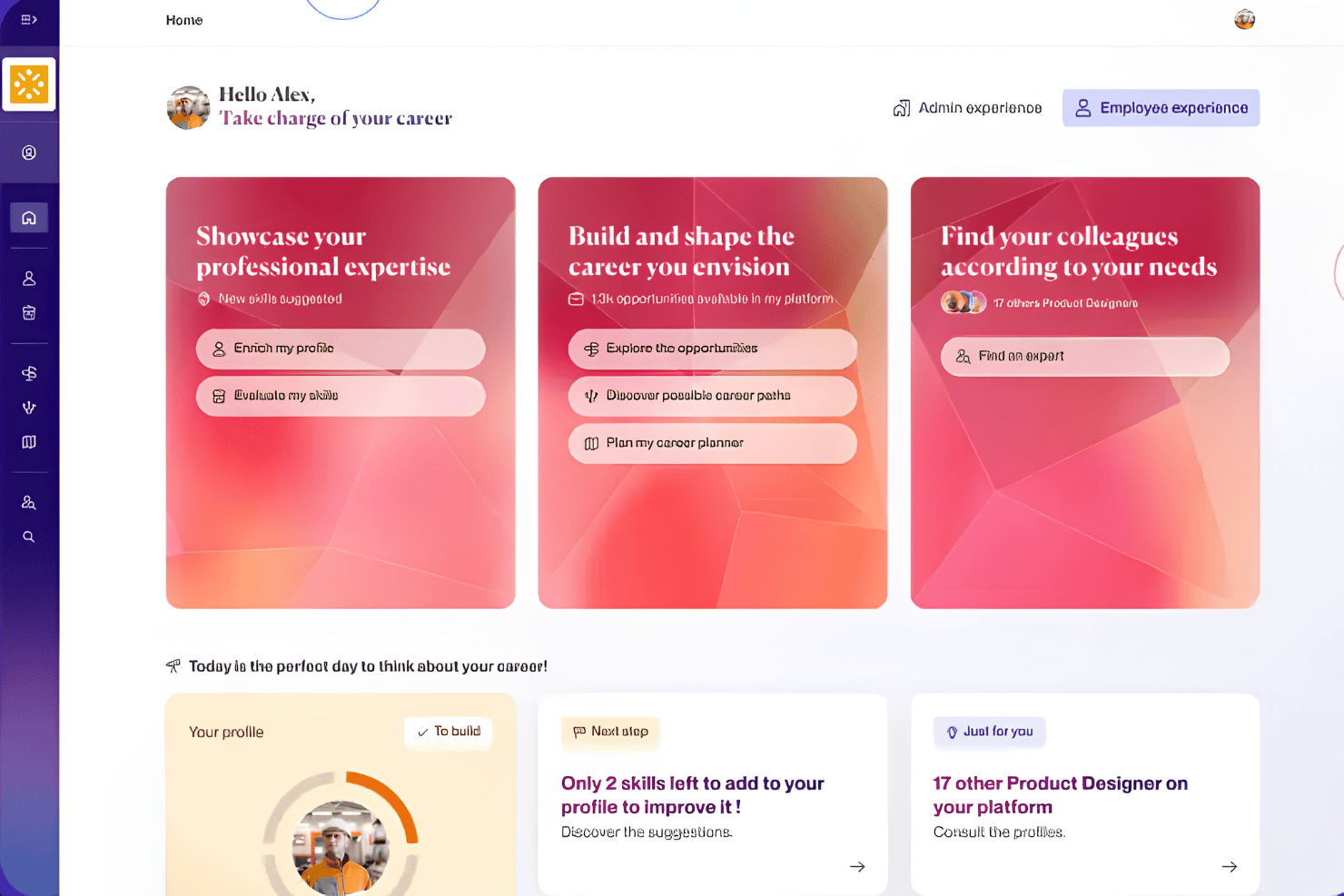
365Talents is an AI-powered skills intelligence platform that maps workforce skills, supports internal talent mobility, and connects skills data to strategic workforce planning across large, distributed organizations.
Who Is 365Talents Best For?
It's a strong fit for large enterprises managing complex, multilingual workforces who need skills intelligence at scale across global teams.
Why I Picked 365Talents
365Talents earns its spot on my shortlist because its Skills Intelligence Engine infers skills from real work data, CV extracts, and employee self-declarations, so HR doesn't have to manually maintain a taxonomy. I particularly like the human-in-the-loop validation layer, which flags AI-inferred skills for confirmation before they're treated as fact. The dynamic skills frameworks also self-update as job architectures change, keeping the map current without manual effort.
365Talents Key Features
- Strategic workforce planning dashboards: Visualizes skills supply and demand across departments for enterprise-level modeling.
- Personalized career pathing: Suggests tailored career development options tied to skills and ambitions.
- Internal talent marketplace: Matches employees to internal jobs, projects, and mentorships based on their current skill sets.
- Enterprise HR integrations: Connects with 100+ HRIS, LMS, ATS, and core HR systems to sync skills data across platforms.
365Talents Integrations
365Talents offers native integrations with Docebo, Workday, SAP SuccessFactors, and Oracle, plus provides an API for custom integrations.
Pros and Cons
Pros:
- Supports dynamic job and skills frameworks
- Multilingual skills taxonomy for global teams
- AI infers skills from multiple data sources
Cons:
- Skills matching accuracy may require manual review
- Reporting customization can be limited

iMocha
Best for role-based skills assessments
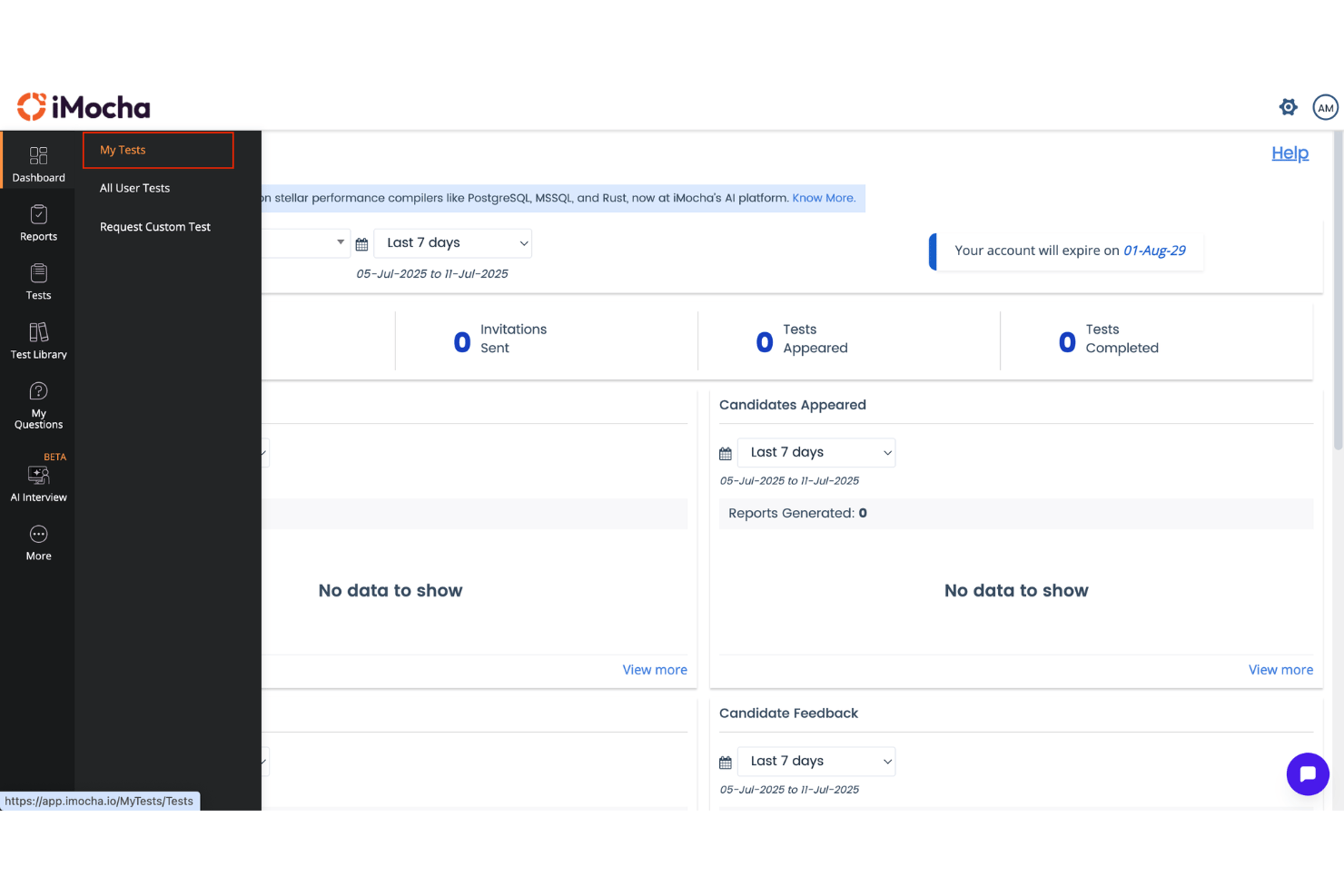
iMocha is a skills intelligence platform that brings together skills taxonomy management, AI-driven assessments, gap analysis, and workforce analytics, with integrations across enterprise HRIS, LMS, and ATS systems.
Who Is iMocha Best For?
iMocha is a strong fit for large enterprises running Workday, SAP SuccessFactors, or Oracle HCM that need to assess and manage technical skills at workforce scale.
Why I Picked iMocha
iMocha earns its spot on my shortlist because of how precisely it maps job roles to skills requirements before any assessment begins. I particularly like AI-SkillsMatch, which converts a job requisition into a role-specific skills architecture and then scores candidates or employees against it directly. The 10,000+ skills library, organized across technical, functional, and behavioral domains, means I can build assessments for niche roles without starting from scratch.
iMocha Key Features
- Tara conversational AI interview: Conducts adaptive, AI-driven interviews to evaluate technical and soft skills at scale.
- Skills gap analysis dashboards: Visualizes skills inventory, gaps, and talent pools by department, location, or team.
- Enterprise-grade proctoring: Uses smart video, ID verification, and browser lockdown for test integrity and compliance.
- Multi-source skills validation: Supports self, manager, and multi-rater skills validation alongside automated assessments.
iMocha Integrations
iMocha offers native integrations with SAP SuccessFactors, Workday, Oracle Cloud HCM, Greenhouse, iCIMS, Lever, SmartRecruiters, BambooHR, Cornerstone OnDemand, Degreed, and Microsoft Teams. It also connects with Zapier and provides an API for custom integrations.
Pros and Cons
Pros:
- Dynamic, customizable skills taxonomy for enterprises
- Multi-source skills validation including 360 feedback
- Industry-leading depth in technical skills assessment
Cons:
- Reporting can feel complex for new admins
- Limited internal talent marketplace functionality
Best for AI-powered workforce matching
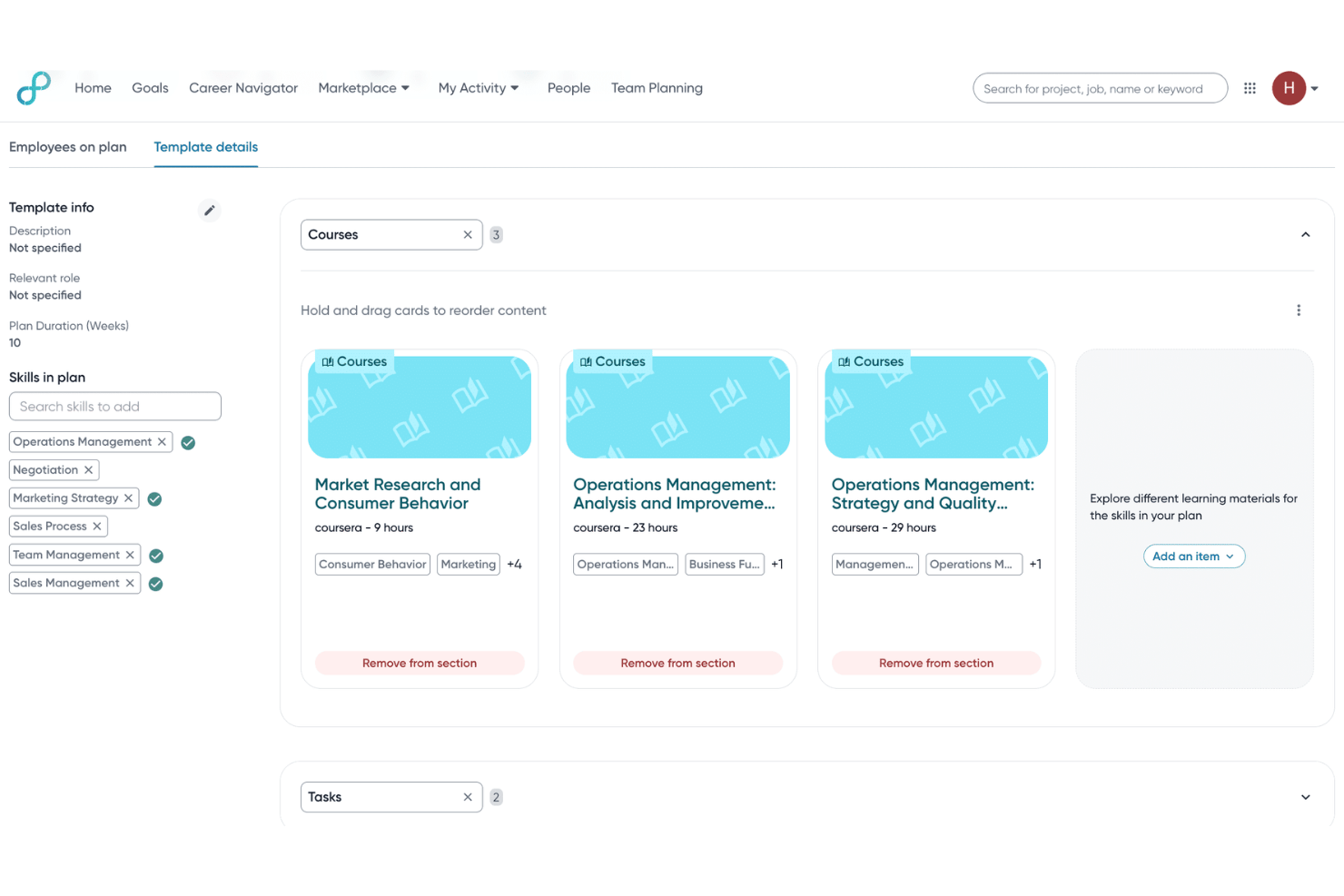
Eightfold AI is a talent intelligence platform that uses deep learning to map, infer, and analyze workforce skills across hiring, internal mobility, career development, and workforce planning.
Who Is Eightfold AI Best For?
Eightfold AI is built for enterprise HR teams—typically at organizations with 10,000+ employees—managing complex, large-scale skills intelligence and workforce planning.
Why I Picked Eightfold AI
Eightfold AI earns its spot on my shortlist because its matching engine goes well beyond keyword alignment. It infers skills from resumes, work history, and integrated HR systems, then scores candidates and employees against role requirements using a proprietary ontology of 1.6 million skills. I particularly like how that same engine powers internal mobility, surfacing employees with adjacent skills for open roles before a team even considers external hiring.
Eightfold AI Key Features
- Talent marketplace: Surfaces jobs, gigs, and mentorships within the organization based on employee skills profiles.
- Workforce planning dashboard: Visualizes skills supply and demand at the team, department, and organizational level.
- Diversity and bias reduction controls: Configures anonymized screening and bias audits to reduce reliance on non-skill indicators.
- Enterprise HR integrations: Connects bi-directionally with platforms like Workday, SAP, Greenhouse, and Oracle Cloud.
Eightfold AI Integrations
Eightfold AI offers native integrations with Workday, SAP SuccessFactors, Oracle HCM Cloud, Greenhouse, iCIMS, Lever, ADP, SmartRecruiters, Taleo, and more. An API is also available for custom integrations.
Pros and Cons
Pros:
- AI-powered career pathing recommendations
- Enterprise-grade workforce planning tools
- Industry-leading skills inference engine
Cons:
- Occasional skill inference mismatches
- Analytics dashboards can feel limited
Best for enterprise-grade compliance tools
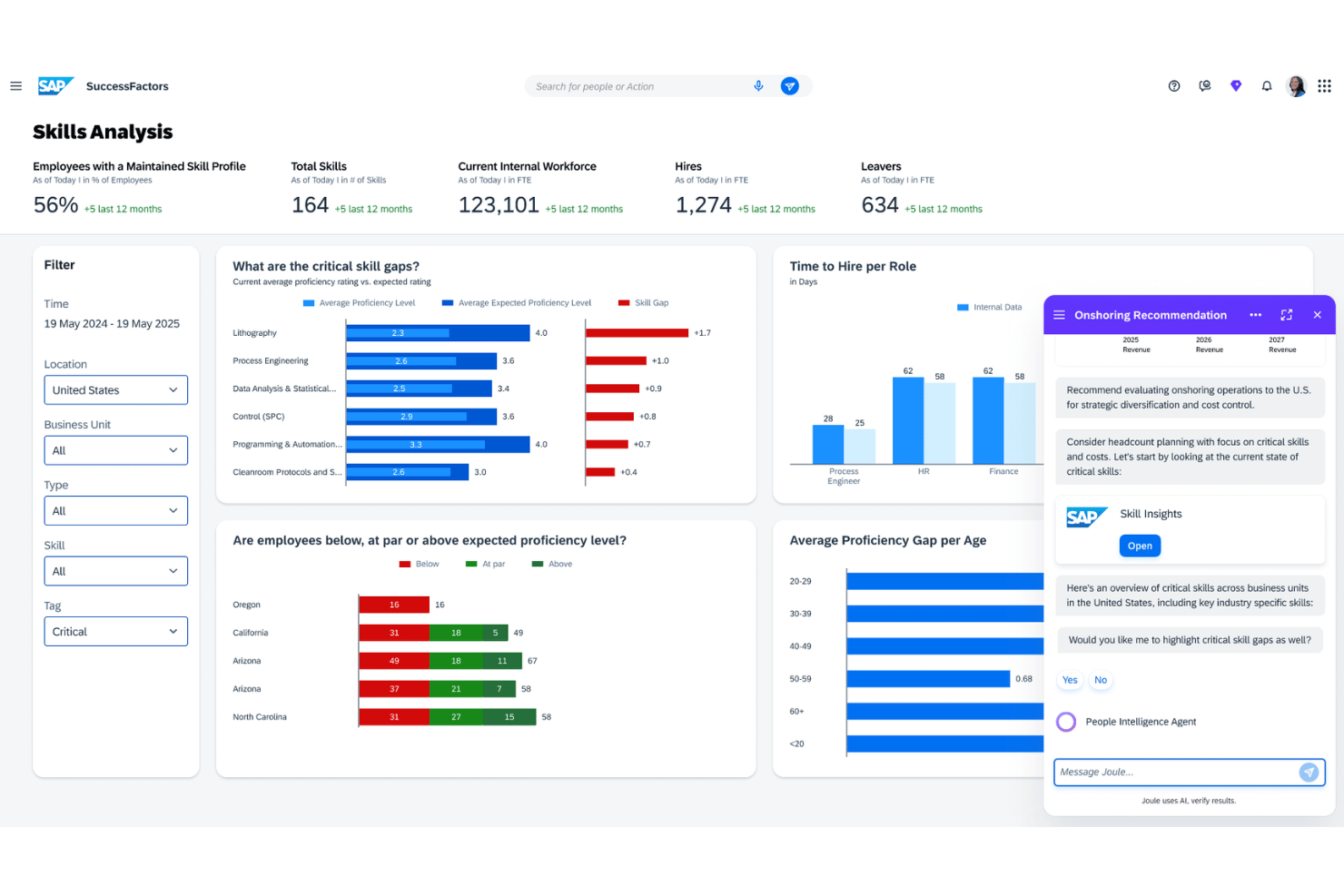
SAP SuccessFactors is a cloud-based HCM suite that combines an AI-powered skills taxonomy, talent intelligence hub, learning management, performance tools, and workforce planning capabilities across a globally localized enterprise HR ecosystem.
Who Is SAP SuccessFactors Best For?
SAP SuccessFactors is built for large, multinational enterprises that need a unified HR and skills management platform across complex, distributed workforces.
Why I Picked SAP SuccessFactors
I picked SAP SuccessFactors because its built-in compliance engine goes well beyond checkbox training. SuccessFactors Learning automatically assigns and tracks mandatory compliance courses based on role, region, and regulatory requirements. Paired with the Talent Intelligence Hub, I can map which employees hold certifications or skills tied to specific compliance obligations across 100+ localized jurisdictions.
SAP SuccessFactors Key Features
- Talent Intelligence Hub: Centralizes skills data and connects it across HR processes.
- Succession and development tools: Supports pipelining for internal mobility and leadership roles.
- AI-driven learning recommendations: Surfaces personalized learning suggestions using skills and talent data.
- Performance and goals module: Enables skills-based goal setting and performance evaluation at scale.
SAP SuccessFactors Integrations
SAP SuccessFactors offers native integrations with SAP S/4HANA, ADP, Kronos, Skillsoft, and SAP Cloud Platform Integration. An API is available for custom integrations.
Pros and Cons
Pros:
- Extensive localization for global workforces
- Scalable skills taxonomy for large enterprises
- Supports 100+ country-specific compliance regulations
Cons:
- Complex skills configuration process
- Needs significant IT resources for deployment
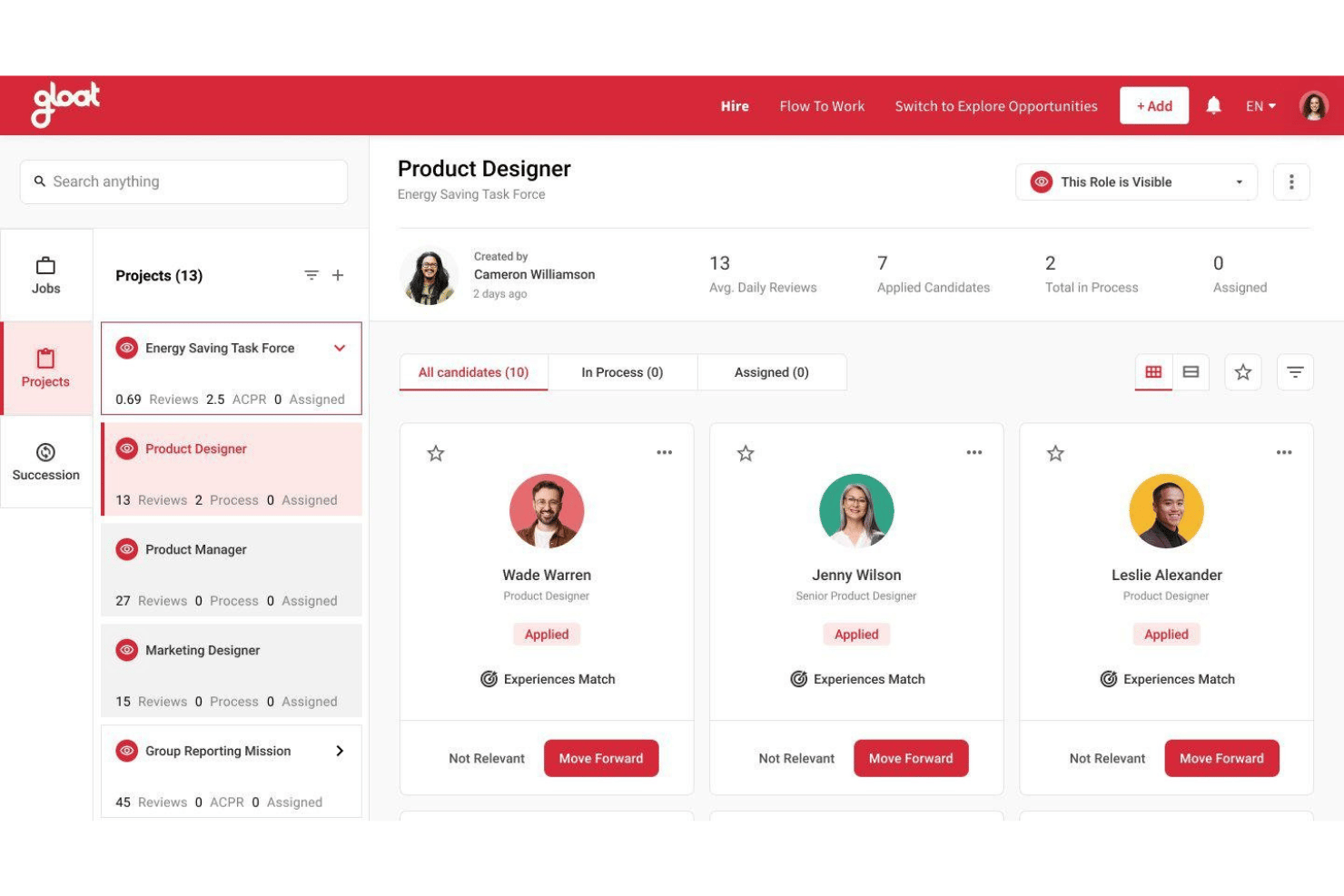
Gloat is an AI-powered talent marketplace platform that combines skills inference, internal mobility matching, career pathing, and workforce planning analytics for large enterprises.
Who Is Gloat Best For?
Gloat is a strong fit for large, globally distributed enterprises where CHROs and workforce planning teams need to manage skills and internal mobility at scale.
Why I Picked Gloat
I picked Gloat as one of the best because its AI-driven talent marketplace goes beyond a simple internal job board. The Loomra™ context engine builds a live skills graph for every employee, so when a project opens up, Gloat matches it against inferred skills from work history rather than just what someone typed into a profile. I also rely on the Retention Risk Analyzer to flag flight risks before they become vacancies, surfacing which employees lack visibility into internal growth paths.
Gloat Key Features
- Pre-built agent templates: Choose from templates like Career Development Advisor and Retention Risk Analyzer for specific HR scenarios.
- Governance engine: Set approval workflows, eligibility rules, and role-based access controls for internal opportunities.
- Bidirectional HRIS integrations: Sync employee and skills data across Workday, SAP SuccessFactors, and Oracle HCM Cloud.
- In-app deployment in Teams and Slack: Employees access Gloat directly within Microsoft Teams, Slack, or Google Chat.
Gloat Integrations
Gloat offers native integrations with SAP SuccessFactors, Workday HCM, Oracle HCM Cloud, Microsoft Teams, Slack, Google Chat, and Microsoft Copilot. An API is available for custom integrations.
Pros and Cons
Pros:
- Built-in talent marketplace for internal mobility
- Dynamic skills ontology updates for every role
- AI-driven career path and skills suggestions
Cons:
- Some reporting features lack customization options
- Setup and data mapping can be complex
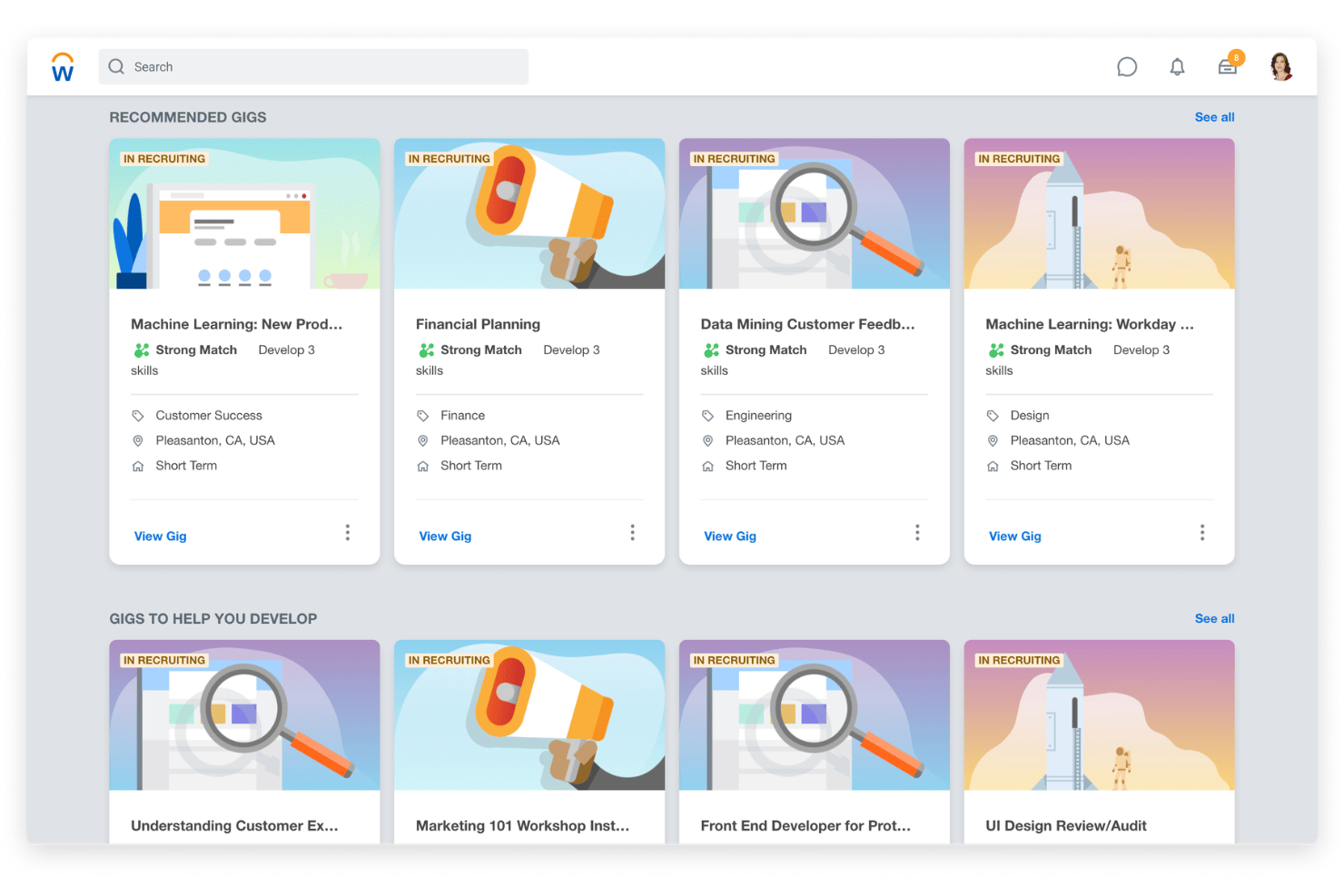
Workday Skills Cloud is an AI-powered skills management platform built into Workday HCM that infers, organizes, and continuously updates workforce skills data across recruiting, learning, career development, and workforce planning.
Who Is Workday Skills Cloud Best For?
Workday Skills Cloud is a strong fit for large enterprises that already run Workday HCM and want to build a skills-based talent strategy across a complex, distributed workforce.
Why I Picked Workday Skills Cloud
Workday Skills Cloud earns its spot on my shortlist because of how its taxonomy actually evolves. Powered by Workday Illuminate™, it continuously infers and updates employee skills from real work activity, not just resumes or self-assessments. The ontology maps relationships between skills, catching synonyms and adjacent competencies that a static library would miss. I also like that it pulls signals from tools like Salesforce and Jira to surface skills employees haven't explicitly listed.
Workday Skills Cloud Key Features
- Career hub and talent marketplace: Connects employees to jobs, gigs, projects, and mentoring opportunities based on verified skills data.
- Prism analytics integration: Blends internal and external sources for deep workforce skills gap analysis and benchmarking.
- Personalized learning recommendations: Suggests learning content automatically aligned to employee skill profiles and development plans.
- Manager insights hub: Equips managers with dashboards and AI-driven recommendations for workforce skills planning and development.
Workday Skills Cloud Integrations
Workday Skills Cloud has native integrations across the Workday suite, including Workday HCM, Learning, and Recruiting modules, and offers certified integrations with TechWolf and more. An API is available for custom integrations.
Pros and Cons
Pros:
- Detailed skill ontology management
- Dynamic workforce skill visualization tools
- AI-driven skills inference is highly accurate
Cons:
- Skill mapping can be resource-intensive
- Available only to Workday HCM customers
Other Skills Management Software for Enterprises
Here are some additional skills management software for enterprises options that didn’t make it onto my shortlist, but are still worth checking out:
- Degreed Skills+
For actionable skill analytics
- Reejig
For ethical talent decisioning
- Phenom
For unified talent experience analytics
- Skillsoft
For integrated learning content libraries
- Pluralsight
For tech role skill benchmarking
- SeekOut
For external talent insights
- TalentGuard
For custom career path modeling
- AG5
For real-time skill gap dashboards
- Kahuna
For frontline workforce proficiency tracking
- Lightcast Skills Taxonomy
For open-source skills data frameworks


How I Evaluate Skills Management Software for Enterprises
When a CHRO needs to map skills across 50,000 employees, I split my evaluation into must-have functionality and the differentiators that separate good platforms from truly strategic ones.
Core Functionality (Table Stakes For This List)
When I'm selecting tools for my list, I rank each one on a scale from 0 (does not offer the functionality) to 5 (excels in this area) for each core functionality listed below. Then, I calculate the tool's total score into a percentage. Each tool needs to achieve a minimum total score of 65% to be considered for inclusion.
- Skills Taxonomy & Ontology: I evaluate whether the platform ships a pre-built, customizable skills library with synonyms, proficiency levels, and role mappings that scale across business units.
- Skills Inference & Assessment: A strong tool pulls skills data from resumes, project histories, and connected systems rather than relying solely on manual self-assessments.
- Skills Gap Analysis: I look for gap views at the individual, team, and org level so a workforce planning manager can pinpoint where reskilling efforts matter most.
- Workforce Planning Insights: Dashboards that map skills supply against demand help talent leaders forecast hiring and L&D needs tied to business strategy.
- Talent Marketplace & Mobility: I check whether the platform connects skills profiles to gigs, mentorships, and open roles to support internal career movement.
- Enterprise HR Integrations: Bidirectional data sync with core systems like HRIS, LMS, ATS, and performance platforms keeps skills data accurate across the tech stack.
Once I have a list of tools that meet the criteria, I consider what sets each platform apart.
Differentiating Factors (What Sets Vendors Apart)
Here's how I compare and contrast different vendors:
Standout Features
AI skills inference is a major differentiator. I look for platforms that pull capabilities from project data and connected tools rather than relying on employees to tag themselves. Skills-based workforce planning matters just as much, especially when it includes scenario modeling that lets talent leaders visualize how a reorganization or product launch will shift skill demand. I also evaluate whether a platform's internal talent marketplace goes beyond job matching to surface gigs, mentorships, and stretch assignments based on skill adjacencies.
Beyond Features
Enterprise scalability is the first thing I check. A platform needs to handle hundreds of thousands of employee profiles across regions without slowing down reporting or data syncs. Data security matters just as much. I look for SOC 2 Type II certification, regional data residency options, and role-based access controls that give HR admins granular permission settings. Implementation support is another factor that separates vendors. Rolling out a skills platform to a global workforce takes dedicated consultants and change management resources, not just a help center.
How to Choose Skills Management Software for Enterprises
It’s easy to get bogged down in long feature lists and complex pricing structures. To help you stay focused as you work through your unique software selection process, here’s a checklist of factors to keep in mind:
| Factor | What to Consider |
| Scalability | Will the system handle your workforce size now and as you grow—across multiple geographies, brands, or business units? Review customer references from similar-sized organizations. |
| Integrations | Which HRIS, LMS, ATS, and collaboration tools do you rely on? Map out integration needs and double-check for pre-built connectors rather than relying on custom API work. |
| Customizability | Can you adapt skill catalogs, user permissions, and reporting structures to match your org chart and language? Beware of over-customization that delays time to value or complicates rollouts. |
| Ease of use | Is the platform intuitive for admins and end users? Run demos with both HR and business partners to validate workflows and adoption potential, not just surface-level navigation. |
| Implementation and onboarding | How much internal capacity do you have for deployment, stakeholder training, and change management? Ask for an implementation plan, not just a generic timeline or list of deliverables. |
| Cost | Does pricing scale fairly with your headcount and usage patterns? Examine total cost of ownership—licensing, configuration, consulting, and post-launch support—not just sticker price. |
| Security safeguards | What data protection frameworks and certifications does the vendor meet? Ask about data residency, permissioning, and how employee data will be accessed and retained during use. |
| Compliance requirements | Do you have unique requirements around regional privacy laws or union oversight? Confirm the system can handle scenarios like GDPR, country-specific data residency, and audit trails. |
What Are Skills Management Software for Enterprises?
Skills management software for enterprises is a specialized platform that helps large organizations map, assess, and analyze employee skills at scale. These systems support talent management by providing a skills matrix, tracking skill levels, and identifying opportunities to close skill gaps across departments and roles.
They also support competency management, talent development, and training programs, helping organizations optimize workforce capabilities and align learning initiatives with business goals. By replacing manual spreadsheets with centralized skills data, enterprises can make more informed workforce decisions.
Features
When selecting skills management software for enterprises, keep an eye out for the following key features:
- Skills taxonomy and ontology: Provides a structured, customizable library of skills with relationships, synonyms, and proficiency levels to standardize how abilities are tracked and analyzed across the organization. Supports competency frameworks to align skills with business roles and objectives.
- AI-powered skills inference: Automatically detects and updates employee skill profiles by pulling data from resumes, project work, and integrated tools, minimizing reliance on manual self-assessments.
- Multi-source skills assessment: Supports self, manager, and peer assessments with configurable proficiency scales so HR teams can validate capabilities from multiple perspectives and identify critical skills.
- Skills gap analysis: Compares current employee skills against role or project requirements and organizational goals, making it easier to identify training needs, future skill requirements, and workforce development priorities.
- Workforce planning dashboards: Visualizes skill distribution, gaps, and surpluses across teams, job families, or business units to help HR leaders with scenario planning and strategic decision-making.
- Internal talent marketplace: Connects employee skills to gig, project, and full-time opportunities within the business, promoting internal mobility, retention, career growth, and new growth opportunities.
- Personalized learning recommendations: Suggests targeted courses, certifications, or stretch assignments based on identified skill gaps, often integrating with corporate LMS or learning platforms.
- Enterprise system integrations: Syncs skills data with HRIS, LMS, ATS, and collaboration platforms, ensuring consistency and reducing administrative data entry across the enterprise tech stack.
- Compliance and security controls: Provides audit trails, permission settings, and data protection features to safeguard sensitive employee information and support regional privacy requirements.
- Globalization and localization: Supports multiple languages, currencies, and regional settings to enable consistent deployment for international or multi-location organizations.
Benefits
Implementing skills management software for enterprises provides several benefits for your team and your business. Here are a few you can look forward to:
- Centralized skills visibility: Gain a company-wide view of employee capabilities, making it easier to identify talent, manage succession, and understand workforce strengths.
- Targeted learning and development: Use skills gap analysis and learning recommendations to deliver the right training to the right employees, accelerating upskilling and reskilling efforts.
- Strategic workforce planning: Leverage real-time skills data and dashboards to forecast talent needs, support organizational growth, and adapt to evolving business demands.
- Enhanced internal mobility: Match employees with relevant projects, gigs, or open roles based on their skills and aspirations, which promotes career growth and retention.
- Automated skills data management: Rely on AI-powered inference and system integrations to keep skills profiles up to date without manual data entry or self-reporting bottlenecks.
- Compliance and data protection: Maintain data privacy and meet regional regulatory requirements through robust security controls, audit trails, and configurable access management.
- Global consistency: Support multi-language and regional needs, enabling standardized skills tracking and mobility across all your international locations.
Costs & Pricing
Selecting skills management software for enterprises requires an understanding of the various pricing models and plans available. Costs vary based on features, team size, add-ons, and more. The table below summarizes common plans, their average prices, and typical features included in skills management software for enterprises solutions:
Plan Comparison Table for Skills Management Software for Enterprises
| Plan Type | Average Price | Common Features |
|---|---|---|
| Free Plan | $0 | Basic skills tracking, limited user seats, minimal reporting, and community support. |
| Personal Plan | $5-$25/user/month | Individual profiles, self-assessment tools, access to skills catalogs, and standard integrations. |
| Business Plan | $30-$60/user/month | Team dashboards, multi-source assessments, more integrations, customizable taxonomies, and standard security controls. |
| Enterprise Plan | $70-$150/user/month | Advanced AI skills inference, enterprise integrations, workforce planning dashboards, dedicated implementation support, and compliance features. |
Skills Management Software for Enterprises FAQs
Here are some answers to common questions about skills management software for enterprises:
How does skills management software support workforce planning?
Skills management software gives HR leaders real-time data on employee skills across the organization. This makes it easier to forecast talent needs, identify gaps, and make informed decisions about hiring, training, and succession planning.
Can skills management software integrate with existing HR systems?
Yes, most solutions offer pre-built integrations with major HRIS, LMS, and ATS platforms. This helps keep skills profiles up to date and reduces data entry and manual processes across your HR tech stack.
What is AI skills inference, and why does it matter?
AI skills inference automatically updates employee profiles by analyzing project data, resumes, and connected tools. This removes the burden of manual self-reporting, ensures profiles are current, and surfaces hidden talent within the organization.
Is it possible to manage skills globally with this software?
Yes, leading platforms support multiple languages, currencies, and compliance needs, making it possible to track and analyze skills consistently across global teams and locations.
How secure is employee data in skills management software?
Vendors typically offer strong security safeguards, including role-based access, audit logs, data encryption, and compliance with frameworks like SOC 2 and GDPR. Always confirm the vendor’s certifications and data residency options as part of your evaluation. If greater control over your data environment is important, open-source skills management platforms can provide more flexibility around hosting and configuration.