

10 Open Source Skills Management Software In 2026

Best Open Source Skills Management Software Shortlist


Open source skills management software lets you track, assess, and develop employee capabilities using tools that are free to use and customize. If you’re searching for ways to map skills, support learning, or build transparent talent processes, open source platforms give you flexibility and control, without vendor lock-in or steep licenses.
In this guide, you’ll find my top recommendations for open source skills management solutions, with options to fit different team sizes, industries, and technical needs.
Why Trust Our Software Recommendations
Our team has been testing and reviewing software since 2012. As HR experts ourselves, we know how difficult—and important—it is to choose the right software.
For this guide, we evaluated tools using hands-on testing and independent research, scoring tools using our selection criteria. We also draw on insights from industry thought leaders and practicing HR experts.
Our reviews reflect our human editorial judgment, not a sales pitch.
Expert reviewers:
Open Source Skills Management Software Comparison Table
The table below compares pricing details for my top open source skills management software selections.
| Tool | Best For | Trial Info | Price | ||
|---|---|---|---|---|---|
| 1 | Best for all-in-one HR process integration | Free to use one app only | From $31/user/month | Website | |
| 2 | Best for large-scale skills development programs | Free to use | Free and open source | Website | |
| 3 | Best for modular HR feature customization | Free plan available OR 30-day free trial | Pricing upon request | Website | |
| 4 | Best for ease of use across global teams | Free demo + free download available | Free, open-source | Website | |
| 5 | Best for automated employee data tracking | Free plan available | From $12/month | Website | |
| 6 | Best for advanced configurable workflows | Free to use | Free to use | Website | |
| 7 | Best for corporate training and compliance tracking | Free demo available | Pricing upon request | Website | |
| 8 | Best for flexible course and credential management | Free demo available | From $8,000/year (billed annually) | Website | |
| 9 | Best for granular role and permission control | Free to use | Free, open-source | Website | |
| 10 | Best for creating industry-aligned skill frameworks | Free to use | Free, open-source | Website |
Best Open Source Skills Management Software Reviews
Below are my detailed summaries of the best open source skills management software that made it onto my shortlist. My reviews offer a detailed look at the features, best use cases, and integrations of each platform to help you find the best one for you.

Best for all-in-one HR process integration
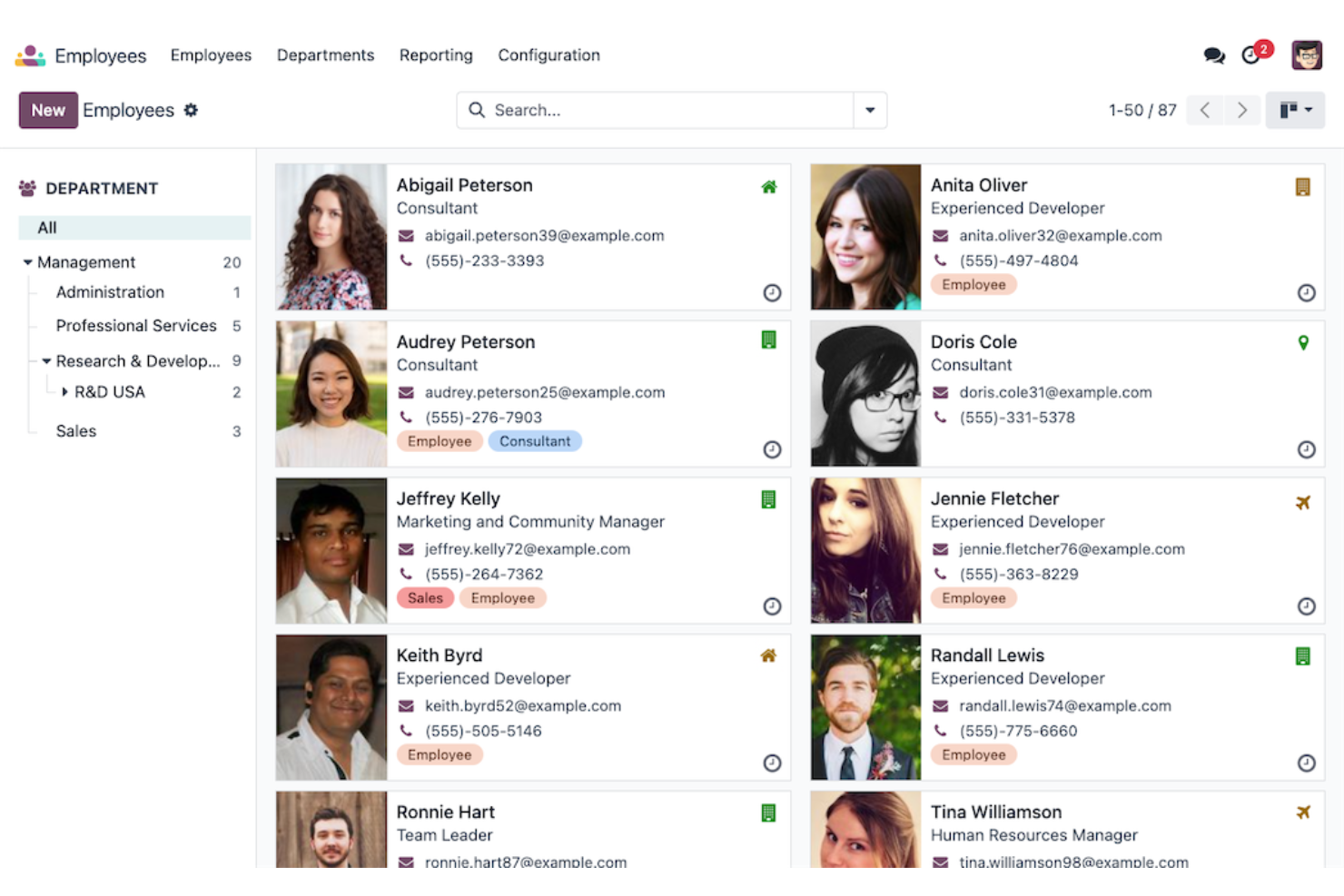
Odoo Employees is an open source HR management platform that brings together employee records, attendance, onboarding, payroll, and skills tracking within a unified system.
Who Is Odoo Employees Best For?
HR and operations teams at growing businesses who want to centralize and integrate all their core HR processes in one platform.
Why I Picked Odoo Employees
I picked Odoo Employees as one of the best because I can manage recruitment, skills tracking, payroll, and performance management in one platform, connecting everything across our HR processes without switching between separate tools.
Odoo Employees Key Features
- Employee directory: Maintain detailed records for all employees and teams.
- Attendance tracking: Monitor employee check-ins, check-outs, and absences in real time.
- Time off management: Manage and approve employee leave requests centrally.
- Organizational chart: Visualize reporting lines and company hierarchy dynamically.
Odoo Employees Integrations
Odoo Employees offers native integrations with other Odoo apps including Payroll, Recruitment, and Appraisals, and provides an API for custom integrations.
Pros and Cons
Pros:
- Tracks competencies and certifications for employees
- Open source with frequent community updates
- Modular platform with interconnected HR apps
Cons:
- Reporting features require additional configuration
- Lacks advanced skills gap analytics

Moodle
Best for large-scale skills development programs
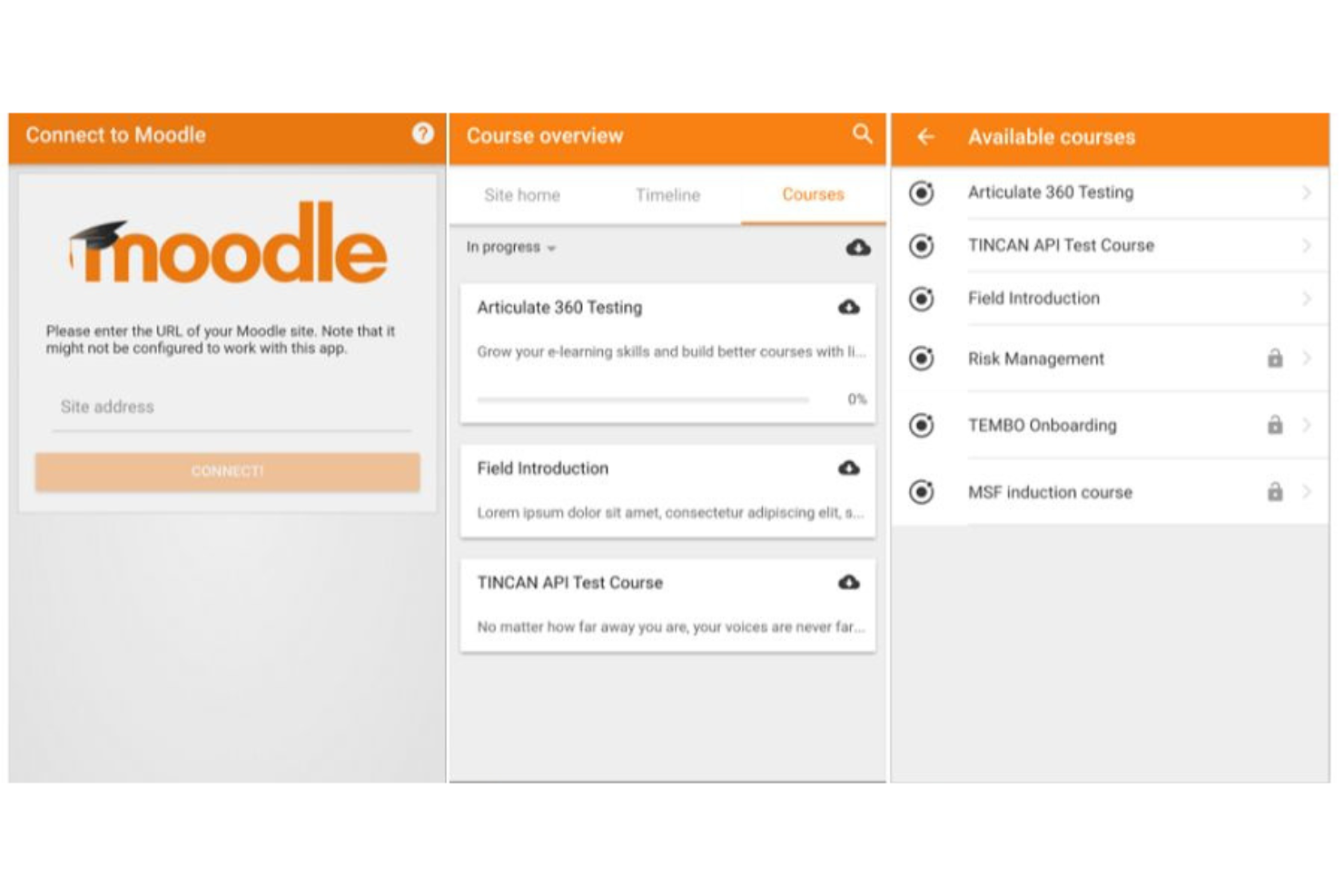
Moodle is an open source learning management platform for managing courses, building skill frameworks, tracking learner progress, and supporting scalable skills development across organizations.
Who Is Moodle Best For?
Moodle suits educators and HR teams at large organizations or institutions looking to deliver scalable, customizable skill-building programs.
Why I Picked Moodle
I picked Moodle as one of the best because I can manage large-scale skills development using its custom competency frameworks, bulk user management, and advanced course enrollment tools. I rely on its open source flexibility to adapt programs for high-volume training.
Moodle Key Features
- Quiz engine: Create customizable quizzes with various question types.
- Learning paths: Sequence activities to guide learner progression.
- Peer assessment: Enable users to review and rate each other's work.
- SCORM support: Import and deliver SCORM-compliant content within courses.
Moodle Integrations
Moodle offers native integrations with Advacheck, BigBlueButton, Poodll, Element, and more. An API is also available for custom integrations.
Pros and Cons
Pros:
- Flexible permissions for complex organizational structures
- Supports competency and skill mapping frameworks
- Open source with global user community
Cons:
- Requires self-hosting or third-party hosting
- Initial setup is complex for new admins
Best for modular HR feature customization

OrangeHRM is a modular human resources management software that lets you manage employee data, track time and attendance, oversee performance, and customize HR processes to fit specific organizational needs.
Who Is OrangeHRM Best For?
HR managers at mid-sized organizations that need flexible, modular solutions to manage core HR functions and adapt workflows.
Why I Picked OrangeHRM
I picked OrangeHRM as one of the best because I can customize each HR module like performance, time tracking, and training, picking only the features my team actually needs. I like being able to configure workflows to match our organization’s processes.
OrangeHRM Key Features
- Employee records management: Store and update detailed employee profiles in a central database.
- Leave management: Track, approve, and manage various types of employee leave.
- Recruitment tracking: Manage job postings, candidate applications, and the hiring workflow.
- Document management: Upload, store, and organize HR documents for easy access.
OrangeHRM Integrations
OrangeHRM offers native integrations with ADP, QuickBooks, and Google Calendar, and provides an API for custom integrations.
Pros and Cons
Pros:
- Detailed audit trails for skills changes
- Modular platform with extendable HR modules
- Open source with active community support
Cons:
- Limited visualization for competency mapping
- No built-in skills gap analytics
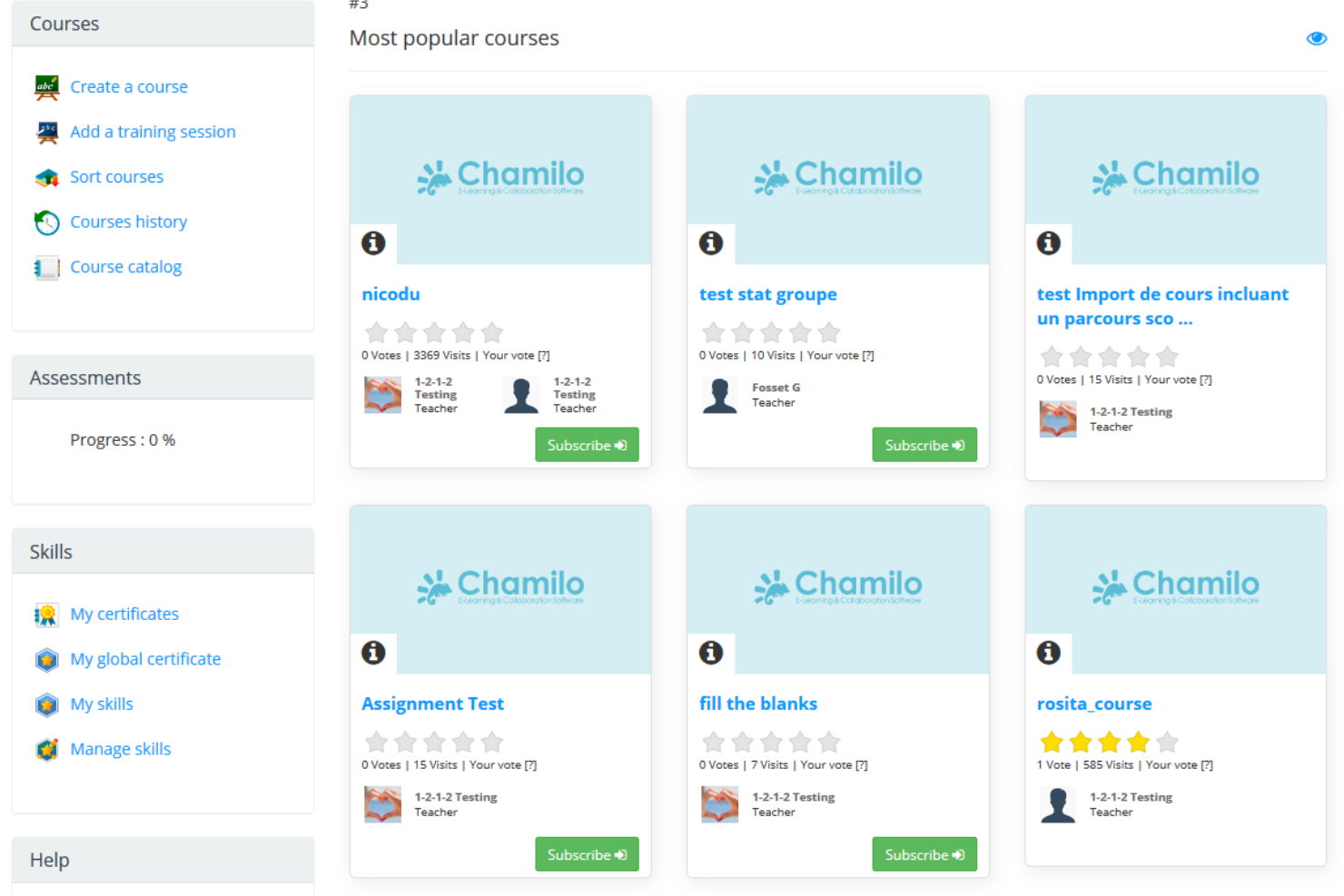
Chamilo LMS is open source skills management software that brings together course creation, certification management, skills tracking, reporting, and collaboration tools in one user-friendly learning platform.
Who Is Chamilo LMS Best For?
Chamilo LMS suits international training teams or educational institutions that need multi-language support and simple, centralized skills management.
Why I Picked Chamilo LMS
I picked Chamilo LMS because I can create and manage multilingual skills courses, track certification progress for learners worldwide, and organize competency frameworks in a platform that scales easily for global teams.
Chamilo LMS Key Features
- Attendance tracking: Monitor learner attendance in sessions through built-in attendance lists.
- Integrated assignment tool: Create, collect, and grade assignments directly within the platform.
- Skill gap analysis: Identify and report skill gaps using built-in analytics.
- Custom certificates: Issue personalized certificates for course completion and achievements.
Chamilo LMS Integrations
Chamilo LMS offers native integrations with external authentication systems such as LDAP, CAS, and SAML, and supports SCORM and xAPI content. An API is available for custom integrations.
Pros and Cons
Pros:
- Community-driven open source platform
- Multilingual interface for diverse learners
- SCORM and xAPI content support for courses
Cons:
- Fewer ready-made templates than some competitors
- Limited advanced analytics and reporting options

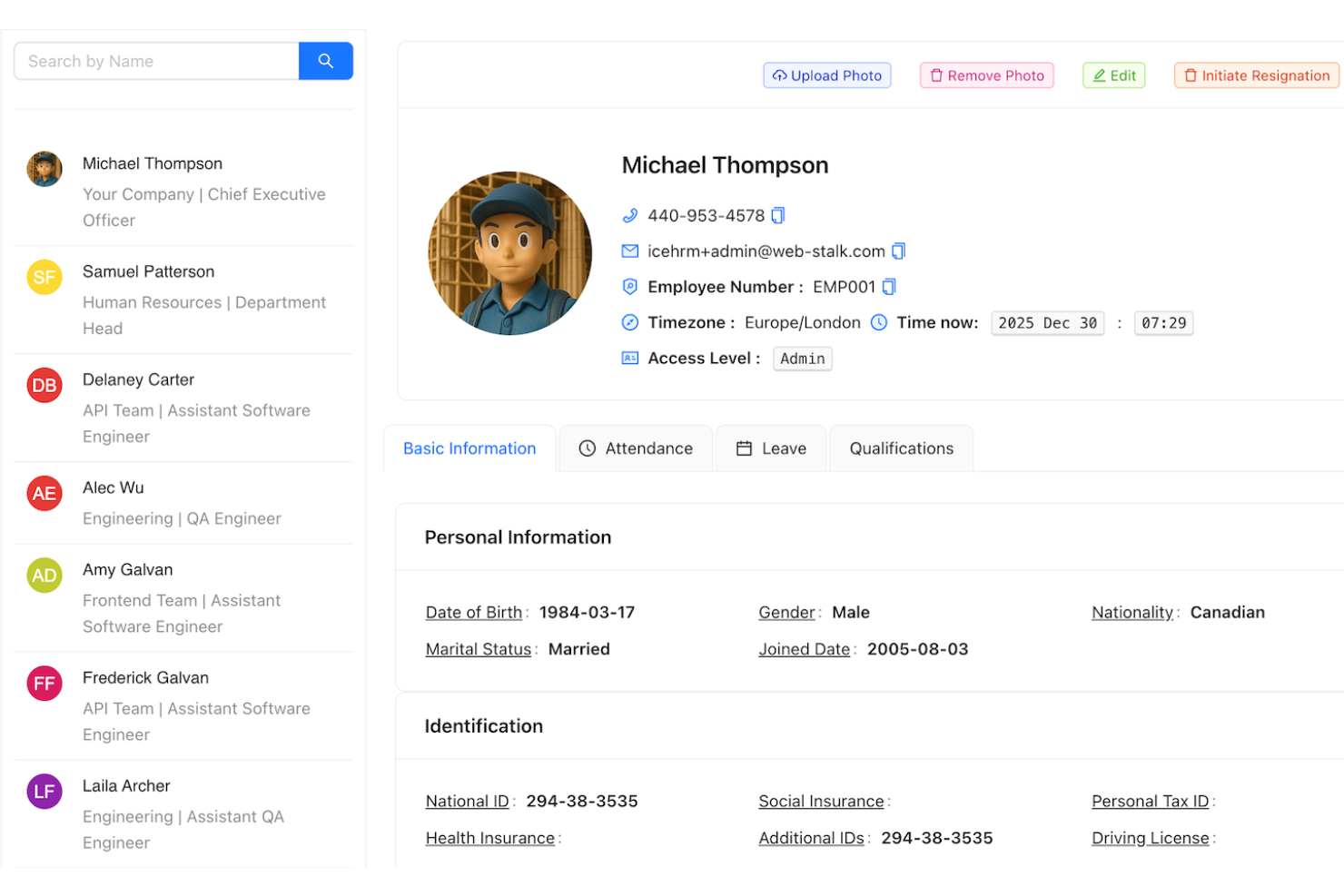
IceHrm is an open source HR and skills management platform that covers employee records, skills inventory, attendance, performance management, and time tracking in a single system.
Who Is IceHrm Best For?
IceHrm suits small to midsize businesses or HR teams that need centralized employee data and automated record tracking across multiple locations.
Why I Picked IceHrm
I picked IceHrm as one of the best because it automates employee data tracking through centralized personnel files, tracks employee skills and certifications, and lets me schedule, approve, and audit leave requests for distributed teams without losing record accuracy.
IceHrm Key Features
- Role-based access control: Set customizable permission levels for different user groups.
- Performance appraisal system: Run structured reviews with customizable feedback criteria.
- Custom form builder: Create and deploy forms for HR data collection.
- Expense management module: Track and approve employee expense claims within the platform.
IceHrm Integrations
IceHrm offers native integrations with LDAP, Okta, Azure AD/Entra ID, REST API, OAuth 2.0, SAML 2.0. provides an API for custom integrations.
Pros and Cons
Pros:
- Supports role-based data access management
- Skills matrix and certification tracking included
- Open source with modular extension options
Cons:
- Mobile app functionality is limited
- Reporting templates are hard to customize

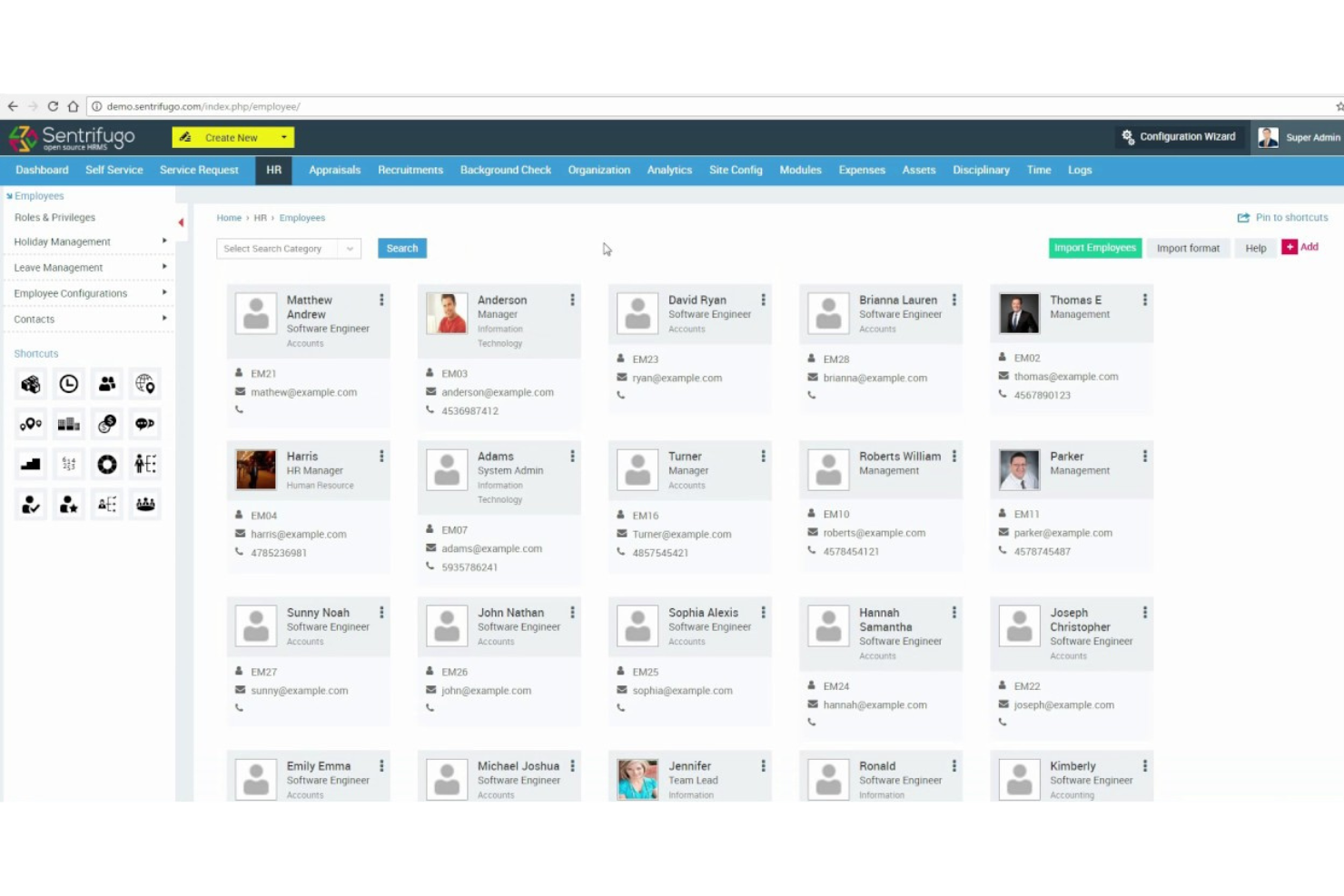
Sentrifugo is an open source HR management platform offering employee information management, skills tracking, performance appraisals, background checks, and time-off administration for teams managing workforce skills and processes.
Who Is Sentrifugo Best For?
Sentrifugo is a fit for HR teams at midsize organizations who need granular control over workflows and custom process automation in managing employee skills and records.
Why I Picked Sentrifugo
I picked Sentrifugo as one of the best because I can finely tune approval flows, automate performance reviews, and set up custom skills tracking through advanced configurable workflows without relying on preset templates.
Sentrifugo Key Features
- Employee information manager: Stores detailed employee records and tracks employment history.
- Background verification module: Supports configuration and tracking of background checks for new hires.
- Leave management system: Allows you to handle employee time-off requests and approvals.
- Asset management: Manages company assets assigned to employees and tracks their status.
Sentrifugo Integrations
Native integrations are not clearly documented.
Pros and Cons
Pros:
- Built-in background verification management
- Open source with active community support
- Highly customizable HR modules and workflows
Cons:
- Limited analytics beyond standard reports
- No marketplace of native integrations

Totara LMS is an open source learning management system designed for corporate environments, offering robust tools for skills tracking, formal course delivery, certification, assessments, and reporting features.
Who Is Totara LMS Best For?
Totara LMS is a strong choice for HR managers and L&D teams in regulated industries who need to manage large-scale workforce training and compliance programs.
Why I Picked Totara LMS
I picked Totara LMS as one of the best because I can track workforce skills, assign compliance courses, and monitor completion rates within a highly configurable open source platform tailored for corporate training and regulatory tracking needs.
Totara LMS Key Features
- Learning pathways: Create structured, sequenced skill development plans for different job roles.
- Competency management: Define, assign, and assess competencies tied to your organization's roles.
- Audience management: Segment learners by department, role, or custom groups for targeted content.
- Report builder: Generate custom reports on learner progress, course activity, and completions.
Totara LMS Integrations
Totara LMS offers native integrations with Zoom, Slack, Microsoft Teams, Salesforce, and more. An API is available for custom integrations.
Pros and Cons
Pros:
- Customizable reporting and workflow tools
- Supports multi-tenant corporate learning setups
- Extensive competency and skill framework options
Cons:
- User interface can feel outdated
- Initial configuration is time-intensive
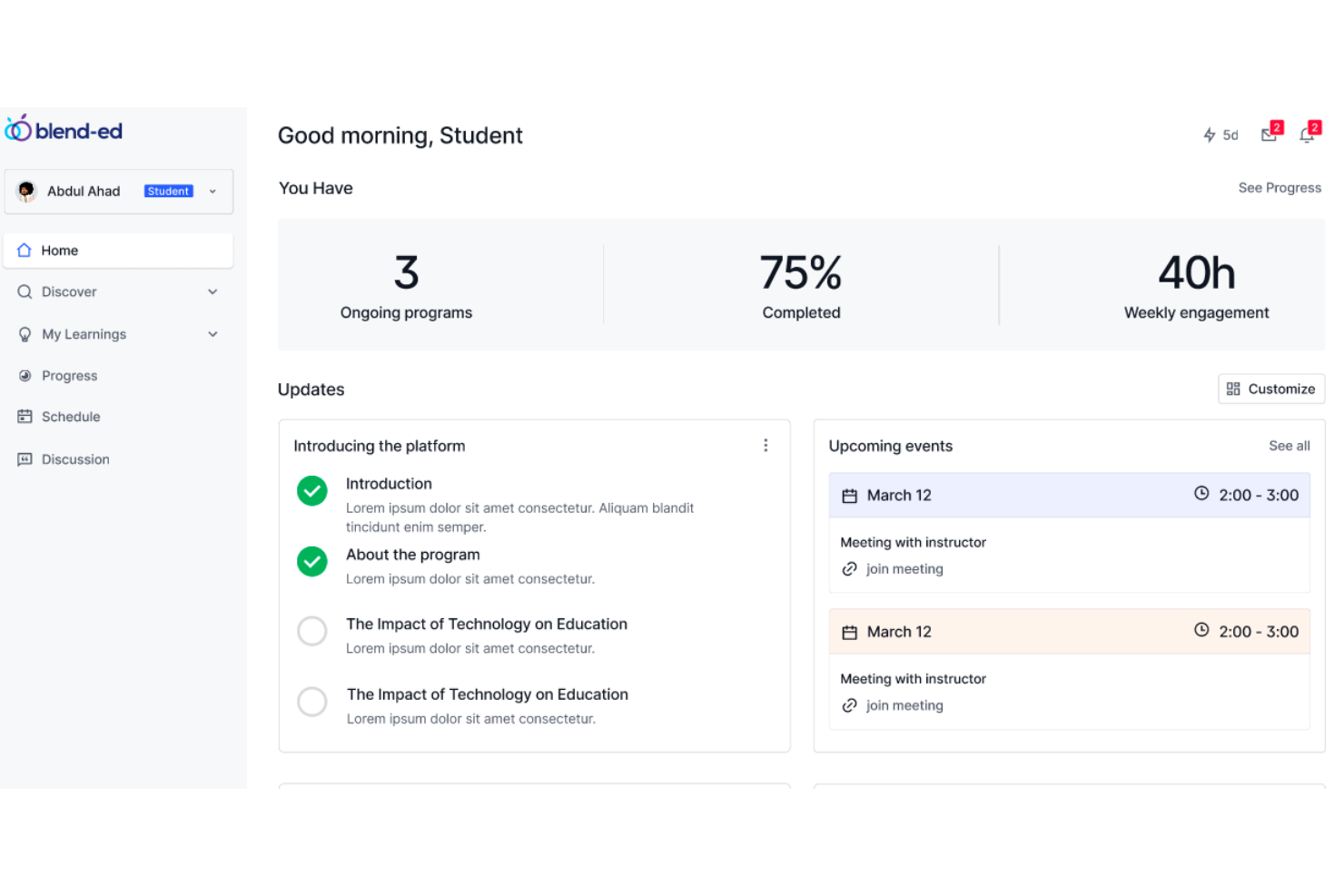
Open edX is an open source skills management and learning platform that lets you build courses, issue credentials, and track user progress with advanced customization options.
Who Is Open edX Best For?
Open edX fits higher education institutions, training providers, and large enterprises that need adaptable, scalable course and credential management.
Why I Picked Open edX
I picked Open edX because I can create complex learning pathways and manage multiple credentials from one platform. I use the granular course authoring tools and flexible credentialing options to build out skills programs tailored to different roles or departments.
Open edX Key Features
- Open response assessments: Let users submit essays or projects for instructor grading.
- Timed exams: Set time limits for high-stakes assessments within your courses.
- SCORM content support: Upload and deliver SCORM-based e-learning materials smoothly.
- LTI tool integration: Connect external learning tools directly within the Open edX environment.
Open edX Integrations
Open edX offers native integrations with WordPress, WooCommerce, Facebook, and more. An API is available for custom integrations.
Pros and Cons
Pros:
- Strong support for competency-based education frameworks
- Modular architecture for advanced course customization
- Global open source developer and user community
Cons:
- Complex server setup for small teams
- Self-hosting requires ongoing technical maintenance

ILIAS is an open source skills management platform built for educational and corporate environments, offering advanced course authoring, multi-tenant hosting, compliance tracking, and customizable assessment modules.
Who Is ILIAS Best For?
ILIAS suits universities and public organizations that need detailed permission controls and multi-user governance in their learning systems.
Why I Picked ILIAS
I picked ILIAS because I can use deeply configurable permission settings for unique user groups and roles. My team manages complex learning hierarchies with nested organizational units and granular access to assessments, feedback, and certifications.
ILIAS Key Features
- Advanced course editor: Build courses with conditional learning paths and reusable modules.
- SCORM support: Deliver interactive e-learning content compliant with SCORM standards.
- Competence management: Map, track, and assess learner skills in detail.
- Integrated survey tool: Create and deploy surveys to collect feedback from users.
ILIAS Integrations
ILIAS offers native integrations with BigBlueButton, LDAP, LTI, OpenCast, Nextcloud, and more. An API is available for custom integrations.
Pros and Cons
Pros:
- Multi-language support for global teams
- Built-in tools for compliance frameworks
- Modular plugin system for skills mapping
Cons:
- Documentation gaps for advanced features
- Complex interface for new administrators

Best for creating industry-aligned skill frameworks
OSMT (Open Skills Management Tool) is an open source platform for building, maintaining, and sharing structured skill definitions and frameworks across industries and organizations.
Who Is OSMT (Open Skills Management Tool) Best For?
HR teams and learning leaders in large organizations or industry groups that need to define, standardize, and maintain detailed skills taxonomies.
Why I Picked OSMT (Open Skills Management Tool)
I picked OSMT because I can use it to create, curate, and share detailed skill definitions aligned with industry frameworks. I rely on its JSON-based standard, customizable templates, and versioning for keeping skill frameworks consistent and easy to update.
OSMT (Open Skills Management Tool) Key Features
- Open skill library: Access a repository of existing skill definitions for rapid framework building.
- Skill metadata fields: Add context with built-in fields like alignment, categorization, and relationships.
- REST API access: Integrate skill data into other HR or learning platforms using the API.
- Batch upload and export: Import or export multiple skills at once in standard formats.
OSMT (Open Skills Management Tool) Integrations
Native integrations are not clearly documented. The tool supports integrations via its REST API for custom connections with other systems.
Pros and Cons
Pros:
- Detailed version control for skills frameworks
- Supports industry-standard skill taxonomy alignment
- Open source with transparent JSON skill models
Cons:
- No built-in reporting or analytics tools
- Limited documentation for API workflows
Other Open Source Skills Management Software
Here are some additional open source skills management software options that didn’t make it onto my shortlist but are still worth checking out:
- Frappe HR
For integration with ERPNext environments
- Horilla
For collaborative skills mapping
- PuzzleSkills
For customizable skills taxonomy management
- Stride Open Competency Matrix
For visualizing team competency gaps
- Skills-ML
For skills extraction using machine learning
- Mahara
For learner-driven portfolio development
- iHRIS
For public sector workforce tracking
- Open Baraza HCM
For regional workforce data localization
- Eval
For real-time feedback on employee skills


How I Evaluate Open-Source Skills Management Software
I split my evaluation into two layers: baseline must-haves like self-hosted deployment and a real skills taxonomy, and differentiators that separate strong tools from those that just check boxes.
Core Functionality (Table Stakes For This List)
When I'm selecting tools for my list, I rank each one on a scale from 0 (does not offer the functionality) to 5 (excels in this area) for each core functionality listed below. Then, I calculate the tool's total score into a percentage. Each tool needs to achieve a minimum total score of 65% to be considered for inclusion.
- Open Source Licensing: I check that the project uses an OSI-approved license and that the source code is publicly available on a platform like GitHub or GitLab for review and modification.
- Skills Inventory & Taxonomy: A good taxonomy lets you organize skills into categories that actually reflect your org's structure, not just a flat list of keywords with no hierarchy.
- Employee Skill Profiles: I look for profiles that capture proficiency levels and track changes over time, so managers can see growth during review cycles rather than just a static snapshot.
- Skill Gap Analysis: This is where tools earn their keep. I evaluate whether you can compare current skills against target role requirements at the individual, team, or org level.
- Self-Hosting Capability: Documented deployment steps, supported databases, and container support (Docker, Kubernetes) all factor into how practical self-hosting really is for your team.
- Reporting & Analytics: I look for dashboards that visualize skill distribution and gap coverage across departments, with the ability to filter and export data for workforce planning.
Once I have a list of tools that meet this criteria, I consider what sets each platform apart.
Differentiating Factors (What Sets Vendors Apart)
Here's how I compare and contrast different vendors:
Standout Features
Tools that ship with pre-built frameworks like ESCO or SFIA give your team a head start—you're not building a taxonomy from scratch during implementation. I also evaluate career pathing features, which let employees and managers see realistic next-role options based on current skills and what gaps need closing. Learning recommendations add another layer by linking those gaps directly to training content, so a skill gap report becomes an actionable development plan rather than just a data point.
Beyond Features
Community health matters here. I look at commit frequency, issue resolution times, and whether the project has a clear governance model—a stale repo signals long-term risk for your HR stack. Integrations also weigh heavily; your skills data needs to flow into your HRIS, LMS, and ATS, so I check for REST APIs and support for standards like SCIM. Data privacy rounds out my evaluation, especially self-hosted control over employee skill records for teams managing compliance across multiple regions.
How to Choose Open Source Skills Management Software
It’s easy to get bogged down in long feature lists and complex pricing structures. To help you stay focused as you work through your unique software selection process, here’s a checklist of factors to keep in mind:
| Factor | What to Consider |
|---|---|
| Scalability | Can the software support your current and future team size or expanded organizational structure without major rework? |
| Integrations | Will the software connect easily with your HR, payroll, or ERP systems, or will you need custom API development? |
| Customizability | Can you modify skill categories, workflows, and user permissions to fit your organizational standards without relying on constant vendor support? |
| Ease of use | Is the interface straightforward, or will teams need specialized training to carry out basic skill mapping and tracking? |
| Implementation and onboarding | What internal resources are needed for rollout? Look for clear documentation, practical support channels, and a realistic migration path for existing skills data. |
| Cost | Consider not just software licensing but long-term costs for upgrades, support, or premium modules. Are there hidden expenses for essential features? |
| Security safeguards | Does the software provide data encryption, access controls, and audit logs? Consider any HR data sensitivity and local data protection laws. |
| Support availability | Are there active forums or a commercial support option? Will you have timely help if technical issues impact critical HR processes? |
What Is Open Source Skills Management Software?
Open source skills management software is a category of tools that help organizations track employee capabilities, conduct skills assessments, and identify opportunities for upskilling. These platforms support a more skills-based approach to workforce planning and development, while giving organizations the flexibility to customize features and workflows.
Many solutions integrate with SaaS and project management tools, helping teams optimize learning experiences, improve the user experience, and reduce reliance on manual spreadsheets.
Features
When selecting open source skills management software, keep an eye out for the following key features:
- Skill matrix builder: Visualize and update skills for individuals and teams, making it easy to see strengths and development opportunities across your workforce.
- Competency framework customization: Adjust or build competency models that reflect your organization’s unique roles, requirements, and progression paths.
- Role and skill mapping: Link specific skills to roles, helping you align employee capabilities with job expectations and project needs.
- Skill gap analysis: Identify missing skills or development areas by comparing current capabilities against target requirements for individuals or teams.
- Self-assessment tools: Let employees regularly rate or update their own skills, providing HR with up-to-date data and encouraging employee engagement in their own growth.
- Training and development tracking: Assign, monitor, and record skill-building activities such as courses, certifications, and mentoring to support continuous learning.
- Reporting and analytics dashboards: Generate charts, tables, and exportable reports that summarize workforce capabilities, training progress, and future needs.
- Permissions and access controls: Define roles for administrators, managers, and employees to restrict or grant access to sensitive skill data and HR records.
- Data import and export: Easily migrate existing skills data, and extract system records for analysis or backup in common file formats.
- API and integration support: Connect the software to HRIS, ERP, or talent management tools, automating data sync and reducing manual entry.
Benefits
Implementing open source skills management software provides several benefits for your team and your business. Here are a few you can look forward to:
- Full control and flexibility: Customize skill matrices, workflows, and interfaces to precisely fit team structures and evolving organizational strategies.
- Improved workforce transparency: Access clear, data-driven views of skills across your business to support workforce planning and development.
- Reduced costs: Avoid recurring licensing fees and minimize vendor lock-in, making it budget-friendly for small and large organizations alike.
- Smooth integration options: Connect skill management with existing HR, payroll, or ERP systems using open APIs and modular features.
- Community-driven innovation: Benefit from frequent software updates, new features, and troubleshooting, fueled by a global open source development community.
- Secure, self-hosted deployment: Meet internal privacy standards by hosting sensitive employee data on your own infrastructure if desired.
- Continuous employee growth: Track learning, certifications, and performance improvement, helping align development programs with skills gaps and business goals.
Costs and Pricing
Selecting open source skills management software requires an understanding of the various pricing models and plans available. Costs vary based on features, team size, add-ons, and more. The table below summarizes common plans, their average prices, and typical features included in open source skills management software solutions:
Plan Comparison Table for Open Source Skills Management Software
| Plan Type | Average Price | Common Features |
|---|---|---|
| Free Plan | $0 | Basic skill management tools, access to community support, simple reporting, and self-hosting options. |
| Personal Plan | $5-$10/user/month | All free plan features, personal dashboards, basic customization, priority updates, and limited email support. |
| Business Plan | $10-$25/user/month | Advanced skill tracking, role mapping, integrations, analytics dashboards, permissions controls, and admin support. |
| Enterprise Plan | $25-$50/user/month | Custom workflows, dedicated onboarding, API support, compliance options, advanced security, and premium customer support. |
Open Source Skills Management Software FAQs
Here are some answers to common questions about open source skills management software:
Can open source skills management software be customized for unique organizational needs?
Yes, most open source skills management software can be tailored to fit your organization’s processes. You can adjust skill frameworks, reporting, and user permissions by modifying the source code or configuration files to match your HR requirements.
What technical skills are needed to implement open source skills management software?
You’ll typically need access to IT support with experience in server setup, software installation, and ongoing maintenance. Familiarity with Linux, databases, and web servers is also helpful, especially for troubleshooting and deeper customization.
Is my data secure when using open source software?
Yes, if you follow best practices for hosting, updates, and access controls. Since you control deployment, you can enforce strong security standards, but you’re also responsible for patching vulnerabilities and monitoring data access regularly.
How do updates and support work with open source tools?
Open source platforms rely on community contributions and active user forums for updates and troubleshooting. Some solutions offer optional paid support or managed hosting, but routine maintenance and upgrades are usually handled in-house.
Can open source skills management software integrate with other HR tools?
Yes, many open source solutions offer APIs or plugin systems to connect with HRIS, payroll, or learning management tools. You may need developer help to build or adapt connectors depending on your existing HR tech stack.