


QuickBooks Online vs. Zoho Books: Confronto e Recensioni per il 2026


When HR and finance live in separate corners, even simple tasks can start to feel messy fast. The right platform brings payroll, accounting, and daily admin into one smoother workflow before the small headaches turn into bigger problems.
Trying to choose between QuickBooks Online and Zoho Books? If you’re juggling HR and finance tasks, picking the right HR and accounting software can make or break your workflow. You want reliable payroll, benefits, and accounting tools without endless setup or missing features.
In this article, you’ll get a side-by-side look at both platforms. I’ll cover how each one stacks up for HR and accounting, share the pros and cons, highlight use cases, compare pricing, dig into security, and talk through ease of use—so you can decide which is best for your team.
QuickBooks Online vs. Zoho Books: An Overview
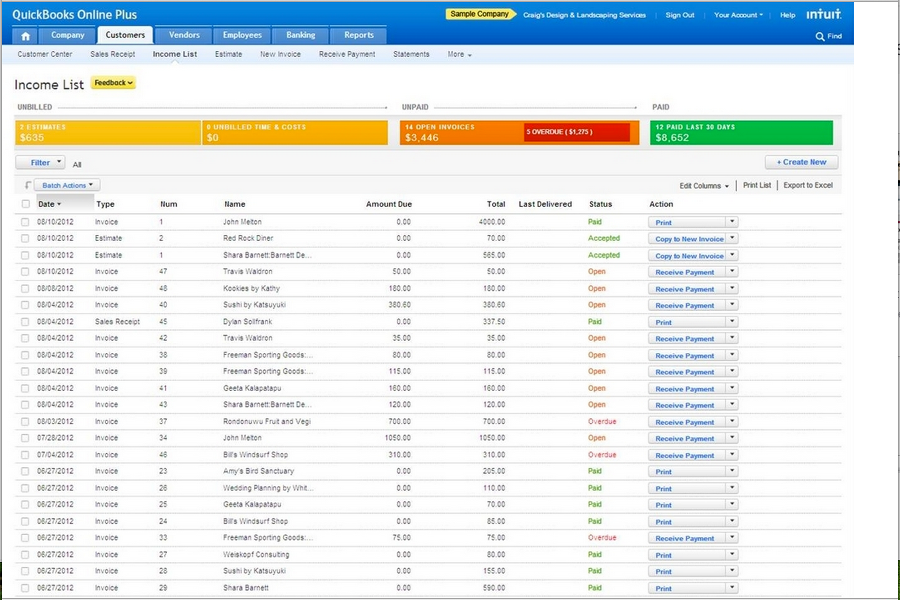
QuickBooks Online
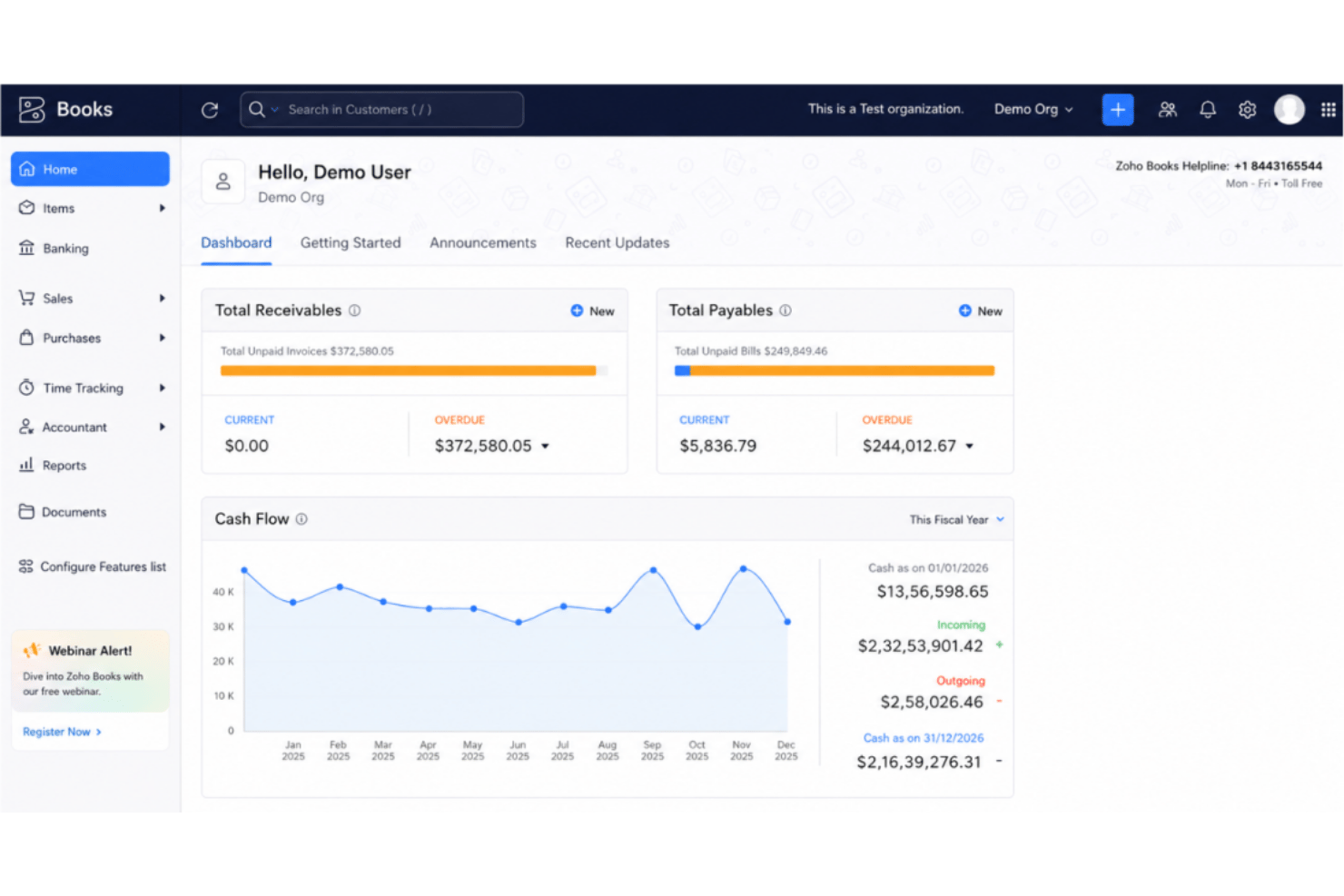
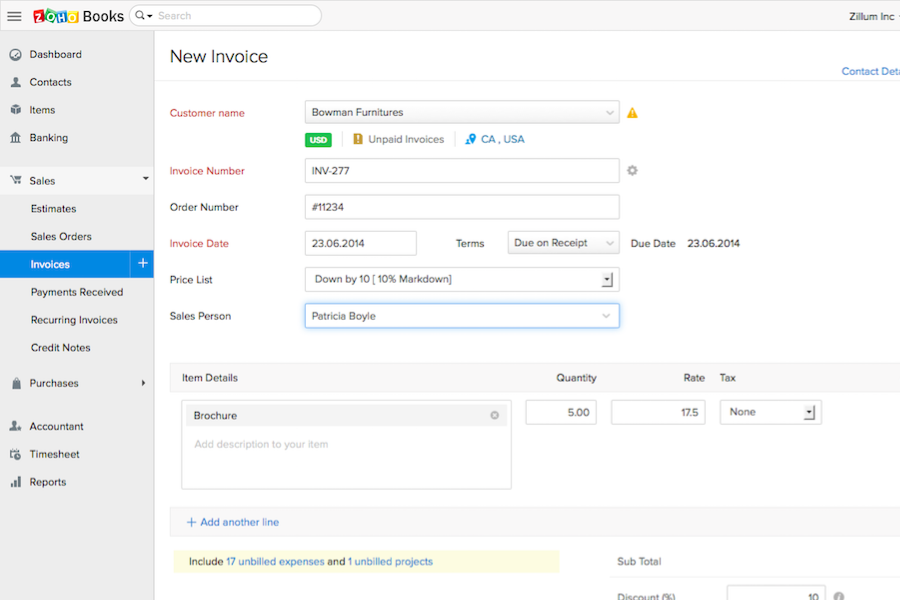
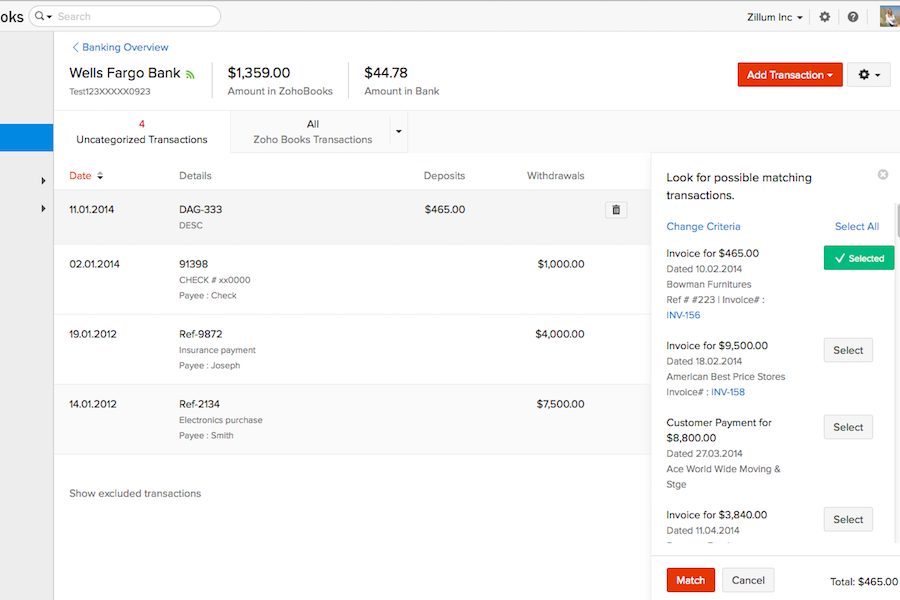
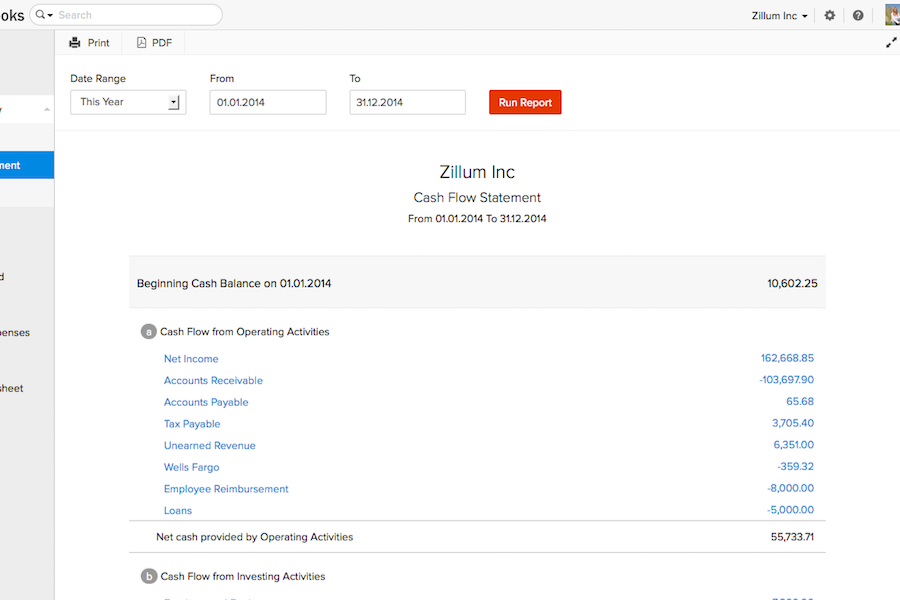
Zoho Books



Perché fidarsi delle nostre recensioni sui software
Il nostro team testa e recensisce software dal 2012. In quanto esperti HR noi stessi, sappiamo quanto sia difficile — e importante — scegliere il software giusto.
Per questa guida, abbiamo valutato gli strumenti attraverso test pratici e ricerche indipendenti, assegnando un punteggio agli strumenti in base ai nostri criteri di selezione. Ci basiamo inoltre sulle competenze di leader di pensiero del settore e di professionisti HR attivi.
Le nostre recensioni riflettono il nostro giudizio editoriale umano, non un discorso di vendita.
Revisori esperti:
QuickBooks Online vs. Zoho Books Pricing Comparison
| QuickBooks Online | Zoho Books | |
|---|---|---|
| Free Trial | Free plan + 30-day free trial available | Free plan + free demo available |
| Pricing | From $38/month | From $15/month (billed annually) |
QuickBooks Online vs. Zoho Books: Prezzi e Costi Nascosti
QuickBooks Online utilizza un modello di abbonamento a livelli, in cui ogni piano sblocca più funzionalità per team in crescita, ma alcune capacità legate alle risorse umane e integrazioni avanzate possono avere costi aggiuntivi. Anche Zoho Books offre diversi livelli di prezzo, principalmente basati sul numero di utenti e sulle funzionalità di automazione, con componenti aggiuntivi per integrazione con il payroll (paghe) o analisi avanzate che possono aumentare la spesa mensile. Entrambi gli strumenti possono richiedere supplementi per utenti extra, integrazioni o assistenza clienti premium, quindi è facile sottovalutare il costo reale se non si analizzano i dettagli.
Per scegliere il modello di prezzo giusto, esamina ciò di cui hai effettivamente bisogno per l’area HR e la contabilità. Fai una lista delle funzionalità fondamentali e del numero di utenti necessari e chiedi ai fornitori quali siano gli add-on più comuni o gli aggiornamenti futuri in caso di crescita del team. Presta molta attenzione se le integrazioni e i moduli che ti aspetti—come paghe, benefit o reportistica—sono già inclusi o generano costi extra in seguito. Così puoi evitare spese impreviste e scegliere lo strumento che si adatta realmente al tuo flusso di lavoro, non solo al piano base.
Sicurezza, Conformità e Affidabilità di QuickBooks Online vs. Zoho Books
| Fattore | QuickBooks Online | Zoho Books |
|---|---|---|
| Crittografia dei dati | Utilizza crittografia AES256 e TLS per tutti i dati a riposo, e crittografia RSA per i dati in transito. | Adotta crittografia SSL a 256 bit e valutazioni periodiche delle vulnerabilità. |
| Conformità normativa | Conforme a PCI DSS, sottoposta ad audit e report SOC, certificazione ISO 27001. | Conforme al GDPR e supporta la conformità fiscale locale in numerosi paesi. |
| Backup dei dati | Backup automatici notturni con archiviazione ridondante per il disaster recovery. | Backup automatici giornalieri con archiviazione geo-ridondante. |
| Controlli di accesso | Permessi utente granulari e autenticazione a due fattori per tutti gli account. | Ruoli utente personalizzati, autenticazione multifattoriale e log di controllo dettagliati. |
| Garanzia di operatività | Operatività garantita al 99,9% e monitoraggio costante delle prestazioni. | Accordo SLA mensile del 99,9% di uptime con monitoraggio dell'infrastruttura 24/7. |
Sia QuickBooks Online che Zoho Books eccellono nella sicurezza e conformità di base, ma Zoho Books offre una conformità internazionale più ampia mentre QuickBooks Online enfatizza la protezione centrata su Canada e Stati Uniti. Mi fido dell'affidabilità di QuickBooks Online per le aziende concentrate su standard nordamericani, e di Zoho Books per i team che necessitano di flessibilità tra diverse regioni e di funzioni di privacy globale avanzate.
Facilità d’uso: QuickBooks Online vs. Zoho Books
| Fattore | QuickBooks Online | Zoho Books |
|---|---|---|
| Interfaccia utente | Dashboard pulita e familiare con menu guidati per principianti. | Layout intuitivo e personalizzabile con widget drag-and-drop. |
| Onboarding | Procedura guidata di configurazione passo-passo e walkthrough integrati nell'app. | Suggerimenti contestuali, guide video e tutorial pratici. |
| Esperienza mobile | App mobile completa di tutte le funzionalità con navigazione semplice e notifiche. | App mobile ottimizzata con automazioni e azioni rapide. |
| Assistenza clienti | Supporto telefonico, chat e community 24/7, oltre a documentazione esaustiva. | Email, live chat e accesso diretto al team di supporto Zoho. |
| Curva di apprendimento | Minima per l’uso base, leggermente più marcata per le funzionalità avanzate. | Facile da apprendere per la maggior parte delle funzioni, con strumenti personalizzati avanzati. |
Sia QuickBooks Online che Zoho Books rendono semplice iniziare, ma QuickBooks Online risulta più familiare mentre Zoho Books vince in personalizzazione e onboarding flessibile. Trovo QuickBooks Online più veloce per le attività HR e contabili di routine, mentre Zoho Books si adatta meglio agli utenti che desiderano personalizzare il proprio ambiente di lavoro.
QuickBooks Online vs Zoho Books: Pros & Cons
QuickBooks Online
- Payroll runs and tax filings are automated and accurate
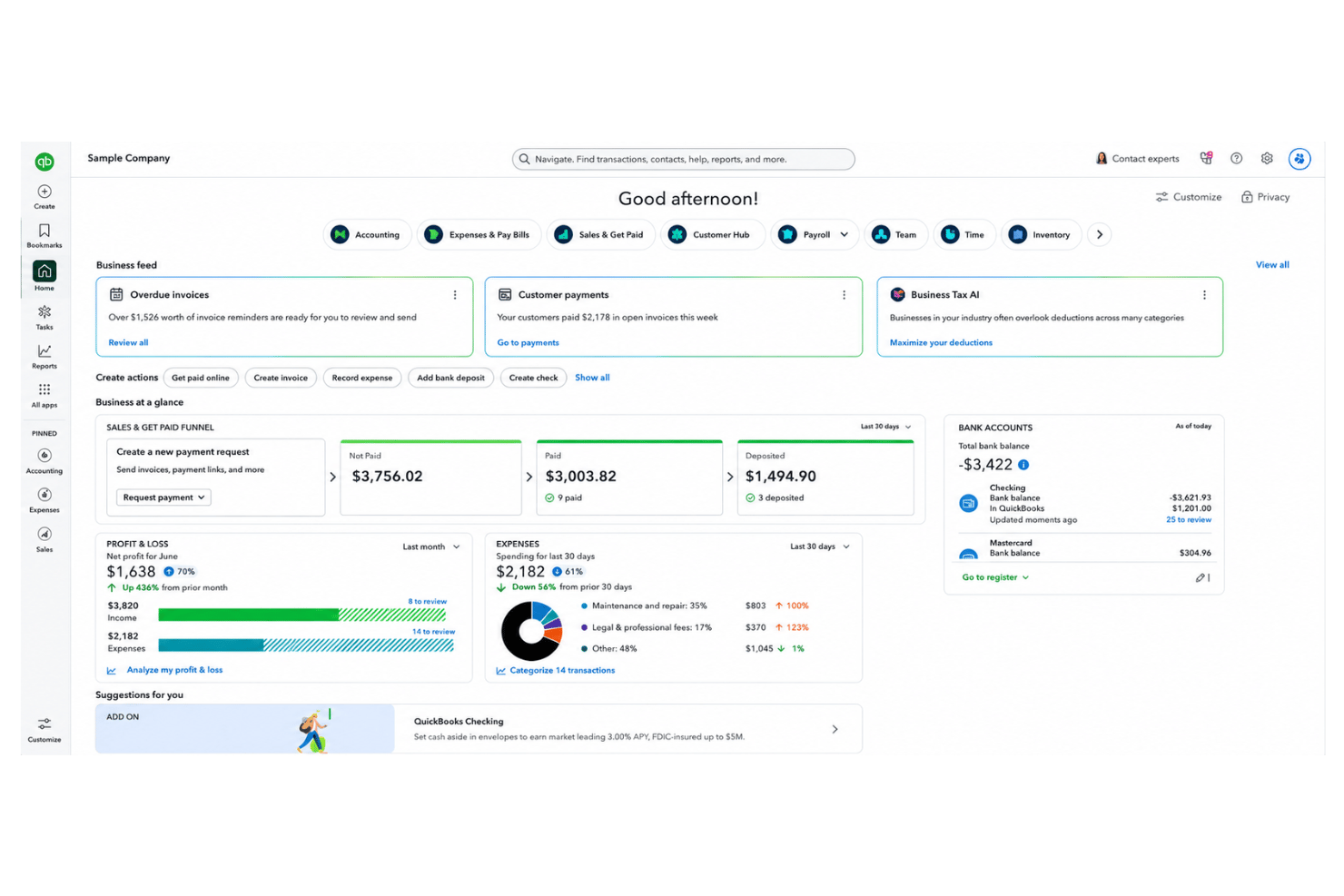
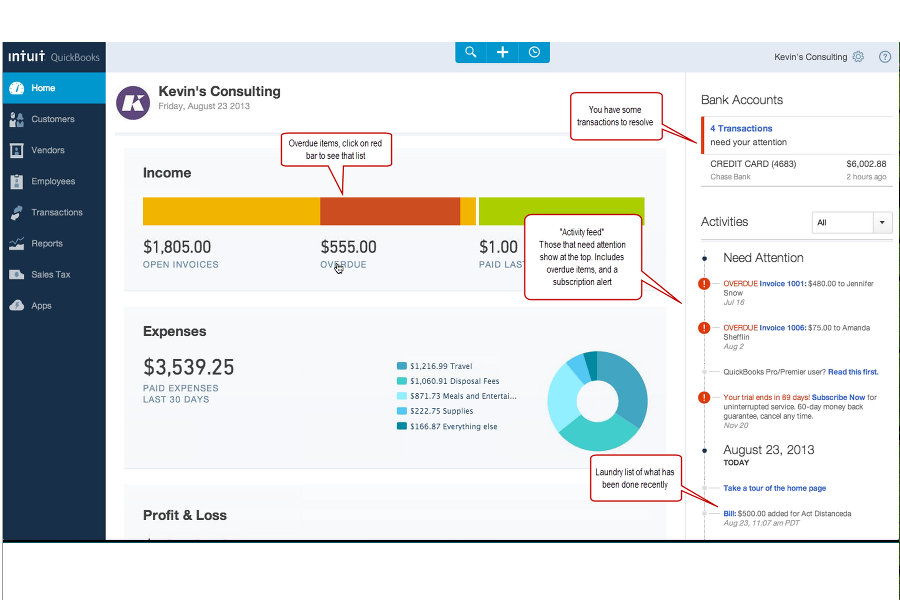
- Dashboards and reports give real-time insight into expenses and payroll
- Employee self-service portal reduces HR admin workload
- Some advanced reporting features are only available with higher-tier plans
- Not ideal for advanced ERP or global organizations
- May require time to learn for new users
Zoho Books
- Automated expense categorization saves time on payroll prep
- Strong audit trails support HR compliance and reporting
- Payroll module supports multi-level approval workflows
- Employee performance tracking is not included
- Time-off management features are basic and limited
- No built-in applicant tracking or recruiting tools
Best Use Cases for QuickBooks Online and Zoho Books
QuickBooks Online
- Retail Stores Easy inventory tracking and sales management make it simple to keep up with daily operations.
- Professional Services Automated payroll and project profitability tools help agencies and consultancies track client costs and pay staff on time.
- Startups Startups love the fast onboarding, mobile app, and all-in-one dashboards for managing payroll, expenses, and taxes.
- Nonprofit Organizations QuickBooks Online supports grant management and basic fund tracking to simplify nonprofit bookkeeping and reporting.
- Remote Teams The cloud-based platform and mobile access let remote or distributed teams handle payroll and HR tasks from anywhere.
- Bookkeepers Bookkeepers appreciate the straightforward workflows, reporting, and role-based access in QuickBooks Online.
Zoho Books
- Small Businesses Affordable pricing, quick setup, and features tailored for small, fast-growing companies.
- Startups Easy expense tracking, online payments, and scalable payroll tools that grow with minimal upfront costs.
- Remote HR Teams Multi-user support and portals enable simplified collaboration and payroll management for distributed or freelance teams.
- Professional Services Timesheet management, invoicing templates, and expense tracking tools help firms manage billable work and payroll.
- Finance Departments Automated reporting, compliance workflows, and integrations offer a unified platform for all transactions.
- Nonprofits Streamlined expense approvals and donor reporting enable transparent fund and payroll management.
Chi dovrebbe usare QuickBooks Online e chi dovrebbe preferire Zoho Books?
QuickBooks Online è la scelta ideale per i team con sede in Nord America che necessitano di una gestione paghe avanzata, integrazioni di terze parti approfondite e un’interfaccia familiare—il profilo perfetto per aziende in crescita con esigenze HR e contabili standard. Zoho Books è invece ottimo per team globali, startup o chiunque già utilizzi altri prodotti Zoho e abbia bisogno di flussi di lavoro flessibili o conformità internazionale. QuickBooks Online funziona meglio per chi desidera funzionalità pronte all'uso, mentre Zoho Books si distingue per chi punta alla personalizzazione e alla scalabilità conveniente. In definitiva, la scelta dovrebbe dipendere dal tech stack del team, dall’area geografica di riferimento e dalla propensione alla personalizzazione.
Differences Between QuickBooks Online and Zoho Books
| QuickBooks Online | Zoho Books | |
|---|---|---|
| Customization | Limited reporting and workflow customization. | Highly customizable workflows, fields, and automations. |
| Ecosystem Support | Integrates mainly with third-party platforms outside Intuit. | Connects natively with Zoho’s suite for CRM, HR, and more. |
| Payroll Integration | Built-in payroll available for U.S. users. | Payroll integration as an add-on, more global coverage. |
| Pricing Flexibility | Fixed pricing tiers with costs for add-ons and extra users. | Modular pricing based on user needs and region. |
| User Experience | Streamlined, easy navigation for accounting beginners. | More options to tailor dashboards and user roles. |
| Visit QuickBooks OnlineOpens new window | Read Zoho Books ReviewOpens new window |
Similarities Between QuickBooks Online and Zoho Books
| Automation Features | Both automate repetitive tasks like billing, reminders, and reporting to free up HR and finance teams. |
|---|---|
| Cloud-Based Access | Both solutions are fully cloud-based, letting users manage HR and accounting from any device, anywhere. |
| Core Accounting Tools | Each platform provides invoicing, expense management, recurring billing, and reconciliation features out of the box. |
| Integration Support | Each offers a strong set of APIs and works with Zapier, so you can connect them to many other business tools. |
| Role-Based Permissions | QuickBooks Online and Zoho Books let admins set role-based access, protecting sensitive financial and employee data. |
| Visit QuickBooks OnlineOpens new window Read Zoho Books ReviewOpens new window | |