

10 beste programvareløsninger for frilanseradministrasjon i 2026

Beste programvare for administrasjon av frilansere – kortliste


Programvare for administrasjon av frilansere er et digitalt system for organisering, betaling og samarbeid med kontraktsarbeidere i stor skala. Hvis du håndterer onboarding av kontraktører, betalinger på tvers av landegrenser eller krevende samsvarsprosesser, trenger du verktøy som er utviklet for kompleksiteten i oppdrags- og prosjektbasert arbeid. I denne veiledningen hjelper jeg deg med å sammenligne den beste programvaren for administrasjon av frilansere raskt, slik at du kan finne det som passer best inn i HR-teknologistakken din og fokusere mer på å støtte medarbeiderne og prosjektene dine.
Why Trust Our Software Recommendations
Our team has been testing and reviewing software since 2012. As HR experts ourselves, we know how difficult—and important—it is to choose the right software.
For this guide, we evaluated tools using hands-on testing and independent research, scoring tools using our selection criteria. We also draw on insights from industry thought leaders and practicing HR experts.
Our reviews reflect our human editorial judgment, not a sales pitch.
Expert reviewers:
Sammenligningstabell for programvare for administrasjon av frilansere
Denne sammenligningstabellen oppsummerer prisdetaljer for mine beste utvalg av programvare for administrasjon av frilansere:
| Tool | Best For | Trial Info | Price | ||
|---|---|---|---|---|---|
| 1 | Best for scaling global contractor teams | Free demo available | Pricing upon request | Website | |
| 2 | Best for rapid talent onboarding | Free demo available | Pricing upon request | Website | |
| 3 | Best for centralized invoicing and payments | Free demo available | Pricing upon request | Website | |
| 4 | Best for centralized HR and compliance insights | Free demo available | From $5/user/month | Website | |
| 5 | Best for end-to-end compliance management | Free plan available | Pricing upon request | Website | |
| 6 | Best for streamlined cross-border payouts | Free demo available | From $599/employee/month | Website | |
| 7 | Best for sourcing pre-vetted creative experts | Free plan available | From $129/month | Website | |
| 8 | Best for access to diverse freelance talent pools | Free plan available | From 5% service fee/contract | Website | |
| 9 | Best for workflow automation with freelancers | Free demo available | Pricing upon request | Website | |
| 10 | Best for managing large contingent workforces | Free demo available | Pricing upon request | Website |


Anmeldelser av den beste programvaren for administrasjon av frilansere
Nedenfor finner du mine detaljerte sammendrag av den beste programvaren for administrasjon av frilansere som kom med på kortlisten. Anmeldelsene mine gir et detaljert innblikk i funksjonene, prisene og de beste bruksområdene for hver plattform, slik at du kan finne den som passer best for deg.

Best for scaling global contractor teams
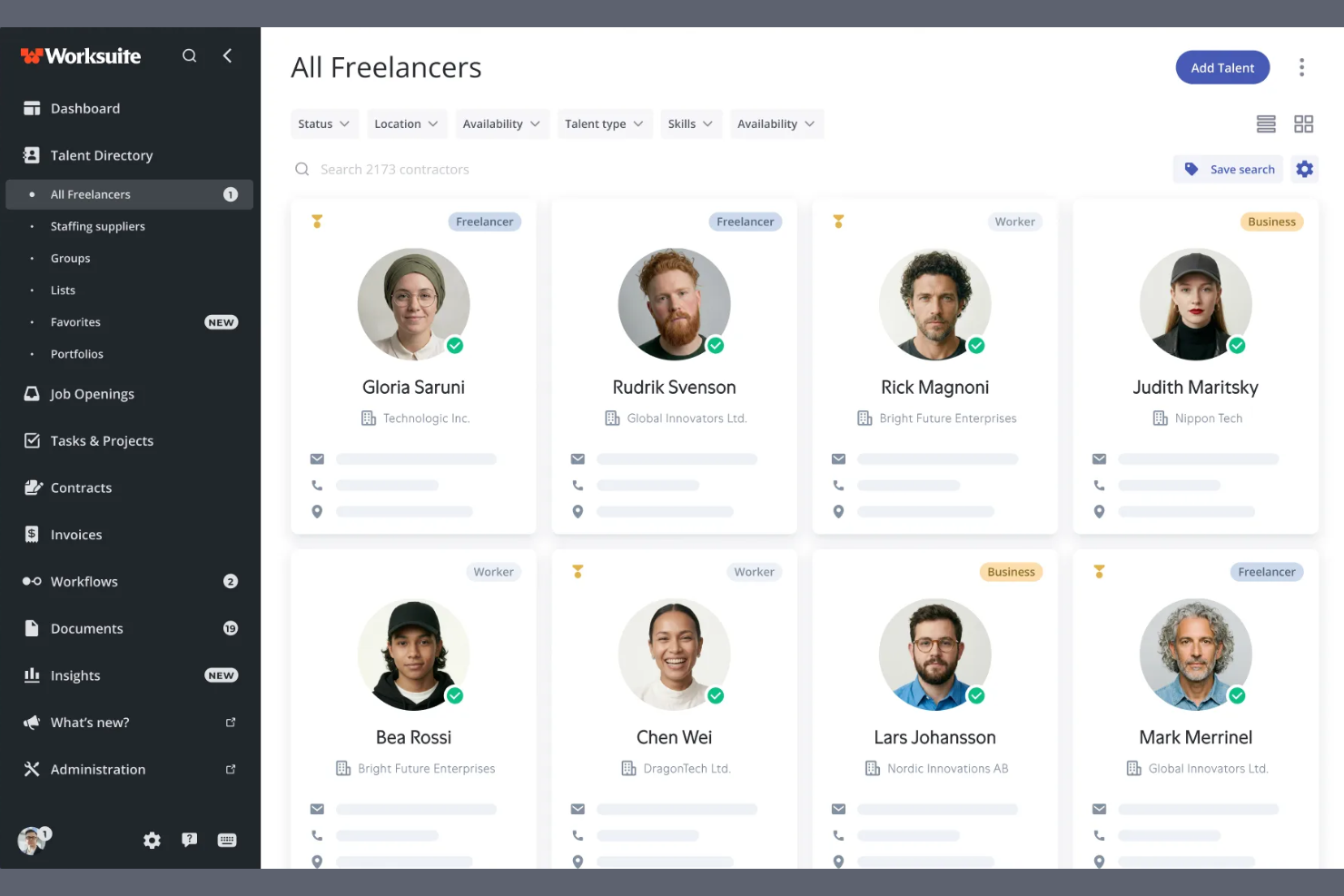
Worksuite is a contractor management platform built for enterprise-scale contingent workforce programs, covering onboarding, compliance, contract lifecycle management, global payments, and direct talent sourcing across multiple entities and regions.
Who Is Worksuite Best For?
Worksuite is a strong fit for enterprise HR and procurement teams managing large, distributed contractor networks across multiple countries or business entities.
Why I Picked Worksuite
Worksuite earns its spot on my shortlist because of how it handles the complexity that actually breaks other platforms at scale. I specifically like its configurable entity-level onboarding workflows, which let you set distinct rules, compliance checkpoints, and approval chains per brand, region, or legal entity without rebuilding everything from scratch each time. The built-in classification engine and Agent of Record (AOR) integration stand out to me, because worker misclassification risk is baked into compliance from day one rather than managed separately. Add payments across 190+ countries with consolidated invoicing, and you've got a system that genuinely holds up when your contractor program spans multiple regions.
Worksuite Key Features
- Private talent pool builder: Create and manage curated, searchable pools of your own vetted contractors to reduce reliance on external marketplaces.
- Workflow builder: Configure custom review, approval, and compliance gate sequences tailored to your organization's structure rather than working around a fixed template.
- Contract lifecycle management: Handle contract creation, negotiation, e-signatures, renewal triggers, and expiry alerts all within the same platform.
- Business intelligence dashboard: Track contractor spend, headcount, compliance status, and time-to-onboard across every entity and region in real time.
Worksuite Integrations
Integrations include NetSuite, QuickBooks, Xero, Salesforce, HubSpot, monday.com, Airtable, Google Workspace, Slack, and Asana.
Pros and Cons
Pros:
- Payments across 190+ countries and currencies
- Supports multi-brand and multi-entity structures
- Risk mitigation engine included
Cons:
- Requires a heavy implementation phase
- Delayed capital release cycle

Worksome
Best for rapid talent onboarding
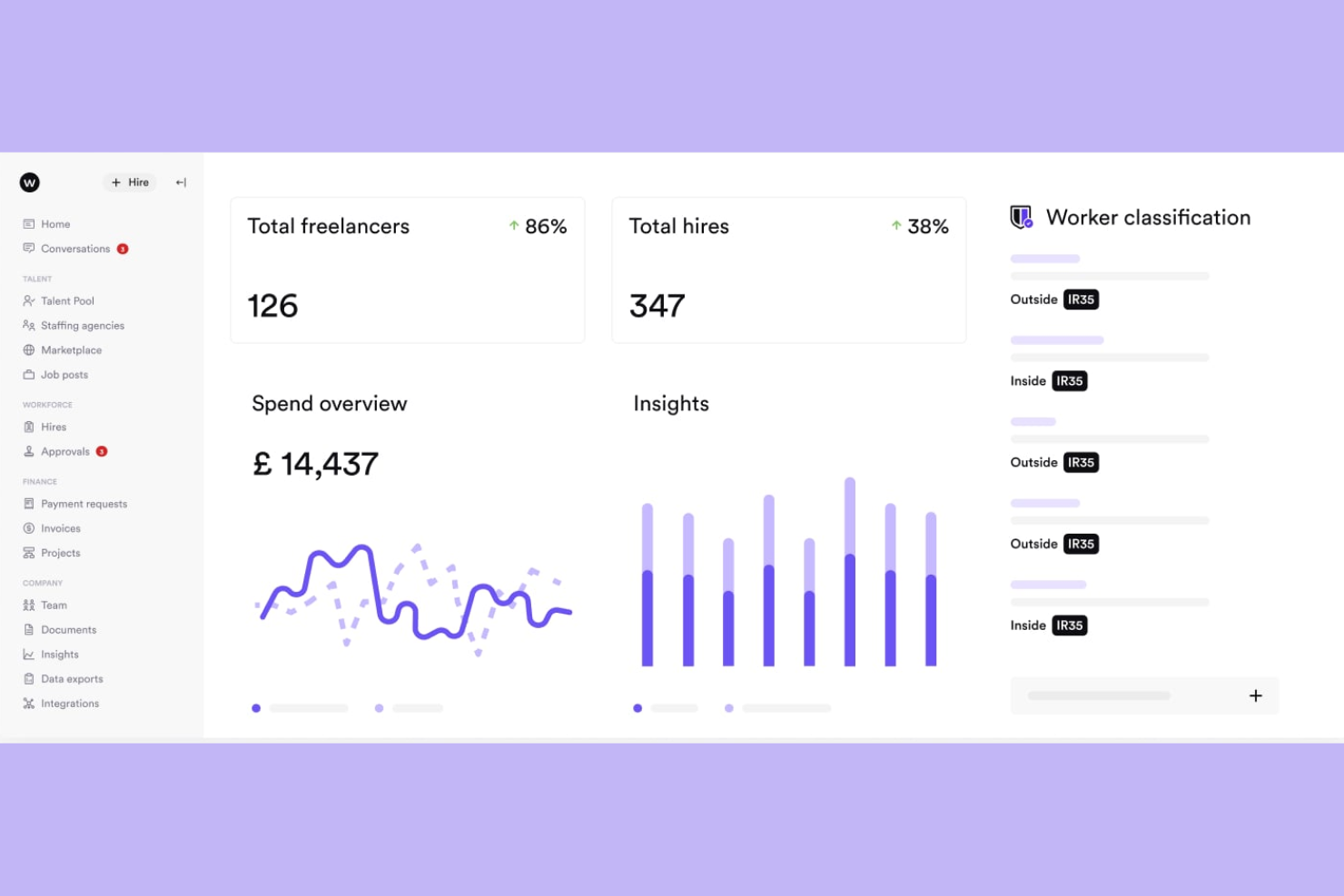
Worksome is a freelancer management system that brings sourcing, compliance classification, contract generation, and global payments into a single automated workflow.
Who Is Worksome Best For?
Worksome is a strong fit for mid-size to enterprise companies that engage contract talent at high volume and need to move from hire decision to active engagement quickly.
Why I Picked Worksome
I've included Worksome in my top picks because its instant onboarding feature genuinely earns that label. When you hire a contractor, Worksome's AI generates compliant contracts across every timezone in minutes, moving a new engagement from "contract sent" to "work started" faster than any other tool I've seen in this space. I also like the AI-powered project-to-talent mapping, which matches open roles against your existing talent ecosystem before you ever post externally.
Worksome Key Features
- Global payments in 150+ countries: Pay contractors across borders, with automatic currency optimization, consolidated invoicing, and built-in tax verification.
- Prepay and factoring: Guarantee contractor payouts within a set timeframe while your organization pays Worksome on a deferred schedule of 30 to 60 days.
- AI job description assistant: Generate polished job descriptions from a brief role summary, with one-click editing and auto-fill for skills and experience fields.
- Worksome Intelligence insights: Access AI-driven commentary on hiring trends, spend breakdowns, and workforce performance data across your entire external talent program.
Worksome Integrations
Integrations include SAP SuccessFactors, Sage, Workday, Xero, NetSuite, QuickBooks, Asana, monday.com, Trello, and Google Docs.
Pros and Cons
Pros:
- Dedicated case manager assigned per account
- Supports multi-currency contractor invoicing
- Built-in worker classification and AOR coverage
Cons:
- Complex initial configuration flow
- Extended treasury disbursement window

Best for centralized invoicing and payments
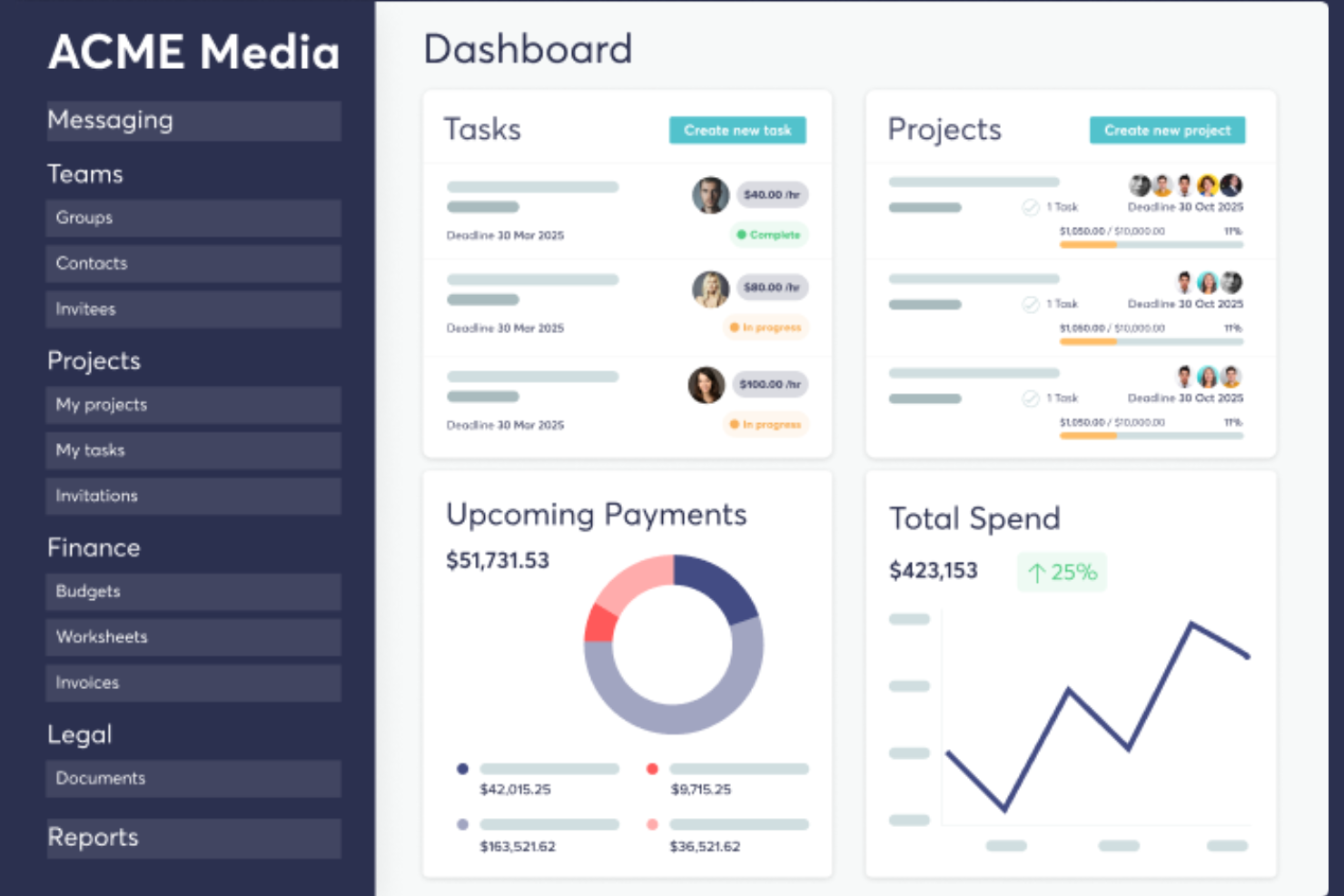
TalentDesk.io is a freelancer and vendor management platform that handles onboarding, project and task tracking, global payments, and compliance for companies managing external workforces.
Who Is TalentDesk.io Best For?
TalentDesk.io is a strong fit for operations and finance teams at small to mid-sized companies that regularly work with large pools of freelancers, contractors, or vendors across multiple countries.
Why I Picked TalentDesk.io
TalentDesk.io earns its spot on my shortlist because of how well it handles the invoicing chaos that comes with managing a large freelancer pool. Instead of collecting and reconciling dozens of individual invoices, I get one consolidated invoice that covers all freelancer payments across 190+ countries and 55+ currencies. I also like that you can set spend caps at the task level, so budgets don't slip before anyone notices. The parent/child organization setup is a nice touch, too, letting separate entities each get their own consolidated invoice.
TalentDesk.io Key Features
- Customizable onboarding templates: Build contractor onboarding flows that capture the specific documents, tax forms, and information your team needs from day one.
- Searchable talent directory: Filter your freelancer roster by skills, location, rate, and availability to find the right person for a task without digging through emails.
- Agent of Record (AOR) service: TalentDesk signs contracts on your behalf and handles AML and KYC verification checks for global contractors.
- 1099 filing and tax form collection: Collect W-9 and W-8BEN forms during onboarding and file 1099s directly from the platform.
TalentDesk.io Integrations
Integrations include Google Sheets, Airtable, Slack, Typeform, HubSpot, Jira, Microsoft Outlook, and Gmail.
Pros and Cons
Pros:
- Responsive and hands-on customer success team
- One-step worksheet approval for batch payments
- Consolidated invoicing across multiple currencies
Cons:
- Limited mobile feature
- Locked purchase order status

Deel HR
Best for centralized HR and compliance insights
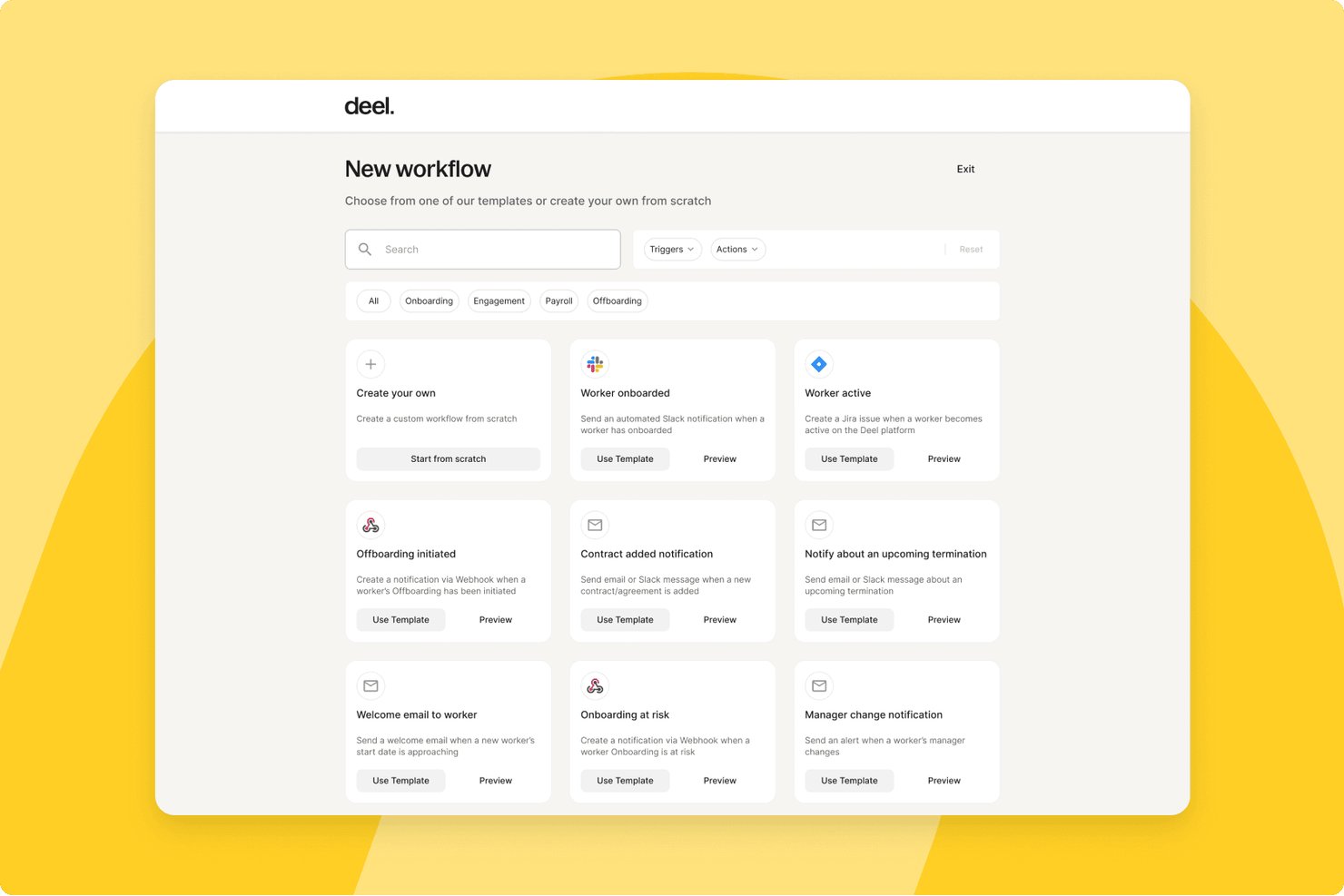
Deel HR is a global workforce management platform that handles contractor onboarding, compliance, multi-currency payments, tax documentation, and contract management for teams working with freelancers and independent contractors across 150+ countries.
Who Is Deel HR Best For?
HR operations teams at mid-size to enterprise companies that regularly engage contractors across multiple countries will get the most from Deel HR.
Why I Picked Deel HR
Deel HR earns its spot on my shortlist because of how it handles compliance visibility across a global contractor roster. I love that contracts automatically update when local laws change, so my team isn't manually tracking regulatory shifts across dozens of jurisdictions. The misclassification safeguards built into contractor onboarding give me a real safety net when engaging workers in countries with complex classification rules.
Deel HR Key Features
- Automated invoicing and global mass payouts: Generate, approve, and pay contractor invoices in 120+ currencies with batch payments.
- Freelancer profile database: Maintain searchable contractor records with custom fields, engagement history, and rate tracking.
- Integrated tax document collection: Automatically collect W-9, W-8BEN, 1099, and international equivalents from contractors.
- Document management and e-signature: Generate, sign, and store contracts, NDAs, and SOWs in a secure digital archive.
Deel HR Integrations
Deel HR offers integrations with QuickBooks, Xero, BambooHR, Expensify, NetSuite, Sage Intacct, Greenhouse, Workday, SAP, and ADP, among others available through its app store. It also connects with Zapier and provides an API for custom integrations.
Pros and Cons
Pros:
- Jurisdiction-specific contract templates built in
- Automated tax document collection across jurisdictions
- Strong global contractor compliance coverage
Cons:
- Support response times can be slow
- Limited project and deliverables tracking features
New Product Updates from Deel HR

Deel Expands Stablecoin Wallet to 80+ Countries
Deel expands its Stablecoin Wallet to 80+ countries with dollar-backed balances and optional rewards. This gives eligible contractors more ways to hold and manage earnings inside Deel. For more information, visit Deel’s official site.
 .
.
YunoJuno
Best for end-to-end compliance management
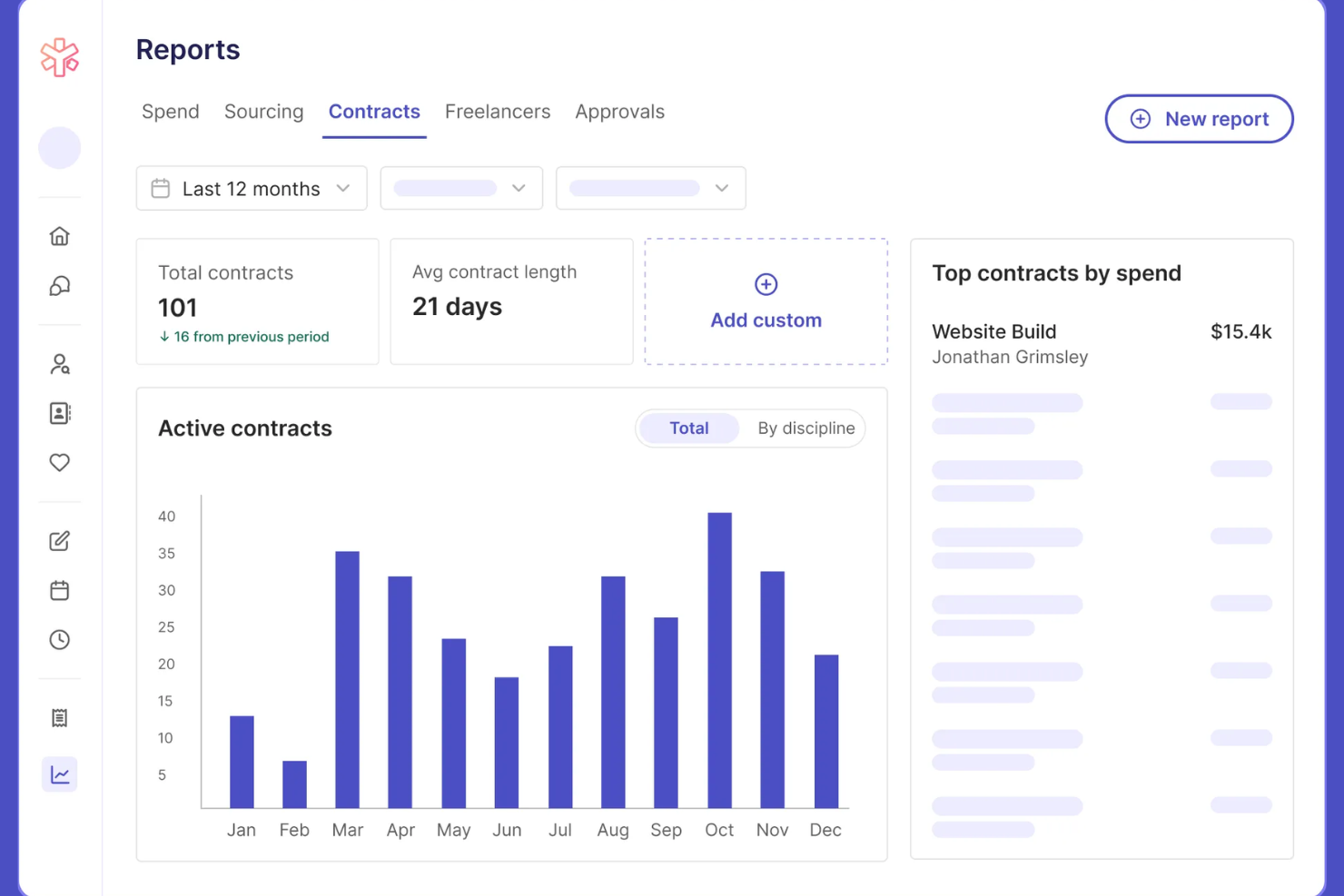
YunoJuno is a freelancer management system that covers the full contractor lifecycle, including sourcing, onboarding, contract management, global compliance checks, and payments across 165+ countries.
Who Is YunoJuno Best For?
YunoJuno is a strong fit for mid-size to enterprise companies that regularly hire contractors across multiple countries and need to manage classification risk and compliance at scale.
Why I Picked YunoJuno
YunoJuno earns its spot on my shortlist because no other tool I've used handles end-to-end compliance management as thoroughly. I particularly like the misclassification indemnification coverage, which protects your business from legal fees, taxes, and penalties tied to contractor classification errors. The platform also runs instant worker classification across 165+ countries and keeps a full audit trail of every classification decision, which I find invaluable when managing contractors across multiple jurisdictions.
YunoJuno Key Features
- Auto-generated contract templates: Generate contracts from project details like rate, dates, and contract type, with NDAs and client policies added automatically.
- Background and right-to-work checks: Run KYC, AML, ID, and right-to-work screening via built-in integrations with Amiqus and Veremark before contracts are issued.
- Real-time spend dashboards: View and filter contractor spend by team, department, project, location, or PO from a single reporting dashboard.
- SOW management: Standardize statements of work and track project milestones directly within the platform.
YunoJuno Integrations
Integrations include Salesforce, Sage, Workday, Xero, Notion, Slack, monday.com, QuickBooks, ADP Workforce Now, and Asana.
Pros and Cons
Pros:
- Automated contracts tailored by role and location
- Built-in human-assisted freelancer sourcing support
- Includes misclassification indemnification coverage
Cons:
- Requires manual applicant vetting
- Targeted freelance pool focus

Remote
Best for streamlined cross-border payouts
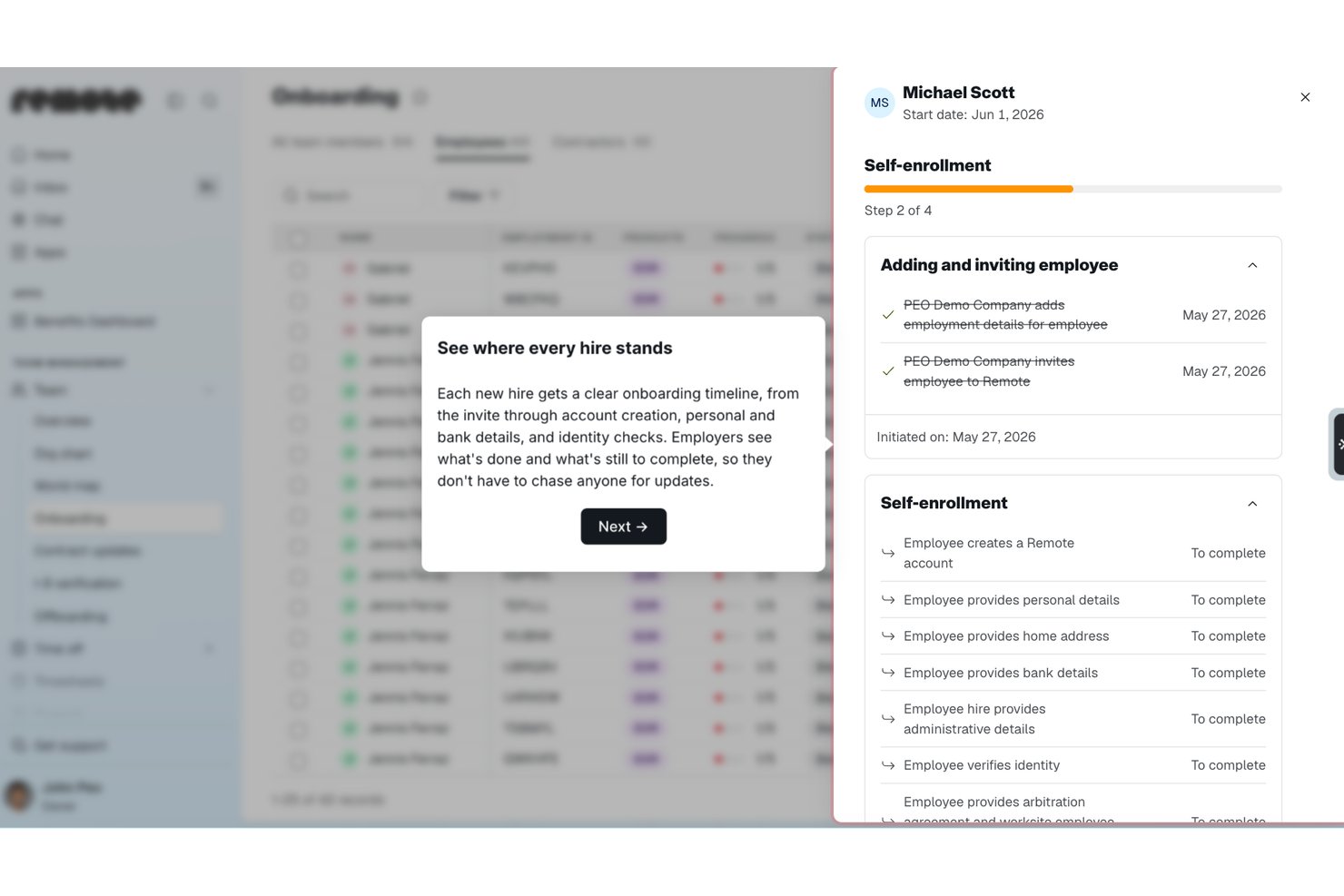
Remote is a global HR and contractor management platform that handles international hiring, contractor onboarding, payroll, and compliance across 200+ countries from a single system.
Who Is Remote Best For?
Remote is a strong fit for globally distributed companies that need to pay contractors and employees across multiple countries without setting up local entities.
Why I Picked Remote
I picked Remote as one of the best because of how it handles payouts for distributed contractor teams. You can pay contractors in 70+ currencies, including stablecoins and virtual wallets, from a single platform. I also like the bulk invoicing, recurring payments, and employer-initiated invoice features, which cut down manual back-and-forth considerably. The auto-detection of inactive contractors means you're only ever billed for people who are actually working, which keeps costs honest.
Remote Key Features
- Localized contractor agreements: Generate contracts tailored to local labour laws in 170+ countries, with options to create, edit, and sign directly in the platform.
- Misclassification risk detection: Built-in AI-powered tools flag potential misclassification risks, with optional indemnity coverage up to $100,000 per contractor through the Contractor Management Plus plan.
- Smart contractor onboarding: Automate the collection of documentation and bring contractors up to speed without manual back-and-forth.
- Remote Watchtower: A team of on-the-ground international experts monitors labour law changes globally and keeps your contracts and processes current.
Remote Integrations
Integrations include BambooHR, HiBob, Personio, Workday, Greenhouse, QuickBooks, Xero, NetSuite, Slack, and Vanta.
Pros and Cons
Pros:
- AI-powered contractor misclassification risk detection
- Owns legal entities in 180+ countries
- Built-in IP and invention rights protection
Cons:
- Extended support ticket resolution
- No built-in talent sourcing or vetting


Fiverr Pro is a curated freelancer marketplace that connects businesses with hand-vetted professionals across creative, technical, and business disciplines for project-based hiring.
Who Is Fiverr Pro Best For?
Fiverr Pro is a strong fit for marketing teams and creative directors at small to mid-sized businesses who need on-demand access to skilled freelancers for design, copy, or video work.
Why I Picked Fiverr Pro
I've included Fiverr Pro in my top picks because of how seriously it takes talent vetting. Every freelancer is reviewed by domain experts before being accepted, and that bar stays high throughout their time on the platform. When I need a specialist, I can use the talent sourcing service, where Fiverr Pro's team interviews and vets candidates and delivers a shortlist with recommendations. I also like the custom vetting option, which lets me layer in my own screening criteria before making a hire.
Fiverr Pro Key Features
- Shared freelancer network: Save and revisit your team's preferred freelancers across projects, making it easy to rehire known talent.
- Purchase approval permissions: Set custom approval rules so team members can hire within defined spend limits.
- AI-assisted project brief generator: Generate a project brief with AI to receive a curated shortlist of matching freelancer offers.
- Legal document management: Upload, send, and collect e-signatures on NDAs and contracts directly within the platform.
Fiverr Pro Integrations
Integrations include WordPress, Shopify, PrestaShop, Adobe Commerce, Wix, WooCommerce, Magento, Drupal, Webflow, and Squarespace.
Pros and Cons
Pros:
- Built-in NDA and contract e-signatures
- Dedicated project managers coordinate complex work
- Freelancers vetted by domain experts before acceptance
Cons:
- Requires manual data entry
- Limited specialized search parameters


Upwork is a freelance marketplace where businesses post jobs, search a global talent pool, manage contracts, track billable hours, and process payments through a single platform.
Who Is Upwork Best For?
Upwork is a strong fit for small to mid-sized businesses and startups that need on-demand access to freelance talent across a wide range of skills and project types.
Why I Picked Upwork
I picked Upwork as one of the best options because no other freelancer management platform gives you access to a talent pool this broad across so many skill categories. What I find especially useful is the AI-assisted talent matching, which surfaces relevant candidates based on your job post without requiring manual searching. I also like the Project Catalogue feature, where freelancers list predefined scopes of work at set prices, so you can hire for a specific task without writing a full job post.
Upwork Key Features
- Built-in time tracker: Freelancers log hours directly in the platform, with optional screenshot capture for hourly contracts.
- Escrow-based milestone payments: Funds are held in escrow and released only after you approve a milestone or deliverable.
- Talent badges and work history: Freelancer profiles display verified job success scores, past client reviews, and earnings history.
- Saved talent lists: Organize and revisit vetted freelancers in curated lists for faster hiring on repeat or future projects.
Upwork Integrations
Upwork offers enterprise-level integrations with ATS, HRIS, and spend management systems, along with VMS partnerships with SAP Fieldglass and Flextrack. An API is available for custom integrations, and Upwork connects with Zapier.
Pros and Cons
Pros:
- Freelancer profiles show verified job success scores
- Escrow payments protect both sides of the contracts
- Covers 8,000+ skill categories across freelance roles
Cons:
- Inconsistent mediation resolution time
- No built-in vetting before freelancers can apply


WorkMarket is an independent contractor management system built by ADP that handles onboarding, verification, work assignment management, compliance support, and payments for 1099 workers and freelancers.
Who Is WorkMarket Best For?
WorkMarket is a strong fit for large enterprises that manage high volumes of field-based or project-based 1099 contractors across multiple locations.
Why I Picked WorkMarket
WorkMarket earns its spot on my shortlist because of how far it takes workflow automation across the full contractor lifecycle. I particularly like its custom automation rules engine, where you can define business-specific triggers and logic to move work orders, assignments, and payments through your pipeline without manual hand-offs. In practice, that means my team can generate a ticket in an external CRM, pass it directly into WorkMarket for contractor assignment, and route completed work data back to our accounting system automatically. That end-to-end automation, built around your own business rules, is what sets WorkMarket apart.
WorkMarket Key Features
- Labour Clouds: Organize contractors into groups by skill set, geography, or certification so you can quickly find and deploy the right worker for a given job.
- Assignment templates: Build reusable templates for recurring work orders to reduce setup time and maintain consistency across high-volume assignments.
- Contractor mobile app: Workers can check in and out, upload deliverables, communicate via SMS, and submit work for approval directly from a mobile device.
- Electronic 1099-NEC filing: WorkMarket prepares and files 1099-NEC forms with the IRS and applicable state agencies on your behalf at year-end.
WorkMarket Integrations
Integrations include AutoTask, ConnectWise, and Salesforce.
Pros and Cons
Pros:
- Flexible pay by milestone, project, or hour
- Bulk work order publishing to large groups
- AI-powered freelancer recommendations by skill
Cons:
- Mobile app lacks key web features
- 30-day waiting period for payouts


Beeline is a vendor management system (VMS) built for managing contingent and external workforces, covering contractor sourcing, supplier management, compliance, time and expense tracking, and independent contractor engagement.
Who Is Beeline Best For?
Beeline is a strong fit for large enterprises and procurement teams that manage high volumes of contingent workers, staffing suppliers, and extended workforce programs.
Why I Picked Beeline
Beeline earns its spot on my shortlist because no other tool in this space is built as exclusively for large, complex contingent workforce programs as this one. What stands out to me is the SOW management module, which covers the full lifecycle from sourcing through to invoicing, so you can track outsourced project work the same way you track individual contractors. I also like the global localization capabilities, which handle fiscal, legal, cultural, and language differences across countries without requiring custom workarounds. With $68B+ in annual spend under management and 6.1M assignments created annually, this is a platform built for serious scale.
Beeline Key Features
- Supplier performance analytics: Track and compare supplier rates, performance data, and spend across your entire contingent labour program in real time.
- Automated approval workflows: Move requisitions through hiring steps with simplified, click-reduced workflows and built-in automated approvals.
- Audit trail and classification safeguards: Enforce contract policies, multi-tier supplier rules, and compliance checks with a complete audit trail for every worker engagement.
- Direct sourcing module: Source and engage contingent talent directly, bypassing traditional staffing suppliers where appropriate.
Beeline Integrations
Beeline has completed over 2,000 integrations across HR, finance, sourcing, and IT systems, connecting with platforms like Workday, SAP, Oracle, Coupa, Kronos, and Okta. It offers 300+ RESTful APIs through its Developer Portal, along with plug-and-play connectors, data feeds, and iPaaS support for custom configurations.
Pros and Cons
Pros:
- Multi-vendor requisition and submission tracking
- Automates onboarding, time tracking, and invoicing
- Supports large, global contingent workforce programs
Cons:
- Managed configuration change requests
- Steep learning curve for analytics tools
Annen programvare for administrasjon av frilansere
Her er noen flere alternativer for programvare for administrasjon av frilansere som ikke kom med på kortlisten, men som likevel er verdt å undersøke:
- Multiplier
For multi-country payroll in one platform
- Hubstaff
For integrated time tracking and productivity
- WorkMotion
For automated employment status transitions
- Avature
For customizable talent acquisition workflows
- Field Nation
For managing onsite project-based work
- WorkGenius
For AI-powered talent matching


How I Evaluate Freelancer Management Software
I evaluate freelancer management software in two layers: the baseline every tool must hit to qualify—contractor onboarding, classification checks, global payouts—and what separates the best from the rest.
Core Functionality (Table Stakes For This List)
When I'm selecting tools for my list, I rank each one on a scale from 0 (does not offer the functionality) to 5 (excels in this area) for each core functionality listed below. Then, I calculate the tool's total score into a percentage. Each tool needs to achieve a minimum total score of 65% to be considered for inclusion.
- Freelancer Onboarding & Database: I look for a centralized talent pool where freelancers can self-onboard, upload documents, and maintain profiles with skills, rates, and availability.
- Worker Classification & Compliance: Each tool should offer classification checks that flag misclassification risk before a contract goes out—not just collect tax forms after the fact.
- Contracts & E-Signature: I evaluate whether you can templatize SOWs and NDAs, send them for e-signature, and store executed copies without toggling to a separate tool.
- Project & Engagement Tracking: The platform should let you assign deliverables, log hours, and track milestones so managers aren't chasing updates across spreadsheets and chat threads.
- Invoicing & Global Payments: I check for multi-currency payout support and consolidated invoice approvals, especially for teams paying freelancers across multiple regions at once.
- Tax Document Management: Automated 1099 generation and collection matters here—I look for tools that handle year-end filings rather than forcing manual prep in spreadsheets.
- Approvals & Budget Controls: Multi-level approval chains and per-project budget visibility help finance and hiring managers stay aligned on contractor spend before invoices clear.
- HRIS/ERP/Accounting Integrations: I check for native connectors to platforms like QuickBooks, NetSuite, or Workday so contractor data flows into your existing financial and HR systems.
Once I have a list of tools that meet this criteria, I consider what sets each platform apart.
Differentiating Factors (What Sets Vendors Apart)
Here's how I compare and contrast different vendors:
Standout Features
AI talent matching is a big differentiator—platforms that recommend freelancers based on skills, past ratings, and budget save hiring managers from manually sifting through a growing talent pool. I also evaluate whether a vendor offers Agent of Record services, which shift misclassification liability off your organization. Spend analytics matter too. Real-time dashboards that break down contractor costs by project, department, or cost center give finance teams the visibility they need to manage budgets proactively.
Beyond Features
Global coverage is one of the first things I evaluate—some platforms support payouts in a handful of countries while others cover 150+, which matters when your freelancer base spans multiple regions. Pricing models vary widely too. I look at whether a vendor charges flat per-contractor fees or takes a percentage of each payment, since that distinction changes your total cost dramatically as headcount scales. Security certifications like SOC 2 Type II and GDPR compliance also carry weight, especially for teams handling sensitive contractor data across jurisdictions.
Slik velger du programvare for administrasjon av frilansere
Det er lett å gå seg vill i lange funksjonslister og komplekse prismodeller. For å holde fokus mens du arbeider deg gjennom den unike prosessen med å velge programvare, får du her en sjekkliste over faktorer du bør ha i tankene:
| Faktor | Hva du bør vurdere |
| Skalerbarhet | Kan løsningen håndtere det nåværende antallet frilansere og den forventede veksten? Tenk over om du senere trenger å legge til hundrevis av flere brukere eller utvide til nye forretningsenheter. |
| Integrasjoner | Kan verktøyet kobles til HRIS-, lønns-, prosjektstyrings- eller faktureringssystemene dine? Vurder mulige datasiloer eller dobbeltarbeid hvis integrasjoner ikke finnes. |
| Tilpasningsmuligheter | Kan du justere arbeidsflyter, dokumentmaler eller godkjenningsprosesser slik at de passer virksomheten din? Se etter rigide formater eller skjulte kostnader for støtte til tilpasning. |
| Brukervennlighet | Vil teamet og frilanserne dine ta programvaren raskt i bruk? Se etter et tydelig grensesnitt, minimalt opplæringsbehov og et intuitivt design fremfor et prangende kontrollpanel. |
| Implementering og onboarding | Hvor lang tid vil det ta å gi teamet og frilanserne dine full onboarding? Spør om støtte til migrering, sandkassemiljøer og tilgjengelige ressurser for endringsledelse. |
| Kostnad | Gå gjennom prisnivåene for aktive brukere, transaksjonsgebyrer eller skjulte tillegg. Sørg for at plattformen passer inn i dagens og fremtidens budsjett uten uventede utgifter. |
| Sikkerhetstiltak | Oppfyller plattformen virksomhetens krav til personvern, kryptering og tilgangskontroll? Be om dokumentasjon som bekrefter samsvar med bransjestandarder. |
| Krav til samsvar | Håndteres lokal klassifisering av arbeidstakere, digitale signaturer og skattedokumentasjon for alle regionene du ansetter i? Kontroller at verktøyene samsvarer med virksomhetens regulatoriske risikoeksponering. |
Hva er programvare for administrasjon av frilansere?
Programvare for administrasjon av frilansere er digitale plattformer som hjelper virksomheter med å organisere, ta imot, administrere og betale selvstendige oppdragstakere eller frilansarbeidere. Disse verktøyene samler prosjektoppdrag, kontrakter, samsvarsdokumentasjon, kommunikasjon og betalinger på ett sted. Ved å gjøre det enklere å følge med på frilansernes prestasjoner og håndtere administrative oppgaver hjelper de HR-medarbeidere med å redusere manuelt arbeid og risiko for manglende samsvar når de samarbeider med en ekstern arbeidsstyrke.
Funksjoner
Her er de viktigste funksjonene all god programvare for administrasjon av frilansere bør ha:
- Frilanserdatabase: Lagre profiler, kontaktopplysninger, kontrakter og arbeidshistorikk for hver frilanser i en sikker og søkbar katalog som du enkelt kan oppdatere og bruke som referanse.
- Oppfølging av prosjekter og oppdrag: Tildel oppgaver eller prosjekter til frilansere, sett tidsfrister, følg med på fremdriften og gjør justeringer etter hvert som prosjektbehovene endrer seg.
- Arbeidsflyter for introduksjon: Veiled nye frilansere gjennom standardiserte digitale trinn for introduksjon, inkludert innsamling av dokumenter, bakgrunnssjekker og signering av kontrakter.
- Automatiserte betalinger: Håndter fakturering, godkjenninger og automatiserte betalinger slik at frilansere betales korrekt og til rett tid gjennom foretrukne betalingsmetoder.
- Dokumentadministrasjon: Lagre, del og oppdater kontrakter, NDA-er, skattedokumenter og annet viktig papirarbeid, slik at det blir enkelt å få tilgang til og følge opp når regelverket endres.
- Oppfølging av samsvar: Følg med på og sørg for riktig klassifisering av arbeidstakere, overholdelse av lokale arbeidslover og innsamling av skatteskjemaer for å redusere risikoen for feilklassifisering.
- Registrering av tid og utgifter: La frilansere registrere timer og sende inn utgifter for prosjekter, slik at ledere får bedre oversikt over det faktiske arbeidet som er utført.
- Rapportering og analyse: Generer standardrapporter og tilpassede rapporter om kostnader, prosjektstatus, produktivitet og samsvar for å støtte beslutningstaking og interne revisjoner.
- Samarbeidsverktøy: Del filer, send oppdateringer og kommuniser direkte med frilansere i plattformen for å holde alle samkjørte og prosjektene organiserte.
Vanlige AI-funksjoner i programvare for administrasjon av frilansere
I tillegg til standardfunksjonene i programvare for administrasjon av frilansere som er nevnt ovenfor, tar mange av disse løsningene i bruk AI med funksjoner som:
- AI-drevet matching av talenter: Systemet analyserer automatisk prosjektkrav og frilanserprofiler for å anbefale den beste kandidaten til hvert oppdrag, noe som reduserer manuelt sorteringsarbeid og sparer verdifull tid.
- Smarte anbefalinger av honorarer: AI vurderer markedsdata og historiske ansettelsestrender for å foreslå rettferdige og konkurransedyktige satser for bestemte roller eller ferdigheter, slik at både oppdragsgivere og frilansere kan ta informerte beslutninger.
- Prediktiv prosjektprognostisering: Programvaren bruker historiske resultatmålinger til å anslå prosjektplaner, identifisere ressursmangler og varsle om potensielle leveranserisikoer før problemer oppstår.
- Automatiserte samsvarskontroller: AI overvåker endringer i lokale arbeidslover og regler for status som oppdragstaker, varsler om potensielle problemer eller anbefaler tiltak for å overholde regelverket når du inngår avtaler med nye frilansere.
- Chatboter med naturlig språk: AI-drevne chattegrensesnitt svarer på spørsmål fra frilansere, veileder brukere gjennom arbeidsflyter for introduksjon eller betaling og tilbyr automatisk selvhjelp døgnet rundt.
Fordeler
Implementering av programvare for administrasjon av frilansere gir flere fordeler for teamet og virksomheten din. Her er noen av fordelene du kan se frem til:
- Sentralisert oversikt: Administrer frilanserdata, kontrakter og kommunikasjon i én plattform for enklere tilgang og bedre kontroll.
- Effektiv introduksjon: Automatiserte digitale arbeidsflyter hjelper nye frilansere med å sende inn dokumentasjon, godta kontrakter og komme raskt i gang.
- Nøyaktige betalinger til rett tid: Integrerte funksjoner for fakturering og betaling sørger for at oppdragstakere betales i henhold til milepæler eller registrerte timer, med mindre manuelt arbeid.
- Redusert risiko for manglende samsvar: Innebygde verktøy for samsvar følger opp arbeidstakerstatus, håndterer dokumentasjon og varsler deg om potensielle problemer knyttet til klassifisering eller regelverk.
- Skalerbare prosesser: Organiserte arbeidsflyter for publisering av prosjekter, administrasjon av oppdrag og behandling av betalinger gjør det enklere å skalere frilansarbeidsstyrken etter hvert som virksomhetens behov vokser.
- Bedre samarbeid: Meldinger i appen og deling av dokumenter hjelper teamet og frilanserne med å holde seg samkjørte gjennom hvert prosjekt.
- Handlingsrettet innsikt: Kontrollpaneler og tilpassede rapporter gir data om frilansernes prestasjoner, kostnadstrender og prosjektstatus, slik at HR-team kan ta mer informerte beslutninger.
Kostnader og priser
Ved valg av programvare for frilanseradministrasjon er det viktig å forstå de ulike prismodellene og abonnementene som er tilgjengelige. Kostnadene varierer basert på funksjoner, teamstørrelse, tillegg og mer. Tabellen nedenfor oppsummerer vanlige abonnementer, gjennomsnittspriser og typiske funksjoner som er inkludert i løsninger for programvare for frilanseradministrasjon:
Sammenligningstabell for programvare for frilanseradministrasjon
| Abonnementstype | Gjennomsnittspris | Vanlige funksjoner |
| Gratisabonnement | $0 | Grunnleggende frilanserprofiler, enkel publisering av prosjekter, begrenset kontraktsadministrasjon og grunnleggende rapportering. |
| Personlig abonnement | $10-$25/bruker/måned | Utvidede katalogfunksjoner, begrensede verktøy for innføring, grunnleggende betalingsbehandling og kundestøtte via e-post. |
| Bedriftsabonnement | $25-$60/bruker/måned | Avanserte arbeidsflyter for innføring, automatisering av kontrakter, betalingsintegrasjoner, overvåking av etterlevelse og meldinger i appen. |
| Abonnement for store virksomheter | $60-$150/bruker/måned | Tilpassede arbeidsflyter, API-tilgang, avansert analyse, verktøy for internasjonal etterlevelse, prioritert kundestøtte og dedikert kontoadministrasjon. |
Vanlige spørsmål
Her er noen svar på vanlige spørsmål om programvare for frilanseradministrasjon:
Trenger jeg programvare for frilanseradministrasjon hvis jeg bare ansetter noen få oppdragstakere?
Nei, programvare for frilanseradministrasjon er mest nyttig for virksomheter som administrerer mange frilansere eller komplekse prosjekter. Med bare noen få oppdragstakere kan regneark eller manuelle prosesser være tilstrekkelig. Etter hvert som frilansarbeidsstyrken vokser, hjelper spesialiserte verktøy for arbeidsstyrkeadministrasjon små bedrifter med å håndtere frilansarbeid bedre og ansette frilansere mer effektivt.
Hvordan hjelper programvare for frilanseradministrasjon med betalingsbehandling?
Disse plattformene automatiserer fakturering og betalinger – de beregner beløp basert på kontrakter, milepæler eller arbeidede timer. De støtter flere betalingsmetoder og valutaer, noe som reduserer behovet for manuell sporing og sikrer at frilansere får riktig betaling til rett tid. Dette bidrar også til å strukturere utsettingsavtaler, sikre at tydelige frilanskontrakter følges og gjøre det enklere å betale frilansere pålitelig på tvers av ulike prosjekter og bidragsytere.
Hva bør jeg se etter når det gjelder sikkerhet?
Se etter programvare med kryptering, rollebaserte tilgangskontroller, revisjonslogger og regelmessige sikkerhetsvurderinger utført av tredjeparter. Sørg for at plattformen følger bransjestandarder og lar deg administrere tillatelser for både interne brukere og eksterne frilansere, spesielt når du bruker delte kommunikasjonsverktøy på tvers av distribuerte miljøer for fjernarbeid.
Kan programvare for frilanseradministrasjon integreres med de andre HR-verktøyene mine?
Ja, mange løsninger integreres med HRIS, lønnssystemer, prosjektstyring, systemer for dokumentlagring og bredere plattformer for arbeidsstyrkeadministrasjon. Du bør bekrefte hvilke spesifikke koblinger eller API-alternativer som er tilgjengelige før du velger en plattform, særlig hvis du er avhengig av bestemte verktøy for å koordinere team, administrere en intern algoritme for oppgavefordeling eller støtte strukturerte arbeidsflyter for programvareutvikling og produksjon.
Er det vanskelig å ta frilansere om bord gjennom disse plattformene?
Nei, de fleste plattformer gjør dette enkelt ved å tilby en strukturert prosess for innføring, digitale arbeidsflyter, elektroniske signaturer og sjekklister for frilanskontrakter og nødvendige dokumenter. Dette hjelper både HR-team og selvstendig næringsdrivende frilansere med å komme raskere i gang, med færre manuelle oppfølginger. Det forbedrer også koordineringen for roller innen webdesign, grafisk design og andre former for fjernarbeid, og sikrer smidigere kommunikasjon og tydeligere forventninger fra første dag.