

10 Best Free LMS Reviewed in 2026

Best Free LMS Shortlist


The best free LMS tools help you deliver, track, and manage employee training without increasing your software budget. If you’re manually updating spreadsheets to record completions, emailing reminders to employees who miss deadlines, or scrambling to pull proof of compliance before an audit, training quickly turns into a time-consuming liability. A free LMS centralizes course delivery, progress tracking, and reporting so your team stays compliant and aligned without extra admin work.
I’ve tested and reviewed LMS platforms across startups and growing teams, evaluating feature limits, reporting depth, user experience, and long-term viability. I look beyond marketing claims to see how each system performs under real training demands, including onboarding, compliance programs, and skills development initiatives.
In this guide, I’ll share the best free LMS tools available, explain their strengths and constraints, and help you determine which option fits your organization’s size, training requirements, and growth plans.
Why Trust Our Software Recommendations
Our team has been testing and reviewing software since 2012. As HR experts ourselves, we know how difficult—and important—it is to choose the right software.
For this guide, we evaluated tools using hands-on testing and independent research, scoring tools using our selection criteria. We also draw on insights from industry thought leaders and practicing HR experts.
Our reviews reflect our human editorial judgment, not a sales pitch.
Expert reviewers:
Free LMS Comparison Table
Here are the base costs for each of the tools that made it onto my shortlist:
| Tool | Best For | Trial Info | Price | ||
|---|---|---|---|---|---|
| 1 | Best for quick and intuitive setup | Free plan + free demo available | From $119/month (billed annually) | Website | |
| 2 | Best for customizable global language support | Free to use | Free and open source | Website | |
| 3 | Best for small teams testing structured employee training | Free plan available | From $23.88/user/month (billed annually) | Website | |
| 4 | Best for flexible, scalable learning | Free trial + free demo available | Pricing upon request | Website | |
| 5 | Best for engaging K-12 learning experiences | Free plan available for qualifying institutions | Google Workspace for Education plans start at $6 per user/month | Website | |
| 6 | Best for mobile learning and training | Free demo available | Pricing upon request | Website | |
| 7 | Best free mobile-first LMS for frontline teams | Free plan + free 30-day trial + free demo available | From $5/learner/month (billed annually) | Website | |
| 8 | Best for multilingual learning platform support | Free demo + free download available | Free, open-source | Website | |
| 9 | Best for AI-assisted course creation and SMB-friendly deployment | 7-day free trial + free demo available | Free | Website | |
| 10 | Best for self-paced upskilling needs | Free demo available | Free-forever plan | Website |

Best Free LMS Reviews
Below are my detailed summaries of the best free LMS software that made it onto my shortlist. My reviews offer a detailed look at the key add-ons, features, pros and cons, integrations, and ideal use cases of each tool to help you find the best one for you. While some of these tools offer a completely free, all-in-one version, others offer a free trial period and fewer features. I’ve added a note about what’s free in each of my reviews.

Best for quick and intuitive setup
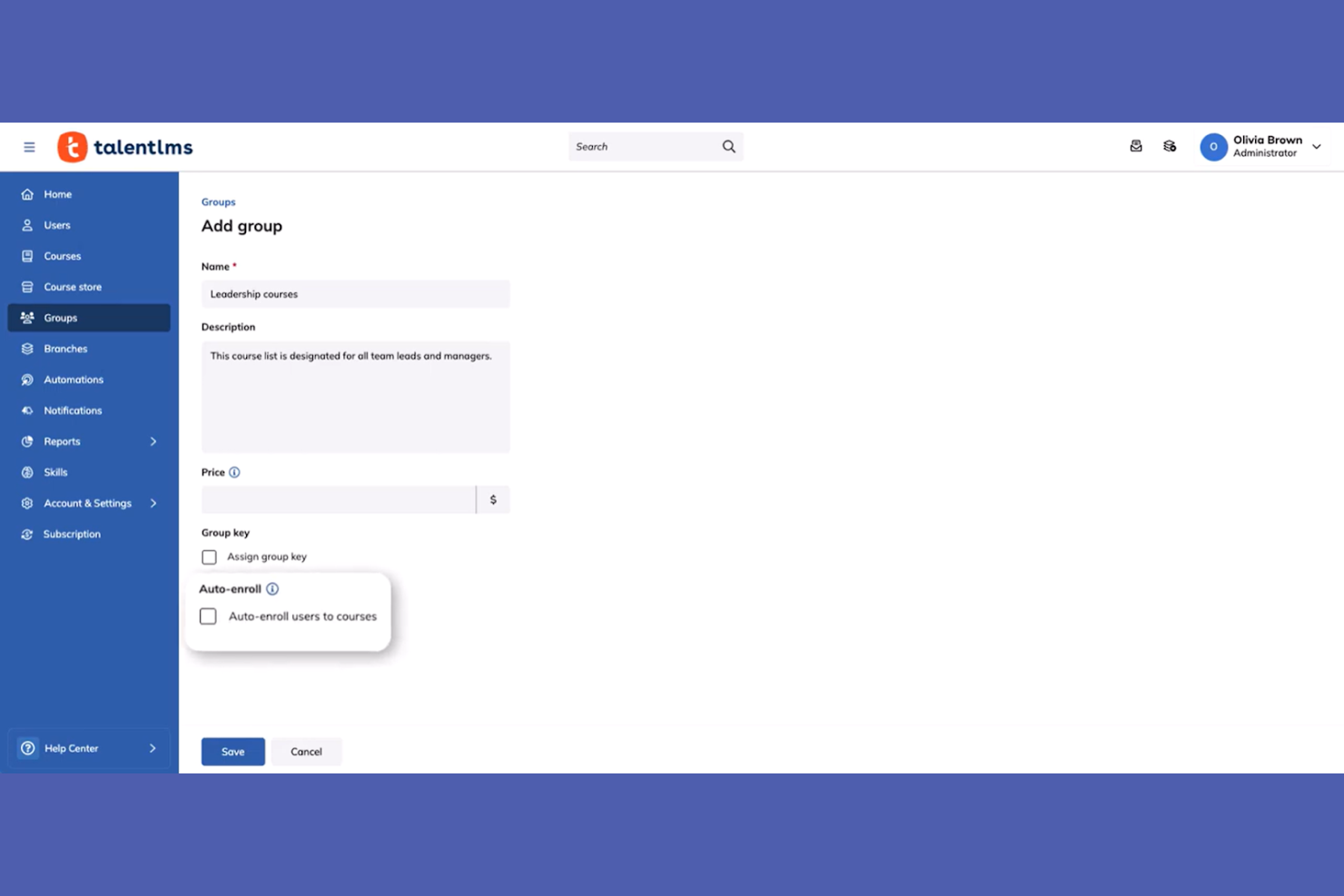
TalentLMS is an easy-to-use LMS designed for businesses of all sizes. It facilitates employee training and development by providing a platform that simplifies course creation and delivery.
Why I picked TalentLMS: TalentLMS provides a free-forever plan for up to 5 users and 10 courses, making it a great choice for small teams looking to upskill quickly. Its quick setup is a standout feature, allowing you to launch your training programs without a lengthy implementation process. The free version includes essential features like course creation, assessments, and certification. This makes it ideal for teams that need a straightforward skill development solution.
Standout features and integrations:
Features include customizable course templates, which help you tailor training to your needs. The platform offers gamification elements to boost engagement and motivation. You can also track progress through detailed reporting, providing insights into your team's learning journey.
Integrations include Zoom, Microsoft Teams, Google Drive, Dropbox, Salesforce, Shopify, WordPress, GoToMeeting, LinkedIn Learning, and Zapier.
What's free?
TalentLMS offers a free-forever plan for up to 5 users and 10 courses, with unlimited email support and access to testing generative AI, making it ideal for small teams or pilot programs.
Pros and Cons
Pros:
- Customizable course templates
- Detailed reporting features
- Gamification elements
Cons:
- Basic support for free users
- Limited courses on the free plan
New Product Updates from TalentLMS
TalentLMS Adds Learning Paths, AI Video, and Learner Experience Updates
TalentLMS introduced updates across learning management, content creation, and learner experience, including Learning Paths for Groups, AI video generation in TalentCraft, video bookmarking, and expanded administration tools. For more information, visit TalentLMS’s official site.

Moodle
Best for customizable global language support
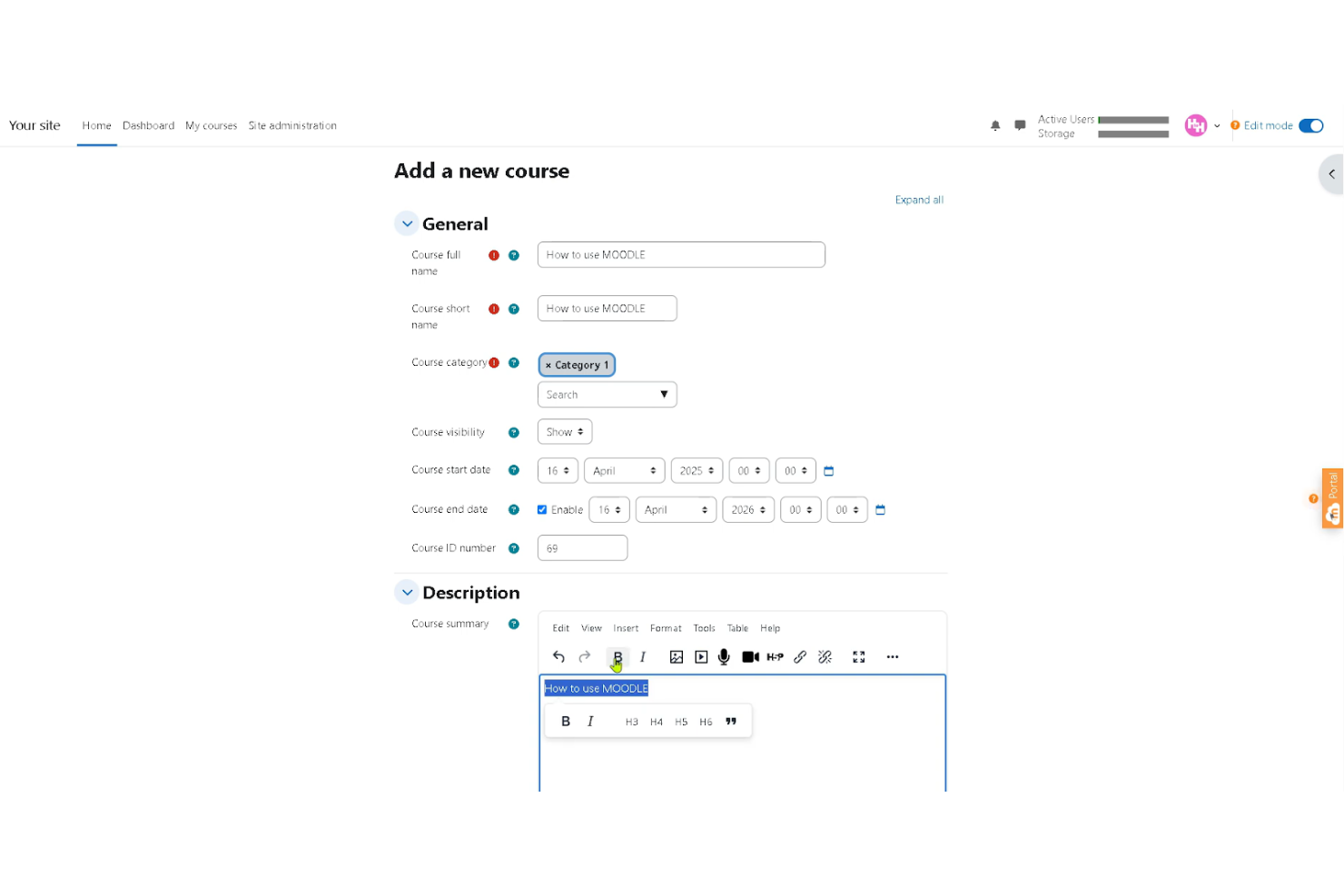
Moodle is a widely used open-source LMS that supports educational institutions and organizations of all sizes. It offers global language support and extensive customization options, making it suitable for multilingual and distributed teams.
Why I picked Moodle:
Moodle stands out as a truly free, open-source LMS that you can download and host on your own server without licensing fees. There are no limits on users or courses, and you have full control over customization, plugins, and system configuration. The platform includes core features like course management, assessments, forums, and mobile access, making it a flexible option for teams that want control over their learning environment.
While the software itself is free, you are responsible for hosting, maintenance, updates, and security unless you choose a paid hosting provider or MoodleCloud plan.
Standout features and integrations:
Features include customizable course modules, multilingual support, mobile compatibility, and a large plugin ecosystem that enables interactive quizzes, assignments, certifications, and discussion forums. Moodle also includes role-based permissions and reporting tools to help manage learners and protect data.
Integrations include BigBlueButton, IntelliBoard, ReadSpeaker, Advacheck, Turnitin, H5P, and more.
What’s free?
Moodle’s core open-source software is free to download and use with unlimited users. However, you’ll need to pay for hosting, infrastructure, and technical support unless you manage it in-house. For teams that prefer a managed option, MoodleCloud offers paid hosted plans and a limited free trial.
Pros and Cons
Pros:
- Extensive plugin options
- Mobile-friendly access
- Supports multiple languages
Cons:
- Limited built-in hosting
- Complex user interface
ProProfs
Best for small teams testing structured employee training
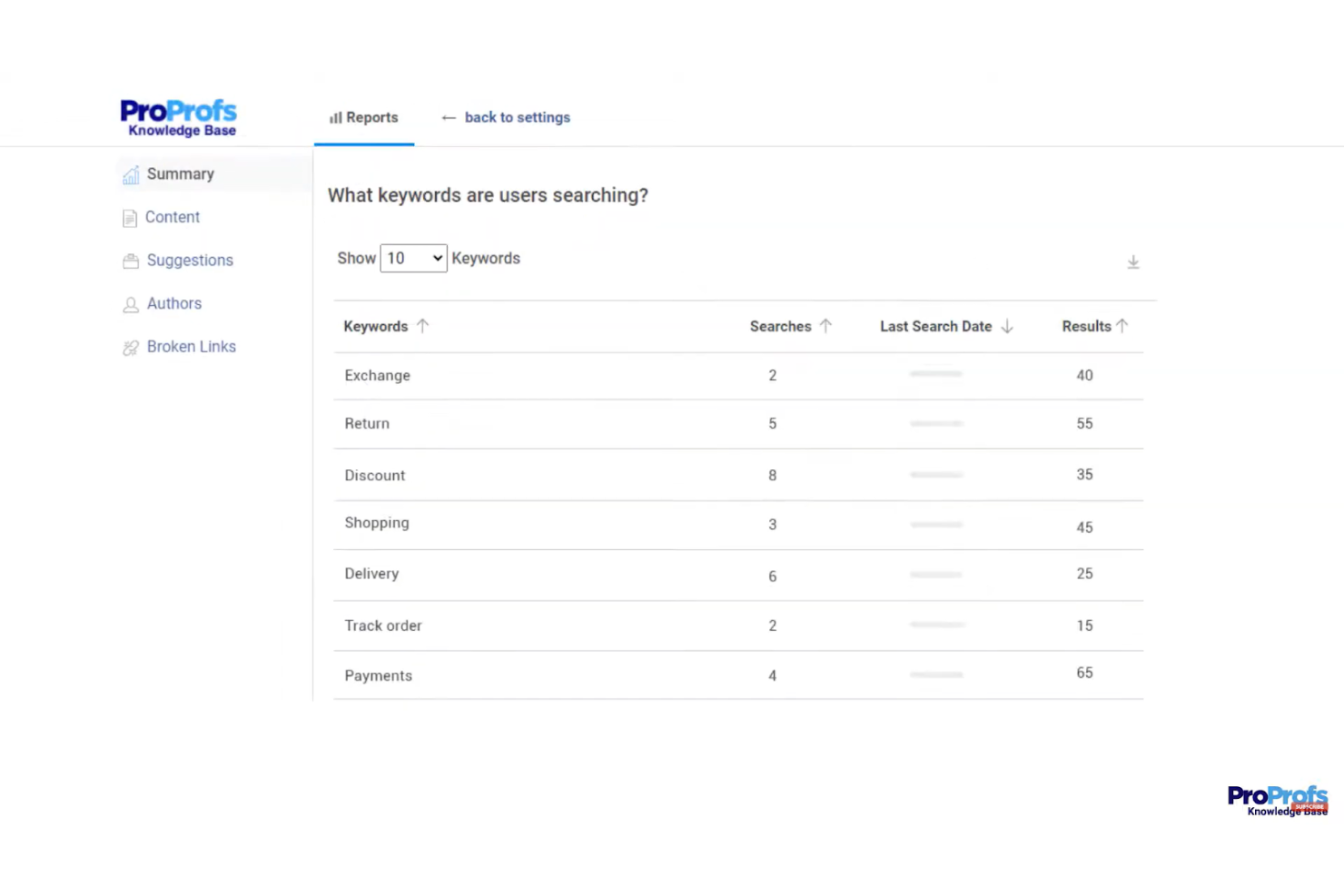
ProProfs is an online LMS designed for educators and trainers who need to create engaging quizzes and tests. It provides tools for building assessments and tracking learner performance, making it ideal for academic institutions and corporate training programs.
Why I picked ProProfs: ProProfs offers a free-forever plan that supports up to 10 learners with access to all core LMS features. This makes it a practical option for small teams that want to launch structured training without upfront costs. You can create courses, assess learners, and track performance while keeping the setup simple and manageable.
The free plan works well for startups or small departments testing formal training for the first time.
Standout features and integrations:
Features include an intuitive quiz maker that supports various question formats, including multiple choice, true or false, and fill-in-the-blank. You can add images and videos to make your quizzes more interactive. ProProfs also offers automatic grading, providing instant feedback to learners and potentially saving you time.
Integrations include Mailchimp, Salesforce, SugarCRM, xAPI, and more.
What's free?
The free plan includes access to all LMS features for up to 10 learners, making it suitable for small teams getting started with employee training.
Pros and Cons
Pros:
- Supports multimedia and SCORM content
- Built-in quizzes and automated grading
- AI-powered lesson creation
Cons:
- May lack deep customization compared to open-source LMS solutions
- Advanced reporting and analytics may not match enterprise LMS platforms

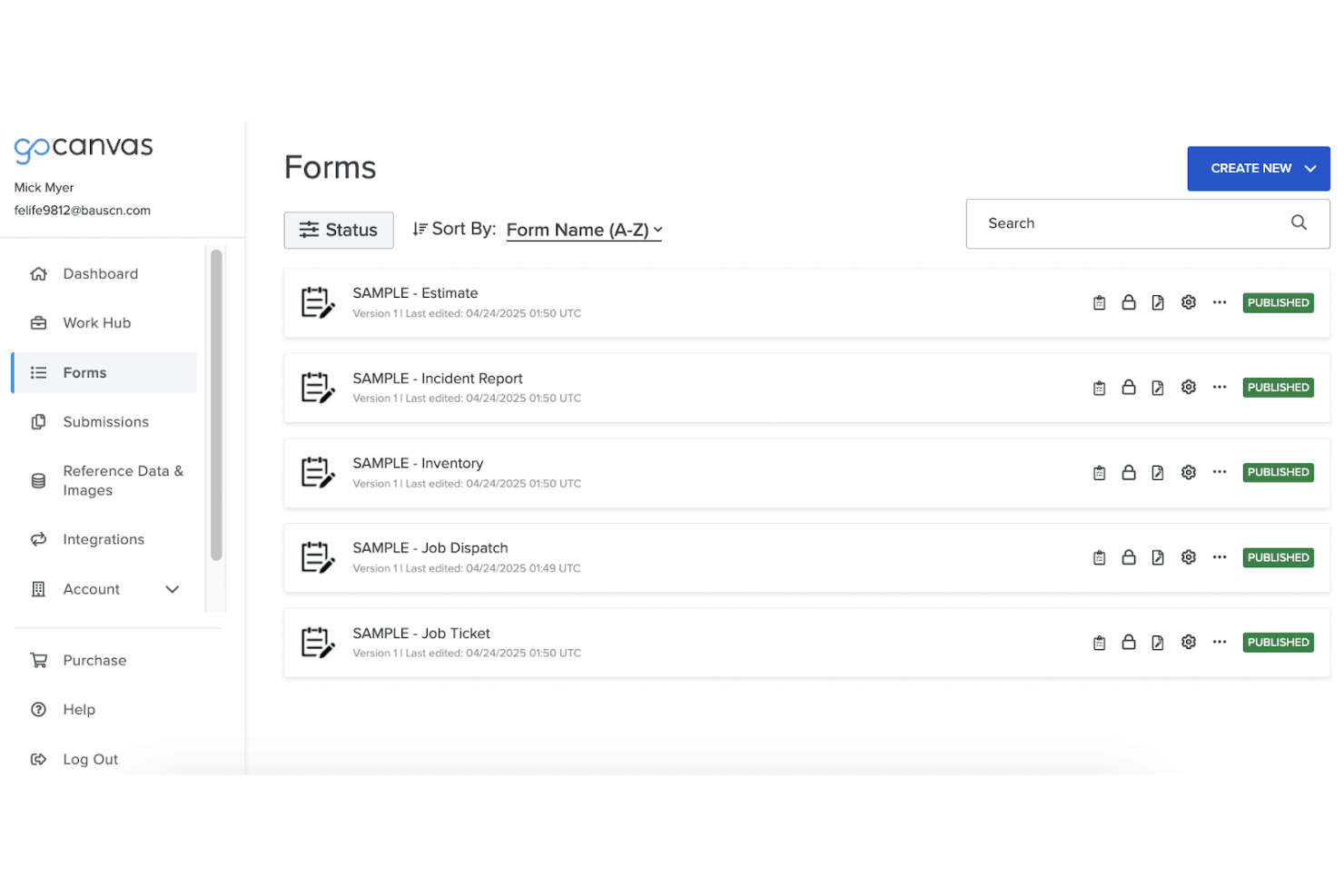
Canvas is an LMS tailored for higher education institutions, offering tools for online course creation, management, and assessment. It serves educators and students by providing a platform for interactive learning and detailed course analytics.
Why I picked Canvas: Canvas offers a free version with essential tools for course creation and management, ideal for higher education settings. Its mobile accessibility ensures that students and educators can access course materials anywhere. You can customize courses to fit your curriculum needs, and the analytics tools help track student progress effectively. Canvas's focus on higher education makes it a valuable resource for colleges and universities aiming to enhance their online learning offerings.
Standout features and integrations:
Features include customizable course creation, which allows you to tailor content to your specific needs. The platform offers mobile support, ensuring that learning can happen on the go. Canvas also provides comprehensive analytics tools, giving you insights into student performance and engagement.
Integrations include Google Drive, LTI, Turnitin, Dropbox, and more.
What's free?
Canvas offers a free version with limited features, suitable for individuals or small classes looking to explore online learning options.
Pros and Cons
Pros:
- Detailed analytics tools
- Strong mobile support
- User-friendly interface
Cons:
- Limited customization in the free version
- Initial setup complexity
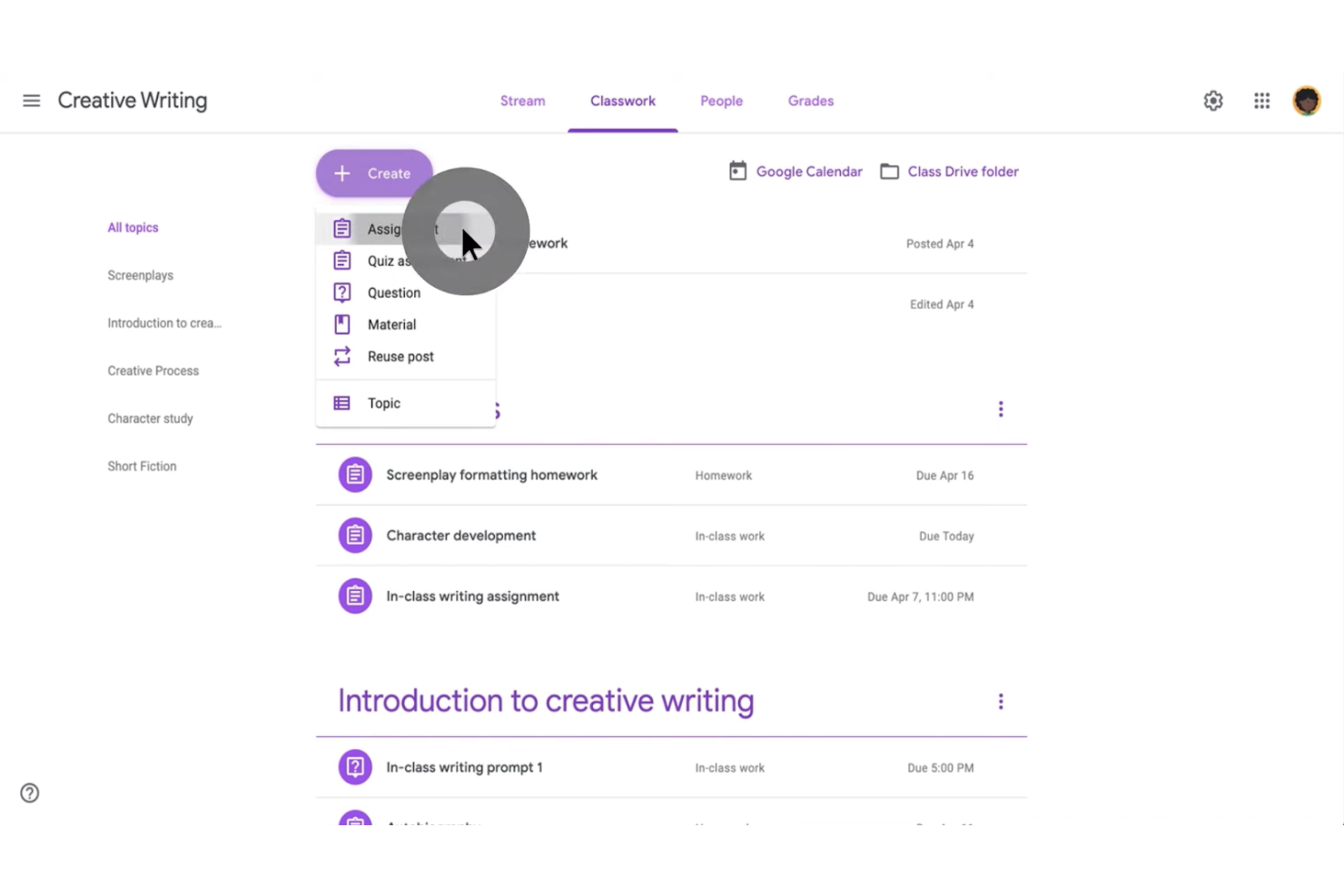
Google Classroom is a free LMS designed for K-12 schools and educational institutions. It facilitates classroom management and communication, offering tools for assignments, grading, and collaboration.
Why I picked Google Classroom: Google Classroom is free for schools and integrates directly with Google Workspace, making it easy for educators to manage classes online. Its focus on K-12 schools means it provides features such as assignment tracking, real-time feedback, and communication tools tailored for younger students. You can create and distribute assignments quickly, and students can submit their work easily. It simplifies the process of managing classroom activities and keeps students engaged.
Standout features and integrations:
Features include assignment creation and grading, which help teachers manage their workload efficiently. It offers real-time feedback, allowing students to improve their work instantly. The platform also supports collaborative projects, enhancing teamwork and communication skills.
Integrations include Google Drive, Google Docs, Google Sheets, Google Slides, Google Calendar, and more
What's free?
Google Classroom is included at no cost with Google Workspace for Education Fundamentals, which is free for qualifying educational institutions. Core Classroom features are available without user limits, while advanced tools, analytics, and enhanced security require paid Workspace editions.
Pros and Cons
Pros:
- Supports collaborative projects
- Real-time feedback
- Easy assignment distribution
Cons:
- Limited to the Google ecosystem
- Limited customization options

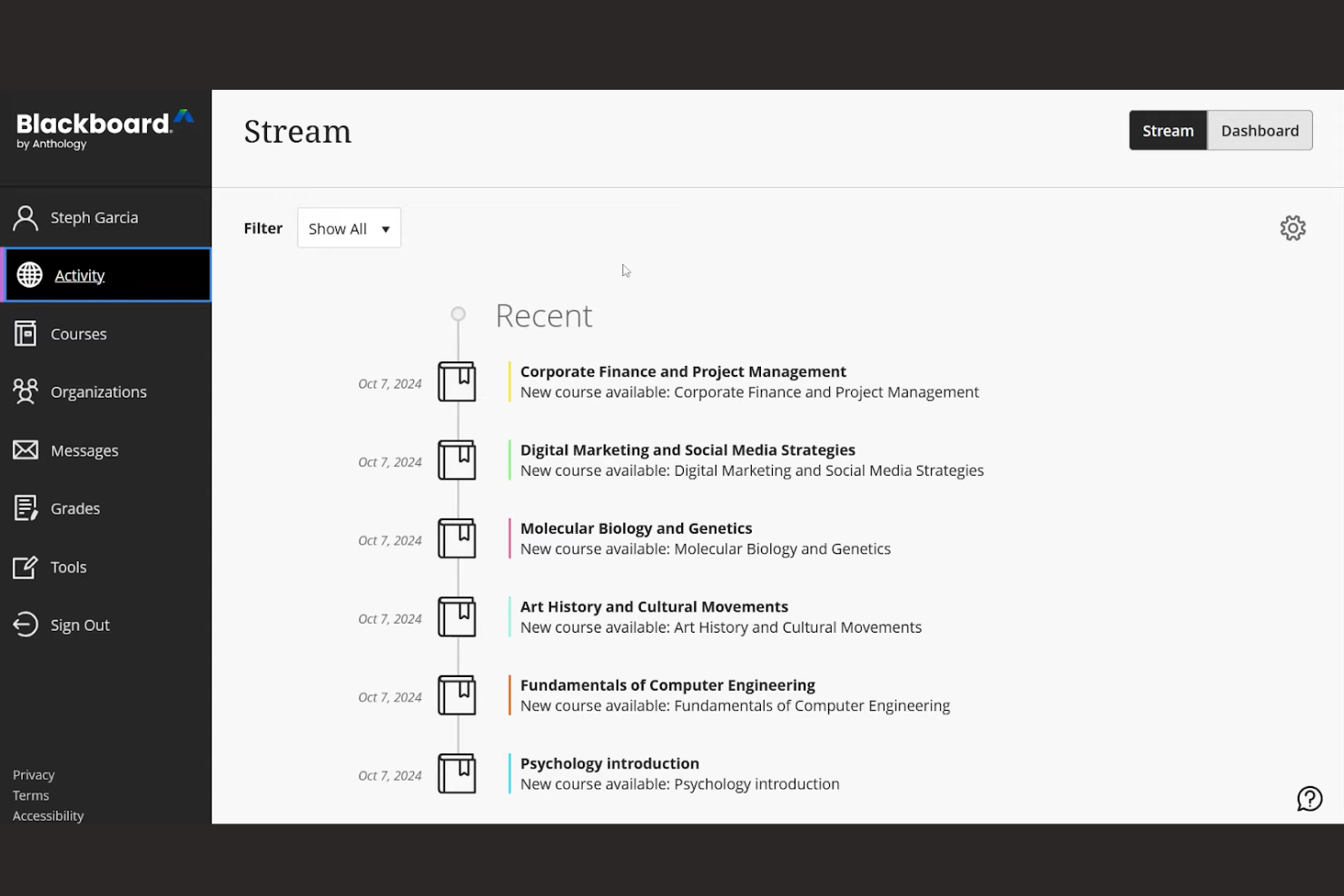
Blackboard by Anthology is an LMS designed for educational institutions and businesses that need to deliver online learning and training. It provides tools for course creation, management, and assessment, with a focus on enhancing the learning experience through mobile access.
Why I picked Blackboard: Blackboard offers a free, mobile-friendly trial that allows you to explore its capabilities on any device, making it a great choice for learners on the go. The platform's mobile access ensures that your team can stay connected and engaged with course materials anytime, anywhere. You can create interactive content and assessments that are accessible via the mobile app. This flexibility supports continuous learning, even outside traditional classroom settings.
Standout features and integrations:
Features include a customizable course builder that lets you design courses to fit your curriculum needs. It offers analytics tools that provide insights into student performance and engagement. Blackboard also supports multimedia content, enabling you to create rich, interactive learning experiences.
Integrations include Microsoft Office 365, Google Workspace, Zoom, Panopto, Kaltura, Pearson, McGraw-Hill, WileyPLUS, Cengage, and Turnitin.
What's free?
Blackboard offers a limited-time free trial, allowing you to explore its features without commitment.
Pros and Cons
Pros:
- Suitable for remote learning
- Multimedia content support
- Customizable course builder
Cons:
- Requires training for new users
- Complex initial setup

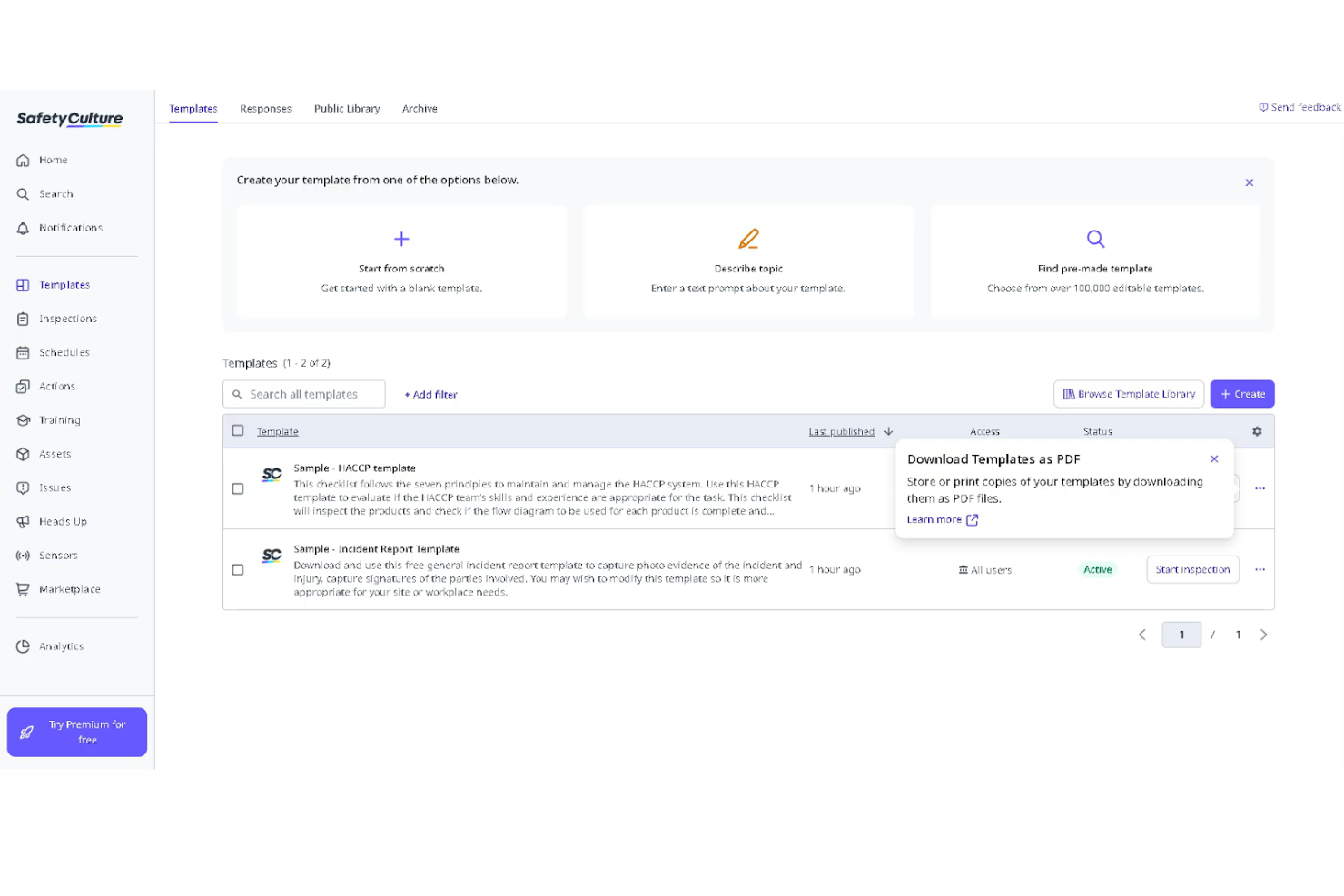
SC Training (formerly EdApp) is a mobile-first LMS designed for frontline teams and compliance training. It enables organizations to create AI-powered courses, deliver microlearning content, and track learner progress to maintain operational and regulatory standards.
Why I picked SC Training: SC Training stands out for its generous free plan, which supports up to 10 learners with access to unlimited shareable courses, AI-generated lessons, and a library of 1,000+ editable courses. Its mobile-first design and built-in gamification make it especially well-suited for frontline and deskless teams.
The platform makes it easy to create, customize, and deploy compliance and safety training while tracking completion and engagement.
Standout features and integrations:
Features include customizable course templates that let you tailor training content to your specific safety requirements. The platform offers assessments to test your team's understanding of safety protocols, and you can generate reports to monitor compliance or identify areas for improvement.
Integrations include Microsoft Teams, Google Workspace, Dropbox, Slack, Zoom, Microsoft Power BI, and more.
What's free?
The free plan supports up to 10 learners and includes unlimited course creation, AI-generated lessons, access to a 1,000+ course library, custom branding, and 24/7 online support.
Pros and Cons
Pros:
- Strong mobile-first design
- Extensive editable course library
- Generous free plan with AI lesson creation
Cons:
- Some tools are locked behind paid tiers
- May need setup assistance
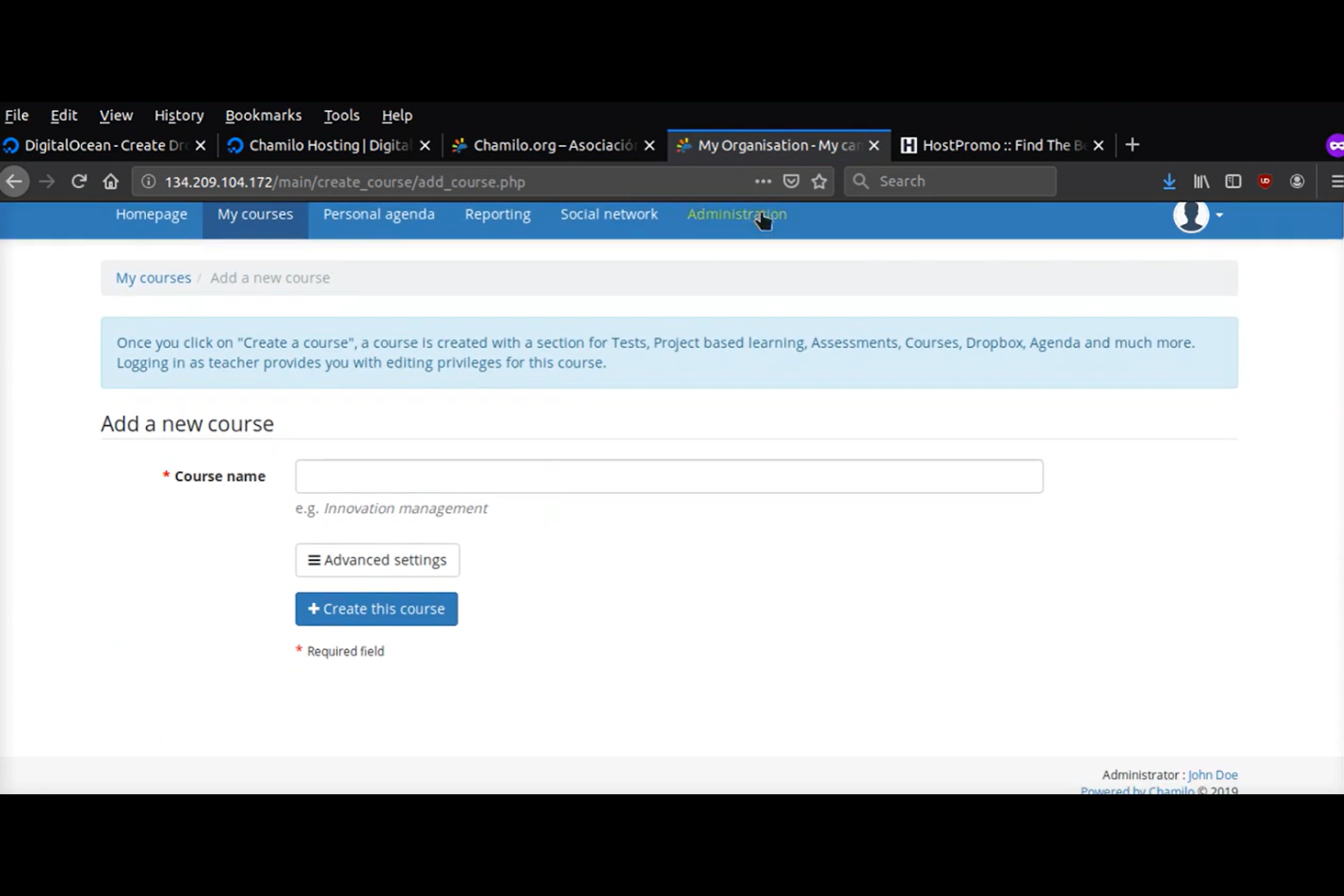
Chamilo is an open-source LMS designed for educational institutions and organizations that need a flexible platform for online courses. It offers tools for course management, assignments, and assessments, with strong multilingual support for diverse learning environments.
Why I picked Chamilo: Chamilo's open-source LMS gives you the flexibility to host it on your own server without user limits. Its multilingual support makes it ideal for diverse learning environments where language is a key factor. You can create courses in multiple languages and manage them easily. This helps to ensure that your team or students can access content in their preferred language, enhancing the learning experience.
Standout features and integrations:
Features include an easy-to-use course builder that lets you create and manage content efficiently. It offers a virtual classroom experience, enabling real-time interaction between learners and instructors. You can also track progress and performance with built-in analytics tools.
Integrations include OpenID Connect, LDAP, BigBlueButton, H5P, SCORM, xAPI, and more.
What's free?
Chamilo is free to use under its open-source license. You can download and self-host the platform with no licensing fees or user limits. Hosting, customization, and support services may incur additional costs.
Pros and Cons
Pros:
- Virtual classroom experience
- Easy course management
- Multilingual support
Cons:
- Basic analytics features
- Free version requires self-hosting
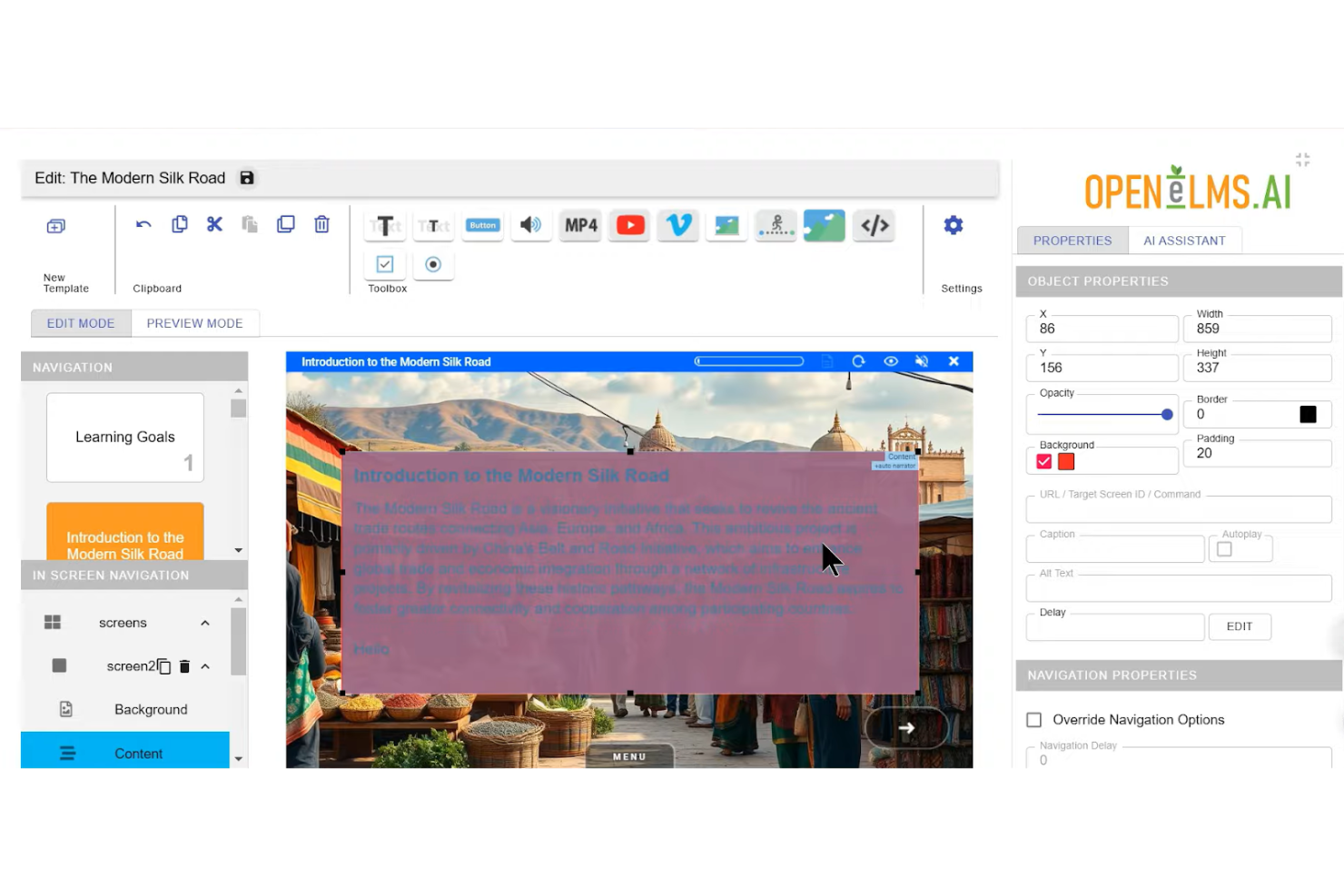
Open eLMS is an AI-powered LMS designed for small businesses and educational institutions. It combines traditional learning management tools with AI-driven course creation, making it easier to build and deploy eLearning content at scale.
Why I picked Open eLMS: The platform offers a free entry-level plan with AI eLearning credits and access to its course library, making it accessible for organizations just getting started. Its AI learning generator helps teams quickly produce training content, while built-in branding and hosting tools support internal delivery without additional software.
Standout features and integrations:
Features include AI-generated eLearning content, a learning generator for rapid course creation, access to a large course library, and AI chatbot support.
Integrations include Zoom, SCORM, xAPI, LTI, and more.
What's free?
Open eLMS offers a free entry-level plan that includes AI eLearning credits, core LMS features, branding options, and limited external courses and live events. Advanced functionality and expanded usage require a paid plan.
Pros and Cons
Pros:
- Personalized learning paths
- Extensive eLearning module library
- Unlimited users on the free plan
Cons:
- Advanced reporting not included
- Limited smart classroom events
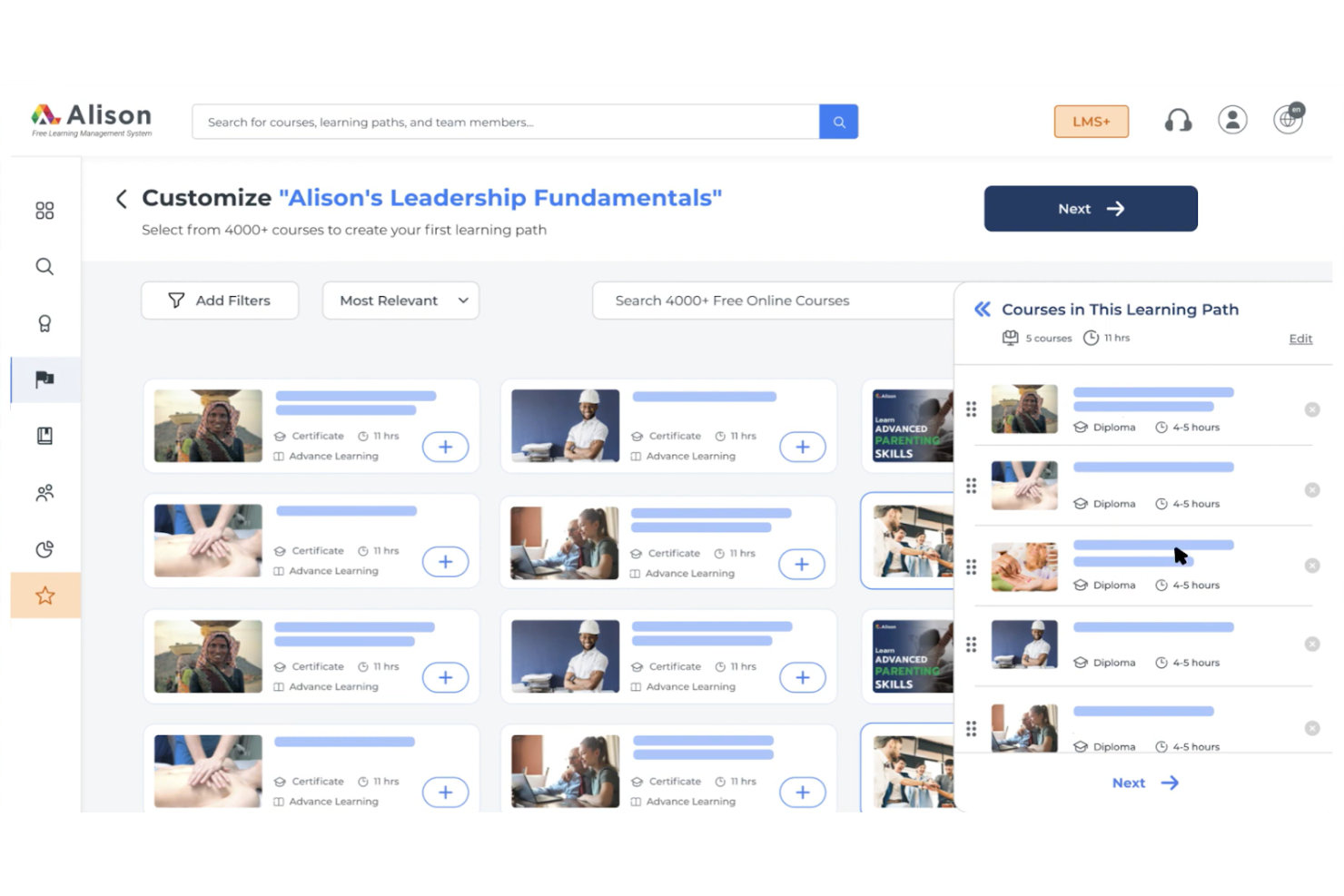
Alison is an online learning platform for individuals seeking to enhance their skills through self-paced courses. It offers a wide range of subjects, allowing learners to explore new areas and improve their knowledge at their own pace.
Why I picked Alison: Alison's free LMS offers access to a sizable library of courses for independent learning across various subjects and provides certifications upon course completion. You can study at your own pace, fitting learning into your schedule without the pressure of more formal educational programs. Alison's focus on self-paced learning makes it a great choice if you're looking to balance education with other commitments.
Standout features and integrations:
Features include a wide variety of courses, ranging from business to technology and personal development. It offers course assessments to test your knowledge and ensure comprehension. You can also track your progress, which can help you stay motivated and monitor your achievements over time.
Integrations are not publicly listed.
What's free?
Alison offers a free-forever plan with access to all courses, but charges for certificates and diplomas.
Pros and Cons
Pros:
- Course assessments included
- Self-paced learning flexibility
- Wide variety of courses
Cons:
- Limited instructor interaction
- Charges for certificates


How I Evaluate Free LMS Solutions
I split my evaluation into two layers: the baseline a tool must clear—like a free plan that handles onboarding or compliance training—and the differentiators that set the best apart.
Core Functionality (Table Stakes For This List)
When I'm selecting tools for my list, I rank each one on a scale from 0 (does not offer the functionality) to 5 (excels in this area) for each core functionality listed below. Then, I calculate the tool's total score into a percentage. Each tool needs to achieve a minimum total score of 65% to be considered for inclusion.
- Genuinely Free Plan: I check whether the platform offers a permanent free tier or open-source option, not just a trial—so an HR team can actually run onboarding or recurring training without a deadline.
- Course Creation Tools: The ability to build courses with mixed media, quizzes, and SCORM packages matters because lean teams need to author content in-house rather than buy off the shelf.
- Learner Management: I evaluate how each tool handles enrollment, role assignment, and group organization—like sorting learners by department, office, or cohort for targeted compliance training.
- Progress & Completion Tracking: Reporting should give admins a clear view of who's finished a course and who hasn't, which is essential when you're chasing down stragglers before a compliance deadline.
- Assessments & Quizzing: Built-in quiz tools with auto-grading and multiple question types let you validate knowledge retention—think post-training assessments after a workplace safety or policy acknowledgment course.
- Certification & Compliance Support: I look for platforms that can issue completion certificates and support recurring training cycles, since many HR teams manage annual refreshers for topics like data privacy or anti-harassment.
Once I have a list of tools that meet this criteria, I consider what sets each platform apart.
Differentiating Factors (What Sets Vendors Apart)
Here's how I compare and contrast different vendors:
Standout Features
A built-in course library can save HR teams hours of content creation, especially for common topics like workplace safety or anti-harassment that most organizations need to cover. I also evaluate mobile access, since frontline or distributed employees often can't sit at a desktop to complete training. AI-assisted authoring is a growing differentiator too. Platforms that help generate quiz questions or draft course outlines let small teams produce polished content without an instructional designer on staff.
Beyond Features
Free plan limits matter a lot here. I look at caps on users, courses, and storage to understand whether a platform can realistically support a growing team or just a pilot. Integration with your existing HR stack is another key factor—auto-provisioning users from your HRIS saves manual data entry every time you onboard a new hire. I also consider data security posture, since training records often include sensitive employee information that needs role-based access controls and audit-ready logs for regulated industries.
How to Choose Free LMS
Complex feature lists and pricing structures can make it hard to figure out what you’re really getting from a free LMS. To help you stay focused as you work through your software selection process, here are some factors to keep in mind:
| Factor | What to Consider |
|---|---|
| Free Offer Scope | Check what's included in the free plan. Ensure it covers your basic needs without requiring immediate upgrades. |
| Scalability | Consider if the LMS can grow with your team. Look for options that allow easy upgrades as your user base expands. |
| Integrations | Ensure compatibility with your existing tools. Look for LMS solutions that integrate with the software you already use. |
| Ease of Use | Evaluate the user interface and navigation. Ensure your team can use it without extensive training or support. |
| Mobile Access | Check if the LMS supports mobile devices. This ensures your team can access learning materials anytime, anywhere. |
| Customization | Look for customization options. Ensure it allows you to tailor the platform to match your brand and specific learning needs. |
| Support | Consider the availability and quality of customer support. Look for options that provide reliable assistance when issues arise. |
| Security | Evaluate the platform's security measures. Ensure it complies with data protection regulations to keep your information safe. |
What Is a Free LMS?
An LMS is a learning management system that provides tools for creating, managing, and delivering educational content. Free offerings typically include limited access to features or a trial period. Educators, trainers, and HR professionals commonly use these tools to facilitate training and development. Course creation, progress tracking, and mobile access help with delivering effective learning experiences, managing learner progress, and ensuring accessibility.
Features Section
Features
Let’s go over the features commonly found in an LMS, and which ones are usually included in free vs. paid plans.
Typically Free LMS Features
- Course creation: Allows you to design and organize educational content for learners, making it easy to deliver structured lessons.
- Student enrollment: Facilitates the registration of learners into courses, ensuring that only authorized users have access.
- Basic assessments: Provides tools to create quizzes and tests, helping track learner progress and understanding.
- Progress tracking: Enables monitoring of learner achievements and course completion, providing insights into learning effectiveness.
- Content sharing: Allows users to distribute educational materials, fostering collaboration and resource accessibility.
- Mobile access: Ensures learners can access courses from any device, enhancing flexibility and convenience.
- Basic analytics: Offers insights into learner engagement and performance, helping educators adjust their teaching strategies.
Typically Paid LMS Features
- Advanced reporting: Provides detailed analytics and reports, allowing for deeper insights into learner performance and course effectiveness.
- Customization: Enables branding and customization of the platform to align with organizational needs and aesthetics.
- Gamification elements: Incorporates game-like features to increase learner engagement and motivation through rewards and challenges.
- Multilingual support: Offers features to create and manage courses in multiple languages, catering to a diverse audience.
- API access: Allows integration with other systems and tools, facilitating data exchange and enhanced functionality.
- Advanced user management: Provides tools for managing user roles, permissions, and groups, enhancing administrative control.
- E-commerce capabilities: Supports selling courses online, enabling monetization of educational content.
Benefits
Implementing a free LMS provides several benefits for your team and your business. Here are a few you can look forward to:
- Cost savings: Free plans eliminate the need for subscription fees, allowing you to allocate resources elsewhere.
- Accessibility: With mobile access and cloud-based platforms, learners can access courses anytime, anywhere, enhancing flexibility.
- Easy entry: Free versions often provide basic features that help you get started quickly without a steep learning curve.
- Scalability: Many free LMS solutions offer upgrade paths, allowing you to expand your capabilities as your needs grow.
- Customization: Some free LMS platforms offer basic customization options, enabling you to tailor the learning experience to your brand.
- Engagement: Features like quizzes and multimedia content keep learners engaged and motivated throughout their educational journey.
- Progress tracking: Built-in tracking tools help monitor learner achievements, providing valuable insights into training effectiveness.
Costs & Pricing
I realize you came to this article looking for the best free LMS options. However, since free plans only offer limited features, there's a good chance you'll need to scale your plan up in the future.
The table below summarizes common plans, their average prices, and typical features included in LMS solutions:
Plan Comparison Table for LMS
| Plan Type | Average Price | Common Features |
|---|---|---|
| Free Plan | $0 | Basic course creation, student enrollment, basic assessments, progress tracking, and mobile access. |
| Personal Plan | $1-$50/user/month | Advanced course creation, custom branding, basic reporting, integrations, and support. |
| Business Plan | $50-$250/user/month | Full reporting, API access, advanced customization, gamification elements, and priority support. |
| Enterprise Plan | $250+/user/month | Dedicated account manager, multilingual support, advanced analytics, e-commerce capabilities, and security compliance. |
Free LMS FAQs
Here are some answers to common questions about free LMS:
Can I use a free LMS to train external customers or partners?
Yes, most free LMS platforms can be used for both internal staff and external audiences like customers, partners, or volunteers, as long as the terms of use allow it. Just check user limits, branding controls, and access permissions so external learners only see the content that’s relevant to them safely.
Do I need IT support to implement a free LMS?
You don’t always need significant technical skills to start with a free LMS. Cloud-based tools handle hosting and updates for you. However, open-source LMS platforms may require server setup, backups, and basic database knowledge. Decide early whether you prefer DIY control or a hosted option with training materials that your existing team can manage comfortably for an enhanced user experience.
How do free LMS platforms handle data privacy and compliance requirements?
Free LMS platforms vary in how they handle data privacy and compliance. Many offer secure hosting and basic encryption, but you’re still responsible for configuring permissions, passwords, and retention policies. If you work with sensitive data, confirm regional compliance standards, export options, and whether paid tiers add advanced controls carefully.
What happens if I outgrow my free LMS and need to switch platforms?
Moving from a free LMS to a paid plan or a different vendor usually involves exporting users, course content, and historical reports, then importing them into the new system and getting to grips with a new dashboard. Before rollout, test a small pilot migration, clean up old data, and clearly communicate timelines so learners understand what’s changing smoothly.
What common mistakes should I avoid when launching a free LMS?
Common mistakes include treating free LMS setup as an IT project only, cramming too much content into the first launch, skipping admin training, and ignoring feedback. Start small with a few priority training courses, define success metrics, provide basic guidance for learners, and regularly refine your structure based on usage analytics.