

10 Best Nonprofit Payroll Software in 2026

10 Best Nonprofit Payroll Software Shortlist


Nonprofit payroll software helps your organization handle payroll for grant-funded roles, track labor across programs, and stay compliant with rules that matter for 501(c)(3) organizations, faith-based groups, and secular nonprofits. If you oversee payroll for a nonprofit, you already know the headache of balancing cost allocation, audit-ready reporting, and unique tax challenges—all while supporting your people and mission.
I’ve pulled together the best nonprofit payroll software tools for 2026, focusing on features that make pay runs less stressful, keep you audit-ready, and help you manage grant and fund tracking the way your funders expect. Here’s what you need to know before you choose.
Why Trust Our Software Recommendations
Our team has been testing and reviewing software since 2012. As HR experts ourselves, we know how difficult—and important—it is to choose the right software.
For this guide, we evaluated tools using hands-on testing and independent research, scoring tools using our selection criteria. We also draw on insights from industry thought leaders and practicing HR experts.
Our reviews reflect our human editorial judgment, not a sales pitch.
Expert reviewers:
Nonprofit Payroll Software Comparison Table
Compare pricing and specs, side by side, for the nonprofit payroll software that made it onto my shortlist.
| Tool | Best For | Trial Info | Price | ||
|---|---|---|---|---|---|
| 1 | Best for global and contractor payroll in one place | Free demo available | From $29/user/month | Website | |
| 2 | Best for time-to-payroll tracking in one place | 30-day free trial | From $50/month (billed annually) | Website | |
| 3 | Best for grant-funded labor allocation across funds | Free demo available | Pricing upon request | Website | |
| 4 | Best for all-in-one payroll with grant tracking | Free demo available | Pricing upon request | Website | |
| 5 | Best for clergy and 501(c)(3) payroll tax setup | Free demo available | From $49/month + $6/month/user | Website | |
| 6 | Best for clergy and grant-funded payroll | Free demo available | Pricing upon request | Website | |
| 7 | Best for grant labor allocation at payroll | Free demo available | Pricing upon request | Website | |
| 8 | Best for grant and fund labor cost allocation | Free demo available | From $6/user/month | Website | |
| 9 | Best for clergy and grant-level payroll compliance | Free demo available | Pricing upon request | Website | |
| 10 | Best for church and clergy payroll compliance | Not available | Pricing upon request | Website |


Nonprofit Payroll Software Reviews
Below are my detailed summaries of the best nonprofit payroll software that made it onto my shortlist. My reviews offer a detailed look at the features, best use cases, and capabilities of each software to help you find the best one for you.

Best for global and contractor payroll in one place
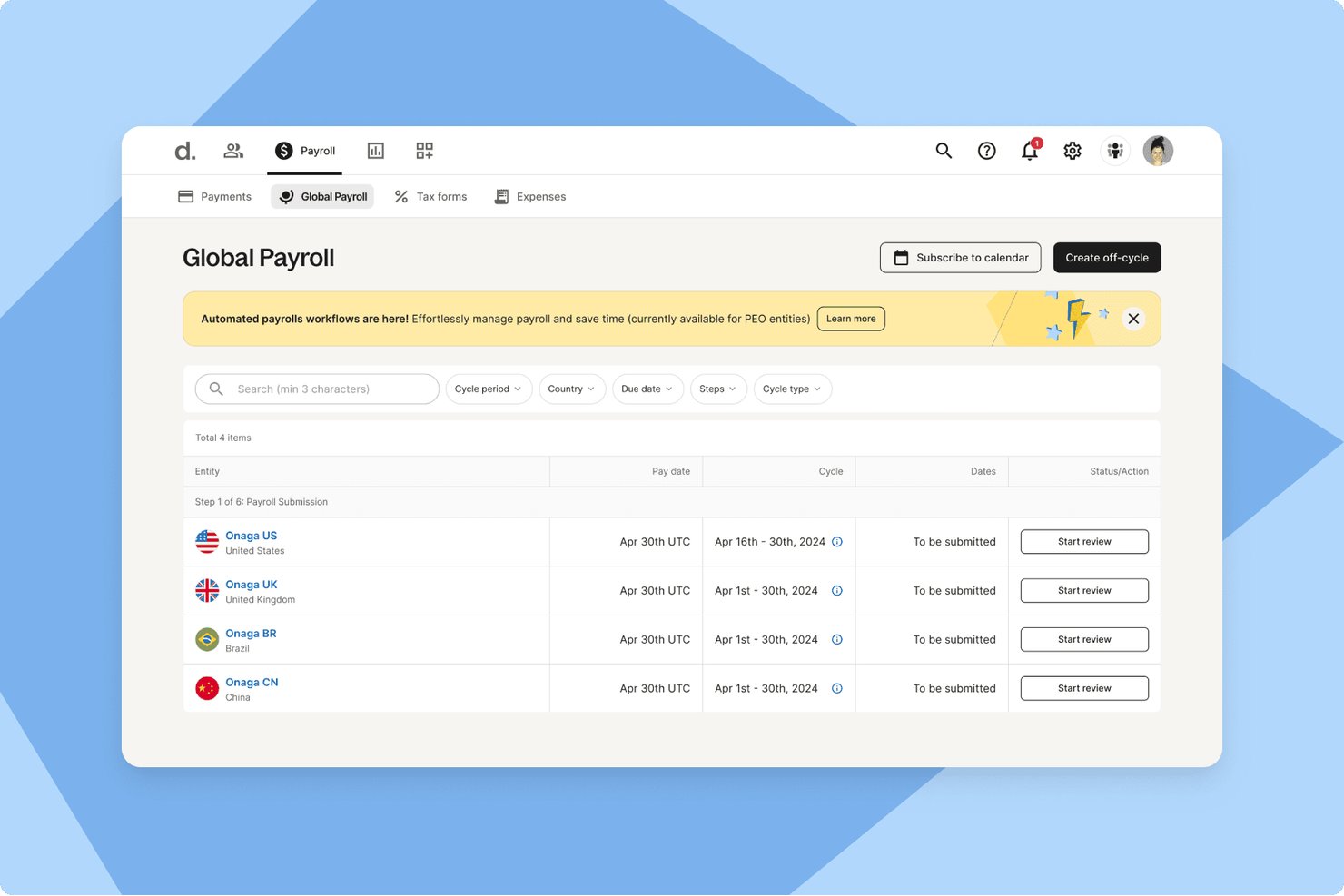
Deel Payroll is a global payroll and contractor management platform that handles multi-country employee payroll, contractor payments, tax filing, and built-in time tracking across 150+ countries.
Who Is Deel Payroll Best For?
Deel Payroll is a strong fit for nonprofits that employ a mix of international staff and independent contractors and need both payroll and contractor payments managed in one place.
Why I Picked Deel Payroll
I've included Deel Payroll in my top picks because it's the only platform I've found that handles both international employee payroll and contractor payments in one place, which matters for nonprofits running programs across borders with a mix of staff and freelancers. I like that it files 1099-NECs directly from the platform and covers federal, state, and local tax filing across all 50 states automatically. Its percentage-based cost center splits also let you divide wages across programs without manual spreadsheet work.
Deel Payroll Key Features
- Built-in time tracking: Workers clock in and out via app, browser, or Slack, with approved hours flowing directly into payroll calculations.
- Multi-country payroll: Deel processes payroll across 150+ countries in 120+ currencies, covering international staff alongside US employees.
- Employee self-service portal: Employees can access pay history, year-to-date tax summaries, W-2s, and update direct deposit and withholding details independently.
- Cost center wage splitting: Wages can be divided across multiple cost centers by percentage with effective dates, supporting labor cost allocation across programs.
Deel Payroll Integrations
Deel Payroll offers native GL Sync integrations with QuickBooks Online, Xero, NetSuite, Sage Intacct, SAP, and Microsoft Dynamics. Syncs are manual, and there are no documented integrations with nonprofit platforms such as Aplos or Blackbaud.
Pros and Cons
Pros:
- Supports percentage-based program wage allocation
- Handles multi-state tax filings automatically
- Combines employee and contractor payroll
Cons:
- Grant reporting remains limited to cost centers
- No clergy or housing allowance workflows

TimeTrex
Best for time-to-payroll tracking in one place
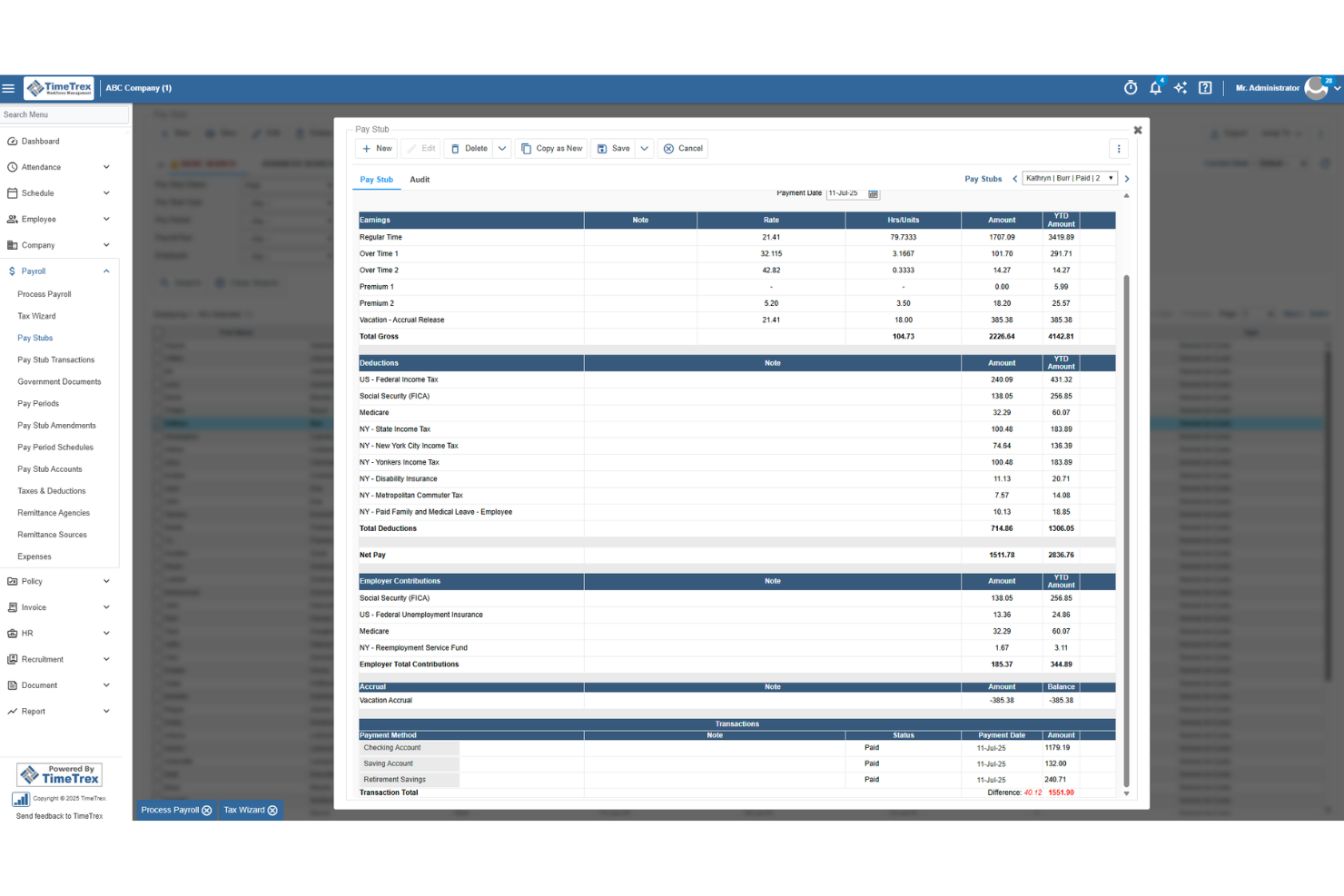
TimeTrex is a workforce management platform that combines time and attendance tracking, employee scheduling, leave management, and payroll processing in a single system.
Who Is TimeTrex Best For?
TimeTrex suits small nonprofits that want time tracking and payroll in one place, particularly those with hourly staff where hours-to-paycheck accuracy matters most.
Why I Picked TimeTrex
I picked TimeTrex as one of the best because of how tightly it connects time tracking to payroll, which matters when you're running hourly staff at a nonprofit and need every hour accounted for before a pay run. Clock-in data flows directly into payroll calculations, so there's no manual hour-entry step where numbers can drift. I also like that cost centers can be allocated across up to four levels, letting you tag hours to specific departments or programs before payroll runs.
TimeTrex Key Features
- Biometric facial recognition: Employees clock in and out using facial recognition to verify their identity at the point of punch.
- Leave and absence management: Tracks leave requests, balances, and accruals for paid time off and sick leave in a centralized system.
- Customizable workforce reports: Generates reports on attendance, labor trends, and payroll data that can be tailored to your organization's needs.
- QuickBooks and Sage integration: Transfers financial data between TimeTrex and your accounting system via two-way or flat-file data sharing.
TimeTrex Integrations
TimeTrex integrations include Intuit QuickBooks, Sage, ADP, Paychex, and Ceridian. It offers a REST API and custom integrations, though nonprofit fund-accounting workflows aren’t specified.
Pros and Cons
Pros:
- Grant-hour summaries support audit preparation
- Users praise patient, clear support responses
- Reviewers say time data simplifies payroll runs
Cons:
- Customers remain responsible for filing payroll taxes
- Fund-level payroll allocation isn’t documented
New Product Updates from TimeTrex
TimeTrex Adds Quick Punch App With Offline and QR Support
TimeTrex adds a new Quick Punch app, offline punching, QR code scanning, punch images, configurable messages, and punch warnings or lockouts to improve employee clock-ins across browsers and local computers. For more information, visit TimeTrex’s official site.
 .
.
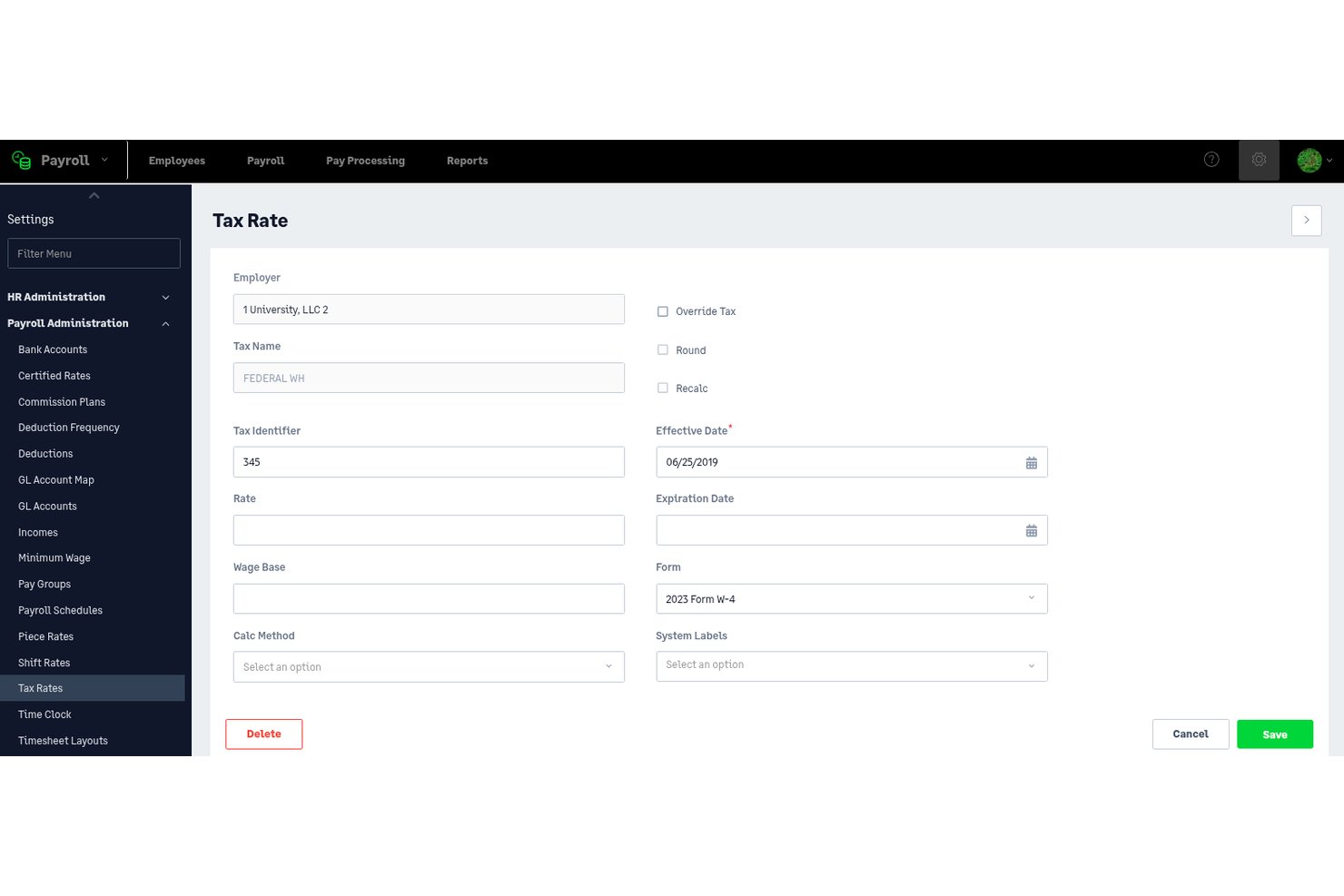
Sage Intacct Payroll is a payroll and HR platform that combines multi-schedule payroll processing, tax filing, employee self-service, and real-time labor allocation across grants and funds—natively integrated with the Sage Intacct general ledger.
Who Is Sage Intacct Payroll Best For?
Sage Intacct Payroll is built for mid-to-large nonprofits with 100+ employees that manage complex, multi-fund grant portfolios and need payroll tightly integrated with fund accounting.
Why I Picked Sage Intacct Payroll
Sage Intacct Payroll earns its spot on my shortlist because of how it handles grant-funded labor allocation at the timecard level. When an employee clocks time against a specific federal grant, that cost flows directly into the Sage Intacct general ledger in real time, mapped to the correct dimension and GL account automatically. I also like that you can run percentage-based allocation across multiple grants simultaneously, which matters when staff split time across several funding sources with different reporting requirements.
Sage Intacct Payroll Key Features
- Multi-schedule payroll processing: Run payroll across multiple pay schedules simultaneously for salaried, hourly, and part-time employees within a single environment.
- Automated tax filing: Federal, state, and local tax calculations, withholding, and form generation—including W-2s, Form 941, and 1099s—are handled automatically across all 50 U.S. states.
- Employee self-service portal: Employees can access pay stubs, W-2s, update direct deposit details, enroll in benefits, and manage PTO without HR involvement.
- Multi-entity consolidation: Manage payroll across multiple affiliated chapters or entities with separate EINs under one environment, with consolidated reporting across all.
Sage Intacct Payroll Integrations
Sage Intacct Payroll has native integrations with Sage Intacct financials and Sage Intacct Time, plus Marketplace integrations for Salesforce, Blackbaud Raiser's Edge NXT, ADP Workforce Now, and Avalara. An open API supports custom integrations.
Pros and Cons
Pros:
- Automated compliance updates for nonprofit reporting
- Multi-entity payroll management in one system
- Real-time grant labor allocation to fund accounting
Cons:
- Significant implementation and onboarding commitment required
- No pre-configured clergy exemption workflows

Rippling
Best for all-in-one payroll with grant tracking
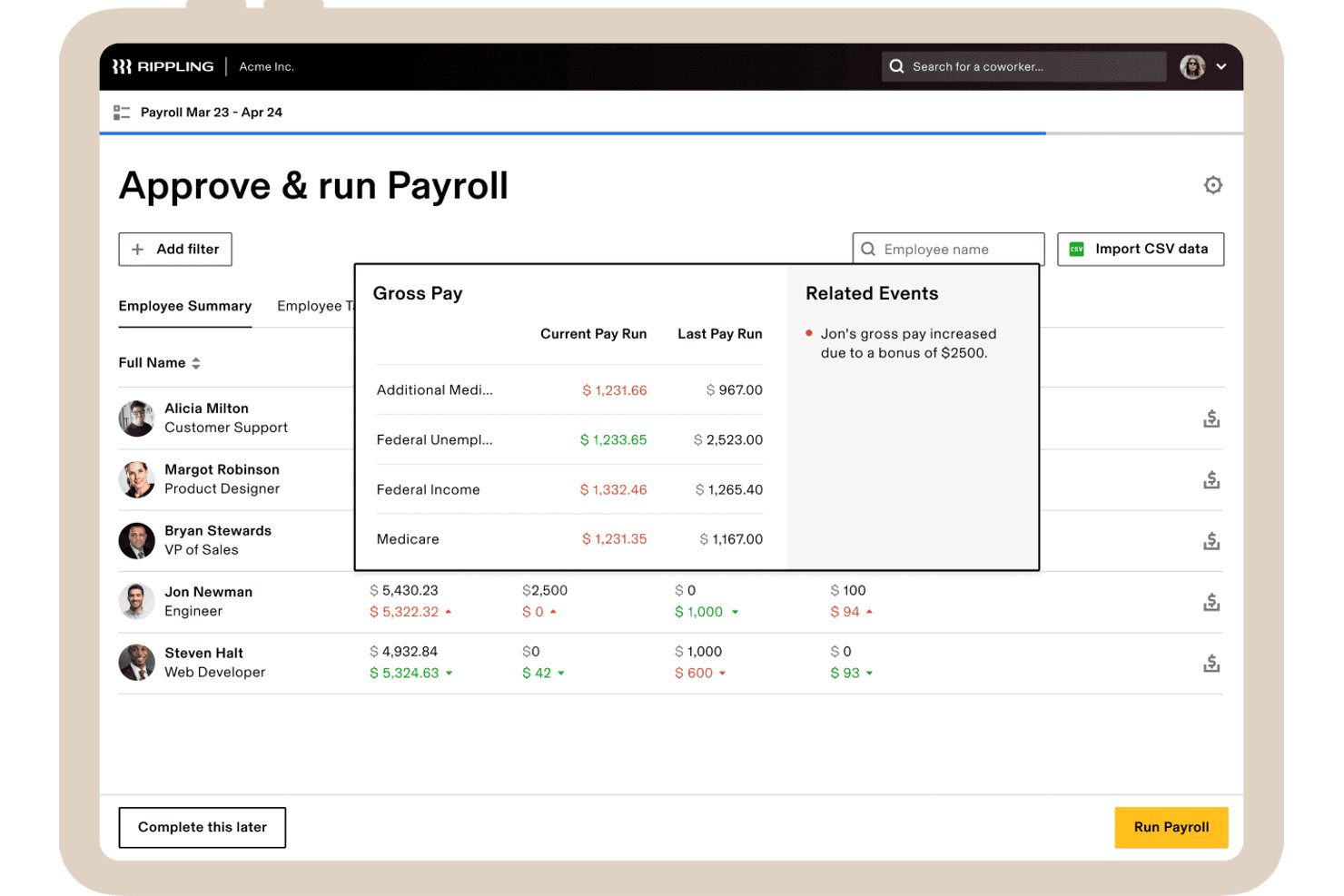
Rippling is an all-in-one HR and payroll platform that combines payroll processing, time tracking, benefits administration, and grant-level labor cost allocation in a single system.
Who Is Rippling Best For?
Rippling is a strong fit for mid-sized secular nonprofits (roughly 50–500 employees) that need payroll, HR, and time tracking in one place—especially those running on Sage Intacct, NetSuite, or QuickBooks.
Why I Picked Rippling
I picked Rippling as one of the best because it handles payroll and grant-level labor tracking in one place, which is a real advantage for nonprofits juggling multiple funding sources. I love that employees can tag hours directly to specific grants at the timecard level, and those hours flow automatically into payroll—no duplicate entry, no manual reconciliation. The Sage Intacct integration posts payroll journal entries with full dimensional detail, so your fund accounting stays clean across departments and entities.
Rippling Key Features
- Full-service tax filing: Rippling automatically calculates, withholds, files, and remits federal, state, and local payroll taxes, and generates W-2s, W-3s, 941s, and 1099s at year-end.
- Multi-state payroll processing: Run payroll across all 50 U.S. states with automatic tax proration for employees who relocate mid-year.
- No-code custom report builder: Build grant-level labor cost reports using natural language prompts, with export options in CSV or PDF format.
- Automated benefits deduction sync: Mid-year benefits changes—health, dental, FSA, HSA, and 401(k)—automatically update payroll deductions without manual re-entry.
Rippling Integrations
Rippling has native integrations with QuickBooks Online, NetSuite, and Xero, plus a Sage Intacct Marketplace integration. It also connects with Fidelity, Vanguard, and Guideline, and offers an API for custom integrations.
Pros and Cons
Pros:
- Strong Sage Intacct fund accounting sync
- Direct time tracking to grant allocations
- Payroll and HRIS unified in one platform
Cons:
- No 403(b) or Aplos integration
- No pre-built workflows for clergy pay
New Product Updates from Rippling

Rippling Expands Automated Compliance With AI Workflows
Rippling expands Automated Compliance with multi-framework support, AI workflows, an audit portal, and trust centers. These updates help GRC teams manage compliance work and audits. For more information, visit Rippling’s official site.

Gusto
Best for clergy and 501(c)(3) payroll tax setup
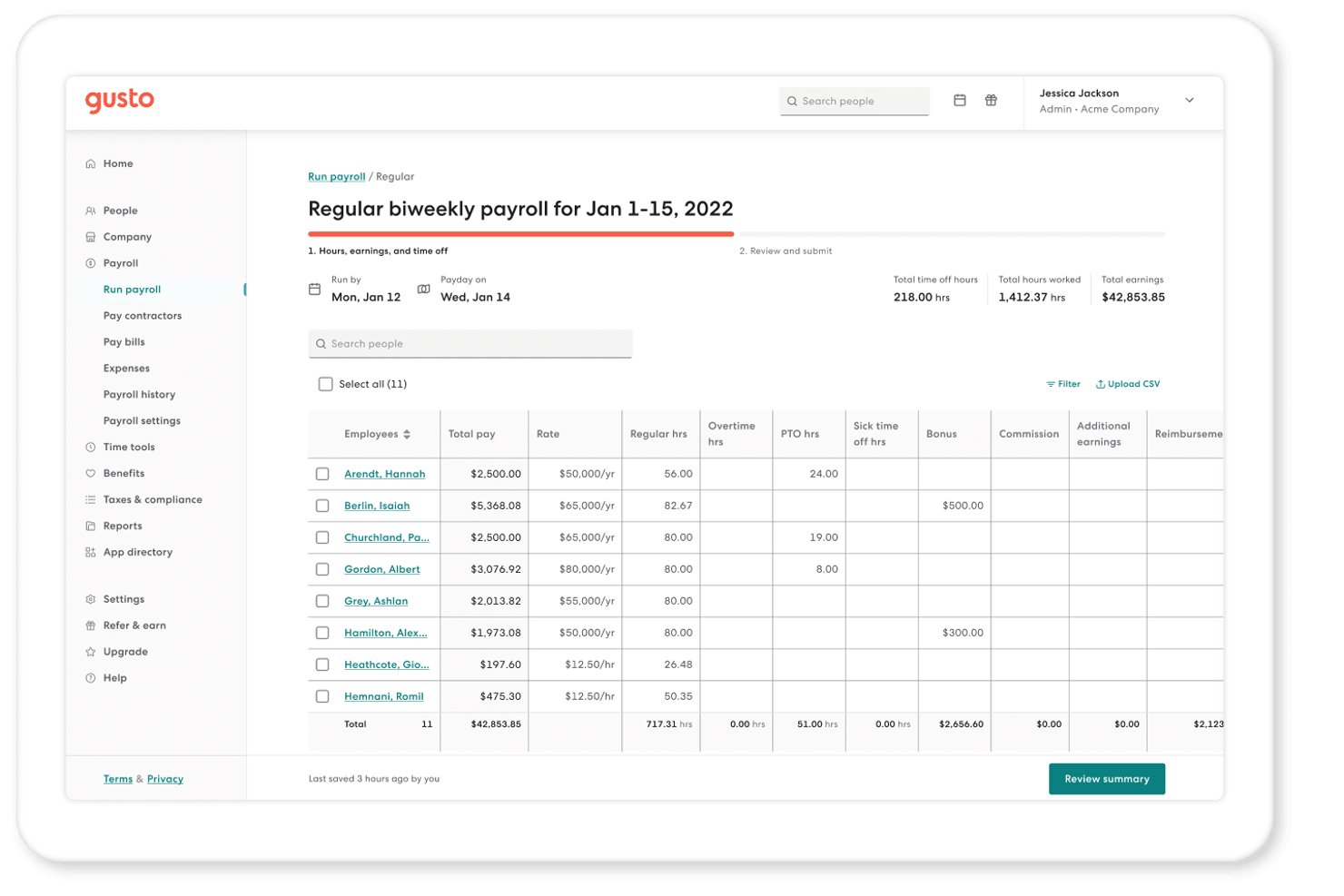
Gusto is a payroll and HR platform built for small organizations that handles automated payroll runs, full-service tax filing, benefits administration, and time tracking—with specific configurations for 501(c)(3) tax exemptions and clergy compensation.
Who Is Gusto Best For?
Gusto is a strong fit for small nonprofits and faith-based organizations that need correct payroll tax setup for clergy housing allowances and 501(c)(3) FUTA exemptions out of the box.
Why I Picked Gusto
I picked Gusto as one of the best because it's the only tool on my list with step-by-step, documented setup for both 501(c)(3) FUTA exemptions and clergy housing allowances. I've configured the "Minister housing allowance" earning type directly in the platform, and it correctly excludes the allowance from Box 1 on W-2s while reporting it in Box 14, exactly as IRS Publication 517 requires. Gusto also handles SECA treatment and Social Security opt-out configurations for ministers who qualify.
Gusto Key Features
- Full-service tax filing: Gusto automatically calculates, withholds, files, and remits federal, state, and local payroll taxes every pay run, including year-end W-2s, 1099-NECs, and 940/941 forms.
- Multi-entity management: Manage multiple EINs—like affiliated chapters or campuses—under one login, with separate payroll runs, tax filings, and reporting per entity.
- Pay-as-you-go workers' comp: Workers' comp premiums are calculated automatically each payroll run through NEXT Insurance, eliminating large annual lump-sum payments.
- 403(b) payroll deductions: Gusto supports 403(b) contribution deductions directly through payroll for eligible nonprofits, public organizations, and ministers.
Gusto Integrations
Gusto lists 150+ integrations, including Aplos, QuickBooks Online, Xero, FreshBooks, ZipBooks, and Autobooks. Aplos provides nonprofit fund-accounting connectivity, while Gusto also offers an open API and Zapier.
Pros and Cons
Pros:
- Aplos integration for nonprofit fund accounting
- Handles 501(c)(3) FUTA tax exemptions
- Supports housing allowances for clergy payroll
Cons:
- Limited native reporting for grant allocation
- No dedicated nonprofit pricing discount
New Product Updates from Gusto
Gusto Adds Solo Advisory Tools and Mobile Money Features
Gusto adds Solo S-Corp Advisory Tools and Gusto Money on Mobile for tax guidance, invoicing, and bill payments. These updates help accountants advise solopreneurs and let users manage business finances from their phones. For more information, visit Gusto’s official site.

Netchex
Best for clergy and grant-funded payroll
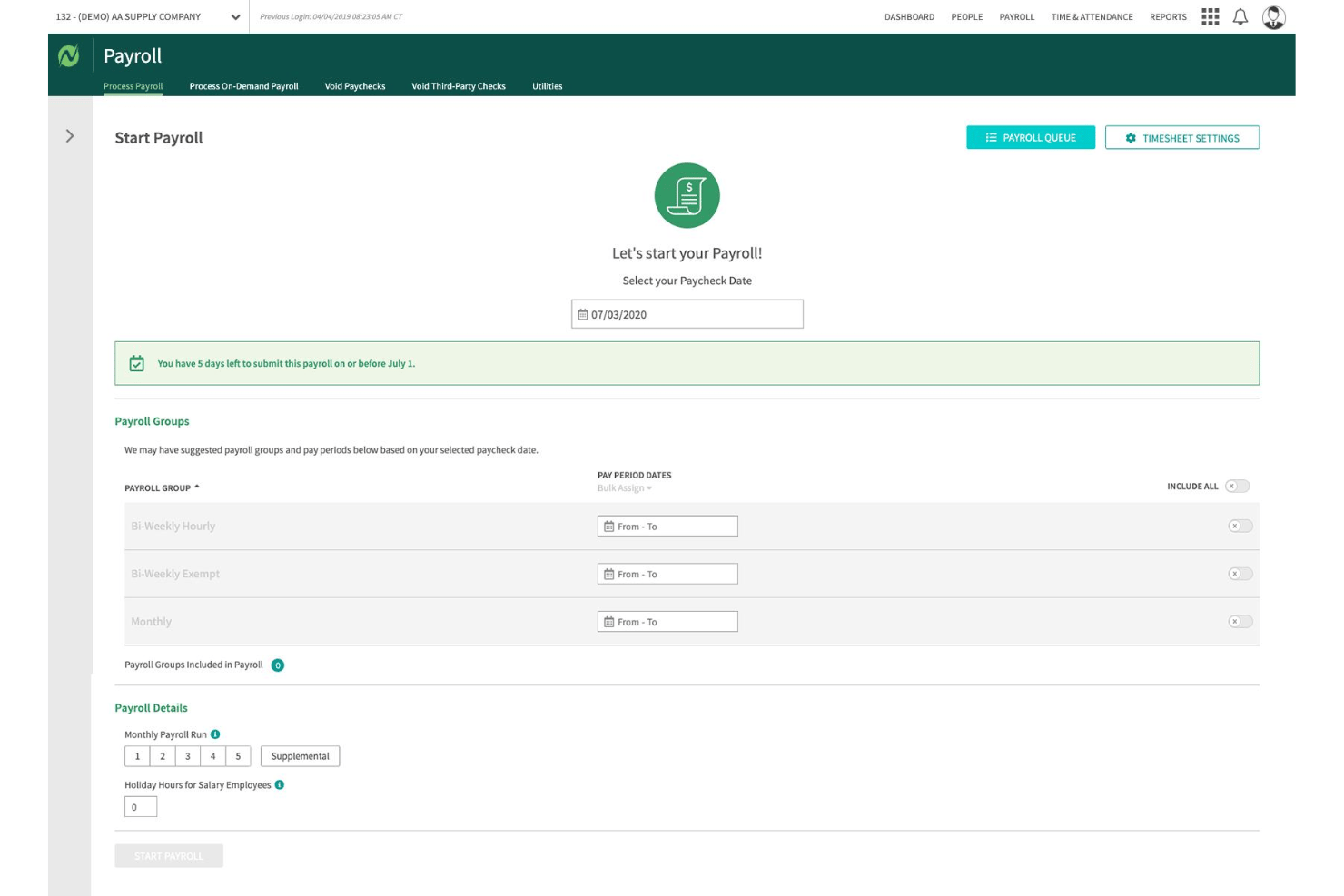
Netchex is a full-service payroll and HR platform built for nonprofits, handling payroll processing, tax filing, time tracking, fund and grant allocation, and benefits administration in one system.
Who Is Netchex Best For?
Netchex is a strong fit for mid-sized nonprofits and faith-based organizations that need clergy payroll, housing allowance tracking, and multi-grant labor cost allocation handled natively in one platform.
Why I Picked Netchex
Netchex earns its spot on my shortlist because it handles clergy payroll and grant-funded labor allocation as native platform features, not manual workarounds. I particularly like how it supports minister dual-status payroll, IRC §107 housing allowance tracking with W-2 annotation, and Form 4361 Social Security opt-outs configured directly in the system. On the grant side, you can split a single employee's labor costs across multiple funds and programs at the timecard level, which flows automatically into audit-ready reporting.
Netchex Key Features
- OneScreen Payroll™ dashboard: Aggregates payroll readiness data across multiple locations or entities so you can review and run payroll in a single view.
- ACT Verification tool: Automatically checks that each employee is taxed correctly based on their work location, covering all 50 states.
- Timecard-level job code tracking: Links time entries to specific departments, cost centers, and programs directly on the timecard before payroll processes.
- AI anomaly monitoring via Sentinel: Continuously scans payroll data for compliance issues, approval errors, and compensation changes between pay periods.
Netchex Integrations
Netchex documents 23+ accounting and GL integrations, including QuickBooks Online, Blackbaud Financial Edge, MIP, Sage 50, Sage 300, Oracle NetSuite, and Microsoft Dynamics 365 Business Central. It also lists 44+ 401(k) provider integrations and supports custom GL file formats.
Pros and Cons
Pros:
- ACA, SUI, WOTC, and 501(c)(3) compliance
- Audit-ready fund and grant allocation built-in
- Clergy payroll and housing allowance automated
Cons:
- Interface slow and cumbersome for small teams
- No clear support for 403(b) plans

Best for grant labor allocation at payroll
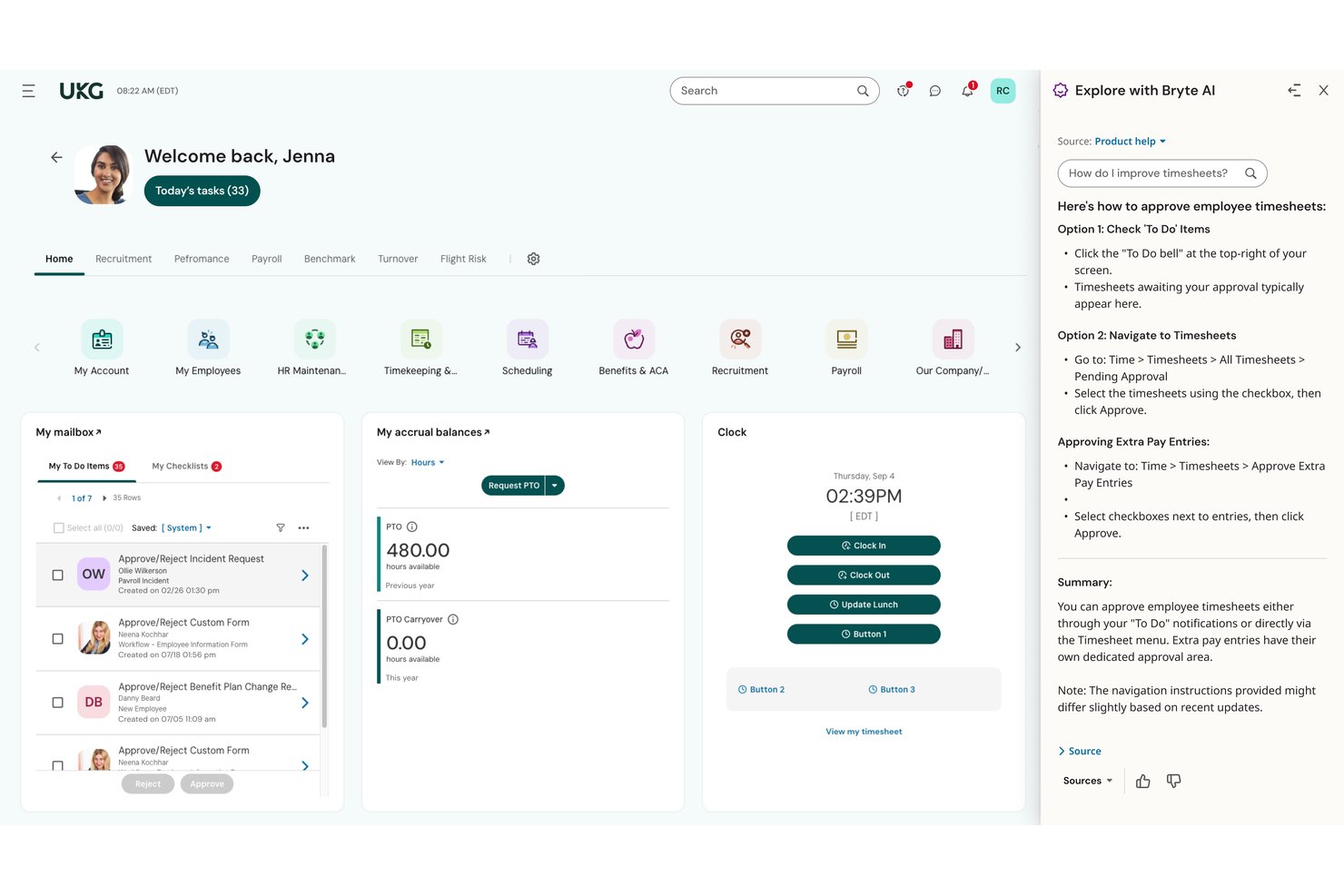
UKG Ready is an HR and payroll platform with built-in time tracking, benefits administration, tax filing, and grant labor allocation tools designed for mid-to-large nonprofit organizations.
Who Is UKG Ready Best For?
UKG Ready is a strong fit for mid-to-large nonprofits that manage grant-funded programs and need payroll to reflect real-time labor allocations across multiple funding sources.
Why I Picked UKG Ready
I picked UKG Ready as one of the best because its dedicated "Time and Effort Reporting for Grants" module does something most payroll platforms don't: it lets you assign labor costs to specific grants in real time, with dashboards showing live spend versus budget. You can set employee rates by grant, track hours against milestones, and run role-based timesheet approvals that distinguish between, say, a principal investigator and a program assistant. Native 403(b) administration with 15-year rule support rounds out the nonprofit fit.
UKG Ready Key Features
- SmartCheck™ payroll error flagging: An AI-powered review scans each payroll run and surfaces potential errors before you finalize it.
- Multi-EIN payroll support: Run payroll across separate chapters, campuses, or affiliated entities under a single platform login.
- 403(b) catch-up contribution administration: Native setup supports 15-year rule provisions and USERRA make-up contributions for nonprofit retirement plans.
- Automated multi-jurisdiction tax filing: Federal, state, and local tax submissions—including W-2s, 1099s, and 941s—are filed end-to-end on your behalf.
UKG Ready Integrations
UKG Ready has documented integrations with QuickBooks and NetSuite, plus a Sage Intacct Marketplace connection. These accounting integrations support payroll-to-ledger workflows for nonprofit finance teams.
Pros and Cons
Pros:
- Multi-entity payroll under one login
- Native 403(b) 15-year rule support
- Real-time grant labor allocation during payroll
Cons:
- Reporting tools require administrative expertise
- No pre-built clergy tax workflows

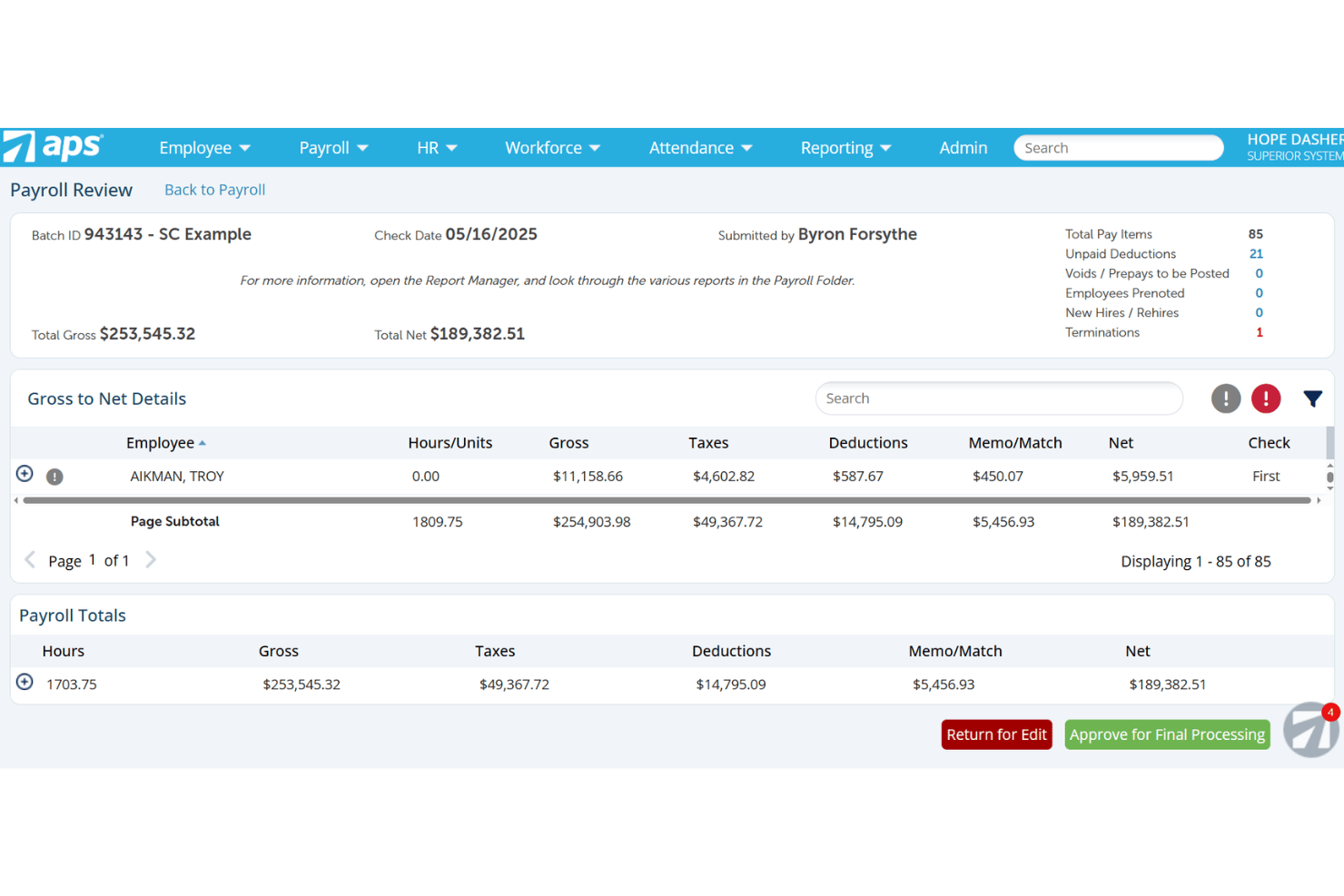
APS Payroll is a payroll and HR platform built with dedicated support for nonprofits and faith-based organizations, covering payroll processing, tax compliance, time tracking, benefits administration, and grant-level labor cost allocation.
Who Is APS Payroll Best For?
APS Payroll is a strong fit for nonprofits and faith-based organizations that need to allocate labor costs across multiple grants or programs and want a dedicated support team.
Why I Picked APS Payroll
APS Payroll earns its spot on my shortlist because of its Dimensions module, which lets you tag employee time directly to specific grants, programs, or departments at the timecard level. I love that those allocations flow straight into payroll processing and GL exports, so there's no manual rework when you're reconciling labor costs across multiple funding sources. The platform also handles 501(c)(3) FUTA exemptions and clergy dual-status taxation natively, which matters if your organization runs a mixed workforce of lay staff and ordained ministers.
APS Payroll Key Features
- Clergy housing allowance tracking: Set up, document, and track ministerial housing allowances to support correct federal income tax exclusion treatment.
- Employee self-service portal: Staff can view pay stubs, update direct deposit details, adjust W-4 withholding, and request time off through a web or mobile app.
- Sage Intacct bidirectional integration: Syncs employee records and dimensions between APS and Sage Intacct, then automatically posts payroll GL data by dimension into your fund accounting system.
- Custom report builder: Build ad hoc payroll and labor expense reports using configurable filters and columns to support board presentations and Form 990 preparation.
APS Payroll Integrations
APS Payroll lists 238 total connections, including a native bidirectional Sage Intacct integration plus integrations with QuickBooks, AccountMate, Acumatica, ACS Technologies, and Employee Navigator. An open API supports custom integrations.
Pros and Cons
Pros:
- Handles clergy housing allowance and dual-status
- Dedicated nonprofit and faith-based support teams
- Grant-level labor cost allocation with audit trails
Cons:
- No Aplos or Blackbaud Financial Edge NXT integration
- High monthly minimum excludes small nonprofits

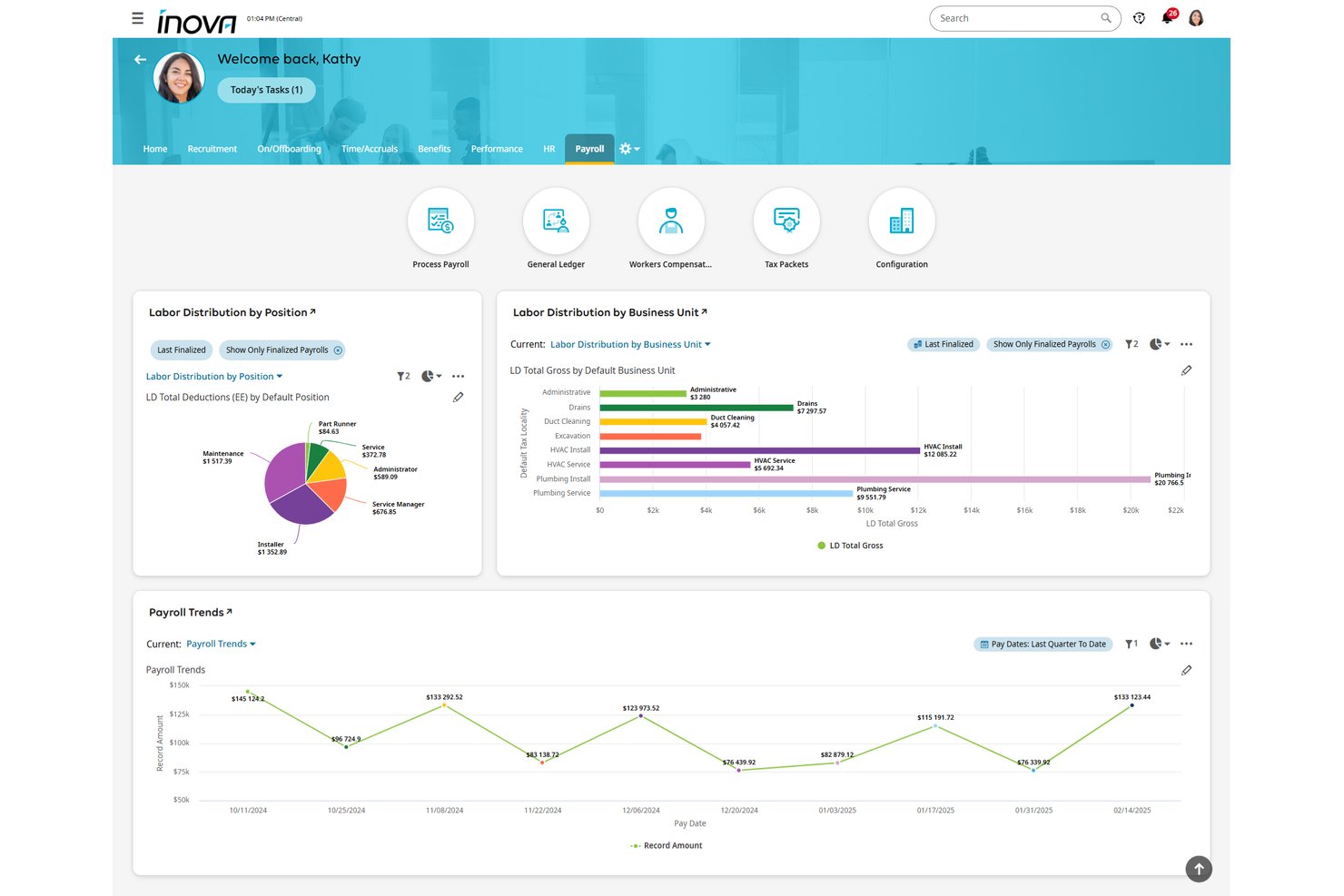
UKG Inova Payroll is a full-service payroll platform built for nonprofits, handling automated payroll processing, multi-state tax filing, clergy housing allowances, grant-level labor cost allocation, and fund accounting integrations across organizations of all sizes.
Who Is UKG Inova Payroll Best For?
UKG Inova Payroll is a strong fit for faith-based organizations and nonprofits managing federally funded programs that need clergy housing allowance support and grant-level labor cost tracking in one payroll system.
Why I Picked UKG Inova Payroll
I've included UKG Inova Payroll in my top picks because it handles two of the most technically demanding nonprofit payroll scenarios out of the box: clergy compensation and grant-level labor tracking. I specifically like that it supports housing allowances, Form 4361, and minister dual-status configuration, which most generalist platforms simply don't address. On the grant side, you can code timecards directly to funding sources, set primary and secondary funding splits per employee, and pull grant-level labor reports that hold up to OMB Uniform Guidance requirements.
UKG Inova Payroll Key Features
- Full-service tax filing: Files Forms 940, 941, 944, W-2, W-3, and 1099 across all 50 states and Washington, D.C., with automated reciprocity withholding and geospatial local tax ID matching.
- Multi-EIN payroll management: Manages payroll across multiple affiliated entities, chapters, or campuses under one login with separate EIN handling and consolidated reporting.
- Pay-as-you-go workers' comp: Calculates workers' compensation premiums per payroll run with no down payment, avoiding large year-end true-ups.
- Sage Intacct integration: Syncs payroll data bidirectionally with Sage Intacct, auto-posting GL journal entries by department, location, and dimension after each payroll run.
UKG Inova Payroll Integrations
UKG Inova Payroll integrates with Sage Intacct, QuickBooks Online, Acumatica, and Xero. It also provides an open REST API for custom connections, while Sage Intacct supports bidirectional GL and dimension syncing.
Pros and Cons
Pros:
- Manages multi-EIN nonprofit payroll compliance
- Supports grant-level labor cost tracking
- Handles clergy housing and parsonage allowances
Cons:
- No free trial or instant sandbox access
- No explicit support for 403(b) retirement plans
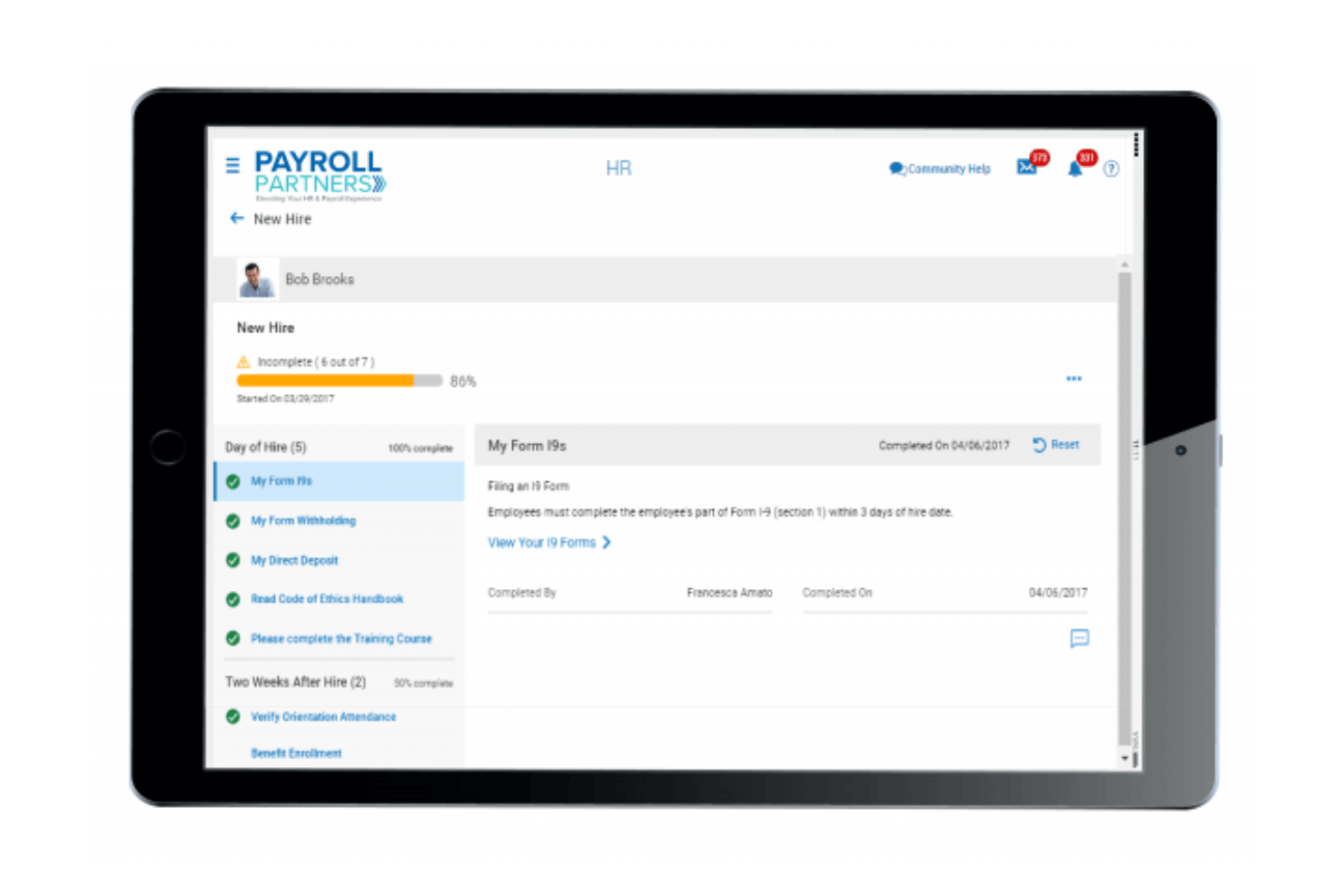
Payroll Partners is a payroll and HR platform built specifically for churches and faith-based nonprofits, covering clergy tax handling, multi-campus labor allocation, time and attendance, benefits enrollment, and ATS-integrated recruiting.
Who Is Payroll Partners Best For?
Payroll Partners is built for churches and faith-based nonprofits that need clergy housing allowance management, dual-status minister tax handling, and multi-campus payroll support in one place.
Why I Picked Payroll Partners
Payroll Partners earns its spot on my shortlist because no other platform handles clergy payroll complexity with this level of specificity. I'm particularly impressed by its dual-status minister tax handling, which correctly separates FICA from SECA obligations, and its dedicated clergy housing allowance workflows, which even support mid-year reviews when a pastor's expenses change. It also manages pay confidentiality for pastoral staff, something most general payroll platforms simply don't offer.
Payroll Partners Key Features
- ATS-integrated recruiting: Post open roles directly to Indeed, Glassdoor, and ZipRecruiter, then manage candidate prescreening, scoring, and committee review workflows within the same platform.
- Paperless onboarding: New hires complete offer letter signing, federal and state forms, and I-9 verification online, with manager and employee task checklists tracking each step.
- ACA compliance dashboard: Tracks Applicable Large Employer status, generates 1094-C and 1095-C forms, and handles electronic filing with built-in compliance alerts.
- Multi-method time tracking: Employees can clock in via physical time clocks (badge, biometric, or proximity fob), web portal timesheets, or mobile app, with hours feeding directly into payroll.
Payroll Partners Integrations
Payroll Partners integrates with QuickBooks, Sage, Shelby Systems, Blackbaud, and ACS for accounting workflows. It also connects with Indeed, Glassdoor, and ZipRecruiter through its ATS, with custom integrations available on request.
Pros and Cons
Pros:
- Dedicated multi-campus labor allocation features
- Dual-status minister tax workflows included
- Handles clergy housing and parsonage allowances
Cons:
- Employee portal interface feels dated
- No public pricing or trial available
Other Nonprofit Payroll Software
Here are some additional nonprofit payroll software options that didn’t make it onto my shortlist, but are still worth checking out:
- Paylocity
For mid-market grant and program labor tracking
- Paychex Flex
For scaling secular nonprofits' payroll compliance
- Paycor
For pay-as-you-go workers' comp
- ADP Workforce Now
For grant and clergy payroll compliance
- OnPay
For clergy and 501(c)(3) tax exemptions
- Paycom
For mid-to-large nonprofits needing full HCM
- Justworks
For secular nonprofits wanting PEO-backed benefits
- MIP Fund Accounting
For grant-funded labor cost allocation
- isolved
For mid-size secular nonprofits needing full HCM


How I Evaluate Nonprofit Payroll Software
My evaluation splits into baseline criteria every tool must meet—like clergy tax handling and fund allocation—and differentiators that separate a solid pick from the right one for your org.
Core Functionality (Table Stakes For This List)
When I'm selecting tools for my list, I rank each one on a scale from 0 (does not offer the functionality) to 5 (excels in this area) for each core functionality listed below. I then calculate the tool's total score into a percentage, using 65% as a benchmark to help assess its overall fit for the list.
- Payroll processing: I check whether the tool handles automated pay runs across multiple schedules, direct deposit, and contractor payments without manual workarounds.
- Tax filing and compliance: Each tool needs to calculate, withhold, and file federal and state payroll taxes and generate year-end forms like W-2s and 1099s.
- Employee self-service: I look for a portal where staff can pull up pay stubs, download tax forms, and update their own direct deposit or withholding details.
- Nonprofit tax exemptions: Tools should support 501(c)(3) FUTA exemptions and clergy housing allowances—both come up constantly in nonprofit payroll setups.
- Fund and grant allocation: I evaluate how each platform splits labor costs across grants, programs, or restricted funds, since funders expect audit-ready reporting at the line-item level.
- Fund accounting integration: Syncing payroll data to systems like QuickBooks, Sage Intacct, or Aplos matters, so I check for native or bidirectional integrations with nonprofit accounting platforms.
Once I have a list of tools that meet the criteria, I consider what sets each platform apart.
Differentiating Factors (What Sets Vendors Apart)
Here's how I compare and contrast different vendors:
Standout Features
I check whether time tracking syncs directly into payroll with grant or job codes at the timecard level, since duplicate entry across systems is where allocation errors start. Board-ready reporting matters too—I look for pre-built labor cost reports broken out by fund, grant, and program that are formatted for board packets or grantor audits without manual spreadsheet work. For nonprofits running multiple chapters or campuses, I evaluate multi-entity support under a single login with separate EIN handling and consolidated reporting.
Beyond Features
I check whether each vendor offers onboarding support from specialists who understand nonprofit fund structures and clergy tax setup—not just generic payroll reps. A bad mid-year migration can mean duplicate tax filings or misallocated grant wages. I also look for bidirectional integrations with fund accounting platforms like Sage Intacct, Aplos, or QuickBooks, with class and dimension mapping that keeps your chart of accounts intact. Nonprofit-specific pricing matters too, especially flexible per-employee rates without long-term contracts for orgs with fluctuating grant-funded headcount.
How to Choose a Nonprofit Payroll Software
What should you watch for when picking payroll software to fit your nonprofit’s grant tracking, compliance, and program cost allocation needs:
| If your priority is... | Look for... |
|---|---|
| Tracking labor across grants or programs | Built-in grant/fund cost allocation on each pay run |
| Clergy or faith-based payroll tax compliance | Dedicated clergy housing/tax modules |
| Audit-ready reporting for funders or boards | Pre-built, fund-based labor cost reporting |
| Easy integration with nonprofit accounting tools | Native, bidirectional sync with QuickBooks or Sage |
| Scaling with fluctuating headcount or temp staff | Flexible, per-user pricing with no long contracts |
How to Vet Your Shortlist
- Test grant allocation in-app: Allocate and approve payroll for a sample grant and check the exported report for accuracy.
- Request a clergy tax demo: Ask the vendor to walk you through clergy housing allowance and 501(c)(3) exemption setup.
- Obtain an audit report sample: Request a formatted labor-cost-by-fund report as delivered for grantor audits or board packets.
- Trial an accounting integration: Run a payroll and sync results to your nonprofit accounting software within a 7-day sandbox.
- Tradeoff—industry expertise vs. general payroll scale: Decide whether you want a nonprofit specialist with built-in compliance or a larger vendor offering customization but less sector focus.
What Are Nonprofit Payroll Software?
Nonprofit payroll software are digital tools designed to manage employee pay, tax compliance, and fund or grant allocation specifically for nonprofit organizations. These platforms help you handle unique nonprofit requirements, such as tracking labor costs by program or fund, supporting clergy or faith-based payroll needs, and generating audit-ready reports for grantors and boards. They play a key role in keeping your organization compliant and organized.
Features of Nonprofit Payroll Software
When selecting nonprofit payroll software, keep an eye out for the following key features:
- Payroll processing: Handles recurring and one-off pay runs for employees and contractors, supports multiple pay schedules, and automates calculations for earnings, deductions, and overtime so you can process payroll without manual effort.
- Tax filing and compliance: Calculates, withholds, and files federal, state, and local payroll taxes—including special rules for 501(c)(3) organizations—and generates year-end tax forms like W-2s and 1099s to help you stay compliant.
- Fund and grant allocation: Lets you split salary and wage expenses across specific grants, funds, or programs within each pay run, supporting audit-ready reporting and funder requirements for detailed cost tracking.
- Nonprofit tax exemptions: Supports FUTA exemption setup for nonprofits and enables clergy housing allowance processing, so you can handle sector-specific tax rules without workarounds.
- Employee self-service portal: Provides employees access to digital pay stubs, tax documents, and the ability to update personal and banking information, reducing HR workloads and supporting employee autonomy.
- Fund accounting integration: Syncs payroll data to nonprofit accounting platforms like QuickBooks, Sage Intacct, or Aplos, mapping payroll costs to your chart of accounts for accurate financial reporting.
- Time tracking with job or grant codes: Links employee time entries directly to funding sources or programs, reducing data entry errors and making sure labor costs are correctly allocated on every payroll.
- Pre-built audit and board reporting: Offers standard reports that break out labor costs by grant, fund, or program—formatted for grantor audits or board reviews—so you can meet stakeholder requirements without manual data manipulation.
- Multi-entity management: Supports separate EINs and financials for organizations running multiple chapters or sites, while providing consolidated oversight under a single login.
- Nonprofit-focused onboarding and support: Gives you access to specialists who understand nonprofit payroll, fund structures, and clergy tax scenarios, helping you avoid compliance missteps during setup and migration.
Benefits of Nonprofit Payroll Software
Implementing nonprofit payroll software provides several benefits for your team and your business. Here are a few you can look forward to:
- Accurate grant and fund allocation: Allocate payroll expenses to specific grants, programs, or funds within each pay run, making your reporting ready for audits and funder requirements.
- Specialized nonprofit tax compliance: Handle 501(c)(3) FUTA exemptions and clergy housing allowances through dedicated modules that keep you compliant without manual calculations.
- Integrated accounting workflows: Sync payroll data directly to nonprofit accounting systems like QuickBooks, Sage Intacct, or Aplos, so your records stay accurate and audit-ready.
- Audit-ready reporting: Generate pre-built reports that break out labor costs by fund, program, or grant, supporting board presentations and grantor audits without extra spreadsheet work.
- Employee self-service tools: Let employees download pay stubs, access tax forms, and update their details through secure online portals, reducing HR workloads.
- Nonprofit-focused onboarding support: Work with specialists who understand nonprofit fund structures and clergy tax rules, minimizing setup errors and compliance risks.
- Adaptable pricing and scalability: Use flexible, per-user pricing models that support fluctuating grant-funded headcounts and avoid long-term contracts.
Costs and Pricing of Nonprofit Payroll Software
Selecting nonprofit payroll software requires an understanding of the various pricing models and plans available. Costs vary based on features, team size, add-ons, and more. The table below summarizes common plans, their average prices, and typical features included in nonprofit payroll software solutions:
Plan Comparison Table for Nonprofit Payroll Software
| Plan Type | Average Price | Common Features |
|---|---|---|
| Free Plan | $0 | Basic payroll processing, simple tax calculations, and limited employee self-service. |
| Personal Plan | $8–$15/user/month | Standard payroll runs, automated federal and state tax filings, employee self-service portal, and email support. |
| Business Plan | $16–$35/user/month | Payroll for employees and contractors, grant and fund cost allocation, accounting integrations, and audit reporting. |
| Enterprise Plan | $36–$60/user/month | Custom workflows, multi-entity support, dedicated onboarding assistance, priority support, and advanced compliance. |
Nonprofit Payroll Software FAQs
Here are some answers to common questions about nonprofit payroll software:
How do nonprofit payroll software platforms handle grants and restricted funds?
Most nonprofit payroll software lets you allocate salaries and wages directly to specific grants, funds, or programs each pay run. This helps you meet funder requirements for line-item labor reporting and keeps audits clean. Some tools even link time tracking or job codes to funding sources, so labor allocation happens automatically.
Can nonprofit payroll software handle clergy tax benefits and 501(c)(3) exemptions?
Yes, many nonprofit payroll tools offer built-in modules for clergy housing allowances and 501(c)(3) FUTA exemptions. You should always test this during your demo. Some systems walk you through clergy tax setup, while others allow manual configuration for more complex religious payroll arrangements.
What accounting platforms integrate with nonprofit payroll software?
You’ll typically find integrations with QuickBooks, Sage Intacct, and Aplos in nonprofit payroll solutions. Some platforms offer direct sync of payroll data to your chart of accounts, while others use export/import tools or third-party apps. It’s worth checking for bidirectional sync and support for class or dimension mapping to avoid rework.
How do I know if a payroll vendor truly understands nonprofit needs?
Look for vendors who provide onboarding with nonprofit specialists, not just standard payroll reps. Ask for sample reports—like labor costs by grant—and request a demo of grant and fund allocation workflows. Genuine expertise shows up in how easily the tool handles nonprofit-specific tax rules, reporting, and compliance.
What’s the best way to evaluate payroll software for multiple chapters or sites?
Check that the software supports multi-entity or multi-EIN management under one login. This means you can run separate payrolls, allocate costs, and generate consolidated reports for organizations with several locations or programs—all without juggling multiple accounts.
Are there flexible pricing options for nonprofits with grant-based or variable headcount?
Yes, many nonprofit payroll software providers use month-to-month, per-employee pricing without long-term commitments. This flexibility helps nonprofits scale up or down as grant funding or project work changes during the year. Always clarify contract terms and ask about seasonal or temporary staff options.