

10 Best Online Learning Platforms in 2026

Best Online Learning Platforms Shortlist


Online learning platforms are digital tools that let you access courses, training, and educational resources from anywhere. If you’re searching for the best online learning platforms, you’re likely looking to upskill, support your team’s development, or find flexible ways to learn new topics. With so many options available, it’s tough to know which platforms offer the right mix of quality content, user experience, and features for your needs. This guide will help you compare top platforms, understand what sets each apart, and make a confident choice for your learning goals in 2026.
Why Trust Our Software Recommendations
Our team has been testing and reviewing software since 2012. As HR experts ourselves, we know how difficult—and important—it is to choose the right software.
For this guide, we evaluated tools using hands-on testing and independent research, scoring tools using our selection criteria. We also draw on insights from industry thought leaders and practicing HR experts.
Our reviews reflect our human editorial judgment, not a sales pitch.
Expert reviewers:
Online Learning Platforms Comparison Table
This comparison table summarizes pricing details for my top online learning platforms selections:
| Tool | Best For | Trial Info | Price | ||
|---|---|---|---|---|---|
| 1 | Simple, flexible learning management for teams and businesses | Free plan + free demo available | From $119/month (billed annually) | Website | |
| 2 | Best for rapid learning content deployment | Free demo + 30-day free trial available | From $3.97/user/month (billed annually) | Website | |
| 3 | Extensive course marketplace for professional and personal development | Free trial available | From $35/month | Website | |
| 4 | AI-powered learning platform for enterprise training | Free demo available | Pricing upon request | Website | |
| 5 | All-in-one platform for online courses and memberships | 14-day free trial available | From $71/month (billed annually) | Website | |
| 6 | Simple course creation and sales for individuals and businesses | Free trial available | From $29/month | Website | |
| 7 | Professional development courses integrated with LinkedIn profiles | Free trial available | From $39.99/month | Website | |
| 8 | Collaborative learning platform for modern teams | Free demo available | From $8/user/month (billed annually) | Website | |
| 9 | University-level courses from top institutions | Free plan available | Pricing upon request | Website | |
| 10 | Free, mastery-based learning for all ages | Free plan available | From $4/month | Website |


Best Online Learning Platforms Reviews
Below are my detailed summaries of the best online learning platforms that made it onto my shortlist. My reviews offer a detailed look at the features, best use cases, and pricing of each platform to help you find the best one for you.

Simple, flexible learning management for teams and businesses
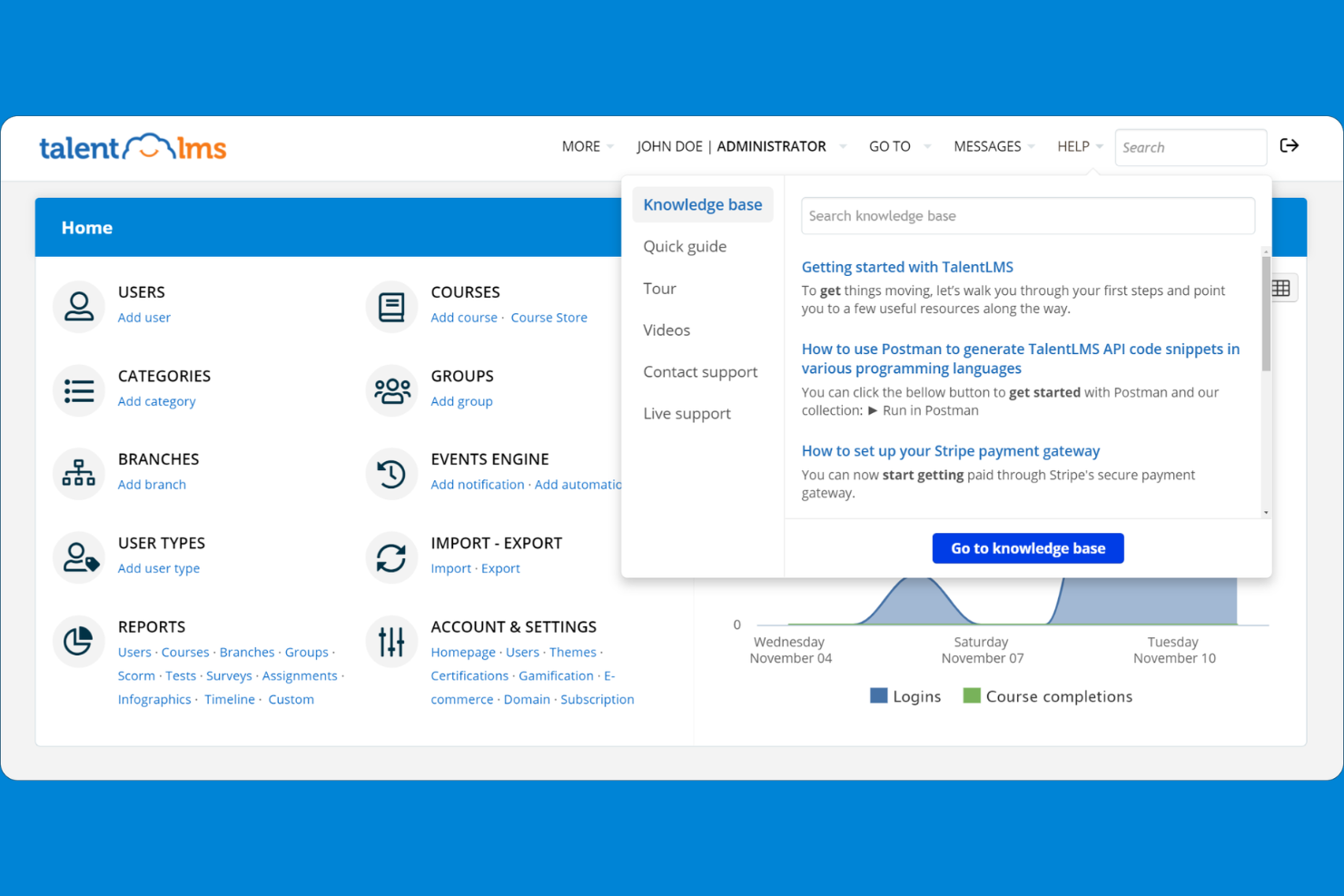
TalentLMS is a cloud-based learning management system designed for businesses and organizations that want to deliver training at scale. It appeals to HR teams and trainers looking for customizable course creation, user management, and reporting tools.
Who Is TalentLMS Best For?
TalentLMS suits HR teams and trainers at small to midsize businesses seeking scalable online training solutions.
Why I Picked TalentLMS
I picked TalentLMS because it offers a simple, flexible learning management experience that fits the needs of growing teams. I like that I can quickly create and assign courses to different user groups and track their progress in real time. The platform’s branching paths and customizable learning portals help my team deliver targeted training for various departments. In practice, this flexibility means we can adapt our training programs as our business evolves.
TalentLMS Key Features
- SCORM and xAPI support: Import and deliver interactive, standards-compliant learning content.
- Assessment engine: Build quizzes, tests, and surveys directly into courses.
- Video conferencing integration: Connect with Zoom, Microsoft Teams, and Webex for live sessions.
- Mobile learning app: Learners can access courses and materials from iOS and Android devices.
TalentLMS Integrations
Integrations include BambooHR, Salesforce, Zoom, Microsoft Teams, GoTo, ADP Workforce Now, Intercom, Sage People, Shopify, and LinkedIn Learning.
Pros and Cons
Pros:
- Integrates with major HR and video platforms
- Offers extensive reporting and analytics tools
- Supports SCORM, xAPI, and cmi5 content standards
Cons:
- Mobile app lacks some desktop functionalities
- Limited advanced gamification features
New Product Updates from TalentLMS
TalentLMS Adds Learning Paths, AI Video, and Learner Experience Updates
TalentLMS introduced updates across learning management, content creation, and learner experience, including Learning Paths for Groups, AI video generation in TalentCraft, video bookmarking, and expanded administration tools. For more information, visit TalentLMS’s official site.

Best for rapid learning content deployment

iSpring LMS is an online learning platform with a built-in course authoring suite, AI content creation, learning tracks, gamification, and performance review tools all in one place.
Who Is iSpring LMS Best For?
iSpring LMS is a strong fit for HR and L&D teams at mid-sized companies that need to build, deliver, and track employee training without a lengthy setup process.
Why I Picked iSpring LMS
iSpring LMS is one of my top picks because I love how quickly you can go from zero to live training. The built-in AI course creator lets you upload your existing files, describe the topic, and get a full course draft with knowledge checks in any language. On top of that, the ready-made course library from iSpring Academy means you can assign training on compliance, sales, or leadership instantly, without authoring anything from scratch. Auto-enrollment rules then handle assigning those courses to the right learners automatically.
iSpring LMS Key Features
- Learning tracks: Organize courses into structured sequences with chapters, deadlines, and prerequisites to guide learners through a defined path.
- Mobile learning app: Learners can access courses on iOS and Android, with an offline mode that syncs progress once they reconnect.
- Gamification: Assign points, badges, and leaderboard rankings to learners as they complete courses and assessments.
- SCORM/xAPI content import: Upload externally authored SCORM 1.2, SCORM 2004, xAPI, and cmi5 packages directly into the LMS.
iSpring LMS Integrations
iSpring LMS offers native integrations with Zoom, Microsoft Teams, Google Meet, BambooHR, OrangeHRM, Salesforce, Microsoft Outlook, Microsoft Entra ID, Shopify, Udemy, Go1, LinkedIn Learning, and GoodHabitz, among others. It also connects with Albato for workflow automation and provides a REST API for custom integrations.
Pros and Cons
Pros:
- Fast implementation with minimal setup time
- Offline mobile app for iOS and Android
- Includes a built-in authoring toolkit
Cons:
- Limited library of ready-made courses
- Branding and interface customization options are basic
New Product Updates from iSpring LMS

iSpring LMS Adds Multiple Observations to OJT Sessions
iSpring LMS now lets managers log multiple observations within one OJT session, grouping visits and auto-generating summary stats like averages, criterion results, and comparisons. For more information, visit iSpring LMS's official site.

Extensive course marketplace for professional and personal development
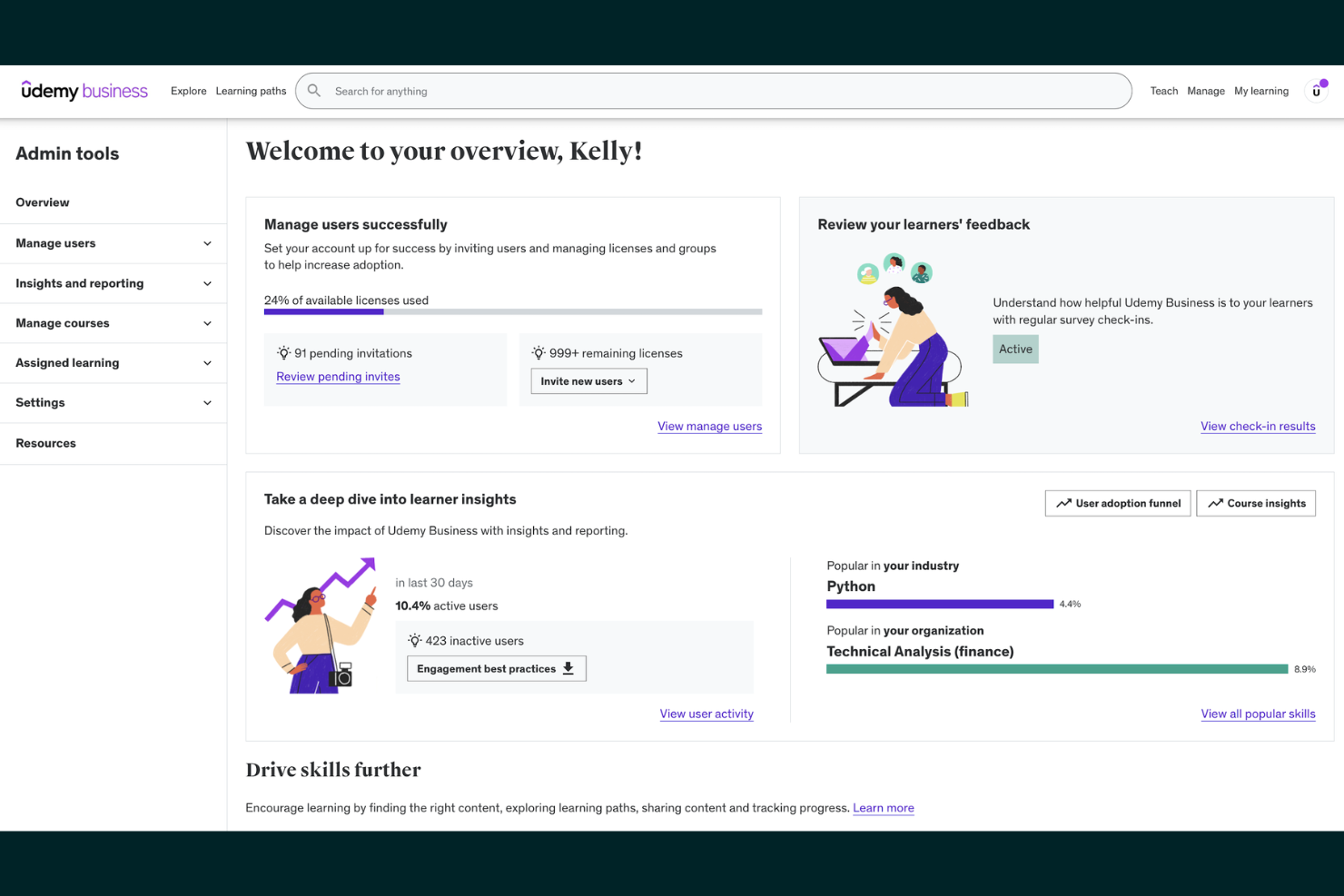
Udemy offers a vast online course marketplace designed for professionals, teams, and organizations seeking flexible skill development. It’s a strong fit for businesses that want to provide employees with access to a wide range of technical and soft skills training.
Who Is Udemy Best For?
Udemy suits HR teams and business leaders at organizations of any size looking to offer diverse, on-demand learning options for employees.
Why I Picked Udemy
I chose Udemy because it offers an extensive course marketplace that covers both professional and personal development topics. My team can quickly find courses on everything from project management to wellness, all in one place. I appreciate that instructors from various industries contribute fresh, up-to-date content regularly. In practice, this means we’re never limited by subject or skill level when assigning training.
Udemy Key Features
- Course progress tracking: Users can monitor their advancement through each course with visual indicators.
- Mobile app access: Learners can view and complete courses on iOS and Android devices.
- Custom learning paths: Admins can assign curated course collections to individuals or teams.
- Certificate of completion: Learners receive a digital certificate after finishing a course.
Udemy Integrations
Integrations include Microsoft Teams, Slack, LinkedIn Learning, Cornerstone, Degreed, and more.
Pros and Cons
Pros:
- Mobile app supports offline course access
- Certificates available for completed courses
- Self-paced and instructor-led course formats
Cons:
- Few native integrations with HR platforms
- Certificates are not accredited or standardized
Docebo
AI-powered learning platform for enterprise training
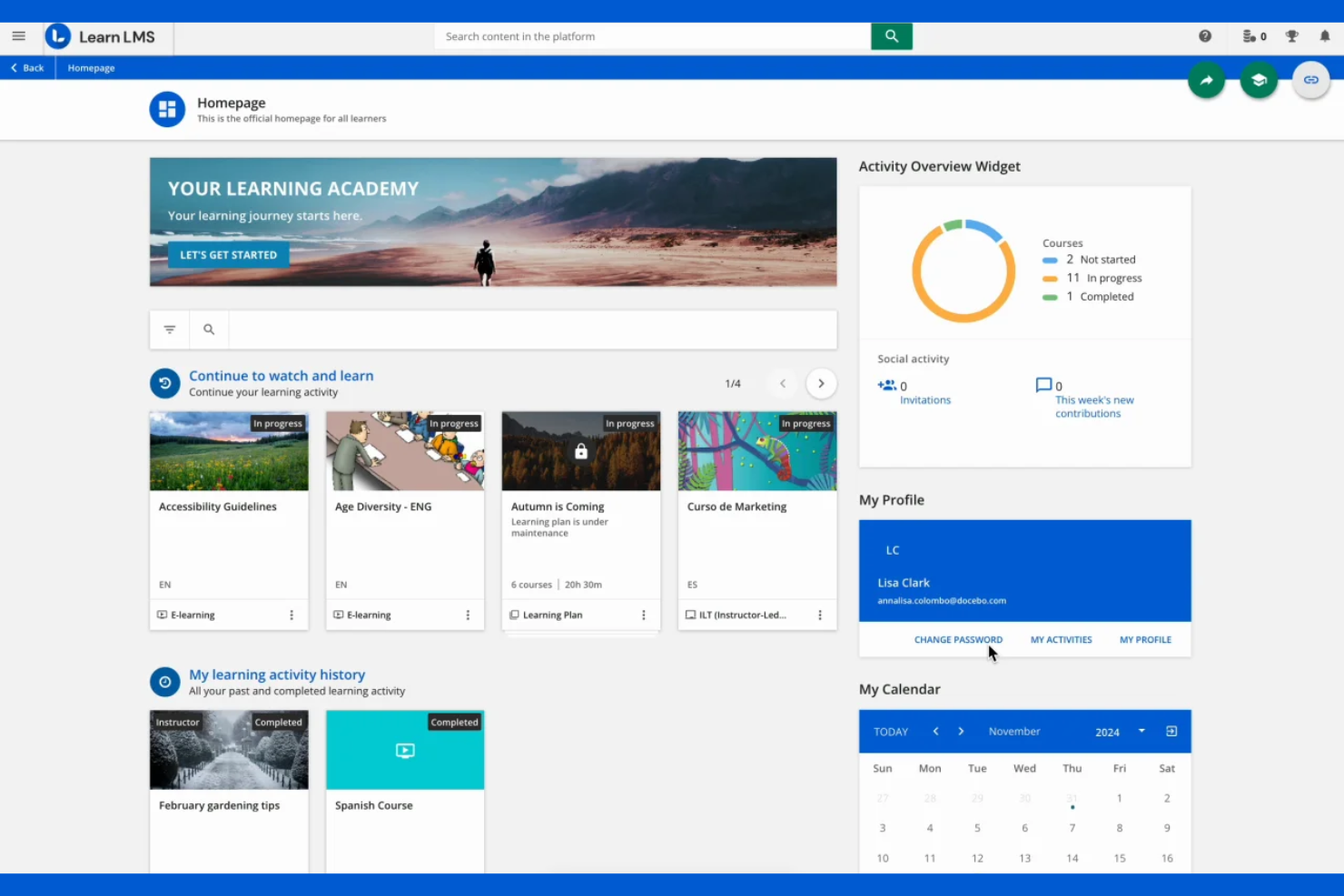
Docebo is a cloud-based learning platform designed for enterprises that need to deliver, manage, and track employee training at scale. It appeals to organizations seeking advanced automation, content management, and personalized learning experiences.
Who Is Docebo Best For?
Docebo suits HR and L&D teams at large enterprises that need scalable, AI-driven training and compliance solutions.
Why I Picked Docebo
I picked Docebo because its AI-powered learning platform helps my team automate content recommendations and personalize training paths for each learner. I like that we can use its virtual coach to answer learner questions in real time. The platform’s advanced analytics let us track engagement and measure training impact across departments. In practice, this means we deliver targeted, scalable training that adapts to our organization’s needs.
Docebo Key Features
- Content marketplace: Access ready-made courses from third-party providers directly within the platform.
- ILT classroom management: Schedule, track, and manage instructor-led training sessions.
- Multi-domain management: Create and manage separate learning environments for different audiences or brands.
- Custom reporting engine: Build and export tailored reports on learner progress and course performance.
Docebo Integrations
Integrations include Salesforce, Microsoft Teams, HubSpot, Dropbox, Facebook, Accredible, ADP Workforce Now, BambooHR, Amazon S3, and OpenSesame.
Pros and Cons
Pros:
- Integrates with major HR and video platforms
- Offers extensive reporting and analytics tools
- Supports SCORM, xAPI, and cmi5 content standards
Cons:
- Mobile app lacks some desktop functionalities
- User management can be complex for large orgs

Kajabi
All-in-one platform for online courses and memberships
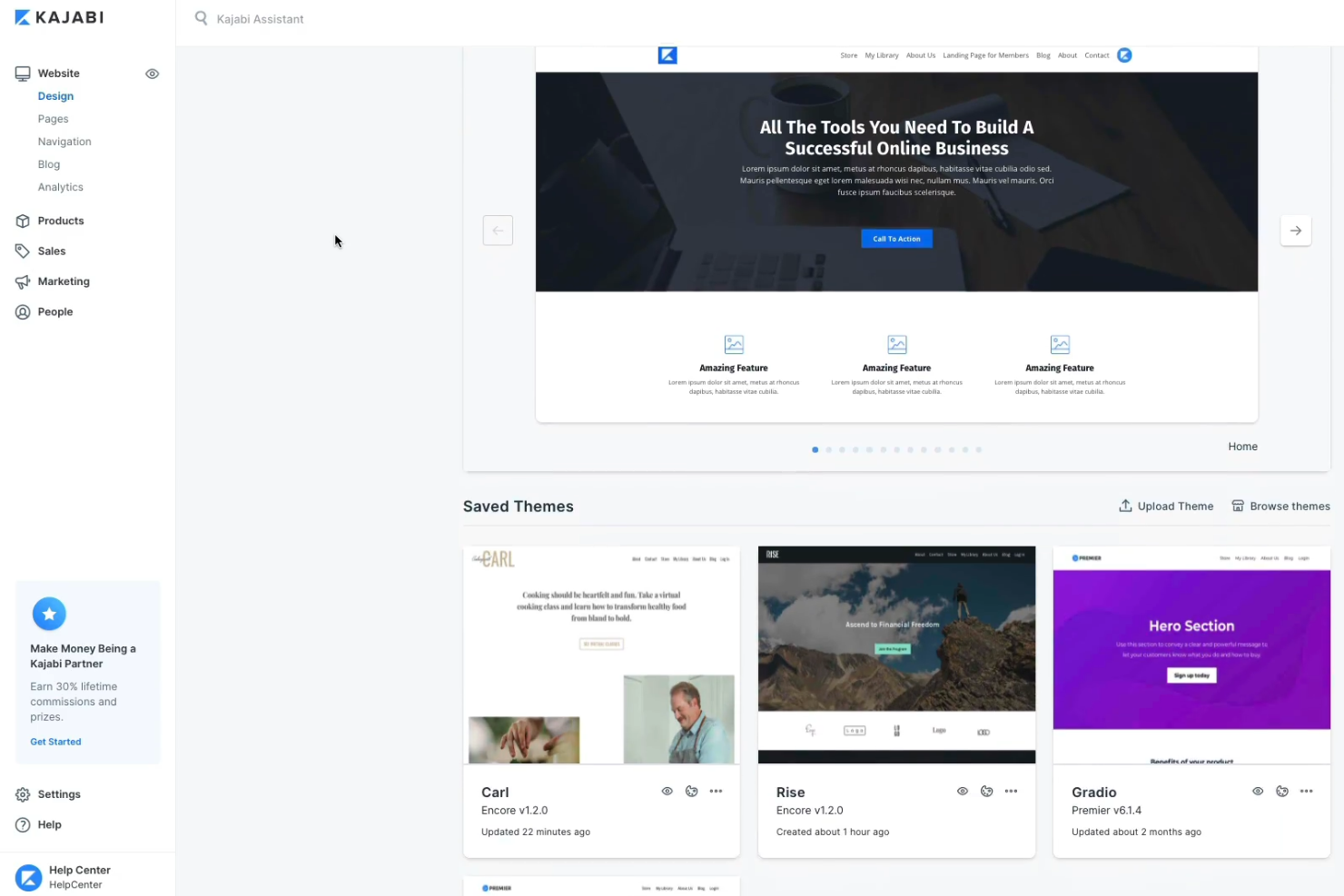
Kajabi offers creators, coaches, and small businesses a way to build, market, and sell online courses and digital products from one platform. It appeals to those seeking to manage content, payments, and community engagement without juggling multiple tools.
Who Is Kajabi Best For?
Kajabi suits solo creators, coaches, and small businesses looking to monetize online courses, memberships, and digital products.
Why I Picked Kajabi
I picked Kajabi because it lets my team manage online courses, memberships, and digital products all in one place. I like that we can build landing pages, automate email marketing, and handle payments without third-party tools. The platform’s all-in-one approach means we don’t have to juggle multiple subscriptions or integrations. In practice, this helps us launch and scale our online learning offerings quickly and efficiently.
Kajabi Key Features
- Community spaces: Create private or public online communities for learners.
- Quizzes and assessments: Build interactive quizzes to test knowledge and track progress.
- Drip content scheduling: Release course modules on a set schedule automatically.
- Mobile app: Give users access to courses and content on iOS and Android devices.
Kajabi Integrations
Integrations include Stripe, PayPal, Mailchimp, ConvertKit, ActiveCampaign, Aweber, Google Analytics, Facebook Pixel, Zapier, and ClickFunnels.
Pros and Cons
Pros:
- Mobile app for learners and creators
- Community and membership management features
- Built-in website and landing page builder
Cons:
- Limited advanced reporting and analytics options
- No built-in course marketplace for discovery

Simple course creation and sales for individuals and businesses
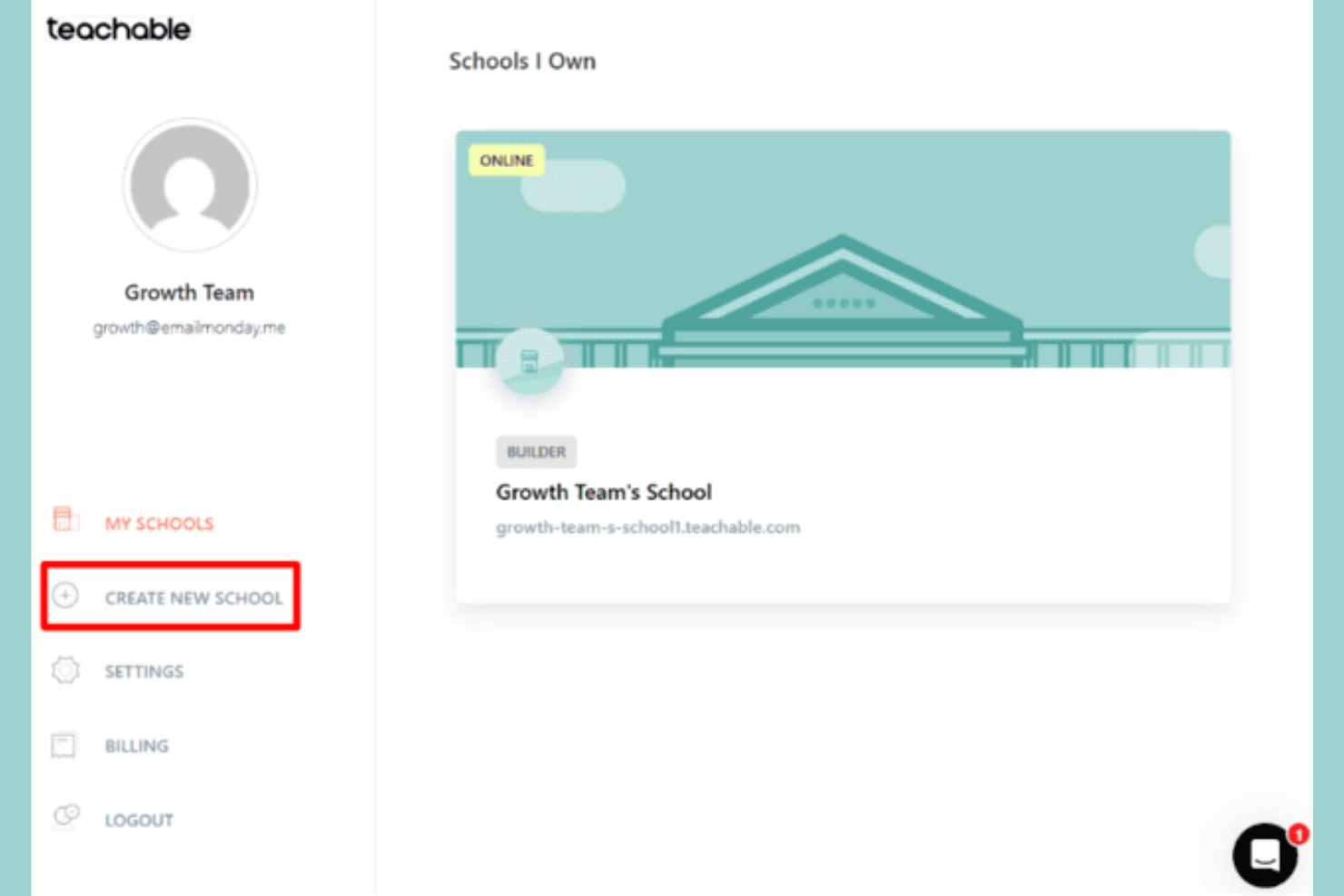
Teachable gives creators, coaches, and entrepreneurs a platform to build and sell online courses, coaching, and digital downloads. It appeals to those who want to monetize expertise with flexible content delivery and built-in payment processing.
Who Is Teachable Best For?
Teachable fits solo creators, coaches, and small businesses looking to launch and sell online courses or coaching programs.
Why I Picked Teachable
I picked Teachable because it lets my team quickly create and sell courses without needing technical skills. I like that we can offer coaching, digital downloads, and courses from a single dashboard. The built-in sales and checkout tools make it easy to monetize content. In practice, this means we can launch new offerings and manage payments without extra plugins or services.
Teachable Key Features
- Course compliance controls: Set requirements for lecture completion and enforce content progression.
- Integrated quizzes: Add graded or ungraded quizzes to course modules.
- Student progress tracking: Monitor learner activity and completion rates in real time.
- Custom certificates: Issue branded certificates of completion to students automatically.
Teachable Integrations
Integrations include Mailchimp, ConvertKit, Google Analytics, Segment, Zapier, Facebook Pixel, Sumo, Circle, Accredible, and Shopify.
Pros and Cons
Pros:
- Mobile app for learners and creators
- Community and membership management features
- Built-in website and landing page builder
Cons:
- No SCORM or xAPI content support
- Fewer native integrations than some competitors

Professional development courses integrated with LinkedIn profiles
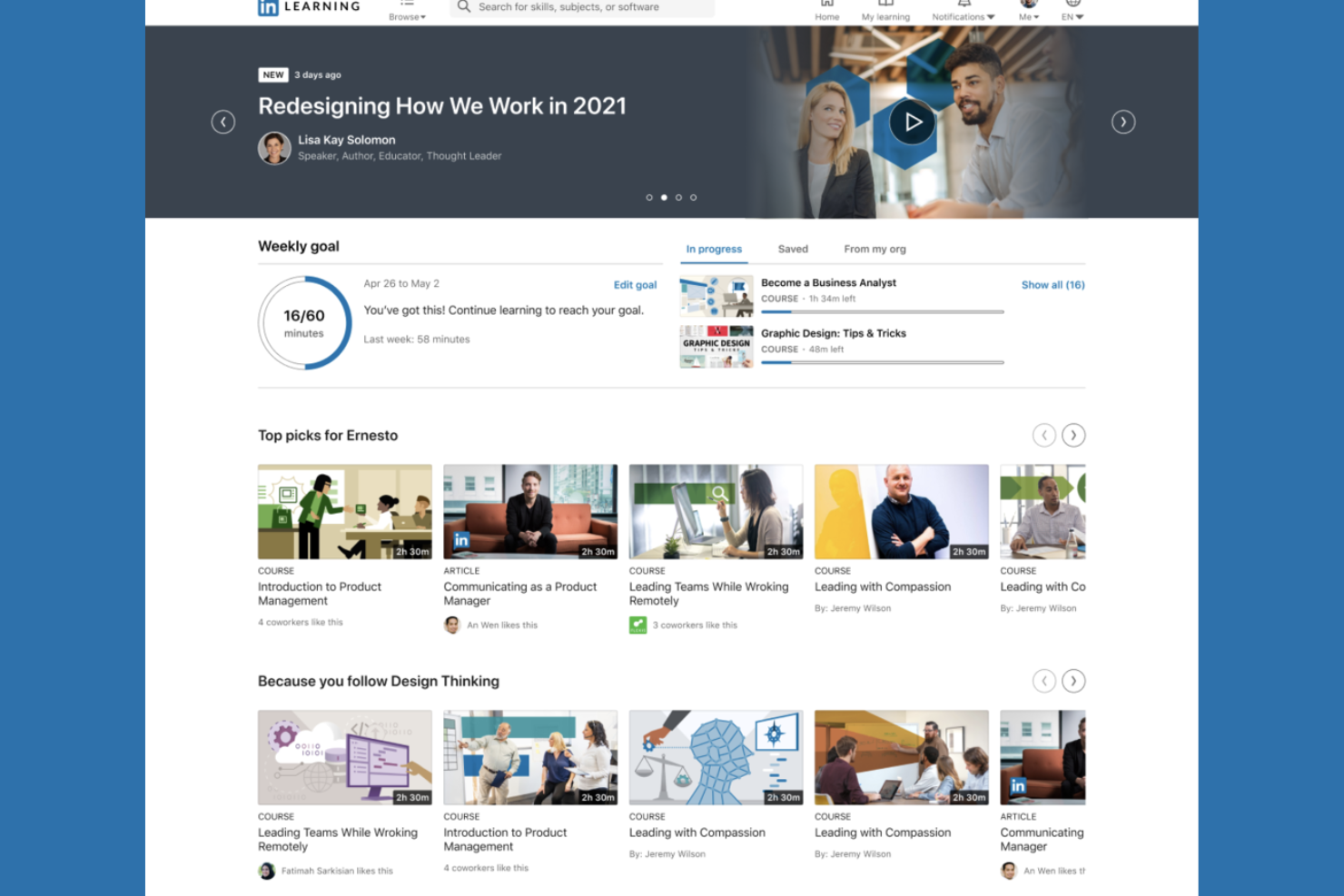
LinkedIn Learning offers a curated library of professional courses designed for organizations and individuals aiming to upskill in business, technology, and creative fields. It’s a strong choice for HR teams and business leaders seeking learning content that aligns with career growth and industry trends.
Who Is LinkedIn Learning Best For?
HR teams and business leaders at organizations seeking professional development content tied to LinkedIn profiles and career advancement.
Why I Picked LinkedIn Learning
I picked LinkedIn Learning because it connects professional development directly to users’ LinkedIn profiles, making skill-building visible to employers and peers. I like that my team can assign courses and track completions within the platform. The integration with LinkedIn’s network means learning achievements are automatically showcased. In practice, this helps reinforce a culture of growth and career advancement across our organization.
LinkedIn Learning Key Features
- Curated learning paths: Users can follow structured course sequences for specific skills or roles.
- Skill assessments: Learners can test their knowledge before and after courses.
- Mobile app access: Courses are available on iOS and Android devices for learning on the go.
- Admin analytics dashboard: Admins can view usage data and course engagement metrics.
LinkedIn Learning Integrations
Native integrations are not currently listed.
Pros and Cons
Pros:
- Mobile app supports offline course access
- Certificates available for completed courses
- Self-paced and instructor-led course formats
Cons:
- Limited options for live, interactive sessions
- Course quality varies by instructor

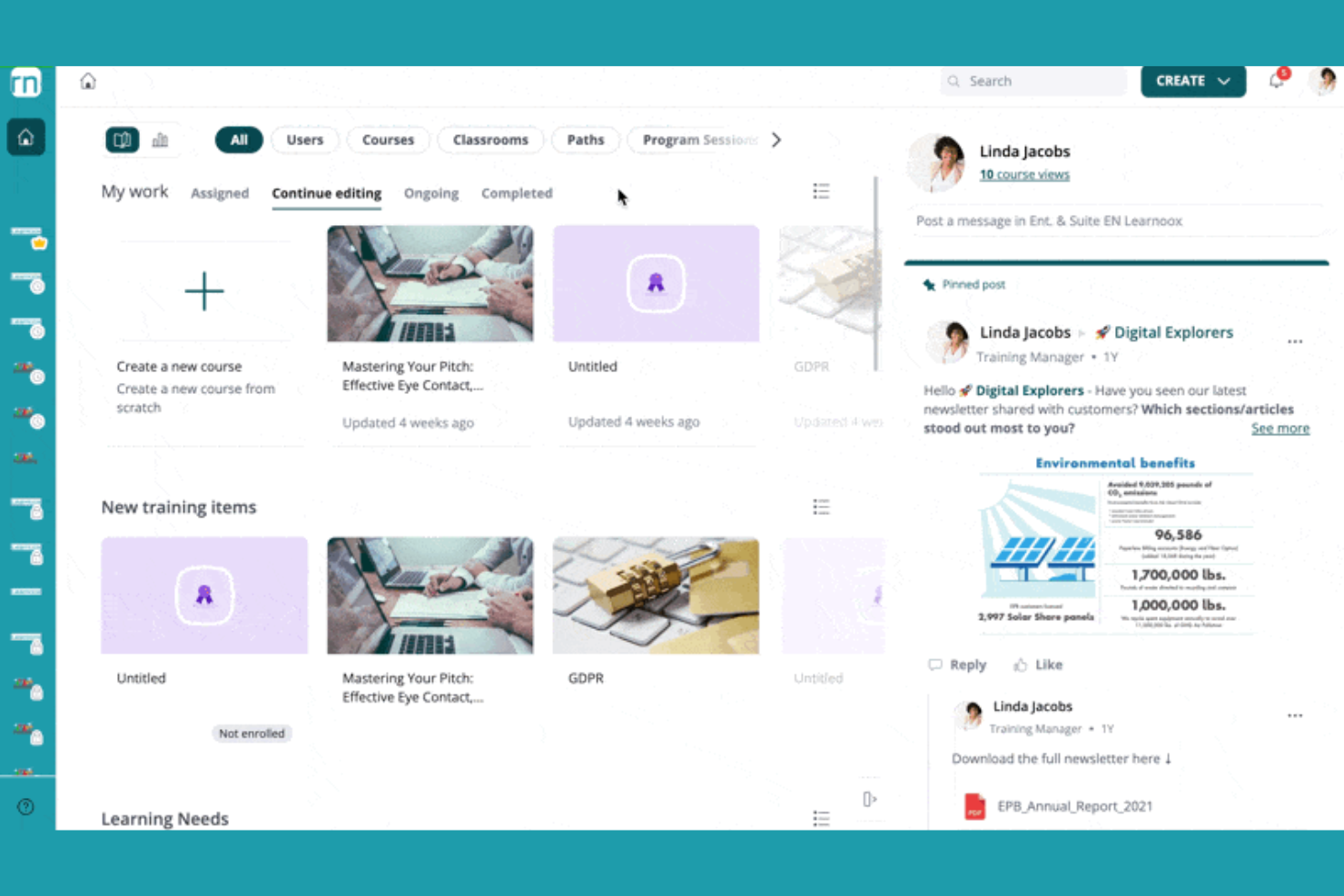
360Learning offers a collaborative learning platform designed for organizations that want to create, share, and manage training programs at scale. It appeals to HR teams and L&D professionals seeking to boost engagement and knowledge sharing across their workforce.
Who Is 360Learning Best For?
360Learning suits HR and L&D teams at mid-sized to large organizations focused on collaborative employee training.
Why I Picked 360Learning
I picked 360Learning because it puts collaborative learning at the center of our training strategy. I like that my team can co-author courses, gather peer feedback, and update content quickly as needs change. The platform’s built-in discussion forums and reaction features help us capture knowledge from across the organization. In practice, this means we can keep training relevant and encourage active participation from every department.
360Learning Key Features
- Automated learning paths: Assign and sequence courses for different roles or teams.
- Integrated assessment builder: Create quizzes and knowledge checks within courses.
- Mobile learning app: Enable learners to access training on iOS and Android devices.
- Analytics dashboard: Track learner progress, course completion, and engagement metrics.
360Learning Integrations
Integrations include BambooHR, Salesforce, Slack, Microsoft Teams, LinkedIn Learning, Coursera, Google Drive, Canva, SAP SuccessFactors, and Snowflake.
Pros and Cons
Pros:
- Automated learning paths for role-based training
- Built-in peer feedback and discussion tools
- Collaborative course authoring for teams
Cons:
- SCORM and xAPI support requires add-ons
- No built-in course marketplace for discovery
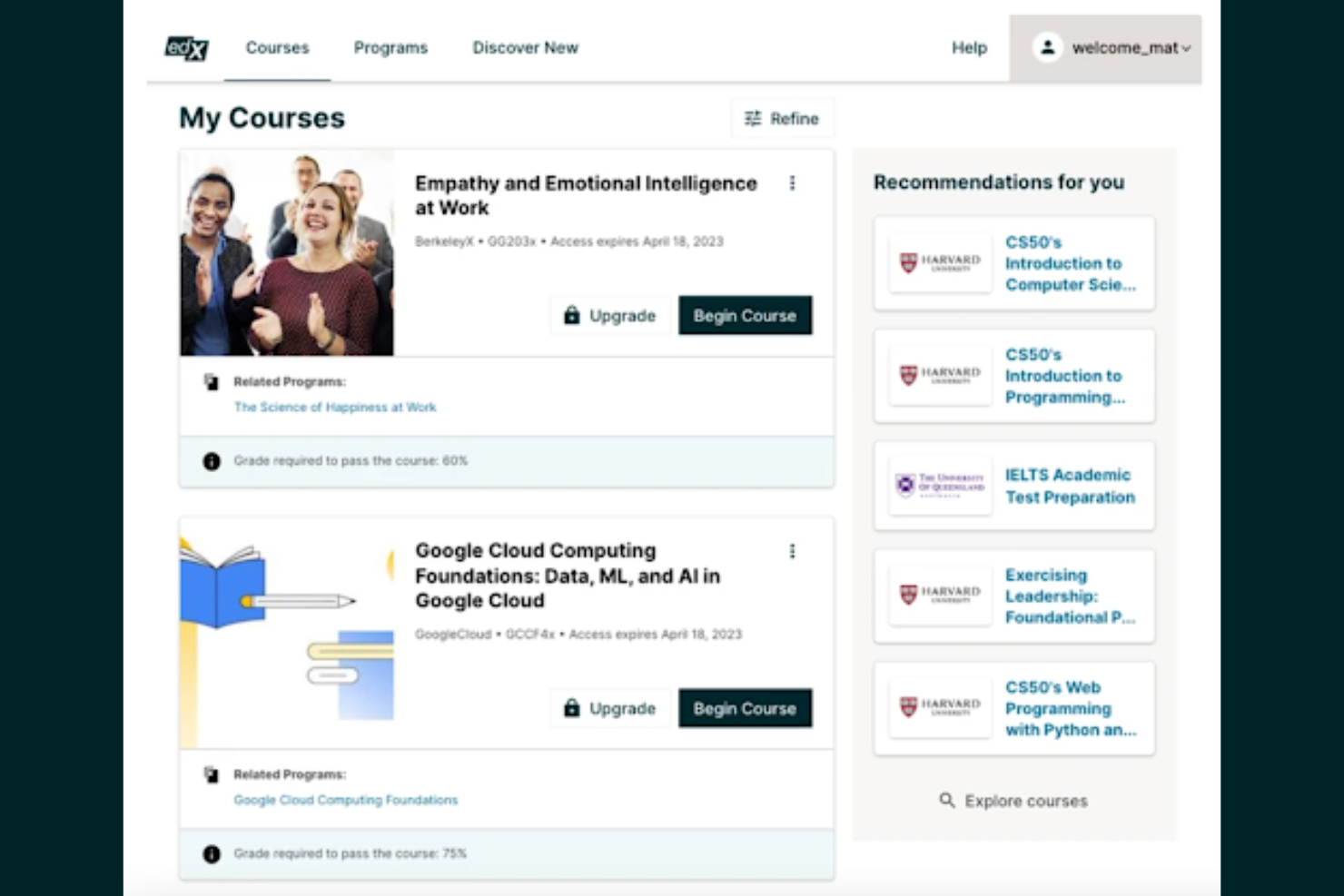
edX offers access to university-level courses designed for professionals, students, and organizations seeking high-quality, flexible online education. It’s a strong choice if you want to learn from top institutions or need recognized credentials for career advancement.
Who Is edX Best For?
Professionals and students seeking university-level courses from top institutions across a wide range of subjects.
Why I Picked edX
I picked edX because it gives my team access to university-level courses from top institutions, which is rare among online learning platforms. I appreciate that we can enroll in MicroMasters and professional certificate programs directly from universities. The platform also offers verified certificates, making it easier to showcase learning achievements. In practice, this means we can pursue recognized credentials without leaving our desks.
edX Key Features
- Self-paced learning: Users can start courses anytime and progress at their own speed.
- Course discussion forums: Learners interact with peers and instructors through integrated discussion boards.
- Mobile app access: Courses and materials are available via iOS and Android apps.
- Audit track option: Users can access course content for free without earning a certificate.
edX Integrations
Integrations include Single Sign-On, Blackboard, Canvas, Cornerstore, Degreed, EdCast, Moodle, and more.
Pros and Cons
Pros:
- Verified certificates for completed courses
- Wide range of subjects and disciplines
- Courses from top universities and institutions
Cons:
- Certificates require payment even after completion
- Limited instructor interaction in most courses

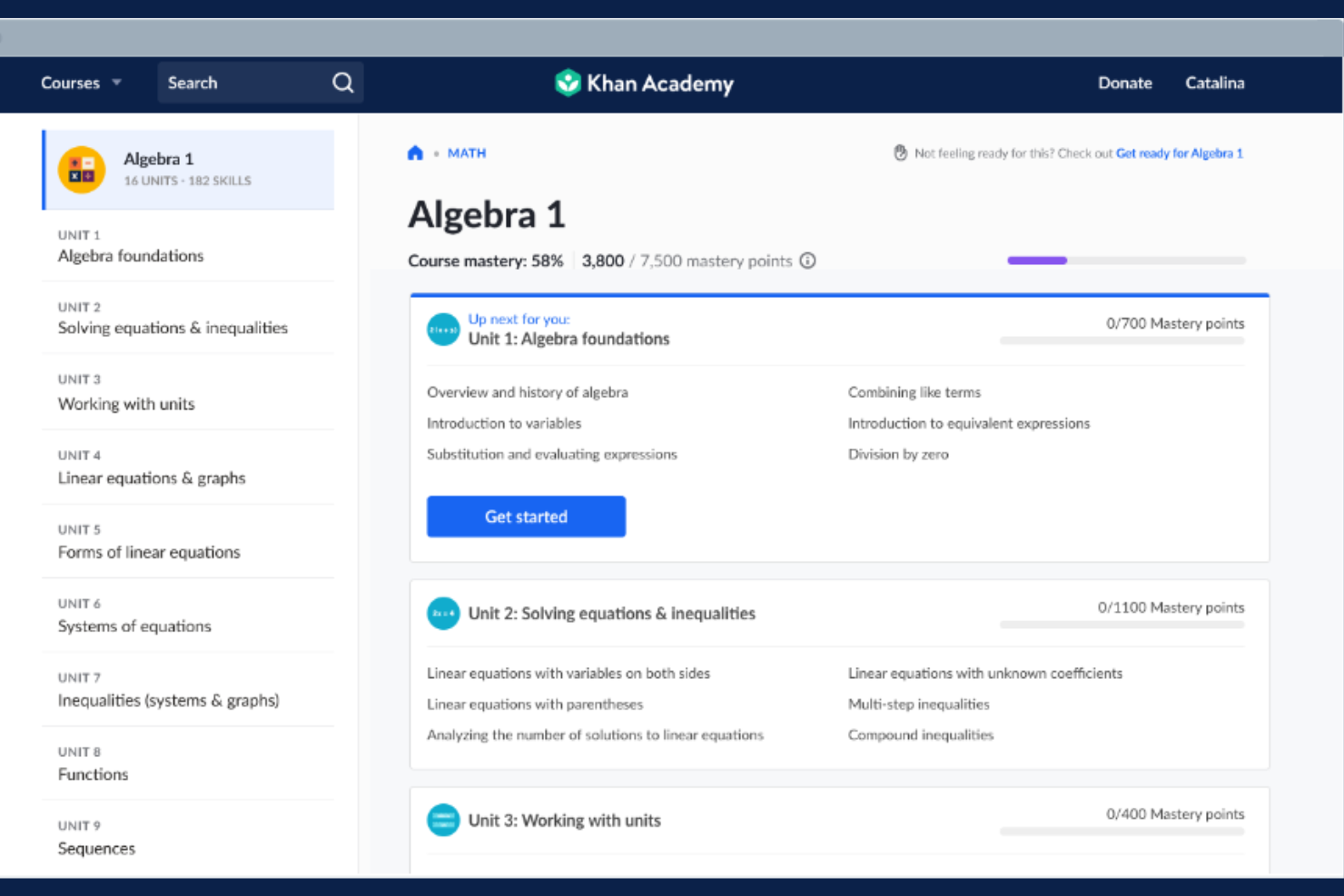
Khan Academy offers a nonprofit online learning platform with a wide range of interactive lessons and practice exercises. It’s a strong fit for educators, training managers, and organizations seeking accessible, self-paced learning for diverse teams.
Who Is Khan Academy Best For?
Khan Academy suits educators and organizations seeking free, mastery-based online learning for diverse age groups.
Why I Picked Khan Academy
I picked Khan Academy because it offers truly free, mastery-based learning for all ages, which is rare among online learning platforms. I like that my team can assign interactive exercises and track progress across a wide range of subjects. The mastery system ensures learners build a strong foundation before moving on. In practice, this helps us support continuous, self-paced development for everyone.
Khan Academy Key Features
- Teacher dashboard: Lets educators assign content and monitor student progress.
- Interactive quizzes: Provides instant feedback on practice questions.
- Video lessons: Offers thousands of instructional videos across subjects.
- Personalized learning paths: Adapts content to each learner’s pace and skill level.
Khan Academy Integrations
Native integrations are not currently listed.
Pros and Cons
Pros:
- Wide subject coverage, including math and science
- Mastery-based progression reinforces concept retention
- Entirely free for learners and educators
Cons:
- Content depth varies by subject area
- Certificates are not industry-recognized
Other Online Learning Platforms
Here are some additional online learning platforms options that didn’t make it onto my shortlist, but are still worth checking out:
- FutureLearn
Accredited courses from leading universities and institutions
- Top Hat
Interactive teaching platform for higher education
- Class
Virtual classroom software built on Zoom
- Thinkific
Course creation platform for entrepreneurs and educators
- Moodle
Open-source LMS for customizable online learning
- Coursera
University-level courses and professional certificates online
- EzyCourse
All-in-one platform for selling online courses
- Absorb
Scalable LMS for enterprise training needs
- Pearson+
Digital textbooks and study tools for students
- Connections Academy
Full-time online school for K-12 students
- Grafy
AI-powered platform for interactive learning content


How I Evaluate Online Learning Platforms
I look at online learning platforms in two layers: the baseline requirements every tool must meet and the differentiators that set the right fit apart for L&D teams handling onboarding and upskilling.
Core Functionality (Table Stakes For This List)
When I'm selecting tools for my list, I rank each one on a scale from 0 (does not offer the functionality) to 5 (excels in this area) for each core functionality listed below. Then, I calculate the tool's total score into a percentage. Each tool needs to achieve a minimum total score of 65% to be considered for inclusion.
- Course Authoring & Content Management: I check whether you can build courses natively, upload SCORM/xAPI files, and organize a content library—say, housing compliance videos alongside manager-led slide decks.
- Learner Progress Tracking: Tracking should show who started, who finished, and where learners stall, so an L&D manager can spot a team that's behind on required onboarding modules.
- Assessments & Certifications: I evaluate how the platform handles quizzes, knowledge checks, and certificate issuance—especially automated recertification reminders for things like annual safety training.
- Learning Paths & Course Assignments: Each tool should let you build sequenced paths and assign them by role, department, or location, like auto-enrolling new hires into a structured 30-60-90-day program.
- Reporting & Analytics: Reports need to go beyond basic completions. I look for dashboards that surface training trends, filter by team or region, and export data for leadership reviews.
- HRIS & HR Systems Integration: The platform should sync with your HRIS so employee records, roles, and org changes flow in without manual updates—platforms like BambooHR, Workday, or SAP SuccessFactors.
Once I have a list of tools that meet the criteria, I consider what sets each platform apart.
Differentiating Factors (What Sets Vendors Apart)
Here's how I compare and contrast different vendors:
Standout Features
Skills and competency mapping is a big differentiator—I look for platforms that tie courses directly to skill profiles so talent development specialists can pinpoint gaps across teams. AI-powered personalization adds another layer, recommending content based on role, goals, or past activity instead of relying on manual assignments. Mobile learning with offline access also matters, especially for organizations with frontline workers who need to complete training away from a desk.
Beyond Features
Content library access is a major consideration—I check whether a platform includes built-in courses or integrates with providers like LinkedIn Learning or OpenSesame, since building every course from scratch isn't realistic for smaller L&D teams. Compliance and security standards also carry real weight, particularly SOC 2 and GDPR readiness, because these platforms store sensitive employee data. I also evaluate pricing transparency, looking at whether vendors charge per user, per active user, or via flat-rate tiers, and whether implementation or content costs are clearly disclosed.
How to Choose Online Learning Platforms
It’s easy to get bogged down in long feature lists and complex pricing structures. To help you stay focused as you work through your unique software selection process, here’s a checklist of factors to keep in mind:
| Factor | What to Consider |
|---|---|
| Scalability | Can the platform handle your current and projected learner volume without performance issues or extra costs? |
| Integrations | Does it connect natively with your HRIS, CRM, or content libraries to avoid manual data entry and workflow gaps? |
| Customizability | Can you tailor branding, course structure, and user roles to fit your organization’s needs and policies? |
| Ease of use | Will admins and learners quickly understand how to navigate and use the platform with minimal training? |
| Implementation and onboarding | How long will it take to launch, and what resources or support does the vendor provide during setup and migration? |
| Cost | Are pricing tiers clear, and do they align with your usage patterns, user count, and must-have features? |
| Security safeguards | Does the platform offer SSO, data encryption, and compliance with relevant privacy standards for your region or industry? |
| Support availability | What support channels and response times are offered, and do they match your team’s needs for ongoing help? |
What Are Online Learning Platforms?
Online learning platforms are digital systems that enable organizations to create, deliver, and manage educational content for learners. These platforms support course authoring, learner enrollment, progress tracking, and assessments in a centralized environment. HR teams and educators use them to provide training, professional development, and compliance learning at scale, often with tools for collaboration and reporting.
Features of Online Learning Platforms
When selecting online learning platforms, keep an eye out for the following key features:
- Course authoring tools: Build, edit, and organize training modules using multimedia content, quizzes, and interactive elements within the platform.
- Learner enrollment management: Assign courses to individuals or groups, automate enrollments, and manage user access based on roles or departments.
- Progress tracking: Monitor learner activity, course completion rates, and time spent on training through dashboards and reports.
- Assessment and quizzes: Create tests, quizzes, and knowledge checks to evaluate learner understanding and retention.
- Certification management: Issue, track, and manage certificates for course completion or compliance requirements.
- Reporting and analytics: Generate detailed reports on learner engagement, performance, and training effectiveness for stakeholders.
- Mobile accessibility: Allow learners to access courses and materials from smartphones or tablets, supporting flexible learning environments.
- Discussion forums: Enable peer-to-peer interaction, Q&A, and knowledge sharing within courses or across the platform.
- Integration capabilities: Connect with HR systems, content libraries, or communication tools to streamline workflows and data sharing.
Common Online Learning Platforms AI Features
Beyond the standard online learning platforms features listed above, many of these solutions are incorporating AI with features like:
- Personalized learning recommendations: Suggests courses and resources to learners based on their interests, roles, and past activity using AI-driven algorithms.
- Automated content tagging: Uses AI to analyze and categorize course materials, making it easier to organize and search for relevant content.
- Intelligent quiz generation: Automatically creates quizzes and assessments from course content, saving time for instructors and ensuring alignment with learning objectives.
- AI-powered learner analytics: Identifies patterns in learner behavior and predicts at-risk users, helping administrators intervene early to improve outcomes.
- Natural language chatbots: Provides instant, AI-driven support for learners, answering questions and guiding users through the platform or course material.
Benefits of Online Learning Platforms
Implementing online learning platforms provides several benefits for your team and your business. Here are a few you can look forward to:
- Centralized training management: Manage all courses, learner progress, and reporting from a single, organized platform.
- Scalable learning delivery: Easily deliver training to teams of any size, across multiple locations or departments.
- Flexible access: Enable learners to complete courses on their own schedule and from any device, supporting remote and hybrid work.
- Data-driven insights: Use analytics and reporting features to track engagement, identify skill gaps, and measure training effectiveness.
- Consistent learning experience: Standardize content and assessments to ensure every learner receives the same quality of training.
- Faster onboarding and upskilling: Streamline new hire training and ongoing development with automated learning paths and accessible resources.
- Enhanced collaboration: Foster peer learning and knowledge sharing through discussion forums and interactive course elements.
Costs and Pricing of Online Learning Platforms
Selecting online learning platforms requires an understanding of the various pricing models and plans available. Costs vary based on features, team size, add-ons, and more. The table below summarizes common plans, their average prices, and typical features included in online learning platforms solutions:
Plan Comparison Table for Online Learning Platforms
| Plan Type | Average Price | Common Features |
|---|---|---|
| Free Plan | $0 | Basic course creation, limited user seats, simple reporting, and community support. |
| Personal Plan | $10-$30/user/month | Individual course access, progress tracking, certificates, and email support. |
| Business Plan | $25-$60/user/month | Team management, advanced analytics, integrations, custom branding, and priority support. |
| Enterprise Plan | $60-$120/user/month | Unlimited users, dedicated account manager, custom integrations, advanced security, and SLA support. |
Online Learning Platforms FAQs
Here are some answers to common questions about online learning platforms:
How do online learning platforms support compliance training?
Online learning platforms let you assign mandatory courses, track completion, and generate compliance reports. This helps HR teams ensure employees meet regulatory requirements and makes audits easier with centralized records.
Can online learning platforms integrate with HR systems?
Yes, most online learning platforms offer integrations with HRIS, payroll, and other business systems. This allows for automatic user provisioning, streamlined reporting, and easier management of employee data across platforms.
What should I consider when migrating to a new online learning platform?
Plan for data migration, user onboarding, and content transfer. Check if the new platform offers import tools, migration support, and training resources to minimize disruption and help users adapt quickly.
Are online learning platforms suitable for remote or hybrid teams?
Yes, these platforms are designed for distributed workforces. They provide mobile access, asynchronous learning, and collaboration tools so employees can learn from anywhere and at their own pace.
How do I measure the effectiveness of my online learning programs?
How do I measure the effectiveness of my online learning programs?