

10 mejores EOR para pequeñas empresas en 2026

10 EOR para pequeñas empresas: selección


Un empleador registrado (EOR) es un servicio que emplea legalmente a tu equipo en el extranjero y gestiona las nóminas, el cumplimiento normativo y la documentación de RR. HH., para que puedas contratar en cualquier lugar sin necesitar tu propia entidad jurídica internacional.
Si estás creciendo en distintos países, buscas formas de simplificar la contratación de talento global o tienes dificultades para mantenerte al día con los cambios en la legislación laboral, encontrar el EOR adecuado te proporciona claridad y control. Esta guía analiza los principales proveedores de EOR para pequeñas empresas para ayudarte a decidir cuál se adapta mejor a tus necesidades de contratación, presupuesto y ambiciones internacionales.
Por qué confiar en nuestras reseñas de software
Nuestro equipo lleva probando y evaluando software desde 2012. Como expertos en RR. HH., sabemos lo difícil —y lo importante— que es elegir el software adecuado.
Para esta guía, evaluamos las herramientas mediante pruebas prácticas e investigación independiente, puntuando las herramientas según nuestros criterios de selección. También nos basamos en la experiencia de líderes de opinión del sector y de profesionales de RR. HH. en activo.
Nuestras reseñas reflejan nuestro criterio editorial humano, no un discurso de ventas.
Revisores expertos:
Tabla comparativa de EOR para pequeñas empresas
La tabla siguiente compara los detalles de precios de mis principales selecciones de EOR para pequeñas empresas.
| Tool | Best For | Trial Info | Price | ||
|---|---|---|---|---|---|
| 1 | Ideal para precios de tarifa fija en varios países | Demostración gratuita disponible | Desde $399/usuario/mes | Website | |
| 2 | El mejor soporte dirigido por personas en lugar de la automatización | Demostración gratuita disponible | Desde $319/usuario/mes | Website | |
| 3 | Ideal para EOR con entidades propias en más de 160 países | Demostración gratuita disponible | Desde $599/usuario/mes | Website | |
| 4 | Ideal para incorporaciones rápidas con flujos de trabajo de contratos integrados | Demostración gratuita disponible | Desde $199/usuario/mes | Website | |
| 5 | La mejor opción para contratar con asistencia de reclutamiento integrada | Demostración gratuita disponible | Desde $199/usuario/mes | Website | |
| 6 | La mejor opción para obtener indemnización ilimitada en contrataciones internacionales | Demostración gratuita disponible | Desde $599/usuario/mes | Website | |
| 7 | Ideal para calcular los costos laborales antes de contratar | Demostración gratuita disponible | Desde $399/empleado/mes | Website | |
| 8 | La mejor opción para una cobertura global de cumplimiento normativo reconocida por analistas | Demostración gratuita disponible | Desde $599/empleado/mes | Website | |
| 9 | La mejor opción para una amplia cobertura de países | Demostración gratuita disponible | Desde $699/usuario/mes | Website | |
| 10 | Ideal para fundadores sin experiencia en RR. HH. que contratan en el extranjero con un presupuesto limitado | Demostración gratuita disponible | Desde $199/usuario/mes | Website |


Análisis de EOR para pequeñas empresas
A continuación encontrarás mis resúmenes detallados de los EOR para pequeñas empresas que llegaron a mi selección. Mis análisis ofrecen una visión detallada de las funciones, los casos de uso más adecuados y los precios de cada plataforma para ayudarte a encontrar la mejor opción para ti.

Playroll
Ideal para precios de tarifa fija en varios países
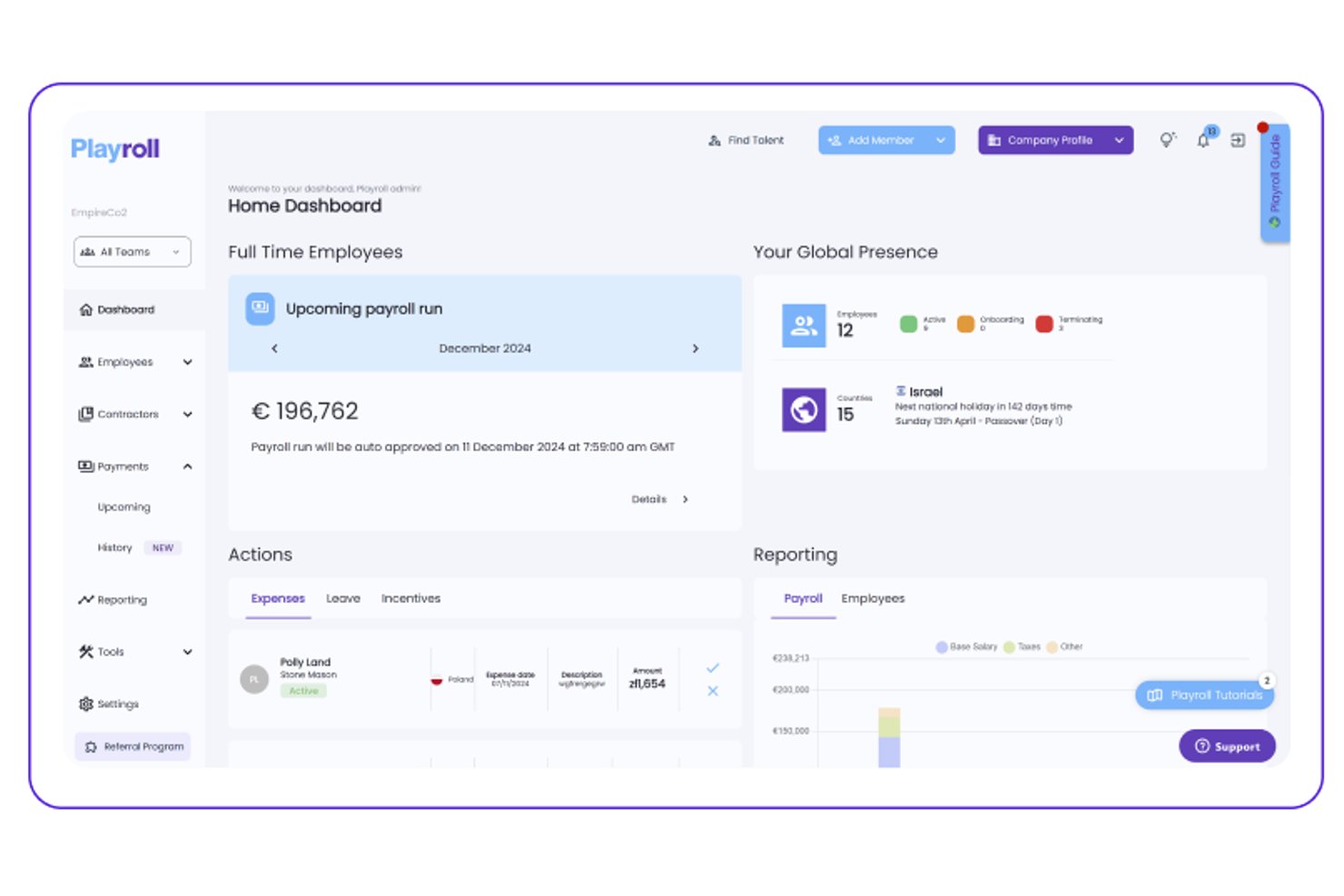
Playroll es una plataforma de empleador registrado que gestiona la contratación internacional, las nóminas, la administración de beneficios y el cumplimiento normativo en varios países desde un único panel.
¿Para quién es más adecuado Playroll?
Playroll es una excelente opción para pequeñas empresas que contratan en varios países y desean costes predecibles y de tarifa fija sin cargos inesperados.
Por qué elegí Playroll
Playroll se gana un lugar en mi lista de favoritos porque su modelo de precios de tarifa fija elimina uno de los mayores dolores de cabeza de la contratación internacional: los costes impredecibles. Me encanta que pagues la misma tarifa independientemente del país en el que contrates, de modo que pasar de un país a cinco no dispara inesperadamente tu presupuesto. Playroll también centraliza las nóminas, los beneficios y el cumplimiento normativo en un único panel, justo lo que necesita un equipo de RR. HH. reducido al gestionar empleados en distintos países.
Funciones principales de Playroll
- Procesamiento de nóminas en varias divisas: Gestiona las nóminas en las monedas locales de empleados de distintos países desde un único panel.
- Contratos laborales conformes con la legislación local: Playroll genera contratos que cumplen los requisitos legales de cada país, incluidos los periodos de preaviso y los beneficios obligatorios.
- Portal de autoservicio para empleados: Los empleados pueden consultar sus recibos de nómina, solicitar tiempo libre y actualizar sus datos personales sin tener que recurrir a RR. HH.
- Gestión de gastos integrada: Los equipos pueden enviar y aprobar solicitudes de gastos directamente en la plataforma, manteniendo los reembolsos vinculados a los ciclos de nómina.
Integraciones de Playroll
Playroll documenta integraciones nativas con sistemas de información de recursos humanos, incluidos BambooHR y HiBob, además de una API abierta para conexiones personalizadas.
Pros and Cons
Pros:
- Contratos laborales conformes con la legislación local
- El autoservicio para empleados reduce las solicitudes administrativas
- La gestión de solicitudes de gastos es compatible con los flujos de trabajo de nómina
Cons:
- Información pública limitada sobre la cobertura por países
- La administración de beneficios varía según la ubicación

El mejor soporte dirigido por personas en lugar de la automatización
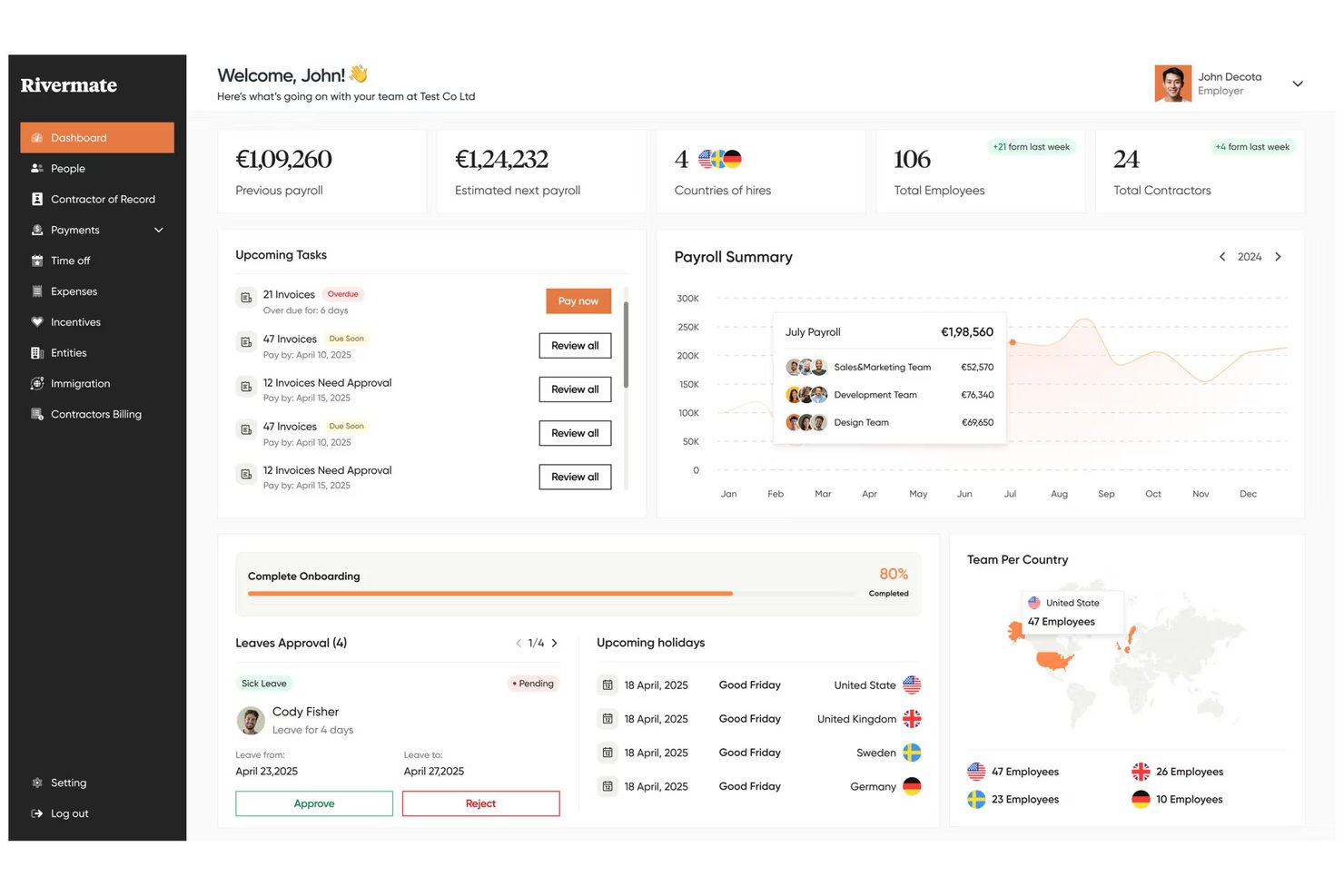
Rivermate es un servicio de empleador registrado que gestiona la contratación internacional, las nóminas, el cumplimiento normativo y la administración de beneficios en varios países a través de un equipo de expertos locales en recursos humanos y asuntos legales.
¿Para quién es más adecuado Rivermate?
Rivermate es una opción ideal para pequeñas empresas que quieren que una persona real se encargue de sus preguntas sobre recursos humanos internacionales, no un chatbot ni un flujo de trabajo automatizado.
Por qué elegí Rivermate
He incluido Rivermate entre mis principales opciones porque sustituye la experiencia centrada primero en chatbots, habitual en la mayoría de las plataformas EOR, por expertos humanos reales. Cuando contratas a tu primer empleado en, por ejemplo, Brasil o Filipinas, obtienes un gestor de cuenta dedicado que conoce la legislación laboral local, no un artículo de una base de conocimientos. Me gusta especialmente que sus especialistas internos en asuntos legales y recursos humanos gestionen directamente la redacción de contratos y las comprobaciones de cumplimiento, para que nada se pierda en un flujo de trabajo automatizado.
Características principales de Rivermate
- Procesamiento de nóminas en varios países: Rivermate gestiona las nóminas en monedas locales en más de 150 países, incluidos los cálculos, las declaraciones fiscales y los desembolsos en cada ciclo de pago.
- Contratos laborales conformes con la legislación local: Rivermate genera acuerdos laborales que reflejan los requisitos legales de cada país, incluidos los periodos de preaviso, las condiciones de indemnización por despido y las cláusulas obligatorias.
- Administración de beneficios: Rivermate gestiona los beneficios obligatorios y complementarios de los empleados según el país, incluidas las coberturas sanitarias, las aportaciones a pensiones y los derechos a permisos remunerados.
- Gestión de propiedad intelectual y equipos: Rivermate admite acuerdos de cesión de propiedad intelectual y coordina la provisión de equipos para las nuevas contrataciones internacionales.
Integraciones de Rivermate
Actualmente no se indican integraciones nativas.
Pros and Cons
Pros:
- Soporte dirigido por personas para preguntas complejas sobre recursos humanos
- Expertos legales locales revisan los contratos laborales
- Gestiona las nóminas y los beneficios en varios países
Cons:
- Menos automatización que las plataformas EOR centradas primero en chatbots
- La disponibilidad de beneficios varía según el país de destino

Ideal para EOR con entidades propias en más de 160 países
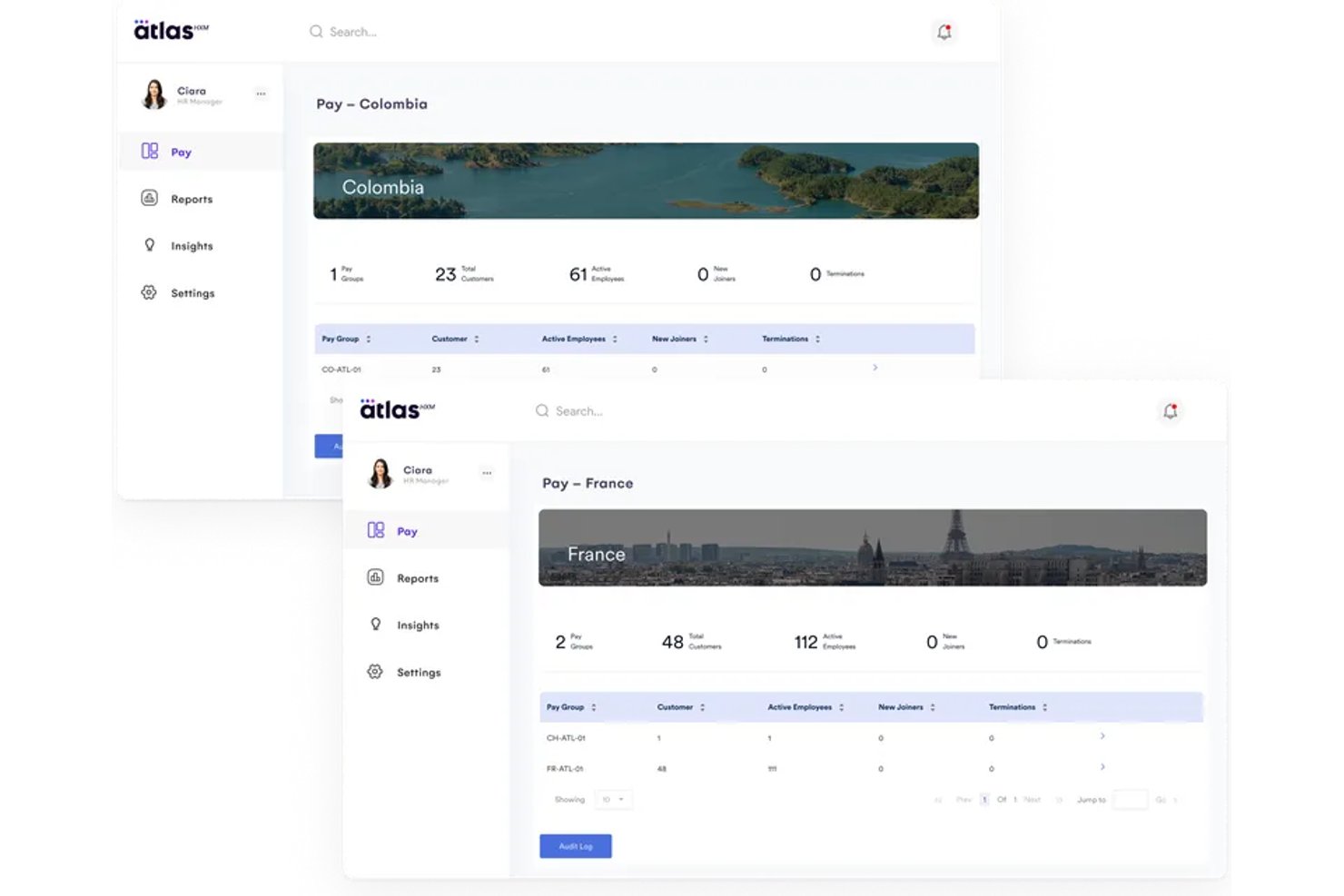
Atlas HXM es una plataforma de empleador de registro que gestiona la contratación internacional, las nóminas, la administración de beneficios y el cumplimiento normativo mediante sus propias entidades legales en más de 160 países.
¿Para quién es más adecuado Atlas HXM?
Atlas HXM es una opción excelente para empresas que contratan en varios países y necesitan un EOR con entidades propias reales, en lugar de una red que dependa de socios.
Por qué elegí Atlas HXM
Atlas HXM está en mi lista de favoritos porque opera mediante sus propias entidades legales en más de 160 países, lo que significa que no hay una red de socios externos gestionando tus contrataciones. Me gusta que este modelo de entidades propias ofrezca una responsabilidad real a las pequeñas empresas: un contrato, un punto de contacto y ninguna brecha entre lo prometido y lo entregado. Su infraestructura interna de cumplimiento también cubre automáticamente las actualizaciones de la legislación laboral local, algo importante cuando contratas en mercados desconocidos sin un equipo jurídico dedicado.
Características principales de Atlas HXM
- Flujos de trabajo de incorporación automatizados: Atlas HXM guía a las nuevas contrataciones internacionales durante los pasos de incorporación específicos de cada país, la recopilación de documentos y la firma del contrato en una sola plataforma.
- Administración de beneficios: Puedes gestionar paquetes de beneficios competitivos a nivel local para los empleados de cada país, incluidos seguros médicos, planes de jubilación y prestaciones obligatorias.
- Nómina global integrada: La plataforma procesa nóminas multidivisa en todos los países compatibles, gestionando las deducciones, los impuestos y los desembolsos en una sola ejecución.
- Asistencia con inmigración y visados: Atlas HXM ofrece asistencia interna para permisos de trabajo y solicitudes de visado, ayudándote a reubicar o contratar talento internacional sin necesidad de recurrir a un proveedor de inmigración independiente.
Integraciones de Atlas HXM
Atlas HXM admite integraciones nativas con Workday, BambooHR y Sage, así como una API abierta mediante Atlas Connect.
Pros and Cons
Pros:
- Entidades propias en más de 160 países
- Asistencia interna con inmigración y visados
- Nómina global multidivisa integrada
Cons:
- El patrocinio de visados tiene un coste adicional
- Más adecuado para necesidades de contratación internacional

Gloroots
Ideal para incorporaciones rápidas con flujos de trabajo de contratos integrados
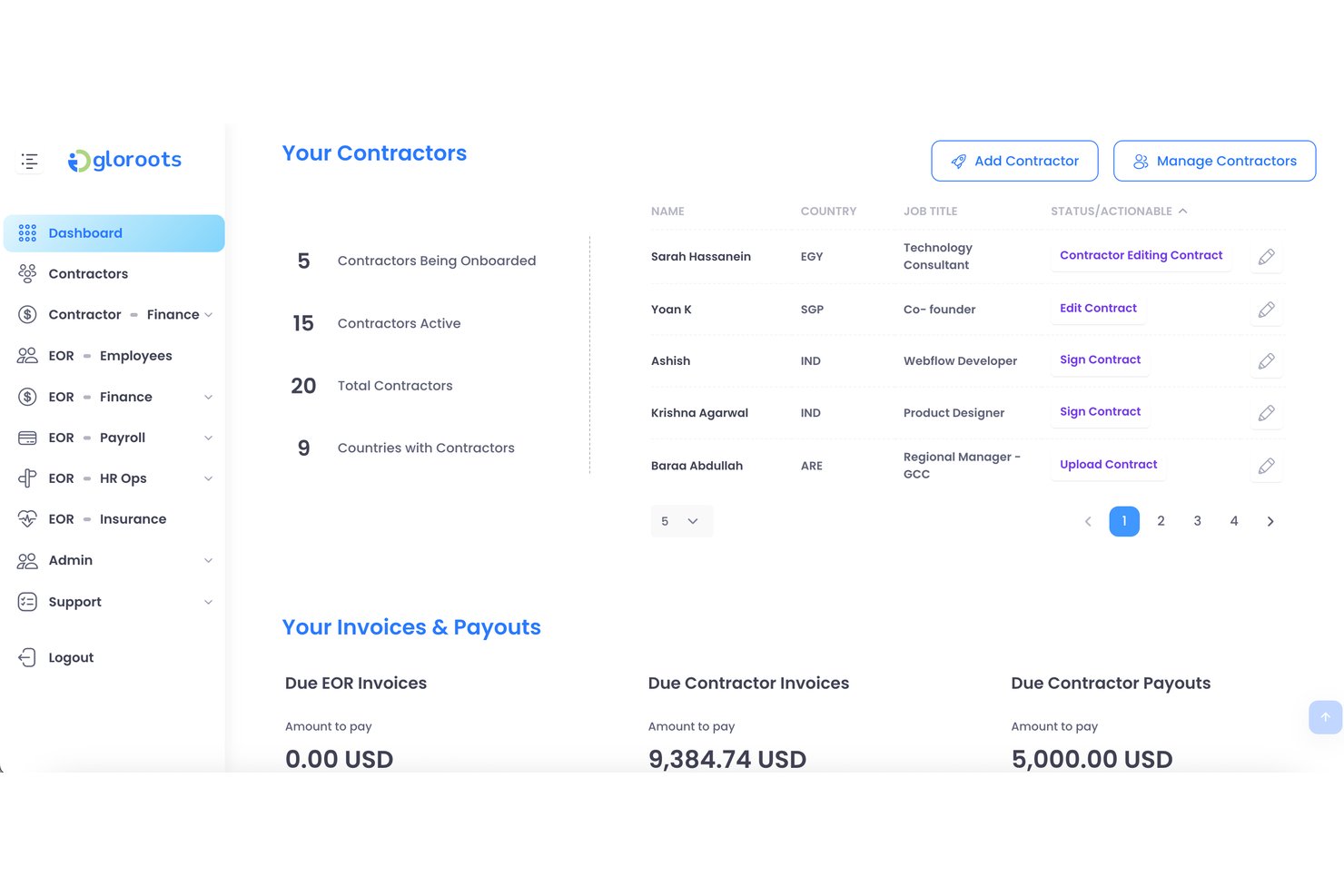
Gloroots es una plataforma de empleador registrado que abarca la contratación global, los contratos laborales localizados, el procesamiento de nóminas y la gestión del cumplimiento normativo en varios países.
¿Para quién es más adecuado Gloroots?
Gloroots es una excelente opción para pequeñas empresas que necesitan contratar empleados internacionales rápidamente sin verse abrumadas por la redacción de contratos o la investigación del cumplimiento normativo local.
Por qué elegí Gloroots
Elegí Gloroots como una de las mejores opciones porque permite a las pequeñas empresas pasar de 'necesitamos a alguien en Brasil' a contar con un contrato firmado y conforme a la normativa local en cuestión de días. Me encanta que genere automáticamente contratos laborales localizados y adaptados a las leyes laborales de cada país, por lo que no tienes que revisar apresuradamente documentos legales ni contratar asesoría jurídica local solo para empezar. Sus comprobaciones de cumplimiento integradas señalan los requisitos específicos de cada jurisdicción antes de contratar, exactamente el tipo de red de seguridad que necesita un equipo de RR. HH. reducido.
Funciones principales de Gloroots
- Procesamiento de nóminas en varios países: Gestiona las nóminas de varios países desde un único panel, con conversión automática de divisas y distribución de pagos locales.
- Administración de beneficios para empleados: Gestiona directamente en la plataforma los beneficios legales y complementarios específicos de cada país para las contrataciones internacionales.
- Gestión de gastos: Los empleados pueden enviar gastos a través de la plataforma y los responsables pueden revisar y aprobar los reembolsos en las divisas locales.
- Gestión de contratistas: Incorpora, paga y gestiona a contratistas internacionales junto con empleados a tiempo completo mediante un único sistema unificado.
Integraciones de Gloroots
Las integraciones nativas no están documentadas claramente.
Pros and Cons
Pros:
- Los contratos localizados agilizan la contratación internacional
- Las nóminas admiten varias divisas
- Contratistas y empleados comparten una misma plataforma
Cons:
- El precio puede suponer un desafío para equipos muy pequeños
- La cobertura específica de cada país requiere una verificación minuciosa

La mejor opción para contratar con asistencia de reclutamiento integrada
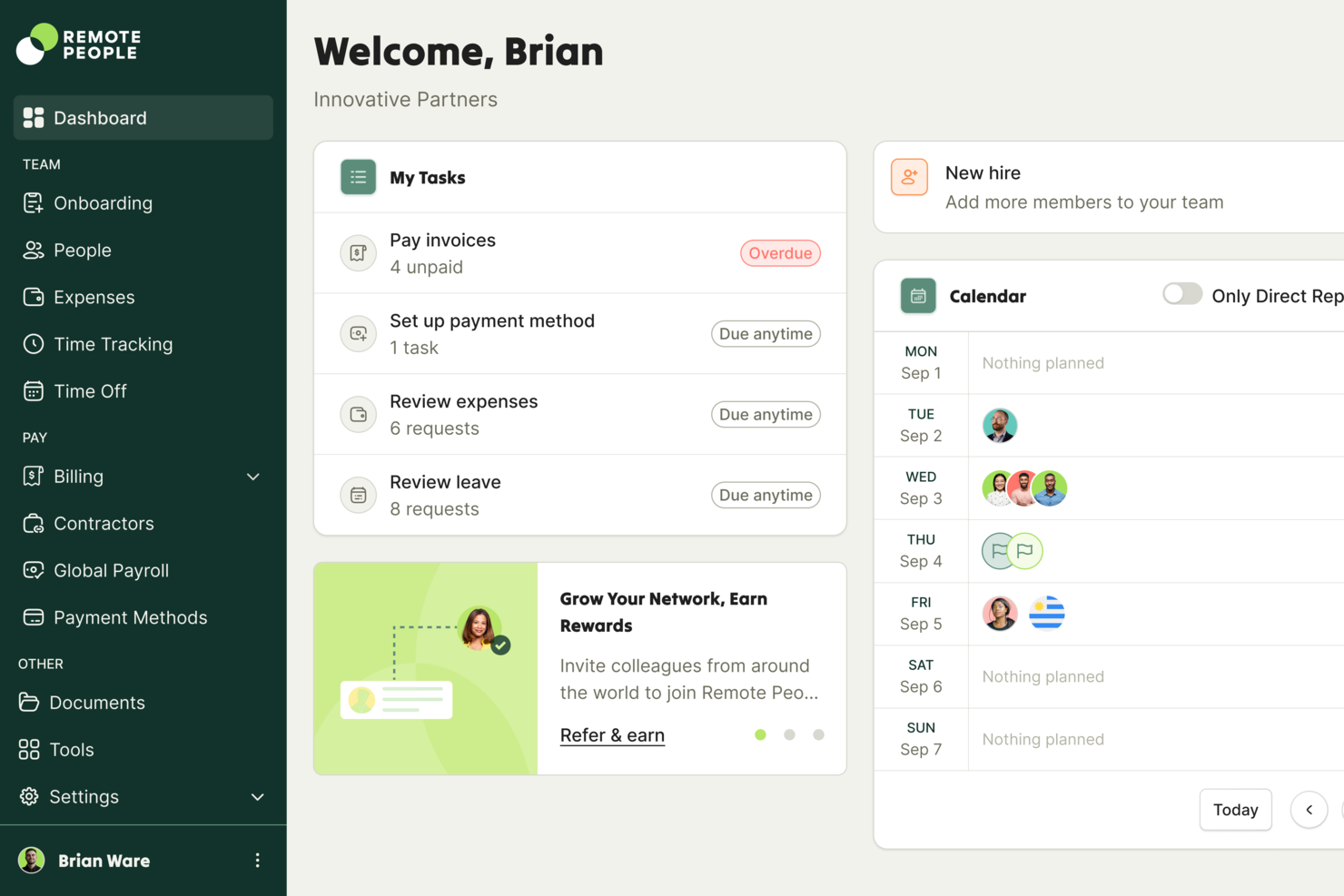
RemotePeople es una plataforma de empleador de registro que combina una infraestructura de contratación global con servicios internos de reclutamiento, cubriendo la gestión de nóminas internacionales, el cumplimiento normativo, la gestión de contratistas y la búsqueda de talento.
¿Para quién es más adecuado RemotePeople?
RemotePeople es una opción excelente para pequeñas empresas que necesitan ayuda para encontrar y contratar talento internacional, no solo para gestionarlo después de la contratación.
Por qué elegí RemotePeople
He incluido RemotePeople entre mis opciones principales porque es una de las pocas plataformas de empleador de registro que combina la búsqueda de talento con una infraestructura de empleador de registro, por lo que no solo gestionas contrataciones, sino que realmente las realizas. Me encanta que su equipo interno de reclutamiento pueda identificar y evaluar candidatos internacionales en tu nombre, lo que supone una verdadera ventaja cuando tu pequeña empresa no cuenta con un reclutador dedicado. Sus herramientas de gestión de contratistas y nómina global se encargan después de todo una vez que alguien se incorpora, manteniendo el cumplimiento normativo en los distintos países.
Características principales de RemotePeople
- Procesamiento de nóminas en múltiples divisas: Los empleados y contratistas reciben sus pagos en sus monedas locales, con conversión automática de divisas gestionada a través de la plataforma.
- Administración de beneficios: RemotePeople gestiona paquetes de beneficios que cumplen con la normativa local para empleados internacionales, incluida la cobertura sanitaria y las prestaciones obligatorias.
- Incorporación guiada de empleados: Las nuevas contrataciones siguen un flujo de incorporación estructurado que recopila documentación y confirma los requisitos de cumplimiento por país.
- Gestión de cuentas dedicada: A cada cliente se le asigna un gestor de cuenta dedicado que proporciona asistencia directa para consultas de RR. HH. y decisiones de contratación internacional.
Integraciones de RemotePeople
RemotePeople admite integraciones nativas con Workday, SAP SuccessFactors, BambooHR, HiBob, NetSuite, QuickBooks, Paylocity, Factorial, Lattice, JumpCloud, TriNet y UKG Pro. También proporciona API para desarrolladores con autenticación OAuth 2.0 para integraciones personalizadas.
Pros and Cons
Pros:
- El reclutamiento interno facilita la búsqueda de talento internacional
- Los gestores de cuenta dedicados orientan en la contratación internacional
- La asistencia con beneficios locales facilita el cumplimiento normativo de los empleados internacionales
Cons:
- La asistencia de reclutamiento puede no ser adecuada para equipos que prefieren autogestionarse
- Es necesario verificar la cobertura de los servicios específicos de cada país

Remote
La mejor opción para obtener indemnización ilimitada en contrataciones internacionales
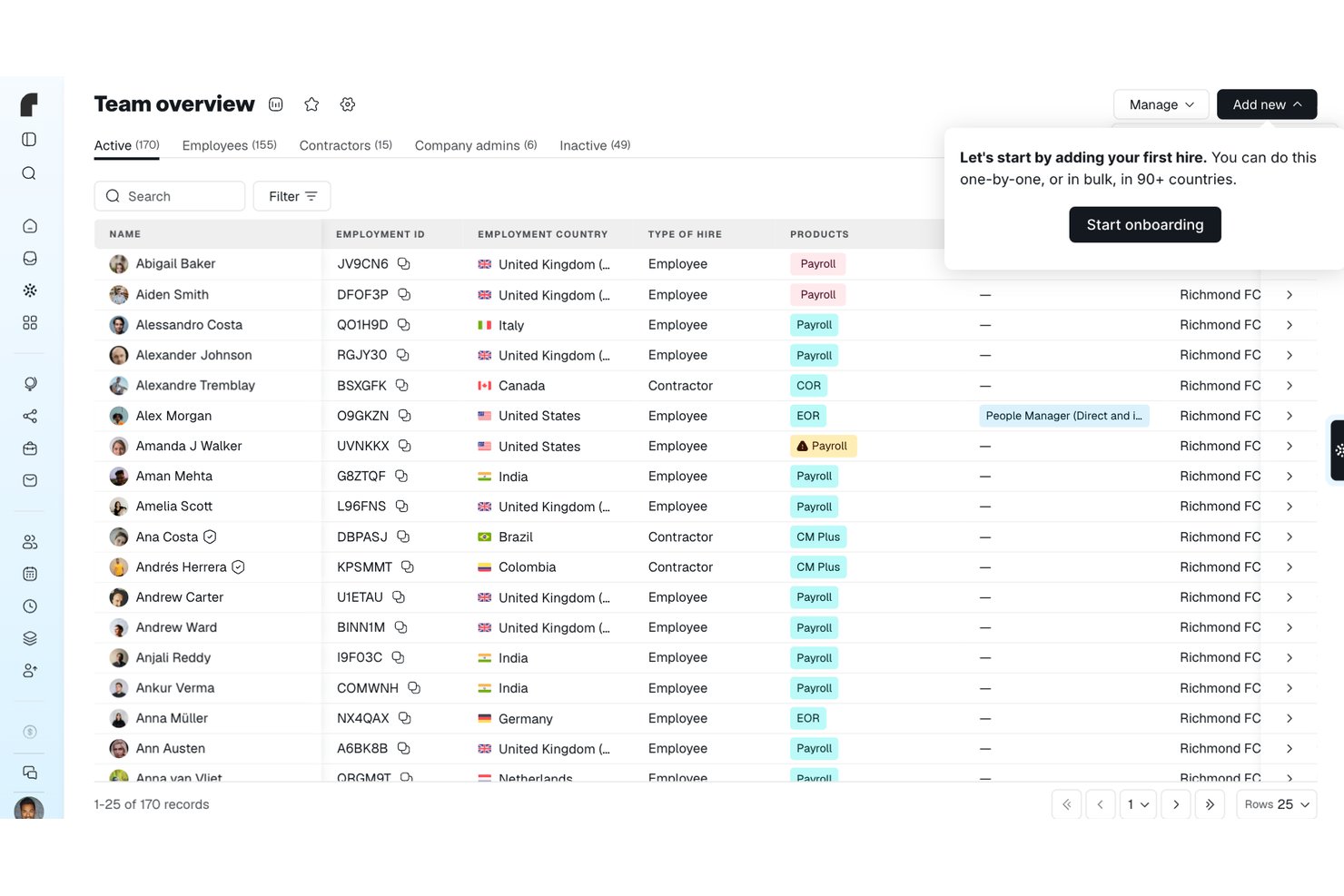
Remote es un empleador registrado y proveedor de nóminas que permite a las empresas contratar, pagar y gestionar empleados en más de 90 países, encargándose de los contratos locales, las nóminas, las prestaciones obligatorias y el cumplimiento normativo mediante sus propias entidades en cada país.
¿Para quién es más adecuado Remote?
Remote es una opción excelente para pequeñas empresas y startups que contratan internacionalmente y necesitan un único socio responsable de las nóminas y el empleo, sin tener que establecer entidades locales.
Por qué elegí Remote
Remote se gana un lugar en mi lista de opciones porque ofrece indemnización ilimitada para contrataciones internacionales, lo que considero un verdadero factor diferenciador cuando una pequeña empresa asume riesgos laborales en mercados desconocidos. En la práctica, esto significa que, si surge un problema de cumplimiento normativo en un país donde has contratado a través de Remote, no tendrás que asumir la factura. También me gusta que Remote respalde esto con sus propias entidades en más de 90 países y una Torre de vigilancia del cumplimiento que señala los próximos cambios en la legislación laboral antes de que afecten a tu equipo.
Características principales de Remote
- Torre de vigilancia del cumplimiento: Realiza un seguimiento de los próximos cambios en la legislación laboral de cada país y muestra directamente en la plataforma la fecha de entrada en vigor, las áreas afectadas y los siguientes pasos sugeridos.
- Protección de la propiedad intelectual: Transfiere los derechos de propiedad intelectual del empleado contratado a la entidad local de Remote y posteriormente a tu empresa, con supervisión jurídica local e indemnización si la transferencia falla.
- Aplicación móvil para empleados: Permite a los empleados contratados mediante EOR consultar sus recibos de nómina y documentos laborales, solicitar permisos y enviar gastos desde dispositivos iOS o Android.
- Calculadora de costos: Estima los costos laborales totales por país utilizando el salario, las contribuciones obligatorias y la tarifa de gestión de Remote, con informes de varios empleados que se pueden exportar como CSV o PDF.
Integraciones de Remote
Remote ofrece integraciones nativas con BambooHR, Greenhouse, HiBob, Workday, Personio, QuickBooks y Xero. También admite Zapier, API, webhooks, SDK, CLI y MCP para una conectividad personalizada.
Pros and Cons
Pros:
- La indemnización ilimitada protege las contrataciones internacionales
- Los analistas elogian la centralización de las nóminas internacionales
- Los empleados consultan sus recibos de nómina y solicitan permisos
Cons:
- Los costos recurrentes del EOR suponen una carga para los equipos pequeños
- La asistencia específica por país puede requerir una escalación

Pebl
Ideal para calcular los costos laborales antes de contratar
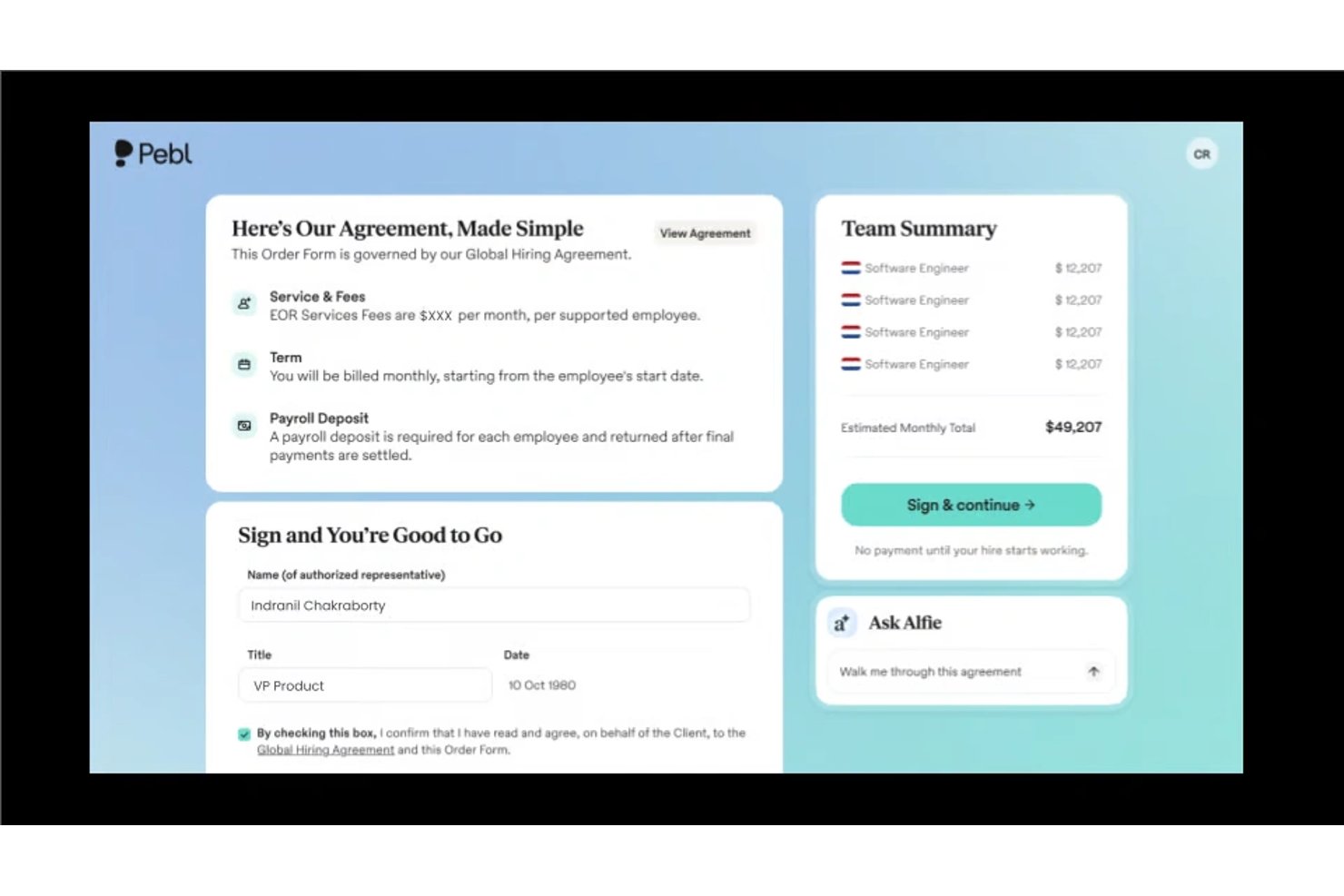
Pebl es una plataforma de empleador registrado que combina la contratación internacional, el procesamiento de nóminas y el modelado de los costos laborales previos a la contratación para ayudar a las pequeñas empresas a contratar trabajadores de otros países de manera conforme a la normativa.
¿Para quién es más adecuado Pebl?
Pebl es una excelente opción para propietarios de pequeñas empresas que desean calcular el costo total de contratar internacionalmente antes de asumir un compromiso.
Por qué elegí Pebl
Pebl forma parte de mi lista de opciones principales gracias a su modelado de costos previos a la contratación, que permite consultar el costo laboral total de una contratación antes de comprometerse. Me gusta que desglose los impuestos del empleador, los beneficios y los costos de cumplimiento normativo local por país, para que no haya sorpresas después de la incorporación. Para las pequeñas empresas que contratan internacionalmente con márgenes ajustados, ese nivel de visibilidad inicial resulta realmente útil.
Características principales de Pebl
- Asistente de IA (Alfie): Una herramienta de IA integrada que responde preguntas sobre compensación, incorporación, cumplimiento normativo y perspectivas de la fuerza laboral directamente dentro de la plataforma.
- Generación de contratos conformes a la normativa local: Crea automáticamente contratos laborales en más de 25 idiomas que cumplen con los requisitos legales locales, para que puedas incorporar nuevas contrataciones en cuestión de días.
- Administración global de beneficios: Ofrece beneficios para empleados específicos de cada país a través de entidades propias de Pebl, mientras Pebl se encarga del cumplimiento normativo y la administración en tu nombre.
- Integraciones de RR. HH. y nóminas: Se conecta con tus herramientas actuales de contratación, RR. HH. y nóminas para que puedas gestionar tu plantilla global sin cambiar de un sistema a otro.
Integraciones de Pebl
Pebl ofrece integraciones nativas con Ashby, ADP Workforce Now, Oracle, Namely, Gusto y otras plataformas.
Pros and Cons
Pros:
- El modelado previo a la contratación aclara los costos laborales totales
- Los contratos conformes a la normativa local permiten una incorporación más rápida
- La administración de beneficios específicos de cada país reduce la carga de cumplimiento normativo
Cons:
- La disponibilidad de beneficios varía según la ubicación de los empleados
- La orientación de la IA aún requiere la revisión de RR. HH.

G-P
La mejor opción para una cobertura global de cumplimiento normativo reconocida por analistas
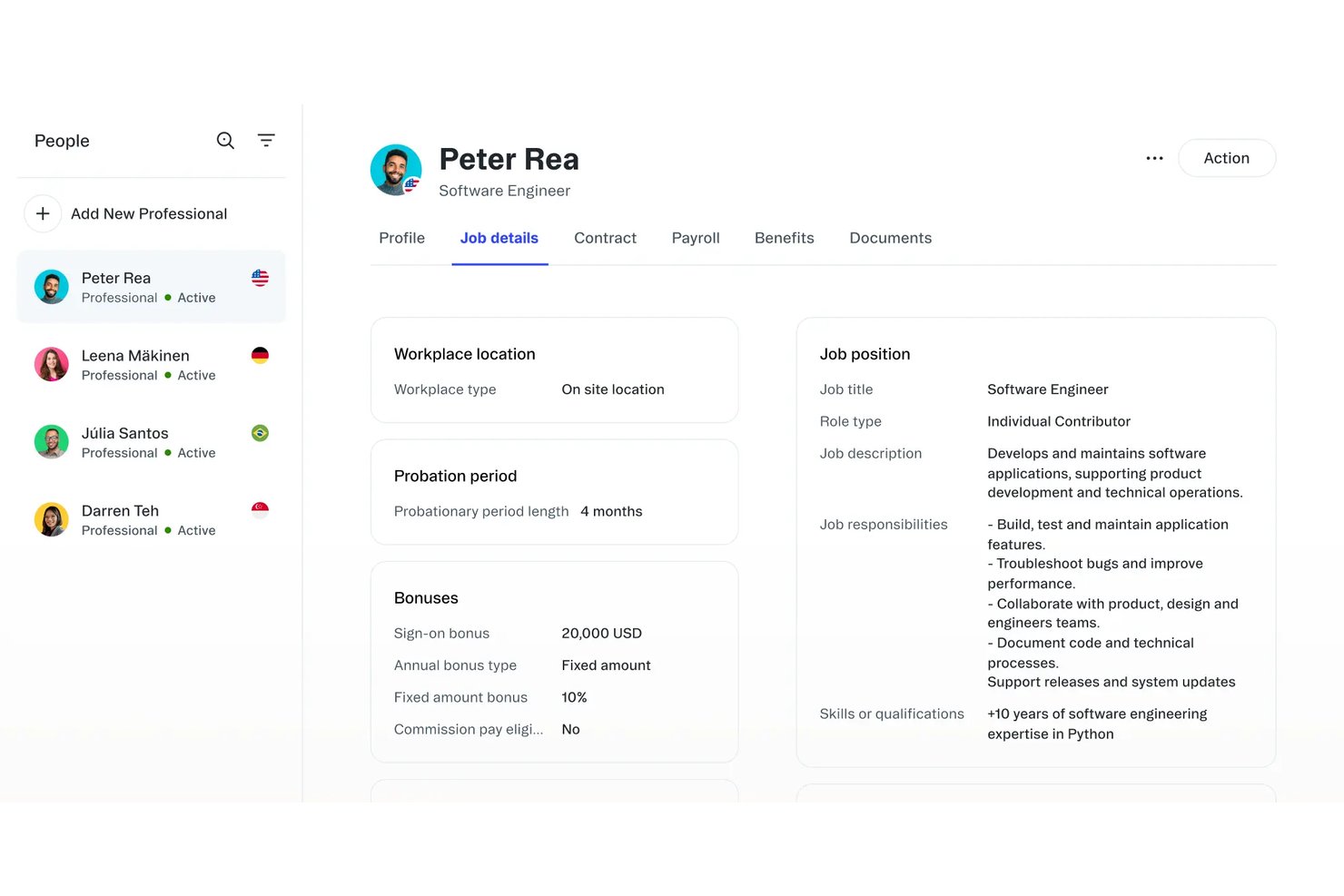
G-P es una plataforma de empleador registrado que gestiona la contratación internacional, las nóminas, la administración de beneficios y el cumplimiento normativo en más de 180 países.
¿Para quién es más adecuado G-P?
G-P es una opción sólida para pequeñas empresas que necesitan contratar a nivel internacional y quieren contar con la confianza que ofrece una plataforma cuya rigurosidad en materia de cumplimiento normativo ha sido validada de forma independiente en mercados globales.
Por qué elegí G-P
G-P ocupa un lugar en mi lista de opciones porque sus sistemas de cumplimiento normativo han sido validados de forma independiente por analistas, algo importante cuando una pequeña empresa contrata en distintos países sin contar con un equipo jurídico propio. Me gusta especialmente su herramienta de información por país, que muestra las leyes laborales locales, los beneficios obligatorios y las normas de terminación de contratos de cada mercado antes de comprometerse con una contratación. G-P también mantiene sus propias entidades constituidas localmente en más de 180 países, por lo que las contrataciones no se gestionan a través de socios externos, donde suelen aparecer deficiencias de cumplimiento.
Características principales de G-P
- Incorporación guiada de empleados: Un flujo de incorporación integrado te guía para recopilar los documentos de los empleados, firmar contratos y configurar la nómina en un único proceso.
- Administración global de beneficios: G-P gestiona paquetes de beneficios que cumplen con la normativa local, incluidos los seguros médicos y las contribuciones obligatorias, para los empleados de los mercados cubiertos.
- Procesamiento integrado de nóminas: La plataforma gestiona las nóminas dentro de cada país, se encarga de la conversión de divisas y entrega los recibos de nómina directamente a los empleados sin necesidad de utilizar una herramienta de nóminas independiente.
- Integraciones con sistemas de información de recursos humanos: G-P se conecta con sistemas de recursos humanos habituales para que los registros de empleados, los datos de la organización y la plantilla permanezcan sincronizados en todo tu conjunto tecnológico actual.
Integraciones de G-P
G-P ofrece integraciones con ADP Workforce Now, Paylocity, BambooHR, HiBob, Personio, SAP SuccessFactors, UKG Pro, UKG Ready, Workday y Microsoft Entra ID. Su API admite integraciones personalizadas.
Pros and Cons
Pros:
- Cobertura global de cumplimiento normativo reconocida por analistas
- Entidades constituidas localmente en más de 180 países
- La información por país aclara los requisitos de contratación locales
Cons:
- Opción de gama alta adecuada para presupuestos de contratación más elevados
- El alcance global puede superar las necesidades de contratación sencillas

La mejor opción para una amplia cobertura de países
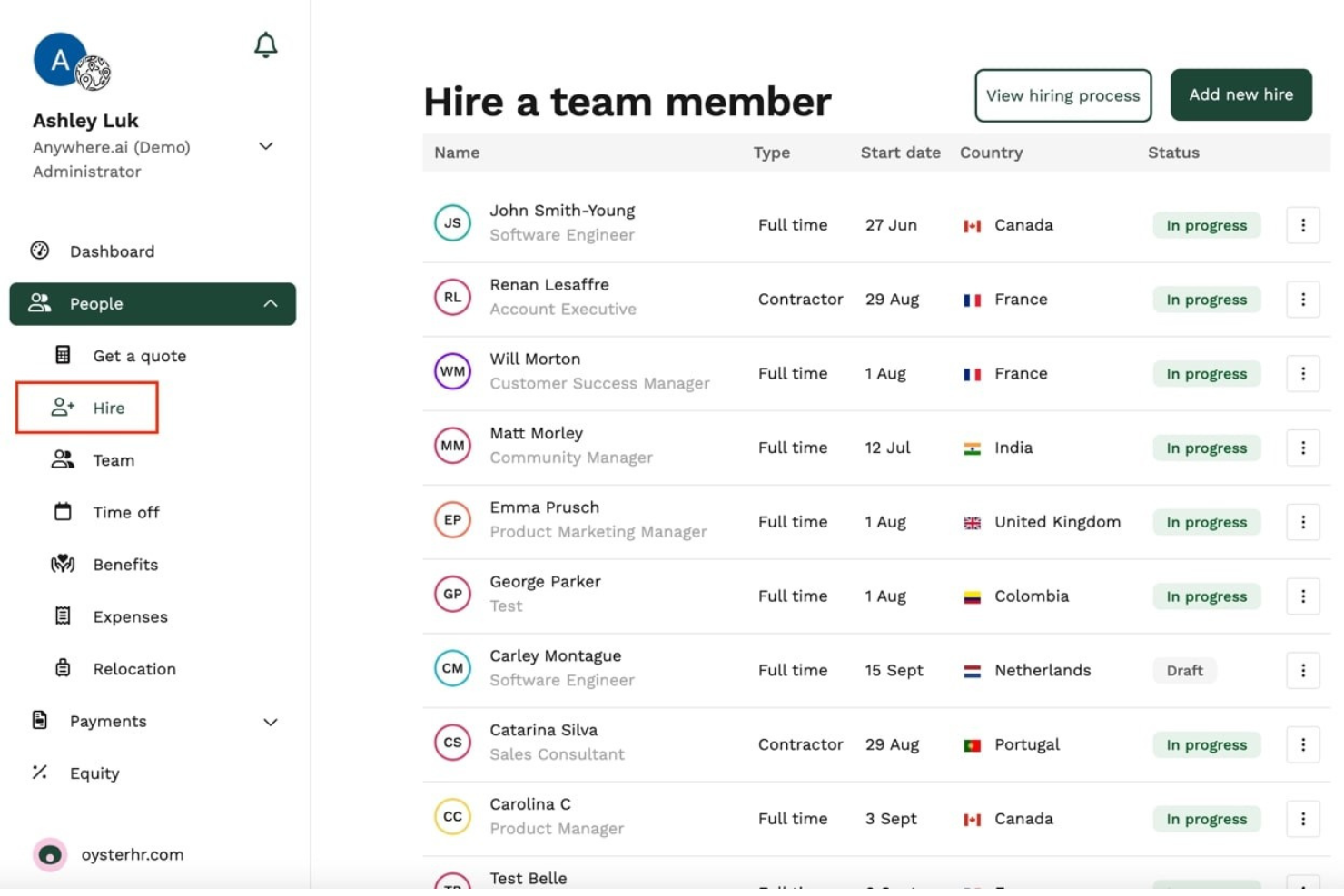
Oyster HR es una plataforma de empleador registrado que gestiona la contratación global, las nóminas, la administración de beneficios y las conversiones de contratistas a empleados en varios países.
¿Para quién es más adecuado Oyster HR?
Oyster HR es una excelente opción para pequeñas empresas que trabajan habitualmente con contratistas y desean una vía clara para convertirlos en empleados a tiempo completo.
Por qué elegí Oyster HR
Oyster HR ocupa un lugar en mi lista de opciones destacadas por lo bien que gestiona el proceso de conversión de contratistas a empleados, un verdadero obstáculo para las pequeñas empresas que dependen en gran medida del talento independiente o contratado. Me gusta que incluya comprobaciones de cumplimiento integradas y la generación de contratos laborales locales, de modo que, cuando estés listo para contratar a tiempo completo a un contratista en otro país, no tengas que apresurarte a investigar la legislación laboral local. Su proceso guiado de incorporación también hace que la transición parezca estructurada en lugar de caótica.
Funciones principales de Oyster HR
- Procesamiento global de nóminas: Gestiona las nóminas en varios países y monedas locales, con cálculos fiscales automáticos y deducciones legales gestionadas para cada región.
- Administración de beneficios: Accede a paquetes de beneficios que cumplen con la normativa local y gestiónalos para empleados a tiempo completo en cada país donde contrates.
- Generación de contratos laborales: Genera contratos laborales que cumplen con la normativa local según el país y el puesto, utilizando las plantillas legales integradas de Oyster HR.
- Gestión de contratistas: Invita, gestiona y paga a los contratistas mediante la misma plataforma que utilizas para los empleados a tiempo completo, manteniendo a toda tu plantilla en un solo lugar.
Integraciones de Oyster HR
Oyster HR ofrece integraciones con TeamTailor, Workable, Factorial, Lucca, Humaans, ADP Workforce Now, Concur, Carta y Slack, además de una API para flujos de trabajo personalizados. Se conecta con más de 5.000 aplicaciones mediante Zapier.
Pros and Cons
Pros:
- Simplifica las conversiones de contratistas a empleados
- Genera contratos laborales que cumplen con la normativa local
- Admite nóminas y beneficios en varios países
Cons:
- Acceso de prueba limitado para su evaluación
- Puede resultar excesivo para contrataciones puntuales

RemoFirst
Ideal para fundadores sin experiencia en RR. HH. que contratan en el extranjero con un presupuesto limitado
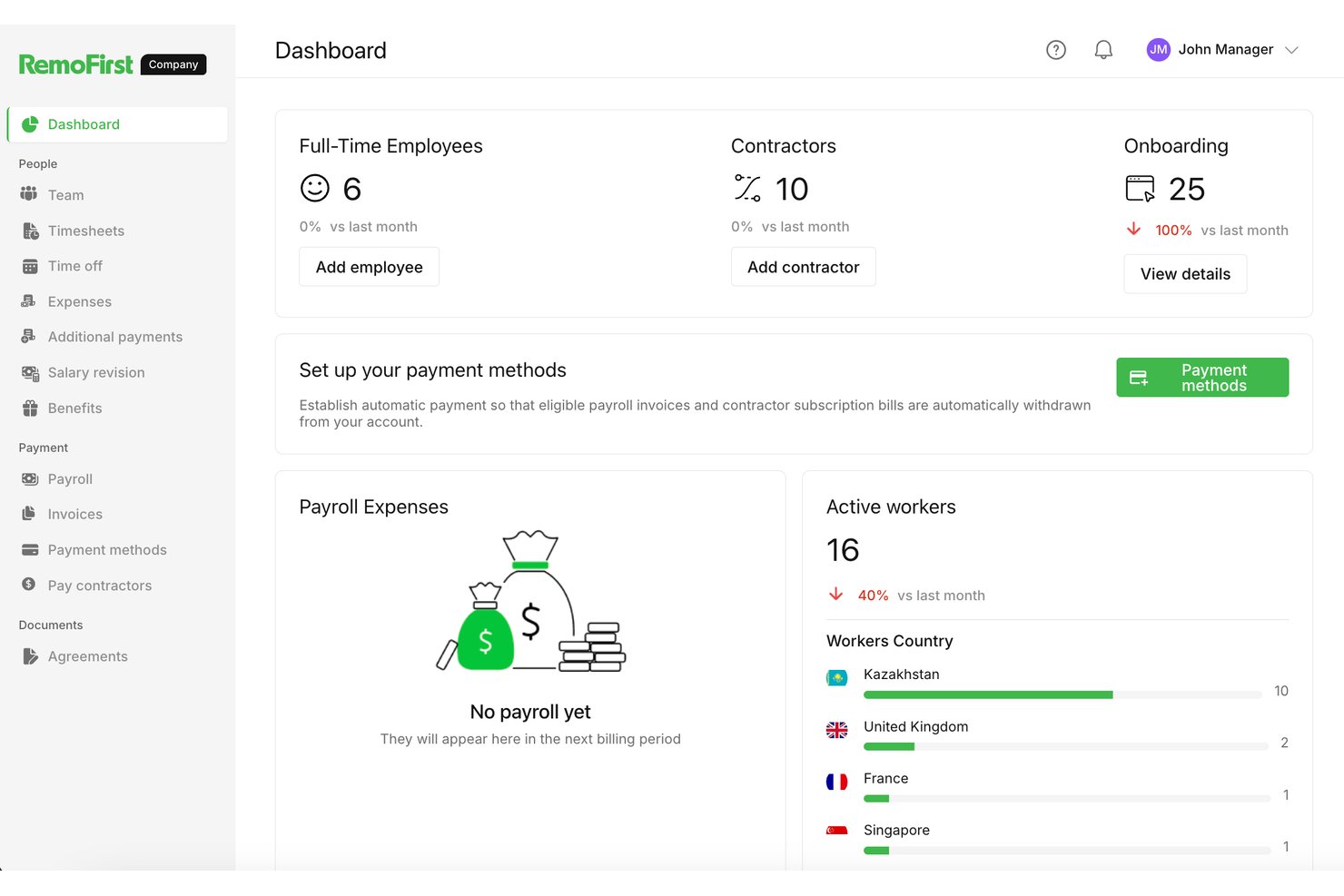
RemoFirst es una plataforma de empleador registrado diseñada para equipos reducidos que gestiona la contratación global, las nóminas y el cumplimiento normativo en más de 180 países sin requerir una infraestructura de RR. HH. dedicada.
¿Para quién es más adecuado RemoFirst?
RemoFirst es una opción excelente para fundadores en las primeras etapas y equipos pequeños que necesitan contratar internacionalmente sin contar con una función de RR. HH. dedicada.
Por qué elegí RemoFirst
RemoFirst se gana un lugar en mi lista de opciones principales porque está diseñado para fundadores que están descubriendo cómo contratar a nivel global sin contar con un equipo de RR. HH. que los respalde. Me gusta especialmente su flujo de trabajo de contratación de contratistas a empleados, que permite incorporar contratistas internacionales y convertirlos en empleados a tiempo completo dentro de la misma plataforma sin tener que empezar de cero. Su aprovisionamiento de equipos integrado también significa que puedes enviar un portátil a una persona recién contratada en otro país sin coordinar con un proveedor independiente.
Características principales de RemoFirst
- Gestión global de nóminas: Gestiona las nóminas de empleados en más de 180 países y en sus monedas locales desde un único panel.
- Gestión de la documentación de cumplimiento normativo: RemoFirst genera y gestiona contratos laborales que cumplen la normativa local de cada país en el que contratas.
- Gestión de contratistas: Incorpora y paga a contratistas internacionales junto con empleados a tiempo completo dentro de la misma plataforma.
- Administración de prestaciones: Accede a paquetes de prestaciones adecuados a nivel local y gestiónalos para los empleados de cada país sin tener que buscarlos por tu cuenta.
Integraciones de RemoFirst
RemoFirst ofrece integraciones nativas con Workday, BambooHR, GoCardless y ADP Workforce Now. Estas conectan los datos de RR. HH. y la financiación de las nóminas para equipos de pequeñas empresas.
Pros and Cons
Pros:
- Admite conversiones de contratistas a empleados
- Gestiona contrataciones en más de 180 países
- Incluye el aprovisionamiento de equipos para las nuevas contrataciones
Cons:
- Las opciones de prestaciones varían según el país
- Puede carecer de funciones avanzadas de RR. HH.
Otras herramientas EOR para pequeñas empresas
Estas son algunas herramientas EOR adicionales para pequeñas empresas que no llegaron a mi selección, pero que aun así merece la pena consultar:
- Payoneer Workforce Management
Ideal para convertir contratistas en empleados a gran escala
- Rippling
Ideal para el crecimiento integral de RR. HH. y la contratación global
- Deel Hire
La mejor opción para contratar personal globalmente a gran escala desde una sola plataforma
- Multiplier
Ideal para contratar a nivel global con un HRIS integrado
- Justworks
Ideal para equipos de EE. UU. con contratación internacional limitada
- Tarmack
Ideal para contratar personal en startups sin establecer una entidad local


Cómo evalúo las soluciones EOR para pequeñas empresas
Divido mi evaluación en tres partes. Primero, doy mayor importancia a la contratación de trabajadores de forma legal y al manejo de las nóminas, los impuestos y los contratos locales. Después, busco una incorporación rápida y la conversión de contratistas en empleados, antes de considerar los precios transparentes, el soporte receptivo y una configuración sencilla.
Funcionalidad principal (requisitos básicos de esta lista)
Al seleccionar herramientas para mi lista, califico cada una en una escala de 0 (no ofrece la funcionalidad) a 5 (sobresale en esta área) para cada funcionalidad principal que se indica a continuación. Después convierto el total en un porcentaje para ayudar a evaluar la adecuación general de cada herramienta, con peso adicional para cualquier funcionalidad que haya considerado esencial.
- Cumplimiento laboral global (esencial): Busco la contratación legal a través del proveedor, actualizaciones sobre las leyes locales y una responsabilidad clara al contratar sin una entidad local.
- Administración de nóminas e impuestos (esencial): Evalúo las nóminas locales, las retenciones obligatorias, las declaraciones, las divisas y los registros preparados para auditorías en los países que utilizas.
- Administración de beneficios: Compruebo la cobertura obligatoria y los beneficios opcionales, con opciones específicas para cada país a las que los empleados puedan acceder durante la incorporación.
- Precios transparentes: Comparo los precios publicados por empleado, los mínimos, los complementos y la claridad de la facturación para un pequeño equipo internacional.
- Contratos y documentos: Busco contratos y documentos de incorporación localizados que reflejen el puesto, la remuneración, las vacaciones y las normas laborales locales.
- Cobertura en varios países: Evalúo si el servicio es compatible con tus países objetivo y ofrece una cobertura coherente de contratación, nóminas y soporte.
Una vez que tengo una lista de herramientas que cumplen los criterios, considero qué distingue a cada plataforma.
Factores diferenciadores (lo que distingue a los proveedores)
Así es como comparo y contrasto los distintos proveedores:
Funciones destacadas
Busco herramientas para convertir contratistas en empleados porque las pequeñas empresas suelen comenzar con trabajadores independientes y necesitan una vía legal para incorporarlos plenamente como empleados a medida que crecen esas relaciones. Un proveedor que gestione la reclasificación sin reiniciar los contratos ahorra mucho tiempo. También evalúo la velocidad de incorporación: algunos proveedores garantizan la contratación en un plazo de 24–48 horas, lo que es importante cuando compites por captar talento. Las alertas de cumplimiento integradas completan esta oferta, ya que señalan los cambios en la legislación laboral para que los equipos pequeños y ágiles no pasen por alto actualizaciones costosas.
Más allá de las funciones
Compruebo si los precios siguen siendo previsibles a medida que crece tu equipo, ya que algunos proveedores añaden cargos por la administración de beneficios o la conversión de divisas que no son evidentes al registrarse. El soporte para las bajas es igual de importante: las normas locales sobre indemnizaciones y preavisos varían considerablemente, y un proveedor que te guíe durante una desvinculación conforme a la ley puede evitar una costosa exposición legal. También evalúo qué tan bien se conecta cada plataforma con herramientas como QuickBooks o tu HRIS existente, porque la introducción duplicada de datos afecta más a los equipos pequeños que a la mayoría.
Cómo elegir un EOR para una pequeña empresa
Es fácil perderse entre largas listas de funciones y estructuras de precios complejas. Para ayudarte a mantener la atención mientras llevas a cabo tu proceso de selección de software específico, aquí tienes una lista de factores que debes tener en cuenta:
| Factor | Qué debes tener en cuenta |
| Escalabilidad | ¿Puede la plataforma gestionar el crecimiento en distintos países y tamaños de equipo? Pregunta por la compatibilidad con la expansión a varias regiones y la incorporación de empleados a medida que creces. |
| Integraciones | ¿Se conectará el EOR con tus sistemas de nóminas, HRIS o contabilidad? Evalúa la facilidad para sincronizar los datos entre los sistemas existentes y la herramienta EOR. |
| Personalización | ¿Permite el sistema adaptar los flujos de trabajo a tus políticas y ubicaciones específicas? Comprueba si puedes crear flujos de aprobación personalizados o adaptar los contratos. |
| Facilidad de uso | ¿Pueden tus equipos de RR. HH. y operaciones familiarizarse rápidamente con la interfaz? Busca paneles intuitivos y funciones de usuario claras para minimizar las necesidades de formación. |
| Implementación e incorporación | ¿Qué se necesita para configurar el sistema en los países de destino? Pregunta qué asistencia para la incorporación se incluye, cuál es el plazo habitual hasta la primera contratación y cuáles son los pasos para migrar los datos. |
| Coste | ¿Cómo funcionan los precios para tus planes de contratación previstos? Presta atención a las tarifas adicionales, los mínimos o las diferencias de precio por país que podrían afectar al presupuesto. |
| Medidas de seguridad | ¿Qué protecciones existen para los datos confidenciales de tus empleados? Confirma el cumplimiento de las normas de privacidad de datos, como el GDPR, y la preparación para auditorías. |
| Disponibilidad del soporte | ¿Ofrece el proveedor asistencia global y cobertura en tus regiones? Considera los tiempos de respuesta, los idiomas disponibles y el acceso a conocimientos locales sobre RR. HH. y legislación. |
¿Qué son los servicios de empleador registrado?
Los servicios de empleador registrado son proveedores de servicios externos que emplean legalmente a trabajadores en nombre de tu empresa y gestionan las responsabilidades relacionadas con las nóminas, los RR. HH. y los recursos humanos en distintos países.
Un socio de EOR ayuda a las pequeñas empresas a acceder al talento global y crear una plantilla global sin establecer entidades propias, reduciendo las responsabilidades relacionadas con las leyes laborales locales. Este enfoque permite gestionar la plantilla en las regiones globales de la UE y otros lugares, al tiempo que ayuda a evitar los riesgos de clasificación errónea al contratar a contratistas independientes o empleados a tiempo completo.
Características de las herramientas de EOR para pequeñas empresas
Al seleccionar un EOR para una pequeña empresa, presta atención a las siguientes características clave:
- Procesamiento global de nóminas: Automatiza los cálculos de nómina, distribuye los pagos en monedas locales y deduce los impuestos y las cotizaciones sociales según la región.
- Gestión del cumplimiento normativo local: Realiza un seguimiento de las leyes laborales, los requisitos fiscales y las necesidades documentales específicos de cada país, y los aplica para reducir el riesgo de las pequeñas empresas que contratan en el extranjero.
- Generación de contratos de trabajo: Crea contratos de trabajo conformes con la normativa que reflejan las normas jurídicas locales, los idiomas y la información legal obligatoria.
- Administración de beneficios: Ofrece y gestiona los beneficios exigidos a nivel local, como la asistencia sanitaria, las pensiones y las vacaciones, adaptándose a las normas de cada país.
- Flujos de trabajo de incorporación: Digitaliza y agiliza la recopilación de documentos, la orientación de los empleados y la formación de las nuevas contrataciones en múltiples jurisdicciones.
- Seguimiento de permisos y ausencias: Realiza un seguimiento de los días festivos oficiales, los días de vacaciones y los distintos tipos de permisos exigidos por las leyes locales, con cálculos automáticos de acumulación.
- Gestión de gastos y reembolsos: Permite a los empleados enviar solicitudes de reembolso de gastos y a los responsables aprobarlas o rechazarlas, con pagos procesados a través de la nómina.
- Medidas de seguridad y privacidad de los datos: Protege los datos confidenciales de los empleados y de la nómina mediante protocolos de seguridad y cumple normativas como el RGPD.
- Integración con sistemas de recursos humanos y finanzas: Se conecta directamente con sistemas de información de recursos humanos, herramientas de contabilidad y de flujo de trabajo para facilitar la transferencia de datos y reducir la introducción manual.
- Panel de asistencia para varios países: Proporciona un único panel para realizar un seguimiento de los empleados, la nómina, el cumplimiento normativo y los documentos en todos los países en los que contratas.
Beneficios de los EOR para pequeñas empresas
Implementar un EOR para una pequeña empresa ofrece varios beneficios para tu equipo y tu empresa. Estos son algunos de los que puedes esperar:
- Contratación internacional simplificada: Puedes contratar rápidamente empleados en nuevos países sin establecer entidades jurídicas gracias a las funciones de nómina, contratos y administración de recursos humanos conformes con la normativa.
- Reducción del riesgo de incumplimiento: La asistencia integrada en materia jurídica y fiscal te ayuda a evitar sanciones y multas relacionadas con las normativas laborales internacionales.
- Incorporación más rápida de los empleados: Los flujos de trabajo de incorporación simplificados y las plantillas listas para usar agilizan el proceso de incorporación de nuevas contrataciones en varias regiones.
- Administración centralizada de recursos humanos: Gestiona la nómina, los beneficios, las ausencias y los datos laborales de los equipos globales en un único panel unificado.
- Nómina precisa y puntual: El procesamiento automatizado de la nómina garantiza que tus empleados reciban el pago correcto y a tiempo en sus monedas locales.
- Eficiencia de costes: Las plataformas de EOR reducen la carga administrativa y los costes de la expansión global al consolidar las herramientas de recursos humanos y cumplimiento normativo en una única plataforma.
- Acceso a beneficios locales: Tus empleados obtienen acceso a beneficios competitivos y conformes con la normativa de cada país, gestionados y administrados por el proveedor de EOR.
Costes y precios de los EOR para pequeñas empresas
Seleccionar un EOR para una pequeña empresa requiere comprender los distintos modelos de precios y planes disponibles. Los costes varían en función de las características, el tamaño del equipo, los complementos y otros factores. La siguiente tabla resume los planes habituales, sus precios medios y las características que suelen incluir las soluciones de EOR para empresas pequeñas:
Tabla comparativa de planes de EOR para pequeñas empresas
| Tipo de plan | Precio medio | Características comunes |
| Plan gratuito | $0 | Orientación básica sobre cumplimiento, asistencia limitada con las nóminas, recursos de incorporación de autoservicio y atención al cliente exclusivamente por correo electrónico. |
| Plan personal | $150–$250/empleado/mes | Procesamiento de nóminas, generación de contratos, flujos de trabajo de incorporación, integraciones limitadas y gestión básica del cumplimiento. |
| Plan empresarial | $250–$400/empleado/mes | Servicios completos de nóminas, prestaciones localizadas, cumplimiento de políticas, integraciones, panel de administración y asistencia en varios países. |
| Plan para empresas | $400+/empleado/mes | Gestor de cuentas dedicado, análisis avanzados de RR. HH., integraciones personalizadas, administración global de prestaciones y asistencia las 24 horas, los 7 días de la semana. |
Preguntas frecuentes sobre EOR para pequeñas empresas
Estas son algunas respuestas a preguntas frecuentes sobre los EOR para pequeñas empresas: