

Los 10 mejores programas de intranet para pequeñas empresas analizados en 2026

10 Mejor software de intranet para pequeñas empresas: selección


Gestionar una pequeña empresa conlleva sus propios desafíos, especialmente cuando se trata de mantener a tu equipo conectado e informado. El software de intranet puede ser fundamental para mejorar la comunicación y la colaboración dentro de tu organización.
Entiendo lo abrumador que puede resultar elegir la herramienta adecuada, dada la gran cantidad de opciones disponibles. Por eso, he probado y evaluado de forma independiente diversas soluciones de software de intranet, centrándome en aquellas que realmente responden a tus necesidades.
En este artículo encontrarás mis principales recomendaciones, cada una evaluada según sus funciones, facilidad de uso y relación calidad-precio. Al final, tendrás claro qué software puede ayudar mejor al éxito de tu equipo.
Por qué confiar en nuestras reseñas de software
Nuestro equipo lleva probando y evaluando software desde 2012. Como expertos en RR. HH., sabemos lo difícil —y lo importante— que es elegir el software adecuado.
Para esta guía, evaluamos las herramientas mediante pruebas prácticas e investigación independiente, puntuando las herramientas según nuestros criterios de selección. También nos basamos en la experiencia de líderes de opinión del sector y de profesionales de RR. HH. en activo.
Nuestras reseñas reflejan nuestro criterio editorial humano, no un discurso de ventas.
Revisores expertos:
Resumen del mejor software de intranet para pequeñas empresas
Esta tabla comparativa resume los detalles de precios de mis principales selecciones de software de intranet para pequeñas empresas, para ayudarte a encontrar la mejor opción según tu presupuesto y las necesidades de tu empresa.
| Tool | Best For | Trial Info | Price | ||
|---|---|---|---|---|---|
| 1 | Ideal para comunicaciones y reconocimiento de RR. HH. todo en uno | Demostración gratuita disponible | Precios disponibles previa solicitud | Website | |
| 2 | Ideal para la gestión de contenidos | Prueba gratuita de 14 días | Desde $6empleado/mes | Website | |
| 3 | Mejor con listas de verificación de incorporación automatizadas | Prueba gratuita de 30 días | Precio bajo consulta | Website | |
| 4 | Ideal para fomentar el compromiso de los empleados | Demostración gratuita disponible | Precio a consultar | Website | |
| 5 | La mejor para la integración de portales para clientes | Prueba gratuita de 10 días + demo gratis disponible | Desde $239/mes (facturado anualmente) | Website | |
| 6 | Mejor por su interfaz fácil de usar | Demostración gratuita disponible | Precios a consultar | Website | |
| 7 | Ideal para usuarios de Google Workspace | Prueba gratuita disponible | Precios a consultar | Website | |
| 8 | Ideal para la escalabilidad | Prueba gratuita de 30 días disponible | Desde $5.00/usuario/mes (facturación anual) | Website | |
| 9 | El mejor para el intercambio de archivos contables | Demo gratuita disponible | Desde £96/mes | Website | |
| 10 | Ideal para la colaboración de equipos remotos | Demostración gratuita disponible | Precios bajo solicitud | Website |
Análisis del mejor software de intranet para pequeñas empresas
A continuación encontrarás mis resúmenes detallados del mejor software de intranet para pequeñas empresas que llegó a mi selección. Mis análisis ofrecen una visión detallada de las funciones principales, ventajas & desventajas, integraciones y casos de uso ideales de cada herramienta para ayudarte a encontrar la mejor opción para ti.

Hub
Ideal para comunicaciones y reconocimiento de RR. HH. todo en uno
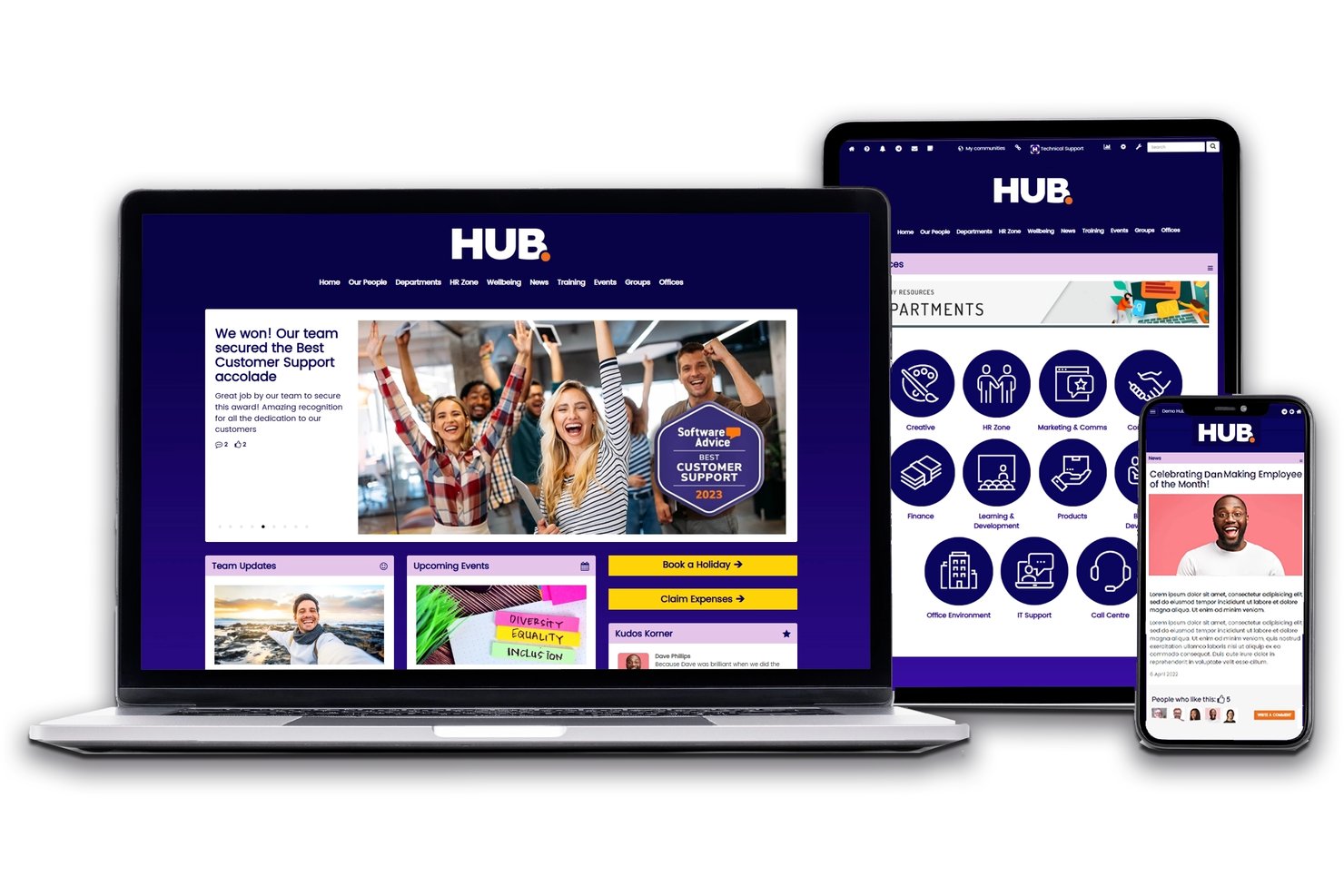
Hub es una plataforma de intranet para pequeñas empresas que reúne las comunicaciones internas, la gestión de documentos, el reconocimiento de empleados, la incorporación y los flujos de trabajo de RR. HH. en un único entorno.
¿Para quién es más adecuado Hub?
Hub es adecuado para pequeñas empresas y organizaciones sin ánimo de lucro que desean consolidar las comunicaciones internas, los documentos de RR. HH. y el reconocimiento de empleados en una sola plataforma sin tener que gestionar múltiples herramientas.
Por qué elegí Hub
Hub se gana un lugar en mi lista de opciones porque reúne las comunicaciones internas, la gestión de documentos de RR. HH. y el reconocimiento de empleados en una sola plataforma sin pedirte que pagues por varias herramientas. Me gusta especialmente la función de felicitaciones y reconocimiento entre compañeros, que permite a los miembros del equipo celebrar públicamente sus logros sin necesitar una aplicación de participación independiente. El seguimiento de lectura obligatoria es otra característica destacada: puedes publicar una actualización de políticas y ver exactamente quién la ha leído, lo que elimina las conjeturas habituales en torno al cumplimiento.
Características principales de Hub
- Búsqueda federada: Busca en el contenido de Hub y en unidades en la nube conectadas, como SharePoint, Google Drive y Box, desde una sola consulta.
- Encuestas de pulso y cuestionarios: Crea encuestas, cuestionarios y pruebas puntuadas para recopilar comentarios de los empleados y medir la participación.
- Zonas privadas: Almacena y comparte archivos personalizados y seguros—como documentos individuales de RR. HH.—visibles únicamente para el empleado previsto.
- Gestión de permisos y ausencias: Realiza un seguimiento de las solicitudes de permisos de los empleados y de las actualizaciones del saldo disponible en tiempo real directamente desde la plataforma.
Integraciones de Hub
Hub ofrece integraciones nativas con Microsoft 365, Google Workspace, SharePoint, Box, Confluence, Slack, Jira, Zendesk, Eventbrite y BambooHR. La sincronización de usuarios con Microsoft Entra ID y el inicio de sesión único con Okta y OneLogin están disponibles mediante complementos de pago.
Pros and Cons
Pros:
- Búsqueda federada en todas las unidades en la nube conectadas
- Felicitaciones y encuestas de pulso incluidas para fomentar la participación
- Seguimiento de lectura obligatoria para el cumplimiento y las políticas
Cons:
- No permite la coautoría en tiempo real en las páginas
- La prueba requiere una llamada de demostración

Ideal para la gestión de contenidos

ThoughtFarmer es una plataforma de intranet diseñada para mejorar la comunicación interna y la gestión de contenidos en las empresas. Está dirigida a organizaciones que desean optimizar la colaboración y facilitar el intercambio de información entre equipos.
Por qué elegí ThoughtFarmer: ThoughtFarmer destaca en la gestión de contenido, proporcionando a los equipos herramientas sencillas para crear, organizar y compartir información. Los paneles personalizables te permiten adaptar la intranet a las necesidades de tu equipo, aumentando la productividad general. Además, las analíticas integradas ayudan a seguir el compromiso con los contenidos para identificar qué es lo que más conecta con tu equipo.
Funciones y integraciones destacadas:
Funciones incluyen paneles personalizables que te dan flexibilidad para diseñar tu intranet, herramientas de analítica que ofrecen información sobre el rendimiento del contenido, y características sociales que fomentan la colaboración y la interacción dentro del equipo.
Integraciones incluyen Microsoft 365, Google Workspace, Slack, Okta, Azure AD, SAML, y más.
Pros and Cons
Pros:
- Páginas de inicio personalizadas con seguimiento de páginas
- Incluye analíticas de compromiso con los contenidos
- Almacenamiento en la nube integrado
Cons:
- Carece de granularidad en las funciones de gestión de documentos
- Opciones inconsistentes de diseño para tablas y textos

Jostle
Mejor con listas de verificación de incorporación automatizadas

Jostle es una plataforma de intranet para pequeñas empresas que reúne en un solo lugar la comunicación interna, el reconocimiento de empleados, una biblioteca de documentos, un directorio de personas y herramientas de colaboración en equipo.
¿Para quién es mejor Jostle?
Jostle es ideal para los equipos de RR. HH. y operaciones de personas en pequeñas y medianas empresas que desean una intranet de rápida implementación sin depender del soporte de TI.
Por qué elegí Jostle
Jostle se gana un lugar entre los mejores de mi lista gracias a cómo su módulo de Tareas gestiona los flujos de trabajo de incorporación desde el primer momento. Me gusta que puedas crear una lista de verificación de incorporación estructurada, asignar pasos a empleados específicos y seguir el progreso sin necesidad de una configuración personalizada. Si además se combina con la función de Confirmación de Lectura de la Biblioteca, que permite que los nuevos empleados reconozcan las políticas mientras yo puedo rastrear exactamente quién ha leído qué, se obtiene una propuesta de incorporación realmente práctica para un equipo pequeño.
Características clave de Jostle
- Reconocimientos y 'Shout-Outs': Herramientas integradas para celebrar a los compañeros y resaltar contribuciones en toda la empresa.
- Biblioteca con seguimiento de confirmación: Mantén políticas y manuales con la capacidad de requerir y monitorear los reconocimientos de los empleados.
- 'Haz una pregunta' potenciado por IA: Búsqueda contextual que ofrece respuestas instantáneas de la base de conocimientos de la empresa por rol o departamento.
- Apps móviles y de escritorio: Aplicaciones dedicadas para iOS, Android y escritorio que mantienen a todos los empleados conectados donde sea que trabajen.
Integraciones de Jostle
Jostle ofrece integraciones nativas con ADP, Dayforce, Azure Active Directory, Okta, Google Workspace y soporta SFTP para la provisión de usuarios. Hay una API disponible para integraciones personalizadas.
Pros and Cons
Pros:
- Listas de verificación de incorporación estructuradas integradas
- El feed de noticias fomenta la participación en toda la empresa
- Despliegue rápido sin recursos TI dedicados
Cons:
- Opciones limitadas de edición de páginas estilo wiki
- Menos análisis de engagement que los principales competidores

Workvivo
Ideal para fomentar el compromiso de los empleados
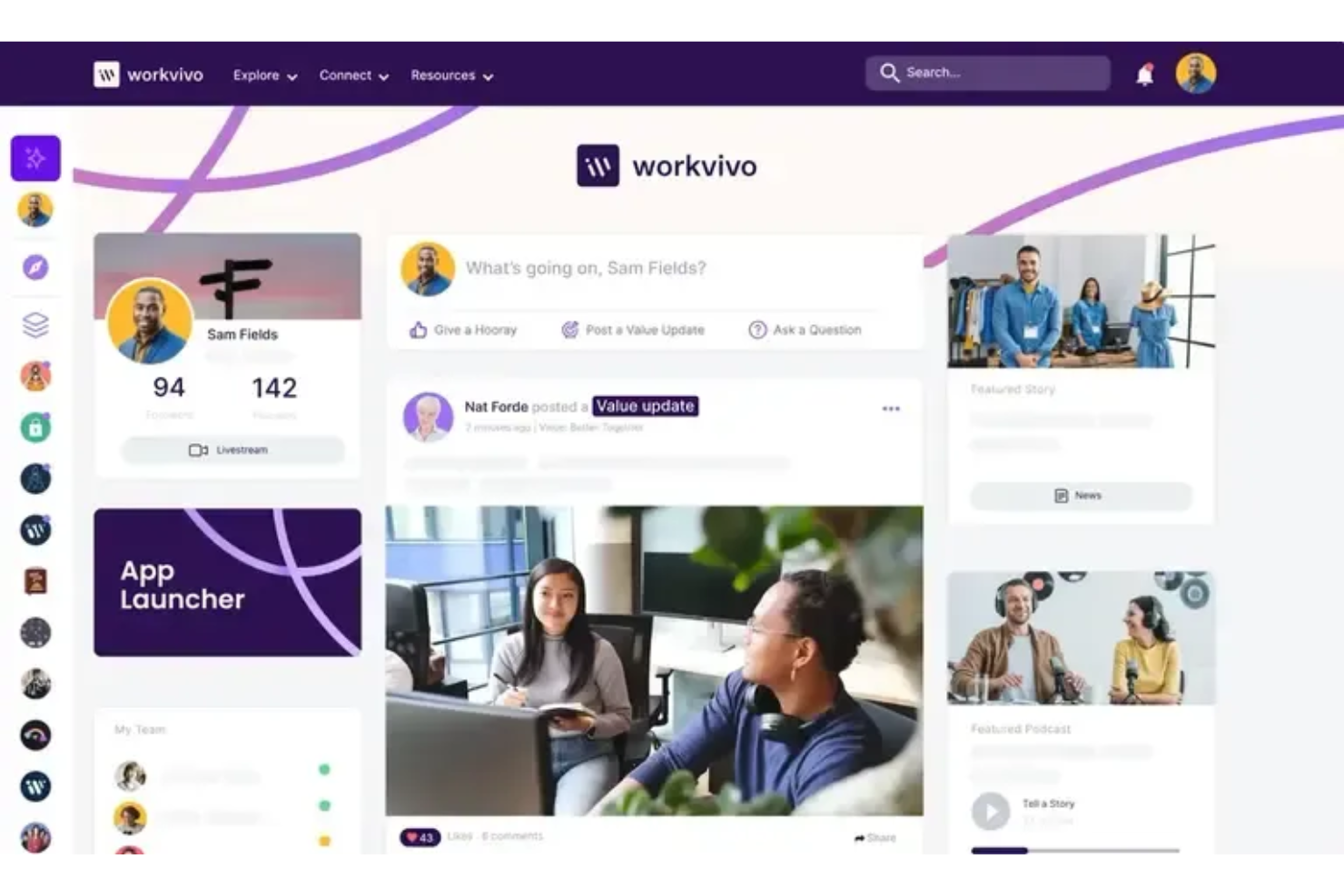
Workvivo es una plataforma de experiencia para empleados diseñada para ayudar a las organizaciones a mantener a su fuerza laboral conectada e informada. Centraliza los anuncios, las interacciones sociales y las discusiones comunitarias en una interfaz familiar inspirada en las redes sociales de consumo.
Por qué elegí Workvivo: Fortalece el compromiso de los empleados mediante un feed social y herramientas de interacción que hacen que la comunicación sea natural y familiar. Los empleados pueden compartir actualizaciones, participar en discusiones y reconocerse mutuamente, lo que ayuda a los equipos a mantener la conexión a través de diferentes ubicaciones. Su diseño permite que los usuarios contribuyan con contenido y se mantengan informados, apoyando a las empresas que desean mejorar la comunicación interna y la construcción de comunidad.
Características y integraciones destacadas:
Características incluyen un feed centralizado de actividad para actualizaciones de la empresa, herramientas de reconocimiento que destacan logros individuales y de equipo, y espacios comunitarios donde los empleados pueden participar en discusiones y compartir contenido. La plataforma también permite anuncios internos y publicaciones multimedia, ayudando a los equipos a mantenerse comprometidos.
Integraciones incluyen Microsoft Teams, Slack, Zoom, Office 365, Google Workspace, Salesforce, SharePoint, BambooHR, Okta y Workday.
Pros and Cons
Pros:
- Interfaz similar a las redes sociales
- Fácil de compartir contenido
- Informes avanzados y análisis de compromiso de empleados
Cons:
- La aplicación móvil suele ser lenta y presenta errores frecuentes
- Los análisis y el video requieren complementos adicionales

Clinked
La mejor para la integración de portales para clientes

Clinked es una solución de colaboración y portal para clientes diseñada para mejorar el intercambio de documentos y la comunicación con los clientes. Ofrece un portal de intranet dedicado para empleados y está orientada a pequeñas y medianas empresas, proporcionando herramientas seguras de compartición de archivos y colaboración para fortalecer las relaciones con los clientes.
Por qué elegí Clinked: Clinked sobresale en la integración de portales para clientes al brindar a los equipos un espacio seguro para compartir documentos y comunicarse con ellos. Los portales personalizados ayudan a mantener la identidad de la empresa, al tiempo que proporcionan a los clientes acceso conveniente a los recursos que necesitan. Clinked también ofrece una plataforma centralizada donde los empleados pueden acceder a noticias de la empresa, documentos y recursos desde un solo lugar seguro. Dirigido a reducir los silos de información y garantizar una comunicación abierta y transparente, Clinked proporciona una única plataforma tanto para la colaboración interna de los empleados como para la comunicación con los clientes.
Funciones destacadas e integraciones:
Funciones incluyen portales para clientes personalizados que refuerzan la imagen de tu empresa, compartición segura de documentos que protege la información sensible y herramientas de gestión de tareas que ayudan a llevar el seguimiento del avance de los proyectos.
Integraciones incluyen Google Workspace, Microsoft Office 365, Dropbox, Salesforce, QuickBooks, Xero, Slack, Trello, Asana y Box.
Pros and Cons
Pros:
- Admite portales para clientes personalizados
- Configuración de permisos personalizables
- Capacidades de gestión de tareas
Cons:
- Número limitado de empleados por nivel
- Sin funcionalidad móvil

Simpplr
Mejor por su interfaz fácil de usar

Simpplr es una plataforma de intranet impulsada por IA diseñada para mejorar la experiencia del empleado a través de una comunicación y compromiso óptimos. Está orientada a empresas de todos los tamaños y proporciona herramientas para la gestión de contenidos y la colaboración social, fomentando un lugar de trabajo conectado.
Por qué elegí Simpplr: Simpplr ofrece una interfaz fácil de usar que la hace accesible para equipos sin amplios conocimientos técnicos. Sus paneles personalizables permiten adaptar la plataforma a las necesidades específicas de tu equipo y mejorar los flujos de trabajo diarios. Las herramientas de análisis proporcionan información sobre el compromiso de los empleados, ayudando a entender cómo interactúa tu equipo con el contenido.
Características destacadas e integraciones:
Características incluyen análisis avanzados para rastrear la interacción de los empleados, paneles personalizables para experiencias de usuario personalizadas y herramientas de colaboración social que fomentan la interacción y comunicación dentro del equipo.
Integraciones incluyen Microsoft 365, Google Workspace, Slack, Salesforce, Box, OneDrive, Okta, ServiceNow, Zendesk y Workday.
Pros and Cons
Pros:
- Seguridad certificada por ISO 27001, SOC 2
- Análisis avanzados
- Búsqueda unificada que usa agentes de IA para mostrar respuestas más rápido
Cons:
- Faltan funciones básicas que requieren complementos
- El diseño restrictivo limita el branding y la personalización

Happeo
Ideal para usuarios de Google Workspace

Happeo es una plataforma de intranet diseñada para mejorar la comunicación y colaboración interna, especialmente para usuarios de Google Workspace. Atiende a empresas de todos los tamaños, proporcionando herramientas para agilizar el intercambio de información y fomentar un entorno laboral conectado.
Por qué elegí Happeo: Happeo está diseñada para equipos que utilizan Google Workspace, ofreciendo integración directa con herramientas de Google como Drive y Calendar. Sus páginas personalizables permiten crear una experiencia de intranet ajustada a las necesidades de tu equipo. También ofrece analíticas para rastrear la participación, ayudándote a comprender cómo interactúa tu equipo con el contenido. Estas características la hacen ideal para usuarios de Google Workspace, asegurando una colaboración y comunicación fluidas.
Funciones destacadas e integraciones:
Funciones incluyen páginas personalizables que te permiten adaptar tu intranet a las necesidades de tu equipo, analíticas avanzadas que brindan información sobre la participación de los usuarios y herramientas de gestión de contenido que simplifican la organización y el intercambio de información.
Las integraciones incluyen Google Workspace, Slack, Microsoft Teams, Salesforce, Trello, Asana, Jira, HubSpot, OneLogin y Okta.
Pros and Cons
Pros:
- Centro de conocimiento centralizado con búsqueda empresarial
- Las integraciones con Trustpilot, Freshdesk y Zendesk están incorporadas
- Edita archivos de Google de forma segura dentro de la plataforma
Cons:
- Pocas opciones de diseño o personalización
- El acceso a la API está limitado solo al nivel Enterprise

Ideal para la escalabilidad
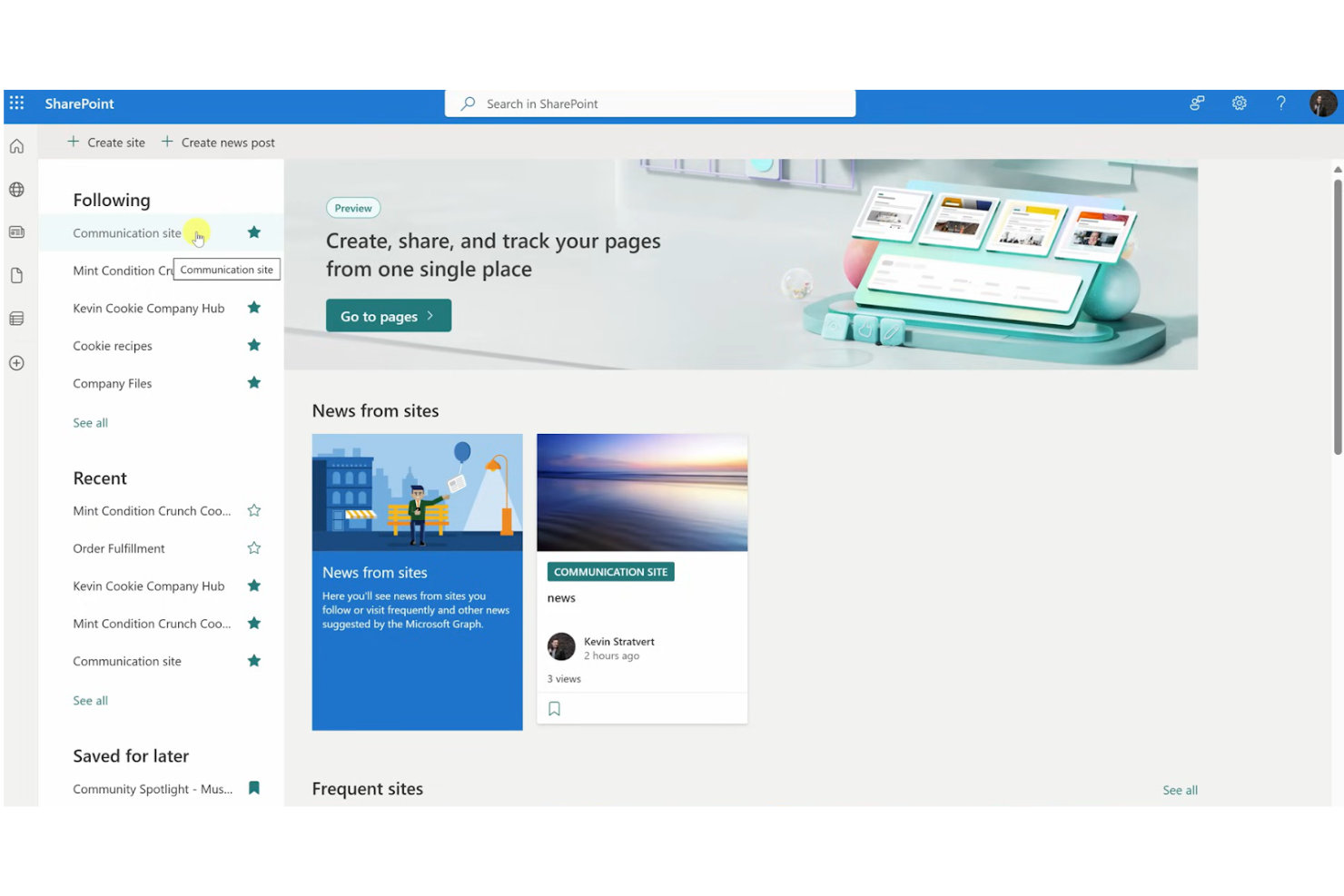
Microsoft SharePoint es una plataforma versátil que permite a las organizaciones gestionar contenido, conocimiento y aplicaciones para mejorar el trabajo en equipo. Es ampliamente utilizada por empresas de todos los tamaños para facilitar la colaboración y aumentar la productividad mediante la gestión de documentos y espacios de trabajo compartidos.
Por qué elegí Microsoft SharePoint: SharePoint es ideal para la escalabilidad, permitiendo a las organizaciones ampliar las capacidades de su intranet a medida que crecen. Ofrece plantillas de sitio personalizables que permiten adaptar la plataforma a las necesidades específicas de tu equipo. Su robusto sistema de gestión de documentos asegura que tu equipo pueda guardar, organizar y acceder a la información de manera eficiente. Estas características hacen de SharePoint una opción adecuada para las empresas que buscan escalar sus operaciones de manera efectiva.
Características destacadas e integraciones:
Características incluyen un completo sistema de gestión de documentos que organiza y almacena archivos, plantillas de sitio personalizables que te permiten diseñar tu intranet, y herramientas de colaboración que impulsan el trabajo en equipo y el intercambio de información.
Integraciones incluyen Microsoft Teams, Microsoft Office, OneDrive, Power BI, Yammer, Dynamics 365, PowerApps, Azure, Outlook y Planner.
Pros and Cons
Pros:
- Gestión de identidad y acceso
- Amplia gestión de documentos
- Altamente personalizable, incluyendo correo electrónico personalizado
Cons:
- Flexibilidad limitada fuera del ecosistema de Microsoft
- Puede requerir muchos recursos

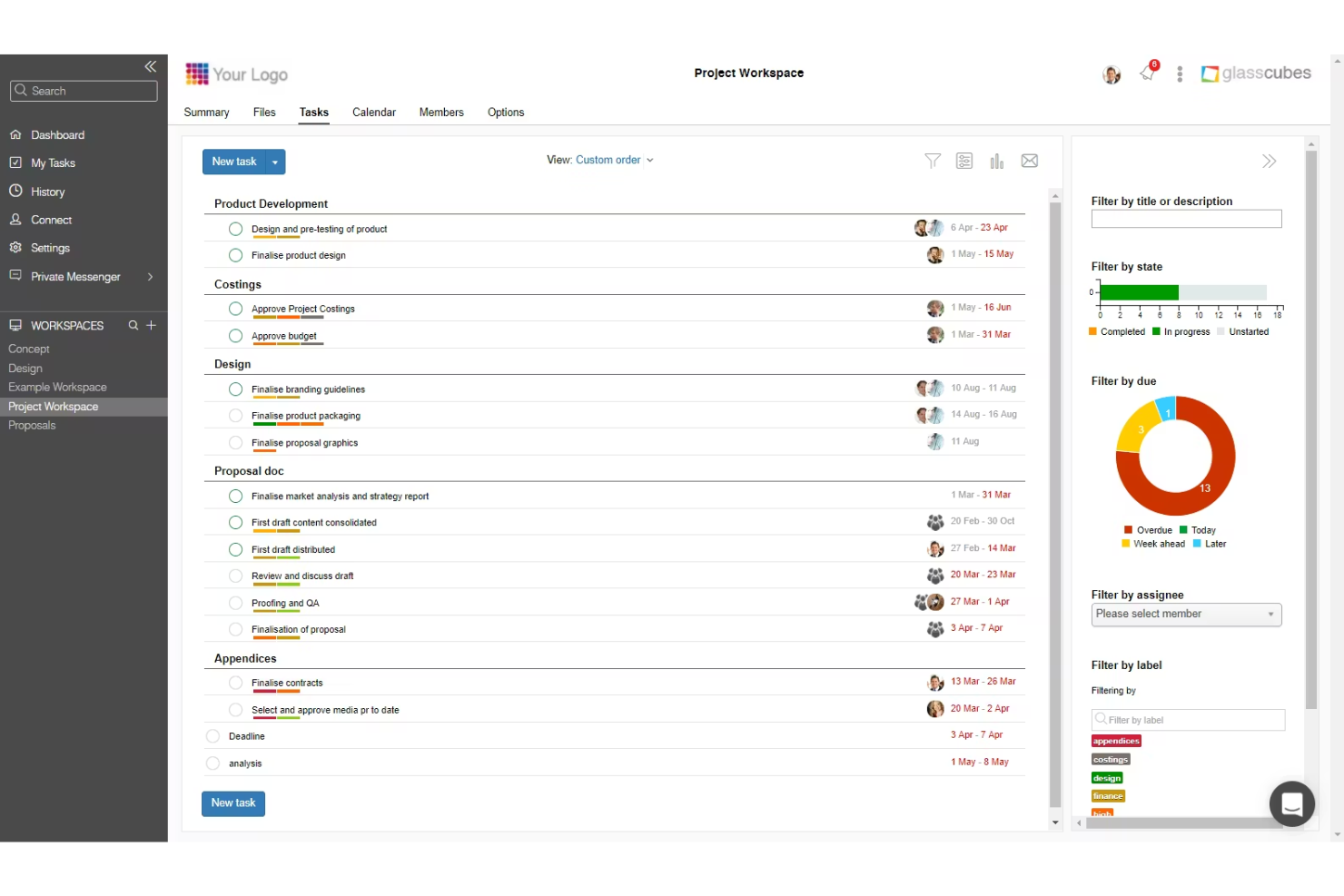
Glasscubes es una plataforma segura de intercambio de archivos y colaboración ampliamente utilizada por firmas de contabilidad. Ofrece intercambio controlado de documentos, flujos de trabajo para tareas de clientes y herramientas de comunicación que facilitan la gestión de información conforme y lista para auditorías.
Por qué elegí Glasscubes: Con un fuerte enfoque en el intercambio seguro de archivos, Glasscubes apoya a las firmas de contabilidad que requieren una plataforma confiable para el intercambio de documentos con clientes. El acceso basado en permisos garantiza que solo los usuarios autorizados puedan ver o cargar archivos, mientras que el control de versiones y los registros de auditoría apoyan a empresas que deben gestionar información financiera sensible. Convierte información no estructurada en registros verificados y listos para el cumplimiento mediante IA, reduciendo el tiempo de revisión manual y ayudando a asegurar que no se pasen por alto detalles importantes.
Características destacadas e integraciones:
Características incluyen intercambio de archivos controlado por permisos, almacenamiento seguro de documentos, control de versiones, asignación de tareas a clientes e informes de actividad que ayudan a las firmas a rastrear el estado de los documentos y las acciones de los clientes. Los espacios de trabajo permiten a los equipos organizar la comunicación y archivos de cada cliente en un centro centralizado.
Integraciones incluyen Microsoft 365, Google Workspace y opciones de inicio de sesión único como SAML/ADFS.
Pros and Cons
Pros:
- Controles de acceso basados en permisos
- Seguimiento en tiempo real impulsado por IA
- Comunicación centralizada y manejo confidencial de datos
Cons:
- Soporte restringido para aplicaciones de terceros
- Navegación difícil y hilos de solicitudes desordenados

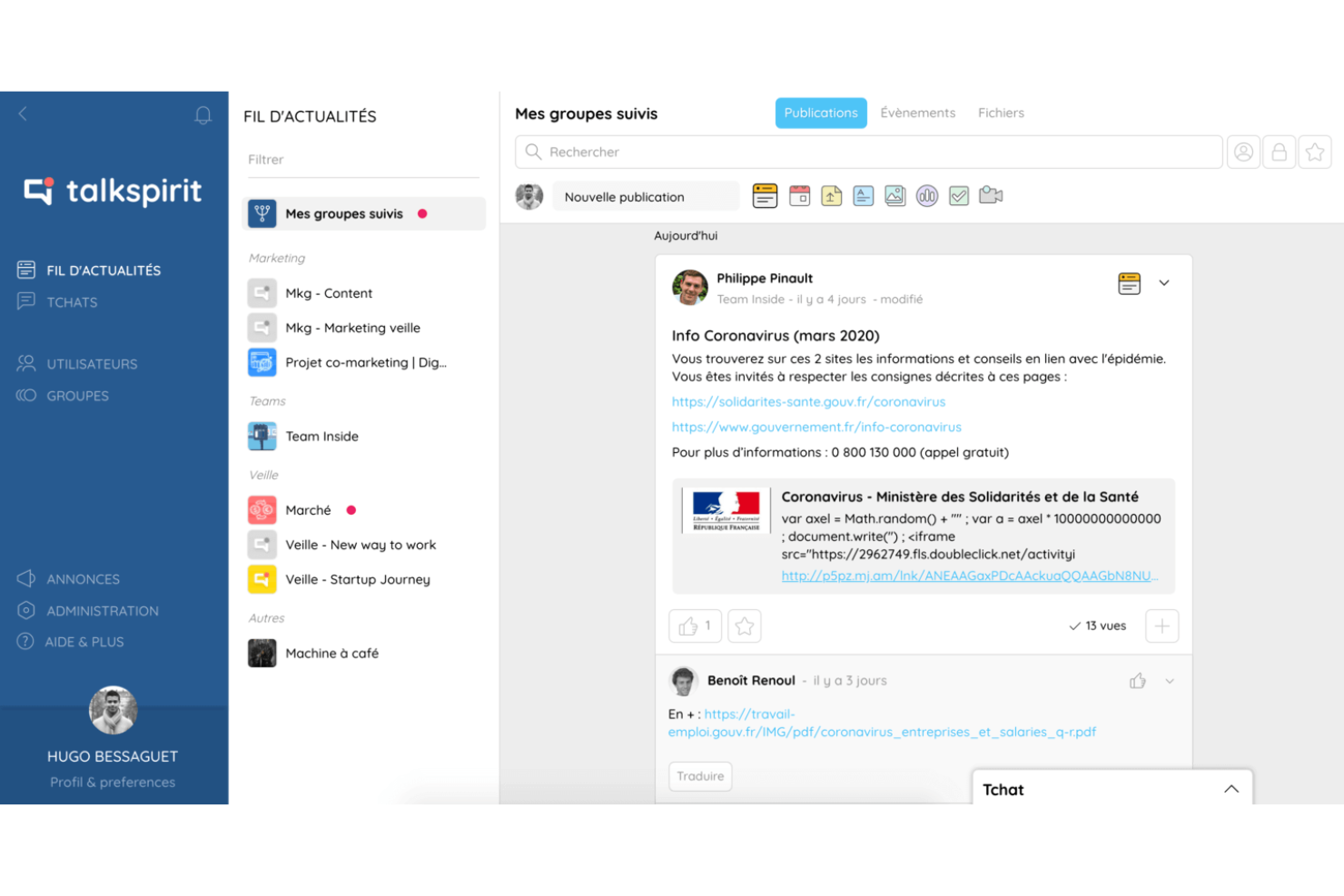
Talkspirit es una plataforma colaborativa diseñada para empresas que necesitan mejorar la comunicación y la colaboración entre equipos remotos. Ofrece herramientas para la gestión de proyectos, comunicación y gobernanza, para garantizar que todos se mantengan conectados y productivos.
Por qué elegí Talkspirit: Talkspirit es una plataforma de intranet y colaboración creada para apoyar a los equipos remotos con herramientas de comunicación, compartición de recursos y organización del espacio de trabajo. Proporciona mensajería, videollamadas, documentos compartidos y gestión de tareas para ayudar a las pequeñas empresas a mantener informados y conectados a sus empleados dispersos.
Características destacadas e integraciones:
Características incluyen herramientas de mensajería y comunicación por video, espacios compartidos de documentos y tableros de tareas que apoyan la organización básica de proyectos para equipos distribuidos. La plataforma también cuenta con controles administrativos para permisos y acceso a contenidos, ayudando a los equipos a mantenerse alineados al trabajar remotamente.
Integraciones incluyen Microsoft 365, Google Workspace, Slack, Trello, Zoom, Dropbox, Salesforce, Asana, Jira y GitHub.
Otros programas de intranet para pequeñas empresas
Estas son algunas opciones adicionales de software de intranet para pequeñas empresas que no llegaron a mi selección, pero que aun así merece la pena consultar:
- Staffbase
La mejor para la comunicación interna
- Connecteam
Ideal para equipos con enfoque móvil
- ShortPoint
Ideal para simplificar el diseño de SharePoint
- Udext
Ideal para la colaboración en documentos
- Agility Portal
Ideal para pequeñas empresas


So bewerte ich Intranet-Software für kleine Unternehmen
Ich bewerte Intranet-Tools für kleine Unternehmen in zwei Ebenen: Zum einen, ob sie tatsächlich als HR-Drehscheibe dienen können – also Richtlinien, Mitarbeiterverzeichnis und Ankündigungen verwalten – und zum anderen, was das jeweilige Tool zur passenden Wahl macht.
Kernfunktionen (Grundvoraussetzungen für diese Liste)
Wenn ich Tools für meine Liste auswähle, bewerte ich jedes einzelne auf einer Skala von 0 (Funktion fehlt komplett) bis 5 (hervorragend in diesem Bereich) anhand jeder der unten aufgeführten Kernfunktionen. Anschließend rechne ich die Gesamtpunktzahl eines Tools in einen Prozentwert um. Damit ein Tool in Betracht gezogen wird, muss es mindestens 65 % der Gesamtscore erreichen.
- Zentrale Dokumentenablage: Ich prüfe, ob HR-Teams Richtlinien, Handbücher und Vergütungsübersichten in einer durchsuchbaren Bibliothek organisieren können, statt sie in gemeinsamen Laufwerken zu verstecken.
- Interne Kommunikations-Tools: Unternehmensankündigungen, Updates der Geschäftsleitung und Erinnerungen an offene Anmeldungen sollten das gesamte Team über einen Newsfeed oder eine Broadcast-Funktion erreichen.
- Mitarbeiterverzeichnis & Profile: Ich achte auf Verzeichnisse, die über eine reine Kontaktliste hinausgehen, mit Organigrammen und Abteilungsfiltern, damit neue Mitarbeitende herausfinden, wer was macht.
- Zusammenarbeit & Seiteninhalte: Teams sollten wiki-ähnliche Seiten erstellen und gemeinsam bearbeiten können – etwa für Checklisten zum Onboarding, Abteilungs-SOPs oder FAQ-Ressourcen.
- Zugriffsrechte & Berechtigungen: Ich prüfe, ob Administratoren sensible HR-Inhalte nach Rolle oder Abteilung beschränken können, sodass z. B. Gehaltsdokumente nur für die richtigen Personen sichtbar sind.
- SMB-freundliche Implementierung: Kleine Teams haben selten eigene IT-Mitarbeitende, deshalb achte ich auf Self-Service-Einrichtung, vorgefertigte Vorlagen und eine Preisgestaltung, die sich an der Anzahl Mitarbeitender orientiert.
Habe ich eine Liste von Tools, die die Kriterien erfüllen, prüfe ich, was die einzelnen Plattformen besonders macht.
Unterscheidungsmerkmale (Was Anbieter voneinander abhebt)
So vergleiche und bewerte ich die verschiedenen Anbieter:
Hervorstechende Funktionen
Eine dedizierte Mobile-App ist wichtig, wenn das Team auch Mitarbeitende ohne festen Schreibtisch oder Außendienst umfasst, die keine Richtlinie am Desktop lesen werden. Auch integrierte Onboarding-Workflows bewerte ich – HR-Teams sollten Aufgabenlisten zuweisen und wichtige Ressourcen bereitstellen können, damit neue Mitarbeitende sich vom ersten Tag an selbstständig orientieren. Ich prüfe außerdem, ob native Stimmungsbarometer und Umfragen vorhanden sind, mit denen sich die Mitarbeitendenzufriedenheit nach einer Umstrukturierung oder Änderung von Leistungen messen lässt, ohne ein externes Umfragetool einbinden zu müssen.
Mehr als nur Funktionen
Integrationen mit HRIS-Plattformen wie BambooHR oder Gusto sind wichtig, weil kleine HR-Teams nicht jedes Mal das Mitarbeiterverzeichnis manuell aktualisieren sollten, wenn jemand kommt oder geht. Ich bewerte auch die Time-to-Value – ein Unternehmen mit 20 Mitarbeitenden kann sich keine dreimonatige Einführung leisten; deshalb achte ich auf Anbieter mit vorgefertigten HR-Vorlagen und geführter Einrichtung. Sicherheit ist ein weiteres Kriterium: Intranets enthalten sensible Personaldaten, deshalb prüfe ich auf SOC 2-Compliance, SSO-Unterstützung und Verschlüsselungsstandards, die zum Bedarf wachsender Unternehmen passen.
Cómo elegir un software de intranet para una pequeña empresa
Es fácil perderse entre largas listas de funciones y complejas estructuras de precios. Para ayudarte a mantener la atención mientras avanzas en tu proceso único de selección de software, aquí tienes una lista de factores que debes tener en cuenta:
| Factor | Qué debes considerar |
|---|---|
| Escalabilidad | ¿El software crecerá junto con tu empresa? Considera si puede gestionar más usuarios o datos a medida que tu equipo se expande. Busca soluciones que ofrezcan planes de precios escalables o que permitan añadir fácilmente más funciones. |
| Integraciones | ¿Se conecta con tus herramientas actuales? Comprueba si se integra con plataformas como Google Workspace o Microsoft 365 para evitar alterar tus flujos de trabajo actuales. |
| Personalización | ¿Puedes adaptar el software a tus necesidades? Busca opciones de personalización que te permitan ajustar los diseños, la identidad de marca y los flujos de trabajo para adaptarlos a los procesos de tu empresa. |
| Facilidad de uso | ¿El software es intuitivo para tu equipo? Evalúa la interfaz de usuario y la navegación. Una curva de aprendizaje pronunciada puede ralentizar la adopción, así que prioriza las herramientas fáciles de usar desde el principio. |
| Implementación e incorporación | ¿Con qué rapidez puede empezar tu equipo? Considera la formación y el soporte disponibles durante la configuración. Busca proveedores que ofrezcan tutoriales, plantillas y asistencia específica para la incorporación, con el fin de garantizar una transición fluida. |
| Coste | ¿El precio se ajusta a tu presupuesto? Compara el coste con tu presupuesto y considera qué funciones se incluyen en cada nivel de precios. Comprueba si existen tarifas ocultas o cargos por usuarios adicionales. |
| Medidas de seguridad | ¿Qué nivel de seguridad ofrecen tus datos? Asegúrate de que el software cumpla las normas de protección de datos y ofrezca cifrado, controles de acceso y actualizaciones de seguridad periódicas para mantener tu información protegida. |
| Disponibilidad del soporte | ¿Qué tipo de asistencia ofrece el proveedor? Considera si proporciona soporte las 24 horas, gestores de cuentas específicos o varios canales de asistencia. Esto puede ser fundamental cuando surgen problemas inesperados. |
¿Qué es el software de intranet para pequeñas empresas?
El software de intranet es una plataforma digital que facilita la comunicación interna, la colaboración y el intercambio de información dentro de una organización. Estas herramientas, utilizadas normalmente por profesionales de recursos humanos, gerentes y líderes de equipo, ayudan a simplificar los flujos de trabajo y a mantener conectados a los equipos. El intercambio de documentos, la mensajería interna y los directorios de empleados favorecen una comunicación eficiente y el acceso a la información. En general, estas herramientas mejoran la productividad del equipo y fomentan un lugar de trabajo más conectado.
Funciones del software de intranet para pequeñas empresas
Al seleccionar un software de intranet para una pequeña empresa, presta atención a las siguientes funciones clave:
- Mensajería interna: Facilita una comunicación rápida y sencilla entre los miembros del equipo, ayudando a que todos estén al tanto de la misma información.
- Intercambio de documentos: Permite a los equipos cargar, compartir y colaborar en documentos, garantizando que todos tengan acceso a la información más reciente.
- Paneles personalizables: Ofrece la posibilidad de adaptar la interfaz a las necesidades específicas de tu equipo, mejorando la experiencia del usuario y la productividad.
- Directorios de empleados: Proporcionan una lista completa de los miembros del equipo y sus datos de contacto, lo que facilita encontrar y conectar con los compañeros.
- Gestión de tareas: Ayuda a organizar y priorizar el trabajo, garantizando que los proyectos sigan el rumbo previsto y que se cumplan los plazos.
- Acceso móvil: Garantiza que los miembros del equipo puedan acceder a información importante y comunicarse eficazmente, incluso cuando están fuera de la oficina.
- Capacidades de integración: Permite conectar el software con las herramientas y plataformas existentes, minimizando las interrupciones en los flujos de trabajo actuales.
- Medidas de seguridad: Protegen los datos confidenciales de la empresa mediante cifrado y controles de acceso, garantizando el cumplimiento de las normas de protección de datos.
- Análisis e informes: Proporcionan información sobre el uso y la participación, ayudando a los equipos a tomar decisiones basadas en datos.
- Funciones sociales: Fomentan la interacción y la participación del equipo, promoviendo un sentido de comunidad dentro de la organización.
Beneficios del software de intranet para pequeñas empresas
Implementar un software de intranet para pequeñas empresas ofrece varios beneficios para tu equipo y tu negocio. Estos son algunos de los que puedes esperar:
- Mejor comunicación: La mensajería interna y las funciones sociales mejoran la interacción del equipo y garantizan que todos estén informados.
- Mayor productividad: La gestión de tareas y los paneles personalizables ayudan a organizar el trabajo y a priorizar las tareas de manera eficaz.
- Colaboración mejorada: El intercambio de documentos y las capacidades de integración permiten a los equipos trabajar juntos eficazmente con distintas herramientas.
- Mayor accesibilidad: El acceso móvil garantiza que los miembros del equipo puedan conectarse y acceder a la información desde cualquier lugar.
- Mayor seguridad de los datos: Las medidas de seguridad protegen la información confidencial y garantizan el cumplimiento de las normas de datos.
- Toma de decisiones informada: Los análisis y los informes proporcionan información sobre la participación del equipo y el uso del software, lo que orienta las decisiones estratégicas.
- Mayor conexión del equipo: Los directorios de empleados y las funciones sociales fomentan un sentido de comunidad dentro de tu organización.
Costos y precios del software de intranet para pequeñas empresas
Seleccionar un software de intranet para una pequeña empresa requiere comprender los distintos modelos de precios y planes disponibles. Los costos varían según las funciones, el tamaño del equipo, los complementos y otros factores. La siguiente tabla resume los planes habituales, sus precios promedio y las funciones que suelen incluir las soluciones de software de intranet para pequeñas empresas:
Tabla comparativa de planes de software de intranet para pequeñas empresas
| Tipo de plan | Precio promedio | Funciones habituales |
|---|---|---|
| Plan gratuito | $0/user/month | Intercambio básico de documentos, almacenamiento limitado y herramientas sencillas de comunicación. |
| Plan personal | $9-$95/month | Mensajería mejorada, análisis básicos y opciones básicas de personalización. |
| Plan empresarial | $20-$239//month | Herramientas avanzadas de colaboración, integración con aplicaciones de terceros y funciones de seguridad mejoradas. |
| Plan corporativo | $40-$479/month | Personalización completa, análisis detallados, asistencia específica y protocolos de seguridad avanzados. |
Preguntas frecuentes sobre el software de intranet para pequeñas empresas
Estas son algunas respuestas a preguntas frecuentes sobre el software de intranet para pequeñas empresas:
¿Puede el software de intranet integrarse con las herramientas existentes?
Sí, la mayoría del software de intranet puede integrarse con herramientas existentes como Google Workspace, Microsoft 365 y Slack. Comprueba las capacidades de integración del software para asegurarte de que sea compatible con las aplicaciones que tu equipo ya utiliza. Esto ayudará a mantener tus flujos de trabajo actuales y mejorar la productividad sin interrupciones importantes.
¿Qué nivel de seguridad ofrece el software de intranet?
La seguridad varía según el proveedor, pero la mayoría del software de intranet de buena reputación ofrece cifrado, controles de acceso y actualizaciones de seguridad periódicas. Busca un software que cumpla con las normas de protección de datos pertinentes para tu sector. Pregunta siempre al proveedor sobre sus protocolos de seguridad para asegurarte de que cumplen los requisitos de tu organización.
¿Necesito conocimientos técnicos para configurar el software de intranet?
No, muchas soluciones de intranet están diseñadas para ser fáciles de usar y no requieren conocimientos técnicos avanzados. Los proveedores suelen ofrecer guías de configuración, plantillas y asistencia para ayudarte a empezar. Sin embargo, contar con algunos conocimientos técnicos básicos puede ser beneficioso para personalizar la plataforma y adaptarla a tus necesidades específicas.
Qué sigue:
Si estás investigando software de intranet para una pequeña empresa, ponte en contacto con un asesor de SoftwareSelect para recibir recomendaciones gratuitas.
Rellenas un formulario y mantienes una breve conversación en la que se profundiza en los detalles de tus necesidades. Después, recibirás una lista breve de opciones de software para revisar. También te ayudarán durante todo el proceso de compra, incluidas las negociaciones de precios.