Avis sur Cooleaf 2026 : avantages, inconvénients, fonctionnalités clés et tarification



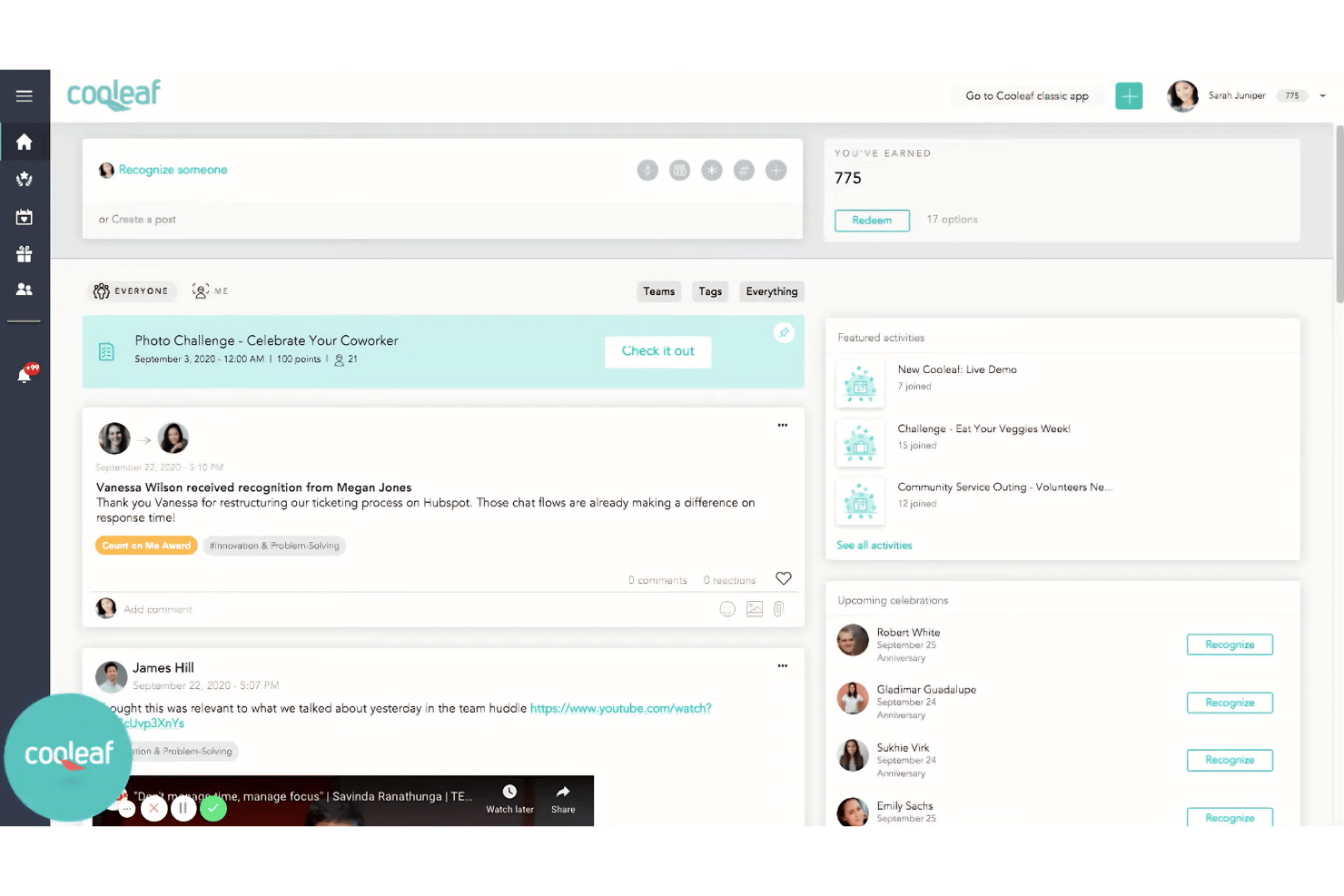
Cooleaf is an employee engagement software built for HR teams that want to run structured recognition programs, wellness challenges, and pulse surveys from one platform. It's worth considering if your organization needs more than peer-to-peer recognition—Cooleaf gives you the program design and incentive management depth that a tool like Bonusly doesn't offer. I'd look at it closely if you're trying to build a culture of recognition that goes beyond spontaneous shoutouts and actually ties engagement activity to measurable outcomes.
Cooleaf (ITA Group) Evaluation Summary
- Pricing upon request
- Free demo available
Pourquoi faire confiance à nos avis sur les logiciels
Notre équipe teste et évalue des logiciels depuis 2012. En tant qu’experts RH nous-mêmes, nous savons à quel point il est difficile — et important — de choisir le bon logiciel.
Pour ce guide, nous avons évalué les outils grâce à des tests pratiques et une recherche indépendante, en notant les outils selon nos critères de sélection. Nous nous appuyons également sur les enseignements de leaders d’opinion du secteur et de professionnels des RH en activité.
Nos avis reflètent notre jugement éditorial humain, et non un argumentaire de vente.
Réviseurs experts:
Cooleaf (ITA Group) Overview
If you’re judging employee engagement software by flexibility, actionable engagement tools, and easy onboarding, I’d rank Cooleaf near the top. Its user-friendly interface and strong support make it a smart choice for midsize businesses looking for recognition-driven engagement.
I think pricing can feel steep for very small teams, and some integrations are less deep than others, but the tailored rewards catalog and real-time analytics outshine many alternatives, especially for hybrid or remote workforces seeking a customizable platform.
pros
-
Reward catalog offers a wide range of custom options.
-
Pulse surveys and analytics drive actionable engagement insights.
-
Recognition programs encourage peer-to-peer participation and feedback.
cons
-
Platform setup requires dedicated effort from HR teams.
-
Advanced features are locked behind higher-priced plans.
-
Mobile app experience receives mixed feedback from users.
-

Justworks
Visit WebsiteThis rating combines scores from multiple user review sites to reflect overall customer sentiment about the product.4.6 -
Prevue Assessments
Visit WebsiteThis rating combines scores from multiple user review sites to reflect overall customer sentiment about the product.4.6 -
Small Improvements
Visit WebsiteThis rating combines scores from multiple user review sites to reflect overall customer sentiment about the product.4.3





Comment nous testons et évaluons nos outils
Nous avons passé des années à construire, affiner et améliorer notre système de test et d’évaluation des logiciels. La grille d’évaluation est conçue pour saisir les nuances de la sélection des logiciels et ce qui rend un outil efficace, en se concentrant sur les aspects critiques du processus décisionnel. Ci-dessous, vous pouvez voir exactement comment fonctionne notre test et notre système d’évaluation à travers sept critères. Cela nous permet de fournir une évaluation impartiale des logiciels basée sur les fonctionnalités principales, les caractéristiques remarquables, la facilité d’utilisation, l’intégration, le support client, les intégrations, les avis clients et le rapport qualité-prix.
Fonctionnalités principales (25 % de la note finale)
Le point de départ de notre évaluation est toujours la fonctionnalité principale de l’outil. Dispose-t-il des fonctionnalités de base qu’un utilisateur s’attend à voir ? Certaines de ces fonctionnalités principales sont-elles réservées à des forfaits plus élevés ? En substance, nous nous attendons à ce qu’un outil soit à la hauteur des capacités de base de ses concurrents.
Fonctionnalités remarquables (25 % de la note finale)
Ensuite, nous évaluons les fonctionnalités remarquables, peu courantes, qui vont au-delà de la fonction principale habituellement présente dans les outils de ce type. Un score élevé reflète des fonctionnalités spéciales ou uniques qui rendent le produit plus rapide, plus efficace, ou offrent une valeur ajoutée à l’utilisateur. Nous évaluons également la facilité d’intégration avec d’autres outils généralement présents dans la pile technologique pour étendre la fonctionnalité et l’utilité du logiciel. Les outils qui proposent de nombreuses intégrations natives, des connexions tierces et un accès API pour développer des intégrations personnalisées obtiennent les meilleurs résultats.
Facilité d’utilisation (10 % de la note finale)
Nous prenons en compte la rapidité et la simplicité d’exécution des tâches définies par la fonctionnalité principale à l’aide de l’outil. Un logiciel bien noté est bien conçu, intuitif à utiliser, offre des applications mobiles, propose des modèles, et permet de simplifier des tâches relativement complexes.
Mise en route (10 % de la note finale)
Nous savons à quel point une adoption rapide par l’équipe est cruciale pour une nouvelle plateforme, c’est pourquoi nous évaluons la facilité d’apprentissage et d’utilisation d’un outil avec un minimum de formation. Nous évaluons la rapidité avec laquelle un membre de l’équipe peut s’installer et commencer à utiliser l’outil sans expérience préalable. Les solutions bien notées impliquent qu’aucune ou très peu d’assistance soit requise.
Support client (10 % de la note finale)
Nous examinons la rapidité et la simplicité d’obtention d’aide par téléphone, chat en direct ou base de connaissances. Les outils et sociétés qui proposent une assistance en temps réel obtiennent les meilleurs scores, tandis que les chatbots sont moins bien notés.
Avis clients (10 % de la note finale)
En plus de nos propres tests et évaluations, nous prenons en compte le score net de recommandation (NPS) des clients actuels et passés. Nous évaluons leur propension, s’ils en avaient l’option, à choisir à nouveau l’outil pour la fonctionnalité principale. Un logiciel obtenant un score élevé reflète un NPS élevé de clients actuels ou passés.
Rapport qualité-prix (10 % de la note finale)
Enfin, en tenant compte de tous les autres critères, nous comparons le prix moyen des forfaits d’entrée de gamme aux principales fonctionnalités et considérons la valeur des autres critères d’évaluation. Un logiciel qui en offre plus, pour moins, sera mieux noté.
Core Features
Employee Recognition Programs
Create recognition awards for achievements, milestones, and core values. Employees can give real-time, peer-to-peer shout-outs that are shared across the organization.
Customizable Rewards Catalog
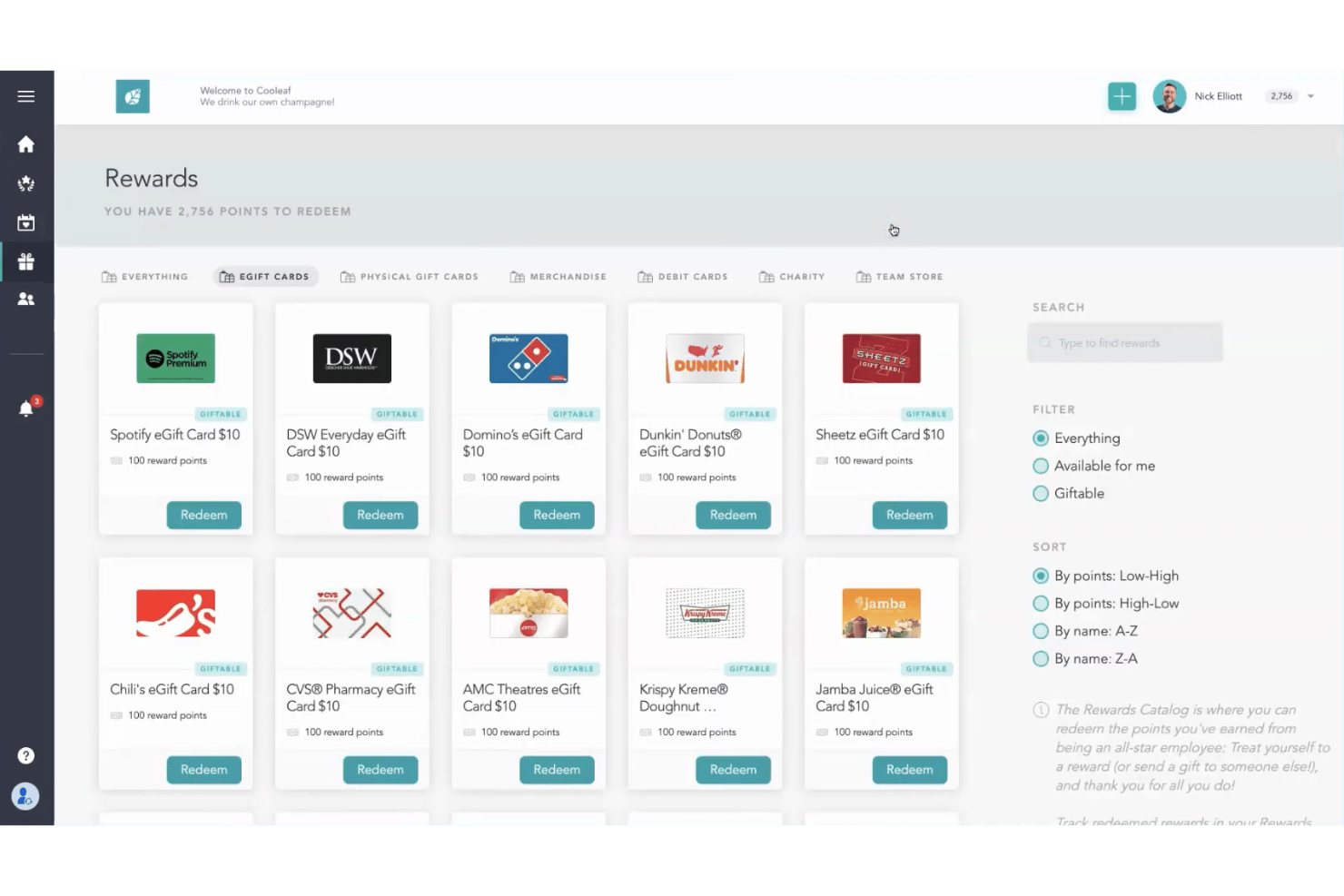
Offer a catalog with digital gift cards, branded swag, experiences, and charitable donations. This gives employees meaningful, choice-driven incentives for participation and performance.
Pulse Surveys and Feedback
Launch quick, configurable surveys to gather feedback on engagement and sentiment. View results instantly to spot trends and take targeted action.
Analytics and Engagement Reporting
Track participation, recognition frequency, and engagement scores with built-in analytics dashboards. See which programs and teams have the most impact and where you need to intervene.
Manager Tools for Engagement
Equip managers with tools to recognize employees, set goals, and review progress. This helps leaders play an active role in driving retention and building team culture.
Automated Milestone Celebrations
Automatically celebrate birthdays, anniversaries, and employee milestones. Timely recognition is triggered within the platform, so no special moment gets missed.
Ease of Use
Cooleaf delivers a user-friendly experience, with intuitive navigation and well-organized features that make launching recognition programs or customizing rewards simple. Users highlight how quick it is to set up team challenges and view actionable analytics, though some say HR admins need time to configure advanced options.
The clean dashboards and real-time feedback tools make everyday use straightforward for both managers and employees.
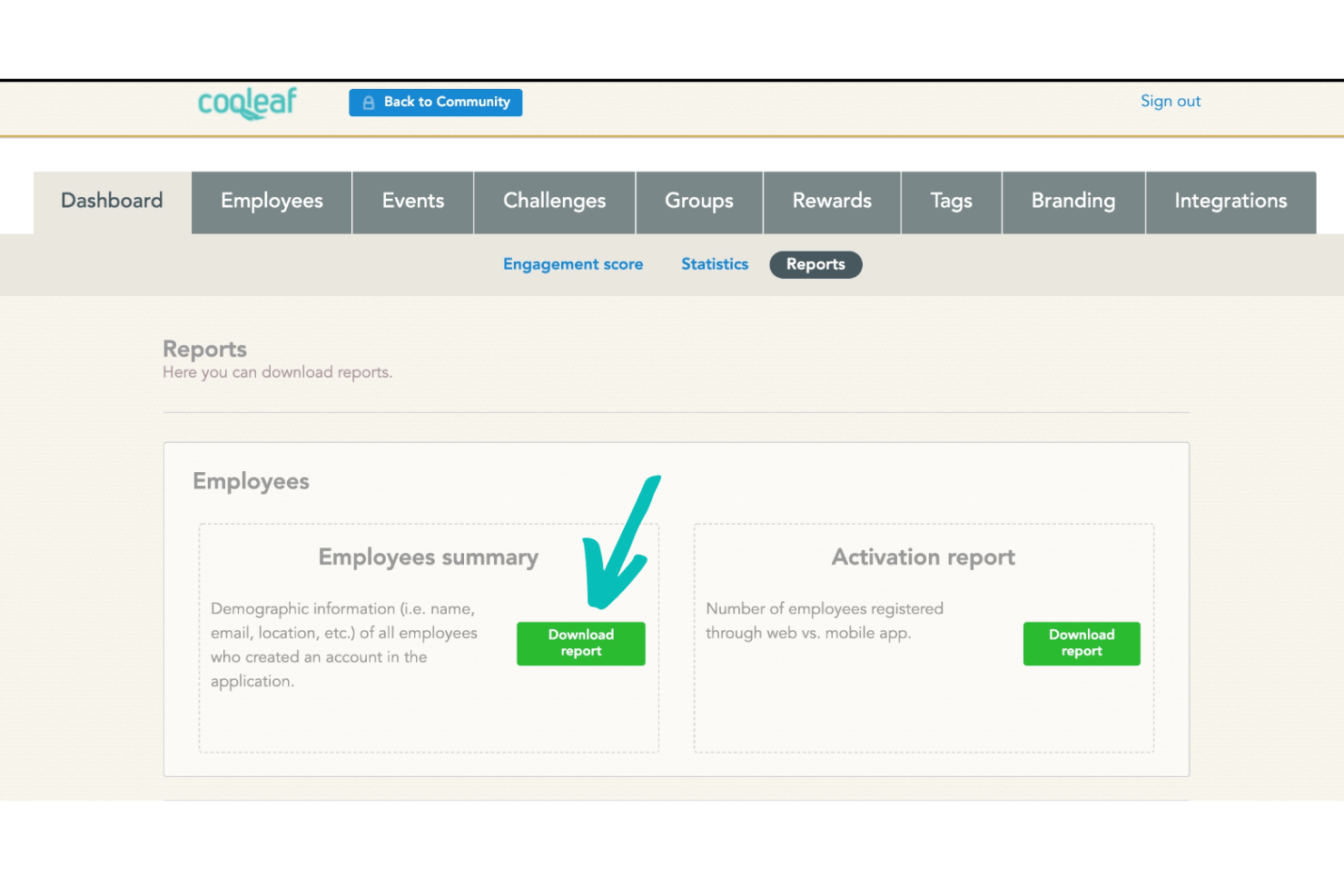
Integrations
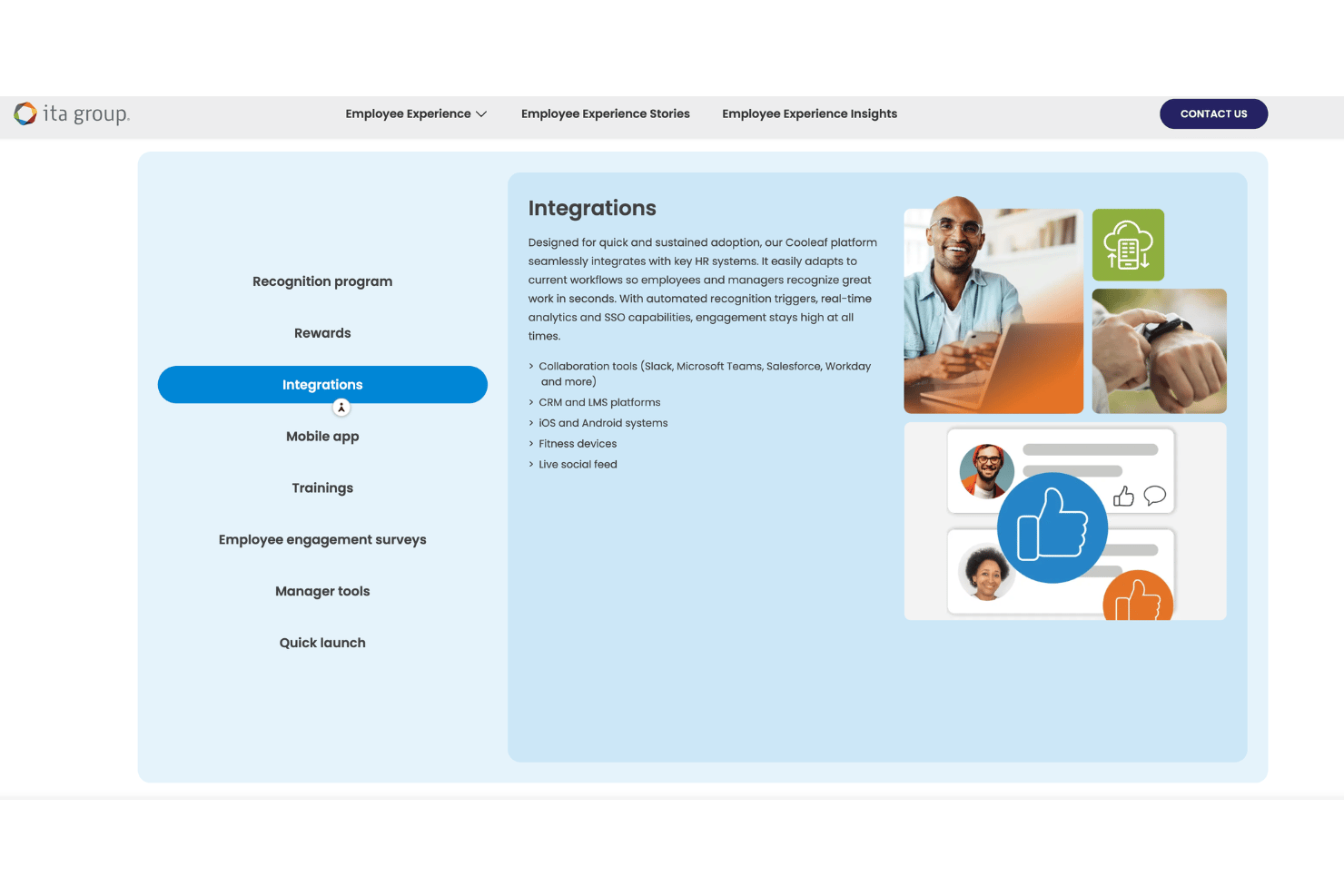
Cooleaf integrates with Slack, Microsoft Teams, Workday, Google Workspace, Zapier, Salesforce, BambooHR, UKG Pro, Google Chat, and Facebook Workplace, among others.
Cooleaf also offers an API and can connect with third-party integration tools like Zapier.
Cooleaf (ITA Group) Specs
- 360 Degree Feedback
- API
- Application Tracking
- Attendance Tracking
- Budgeting
- Calendar Management
- Dashboard
- Data Export
- Data Import
- Data Visualization
- Employee Database
- Employee Engagement
- Employee Incentive Management
- Employee Onboarding
- External Integrations
- Feedback Management
- Forecasting
- Multi-User
- Notifications
- Scheduling
- Timesheets
- Vacation & Absence Calendar