

I 10 migliori software di contabilità con funzionalità per le buste paga nel 2026

Migliori software di contabilità con funzionalità di gestione paghe


Il software di contabilità con funzionalità di gestione paghe combina gli strumenti fondamentali per la gestione finanziaria con l'elaborazione integrata delle retribuzioni dei dipendenti. Di conseguenza, puoi gestire la contabilità, elaborare le paghe e registrare le spese e le passività relative alle retribuzioni in un unico sistema. Se cerchi un modo per mantenere accurati i dati, risparmiare tempo e garantire la conformità, trovare la soluzione giusta è essenziale.
In questa guida confronto i software di contabilità con funzionalità di gestione paghe per aziende che vanno dai piccoli team alle imprese complesse. Vedrai quali opzioni sono più adatte per la gestione integrata di paghe e contabilità, l'automazione dal sistema paghe alla contabilità generale, il supporto fiscale e diverse dimensioni aziendali.
Perché fidarsi delle nostre recensioni sui software
Il nostro team testa e recensisce software dal 2012. In quanto esperti HR noi stessi, sappiamo quanto sia difficile — e importante — scegliere il software giusto.
Per questa guida, abbiamo valutato gli strumenti attraverso test pratici e ricerche indipendenti, assegnando un punteggio agli strumenti in base ai nostri criteri di selezione. Ci basiamo inoltre sulle competenze di leader di pensiero del settore e di professionisti HR attivi.
Le nostre recensioni riflettono il nostro giudizio editoriale umano, non un discorso di vendita.
Revisori esperti:
Tabella di confronto dei software di contabilità con funzionalità di gestione paghe
| Tool | Best For | Trial Info | Price | ||
|---|---|---|---|---|---|
| 1 | Ideale per il monitoraggio dei costi del personale basati sui progetti | Dimostrazione gratuita disponibile | Prezzi disponibili su richiesta | Website | |
| 2 | Ideale per la gestione finanziaria aziendale e le paghe globali | Demo gratuita disponibile | Prezzi su richiesta | Website | |
| 3 | Ideale per contabilità e paghe open source | Prova gratuita di 14 giorni | A partire da $5/mese | Website | |
| 4 | Ideale per applicazioni modulari di contabilità e gestione delle paghe | Piano gratuito disponibile | A partire da $31.10/utente/mese | Website | |
| 5 | Ideale per la registrazione delle paghe nei libri mastri aziendali | Demo gratuita disponibile | Prezzi su richiesta | Website | |
| 6 | Ideale per i dati delle paghe nei dati finanziari in tempo reale | Demo gratuita disponibile | Prezzo su richiesta | Website | |
| 7 | La soluzione migliore per le scritture contabili automatiche delle paghe | Prova gratuita di 30 giorni | A partire da $40/mese | Website | |
| 8 | Ideale per gestire contabilità e paghe con un unico accesso | Prova gratuita di 30 giorni | A partire da $20/mese | Website | |
| 9 | Ideale per la contabilità desktop con gestione delle paghe | Prova gratuita di 30 giorni | A partire da $124.42/mese | Website | |
| 10 | Ideale per la gestione desktop delle buste paga con tabelle fiscali | Prova gratuita di 30 giorni | A partire da 40 $/mese con le buste paga | Website |
Recensioni dei software di contabilità con funzionalità di gestione paghe
\u003cspan data-slate-fragment=\u0022JTVCJTdCJTIyY2hpbGRyZW4lMjIlM0ElNUIlN0IlMjJ0ZXh0JTIyJTNBJTIyQmVsb3clMjBhcmUlMjBteSUyMGRldGFpbGVkJTIwc3VtbWFyaWVzJTIwb2YlMjB0aGUlMjBiZXN0JTIwYWNjb3VudGluZyUyMHNvZnR3YXJlJTIwd2l0aCUyMHBheXJvbGwlMjBmZWF0dXJlcyUyMHRoYXQlMjBtYWRlJTIwaXQlMjBvbnRvJTIwbXklMjBzaG9ydGxpc3QuJTIwTXklMjByZXZpZXdzJTIwb2ZmZXIlMjBhJTIwZGV0YWlsZWQlMjBsb29rJTIwYXQlMjB0aGUlMjBmZWF0dXJlcyUyQyUyMHByaWNpbmclMkMlMjBhbmQlMjBiZXN0JTIwdXNlJTIwY2FzZXMlMjBvZiUyMGVhY2glMjBzb2Z0d2FyZSUyMHRvJTIwaGVscCUyMHlvdSUyMGZpbmQlMjB0aGUlMjBiZXN0JTIwb25lJTIwZm9yJTIweW91LiUyMiU3RCU1RCUyQyUyMnR5cGUlMjIlM0ElMjJwJTIyJTJDJTIyaWQlMjIlM0ElMjJpdHhWV3JWUE9pJTIyJTdEJTVE\u0022\u003eDi seguito trovi le mie descrizioni dettagliate dei migliori software di contabilità con funzionalità di gestione paghe che sono entrati nella mia selezione. Le mie recensioni offrono uno sguardo approfondito alle funzionalità, ai prezzi e ai casi d’uso migliori di ciascun software, per aiutarti a trovare quello più adatto a te.\u003c/span\u003e
Ideale per il monitoraggio dei costi del personale basati sui progetti
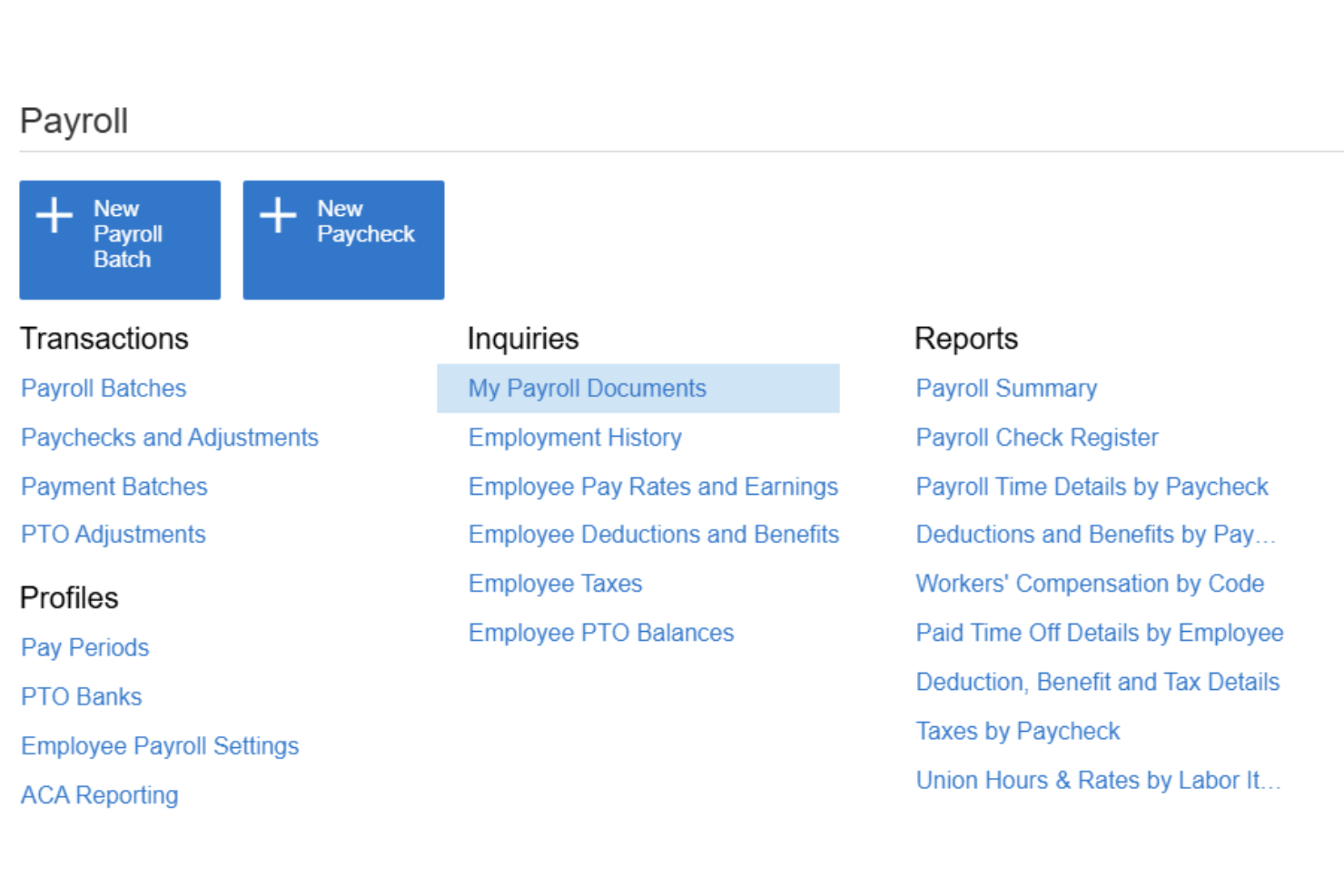
Acumatica è una piattaforma ERP in cloud per aziende del mercato medio che integra l'elaborazione completa delle buste paga, la contabilità del libro mastro, il monitoraggio dei costi dei progetti e la gestione del tempo in un unico sistema.
Per chi è più adatta Acumatica?
Acumatica è particolarmente adatta alle aziende del mercato medio nei settori dell'edilizia, della produzione e dei servizi professionali che devono collegare direttamente i costi del personale ai progetti e ai codici delle commesse.
Perché ho scelto Acumatica
Ho scelto Acumatica come una delle soluzioni migliori perché nessun'altra piattaforma contabile che ho utilizzato mi consente di suddividere contemporaneamente i costi del personale per progetto, attività, codice di costo, sindacato e turno. Quando il mio gruppo di lavoro elabora le buste paga, questi costi vengono registrati automaticamente nel libro mastro con una mappatura che rispecchia la struttura del progetto, anziché essere imputati a un semplice conto generico per le retribuzioni. Mi affido inoltre ai report certificati sulle buste paga, indispensabili per i lavori edili soggetti ai requisiti salariali prevalenti.
Funzionalità principali di Acumatica
- Portale ad accesso autonomo per i dipendenti: I dipendenti possono accedere online o da un dispositivo mobile ai cedolini, ai moduli fiscali, ai dati dell'accredito diretto e alle richieste di permesso retribuito.
- Imposte e conformità relative alle buste paga: Supporta le informazioni fiscali federali, FICA, statali e locali aggiornate, gli invii elettronici delle buste paga, i pannelli di controllo della conformità e i registri di controllo delle buste paga.
- Contabilità multi-entità: Gestisci le buste paga e la contabilità di più aziende o sedi da un'unica piattaforma centralizzata.
- Integrazione nativa dell'inserimento delle ore: I dati sulle ore vengono importati direttamente nelle elaborazioni delle buste paga tramite flussi di approvazione e promemoria per le ore mancanti.
Integrazioni di Acumatica
Acumatica offre integrazioni native con Microsoft 365, DocuSign, Avalara, ADP e Tableau. È disponibile un'API per le integrazioni personalizzate.
Pros and Cons
Pros:
- Attribuzione integrata dei costi del personale a livello di progetto
- Supporta le buste paga di più entità contemporaneamente
- Report certificati sulle buste paga per lavori soggetti a salari prevalenti
Cons:
- Configurazione complessa per i gruppi di lavoro addetti alle buste paga di dimensioni ridotte
- Implementazione autonoma non disponibile senza un partner

Workday
Ideale per la gestione finanziaria aziendale e le paghe globali
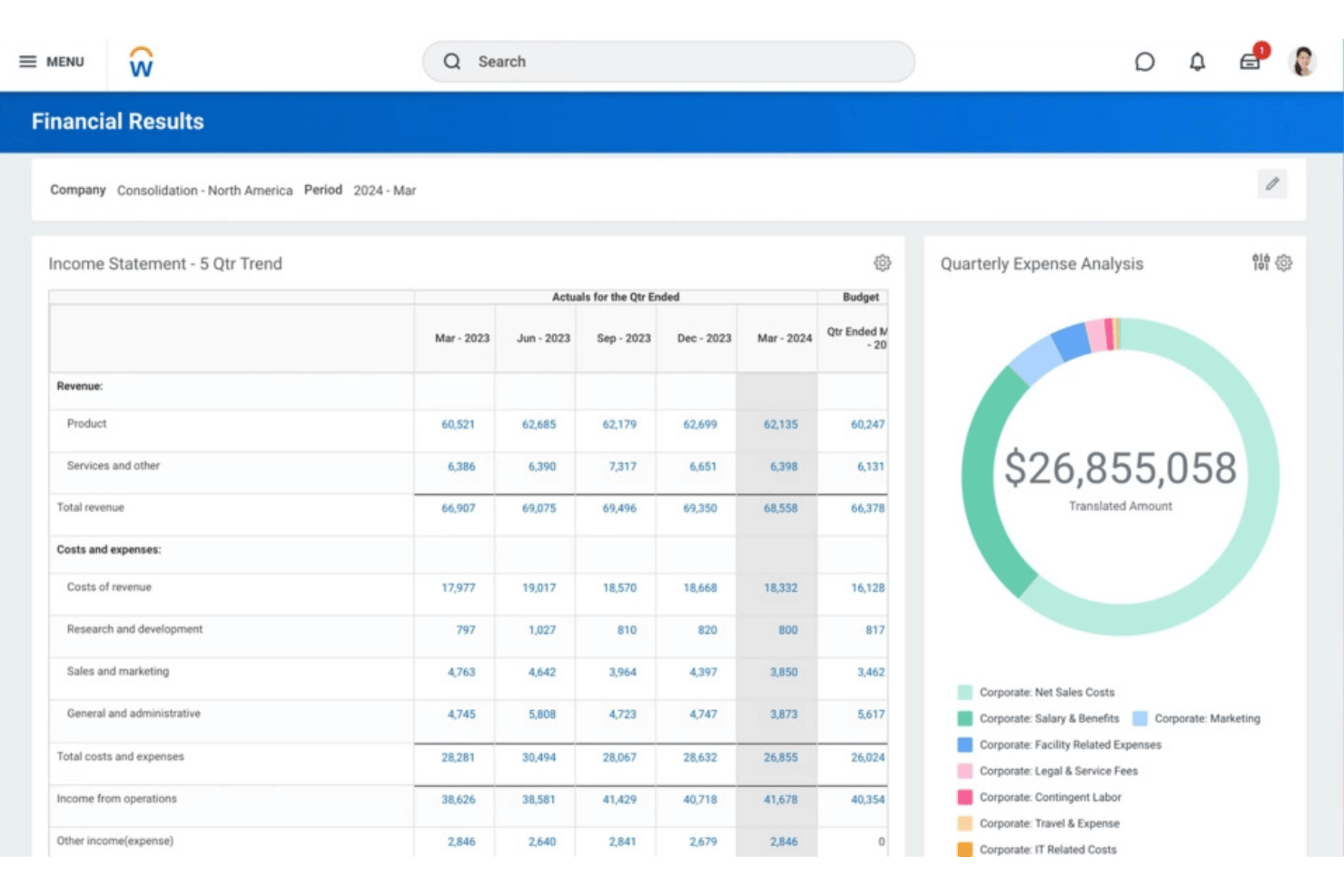
Workday è una piattaforma di livello aziendale che unifica l'elaborazione delle paghe, la gestione finanziaria e l'HCM in un unico sistema, con un libro mastro generale nativo, il calcolo continuo delle paghe e funzionalità per le paghe globali supportate da Workday e dal suo ecosistema di partner.
A chi è più adatto Workday?
Workday è progettato per organizzazioni di grandi dimensioni e aziende che devono gestire operazioni finanziarie e di elaborazione delle paghe complesse e multi-entità in diversi Paesi, tutto da un'unica piattaforma.
Perché ho scelto Workday
Ho scelto Workday perché collega direttamente l'elaborazione delle paghe aziendale alla gestione finanziaria. I risultati delle paghe possono generare registrazioni contabili e trasferire i costi del lavoro nel libro mastro generale, mentre Workday Financial Management gestisce funzioni contabili fondamentali come il libro mastro generale, i debiti e i crediti, le immobilizzazioni e il consolidamento.
Funzionalità principali di Workday
- Contabilità delle paghe: Workday genera automaticamente le registrazioni contabili sulla base dei risultati delle paghe e supporta l'allocazione dei costi del lavoro.
- Integrazione con il libro mastro generale: I risultati delle paghe possono confluire in Workday Financial Management utilizzando regole di contabilizzazione, calendari fiscali, tipi di libro mastro e altre configurazioni contabili.
- Elaborazione continua delle paghe: Workday supporta l'elaborazione continua delle paghe invece di considerare le paghe esclusivamente come un processo discreto di fine periodo.
- Paghe globali: La copertura nativa/diretta delle paghe è integrata dall'ecosistema globale di partner di Workday e da integrazioni bidirezionali.
- Self-service dei dipendenti: I dipendenti possono accedere alle informazioni sulle paghe tramite l'esperienza di Workday progettata innanzitutto per i dispositivi mobili; la documentazione di Workday supporta specificamente l'accesso dei dipendenti ai cedolini tramite dispositivi mobili.
- Dal rilevamento delle ore alla paga: Le ore approvate possono alimentare i calcoli delle paghe associando tag di calcolo del tempo a elementi retributivi o detrazioni.
Integrazioni di Workday
Workday offre integrazioni native con ADP, Kronos, Salesforce, Microsoft 365, SAP, ServiceNow e Oracle, oltre a fornire un'API per le integrazioni personalizzate.
Pros and Cons
Pros:
- Paghe e finanza risiedono in un unico sistema
- Copertura nativa delle paghe in oltre 180 Paesi
- Il self-service dei dipendenti riduce il carico di lavoro amministrativo delle risorse umane
Cons:
- Eccessivo per le aziende con meno di 500 dipendenti
- Richiede un coinvolgimento significativo dell'IT durante la configurazione

ERPNext
Ideale per contabilità e paghe open source
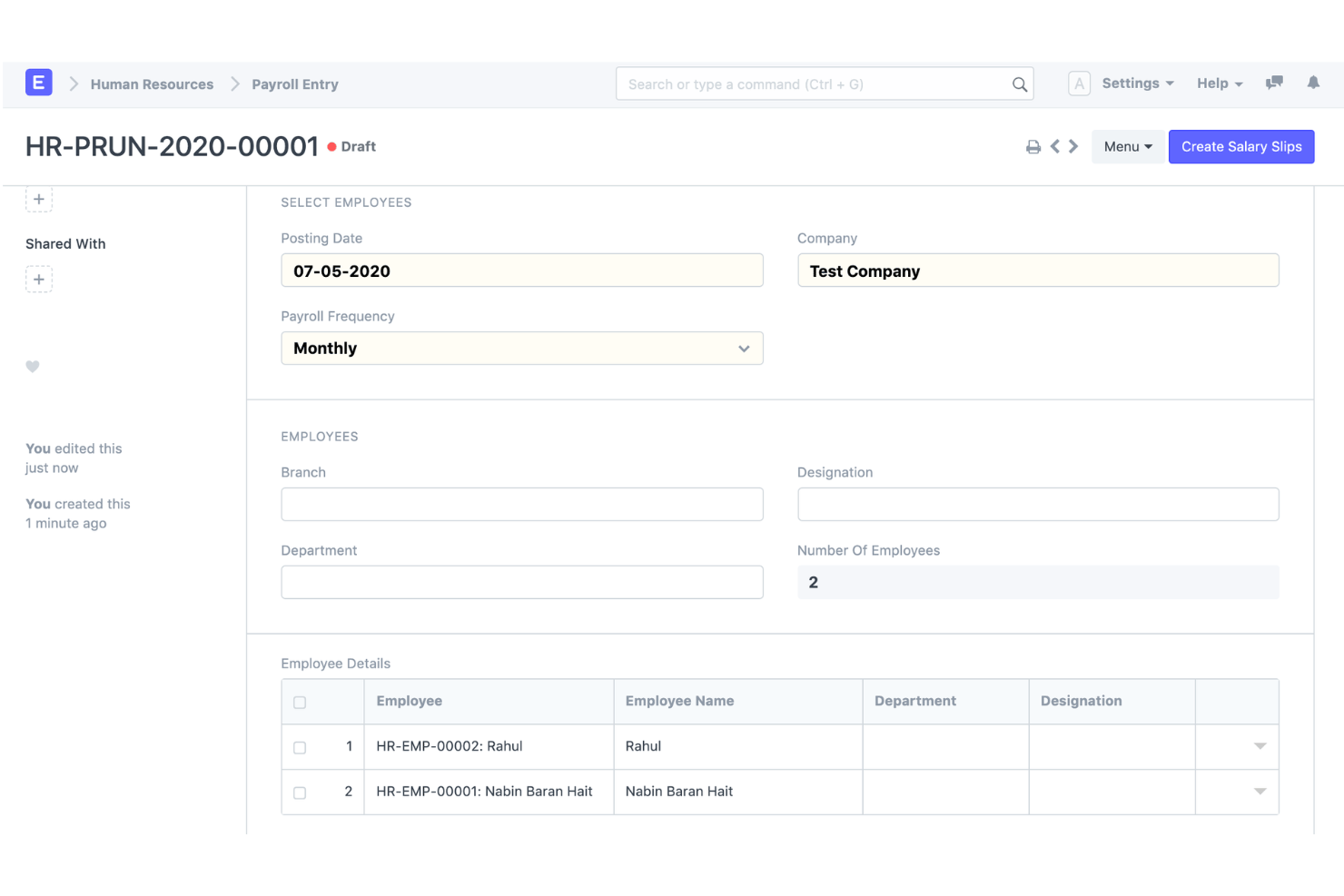
ERPNext è una piattaforma ERP open source che combina la contabilità a partita doppia, l'elaborazione nativa delle buste paga, la gestione delle risorse umane e il monitoraggio dell'inventario in un unico sistema, installato autonomamente o distribuito sul cloud.
Per chi è più adatto ERPNext?
ERPNext è adatto alle PMI tecnicamente preparate e alle aziende in crescita del mercato intermedio che necessitano di un ERP completo senza costi di licenza per utente.
Perché ho scelto ERPNext
ERPNext si è guadagnato un posto nella mia rosa di finalisti perché il modulo paghe registra direttamente nel libro mastro generale utilizzando lo stesso piano dei conti e gli stessi centri di costo configurati per il resto della contabilità. Mi piace perché, lavorando da un'unica base di codice, non è necessario sincronizzare i dati delle paghe con un sistema contabile separato tramite un middleware. La licenza open source significa inoltre che posso modificare le componenti salariali o le mappature dei conti del libro mastro generale per adattarle a una struttura specifica, senza dover attendere la roadmap del fornitore.
Funzionalità principali di ERPNext
- Paghe integrate: Strutture salariali, componenti retributive e trattenute, periodi paga, cedolini e gestione massiva delle paghe.
- Contabilità delle paghe: Le spese e i pagamenti delle paghe possono essere collegati al sistema contabile anziché essere gestiti in un prodotto paghe completamente separato.
- Libro mastro generale: ERPNext offre una contabilità completa a partita doppia e genera automaticamente le registrazioni nel libro mastro a partire dalle transazioni contabili contabilizzate.
- Centri di costo e progetti: Le paghe possono essere associate ai progetti, mentre la contabilità di ERPNext supporta centri di costo, progetti e altre dimensioni contabili.
- Contabilità multi-azienda e multi-valuta: ERPNext supporta più aziende, società controllate, filiali e valute, con report consolidati.
- Personalizzazione: ERPNext è open source ed è basato sul framework Frappe, con funzionalità di personalizzazione a basso codice/senza codice.
Integrazioni di ERPNext
ERPNext offre integrazioni native con PayPal, Razorpay, Amazon S3, Slack, Dropbox, Shopify e WooCommerce. È disponibile un'API per le integrazioni personalizzate.
Pros and Cons
Pros:
- Ampie funzionalità ERP oltre l'ambito finanziario
- Contabilità e paghe open source
- Forte integrazione tra paghe e contabilità
Cons:
- Richiede più configurazione e impostazione rispetto ai prodotti contabili e paghe per PMI pronti all'uso
- La conformità e la localizzazione delle paghe variano in base al Paese

Odoo
Ideale per applicazioni modulari di contabilità e gestione delle paghe
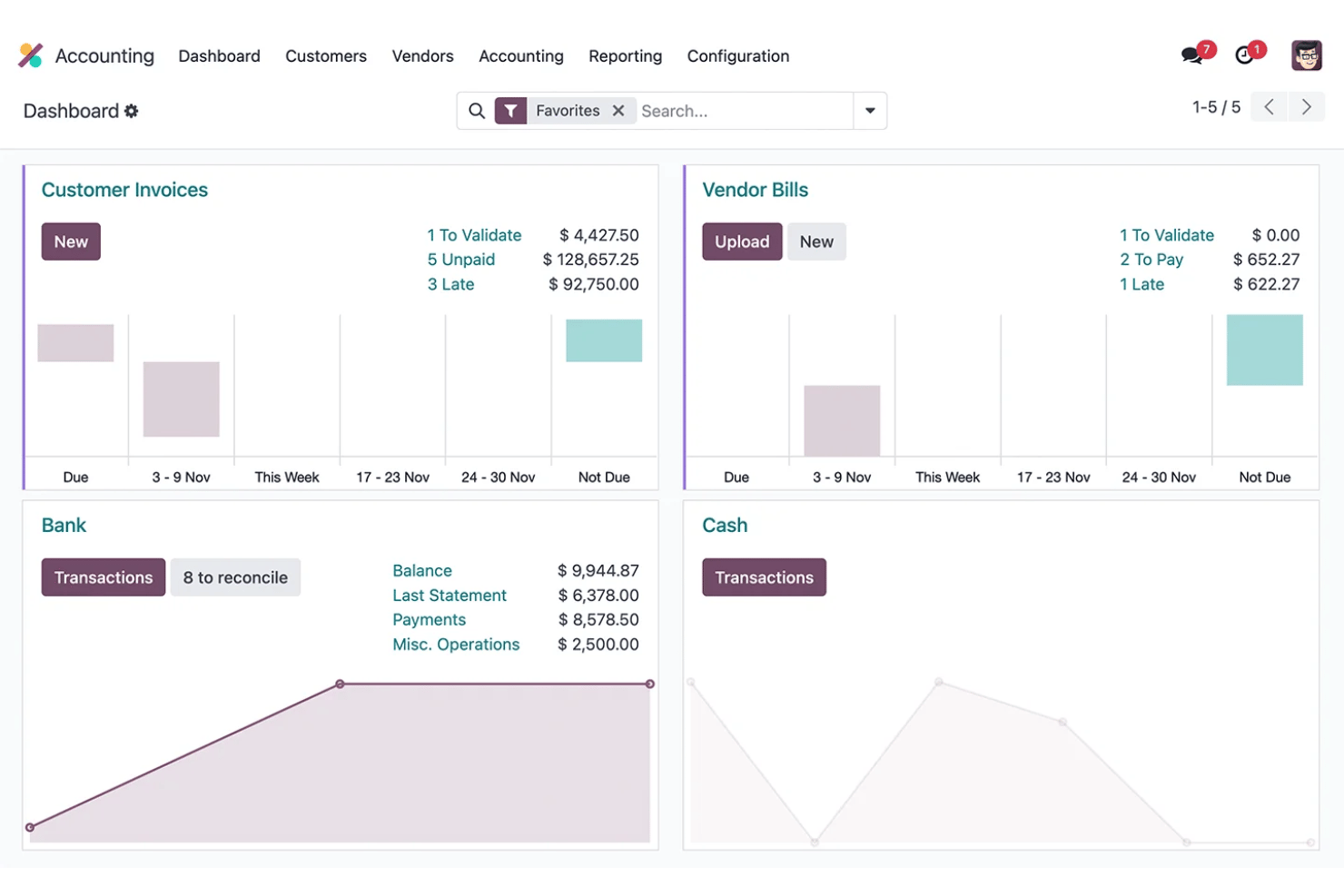
Odoo è una piattaforma ERP open source che combina contabilità modulare, gestione delle paghe, risorse umane e gestione delle spese in un unico database condiviso.
Per chi è più adatto Odoo?
Odoo è una soluzione adatta alle PMI in crescita con 6–250 dipendenti che desiderano riunire contabilità, gestione delle paghe e risorse umane in un'unica piattaforma senza dover gestire diversi strumenti non integrati.
Perché ho scelto Odoo
Ho scelto Odoo perché le aziende possono combinare l'applicazione completa di contabilità con la gestione delle paghe e altre applicazioni aziendali in un'unica piattaforma modulare. Quando Contabilità e Paghe vengono utilizzate insieme, le regole salariali delle paghe possono essere associate ai conti dare e avere, contribuendo a collegare le retribuzioni dei dipendenti alla contabilità generale senza dover fare affidamento su un sistema contabile completamente separato.
Funzionalità principali di Odoo
- Contabilità: Contabilità completa a partita doppia con debiti e crediti, riconciliazione, report finanziari, cespiti e budget.
- Contabilità delle paghe: Le regole salariali possono essere associate ai conti dare e avere, collegando i calcoli delle paghe ai registri contabili.
- Elaborazione delle paghe: Le aziende possono generare ed elaborare più cedolini contemporaneamente, anche raggruppando le paghe per struttura salariale, reparto o posizione lavorativa.
- Dal tempo alle paghe: La gestione delle paghe utilizza le registrazioni delle attività lavorative dei dipendenti per calcolare il tempo lavorato prima di applicare strutture e regole salariali.
- Localizzazione delle paghe: Le configurazioni delle paghe specifiche per ogni Paese tengono conto delle imposte locali, dei contributi, delle indennità e dei requisiti normativi, ove supportato.
- Contabilità multi-società: Odoo supporta più società, con diverse localizzazioni fiscali ove appropriato.
Integrazioni di Odoo
Odoo offre integrazioni native con Stripe, Plaid, PayPal, Authorize.Net e Shopify, con un'API disponibile per le integrazioni personalizzate.
Pros and Cons
Pros:
- Le applicazioni modulari si adattano alle esigenze della tua azienda
- Le paghe vengono registrate automaticamente nella contabilità generale
- Il codice open source consente un'ampia personalizzazione
Cons:
- La presentazione delle dichiarazioni fiscali relative alle paghe richiede il supporto di terze parti
- La configurazione iniziale richiede notevoli competenze tecniche
Ideale per la registrazione delle paghe nei libri mastri aziendali
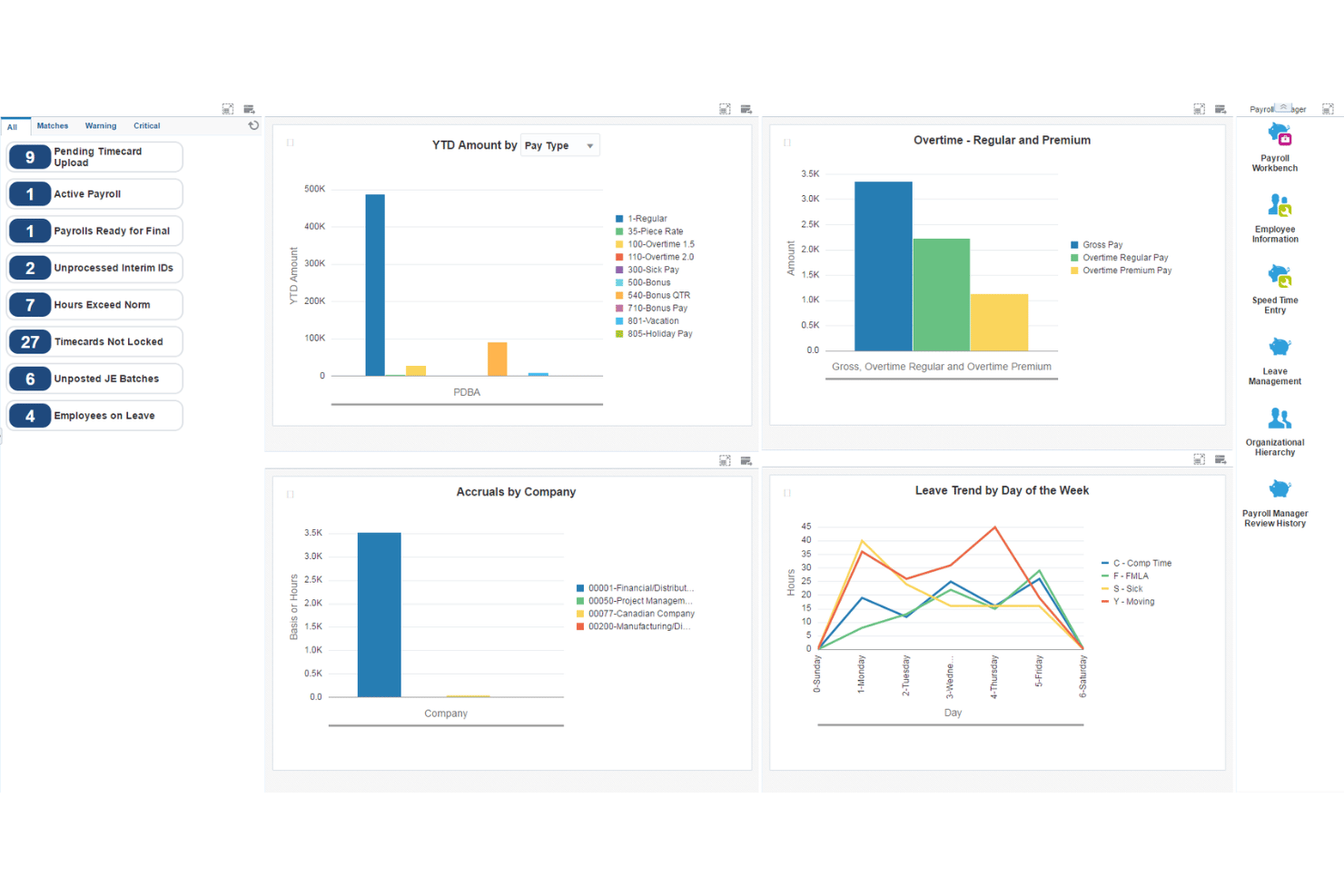
JD Edwards EnterpriseOne è una suite ERP aziendale di Oracle che combina l'intero ciclo delle paghe, la contabilità generale, la contabilità fornitori/clienti, le immobilizzazioni e la gestione del capitale umano tra implementazioni locali, cloud e ibride.
Per chi è più indicato JD Edwards EnterpriseOne?
JD Edwards EnterpriseOne è progettato per grandi aziende nei settori manifatturiero, della distribuzione e ad alta intensità di beni strumentali che necessitano di una gestione integrata delle paghe e delle finanze su larga scala.
Perché ho scelto JD Edwards EnterpriseOne
Ho scelto JD Edwards EnterpriseOne perché il suo sistema paghe è profondamente integrato con la gestione finanziaria aziendale. Le paghe possono generare e registrare le scritture contabili nel libro mastro utilizzando Istruzioni contabili automatiche configurabili, mentre le passività relative alle paghe, come imposte e assicurazioni, possono confluire nella contabilità fornitori.
Funzionalità principali di JD Edwards EnterpriseOne
- Integrazione tra paghe e libro mastro: Le paghe possono generare scritture contabili e aggiornare il libro mastro di EnterpriseOne, con opzioni di registrazione automatica o manuale.
- Istruzioni contabili automatiche: Le AAI determinano come distribuire le scritture contabili generate tra i conti del libro mastro, offrendo alle organizzazioni più grandi un controllo considerevole sulla contabilità delle paghe.
- Passività relative alle paghe e contabilità fornitori: EnterpriseOne può creare automaticamente documenti contabili per imposte sulle paghe, premi assicurativi e altre passività relative alle paghe verso terze parti tramite la propria integrazione con la contabilità fornitori.
- Calcolo dei costi del lavoro: Le paghe supportano la distribuzione dei costi del lavoro e degli oneri sul lavoro, inclusi salari, imposte, assicurazioni, ore e informazioni sui conti. Queste transazioni possono confluire nel registro contabile.
- Paghe negli Stati Uniti: EnterpriseOne supporta i requisiti federali, statali e locali relativi alle ritenute e alla reportistica, utilizzando Vertex per i calcoli delle ritenute fiscali.
- Paghe canadesi: È inoltre disponibile una funzionalità dedicata alle paghe canadesi che copre compensi, detrazioni, imposte, calcoli dal lordo al netto e dal netto al lordo, maturazione dei congedi e informazioni fiscali regolamentate dal governo.
Integrazioni di JD Edwards EnterpriseOne
JD Edwards EnterpriseOne offre integrazioni native con Oracle Cloud Infrastructure, Oracle Analytics Cloud e Oracle Database, oltre a un'API per integrazioni personalizzate.
Pros and Cons
Pros:
- Registrazione dettagliata dei costi del lavoro per reparto
- Gestisce nativamente paghe e contabilità per più entità
- Mappatura configurabile dei conti del libro mastro per le elaborazioni delle paghe
Cons:
- L'implementazione richiede risorse significative di personale IT e consulenza
- Non adatto a piccole o medie imprese
NetSuite
Ideale per i dati delle paghe nei dati finanziari in tempo reale
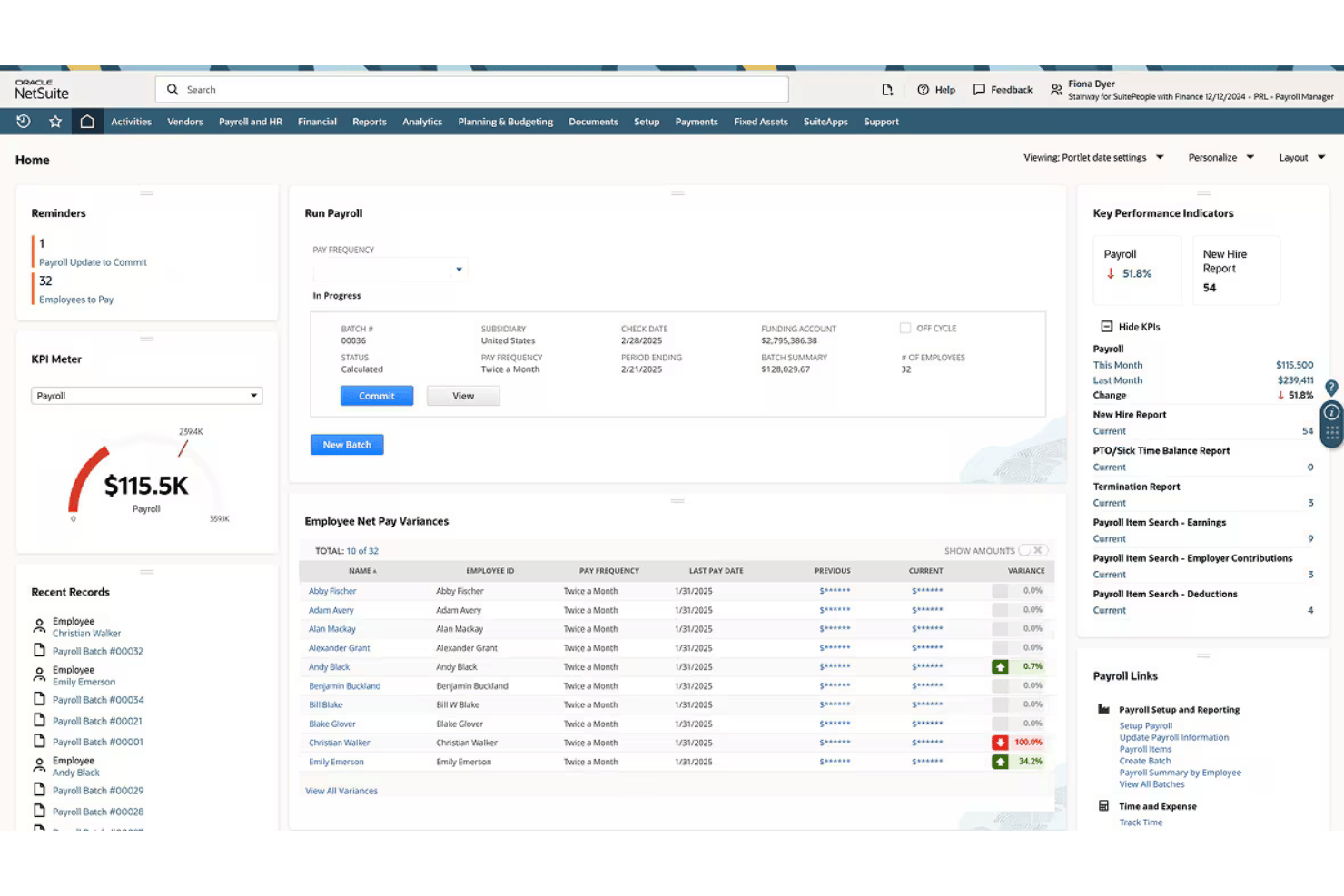
NetSuite è una piattaforma ERP basata sul cloud che combina l'elaborazione completa delle paghe statunitensi con un libro mastro completo, dove ogni elaborazione delle paghe viene registrata direttamente nei conti finanziari in tempo reale.
Per chi è più adatto NetSuite?
NetSuite è particolarmente adatto alle aziende del mercato intermedio che necessitano di gestire paghe, contabilità e risorse umane all'interno di un unico ERP, anziché utilizzare strumenti separati e non collegati.
Perché ho scelto NetSuite
Ho scelto NetSuite come una delle soluzioni migliori perché, nel momento in cui un'elaborazione delle paghe viene completata, ogni stipendio, imposta e detrazione viene registrato automaticamente nel libro mastro. Apprezzo molto la possibilità di passare da un bilancio di verifica direttamente a una singola busta paga, rendendo gli audit sulle paghe molto meno complicati. I dashboard inoltre suddividono le spese per il personale per reparto, sede o filiale, offrendo a finanza e risorse umane una visione condivisa dei costi del lavoro senza riconciliazioni manuali.
Funzionalità principali di NetSuite
- Paghe per più filiali: Elabora le paghe per più entità aziendali con report consolidati o specifici per filiale.
- Portale self-service per i dipendenti: Consente ai dipendenti di visualizzare i cedolini, i moduli fiscali e aggiornare autonomamente i propri dati personali e bancari.
- Conformità ACA automatizzata: Prepara, presenta e gestisce sulla piattaforma i moduli dell'Affordable Care Act (1095-C/1094-C).
- Dashboard personalizzate per le paghe: Offre accesso a oltre 100 report standard sulle paghe e a dashboard interattivi per l'analisi delle paghe.
Integrazioni di NetSuite
NetSuite offre integrazioni native con SuitePeople HR, SuiteTime e altri moduli di gestione aziendale NetSuite. È disponibile un'API per le integrazioni personalizzate.
Pros and Cons
Pros:
- Le paghe vengono registrate direttamente nel libro mastro
- Supporta le paghe per più entità e filiali
- Risorse umane, rilevazione delle ore e paghe integrati
Cons:
- Per la maggior parte delle aziende l'implementazione richiede mesi
- Le paghe disponibili solo negli Stati Uniti limitano la gestione della forza lavoro globale

Wave
La soluzione migliore per le scritture contabili automatiche delle paghe
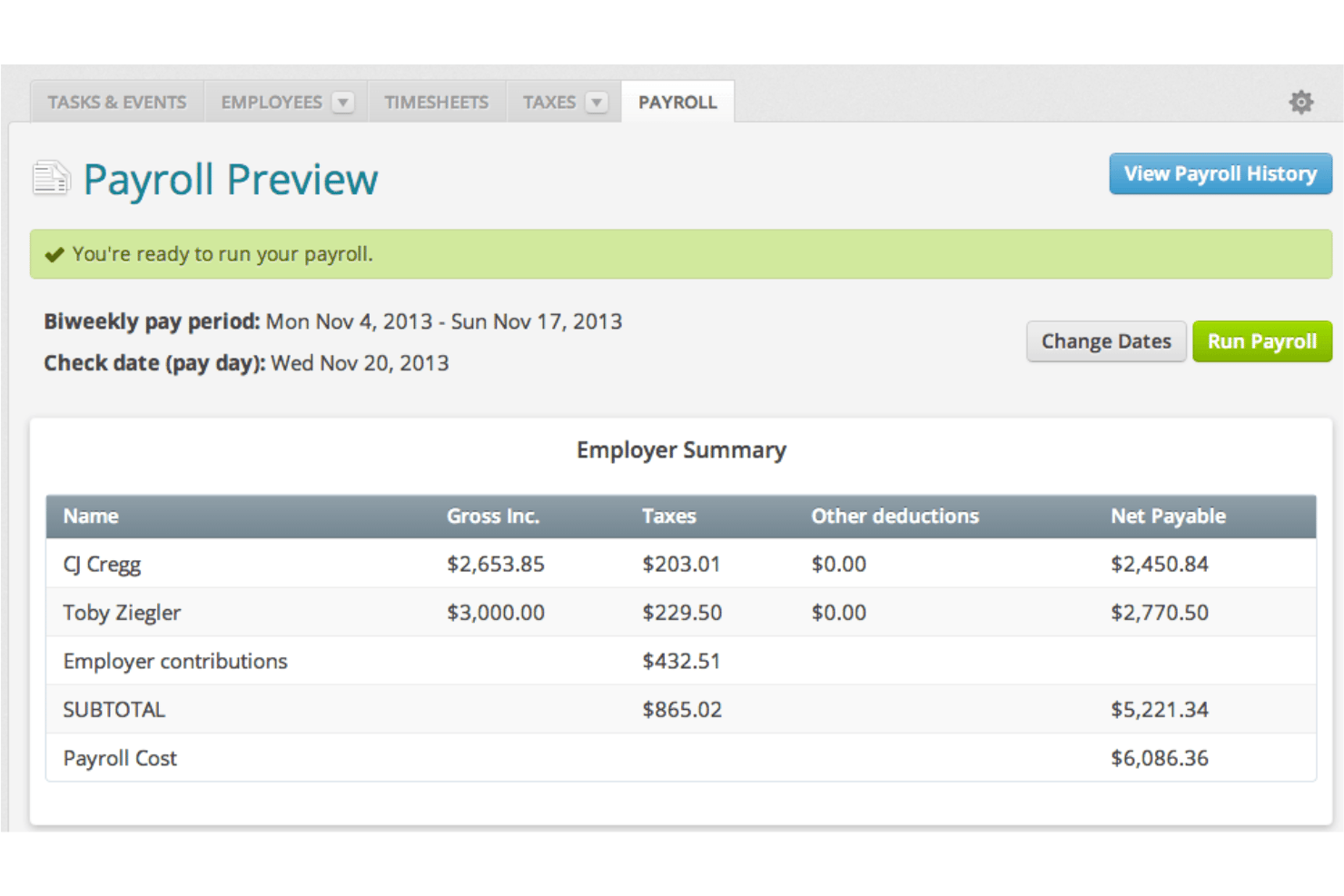
Wave è una piattaforma di contabilità e gestione delle paghe per piccole imprese che combina la contabilità a partita doppia, la fatturazione e l'elaborazione completa delle paghe in un unico sistema.
A chi è più adatto Wave?
Wave è pensato per i titolari che gestiscono direttamente la propria attività e per le piccole imprese che hanno bisogno di gestire paghe e contabilità in un unico posto, senza pagare per funzionalità che non utilizzeranno.
Perché ho scelto Wave
Ho scelto Wave come una delle soluzioni migliori perché ogni elaborazione delle paghe viene registrata automaticamente come scrittura contabile nel libro mastro, con stipendi, imposte e detrazioni associati ai conti corretti in tempo reale. Poiché paghe e contabilità condividono lo stesso modello di dati, non sono necessarie esportazioni o riconciliazioni manuali. Mi piace anche il fatto che i moduli W-2, 1099-NEC e i report salariali vengano tutti generati all'interno dello stesso sistema.
Funzionalità principali di Wave
- Pagamenti con accredito diretto: Invia gli stipendi direttamente sui conti bancari di dipendenti e collaboratori senza costi aggiuntivi.
- Portale ad accesso autonomo per i dipendenti: Consenti ai membri del team di visualizzare in modo sicuro i cedolini e gestire online le proprie informazioni personali.
- Presentazione automatica delle imposte sulle paghe: Calcola, trattieni e presenta le imposte federali e statali sulle paghe per le imprese con sede negli Stati Uniti.
- Generazione dei moduli fiscali di fine anno: Crea e consegna i moduli W-2 e 1099-NEC per dipendenti e collaboratori direttamente nel sistema.
Integrazioni di Wave
Le integrazioni native non sono documentate chiaramente. È disponibile un'API per integrazioni personalizzate.
Pros and Cons
Pros:
- Paghe e contabilità condividono lo stesso modello di dati
- Scritture contabili automatiche dopo ogni elaborazione delle paghe
- Moduli W-2 e 1099-NEC generati sulla piattaforma
Cons:
- Le funzionalità di gestione delle paghe sono disponibili solo negli Stati Uniti e in Canada, escluso il Québec
- Supporto limitato per i team in crescita oltre i 10 dipendenti

Ideale per gestire contabilità e paghe con un unico accesso
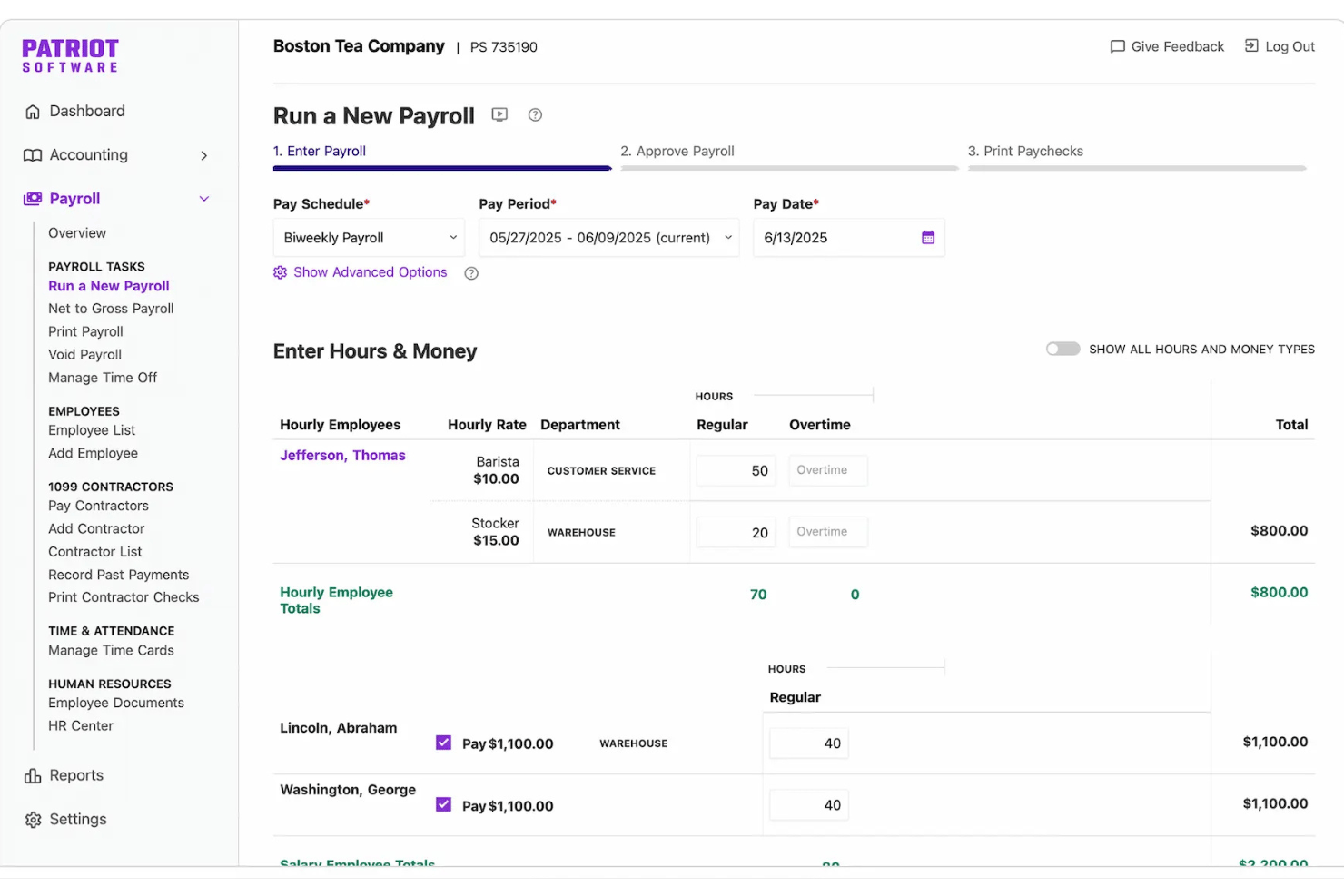
Patriot Software è una piattaforma di contabilità e gestione paghe per piccole imprese che combina contabilità a partita doppia, fatturazione, deposito diretto e elaborazione delle paghe in un unico accesso, con la presentazione delle dichiarazioni fiscali sulle paghe disponibile tramite il piano di elaborazione completa delle paghe.
Per chi è più adatto Patriot Software?
Patriot Software è una soluzione particolarmente adatta ai titolari di piccole imprese che gestiscono direttamente l'attività e agli amministratori delle paghe che devono occuparsi della contabilità e gestire le paghe senza dover utilizzare due sistemi separati.
Perché ho scelto Patriot Software
Ho scelto Patriot Software come una delle soluzioni migliori perché sia le paghe sia la contabilità sono disponibili con un unico accesso e il collegamento tra le due è automatico. Ogni volta che elaboro le paghe, Patriot registra una scrittura contabile direttamente nel libro mastro, assegnando stipendi, ritenute fiscali e detrazioni ai conti corretti senza alcun intervento manuale. Apprezzo anche il sistema a doppio libro, che mi consente di passare dalla contabilità per cassa a quella per competenza senza cambiare strumento o duplicare i dati.
Caratteristiche principali di Patriot Software
- Presentazione delle dichiarazioni fiscali sulle paghe in più stati: L'elaborazione completa delle paghe calcola, presenta e versa per conto dell'utente le imposte federali, statali e locali sulle paghe.
- Portale per i dipendenti a uso autonomo: I dipendenti possono accedere online ai cedolini, ai documenti fiscali e aggiornare le proprie informazioni sul deposito diretto.
- Modulo aggiuntivo per rilevazione delle presenze: Consente di monitorare le ore lavorate dai dipendenti e la maturazione dei permessi, sincronizzando direttamente i dati con le paghe tramite un modulo dedicato.
- Gestione di collaboratori e moduli 1099: Consente di effettuare pagamenti ai collaboratori e generare i moduli 1099 nella stessa piattaforma utilizzata per le paghe dei dipendenti.
Integrazioni di Patriot Software
Patriot Software offre integrazioni native con Vestwell per i piani 401(k), SimplyInsured per l'assicurazione sanitaria ed ERGO NEXT per l'assicurazione contro gli infortuni sul lavoro. È disponibile un'API per le integrazioni personalizzate. Le integrazioni native con altri strumenti di contabilità o gestione paghe non sono documentate chiaramente.
Pros and Cons
Pros:
- Le paghe vengono registrate automaticamente nel libro mastro
- Supporta sia la contabilità per cassa sia quella per competenza
- L'elaborazione completa delle paghe automatizza la presentazione delle dichiarazioni fiscali sulle paghe
Cons:
- Gli strumenti di reportistica sono poco approfonditi per gli utenti avanzati
- Nessuna funzionalità nativa per la gestione delle risorse umane o dei benefit

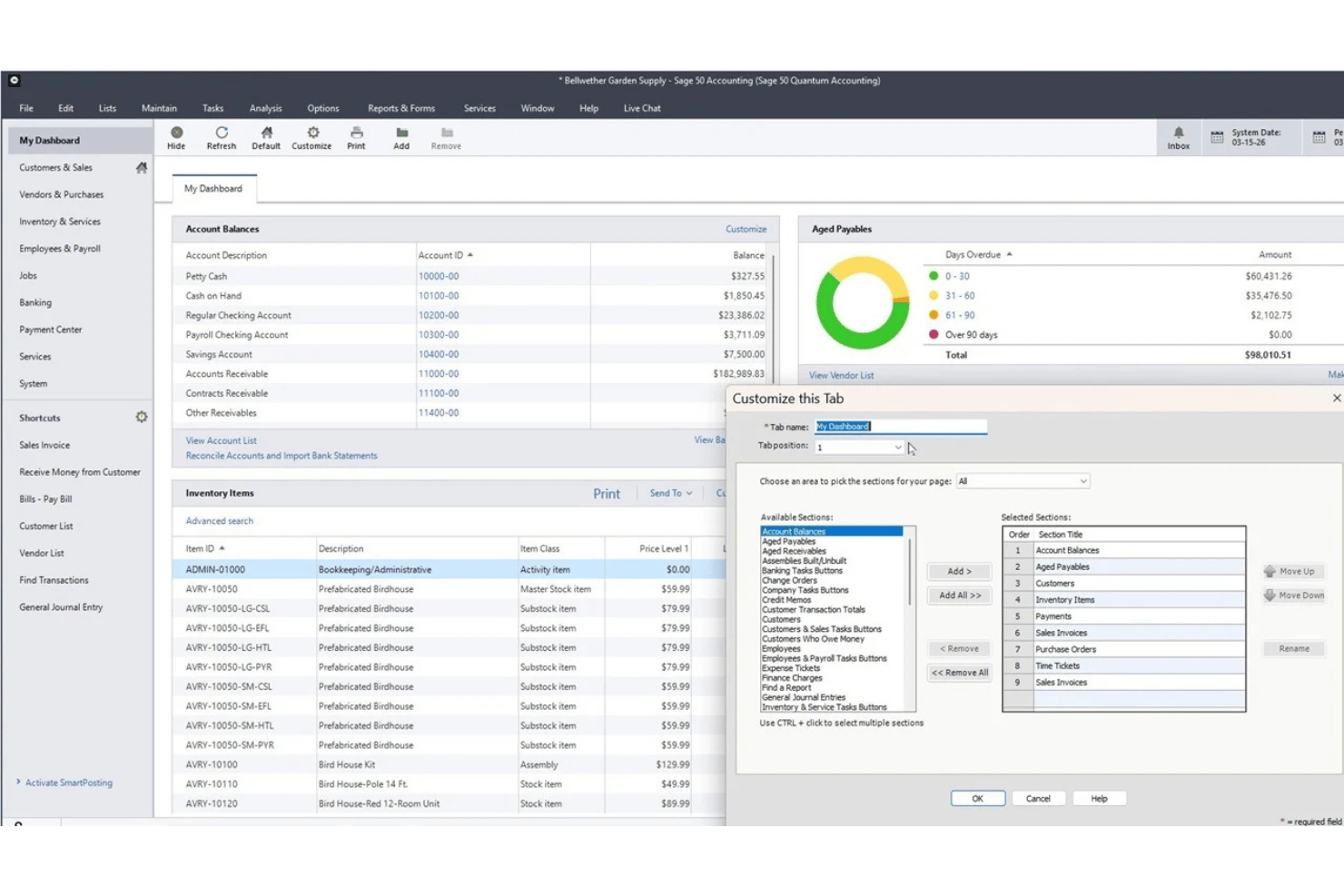
Sage 50 Accounting è una piattaforma di contabilità per piccole imprese disponibile nelle edizioni cloud e desktop, che combina gestione finanziaria, gestione dell'inventario, calcolo dei costi dei lavori e un modulo paghe integrato.
Per chi è più adatto Sage 50 Accounting?
Sage 50 è particolarmente adatto alle piccole imprese e ai contabili interni che necessitano di funzionalità dettagliate di contabilità, calcolo dei costi dei lavori e gestione delle paghe in un unico sistema.
Perché ho scelto Sage 50 Accounting
Ho incluso Sage 50 Accounting tra le mie scelte principali perché il modulo paghe è integrato direttamente nel sistema di contabilità, anziché essere aggiunto come integrazione di terze parti. Apprezzo il fatto che le elaborazioni delle paghe vengano registrate automaticamente come scritture contabili nel libro mastro, associando stipendi, imposte e detrazioni senza alcuna riconciliazione manuale. La combinazione di calcolo dei costi dei lavori e gestione delle paghe in un unico ambiente desktop è ciò che distingue davvero Sage 50, permettendo di verificare se un progetto ha generato un profitto dopo aver contabilizzato integralmente i costi del personale.
Funzionalità principali di Sage 50 Accounting
- Modulo per il calcolo dei costi dei lavori: Monitora manodopera, materiali e costi indiretti per lavoro o progetto, per ottenere una visione completa della redditività dei lavori.
- Gestione di più società: Gestisci transazioni e reportistica di più entità aziendali in un unico sistema.
- Gestione dell'inventario: Monitora livelli delle scorte, numeri di serie, fornitori e assemblaggi direttamente all'interno della piattaforma di contabilità.
- Strumenti avanzati di reportistica: Accedi a oltre 150 report che coprono aree come debiti, crediti, spese, profitti, inventario, paghe e lavori, con opzioni per personalizzare i report e analizzare in dettaglio le transazioni.
Integrazioni di Sage 50 Accounting
Sage 50 Accounting offre integrazioni native con Microsoft 365, AutoEntry e Sage Payroll. È disponibile un'API per integrazioni personalizzate.
Pros and Cons
Pros:
- Le paghe vengono registrate direttamente nel libro mastro generale
- Calcolo dettagliato dei costi dei lavori integrato nella contabilità
- Tracciabilità completa delle transazioni relative alle paghe
Cons:
- La gestione delle paghe richiede un abbonamento aggiuntivo
- La gestione delle paghe e l'invio elettronico richiedono abbonamenti separati

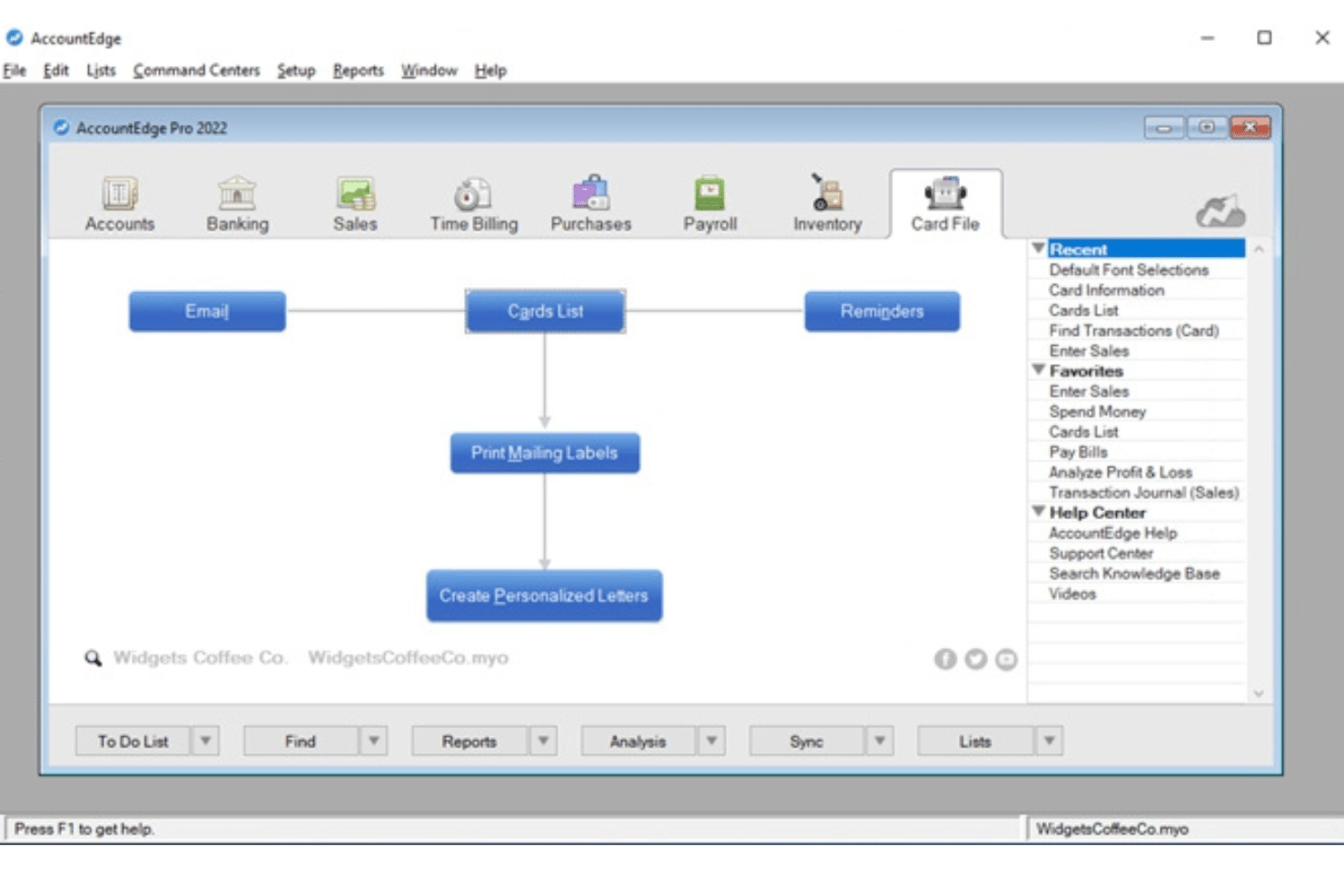
AccountEdge è una piattaforma di contabilità desktop per piccole imprese che combina la contabilità a partita doppia, la gestione dell'inventario e la fatturazione con un componente aggiuntivo opzionale per le buste paga, che supporta un numero illimitato di dipendenti e consente di accedere alle aliquote fiscali aggiornate per le buste paga a livello federale, statale/provinciale e locale.
Per chi è più adatto AccountEdge?
È una soluzione adatta ai titolari che gestiscono direttamente l'attività e agli amministratori delle buste paga di piccole imprese che preferiscono un software di contabilità desktop e desiderano elaborare le buste paga per un numero illimitato di dipendenti senza costi per dipendente.
Perché ho scelto AccountEdge
AccountEdge è entrato nella mia lista ristretta soprattutto per il modo in cui gestisce le tabelle delle imposte sulle buste paga. Invece di affidarsi a un servizio cloud per gli aggiornamenti fiscali, AccountEdge consente di scaricare e applicare le tabelle fiscali federali, statali e locali direttamente nel software desktop. Apprezzo anche il fatto che le elaborazioni delle buste paga vengano registrate automaticamente come scritture contabili nel GL. Retribuzioni, imposte e detrazioni vengono associate ai conti corretti senza doverle reinserire manualmente.
Funzionalità principali di AccountEdge
- Libro mastro generale a partita doppia: Fornisce una suite contabile completa con piano dei conti, scritture contabili, debiti e crediti e report finanziari.
- Gestione dell'inventario e degli articoli: Monitora gli articoli presenti e non presenti nell'inventario e gli assemblaggi, oltre a gestire più sedi e varianti personalizzate.
- Report personalizzabili: Offre centinaia di report finanziari, relativi alle buste paga e alla conformità, oltre ad analisi avanzate tramite esportazioni in Power BI.
- Fatturazione integrata delle ore: Consente di inserire i fogli presenze, applicare tariffe di fatturazione personalizzate per dipendente o progetto e collegare direttamente le ore alle buste paga.
Integrazioni di AccountEdge
AccountEdge offre componenti aggiuntivi per i feed bancari, i depositi diretti, i moduli per le buste paga e l'invio elettronico, AccountEdge Connect, Web Pay e l'elaborazione dei pagamenti. AccountEdge Connect aggiunge l'accesso tramite browser per vendite, acquisti, fatturazione delle ore e fogli presenze dei dipendenti, sincronizzandoli nuovamente con il software desktop.
Pros and Cons
Pros:
- Le tabelle fiscali scaricabili aggiornano i calcoli delle buste paga
- Le registrazioni delle buste paga vengono inserite automaticamente nel GL
- Gestisce elaborazioni delle buste paga per un numero illimitato di dipendenti
Cons:
- Il deposito diretto e l'invio elettronico delle buste paga hanno costi aggiuntivi
- La presentazione delle dichiarazioni fiscali non è automatizzata dal fornitore
Altri software di contabilità con funzionalità di gestione paghe
\u003cspan data-slate-fragment=\u0022JTVCJTdCJTIyY2hpbGRyZW4lMjIlM0ElNUIlN0IlMjJ0ZXh0JTIyJTNBJTIySGVyZSUyMGFyZSUyMHNvbWUlMjBhZGRpdGlvbmFsJTIwYWNjb3VudGluZyUyMHNvZnR3YXJlJTIwd2l0aCUyMHBheXJvbGwlMjBmZWF0dXJlcyUyMG9wdGlvbnMlMjB0aGF0JTIwZGlkbiVFMiU4MCU5OXQlMjBtYWtlJTIwaXQlMjBvbnRvJTIwbXklMjBzaG9ydGxpc3QlMkMlMjBidXQlMjBhcmUlMjBzdGlsbCUyMHdvcnRoJTIwY2hlY2tpbmclMjBvdXQlM0ElMjIlN0QlNUQlMkMlMjJ0eXBlJTIyJTNBJTIycCUyMiUyQyUyMmlkJTIyJTNBJTIyenhxQUd1WmtrWCUyMiU3RCU1RA==\u0022\u003eEcco alcune opzioni aggiuntive di software di contabilità con funzionalità di gestione paghe che non sono entrate nella mia selezione, ma che vale comunque la pena valutare:\u003c/span\u003e
- Striven
Ideale per le paghe nei flussi operativi
- QuickBooks Workforce
Ideale per buste paga, risorse umane e contabilità integrate
- Microsoft Dynamics GP
Ideale per detrazioni e benefit avanzati in busta paga
- SAP S/4HANA
Ideale per la gestione paghe globale con la finanza SAP


Come valuto i software di contabilità con funzionalità per le buste paga
Quando i dati delle buste paga non confluiscono correttamente nel libro mastro, so che lo strumento non offre uno dei maggiori vantaggi dell'integrazione tra paghe e contabilità. Per questo, distinguo i requisiti indispensabili dalle funzionalità che differenziano realmente le piattaforme.
Funzionalità di base (requisiti essenziali per questo elenco)
Quando seleziono gli strumenti per il mio elenco, assegno a ciascuno un punteggio su una scala da 0 (non offre la funzionalità) a 5 (eccelle in questo ambito) per ogni funzionalità di base indicata di seguito. Calcolo quindi il punteggio totale dello strumento in percentuale, utilizzando il 65% come parametro di riferimento per valutarne l'idoneità complessiva per l'elenco.
- Elaborazione integrata delle buste paga: cerco elaborazioni delle paghe integrate o strettamente collegate, con accredito diretto e calendari flessibili, in modo che le aziende possano elaborare i pagamenti di dipendenti e collaboratori senza trasferire manualmente i dati delle buste paga tra i sistemi.
- Contabilità del libro mastro: valuto se il libro mastro supporta debiti e crediti, registrazioni contabili e rapporti personalizzabili, come l'estrazione di un conto economico suddiviso per reparto.
- Automazione delle imposte sulle buste paga: i requisiti fiscali cambiano spesso, quindi valuto come lo strumento calcola le ritenute, supporta i pagamenti e gli adempimenti fiscali e genera, quando disponibili, i moduli di fine anno come i W-2.
- Anagrafiche dei dipendenti e detrazioni: ogni profilo dovrebbe conservare le informazioni su tariffe salariali, ritenute, benefit e pignoramenti, dettagli che altrimenti dovresti gestire in un sistema separato.
- Sincronizzazione tra buste paga e libro mastro: dopo ogni elaborazione delle paghe, gli stipendi e le passività fiscali dovrebbero essere registrati automaticamente nei conti corretti del libro mastro, con una traccia di controllo per la revisione di fine trimestre.
- Rilevazione delle ore e delle ferie: i fogli presenze integrati e le politiche di maturazione delle ferie che confluiscono direttamente nelle buste paga evitano di reinserire le ore a ogni periodo di paga.
Una volta ottenuto un elenco di strumenti che soddisfano i criteri, valuto ciò che differenzia ciascuna piattaforma.
Fattori distintivi (ciò che differenzia i fornitori)
Ecco come confronto e metto a paragone i diversi fornitori:
Funzionalità di rilievo
Un portale autonomo per i dipendenti riduce le richieste all'ufficio risorse umane: il personale può scaricare autonomamente i propri cedolini, aggiornare i dati dell'accredito diretto e inviare richieste di ferie o permessi senza continui scambi di messaggi. Valuto anche la gestione dei collaboratori e dei moduli 1099, soprattutto se la squadra combina dipendenti W-2 e liberi professionisti che necessitano dei moduli 1099-NEC a fine anno. Anche la presentazione delle dichiarazioni fiscali in più Stati è importante, in particolare per le squadre distribuite, in cui ogni nuova assunzione può comportare ulteriori adempimenti nelle diverse giurisdizioni.
Oltre le funzionalità
La trasparenza dei prezzi è un aspetto importante: verifico se i costi delle buste paga sono inclusi nell'abbonamento alla contabilità o addebitati come supplemento per dipendente, poiché queste spese aumentano rapidamente con la crescita della squadra. Anche il supporto alla migrazione è importante, soprattutto se cambi sistema a metà anno e devi importare con precisione gli stipendi e le ritenute fiscali da inizio anno. Valuto inoltre le funzionalità di collaborazione con il commercialista, come le autorizzazioni basate sui ruoli che consentono al responsabile della contabilità di accedere al libro mastro senza intervenire sulle approvazioni delle buste paga.
Come scegliere un software di contabilità con funzionalità di gestione paghe
La scelta del software di contabilità con funzionalità di gestione paghe più adatto dipende da come ogni piattaforma gestisce la tua combinazione specifica di conformità, automazione e attività delle risorse umane. Prima di scegliere una piattaforma, stabilisci quanto strettamente desideri collegare paghe e contabilità. Un sistema tutto-in-uno può ridurre il lavoro di riconciliazione, mentre un software di contabilità con un componente aggiuntivo per la gestione paghe può offrire maggiore flessibilità. Se utilizzi già un fornitore di servizi paghe, può essere sufficiente un'integrazione affidabile, purché le spese e le passività relative alle retribuzioni confluiscano accuratamente nella contabilità generale.
| Se la tua priorità è... | Cerca... |
|---|---|
| Presentare dichiarazioni fiscali sulle retribuzioni accurate | Calcoli fiscali automatizzati, supporto per la presentazione e aggiornamenti sulla conformità |
| Sincronizzazione fluida tra paghe e contabilità | Mappatura nativa e automatizzata delle registrazioni contabili nel GL |
| Gestire dipendenti pagati a ore e con stipendio fisso | Monitoraggio flessibile del tempo e cicli paghe combinati |
| Gestire le paghe in più giurisdizioni | Supporto fiscale per ogni stato e località in cui hai dipendenti |
| Passare facilmente dal vecchio sistema | Migrazione assistita dei dati delle paghe e importazioni dei dati da inizio anno |
Come valutare la propria rosa di candidati
- Verifica il supporto fiscale di fine anno: conferma quali moduli W-2 e 1099 il software genera o presenta. Controlla inoltre quali giurisdizioni supporta e se la presentazione di fine anno comporta costi aggiuntivi.
- Esegui una prova simulata del ciclo paghe: configura un'elaborazione di prova con le consuete frequenze di pagamento, retribuzioni, detrazioni e collaboratori. Controlla quindi come le spese e le passività risultanti vengono registrate nel libro mastro.
- Invia un ticket all'assistenza per uno scenario di migrazione: descrivi la necessità di importare i dati delle paghe da inizio anno a metà anno e valuta la completezza e le tempistiche della risposta.
- Chiarisci la responsabilità della presentazione fiscale: conferma se il fornitore calcola, presenta e versa le imposte sulle paghe per tuo conto. Verifica inoltre quali giurisdizioni sono coperte dal fornitore e chi gestisce gli errori o le presentazioni tardive.
- Valuta controllo e praticità: decidi se desideri strumenti contabili altamente personalizzabili con paghe integrate oppure un sistema incentrato sulle paghe con funzionalità di contabilità di base.
Che cos'è un software di contabilità con funzionalità per le paghe?
Il software di contabilità con funzionalità per le paghe combina gli strumenti finanziari fondamentali con l'elaborazione delle paghe integrata o collegata. Questi strumenti possono includere, ad esempio, la contabilità del libro mastro, la gestione dei debiti e dei crediti, la fatturazione e la reportistica finanziaria. Queste piattaforme consentono di calcolare la retribuzione dei dipendenti, gestire detrazioni e imposte e registrare le spese e le passività relative alle paghe nel sistema contabile, senza trasferire manualmente i dati tra strumenti separati.
A differenza dei software per le paghe autonomi, queste piattaforme collegano direttamente l'attività relativa alle paghe ai propri dati finanziari. A seconda del software, le elaborazioni delle paghe completate possono generare automaticamente registrazioni contabili, aggiornare i conti delle spese e delle passività, allocare i costi della manodopera a reparti o progetti e trasferire i dati delle paghe nei report finanziari.
Funzionalità
Quando selezioni un software di contabilità con funzionalità per le paghe, cerca le seguenti caratteristiche principali:
- Elaborazione integrata delle paghe: elabora le paghe, calcola la retribuzione lorda e netta e collega gli stipendi dei dipendenti, le detrazioni e le passività relative alle paghe ai dati contabili.
- Gestione delle imposte sulle paghe: calcola e trattiene le imposte applicabili sulle paghe, con opzioni per i versamenti fiscali, le dichiarazioni e i moduli di fine anno come W-2 e 1099, a seconda della piattaforma e del piano.
- Sincronizzazione del libro mastro: associa automaticamente le transazioni delle paghe al piano dei conti corretto, così le spese per gli stipendi e le passività fiscali sono sempre aggiornate.
- Gestione delle schede dei dipendenti: archivia le tariffe retributive, le ritenute fiscali, le detrazioni per i benefit e i dettagli sull'impiego nei profili individuali dei dipendenti.
- Pagamenti a collaboratori e 1099: paga i collaboratori insieme ai dipendenti e semplifica la presentazione di fine anno dei moduli 1099-NEC all'interno dello stesso sistema.
- Monitoraggio delle ore e delle ferie retribuite: registra le ore lavorate e le ferie retribuite, trasferendo questi dati direttamente nelle elaborazioni delle paghe per ottenere buste paga accurate.
- Deposito diretto e opzioni di pagamento: offre a dipendenti e collaboratori opzioni di pagamento flessibili, come il deposito diretto, le carte di pagamento o gli assegni stampati.
- Portali self-service per i dipendenti: consente ai dipendenti di accedere ai cedolini, visualizzare i moduli fiscali, richiedere ferie e gestire le informazioni personali senza l'intervento delle risorse umane.
- Report e analisi personalizzati: crea report sulle paghe e finanziari che evidenziano i costi della manodopera, gli straordinari e l'utilizzo dei benefit per prendere decisioni aziendali migliori.
- Controlli di sicurezza e autorizzazioni: imposta i livelli di accesso degli utenti, applica le approvazioni e crea registri di controllo per proteggere i dati delle paghe e quelli finanziari.
Vantaggi
L'implementazione di un software di contabilità con funzionalità per le paghe offre diversi vantaggi al team e all'azienda. Ecco alcuni dei benefici che puoi aspettarti:
- Riduzione dell'inserimento manuale dei dati: la sincronizzazione automatica tra le paghe e il libro mastro elimina i duplicati e contribuisce a prevenire errori costosi.
- Maggiore conformità fiscale delle paghe: I calcoli automatizzati e gli strumenti di conformità possono contribuire a mantenere le imposte sulle paghe e la rendicontazione di fine anno allineate ai requisiti federali, statali e locali applicabili.
- Cicli di pagamento più rapidi: Le funzionalità integrate di rilevazione delle presenze e deposito diretto accelerano ogni elaborazione delle paghe, dal calcolo delle retribuzioni alla consegna degli stipendi.
- Maggiore trasparenza per i dipendenti: I portali self-service consentono ai dipendenti di consultare i cedolini, i moduli fiscali e i saldi delle ferie senza creare colli di bottiglia per le risorse umane.
- Rendicontazione finanziaria più accurata: La registrazione in tempo reale delle paghe nella contabilità generale garantisce che i dati relativi a retribuzioni, imposte e benefit siano sempre riflessi nei report aziendali.
- Gestione più semplice delle paghe di collaboratori e dipendenti in più stati: Le piattaforme che supportano collaboratori e più giurisdizioni fiscali possono ridurre il lavoro manuale necessario per pagare diversi tipi di lavoratori in varie sedi. Le aziende che si espandono a livello internazionale possono consultare anche la nostra guida alle paghe internazionali in Messico.
- Sicurezza e controllo potenziati: Le autorizzazioni basate sui ruoli e i registri di controllo proteggono i dati sensibili relativi alle paghe e alle finanze dagli accessi non autorizzati.
Costi e prezzi
La scelta di un software di contabilità con funzionalità per le paghe richiede la comprensione dei diversi modelli e piani tariffari disponibili. I costi variano notevolmente a seconda che le paghe siano incluse, vendute come componente aggiuntivo o acquistate nell'ambito di una suite ERP più ampia. I prodotti per le piccole imprese spesso combinano un abbonamento mensile alla contabilità con un costo base per le paghe e costi per lavoratore, mentre le piattaforme aziendali utilizzano generalmente prezzi personalizzati in base ai moduli, agli utenti, alle dimensioni dell'azienda e alle esigenze di implementazione. La tabella seguente riassume i modelli tariffari più comuni:
Modelli tariffari comuni per i software di contabilità con funzionalità per le paghe
| Tipo di piano | Prezzo medio | Funzionalità comuni |
|---|---|---|
| Contabilità gratuita | Piano base da $0; le paghe solitamente hanno un costo aggiuntivo | Contabilità di base, fatturazione, report finanziari e gestione delle paghe a pagamento opzionale |
| Contabilità + componente aggiuntivo per le paghe | Costo mensile della contabilità + costo base per le paghe e/o costo per lavoratore | Contabilità integrata, elaborazione delle paghe, deposito diretto e registrazione delle paghe nella contabilità generale |
| Software per utente o modulare | Costi mensili o annuali basati sugli utenti e sui moduli selezionati | Moduli di contabilità e paghe con strumenti aggiuntivi per le risorse umane, l'inventario, i progetti o le attività operative |
| ERP aziendale | Preventivo personalizzato | Gestione finanziaria avanzata, paghe, supporto per più entità, autorizzazioni, integrazioni e servizi di implementazione |