

I 10 migliori software HR per il settore manifatturiero per il 2026

10 Software HR per il settore manifatturiero: selezione


Il software HR per il settore manifatturiero comprende strumenti digitali che aiutano fabbriche e stabilimenti a gestire attività relative alla forza lavoro, come la pianificazione dei turni, la conformità normativa, le buste paga e le anagrafiche dei dipendenti. Se stai cercando il miglior software HR per il settore manifatturiero, probabilmente devi affrontare difficoltà nella gestione dei turni, nelle regole sindacali o nel monitoraggio delle ore lavorate su più sedi.
La piattaforma giusta può aiutare il tuo team a gestire esigenze lavorative complesse, mantenere la conformità normativa e supportare i dipendenti sul luogo di produzione. In questa guida troverai una selezione curata di software HR progettati specificamente per il settore manifatturiero, così potrai confrontare le opzioni e scegliere quella più adatta alla tua attività.
Perché fidarsi delle nostre recensioni sui software
Il nostro team testa e recensisce software dal 2012. In quanto esperti HR noi stessi, sappiamo quanto sia difficile — e importante — scegliere il software giusto.
Per questa guida, abbiamo valutato gli strumenti attraverso test pratici e ricerche indipendenti, assegnando un punteggio agli strumenti in base ai nostri criteri di selezione. Ci basiamo inoltre sulle competenze di leader di pensiero del settore e di professionisti HR attivi.
Le nostre recensioni riflettono il nostro giudizio editoriale umano, non un discorso di vendita.
Revisori esperti:
Tabella comparativa dei software HR per il settore manifatturiero
Questa tabella comparativa riassume i dettagli dei prezzi delle mie migliori selezioni di software HR per il settore manifatturiero:
| Tool | Best For | Trial Info | Price | ||
|---|---|---|---|---|---|
| 1 | Il migliore con database unico per l’automazione delle attività HR | Demo gratuita disponibile | Prezzo su richiesta | Website | |
| 2 | Ideale per la gestione della forza lavoro sindacalizzata | Demo gratuita disponibile | Prezzi su richiesta | Website | |
| 3 | Ideale per l’automazione HR delle piccole aziende manifatturiere | Demo gratuita disponibile | Prezzo su richiesta | Website | |
| 4 | Ideale come soluzione di intelligenza artificiale per le aziende | Demo gratuita disponibile | A partire da $8/utente/mese | Website | |
| 5 | Ideale per modelli di valutazione dei dipendenti altamente personalizzabili | Prova gratuita di 30 giorni + demo gratuita disponibile | Da $2.50/utente/mese (fatturazione annuale) | Website | |
| 6 | Ideale per l’integrazione della rilevazione presenze biometrica | Prova gratuita disponibile | Da $125/mese (fatturato annualmente) | Website | |
| 7 | Ideale per portali self-service dei dipendenti | Demo gratuita disponibile | Prezzo su richiesta | Website | |
| 8 | Ideale per la gestione della forza lavoro europea | Demo gratuita disponibile | Prezzo su richiesta | Website | |
| 9 | Ideale per team manifatturieri con sede nel Regno Unito | Demo gratuita disponibile | Da £7/utente/mese | Website | |
| 10 | Ideale per l'onboarding di dipendenti orari | Versione di prova gratuita disponibile | Da $10/dipendente/mese | Website |

Recensioni dei software HR per il settore manifatturiero
Di seguito trovi i miei riepiloghi dettagliati dei software HR per il settore manifatturiero inclusi nella mia selezione. Le mie recensioni offrono un’analisi approfondita delle funzionalità, dei casi d’uso più adatti e delle integrazioni di ciascuna piattaforma, per aiutarti a trovare quella migliore per te.

Paycom
Il migliore con database unico per l’automazione delle attività HR
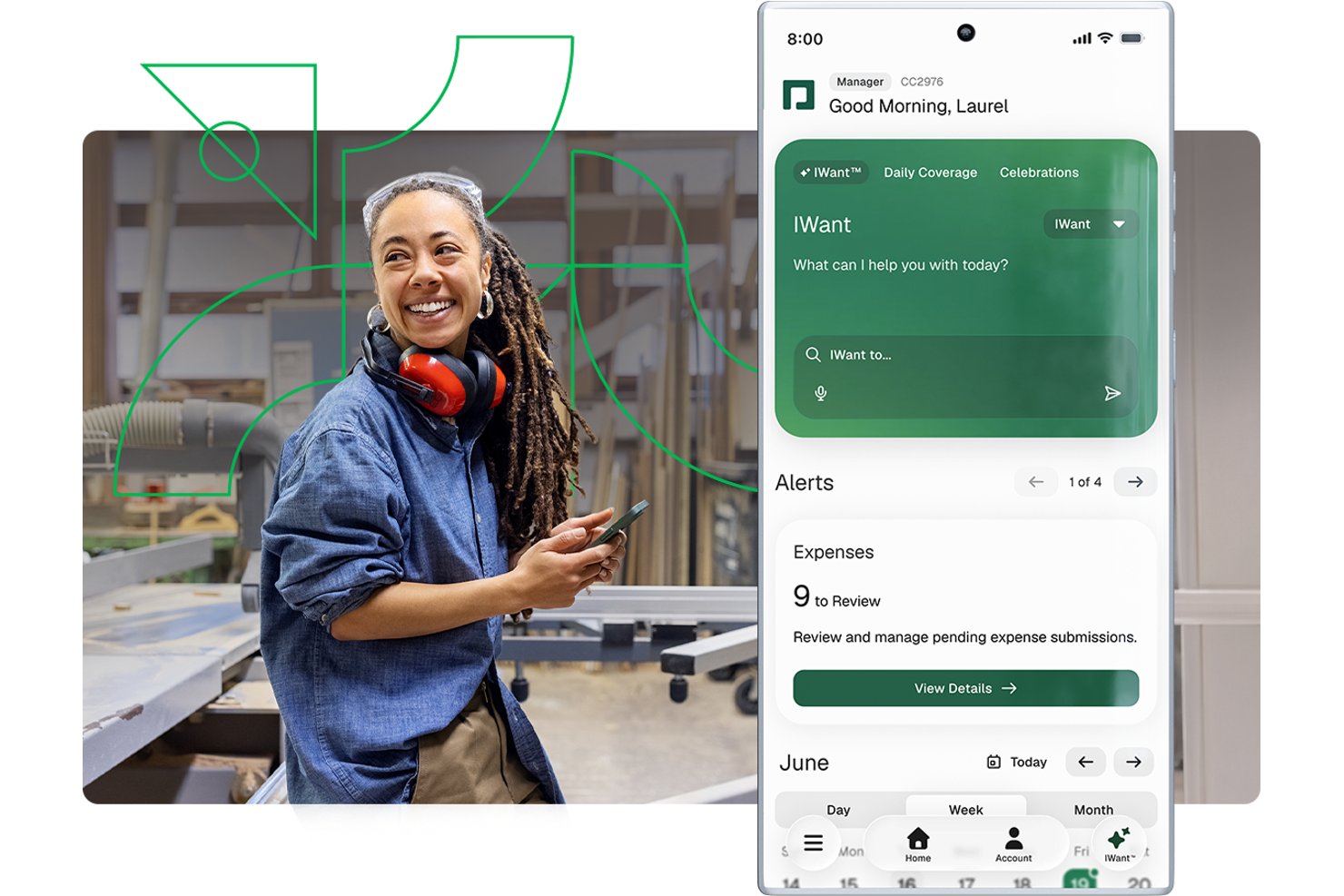
Paycom è una piattaforma HCM a database unico che integra in un unico sistema per i team di produzione: gestione paghe, tracciamento di orari e presenze, conformità normativa, gestione delle certificazioni, reclutamento e archiviazione dei dati dei dipendenti.
Per chi è più adatto Paycom?
Paycom è particolarmente indicato per aziende manifatturiere statunitensi di medie dimensioni da 50 a 5.000 dipendenti che desiderano gestire paghe, HR e conformità in un solo sistema.
Perché ho scelto Paycom
Ho scelto Paycom tra i migliori perché il suo design a database unico permette ai dati di paghe, presenze e certificazioni di condividere lo stesso livello informativo, senza necessità di sincronizzazioni o doppie registrazioni. Apprezzo in particolare Beti®, che invita i lavoratori in produzione a controllare e approvare i dati dei propri cedolini prima dell’elaborazione, rilevando eventuali errori alla fonte. La gestione delle certificazioni segnala inoltre le licenze in scadenza 30 giorni prima, così la qualifica di un operatore non scade mai senza preavviso.
Caratteristiche principali di Paycom
- App mobile Manager on-the-Go: Consente a supervisori di linea o di impianto di approvare cartellini, modifiche e richieste direttamente dal reparto.
- Rilevazione presenze con prossimità fisica: Previene la timbratura per conto terzi mediante orologi fisici o mobili che confermano la presenza in sede dell’addetto.
- Avvisi di scadenza certificazioni: Notifica automaticamente ai responsabili 30 giorni prima che una licenza, autorizzazione o attestato di formazione scada.
- Libreria di corsi di sicurezza OSHA: Offre un sistema di apprendimento integrato con corsi su OSHA, HAZWOPER e HAZCOM per la conformità del personale di produzione.
Integrazioni di Paycom
Paycom offre integrazioni native con NetSuite, PayBridge, Kronos Workforce Central, Indeed e Google Calendar. Un’API è disponibile per integrazioni personalizzate.
Pros and Cons
Pros:
- Tutto HR e paghe in un unico database
- Inclusi corsi OSHA e sicurezza per la conformità
- I dipendenti controllano e approvano i cedolini prima del calcolo
Cons:
- Assenza di modulo completo per EHS o segnalazione infortuni
- Connettività ERP e MES manifatturieri limitata

Ideale per la gestione della forza lavoro sindacalizzata

Paylocity offre un software HR pensato per i produttori che gestiscono una forza lavoro sindacalizzata e accordi sindacali complessi. Questa piattaforma aiuta i team HR ad automatizzare la conformità alle regole del sindacato, monitorare l’anzianità e gestire le richieste di cambio turno. Se hai bisogno di coordinare i contratti sindacali e semplificare la gestione della forza lavoro, Paylocity mette a disposizione strumenti specializzati per queste sfide.
Perché ho scelto Paylocity
La gestione della forza lavoro sindacalizzata nel settore manifatturiero presenta sfide uniche, e per questo ho inserito Paylocity in questa selezione. La piattaforma offre monitoraggio automatizzato delle regole sindacali, dell’anzianità e dei termini contrattuali, aiutando i team HR a rimanere conformi agli accordi complessi. Apprezzo il fatto che Paylocity supporti la gestione delle richieste di cambio turno e il tracciamento delle controversie, essenziali per le aziende con team sindacalizzati. Queste funzionalità lo rendono una scelta solida per le organizzazioni che devono gestire contratti sindacali e logistica della forza lavoro in un’unica soluzione.
Funzionalità Chiave di Paylocity
Altre funzionalità di Paylocity a supporto dei team HR nel settore manifatturiero includono:
- Rilevazione presenze e orari: Rileva in tempo reale le ore lavorate e le presenze dei dipendenti per un’elaborazione precisa delle paghe.
- Accesso tramite app mobile: Dipendenti e manager possono consultare i turni, richiedere assenze e approvare modifiche da qualsiasi dispositivo.
- Flussi di onboarding: Automatizza la compilazione dei documenti di assunzione, l’assegnazione dei corsi di formazione e la raccolta dei documenti per una più rapida integrazione dei nuovi assunti.
- Strumenti per la gestione delle prestazioni: Imposta obiettivi, effettua valutazioni e monitora i progressi dei dipendenti all’interno di una piattaforma centralizzata.
Integrazioni Paylocity
Le integrazioni includono AbsencePro, Checkr, Indeed, Toast, 15Five, Asana, Atlassian, SAP Concur, Greenhouse, Dropbox e molte altre.
Pros and Cons
Pros:
- Il monitoraggio dei contratti sindacali supporta accordi complessi
- Gli strumenti per le richieste di cambio turno facilitano la gestione delle regole di anzianità
- Il tracciamento delle controversie centralizza la documentazione delle dispute
Cons:
- Non è presente il tracciamento integrato delle certificazioni delle attrezzature
- I flussi di approvazione delle assenze non sono molto configurabili
New Product Updates from Paylocity

Paylocity Expands Expense and Purchase Request Tools
Paylocity adds connected personal cards, smarter expense categorization, and a streamlined purchase request experience. This reduces manual entry and helps finance teams manage expenses and approvals more efficiently. For more information, visit Paylocity’s official site.
 .
.
HiBob
Ideale per l’automazione HR delle piccole aziende manifatturiere
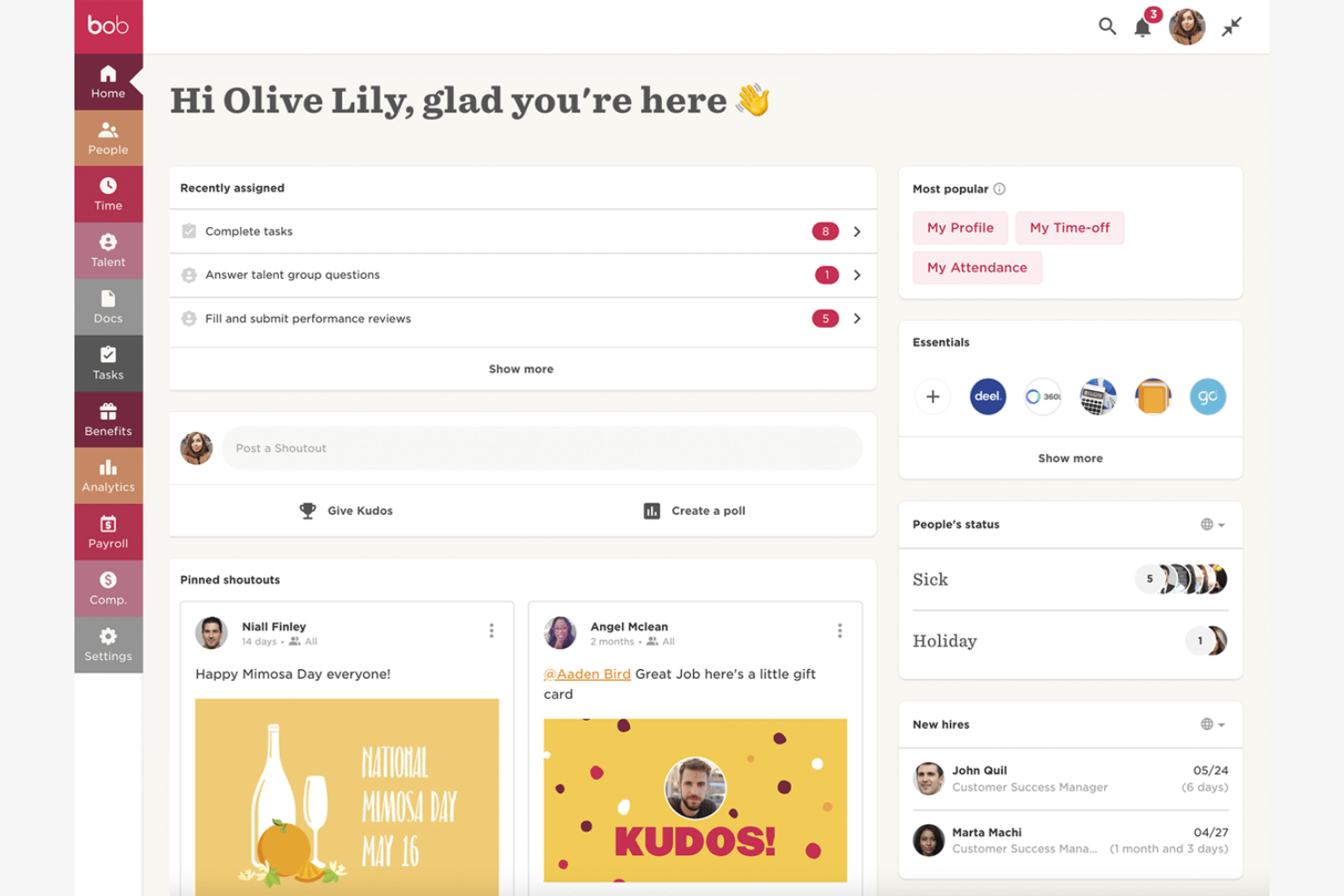
HiBob è progettato per le piccole aziende manifatturiere che desiderano automatizzare le attività di gestione del personale senza aggiungere complessità. La piattaforma aiuta i responsabili HR a gestire l’onboarding, le assenze e l’archiviazione dei documenti in un unico posto, particolarmente utile per i team con supporto amministrativo limitato. Se vuoi ridurre il lavoro manuale e mantenere i processi organizzati mentre la produzione cresce, HiBob è pensato proprio per queste esigenze.
Perché ho scelto HiBob
Per le piccole aziende manifatturiere, automatizzare i processi HR può liberare tempo prezioso e ridurre gli errori. HiBob si distingue per i suoi strumenti di automazione dei flussi di lavoro, che permettono di impostare checklist di onboarding personalizzate, automatizzare la raccolta dei documenti e attivare promemoria per le scadenze di conformità. Mi piace che sia possibile adattare questi flussi di lavoro alle esigenze specifiche di una piccola fabbrica, dalla gestione delle certificazioni al monitoraggio dei periodi di prova. Questo focus sull’automazione rende HiBob una scelta pratica per chi desidera semplificare le risorse umane senza un grande team HR.
Funzionalità principali di HiBob
Altre funzionalità che rendono HiBob utile per le piccole aziende manifatturiere includono:
- Gestione delle assenze: Monitora ferie, malattie e altre assenze con politiche personalizzabili.
- Visualizzazione dell’organigramma: Visualizza e aggiorna la struttura gerarchica della tua azienda in formato grafico.
- Directory dei dipendenti: Accesso a profili ricercabili con dati di contatto, ruoli e assegnazioni di turno.
- Valutazioni delle performance: Gestisci cicli strutturati di valutazione e raccogli feedback da supervisori e colleghi.
Integrazioni HiBob
Le integrazioni includono ADP, Zendesk, Zapier, Deel, Jira, JobAdder, Entra ID, Paylocity, Remote, Slack, Xero, Zoom e altre.
Pros and Cons
Pros:
- Onboarding automatico per lavoratori a turni e orari
- Flussi di lavoro personalizzati per sicurezza e conformità
- Organigrammi visivi per fabbriche multi-sede
Cons:
- Nessun orologio presenze integrato per l’officina
- Nessun supporto nativo al monitoraggio dei contratti sindacali

Ideale come soluzione di intelligenza artificiale per le aziende
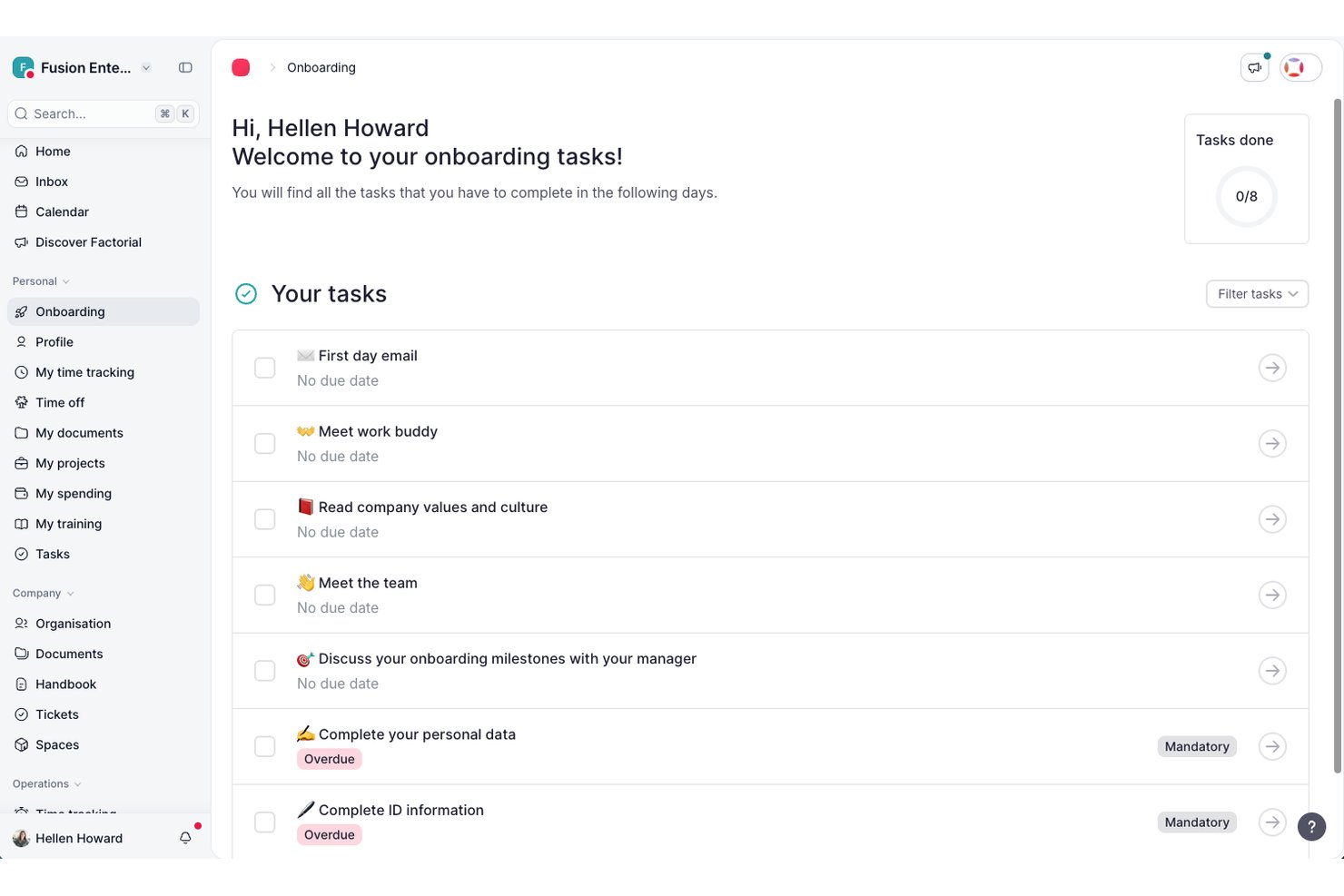
Factorial è una piattaforma HR basata sull'intelligenza artificiale per i team del settore manifatturiero, che include monitoraggio delle ore, pianificazione dei turni, gestione dei dati dei dipendenti, reclutamento e gestione dei documenti per sedi distribuite.
Per chi è più adatto Factorial?
Factorial è adatto ai professionisti e agli amministratori delle risorse umane di piccole e medie imprese che desiderano un'unica piattaforma basata sull'intelligenza artificiale per gestire le attività quotidiane relative al personale in più sedi.
Perché ho scelto Factorial
Ho incluso Factorial tra le mie scelte principali perché il suo posizionamento nell'ambito dell'intelligenza artificiale per le aziende si traduce in strumenti davvero pratici per i team HR del settore manifatturiero, soprattutto per la pianificazione dei turni e la reportistica. Mi piace il fatto che la sua intelligenza artificiale possa trasformare domande formulate in linguaggio naturale in report in tempo reale, evitando di dover gestire esportazioni manuali quando serve rapidamente un quadro delle ore lavorate nelle diverse sedi. Gestisce inoltre la pianificazione automatizzata dei turni e l'analisi dei CV basata sull'intelligenza artificiale, riducendo notevolmente la pressione sui professionisti HR che gestiscono lavoratori a ore e turni a rotazione.
Funzionalità principali di Factorial
- Registrazione dell'entrata con più metodi: I dipendenti possono registrare l'entrata utilizzando la geolocalizzazione, il geofencing, i codici QR o l'autenticazione a due fattori direttamente dall'app mobile.
- Segnalazione della scadenza dei documenti: Factorial centralizza i documenti legali e invia notifiche automatiche quando i documenti si avvicinano alla data di scadenza.
- Analisi dei CV basata sull'intelligenza artificiale: Il modulo di reclutamento seleziona e filtra automaticamente i CV dei candidati in base alle competenze e alle qualifiche definite.
- Configurazione delle politiche di assenza: I team HR possono creare un numero illimitato di tipi di assenza personalizzati e politiche di permesso associate a sedi o tipologie contrattuali specifiche.
Integrazioni di Factorial
Factorial elenca integrazioni nel marketplace con ZKTeco, a3innuva Nómina, DATEV LODAS, Sage 200, Sage Despachos, Microsoft Power BI e Okta. Offre un'API pubblica, webhook, SDK, chiavi API e OAuth 2.0, oltre alla connettività Zapier con centinaia di strumenti.
Pros and Cons
Pros:
- I recensori apprezzano la centralizzazione dei dati dei dipendenti e dei documenti
- La registrazione dell'entrata offline da mobile supporta i team distribuiti nell'area produttiva
- L'intelligenza artificiale trasforma le domande in report in tempo reale sulla forza lavoro
Cons:
- I recensori segnalano una configurazione limitata dei turni a rotazione
- Gli straordinari complessi e le maggiorazioni retributive richiedono controlli manuali

Ideale per modelli di valutazione dei dipendenti altamente personalizzabili
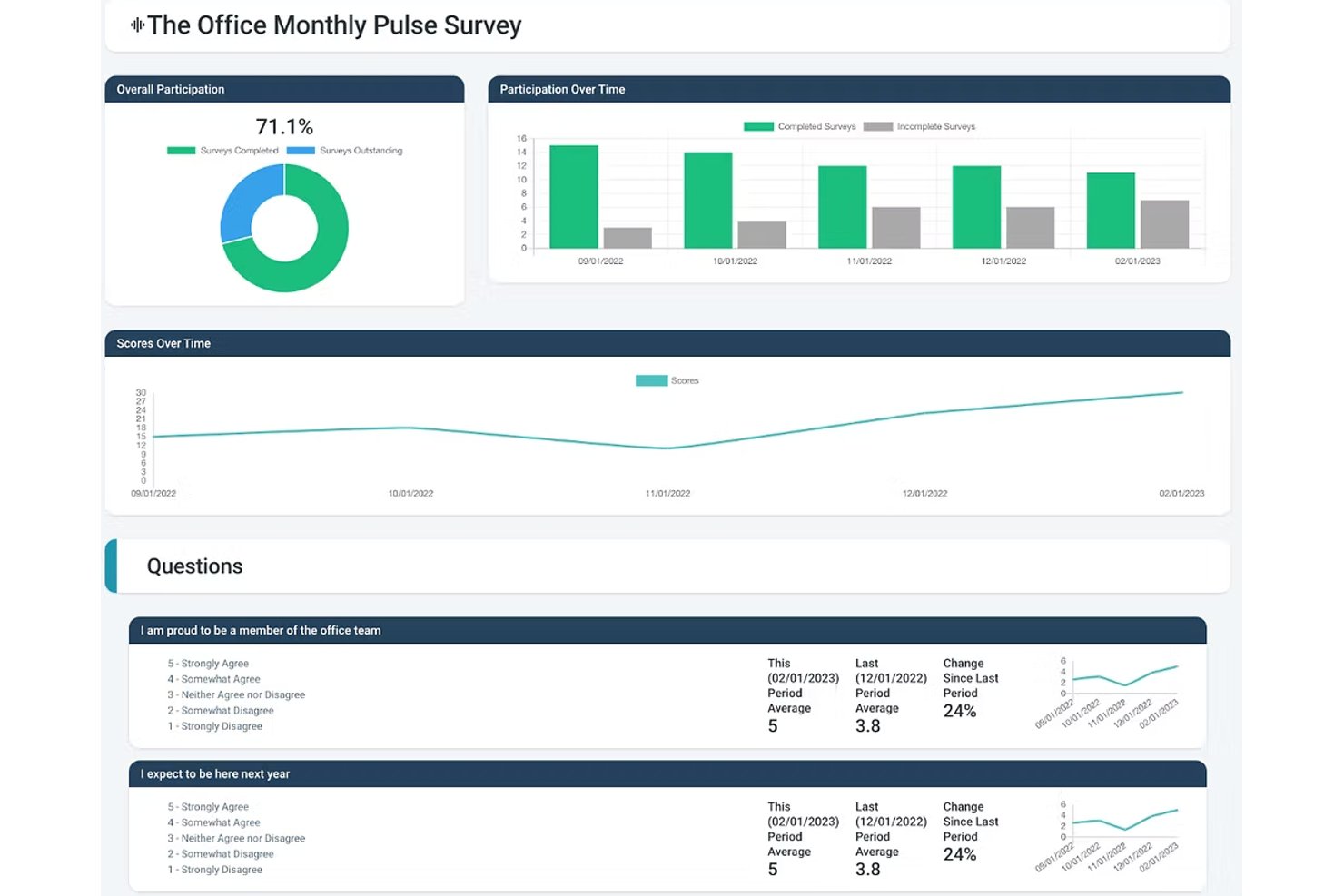
Express Evaluations è una piattaforma di gestione delle prestazioni che consente ai team HR di creare modelli di valutazione personalizzati, eseguire cicli di feedback a 360 gradi, monitorare gli obiettivi e gestire piani di miglioramento delle prestazioni.
Per chi è ideale Express Evaluations?
È particolarmente indicato per i team HR di organizzazioni piccole e medie che desiderano sostituire le valutazioni delle prestazioni su carta o su fogli di calcolo con un processo digitale strutturato.
Perché ho scelto Express Evaluations
Ho scelto Express Evaluations perché il costruttore di modelli personalizzati mi permette di creare schede di valutazione specifiche per ogni ruolo, da operatori di macchina a supervisori di turno. Posso assegnare diverse scale di valutazione e criteri di competenza per ciascun ruolo, così un ispettore qualità non viene valutato con gli stessi criteri di un responsabile di magazzino. La pianificazione in base alla data di assunzione o all’anniversario consente anche di avviare automaticamente le valutazioni al momento giusto per ogni lavoratore orario e non solo alla fine dell’anno.
Caratteristiche principali di Express Evaluations
- Valutazioni tra pari e a 360 gradi: Raccogli feedback da colleghi, subordinati e responsabili per una valutazione delle prestazioni completa.
- Notifiche e promemoria automatici: Garantisce il completamento puntuale delle valutazioni con pianificazione integrata e promemoria email automatici.
- Archivio documentale dei dipendenti: Conserva in sicurezza registri delle prestazioni, valutazioni firmate e documenti di supporto per la conformità e gli audit.
- Organigramma e profili dei dipendenti: Visualizza la struttura dei team e conserva le informazioni dei profili di ciascun dipendente in un unico posto.
Integrazioni di Express Evaluations
Le integrazioni native non sono chiaramente documentate. È disponibile un'API per integrazioni personalizzate.
Pros and Cons
Pros:
- Modelli specifici per ruolo per le diverse posizioni lavorative
- Programmazione delle valutazioni legata alla data di assunzione
- Configurazione rapida con minimo lavoro di settaggio HR
Cons:
- Nessuna gestione dei turni o rilevazione delle presenze
- Mancanza di strumenti per la conformità alla sicurezza e l'OSHA

factoHR
Ideale per l’integrazione della rilevazione presenze biometrica
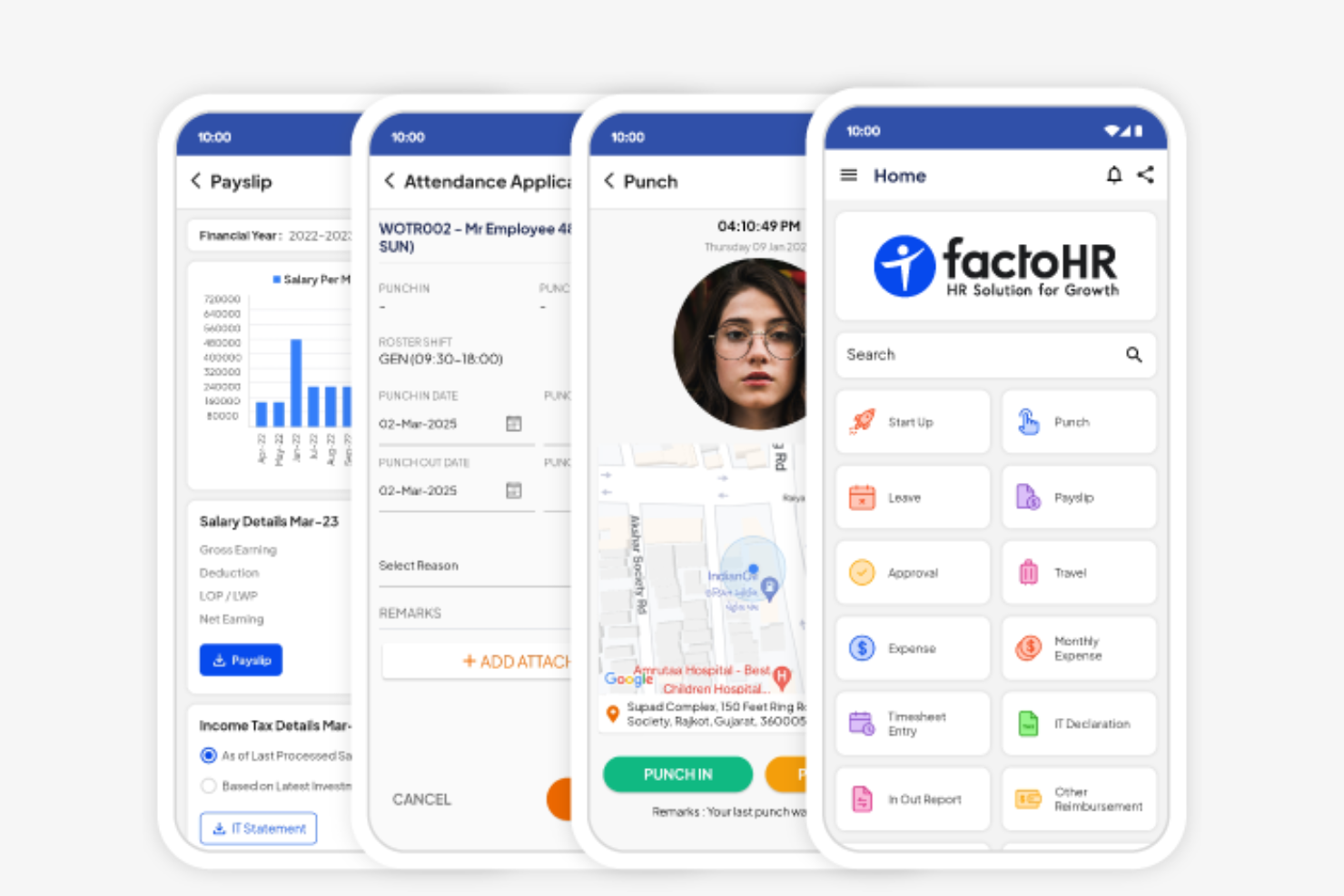
factoHR si distingue per i produttori che desiderano collegare i processi delle Risorse Umane con i sistemi di rilevazione presenze biometrici sul piano di produzione. Questa piattaforma è particolarmente adatta alle aziende che necessitano di un monitoraggio accurato e in tempo reale dei turni dei dipendenti, degli straordinari e della presenza su più sedi. Se il tuo team gestisce grandi organici con esigenze complesse di rilevazione presenze, factoHR unisce l’integrazione dell’hardware biometrico e la gestione HR in un unico luogo.
Perché ho scelto factoHR
Per i produttori che hanno bisogno di un monitoraggio preciso delle presenze, l’integrazione biometrica di factoHR risolve una sfida comune nei reparti produttivi. La piattaforma si collega direttamente con dispositivi di riconoscimento facciale e impronte digitali, assicurando registri accurati e a prova di manomissione del tempo e della presenza dei dipendenti. Ho scelto factoHR anche perché supporta la pianificazione dei turni e il calcolo degli straordinari basati su dati di presenza reali, essenziali per la gestione di grandi team organizzati su turni. Questa attenzione all’integrazione hardware e alla gestione delle presenze in tempo reale lo rende una scelta pratica negli ambienti manifatturieri.
Caratteristiche principali di factoHR
Altre funzionalità che rendono factoHR utile alle risorse umane nel manifatturiero includono:
- Gestione delle paghe: Calcola stipendi, detrazioni e conformità normativa in base ai dati di presenze e turni.
- Gestione delle performance: Tiene traccia degli obiettivi dei dipendenti, delle valutazioni e dei cicli di feedback all’interno della piattaforma.
- Gestione delle spese: Consente ai dipendenti di inviare e monitorare digitalmente le richieste di rimborso.
- App mobile: Dà accesso a dipendenti e manager alle informazioni su presenze, ferie e paghe in mobilità.
Integrazioni di factoHR
Le integrazioni native al momento non sono elencate.
Pros and Cons
Pros:
- Si collega direttamente con dispositivi biometrici di rilevazione presenze
- Supporta la gestione della forza lavoro su più sedi
- Offre strumenti per il calcolo di turni e straordinari
Cons:
- Nessun sistema integrato di monitoraggio incidenti di sicurezza
- L’installazione dei dispositivi biometrici può richiedere assistenza del fornitore

HR Cloud
Ideale per portali self-service dei dipendenti
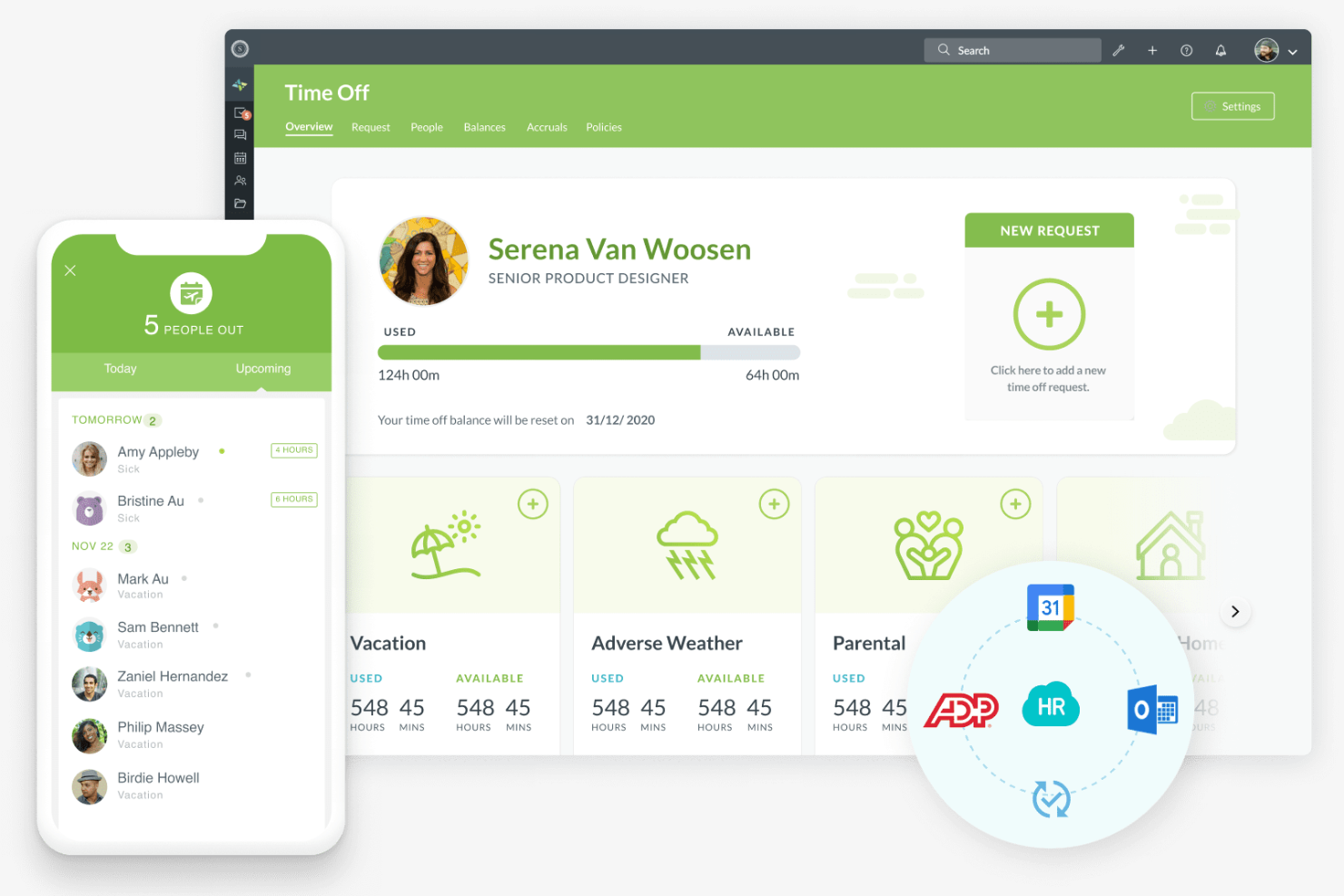
HR Cloud offre ai team di produzione un modo per centralizzare le attività HR e dare ai dipendenti l'accesso self-service alle proprie informazioni. Questa piattaforma è particolarmente utile per le organizzazioni con forza lavoro distribuita o basata su turni che devono gestire onboarding, ferie e accesso ai documenti senza colli di bottiglia. Se desideri ridurre il carico amministrativo dell'HR e dare ai dipendenti più controllo sui propri dati, i portali self-service di HR Cloud sono progettati proprio per questo.
Perché ho scelto HR Cloud
Le organizzazioni manifatturiere spesso hanno bisogno di offrire ai dipendenti un accesso rapido e sicuro alle proprie informazioni HR, e i portali self-service di HR Cloud rispondono direttamente a questa esigenza. I dipendenti possono aggiornare i propri dati personali, richiedere permessi e accedere ai documenti importanti senza dover attendere l'intervento dell'HR. Ho scelto HR Cloud perché consente anche di gestire le attività di onboarding e monitorare i documenti di conformità tramite lo stesso portale, il che è particolarmente utile in ambienti ad alta rotazione o su turni. Questo focus sul coinvolgimento dei dipendenti e sulla trasparenza dei processi lo rende una soluzione ideale per le esigenze HR del settore manifatturiero.
Funzionalità principali di HR Cloud
Altre funzionalità che i team HR del settore manifatturiero possono trovare utili includono:
- Gestione asset: tiene traccia dell'attrezzatura e degli asset aziendali assegnati ai dipendenti.
- Archiviazione documenti HR: centralizza l'archiviazione e il recupero di policy, moduli e documenti di conformità HR.
- Strumenti di riconoscimento dei dipendenti: consentono il riconoscimento tra colleghi e badge digitali per i risultati ottenuti.
- Workflow personalizzati: permettono di automatizzare processi HR come approvazioni e notifiche.
Integrazioni di HR Cloud
Le integrazioni includono ADP, QuickBooks, UKG, Workday, SAP, Paycor, Paylocity, Dayforce, Slack, Microsoft Teams e altri.
Pros and Cons
Pros:
- La gestione degli asset monitora l'assegnazione delle attrezzature
- Gli strumenti di riconoscimento tra pari migliorano il morale dei lavoratori
- Workflow personalizzati automatizzano i processi di approvazione HR
Cons:
- Nessuna integrazione biometrica di rilevamento presenze inclusa
- Funzionalità limitate di tracciamento della formazione sulla sicurezza
Personio
Ideale per la gestione della forza lavoro europea

Personio è progettato per i produttori con operazioni in tutta Europa che necessitano di un software HR in grado di supportare la conformità multicountry e l'amministrazione della forza lavoro. È particolarmente utile per i team delle risorse umane che gestiscono diverse normative sul lavoro, il rilevamento delle presenze e le paghe in differenti paesi europei. Se la tua azienda ha bisogno di una piattaforma centralizzata per gestire processi HR transfrontalieri e documentazione, Personio offre queste funzionalità con particolare attenzione alle esigenze europee.
Perché ho scelto Personio
Gestire le risorse umane in diversi paesi europei comporta sfide uniche, soprattutto per i produttori con team distribuiti. Personio è stato creato per gestire l’amministrazione della forza lavoro europea, offrendo funzionalità come elaborazione paghe localizzate e gestione della conformità per diversi paesi. Ho scelto Personio perché aiuta i team HR a monitorare orari, assenze e contratti di lavoro in linea con le normative locali. Il suo focus sul supporto di processi HR multicountry lo rende una soluzione ideale per le aziende manifatturiere che operano in tutta Europa.
Caratteristiche principali di Personio
Altre funzioni che rendono Personio utile ai team HR del settore manifatturiero includono:
- Gestione dei documenti: Centralizza l’archiviazione e l’accesso a contratti, certificati e documenti HR.
- Flussi di lavoro automatizzati: Permette di impostare processi di approvazione personalizzati per assunzioni, onboarding e richieste di ferie.
- Self-service per i dipendenti: Consente al personale di aggiornare i propri dati personali, inviare richieste di assenza e accedere alle buste paga online.
- Modulo di recruiting: Gestisce annunci di lavoro, candidature e pianificazione dei colloqui direttamente sulla piattaforma.
Integrazioni di Personio
Le integrazioni includono Flip, 360Learning, Yoffix, eloomi, Jira, DocuSign, Power BI, Asana e altro ancora.
Pros and Cons
Pros:
- Supporta paghe e conformità multicountry
- Offre la gestione automatizzata di documenti e contratti
- Gestisce la pianificazione dei turni per team distribuiti
Cons:
- Dashboard di analisi specifiche per la manifattura sono limitate
- Le funzionalità di payroll sono focalizzate solo sulla normativa europea

Ciphr
Ideale per team manifatturieri con sede nel Regno Unito
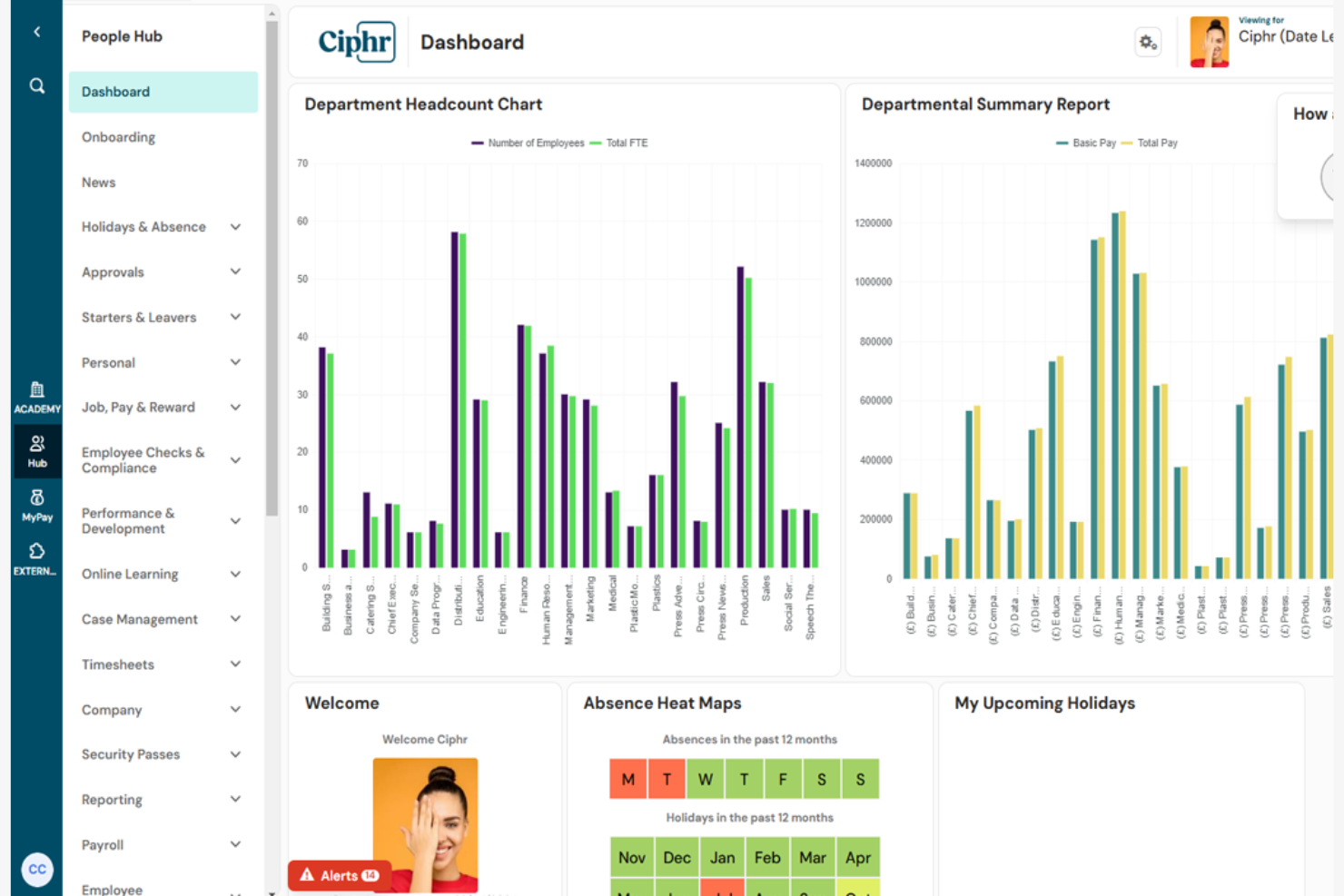
Ciphr è pensato per i produttori con sede nel Regno Unito che necessitano di un software HR allineato alle normative locali e alle esigenze della forza lavoro. È particolarmente adatto ai team HR che gestiscono schemi di turni complessi, conformità e dati dei dipendenti su più sedi. Se cerchi una soluzione che supporti la gestione delle paghe in UK, i controlli sul diritto al lavoro e processi HR specifici per il settore manifatturiero, Ciphr integra tutte queste funzionalità in un'unica piattaforma.
Perché ho scelto Ciphr
Per i produttori attivi nel Regno Unito, le esigenze di conformità locale e gestione della forza lavoro possono essere particolarmente impegnative. Ciphr si distingue perché è progettato per gestire necessità HR specifiche del Regno Unito, inclusi i controlli sul diritto al lavoro e la conformità al GDPR. Ho scelto Ciphr per la sua capacità di gestire la pianificazione di turni complessi e i processi di busta paga tipici degli ambienti manifatturieri. Il suo focus sulla legislazione del Regno Unito e sui flussi di lavoro industriali lo rendono una scelta pratica per i team HR che devono rimanere conformi e organizzati.
Funzionalità principali di Ciphr
Altre funzionalità che rendono Ciphr utile per i team HR del settore manifatturiero includono:
- Portale self-service per i dipendenti: Consente al personale di aggiornare i propri dati personali, visualizzare le buste paga e gestire richieste di ferie online.
- Gestione delle assenze: Monitora le assenze dei dipendenti e automatizza i flussi di approvazione per le richieste di ferie.
- Strumenti di gestione delle prestazioni: Supporta la definizione degli obiettivi, le valutazioni e il monitoraggio continuo delle performance.
- Modulo di recruitment e onboarding: Gestisce annunci di lavoro, tracciamento dei candidati e processi digitali di inserimento.
Integrazioni Ciphr
Le integrazioni native non sono attualmente elencate.
Pros and Cons
Pros:
- Gestisce la complessità dei turni e delle assenze
- Offre onboarding digitale per nuove assunzioni nel manifatturiero
- Include strumenti per la gestione delle performance e delle valutazioni
Cons:
- Nessuna integrazione hardware con orologi marcatempo inclusa
- Analisi limitate sulla produttività nell’area produttiva

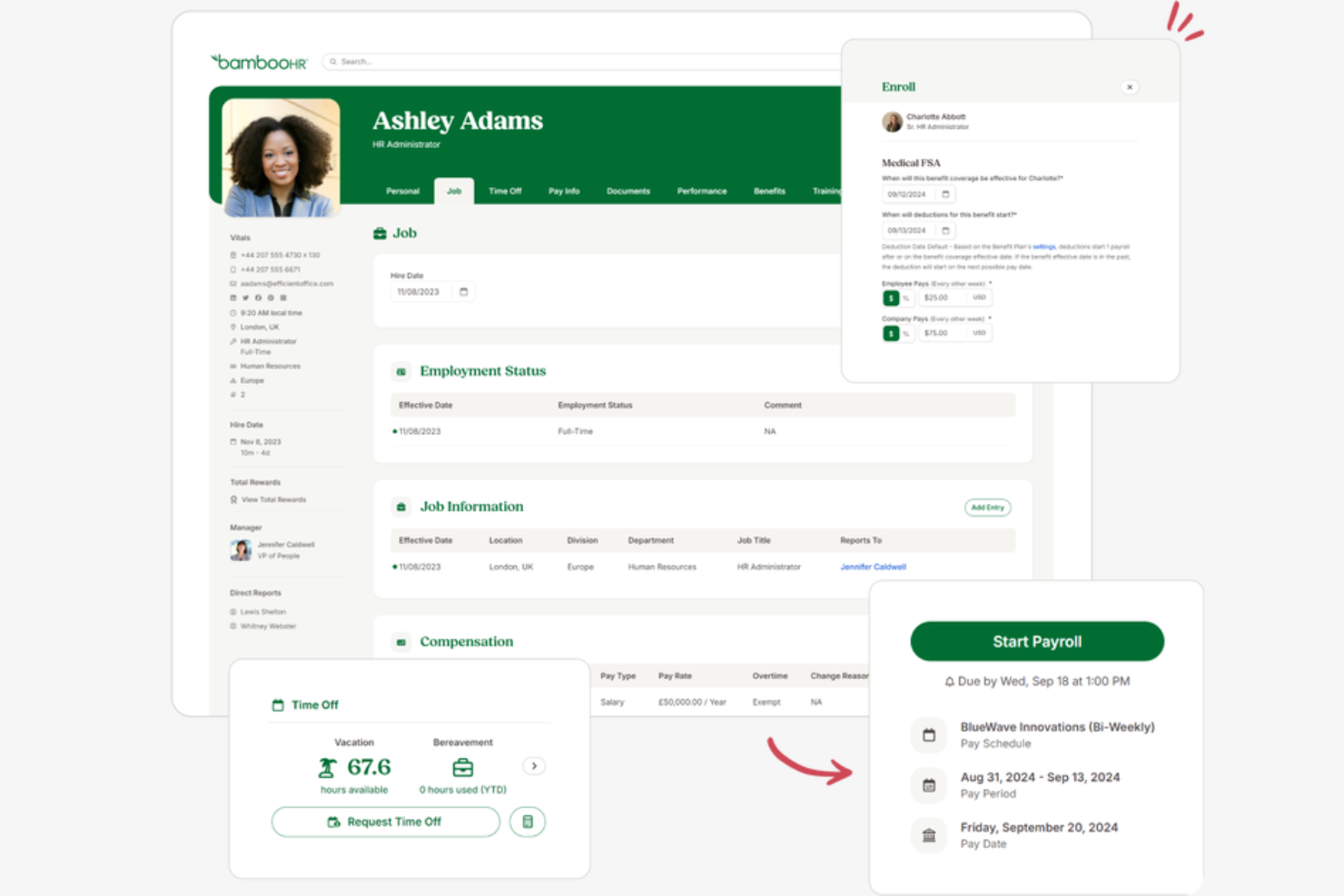
BambooHR è progettato per i produttori che hanno bisogno di inserire un gran numero di dipendenti orari in modo rapido e coerente. La piattaforma aiuta i team HR ad automatizzare la documentazione, l'assegnazione della formazione e i passaggi di conformità per i nuovi assunti. Se vuoi ridurre le attività manuali di onboarding e migliorare l'esperienza dei dipendenti orari, BambooHR offre strumenti pensati per queste esigenze.
Perché ho scelto BambooHR
Per le aziende manifatturiere che assumono e inseriscono dipendenti orari su larga scala, BambooHR si distingue per l'attenzione a automatizzare e standardizzare il processo di onboarding. La piattaforma consente ai team HR di creare checklist di onboarding personalizzate, assegnare moduli di formazione e raccogliere firme digitali sui documenti richiesti. Mi piace che BambooHR tenga anche traccia dei progressi dell'onboarding di ogni nuovo assunto, così nulla viene trascurato. Queste funzionalità aiutano i team HR delle aziende manifatturiere a integrare rapidamente e con coerenza i nuovi lavoratori orari.
Funzionalità principali di BambooHR
Altre funzionalità di BambooHR che supportano i team HR nel settore manifatturiero includono:
- Gestione delle assenze: traccia, approva e registra le richieste di ferie dei dipendenti in un unico posto.
- Portale self-service per i dipendenti: consente ai dipendenti di aggiornare le proprie informazioni personali e accedere ai documenti senza l'intervento dell'HR.
- Archiviazione documentale: archivia e organizza in modo sicuro i registri dei dipendenti, le certificazioni e i documenti di conformità.
- Reportistica personalizzata: crea ed esporta report sui dati della forza lavoro, come turnover e presenze, per prendere decisioni migliori.
Integrazioni BambooHR
Le integrazioni includono Checkr, Greenhouse, Culture Amp, Cronofy, Remote, TalentLMS, Hireflix, Leapsome, Evolia, Human Interest e altre.
Pros and Cons
Pros:
- Le checklist di onboarding automatizzano i passaggi di assunzione degli orari
- La firma digitale dei documenti riduce i processi cartacei
- Il portale self-service consente l'autonomia ai lavoratori su turni
Cons:
- Nessuno strumento integrato per la gestione dei contratti sindacali
- Nessun tracciamento nativo della conformità OSHA
Altri software HR per il settore manifatturiero
- EPAY Systems
Ideale per il monitoraggio dei costi del lavoro
- GNSA
Ideale per le buste paga nelle operazioni multi-sede
- Deel HR
Ideale per la gestione transfrontaliera della forza lavoro
- TalentHR
Ideale per la gestione dei documenti di conformità
- OneDirectory
Ideale per directory centralizzate dei team di impianto
- Paycor
Ideale per la pianificazione dei turni in grandi impianti


Come Valuto il Software HR per la Produzione
Divido la mia valutazione in criteri di base—come la programmazione dei turni e la conformità OSHA—e fattori differenzianti che separano le migliori opzioni per i responsabili di stabilimento e i team HR.
Funzionalità Principali (Requisiti Minimi per Questa Lista)
Quando seleziono gli strumenti per la mia lista, valuto ciascuno su una scala da 0 (non offre la funzionalità) a 5 (eccelle in quest’area) per ogni funzionalità principale elencata sotto. Poi, calcolo il punteggio totale dello strumento in percentuale. Ogni strumento deve ottenere un punteggio minimo totale del 65% per essere preso in considerazione.
- Pianificazione dei Turni & Rilevazione delle Ore: Cerco supporto per turni rotativi, logiche sugli straordinari e opzioni di timbratura come chiosco o rilevamento biometrico che funzionino su più stabilimenti.
- Gestione delle Paghe Orarie: Le buste paga nel settore manifatturiero si complicano rapidamente con i differenziali di turno e le regole sindacali, quindi verifico come ogni strumento gestisce questi calcoli.
- Gestione Sicurezza & Conformità: Valuto se la piattaforma tiene traccia di moduli OSHA, segnalazioni di incidenti e azioni correttive invece di archiviare solo i documenti di sicurezza in una cartella.
- Monitoraggio Certificazioni & Formazione: Certificati per carrelli elevatori scaduti o formazione di sicurezza non aggiornata possono fermare la produzione, quindi cerco avvisi di scadenza e flussi di rinnovo.
- Recruiting & Onboarding ad Alto Volume: I picchi di assunzione sono comuni nella produzione, e controllo se uno strumento supporta flussi di lavoro per candidati in massa, candidatura da mobile e onboarding senza carta.
- HRIS di Base & Dati Dipendenti: La piattaforma dovrebbe mantenere dati centralizzati per personale di produzione, magazzino e ufficio, con accesso self-service ai benefit e alle ferie.
Una volta identificati gli strumenti che soddisfano i criteri, considero cosa rende unica ogni piattaforma.
Fattori Differenzianti (Cosa Distingue i Fornitori)
Ecco come confronto i diversi fornitori:
Funzionalità Distintive
Verifico se le piattaforme offrono portali self-service multilingue, dato che molti reparti di produzione impiegano personale che parla lingue differenti e deve accedere autonomamente a cedolini o richieste di ferie. Anche la funzionalità offline è importante: nelle aree produttive la connettività è spesso scarsa, quindi timbratrici e app che si sincronizzano appena torna la connessione sono un reale vantaggio. Cerco inoltre strumenti di previsione dei costi del lavoro che permettano ai responsabili di simulare il personale rispetto ai prossimi programmi produttivi.
Oltre le Funzionalità
L’integrazione ERP è uno dei primi aspetti che valuto. Una piattaforma che si collega a sistemi come SAP o Epicor consente ai costi del lavoro di confluire direttamente nei report di produzione senza esportazioni manuali. Conta anche la scalabilità multi-sito: cerco strumenti che permettano di configurare diverse regole per ogni stabilimento mantenendo la gestione centralizzata. Infine, considero il supporto all’implementazione, in particolare se il fornitore ha esperienza con l’onboarding di personale non d’ufficio su turni che magari non utilizza mai un computer.
Come scegliere un software HR per il settore manifatturiero
È facile perdersi in lunghi elenchi di funzionalità e strutture di prezzo complesse. Per aiutarti a rimanere concentrato mentre affronti il tuo processo di selezione del software, unico per le tue esigenze, ecco una lista di fattori da tenere presenti:
| Fattore | Cosa considerare |
| Scalabilità | Il software sarà in grado di gestire variazioni stagionali della forza lavoro, più sedi o la crescita futura senza importanti aggiornamenti? |
| Integrazioni | Si collega nativamente ai sistemi paghe, ERP o di rilevazione delle presenze per evitare l'inserimento manuale dei dati? |
| Possibilità di personalizzazione | Puoi adattare flussi di lavoro, moduli e autorizzazioni in base ai processi e alle politiche della tua azienda manifatturiera? |
| Facilità d'uso | I supervisori in prima linea e i dipendenti sul luogo di produzione troveranno l'interfaccia chiara e accessibile, con una formazione minima? |
| Implementazione e avviamento | Quanto tempo occorrerà per iniziare a utilizzare il sistema e quali risorse o forme di assistenza fornirà il fornitore durante l'implementazione? |
| Costo | Tutti i costi—configurazione, licenze, assistenza e aggiornamenti—sono chiari e rientrano nel tuo budget per il numero di utenti necessari? |
| Misure di sicurezza | Il sistema offre accesso basato sui ruoli, registri di controllo e crittografia dei dati per proteggere le informazioni sensibili dei dipendenti? |
| Requisiti di conformità | Il software può aiutarti a monitorare certificazioni, formazione sulla sicurezza e conformità alle leggi sul lavoro specifiche del settore manifatturiero? |
Che cos'è un software HR per il settore manifatturiero?
Il software HR per il settore manifatturiero è una piattaforma basata sul cloud che aiuta le aziende manifatturiere a gestire le risorse umane, comprese le anagrafiche dei dipendenti, il monitoraggio delle ore lavorate, la conformità normativa e le operazioni HR. Questi sistemi HR sono progettati per il settore manifatturiero e supportano la forza lavoro con strumenti per il monitoraggio dei candidati, i controlli dei precedenti e la gestione dell'intero ciclo di vita dei dipendenti. Molte soluzioni funzionano come sistemi HR completi, con software per le buste paga e soluzioni per la gestione delle paghe, comprese le paghe del settore manifatturiero, riducendo al contempo la dipendenza da strumenti manuali come i fogli di calcolo. Supportano inoltre il coinvolgimento e la fidelizzazione dei dipendenti e aiutano ad attrarre i migliori talenti, sia nelle piccole imprese sia nelle attività di grandi dimensioni.
Funzionalità del software HR per la produzione
Quando selezioni un software HR per la produzione, presta attenzione alle seguenti funzionalità chiave:
- Monitoraggio di orari e presenze: monitora le ore lavorate dai dipendenti, i modelli dei turni e gli straordinari, spesso integrandosi con orologi marcatempo fisici o sistemi a badge per garantire paghe accurate e conformità normativa.
- Portale self-service per i dipendenti: consente ai lavoratori di aggiornare le informazioni personali, richiedere permessi (PTO) e accedere alle buste paga o agli orari senza dover contattare direttamente le risorse umane.
- Gestione dell'inserimento e dell'uscita dei dipendenti: guida i nuovi assunti nella compilazione della documentazione richiesta, nella formazione sulla sicurezza e nelle attività di orientamento, gestendo anche le procedure di uscita dei dipendenti che lasciano l'azienda.
- Gestione dei documenti: archivia e organizza documenti HR come contratti, certificazioni e registri sulla sicurezza in un archivio digitale sicuro e consultabile.
- Monitoraggio della conformità: aiuta i team HR a monitorare e documentare i requisiti normativi, comprese le leggi sul lavoro, le certificazioni di sicurezza e i rinnovi della formazione specifici per la produzione.
- Integrazione con le paghe: si collega ai sistemi paghe per automatizzare i calcoli salariali, le detrazioni e gli accrediti diretti sulla base delle ore e delle presenze registrate.
- Monitoraggio di beni e attrezzature: assegna e monitora le attrezzature aziendali o le uniformi consegnate ai dipendenti, contribuendo a ridurre le perdite e a mantenere la responsabilità.
- Automazione personalizzata dei flussi di lavoro: consente ai team HR di progettare e automatizzare processi di approvazione, notifiche e assegnazioni di attività personalizzati per le operazioni di produzione.
- Gestione delle prestazioni e della formazione: monitora le valutazioni delle prestazioni dei dipendenti, lo sviluppo delle competenze e le esigenze formative continuative, integrandosi spesso con un sistema di gestione dell'apprendimento.
- Gestione multi-sito: supporta le operazioni HR in più stabilimenti o sedi, consentendo il controllo centralizzato e la reportistica per team distribuiti.
Vantaggi del software HR per la produzione
L'implementazione di un software HR per la produzione offre numerosi vantaggi al tuo team e alla tua azienda. Eccone alcuni:
- Maggiore conformità: il monitoraggio automatizzato delle certificazioni, della formazione sulla sicurezza e delle normative sul lavoro contribuisce a ridurre i rischi di non conformità e le difficoltà legate agli audit.
- Orari e presenze accurati: gli strumenti integrati di monitoraggio riducono al minimo gli errori nelle paghe e garantiscono una retribuzione equa per i lavoratori su turni.
- Inserimento semplificato: i flussi di lavoro digitali per l'inserimento accelerano la gestione dei nuovi assunti e garantiscono il completamento di tutta la documentazione e della formazione richieste.
- Gestione centralizzata dei documenti: l'archiviazione digitale sicura facilita l'organizzazione, il recupero e l'aggiornamento dei registri dei dipendenti e dei documenti HR.
- Maggiore visibilità sulla forza lavoro: dashboard e report in tempo reale forniscono informazioni su presenze, prestazioni e tendenze della forza lavoro in più sedi.
- Riduzione del carico amministrativo: i portali self-service e l'automazione dei flussi di lavoro liberano i team HR dalle attività ripetitive, consentendo loro di concentrarsi maggiormente sulle iniziative strategiche.
- Maggiore responsabilità nella gestione dei beni: le funzionalità di monitoraggio delle attrezzature e dei beni aiutano a controllare le assegnazioni e a ridurre la perdita o lo smarrimento dei beni aziendali.
Costi e prezzi del software HR per la produzione
La scelta di un software HR per la produzione richiede la comprensione dei diversi modelli di prezzo e dei piani disponibili. I costi variano in base alle funzionalità, alle dimensioni del team, ai componenti aggiuntivi e ad altri fattori. La tabella seguente riassume i piani più comuni, i relativi prezzi medi e le funzionalità tipicamente incluse nelle soluzioni software HR per la produzione:
Tabella comparativa dei piani per il software HR per la produzione
| Tipo di piano | Prezzo medio | Funzionalità comuni |
| Piano gratuito | $0 | Registri di base dei dipendenti, monitoraggio limitato delle ore e semplice archiviazione dei documenti. |
| Piano personale | $5-$10/utente/mese | Self-service per i dipendenti, strumenti di base per l'inserimento e monitoraggio standard della conformità. |
| Piano aziendale | $15-$25/utente/mese | Monitoraggio avanzato di orari e presenze, integrazione con le paghe, automazione dei flussi di lavoro e gestione multi-sito. |
| Piano per grandi aziende | $30-$50/utente/mese | Flussi di lavoro personalizzati, monitoraggio dei beni, analisi avanzate, assistenza dedicata e misure di sicurezza rafforzate. |
Domande frequenti sul software HR per il settore manifatturiero
Ecco alcune risposte alle domande frequenti sul software HR per il settore manifatturiero:
In che modo il software HR per il settore manifatturiero supporta la conformità alle leggi sul lavoro?
Il software HR per il settore manifatturiero aiuta a monitorare certificazioni, formazione sulla sicurezza e ore lavorate per garantire che il team rispetti i requisiti delle leggi sul lavoro. Molti sistemi offrono avvisi automatici per i documenti in scadenza e generano report per gli audit, semplificando il mantenimento della conformità in un ambiente regolamentato.
Il software HR per il settore manifatturiero è in grado di gestire più turni e sedi?
Sì, la maggior parte dei software HR per il settore manifatturiero è progettata per gestire turni complessi e supportare più sedi. È possibile assegnare i dipendenti a turni diversi, monitorare le presenze in più sedi e generare report consolidati per una supervisione più efficace della forza lavoro.
Quali integrazioni dovrei cercare in un software HR per il settore manifatturiero?
Cerca integrazioni con sistemi di gestione paghe, piattaforme ERP, orologi marcatempo e strumenti di pianificazione dei turni. Queste connessioni riducono l’inserimento manuale dei dati, aiutano a mantenere registri accurati e garantiscono che i processi HR funzionino senza problemi con i sistemi di produzione già in uso.
Quanto tempo occorre per implementare un software HR per il settore manifatturiero?
I tempi di implementazione variano, ma la maggior parte dei team può aspettarsi un processo che va da alcune settimane a diversi mesi. Tra i fattori da considerare rientrano le esigenze di migrazione dei dati, i requisiti di formazione e la complessità dei flussi di lavoro. I fornitori offrono spesso supporto per l’avvio, così da aiutarti a iniziare.
Il software HR per il settore manifatturiero è adatto ai piccoli produttori?
Sì, molte soluzioni software HR per il settore manifatturiero offrono piani scalabili adatti ai piccoli produttori. Puoi iniziare con le funzionalità di base e passare a un piano superiore con la crescita dell’azienda, pagando solo ciò di cui hai bisogno.