


QuickBooks Online vs. Xero: Confronto Esperto e Recensioni per il 2026


The wrong HR and accounting setup can turn simple tasks into a daily grind. When payroll, reporting, and employee admin all compete for your attention, choosing the right platform starts to matter fast.
If you’re stuck choosing between QuickBooks Online and Xero, you’re not alone. Maybe you need clear HR processes, powerful payroll, or more control over accounting—both platforms promise to help, but each takes a different approach to HR and accounting software.
In this article, you’ll see a head-to-head comparison of both tools. I’ll walk you through their pros, cons, ideal use cases, pricing, security, and day-to-day usability so you can make the right call for your team.
QuickBooks Online vs. Xero: An Overview
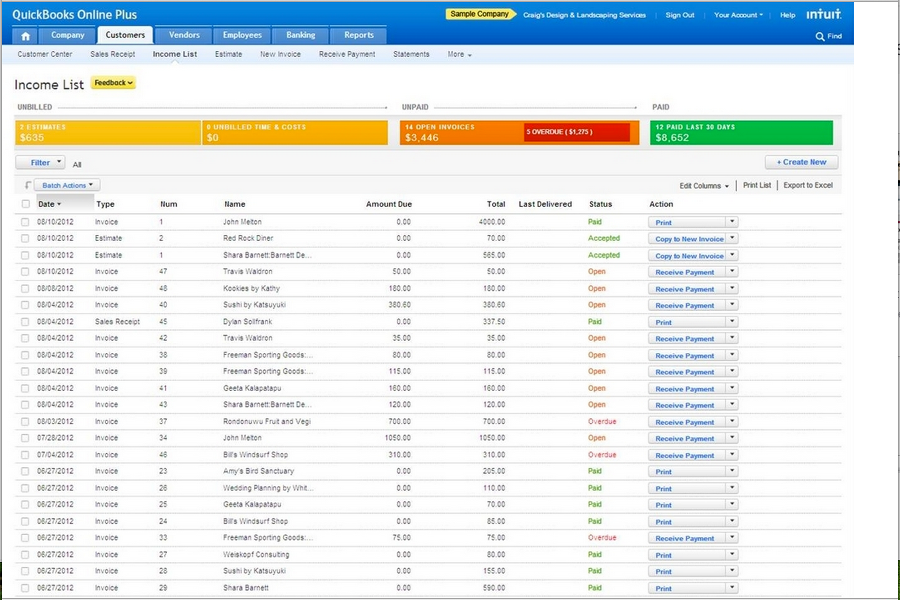
QuickBooks Online
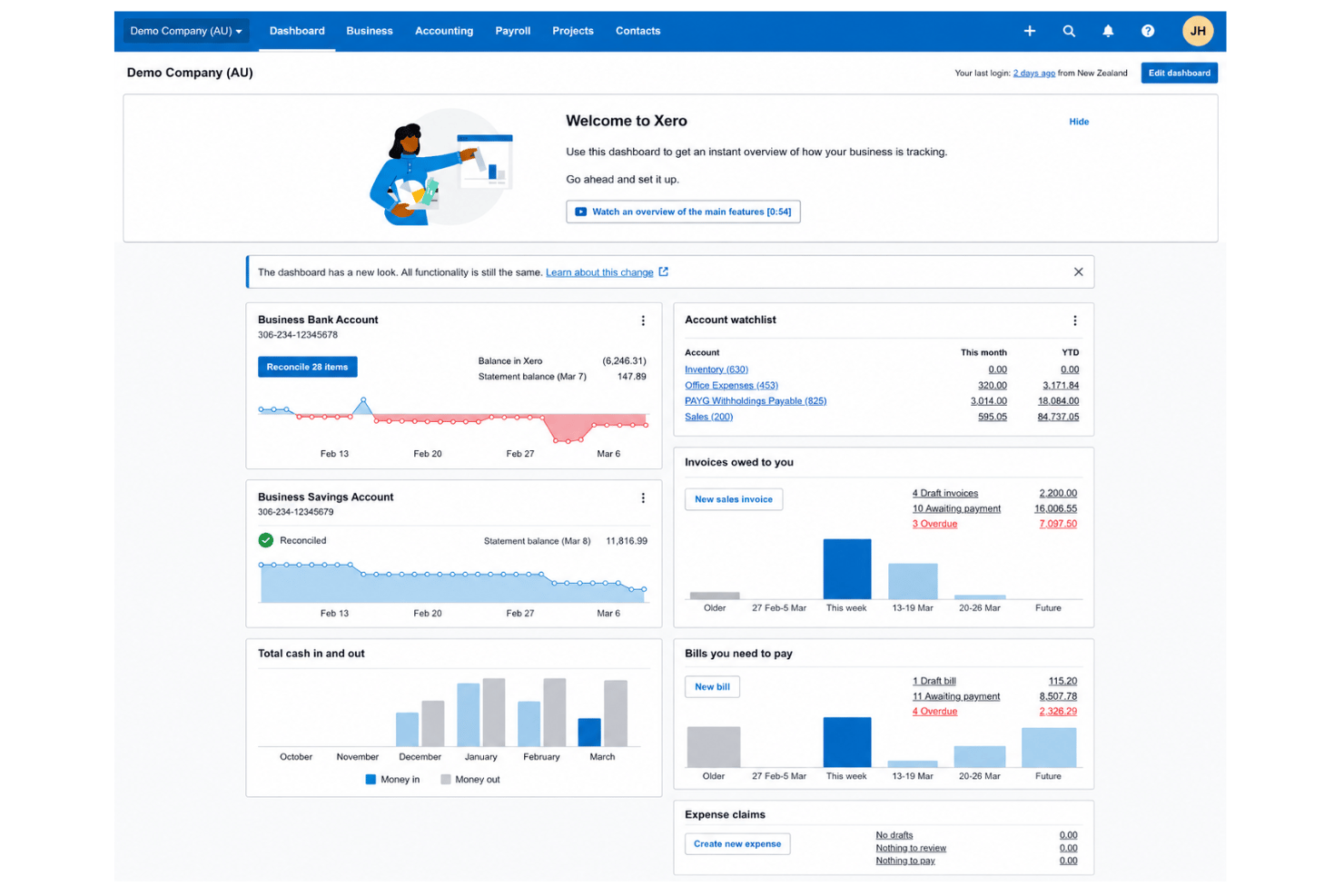
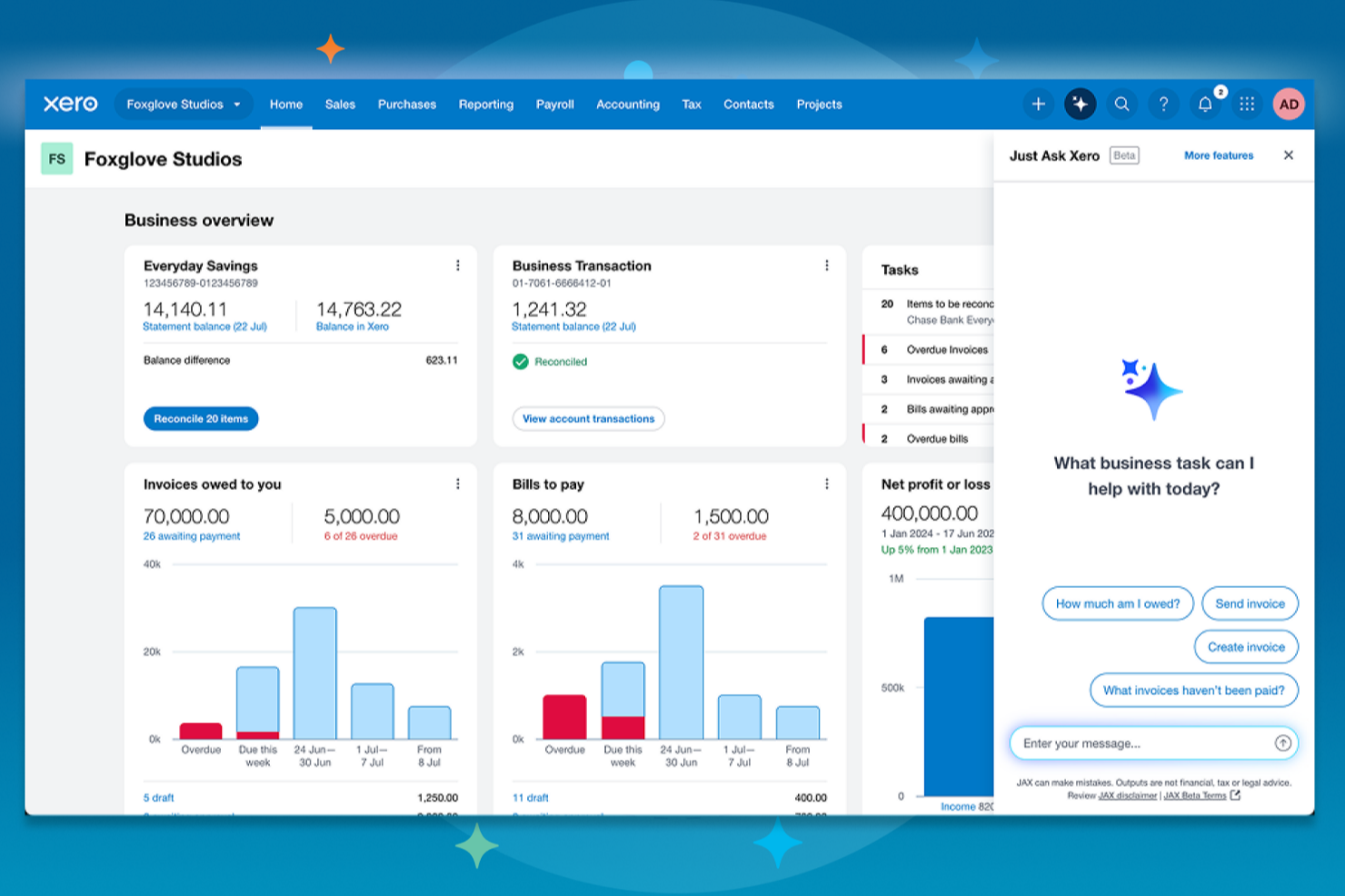
Xero
Perché fidarsi delle nostre recensioni sui software
Il nostro team testa e recensisce software dal 2012. In quanto esperti HR noi stessi, sappiamo quanto sia difficile — e importante — scegliere il software giusto.
Per questa guida, abbiamo valutato gli strumenti attraverso test pratici e ricerche indipendenti, assegnando un punteggio agli strumenti in base ai nostri criteri di selezione. Ci basiamo inoltre sulle competenze di leader di pensiero del settore e di professionisti HR attivi.
Le nostre recensioni riflettono il nostro giudizio editoriale umano, non un discorso di vendita.
Revisori esperti:
QuickBooks Online vs. Xero Pricing Comparison
| QuickBooks Online | Xero | |
|---|---|---|
| Free Trial | Free plan + 30-day free trial available | 30-day free trial |
| Pricing | From $38/month | From $25/month |
Prezzi di QuickBooks Online vs. Xero e Costi Nascosti
QuickBooks Online offre diversi livelli di abbonamento, ognuno dei quali sblocca nuove funzionalità per la contabilità e alcune funzioni essenziali di gestione HR. Le funzionalità di gestione stipendi, monitoraggio delle spese e reportistica avanzata spesso sono disponibili come componenti aggiuntivi, quindi potresti vedere aumentare i costi man mano che il tuo team cresce o cambiano le tue esigenze. Anche Xero utilizza un modello a livelli, con funzioni principali di HR e contabilità incluse, ma servizi come il monitoraggio dei progetti, le paghe o utenti aggiuntivi potrebbero aumentare il costo totale. Entrambi gli strumenti talvolta richiedono un upgrade del piano o un pagamento extra per le integrazioni e l'assistenza avanzata.
Per trovare la soluzione di prezzo migliore, guarda oltre il prezzo base e individua le funzionalità indispensabili: valuta le necessità HR, i report, il numero di utenti, le integrazioni e la crescita futura. Consiglio di stilare una lista delle funzionalità che utilizzerai realmente, quindi stimare il costo reale mensile o annuale aggiungendo questi extra. Questo approccio ti aiuta ad evitare brutte sorprese, offrendoti una panoramica chiara su quale fornitore possa supportare i tuoi piani attuali e futuri senza costi nascosti che spuntano all’improvviso.
QuickBooks Online vs. Xero Feature Comparison
<div class="slate-p slate-selectable" data-slate-node="element" data-block-id="a2RfMiD8jE" data-slate-fragment="JTVCJTdCJTIyY2hpbGRyZW4lMjIlM0ElNUIlN0IlMjJ0ZXh0JTIyJTNBJTIySia QuickBooks Online che Xero offrono fatturazione, gestione dei pagamenti, riconciliazione bancaria, reportistica di base e alcuni strumenti per la gestione delle paghe e del personale. Troverai funzioni HR basilari come la gestione delle assenze e database del personale, oltre a un’integrazione stretta tra i file contabili e HR.
Entrambi forniscono anche fatturazione, pagamenti, riconciliazione bancaria, report essenziali e alcuni strumenti di payroll e gestione dipendenti. Le funzioni HR comprendono anche tracciamento ferie e database dipendenti, con profonda integrazione tra file di contabilità e di HR.
Una cosa specifica di QuickBooks Online sono le sue opzioni di payroll integrate e l’integrazione approfondita con altri prodotti Intuit. Xero si distingue per accesso illimitato agli utenti su ogni piano e strumenti di tracciamento progetti avanzati per gestione lavoro e tempo. Le funzionalità specifiche di ciascuna piattaforma possono fare la differenza, a seconda di cosa è più importante per il tuo team.
| QuickBooks Online | Xero | |
|---|---|---|
| 2-Factor Authentication | ||
| API | ||
| Accounts Payable | ||
| Accounts Receivable | ||
| Balance Sheet | ||
| Billing/Invoicing | ||
| BitCoin | ||
| Budgeting | ||
| CRM Integration | ||
| Calendar Management | ||
| Contact Management | ||
| Customer Management | ||
| Dashboard | ||
| Data Export | ||
| Data Import | ||
| Data Visualization | ||
| Expense Tracking | ||
| External Integrations | ||
| Forecasting | ||
| General Account Ledger | ||
| Inventory Tracking | ||
| Multi-Currency | ||
| Multi-User | ||
| Notifications | ||
| P&L | ||
| PayPal | ||
| Payroll | ||
| SAP Integration | ||
| Stripe | ||
| Supplier Management | ||
| Tax Management |
QuickBooks Online vs. Xero Integrazioni
| Integrazione | QuickBooks Online | Xero |
|---|---|---|
| Shopify | ✅ | ✅ |
| PayPal | ✅ | ✅ |
| BillBjorn | ✅ | ✅ |
| Expensify | ✅ | ✅ |
| Square | ✅ | ✅ |
| HubSpot | ✅ | ✅ |
| Stripe | ✅ | ✅ |
| Deputy | ✅ | ✅ |
| API | ✅ | ✅ |
| Zapier | ✅ | ✅ |
Entrambe le piattaforme sono essenzialmente allo stesso livello per quanto riguarda le integrazioni, con un'ampia copertura tra contabilità, paghe, ecommerce, HR e strumenti per il business in generale. Poiché QuickBooks Online e Xero offrono sia collegamenti tramite Zapier sia API per flussi di lavoro personalizzati, la scelta migliore dipende davvero da come lavora il tuo team ogni giorno e da quale piattaforma si integra più naturalmente con i tuoi processi esistenti.
QuickBooks Online vs. Xero: Sicurezza, Conformità e Affidabilità
| Fattore | QuickBooks Online | Xero |
|---|---|---|
| Crittografia dei dati | Utilizza la crittografia AES256 e TLS per tutti i dati a riposo e RSA per i dati in transito. | Protegge i dati con crittografia TLS sia in transito che a riposo. |
| Conformità normativa | Conforme a PCI DSS, è sottoposto a audit e report SOC ed è certificato ISO 27001. | Conforme a SOC 2 e ISO 27001, conforme a PCI DSS per i pagamenti. |
| Controlli di accesso utente | Offre permessi personalizzabili e accessi basati sui ruoli per tutti gli utenti. | Supporta ruoli utente e impostazioni dettagliate dei permessi. |
| Backup dei dati | Backup automatici giornalieri con protocolli di recupero d'emergenza. | Backup giornalieri dei dati con solide misure di disaster recovery. |
| Affidabilità del servizio | Disponibilità del 99,9% e monitoraggio delle prestazioni costante. | Mantiene alta disponibilità e monitoraggio proattivo su più regioni. |
Sia QuickBooks Online che Xero offrono solide protezioni di sicurezza e conformità, ma QuickBooks Online ha un leggero vantaggio grazie alla sua crittografia più avanzata e a un quadro di sicurezza più ampio. Xero resta comunque una scelta valida per team che necessitano di autorizzazioni utente dettagliate, mentre QuickBooks può essere la soluzione ideale se la protezione dei dati finanziari sensibili è la vostra priorità principale.
QuickBooks Online vs. Xero: Facilità d'Uso
| Fattore | QuickBooks Online | Xero |
|---|---|---|
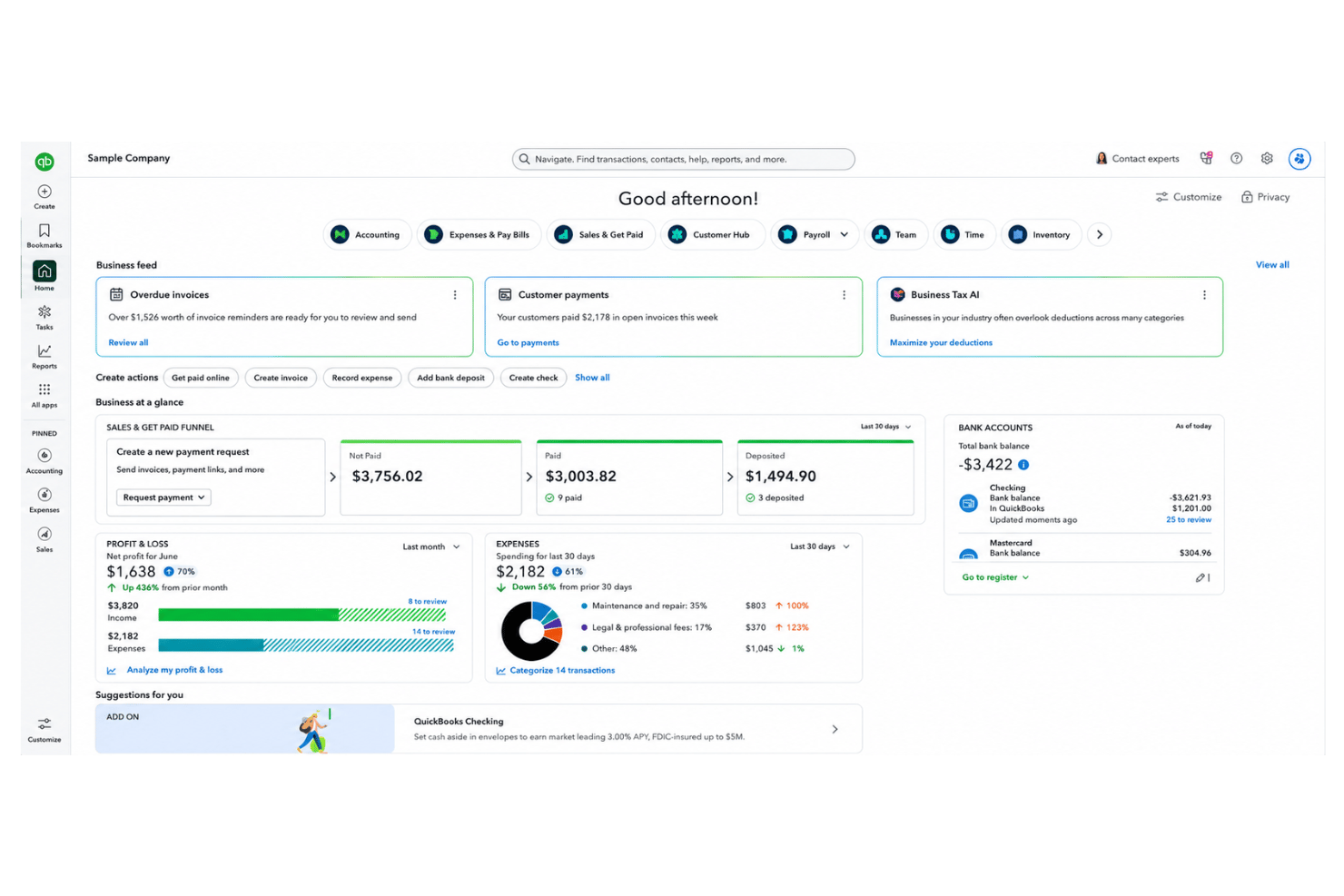
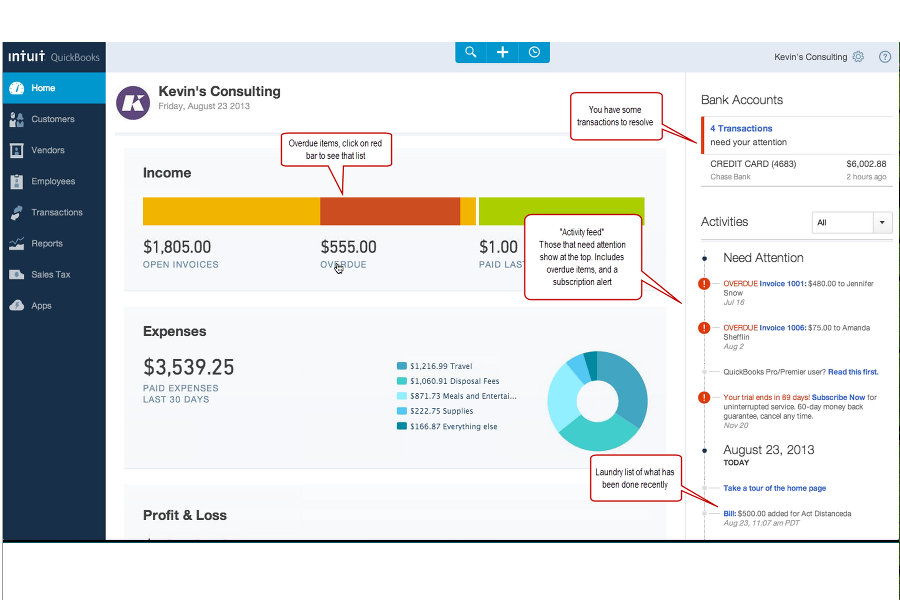
| Interfaccia utente | Design moderno, ma può sembrare affollato per i nuovi utenti con molte funzionalità subito visibili. | Layout pulito e intuitivo con menù minimalista e dashboard visivi. |
| Onboarding | Guide passo a passo e suggerimenti in-app per aiutare i nuovi utenti a iniziare. | Offre una checklist chiara per l'onboarding e ottimi video tutorial. |
| Personalizzazione | Dashboard e report altamente personalizzabili, per supportare esigenze aziendali specifiche. | Configurazione degli account flessibile e facile adattamento dei flussi di lavoro per diversi utenti. |
| Assistenza clienti | Chat dal vivo e supporto telefonico inclusi nella maggior parte dei piani, oltre a un ampio centro assistenza. | Supporto email 24/7, vasta knowledge base online e forum comunitari reattivi. |
| App mobile | App mobile completa per iOS/Android, inclusa fatturazione e acquisizione delle ricevute. | App mobile semplice e affidabile, focalizzata sulle principali attività contabili. |
Xero offre un'esperienza iniziale più fluida e un'interfaccia più pulita, ma QuickBooks Online ti fornisce molto aiuto se vuoi imparare come usarlo a fondo. Penso che Xero sia la scelta più semplice per nuovi team, mentre QuickBooks Online è la soluzione migliore se desideri funzionalità avanzate sempre a portata di mano.
QuickBooks Online vs Xero: Pros & Cons
QuickBooks Online
- Payroll runs and tax filings are automated and accurate
- Dashboards and reports give real-time insight into expenses and payroll
- Employee self-service portal reduces HR admin workload
- Some advanced reporting features are only available with higher-tier plans
- Not ideal for advanced ERP or global organizations
- May require time to learn for new users
Xero
- Payroll and expense management are fully integrated with accounting.
- Automated bank feeds save time on reconciliation tasks.
- Mobile app gives access to core HR features on the go.
- HR reporting options are limited compared to other software.
- Payroll features are not available in all countries.
- Customer support response times can be slow during peak periods.
Best Use Cases for QuickBooks Online and Xero
QuickBooks Online
- Retail Stores Easy inventory tracking and sales management make it simple to keep up with daily operations.
- Professional Services Automated payroll and project profitability tools help agencies and consultancies track client costs and pay staff on time.
- Startups Startups love the fast onboarding, mobile app, and all-in-one dashboards for managing payroll, expenses, and taxes.
- Nonprofit Organizations QuickBooks Online supports grant management and basic fund tracking to simplify nonprofit bookkeeping and reporting.
- Remote Teams The cloud-based platform and mobile access let remote or distributed teams handle payroll and HR tasks from anywhere.
- Bookkeepers Bookkeepers appreciate the straightforward workflows, reporting, and role-based access in QuickBooks Online.
Xero
- Small Retailers Xero’s inventory, POS integrations, and simple invoicing make daily accounting tasks much easier for small retail operations.
- Growing Startups Automated bank feeds, scalable payroll, and advanced reporting let startups manage growth without constantly upgrading platforms.
- Professional Services Consultants and agencies appreciate quick invoicing, easy expense claims, and project tracking tools that pair HR and finance.
- Nonprofits Budget tracking, grant accounting, and multi-user access make Xero approachable for nonprofits with limited financial expertise.
- In-House Accounting Teams Finance teams get real-time insights, streamlined reconciliation, and audit-ready records, which speeds up month-end work.
- Remote Teams Cloud access and mobile tools support distributed teams who need approval workflows and secure access from anywhere.
Chi dovrebbe usare QuickBooks Online e chi dovrebbe usare Xero?
QuickBooks Online è la scelta migliore per le aziende che desiderano funzionalità contabili avanzate, payroll integrato, o che dipendono da integrazioni con altri prodotti Intuit—come commercialisti, contabili o team numerosi con esigenze complesse. Xero è ideale per team in crescita che apprezzano la semplicità, un'interfaccia intuitiva e utenti illimitati, o per chi ha bisogno di una gestione dei flussi di lavoro efficace insieme alla contabilità. Se vuoi strumenti di settore avanzati, QuickBooks Online è in vantaggio, ma per un onboarding semplice e massima flessibilità quotidiana, Xero è difficile da superare. La tua scelta dovrebbe basarsi sulla complessità delle tue esigenze, le dimensioni del team e su quanto dai valore all'esperienza utente rispetto alla quantità di funzionalità.
Differences Between QuickBooks Online and Xero
| QuickBooks Online | Xero | |
|---|---|---|
| Automation Options | Automates invoicing, billing, and expense tracking. | Advanced automation for routine transactions and bank feeds. |
| Interface Style | Information-rich but can feel overwhelming to newcomers. | Minimalist layout that’s easier for teams just starting out. |
| Payroll | Built-in U.S.and Canadian payroll and tax filing available as an add-on. | Payroll is a third-party add-on, not included in all regions. |
| User Limits | User numbers depend on your plan and can be restrictive. | Unlimited users on every plan. |
| Visit QuickBooks OnlineOpens new window | Read Xero ReviewOpens new window |
Similarities Between QuickBooks Online and Xero
| Bank Reconciliation | Each platform automatically imports and reconciles bank transactions, making daily bookkeeping much faster with user guidance. |
|---|---|
| Cloud-Based Access | Both offer 24/7 access from any device, supporting real-time collaboration and mobile work for HR and accounting tasks. |
| Invoicing & Billing | Both provide customizable invoices, recurring billing, and online payment options so your team can manage cash flow with ease on either tool. |
| Security Standards | QuickBooks Online and Xero use strong data encryption, two-factor authentication, and regular backups to keep business data protected. |
| Third-Party Integrations | Both connect to a broad range of external HR, payroll, and business tools—letting users expand features through API and Zapier. |
| Visit QuickBooks OnlineOpens new window Read Xero ReviewOpens new window | |