

Programvare for komplett lønnstjeneste behandler lønn automatisk, håndterer skatteinnrapportering, integrerer frynsegoder og sørger for at arbeidsgivere overholder regelverket. Hvis du leter etter måter å forenkle og avlaste lønnsarbeidet på, trenger du verktøy som dekker HR-teamets spesifikke behov – ikke bare generisk lønnsbehandling. Her finner du HR-fokuserte anbefalinger, praktiske tips for evaluering og en gjennomgang av hva som skiller ledende lønnsprogramvare fra hverandre, slik at du trygt kan velge løsningen som passer best.
Hvorfor du kan stole på våre programvareanbefalinger
6,700+
Reviews
20
Industry experts
16+
Evaluation factors
14
Years reviewing software
Teamet vårt har testet og anmeldt programvare siden 2012. Vi er selv HR-eksperter, så vi vet hvor vanskelig og hvor viktig det er å velge riktig programvare.
I denne guiden har vi vurdert verktøyene gjennom praktisk testing og uavhengig research og gitt dem poeng ut fra våre utvelgelseskriterier. Vi bygger også på innsikt fra ledende eksperter i bransjen og erfarne HR-eksperter.
Anmeldelsene våre bygger på vår egen redaksjonelle vurdering. De er ikke et salgsargument.
Ekspertanmeldere:
- Phil GrayCOO
 Kim BehnkeHR Tech Editor & Analyst
 Josh BarkerPeople Ops Manager

Sammenligningstabell for programvare for komplett lønnstjeneste
Denne sammenligningstabellen oppsummerer prisopplysningene for mine beste utvalgte løsninger for komplett lønnstjeneste.
Score legend (out of 5)
- Excellent4.5–5
- Good4–4.4
- Average3–3.9
- Below average2–2.9
- Poor1–1.9
Sorted by: Default
| Tool | Starting Price | Website | |||||||
|---|---|---|---|---|---|---|---|---|---|
Best for mixed US and global workforces | Not rated | Not rated | 3 | 3 | 3 | 3 | 2 | $29/user/month Free demo available | Website |
Best for CPA access to client tax filings | 3.5 out of 5 | 2 | 4 | 4 | 4 | 3 | 4 | Pricing upon request Free demo available | Website |
Best for a payroll tax penalty guarantee | 3.7 out of 5 | 3 | 4 | 3 | 4 | 4 | 4 | $6/user/month Not available | Website |
Best for payroll across multiple job roles | 3.8 out of 5 | 3 | 4 | 4 | 4 | 4 | 4 | Pricing upon request Free demo available | Website |
Best for accountants managing client payrolls | 3.3 out of 5 | 3 | 4 | 3 | 4 | 4 | 2 | $29 USD/month + $7/employee/month Not available | Website |
Best for human-reviewed AI pay actions | 3.7 out of 5 | 3 | 4 | 3 | 4 | 4 | 4 | Pricing upon request Free demo available | Website |
Best for onboarding and paying first hires | 3.8 out of 5 | 3 | 4 | 4 | 4 | 4 | 4 | $49 USD/month + $6/payroll recipient/month Free trial + free demo available | Book Demo |
Best for accountants managing client payroll | 3.7 out of 5 | 3 | 4 | 4 | 4 | 4 | 3 | Pricing upon request Free demo available | Website |
Best for expert-reviewed provider migration | 3.2 out of 5 | 3 | 3 | 3 | 4 | 3 | 3 | $50 USD/month + $7/employee/month 30-day free trial + Free demo available | Website |
Best for tax penalty protection | 3.5 out of 5 | 2 | 4 | 4 | 4 | 3 | 4 | Pricing upon request Free demo available | Website |


Anmeldelser av programvare for komplett lønnstjeneste
Nedenfor finner du mine detaljerte sammendrag av den beste programvaren for komplett lønnstjeneste som kom med på kortlisten. Anmeldelsene mine gir et detaljert innblikk i funksjonene, de beste bruksområdene og integrasjonene til hver programvare, slik at du kan finne den som passer best for deg.
 Best for mixed US and global workforces
- Free demo available
- From $29/user/month
Visit WebsiteCustomer Rating:4.8/5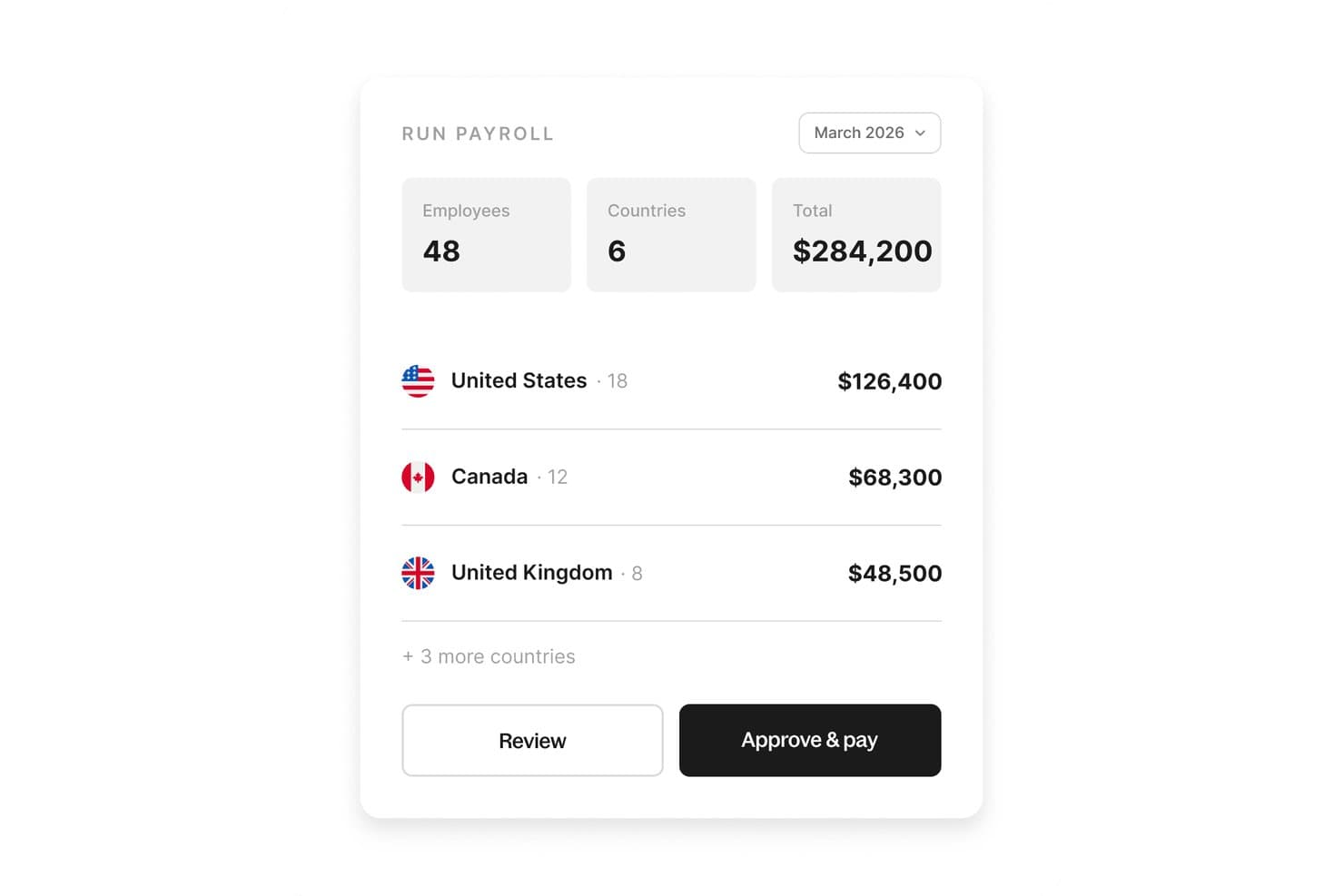
Deel Payroll lets you review and run payroll for multiple countries from a single view. Deel Payroll is a full-service payroll platform that automates payroll runs, tax filing and remittance, and multi-state compliance for both employees and contractors. It supports US and global workforces from a single system.
Who Is Deel Payroll Best For?
Deel Payroll is a good fit for companies managing a mix of domestic and international workers, especially remote-first teams paying employees and contractors across multiple countries.
Why I Picked Deel Payroll
I picked Deel Payroll because it handles US payroll across all 50 states and global payroll in 150+ countries in one system, which makes it a strong option for mixed US and global workforces. You can pay W-2 employees, 1099 contractors, and international workers without switching platforms or reconciling data across tools. Its built-in Compliance Hub also runs checks before each payroll approval, so jurisdiction-specific issues get flagged before they turn into filing errors.
Deel Payroll Key Features
Deel Payroll also gives you flexibility in how payroll gets done and how your people get paid.
- Dual delivery model: Choose self-serve payroll for simple setups or a fully managed option with a dedicated Deel Payroll Manager.
- Contractor payouts: Pay contractors in 120+ currencies through 15+ payout methods, including bank transfer, PayPal, and Wise.
- Benefits administration: Manage health, dental, vision, 401(k), and HSA benefits directly within the payroll platform.
- Employee self-service portal: Employees can view pay stubs, download W-2s, and update withholding and direct deposit details on web or mobile.
Deel Payroll Integrations
Integrations include Workday, SAP SuccessFactors, QuickBooks Online, Xero, NetSuite, Sage Intacct, BambooHR, HiBob, UKG, and Personio.
Pros and Cons
Pros:
- No additional charge for off-cycle payroll
- Offers both self-serve and managed payroll
- Manages US and international payroll together
Cons:
- No native time tracking included
- No tax penalty liability guarantee
Learn more about Deel Payroll: Best for CPA access to client tax filings
- Free demo available
- Pricing upon request
Visit WebsiteCustomer Rating:4.5/5
Netchex lets users review payroll totals and exceptions before submitting. Netchex is a full-service payroll and HR platform that handles payroll processing, automated tax filing, benefits deduction administration, and time and attendance in a single system.
Who Is Netchex Best For?
Netchex is a strong fit for mid-sized companies with 50–5,000 employees that need payroll, HR, and benefits consolidated in one platform—especially if a CPA or accounting partner manages their tax filings.
Why I Picked Netchex
I've included Netchex in my top picks because its dedicated CPA partner portal gives accountants direct, read-only access to client payroll summaries, tax liabilities, and filings without needing to chase anyone down. That alone makes it stand out for firms managing multiple clients' tax compliance. Netchex also files federal, state, local, SUTA, and FUTA taxes across all 50 states for full-service clients, with quarterly reconciliation included.
Netchex Key Features
- FlexPay earned wage access: Lets eligible employees draw up to 50% of wages earned in the current pay period, with standard ACH delivery in one to two business days or an instant transfer option.
- Multi-schedule payroll runs: Supports weekly, biweekly, semimonthly, and monthly pay schedules with one-click payroll runs and multiple payment methods, including direct deposit, pay cards, and printed checks.
- Garnishment management: Calculates garnishment deductions, handles remittance, and generates garnishment reports within the payroll workflow.
- 90+ retirement plan integrations: Syncs 401(k) contributions and eligibility data with more than 90 retirement plan providers through two-way API connections.
Netchex Integrations
Netchex lists 156+ integration partners across nine categories, including QuickBooks, Employee Navigator, Rain, and Transamerica, plus 90+ retirement-plan connections. It also supports API and webhook integrations for custom connectivity.
Pros and Cons
Pros:
- Flexible pay cycles and disbursement methods
- Quarterly tax reconciliation spans all states
- CPAs get read-only tax filing access
Cons:
- Users report withholding and remittance errors
- Tax setup still depends on employer inputs
Learn more about Netchex: Best for a payroll tax penalty guarantee
- Not available
- From $6/user/month
Visit WebsiteCustomer Rating:4.2/5
Square Payroll lets users review and confirm payroll withdrawals before processing. Square Payroll is a full service payroll solution that handles payroll processing, tax filing, contractor payments, and team management for businesses that also use Square's broader ecosystem.
Who Is Square Payroll Best For?
Square Payroll is a natural fit for small businesses already using Square for payments and point-of-sale who want payroll built into the same ecosystem.
Why I Picked Square Payroll
Square Payroll earns its spot on my shortlist because of its payroll tax penalty guarantee, which means Square covers any fines if a tax filing error is on their end. I also like that it automatically files and pays federal, state, and local payroll taxes on your behalf. For businesses already running Square POS, payroll syncs directly with hours tracked and tips processed, so there's no manual data entry between systems.
Square Payroll Key Features
- Contractor payments: Pay contractors alongside employees in the same payroll run, with automated 1099-NEC form generation at year-end.
- Same-day direct deposit: Send employee pay with same-day direct deposit, giving your team faster access to their wages.
- Employee self-service portal: Employees can view pay stubs, download tax forms, and update their personal details directly from their own accounts.
- Team management tools: Built-in scheduling, time tracking, and team communication features let you manage your workforce from within the same platform.
Square Payroll Integrations
Square Payroll has a native integration with QuickBooks Online and connects with Square POS, time tracking, scheduling, and team-management tools.
Pros and Cons
Pros:
- Square POS timecards transfer into payroll
- Automatic federal, state, and local tax filing
- Penalty coverage for Square-caused tax errors
Cons:
- Support response times can lag
- Reporting offers limited customization
Learn more about Square Payroll: Best for payroll across multiple job roles
- Free demo available
- Pricing upon request
Visit WebsiteCustomer Rating:4.4/5
UKG Ready lets users edit and manage employee timesheet entries by day. UKG Ready is a full service payroll solution that handles payroll processing, tax compliance, time tracking, and workforce scheduling across hourly, salaried, and mixed-role employee populations.
Who Is UKG Ready Best For?
UKG Ready is a strong fit for mid-sized businesses that manage a mix of hourly, salaried, and shift-based workers across multiple roles or departments.
Why I Picked UKG Ready
I picked UKG Ready as one of the best because it handles payroll across hourly, salaried, and shift-based workers without forcing you to manage separate systems for each group. I particularly like how it ties time tracking and workforce scheduling directly into payroll, so a retail manager's variable shift hours or a healthcare worker's overtime automatically flows into the pay run. Its role-based pay rules let you configure different earning codes, deductions, and compliance settings per job type.
UKG Ready Key Features
- Automated tax filing: UKG Ready calculates, files, and remits payroll taxes at the federal, state, and local levels on your behalf.
- Employee self-service portal: Employees can access pay stubs, update personal information, and manage direct deposit settings without HR involvement.
- Garnishment management: The platform handles wage garnishment calculations and payments, including child support and creditor orders, within the pay run.
- Benefits deduction integration: UKG Ready syncs benefits enrollment data directly into payroll to apply deductions accurately each pay period.
UKG Ready Integrations
UKG Ready offers a marketplace integration with QuickBooks Online for general ledger transfers and provides APIs for custom integrations.
Pros and Cons
Pros:
- Tax filing covers federal, state, and local levels
- Time and scheduling data feed into payroll
- Payroll supports hourly, salaried, and shift-based roles
Cons:
- Broad workforce scope may exceed simpler payroll needs
- Pay rules require careful setup across job types
Learn more about UKG Ready: Best for accountants managing client payrolls
- Not available
- From $29 USD/month + $7/employee/month
Visit WebsiteCustomer Rating:4.3/5
SurePayroll's dashboard lets users manage and start payroll runs easily. SurePayroll is a full service payroll software designed for small businesses and accounting professionals, covering payroll processing, tax filing, and employee self-service tools.
Who Is SurePayroll Best For?
SurePayroll is a strong fit for accountants and bookkeepers who manage payroll on behalf of multiple small business clients.
Why I Picked SurePayroll
I've included SurePayroll in my top picks because its dedicated accountant portal makes managing multiple client payrolls genuinely practical. The portal lets you switch between client accounts, run payroll on their behalf, and access payroll history without logging in and out repeatedly. I also like that SurePayroll handles tax filing automatically across all client accounts, so quarterly and year-end filings don't pile up into a bottleneck.
SurePayroll Key Features
- Employee self-service portal: Employees can log in to view pay stubs, download tax forms, and update personal information without contacting an administrator.
- Multiple pay schedules: SurePayroll supports weekly, biweekly, semi-monthly, and monthly pay cycles, letting you run different schedules for different employee groups.
- New hire reporting: The platform automatically submits new hire data to the relevant state agency each time you add an employee to payroll.
- Workers' compensation integration: SurePayroll connects with pay-as-you-go workers' compensation plans, so premiums are calculated and deducted based on each actual payroll run.
SurePayroll Integrations
SurePayroll supports integrations with eight accounting platforms, including QuickBooks Online, QuickBooks Desktop, Zoho Books, Xero, AccountEdge, IAC-EZ, Peachtree/Sage 50, and FreshBooks.
Pros and Cons
Pros:
- Employees retrieve pay stubs and tax forms
- Automatic tax filing handles quarterly returns
- Client switching simplifies multi-account payroll administration
Cons:
- Payroll reports may lack detailed transmittal data
- Support response times can delay urgent fixes
Learn more about SurePayroll: Best for human-reviewed AI pay actions
- Free demo available
- Pricing upon request
Customer Rating:4.9/5
Rippling manages multi-country payroll runs from a single dashboard. Rippling is a full service payroll platform that combines automated pay runs, tax filing, compliance management, and AI-assisted pay actions with built-in human review.
Who Is Rippling Best For?
Rippling is a strong fit for fast-growing companies that want AI-driven payroll automation without removing human oversight from the process.
Why I Picked Rippling
Rippling earns its spot on my shortlist because of how it handles AI-suggested pay actions with a mandatory human review layer before anything is processed. I love that payroll admins can see exactly what the AI is recommending—whether that's flagging a compensation change or catching an off-cycle pay discrepancy—and approve or override it before it runs. That kind of built-in check matters when payroll errors carry real compliance consequences.
Rippling Key Features
- Global payroll processing: Run payroll for employees and contractors across multiple countries from a single platform.
- Automated tax filing: Rippling calculates, withholds, and files federal, state, and local payroll taxes automatically.
- Off-cycle pay runs: Initiate ad hoc payroll runs outside the standard pay schedule for bonuses, corrections, or terminations.
- PEO and EOR services: Access employer of record and professional employer organization services directly through Rippling for entities without a local legal presence.
Rippling Integrations
Rippling offers 600+ native integrations, including QuickBooks, Google Workspace, Microsoft 365, Slack, Salesforce, and Zoom. It also provides an API and developer tools for custom integrations.
Pros and Cons
Pros:
- Automated tax calculation and filing reduce admin
- Global payroll covers employees and contractors
- Human-reviewed AI pay actions prevent unchecked changes
Cons:
- Payroll setup can span several product modules
- Support issues can require repeated follow-ups
 Best for onboarding and paying first hires
- Free trial + free demo available
- From $49 USD/month + $6/payroll recipient/month
Customer Rating:4.6/5
Gusto lets users review employee hours, earnings, and PTO in one payroll run. Gusto is a full service payroll software that handles payroll processing, tax filing, benefits administration, and new hire onboarding in one platform.
Who Is Gusto Best For?
Gusto is a great fit for small businesses and startups that are bringing on their first employees and want one place to handle payroll, taxes, and onboarding.
Why I Picked Gusto
Gusto earns its spot on my shortlist because of how well it handles the full arc of bringing on a first hire, from offer letter to first paycheck. I particularly like its onboarding checklists, which let new employees self-onboard by entering their own tax and banking details before day one. Its automated new hire reporting also takes a compliance task off your plate without any extra setup.
Gusto Key Features
- Benefits administration: Gusto lets you manage health insurance, 401(k), and workers' comp plans directly within the platform, alongside payroll.
- Multi-state payroll: The platform automatically calculates and files payroll taxes across multiple states, handling different tax rules per jurisdiction.
- Contractor payments: You can pay both employees and independent contractors through the same system and generate 1099 forms at year-end.
- Time tracking integration: Gusto includes built-in time tracking that syncs directly with payroll, so hours worked flow into each pay run automatically.
Gusto Integrations
Gusto offers integrations with QuickBooks Online, Xero, QuickBooks Desktop, Sage Intacct, and ZipBooks through its marketplace. Its API supports custom app integrations.
Pros and Cons
Pros:
- One workflow pays employees and contractors
- Automated payroll tax calculations and filings
- Employee-led onboarding collects tax and bank details
Cons:
- Priority support requires an upper-tier plan
- Basic plan limits payroll to one state
 Best for accountants managing client payroll
- Free demo available
- Pricing upon request
Visit WebsiteCustomer Rating:4.7/5
ADP Run lets users preview payroll totals before final approval. ADP Run is a full service payroll platform built for accountants and small business payroll processing, covering payroll runs, tax filing, compliance management, and employee self-service tools.
Who Is ADP Run Best For?
ADP Run is a strong fit for accountants and bookkeepers who manage payroll on behalf of multiple small business clients.
Why I Picked ADP Run
ADP Run earns its spot on my shortlist because of how well it's built for accountants running payroll across multiple small business clients from a single platform. I particularly like the multi-client dashboard, which lets you switch between client accounts without logging in and out repeatedly. The automated tax filing and compliance tools also handle federal, state, and local filings on behalf of each client, which cuts down on manual work significantly.
ADP Run Key Features
- Employee self-service portal: Employees can access their pay stubs, W-2s, and personal information directly through a dedicated online portal.
- Garnishment management: ADP Run calculates and processes wage garnishments automatically, including child support and creditor orders.
- New hire reporting: The platform files new hire reports with the appropriate government agencies on your behalf as part of the onboarding process.
- Workers' compensation integration: ADP Run connects with workers' compensation insurance providers to support pay-as-you-go premium calculations based on actual payroll data.
ADP Run Integrations
ADP Run offers built-in integrations with QuickBooks and Xero, plus connected HR apps through ADP Marketplace. It also supports custom integrations through ADP APIs.
Pros and Cons
Pros:
- Employee portal provides pay stubs and W-2s
- Automated federal, state, and local tax filings
- Multi-client dashboard avoids repeated account switching
Cons:
- Support wait times and expertise can vary
- Reporting options offer limited flexibility
Learn more about ADP Run: Best for expert-reviewed provider migration
- 30-day free trial + Free demo available
- From $50 USD/month + $7/employee/month
Visit WebsiteCustomer Rating:4.4/5
QuickBooks Payroll tracks employee pay schedules and total payroll costs. QuickBooks Payroll is a full service payroll solution that handles payroll processing, tax filing, benefits administration, and HR support, with built-in tools for switching from another payroll provider.
Who Is QuickBooks Payroll Best For?
QuickBooks Payroll is a strong fit for small to mid-sized businesses already using QuickBooks accounting that want a guided, expert-reviewed process for switching payroll providers.
Why I Picked QuickBooks Payroll
I've included QuickBooks Payroll in my top picks because its expert-reviewed migration process genuinely reduces the risk of switching providers mid-year. When you move payroll data, QuickBooks assigns a payroll specialist to review your setup and verify that prior payroll history, tax filings, and employee records transfer correctly. I also like that it flags potential errors before your first payroll run, so you're not discovering mistakes on payday.
QuickBooks Payroll Key Features
- Same-day direct deposit: Employees can receive their pay the same day payroll is processed, rather than waiting the standard two-day window.
- Automatic tax calculations and filings: QuickBooks Payroll calculates, files, and pays federal and state payroll taxes on your behalf each pay period.
- Employee self-service portal: Employees can access their pay stubs, W-2s, and personal details directly without needing to contact HR.
- Benefits administration: You can manage health insurance, 401(k) plans, and workers' compensation directly within the platform alongside payroll.
QuickBooks Payroll Integrations
QuickBooks Payroll offers native integration with QuickBooks Time and syncs with QuickBooks Online. QuickBooks Online connects with 800+ business apps, but those broader integrations aren’t necessarily payroll-specific.
Pros and Cons
Pros:
- Same-day direct deposit speeds pay access
- Automated tax filing reduces manual follow-up
- Specialist reviews transferred payroll history
Cons:
- Time-off tracking offers limited flexibility
- Support response times vary by issue
Learn more about QuickBooks Payroll: Best for tax penalty protection
- Free demo available
- Pricing upon request
Visit WebsiteCustomer Rating:4.2/5
Paychex Flex centralizes payroll, HR, and workforce data in one dashboard. Paychex Flex is a full service payroll software that covers payroll processing, tax filing, compliance management, and HR administration, with built-in safeguards designed to catch and correct tax errors before they become penalties.
Who Is Paychex Flex Best For?
Paychex Flex is a strong fit for small to mid-sized businesses that want dedicated payroll support and built-in protection against costly tax filing mistakes.
Why I Picked Paychex Flex
Tax penalty protection is what puts Paychex Flex at the top of my list. It includes a tax penalty guarantee, meaning Paychex takes on the financial responsibility if a filing error occurs on their end. I also like its automated tax filing across federal, state, and local levels, which catches discrepancies before submissions go out. That kind of built-in error prevention is hard to find in a full service payroll solution.
Paychex Flex Key Features
- Self-service employee portal: Employees can access their pay stubs, W-2s, and benefits information directly through the Paychex Flex platform.
- HR and payroll integration: Paychex Flex connects payroll processing with HR functions like onboarding, time tracking, and benefits administration in one platform.
- Retirement plan administration: Paychex offers built-in tools to manage 401(k) and other retirement plans alongside payroll.
- Mobile app access: Managers and employees can run payroll, approve timesheets, and view reports from the Paychex Flex mobile app.
Paychex Flex Integrations
Paychex Flex lists integrations with Intuit QuickBooks, Sage Intacct, Xero, Oracle NetSuite, BambooHR, and Employee Navigator. Its APIs and developer resources support custom connections through the Paychex Marketplace.
Pros and Cons
Pros:
- Payroll connects with onboarding and time tracking
- Automates federal, state, and local filings
- Tax penalty guarantee shifts filing-error liability
Cons:
- Some users report unresolved payroll issues
- Long phone holds delay payroll support
Learn more about Paychex Flex:
Annen programvare for komplett lønnstjeneste
Her er noen flere alternativer for komplett lønnstjeneste som ikke kom med på kortlisten min, men som likevel er verdt å se nærmere på:
- 11PaylocityBest for payroll review before submission
- 12OnPayBest for licensed in-house benefits guidance
- 13BambooHRBest for payroll runs with human review
- 14TriNetBest for contractor payments and 1099-NECs
- 15DayforceBest for pay access between paydays
- 16NamelyBest for specialist-led pay administration
- 17PaycorBest for guided pay moves and parallel runs
- 18Wave PayrollBest for Wave users keeping books in sync
- 19Patriot PayrollBest for changing payroll without per-run fees
- 20Homebase PayrollBest for payroll migration with a project lead
How I Evaluate Full-Service Payroll Software
I split my evaluation into three parts, weighting core tasks most: calculate and pay wages, and file and remit payroll taxes. Next, I look for differentiators such as a tax penalty guarantee. Finally, I consider onboarding, support access, and pricing clarity beyond the feature set.
Core Functionality (Table Stakes For This List)
When I'm selecting tools for my list, I score each one on a scale from 0 (does not offer the functionality) to 5 (excels in this area) for each core functionality listed below. I then convert the total into a percentage to help assess each tool's overall fit, with extra weight on any functionalities I’ve deemed essential.
- Automated Tax Filing (Essential): I assess whether the platform calculates, files, and remits federal, state, and local payroll taxes, including for employees across jurisdictions.
- Payroll Processing (Essential): I check gross-to-net calculations for hourly and salaried staff, varied pay schedules and types, and payment options such as direct deposit or checks.
- Compliance Updates: I look for automatic updates to tax, wage, and labor rules, plus alerts that help HR teams respond to changes affecting payroll.
- New Hire Reporting: I evaluate whether the system reports new hires and rehires to the appropriate agencies, including when employees work in different locations.
- Benefits Deductions: I check how health, retirement, and garnishment deductions enter payroll and whether changes to benefit elections update deduction amounts.
- Year-End Tax Forms: I look for W-2 and 1099 generation and distribution, and check whether the platform supports corrections for employees and contractors.
Once I have a list of tools that meet the criteria, I consider what sets each platform apart.
Differentiating Factors (What Sets Vendors Apart)
Here's how I compare and contrast different vendors:
Standout Features
I look for a tax penalty guarantee, where the vendor covers IRS or state penalties caused by filing errors—this shifts real financial risk off your team. I also evaluate AutoPilot payroll, which lets salaried runs process on schedule without manual approval each cycle. For teams with international contractors, I check whether the platform pays in local currencies alongside domestic workers.
Beyond Features
I check whether live onboarding support and data migration assistance are included, since switching providers mid-year without help risks tax reporting gaps. Pricing structure matters just as much—base fees plus per-employee charges and add-ons for multi-state filing or benefits administration can shift costs fast as headcount grows. I also evaluate support access, because payroll errors are time-sensitive and some vendors limit phone or chat availability to higher-tier plans.
Slik velger du programvare for komplett lønnstjeneste
Valget av riktig programvare for komplett lønnstjeneste avhenger av hvilke utfordringer innen lønn, regelverksetterlevelse og kundestøtte som haster mest for teamet ditt, og hvordan ulike leverandører dekker disse behovene:
| Hvis prioriteten din er ... | Se etter ... |
|---|---|
| Hvis prioriteten din er ...Å eliminere risikoen for lønnsskatt | Se etter ...Avtaler med beskyttelse mot gebyrer ved feil i skatteinnrapporteringen |
| Hvis prioriteten din er ...Å støtte distribuerte team i flere delstater | Se etter ...Automatisert regelverksetterlevelse med raskt oppdaterte skattesatser |
| Hvis prioriteten din er ...Selvbetjening og selvstendighet for ansatte | Se etter ...Ansattportaler med full funksjonalitet og tilgang via mobil |
| Hvis prioriteten din er ...Å integrere frynsegoder med lønn | Se etter ...Innebygde trekk for frynsegoder og administrerte arbeidsflyter for megler |
| Hvis prioriteten din er ...Rask lønnskjøring ved justeringer i siste liten | Se etter ...Alternativer for direkte innskudd samme dag eller neste dag |
Slik vurderer du kortlisten
- Be om en skriftlig garanti for overholdelse av skattereglene: Gå gjennom retningslinjene og bekreft at de dekker alle jurisdiksjoner og årsavslutninger.
- Be om en direktedemonstrasjon av en lønnskjøring i flere delstater: Se hvordan jurisdiksjonsspesifikke skatter beregnes og betales i plattformen.
- Send inn en sak om migrering av historiske data: Dokumenter responstiden og hvor stor del av migreringen leverandøren faktisk håndterer.
- Gjennomfør en lønnstest med både W-2- og 1099-mottakere: Sørg for at systemet faktisk støtter begge deler, med automatiserte betalinger og innrapporteringer.
- Velg mellom garantert leverandøransvar og lavere løpende kostnader: Leverandører på øverste nivå påtar seg mer risiko, men du kan måtte betale mer – avgjør hva som er viktigst for organisasjonen din.
Hva er programvare for komplett lønnstjeneste?
Programvare for komplett lønnshåndtering er plattformer som automatiserer lønnskjøring, håndterer all innsending og innbetaling av lønnsskatt og integrerer oppgaver knyttet til personalgoder og etterlevelse for arbeidsgivere. Disse systemene støtter utbetalinger til både ansatte og oppdragstakere, tilbyr selvbetjeningsportaler der ansatte kan finne lønnsslipper og skattedokumenter, og håndterer kompleksiteten ved lønnskjøring i flere delstater – slik at HR-team kan sørge for etterlevelse og effektivitet på tvers av regioner.
Funksjoner i programvare for komplett lønnshåndtering
Når du velger programvare for komplett lønnshåndtering, bør du se etter følgende viktige funksjoner:
- Automatiserte lønnskjøringer: Angi tilbakevendende lønnsplaner og automatiser lønnsberegninger, med direkte innskudd eller utbetaling med sjekk i hver lønnssyklus.
- Skatteinnsending og -betaling: Plattformen beregner, sender inn og betaler føderal skatt, delstatsskatt og lokal lønnsskatt, mens automatisk skatteinnsending reduserer risikoen for manglende etterlevelse.
- Støtte for lønnskjøring i flere delstater: Kjør lønn på tvers av flere delstater eller jurisdiksjoner, med oppdaterte skattesatser, regler for gjensidighet og lokal etterlevelse innebygd.
- Selvbetjeningsportal for ansatte: Ansatte kan få tilgang til lønnsslipper, laste ned skatteskjemaer og oppdatere opplysninger om direkte innskudd via sin egen sikre innlogging.
- Støtte for W-2- og 1099-utbetalinger: Betal både ansatte og oppdragstakere i ett system, med automatiserte skatteskjemaer og innbetalinger.
- Integrasjon med administrasjon av personalgoder: Synkroniser helseforsikring, 401(k) og yrkesskadeforsikring med lønnssystemet, slik at trekk og bidrag blir automatiske og korrekte.
- Direkte innskudd samme dag eller neste dag: Tilby fremskyndede lønnskjøringer for å håndtere endringer i siste liten eller ansattes akutte behov for likviditet.
- Mobil tilgjengelighet: Gjør det mulig for ansatte og administratorer å kjøre lønn, få tilgang til lønnsinformasjon og håndtere oppgaver hvor som helst ved hjelp av en mobil enhet eller app.
- Integrasjoner for tidsregistrering: Koble direkte til verktøy for tidsregistrering for automatisk import av timedata til lønnsberegninger.
- Lønnsrapportering og analyse: Få tilgang til detaljerte lønnsrapporter, skatteoppsummeringer og analyser av arbeidskraftkostnader for å støtte revisjoner, planlegging og gjennomganger av etterlevelse.
Fordeler med programvare for komplett lønnshåndtering
Implementering av programvare for komplett lønnshåndtering gir flere fordeler for teamet og virksomheten din. Her er noen av fordelene du kan se frem til:
- Færre lønnsfeil: Automatiserte beregninger og skatteinnsending minimerer manuelle feil og reduserer kostbare risikoer knyttet til manglende etterlevelse.
- Tidsbesparelser: Automatisering av lønnskjøringer, innsending og betaling frigjør tid for HR-team til arbeid med større effekt.
- Etterlevelse i flere delstater: Innebygde skatteoppdateringer og håndtering av lokale jurisdiksjoner sørger for at dere oppfyller kravene når dere betaler arbeidstakere på tvers av regioner.
- Enklere håndtering av oppdragstakere: Betal både W-2-ansatte og 1099-oppdragstakere i ett samlet system, med automatiserte skjemaer og innsendelser.
- Bedre opplevelse for ansatte: Selvbetjeningsportaler for ansatte gir teamet umiddelbar tilgang til lønnsslipper, skatteskjemaer og oppdateringer om betalinger.
- Integrert administrasjon av personalgoder: Synkroniser trekk for helseforsikring, 401(k) eller andre goder direkte med hver lønnskjøring.
- Raskere betalingsalternativer: Direkte innskudd samme dag eller neste dag gir større fleksibilitet og hjelper dere med å håndtere lønnsendringer i siste liten.
Kostnader og priser for programvare for komplett lønnshåndtering
Valg av programvare for komplett lønnshåndtering krever en forståelse av de ulike prismodellene og abonnementene som er tilgjengelige. Kostnadene varierer basert på funksjoner, teamstørrelse, tillegg og mer. Tabellen nedenfor oppsummerer vanlige abonnementer, gjennomsnittsprisene deres og typiske funksjoner som er inkludert i løsninger for komplett lønnshåndtering:
Sammenligningstabell for abonnementer for programvare for komplett lønnshåndtering
| Abonnementstype | Gjennomsnittspris | Vanlige funksjoner |
|---|---|---|
| AbonnementstypeGratisabonnement | Gjennomsnittspris$0 | Vanlige funksjonerGrunnleggende lønnsberegninger, begrenset antall ansatte, viktige rapporter og enkelt direkte innskudd. |
| AbonnementstypePersonlig abonnement | Gjennomsnittspris$5-$15/bruker/måned | Vanlige funksjonerAutomatiserte skatteberegninger, lønnskjøring i én delstat, selvbetjening for ansatte og standard kundestøtte. |
| AbonnementstypeForretningsabonnement | Gjennomsnittspris$20-$40/bruker/måned | Vanlige funksjonerStøtte for lønnskjøring i flere delstater, integrasjon med personalgoder, integrasjon med tidsregistrering og innsending av skatteskjemaer ved årets slutt. |
| AbonnementstypeVirksomhetsabonnement | Gjennomsnittspris$40-$70/bruker/måned | Vanlige funksjonerAvanserte verktøy for etterlevelse, tilpassede integrasjoner, dedikert kundeansvarlig, førsteklasses introduksjon og SLA-er. |
Vanlige spørsmål om fullservice-lønnssystemer
Her er noen svar på vanlige spørsmål om fullservice-lønnssystemer:
Hvordan håndterer fullservice-lønnssystemer overholdelse av skattereglene?
Fullservice-lønnssystemer beregner, rapporterer og innbetaler automatisk føderale, statlige og lokale arbeidsgiveravgifter og lønnsskatter for deg. Dette inkluderer årsrapportering av W-2- og 1099-skjemaer, noe som i stor grad reduserer risikoen for oversittede frister eller feil.
Kan disse plattformene støtte både ansatte og oppdragstakere?
Ja, de fleste fullservice-lønnssystemer støtter både W-2-ansatte og 1099-oppdragstakere. Du kan kjøre lønn, betale begge typer medarbeidere og generere de riktige skattedokumentene fra ett system.
Hva slags støtte kan jeg forvente fra en leverandør av fullservice-lønnssystemer?
Du bør kunne forvente tilgang til chat, telefon- og e-poststøtte, ofte med utvidede åpningstider rundt lønnsfrister. Noen leverandører tildeler også en fast kundeansvarlig eller lønnsspesialist, særlig for større team.
Er det mulig å bytte lønnssystem midt i året?
Ja, du kan bytte lønnsleverandør når som helst i løpet av året. De fleste leverandører hjelper med å overføre virksomhetsdata, medarbeideropplysninger og historiske lønnsdata for å sikre en smidig overgang.
Får ansatte tilgang til sine egne lønnsdokumenter?
Ja, ansatte får vanligvis tilgang til en sikker selvbetjeningsportal. Her kan de laste ned lønnsslipper, få tilgang til skattedokumenter og oppdatere personopplysninger eller informasjon om direkte innskudd uten hjelp fra HR.