

10 beste programvarer for ansattinnfasing og fratredelse i 2026

Programvare for introduksjon og avslutning av arbeidsforhold


Programvare for introduksjon og avslutning av arbeidsforhold er en type programvare som hjelper team med å håndtere overganger for ansatte fra start til slutt. Disse verktøyene støtter HR-administrasjonen ved å automatisere oppgaver, følge fremdriften og sikre etterlevelse fra den nyansattes første dag til den siste dagen i arbeidsforholdet. Ved å redusere manuelt arbeid og standardisere prosesser hjelper de organisasjoner med å unngå manglende trinn og skape en enklere og mer enhetlig opplevelse for både ansatte og HR-team. Denne veiledningen hjelper deg med å sammenligne de beste løsningene, forstå hva som skiller dem fra hverandre og finne den løsningen som passer organisasjonens unike behov.
Hvorfor du kan stole på våre programvareanbefalinger
Teamet vårt har testet og anmeldt programvare siden 2012. Vi er selv HR-eksperter, så vi vet hvor vanskelig og hvor viktig det er å velge riktig programvare.
I denne guiden har vi vurdert verktøyene gjennom praktisk testing og uavhengig research og gitt dem poeng ut fra våre utvelgelseskriterier. Vi bygger også på innsikt fra ledende eksperter i bransjen og erfarne HR-eksperter.
Anmeldelsene våre bygger på vår egen redaksjonelle vurdering. De er ikke et salgsargument.
Ekspertanmeldere:
Sammenligningstabell for programvare for introduksjon og avslutning av arbeidsforhold
Denne sammenligningstabellen oppsummerer prisopplysningene for mine beste utvalg av programvare for introduksjon og avslutning av arbeidsforhold:
| Tool | Best For | Trial Info | Price | ||
|---|---|---|---|---|---|
| 1 | Best for global HR compliance management | Free demo available | From $5/employee/month | Website | |
| 2 | Best for customizable, audit-ready onboarding | Free demo available | From $10/user/month | Website | |
| 3 | Best as AI for business | Free demo available | From $8/user/month | Website | |
| 4 | Best for SaaS license management | 14-day free trial | From $2.99/month (billed annually) | Website | |
| 5 | Best for Apple device provisioning | 14-day free trial | From $4/device/month | Website | |
| 6 | Best for large enterprise integrations | Free demo available | Pricing upon request | Website | |
| 7 | Best with granular SaaS access controls | Free demo available | Pricing upon request | Website | |
| 8 | Best for automating complex workflow steps | Free plan available | From $1000/month | Website | |
| 9 | Best with unified HR and IT actions | Free demo available | Pricing upon request | Website | |
| 10 | Best for network-connected SaaS oversight | 14-day free trial | Pricing upon request | Website |

Anmeldelser av programvare for introduksjon og avslutning av arbeidsforhold
Nedenfor finner du mine detaljerte sammendrag av den beste programvaren for introduksjon og avslutning av arbeidsforhold som kom med på listen min. Anmeldelsene mine gir en detaljert gjennomgang av funksjonene, de beste bruksområdene og integrasjonene til hver plattform, slik at du kan finne den som passer best for deg.

Deel HR
Best for global HR compliance management
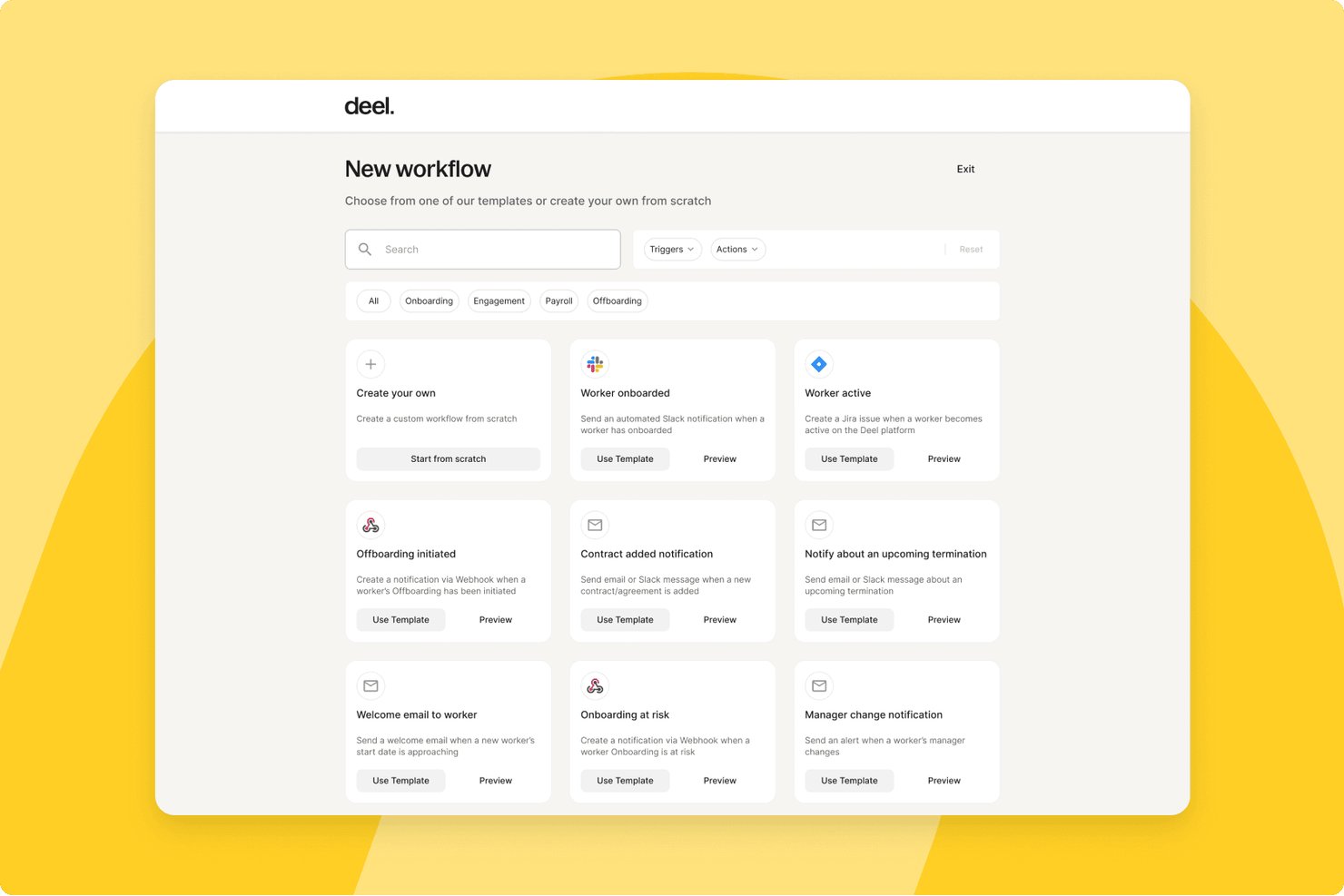
Deel HR is a global people platform that manages the full employee lifecycle, including onboarding, offboarding, document management, access provisioning, payroll, and compliance across 150+ countries.
Who Is Deel HR Best For?
Deel HR is a strong fit for companies managing distributed or international teams who need compliant onboarding and offboarding across multiple countries and jurisdictions.
Why I Picked Deel HR
Deel HR earns its spot on my shortlist because of how it handles compliance-heavy onboarding across multiple countries in a single workflow. I love that localized contracts update automatically when local laws change, so my team isn't manually tracking regulatory shifts across 10+ jurisdictions. The guided onboarding flow collects country-specific tax forms, employment agreements, and documents in one place, with built-in compliance rules applied based on each worker's location and contract type.
Deel HR Key Features
- Automated device provisioning: Orders and ships laptops and work-from-home gear to new hires in 130+ countries.
- Google Workspace integration: Creates accounts and assigns app access for employees as part of onboarding.
- Localized compliance workflows: Applies country-specific fields and document requirements for remote and in-country hires.
- Centralized document management: Stores contracts, policy acknowledgements, and compliance forms with access controls.
Deel HR Integrations
Deel HR offers integrations with QuickBooks, Xero, BambooHR, Expensify, NetSuite, Sage Intacct, Greenhouse, Workday, SAP, and ADP, among others available through its app store. It also connects with Zapier and provides an API for custom integrations.
Pros and Cons
Pros:
- Country-specific onboarding workflows built in natively
- Onboards contractors and employees in one platform
- Automated compliance updates across 150+ countries
Cons:
- Can be complex for single-country teams
- Offboarding tools less developed than onboarding features
New Product Updates from Deel HR

Deel Expands Stablecoin Wallet to 80+ Countries
Deel expands its Stablecoin Wallet to 80+ countries with dollar-backed balances and optional rewards. This gives eligible contractors more ways to hold and manage earnings inside Deel. For more information, visit Deel’s official site.
 .
.
BambooHR
Best for customizable, audit-ready onboarding
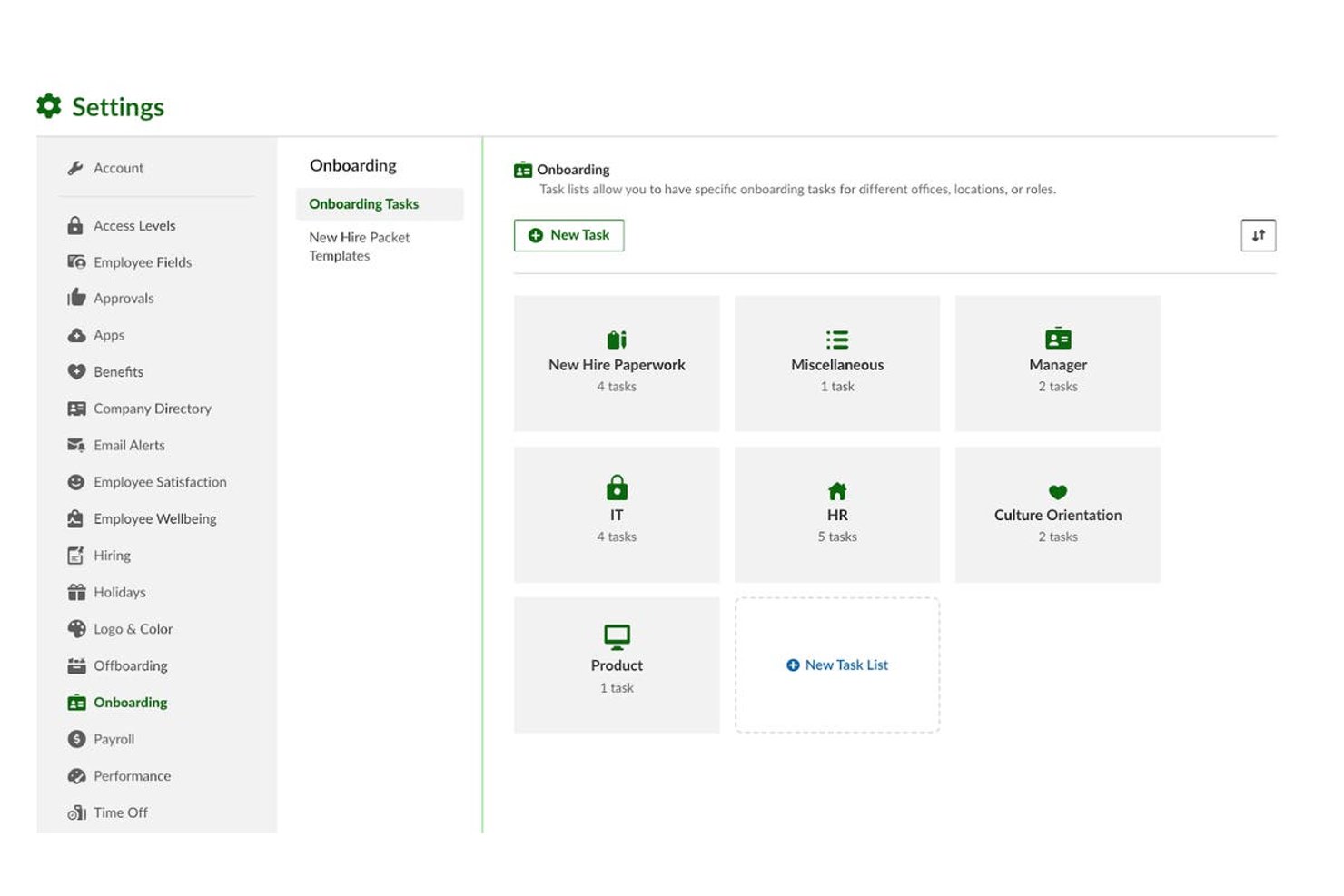
BambooHR is an HR platform for mid-market teams that centralizes employee lifecycle management, with dedicated onboarding and offboarding workflows, e-signatures, compliance tracking, and an integrated ATS.
Who Is BambooHR Best For?
It's a strong fit for HR operations managers at growing companies in the 50–1,000 employee range who need structured, compliant onboarding without heavy IT involvement.
Why I Picked BambooHR
I picked BambooHR as one of the best because its compliance infrastructure is genuinely built into onboarding, not bolted on. I-9 verification runs automatically through Mitratech, and VirgilHR flags regulatory gaps before they become audit issues. New hire packets are fully customizable, so I can tailor signature workflows, policy acknowledgements, and role-specific forms without rebuilding them from scratch each time.
BambooHR Key Features
- New hire engagement portal: Personalized portal delivers welcome content, introductions, and pre-start checklists to new hires.
- Self-service mobile app: Employees can complete onboarding and offboarding tasks, upload documents, and track progress from their phone.
- Structured review cycles: Built-in tools let managers schedule milestone check-ins and feedback loops for new hires.
- Knowledge transfer tracking: Offboarding workflows include dedicated tools for documenting responsibilities and reassigning project ownership.
BambooHR Integrations
BambooHR offers 150+ native integrations, including Checkr, Remote, Slack, Cronofy, Zendesk, Paychex, QuickBooks, Microsoft 365, Google Workspace, Risotto, and more. An API is available for custom integrations.
Pros and Cons
Pros:
- Built-in 30/60/90 check-ins for ramp tracking
- Preboarding portal engages new hires early
- Customizable onboarding checklists by role or department
Cons:
- Advanced report customization requires extra configuration
- Offboarding tools less developed than onboarding
New Product Updates from BambooHR

BambooHR Improves Time Off Importer
BambooHR redesigns its Time Off Importer with automatic column mapping suggestions, full-file previews, and clearer import results. These updates help teams review bulk time off changes before import and resolve errors more easily. For more information, visit BambooHR’s official site.
 .
.
Best as AI for business
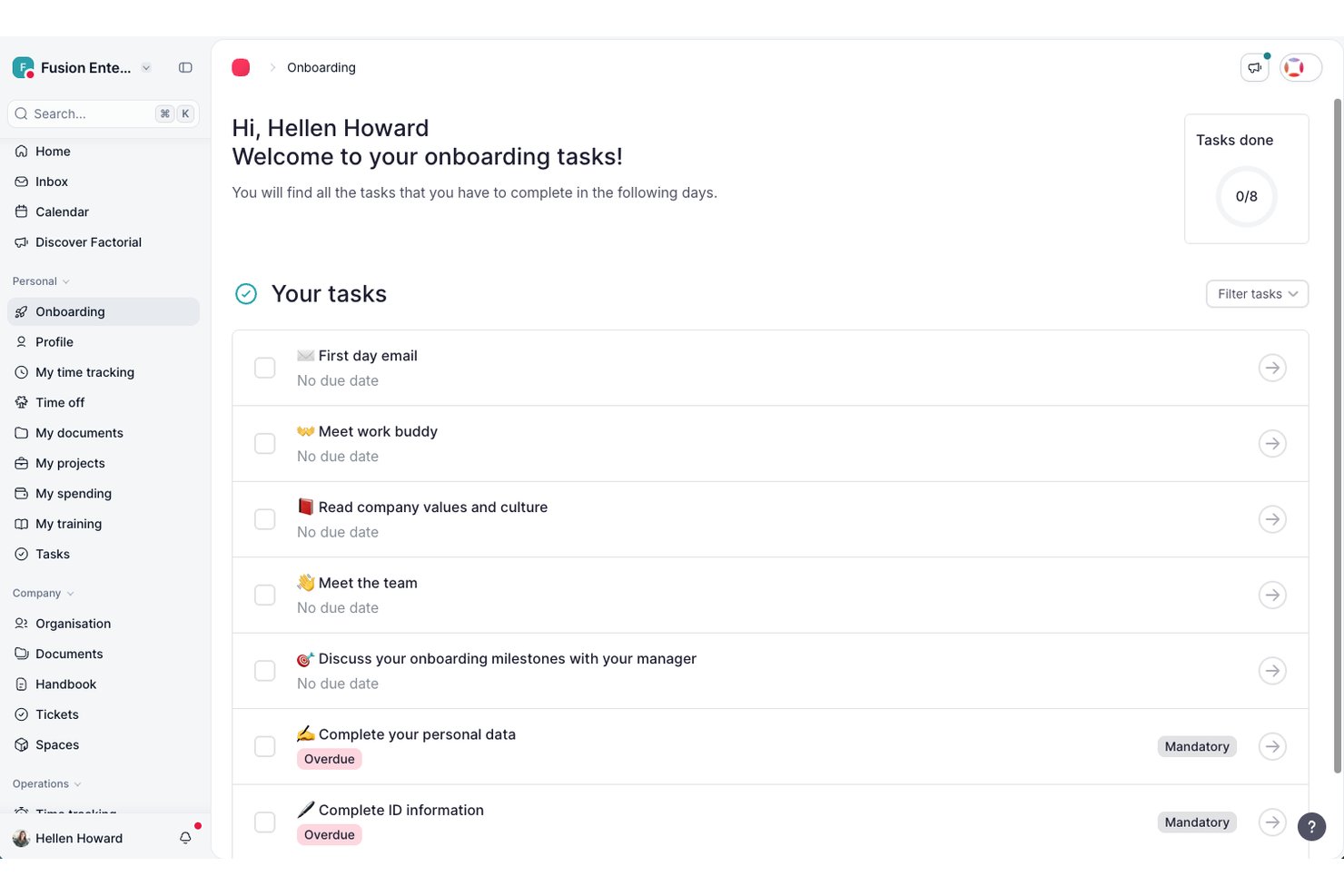
Factorial is an AI-powered onboarding and offboarding platform that centralizes employee workflows, document collection, legal e-signature, task assignment, and access provisioning across HR, IT, and management.
Who Is Factorial Best For?
Factorial is a strong fit for HR generalists and people ops teams who want a single AI-powered platform to manage employee workflows, documents, and day-to-day HR operations without juggling multiple tools.
Why I Picked Factorial
I've included Factorial in my top picks because its AI for business positioning goes well beyond a typical HR platform, with Factorial One actively tracking onboarding progress across all new hires so you're not manually checking in on each person. I also like that its AI can answer employee questions about policies and generate reports on the fly, cutting down the back-and-forth that usually clogs up HR inboxes during busy onboarding periods. The Welcome Space lets future employees complete paperwork and access key documents before day one, which means their first week can actually start productively.
Factorial Key Features
- Welcome Space preboarding: Future employees can access documents, complete personal details, and finish admin tasks before their official start date.
- Legal e-signature via Signaturit: Employees can sign contracts and documents from any device, including mobile, with legally valid e-signatures.
- SaaS Management provisioning: Connecting Google Workspace or Microsoft Entra ID automates account creation, updates, and suspension during onboarding and offboarding.
- Mobile onboarding task space: New hires have a dedicated in-app space to view and complete their onboarding tasks directly from their smartphone.
Factorial Integrations
Factorial offers marketplace integrations with Google Workspace, Microsoft Azure, Okta, and Recruitee, plus public API access, webhooks, SDKs, API keys, and OAuth 2.0. It also supports Zapier.
Pros and Cons
Pros:
- Centralized documents simplify contract access and signing
- Employee self-service cuts routine HR emails
- Onboarding workflows help standardize store training
Cons:
- Limited reporting obscures onboarding bottlenecks
- Integration gaps can leave candidate data manual
Best for SaaS license management
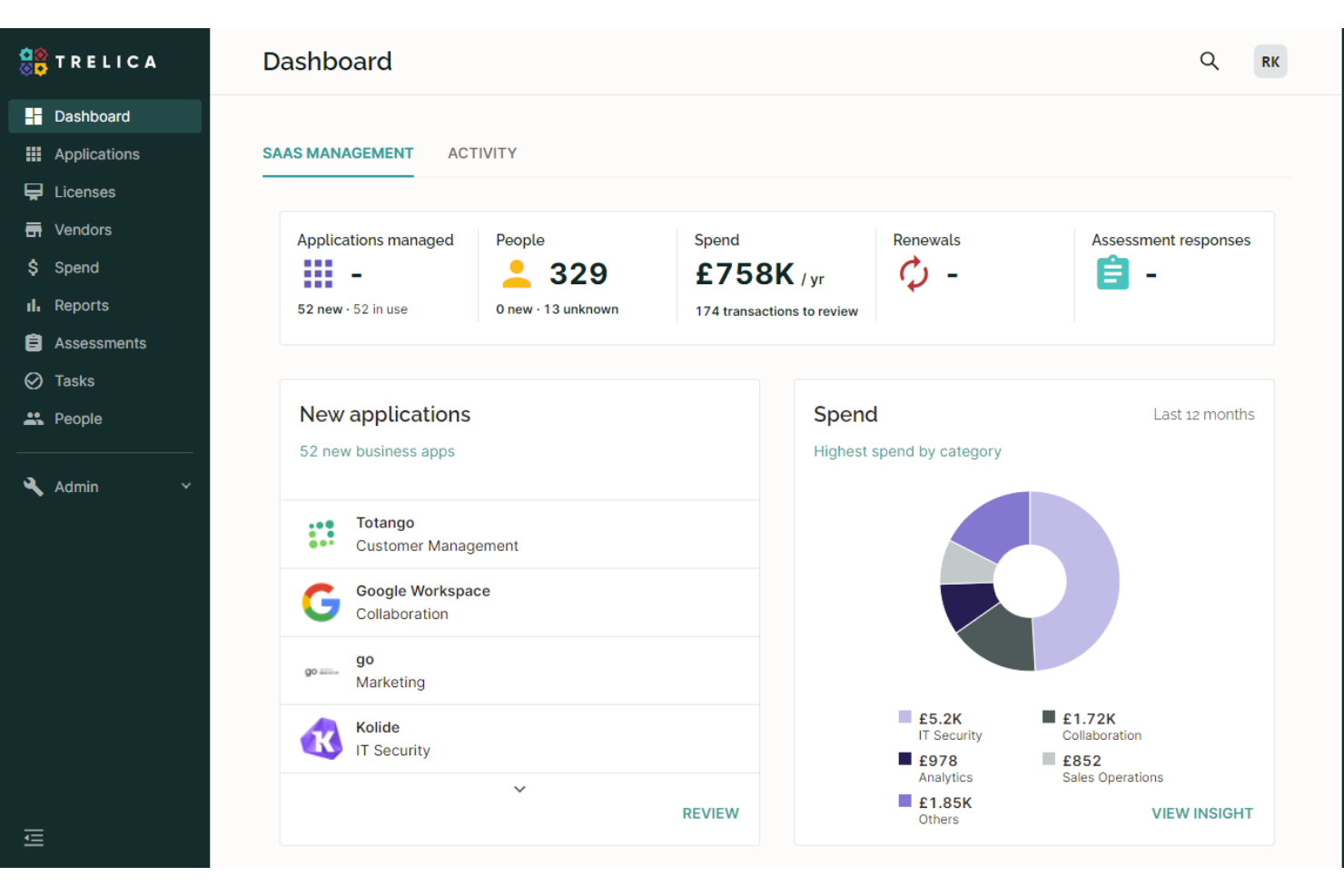
1Password is a SaaS management platform designed for IT and operations teams who need to automate onboarding and offboarding while gaining visibility into app usage and access across their organization.
Who Is 1Password Best For?
IT teams at mid-sized and large organizations managing SaaS access and licenses across multiple departments.
Why I Picked 1Password
I picked 1Password as one of the best because I can track SaaS license usage and automate onboarding and offboarding tasks from a single dashboard. I like that 1Password lets me reclaim unused licenses during offboarding, which helps control costs. My team uses its workflow automation to ensure every app assignment and removal is logged and auditable.
1Password Key Features
- Automated app discovery: Identifies all SaaS applications in use across your organization.
- Custom onboarding checklists: Lets you build step-by-step onboarding tasks for new hires.
- Access review workflows: Schedules and manages periodic access reviews for compliance.
- Integration with HRIS systems: Syncs employee data to trigger onboarding and offboarding actions.
1Password Integrations
1Password offers native integrations with Google Workspace, Okta, Microsoft 365, Slack, BambooHR, Workday, Salesforce, Jira, Zendesk, and Zapier. An API is also available for custom integrations.
Pros and Cons
Pros:
- Offers centralized visibility into SaaS app usage
- Provides audit trails for compliance reporting
- Tracks license usage and reclaims unused seats
Cons:
- Incomplete support for locally hosted legacy apps
- Limited customization of offboarding workflows
Jamf
Best for Apple device provisioning
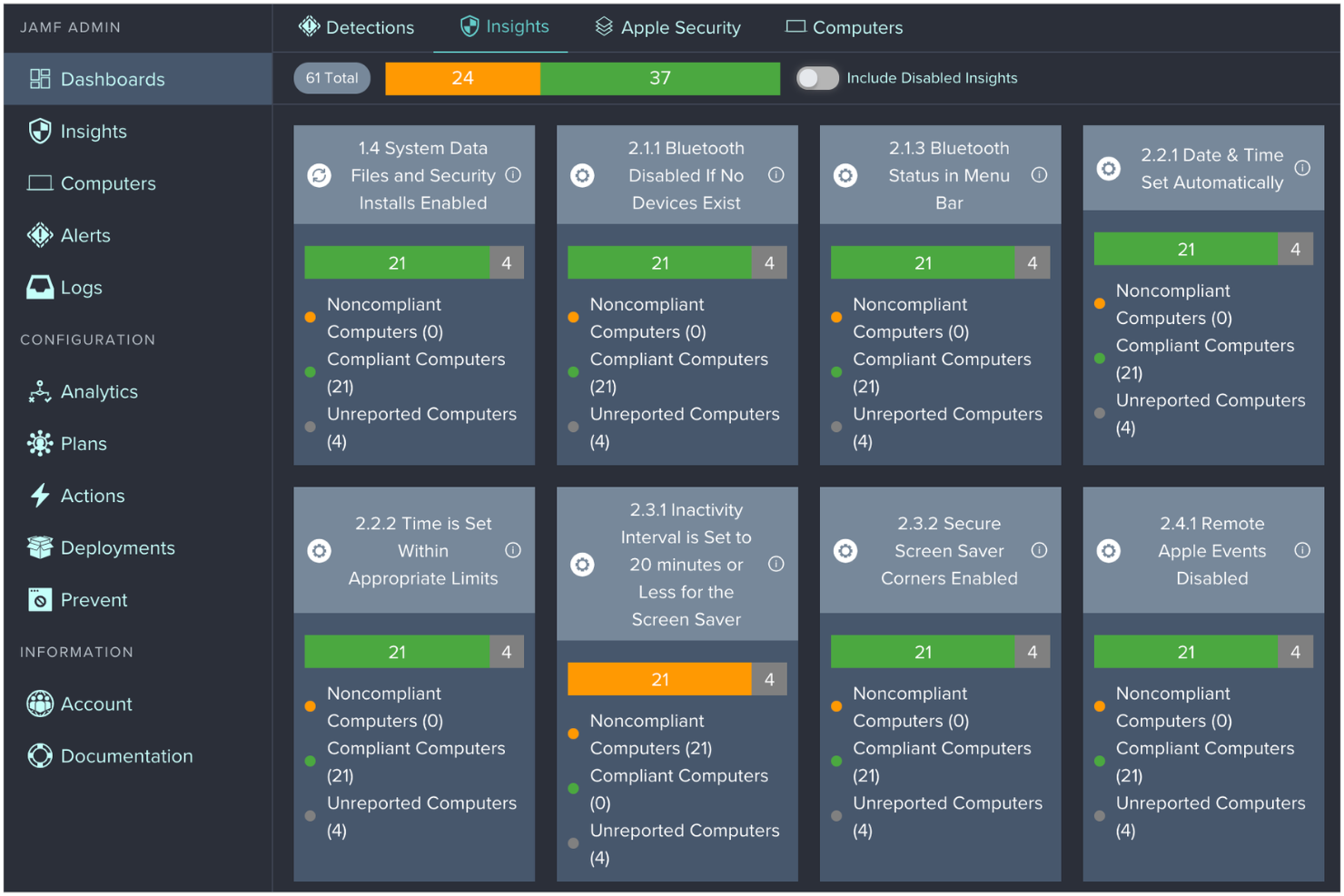
Jamf is a device management platform designed for IT teams in organizations that deploy, onboard, and offboard Apple devices, helping automate setup, security, and compliance for Macs, iPhones, and iPads.
Who Is Jamf Best For?
IT administrators in education, healthcare, and enterprise organizations managing large fleets of Apple devices.
Why I Picked Jamf
I picked Jamf as one of the best because I can automate Apple device provisioning for new hires and remotely wipe or reassign devices during offboarding. I like that Jamf integrates with Apple Business Manager, so my team can zero-touch deploy Macs and iPads right out of the box. I also use Jamf’s security and compliance controls to enforce company policies during onboarding and offboarding.
Jamf Key Features
- Self-Service app: Lets employees install approved apps and resources on their own devices.
- Remote lock and unlock: Allows IT to secure or unlock devices during offboarding or emergencies.
- Inventory management: Tracks device status, ownership, and assignment across the organization.
- Automated software updates: Schedules and pushes OS and app updates to Apple devices.
Jamf Integrations
Jamf offers native integrations with Apple Business Manager, Microsoft Azure Active Directory, Google Workspace, and Okta. An API is also available for custom integrations.
Pros and Cons
Pros:
- Offers granular device inventory tracking
- Supports remote device lock and wipe
- Automates zero-touch Apple device setup
Cons:
- No built-in onboarding task management
- Limited to Apple device environments only

Workday
Best for large enterprise integrations
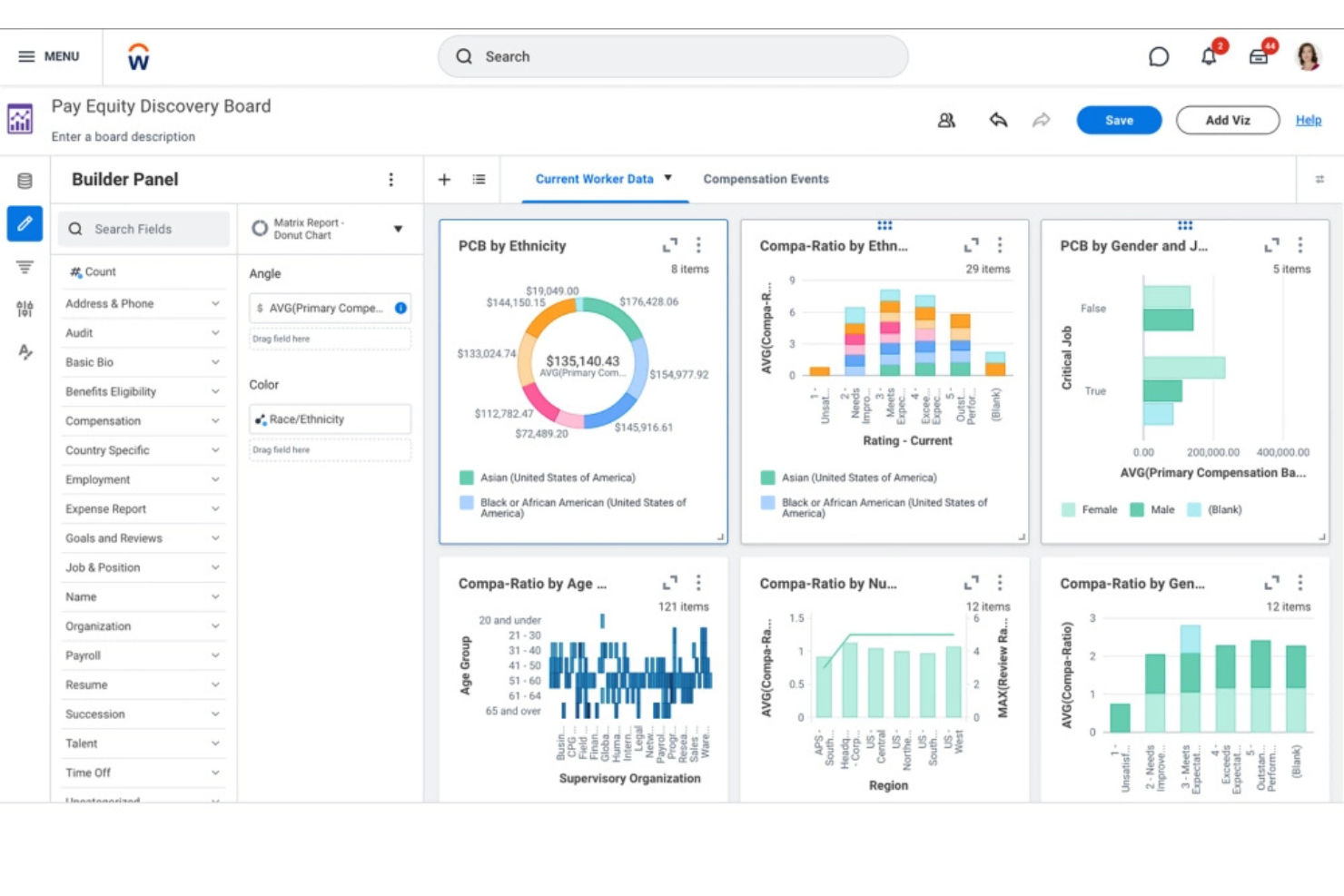
Workday is a cloud-based HR platform used by large enterprises to automate onboarding and offboarding, manage employee data, and coordinate complex workforce processes across global teams.
Who Is Workday Best For?
HR and IT teams at global enterprises managing complex onboarding and offboarding workflows.
Why I Picked Workday
I picked Workday as one of the best because I can automate onboarding and offboarding at scale for global teams, with workflows that connect HR, IT, and finance. I like that Workday’s integration framework lets my team sync employee data across multiple enterprise systems. In practice, that means we can trigger provisioning and deprovisioning tasks automatically as people join or leave, even in highly regulated industries.
Workday Key Features
- Task management dashboard: Tracks onboarding and offboarding tasks for each employee.
- Document management: Stores, shares, and manages employee documents securely.
- Role-based access controls: Assign permissions based on job roles and responsibilities.
- Automated notifications: Send alerts and reminders for key onboarding and offboarding steps.
Workday Integrations
Workday offers native integrations with ServiceNow, Salesforce, Okta, ADP, SAP, DocuSign, Greenhouse, LinkedIn, Slack, and native integrations across the Microsoft ecosystem, including Microsoft 365 and Azure. An API is also available for custom integrations.
Pros and Cons
Pros:
- Tracks onboarding progress with real-time dashboards
- Handles complex, global onboarding requirements
- Automates compliance tasks and document collection
Cons:
- Limited flexibility for mid-market organizations’ needs
- System updates may disrupt custom integrations

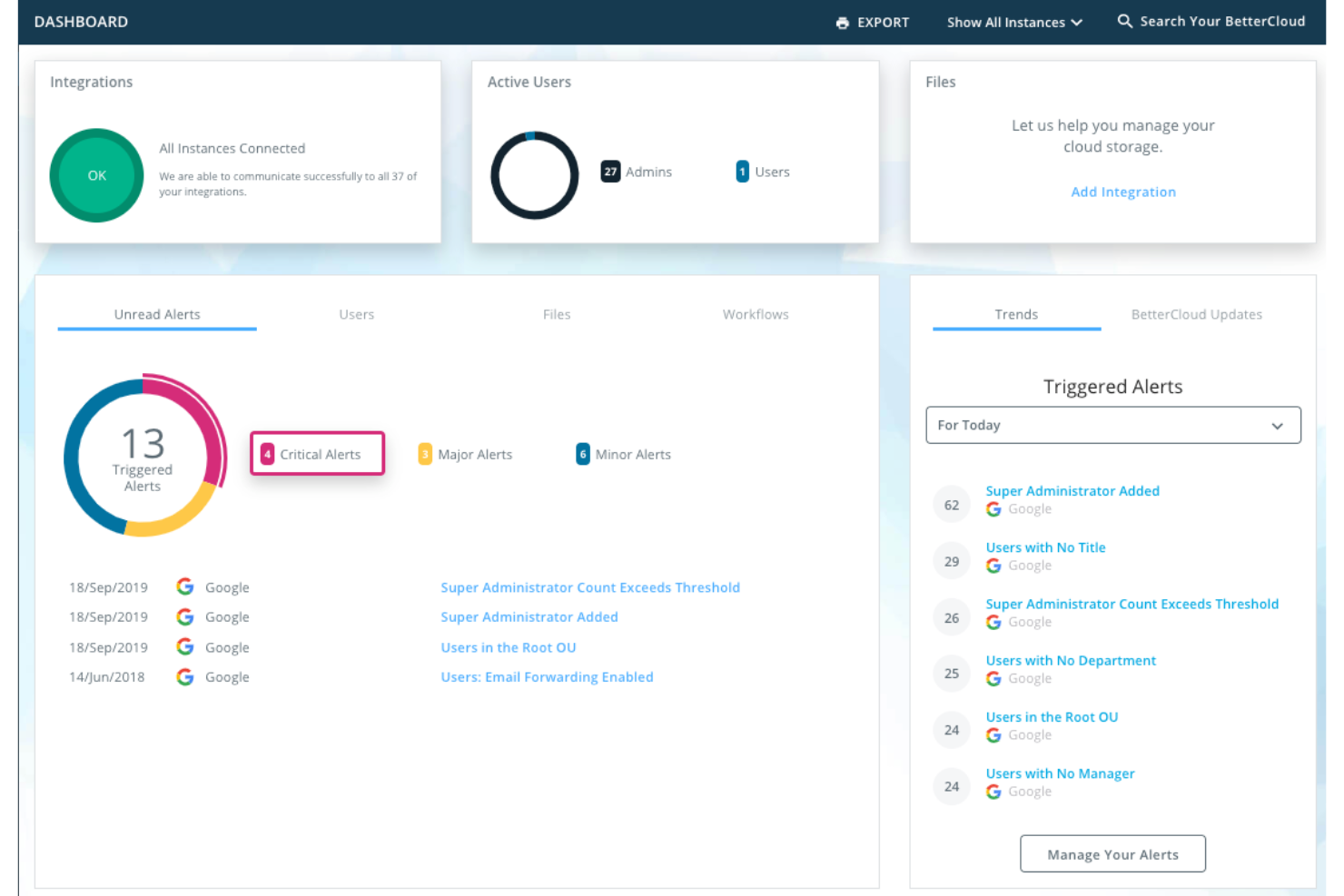
BetterCloud is a SaaS management platform built for IT and security teams at mid-sized and large organizations who need to automate onboarding, offboarding, and enforce security policies across multiple cloud applications.
Who Is BetterCloud Best For?
IT and security teams at mid-sized to large organizations managing multiple SaaS applications.
Why I Picked BetterCloud
I picked BetterCloud as one of the best because I can set up highly granular SaaS access controls for onboarding and offboarding, down to individual user permissions and app-specific policies. I like that I can automate deprovisioning steps across dozens of SaaS tools, ensuring no access is left behind. My team uses BetterCloud’s policy engine to enforce security standards and trigger alerts if offboarding steps aren’t completed as required.
BetterCloud Key Features
- Workflow builder: Create automated onboarding and offboarding workflows with drag-and-drop actions.
- Audit logs: Track every change and action taken during user lifecycle events.
- Prebuilt SaaS connectors: Connect directly to popular cloud apps for user provisioning and data management.
- Role-based access controls: Assign permissions to admins and managers based on job function.
BetterCloud Integrations
BetterCloud offers 100+ native integrations, including Google Workspace, Okta, Slack, Dropbox, and Zapier. An API is available for custom integrations.
Pros and Cons
Pros:
- Enables custom workflow creation for IT teams
- Tracks and audits all user lifecycle actions
- Automates onboarding and offboarding across SaaS apps
Cons:
- Requires technical setup for advanced automations
- No mobile app for workflow management
Best for automating complex workflow steps
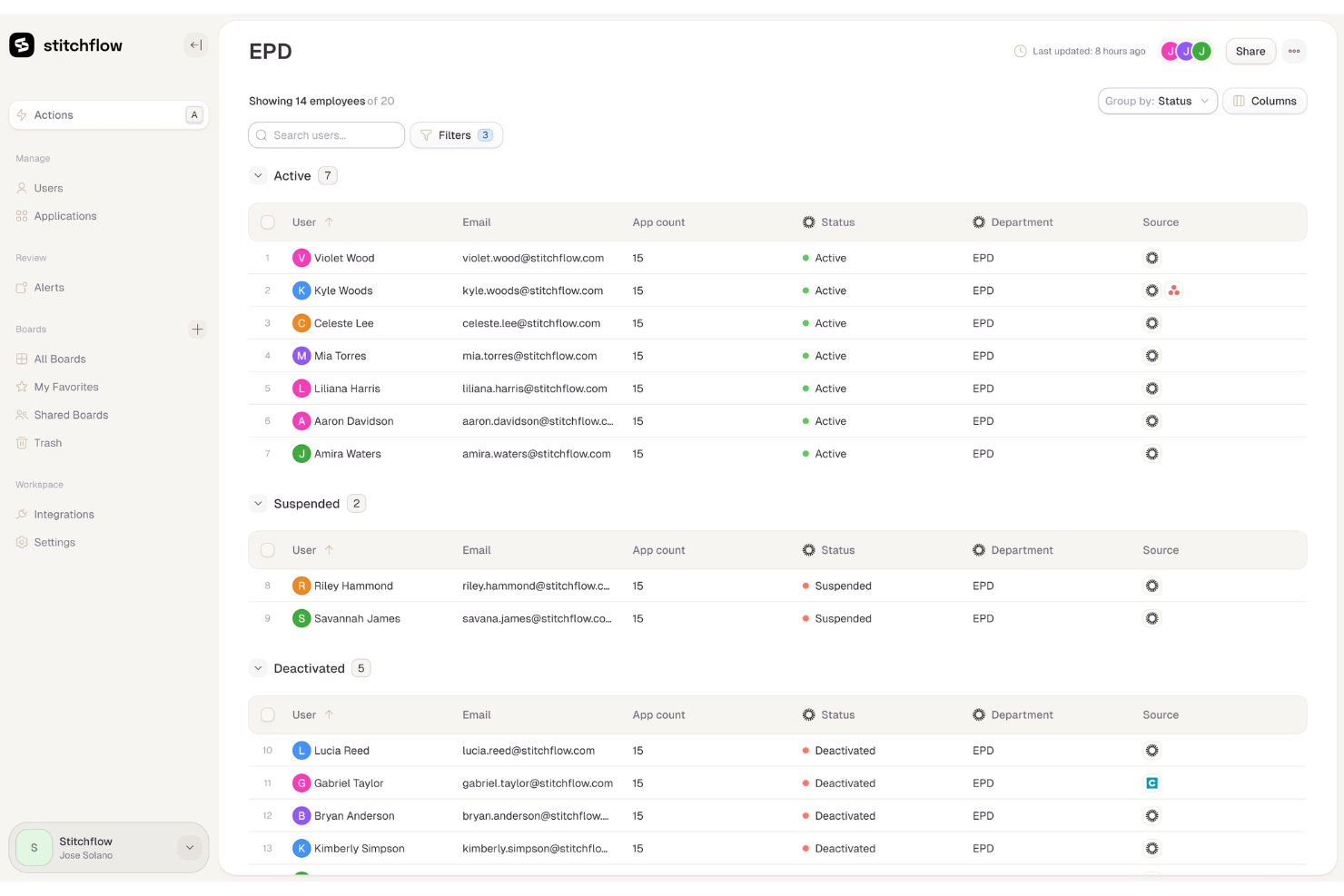
Stitchflow is designed for HR teams and operations leaders who need to coordinate complex onboarding and offboarding processes across multiple departments and systems.
Who Is Stitchflow Best For?
Large organizations or fast-growing companies with complex, multi-step onboarding and offboarding requirements across teams.
Why I Picked Stitchflow
I picked Stitchflow as one of the best because it lets me automate multi-step onboarding and offboarding workflows that involve several departments and approvals. I like how I can build conditional logic into each workflow, so tasks trigger only when certain criteria are met. My team uses Stitchflow to coordinate IT, HR, and facilities handoffs without missing a step.
Stitchflow Key Features
- Task assignment: Assign onboarding and offboarding tasks to specific users or teams.
- Progress tracking dashboard: Monitor the status of every workflow step in real time.
- Document management: Store, share, and request required documents within each workflow.
- Automated notifications: Send reminders and alerts to stakeholders as tasks become due.
Stitchflow Integrations
Stitchflow offers 60+ native API integrations with tools like Okta, Jira, Slack, and connects to additional apps using a local browser agent for platforms without management APIs. An API is also available for custom integrations.
Pros and Cons
Pros:
- Offers granular task assignment and tracking
- Supports automated IT provisioning and deprovisioning
- Handles multi-department onboarding with conditional logic
Cons:
- Lacks built-in employee feedback collection
- Limited prebuilt templates for onboarding flows

Rippling
Best with unified HR and IT actions
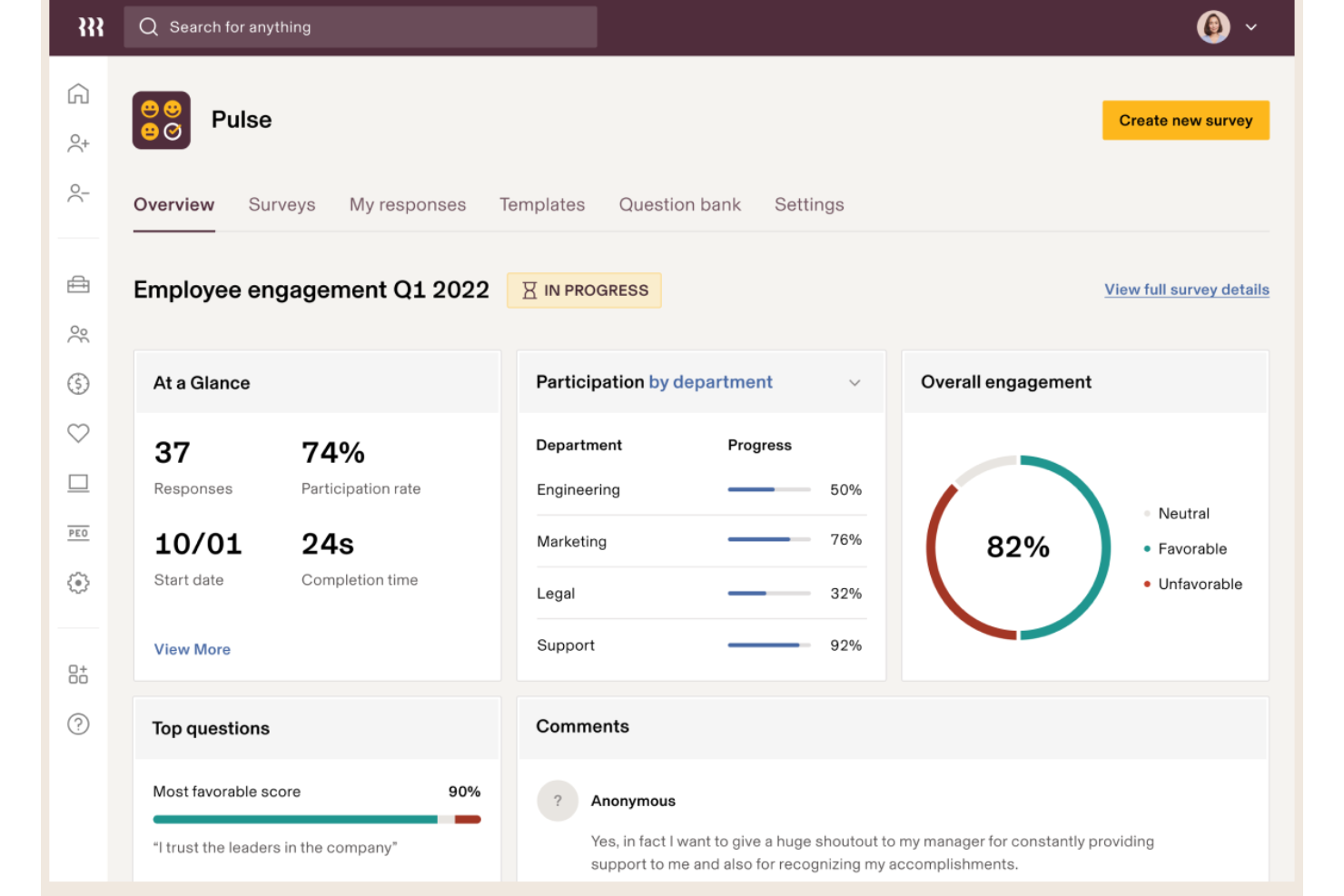
Rippling is an all-in-one workforce platform for HR, IT, and finance teams that automates onboarding, offboarding, payroll, benefits, and device management for businesses of all sizes.
Who Is Rippling Best For?
HR and IT teams at growing companies that need to manage people, payroll, and devices from a single platform.
Why I Picked Rippling
I picked Rippling as one of the best because I can kick off onboarding and offboarding workflows that update HR records, provision or deprovision software, and manage device access—all from one place. I like that I can automate IT actions like laptop assignment and app access alongside HR tasks such as payroll and benefits enrollment. In practice, that means my team can handle everything from employee background checks to disabling accounts in a single workflow.
Rippling Key Features
- Document management: Store, share, and collect e-signatures on onboarding and offboarding documents.
- Custom workflow builder: Design automated onboarding and offboarding workflows tailored to your processes.
- Role-based permissions: Control access to sensitive data and tasks based on user roles.
- Compliance tracking: Monitor and manage compliance requirements for new hires and departing employees.
Rippling Integrations
Rippling offers 600+ native integrations, including Google Workspace, Microsoft 365, Slack, Zoom, Okta, DocuSign, Greenhouse, and QuickBooks. An API is also available for custom integrations.
Pros and Cons
Pros:
- Supports bulk onboarding for multiple hires
- Provides clear visibility into employee lifecycle stages
- Integrates with payroll, benefits, and device management
Cons:
- No built-in employee engagement survey tools
- Requires admin setup for each new workflow
New Product Updates from Rippling

Rippling Expands Automated Compliance With AI Workflows
Rippling expands Automated Compliance with multi-framework support, AI workflows, an audit portal, and trust centers. These updates help GRC teams manage compliance work and audits. For more information, visit Rippling’s official site.
Auvik
Best for network-connected SaaS oversight
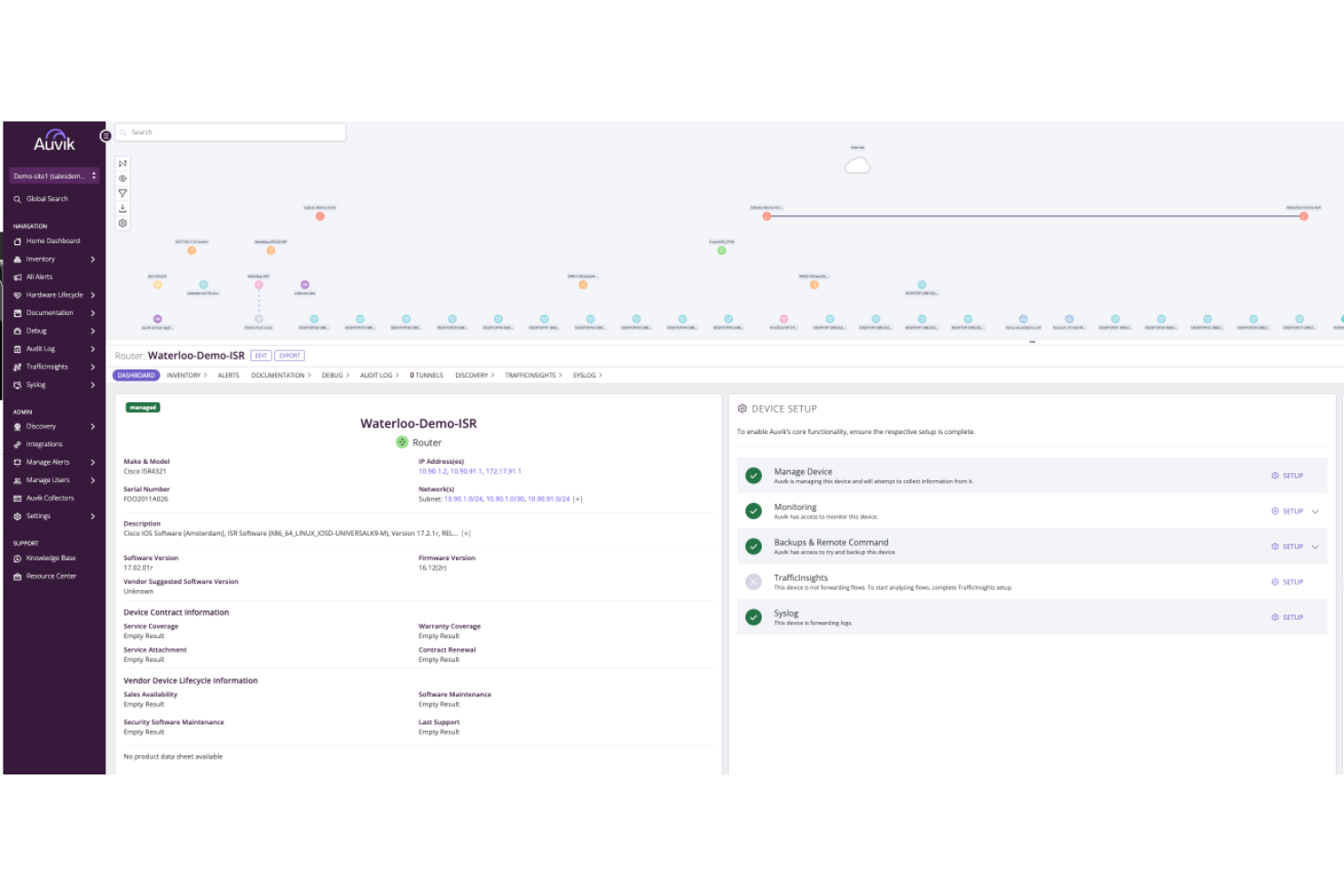
Auvik is a SaaS management platform built for IT teams and MSPs who need to automate onboarding and offboarding by discovering, monitoring, and controlling access to cloud applications across their network.
Who Is Auvik Best For?
IT teams and managed service providers at mid-sized and large organizations needing visibility into SaaS usage across their networks.
Why I Picked Auvik
I picked Auvik as one of the best because I can automatically discover every SaaS app running on our network, even those IT hasn’t formally approved. I like that I can track user access and usage patterns, which helps my team quickly identify onboarding gaps or offboarding risks. With real-time alerts for new or suspicious SaaS activity, I’m able to keep our onboarding and offboarding processes secure and compliant.
Auvik Key Features
- Automated user provisioning: Assigns and removes SaaS access based on onboarding or offboarding status.
- Audit-ready activity logs: Captures detailed records of user actions for compliance tracking.
- Role-based access controls: Lets you set permissions for different user groups during onboarding.
- Integration with identity providers: Connects with Okta and Azure Active Directory for centralized user management.
Auvik Integrations
Auvik offers native integrations with Okta, Azure Active Directory, Google Workspace, Microsoft 365, Slack, ServiceNow, ConnectWise, and Zapier. An API is available for custom integrations.
Pros and Cons
Pros:
- Supports automated SaaS access removal
- Monitors SaaS access in real time
- Detects shadow IT and unauthorized
Cons:
- Lacks automated onboarding email communications
- No HR workflow or checklist management
New Product Updates from Auvik
Auvik Adds AI-Powered Device Lifecycle Management
Auvik adds Aurora-powered device lifecycle management to track End of Sale and End of Support dates across network infrastructure, including AI confidence scoring, vendor opt-outs, and exportable reports. For more information, visit Auvik's official site.
 .
.Annen programvare for introduksjon og avslutning av arbeidsforhold
Her er noen flere alternativer for programvare for introduksjon og avslutning av arbeidsforhold som ikke kom med på listen min, men som likevel er verdt å undersøke:
- Gusto
For payroll-driven transitions
- TalentHR
With optional AI tools HR tasks
- Axero
For knowledge base onboarding
- Mitratech
For policy-driven process automation
- Okta
For automated identity provisioning workflows
- miniOrange
With customizable user lifecycle automation
- SailPoint
For policy-driven access certification


How I Evaluate Onboarding and Offboarding Software
I split my evaluation into baseline requirements—like automated workflows and e-signature support—and the differentiators that set tools apart for HR teams managing high-volume or global hiring.
Core Functionality (Table Stakes For This List)
When I'm selecting tools for my list, I rank each one on a scale from 0 (does not offer the functionality) to 5 (excels in this area) for each core functionality listed below. Then, I calculate the tool's total score into a percentage. Each tool needs to achieve a minimum total score of 65% to be considered for inclusion.
- Onboarding Workflow Automation: I look for role-based task sequences that trigger automatically when a new hire is added, with reminders that loop in managers, IT, and facilities without manual follow-up.
- Offboarding Workflow Automation: Exit workflows should coordinate asset returns, access revocation, and knowledge transfer tasks across departments rather than relying on a single HR-managed checklist.
- Document & E-Signature Management: I evaluate whether the tool lets you send offer letters, tax forms, and policy acknowledgements for e-signature in bulk or individually, with secure storage and audit trails.
- Access & Provisioning Management: Tools should automate app and system provisioning at hire and revoke access at departure, whether natively or through integrations with identity providers like Okta or Azure AD.
- Compliance & Audit Tracking: I check for automated tracking of required forms and completion statuses, along with audit-ready logs that support regional labor and data privacy requirements.
- HRIS & Third-Party Integrations: The platform should sync employee data bi-directionally with your HRIS, payroll, and ATS so you're not manually updating records across multiple systems every time someone joins or leaves.
Once I have a list of tools that meet the criteria, I consider what sets each platform apart.
Differentiating Factors (What Sets Vendors Apart)
Here's how I compare and contrast different vendors:
Standout Features
Preboarding portals stand out because they let new hires complete tasks, meet their team, and absorb company culture before day one. I also look for built-in 30/60/90 day check-in cadences that give managers a structured way to track ramp-up progress and flag early disengagement. Lifecycle reporting rounds out the picture—dashboards that surface task completion rates, time-to-productivity, and exit interview trends help HR teams tie onboarding and offboarding efforts to measurable outcomes.
Beyond Features
Compliance and data security matter here because onboarding and offboarding workflows handle sensitive personal data. I check for SOC 2 Type II certification and configurable data retention policies. Scalability is another key factor—teams that onboard contractors, seasonal staff, and full-time employees across multiple regions need workflows that adapt without rebuilding from scratch. I also evaluate implementation timelines, since a tool with prebuilt templates and guided setup gets HR teams live faster during peak hiring seasons.
Slik velger du programvare for introduksjon og avslutning av arbeidsforhold
Det er lett å gå seg vill i lange funksjonslister og kompliserte prismodeller. For å hjelpe deg med å holde fokus mens du arbeider deg gjennom den unike prosessen med å velge programvare, får du her en sjekkliste over faktorer du bør ha i tankene:
| Faktor | Hva du bør vurdere |
|---|---|
| Skalerbarhet | Vil programvaren håndtere dagens og det forventede antallet ansatte? Spør om brukergrenser og prishopp etter hvert som dere vokser. |
| Integrasjoner | Kan den kobles direkte til HRIS, lønnssystemet, identitetsleverandøren og andre sentrale systemer? Se etter mangler som kan føre til manuelt arbeid. |
| Tilpasningsmuligheter | Kan du tilpasse arbeidsflyter, varsler og tilgangsregler slik at de samsvarer med retningslinjene og prosessene deres? Unngå rigide verktøy som tvinger dere til å finne omveier. |
| Brukervennlighet | Vil HR, IT og ledere oppleve grensesnittet som intuitivt? Test med faktiske brukere for å avdekke forvirrende trinn eller skjulte innstillinger. |
| Implementering og introduksjon | Hvor lang tid vil oppsettet ta, og hvilke ressurser kreves? Spør om støtte ved migrering, opplæring og typiske tidsrammer for produksjonssetting. |
| Kostnad | Er alle nødvendige funksjoner inkludert i den oppgitte prisen? Vær oppmerksom på kostnader for tillegg, minimumsantall brukere eller bindingstid. |
| Sikkerhetstiltak | Tilbyr verktøyet kryptering, revisjonslogger og rollebasert tilgang? Bekreft at det oppfyller organisasjonens sikkerhetsstandarder. |
| Tilgjengelig kundestøtte | Hvilke kanaler for kundestøtte tilbys, og på hvilke tidspunkter? Vurder om du vil trenge hjelp utenom vanlig arbeidstid. |
Hva er programvare for introduksjon og avslutning av arbeidsforhold?
Programvare for introduksjon og avslutning av arbeidsforhold er et digitalt verktøy som automatiserer og administrerer prosessene med å ta imot nye ansatte i en organisasjon og fjerne tilganger på en sikker måte når de slutter. Disse plattformene hjelper HR- og IT-team med å koordinere oppgaver, tildele eller tilbakekalle systemtillatelser, følge fremdriften og sikre etterlevelse av interne retningslinjer og regulatoriske krav.
Funksjoner i programvare for onboarding og offboarding
Når du velger programvare for onboarding og offboarding, bør du se etter følgende viktige funksjoner:
- Automatisert klargjøring av brukere: Oppretter automatisk kontoer og tildeler tilgang til systemer, apper og enheter for nyansatte basert på rollen eller avdelingen deres.
- Automatisert fjerning av tilganger: Tilbakekaller umiddelbart tilganger og fjerner kontoer fra alle tilkoblede systemer når en ansatt slutter, noe som reduserer sikkerhetsrisikoen.
- Arbeidsflytstyring: Lar deg utforme, tildele og følge opp onboarding- og offboardingoppgaver på tvers av HR, IT og andre avdelinger, slik at ingenting blir glemt.
- Integrasjon med identitetsleverandører: Kobler seg direkte til plattformer som Active Directory eller Okta for å synkronisere brukertilgang og påloggingsinformasjon.
- Rollebaserte tilgangskontroller: Lar deg angi tillatelser og tilgangsnivåer basert på arbeidsfunksjon, slik at ansatte bare får tilgang til det de trenger.
- Revisjonsspor og rapportering: Registrerer detaljerte logger over alle onboarding- og offboardinghandlinger for etterlevelse, sikkerhetsrevisjoner og prosessforbedring.
- Tilpassbare maler: Tilbyr ferdiglagde eller redigerbare maler for sjekklister, e-poster og dokumentasjon for onboarding og offboarding.
- Selvbetjeningsportaler: Gir nyansatte og ansatte som slutter, et sentralt sted der de kan fylle ut skjemaer, laste opp dokumenter og følge fremdriften sin.
- Varsler og påminnelser: Sender automatiske varsler til interessenter om ventende oppgaver, godkjenninger eller frister, slik at prosessene holder fremdriften.
- Dokumenthåndtering: Lagrer, deler og følger opp nødvendige onboarding- og offboardingdokumenter, for eksempel kontrakter, NDA-er og sjekklister ved avslutning av arbeidsforhold.
Fordeler med programvare for onboarding og offboarding
Implementering av programvare for onboarding og offboarding gir flere fordeler for teamet og virksomheten din. Her er noen av fordelene du kan se frem til:
- Mindre manuelt arbeid: Automatiserte arbeidsflyter og klargjøring eliminerer repetitive oppgaver for HR- og IT-teamene.
- Forbedret sikkerhet: Umiddelbar fjerning av tilganger og revisjonsspor bidrar til å forhindre uautorisert tilgang og datainnbrudd.
- Enhetlig medarbeideropplevelse: Standardiserte sjekklister og maler sikrer at alle ansatte får den samme onboarding- og offboardingprosessen.
- Raskere vei til produktivitet: Automatisert kontooppsett og tydelig oppgavefordeling hjelper nyansatte med å komme raskt i gang.
- Bedre etterlevelse: Detaljerte aktivitetslogger og rapportering støtter myndighetskrav og interne revisjoner.
- Bedre koordinering på tvers av team: Sentraliserte arbeidsflyter og varsler holder HR, IT og ledere samkjørte om ansvarsområder og frister.
- Skalerbarhet for vekst: Automatiserte prosesser og integrasjoner gjør det enklere å håndtere onboarding og offboarding etter hvert som organisasjonen vokser.
Kostnader og priser for programvare for onboarding og offboarding
Valg av programvare for onboarding og offboarding krever en forståelse av de ulike prismodellene og abonnementene som er tilgjengelige. Kostnadene varierer ut fra funksjoner, teamstørrelse, tillegg og mer. Tabellen nedenfor oppsummerer vanlige abonnementer, gjennomsnittsprisene deres og typiske funksjoner som inngår i programvareløsninger for onboarding og offboarding:
Sammenligningstabell for abonnementer for programvare for onboarding og offboarding
| Abonnementstype | Gjennomsnittspris | Vanlige funksjoner |
|---|---|---|
| Gratisabonnement | $0 | Grunnleggende onboarding-sjekklister, begrenset klargjøring av brukere, e-postvarsler og enkel rapportering. |
| Personlig abonnement | $5–$10/bruker/måned | Automatiserte onboarding-arbeidsflyter, grunnleggende integrasjoner, selvbetjeningsportaler og standard brukerstøtte. |
| Bedriftsabonnement | $15–$25/bruker/måned | Avansert automatisering av arbeidsflyter, rollebaserte tilgangskontroller, revisjonslogger og integrasjon med HRIS. |
| Virksomhetsabonnement | $30–$50/bruker/måned | Tilpassbare arbeidsflyter, masseklargjøring, avansert sikkerhet, dedikert brukerstøtte og verktøy for etterlevelse. |
Vanlige spørsmål om programvare for introduksjon og avslutning av ansatte
Her er noen svar på vanlige spørsmål om programvare for introduksjon og avslutning av ansatte:
Hvordan forbedrer programvare for introduksjon og avslutning av ansatte sikkerheten?
Programvare for introduksjon og avslutning av ansatte forbedrer sikkerheten ved å automatisere tildeling og fjerning av tilganger. Dette sikrer at ansatte bare har tilgang til det de trenger, og at alle tillatelser raskt tilbakekalles når noen slutter. Dette reduserer risikoen for uautorisert tilgang og datainnbrudd.
Kan programvare for introduksjon og avslutning av ansatte integreres med mine eksisterende HR- og IT-systemer?
Ja, de fleste løsninger for introduksjon og avslutning av ansatte kan integreres med HRIS, lønnssystemer, identitetsleverandører og andre sentrale forretningssystemer. Disse integrasjonene bidrar til å automatisere opprettelse, oppdatering og fjerning av brukerkontoer, noe som reduserer manuelt arbeid og feil.
Hva bør jeg se etter når jeg vurderer programvare for introduksjon og avslutning av ansatte?
Fokuser på skalerbarhet, integrasjonsmuligheter, tilpasning av arbeidsflyter, brukervennlighet og sikkerhetstiltak. Vurder hvor godt programvaren passer til organisasjonens størrelse, prosesser og krav til etterlevelse, og om den tilbyr støtten og opplæringen teamet ditt trenger.
Er programvare for introduksjon og avslutning av ansatte egnet for små bedrifter?
Ja, mange løsninger tilbyr fleksible abonnementer og funksjoner som passer for små bedrifter. Se etter verktøy med enkelt oppsett, overkommelige priser og viktig automatisering som hjelper teamet ditt med å håndtere introduksjon og avslutning av ansatte uten ekstra administrasjon.
Hvor lang tid tar det å implementere programvare for introduksjon og avslutning av ansatte?
Implementeringstiden varierer etter leverandør og kompleksitet, men de fleste skybaserte løsninger kan settes opp på noen dager til noen uker. Faktorer som integrasjoner, datamigrering og tilpasning av arbeidsflyter kan påvirke tidsrammen, så spør leverandørene om vanlig varighet for introduksjonen.