

De 10 beste programmene for lønn og tidsregistrering, vurdert i 2026

10 Beste lønns- og tidsregistreringsprogramvare – kortliste


Å administrere lønn og registrere arbeidstid kan være en hodepine for ethvert team. Du kan fort ende opp begravd i regneark og streve med å holde alt nøyaktig og oppdatert. Det er her lønns- og tidsregistreringsprogramvare kommer inn, og tilbyr en måte å forenkle disse oppgavene på, slik at du kan fokusere på det som virkelig betyr noe: menneskene dine.
Jeg har brukt utallige timer på å teste og vurdere disse verktøyene for å finne de beste for deg. Målet mitt er å gi deg en ærlig og direkte gjennomgang av hva hver programvare tilbyr.
I denne artikkelen deler jeg mine beste anbefalinger, med fokus på funksjoner som kan gjøre en reell forskjell i det daglige arbeidet ditt. Du får innsikt i hva som gjør hvert verktøy unikt, og hvordan det kan bidra til å løse dine spesifikke utfordringer.
Why Trust Our Software Recommendations
Our team has been testing and reviewing software since 2012. As HR experts ourselves, we know how difficult—and important—it is to choose the right software.
For this guide, we evaluated tools using hands-on testing and independent research, scoring tools using our selection criteria. We also draw on insights from industry thought leaders and practicing HR experts.
Our reviews reflect our human editorial judgment, not a sales pitch.
Expert reviewers:
Sammenligningstabell: Lønns- og tidsregistreringsprogramvare
Denne sammenligningstabellen oppsummerer prisopplysningene for mine beste utvalg av lønns- og tidsregistreringsprogramvare.
| Tool | Best For | Trial Info | Price | ||
|---|---|---|---|---|---|
| 1 | Best for employee self-service payroll entry | Not available | Pricing upon request | Website | |
| 2 | Best for geo-fencing | Not available | From $599/employee/month | Website | |
| 3 | Best for automated payroll processing | Free demo available | From $49/month + $6/month/user | Website | |
| 4 | Best with AI-powered expense management | Free demo available | Pricing upon request | Website | |
| 5 | Best for customizable punch rules | 14-day free trial + free demo available | From $4.99/user/month + $19/month base fee (billed annually) | Website | |
| 6 | Best for automated tax filing | 3-month free trial | Pricing upon request | Website | |
| 7 | Best for biometric time clock integration | 30-day free trial + free demo available | From $50/user/month | Website | |
| 8 | Best for budget-friendly time tracking | Free plan + 7-day free trial available | From $4.99/user/month | Website | |
| 9 | Best for construction teams | 14-day free trial + free demo + free plan available | From $9.99/user/month (billed annually) | Website | |
| 10 | Best for simple time tracking | 30-day free trial | From $4/employee/month + $5 base fee/month | Website |


Vurdering av den beste lønns- og tidsregistreringsprogramvaren
Nedenfor finner du mine detaljerte sammendrag av den beste lønns- og tidsregistreringsprogramvaren som kom med på kortlisten min. Vurderingene mine gir et detaljert innblikk i de viktigste funksjonene, fordelene & ulempene, integrasjonene og ideelle bruksområdene for hvert verktøy, slik at du kan finne det beste for deg.

Paycom
Best for employee self-service payroll entry

Paycom is a single-database HCM platform that combines employee self-service payroll, time and attendance tracking, scheduling, and automated tax filing in one system.
Who Is Paycom Best For?
Paycom is a strong fit for mid-to-large-sized organizations that need a unified payroll and HR system and want to reduce manual admin by shifting more ownership to employees.
Why I Picked Paycom
Paycom earns its spot on my shortlist because of Beti, its employee-guided payroll feature. Rather than relying on HR to catch errors after the fact, Beti alerts employees to missing punches, unapproved expenses, or deduction changes throughout the pay period, then guides them to fix issues before payroll is ever submitted. Payroll also self-starts each period, pulling live timecard, PTO, and benefits data automatically, so there's no manual data entry involved by the time submission rolls around.
Paycom Key Features
- Time and attendance tracking: Employees clock in and out via web-based time clocks or the mobile app, with geofencing and microfencing to restrict punches to approved locations.
- Automated scheduling: Build and publish employee schedules, and let employees request shift swaps or pickups directly within the platform.
- GONE® time-off automation: Automatically approves or denies time-off requests based on rules you configure, so managers aren't bottlenecking the process.
- Labor allocation: Track and categorize labor costs by department, location, or role in real time for more accurate payroll distribution.
Paycom Integrations
The platform is built as a single-database HCM system, so it relies on its own built-in tools rather than offering a wide library of native integrations.
Pros and Cons
Pros:
- Automated tax and garnishment filing included
- Self-service updates reflect instantly across all modules
- Employees review and fix paycheck errors pre-payday
Cons:
- Implementation process is lengthy and complex
- Custom reporting often requires extra Excel work

Best for geo-fencing
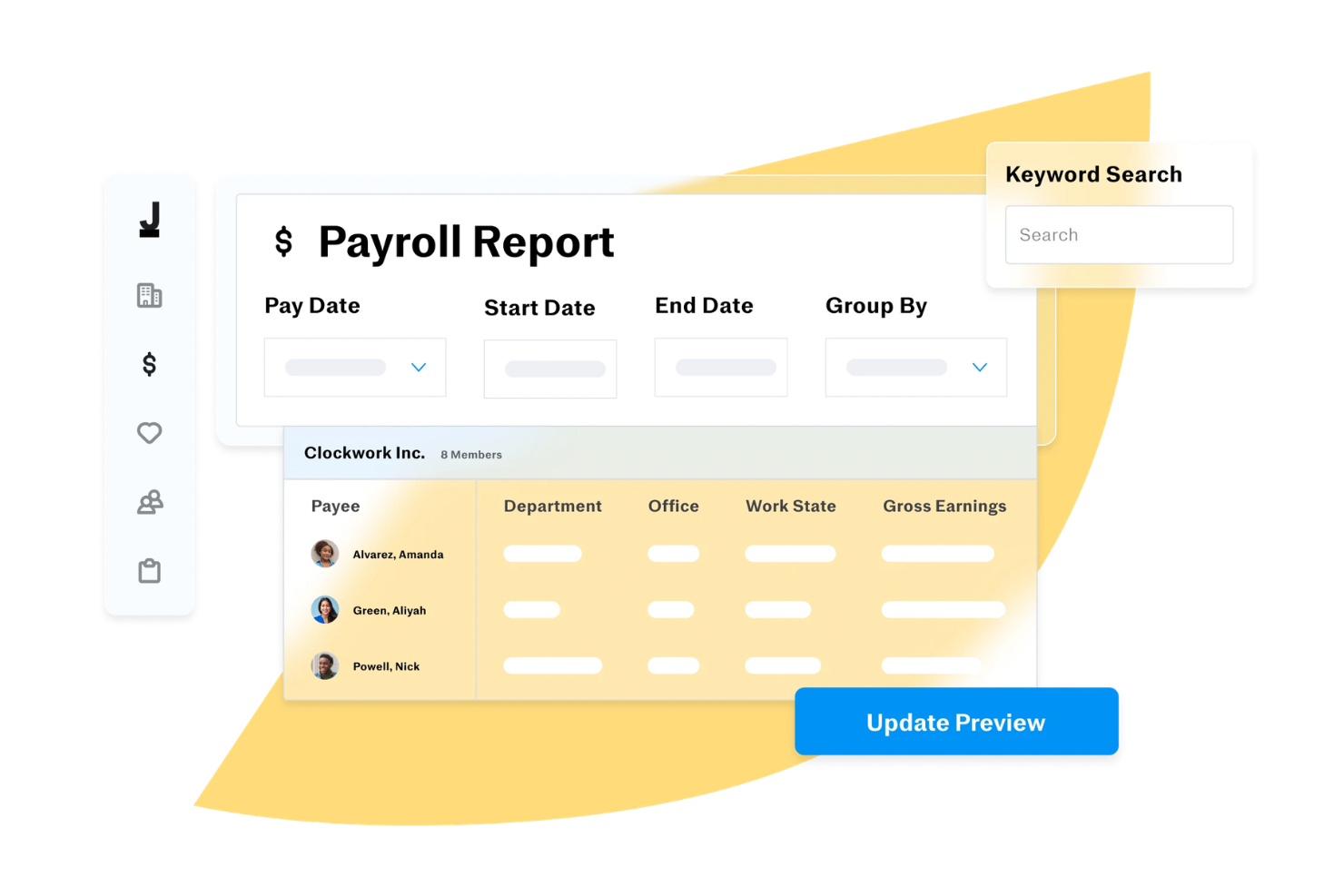
Justworks is a payroll and timekeeping platform that combines payroll processing, time tracking, compliance management, and benefits administration for businesses managing distributed teams.
Who Is Justworks Best For?
Justworks is a strong fit for small to mid-sized businesses that need to manage payroll, benefits, and compliance across remote or geographically dispersed teams.
Why I Picked Justworks
Justworks earns its spot on my shortlist because of how well its geo-fencing feature handles the real-world complexity of location-based timekeeping. I like that admins can set the geofence radius anywhere from 250 feet to 10 miles, and apply it to check-in only or both check-in and check-out. That flexibility matters when you have field teams who start their day at a job site but wrap up somewhere else. You can also assign specific locations to specific employees, so the geofence applies only where it makes sense. Additionally, Justworks Time Tracking syncs approved shifts directly to payroll, which reduces the manual reconciliation step that often creates errors.
Justworks Key Features
- Automated payroll tax filing: Justworks files your 940s, 941s, W-2s, and 1099s automatically at no additional charge.
- Custom overtime alerts: Set overtime thresholds that trigger alerts before employees exceed their scheduled hours.
- PTO management: Set up vacation and sick leave policies, track accruals, and approve PTO requests from within the platform.
- Shift notes and reporting: Employees can add notes to individual shifts, and admins can generate detailed timesheet and payroll reports.
Justworks Integrations
Justworks offers native integrations with QuickBooks Online and Xero for accounting, and provides an API for custom integrations.
Pros and Cons
Pros:
- Combines payroll, HR, benefits
- Automated tax filings and compliance
- QuickBooks integration for syncing
Cons:
- Limited customization for payroll workflows
- Some features require higher-tier plans

Gusto
Best for automated payroll processing

Gusto offers a practical solution for small- to mid-sized businesses to manage payroll and timekeeping. Its intuitive platform addresses the challenges of payroll and time tracking by automating tasks and reducing manual effort and potential errors. Whether you're in retail, tech, or any industry with diverse scheduling needs, Gusto's integration of payroll and timekeeping functionalities helps you maintain accuracy and compliance, freeing you up to focus on growing your business.
Why I Picked Gusto
I picked Gusto for its automated payroll processing, which is crucial for those seeking to improve payroll and timekeeping efficiency. With Gusto's Payroll on AutoPilot®, you can run payroll automatically each pay period, minimizing manual intervention. It also supports flexible payment schedules and multiple pay rates, catering to both hourly and salaried employees. These features are particularly beneficial for businesses looking to manage operations and ensure accurate payroll management without the hassle of manual calculations.
Gusto Key Features
In addition to its automated payroll capabilities, Gusto offers:
- Time Kiosk: Allows employees to clock in and out using a tablet, making it easy to track hours worked.
- AI-Assisted Scheduling: Helps managers create and share schedules, reducing the likelihood of conflicts and overtime.
- Automated Time-Off Requests: Simplifies the process of requesting and managing PTO, ensuring compliance with state laws.
- Project Tracking: Enables tracking of hours spent on specific projects, offering insights into workforce costs and productivity.
Gusto Integrations
Integrations include Brightwheel, ClockShark, Hubstaff, Deputy, eBillity, Homebase, QuickBooks Time, 7Shifts, AttendanceBot, and Hour Timesheet.
Pros and Cons
Pros:
- Handles federal, state, and local tax compliance
- Built-in time tracking syncs directly with payroll
- Has employee self-service for pay stubs and tax documents
Cons:
- Pricing increases as headcount and features grow
- Reporting options are less flexible for custom analysis
New Product Updates from Gusto
Gusto Adds Solo Advisory Tools and Mobile Money Features
Gusto adds Solo S-Corp Advisory Tools and Gusto Money on Mobile for tax guidance, invoicing, and bill payments. These updates help accountants advise solopreneurs and let users manage business finances from their phones. For more information, visit Gusto’s official site.

Best with AI-powered expense management
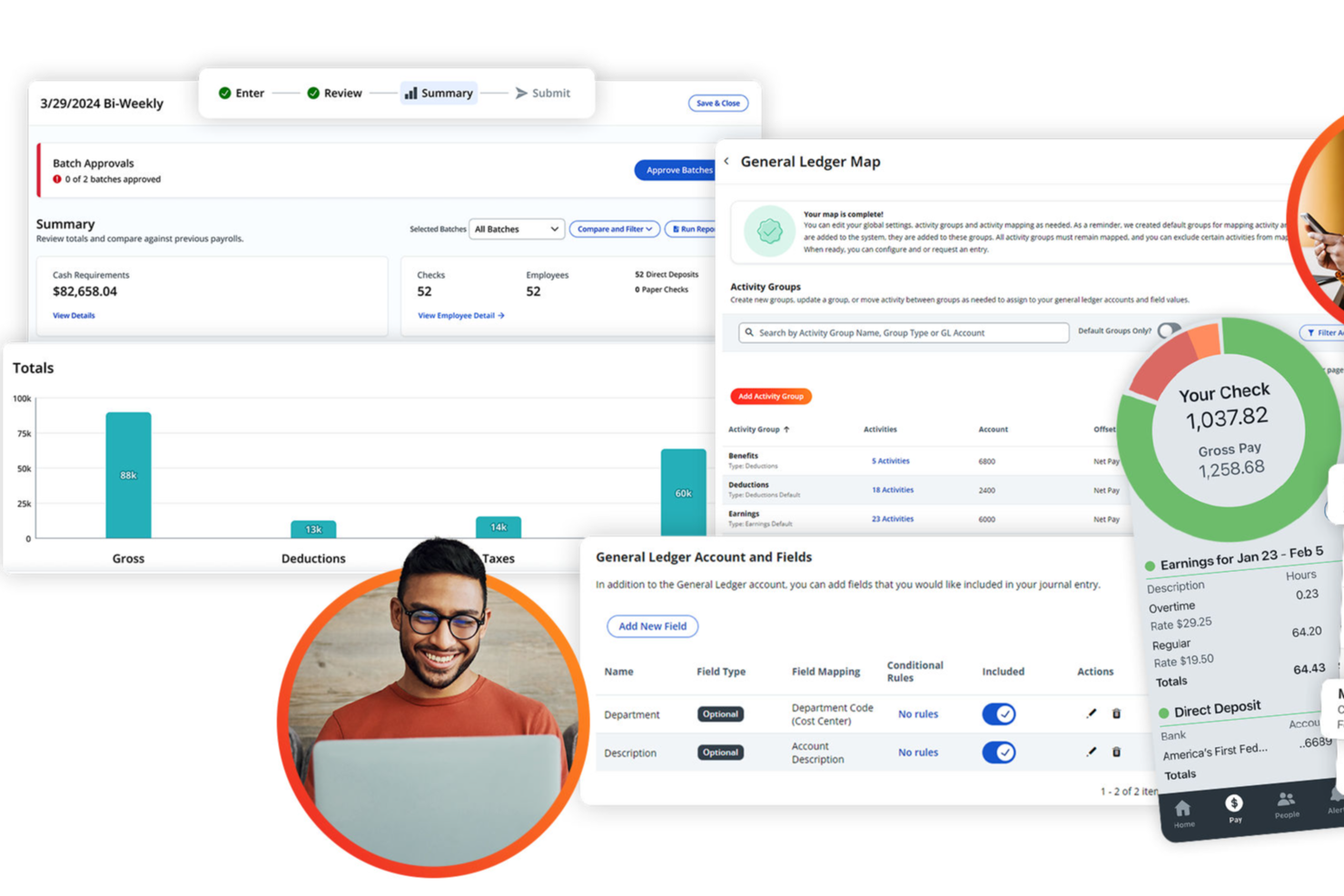
Paylocity is a payroll and timekeeping platform for HR teams that combines automated payroll processing, time tracking, expense management, and compliance tools in one system.
Who Is Paylocity Best For?
Paylocity is a good fit for mid-sized businesses looking for an all-in-one HR and payroll platform with built-in time tracking and expense management.
Why I Picked Paylocity
I picked Paylocity as one of the best because of how far its AI-powered expense management goes beyond basic receipt tracking. The Touchless Expense Reports feature uses AI to capture and categorize expenses from a photo snap—no manual entry, no coding. I also like the Direct Card Expenses feature, which automatically links Visa and Mastercard corporate card transactions to expense reports with real-time categorization and automated receipt matching. The built-in policy enforcement tools let you set budget limits by role and expense type, and include blocking and warning rules that flag non-compliant submissions before they reach an approver.
Paylocity Key Features
- Payroll Readiness Dashboard: Highlights outstanding tasks before processing day and runs 40+ audits to flag potential errors like unexpected pay spikes before payroll is submitted.
- AI-powered shift recommendations: Generates shift suggestions based on historical company trends and employee data to reduce manual scheduling work.
- Time card approval workflow: Lets managers review, edit, and approve time cards from mobile or desktop, with data flowing directly into payroll for accurate paychecks.
- Labor compliance rule configuration: Lets you set overtime, break, and premium rules aligned to specific state and federal labor laws, with automatic rate and overtime calculations.
Paylocity Integrations
Paylocity offers native integrations with QuickBooks, NetSuite, ADP, and SAP Concur, and provides an API for custom integrations.
Pros and Cons
Pros:
- AI-powered expense management within payroll workflows
- Automated payroll tax calculations and filings
- Customizable general ledger mapping for payroll exports
Cons:
- Time-off accrual setup can be confusing
- Reporting customization options are limited
New Product Updates from Paylocity

Paylocity Expands Expense and Purchase Request Tools
Paylocity adds connected personal cards, smarter expense categorization, and a streamlined purchase request experience. This reduces manual entry and helps finance teams manage expenses and approvals more efficiently. For more information, visit Paylocity’s official site.
 .
.
Best for customizable punch rules

Buddy Punch is a cloud-based time and attendance platform that brings together employee time clocking, automated timesheet generation, scheduling, leave tracking, and built-in payroll in one place.
Who Is Buddy Punch Best For?
Buddy Punch is a strong fit for small to mid-sized businesses with hourly or shift-based workforces that need time tracking and payroll in one tool.
Why I Picked Buddy Punch
I picked Buddy Punch as one of the best because of how much control it gives you over how and when employees can punch in. The punch limiting feature restricts clock-ins outside of scheduled windows, so you're not paying for unplanned early arrivals. Pair that with automatic punch-outs and punch rounding, and you have a system that enforces your time policies automatically rather than relying on manager intervention after the fact.
Buddy Punch Key Features
- Built-in payroll processing: Run payroll directly within Buddy Punch, including direct deposit, federal and state tax filings, and W-2/1099 generation.
- Timesheet approval workflow: Managers can review, edit, and approve employee timesheets before payroll is processed.
- Break tracking: Log paid and unpaid breaks automatically or manually to support state labor law compliance.
- Overtime calculations: Buddy Punch flags and calculates daily and weekly overtime based on configurable pay rules.
Buddy Punch Integrations
Buddy Punch offers native integrations focused on payroll providers, including QuickBooks Online, QuickBooks Desktop, ADP Workforce Now, Gusto, Paychex, Paycor, Paylocity, Rippling, Workday, and SurePayroll. It also connects with Zapier and provides an API for custom integrations, along with single sign-on support through Google, Apple, Okta, and OneLogin.
Pros and Cons
Pros:
- Configurable PTO accrual rules
- Automatic overtime detection and alerts
- Multiple punch-in methods including SMS
Cons:
- GPS tracking costs extra on lower plans
- No offline mode for field workers
Best for automated tax filing

RUN (by ADP) is a payroll and timekeeping platform for small businesses that combines automated payroll processing, tax filing, and time tracking in one system.
Who Is RUN Best For?
RUN is a strong fit for small business owners who need a dedicated payroll solution with built-in tax compliance support.
Why I Picked RUN
I picked RUN as one of the best because it handles tax filing with minimal effort on your part. RUN calculates, deposits, and files your federal, state, and local payroll taxes automatically—and if ADP makes a filing error, they cover the resulting fines and penalties. I also like that it handles W-2 and 1099 creation and e-files those forms directly with the IRS on your behalf. The multi-jurisdiction payroll feature means you can pay employees who work across multiple states in the same pay period, with tax filing handled for each jurisdiction automatically.
RUN Key Features
- RUN & DONE automated payroll: Schedule recurring payroll runs to process automatically on a set cadence without manual input each pay period.
- AI-enabled error flagging: RUN scans payroll data before processing and surfaces potential errors so you can catch and fix mistakes before they affect your employees.
- Employee self-service mobile app: Employees can access pay history, personal information, and HR documents directly from the RUN mobile app.
- Salary benchmarking: Pull data-driven salary insights to compare your compensation against market rates when hiring or reviewing pay.
RUN Integrations
RUN offers native integrations with QuickBooks Online, Xero, Wave, and Clover, and provides an API for custom integrations.
Pros and Cons
Pros:
- Flexible service package options
- Scales with business growth
- Strong payroll tax compliance
Cons:
- Limited report customization
- Higher starting monthly cost

TimeTrex
Best for biometric time clock integration
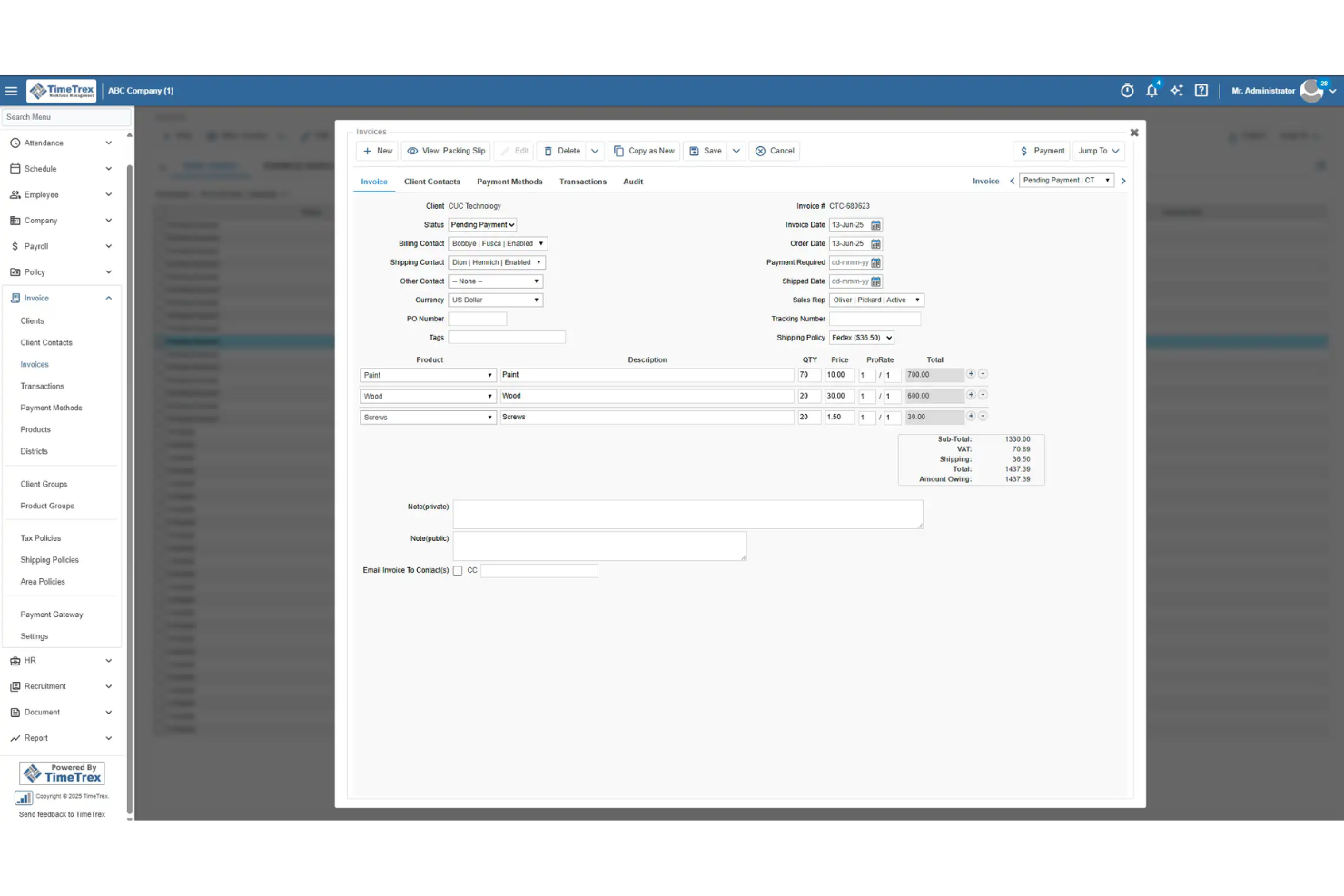
TimeTrex is a payroll and timekeeping platform that combines employee scheduling, attendance tracking, payroll processing, and support for biometric time clocks in one system.
Who Is TimeTrex Best For?
TimeTrex is a good fit for mid-sized businesses in industries like manufacturing, retail, and healthcare that need to track hourly workers across multiple locations.
Why I Picked TimeTrex
I chose TimeTrex because it handles biometric time clock integration without requiring expensive proprietary hardware. I like that it turns any off-the-shelf tablet or phone into a facial recognition time clock—so if you're managing a warehouse floor or a healthcare facility with multiple entry points, you're not locked into costly dedicated devices. The facial recognition handles hats, glasses, and facial hair, which matters in real-world environments where workers' appearances vary. It also captures GPS location and an optional photo with each punch, giving you a clear, timestamped record that's hard to dispute.
TimeTrex Key Features
- Payroll processing: Automate wage calculations, tax filings, direct deposit, and deductions including garnishments and 401(k) contributions.
- AI-powered shift scheduling: Build and adjust employee schedules based on availability, skills, and demand, with real-time conflict detection.
- Leave management: Employees submit time-off requests through a self-service portal, and approvals automatically update schedules and payroll records.
- Multi-state and multi-country payroll: Process payroll across different states and countries while automatically applying the relevant tax laws and labor regulations.
TimeTrex Integrations
TimeTrex's native integrations include ADP, QuickBooks, Sage, Paychex, and Surepay. TimeTrex provides an API for custom integrations.
Pros and Cons
Pros:
- Allows employee self-service for time off, schedules, timesheets
- Allows for real-time attendance monitoring to reduce errors
- Offers comprehensive payroll processing with automated tax calculations
Cons:
- User interface may feel dated or cluttered
- Limited number of native integrations compared with leading HR platforms
New Product Updates from TimeTrex
TimeTrex Adds Quick Punch App With Offline and QR Support
TimeTrex adds a new Quick Punch app, offline punching, QR code scanning, punch images, configurable messages, and punch warnings or lockouts to improve employee clock-ins across browsers and local computers. For more information, visit TimeTrex’s official site.
 .
.
Clockify
Best for budget-friendly time tracking

Clockify is a timekeeping and attendance platform that lets teams track work hours, manage timesheets, monitor attendance, and generate reports for payroll processing.
Who Is Clockify Best For?
Clockify is a strong fit for growing businesses and agencies that need to track time across large or expanding teams without paying per seat.
Why I Picked Clockify
Clockify earns its spot on my shortlist because it's one of the few timekeeping tools that supports unlimited users on its free plan—no seat caps, no per-user fees at the base tier. I've used the kiosk feature with larger field teams, where employees clock in using a personal PIN or QR code from a shared device, removing the need for individual logins across a large workforce. I also like the timesheet approval workflow, where team members submit their hours and managers approve them on a weekly or monthly basis before payroll runs. That approval trail is useful when managing time data for large teams.
Clockify Key Features
- Time off management: Create time off policies, define holidays, and let employees submit leave requests that managers can approve directly in the platform.
- GPS location tracking: Monitor visited job sites and review team routes, with screenshot capture and privacy controls over what data is collected.
- Expense tracking: Record billable and non-billable expenses by sum or unit, attach receipts, and export expense reports for payroll or client billing.
- Invoicing: Pull tracked time directly into invoices, customize them with your company logo, and export as PDF to send to clients.
Clockify Integrations
Clockify offers native integrations with QuickBooks, Jira, Google Calendar, Outlook, Pumble, Asana, Trello, GitHub, GitLab, and Salesforce, and connects with Zapier. An API is available for custom integrations.
Pros and Cons
Pros:
- Helpful calendar day view
- Good multi-device flexibility
- Strong project time charts
Cons:
- Project setup can take time
- Limited offline use

BusyBusy
Best for construction teams

BusyBusy is a payroll and timekeeping software platform designed for construction and field service teams, offering mobile time tracking, GPS location verification, job costing, and payroll reporting tools.
Who Is BusyBusy Best For?
BusyBusy is a strong fit for construction companies and field service businesses that need to track time, labor costs, and crew locations across multiple job sites.
Why I Picked BusyBusy
BusyBusy earns its spot on my shortlist because it's built specifically for construction, not adapted from a generic time tracking tool. I particularly like the job costing features—you can filter labor data by project, cost code, employee, and equipment, then compare estimated hours against actual hours in real time. The GPS breadcrumbing is another feature I find genuinely useful: it tracks crew movement throughout the day without draining phone batteries, so I can verify that workers are on the right job site without micromanaging. The geofencing "Required Onsite" feature also means employees can only clock in once they're physically within the job site boundary, which cuts down on early clock-ins.
BusyBusy Key Features
- Scheduling: Create and publish crew schedules with location pins and job instructions that employees receive directly on their phones.
- Custom overtime calculations: Set weekly, daily, and weekend overtime rates at 1.5x or 2x pay, with the ability to assign different settings per individual employee.
- Timecard signatures: Send employees a notification to sign their timecard from their phone, with supervisors able to co-sign from their own device.
- Offline mode: Track time without cell service, with all data automatically syncing to the cloud once a connection is restored.
BusyBusy Integrations
BusyBusy offers native integrations with QuickBooks Online, QuickBooks Desktop, Sage Intacct, Sage 100, Sage 300, Viewpoint Spectrum, Viewpoint Vista, Procore, ADP, Paychex, Foundation Software, ComputerEase, Explorer, FreshBooks, Ceridian, CMIC, Microsoft Dynamics, and Protiv. It also connects with Zapier and provides an API for custom integrations.
Pros and Cons
Pros:
- Helpful equipment use logs
- Strong photo clock proofs
- Great for job-site tracking
Cons:
- Most teams will need training time to get started
- App is heavy on data
OnTheClock
Best for simple time tracking

OnTheClock is a time tracking and scheduling software aimed at small to medium-sized businesses. It helps manage employee hours, create schedules, and automate time-off requests efficiently.
Why I picked OnTheClock: It provides a straightforward approach to time tracking, ideal for businesses that need simplicity. The software includes features such as mobile app tracking, allowing your team to clock in and out from anywhere. Its compliance tools help you adhere to state laws while OnTheClock's focus on ease of use makes it perfect for teams seeking a no-fuss solution.
Standout features & integrations:
Features include time-off management, which automates the approval process and reduces manual tracking. The software also offers compliance assistance to ensure your team follows state regulations. Additionally, it provides detailed reporting, helping you analyze workforce data for better decision-making.
Integrations include Gusto, QuickBooks, Xero, and several other time tracking and payroll solutions.
Pros and Cons
Pros:
- Good GPS clock validation
- Helpful compliance reminders
- Simple time-off approvals
Cons:
- Salaried team support could be improved
- Outdated visual interface
Annen lønns- og tidsregistreringsprogramvare
Her er noen flere alternativer for lønns- og tidsregistreringsprogramvare som ikke kom med på kortlisten min, men som likevel er verdt å se nærmere på:
- QuickBooks
For accounting teams
- Workday
For global operations
- Paychex
For HR integration
- ADP
For large enterprises
- Patriot Software
For cost efficiency
- Workforce
For employee scheduling
- TCP Software
For compliance tracking
- Timesheets
For small businesses
- Rippling
For automating time tracking and payroll runs
- Deel Payroll
For payroll and time tracking globally


How I Evaluate Payroll and Timekeeping Software
I split my evaluation into baseline criteria every tool must clear—like automating tax filing and syncing approved timesheets to payroll—and differentiators that separate the best from the rest.
Core Functionality (Table Stakes For This List)
When I'm selecting tools for my list, I rank each one on a scale from 0 (does not offer the functionality) to 5 (excels in this area) for each core functionality listed below. Then, I calculate the tool's total score into a percentage. Each tool needs to achieve a minimum total score of 75% to be considered for inclusion.
- Payroll Processing: I check whether a tool handles multi-schedule runs, direct deposit, and off-cycle payments—like issuing a bonus or final check mid-period.
- Time & Attendance Tracking: Capture methods matter here—I evaluate options like mobile clock-in, kiosk mode for shared workstations, and geofenced punches for field crews.
- Tax Filing & Compliance: Each tool should calculate, withhold, and file payroll taxes at every applicable level—and auto-generate year-end forms like W-2s or equivalents.
- Timesheet-to-Payroll Sync: Approved hours should flow into payroll without CSV exports or manual re-entry, so I look for native sync with built-in error flagging.
- Overtime & Wage Rules Engine: I evaluate how each platform handles layered rules—stacked overtime tiers, shift differentials, and region-specific wage thresholds.
- Employee Self-Service Portal: Your team should be able to view pay stubs, download tax forms, submit time-off requests, and review hours logged without HR intervention.
Once I have a list of tools that meet the criteria, I consider what sets each platform apart.
Differentiating Factors (What Sets Vendors Apart)
Here's how I compare and contrast different vendors:
Standout Features
On-demand pay is a feature I pay close attention to, especially for teams with hourly workers who value access to earned wages between pay cycles. Scheduling and shift management also makes a real difference—when shift swaps and labor forecasting live alongside time tracking, it cuts down on the manual back-and-forth that eats into an HR team's day. I also look at how tightly benefits administration ties into payroll, since keeping deductions for health and retirement plans in sync with each pay run reduces reconciliation headaches.
Beyond Features
Integrations matter a lot here—I check whether a platform connects natively to your accounting software, HRIS, and benefits providers so payroll data doesn't live in a silo. Compliance and security certifications like SOC 2 Type II also weigh into my evaluation, since payroll data is some of the most sensitive information a company handles. Pricing transparency is another factor I look at closely, especially whether vendors clearly disclose per-employee costs and any add-on fees for things like year-end filing or off-cycle runs.
Slik velger du lønns- og tidsregistreringsprogramvare
Det er lett å gå seg vill i lange funksjonslister og kompliserte prismodeller. For å hjelpe deg med å holde fokus mens du går gjennom den unike prosessen med å velge programvare, får du her en sjekkliste over faktorer du bør ha i tankene:
| Faktor | Hva du bør vurdere |
| Skalerbarhet | Vil programvaren vokse sammen med virksomheten din? Vurder om den kan håndtere flere ansatte eller lokasjoner uten ekstra kostnader eller tekniske problemer. |
| Integrasjoner | Fungerer den med systemene du bruker i dag? Kontroller kompatibiliteten med eksisterende lønns-, HR- eller regnskapsprogramvare for å unngå datasiloer og manuell registrering. |
| Tilpasningsmuligheter | Kan du tilpasse programvaren til prosessene dine? Se etter muligheter for å tilpasse rapporter, oversikter og brukertillatelser etter teamets behov. |
| Brukervennlighet | Er den intuitiv for teamet ditt? Vurder grensesnittet og tilbakemeldinger fra brukerne for å sikre at det ikke krever omfattende opplæring eller støtte. |
| Implementering og oppstart | Hvor raskt kan du komme i gang? Vurder tiden og ressursene som kreves for oppsettet, inkludert datamigrering og opplæring av teamet ditt. |
| Kostnad | Finnes det skjulte gebyrer? Analyser prismodellen, inkludert brukeravgifter og eventuelle ekstra kostnader for tillegg eller støtte, slik at den passer budsjettet ditt. |
| Sikkerhetstiltak | Beskytter den dataene dine? Se etter kryptering, tilgangskontroller og samsvar med personvernregelverket for å beskytte sensitiv informasjon. |
| Etterlevelseskrav | Oppfyller den bransjestandardene? Sørg for at den overholder relevante arbeidslover og forskrifter for å unngå bøter og juridiske problemer. |
Hva er programvare for lønn og tidsregistrering?
Programvare for lønn og tidsregistrering er et verktøy som automatiserer prosessen med å registrere ansattes arbeidstimer og håndtere lønn. HR-medarbeidere, regnskapsførere og ledere bruker vanligvis disse verktøyene for å sikre nøyaktige lønnsberegninger og overholdelse av arbeidslovgivningen. Funksjoner for tidsregistrering, automatisert lønnsbehandling og samsvarsadministrasjon bidrar til å redusere manuelle feil, spare tid og sikre juridisk overholdelse. Alt i alt forenkler disse verktøyene arbeidsstyringsadministrasjonen og forbedrer organisasjonens effektivitet.
Funksjoner i programvare for lønn og tidsregistrering
Når du velger programvare for lønn og tidsregistrering, bør du se etter følgende viktige funksjoner:
- Tidsregistrering: Registrerer automatisk de ansattes arbeidstimer for å sikre nøyaktige lønnsberegninger.
- Lønnsbehandling: Beregner og utbetaler lønn til ansatte effektivt, noe som reduserer behovet for manuelt arbeid.
- Samsvarsadministrasjon: Overvåker overholdelsen av arbeidslover og forskrifter for å unngå juridiske problemer.
- Tilpassbar rapportering: Genererer skreddersydde rapporter som gir innsikt i arbeidsstyrkedata og resultater.
- Mobiltilgang: Lar ansatte registrere inn- og utstempling eksternt, noe som gir fleksibilitet og brukervennlighet.
- Automatiserte skatteberegninger: Sikrer nøyaktige skattetrekk og innrapporteringer, samtidig som feil minimeres.
- Selvbetjening for ansatte: Lar ansatte få tilgang til lønnsslipper, be om fri og administrere personopplysninger.
- Planleggingsverktøy: Hjelper med å opprette og administrere ansattes vakter og optimalisere fordelingen av arbeidsstyrken.
- Integrasjonsmuligheter: Kobler seg til eksisterende HR-, regnskaps- eller lønnssystemer for å effektivisere prosessene.
- Sikkerhetstiltak: Beskytter sensitive ansattopplysninger med kryptering og tilgangskontroller.
Fordeler med programvare for lønn og tidsregistrering
Implementering av programvare for lønn og tidsregistrering gir flere fordeler for teamet og virksomheten din. Her er noen av fordelene du kan se frem til:
- Tidsbesparelser: Automatiserer tidsregistrering og lønnsbehandling, slik at verdifull tid frigjøres for teamet.
- Økt nøyaktighet: Reduserer manuelle feil i tidsregistrering og lønnsberegninger, slik at de ansatte får riktig lønn.
- Sikret samsvar: Bidrar til å opprettholde samsvar med arbeidslover og skatteregler, samtidig som juridisk risiko minimeres.
- Forbedret effektivitet: Effektiviserer planlegging og arbeidsstyringsadministrasjon og optimaliserer ressursfordelingen.
- Bedre datainnsikt: Tilbyr detaljert rapportering og analyse som gir verdifull innsikt i arbeidsstyrkens resultater.
- Styrkede ansatte: Gir ansatte selvbetjeningsmuligheter for å administrere egne opplysninger og forespørsler.
- Fleksibilitet: Gir ekstern tilgang og mobil innstempling, slik at ulike arbeidsmiljøer kan tilpasses.
Kostnader og priser for programvare for lønn og tidsregistrering
Valg av programvare for lønn og tidsregistrering krever en forståelse av de ulike prismodellene og abonnementene som er tilgjengelige. Kostnadene varierer basert på funksjoner, teamstørrelse, tillegg og mer. Tabellen nedenfor oppsummerer vanlige abonnementer, gjennomsnittsprisene deres og typiske funksjoner som er inkludert i programvareløsninger for lønn og tidsregistrering:
Sammenligningstabell for abonnementer på programvare for lønn og tidsregistrering
| Abonnementstype | Gjennomsnittspris | Vanlige funksjoner |
| Gratisabonnement | $0 | Grunnleggende tidsregistrering, selvbetjening for ansatte og begrenset rapportering. |
| Personlig abonnement | $3-$49/bruker/måned | Tidsregistrering, lønnsbehandling, mobiltilgang og grunnleggende rapportering. |
| Bedriftsabonnement | $7-$80/bruker/måned | Avansert planlegging, samsvarsadministrasjon, integrasjonsmuligheter og analyse. |
| Storbedriftsabonnement | $11-$180/bruker/måned | Tilpassbare dashbord, global lønn, prioritert brukerstøtte og forbedrede sikkerhetsfunksjoner. |
Vanlige spørsmål om lønns- og tidsregistreringsprogramvare
Her er svar på noen vanlige spørsmål om lønns- og tidsregistreringsprogramvare:
Hvordan håndterer lønns- og tidsregistreringsprogramvare korrigeringer av tidligere lønnsperioder?
De fleste verktøy lar deg rette gamle tidsregistreringer eller lønnskjøringer, men fremgangsmåten varierer. Noen oppretter justeringsposter, mens andre kjører lønnen på nytt med korrigerte data. Hvis teamet ditt ofte retter tidligere feil, bør du sørge for at systemet lar deg redigere tidligere perioder uten å ødelegge rapportene. Du trenger en arbeidsflyt som er enkel nok til at ledere ikke unngår å gjøre korrigeringer.
Kan jeg kontrollere hvem som ser lønnsdata i lønns- og tidsregistreringsprogramvare?
Vanligvis kan du begrense tilgangen slik at bare bestemte personer kan se lønnssatser, arbeidstimer og sensitive opplysninger. De beste løsningene lar deg tildele tillatelser etter rolle, avdeling eller sted. Dette hjelper deg med å beskytte personopplysninger, samtidig som du gir arbeidsledere det de trenger for å godkjenne timer. Før du velger et verktøy, bør du undersøke hvor fleksible tillatelsesinnstillingene er.
Hvordan håndterer lønns- og tidsregistreringsprogramvare komplekse godkjenningskjeder?
Hvis teamet ditt har flere ledernivåer, trenger du programvare som kan gjenspeile denne strukturen. Noen verktøy tillater godkjenning i flere trinn, mens andre bare støtter én godkjenner. Når du har skiftbytter, forespørsler om overtid eller timeføring knyttet til jobber, trenger du tydelige regler for videresending. Sørg for at godkjenningsoppsettet passer med hvordan teamet ditt faktisk arbeider – ikke bare med hvordan programvaren foretrekker at du arbeider.
Støtter lønns- og tidsregistreringsprogramvare jobbkostnadsberegning eller prosjektbasert oppfølging?
Mange verktøy lar deg merke timer med prosjekter, jobber eller kostnadskoder, men detaljnivået varierer. Hvis teamet ditt fakturerer kunder eller følger interne budsjetter, trenger du pålitelige måter å tilordne tid på og hente ut nøyaktige totaler senere. Noen systemer støtter flere kodingsnivåer, mens andre bare tillater enkel merking. Velg et verktøy som passer med måten dere allerede følger opp arbeidet på.
Hvordan bidrar lønns- og tidsregistreringsprogramvare til å forhindre at ansatte stempler inn for hverandre?
Noen systemer inkluderer PIN-koder, fotografering, geogjerder eller enhetsbegrensninger for å hindre ansatte i å stemple inn for hverandre. Disse verktøyene gir deg dokumentasjon på at riktig person stemplet inn fra riktig sted. Hvis det er et problem at ansatte stempler inn for hverandre, bør du spørre leverandørene hvilke identitetskontroller de støtter. En liten funksjon som denne kan spare deg for mange lønnsfeil.
Kan lønns- og tidsregistreringsprogramvare støtte sesongarbeidere eller korttidsansatte?
De fleste verktøy kan håndtere midlertidig ansatte, men fleksibiliteten varierer mellom abonnementene. Du kan måtte legge til eller fjerne brukere ofte, så sjekk hvordan faktureringen fungerer for sesongbaserte team. Noen systemer tar månedlig betalt for hver aktive arbeidstaker, mens andre bare fakturerer for arbeidstakere som behandles i lønnssystemet. Dette er viktig hvis arbeidsstyrken din endrer seg gjennom året.