

De 10 beste programvareløsningene for HR-arbeidsflyt i 2026

10 Beste programvare for HR-arbeidsflyt – kortliste


Med så mange ulike alternativer for programvare til HR-arbeidsflyt kan det være vanskelig å velge riktig. Du ønsker å effektivisere HR-prosessene dine, men må finne ut hvilket verktøy som passer best. Da har du kommet til rett sted. Med utgangspunkt i kunnskapen min om HR-prosesser og erfaringen min med å bruke og teste ulike HR-programvaresystemer har jeg laget denne listen for å hjelpe deg med å finne den beste programvaren for HR-arbeidsflyt for dine behov.
Du kan bruke programvare for HR-arbeidsflyt til å automatisere repetitive oppgaver, forbedre datanøyaktigheten og effektivisere personaladministrasjonen. Den løser også utfordringer som manuell dataregistrering, problemer med etterlevelse og ineffektiv kommunikasjon.
Hvorfor du kan stole på våre programvareanbefalinger
Teamet vårt har testet og anmeldt programvare siden 2012. Vi er selv HR-eksperter, så vi vet hvor vanskelig og hvor viktig det er å velge riktig programvare.
I denne guiden har vi vurdert verktøyene gjennom praktisk testing og uavhengig research og gitt dem poeng ut fra våre utvelgelseskriterier. Vi bygger også på innsikt fra ledende eksperter i bransjen og erfarne HR-eksperter.
Anmeldelsene våre bygger på vår egen redaksjonelle vurdering. De er ikke et salgsargument.
Ekspertanmeldere:
Sammenligningstabell for programvare til HR-arbeidsflyt
Denne sammenligningstabellen oppsummerer prisopplysningene for mine beste utvalgte programmer for HR-arbeidsflyt:
| Tool | Best For | Trial Info | Price | ||
|---|---|---|---|---|---|
| 1 | Best with dedicated support & implementation teams | Free demo available | Pricing upon request | Website | |
| 2 | Best for integrated time tracking | Free demo available | From $599/user/month | Website | |
| 3 | Best for reusable automation workflows | Free demo available | Pricing upon request | Website | |
| 4 | Best as AI for business | Free demo available | From $8/user/month | Website | |
| 5 | Best for built-in analytics and reporting | Free trial available | From $99/month | Website | |
| 6 | Best for syncing multi-app HR tech stacks | 30-day free trial available | Pricing upon request | Website | |
| 7 | Best for customizable HR automation | 14-day free trial + free demo available | From $11/user/month (billed annually) | Website | |
| 8 | Best for simplifying HR processes with automation | Free plan | Pricing upon request | Website | |
| 9 | Best for automating the employee onboarding process | Free demo available | From $5/employee/month | Website | |
| 10 | Best for integrated contract management | Not available | From $349/month (billed annually) | Website |


Anmeldelser av den beste programvaren for HR-arbeidsflyt
Her er mine detaljerte sammendrag av den beste programvaren for automatisering av HR-arbeidsflyt som kom med på kortlisten min over de 10 beste, inkludert merknader om hvorfor jeg valgte dem. Hver anmeldelse inneholder også fordeler og ulemper ved hvert system, de viktigste funksjonene og ideelle bruksscenarioer.

Paycom
Best with dedicated support & implementation teams
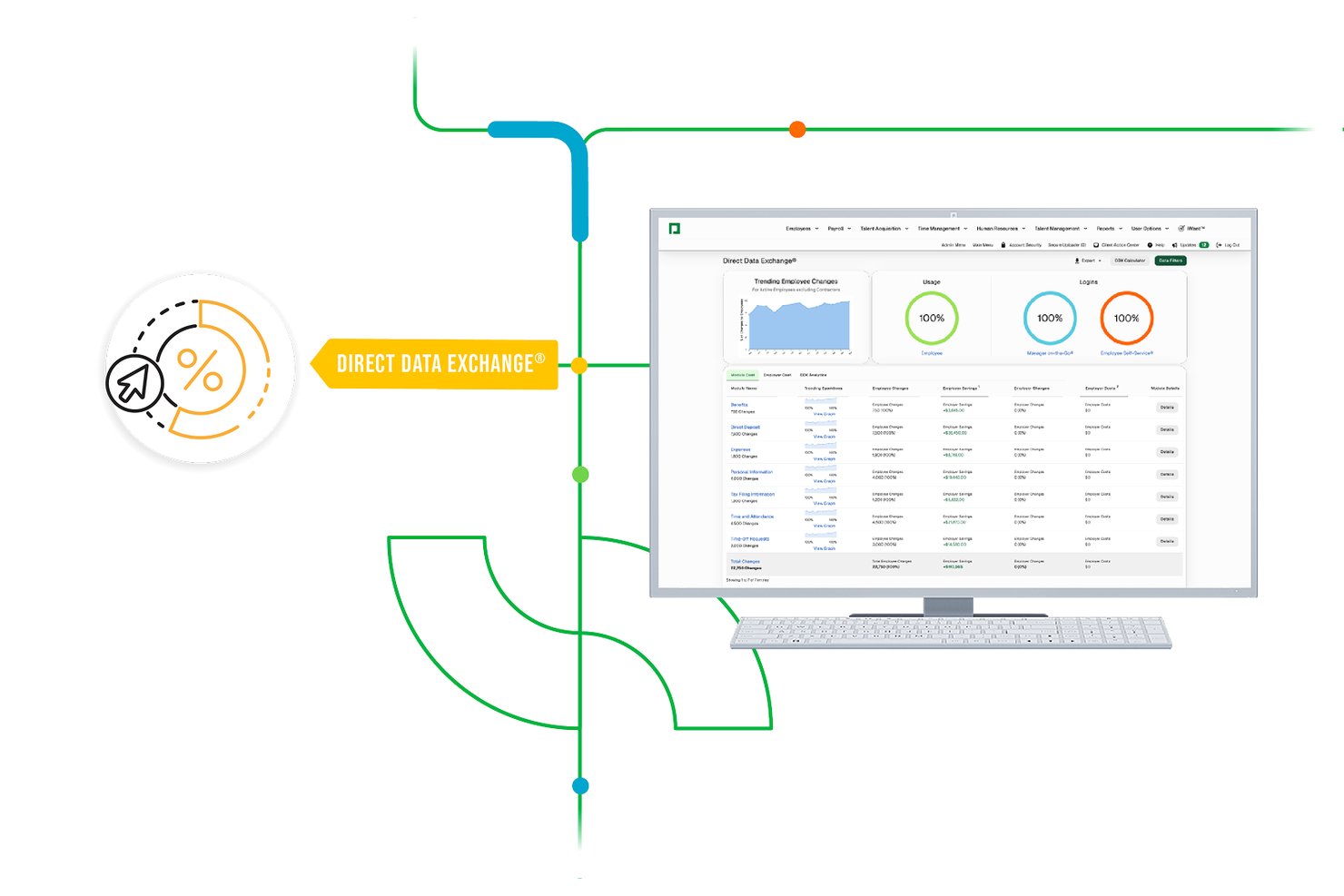
Paycom is a single-database HCM platform that automates HR workflows across the full employee lifecycle, covering payroll, onboarding, time and labor management, talent management, and HR forms within one unified system.
Who Is Paycom Best For?
Paycom is a strong fit for mid-size to enterprise U.S. businesses that want to consolidate HR and payroll into a single platform managed by one dedicated support team.
Why I Picked Paycom
Paycom earns its spot on my shortlist because of how seriously it takes implementation. Every client gets a dedicated specialist at no extra cost, which means when I'm configuring GONE's automated PTO decisioning rules or setting up personnel action form routing, I'm not figuring it out alone. In practice, my team can rely on that specialist to get complex workflow configurations right from day one, not months after go-live.
Paycom Key Features
- Beti payroll automation: Employees preview, verify, and correct their own payroll before submission within a guided workflow.
- Document creator and management: HR can create digital forms, collect e-signatures, and store documents in centralized employee files.
- GONE automated time-off decisioning: Time-off requests are automatically decided based on configurable rules and tracked in real time.
- Direct Data Exchange analytics: Provides a dashboard to monitor HR workflow usage and process efficiency across your organization.
Paycom Integrations
Native integrations are not clearly documented. Paycom supports integrations via third-party middleware such as Celigo, Lingk, and RoboMQ, and offers an API for custom integrations.
Pros and Cons
Pros:
- Automated decisioning for PTO and payroll
- Comprehensive employee lifecycle workflow coverage
- Dedicated implementation and support specialist
Cons:
- Custom workflow logic is not fully visual
- Integration options are limited and complex

Best for integrated time tracking
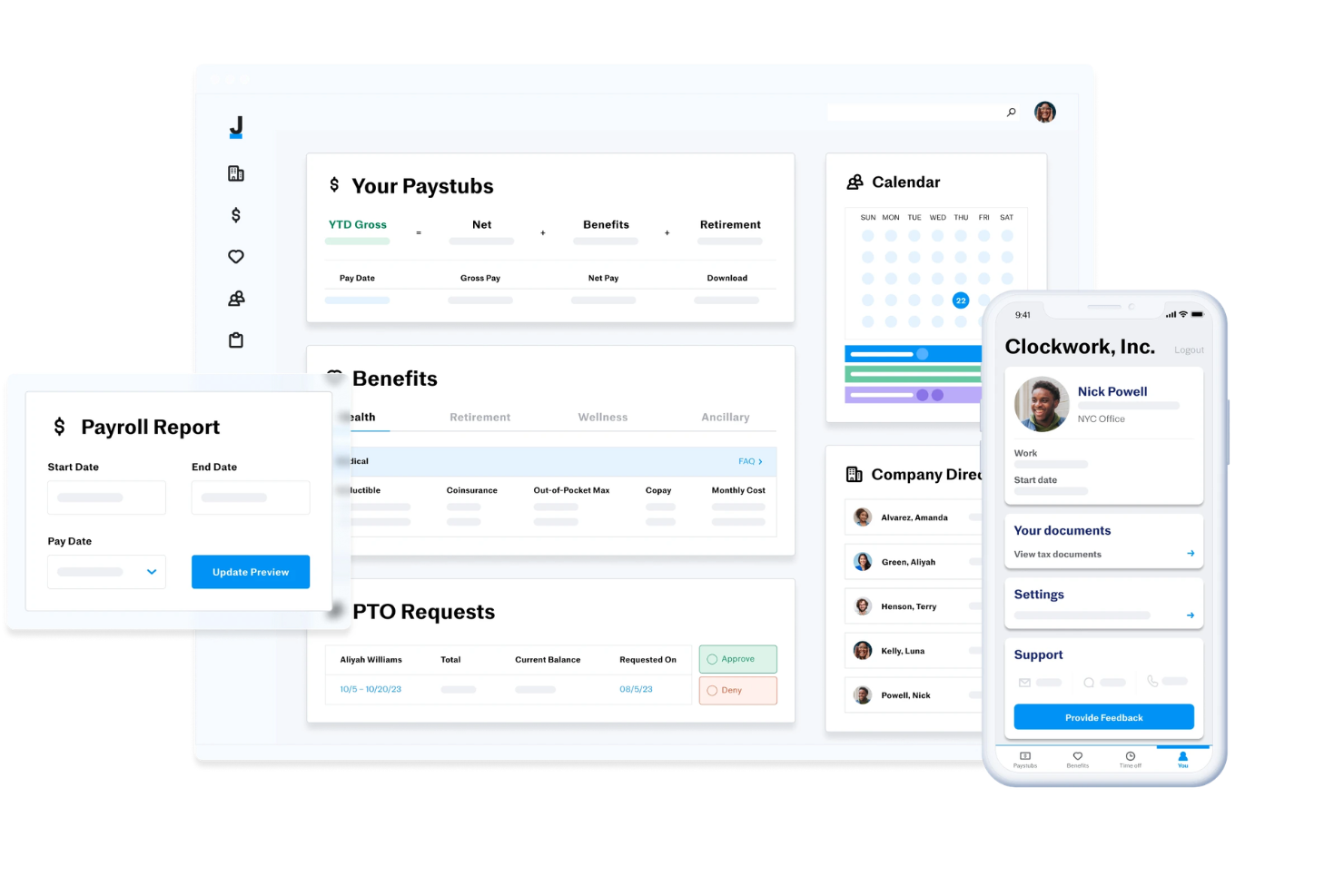
Justworks is an HR workflow software platform that brings together payroll, benefits administration, compliance management, and HR support in one system for small and midsize businesses.
Who Is Justworks Best For?
Justworks is a good fit for small to midsize businesses that want a unified HR, payroll, and compliance solution.
Why I Picked Justworks
I picked Justworks as one of the best because I can manage payroll and HR tasks while tracking employee hours in the same platform. The integrated time tracking lets my team capture work hours, sync them directly to payroll, and reduce manual entry. I like that I can review timesheets and approve hours without switching between systems.
Justworks Key Services
- Automated payroll processing: Run payroll for salaried and hourly employees with automated tax filings.
- Benefits administration: Manage health insurance, 401(k), and other employee benefits from one dashboard.
- HR document storage: Store and organize employee handbooks, policies, and onboarding documents securely.
- Compliance support: Access tools and resources to help maintain compliance with labor laws and regulations.
Justworks Integrations
Native integrations are not clearly documented. Justworks offers an API for custom integrations.
Pros and Cons
Pros:
- Access to large-group health insurance plans
- Automated payroll tax filings and payments
- Integrated time tracking for hourly teams
Cons:
- Custom reporting options are somewhat basic
- No built-in performance management features

HiBob
Best for reusable automation workflows
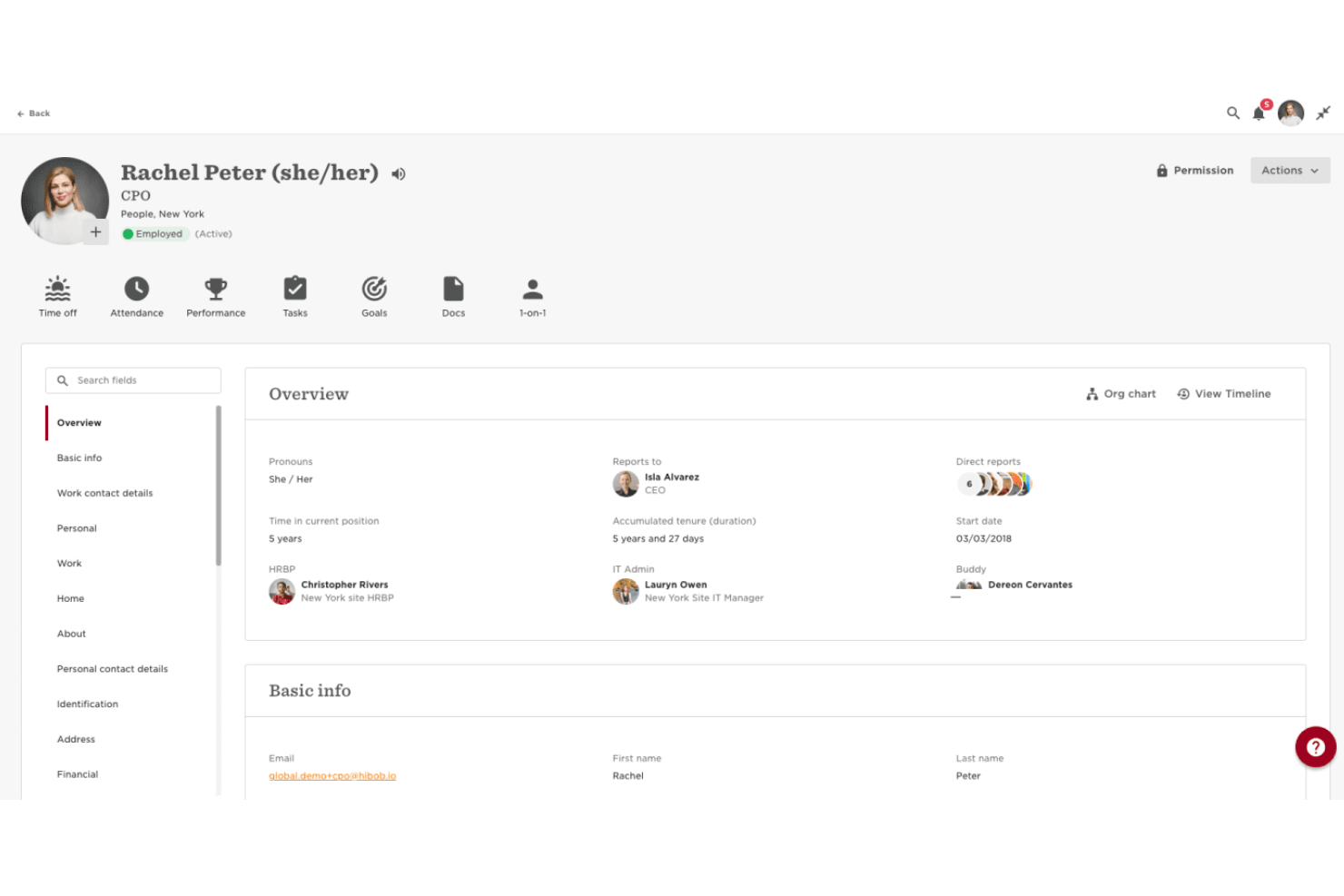
HiBob is a modern HR platform that helps fast-growing organizations streamline core HR processes, automate workflows, and gain real-time visibility into workforce metrics. It centralizes people data, performance tracking, and compensation management, enabling HR teams to manage the entire employee lifecycle efficiently. With customizable workflows, built-in analytics, and a focus on employee engagement, HiBob empowers companies to align HR strategies with business goals.
Why I picked HiBob: I picked HiBob because it offers a broad suite of HR management tools—covering everything from onboarding and time tracking to performance reviews and payroll—while keeping the experience intuitive for both HR teams and employees. Its reusable automation workflows save time on recurring tasks like onboarding and offboarding, and its analytics capabilities help HR leaders make data-driven decisions about hiring, retention, and workforce planning. I also appreciate its strong integration ecosystem, connecting HR processes with communication, productivity, and payroll systems to create a seamless workflow environment.
Standout features & integrations:
Features include core HR management, onboarding and offboarding workflows, time and attendance tracking, compensation management, payroll automation (including UK payroll), hiring and applicant tracking, learning management, performance evaluations, employee surveys, whistleblower compliance tools, people analytics, and workforce planning dashboards. HiBob also offers customizable access rights for data security and tailored employee experiences that align individual goals with organizational objectives.
Integrations include ADP, Breezy, Globalization Partners, Paylocity, Trinet, Xero, Sequoia Tech, Greenhouse, Slack, Deel, and NetSuite.
Pros and Cons
Pros:
- Comprehensive HR tools
- Employee self-service capabilities
- Provides detailed and insightful reports
Cons:
- End-to-end payroll only offered for UK businesses
- Could offer more configuration options

Best as AI for business
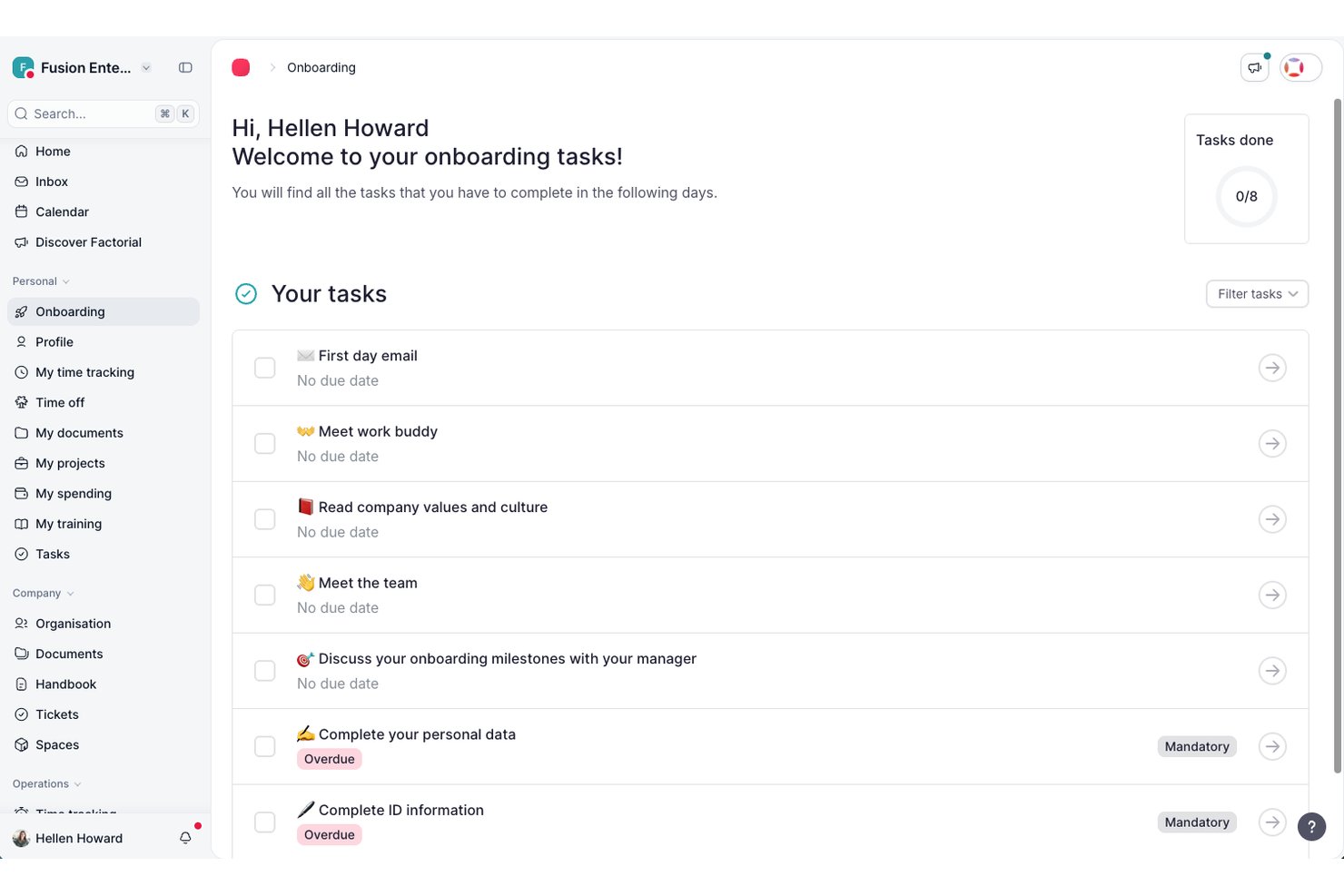
Factorial is an HR workflow software platform that combines workflow automation, onboarding and offboarding, approval routing, time tracking, document management, and AI-assisted reporting into a single system.
Who Is Factorial Best For?
Factorial fits HR teams at small to mid-sized businesses that want a single platform to handle everyday people operations—onboarding, approvals, time tracking, and reporting—with AI assistance built in.
Why I Picked Factorial
I picked Factorial as one of the best because its AI sits at the center of daily HR operations, not as a bolt-on feature. Factorial One acts like an extra team member: it can answer employee questions about policies, generate reports from your company data, and help plan timetables, so your HR team spends less time fielding routine requests. I also like how its workflow automation engine ties these AI capabilities into structured processes, triggering onboarding steps, routing leave approvals, and keeping everything moving without manual chasing.
Factorial Key Features
- Factorial One AI agent: An AI agent that uses your company's data to search, analyze, and act—handling tasks like answering employee policy questions and generating custom reports.
- Time-off approval flows: Configurable, multi-step approval routing for employee leave requests, with leave balances and team absences visible to both employees and managers.
- Legal entity management: Supports multiple companies or branches in a single account, with separate fields for employee country of residence and work location to handle cross-border employment.
- Employee self-service portal: Employees can access their own records, payslips, and documents, and submit requests directly through their profile without going through HR.
Factorial Integrations
Factorial offers marketplace integrations with Silae, DATEV LODAS, a3innuva Nómina, Recruitee, Slack, Google Workspace, Microsoft Power BI, and Okta. It also provides an API with OAuth 2.0, webhooks, SDKs, and OpenAPI support, plus Zapier.
Pros and Cons
Pros:
- Leave approvals surface balances and team absences
- Employee-triggered workflows keep onboarding steps moving
- AI answers policy questions and creates reports
Cons:
- Country-specific processes can be hard to standardize
- Complex workflows can be difficult to adapt
Paycor
Best for built-in analytics and reporting
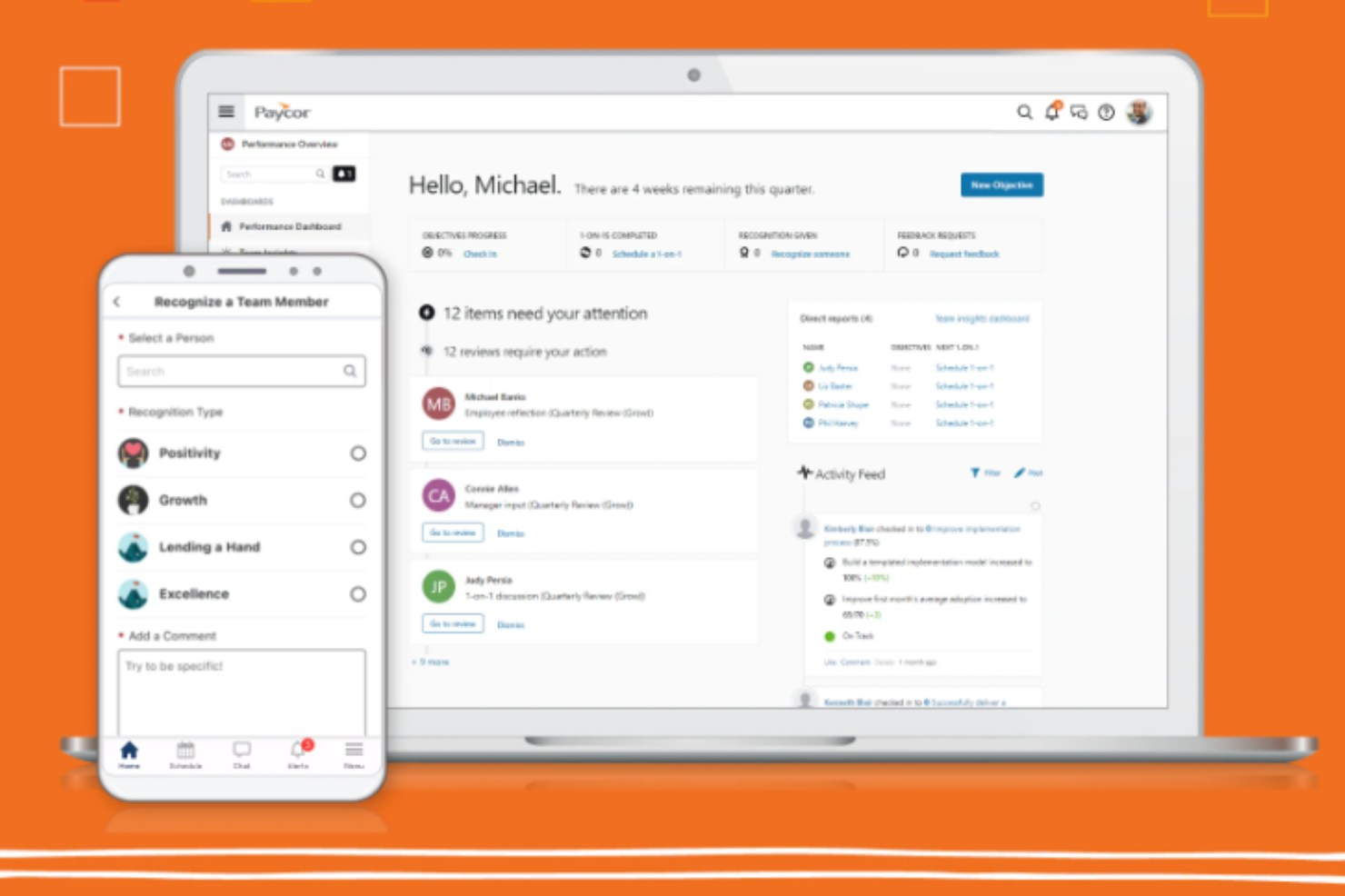
Paycor is an HCM platform that brings together HR workflow automation, payroll, recruiting, onboarding, and talent management in a single system.
Who Is Paycor Best For?
Paycor is a strong fit for small to mid-sized businesses that need a unified HR and payroll platform to manage the full employee lifecycle.
Why I Picked Paycor
I've included Paycor in my top picks because its built-in analytics go well beyond basic headcount reports. I find the predictive resignation feature particularly useful—it uses AI to surface at-risk employees, flag the factors driving turnover risk, and project expected resignations across departments over the next 12 months. I also like that the unified data model pulls from payroll, time, and talent into a single analytics view, so you're not manually reconciling data from separate systems. Automated report delivery lets you schedule recurring reports and push them directly to stakeholders on any cadence.
Paycor Key Features
- Onboarding workflow automation: Assign onboarding tasks, collect e-signatures, and track new hire completion status from a single dashboard.
- Applicant tracking system (ATS): Post jobs, manage candidate pipelines, and move applicants through configurable hiring stages.
- Performance review management: Build and launch review cycles, set employee goals, and track progress against them over time.
- Compensation planning tools: Model pay changes, manage merit cycles, and submit compensation recommendations through a structured approval workflow.
Paycor Integrations
Paycor offers 320+ marketplace connectors through its Integration Platform, which includes the Paycor Marketplace, Developer Services, and Developer Tools. Marketplace integrations include Indeed, QuickBooks, Sterling, Cornerstone, and Equifax, among others spanning background screening, scheduling, benefits admin, and point of sale categories. Paycor's Developer Tools include 140+ APIs for building custom integrations. Zapier support is not clearly available.
Pros and Cons
Pros:
- Top-rated mobile app with GPS clock-in
- Onboarding collects records and e-signatures automatically
- Built-in ATS and performance management modules
Cons:
- Acquired modules can feel disjointed from core
- Time tracking and scheduling are paid add-ons

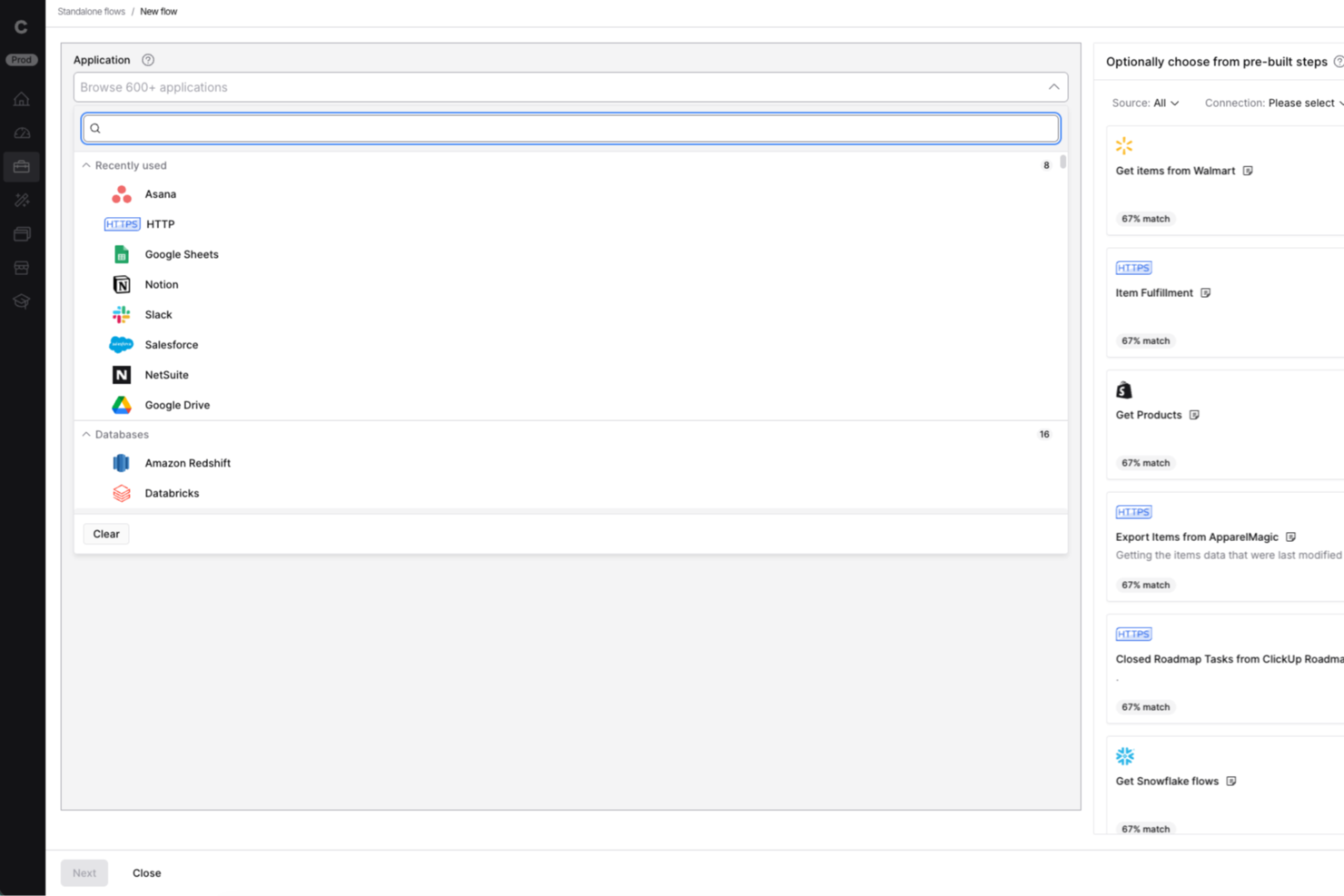
Celigo is an integration platform (iPaaS) designed to unify disparate software by automating data transfers between them. It serves PeopleOps and HR departments by ensuring employee information remains consistent across HRIS, payroll, and benefits systems without manual entry.
Who Is Celigo Best For?
HR teams at mid-sized to large organizations that need to connect and automate workflows across multiple HR and business applications.
Why I Picked Celigo
I chose Celigo because it excels at creating a single source of truth for complex HR tech stacks. I can connect our HR systems to over 1,000 business apps without custom development, as Celigo has the ability to handle multi-app synchronization. My team uses the prebuilt connectors to sync data between payroll, benefits, and recruiting platforms. In practice, that means we automate onboarding tasks and keep employee records up to date across all our tools.
Celigo Key Features
- Workflow builder: Design and automate multi-step HR processes with a visual drag-and-drop interface.
- Error management dashboard: Monitor, troubleshoot, and resolve integration errors from a centralized dashboard.
- Role-based access controls: Set permissions and manage user access for sensitive HR data and workflows.
- Data transformation tools: Map, filter, and transform HR data between different systems and formats.
Celigo Integrations
Celigo offers 1,000+ prebuilt native connectors, including ADP, NetSuite, SAP, Microsoft Dynamics 365, Oracle, QuickBooks, Salesforce, Workday, BambooHR, Greenhouse, and Google Sheets. An API is available for custom integrations.
Pros and Cons
Pros:
- Provides detailed audit logs for compliance tracking
- Enables protocol-level connections for legacy HR tools
- Offers AI-driven workflow optimization suggestions
Cons:
- Limited HR-specific templates
- Some connectors require manual configuration updates
New Product Updates from Celigo
Celigo Adds Shopify–Microsoft Business Central Integration Template
Celigo adds a pre-built Shopify–Microsoft Business Central integration template for D2C and B2B commerce. This helps merchants launch connected commerce workflows faster. For more information, visit Celigo’s official site.
 .
.
Cflow
Best for customizable HR automation

Cflow is a comprehensive workflow automation tool for streamlining HR and admin processes. It excels at customizable HR automation, allowing businesses to tailor workflows to their needs.
Why I picked Cflow: I chose Cflow for its exceptional ability to customize HR workflows, which sets it apart from other HR automation tools. The platform's flexibility in designing and modifying workflows ensures it can adapt to any organization's unique requirements, making it the best for customizable HR automation.
Standout features & integrations:
Features include visual workflow creation, form design, multiple process stages, rule-based email notifications, and customizable emails.
Integrations are available by connecting Cflow to a paid Zapier account. Cflow also offers webhooks and an API.
Pros and Cons
Pros:
- User-friendly interface
- Role-based access control for enhanced security
- Customizable workflows to suit various HR processes
Cons:
- Limited to 20 processes on the basic plan
- Minimum of 10 users required
Pipefy
Best for simplifying HR processes with automation
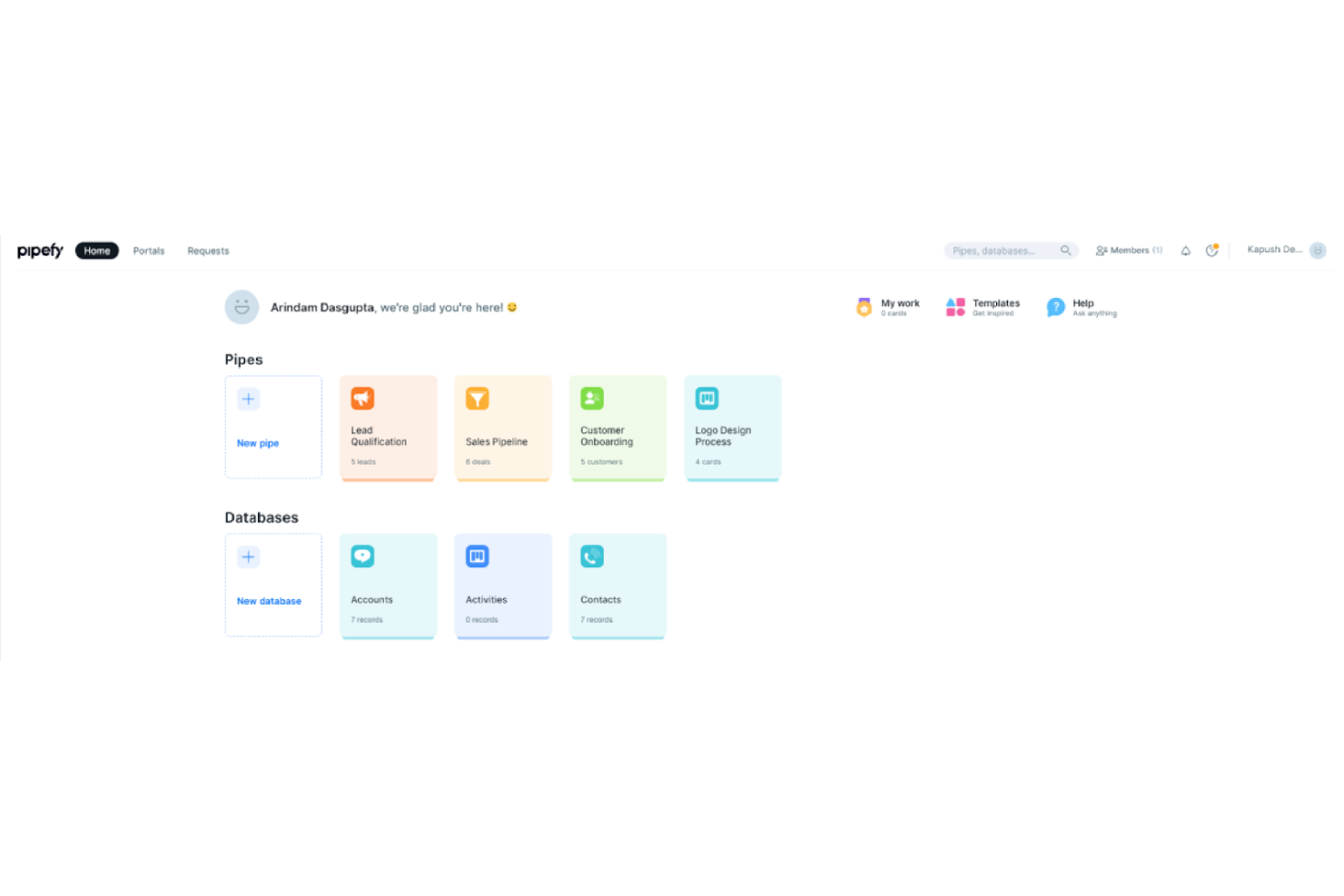
Pipefy is a comprehensive HR workflow automation platform that streamlines HR processes and improves employee experiences. It simplifies workflows and reduces repetitive tasks, allowing HR teams to focus on people rather than processes.
Why I picked Pipefy: I chose Pipefy for its ability to simplify complex HR processes through automation. Its user-friendly interface and extensive library of customizable templates set it apart, making it easy to implement and scale. I believe Pipefy is best for simplifying HR processes because it offers a range of features that automate routine tasks, integrate data, and improve communication, ultimately enhancing overall efficiency.
Standout features & integrations:
Features include automation tools for recruiting and onboarding, an HR helpdesk with ticketing abilities, centralized management of employee requests, and AI-driven insights for data-driven decision-making.
Integrations include Slack, Google Drive, Trello, Asana, Salesforce, Microsoft Teams, Dropbox, Zendesk, HubSpot, and QuickBooks.
Pros and Cons
Pros:
- AI-driven insights and automations
- Customizable templates for a range of HR
- Extensive reporting and analytics tools
Cons:
- Pricing can be high for small teams
- Learning curve associated with customizing complex workflows

GoCo
Best for automating the employee onboarding process

GoCo is an HRIS that provides comprehensive HR workflow automation to streamline core HR processes and get you out of your spreadsheets. It offers a wide range of features that cover all aspects of HR management, from onboarding to compliance.
Why I picked GoCo: I chose GoCo for its extensive features catering to every HR management aspect. What makes it stand out is its ability to integrate various HR functions into a single platform, making it easier for HR teams to manage their tasks efficiently. I believe GoCo is best for automating the employee onboarding process because it helps you collect new hire paperwork and link onboarding checklists with documents stored in your digital cloud.
Standout features & integrations:
Features include a workflow builder, task assignment with rich content, task tracking with due dates, and templates for numerous HR workflows. As an HRIS system, GoCo also offers tools for onboarding, document management, benefits administration, payroll, time tracking, performance management, and compliance, all in one place.
Integrations include 360Learning, Checkr, E-Verify by Tracker I-9, Execupay, Human Interest, Ideon, JazzHR, Paychex, Verified First, When I Work, QuickBooks Online, Tango Card, Brex, Expensify, Workable, Greenhouse, and dozens of others.
Pros and Cons
Pros:
- Integration with popular tools
- Customizable workflows
- Comprehensive feature set
Cons:
- Limited customization in lower tiers
- The learning curve for new users

Contractbook
Best for integrated contract management

Contractbook is a versatile HR workflow software that streamlines and automates contract management processes. It is best for integrated contract management due to its ability to automate manual tasks related to onboarding, such as generating employment agreements or non-disclosure agreements (NDAs) and pushing data to the right sources.
Why I picked Contractbook: I chose Contractbook for its robust contract management capabilities, which stand out in the HR workflow software landscape. The tool's ability to integrate contract data with HRIS or payroll tools and automatically create new employee profiles makes it the best for integrated contract management in HR.
Standout features & integrations:
Features include automated contract creation, task automation based on contract data, and secure data access. It also offers automation to track key employee milestones, such as the end of probationary periods, employee work anniversaries, and performance review due dates.
Integrations include Salesforce, HubSpot, Pipedrive, Slack, Google Drive, Microsoft Teams, BambooHR, Workday, Xero, and QuickBooks.
Pros and Cons
Pros:
- Task automation
- Secure data access
- Automated contract creation
Cons:
- No mobile app
- Requires integration setup
Annen programvare for HR-arbeidsflyt
Nedenfor finner du en liste over annen programvare for HR-arbeidsflyt som ikke kom med på listen min over de 10 beste, men som likevel er verdt å se nærmere på:
- Process Street
For document-driven workflows
- ChartHop
For customizable, data-driven HR workflows
- Formstack
For integrating HR forms and documents
- HappyFox Workflows
For automating HR request management
- Kenjo
For customizable HR workflows
- Redwood
For automating exception handling
- Rippling
For centralized HR, IT, and finance workflows
- Deel HR
For HR processes among global teams
- Jotform Workflows
For drag-and-drop builder
- BambooHR
For custom HR workflows and approvals


How I Evaluate HR Workflow Software
I split my evaluation into two layers: baseline capabilities a tool must have—like onboarding automation, approval routing, and digital forms—and the differentiators that set the genuinely useful options apart.
Core Functionality (Table Stakes For This List)
When I'm selecting tools for my list, I rank each one on a scale from 0 (does not offer the functionality) to 5 (excels in this area) for each core functionality listed below. Then, I calculate the tool's total score into a percentage. Each tool needs to achieve a minimum total score of 65% to be considered for inclusion.
- Workflow Automation Builder: I evaluate whether the platform lets you design multi-step HR processes with triggers and conditions—like auto-launching a probation review workflow 90 days after a start date.
- Employee Lifecycle Workflows: Prebuilt templates for onboarding, offboarding, role changes, and leave matter here. I check how many lifecycle stages are covered and how editable each template is.
- Approval Routing & Task Assignment: I look for conditional routing that assigns approvals based on attributes like department or location—not just a single static chain of command.
- HR Forms & Document Management: Digital forms, e-signatures, and centralized document storage all come into play. A tool should let you generate an offer letter, collect a signature, and file it automatically.
- HRIS & HR Stack Integrations: The platform should connect with your existing HRIS, payroll, and ATS. I check for native integrations, open API access, and middleware compatibility with tools like Zapier or Workato.
- Compliance & Audit Trails: Every approval, document change, and workflow action should be logged. I look for role-based permissions, retention controls, and relevant certifications like SOC 2 or GDPR readiness.
Once I have a list of tools that meet this criteria, I consider what sets each platform apart.
Differentiating Factors (What Sets Vendors Apart)
Here's how I compare and contrast different vendors:
Standout Features
Cross-departmental orchestration is a big differentiator. When a new hire starts, the best workflows don't just notify HR—they trigger IT provisioning, finance payroll setup, and facilities desk assignment in one sequence. I also look for workflow analytics dashboards that surface bottlenecks, like flagging that manager approvals in a specific department consistently stall. Native Slack or Teams integration matters too, because approvals that happen inside chat see much faster turnaround than ones buried in email.
Beyond Features
Implementation speed matters a lot. A platform with prebuilt onboarding and offboarding templates can go live in days, while one that requires building every workflow from scratch may take weeks. I also evaluate how well the tool scales—whether it supports multi-entity structures and multiple languages for organizations with distributed teams. Security and compliance posture rounds out my evaluation. I check for SOC 2 certification, role-based access controls, and data residency options, especially for teams handling sensitive employee records across regions.
Slik velger du programvare for HR-arbeidsflyt
Det er lett å gå seg vill i lange funksjonslister og kompliserte prismodeller. For å hjelpe deg med å holde fokus mens du går gjennom den unike prosessen din for valg av programvare, får du her en sjekkliste over faktorer du bør ha i tankene:
| Faktor | Hva du bør vurdere |
|---|---|
| Skalerbarhet | Vil programvaren vokse sammen med teamet ditt? Vurder om den støtter flere brukere og utvidede funksjoner uten en betydelig kostnadsøkning. |
| Integrasjoner | Kontroller kompatibiliteten med de eksisterende verktøyene dine, for eksempel lønnssystemer eller kommunikasjonsplattformer. Se etter enkle integrasjonsalternativer. |
| Tilpasningsmuligheter | Kan du tilpasse arbeidsflytene slik at de passer til de spesifikke HR-prosessene dine? Unngå løsninger som tvinger deg til å bruke rigide maler hvis fleksibilitet er viktig for deg. |
| Brukervennlighet | Er grensesnittet intuitivt for teamet ditt? Et komplekst system kan kreve omfattende opplæring og føre til treg innføring. |
| Implementering og opplæring | Hvor lang tid vil det ta å sette opp systemet og lære opp teamet ditt? Se etter leverandører som tilbyr hurtigstartveiledninger og omfattende støtte ved oppstart. |
| Kostnad | Vurder totalkostnaden, inkludert skjulte gebyrer. Tenk over om prisene passer med budsjettet ditt og gir god verdi for funksjonene som tilbys. |
| Sikkerhetstiltak | Følger programvaren standarder for databeskyttelse, for eksempel GDPR? Sørg for at den har robuste sikkerhetstiltak for å beskytte ansattdata. |
| Tilgjengelig kundestøtte | Er kundestøtten tilgjengelig når du trenger den? Se etter alternativer med døgnåpen støtte og flere kontaktmetoder. |
Trender innen programvare for HR-arbeidsflyt
Programvare for HR-arbeidsflyter fortsetter å utvikle seg for å ta i bruk teknologiske fremskritt og møte endrede forretningsbehov. Her er flere trender som for tiden påvirker utviklingen av programvare for arbeidsflytstyring:
- AI-drevet rekruttering: Arbeidsflytverktøy har begynt å ta i bruk AI i rekrutteringsfokuserte arbeidsflyter for å hjelpe med å sile CV-er og matche kandidater med stillingsbeskrivelser. Dette reduserer tiden som brukes på manuelle oppgaver, og bidrar til å finne den beste kandidaten til stillingene.
- Integrasjon med andre forretningsverktøy: HR-programvare integreres i stadig større grad med andre forretningsverktøy, som prosjektstyrings- og kommunikasjonsplattformer. Dette skaper et mer helhetlig arbeidsmiljø og sikrer datakonsistens på tvers av systemene.
- Avansert analyse og rapportering: HR-arbeidsflytverktøy tilbyr nå mer avanserte analyser som gir dypere innsikt i trender i arbeidsstyrken. Dette hjelper team med å ta bedre datadrevne beslutninger og identifisere områder som kan forbedres.
Som du kan se, fokuserer disse trendene på å integrere ny teknologi i programvare for HR-arbeidsflyter for å hjelpe team med å få mest mulig ut av programvaren og redusere manuelt arbeid.
Hva er programvare for HR-arbeidsflyter?
Programvare for HR-arbeidsflyter er et verktøy utviklet for å automatisere og administrere prosesser innen menneskelige ressurser. Den brukes vanligvis av HR-medarbeidere og ledere, og bidrar til å effektivisere oppgaver som onboarding, resultatoppfølging og overholdelse av regelverk. Funksjoner for automatisering, oppgavehåndtering og rapportering bidrar til økt effektivitet, mindre manuelt arbeid og større konsistens. Alt i alt gir disse verktøyene betydelige tidsbesparelser og bedre nøyaktighet i HR-arbeidet.
Funksjoner
Når du velger programvare for HR-arbeidsflyter, bør du se etter følgende nøkkelfunksjoner:
- Automatiseringsverktøy: Automatiser repetitive oppgaver for å spare tid og redusere manuelle feil.
- Tilpassbare arbeidsflyter: Tilpass prosessene slik at de møter dine spesifikke HR-behov og forbedrer effektiviteten.
- Integrasjonsmuligheter: Koble til eksisterende verktøy, som lønnssystemer og kommunikasjonsplattformer, for sømløs dataflyt.
- Selvbetjening for ansatte: La ansatte administrere sin egen informasjon, slik at den administrative belastningen på HR reduseres.
- Resultatoppfølging: Følg med på ansattes fremgang og resultater for å støtte utvikling og vekst.
- Rapportering og analyse: Generer innsikt fra data for å ta informerte HR-beslutninger.
- Oppfølging av regelverk: Sørg for at lovpålagte standarder følges, og oppretthold nøyaktige registre.
- Dokumenthåndtering: Organiser og lagre HR-dokumenter på en sikker måte for enkel tilgang og gjenfinning.
- Tilbakemeldingsverktøy: Legg til rette for kontinuerlig forbedring gjennom regelmessige tilbakemeldinger fra ansatte.
- Støtte for onboarding: Effektiviser prosessen for nyansatte med veiledet onboarding og opplæringsressurser.
Fordeler
Implementering av programvare for HR-arbeidsflyter gir flere fordeler for teamet og virksomheten din. Her er noen av fordelene du kan se frem til:
- Tidsbesparelser: Automatiseringsverktøy reduserer manuelle oppgaver og frigjør tid til mer strategisk arbeid.
- Bedre nøyaktighet: Automatiserte prosesser minimerer menneskelige feil og sikrer konsekvente og pålitelige resultater.
- Forbedret etterlevelse: Oppfølging av regelverk bidrar til å holde virksomheten i tråd med lovpålagte standarder og unngå potensielle sanksjoner.
- Bedre beslutningstaking: Rapportering og analyse gir innsikt som danner grunnlag for HR-strategier og beslutninger.
- Økt medarbeidertilfredshet: Selvbetjeningsfunksjoner for ansatte gir medarbeiderne mulighet til å administrere sin egen informasjon, noe som øker engasjementet.
- Effektivisert onboarding: Onboardingstøtte forenkler prosessen for nyansatte og hjelper nye medarbeidere med å komme godt inn i virksomheten.
- Effektiv dokumenthåndtering: Sentralisert dokumentlagring gjør det enkelt å få tilgang til og administrere viktige HR-filer.
Kostnader og priser
Valg av programvare for HR-arbeidsflyter krever en forståelse av de ulike prismodellene og abonnementene som er tilgjengelige. Kostnadene varierer basert på funksjoner, teamstørrelse, tillegg og mer. Tabellen nedenfor oppsummerer vanlige abonnementer, gjennomsnittsprisene deres og typiske funksjoner som er inkludert i programvareløsninger for HR-arbeidsflyter:
Sammenligningstabell for abonnementer for programvare for HR-arbeidsflyter
| Plantype | Gjennomsnittspris | Vanlige funksjoner |
|---|---|---|
| Gratisplan | $0 | Grunnleggende oppgavehåndtering, begrenset brukertilgang og viktig rapportering. |
| Personlig plan | $5-$25/bruker/måned | Tilpassbare arbeidsflyter, grunnleggende integrasjoner og selvbetjening for ansatte. |
| Bedriftsplan | $30-$60/bruker/måned | Avansert automatisering, detaljert analyse og sporing av etterlevelse. |
| Virksomhetsplan | $70-$120/bruker/måned | Full integrasjonsstøtte, dedikert brukerstøtte og avanserte sikkerhetsfunksjoner. |
Vanlige spørsmål om programvare for HR-arbeidsflyter
Her finner du svar på noen vanlige spørsmål om programvare for HR-arbeidsflyter og hvordan den fungerer:
Hva er den beste måten å evaluere programvare for HR-arbeidsflyter på?
Begynn med å vurdere teamets spesifikke behov og prosesser. Lag en liste over funksjonene dere trenger, og prioriter dem. Ta hensyn til faktorer som skalerbarhet, integrasjonsmuligheter og brukervennlighet. Be om demonstrasjoner av noen alternativer for å se hvilke som passer med arbeidsflyten deres. Snakk med andre HR-medarbeidere for å få anbefalinger og høre om erfaringene deres.
Hvor sikker er programvare for HR-arbeidsflyter?
Sikkerheten varierer mellom leverandørene, men de fleste anerkjente programvareløsninger for HR-arbeidsflyter har solide sikkerhetstiltak. Disse kan omfatte datakryptering, regelmessige sikkerhetsrevisjoner og overholdelse av personvernforordninger som GDPR. Kontroller alltid sikkerhetsdokumentasjonen til en programvareleverandør før du tar en beslutning.
Hvordan kan programvare for HR-arbeidsflyter forbedre samarbeidet i teamet?
Programvare for HR-arbeidsflyter forbedrer samarbeidet ved å samle informasjon og oppgaver på ett sted. Den gir teammedlemmer tilgang til delte dokumenter, mulighet til å følge fremdriften i oppgaver og kommunisere i plattformen. Funksjoner som varsler og oppgavetildeling sørger for at alle holder seg oppdatert, noe som reduserer misforståelser og øker effektiviteten.