

10 Best Certified Payroll Software in 2026

Best Certified Payroll Software Shortlist


Certified payroll software is purpose-built to help HR teams process wages and file government reports for construction and public works projects that fall under prevailing wage laws. If you need to protect your business from penalties, simplify complex payroll, or handle reporting for government contracts, it’s essential to pick software that truly supports certified payroll requirements.
In this guide, I’ll show you which tools make government compliance less stressful—thanks to automation, time collection, and HCM integrations—so you can focus on keeping projects and teams moving forward.
Why Trust Our Software Recommendations
Our team has been testing and reviewing software since 2012. As HR experts ourselves, we know how difficult—and important—it is to choose the right software.
For this guide, we evaluated tools using hands-on testing and independent research, scoring tools using our selection criteria. We also draw on insights from industry thought leaders and practicing HR experts.
Our reviews reflect our human editorial judgment, not a sales pitch.
Expert reviewers:
Certified Payroll Software Comparison Table
Compare pricing and specs, side by side, for the certified payroll software that made it onto my shortlist.
| Tool | Best For | Trial Info | Price | ||
|---|---|---|---|---|---|
| 1 | Best for ERP-native fringe benefit annualization | Free demo available | Pricing upon request | Website | |
| 2 | Best for ENR 400-scale public works payroll | Free demo available | Pricing upon request | Website | |
| 3 | Best for GPS-verified time-to-payroll on public works | Free trial available | Pricing upon request | Website | |
| 4 | Best for construction payroll with 49-state CPR forms | Free demo available | Pricing upon request | Website | |
| 5 | Best for enterprise specialty contractor payroll | Free demo available | Pricing upon request | Website | |
| 6 | Best for construction-native multi-state union payroll | Free demo available | Pricing upon request | Website | |
| 7 | Best for agency-mandated CPR e-filing oversight | Free demo available | Pricing upon request | Website | |
| 8 | Best for fringe trust with weekly cash distributions | Free demo available | Pricing upon request | Website | |
| 9 | Best for full-cycle construction payroll with e-filing | Free demo available | Pricing upon request | Website | |
| 10 | Best for HCM-connected certified payroll filing | Free demo available | Pricing upon request | Website |
Best Certified Payroll Software Reviews
Below are my detailed summaries of the best certified payroll software that made it onto my shortlist. My reviews offer a detailed look at the features, best use cases, and integrations of each software to help you find the best one for you.
Best for ERP-native fringe benefit annualization
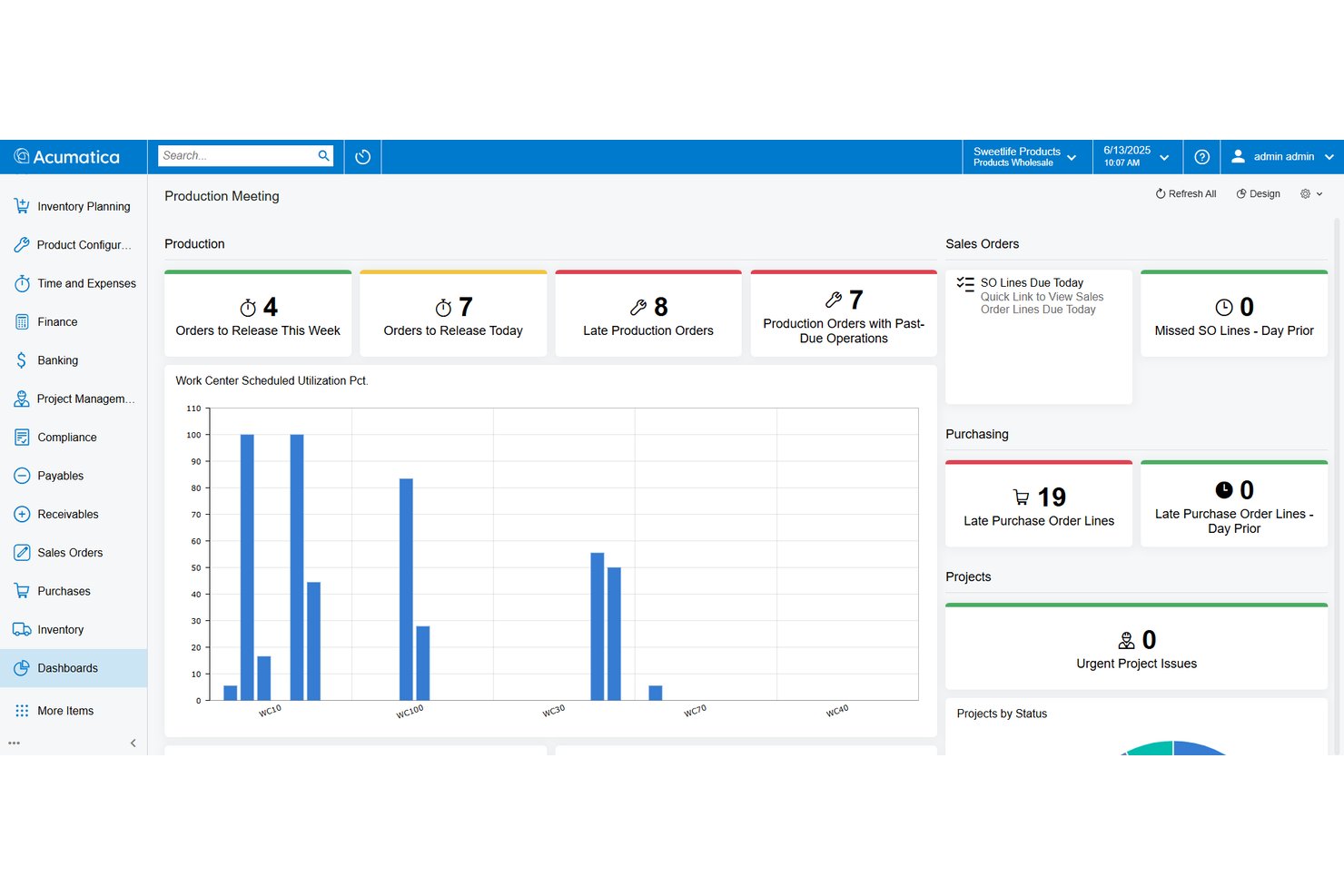
Acumatica is a construction ERP platform with a native payroll module that handles certified payroll reporting, prevailing wage rate configuration, fringe benefit tracking, union payroll, and job costing within a single system.
Who Is Acumatica Best For?
Acumatica is a strong fit for mid-market general contractors and specialty subcontractors who need certified payroll, union payroll, and job costing managed inside a single ERP rather than across disconnected tools.
Why I Picked Acumatica
I picked Acumatica because its fringe benefit annualization is genuinely one of the most developed I've seen in a construction ERP. The Certified Projects screen lets you separate cash fringes from plan contributions, apply a Benefits Reducing the Rate table to avoid double-counting, and toggle annualization on or off per certified project. That per-project annualization exception is the detail that matters during a DOL audit, and Acumatica handles it natively rather than through a workaround.
Acumatica Key Features
- Certified Projects screen: Configure labor classifications, prevailing wage rates, and effective dates per certified project directly within the payroll module.
- Union payroll support: Apply union-specific wage scales, overtime rules, and benefit plan contributions across multiple union locals and agreements.
- Multi-jurisdiction tax handling: Automate federal, state, and local payroll tax calculations with electronic filing support and compliance deadline dashboards.
- Job costing integration: Allocate labor costs by project, task, cost code, classification, and union in real time as payroll is processed.
Acumatica Integrations
Relevant Marketplace integrations include Procore, Lumber, ExakTime, and Workyard. Acumatica has no clearly documented native integrations with LCPtracker, DIR eCPR, eMars, or B2Gnow.
Pros and Cons
Pros:
- Real-time labor costs flow to job costing
- Strong fringe benefit annualization capabilities
- Native ERP-integrated certified payroll features
Cons:
- Manual entry for prevailing wage rates
- No native WH-347 e-filing support

Best for ENR 400-scale public works payroll
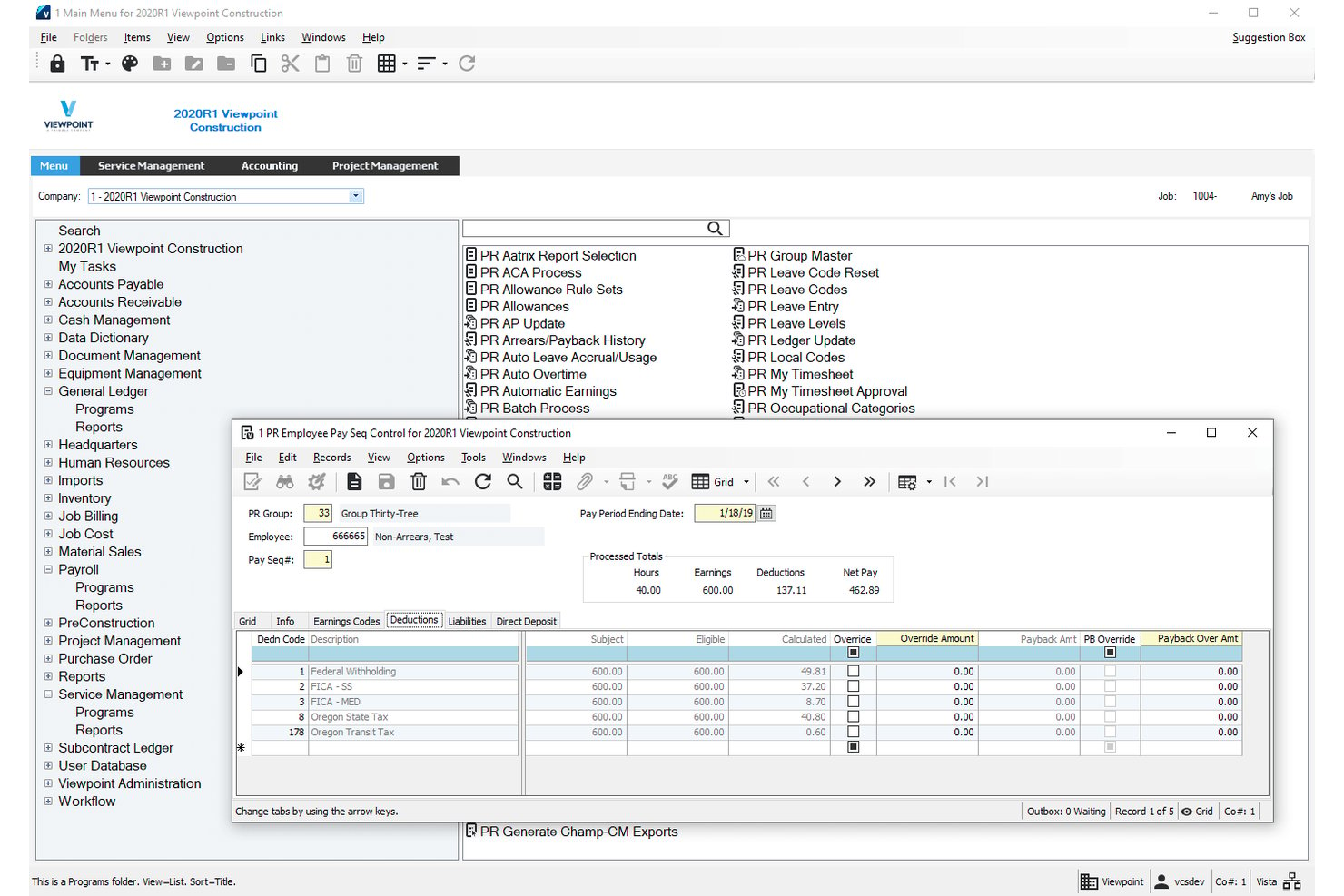
Viewpoint Vista is a construction ERP platform with a native payroll module covering certified payroll reporting, prevailing wage compliance, multi-union and multi-state payroll processing, fringe benefit tracking, and direct job cost integration.
Who Is Viewpoint Vista Best For?
Viewpoint Vista is built for large general contractors and heavy civil firms managing complex public works portfolios with multi-union, multi-state, and prevailing wage payroll requirements.
Why I Picked Viewpoint Vista
Viewpoint Vista earns its spot on my shortlist because it's the payroll engine most ENR 400 contractors already trust for complex public works payroll. I love that craft class templates let you configure separate wage rates and fringe benefit levels by trade, with old and new rate fields built in so prevailing wage transitions don't create re-keying chaos. When timecards process, labor hours and burdens flow directly into job costing, giving project accountants a single source of truth across multi-union, multi-state certified payroll runs.
Viewpoint Vista Key Features
- Multi-company payroll processing: Run payroll across multiple companies and legal entities within a single Vista instance, with each company's data kept separate.
- Employee self-service portal: Employees can submit time entries and access HR actions directly, reducing manual data entry for payroll administrators.
- Apprenticeship and trainee classification: Designate craft classes as apprentice or trainee with wage percentage and level fields that feed into eMars certified payroll exports for ratio documentation.
- LCPtracker and eMars export reports: Generate formatted Excel export files mapped to LCPtracker and eMars data requirements for upload to compliance portals.
Viewpoint Vista Integrations
Viewpoint Vista supports certified payroll exports to LCPtracker and eMars, plus a marketplace integration with ProScore for prevailing wage compliance. It also connects with Arcoro, Rhumbix, busybusy, SmartBarrel, and allGeo for HR and field time data.
Pros and Cons
Pros:
- Allocates labor costs to jobs automatically
- Crafts class templates for prevailing wage scenarios
- Handles multi-union, multi-state certified payroll
Cons:
- Wage rates require manual updates by admins
- No direct e-filing to agencies

Arcoro
Best for GPS-verified time-to-payroll on public works
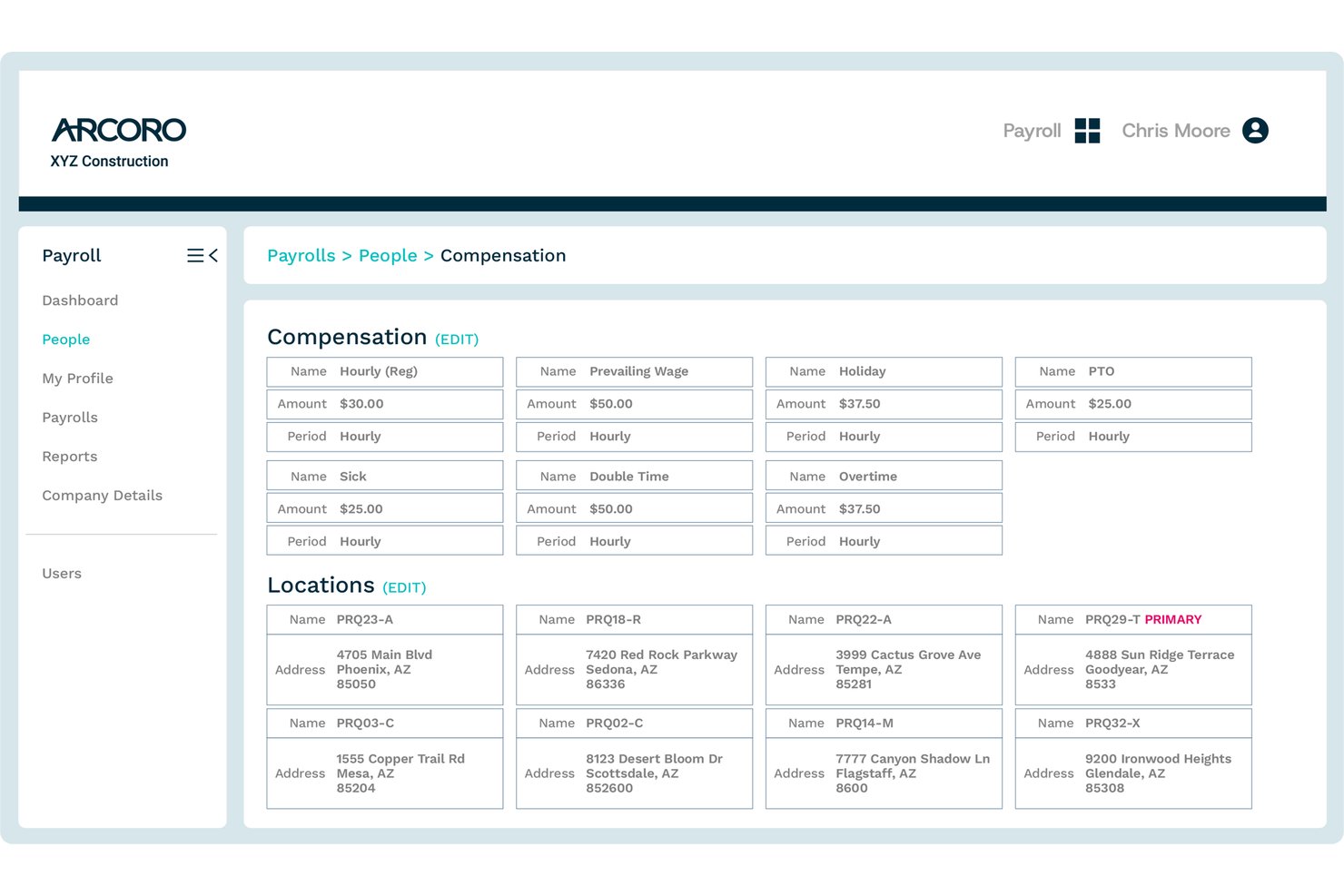
Arcoro is a construction-exclusive payroll platform that handles certified payroll reporting, prevailing wage compliance, GPS-verified time tracking, multi-state tax filing, and job costing.
Who Is Arcoro Best For?
Arcoro is a strong fit for construction contractors running public works jobs who need GPS-verified field time to flow directly into certified payroll and prevailing wage reporting.
Why I Picked Arcoro
Arcoro earns its spot on my shortlist because it's the only tool here that connects GPS-verified field time directly to certified payroll output without any manual re-entry in between. I like that when a worker clocks in on-site via the mobile app, that time, tagged to their labor classification and job code, flows straight into WH-347 generation and prevailing wage rate application automatically. Arcoro also flags exceptions before payroll runs, which catches misclassified workers on public works jobs before they become a compliance problem.
Arcoro Key Features
- WH-347 report generation: Arcoro auto-generates federal Form WH-347 directly from payroll data, pulling employee classifications, hours, wages, and fringe benefits into the report.
- LCPtracker export: The system produces certified payroll data in LCPtracker-compatible format, giving you a ready-to-upload file for multi-agency electronic submissions.
- Multi-state tax filing: Arcoro automatically calculates and files federal and multi-state taxes, handling the tax complexity that comes with crews working across state lines.
- Construction ERP integrations: Arcoro connects bidirectionally with Sage, Viewpoint Vista, Viewpoint Spectrum, CMiC, Foundation, Acumatica, and Procore to sync payroll and labor cost data.
Arcoro Integrations
Arcoro integrates with Sage, Viewpoint Vista and Spectrum, CMiC, Acumatica, Foundation Software, Procore, and LCPtracker. It also supports bidirectional payroll and labor-cost data sync with several construction ERP platforms.
Pros and Cons
Pros:
- Produces both WH-347 and LCPtracker output
- Flags wage classification exceptions before processing
- GPS-verified time flows directly to payroll
Cons:
- Manual wage determination lookup required
- No direct filing to DIR or eMars
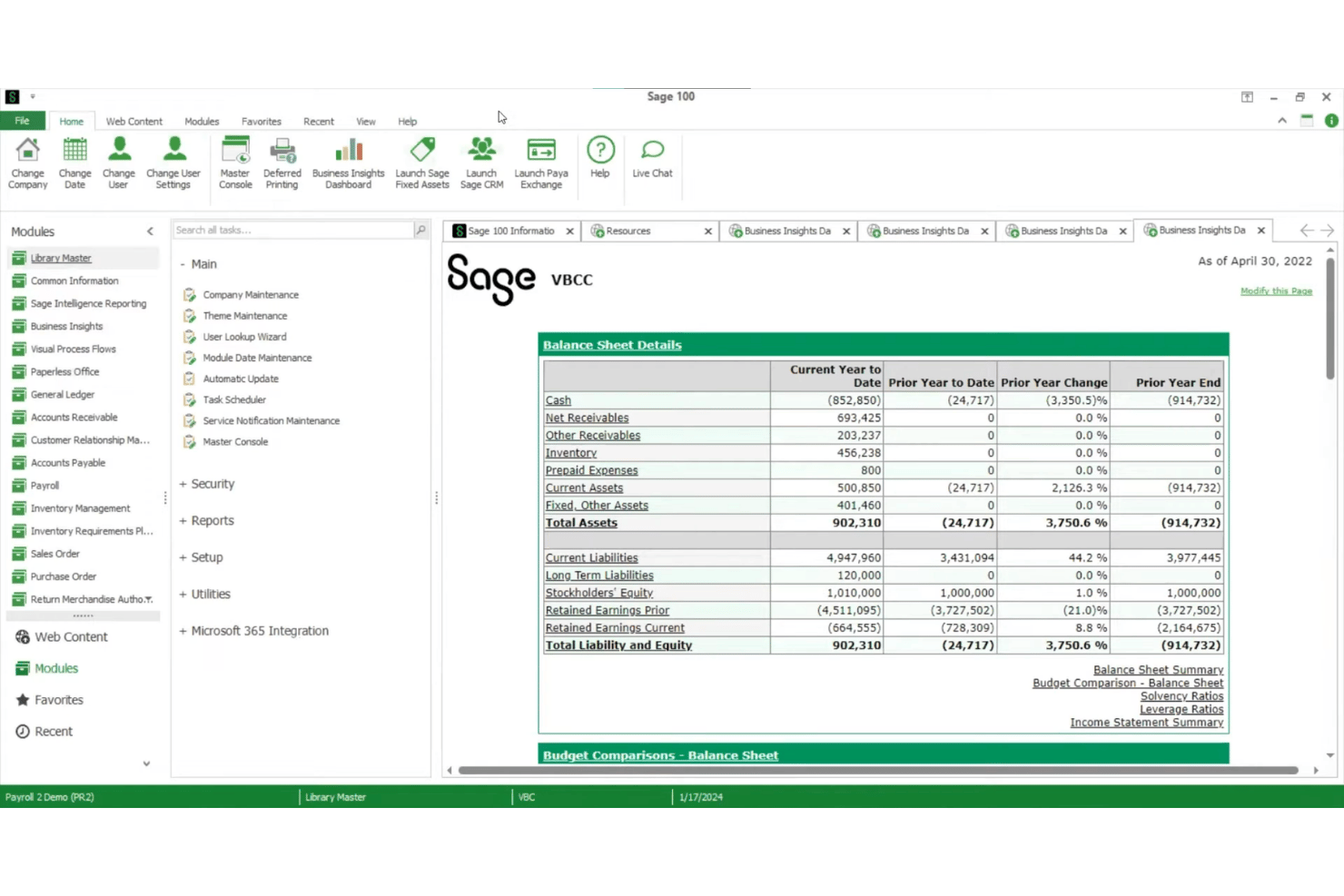
Sage 100 Contractor is a construction-specific accounting and payroll platform that handles certified payroll reporting, prevailing wage management, fringe benefit tracking, multi-jurisdiction tax processing, and integrated job costing.
Who Is Sage 100 Contractor Best For?
Sage 100 Contractor is a strong fit for construction contractors who need payroll, job costing, and certified payroll reporting in one platform.
Why I Picked Sage 100 Contractor
I've included Sage 100 Contractor in my top picks because its Aatrix-powered certified payroll coverage spans the federal WH-347 plus state forms for 49 U.S. states, which is genuinely broad coverage from a single platform. I also like how the paygroup system ties worker classifications directly to prevailing wage rates at the timecard level, so Davis-Bacon fringe splits between cash payments and bona fide plan contributions show up correctly on every certified payroll report. That kind of classification-level precision matters when you're running union and open-shop crews on the same job.
Sage 100 Contractor Key Features
- Multi-state timecard processing: Enter a state abbreviation on individual timecard lines to apply the correct built-in state tax table across all 50 U.S. states.
- Local payroll tax districts: Configure resident and non-resident tax rates by locality, with support for combined city and county district assignments on a single timecard.
- Union payroll processing: Run union payroll with contribution tracking and reporting alongside open-shop crews within the same payroll cycle.
- Integrated job cost allocation: Tag each timecard line to a job, phase, cost code, and cost type so wages, burdens, and taxes flow directly into job cost reports in real time.
Sage 100 Contractor Integrations
Sage 100 Contractor has native integrations with Aatrix, Sage Construction Management, and Sage Estimating. Its partner ecosystem also includes ExakTime, busybusy, Workyard, mJobTime, and Ryvit; no native LCPtracker, DIR eCPR, eMars, or B2Gnow connectors are documented.
Pros and Cons
Pros:
- Tracks cash and plan fringe benefits
- Paygroup system handles multi-classification payroll
- Generates WH-347 and 49-state CPR forms
Cons:
- Wage determination lookups are fully manual
- No native compliance portal integrations
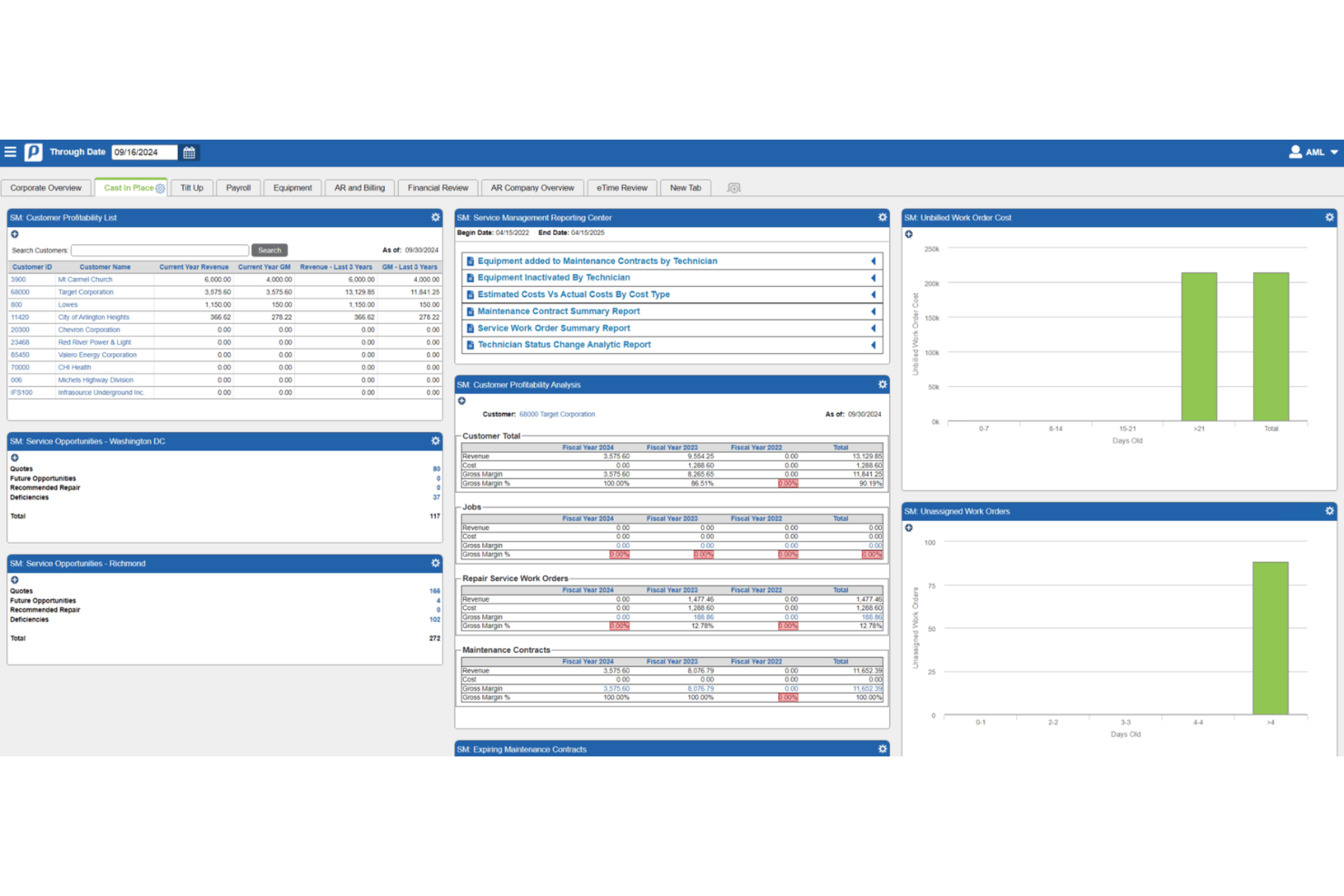
Penta is a construction ERP with a dedicated payroll module built for specialty contractors, covering full-cycle payroll processing, prevailing wage compliance, union fringe benefit tracking, and multi-jurisdiction tax filing.
Who Is Penta Best For?
Penta is a strong fit for large specialty contractors—electrical, mechanical, HVAC, and similar trades—running complex union payroll across multiple jurisdictions on prevailing wage projects.
Why I Picked Penta
Penta earns its spot on my shortlist because no other tool I've seen matches its depth for large specialty contractors running union payroll across prevailing wage projects. I love how its prevailing wage module handles fringe-by-fringe calculations automatically by trade and trade level, eliminating manual overrides once your wage rules are configured. Its real-time job costing also allocates fully burdened labor costs to specific cost codes daily, which is exactly what public works payroll requires.
Penta Key Features
- Full-cycle payroll processing: Handles gross-to-net calculations, direct deposit, check payments, and daily general ledger updates without manual formula writing.
- Multi-jurisdiction tax filing: Calculates and files federal, state, and local payroll taxes electronically, with configurable reciprocity rules across jurisdictions.
- Union reciprocity automation: Defines cross-jurisdiction rules between home and work locals and auto-calculates adjustments for workers on multi-union projects.
- Field time collection tools: Captures labor hours, equipment usage, and productivity data via web (eTime), field (TEP), or iPad (MFS) with offline sync support.
Penta Integrations
Penta documents nine native integration partners, including Procore and Rhumbix. Its PentaConnect APIs support custom project management and timecard integrations, but no certified payroll compliance portal integrations are documented.
Pros and Cons
Pros:
- Automated fringe-by-fringe prevailing wage calculations
- Daily, real-time allocation of labor costs
- Handles complex multi-union payroll automation
Cons:
- No integration with compliance reporting portals
- No built-in WH-347 or state forms
Best for construction-native multi-state union payroll
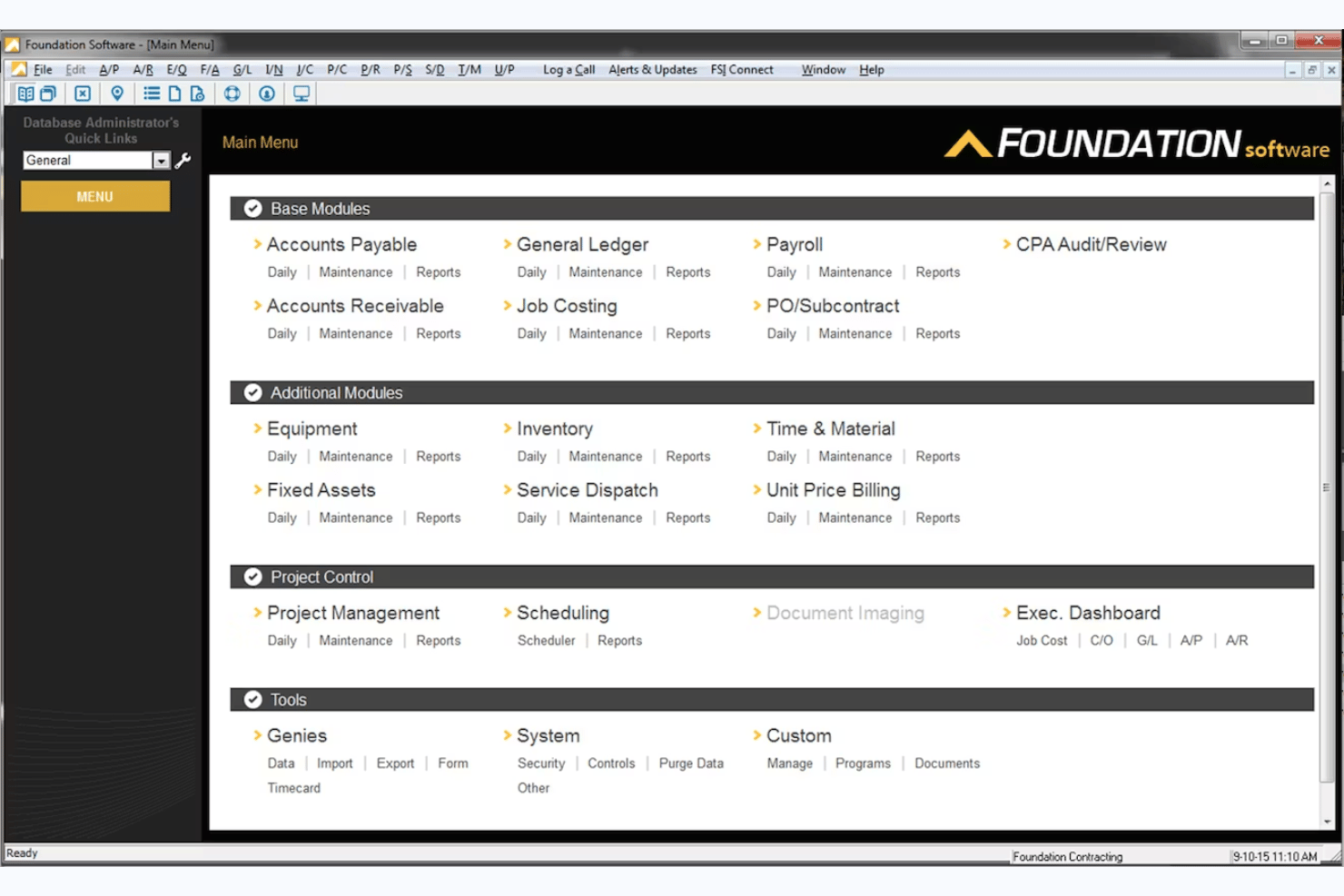
Foundation Software or FOUNDATION is a construction-native payroll and accounting platform that handles certified payroll reporting, prevailing wage compliance, multi-union and multi-trade payroll processing, and job costing in a single integrated system.
Who Is Foundation Software Best For?
Foundation Software is a strong fit for construction contractors running multi-union, multi-trade payroll across several states or jurisdictions on public works projects.
Why I Picked Foundation Software
Foundation Software earns its spot on my shortlist because no other platform handles multi-union, multi-trade certified payroll with this level of construction-native depth. I'm particularly impressed by how it applies multiple prevailing wage rate tables and trade classifications to a single employee timecard, which is exactly what you need when workers split time across trades on a public works job. It also auto-generates the federal WH-347 and dozens of state-specific certified payroll forms, with direct electronic submission to LCPtracker, DIR eCPR, and AASHTOWare CRL built in.
Foundation Software Key Features
- WorkMax mobile time capture: Field workers clock in and out via mobile device with GPS tracking, cost code tagging, and trade classification assignment synced directly to FOUNDATION payroll.
- EEO and minority compliance reporting: Generates reports tracking employee counts, minority worker counts, and minority hours worked to meet federal reporting requirements on publicly funded projects.
- Date-sensitive historical payroll reporting: Pull and re-run certified payroll reports from any prior period without hard-close restrictions, supporting audit responses and corrections.
- ACA reporting module: Tracks and files Affordable Care Act compliance reporting, including employee health coverage data, within the same system as construction payroll.
Foundation Software Integrations
Documented integrations include Payroll4Construction, WorkMax, Procore, QuickBooks, Sage, and The Contractors Plan. Certified payroll connections and submission formats include LCPtracker, DIR eCPR, eMars, and AASHTOWare CRL.
Pros and Cons
Pros:
- Offers mobile time capture with classification tagging
- Handles multi-union, multi-trade payroll deeply
- Automatically generates WH-347 and state reports
Cons:
- No automatic wage determination lookup integration
- Pricing is not published or transparent
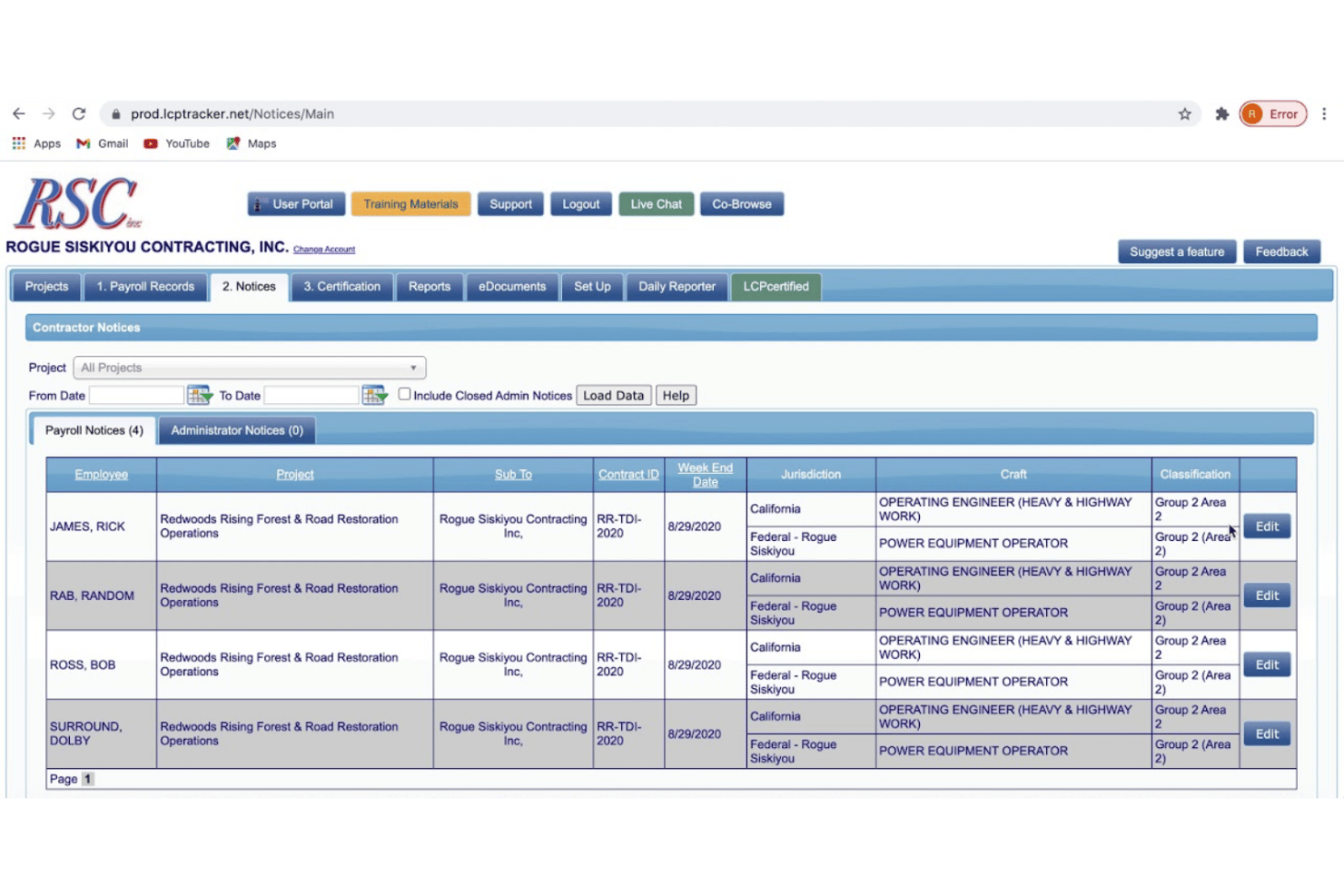
LCPtracker Pro is a certified payroll compliance platform built for public works projects, handling CPR generation, multi-tier subcontractor oversight, prevailing wage validation, and electronic submission across federal and state agency formats.
Who Is LCPtracker Pro Best For?
LCPtracker Pro is a strong fit for public agencies and prime contractors that manage multi-tier subcontractor CPR compliance on federally funded or state-mandated prevailing wage projects.
Why I Picked LCPtracker Pro
LCPtracker Pro earns its spot on my shortlist because it's the platform public agencies and prime contractors actually mandate for CPR e-filing on federally funded projects. I've seen it deployed as the required submission tool for DOE infrastructure work, where its FedRAMP Moderate authorization is a non-negotiable procurement requirement. The 100+ automated validations catch wage classification errors and fringe omissions before a report ever reaches a state portal, and its multi-tier approval workflows let prime contractors collect, review, and reject subcontractor payrolls from a single dashboard.
LCPtracker Pro Key Features
- OnSite field wage interview app: Conduct and record on-site worker wage interviews on iOS or Android, with automatic cross-checks against submitted certified payrolls.
- 120+ built-in workforce reports: Generate pre-built reports covering EEO demographics, apprentice-to-journeyworker ratios, local hire status, Section 3 tracking, and veteran status.
- Active Insights analytics dashboard: A Power BI-based add-on that provides customizable cross-project compliance dashboards with scheduled report sharing.
- Inflation Reduction Act PW&A tracking: Built-in prevailing wage and apprenticeship validation and documentation tools for IRA energy projects and tax credit applications.
LCPtracker Pro Integrations
LCPtracker Pro offers integrations with 16+ payroll and HR providers, including ADP Workforce Now, Paychex, Paycom, Paylocity, FOUNDATION, HH2, Jonas Construction, and Miter. It also supports imports from QuickBooks and Sage, plus XML exports for California DIR, Washington L&I, and Maryland DLLR.
Pros and Cons
Pros:
- Tracks multi-tier subcontractor CPR compliance
- 100+ automated validations for payroll errors
- Mandated by many public agencies and primes
Cons:
- No payroll tax filing or remittance
- Requires separate payroll software integration

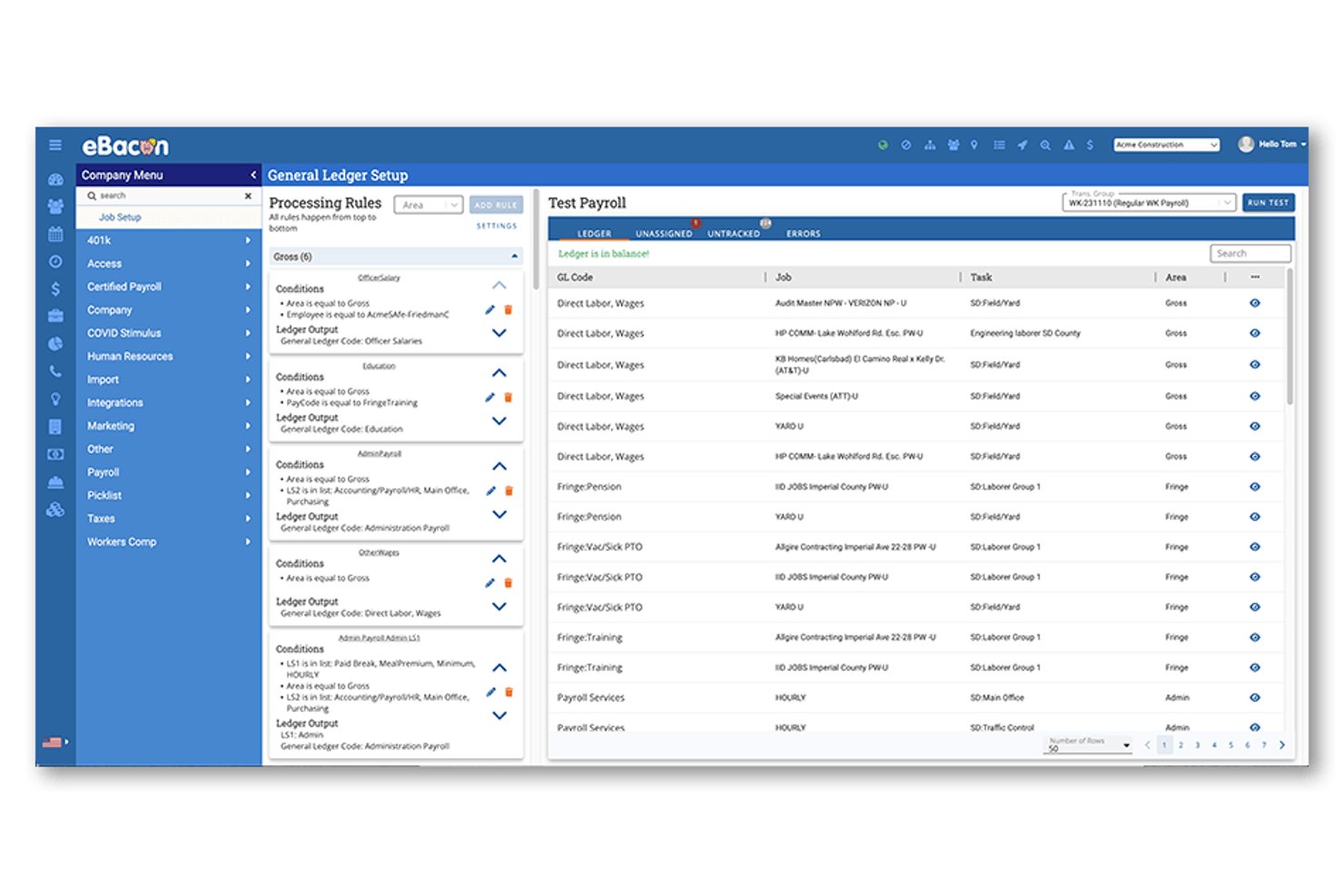
eBacon is a certified payroll platform built specifically for construction contractors, covering prevailing wage compliance, WH-347 and state-specific report generation, fringe benefit administration, and full-cycle payroll processing.
Who Is eBacon Best For?
eBacon is a strong fit for open-shop construction contractors who manage prevailing wage payroll across multiple public works projects and need fringe benefit administration built into the same platform.
Why I Picked eBacon
I picked eBacon as one of the best because its Bona Fide Fringe Trust is something I haven't seen replicated elsewhere: it converts prevailing wage fringe obligations into pre-tax 401(k) contributions and lets employees elect weekly cash distributions via direct deposit or pay card. That weekly distribution option is genuinely unique in this market. Pair that with 187,000+ pre-loaded wage determinations auto-assigned by classification and project, and you've got a platform built to handle the real complexity of public works payroll without constant manual intervention.
eBacon Key Features
- WH-347 and state-specific report generation: Auto-generates federal WH-347 reports alongside state forms including CA DIR eCPR, DAS 140/142, WA LNI, Maryland XML, and Alaska Upload from a single payroll run.
- GPS-geofenced mobile time tracking: Employees clock in via a mobile app that restricts punches to a designated jobsite radius, with mid-shift job and cost code switching tracked minute by minute.
- Apprentice-to-journeyworker ratio tracking: Monitors apprenticeship ratios per job and payroll period, including workers assigned to different apprenticeship councils on the same project.
- Compliance portal export files: Generates formatted upload files for LCPtracker, eMars, eComply, PRISM, and Elation, enabling direct electronic submission without manual data re-entry.
eBacon Integrations
eBacon offers two documented native integrations with QuickBooks Desktop and Sage 100. It also exports files for LCPtracker, eComply, PRISM, eMars, Elation, WA LNI, and CA DIR, with customizable GL imports for other accounting systems.
Pros and Cons
Pros:
- Auto-generates multi-state certified payroll reports
- Pre-loaded 187,000 wage determinations database
- Built-in bona fide fringe benefit trust
Cons:
- Mobile app lacks full pay stub access
- Requires sales consultation before getting access
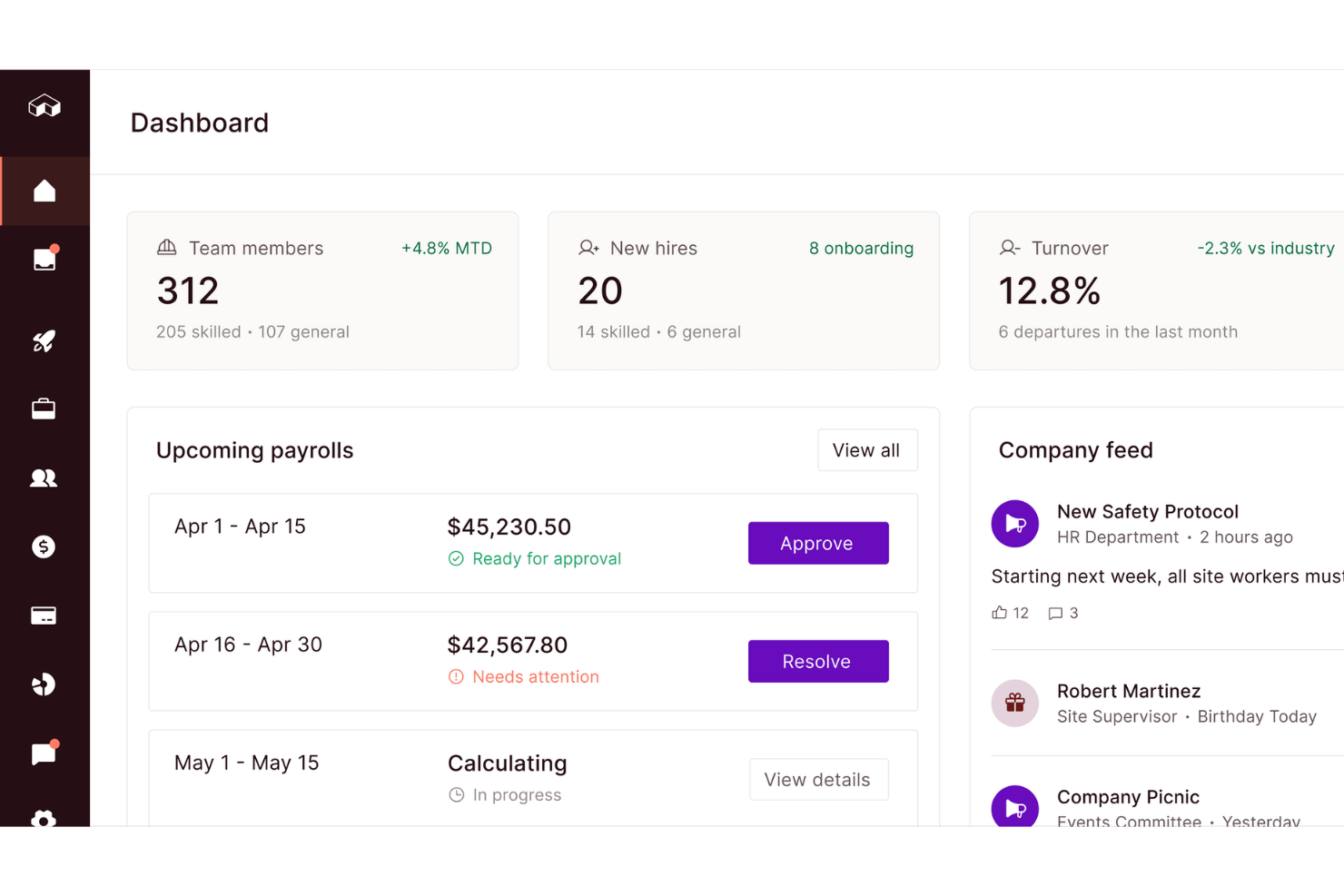
Miter is a construction-specific payroll platform that handles certified payroll reporting, prevailing wage compliance, fringe benefit tracking, and full-cycle payroll processing with direct e-filing to state portals and third-party compliance systems.
Who Is Miter Best For?
Miter is built for U.S. construction contractors who need payroll processing and certified payroll reporting to live in the same system.
Why I Picked Miter
Miter earns its spot on my shortlist because it's the only tool here that runs payroll and certified payroll reporting through a single native engine, with no data re-entry between the two. I particularly like how it handles full-cycle payroll alongside direct e-filing to state portals, covering CA, NY, IL, OR, and more, plus third-party compliance portals like LCPtracker and Elation. When a worker splits time across two classifications on the same pay period, Miter applies the correct wage rates, fringes, and certified form entries automatically.
Miter Key Features
- Multi-classification payroll per pay period: Miter automatically applies the correct wage rates and fringe benefits when a worker splits time across two or more trade classifications within the same pay period.
- GPS-tagged mobile time capture: Workers clock in and out via iOS or Android with hours tagged to specific jobs, cost codes, and trade classifications at the point of entry.
- Weighted average overtime calculation: The platform calculates weighted average overtime per FLSA requirements across multiple pay rates, jobs, and classifications within a single pay period.
- Audit log with version history: Every certified payroll submission is stored with timestamped version history, letting you reconstruct or review any past report for DOL audits or corrections.
Miter Integrations
Miter has documented integrations with LCPtracker, eMars, eComply, Elation Systems, Sage 300 CRE, Viewpoint, Foundation Software, Procore, HCSS, and QuickBooks Online. A REST API supports custom integrations.
Pros and Cons
Pros:
- Full version history for audit readiness
- Mobile GPS-tagged time tracking for job sites
- Certified payroll and payroll processing unified
Cons:
- No automated EEO or apprentice ratio reporting
- No built-in wage determination lookup

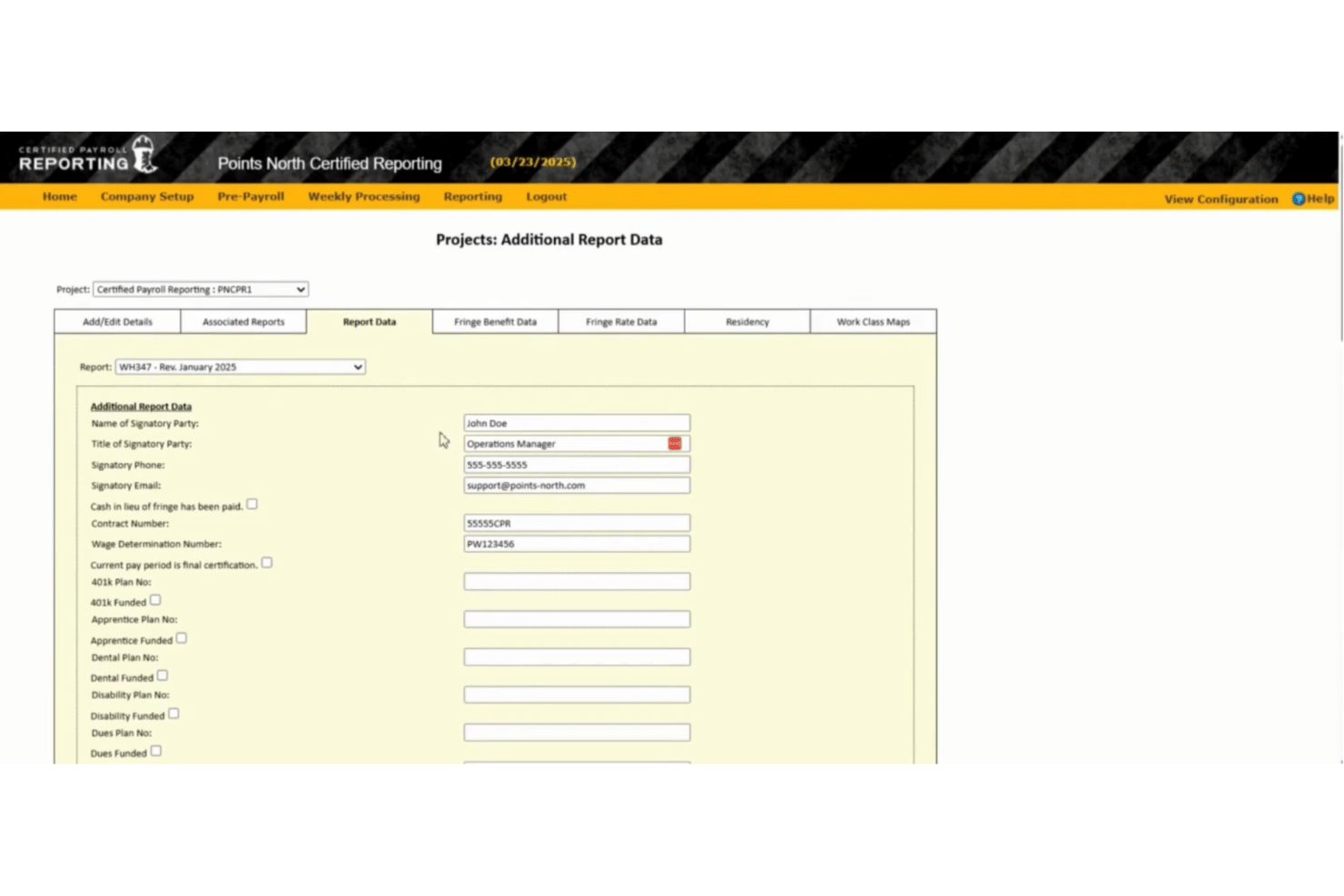
Points North is a cloud-based certified payroll reporting platform that automates the generation and electronic submission of WH-347 and 100+ federal, state, and municipal certified payroll formats, with built-in wage determination lookup and government portal compatibility.
Who Is Points North Best For?
Points North is a strong fit for payroll and compliance teams at construction firms that already use a major HCM platform—like ADP, Workday, or UKG—and need a dedicated layer for certified payroll report generation and e-submission.
Why I Picked Points North
Points North earns its spot on my shortlist because of how cleanly it slots into an existing HCM stack. If your payroll already runs through ADP Workforce Now, Workday, or UKG, Points North pulls that data directly to generate WH-347 reports and 100+ state and municipal certified payroll formats without any manual re-entry. I particularly like the built-in Wage Determination Number lookup and the electronic export compatibility with portals like LCPtracker, California DIR, and eMars, which covers most multi-state project reporting needs in one place.
Points North Key Features
- No-work report generation: Create and submit "No Work" certified payroll reports directly from the platform for weeks with no active labor on a project.
- Per-project email distribution lists: Configure project-specific recipient lists to send multiple certified payroll reports in a single email to agencies, GCs, or internal contacts.
- Apprentice wage ratio tracking: Manage apprentice wage progressions and ratios by classification and local through the WageIQ module.
- Indefinite report retention: Access and regenerate previously submitted certified payroll reports at any time from the cloud-based archive.
Points North Integrations
Points North integrates with ADP Workforce Now, Workday, Paycor, Paychex, UKG, QuickBooks Online, Deltek, Raken, and ClockShark. It also supports electronic export to LCPtracker, eMars, TRS, Elations, MD E-File, eCPR, eComply, AASHTO, and California DIR.
Pros and Cons
Pros:
- Indefinite archive for on-demand report retrieval
- Includes federal, state, and municipal reports
- Handles over 100 certified payroll formats
Cons:
- Requires separate pre-payroll module for full use
- No built-in payroll processing functionality
Other Certified Payroll Software
Here are some additional certified payroll software options that didn’t make it onto my shortlist, but are still worth checking out:
- Lumber
For AI-driven prevailing wage audit readiness
- ADP Workforce Now
For mid-market contractors
- Netchex
For HCM-led contractor prevailing wage payroll
- hh2
For Sage ERP-connected prevailing wage payroll
- JOBPOWER
For small contractors doing union job costing
- Dapt
For existing ADP or Paychex payroll users


How I Evaluate Certified Payroll Software
My evaluation splits into two layers: the baseline each tool must clear—accurate WH-347 generation, prevailing wage rate application, and full-cycle payroll processing—and the differentiators that separate a capable tool from the right one for public works compliance.
Core Functionality (Table Stakes for This List)
When I'm selecting tools for my list, I rank each one on a scale from 0 (does not offer the functionality) to 5 (excels in this area) for each core functionality listed below. I then calculate the tool's total score into a percentage, and use that to help me assess its overall fit for the list.
- Certified payroll reports: I check whether the tool auto-generates WH-347 forms and state-specific reports, and whether it supports direct e-filing to agencies.
- Prevailing wage compliance: Each tool should apply Davis-Bacon and state wage rates by classification, project, and locality without manual lookups.
- Fringe benefits tracking: I evaluate how the tool splits fringes across health, pension, and training plans, and whether it handles cash vs. bona fide offsets.
- Payroll processing: Full-cycle gross-to-net calculations, tax withholdings, direct deposit, and garnishments all factor into how I score this area.
- Multi-jurisdiction tax handling: Tools that manage federal, state, and local tax filings across multiple worksites score higher than single-state-only options.
- Job costing and time allocation: I look for labor hour allocation to specific jobs, cost codes, and classifications with burden tracking tied back to projects.
Once I have a list of tools that meet the criteria, I consider what sets each platform apart.
Differentiating Factors (What Sets Vendors Apart)
Here's how I compare and contrast different vendors:
Standout Features
I check whether each tool offers built-in wage determination lookups that pull prevailing rates by trade, county, and project type directly from official databases. Manual rate research is a compliance risk, and tools like Miter and eBacon handle this automatically. I also evaluate fringe benefit annualization—specifically how each platform calculates bona fide benefit credits across health, pension, and apprenticeship plans to withstand a DOL audit. Native e-filing integration matters too: I look at whether the tool pushes certified payroll data directly into portals like LCPtracker or DIR eCPR without re-keying.
Beyond Features
I evaluate whether a vendor staffs compliance specialists who understand prevailing wage deadlines and split-classification rules, not just generic payroll support reps. Pricing flexibility matters too—construction workforces fluctuate seasonally, so I check if platforms penalize you for inactive employees or charge transparently for add-ons like e-filing and multi-EIN support. I also look at audit readiness: tools like Foundation Software and eBacon maintain immutable audit trails and flag underpayments before submission, which saves real pain when a DOL investigator requests evidence packets.
How to Choose a Certified Payroll Software
Here's what to focus on when picking certified payroll software:
| If your priority is… | Look for… |
|---|---|
| Fast, error-proof government reporting | Auto-generation and e-filing of WH-347/state forms |
| Avoiding wage and fringe compliance penalties | Prevailing wage determination lookup, audit trails |
| Running payroll across several states or unions | Multi-state tax and union handling |
| Connecting payroll with other HR systems | Integrations with HCM, ERP, or time tracking tools |
| Adapting to seasonal workforce changes | Flexible user or employee-based subscription plans |
How to Vet Your Shortlist
- Check report accuracy with proof: Request a sample WH-347 or state-specific report generated for a real-life or anonymized project.
- Test manual override and lookup: Run a trial to update a wage or fringe rate mid-period, ensuring changes sync through reporting.
- Assess multi-jurisdictional limits: Submit a ticket or run a mock payroll across three states or unions and examine tax and job costing breakdowns.
- Confirm direct e-filing readiness: Ask for written confirmation or a demo showing e-filing into an agency or portal your projects use.
- Tradeoff—purpose-built vs. generalist platforms: Decide if you need construction-native compliance tools with audit trails, or broader HCM suites that add certified payroll as an extra module.
What Is Certified Payroll Software?
Certified payroll software is a specialized tool that automates wage calculations and government reporting for projects subject to prevailing wage laws. It creates compliant payroll records, generates official forms like the WH-347, and tracks wage rates, fringe benefits, and classifications required by agencies. This software is essential for HR teams that manage public works or government contracts and need to meet strict documentation and reporting standards.
Features of Certified Payroll Software
When selecting certified payroll software, keep an eye out for the following key features:
- Certified payroll reporting: Automatically generate compliant WH-347 and state-certified payroll forms for public works and prevailing wage projects. This feature helps you submit accurate, ready-to-file documents to government agencies without manual calculations.
- Prevailing wage calculation: Apply the correct wage rates by classification, project, and location. This function ensures all hours are paid in line with federal and regional requirements and prevents wage violations.
- Fringe benefits management: Track health, pension, training, and other fringe benefits and handle both cash and bona fide plan offsets. This supports your ability to produce clear benefit statements and stay audit-ready.
- Payroll processing: Handle full gross-to-net payroll, including calculations for regular and overtime pay, tax withholdings, deductions, and direct deposit. This supports payroll actions for both standard and government-contracted employees.
- Multi-jurisdiction tax handling: Manage tax filings and compliance for projects spread across different states, counties, or municipalities. This is important for contractors and subcontractors with crews working in multiple locations.
- Job costing and time allocation: Allocate labor hours and wages to the correct job codes, projects, and worker classifications. Use this feature to produce accurate cost tracking, progress billing, and profitability analysis.
- Audit trail and compliance alerts: Maintain an unalterable record of payroll changes and flag possible wage underpayments or classification errors. This helps you maintain transparency and correct issues before filing.
- Direct e-filing integrations: Push certified payroll data directly into portals like LCPtracker, DIR eCPR, or other agency systems without re-entering information. This saves time and reduces errors.
- Built-in wage determination lookup: Pull prevailing wage rates directly from government databases by trade, location, and project type. This reduces the risk of relying on outdated wage schedules.
- Customizable reporting and exports: Create custom exports of payroll, fringe, and job cost data for internal reviews or integration with your accounting, HCM, or ERP systems. This connects your certified payroll with other software you already use.
Benefits of Certified Payroll Software
Implementing certified payroll software provides several benefits for your team and your business. Here are a few you can look forward to:
- Accurate government reporting: Automatically generate compliant WH-347 and state-certified payroll forms so you can submit error-free documents and avoid fines.
- Prevailing wage compliance: Apply correct wage rates by classification, project, and location, ensuring every employee is paid according to federal and regional rules.
- Fringe benefits tracking: Split and manage fringe benefits for health, pension, and training plans, supporting detailed statements and compliance with audit requirements.
- Multi-jurisdiction tax handling: Manage tax filings and deductions for projects across different states, counties, or municipalities without making manual adjustments.
- Direct e-filing integrations: Push payroll data directly into government portals like LCPtracker or DIR eCPR, eliminating double entry and reducing transcription mistakes.
- Job costing and time allocation: Allocate labor hours and wages to the right job codes, supporting accurate cost tracking and project profitability analysis.
- Immutable audit trails: Maintain unalterable records of payroll changes and get alerts for possible underpayments or errors before each submission.
Costs and Pricing of Certified Payroll Software
Selecting certified payroll software requires an understanding of the various pricing models and plans available. Costs vary based on features, team size, add-ons, and more. The table below summarizes common plans, their average prices, and typical features included in certified payroll software solutions:
Plan Comparison Table
| Plan Type | Average Price | Common Features |
|---|---|---|
| Free Plan | $0 | Basic payroll processing, limited certified payroll reports, and simple employee management. |
| Personal Plan | $30-$60/month | Certified payroll reporting, prevailing wage calculation, and basic job costing. |
| Business Plan | $100-$250/month | Advanced certified payroll reports, prevailing wage and fringe management, multi-jurisdiction handling, and integrations. |
| Enterprise Plan | $300-$600+/month | Custom reporting, audit trails, direct e-filing integrations, compliance alerts, dedicated support, and multi-company support. |
Certified Payroll Software FAQs
Here are some answers to common questions about certified payroll software:
How do you verify certified payroll software is compliant with federal and state requirements?
You should ask vendors for sample WH-347 reports and agency submission confirmations. It’s important to see a real or anonymized example for projects similar to yours. Look for auto-filled wage rates, fringe breakdowns, and e-filing documentation. Some platforms provide written compliance guarantees or keep documentation ready for audit requests.
Can certified payroll software integrate with time tracking or HR systems?
Yes, many certified payroll software platforms offer integrations with popular HR, ERP, and time tracking tools. You can connect with systems like Sage, QuickBooks, ADP, or Procore for easier data entry. Not every vendor supports all integrations, though, so always confirm the platforms you rely on are supported before buying.
What’s the difference between general payroll software and certified payroll software?
Certified payroll software is built for public works and prevailing wage projects. It automates government reporting, wage determination, and fringe benefit calculations required by law. Standard payroll software might handle paychecks and taxes, but it usually can’t manage wage rates by project or create the compliance documentation you need for audits.
Is certified payroll software necessary if I only work on occasional government projects?
Yes, even one prevailing wage project can trigger strict reporting and audit requirements. Certified payroll software helps prevent mistakes that could lead to fines or project delays. If you’re a smaller firm with infrequent government work, look for vendors that offer flexible plans or pay-as-you-go pricing without locking you into annual contracts.
How do you compare pricing across certified payroll software vendors?
Focus on your core needs—including employee count, project complexity, multi-state reporting, and required integrations. Check if pricing is per user, per payroll, or based on active employees. Don’t forget to ask about additional costs for compliance modules, e-filing, or onboarding support. Always request a custom quote based on your actual payroll data and reporting needs.