

10 Best Free Employee Recognition Software in 2026

Best Free Employee Recognition Software Shortlist


Free employee recognition software gives your team digital tools to celebrate wins, shout out great work, and boost morale—without upfront costs. If you’re searching for ways to make recognition easy and accessible, but need to stick with a free plan or trial, you’re in the right spot. I’ll help you sort through the top options, what each one does best, and how HR teams actually use them to keep recognition meaningful and simple.
Why Trust Our Software Recommendations
Our team has been testing and reviewing software since 2012. As HR experts ourselves, we know how difficult—and important—it is to choose the right software.
For this guide, we evaluated tools using hands-on testing and independent research, scoring tools using our selection criteria. We also draw on insights from industry thought leaders and practicing HR experts.
Our reviews reflect our human editorial judgment, not a sales pitch.
Expert reviewers:
Free Employee Recognition Software Comparison Table
This comparison table summarizes pricing details for my top free employee recognition software selections:
| Tool | Best For | Trial Info | Price | ||
|---|---|---|---|---|---|
| 1 | Best for group celebration message boards | Free trial available | From $6.99/board | Website | |
| 2 | Best for points-based peer appreciation programs | Free plan available | From $5/user/month | Website | |
| 3 | Best for Microsoft Teams engagement features | Free plan + 30-day free trial + free demo available | From $7/user/month | Website | |
| 4 | Best for automated milestone celebrations | 30-day free trial | From $1/user/month (billed annually) | Website | |
| 5 | Best for direct Slack recognition workflows | Free trial + free demo available | From $50/month (billed annually) | Website | |
| 6 | Best for gamified culture-building via chat | Free trial + free demo available | From $3/user/month (billed annually) | Website | |
| 7 | Best for AI-powered recognition suggestions | Free plan + 14-day free trial + free demo available | From $3/user/month (billed annually) | Website | |
| 8 | Best for customizable value-based kudos | 14-day free trial + free plan + free demo available | From $1/user/month (billed annually) | Website | |
| 9 | Best for recognition using Slack and Teams emojis | 30-day free trial | From $3/user/month | Website | |
| 10 | Best for unlimited recognition with no user cap | Free plan available | From $1/user/month (billed annually) | Website |
Free Employee Recognition Software Reviews
Below are my detailed summaries of the free employee recognition software that made it onto my shortlist. My reviews offer a detailed look at the features, best use cases, and integrations of each platform to help you find the best one for you.
Best for group celebration message boards
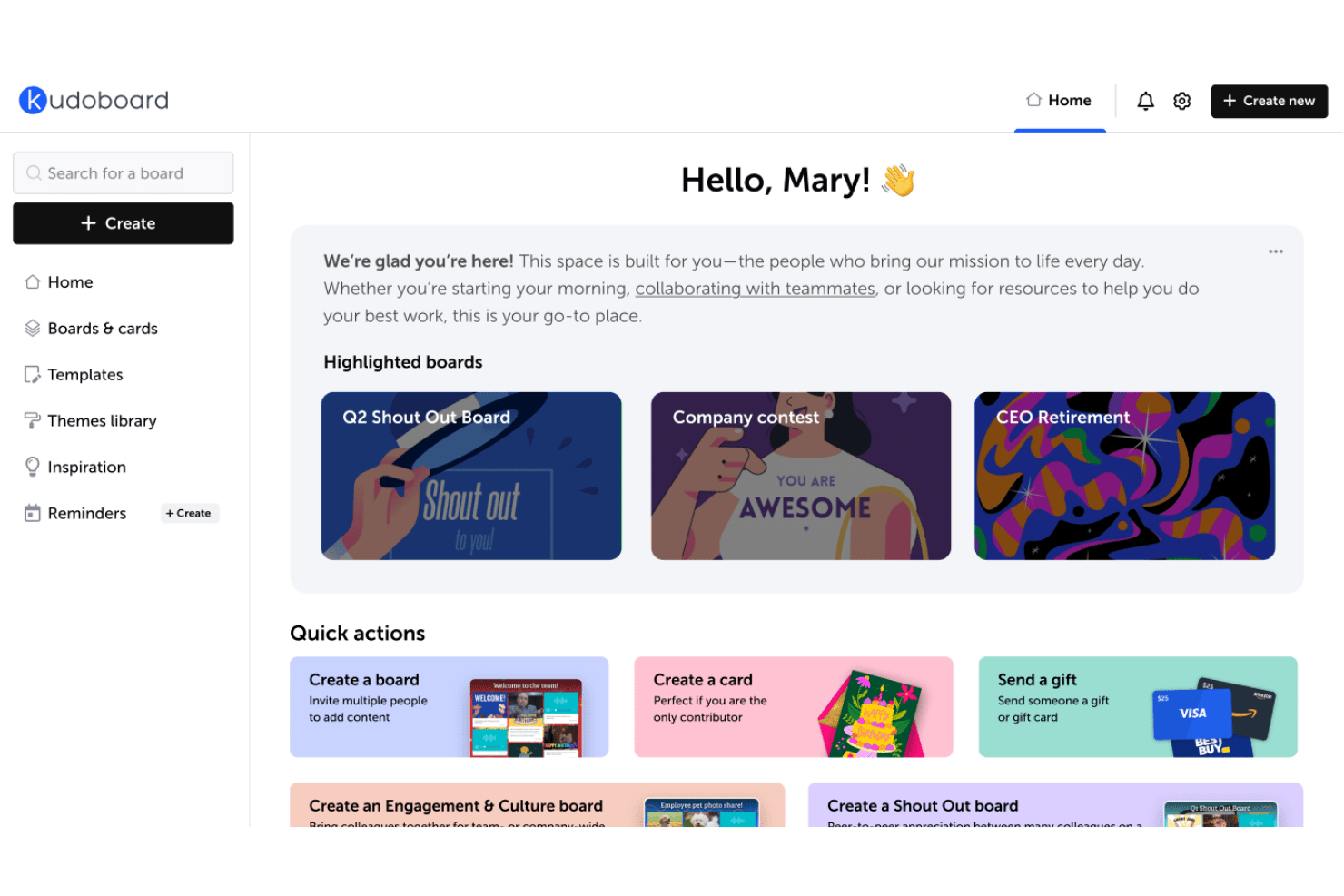
Kudoboard is a digital group card and employee recognition platform where teams collaborate on celebration boards, shout-outs, and milestone messages using text, photos, GIFs, and video.
Who is Kudoboard Best For?
Kudoboard works well for HR and people ops teams at small to mid-sized companies that want a simple, low-lift way to coordinate group celebrations across remote or hybrid teams.
Why I Picked Kudoboard
I picked Kudoboard as one of the best because its group board format is genuinely built around collective celebration in a way most recognition tools aren't. Instead of individual shoutouts, you can coordinate a whole team to contribute messages, photos, GIFs, and videos to a single board for a colleague's birthday or work anniversary. I particularly like the slideshow mode, which lets you display the finished board live at an in-person or hybrid event rather than just emailing a link.
Kudoboard Key Features
- Company values tagging: Admins can create custom tags to tie recognition posts to company values and core behaviors.
- Printable keepsakes: Boards can be transformed into hard-bound books or posters and shipped to recipients.
- GIF and Unsplash integration: Users can add GIFs and high-quality images from GIPHY and Unsplash directly to recognition posts.
- Advanced analytics: Admins get access to detailed engagement and participation metrics to track the reach of recognition programs.
Kudoboard Integrations
Kudoboard offers native integrations with Slack, Microsoft Teams, Okta, OneLogin, and many HRIS systems including ADP, Workday, BambooHR, Gusto, and Paylocity. It also provides an API for custom integrations.
What's Free?
Kudoboard's Lite Board lets you create a single board for free, with a cap of 20 posts and basic features like messages, photos, and GIFs. It's not a free-forever plan in the traditional sense, as boards are created individually rather than through an ongoing subscription, and the Business plan offers a free trial with no credit card required.
Pros and Cons
Pros:
- Custom backgrounds and branding
- Boards display as a live slideshow at events
- Group boards collect contributions from the whole team
Cons:
- Per-board pricing makes ongoing recognition expensive
- Contributors must sign up before posting to a board
Bonusly
Best for points-based peer appreciation programs
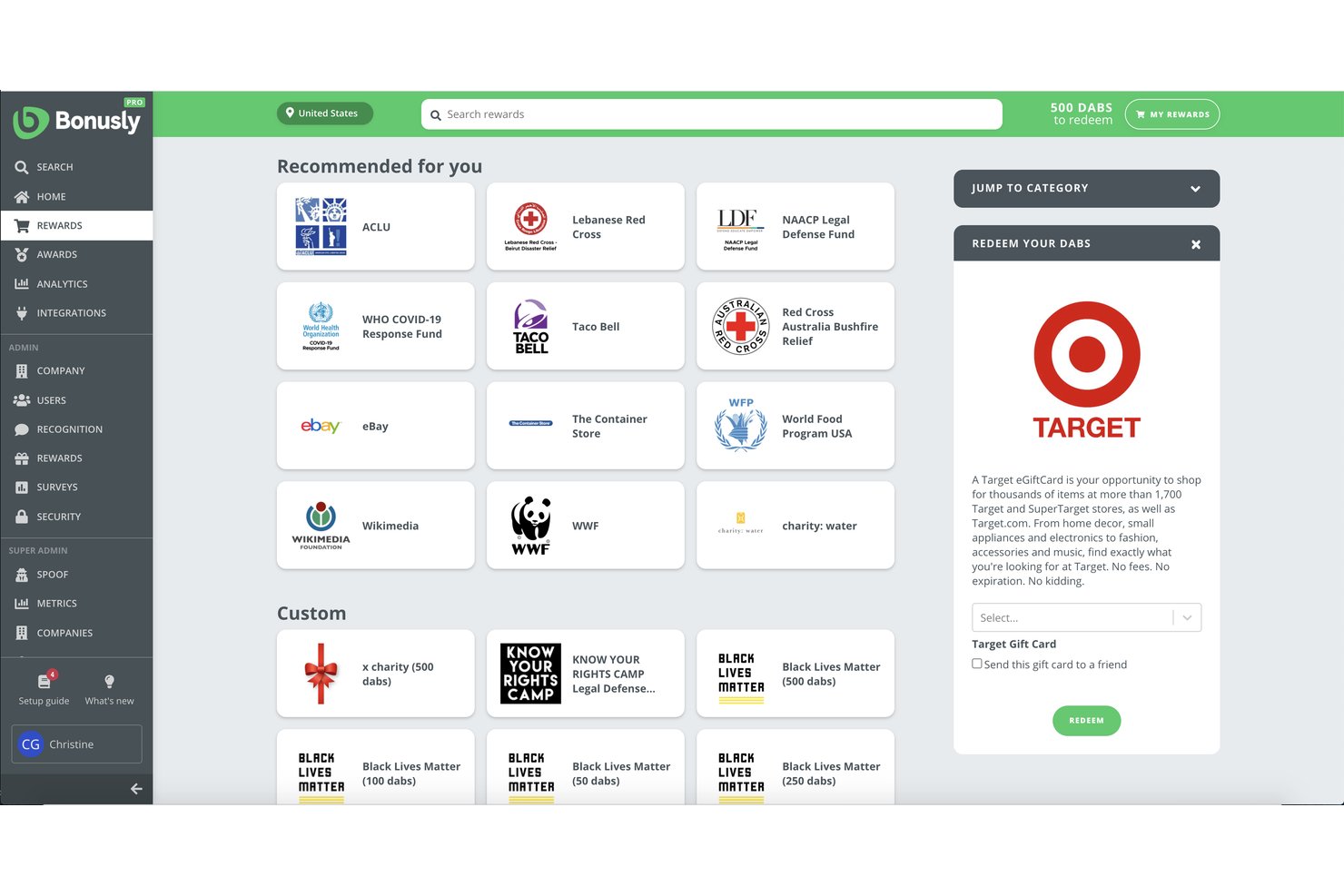
Bonusly is an employee recognition platform built around a points-based system where employees give each other small monetary allowances, tie recognition to company values, and automate milestone celebrations like birthdays and work anniversaries.
Who is Bonusly Best For?
Bonusly is a strong fit for people ops and HR teams at small to mid-sized companies looking to build a structured peer recognition culture across remote or hybrid teams.
Why I Picked Bonusly
I picked Bonusly because the monthly points allowance model sets it apart from a simple kudos board. Every employee gets a monthly budget to distribute to peers in small increments, keeping recognition frequent and distributed rather than top-down. I love that value hashtags tie each shoutout directly to a specific company value, and those tags feed into analytics that show which values are actually showing up day-to-day across your team.
Bonusly Key Features
- Recognition feed: Company-wide social feed displays all shoutouts and celebrations in real time.
- Reactions and comments: Team members can like, react, or comment on any recognition post for greater engagement.
- Milestone automation: Automatically tracks and posts birthdays, anniversaries, and tenure milestones.
- Slack and Teams integration: Native integration enables employees to give and view recognition without leaving chat tools.
Bonusly Integrations
Bonusly offers native integrations with Slack, Microsoft Teams, Google Chat, BambooHR, ADP, Rippling, Toast, Notion, Workday, and more, and it provides an API for custom integrations.
What's Free?
Bonusly offers a free-forever plan that includes core peer recognition features with no user limit, making it accessible to teams of any size. The free plan doesn't include advanced features like 1:1s, check-ins, or the analytics and insights available on paid tiers.
Pros and Cons
Pros:
- Unused points can be donated to nonprofits
- Public shoutouts are visible across the whole company feed
- Points allowance resets monthly, encouraging frequent recognition
Cons:
- Recognition engagement tends to drop after the initial launch period
- Reward redemption catalog is limited outside of the United States
Best for Microsoft Teams engagement features
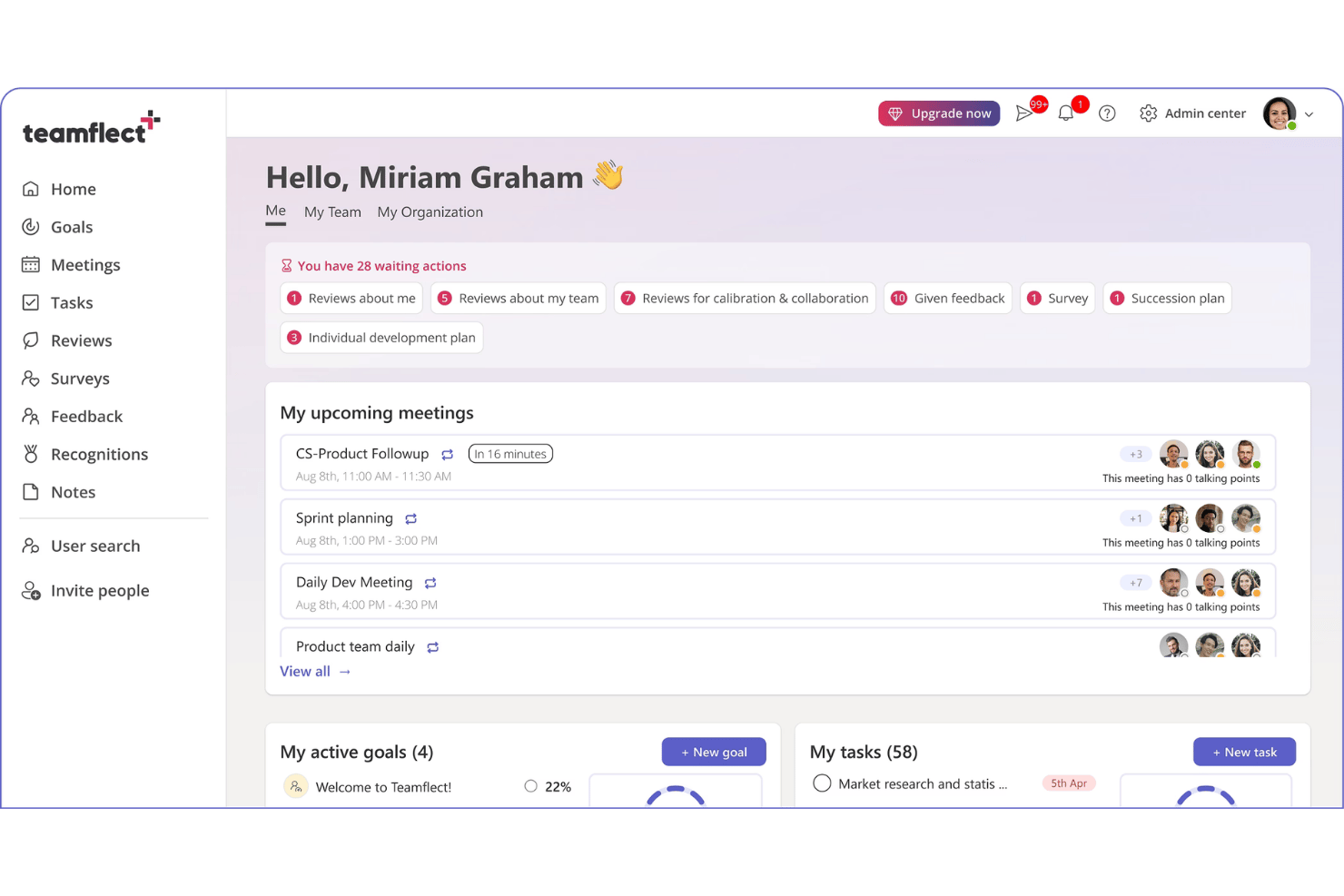
Teamflect is a performance management and employee recognition platform that combines peer-to-peer recognition, customizable badges, milestone celebrations, points-based rewards, and a company-wide recognition feed.
Who is Teamflect Best For?
Teamflect is a natural fit for small teams already working inside Microsoft 365 who want recognition built into their existing workflow.
Why I Picked Teamflect
I picked Teamflect as one of the best because recognition happens directly inside Microsoft Teams, with no separate app required. My team can send customizable badges mid-conversation in a Teams channel, and those recognitions post to a company-wide feed that colleagues can react to in real time. I also love the automated milestone alerts for birthdays and anniversaries, which surface inside Teams before they quietly slip past.
Teamflect Key Features
- Custom recognition badges: Create and assign badges tailored to your company’s values and achievements.
- Leaderboards: Track and highlight top-recognized employees with real-time, point-based ranking boards.
- Automated milestone recognitions: Automatically celebrate birthdays, anniversaries, and key work milestones within the platform.
- Microsoft 365 integration: Syncs with Outlook, Planner, To-Do, Power Automate, and Power BI for unified HR processes.
Teamflect Integrations
Teamflect has native integrations across the Microsoft ecosystem and 200+ HRIS systems, including Gusto, BambooHR, Paylocity, Rippling, HiBob, and Deel. An API is available for custom integrations.
What's Free?
Teamflect's Starter plan is a free-forever plan that includes recognition badges, a recognition feed, leaderboard views, recognition points, and redeemable rewards. It's capped at 10 users, so it works best for very small teams or as a way to pilot the product before committing to a paid plan.
Pros and Cons
Pros:
- Free plan includes points and redeemable rewards
- Peer recognition tied to custom values-based badges
- Recognition sends directly inside Microsoft Teams chats
Cons:
- Useless for organizations outside the Microsoft ecosystem
- 10-user cap makes it unusable for most teams

HiThrive
Best for automated milestone celebrations
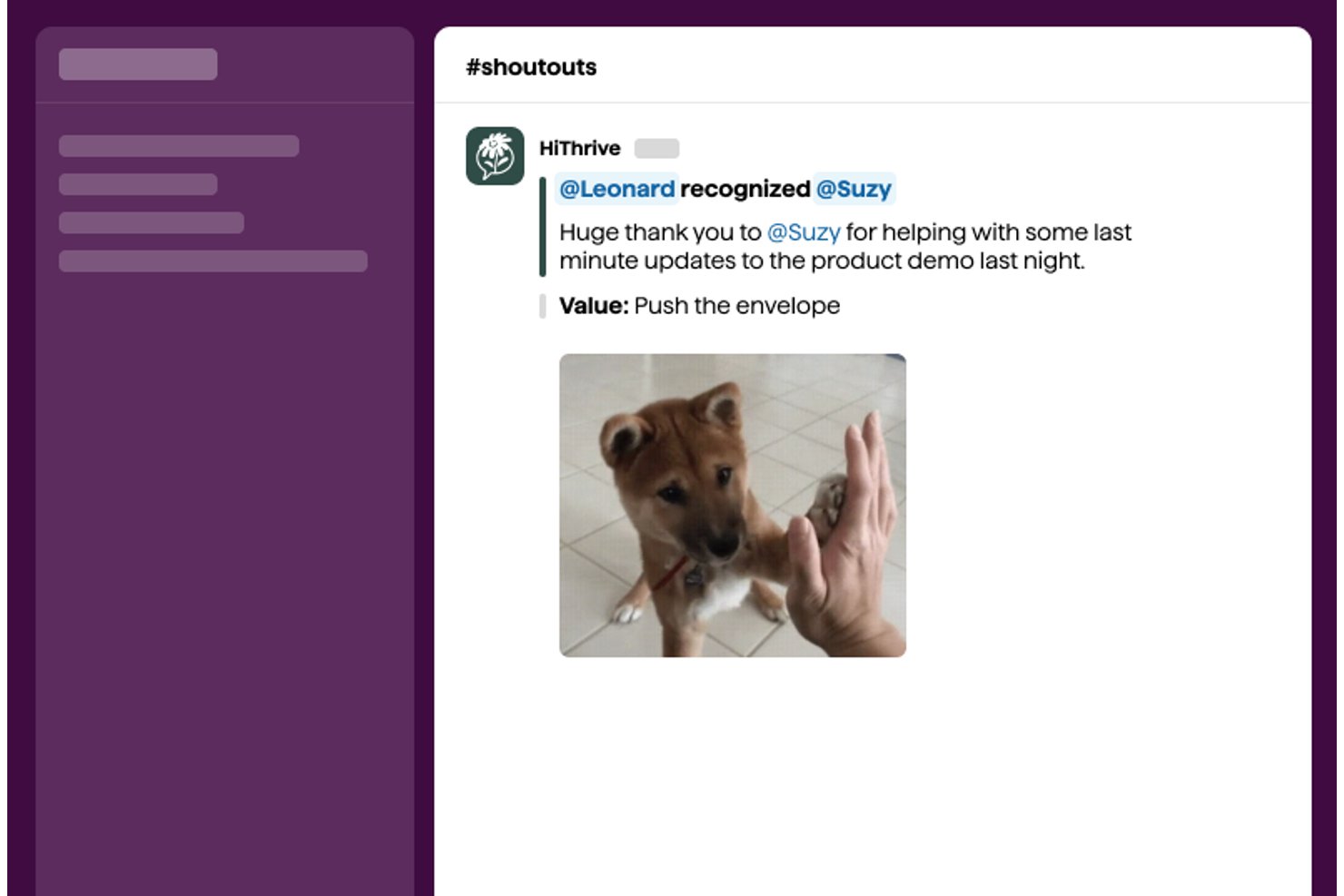
HiThrive is an employee recognition platform that supports peer-to-peer shoutouts, values-based recognition, automated milestone celebrations, and a built-in rewards catalog through Slack, Microsoft Teams, or a standalone web app.
Who is HiThrive Best For?
HiThrive is a strong fit for people operations teams at small to mid-sized companies that run Slack- or Teams-based workplaces and want structured, automated recognition programs.
Why I Picked HiThrive
HiThrive earns its spot as one of the best because of how thoughtfully it handles automated milestone celebrations. I love that work anniversary programs let you configure each milestone year separately, with its own point value, gift, message, and announcement timing. The birthday workflow is particularly smart: it asks each employee how they'd prefer to celebrate, whether publicly, privately, or not at all, before anything goes out.
HiThrive Key Features
- Peer-to-peer recognition: Send public or private kudos to any colleague directly in Slack, Microsoft Teams, or the web app.
- Recognition feed: View a company-wide social wall of appreciation posts, keeping recognition visible to everyone.
- Company values tagging: Assign recognition to specific core values, allowing admins to customize and track value-driven behaviors.
- In-app rewards catalog: Choose from digital gift cards, Amazon redemptions, nonprofit donations, and custom company swag for digital rewards.
HiThrive Integrations
HiThrive offers native integrations with ADP, BambooHR, Gusto, HiBob, Namely, Paylocity, Rippling, Sage, UKG, Workday, and more. An API is available for custom integrations.
What's Free?
HiThrive offers a 30-day free trial of its Recognize plan, with no free-forever tier available. After the trial ends, you'll need to subscribe to a paid plan to keep using the platform.
Pros and Cons
Pros:
- Values tagging tracks cultural behavior patterns
- Birthday celebrations respect individual employee preferences
- Milestone workflows configurable per anniversary year
Cons:
- Limited analytics on recognition participation rates
- No free-forever plan beyond trial period
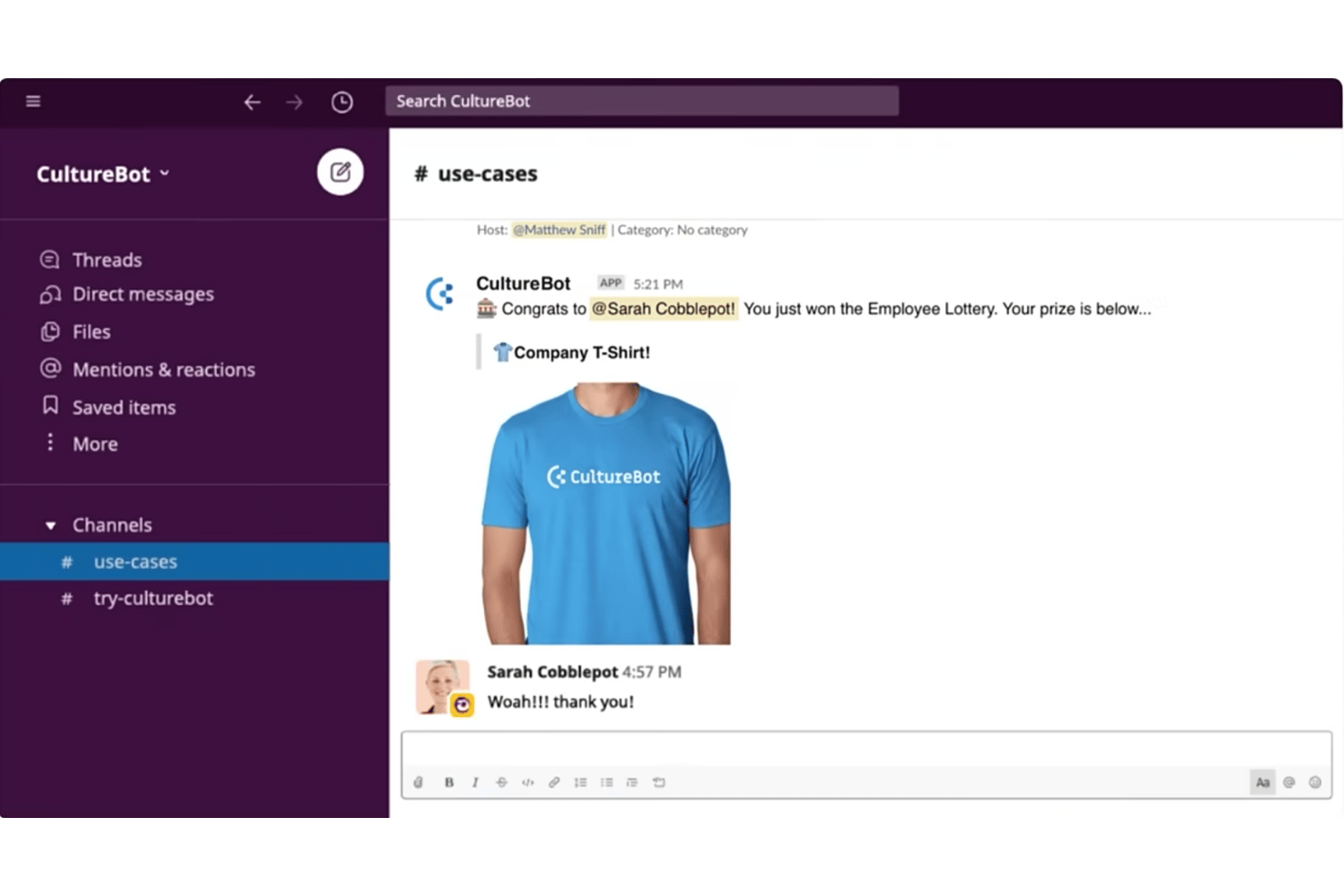
CultureBot is a Slack and Microsoft Teams-native recognition app that combines peer-to-peer shoutouts, automated milestone celebrations, pulse surveys, and conversation starters in a single install.
Who is CultureBot Best For?
CultureBot suits small to mid-sized remote and hybrid teams that run their daily communication in Slack and want recognition built into that same workflow.
Why I Picked CultureBot
CultureBot earns its spot on my shortlist because the entire recognition workflow lives inside Slack, with no tab-switching or separate login required. I love that team members can fire off a shoutout using a simple slash command, and that shoutout lands directly in a shared Slack channel for everyone to see and react to. The automated birthday and work anniversary messages are also set-and-forget, which means recognition keeps running even when no one is actively thinking about it.
CultureBot Key Features
- In-app trivia games: Teams can launch and play real-time trivia games directly inside Slack channels.
- Employee surveys and polls: Collect feedback and run anonymous surveys within the platform to gauge sentiment.
- Automated holiday celebrations: Set up custom messages to mark holidays and awareness days throughout the year.
- Onboarding experiences: Schedule and automate onboarding journeys for new hires using timed Slack messages.
CultureBot Integrations
CultureBot offers native integrations with Slack and Microsoft Teams.
What's Free?
CultureBot offers a 14-day free trial, not a free-forever plan. The trial gives you access to the platform's features before committing to a paid subscription, and no credit card is required to get started.
Pros and Cons
Pros:
- Trivia and games boost team engagement
- Automated milestone messages require no manual setup
- Slash command recognition is quick and frictionless
Cons:
- Analytics and reporting tools are basic
- No standalone web-based recognition feed

Karma
Best for gamified culture-building via chat
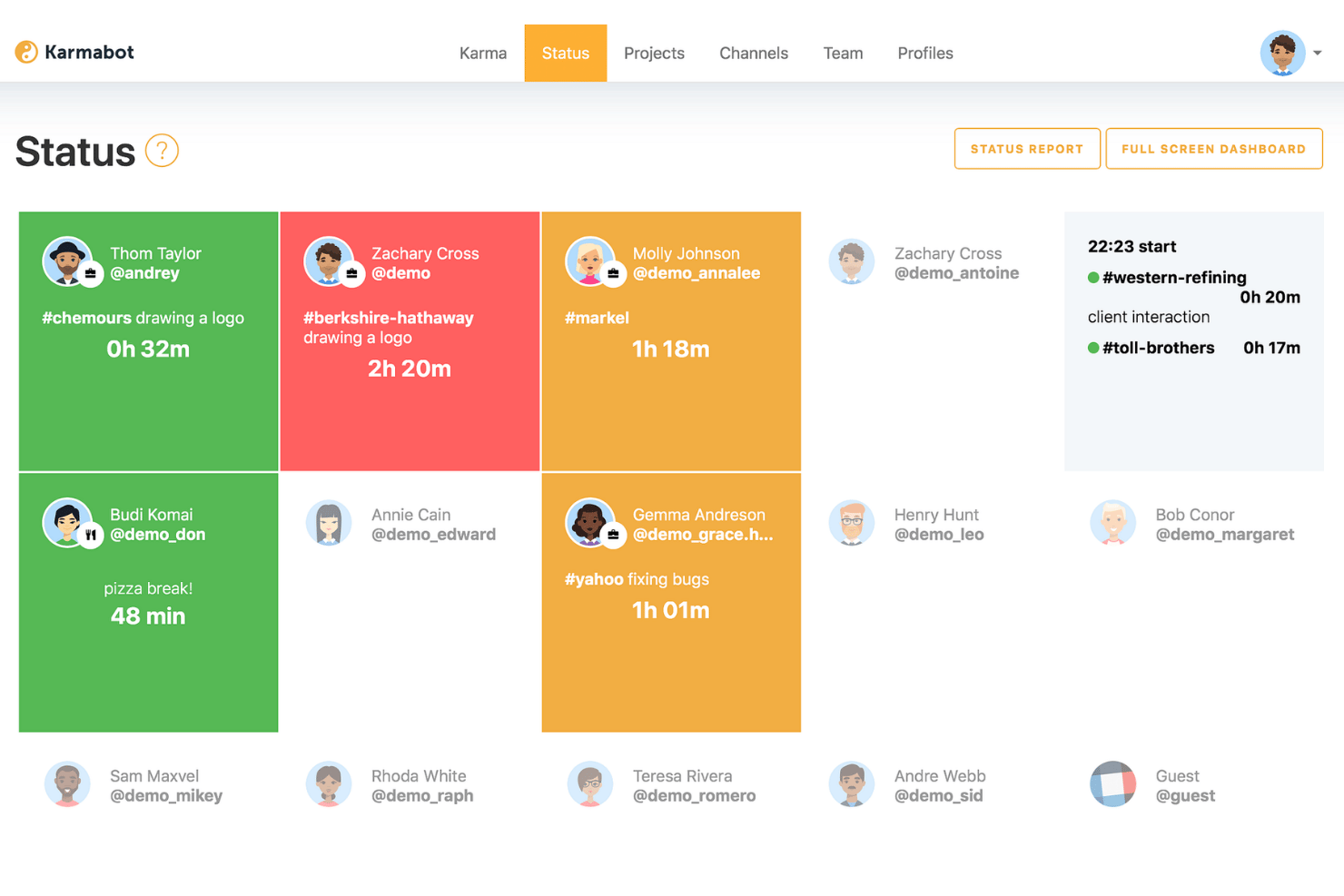
Karma is a chat-native employee recognition platform for Slack, Microsoft Teams, and Telegram that lets team members exchange karma points, tag company values, automate milestone celebrations, and redeem points for custom or gift card rewards.
Who is Karma Best For?
Karma is a strong fit for remote and hybrid SMB teams that run their daily work inside Slack or Microsoft Teams.
Why I Picked Karma
Karma earns its spot on my shortlist because of how naturally it turns peer recognition into a game your team actually wants to play. Type
@name + reason
in Slack or Teams and a karma point is awarded instantly, visible on a leaderboard that updates in real time. I also like that points are redeemable for custom rewards or branded gift cards, which gives recognition a tangible outcome beyond a public shoutout.
Karma Key Features
- Automated milestone celebrations: Tracks and celebrates team member birthdays and work anniversaries directly in chat.
- Company values tagging: Lets you tag recognition with preset or custom company values for added cultural alignment.
- Public and private recognition: Choose whether individual kudos are visible to the whole team or sent privately.
- AI-powered analytics dashboard: Provides dashboards and insights into engagement, participation, and values alignment across your team.
Karma Integrations
Karma offers native integrations with Slack, Microsoft Teams, and Telegram. An API is available for custom integrations.
What's Free?
Karma offers a 30-day free trial, not a free-forever plan. The trial requires a minimum of 5 seats and gives you access to the full feature set, including unlimited users, AI-powered analytics, peer recognition, and rewards.
Pros and Cons
Pros:
- Points convert to tangible reward options
- Recognition stays inside existing chat tools
- Leaderboards update in real time
Cons:
- Less useful for non-chat-based teams
- No free-forever plan available

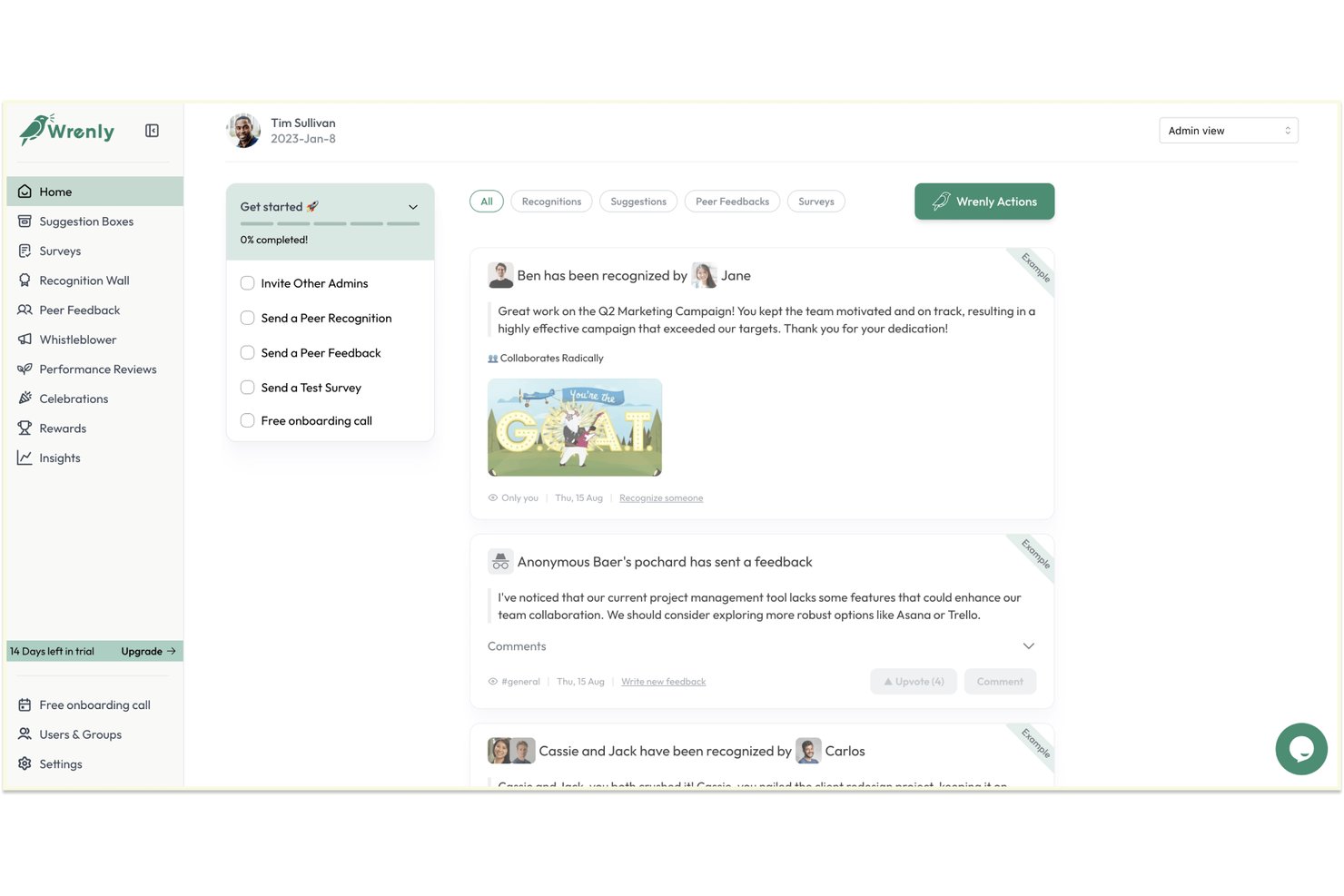
Wrenly is a Slack and Microsoft Teams-native recognition and engagement platform that combines peer-to-peer kudos, AI-generated recognition suggestions, milestone celebrations, and feedback tools in a single workspace.
Who is Wrenly Best For?
Wrenly is a strong fit for people operations teams at SMBs that run primarily on Slack or Microsoft Teams and want recognition to happen inside those tools.
Why I Picked Wrenly
Wrenly earns its spot on my shortlist because of how its AI handles the blank-page problem in recognition. When I open a recognition prompt, Wrenly's AI drafts a message based on the recipient's recent contributions, so I'm not staring at a cursor trying to find the right words. I also like that it auto-generates feel-good summaries for work anniversaries and flags upcoming milestones before I'd even think to check.
Wrenly Key Features
- Slack and Teams integration: Lets users send and receive recognition directly within team chat platforms.
- Recognition feed: Displays all peer shoutouts and kudos in a shared channel for the company to see.
- Custom company value tags: Links recognitions to your core values or behavioral competencies for easy tracking.
- Automated milestone reminders: Notifies about upcoming birthdays and anniversaries so teams never miss important dates.
Wrenly Integrations
Wrenly offers native integrations with Slack and Microsoft Teams. An API is available for custom integrations.
What's Free?
Wrenly has a free plan that includes up to 10 peer recognitions per month and one admin account. Paid plans start at $3/user/month and unlock unlimited recognitions, celebration automations, analytics, and additional admin access.
Pros and Cons
Pros:
- Free plan includes recognition boards with no ads
- AI drafts recognition messages inside Slack or Teams
- Anonymous feedback channel for sensitive employee concerns
Cons:
- Free plan caps recognitions at 10 per month
- Reporting exports are limited on lower-tier plans

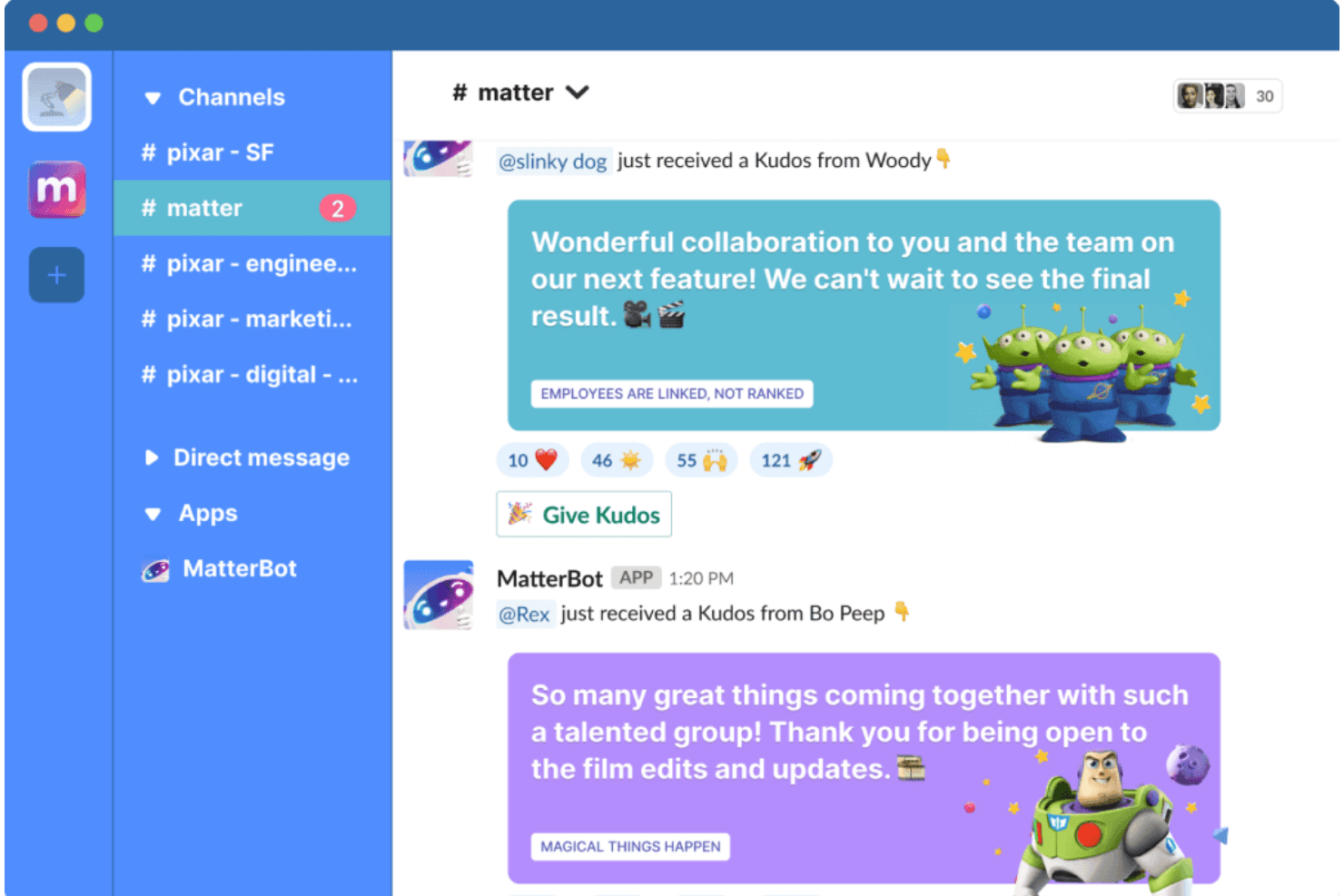
Matter is an employee recognition platform that runs natively inside Slack and Microsoft Teams, combining peer-to-peer kudos, a coins-based rewards system, automated milestone celebrations, and employee feedback pulse surveys.
Who is Matter Best For?
Matter is a strong fit for people ops and culture teams at remote or hybrid organizations that rely on Slack or Microsoft Teams as their primary communication hub.
Why I Picked Matter
I picked Matter as one of the best because of how it ties kudos directly to named company values. Rather than generic shoutouts, admins can build custom kudos cards mapped to specific values or behaviors, so every recognition moment reinforces something your culture actually cares about. I also like Matter's Feedback Friday, a recurring weekly prompt that keeps peer recognition consistent rather than leaving it to chance.
Matter Key Features
- Slack and Teams integration: Recognition, kudos, and feedback flow directly into your existing chat platforms.
- Recognition feed: Company-wide kudos posts are visible in a shared channel for broad visibility.
- Reactions and comments: Team members can like, react, or comment on kudos within Slack or Teams.
- Weekly coin system: Peer recognition is powered by coins that refresh each week to encourage ongoing engagement.
Matter Integrations
Matter offers native integrations with Slack and Microsoft Teams.
What's Free?
Matter has a free-forever plan that includes kudos recognition, a kudos template library, and Feedback Friday. Before committing to the free plan, you get a 14-day trial of all paid features, after which your account automatically rolls back to the free tier with no credit card required.
Pros and Cons
Pros:
- Free plan is free-forever without time limits
- Feedback Friday prompts consistent weekly peer recognition
- Custom kudos tied to named company values
Cons:
- Recognition analytics unavailable on the free tier
- Rewards redemption locked behind paid plans only
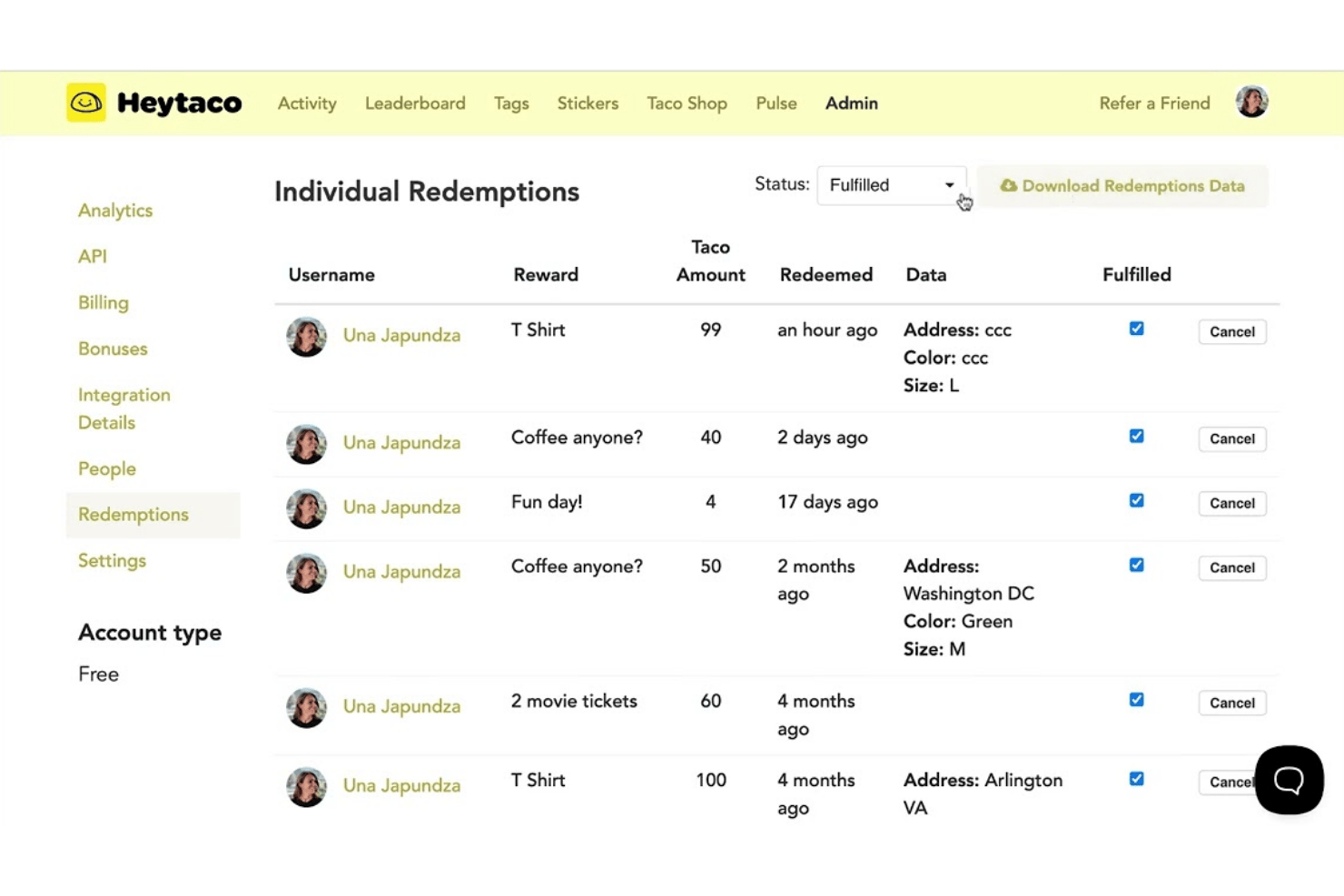
HeyTaco is a peer-to-peer recognition tool that runs natively inside Slack, Microsoft Teams, and Google Chat, letting team members send emoji-based appreciation, tag company values, and track recognition through leaderboards and analytics.
Who is HeyTaco Best For?
HeyTaco is a strong fit for remote and hybrid teams that already run their day-to-day communication through Slack or Microsoft Teams.
Why I Picked HeyTaco
HeyTaco earns its spot on my shortlist because recognition happens entirely inside Slack or Microsoft Teams, with no separate app or login required. I love that sending a :taco: emoji in any channel doubles as a formal shoutout, and you can tag a company value directly in the same message. The Taco TV feature lets me broadcast those recognition moments on office displays, so the shoutout reaches people well beyond the original thread.
HeyTaco Key Features
- Milestone celebrations: Automatically celebrates team member birthdays and work anniversaries within Slack or Microsoft Teams.
- Company values tagging: Lets you tie recognition messages to specific company values for greater cultural alignment.
- Customizable leaderboards: Tracks and displays team and individual recognition activity so you can see who’s giving and receiving the most tacos.
- Taco shop rewards: Allows admins to set up custom rewards that employees can redeem using their earned tacos.
HeyTaco Integrations
HeyTaco offers native integrations with Slack and Microsoft Teams.
What's Free?
HeyTaco offers a 30-day free trial that includes all Deluxe-tier features, with no credit card required. After the trial ends, you won't be automatically charged, but recognition will stop working until you subscribe to a paid plan, so it's not a free-forever option.
Pros and Cons
Pros:
- Taco TV displays shoutouts on office screens
- Values tagging built into every shoutout
- Works inside Slack without switching apps
Cons:
- Analytics reporting locked behind paid tiers
- Daily taco limits cap peer recognition
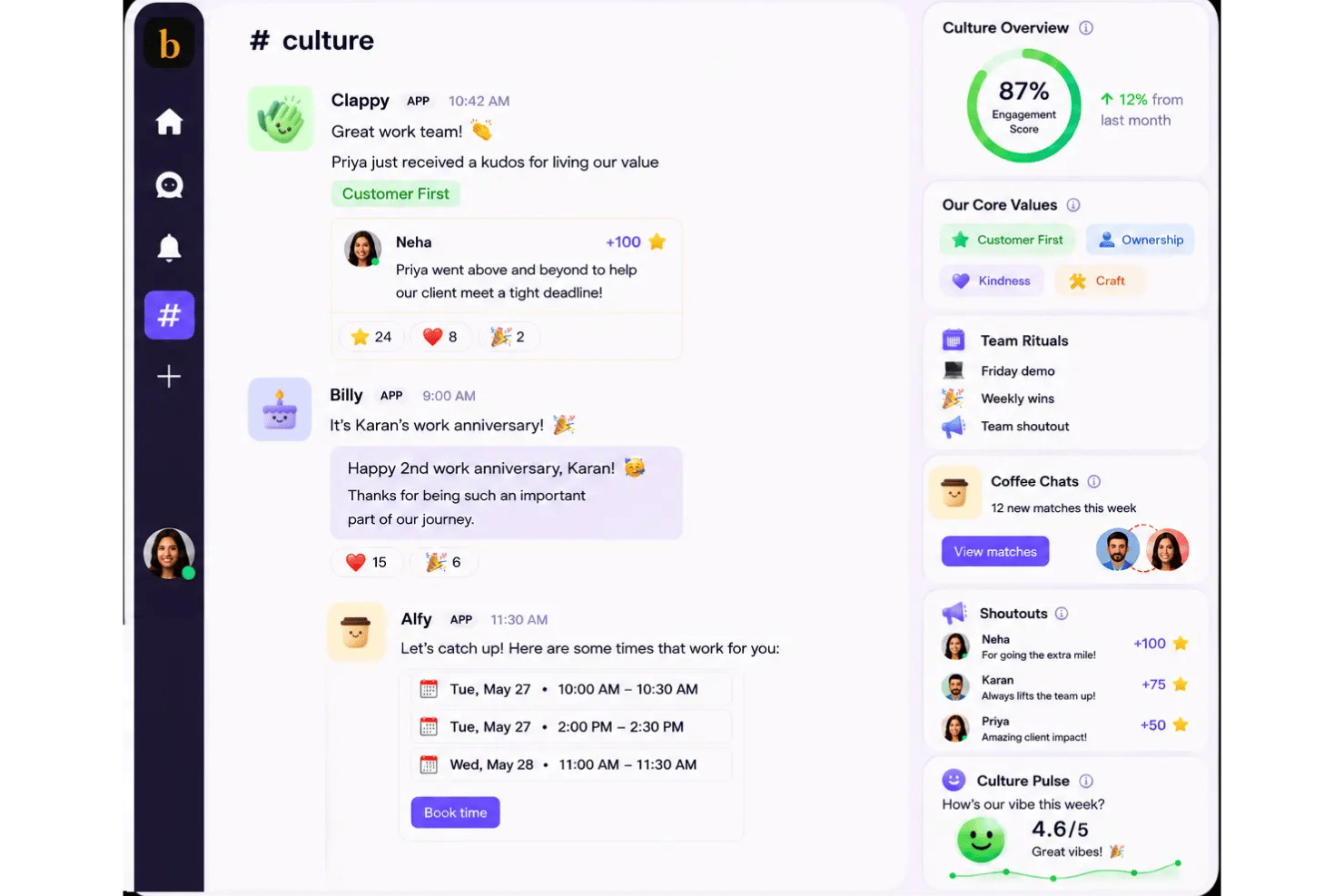
Clappy is a Slack- and Microsoft Teams-native peer recognition tool that lets teams send kudos, tag company values, track recognition with an insights dashboard, and run leaderboards and rewards programs.
Who is Clappy Best For?
Clappy is a strong fit for small and mid-sized teams that already run on Slack or Microsoft Teams and want to build a recognition culture without a dedicated budget.
Why I Picked Clappy
Clappy earns its spot as one of the best on my shortlist because it removes the recognition ceiling that limits so many free tools. Every team member gets a weekly clap allocation to send however they choose, with no cap on total kudos volume across the team. I also love the values dashboard: every kudo is tied to a specific company value, so I can see exactly which values are being lived and by whom, broken down by team and time period.
Clappy Key Features
- Insights dashboard: Track kudos volume, value tags, and top givers or receivers across teams and time periods.
- Leaderboards: Highlight employees who give or receive the most recognition for extra visibility, with options to filter by value.
- Levels and gamification: Unlock levels for frequent recognition activity to help sustain engagement through friendly competition.
- Appreciation Day automation: Set recurring days for the whole team to participate in shoutouts and structured appreciation.
Clappy Integrations
Clappy offers native integrations with Slack and Microsoft Teams and provides an API for custom integrations.
What's Free?
Clappy is free forever for teams of up to 10 employees, with no time limit. Teams larger than 10 users move to the paid plan at $1/user/month (billed annually), but the core peer recognition features, values tagging, and Slack and Microsoft Teams integrations are available on the free tier.
Pros and Cons
Pros:
- Gamification levels reward frequent recognition participation
- Automated birthday and work anniversary celebrations included
- Leaderboards highlight top givers and receivers
Cons:
- No built-in rewards catalog or point redemption
- Free tier limited to 10 team members
Other Free Employee Recognition Software
Here are some additional employee recognition software options that didn’t make it onto my shortlist, but are still worth checking out:
- Tap My Back
For self-driven feedback alongside kudos
- Nectar
For customizable reward redemption options
- Workleap Officevibe
For culture and recognition insights
- Thanks
For unlimited recognitions with global reach


How I Evaluate Free Employee Recognition Software
First, I define what counts as free. For employee recognition software, that means a long-term free plan—not a trial—since recognition loses its culture-building impact if it disappears after 30 days. From there, I split my evaluation into core functionality every tool must cover and the differentiating factors that separate a good pick from a great one.
Core Functionality (Table Stakes For This List)
In addition to my free offer requirements, I also use a scoring system to select tools for my list. Here's how it works:
I rank each one on a scale from 0 (does not offer the functionality) to 5 (excels in this area) for each core functionality listed below. Then, I calculate the tool's total score into a percentage. Each tool needs to achieve a minimum total score of 65% to be considered for inclusion.
- Peer-to-Peer Recognition: I look for whether any employee can send kudos to a colleague—not just managers—so recognition flows across teams organically.
- Recognition Feed: A shared, company-wide wall where shoutouts are visible matters. It's what turns a private "nice job" into a culture moment.
- Reactions & Comments: I check whether teammates can like, react, or comment on posts, since engagement on recognition drives repeat participation.
- Company Values Tagging: Each tool should let admins tie kudos to specific values like "collaboration" or "ownership" so recognition reinforces what your org cares about.
- Milestone Celebrations: I evaluate whether the tool auto-surfaces birthdays and work anniversaries so your team doesn't miss a five-year tenure milestone.
- Communication Tool Integration: The tool should plug into Slack, Microsoft Teams, or similar platforms so recognition happens where your team already works.
Once I have a list of tools that meet the criteria, I consider what sets each platform apart.
Differentiating Factors (What Sets Vendors Apart)
Here's how I compare and contrast different vendors:
Standout Features
Customizable badges tied to company values make a real difference—when someone gets recognized for "innovation" with a branded badge, it reinforces what your org stands for beyond a generic "great job." I also evaluate how deeply milestone automation works. Some tools just flag a birthday; others trigger team-wide celebration workflows with personalized messages. Slack or Teams integration depth matters too, since strong free tiers let you send and receive kudos entirely inside chat without switching apps.
Beyond Features
Free plan user caps are one of the first things I check. A team of 50 that's hiring fast will outgrow a 25-person limit quickly, so I look for plans that scale with your headcount. Setup matters too—without a dedicated CSM, you need self-serve onboarding with clear docs and templates ready to go. I also evaluate the upgrade path, because if your recognition history and data don't carry over when you move to a paid plan, you're starting from scratch.
How to Choose Free Employee Recognition Software
It’s easy to get bogged down in long feature lists and complex pricing structures. To help you stay focused as you work through your unique software selection process, here’s a checklist of factors to keep in mind:
| Factor | What to Consider |
|---|---|
| Scalability | Will the free user cap or limits fit your team now and next year? Plan for growth, not just today. |
| Integrations | Does it connect natively to Slack, Teams, email, or your HR tools? Check integration depth, not just presence. |
| Customizability | Can you tailor recognition categories, badges, or values to match your culture, or are options fixed? |
| Ease of use | Is the interface intuitive for every level of tech experience? Try demoing with different users. |
| Implementation and onboarding | How long does it realistically take to launch and train everyone, especially with limited IT support? |
| Cost | Are there hidden upgrade triggers, seat limitations, or paid features that impact future budgets? |
| Security safeguards | What data protection measures and certifications apply? Confirm support for GDPR, SOC 2, or similar needs. |
| Support availability | Where can end users and admins go for help—community forum, email support, or robust help center? |
What is Free Employee Recognition Software?
Free employee recognition software is a digital tool that lets teams give public or private kudos, celebrate milestones, and foster a culture of appreciation—without ongoing fees. These platforms typically offer core features like peer-to-peer recognition, a company-wide recognition feed, and messaging integrations, all delivered on ongoing no-cost plans designed for small teams or pilot programs.
Features
Let’s go over the features commonly found in employee recognition software, and which ones are usually included in free vs. paid plans.
Typically Free Employee Recognition Software Features
- Peer-to-peer shoutouts: Employees can send messages of appreciation or kudos to colleagues, creating a positive feedback culture across the organization.
- Recognition feed: A public wall or stream displays all recognitions, making achievements visible and letting teams celebrate wins together.
- Reactions and comments: Team members can like, react with emojis, or comment on recognition posts, increasing engagement and social interaction.
- Simple company values tags: Users can attach predefined value tags (like “teamwork” or “innovation”) to recognition posts to reinforce organizational culture.
- Automated milestone reminders: The platform notifies users of upcoming birthdays or work anniversaries, reducing missed celebrations for key events.
- Basic Slack or Teams integration: Recognition events are posted to common chat platforms, so users see and give kudos without leaving their messaging app.
- User profile pages: Each employee has a page summarizing received recognitions, building a history of contributions and strengths.
- Admin dashboards: Basic analytics show overall recognition activity and participation rates at a high level.
Typically Paid Employee Recognition Software Features
- Customizable badges and awards: Admins can design unique digital badges or awards tied to specific behaviors or milestones, offering more tailored recognition experiences.
- Advanced analytics and reporting: Managers get detailed insights into recognition trends, participation, and cultural impact, supporting data-driven HR decisions.
- Reward points and gift catalogs: Recognitions come with points or tokens employees can redeem for gift cards, merchandise, or experiences from a curated catalog.
- Team and cross-departmental recognition: Tools support group recognitions and make it easy to celebrate wins that span teams or locations.
- Automated celebration workflows: The system can send scheduled messages, trigger teamwide emails, or launch dedicated chat threads for birthdays and anniversaries.
- Integration with HRIS platforms: Direct connections to HR systems ensure user information, anniversaries, and birthdays are always up to date.
- Custom value frameworks: Organizations can launch their own branded values or competencies and tie all recognition to these frameworks for deeper cultural alignment.
- Advanced privacy controls: Granular settings enable you to restrict recognition visibility, protect sensitive information, and comply with data standards.
- API and Zapier access: Expand the platform’s reach by automating workflows or integrating recognition data with other business tools you use.
- Priority support: Get faster responses and dedicated help via live chat, onboarding assistance, or a named customer success manager.
Benefits
Implementing free employee recognition software provides several benefits for your team and your business. Here are a few you can look forward to:
- Boosted morale: Regular shoutouts and public recognition from platforms like Motivosity lift spirits and make employees feel valued for their contributions.
- Improved team culture: Peer-to-peer kudos and values-based recognitions encourage shared values and a sense of community.
- Greater engagement: Easy in-app reactions, comments, and Slack or Teams integrations keep everyone involved in the recognition process.
- Celebration of milestones: Automated reminders for birthdays and work anniversaries ensure no key event goes unnoticed, even in fast-growing teams.
- Lower resource barriers: Free plans let HR teams launch recognition programs without needing budget approval or major IT help.
- Insight into team achievements: Dashboards and feeds provide managers with clear snapshots of who’s contributing and how teams are collaborating.
- Scalable trial experience: Small businesses can pilot recognition programs at no cost and upgrade smoothly as their teams grow.
Costs and Pricing
I realize you came to this article looking for the best employee recognition software options that are available for free. However, since free plans only offer limited features, there's a good chance you'll need to scale your plan up in the future.
The table below summarizes common plans, their average prices, and typical features included in employee recognition software:
Plan Comparison Table for Employee Recognition Software
| Plan Type | Average Price | Common Features |
|---|---|---|
| Free Plan | $0 | Basic peer-to-peer recognition, company-wide recognition feed, simple milestone reminders, limited integrations, and basic analytics. |
| Personal Plan | $5–$10/user/month | Custom badges, enhanced values tagging, Slack or Teams integration, personal profile pages, and priority support. |
| Business Plan | $10–$20/user/month | Advanced analytics, reward points and gift catalogs, automated celebration workflows, HRIS integrations, and granular admin controls. |
| Enterprise Plan | $20–$25+/user/month | Custom value frameworks, API and SSO integration, advanced security and privacy features, dedicated account management, and custom reporting. |
Free Employee Recognition Software FAQs
Here are some answers to common questions about free employee recognition software:
Are free employee recognition software platforms really free?
Yes, many platforms offer genuinely free plans with core features like peer-to-peer shoutouts and milestone reminders. However, advanced capabilities or higher user limits usually require a paid upgrade as your team grows.
How do I know if a free plan will be enough for my team?
Look at user caps, available integrations, and what recognition features matter most right now. Free plans work well for small teams or pilot programs but often lack extensive reporting, rewards, or custom branding.
Can free employee recognition software integrate with our chat tools?
Yes, most free plans include basic Slack or Microsoft Teams integrations so kudos and celebrations show up where your team communicates daily. Just make sure to check if limitations exist on integration depth or configurable options.
Is my employees’ data secure with free recognition platforms?
Most reputable vendors follow basic data security practices and comply with regulations like GDPR. Still, review their security documentation and consider your organization’s privacy standards, as free plans may offer fewer configuration options.
What happens to our recognition history if we upgrade to a paid plan later?
In most cases, your recognition data, user profiles, and activity history will move with you to a paid tier. Always check for a smooth transition and data continuity before committing to a vendor.