

10 Best Incentive Compensation Management Software Of 2026

10 Best Incentive Compensation Management Software Shortlist


Managing incentive compensation can be a real headache, especially when you're juggling spreadsheets and trying to keep everyone happy. You want a solution that takes the stress out of managing bonuses and rewards, letting you focus on what really matters—your team's performance.
In my experience reviewing HR software, I've found that the right incentive compensation management (ICM) tool can make all the difference. It helps you manage complex compensation plans with ease, ensuring accuracy and fairness.
In this article, I'll share my top picks for incentive compensation management software. You'll get an unbiased, well-researched review to help you find the best fit for your team. Let's dive in and find the solution that meets your needs.
Why Trust Our Software Reviews
Our team has been testing and reviewing software since 2012. As HR experts ourselves, we know how difficult—and important—it is to choose the right software.
For this guide, we evaluated tools using hands-on testing and independent research, scoring tools using our selection criteria. We also draw on insights from industry thought leaders and practicing HR experts.
Our reviews reflect our human editorial judgment, not a sales pitch.
Expert reviewers:
Best Incentive Compensation Management Software Summary
This comparison chart summarizes pricing details for my top incentive compensation management software selections to help you find the best one for your budget and business needs.
| Tool | Best For | Trial Info | Price | ||
|---|---|---|---|---|---|
| 1 | Best for plan simulation and forecasting | Free demo available | Pricing upon request | Website | |
| 2 | Best for complex pay structures | Free demo available | From $30/user/month | Website | |
| 3 | Best for global incentive management | Free demo available | From $5/employee/month | Website | |
| 4 | Best for comp plans built on 20+ years of pay data | Free demo available | Pricing upon request | Website | |
| 5 | Best for sales compensation visibility | Free demo available | Pricing upon request | Website | |
| 6 | Best for real-time market data | Free demo available | Pricing upon request | Website | |
| 7 | Best for AI-driven insights | Free demo available | Pricing upon request | Website | |
| 8 | Best for complex modeling and scenario analysis | Free demo available | Pricing upon request | Website | |
| 9 | Best for sales teams | Free demo available | Pricing upon request | Website | |
| 10 | Best for AI-driven contact center orchestration and agent performance | Free demo available | From $110/agent/month | Website |
Best Incentive Compensation Management Software Review
Below are my detailed summaries of the best incentive compensation management software that made it onto my shortlist. My reviews offer a detailed look at the key features, pros and cons, integrations, and ideal use cases of each tool to help you find the best one for you.

Qobra
Best for plan simulation and forecasting
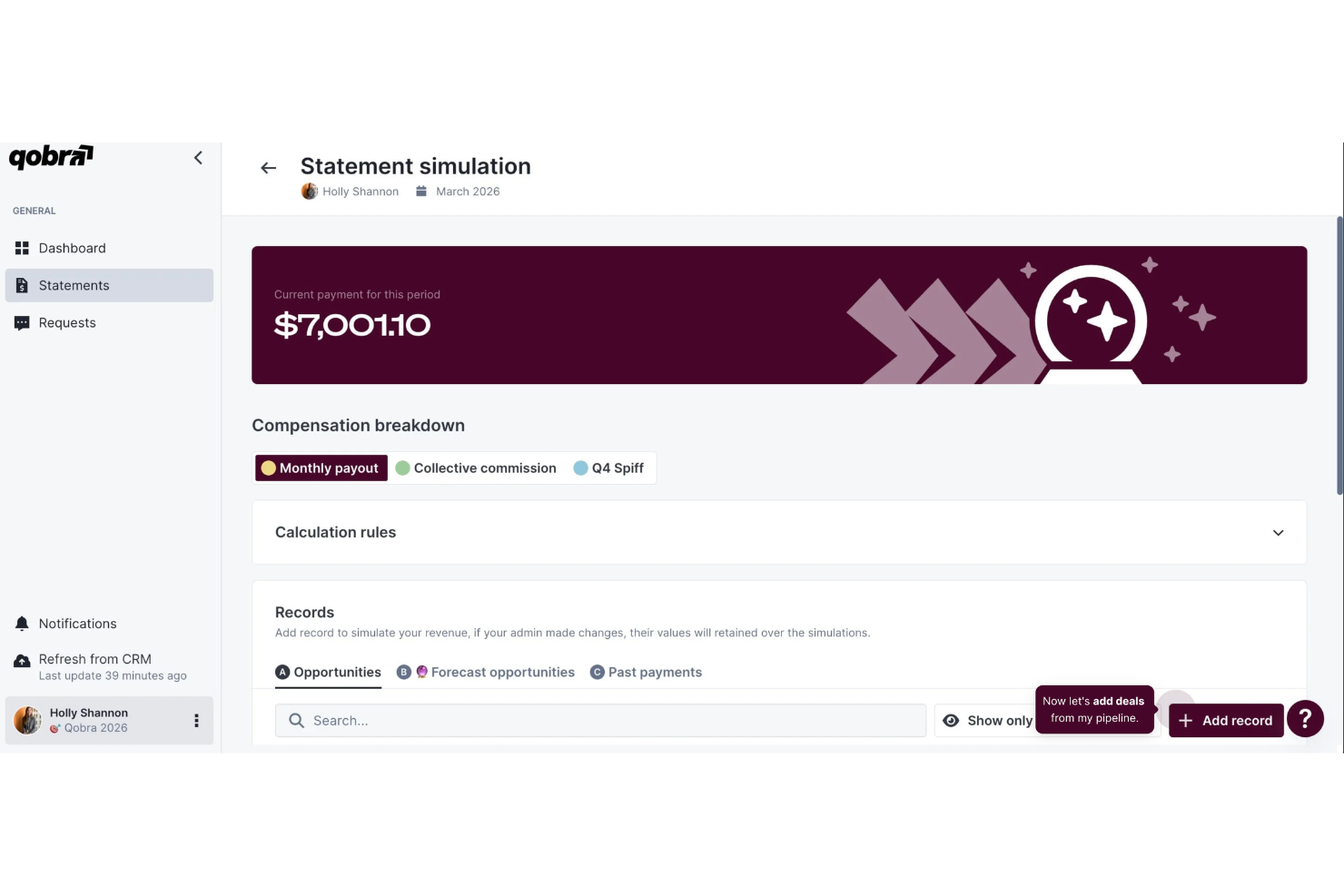
For organizations looking for incentive compensation management software, Qobra offers a platform designed to help teams manage and track sales commissions. The platform supports plan simulation and forecasting, helping teams review how compensation plans may affect payouts and performance. It is built for sales and finance teams that need a clearer way to manage commission structures and track earnings. With its reporting tools and shared workspace, Qobra helps teams organize compensation plans and monitor results.
Why I Picked Qobra
I picked Qobra for plan simulation and forecasting, which helps teams review how compensation plans may affect payouts and sales performance. The platform also includes a no-code plan builder that allows you to create and adjust compensation structures without technical expertise. In addition, real-time automation keeps commission data up to date, enabling teams to track earnings more accurately. These features help sales and finance teams manage commission plans and monitor payouts more clearly.
Qobra Key Features
In addition to plan simulation and forecasting, Qobra offers:
- Custom Calculation Rules: This allows you to define specific rules for commission calculations, ensuring flexibility to accommodate unique business scenarios.
- Version Control: This feature helps track changes to compensation plans, enabling easy revisions and audits.
- Multilingual Support: Qobra caters to international teams by supporting multiple languages, broadening its applicability.
- QobrAI Agents: Use The Architect, The Analyst, and The Sales Coach to instantly build plans, detect calculation anomalies, and push proactive insights to your sales team.
Qobra Integrations
Integrations include Salesforce, HubSpot, Microsoft Dynamics, Zoho CRM, BambooHR, and Workday, with additional connections available through APIs.
Pros and Cons
Pros:
- CRM integrations syncing deal data for accurate commission tracking
- Clear compensation statements improving transparency for sales teams
- Real-time commission dashboards showing earnings, quotas, and incentive progress
Cons:
- Occasional delays in commission data updates reported by users
- Commission calculation rules sometimes difficult to configure for new users
EasyComp
Best for complex pay structures
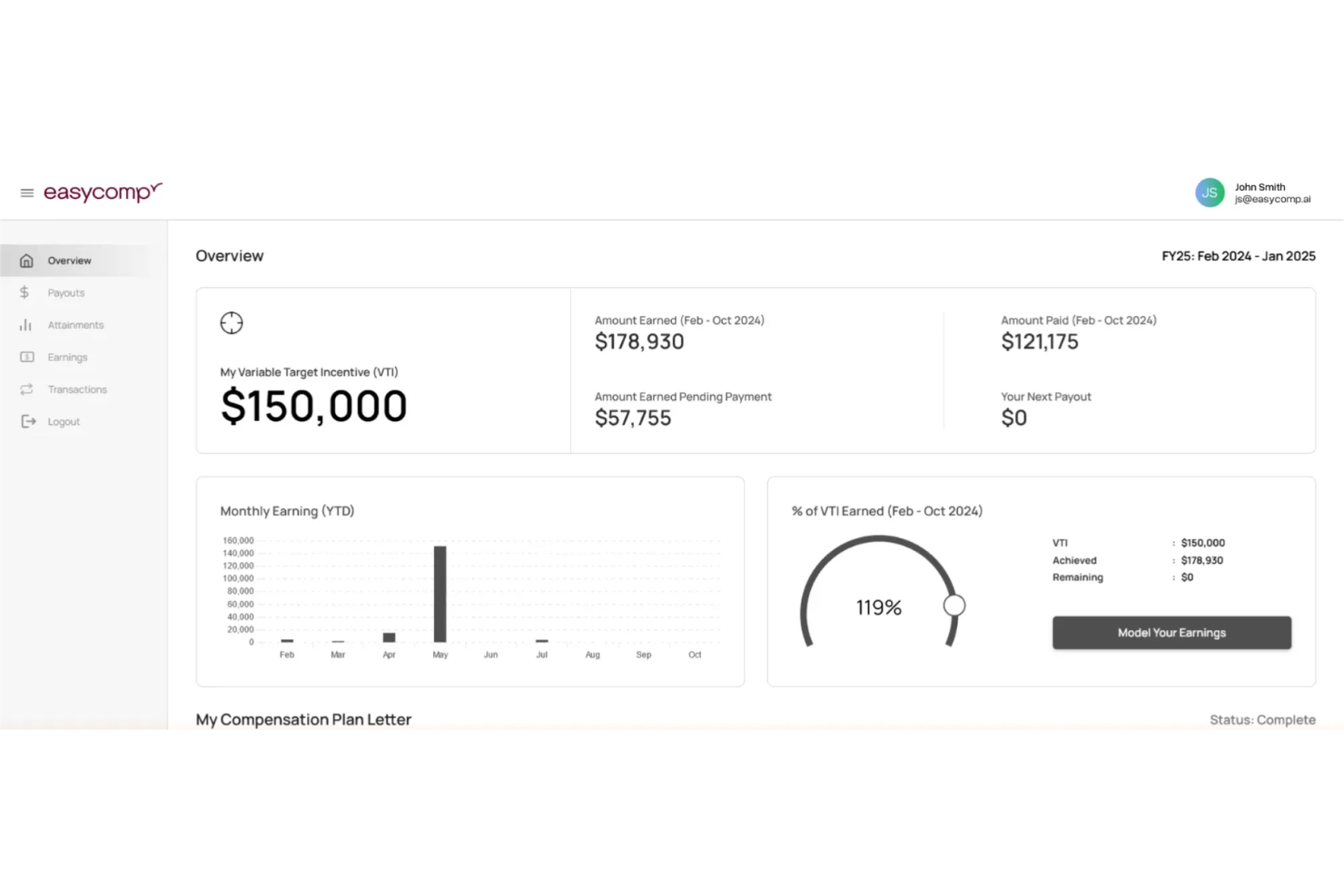
EasyComp is a sales performance management platform designed to streamline compensation processes and enhance revenue impact. It is well-suited for organizations managing complex pay structures, supporting detailed commission logic and structured incentive plans. By reducing administrative tasks and providing transparency in commission calculations, EasyComp helps improve team morale and motivation.
Why I Picked EasyComp
I picked EasyComp for its support of complex pay structures, allowing teams to manage detailed commission rules and multi-layered incentive plans in one system. The platform handles varied compensation logic without relying heavily on IT support, making it easier to adapt plans as targets or structures change. It also provides real-time visibility into earnings and performance, helping managers monitor progress and maintain accurate incentive calculations.
EasyComp Key Features
In addition to complex pay structures, EasyComp offers:
- Customizable Dashboards: Allows you to tailor the platform to your specific business needs, ensuring that relevant data is always at your fingertips.
- Incentive Program Management: Facilitates the launching and management of various incentive programs, helping to keep your team motivated and aligned with business goals.
- Seamless CRM Integration: Integrates easily with popular CRM systems, simplifying the process of managing sales data and compensation.
- User-Friendly Interface: Designed to be intuitive, reducing the need for extensive training and allowing your team to quickly adapt to the platform.
EasyComp Integrations
Integrations include Salesforce, HubSpot, and other popular CRM systems, with the option to build custom integrations via an API.
Pros and Cons
Pros:
- Quick onboarding process for compensation administrators
- Smooth integration with existing sales and finance systems
- Fast implementation with minimal setup time required
Cons:
- Limited functionality compared to more mature platforms
- Some advanced features still under development

Deel HR
Best for global incentive management
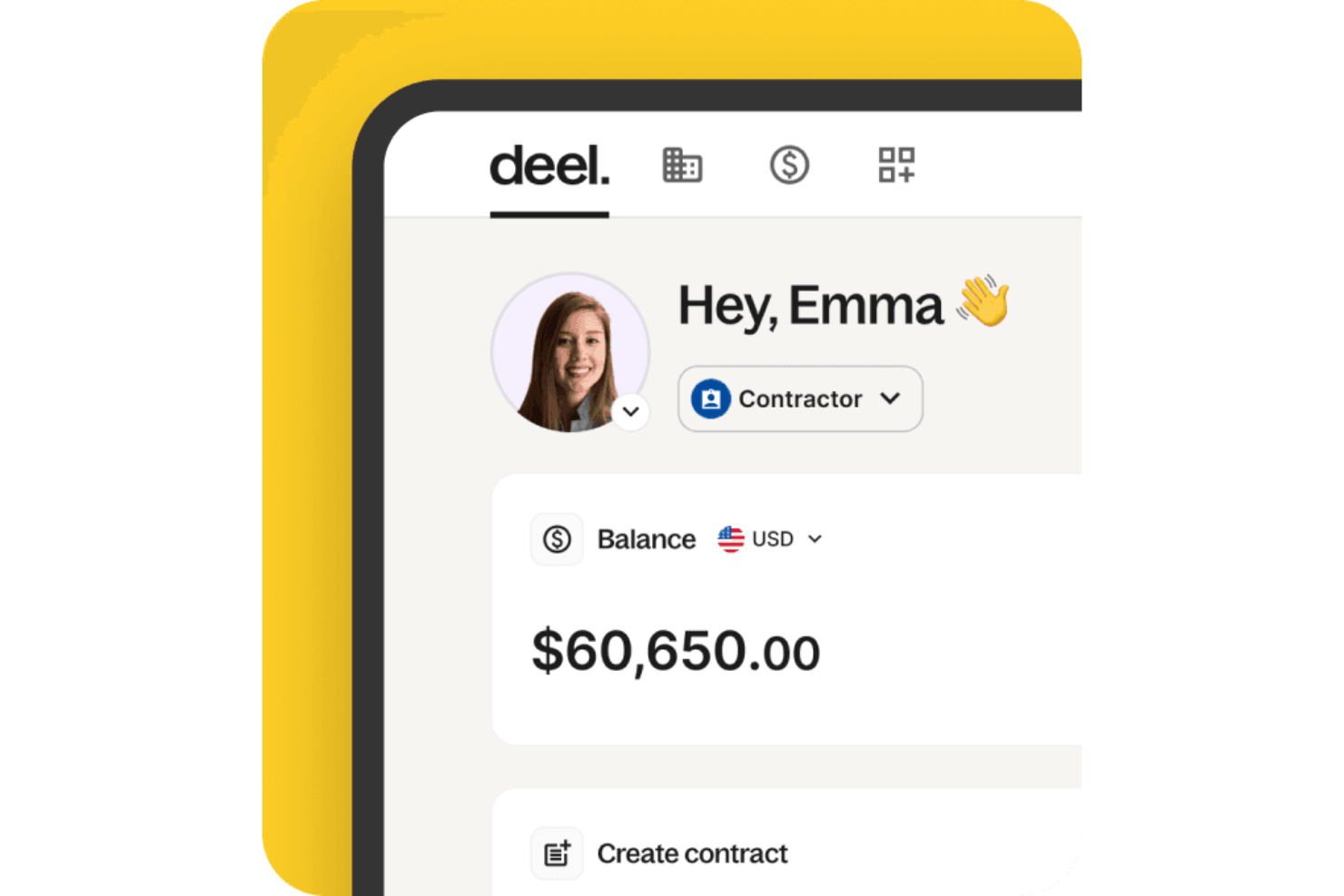
Deel offers a specialized solution for managing incentive compensation across global teams. It’s well suited for HR leaders and organizations that need to handle complex pay structures across multiple countries. By centralizing compensation data, review cycles, and compliance with pay transparency regulations, Deel helps you make consistent, informed pay decisions across diverse markets.
Why I Picked Deel
I picked Deel because it gives you structured control over global incentive compensation without adding administrative complexity. You can build and manage compensation bands to support variable pay models across regions, while automated budget tracking helps you monitor spend in real time. I also like that it provides visibility into compensation trends and equity indicators, which can help you align pay decisions with market benchmarks and transparency requirements.
Deel Key Features
In addition to its compensation management capabilities, I also found other features that can enhance your experience with Deel:
- Global Salary Insights: Access to detailed salary benchmarks across various roles and regions helps you stay competitive.
- Compliance Tracking: Ensure your compensation strategies are compliant with local labor laws and pay transparency regulations.
- Structured Review Cycles: Conduct regular compensation reviews with integrated data to support fair pay decisions.
- Compensation Trends Analysis: Gain insights into industry trends and equity indicators to guide strategic compensation planning.
Deel Integrations
Integrations include Workday, SAP, BambooHR, Personio, Microsoft Teams, Slack, Rydoo, Lever, Workable, and NetSuite.
Pros and Cons
Pros:
- Integrates with major HR systems
- Built-in compliance and contract management
- Global payroll across 150 countries
Cons:
- Limited directory customization options
- Reporting features lack advanced filtering
New Product Updates from Deel HR

Deel Expands Stablecoin Wallet to 80+ Countries
Deel expands its Stablecoin Wallet to 80+ countries with dollar-backed balances and optional rewards. This gives eligible contractors more ways to hold and manage earnings inside Deel. For more information, visit Deel’s official site.
 .
.
Xactly
Best for comp plans built on 20+ years of pay data
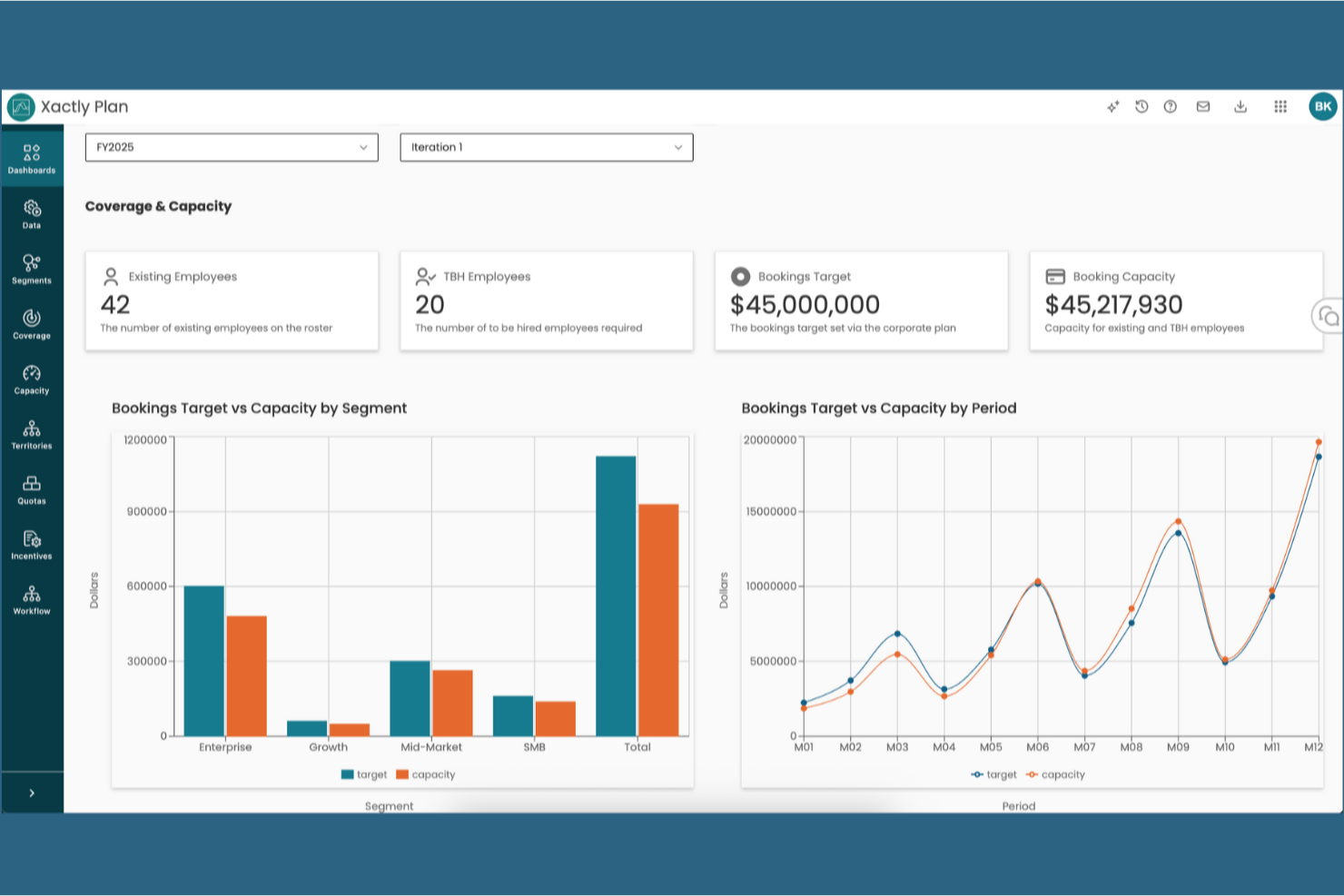
Xactly is an incentive compensation management platform that combines sales commission automation, quota planning, and territory management with an AI-driven analytics layer built on a proprietary benchmark pay dataset.
Who Is Xactly Best For?
Xactly is a strong fit for mid-to-large sales organizations that need to benchmark and design compensation plans against real industry pay data.
Why I Picked Xactly
I picked Xactly as one of the best because its proprietary benchmark dataset, built from 20+ years of real pay data across thousands of companies, gives comp teams something most platforms can't: a defensible baseline for plan design. I love that you can use Xactly Benchmarking to compare your OTE, quota, and accelerator structures against actual industry peers, not self-reported surveys. Its AI-driven quota planning also flags where targets are set too high or too low based on historical attainment patterns.
Xactly Key Features
- Incentive compensation automation: Xactly automatically calculates commissions and variable pay based on your defined plan rules, reducing manual errors in payout processing.
- Territory management: The platform lets you design, assign, and adjust sales territories to balance workloads and align coverage with business goals.
- CRM and ERP integrations: Xactly connects with systems like Salesforce and SAP to pull performance and revenue data directly into comp calculations.
- What-if modeling: Comp teams can model plan changes before rollout to forecast cost impact and predict how different structures will affect rep behavior.
Xactly Integrations
Xactly offers native integrations with Salesforce, Microsoft Dynamics 365, SAP, Oracle, NetSuite, Workday, and Snowflake, and connects to other CRM, ERP, and HCM systems through Xactly Connect via ODBC/JDBC drivers and REST APIs for custom integrations.
Pros and Cons
Pros:
- What-if models predict plan cost impact
- AI suggests quota targets based on history
- Real industry pay benchmarks for comp design
Cons:
- Reporting can require advanced setup or training
- Implementation process is long and detail-heavy
New Product Updates from Xactly
Xactly and ServiceNow Connect CRM Workflows to Revenue Performance
Xactly has partnered with ServiceNow to connect Xactly’s Intelligent Revenue Platform with ServiceNow CRM, embedding revenue performance intelligence into CRM workflows and surfacing commission and quota impacts in CPQ and Sales CRM. For more information, visit Xactly's official site.
 .
.
Visdum
Best for sales compensation visibility
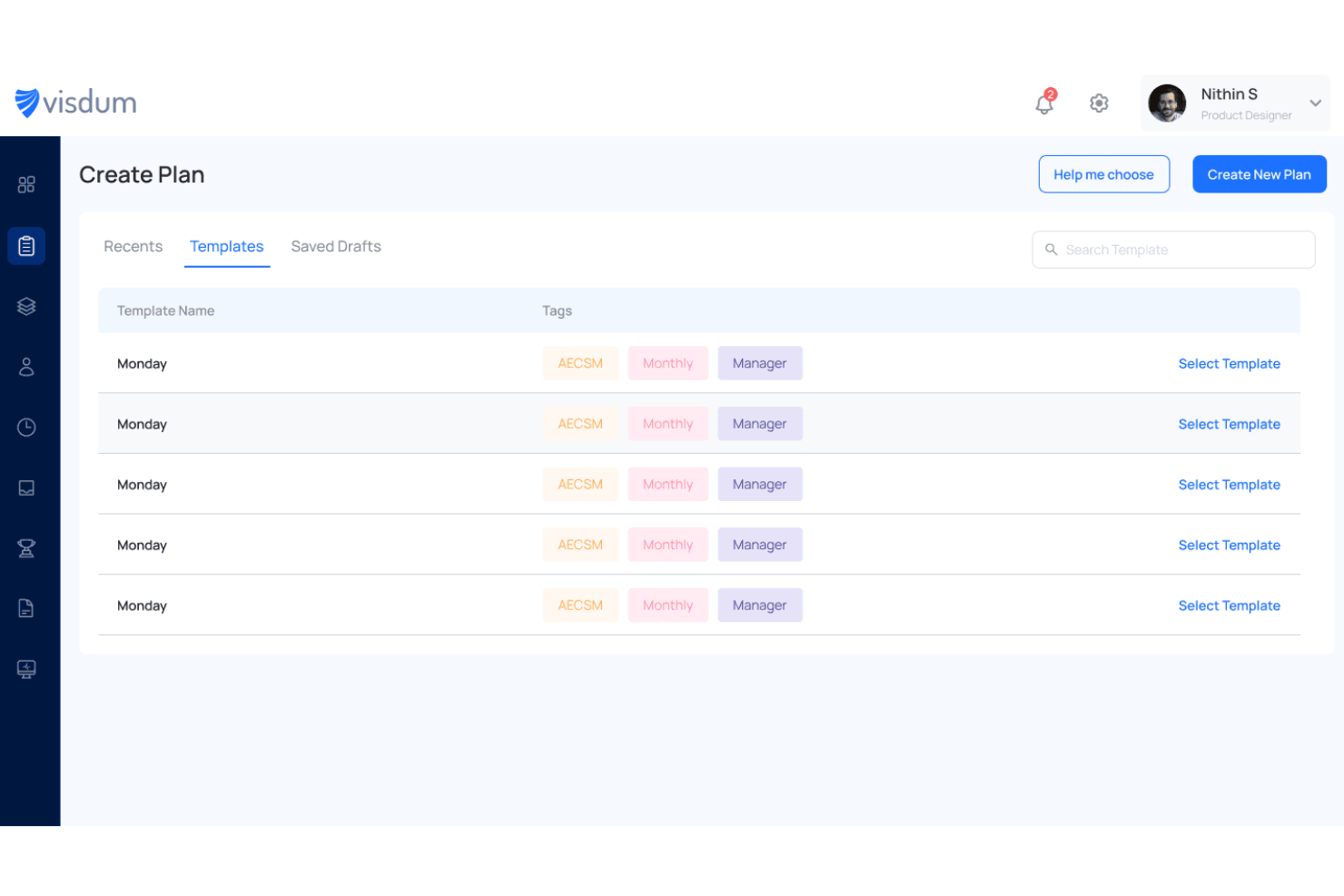
Visdum helps sales, finance, and revenue operations teams automate complex commission calculations and reduce the manual work of managing incentive plans. It stands out for its AI-assisted plan modeling, real-time visibility into earnings, and integrations with CRM, ERP, and HR systems that help keep compensation accurate and audit-ready.
Who Is Visdum Best For?
Sales operations and finance teams at mid-sized to large organizations who need to manage complex commission structures across multiple systems.
Why I Picked Visdum
I picked Visdum because it gives your team clear sales compensation visibility through real-time commission tracking, earnings statements, and performance reports. I like that reps and managers can see quotas, payouts, and plan details in one place, which makes it easier to understand how earnings are calculated. Your team can also use its dashboards and forecasting tools to monitor progress and spot payout trends before payroll runs. Visdum also supports complex commission plans, including splits, overrides, and clawbacks, so you can keep compensation tracking accurate as plans evolve.
Visdum Key Features
Some other features in Visdum support accurate, transparent, and scalable incentive compensation management:
- Custom approval workflows: Set up multi-level approval processes for commission adjustments and exceptions.
- Audit-ready reporting: Generate detailed audit trails and compliance reports for compensation transactions.
- Role-based access controls: Manage permissions and data visibility for different users across your organization.
- Real-time earnings visibility: Give reps and managers up-to-date views of commissions, payouts, and performance.
Visdum Integrations
Integrations include Salesforce, HubSpot, Microsoft Dynamics, QuickBooks, Sage Intacct, Workday, HiBob, ADP, DocuSign, and Okta.
Pros and Cons
Pros:
- Connects natively with CRM, ERP, payroll, and e-sign tools
- Provides real-time dashboards for earnings, quota progress, and payouts
- Automates complex commission plans with splits, overrides, and adjustments
Cons:
- New users may face a learning curve initially
- Visualization options could be more flexible for deeper reporting needs
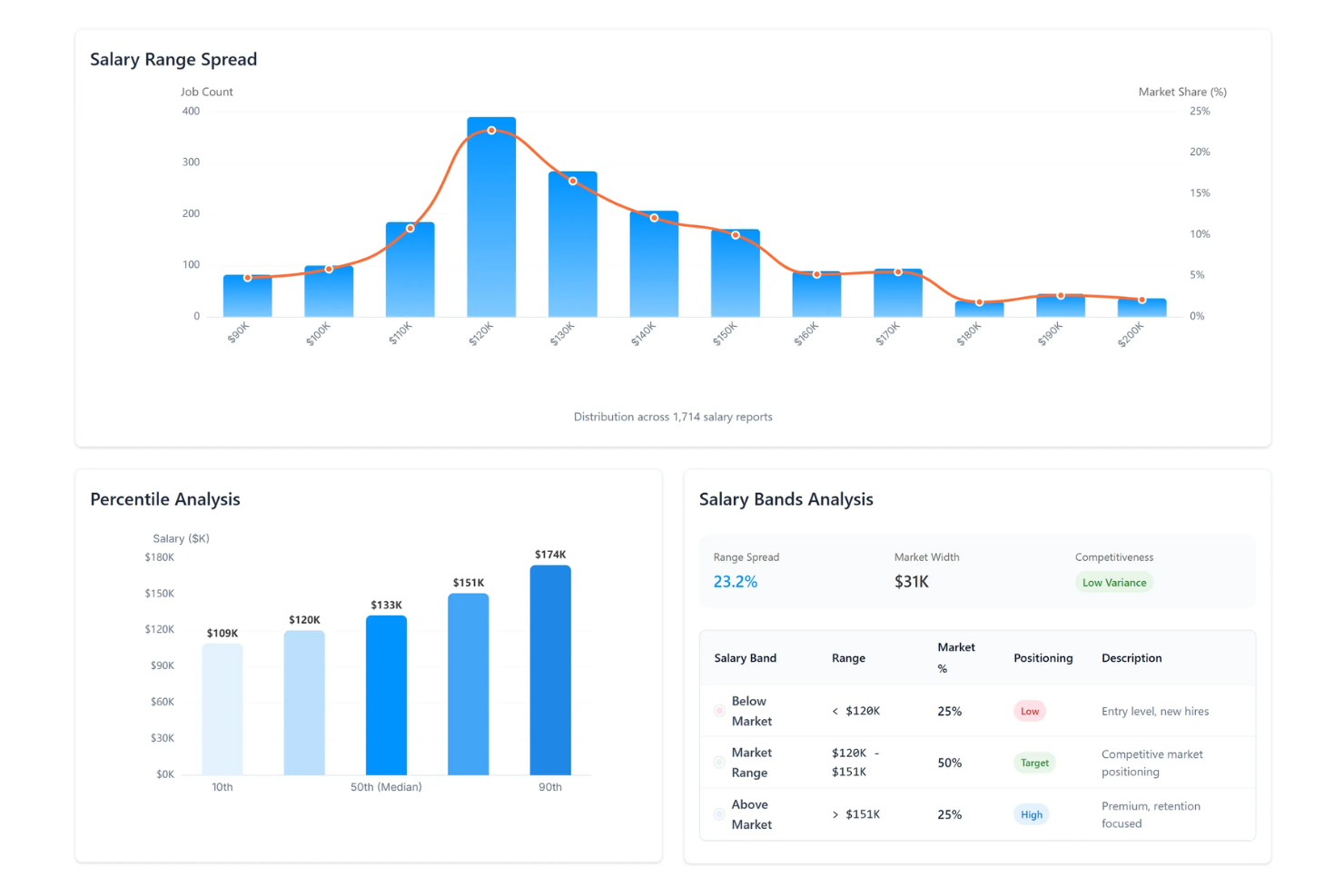
For organizations looking to build structured, data-informed incentive programs, SalaryCube offers a compensation management platform grounded in daily market data. It supports HR and compensation teams, especially in sectors like tech and healthcare, where salary movement and pay transparency regulations can shift quickly. By combining benchmarking, compliance tools, and compensation design support, SalaryCube helps ensure your incentive strategy remains competitive while aligned with internal equity and evolving legal requirements.
Why I Picked SalaryCube
I picked SalaryCube because it gives you access to daily market benchmarks, which can make a meaningful difference when designing or adjusting incentive compensation plans. Tools like DataDive Pro allow you to validate pay decisions against current market conditions instead of relying on outdated surveys. I also like that the platform connects compensation design to job architecture and compliance support, so you can structure incentive programs that are competitive, equitable, and aligned with your broader business goals.
SalaryCube Key Features
In addition to its real-time data capabilities, I also found these features useful:
- Job Architecture: Establishes consistent incentive applications across your organization with clear job level definitions.
- Pay Equity Analysis: Offers tools to ensure compliance with pay transparency laws by analyzing compensation across different demographics.
- FLSA Audit Tool: Provides support for ensuring compliance with labor laws regarding pay classifications.
- Manager Enablement: Supplies training resources to help managers effectively communicate incentive plans to employees.
SalaryCube Integrations
Native integrations are not currently listed by SalaryCube.
Pros and Cons
Pros:
- Includes FLSA audit support tools
- Supports pay equity analysis tools
- Provides daily real time benchmarks
Cons:
- Pricing details not publicly available
- No native integrations listed

Forma.ai
Best for AI-driven insights
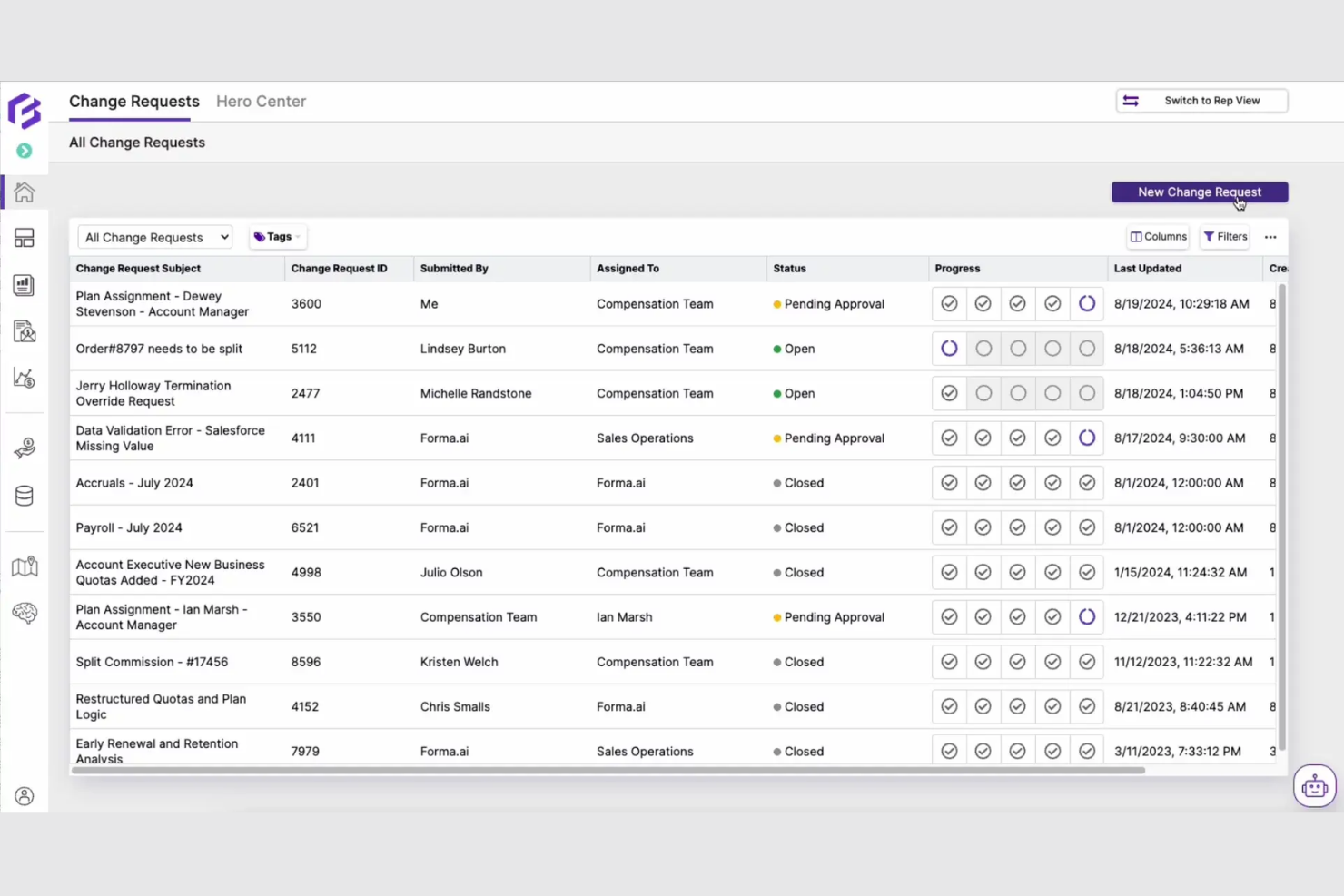
Forma.ai is an incentive compensation management platform designed for sales teams that need advanced data analysis to optimize their compensation strategies. It offers AI-driven insights that help businesses make data-informed decisions.
Why I picked Forma.ai: Forma.ai leverages AI to provide insightful data analysis, making it ideal for sales teams looking to optimize their compensation strategies. Its adaptive modeling engine adjusts to complex compensation structures, ensuring accuracy and efficiency. With its focus on data-driven decision-making, Forma.ai helps you fine-tune your compensation plans for maximum effectiveness.
Standout features and integrations:
Features include adaptive modeling that caters to complex compensation structures. Real-time analytics provide up-to-date insights, helping you make informed decisions. The platform's data visualization tools make it easy to understand and interpret compensation data.
Integrations include Salesforce, Microsoft Dynamics, Workday, NetSuite, and more.
Pros and Cons
Pros:
- Supports data-driven decisions
- Data visualization tools
- Adapts to complex structures
Cons:
- Primarily sales-focused
- May require initial customization

Anaplan
Best for complex modeling and scenario analysis
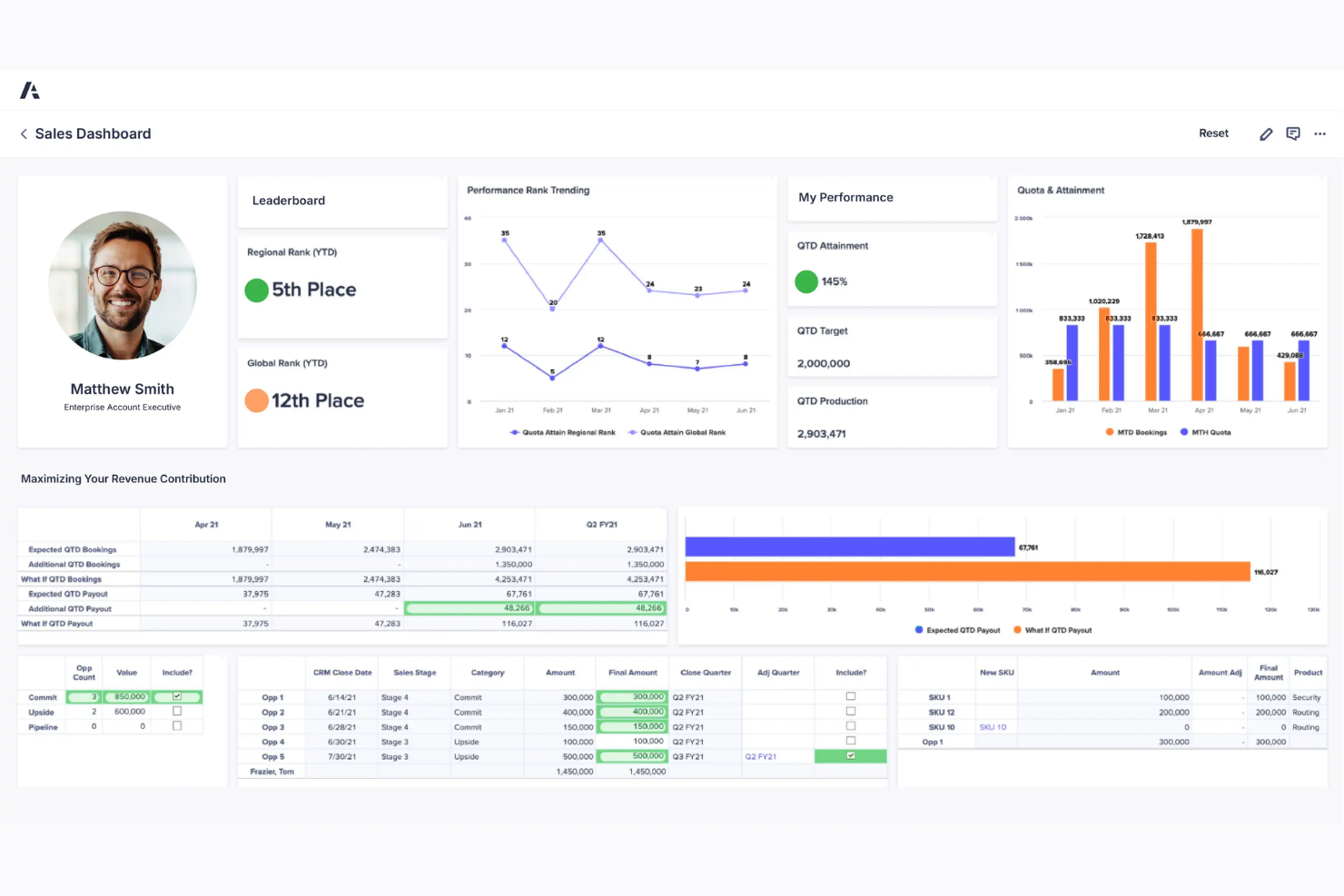
Anaplan provides a cloud-based incentive compensation management solution designed for organizations with complex sales compensation structures. It enables finance and sales operations teams to design, model, and optimize incentive plans while maintaining alignment with overall financial goals.
Why I picked Anaplan: Anaplan excels at modeling complex incentive compensation scenarios, making it easier to evaluate the impact of changes to quotas, commission rates, accelerators, and crediting rules before plans go live. Its AI-driven scenario modeling allows teams to compare multiple payout outcomes and understand how each scenario affects total compensation spend and sales behavior.
Real-time data updates ensure stakeholders are working from the most current performance and payout projections, supporting confident, data-driven plan decisions.
Standout features & integrations: Features include flexible compensation modeling that supports multi-role plans, variable pay structures, and complex crediting logic. Interactive dashboards provide visibility into attainment, payout forecasts, and incentive costs, while collaborative workflows help finance, sales ops, and leadership align on plan design and approvals. The platform’s adaptability allows compensation models to evolve as business priorities change.
Integrations include Salesforce, Workday, Microsoft Dynamics 365, Oracle, SAP, Google Workspace, Slack, Tableau, Qlik, and AWS.
Pros and Cons
Pros:
- Flexible modeling capabilities
- Real-time data updates
- Handles complex planning scenarios
Cons:
- Can be resource-intensive
- Limited offline functionality

Best for sales teams
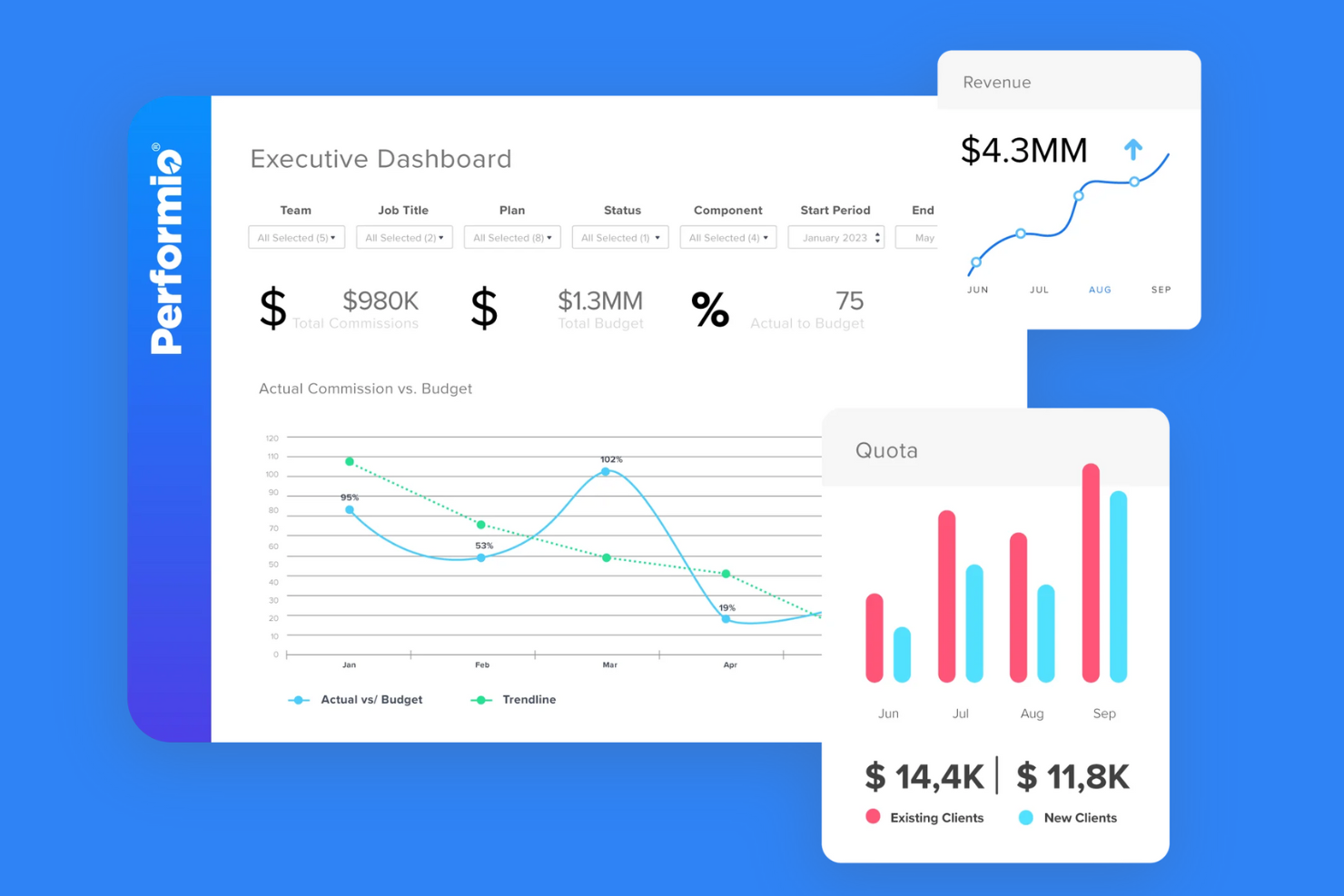
Performio is a performance management software tailored for sales teams looking to efficiently manage their incentive compensation plans. It helps businesses automate commission calculations and provides insights into quota attainment to drive motivation and results.
Why I picked Performio: Performio offers automated commission calculations that reduce manual errors and save time. Its performance dashboards provide clear visibility into sales metrics, helping your sales reps stay informed and motivated. With real-time reporting, you can track progress and make data-driven decisions. The platform's focus on sales performance makes it a valuable tool for businesses looking to enhance their sales operations.
Standout features and integrations:
Features include real-time reporting that keeps you updated on sales performance. Automated commission calculations reduce overpayments, even with complex plans. Quota management dashboards offer a clear view of sales metrics, helping your salespeople stay motivated.
Integrations include Salesforce, SAP, Microsoft Dynamics CRM, HubSpot, NetSuite, Xero, QuickBooks, Workday, ADP, and more.
Pros and Cons
Pros:
- Reduces manual errors
- Performance dashboards
- Real-time reporting
Cons:
- Primarily for larger sales teams
- Limited to sales-focused features

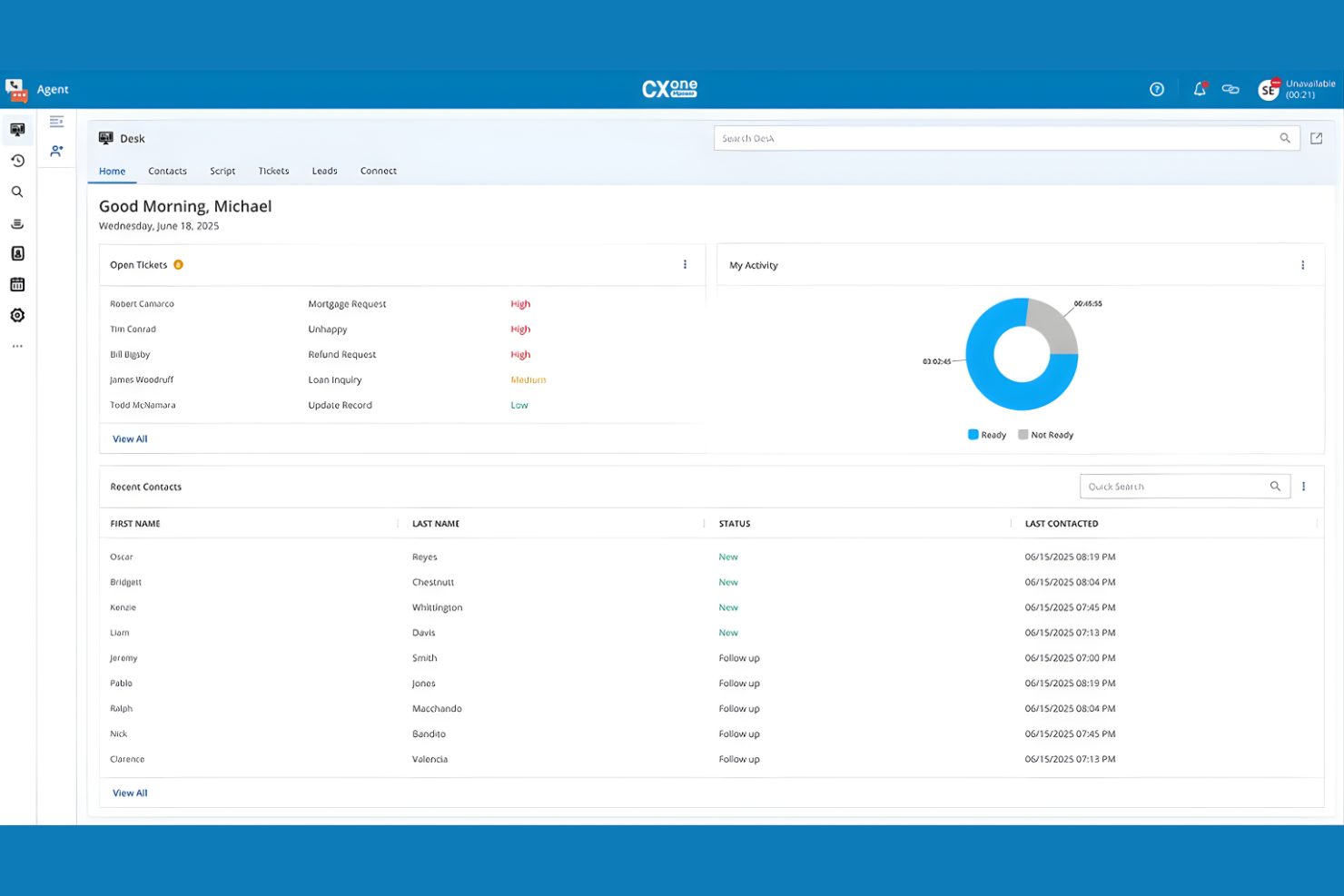
NICE provides a cloud-based contact center platform designed to help organizations manage, optimize, and scale customer service operations across digital and voice channels. It supports contact centers that need real-time visibility, intelligent automation, and consistent service delivery at scale.
Why I picked NICE: NICE stands out for its AI-driven approach to contact center orchestration and agent enablement. The platform uses real-time analytics and automation to guide agents during live interactions, helping them respond more effectively and consistently. Its workflow orchestration ensures customer journeys continue seamlessly across channels, while AI-powered tools automate routine tasks, surface next-best actions, and reduce agent workload.
These capabilities make NICE especially well-suited for large or complex contact centers focused on improving customer experience, agent productivity, and operational efficiency.
Standout features & integrations:
Features include omnichannel workflow orchestration that maintains context across customer interactions, real-time agent assistance powered by AI, and performance management tools that provide insight into agent behavior and service outcomes. Advanced analytics and automation help contact centers identify inefficiencies, improve compliance, and continuously optimize service delivery.
Integrations include Salesforce, Microsoft Dynamics, Oracle, SAP, ServiceNow, Amazon Connect, Genesys, RingCentral, Cisco, and Avaya.
Pros and Cons
Pros:
- Enhances customer interactions
- Scalable for large operations
- Strong workflow orchestration
Cons:
- Primarily contact center focused
- Requires ongoing training
Other Incentive Compensation Management Software
Here are some additional incentive compensation management software options that didn’t make it onto my shortlist, but are still worth checking out:
- CaptivateIQ
For custom reporting
- Optymyze
For no-code automation
- Salesforce Spiff
For Salesforce users
- SAP SuccessFactors Incentive Management
For global enterprises
- Iconixx
For mid-sized businesses
- Incentivate
For easy integration
- Compport
For compensation analytics
- Core Commissions
For custom commission plans
- QuotaPath
For small sales teams
- Everstage
For performance tracking
- beqom
For total compensation management
- ElevateHQ
For startup scalability


How I Evaluate Incentive Compensation Management Software
I look at each tool on two levels: the non-negotiables like automated calculation and payee dashboards, and the differentiators that determine whether comp teams can actually trust and scale it.
Core Functionality (Table Stakes For This List)
When I'm selecting tools for my list, I rank each one on a scale from 0 (does not offer the functionality) to 5 (excels in this area) for each core functionality listed below. Then, I calculate the tool's total score into a percentage. Each tool needs to achieve a minimum total score of 65% to be considered for inclusion.
- Incentive Plan Configuration: I look for flexible plan builders that let comp teams set up tiered commissions, SPIFs, and bonus structures without relying on engineering resources.
- Automated Payout Calculations: The engine should handle split credits, accelerators, clawbacks, and retroactive adjustments—not just flat-rate or single-tier payouts.
- Quota & Territory Management: I evaluate how each tool assigns quotas and maps territories, especially mid-period changes like rep transfers or territory realignments.
- Payee-Facing Dashboards: Reps and managers should be able to view earnings breakdowns and quota attainment on their own, reducing shadow accounting in spreadsheets.
- Approval & Dispute Workflows: I check for multi-step approval chains with audit trails—helpful when finance and sales ops both need sign-off before payouts go out.
- HRIS, Payroll & CRM Connectivity: Each tool's integration depth with platforms like Salesforce, Workday, and SAP matters for syncing performance data and pushing payouts to payroll.
Once I have a list of tools that meet this criteria, I consider what sets each platform apart.
Differentiating Factors (What Sets Vendors Apart)
Here's how I compare and contrast different vendors:
Standout Features
What-if scenario modeling is a big differentiator—I look for tools that let comp teams stress-test plan changes against past performance before committing to a new fiscal period. Embedded analytics also matter because comp leaders need visibility into payout trends and cost-of-sales metrics without exporting to separate BI tools. AI-powered anomaly detection takes this further, flagging overpayments or crediting errors that manual reviews often miss.
Beyond Features
Compliance and audit readiness weigh heavily in my evaluation—I check for SOC 2 Type II certification and SOX-grade controls, since comp data often falls under financial audit scope. Implementation timelines also matter. Migrating complex plans from spreadsheets or a legacy system mid-fiscal-year can derail payouts if the vendor lacks dedicated onboarding support. I also consider scalability, particularly whether a platform's pricing and architecture can grow from a 50-person sales team to a global workforce with multi-currency needs.
How To Choose Incentive Compensation Management Software
It’s easy to get bogged down in long feature lists and complex pricing structures. To help you stay focused as you work through your unique software selection process, here’s a checklist of factors to keep in mind:
| Factor | What to Consider |
|---|---|
| Scalability | Can the software grow with your business? Consider if it can handle an increasing number of users and data without performance issues. |
| Integrations | Does it connect with your existing systems? Check for compatibility with your CRM, ERP, and other essential tools your team uses daily. |
| Customizability | Can you tailor the software to fit your needs? Look for options that allow you to adjust settings, dashboards, and workflows to match your processes. |
| Ease of use | Is the software intuitive for your team? Test the interface to ensure new users can navigate it easily without extensive training. |
| Implementation and onboarding | How quickly can you get up and running? Evaluate the time and resources needed for setup and training. Consider tools that offer robust onboarding support. |
| Cost | How does pricing align with your budget? Compare the total cost of ownership, including licenses, setup fees, and ongoing support, to ensure it fits your financial plan. |
| Security safeguards | Does it protect your data? Verify that the software complies with data protection regulations and offers encryption and other security measures. |
What Is Incentive Compensation Management Software?
Incentive compensation management software is a tool that automates and manages employee compensation plans, particularly for sales teams. HR professionals, sales managers, and finance teams generally use these tools to ensure accurate commission calculations and motivate employees. Automated calculations, performance tracking, and integration capabilities help with reducing errors, saving time, and aligning incentives with business goals. Overall, these tools enhance efficiency and accuracy in compensation management.
Features
When selecting incentive compensation management software, keep an eye out for the following key features:
- Automated calculations: Automatically calculate commissions and bonuses to reduce errors and save time for your team.
- Performance tracking: Monitor individual and team performance to align compensation with business goals and drive motivation.
- Customizable dashboards: Tailor dashboards to display the metrics and reports that matter most to your organization.
- Real-time analytics: Access up-to-date data to make informed decisions quickly and effectively.
- Integration capabilities: Connect with existing CRM, ERP, and other essential tools for a cohesive workflow.
- Compliance management: Ensure that your compensation plans adhere to industry regulations and standards.
- Scalability: Adjust to growing business needs by handling increased users and data without issues.
- Mobile access: Allow team members to access compensation information on-the-go via mobile devices.
- Security safeguards: Protect sensitive data with encryption and other security measures.
- Customizable reports: Generate detailed reports tailored to your specific compensation analysis needs.
Benefits
Implementing incentive compensation management software provides several benefits for your team and your business. Here are a few you can look forward to:
- Increased accuracy: Automated calculations reduce manual errors, ensuring precise commission payouts.
- Time savings: Automating payout processes and generating reports save your team valuable time.
- Improved motivation: Performance tracking aligns incentives with business goals, boosting employee motivation.
- Better decision-making: Real-time analytics provide insights that help you make informed decisions quickly.
- Enhanced compliance: Compliance management ensures your compensation plans meet industry standards.
- Scalable growth: Scalability features allow your system to grow with your business needs.
- Data security: Security safeguards protect sensitive compensation data from unauthorized access.
Costs & Pricing
Selecting incentive compensation management software requires an understanding of the various pricing models and plans available. Costs vary based on features, team size, add-ons, and more. The table below summarizes common plans, their average prices, and typical features included in incentive compensation management software solutions:
Plan Comparison Table for Incentive Compensation Management Software
| Plan Type | Average Price | Common Features |
|---|---|---|
| Free Plan | $0 | Basic commission tracking, limited reporting, and basic integration options. |
| Personal Plan | $10-$30/user/month | Automated calculations, customizable dashboards, and email support. |
| Business Plan | $30-$60/user/month | Performance tracking, real-time analytics, compliance management, and API access. |
| Enterprise Plan | $60-$100/user/month | Advanced customization, multi-currency support, dedicated account manager, and enhanced security features. |
Incentive Compensation Management Software FAQs
Here are some answers to common questions about incentive compensation management software:
What is the typical implementation time for incentive compensation management software?
The typical implementation time varies depending on the complexity of your needs and the software itself. Generally, it can take anywhere from a few weeks to several months. To speed up the process, ensure you have a clear plan, dedicated resources, and open communication with the vendor. You might also want to start with a pilot program to test the system with a smaller group before a full rollout.
Can incentive compensation management software handle multiple currencies?
Yes, many incentive compensation management software solutions support multi-currency functionality. This is especially useful for global companies. Ensure that the software you choose can handle currency conversions and display compensation in the appropriate currency for each region. Check if the software updates exchange rates automatically to avoid discrepancies.
Is training required to use incentive compensation management software?
Yes, training is often required, especially if the software is new to your team. Most vendors offer training sessions, webinars, or tutorials to help users get up to speed. It’s a good idea to take advantage of these resources to ensure your team can use the software effectively. Consider ongoing training to keep up with updates or new features.
How secure is incentive compensation management software?
Incentive compensation management software is typically secure, but it’s crucial to verify the security measures in place. Look for software that offers data encryption, regular security audits, and compliance with industry standards such as GDPR or CCPA. Always ask the vendor about their security protocols and how they protect sensitive compensation data.
Can incentive compensation management software integrate with CRM or ERP systems?
Yes, many solutions integrate with popular CRM and ERP platforms to ensure accurate data flow. This helps streamline commission calculations by pulling sales and performance data directly from your existing systems. Before choosing a tool, confirm that it supports integration with the platforms your team relies on.
Does incentive compensation management software support custom compensation plans?
Most modern solutions allow you to design and manage custom compensation structures that match your company’s policies. This flexibility helps teams build plans for different roles, territories, or performance metrics. Make sure the software lets you update compensation rules easily as your business evolves.
What’s Next:
If you're in the process of researching incentive compensation management software, connect with a SoftwareSelect advisor for free recommendations.
You fill out a form and have a quick chat where they get into the specifics of your needs. Then you'll get a shortlist of software to review. They'll even support you through the entire buying process, including price negotiations.