

10 Best Learning Experience Platforms Reviewed in 2026

10 Best Learning Experience Platforms Shortlist


Finding the right learning experience platform can feel like navigating a maze. You need more than basic e-learning delivery; you want an all-in-one learning ecosystem that supports high-quality, on-demand learning without disrupting the flow of work or draining your resources. In my experience, the right platform makes all the difference in engagement and productivity.
The best platforms enhance both the user experience and the overall learner experience, making it easy for the end user to engage with content across formats such as video, podcasts, microlearning, and mobile learning. I've tested and reviewed various options, from platforms built for global enterprises to tools designed for small businesses or education.
In this article, you'll find a curated list of top picks, each with unique benefits. Whether you're looking for career development tools or solutions for K-12 education, there's something here for everyone. Let's dive in and find the perfect fit for your team.
Why Trust Our Software Recommendations
Our team has been testing and reviewing software since 2012. As HR experts ourselves, we know how difficult—and important—it is to choose the right software.
For this guide, we evaluated tools using hands-on testing and independent research, scoring tools using our selection criteria. We also draw on insights from industry thought leaders and practicing HR experts.
Our reviews reflect our human editorial judgment, not a sales pitch.
Expert reviewers:
Learning Experience Platforms Comparison Table
This comparison table summarizes pricing details for my top learning experience platforms selections:
| Tool | Best For | Trial Info | Price | ||
|---|---|---|---|---|---|
| 1 | Best with AI-powered course creation | Free plan + free demo available | From $119/month (billed annually) | Website | |
| 2 | Best for compliance training | Free demo available | Pricing upon request | Website | |
| 3 | Best with automated learning pathways | Free demo available | Pricing upon request | Website | |
| 4 | Best for collaborative learning | 30-day free trial + free demo available | From $8/user/month | Website | |
| 5 | Best for multimedia learning | Free demo available | Pricing upon request | Website | |
| 6 | Best for career development | Free trial available | From $39.99/month | Website | |
| 7 | Best for global enterprises | Free demo available | Pricing upon request | Website | |
| 8 | Best for higher education | Free 30-day trial | Pricing upon request | Website | |
| 9 | Best for skills tracking | Free demo available | Pricing upon request | Website | |
| 10 | Best for multilingual support | Free plan + free demo available | Pricing upon request | Website |

Best Learning Experience Platforms Review
Below are my detailed summaries of the best learning experience platforms that made it onto my shortlist. My reviews offer a detailed look at the key features, pros and cons, integrations, and ideal use cases of each tool to help you find the best one for you.

Best with AI-powered course creation
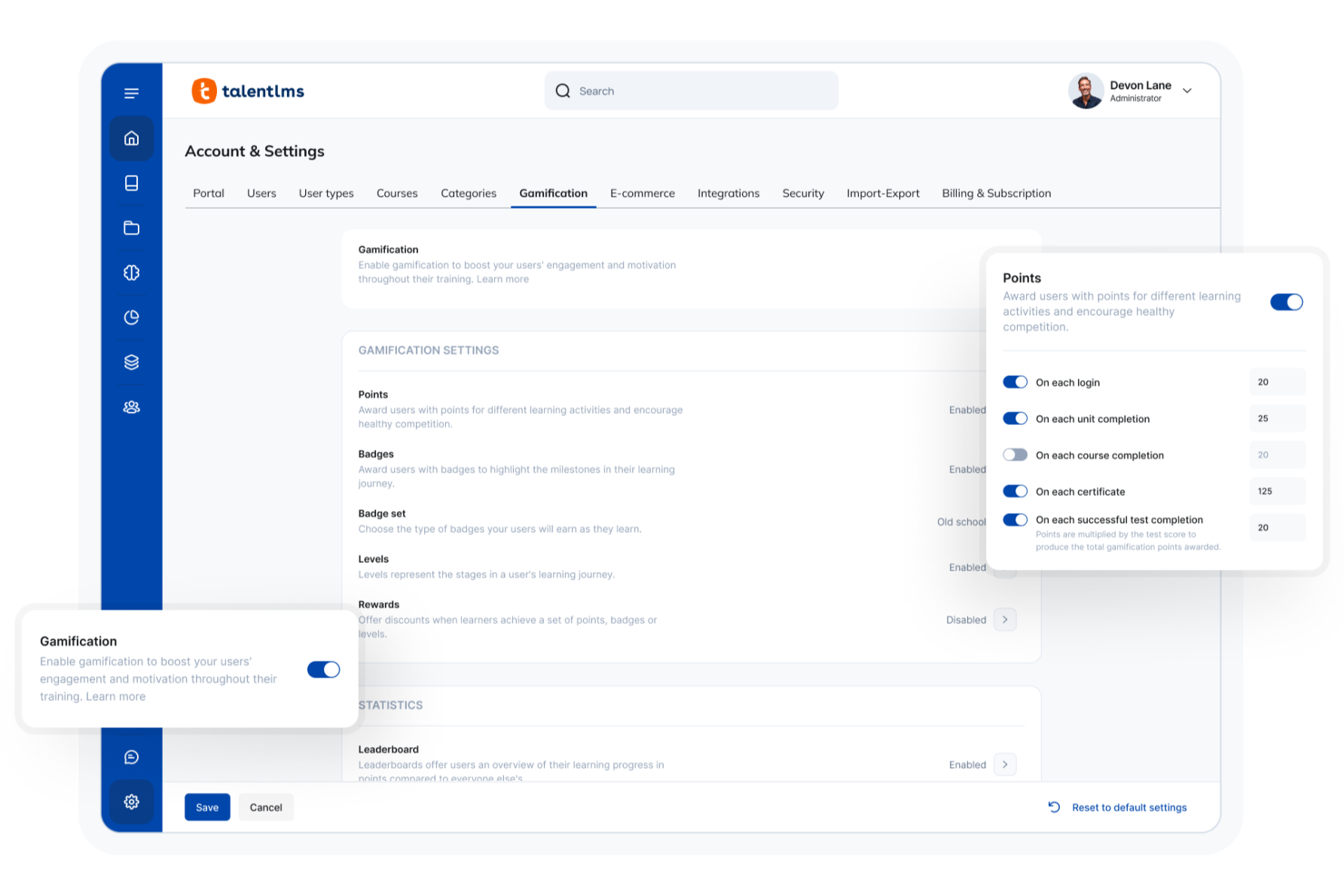
TalentLMS is a cloud-based learning experience platform designed for organizations that want to deliver engaging online training at scale. It’s a strong fit for HR teams, training managers, and businesses looking to centralize learning, automate admin tasks, and customize the learner journey. With flexible course creation and a user-friendly interface, TalentLMS helps you build, manage, and track training programs for diverse teams.
Who Is TalentLMS Best For?
TalentLMS suits HR teams, training managers, and organizations of any size that need a flexible, scalable platform to deliver and manage online learning programs.
Why I Picked TalentLMS
For teams that want to accelerate course development, I picked TalentLMS because of its AI-powered course creation capabilities. The platform lets you generate course outlines, content, and quizzes using built-in AI tools, which helps reduce manual work and speeds up the launch of new training programs. I appreciate how you can quickly transform subject matter expertise into structured learning paths without needing advanced instructional design skills. This makes TalentLMS especially useful for organizations that need to keep training content fresh and relevant.
TalentLMS Key Features
Some other features that make TalentLMS a versatile learning experience platform include:
- Custom branding: You can tailor the platform’s look and feel to match your organization’s branding, including logos, colors, and domain.
- Learning paths: Set up structured learning journeys by sequencing courses and prerequisites for different roles or departments.
- Gamification elements: Add badges, points, and leaderboards to boost learner engagement and motivation throughout the training process.
- Detailed reporting: Access analytics dashboards and exportable reports to track learner progress, course completion, and assessment results.
TalentLMS Integrations
Integrations include BambooHR, Salesforce, TalentHR, Sage People, Intercom, ADP Workforce Now, Zendesk Chat, Zoom, Microsoft Teams, and GoTo.
Pros and Cons
Pros:
- Mobile app supports offline course access
- Gamification features boost learner engagement
- Built-in AI tools for rapid course creation
Cons:
- No built-in video conferencing tool
- SCORM and xAPI support only on paid plans
New Product Updates from TalentLMS
TalentLMS Adds Learning Paths, AI Video, and Learner Experience Updates
TalentLMS introduced updates across learning management, content creation, and learner experience, including Learning Paths for Groups, AI video generation in TalentCraft, video bookmarking, and expanded administration tools. For more information, visit TalentLMS’s official site.

Absorb
Best for compliance training
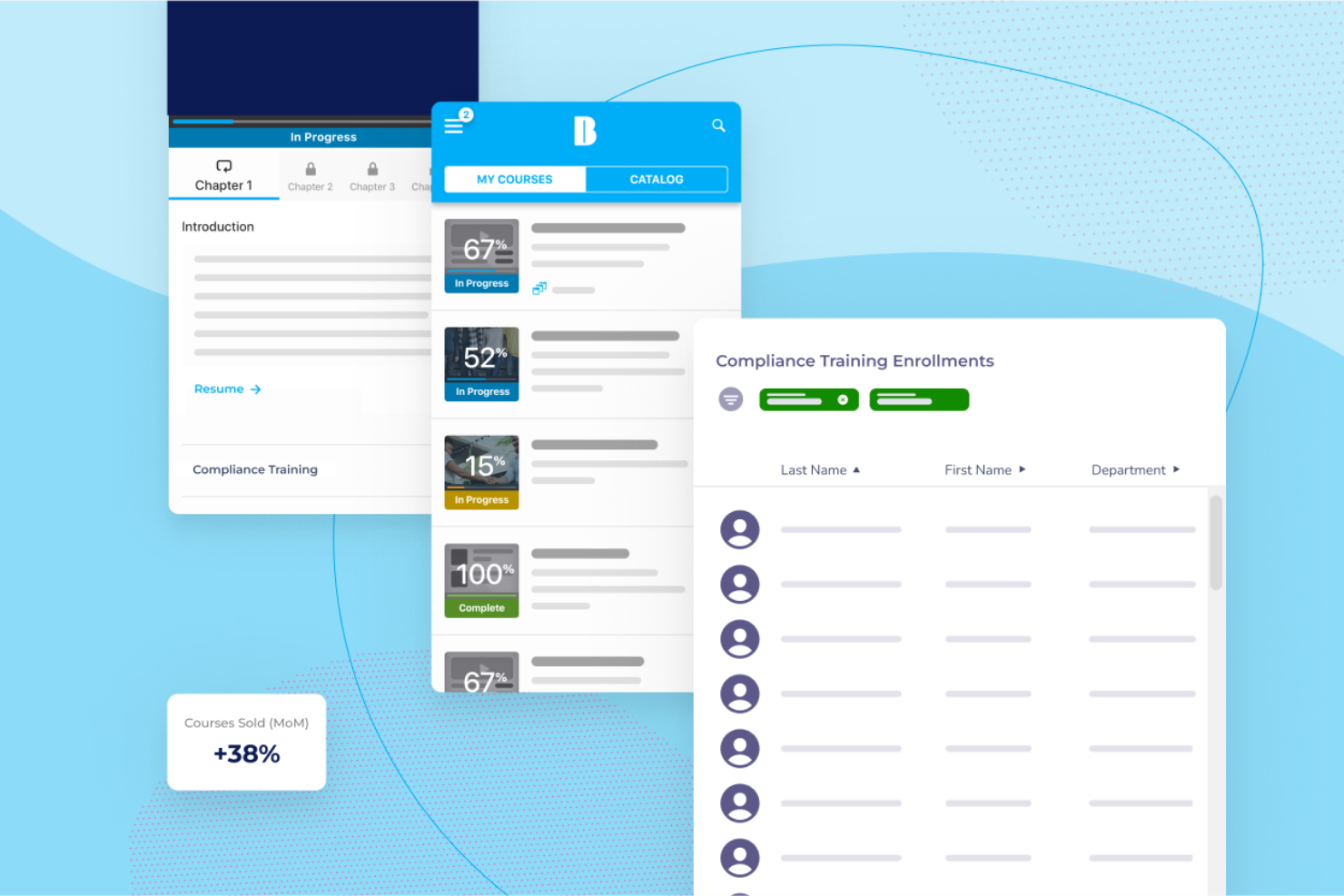
Absorb is designed for organizations that need compliance training. It serves businesses across various industries, helping them deliver essential training programs and track compliance.
Why I picked Absorb: It offers extensive tools to manage and track compliance training. The platform provides detailed reporting features that help you monitor learner progress and ensure compliance standards are met. Its intuitive interface simplifies the process of creating and managing courses. Absorb's focus on compliance makes it a reliable choice for organizations with strict training requirements.
Standout features and integrations:
Features include detailed reporting tools that help you track learner progress and compliance. The platform offers an intuitive interface for creating and managing training courses. It also provides mobile access, allowing learners to complete training on the go.
Integrations include Salesforce, Zoom, LinkedIn Learning, BambooHR, Google Workspace, and more.
Pros and Cons
Pros:
- Smooth learner user experience
- Reliable automation and reporting
- Excellent compliance tracking
Cons:
- Pricing rises quickly with scale
- Limited advanced customization
New Product Updates from Absorb
Absorb Expands Instructor-Led Course Session Management
Absorb adds multi-class sessions, recurring classes, conflict indicators, and learner enrollment during setup for instructor-led courses. These updates give admins more control over scheduling and session management. For more information, visit Absorb’s official site.
 .
.

EducateMe LMS is a SaaS learning management platform designed for cohort-based programs, structured learning paths, and automated course delivery. It combines live sessions, assignments, communication tools, and learner analytics in a centralized training environment.
Who Is EducateMe LMS Best For?
EducateMe LMS is a strong fit for training teams, course creators, and education businesses running structured, group-based programs that require automated progression and engagement tracking.
Why I Picked EducateMe LMS
I picked EducateMe LMS because its automation tools reduce the manual work involved in managing structured programs. You can automate enrollments, reminders, and course assignments so learners move through predefined pathways without constant admin oversight. The learning path builder allows gated progression based on completion, which works well for onboarding programs, certification tracks, or phased compliance training. Recurring courses also make it easier to relaunch training cycles without rebuilding everything from scratch.
EducateMe LMS Key Features
- Learning paths: Create structured, step-by-step programs with gated progression rules.
- Live session hosting: Run instructor-led sessions with Zoom integration and attendance tracking.
- Assignments and assessments: Build quizzes, graded assignments, and peer reviews directly into courses.
- Analytics dashboard: Track learner engagement, completion rates, and cohort performance in real time.
EducateMe LMS Integrations
Integrations include Zoom, Google Calendar, Outlook Calendar, Slack, Telegram, Stripe, Zapier, Google Forms, Google Docs, Google Sheets, Google Slides, Notion, Figma, and SSO providers such as Okta and Auth0. An API is available for custom integrations.
Pros and Cons
Pros:
- Clear analytics dashboard for tracking engagement
- Automation reduces manual admin workload
- Strong cohort management for structured programs
Cons:
- No built-in marketplace for selling public courses
- Limited native integrations compared to larger LMS platforms

Best for collaborative learning
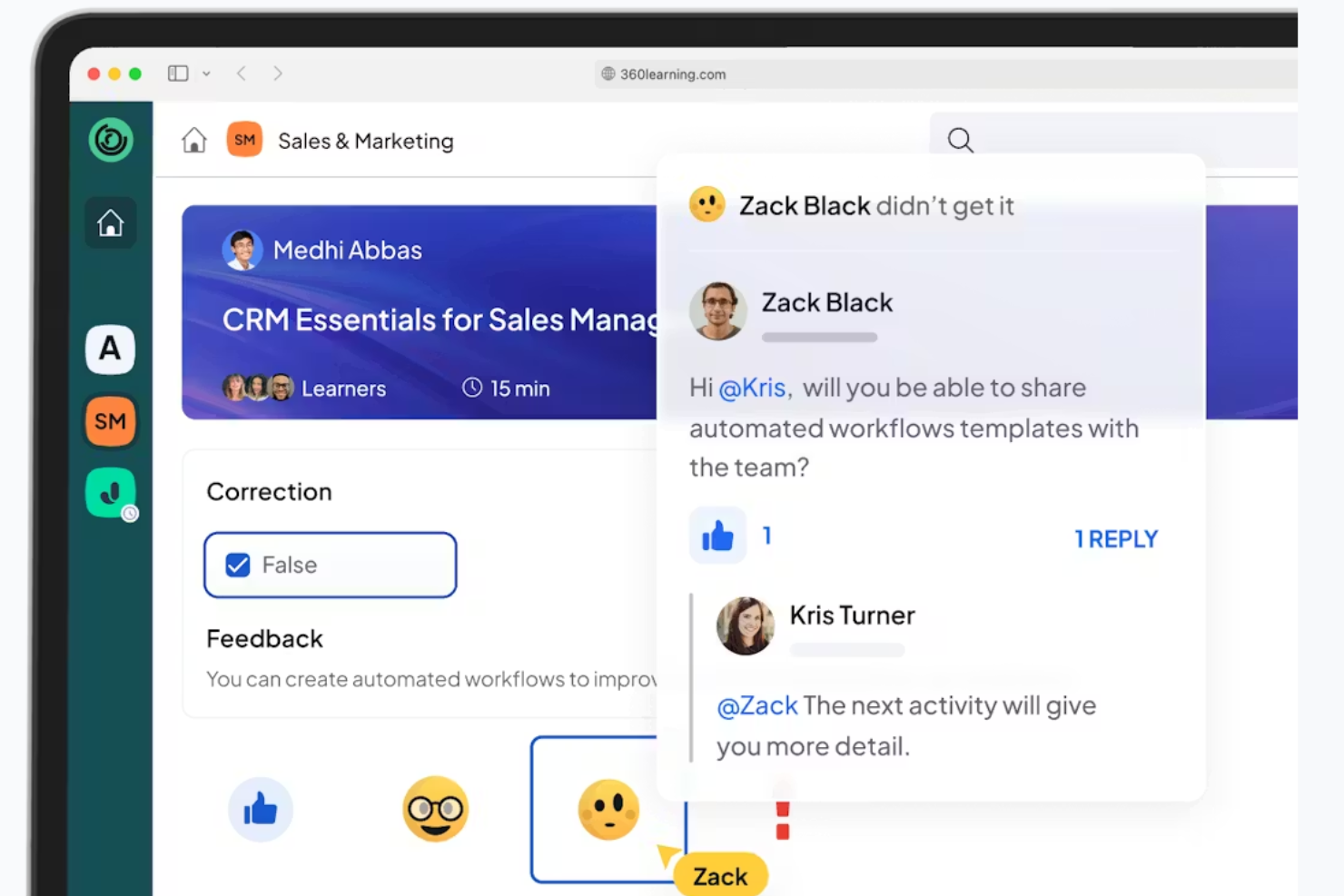
360Learning is an LXP designed for collaborative learning environments. It works well for organizations that prioritize team-based learning and peer collaboration.
Why I picked 360Learning: It emphasizes social learning by allowing team members to create and share content easily. The platform supports peer-driven learning paths, fostering a collaborative environment. With tools for feedback and discussion, your team can engage in meaningful learning experiences. This approach aligns perfectly with organizations that value knowledge sharing and teamwork.
Standout features and integrations:
Features include tools for creating and sharing learning content within your team. The platform offers peer-driven learning paths that encourage collaboration. It also includes feedback and discussion functionalities to support the learning process.
Integrations include Microsoft Teams, Slack, Zoom, Google Workspace, Salesforce, LinkedIn Learning, SAP SuccessFactors, Workday, and more.
Pros and Cons
Pros:
- Fast content creation
- Peer-driven learning paths
- Encourages team collaboration
Cons:
- Value drops if SMEs don’t contribute content
- Not suited to solo learning
Best for multimedia learning
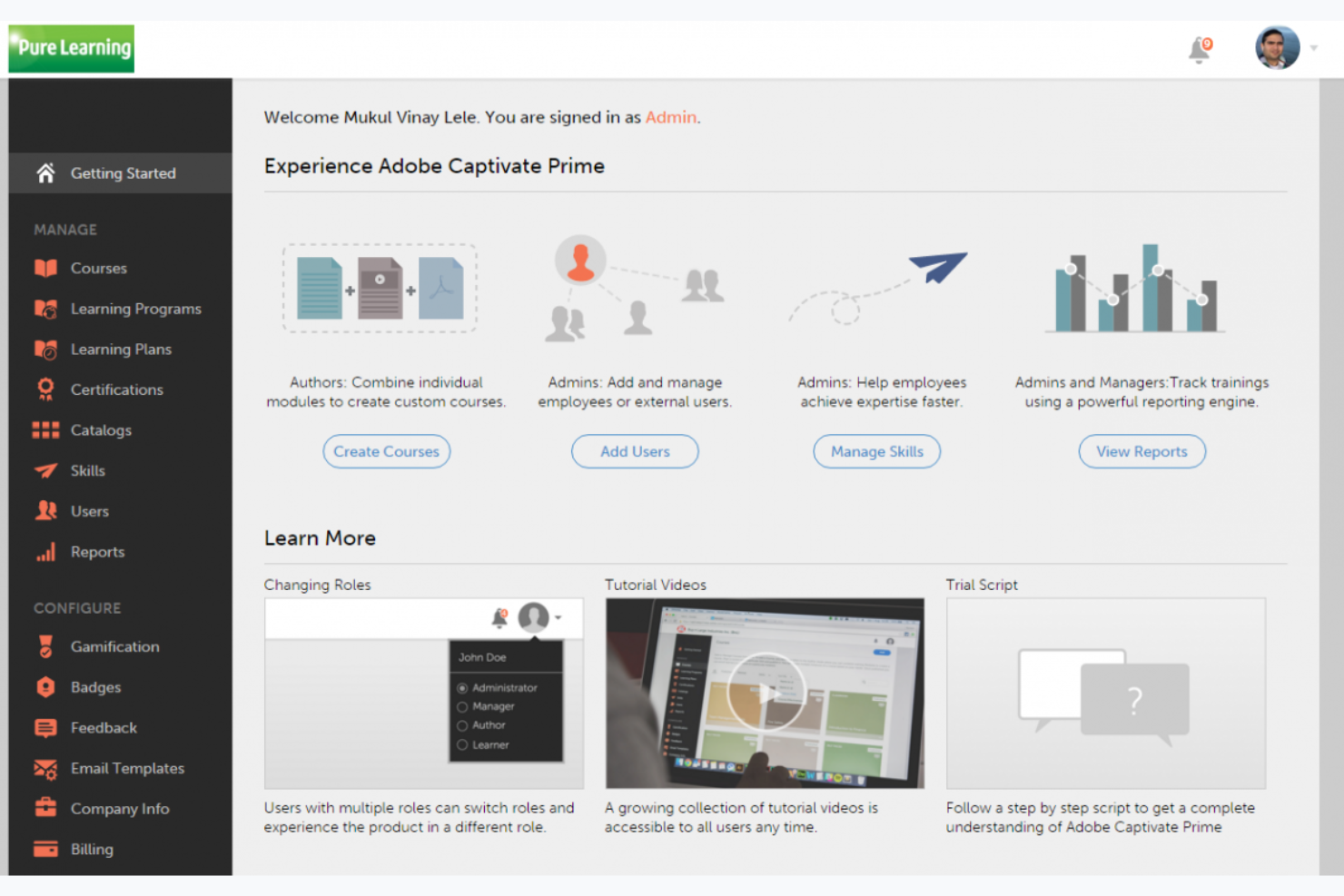
Adobe Learning Manager is an LMS with LXP-style personalization/content discovery functionalities that support content creation and personalized learning experiences. It is typically suited for industries focused on design and multimedia.
Why I picked Adobe Learning Manager: It offers a unique advantage with its integration of Adobe's suite of creative tools. The platform supports multimedia learning, making it easy to create engaging content. Its focus on creative courses and content curation stands out. Adobe Learning Manager's analytics provide insights into learner progress and engagement.
Standout features and integrations:
Features include content creation tools that support blended learning, AI-driven personalized learning paths, and analytics and reporting tools to understand learner progress and engagement.
Integrations include Adobe Creative Cloud, Adobe Connect, Microsoft Teams, Salesforce, Zoom, LinkedIn Learning, SCORM, xAPI, and more.
Pros and Cons
Pros:
- AI-driven personalized recommendations
- Native integration with Adobe tools
- Excels at video and rich media learning
Cons:
- Requires Adobe ecosystem familiarity
- Less value outside media-heavy training

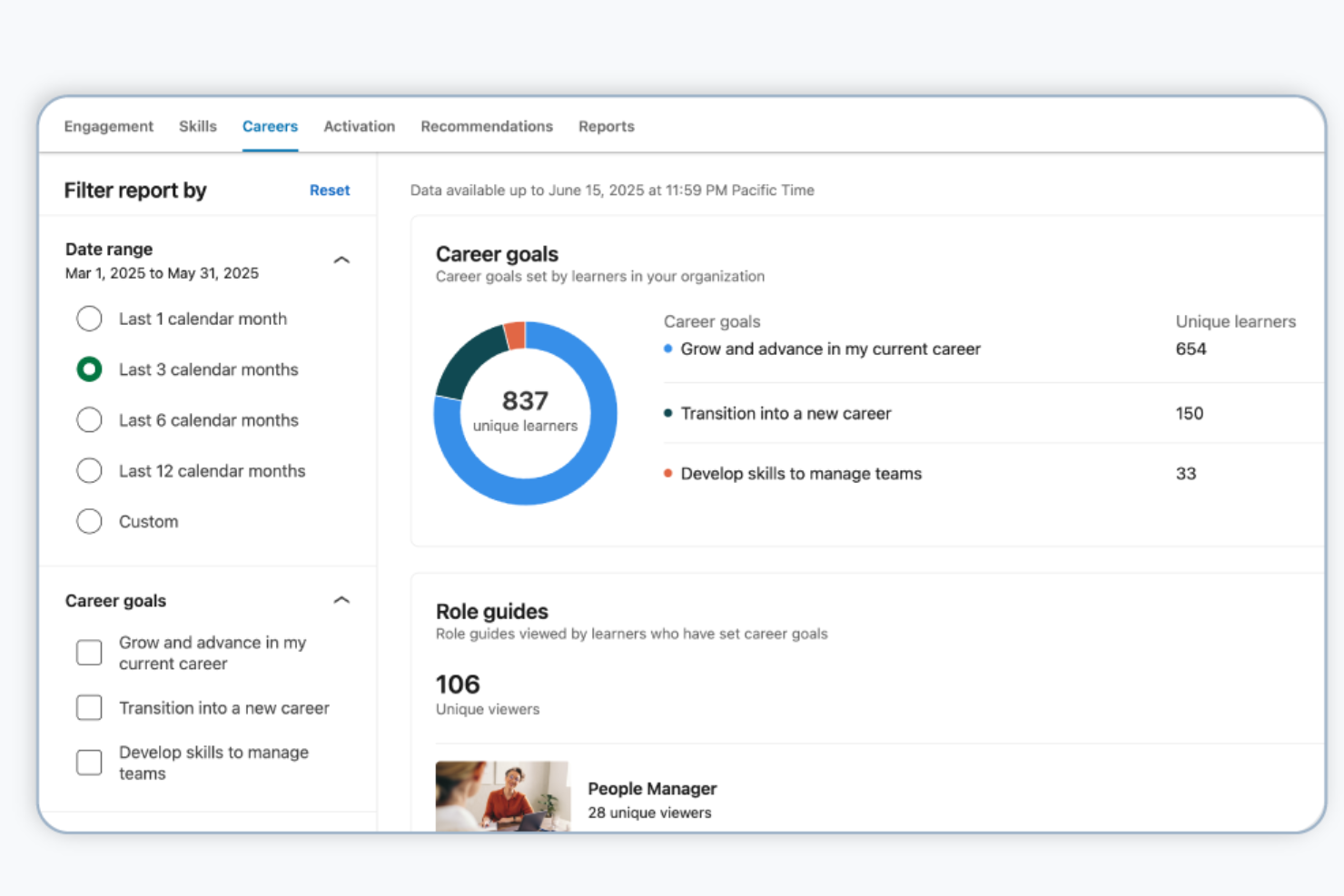
LinkedIn Learning is an online education platform designed for professionals seeking to advance their careers. It offers a wide range of courses in business, technology, and creative skills.
Why I picked LinkedIn Learning: It provides access to an extensive library of expert-led courses that are regularly updated. The platform's integration with LinkedIn allows for personalized course recommendations based on your career path. Certificates of completion can be added to your LinkedIn profile to enhance your professional image. With its focus on career development, LinkedIn Learning is ideal for individuals looking to gain relevant skills.
Standout features and integrations:
Features include expert-led courses that cover a variety of professional skills. The platform provides personalized recommendations that align with your career goals. You can share certificates of completion on your LinkedIn profile to showcase your achievements.
Integrations include Microsoft Teams, Zoom, Workday, Salesforce, Cornerstone, Degreed, SAP SuccessFactors, Saba, Skillsoft, Oracle Learning, and more.
Pros and Cons
Pros:
- LinkedIn profile integration
- Content aligned with job market trends
- Extensive professional course library
Cons:
- Weak team-level reporting
- Limited assessment depth

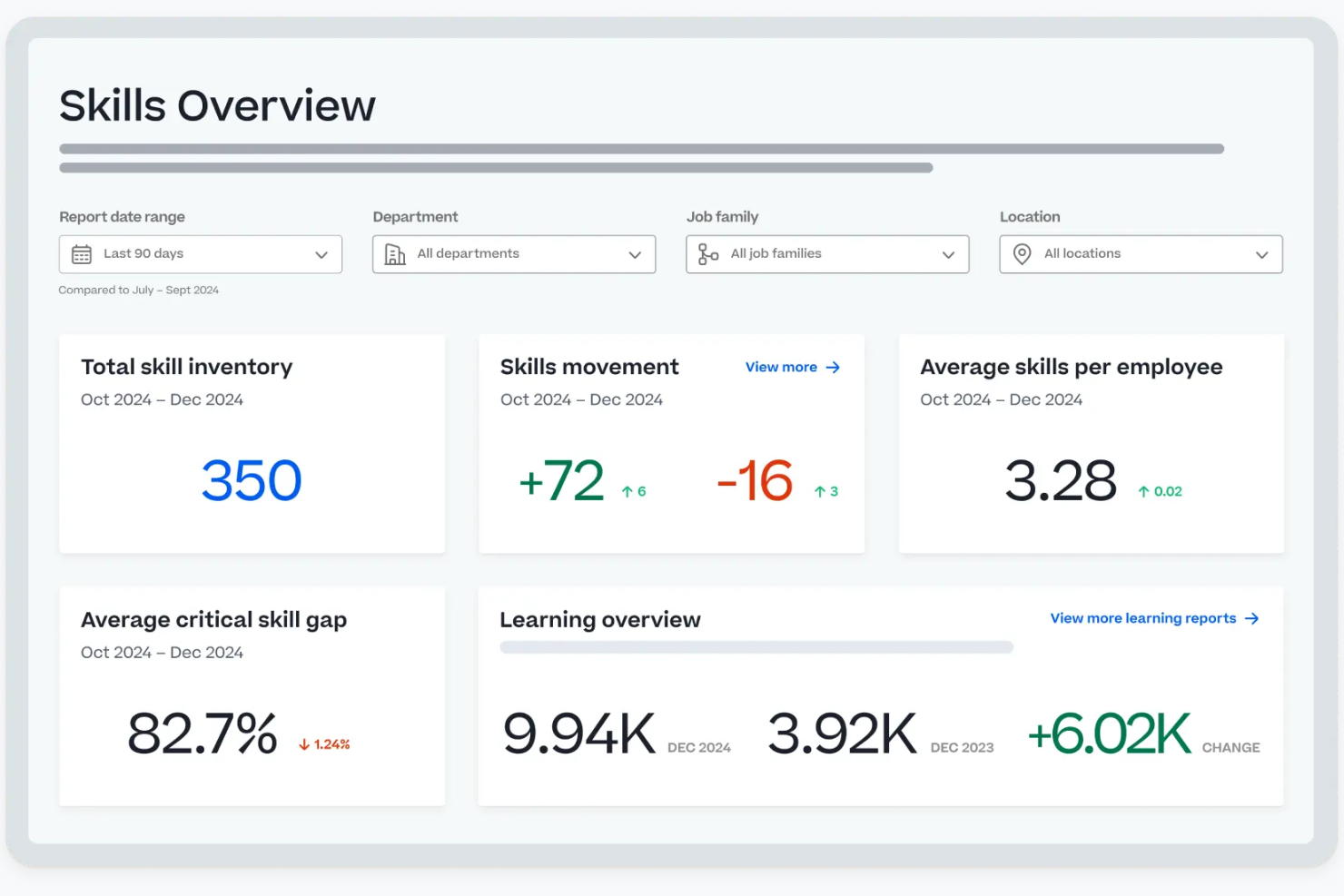
Cornerstone is a talent management platform tailored for large global enterprises. It helps manage workforce performance, learning, and compliance, providing tools for skill development and career mobility.
Why I picked Cornerstone: It caters to global companies with its centralized workforce tools and AI-driven personalization. The Galaxy Platform unifies workforce activities, making it ideal for large-scale operations. Cornerstone Learn focuses on compliance and upskilling, while Cornerstone Elevate supports talent management and career growth. The platform's workforce intelligence offers insights into skills and future workforce needs, aligning with its USP for global enterprises.
Standout features and integrations:
Features include AI-powered learning solutions for compliance and skill development. The platform offers tools for employee growth and career mobility through Cornerstone Elevate. Workforce intelligence provides insights into skills and workforce planning to adapt to changes.
Integrations include Workday, ADP, LinkedIn Learning, Microsoft Teams, Zoom, Salesforce, Slack, and more.
Pros and Cons
Pros:
- Proven support for global deployments
- Deep compliance and workforce analytics
- Configurable learning paths
Cons:
- High implementation cost
- Mobile experience lags competitors
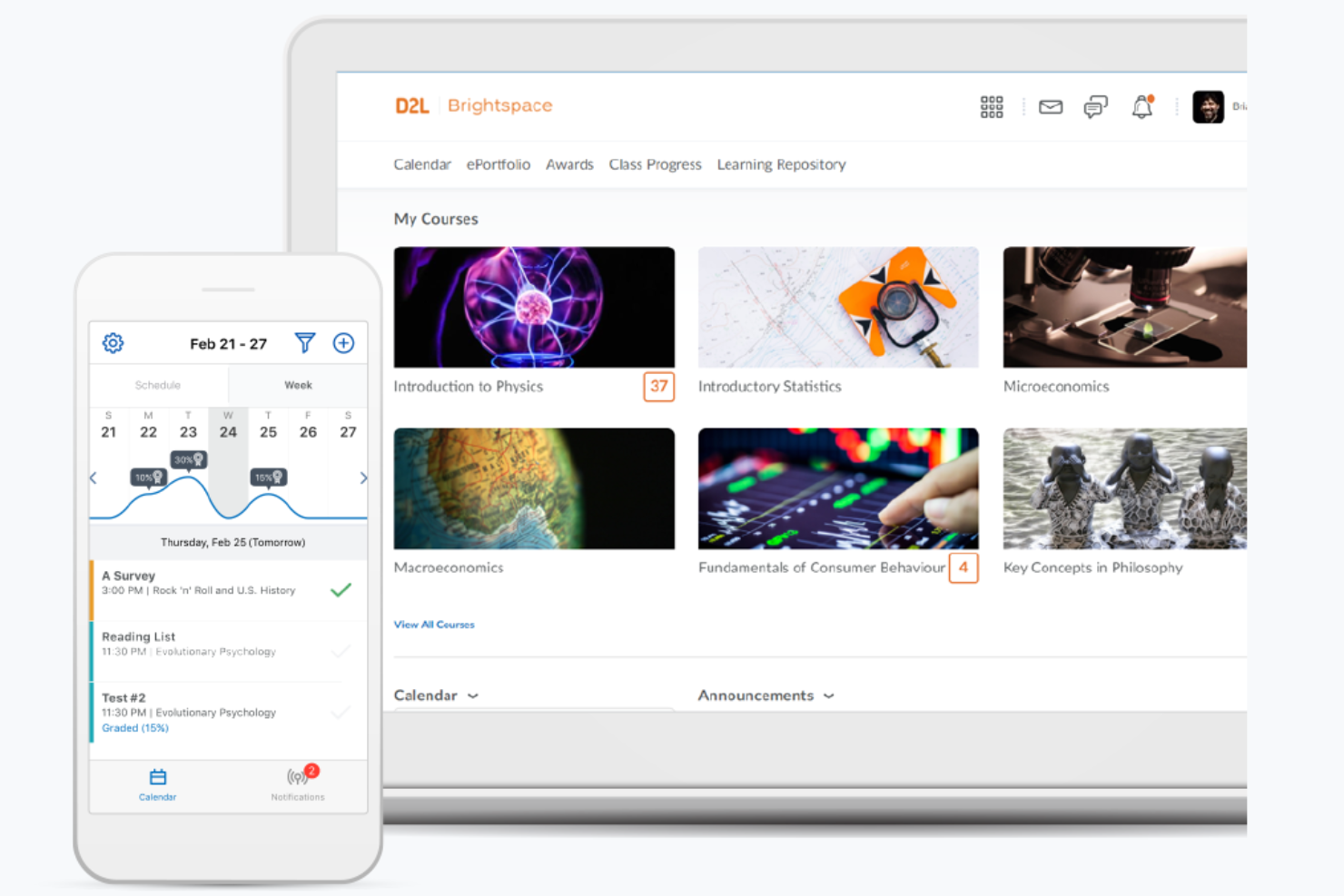
Brightspace is a learning management system by D2L that helps higher education institutions deliver engaging and flexible learning experiences. It supports a broad range of educational needs, including course management, student engagement, and assessment tools.
Why I picked D2L Brightspace: The platform provides extensive customization options for creating unique learning environments. Analytics tools help educators track student progress and adapt teaching methods accordingly. Brightspace's mobile-friendly design ensures students can access course materials anytime. Its focus on higher education makes it a strong choice for universities and colleges.
Standout features and integrations:
Features include advanced analytics tools that offer insights into student performance. The platform supports mobile access, allowing students to engage with content wherever they go. It also provides flexible course management options to tailor learning experiences to your institution's needs.
Integrations include Microsoft Teams, Zoom, Google Workspace, Salesforce, Ellucian, PeopleSoft, SAP, Turnitin, Respondus, Kaltura, and more.
Pros and Cons
Pros:
- Suitable for academic institutions
- Reliable mobile learning experience
- Strong accessibility compliance features
Cons:
- Complex initial configuration
- Corporate UX feels outdated

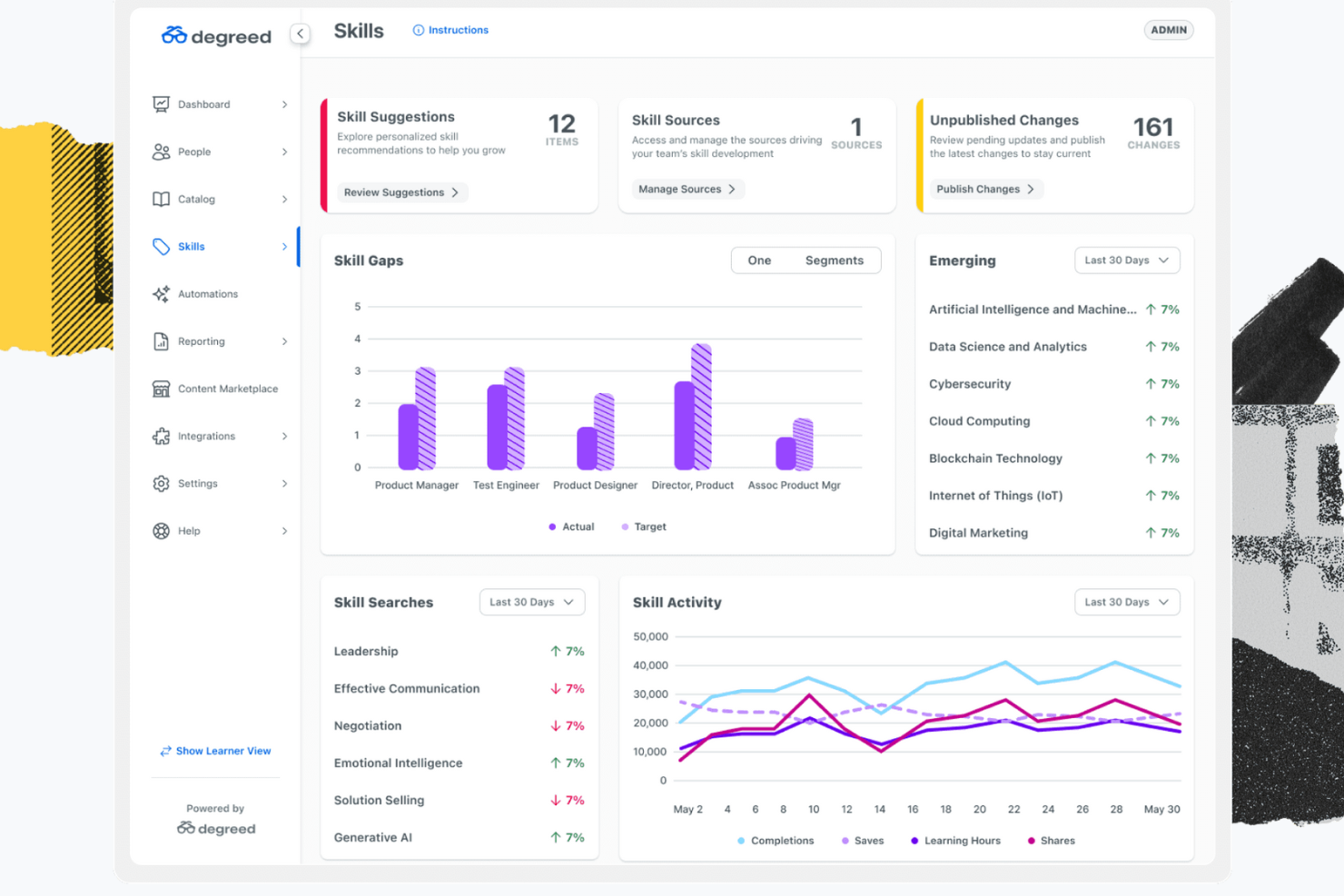
Degreed is a learning experience platform that helps businesses build employee skills. It supports personalized learning pathways, skill tracking, and AI-driven content curation.
Why I picked Degreed: This platform excels in tracking skills and progress with its AI-powered content recommendations and personalized learning paths. It supports onboarding, upskilling, and reskilling. Automation of learning workflows and data analysis tools further enhances its ability to measure learning outcomes. Degreed's user-friendly interface makes it accessible for teams looking to foster continuous learning.
Standout features and integrations:
Features include personalized learning pathways that adapt to your team’s needs. AI-driven content curation helps you find the most relevant learning materials. The platform also offers tools for onboarding, upskilling, and reskilling to support your workforce development.
Integrations include LinkedIn Learning, Udemy, Coursera, Pluralsight, Workday, SAP SuccessFactors, Cornerstone, and more.
Pros and Cons
Pros:
- Centralizes learning resources
- Supports continuous learning
- Effective skill development
Cons:
- Some dashboards feel cluttered with analytics depth
- Requires configuration/design expertise for optimal skills frameworks
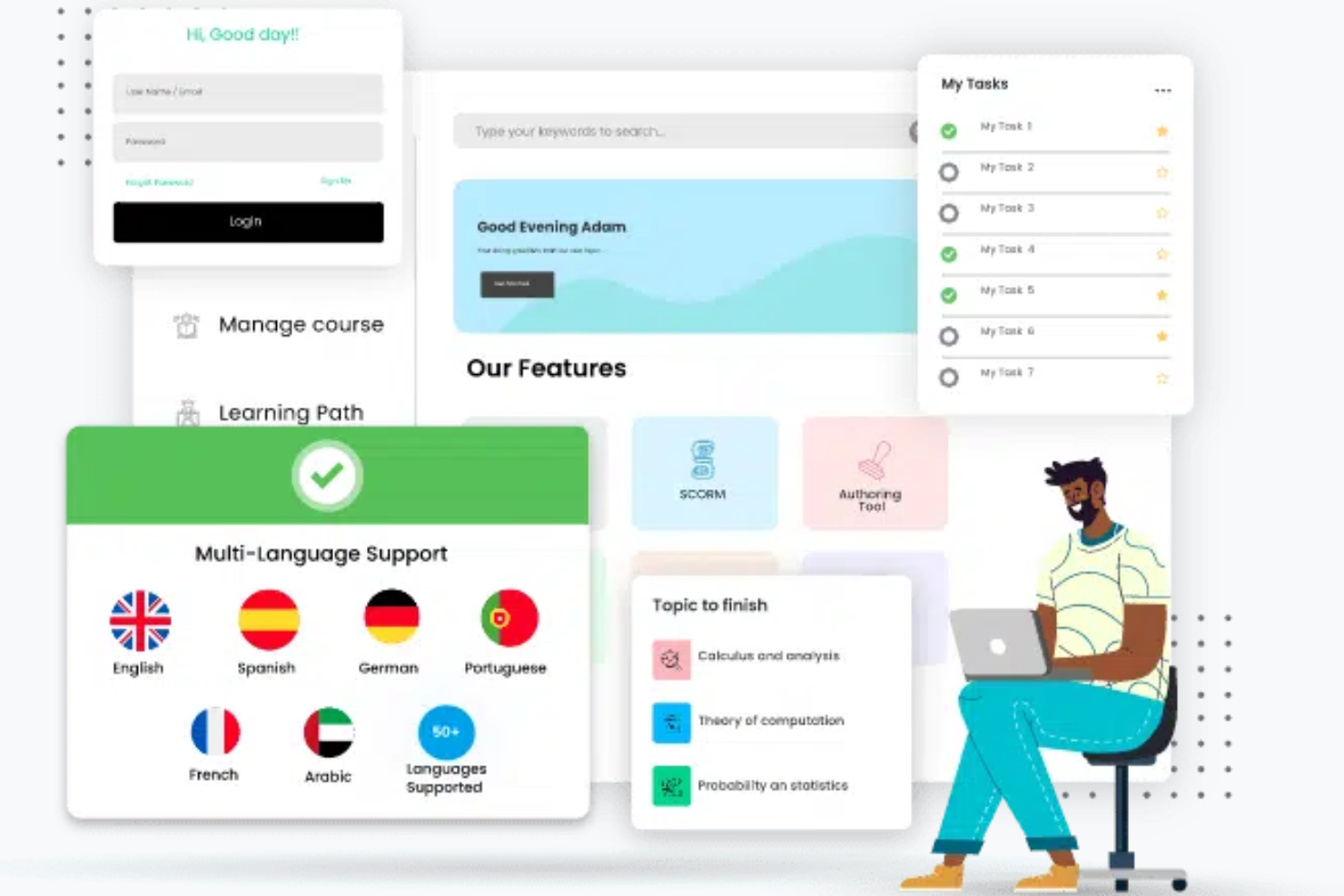
Paradiso is a training management system designed for organizations that require multilingual support. It serves businesses needing to deliver training programs across different languages and regions.
Why I picked Paradiso: It allows you to create and manage courses in various languages. The platform's localization features ensure training materials are culturally relevant and accessible. Paradiso provides tools for managing learners and tracking progress across multiple locations. This focus on multilingual support makes it ideal for global organizations.
Standout features and integrations:
Features include localization tools that ensure your training materials are culturally relevant. The platform supports a wide range of languages, making it accessible to global audiences. It also offers complete learner management and progress tracking.
Integrations include Salesforce, Zoom, Microsoft Teams, LinkedIn Learning, Shopify, Google Analytics, PayPal, Stripe, Okta, and more.
Pros and Cons
Pros:
- Thorough learner management
- Extensive third-party integrations
- Broad language and localization support
Cons:
- Interface can feel cluttered
- Setup often needs vendor help
Other Learning Experience Platforms
Here are some additional learning experience platform options that didn’t make it onto my shortlist, but are still worth checking out:
- SkillPath
For onsite training
- Seesaw
For K-12 education
- GoSkills
For small businesses
- Exec
For AI-powered roleplay practice
- Thinkific
For course creators
- Genially
For interactive content creation
- MapleLMS
For nonprofit organizations
- Bealink
For remote team training
- Riipen
For project-based learning
- CrossKnowledge
For leadership development


How I Evaluate Learning Experience Platforms
I split my evaluation into two layers: the baseline features an LXP must have—like personalized learning paths and skills tracking—and the differentiators that set one platform apart from another.
Core Functionality (Table Stakes For This List)
When I'm selecting tools for my list, I rank each one on a scale from 0 (does not offer the functionality) to 5 (excels in this area) for each core functionality listed below. Then, I calculate the tool's total score into a percentage. Each tool needs to achieve a minimum total score of 65% to be considered for inclusion.
- Personalized Learning Paths: I check whether the platform adapts recommendations based on a learner's role, skill gaps, and goals—not just static course assignments.
- Content Curation & Aggregation: Platforms should pull from multiple sources like LinkedIn Learning or Coursera and let admins and learners build curated collections.
- Skills Management & Tracking: I look for a skills taxonomy that maps content to competencies, so L&D teams can spot gaps and measure progress over time.
- Social & Collaborative Learning: Features like discussion threads, peer-shared playlists, and user-generated content show me learners can teach each other, not just consume.
- Learner-Driven Content Discovery: The browsing experience matters—I evaluate whether learners can find relevant content through smart search, topic feeds, and interest filters.
- Learning Analytics & Reporting: Dashboards should go beyond completion rates and show engagement trends, skill progression, and content effectiveness across teams.
Once I have a list of tools that meet this criteria, I consider what sets each platform apart.
Differentiating Factors (What Sets Vendors Apart)
Here's how I compare and contrast different vendors:
Standout Features
Career pathing tools are a big differentiator—I look for platforms that connect learning activity to internal mobility and role progression, so employees see a clear link between courses and their next career move. AI content authoring is also worth evaluating, especially for L&D teams that need to create and update materials fast without relying on separate tools. Cohort-based learning stands out when organizations run structured programs like leadership academies or onboarding bootcamps alongside self-paced content.
Beyond Features
HRIS and talent stack integrations matter a lot here. I check whether a platform syncs with tools like Workday or SAP SuccessFactors for user provisioning, so L&D teams aren't manually updating learner profiles every time someone changes roles. Implementation support is another factor I weigh—migrating a skills taxonomy or content library into a new LXP is a heavy lift, and vendors that offer dedicated onboarding and content migration services make a real difference. For global organizations, I also evaluate multi-language support and data residency options.
How To Choose a Learning Experience Platform
It’s easy to get bogged down in long feature lists and complex pricing structures. To help you stay focused as you work through your unique software selection process, here’s a checklist of factors to keep in mind:
| Factor | What to Consider |
|---|---|
| Scalability | Will the platform grow with your team? Consider if it can handle more users or courses as your organization expands. Look for platforms that offer flexible plans or can scale without major upgrades. |
| Integrations | What existing tools do you use? Ensure the platform integrates smoothly with your current systems such as HR software or communication tools. This reduces disruption and enhances workflow efficiency. |
| Customizability | Does the platform allow you to tailor learning paths? Consider if you can adapt the interface or course content to fit your brand and training needs. Custom options should align with your processes. |
| Ease of use | How intuitive is the platform for users? Assess if your team can navigate it without extensive training. Look for user-friendly interfaces and straightforward navigation to minimize learning curves. |
| Implementation and onboarding | How quickly can you get started? Evaluate the support available during setup and initial training. Consider platforms with comprehensive onboarding resources, such as tutorials and dedicated support teams. |
| Cost | Does the pricing fit your budget? Compare the costs of different platforms, including hidden fees or additional charges for extra features. Ensure the value aligns with the price you pay. |
| Security safeguards | How secure is your data? Ensure the platform complies with data protection standards and offers features such as encryption and access controls. This is vital for protecting sensitive information. |
| Support availability | What support options are available? Consider the availability of customer support, including hours and contact methods. Reliable support can resolve issues quickly and keep your training on track. |
What Is a Learning Experience Platform?
A learning experience platform is a digital tool designed to facilitate and enhance learning and development within organizations. Professionals such as HR managers, training coordinators, and educational leaders generally use these tools to deliver and track learning activities. Personalized learning paths, content curation, and analytics features support user engagement, skill development, and progress tracking. Overall, these tools help organizations foster a culture of continuous learning and development.
Features
When selecting a learning experience platform, keep an eye out for the following key features:
- Personalized learning paths: Tailor learning experiences to individual needs, helping users engage with content that's relevant to their personal goals.
- Content curation: Aggregates and organizes content from various sources, providing learners with a diverse range of materials to enhance learning.
- Analytics and reporting: Track learner progress and performance, enabling organizations to measure the effectiveness of their training programs.
- Social learning capabilities: Facilitate collaboration and communication among learners, fostering a community-driven learning environment.
- Mobile accessibility: Allows learners to access training materials on the go, making learning flexible and convenient.
- Gamification elements: Incorporate game-like features to motivate and engage learners, improving participation and retention.
- Integration options: Ensure the platform works well with existing tools and systems, enhancing workflow and reducing disruptions.
- Security safeguards: Protect sensitive data through encryption and access controls, ensuring compliance with privacy standards.
- Feedback and assessment tools: Provide mechanisms for evaluating learner understanding and gathering input to improve the learning process.
Benefits
Implementing a learning experience platform provides several benefits for your team and your business. Here are a few you can look forward to:
- Enhanced engagement: Personalized learning paths and gamification elements keep learners motivated and invested in their education.
- Improved skills development: Content curation and analytics ensure that learners access relevant materials and track their progress effectively.
- Flexible learning: Mobile accessibility allows team members to learn at their own pace and on their own schedule.
- Collaboration and community: Social learning capabilities encourage interaction and knowledge sharing among team members.
- Efficient integration: Integration options ensure the platform fits smoothly into your existing systems, minimizing disruption.
- Data security: Security safeguards protect sensitive information, keeping your business compliant with data regulations.
- Informed decision-making: Feedback and assessment tools provide insights into learner performance, helping you refine your training strategies.
Costs and Pricing
Selecting a learning experience platform requires an understanding of the various pricing models and plans available. Costs vary based on features, team size, add-ons, and more. The table below summarizes common plans, their average prices, and typical features included in learning experience platform solutions:
Plan Comparison Table for Learning Experience Platforms
| Plan Type | Average Price | Common Features |
|---|---|---|
| Free Plan | $0 | Access to basic courses, limited analytics, and community support. |
| Personal Plan | $5-$25/user/month | Personalized learning paths, content curation, and mobile access. |
| Business Plan | $30-$75/user/month | Advanced analytics, integration options, and social learning capabilities. |
| Enterprise Plan | $100-$200/user/month | Customizable solutions, dedicated support, and full security safeguards. |
Learning Experience Platform FAQs
Here are some answers to common questions about learning experience platforms:
What is the difference between an LMS and a learning experience platform?
An LMS (learning management system) focuses on administrative tasks such as tracking and delivering educational courses. A learning experience platform enhances the learning process by curating content and providing personalized learning paths. If you’re looking for a tool that actively engages learners with tailored content, a learning experience platform is the way to go. It offers more flexibility and a user-centered approach to learning compared to a traditional LMS.
Can a learning experience platform integrate with existing software?
Yes, most learning experience platforms can integrate with existing tools such as HR software, CRM systems, and communication apps. When evaluating options, check for compatibility with your current systems. This ensures a smooth workflow and avoids disruptions. Many platforms offer APIs or pre-built integrations to help you connect with other tools. It’s a good idea to list out your current software and confirm integration capabilities during your purchasing journey.
How do I measure the success of a learning experience platform?
To measure success, track learner engagement, course completion rates, and improvements in skills or performance. Use the platform’s analytics and reporting features to gather data. Set clear goals for what you want to achieve with the platform, such as increased employee retention or faster onboarding. Regularly review these metrics to ensure the platform meets your objectives. Adjust your training strategies based on the insights gathered from these reports.
Are learning experience platforms suitable for small businesses?
Yes, learning experience platforms can be suitable for small businesses. Look for platforms offering flexible pricing plans that fit your budget. Smaller teams can benefit from personalized learning paths and content curation to address specific skills gaps. The right platform can help you train your team effectively without the need for a large HR department. Consider options that offer scalability so the platform grows with your business.